Blog

  • Privileged Access Management Checklist: What to Verify Before You Lock In Admin Friction

    Most mid-sized IT teams buy PAM to lock down privileged accounts and check a compliance box. What they don’t anticipate is the three months of help desk escalations that follow, when every emergency database fix requires a four-step approval workflow and your best DevOps engineer is waiting 20 minutes to SSH into a production server. The platform works exactly as designed. The problem is that the design assumes your admins work the way the vendor’s security team works, not the way your admins actually work.

    The gap between vendor demo and daily reality sits in the questions most teams don’t ask until after the contract is signed. How long does vault checkout take when your network is slow? Can someone bypass the approval queue at 2 a.m. without calling you? What happens to the 47 service accounts that don’t fit the platform’s credential model? This privileged access management checklist covers what to verify before you sign anything. Every item below has derailed at least one deployment. Most of them won’t come up in the sales process unless you ask directly.

    Workflow Impact: What to Check Before PAM Breaks Your Admin Speed

    Your admins move fast because they have standing access to the systems they manage. PAM interrupts that speed by design. The question isn’t whether the interruption is justified (it usually is), but whether the platform lets you tune the interruption to match the actual risk. A privileged account used to reboot a test server carries different risk than one with production database write access. If the platform treats both the same way, your team will spend the next year managing exception requests.

    Before you commit to a platform, verify these four workflow impacts:

    • Session checkout time under realistic conditions. Test vault credential retrieval over your actual network, not the vendor’s demo environment. If checkout takes more than 10 seconds, your admins will find workarounds.
    • Approval workflow for break-glass access. Confirm you can define an emergency access path that doesn’t require manager approval at 3 a.m. Most platforms support this. Many require custom scripting to make it work.
    • Session recording overhead. Run a session recording during a typical admin task and check for latency. Keystroke-level recording adds overhead. If your admins work in latency-sensitive environments (database queries, live config changes), test before you deploy.
    • Credential rotation impact on scripts and automation. If the platform auto-rotates passwords, your existing scripts and CI/CD pipelines will break unless you integrate them with the vault API. Budget integration time before you flip rotation on.

    The vendor will tell you the platform is “transparent to end users.” That’s true only if your environment matches their reference architecture. Yours probably doesn’t.

    Access Policy Flexibility: Questions Your Vendor Will Dodge

    Most PAM platforms ship with a set of pre-built access policies designed for enterprise role hierarchies. If your team is under 50 people, those policies won’t map cleanly to your structure. You’ll have admins who need production access sometimes, contractors who need temporary elevated rights, and at least one person who doesn’t fit any predefined role. The platform needs to handle exceptions without forcing you into a binary choice between “deny access” and “grant standing admin.”

    Use this checklist to verify policy flexibility during your trial:

    • Conditional access based on time, location, or device. Can you restrict privileged access to office hours or specific IP ranges without building custom rules? If the answer involves scripting, plan for two weeks of configuration work.
    • Temporary elevated access that auto-expires. Confirm the platform supports time-boxed privilege escalation (e.g., grant database admin for four hours, then revoke automatically). If expiration requires manual cleanup, it won’t happen consistently.
    • Role exceptions without creating new roles. Test whether you can grant a one-off access exception to a user without duplicating an entire role definition. Platforms that require role duplication create policy sprawl by month six.
    • Approval delegation when the primary approver is unavailable. Verify that approval workflows support delegation or fallback approvers. If the only person who can approve a production access request is on vacation, your weekend deployment is dead.
    • Break-glass override with automatic flagging. Make sure emergency access bypasses can be invoked by the user, logged immediately, and flagged for post-incident review. If break-glass requires admin intervention, it’s not really break-glass.

    RED FLAG
    No Self-Service Exceptions
    If every access exception requires a ticket to IT or a custom policy change, your help desk volume will double in the first 90 days. Test self-service workflows before you sign.


    Password Vault and Secret Management: What Actually Gets Stored

    The vendor demo always shows a clean vault full of Windows admin passwords and SSH keys. Your environment has Windows passwords, SSH keys, API tokens, cloud IAM credentials, service account passwords embedded in scripts, database connection strings, and at least a dozen credentials nobody has documented. The question isn’t whether the vault can store a password. The question is whether it can store all your privileged credentials in a way your team will actually use.

    Most vaults handle interactive login credentials well. Where they struggle is with non-interactive secrets: the API key your monitoring tool uses to pull metrics, the service account your backup script calls, the OAuth token your CI/CD pipeline needs. If the platform can’t manage those secrets, they stay in config files and spreadsheets. You’ve secured 60% of your privileged accounts and called it done.

    Before you deploy, verify these four secret management capabilities:

    • API and service account credential storage with programmatic access. Confirm your scripts and applications can retrieve secrets from the vault via API without storing passwords in plaintext. If API access requires per-application licensing, factor that into your cost estimate.
    • Cloud IAM credential federation. Check whether the platform integrates with AWS IAM, Azure AD, or Google Cloud IAM to issue temporary credentials instead of storing long-lived cloud admin passwords. Long-lived cloud credentials are the highest-risk secrets most vaults don’t eliminate.
    • SSH key rotation without breaking trust relationships. Test whether the platform can rotate SSH keys across your server fleet without manual updates to authorized_keys files. If rotation requires scripting, budget three weeks for the first deployment.
    • Secrets embedded in code repositories. Verify the platform can replace hardcoded secrets in your repos with vault references. Most can’t. If this is a priority, you’ll need a separate secrets scanner and remediation process.

    If the platform can’t handle more than half your credential types, you’re not deploying privileged access management. You’re deploying a password safe with expensive licensing.

    Integration Requirements: Where Implementation Cost Hides

    The vendor’s implementation estimate assumes you have a single identity provider, a documented network architecture, and API access to every system the platform needs to touch. Your actual environment has two identity providers (because of an acquisition three years ago), firewall rules nobody documented, and at least one critical system running software the vendor’s integration team has never seen. The gap between the vendor’s estimate and your reality is where implementation cost hides.

    PAM platforms don’t run in isolation. They sit between your identity layer and your privileged systems, which means they need to integrate with everything: Active Directory or Azure AD for user authentication, your SIEM for log forwarding, your ticketing system for approval workflows, your server fleet for session proxying, your cloud providers for IAM federation. Every integration that isn’t pre-built adds time.

    Verify these five integration points before the contract locks you in:

    • Identity provider compatibility and sync requirements. Confirm the platform supports your IdP (AD, Azure AD, Okta, etc.) and can sync user attributes, group memberships, and role assignments automatically. If sync is one-way or manual, your admin overhead triples.
    • SIEM log forwarding in the format your SIEM expects. Test whether session logs and access events forward to your SIEM without custom parsing. If your security team can’t query PAM logs in the same tool they use for everything else, they won’t use them.
    • Ticketing system integration for approval workflows. Check whether access requests can create tickets in your existing system (ServiceNow, Jira, etc.) and close automatically when approved. If approvals live in a separate tool, response time will be slower.
    • Agentless vs. agent-based session proxying. Understand whether the platform requires agent installation on every target system or can proxy sessions without agents. Agentless is faster to deploy but often doesn’t support session recording. Agent-based covers more use cases but adds deployment time and maintenance overhead.
    • Cloud provider IAM integration depth. Verify the platform can issue temporary cloud credentials via federation, not just store static cloud admin passwords. Static credentials in a vault are still static credentials.

    The vendor will say “integration typically takes two to four weeks.” That’s true only if your environment is typical. If you’re managing hybrid infrastructure, legacy systems, or anything the vendor’s integration team hasn’t seen before, multiply the estimate by three.

    Admin Overhead After Deployment: Who Manages the PAM Platform

    The platform doesn’t manage itself. Someone has to maintain the vault, update access policies as roles change, manage the approval queue, review session recordings, rotate credentials, troubleshoot checkout failures, and field questions from admins who can’t figure out why their access request was denied. That someone is either a dedicated PAM admin or it’s your existing IT team absorbing a new workload they didn’t have before.

    For teams under 100 users, PAM admin overhead usually runs four to eight hours per week after the first six months. That number assumes your access policies are stable and your environment isn’t changing. If you’re onboarding new systems, restructuring teams, or dealing with high turnover, the overhead doubles. The work isn’t technically complex, but it’s constant.

    Here’s what ongoing PAM administration actually looks like:

    • Policy updates as your team and infrastructure change. Every new hire, role change, or system addition requires policy review. If your policies are too granular, updates become a weekly task. If they’re too broad, you’re not getting the security benefit you paid for.
    • Approval queue management and SLA enforcement. Someone has to monitor access requests and escalate approvals that are aging out. If requests sit unanswered for hours, your admins will route around the platform.
    • Session recording review for compliance and incident response. Recorded sessions don’t review themselves. Budget time for spot checks and post-incident playback. Most teams review less than 5% of recorded sessions unless an incident forces a deeper look.

    If your IT team is three people or fewer, PAM admin overhead will consume one full day per week by month six. That’s one day not spent on projects, upgrades, or firefighting. Factor that cost into your ROI model before you assume the platform pays for itself.


    RED FLAG
    Vendor Says “Zero Ongoing Maintenance”
    If the vendor claims the platform requires no ongoing admin effort, they’re either lying or they’ve never deployed it in an environment like yours. Budget at least four hours per week for steady-state administration.


    Compliance and Audit Controls: What the Contract Must Include

    Most teams buy PAM to satisfy a compliance requirement: SOC 2, ISO 27001, PCI-DSS, or a customer audit that flagged privileged access as a gap. The platform will help you check that box, but only if it delivers audit-ready logs and session recordings in the format your auditor expects. “We record all sessions” isn’t enough. The recordings have to be tamper-proof, searchable, retained for the period your compliance framework requires, and exportable in a format your auditor can review.

    The vendor will tell you the platform is “compliant with all major frameworks.” What they mean is the platform has features that can support compliance if you configure them correctly and retain the evidence your auditor wants. The distance between “can support” and “delivers out of the box” is where audit prep time hides.

    Use this compliance verification checklist before you sign:

    • Session recording retention and tamper-proofing. Confirm session recordings are stored in an immutable format and retained for the period your framework requires (usually one to seven years). If recordings can be deleted by admins, they won’t pass audit.
    • Access log completeness and export format. Verify that access logs capture every privileged session (successful and failed), include timestamp and user identity, and export to CSV or JSON for auditor review. If logs are only accessible via the vendor’s UI, export will be painful.
    • Separation of duties between PAM admins and privileged users. Check whether the platform enforces role separation so that the person who manages PAM policies can’t also use privileged accounts without oversight. If the PAM admin has standing access to the vault, you haven’t solved the insider risk problem.
    • Audit trail for policy changes and configuration updates. Make sure every change to access policies, vault configurations, and approval workflows is logged with a timestamp and user identity. If your auditor can’t see who changed what and when, you’ll be answering questions you can’t answer.

    The contract should explicitly state that session recordings and access logs meet the retention and tamper-proofing requirements of your compliance framework. If the vendor won’t put that in writing, the risk is yours.

    Readiness Matrix: Verify Before You Sign

    This table consolidates the entire privileged access management checklist into a single decision framework. Print it, take it into vendor demos, and get written answers to every item before the contract is in front of you.

    Checklist Item Why It Matters Red Flag If Missing
    Session checkout completes in under 10 seconds over your network Slow checkout drives workarounds and shadow IT Vendor won’t let you test on your infrastructure
    Break-glass access works without manager approval 2 a.m. incidents don’t wait for approvals Emergency access requires custom scripting
    Vault handles service accounts and API tokens, not just interactive passwords Non-interactive secrets are your highest-risk credentials Platform only supports Windows/SSH passwords
    Platform integrates with your identity provider and syncs automatically Manual user sync creates admin overhead and stale access Vendor says “we support all IdPs” but won’t demo yours
    SIEM log forwarding works in your SIEM’s native format Security team won’t use logs they can’t query easily Logs require custom parsing or third-party tools
    Approval workflows integrate with your ticketing system Access requests in a separate tool slow response time Vendor says “we have our own approval interface”
    Session recordings are immutable and retained per your compliance requirement Auditors will reject logs that can be altered Recordings are stored in a user-accessible folder
    Policy exceptions don’t require IT intervention for every request Help desk volume doubles if every exception is a ticket No self-service exception workflow exists
    Platform admin overhead documented and factored into staffing Unplanned admin work derails other projects Vendor won’t estimate ongoing maintenance hours

    Table interpretation: If more than two red flags apply to your vendor, the platform will cost more than the license price suggests. The missing capabilities don’t show up in the contract, but they show up in your team’s workload six months later. Use this matrix to get written commitments during the sales process. What the vendor won’t put in writing is what you’ll be managing manually after deployment.

    Conclusion

    The PAM platform that looks seamless in the demo will feel different when your admins are using it under pressure, your approval workflows are backing up, and your compliance audit is three weeks out. The license cost is predictable. The hidden cost sits in admin overhead, integration work, and the friction your team absorbs when access controls don’t flex the way your environment needs them to. If the vendor won’t give you written answers to the questions in this checklist, they’re not confident the platform handles your environment. Before your next vendor call, run through the readiness matrix in Section 7 and get commitments on every item that applies to your infrastructure. What you verify now is what you won’t be troubleshooting in month four.


    Also read: CIS Controls
    Related reading

  • EDR vs MDR for Small IT Teams: The Decision Nobody Wants to Admit Out Loud

    Most small IT teams buy endpoint detection and response platforms because the license looks cheaper than managed detection and response services. Six months later, they’re sitting on 47 unread alerts, no idea which ones matter, and a compliance auditor asking who’s been watching the system. The license was cheap. The monitoring turned out to require a person who doesn’t exist.

    The real decision here isn’t EDR versus MDR. It’s whether you have 15 to 20 hours per week to dedicate to alert triage, tuning, threat hunting, and incident response. If you don’t, the EDR platform you deploy will give you the illusion of security without the actual protection. If you do, MDR might be paying for labor you already have in-house.

    Here’s how to make this call clearly before vendor pressure or a compliance deadline forces it for you.

    The Tool You Can’t Watch Is the Tool That Won’t Save You

    Endpoint detection and response tools don’t stop threats automatically. They detect suspicious activity, generate alerts, and wait for someone to investigate. That someone needs to know what normal looks like in your environment, what constitutes a real threat versus a noisy false positive, and how to respond before the attacker moves laterally. Without that person, EDR is an unmonitored sensor. You’re paying for a smoke detector with no one in the building to hear it.

    Managed detection and response solves the staffing problem by outsourcing the monitoring, triage, and initial response to a security operations team that works for the MDR provider. You’re not buying software. You’re buying the labor to make the software useful. The question isn’t which tool is better. The question is whether you’re staffed to run the tool, or whether you need to rent the staff along with it.

    Most buyers frame this as a cost comparison. The real comparison is labor availability. If your IT team is two people deep and already underwater, the cheaper EDR license just bought you a new dashboard you’ll never open. If you have a dedicated security hire who can own this full-time, EDR starts to make sense. The license cost is the easy part. The staffing cost is where most small teams get this wrong.

    What EDR Actually Requires When You Deploy It Yourself

    Deploying an EDR platform means you own the full security operations workflow. Someone on your team needs to tune detection rules so the platform isn’t flooding you with alerts every time a developer runs a script. Someone needs to investigate every alert that survives the tuning, figure out whether it’s a real incident or a false positive, and decide how to respond. Someone needs to maintain threat intelligence feeds, update response playbooks, and hunt proactively for threats the automated rules didn’t catch.

    That workload doesn’t fit into the margins of an already-full IT role. Analyst estimates put the ongoing time requirement at 15 to 25 hours per week for a small environment, more if you’re dealing with a sophisticated threat or tuning a new deployment. If your IT team is managing helpdesk, infrastructure, and vendor relationships, that time doesn’t exist.

    The work breaks into four categories, and all of them require consistent attention:

    • Alert triage and investigation: Reviewing every alert, correlating it with other activity, determining whether it’s benign or malicious.
    • Tuning and rule management: Adjusting detection thresholds and exclusions so the platform isn’t crying wolf on normal business activity.
    • Incident response: Containing the threat, remediating affected endpoints, documenting what happened for compliance or insurance.
    • Proactive threat hunting: Looking for signs of compromise the automated rules didn’t surface, especially after a new vulnerability drops.

    If you can’t dedicate someone to own those four functions, you’re not deploying a security tool. You’re deploying a liability that makes you think you’re protected when you’re not.


    BUYER’S REALITY: We’ll monitor it when we have time.

    You won’t. Every small IT team that self-deploys EDR believes they’ll carve out time each week to review alerts and tune rules. Three months in, the alerts are piling up unread, the tuning never happened, and the platform is either silent or screaming. There is no “when we have time” scenario that actually results in consistent monitoring. Either someone owns it as their primary job, or it doesn’t get watched.


    What You Actually Get When You Pay for MDR

    Managed detection and response bundles the EDR platform with a security operations center that monitors it on your behalf. The MDR provider’s analysts watch your alerts 24/7, investigate anything that looks suspicious, and escalate real incidents to you with context and recommended actions. You’re outsourcing the triage, the tuning, the threat hunting, and the first-response work to a team that does this all day across hundreds of customers.

    The baseline service typically includes around-the-clock monitoring, alert investigation, and incident notification. Most providers will tune the detection rules for your environment during onboarding, and continue adjusting them as your infrastructure changes. The better MDR providers include proactive threat hunting, where analysts look for indicators of compromise that wouldn’t trigger an automated alert, and some level of guided remediation, where they walk you through containment and recovery.

    What MDR doesn’t always include: hands-on-keyboard incident response where the provider takes direct action to contain a threat, forensic investigation beyond what’s needed to confirm the incident, or integration with security tools outside the endpoint. Those capabilities exist, but they usually cost extra. Read the service level agreement carefully. The base tier often covers detection and notification. If you need the MDR team to actively stop an attack in progress, that’s a higher service tier or an add-on retainer.

    The value proposition is straightforward. You get security operations expertise without hiring a security operations team. The cost is higher than an EDR license alone, but lower than hiring even one full-time security analyst. For teams under 50 people with no dedicated security staff, that math works. For teams that already have someone who can own endpoint security, MDR starts to look like paying for labor you don’t need.

    The Budget Math Nobody Shows You in the Comparison Deck

    Your Situation What It Means for This Decision Buy Now / Wait / Skip
    IT team under 5 people, no security hire planned EDR requires 20+ hours/week you don’t have. MDR spreads the labor cost across other customers. MDR now, or skip endpoint detection entirely until budget/team grows.
    IT team 5 to 15 people, one person could own security part-time Possible to self-manage EDR if that person has prior SOC experience and isn’t already underwater. Otherwise MDR. EDR only if the owner exists and has capacity. Default to MDR.
    IT team 15+, security hire already on staff or budgeted EDR gives you control and flexibility. MDR makes sense only if you need after-hours coverage or compliance requires external monitoring. EDR now. Consider MDR for after-hours coverage if in-house team is 9-to-5 only.
    Compliance requirement (SOC 2, HIPAA, PCI) with specific monitoring SLAs Many frameworks expect 24/7 monitoring. If you can’t staff that internally, MDR is the faster path to compliance. MDR now if compliance timeline is under 12 months.
    Already running legacy antivirus or basic endpoint protection Greenfield EDR deployment is easier than migration. If you have no one to manage it, don’t replace one unmonitored tool with another. MDR if no security staff. EDR only if you’re hiring someone to own it.
    Budget available now, renewal decision in 12 months MDR is faster to deploy and doesn’t require internal ramp-up time. EDR requires 60 to 90 days of tuning before it’s useful. MDR now if timeline is tight. EDR if you have 90+ days and the staff to tune it.

    Most buyers who regret the EDR purchase fall into the first row: small team, no security hire, convinced they’d “figure out monitoring later.” That row describes the majority of unmonitored EDR deployments. If you can’t dedicate someone to this now, before you sign, you won’t dedicate someone to it after deployment. The cheaper license just bought you a false sense of security and a compliance gap the auditor will find in year two.

    The Right Time to Pick EDR Is When You Already Have the Staff

    What works:

    • You have one full-time employee who owns security, has prior experience in a SOC or with SIEM tools, and isn’t splitting time with helpdesk or infrastructure firefighting.
    • Your environment is standardized enough that tuning rules won’t require constant adjustment, and you’re not supporting a lot of edge cases or legacy systems that generate noise.
    • You want control over detection logic, response timing, and the ability to integrate endpoint telemetry with other security tools you’re already running.

    What doesn’t work:

    • Your “security person” is the IT generalist who also manages the firewall, handles user onboarding, and troubleshoots the VPN. They don’t have 15 hours a week for alert triage, and the role won’t get less busy.
    • You’re deploying EDR to check a compliance box but have no plan for who monitors it or how incidents get escalated after hours.
    • You’re betting that automation and machine learning will reduce the alert volume to something manageable. It won’t. Every EDR platform generates false positives that require human judgment, and the tuning required to reduce noise is itself a labor-intensive process.

    The dividing line is simple. If the person who will own this tool already exists, has relevant experience, and has the time, EDR gives you more control and flexibility than outsourcing to an MDR provider. If any part of that sentence isn’t true, you’re setting up a system no one will watch. Self-managed endpoint detection only makes sense when the “self” part is a real person with security operations in their job description.


    RED FLAG: Your plan is to train someone internally to manage EDR after you deploy it.

    That almost never works. The learning curve for effective EDR management is six months minimum, and that assumes the person has prior security experience and dedicated time to ramp up. If you’re planning to deploy the tool first and figure out who will run it later, or train someone on the job while they’re still doing their regular IT work, you’re buying an expensive dashboard that will sit unused. Hire or assign the owner first. Deploy the tool second. Never the other way around.


    What Happens 12 Months In If You Guess Wrong

    If you pick EDR without the staff to run it, you’ll spend the first 90 days excited about the deployment, the next six months ignoring the alerts because no one has time to investigate them, and month 12 realizing you’ve been operating with no effective monitoring since the initial setup. The platform will either be silent because you turned off the noisy rules, or screaming because you never tuned it and everything triggers an alert. Either way, you’re not protected. You’re paying for the illusion of security, and the next compliance audit or incident will expose the gap.

    If you pick MDR when you already have the internal capability to manage EDR, you’ll spend the first six months appreciating the convenience, then start resenting the lack of control. MDR providers operate at scale, which means their detection rules and response playbooks are built for the median customer, not your specific environment. If you need custom tuning, faster response times, or integration with internal tools, you’ll hit the limits of what the service includes. The cost starts to feel high relative to what you could do in-house, and switching back to self-managed EDR after a year of outsourcing means starting the tuning process from scratch.

    The failure mode for EDR is silent drift into irrelevance. The failure mode for MDR is paying for a service you’ve outgrown but can’t replace without losing continuity. Both are expensive mistakes, but the EDR mistake is more common. Most small teams overestimate their capacity to manage security tools and underestimate how much ongoing labor endpoint detection actually requires.

    When MDR Makes Sense Even If You Think You Can Handle EDR

    Managed detection and response isn’t just for teams that lack security staff. Three conditions make MDR the better choice even when you have someone who could theoretically manage an EDR platform in-house.

    First, compliance requirements that mandate 24/7 monitoring. If your framework requires around-the-clock security operations and you don’t have a team that works nights and weekends, MDR solves that problem faster and cheaper than staffing three shifts. Even if you have one skilled security person, they’re not watching alerts at 2 a.m. unless you’re paying them for on-call, and that gets expensive.

    Second, incident response SLAs that your internal team can’t meet. Some industries and contracts require a response within minutes of detecting a threat. If your in-house security person is also managing other functions, or if they’re the only one who knows how to respond and they’re on vacation, you’re outside your SLA. MDR providers have depth, which means someone is always available to investigate and escalate.

    Third, you’re in a high-risk environment or facing active threats, and you need threat hunting capability you don’t have in-house. Proactive hunting requires experience, threat intelligence, and time. If your security hire is good at managing tools but hasn’t spent years in a SOC hunting advanced persistent threats, the MDR provider’s analysts bring expertise you can’t hire for at small-team budget levels.

    The decision isn’t just about whether you can manage the tool. It’s about whether you can manage the tool at the speed, coverage, and skill level your risk profile requires:

    • After-hours coverage: MDR monitors when your team is offline.
    • Incident response depth: MDR providers have multiple analysts who can swarm an incident; your in-house team is one person.
    • Threat intelligence: MDR providers see attacks across hundreds of customers and update detection rules faster than you can.
    • Compliance documentation: Many MDR services include incident reports and monitoring logs formatted for audits, saving you hours of paperwork.

    If any of those four gaps exist in your in-house capability, MDR starts to make sense even when you have someone who could run EDR. The question isn’t just “can we do this,” it’s “can we do this at 3 a.m. on a Saturday when the one person who knows the system is unreachable.”


    BUYER’S REALITY: The MDR contract doesn’t cover response unless you read the fine print.

    Most MDR agreements include detection, investigation, and notification. What they don’t always include is hands-on remediation, forensic analysis, or direct action to contain the threat. The provider will tell you there’s an active compromise. Whether they’ll log in and isolate the affected endpoints, or just send you a runbook and expect you to do it, depends on the service tier you paid for. If you’re buying MDR because you lack the staff to respond to incidents, make sure the SOW explicitly includes guided or full-service remediation. The base package often doesn’t.


    Who This Decision Makes Sense For and Who Should Wait

    Buy EDR now if:

    • You have a dedicated security hire with SOC or analyst experience, and they have 15+ hours per week to dedicate to monitoring, tuning, and response.
    • Your environment is standardized, your team is over 15 people, and you need control over detection rules and integration with other security tools.
    • You’ve already evaluated MDR and determined the cost doesn’t justify outsourcing work you can handle in-house.

    Buy MDR now if:

    • Your IT team is under 10 people, no one has dedicated security operations experience, and you need endpoint monitoring to meet compliance or insurance requirements.
    • You have security staff but need 24/7 coverage or incident response capability beyond what one or two people can provide.
    • You’re in a high-risk industry and need proactive threat hunting from analysts who’ve seen a wider range of attacks than your team has.

    Wait or skip if:

    • Your IT team is under 5 people, your budget is tight, and you’re not facing a compliance deadline. Invest in basic endpoint protection and strong access controls first. Endpoint detection only matters if someone is watching it.
    • You’re planning to “try” EDR and see if someone on the team can manage it part-time. That experiment fails more than 80% of the time. Don’t deploy the tool until you’ve assigned an owner with capacity and experience.
    • You’re evaluating MDR but the service agreement doesn’t include after-hours monitoring or response, just detection. That’s not MDR. That’s EDR with a managed dashboard, and it won’t solve your staffing problem.

    The wrong decision here doesn’t just waste budget. It creates a false sense of security that’s worse than admitting you’re not monitoring endpoints at all. If you can’t dedicate the staff, buy the service. If you have the staff, buy the tool. There’s no middle option that works.

    The One Question That Settles This Faster Than Any Vendor Demo

    Ask yourself: if an alert fires at 11 p.m. on a Friday, who investigates it, how fast do they respond, and what’s their plan if it’s a real compromise?

    If the answer is “nobody until Monday” or “whoever is on call, but they’ve never done incident response before,” you don’t have the capability to run EDR. The tool will fire the alert. No one will act on it in time. The compromise will spread, and you’ll find out about it three days later when the ransomware note pops up.

    If the answer is “our security person, they’ll log in within an hour, and they know how to isolate the endpoint and escalate if needed,” you have the foundation to self-manage endpoint detection. EDR makes sense. You’re paying for the tool, not the labor.

    If the answer is “the MDR provider’s SOC, they’ll investigate immediately and escalate to us with a recommended action plan,” you’ve outsourced the problem correctly. You’re paying for labor you don’t have in-house, and the cost is justified.

    Most small teams can’t answer that question confidently. If you can’t, the decision is already made. Don’t buy a tool you can’t operate. Buy the service that operates it for you, or wait until you’ve hired someone who can own it full-time. Anything in between is just expensive theater.


    Related reading

  • IAM Budget Justification: How to Build a Case Your CFO Can’t Ignore

    Most IAM budget requests die in the CFO’s office not because the technology doesn’t work, but because IT leaders frame identity security as a compliance checkbox instead of translating it into the three costs already eating into the operating budget: audit findings that delay revenue recognition and block deals, productivity loss from access friction that shows up in every department’s labor spend, and the statistical certainty of a breach that hasn’t happened yet but will cost seven figures when it does. Your CFO tracks these numbers every quarter. They just don’t realize IAM investment directly reduces all three. Here is exactly how to build an iam budget justification that connects identity security spend to costs your CFO is already trying to eliminate, using numbers they can verify before you leave the room.

    Start With the Audit Findings Already Sitting in Your CFO’s Inbox

    Your CFO has already seen the audit report. SOC 2, ISO 27001, or the customer security questionnaire that’s holding up the enterprise deal. The findings section lists access control gaps, orphaned accounts, missing audit trails, and manual provisioning processes that auditors flagged as medium or high risk. These aren’t theoretical problems. Each finding delays deal closure, adds remediation cost, or requires expensive compensating controls that eat consulting budget every quarter.

    Pull the last two audit reports and highlight every finding related to identity and access. Count how many deals were delayed pending remediation. Ask your sales team how many enterprise prospects requested SOC 2 Type II in the last 12 months and how many walked when you couldn’t produce it. That’s the revenue impact. Most mid-market companies report three to six months of deal delay per major audit gap. If your average enterprise deal is $200K annual contract value and you lost or delayed four deals, that’s $800K in deferred revenue the CFO is already tracking as a pipeline problem.

    The audit findings aren’t future risk. They’re current cost. Frame them that way before you mention technology.

    Calculate the Current Cost of Access Friction Before You Mention Security

    Manual access management burns hours every week across IT, HR, and department managers. Your CFO doesn’t see “access friction.” They see labor cost on fully loaded headcount that could be deployed somewhere else. Quantify it before you walk into the budget meeting.

    Step 1: Count weekly provisioning and deprovisioning tickets. Pull the last 90 days from your ticketing system. Tag every request for application access, permission changes, onboarding, offboarding, and role updates. Divide by 13 weeks. Most mid-market IT teams handle 15 to 40 access tickets per week depending on headcount growth and application sprawl.

    Step 2: Time each ticket type. Shadow your IT team for one week or pull time-to-close data. Standard provisioning averages 20 to 45 minutes per ticket when you count handoffs, email chains, and manager approval delays. Offboarding runs longer because it touches more systems. Use 30 minutes as a conservative average if you don’t have clean data.

    Step 3: Multiply tickets by time, then by loaded cost. If you process 25 tickets per week at 30 minutes each, that’s 12.5 hours weekly, 650 hours annually. At $150K fully loaded cost for IT staff (salary plus benefits plus overhead), you’re spending $46,800 per year on manual access workflows. That’s one cost center. Now add password reset tickets, which average 8 to 12 minutes each and run 50 to 200 per month depending on team size.

    Step 4: Add delayed onboarding cost. New hires waiting three to seven days for application access aren’t productive. If onboarding 50 people per year and average salary is $100K ($135K loaded), every day of access delay costs $370 per person. A three-day average delay costs $55,500 annually in unproductive payroll. Your CFO already knows this number exists. You’re just naming it.


    RED FLAG: You Used Average Salary Instead of Loaded Cost

    Most productivity calculations fail because they use base salary instead of fully loaded cost (salary + benefits + overhead). For a $100K employee, loaded cost runs $135K to $150K depending on your industry. Your CFO already uses loaded cost for every other headcount decision. If your IAM business case doesn’t, you just lost credibility in the first five minutes.


    Price the Breach That Hasn’t Happened Yet Without Sounding Like FUD

    CFOs don’t respond to fear. They respond to actuarial risk. The question isn’t whether a breach will happen. The question is what it costs when it does, and whether that cost justifies the mitigation spend. Industry data gives you conservative estimates your CFO will find credible if you frame them correctly.

    The 2023 Ponemon Cost of a Data Breach study reports average total cost of $4.45 million across all company sizes. That number is useless for your business case because it includes Fortune 500 breaches that skew the average. Mid-market breaches (under 500 employees) average $2.4 million to $3.1 million depending on vertical. Healthcare and financial services run higher. If you’re in a regulated industry, use the higher end. If you’re SaaS or professional services, use $2.5 million as a defensible baseline.

    Break down what drives that number so the CFO understands you didn’t pull it from a vendor deck. Breach cost includes forensics and legal response ($300K to $600K), notification and credit monitoring (varies by record count, $150 per affected customer is standard), regulatory fines (depends on jurisdiction and breach scope), customer churn (hardest to quantify but often the largest component), and remediation including system hardening post-incident. Identity-related breaches (credential theft, account takeover, privilege escalation) represent 19% of all breaches according to Verizon’s 2023 Data Breach Investigations Report, and they take longer to detect and contain, which raises cost.

    Your CFO won’t approve budget to prevent a $2.5 million event that might never happen. But they will approve budget that reduces the probability of a $2.5 million event below the cost of mitigation. If identity governance cuts breach probability by 40% over three years (a reasonable claim supported by time-to-detect improvements), the expected value of that mitigation is $1 million. Compare that to the three-year cost of the IAM platform. If IAM investment is $300K over three years, the ROI is defensible without inflating the numbers.

    Build the Three-Number Summary Your CFO Will Actually Remember

    Your CFO will not remember a 40-slide deck. They will remember three numbers if you make them specific, conservative, and tied to costs they already track. Compress your entire business case into one page with three lines and one mitigation cost per line.

    Start with the format. Three rows, four columns. Column one: cost category. Column two: current annual cost (the number you calculated in the previous sections). Column three: IAM investment required to mitigate. Column four: net annual impact after year one.

    Here’s what that looks like for a 250-person mid-market company:

    • Audit remediation and deal delay: Current cost $180K annually (consulting fees plus deferred revenue from delayed deals). IAM investment $120K year one (platform cost plus implementation). Net impact: $60K annual savings starting year two, plus faster deal closure.
    • Access friction and productivity loss: Current cost $105K annually (manual provisioning labor plus delayed onboarding). IAM investment $40K annually (recurring license cost). Net impact: $65K annual savings.
    • Breach probability and expected loss: Expected annual cost $83K (based on 10% three-year breach probability at $2.5M total cost). IAM investment $40K annually. Net impact: $43K annual risk reduction.

    Total current cost: $368K. Total IAM investment: $200K year one, $80K annually thereafter. Net impact: $168K annual savings after year one, plus risk reduction worth $43K annually in expected value terms.

    That’s the summary. Three categories your CFO already worries about, each with a current cost and a mitigation path. No jargon. No “improved security posture.” Just financial impact they can verify with internal data before approving the budget.


    BUYER’S REALITY: Your CFO Will Verify These Numbers Independently

    The CFO will send your summary to finance or internal audit before approving. If the productivity math doesn’t match payroll data, or the breach estimate is inflated compared to peer disclosures, the request dies quietly. Use conservative numbers you can defend with internal data, not vendor white papers. Better to underestimate and get approval than overstate and lose trust.


    Map IAM Spend to the Costs It Eliminates, Line by Line

    CFOs evaluate every investment as a trade: what goes out, what comes back, and when the return starts. Show the offset explicitly so they see IAM budget as cost reallocation, not new spend. Build a table that maps each IAM capability to the cost it eliminates and the financial impact in year one versus year two.

    Cost Category Current Annual Cost IAM Investment (Year 1) Net Impact (Year 2+)
    Manual provisioning labor $47K Automated workflows: $25K setup, $15K annual $32K savings annually
    Audit remediation consulting $90K Identity governance module: $60K setup, $20K annual $70K savings annually
    Password reset tickets $18K Self-service password reset: included in base platform $18K savings annually
    Delayed onboarding productivity loss $55K Just-in-time provisioning: $20K setup, $10K annual $45K savings annually
    Orphaned account risk (audit finding) $30K compensating controls annually Automated deprovisioning: included in governance module $30K savings annually
    Total $240K $105K setup + $45K annual $195K net savings starting year 2

    The table shows year one is an investment year. Setup cost runs higher than annual savings because implementation, data cleanup, and workflow configuration take time. Year two and beyond is where ROI shows up. Most CFOs accept a 12 to 18 month payback period if the math is clean and the cost reduction is durable.

    After the table, add this interpretation: the cost category most teams underestimate is data cleanup before automation goes live. If your identity data is scattered across HR systems, Active Directory, and SaaS admin panels with no single source of truth, expect to spend 40 to 80 hours of internal labor getting it clean enough for automated provisioning to work correctly. Budget for that before you present. If the project stalls in month three because identity data is a mess, your CFO will remember that more than the ROI slide.

    Address the Two Objections Every CFO Will Raise Before You Leave the Room

    Every CFO asks the same two questions. Answer them before they ask, and you control the conversation. Fail to answer them, and the request sits in limbo until next fiscal year.

    Objection 1: Why now instead of Q1 next fiscal year?

    What works:

    • Audit findings are blocking deal closure today. Every quarter of delay costs revenue you can quantify.
    • Manual provisioning cost escalates with headcount. If you’re hiring 30 people in the next six months, access friction cost grows proportionally.
    • Breach probability is not evenly distributed. The longer you operate with orphaned accounts and no deprovisioning automation, the higher the likelihood of an incident before you get budget approved next year.

    What doesn’t work:

    • “Compliance requires it” without naming the revenue or cost impact of non-compliance.
    • “Security best practice” framing that sounds like IT preference instead of business necessity.
    • Citing industry trends or analyst reports instead of internal cost data the CFO can verify.

    Objection 2: Can we solve this with manual process improvements instead of software spend?

    What works:

    • You already tried process improvements. Manual workflows don’t scale past 200 employees without adding headcount, which costs more than the platform.
    • The CFO can verify current ticket volume and labor cost. Ask them whether they’d rather spend $45K annually on IAM licensing or hire another IT admin at $150K fully loaded to handle provisioning manually.
    • Process improvements don’t reduce audit findings. Auditors require automated controls and audit trails for SOC 2 and ISO 27001. Manual processes documented in a wiki don’t meet the standard.

    What doesn’t work:

    • Claiming manual processes are “unreliable” without quantifying the cost of that unreliability.
    • Suggesting the IT team is overwhelmed without showing where their time currently goes and what they’d do with recovered capacity.
    • Framing automation as inevitable without explaining why waiting costs more than acting now.

    RED FLAG: You Are Pitching Technology When the CFO Hears Operating Expense

    CFOs evaluate IAM budget the same way they evaluate any recurring cost: does it reduce a bigger cost or generate margin? If your pitch leads with “identity governance platform” instead of “cuts audit remediation cost by $240K annually and eliminates the access risk blocking SOC 2 Type II,” you are asking them to translate. They won’t. Frame every capability as a financial outcome or the conversation ends early.


    What to Do in the 48 Hours Before You Present

    Walking into the CFO meeting without verified numbers is how budget requests die quietly. Spend two days pressure-testing your business case so the CFO can’t poke holes in it during the first five minutes.

    Step 1: Pull actual ticket data from your system. Don’t estimate access request volume. Export 90 days of tickets tagged to provisioning, deprovisioning, password resets, and permission changes. Count them. If the number is lower than you expected, your productivity cost claim just got weaker. Adjust your summary before you present, or find another cost category with harder data.

    Step 2: Verify loaded cost with finance or HR. Ask what fully loaded cost per employee the company uses for budgeting. It varies by role, department, and benefits structure. If you used $150K in your calculation and the real number is $130K, your labor savings estimate is overstated by 15%. The CFO will catch that. Fix it before the meeting.

    Step 3: Confirm audit findings are still open. Pull the latest remediation tracker from your compliance team or internal audit. If the findings you cited were closed last quarter with compensating controls, your business case just lost its strongest cost anchor. Verify status before you walk in.

    Step 4: Script answers to “Why not next year?” and “Why not process improvement?” Write them down. Read them out loud. If they sound defensive, rewrite them. The CFO is testing whether you’ve thought this through or whether you’re repeating a vendor pitch. Confident answers backed by internal data pass that test. Vague answers about security posture don’t.

    Step 5: Build a one-page summary with three numbers, three mitigation costs, and one net ROI figure. Print it. If the CFO interrupts your presentation after two minutes and asks for the bottom line, you hand them this page and the conversation continues. If you don’t have it, you spend the rest of the meeting explaining instead of answering objections.

    Where This Business Case Breaks Down and How to Know Before You Present

    This justification approach works when audit pressure, access friction, and breach risk are all measurable and painful. It doesn’t work in three specific conditions, and you need to know before you build the deck whether you’re in one of them.

    Disqualifier 1: Your company has fewer than 100 employees and no regulatory compliance requirements. At that scale, manual provisioning is annoying but not expensive enough to justify platform cost. If your IT team is two people and you onboard 10 employees per year, the labor savings don’t cover the license. Breach risk exists but the CFO will treat it as insurable, not preventable. Wait until headcount crosses 150 or a major customer demands SOC 2.

    Disqualifier 2: Your CFO just approved a different compliance or security investment in the last two quarters. Budget cycles have implicit sequencing. If the company just spent $200K on endpoint detection or a SOC 2 audit, the CFO’s next compliance question is “Did the last thing work?” not “What else do we need?” Wait until the previous investment shows ROI, then tie IAM to the gaps that investment didn’t close.

    Disqualifier 3: Audit findings exist but none of them delayed a deal or triggered a customer escalation. If compliance gaps are theoretical and sales isn’t losing deals over them, the CFO will deprioritize this request in favor of revenue-generating spend. You need at least one example of a deal delayed, a customer who asked for SOC 2 and walked when you didn’t have it, or a partner security review that flagged access controls as a blocker. Without that, audit findings are just findings.

    Disqualifier 4: Your identity data is so fragmented that implementation will take six months and require outside consulting. If the three-year cost of IAM including cleanup and consulting exceeds the three-year cost of manual processes, the ROI disappears. Before you pitch the CFO, get an honest assessment from your IT team or an implementation partner about data readiness. If the answer is “this will be painful,” delay the request until you can clean up identity sprawl internally or the cost-benefit case falls apart in year one.

    Run through these four conditions. If you hit two or more, this business case won’t work. Reframe around a different cost driver, wait until conditions change, or accept that IAM spend isn’t defensible yet and focus budget on something with clearer ROI.


    Also read: NIST Cybersecurity Framework

    Related reading

  • Beyond the Demo: A Software POC Checklist for Real-World Conditions

    The vendor’s demo runs perfectly because it’s designed to. Clean data, ideal conditions, their infrastructure, their support engineer driving. A proof of concept should tell you what happens when that engineer leaves and your team is managing the platform on Tuesday morning with real users, messy data, and three legacy systems the sales deck never mentioned. Most POCs test whether the software works in theory. What you need to know is whether it works in your environment, with your constraints, after the vendor stops paying attention. Budget for the POC phase matters less than knowing what to test during it. This checklist covers what to verify before you sign anything.

    What the POC Must Test That the Demo Skipped

    Vendor demos run on curated datasets with pre-configured workflows. Your environment has none of that. The POC window is your only chance to test the platform against the conditions it will face every day after you sign: incomplete data, users who skip steps, integrations that fail halfway through, and edge cases the product team never designed for.

    The gap between demo performance and production reality isn’t a configuration issue. Most platforms are built to handle the mainstream use case. Your business runs on exceptions. The POC must surface where those exceptions break the platform’s assumptions, because that’s where your team will spend most of their time in month four.

    What to validate during the POC that the demo won’t show you:

    • Data migration accuracy: Run a sample migration with real records, not the vendor’s clean dataset, and measure how many fail or require manual cleanup
    • Workflow exceptions: Test the five scenarios that don’t fit the standard process and verify the platform can handle them without custom development
    • Performance under real load: Simulate actual user counts and transaction volumes during peak usage, not the vendor’s single-user walkthrough
    • Error handling: Introduce bad data and incomplete records intentionally to see how the system fails and whether your team can diagnose it

    The vendor will offer to run the POC for you. Decline. If your team can’t operate the platform during the test period, they won’t be able to operate it after you sign.

    Performance and Scale Testing Under Your Actual Load

    Sales decks quote performance benchmarks that assume optimized configurations and controlled datasets. Your production environment will have neither. The POC must validate whether the platform performs acceptably under the data volumes, user counts, and workflow complexity you’ll face in year one, not the conditions the vendor tested in their lab.

    Testing checklist for performance and scale:

    Load your actual user count, not a subset. If you’re buying seats for 300 users, test with 300 concurrent users during normal business hours. Platforms that work fine with 50 test users often degrade noticeably at scale. Measure page load times, query response times, and how long standard workflows take to complete.

    Use your real data volume from day one. Import the full dataset you’ll migrate, not a sample. Performance problems compound with database size. A platform that searches 10,000 records in two seconds might take 30 seconds to search two million. If search is part of your team’s daily workflow, that degradation makes the platform unusable.

    Test during your peak usage window. Run the POC during the same hours your team will use the platform in production. If everyone logs in between 8 and 10 a.m., test then. Platforms perform differently under concurrent load than they do during off-hours testing.

    Identify your performance floor before signing. Define the slowest acceptable response time for your most common workflows and verify the platform stays above that threshold consistently. If it doesn’t, get the vendor to commit to performance improvements in writing or walk away.

    Validate reporting and export speed with production volumes. Most platforms slow down significantly when generating reports or exporting large datasets. If your team runs weekly reports on 500,000 records, test that exact scenario and time it.


    RED FLAG: Synthetic Data Hides Real Problems

    If the vendor provides sample data for the POC instead of letting you test with your actual records, you’re testing their environment, not yours. Real data includes duplicates, formatting inconsistencies, incomplete records, and edge cases that break most integrations. Insist on testing with a production data subset or the POC results mean nothing.


    Integration Testing Beyond the Happy Path

    The vendor’s integration demo connects two clean systems in 20 minutes. Your environment has three identity providers, two legacy databases, and a firewall configuration nobody documented. Integration work is where most POCs lie by omission. The vendor shows you the best case. You need to test the worst case, because that’s what your IT team will be managing in month three.

    The platform’s API documentation might be complete, but that doesn’t mean it handles your specific integration requirements. Most integration failures happen at the edge: authentication timeouts, data format mismatches, rate limiting under real transaction volumes, and error states the API returns but the documentation doesn’t explain.

    What to test during integration validation:

    • Authentication with your actual identity provider: Connect the platform to your SSO, directory service, or identity management system and verify it handles your user provisioning rules, group memberships, and permission inheritance without manual mapping
    • Bi-directional data sync under load: If the platform needs to sync data with your CRM, ERP, or database, test continuous sync with realistic transaction volumes and verify data consistency after network interruptions or failed sync attempts
    • Error handling when upstream systems go down: Disable one of your integrated systems temporarily and verify the platform degrades gracefully instead of failing completely or corrupting data
    • Legacy system compatibility: If you’re integrating with systems more than five years old, test thoroughly, most modern platforms assume recent API standards and fail silently with older endpoints
    • Rate limits and throttling: Push integration volume above normal levels and identify where the platform starts rejecting requests or slowing down, because that ceiling will determine your scaling headroom

    If the vendor’s integration engineer needs to be on the call every time something breaks, you don’t have a working integration. You have a dependency.

    User Acceptance Testing With the People Who Will Actually Use It

    Your IT team can figure out any interface with enough training. The question is whether your actual end users will adopt it without constant support tickets. User acceptance testing during the POC must involve the people who will use the platform daily, not the people evaluating it.

    Most adoption failures happen because the platform’s workflow assumptions don’t match how your team actually works. The vendor designed the interface for their ideal user. Your users have different priorities, less time, and no patience for extra steps.

    Test with real users under real conditions:

    Assign daily tasks to end users, not admins. Pick five to seven people who represent your actual user base and have them complete their normal workflows using only the platform’s documentation and interface. No IT support, no vendor engineer on standby. Time how long tasks take and count how many times they ask for help.

    Measure adoption friction in the first 48 hours. The POC period is long enough to see whether users return to the platform voluntarily or revert to old tools and workarounds. If they’re still asking basic navigation questions three days in, adoption will fail at scale.

    Test the mobile experience if your users work remotely. Platforms that work well on desktop often have limited or frustrating mobile interfaces. If 30% of your users work from phones or tablets regularly, test every critical workflow on mobile during the POC.

    Identify training requirements before you sign. Track every question users ask during testing and estimate how many hours of training each user type will need. Multiply that by your user count. If the training cost exceeds 20% of the annual license cost, factor that into your total cost of ownership before signing.

    If your end users don’t adopt the platform during the POC when they have support and motivation to try, they won’t adopt it in production when it’s mandatory and nobody’s watching.

    Support and Vendor Responsiveness During the POC Window

    The POC period is the only time you’ll see how the vendor responds to problems before you’re locked into a contract. Most vendors assign solution engineers or sales engineers to POCs. Those people disappear the day you sign. What you’re testing isn’t whether they can solve your problems. It’s whether the support team you’ll actually work with can solve them without escalation.

    Track vendor responsiveness throughout the POC as a proxy for post-sale support quality. Time to first response, time to resolution, and whether they solve problems or deflect them matters more than whether the platform works perfectly.

    Vendor behavior to evaluate during the POC:

    • Response time to support requests: Submit tickets for real issues you encounter and measure how long it takes to get a substantive response, not an automated acknowledgment, if it’s longer than four hours during business hours, expect worse after you sign
    • Escalation requirements: Track how often the vendor’s first-line support can solve problems versus how often they escalate to engineering or solution architects, high escalation rates mean your team will spend more time waiting for answers
    • Transparency about known issues: Ask directly whether any open bugs or limitations affect the workflows you’re testing, and verify their answers against user forums and support communities, vendors who hide known issues during POCs will hide them during production too
    • Documentation quality: Attempt to solve problems using only the vendor’s public documentation and knowledge base before contacting support, if the docs don’t cover common issues your team will face, budget for extended support contracts

    Ask the vendor to introduce you to the post-sale support team during the POC. If they deflect or delay, that tells you everything you need to know about the transition from sales to customer success.


    RED FLAG: Support Goes Cold After You Sign

    Most vendors staff POCs with solution engineers who disappear the day you become a customer. If your POC contact won’t commit to post-sale involvement or introduce you to the actual support team you’ll work with, assume response times and expertise drop significantly after the contract is signed. Test support now or regret it later.


    What the POC Contract Must Include Before You Start

    The POC phase is a contract in itself. Most vendors position it as a no-risk evaluation period, but without explicit terms, you’re committing resources with no protection if the vendor changes scope, extends timelines, or applies pressure tactics when you try to walk away.

    Before you start the POC, get these terms in writing:

    Fixed duration with a defined end date. POCs that drag on for months become de facto implementations without the vendor delivering a final decision point. Set a hard end date, typically 30 to 45 days, and require the vendor to deliver all promised functionality within that window. Extensions should require written approval and a clear reason.

    Success criteria defined by you, not the vendor. Write down the specific workflows, performance benchmarks, and integration requirements the platform must meet for the POC to pass. Make the vendor sign off on those criteria before you start. If they push back on any item, that’s a signal they don’t expect the platform to meet it.

    Exit terms that don’t require justification. The POC contract must allow you to end the evaluation and walk away without penalty, without providing a reason, and without sitting through a retention call. If the vendor requires a post-POC debrief or executive conversation as a condition of exit, you’re in a sales trap, not an evaluation.

    Data return and deletion terms. Specify how your data will be returned at the end of the POC, in what format, and the timeline for complete deletion from the vendor’s systems if you don’t proceed. Vendors who resist clear data return terms often make offboarding difficult for paying customers too.

    Resource and cost commitments from the vendor. Define exactly what support, engineering time, and configuration assistance the vendor will provide during the POC at no cost. If they expect your team to do the majority of setup and configuration work, that’s a preview of post-sale support levels.

    If the vendor won’t put these terms in writing before the POC starts, they’re planning to control the evaluation process instead of letting you run it.

    When to Walk Away, Even If the POC Works

    A successful POC proves the platform can work in your environment. That’s not the same as proving you should buy it. Some of the most expensive software decisions come from signing contracts after technically successful POCs that didn’t surface deal-breakers the platform can’t solve.

    Walk away if any of these conditions appear during or after the POC, regardless of technical performance:

    • The vendor won’t commit to roadmap items you need within 12 months: If critical functionality you need is “on the roadmap” but the vendor won’t include delivery timelines or penalties in the contract, you’re buying a promise, not a platform, most roadmap commitments slip or disappear entirely after the sale closes
    • Customization or professional services costs exceed 40% of the annual license: When the platform requires heavy customization to meet your requirements, you’re paying twice, once for the license and again to make it work, and every future upgrade will break your customizations, creating permanent professional services dependency
    • Your team identifies adoption friction that training won’t solve: If end users struggle with core workflows after a week of testing and the vendor’s answer is more training, the interface design is wrong for your users, training doesn’t fix bad UX, and adoption will fail at scale

    The sunk cost of the POC is a few weeks of your team’s time. The cost of signing anyway is three years of license fees, implementation work, and the switching cost when you finally admit it’s not working. A successful POC that reveals a bad fit is still a success. It stopped you from signing.

    Conclusion

    The platform either works in your environment with your data and your users, or it doesn’t. A POC that tests real conditions instead of recreating the vendor’s demo will tell you which before you sign. Test performance under actual load, integration with the systems you can’t replace, and adoption by the users who have to live with it daily. If the vendor resists any of those tests or won’t commit to clear POC terms, that’s your answer. Walk away and test a different platform. If the POC succeeds but reveals deal-breakers the platform can’t solve, that’s also your answer. Before your next vendor call, define your success criteria from Section 6 in writing and make the vendor agree to them before the POC starts.


    Also read: CISA Secure by Design

    Related reading

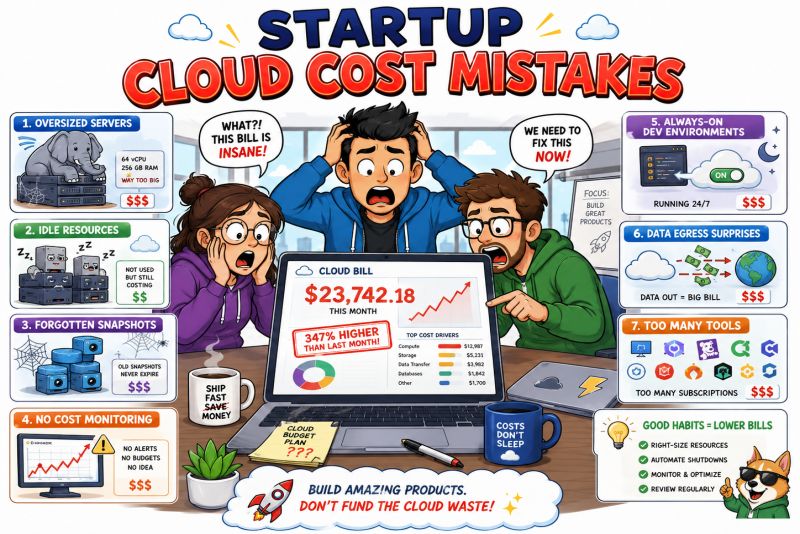
  • The Startup Cloud Cost Mistakes No Investor Will Warn You About

    The Startup Cloud Cost Mistakes No Investor Will Warn You About

    Your cloud bill started at $200 a month. Twelve months later it’s $8,000 and nobody on your team can explain why. The infrastructure that made sense when you had three engineers and 50 users now costs more than two full salaries, and the waste is baked into architecture decisions you made before you knew what product-market fit looked like.

    Most pre-Series A startups discover cloud waste the same way: a CFO asks for a breakdown two months before a funding conversation, and the technical team realizes they’ve been paying for capacity they never used, environments nobody documented, and storage nobody deleted. This isn’t about optimization. It’s about the ownership and architecture mistakes that turn cloud spend from a variable cost into a structural leak.

    Here’s exactly where startup cloud cost mistakes happen, what they cost you before anyone notices, and how to fix them before your next board meeting.

    Nobody Owns the Bill Until It Hurts

    The cloud invoice goes to the company card. Your technical co-founder glances at it once a quarter. Your first engineer has root access but no budget context. The founder who negotiated the AWS credits left four months ago. Nobody treats the cloud bill like a line item they personally own until it crosses a threshold that forces a conversation, and by then you’re explaining six months of spend nobody can reconstruct.

    Ownership gaps don’t just delay action. They create the conditions for every other mistake on this list. When nobody wakes up thinking about the cost of the infrastructure they’re configuring, engineers optimize for speed and convenience. That’s the right trade-off early, but it becomes expensive the moment your burn rate matters and nobody’s job includes asking whether last month’s spend made sense.

    The fix isn’t assigning blame. It’s assigning ownership before the bill becomes a problem. One person sees the invoice every month, knows what changed, and has the authority to ask why. That’s usually a technical co-founder pre-Series A, sometimes your first infrastructure hire if you have one. It doesn’t require a FinOps platform or a dedicated budget owner. It requires one name attached to the bill and a monthly answer to: what drove the increase, and did we mean to spend it?

    You Built for Scale You Don’t Have Yet

    You’re running database instances sized for 10,000 concurrent users. You have 300. Your Kubernetes cluster auto-scales to 12 nodes because someone set a threshold that made sense in a planning document, not production. The load balancer configuration assumes traffic spikes you haven’t seen since launch week. You built for the scale you’ll need after Series A, but you’re paying for it now.

    What works at this stage:

    • Right-size for actual peak load plus 30% headroom, not theoretical future load
    • Provision for the traffic you have this month, not the growth deck you showed investors
    • Run the cheapest instance type that handles your current workload without performance problems

    What doesn’t work:

    • Sizing infrastructure based on projected user growth that hasn’t happened yet
    • Keeping production-grade redundancy and failover for pre-revenue workloads
    • Provisioning for traffic spikes you’ve never actually measured

    Over-provisioning feels like good engineering. It’s rarely questioned because it doesn’t break anything, it just costs too much. The gap between what you’re paying for and what you’re using grows every month until someone finally runs a utilization report and realizes you’re at 18% average CPU across instances that cost $4,000 a month.

    Right-sizing isn’t about cutting corners. It’s about paying for the scale you have, not the scale you’re building toward.


    RED FLAG: Your Staging Environment Costs 60% of Production

    If your non-production environments cost more than half of what production costs, you’re paying for infrastructure that delivers zero user value. Staging and development should run on smaller instances, shut down outside work hours, and never match production specs unless you’re actively load testing.


    Development and Production Run on the Same Credit Card

    Your AWS account has no organizational structure. Every engineer spins up resources in the same environment. Development experiments sit next to production databases. Last quarter’s prototype API still runs because nobody’s sure if it’s still in use. You can see total spend, but you can’t see what you’re paying for development versus production versus that side project your lead engineer built during a hackathon.

    Here’s how to split environments before your next invoice:

    1. Create separate AWS accounts for production, staging, and development. Use AWS Organizations to link them under one billing account. This isn’t about security. It’s about making cost attribution possible. When everything runs in one account, you’re guessing what costs what.

    2. Tag everything with environment and owner from day one. Every resource gets two tags minimum: which environment it belongs to, and which person or team owns it. Enforce this as a deployment rule, not a suggestion. Untagged resources should trigger alerts.

    3. Set up development environments to shut down at night and on weekends. Use AWS Instance Scheduler or equivalent automation. If nobody’s writing code at 3 AM on Sunday, nothing should be running. This alone cuts development costs by 60 to 70% without changing anything engineers do during work hours.

    The entire setup takes four hours if you do it properly. The cost visibility you get back makes every subsequent decision easier because you’ll finally know what you’re paying for production load versus infrastructure nobody’s using.

    The Storage Bill Nobody Checked for Six Months

    Compute costs are visible. Your team provisions instances, they show up on the bill, someone eventually notices. Storage costs grow silently. Database snapshots accumulate. Log files from six months ago sit in S3 because nobody set a deletion policy.

    EBS volumes from terminated instances stay attached because the default is to preserve data. Your storage bill started at $80 a month and it’s now $2,400, and nobody on your team thought to check because storage feels cheap compared to compute.

    Storage cost growth is the most predictable cloud waste vector for early-stage startups. It grows every month by default unless someone actively manages it, and most pre-Series A teams don’t assign anyone to manage it until the bill forces the conversation. Here’s what’s probably costing you right now:

    • Database snapshots kept forever with no retention policy
    • Application logs stored in S3 Standard instead of Infrequent Access or Glacier
    • EBS volumes from old instances still attached and billed months after termination
    • Development and staging databases backed up at the same frequency as production
    • Old Docker images and build artifacts nobody’s deleted in eight months

    You don’t need a storage optimization platform. You need a weekend afternoon and a clear deletion policy. Audit what you’re storing, set retention limits that match your actual recovery needs (30 days for most logs, 90 days for most backups), and lifecycle everything older than that to cheaper storage or deletion. Most startups cut storage costs by 50 to 70% the first time someone does this properly.


    BUYER’S REALITY: Snapshot Retention Policies Cost More Than the Snapshots

    Most backup tools default to keeping snapshots forever. After 12 months, you’re paying more to store old backups than you’re paying for the database itself. Set a retention policy before you turn on automated snapshots: 7 daily, 4 weekly, 12 monthly. Anything older than that gets deleted unless you have a compliance reason to keep it.


    Auto-Scaling That Never Scales Down

    You configured auto-scaling because that’s what you’re supposed to do. Your cluster scales up when load increases. The configuration works exactly as written. What you didn’t configure: the conditions under which it scales back down.

    Your infrastructure grows to handle peak load, then stays there because the scale-down threshold is too conservative, the cooldown period is too long, or nobody set a minimum instance count that makes sense for off-peak hours.

    Watch for these four signals that your auto-scaling configuration is costing you:

    1. Minimum instance count hasn’t changed since launch. You set a minimum of 6 instances when you deployed. You still have 6 instances running at 4 AM on Tuesday when your traffic is 8% of peak. Minimum should track your actual baseline load, not your launch-week paranoia.

    2. Scale-down takes longer than 30 minutes after load drops. If your system takes an hour to scale down after traffic returns to normal, you’re paying for capacity you don’t need for 23 hours a day. Tighten the cooldown period and lower the scale-down threshold.

    3. CPU threshold for scaling down is under 20%. Conservative thresholds feel safe. They’re expensive. If you won’t scale down until average CPU is below 20%, you’re keeping instances running that are doing almost nothing. Raise it to 40% and monitor what breaks (nothing will).

    4. Your instance count graph looks like stairs going up, flat lines going across. Pull your instance count graph for the last 30 days. If it scales up during load and stays there for days, your scale-down isn’t working. It should look like a heartbeat, not a staircase.

    Auto-scaling is sold as automatic cost optimization. It only optimizes cost if scaling down works as reliably as scaling up, and most startup configurations are biased toward staying scaled up because nobody wants to be the engineer who caused a performance problem by scaling down too aggressively.

    Reserved Instances Before Product-Market Fit

    Your AWS account manager recommended reserved instances. The math makes sense: commit to a year, save 30 to 40% versus on-demand pricing. You’re definitely going to be running this workload for the next 12 months. The savings will help your burn rate. You sign the commitment.

    Four months later your architecture changes. You migrate to containers and your instance type requirements shift. Or you pivot the product and your compute profile looks completely different. Or growth stalls and you’re paying for reserved capacity you’re not using while your on-demand costs dropped.

    The commitment that was supposed to save money now sits on your invoice every month as a sunk cost you can’t adjust.

    Reserved instances and savings plans are correct financial decisions when your workload is predictable and your architecture is stable. Most pre-Series A startups have neither. Your infrastructure is still shaped by experiments, pivots, and growth assumptions that haven’t been tested.

    Committing to a year of fixed capacity before you know what product-market fit looks like trades optionality for savings, and optionality is worth more than 30% off when you’re pre-revenue.

    The threshold that changes the math: consistent monthly cloud spend over $8,000 for three consecutive months with no architecture changes planned. Below that, the savings from reservations don’t justify the risk that your capacity needs will shift before the commitment ends. On-demand pricing costs more per hour, but it costs nothing to change direction.


    RED FLAG: You Committed to Reservations in the Same Quarter You Changed Your Database

    If you bought reserved instances or savings plans in the same quarter you migrated databases, re-architected your application, or changed your deployment model, you locked in pricing for infrastructure you’re about to stop using. Reserved commitments should follow architecture stability, not cause it.


    When to Actually Start Caring About This

    Most technical founders treat cloud cost optimization as premature before product-market fit. They’re half right. Optimizing for the last 10% of waste is premature. Fixing the structural mistakes that let waste grow unchecked is not, and the difference is whether you’re spending two hours a month on cost hygiene or two weeks every quarter explaining runaway spend to your board.

    Here’s when cloud cost management stops being a distraction and starts being a funding requirement:

    You should act now if:

    • Monthly cloud spend is over $5,000 or 8% of total burn rate
    • Your technical team can’t explain what drove last month’s bill increase
    • Staging and development environments cost more than 30% of production
    • You’re 6 to 9 months from Series A conversations and burn rate matters
    • Your cloud bill grew more than 40% in a quarter when usage grew less than 20%

    You can wait if:

    • Monthly cloud spend is under $2,000 and stable
    • Every engineer on your team knows what they provisioned last month
    • You’re pre-revenue and still validating the core product
    • Your funding runway is over 18 months regardless of cloud optimization

    The goal before Series A isn’t perfect cost efficiency. It’s cost visibility and ownership. Investors will ask how you manage infrastructure spend. The wrong answer is “we haven’t looked at it yet.” The right answer is “one person owns it, we audit monthly, and here’s what we’re paying for.”

    The 48-Hour Cloud Cost Audit

    You don’t need a FinOps platform to find the biggest leaks in your cloud bill. You need four hours across two days and access to your cloud provider’s cost explorer. This audit surfaces the waste that’s costing you real money right now, not the micro-optimizations that save $40 a month.

    Step 1: Pull a cost breakdown by service for the last 90 days. Open your cloud provider’s billing dashboard and group costs by service (EC2, RDS, S3, etc.). You’re looking for the top three services by total spend. That’s where 70 to 80% of your waste lives.

    Step 2: Within your top service, break down by resource tag or instance ID. If compute is your biggest cost, list every instance and what it’s doing. If storage is biggest, list every bucket and database. You’re building a map of what you’re actually paying for, not what you think you deployed.

    Step 3: Identify resources with no owner tag or no activity in 30 days. Anything running without an owner is a candidate for shutdown. Anything with zero activity in the last month is probably waste. Flag them, verify with your team, and terminate or archive.

    Step 4: Check your storage retention policies and snapshot schedules. Pull your S3 lifecycle policies and database backup retention settings. If anything is set to keep data forever, set a retention limit. 90 days for backups, 30 days for logs, unless you have a compliance reason to keep it longer.

    Step 5: Review auto-scaling configs and check if scale-down is working. Pull your instance count graph for the last two weeks. If it scales up but doesn’t come back down, your configuration is broken. Adjust the scale-down threshold and cooldown period.

    Step What You Are Actually Doing Where This Goes Wrong
    Pull 90-day cost breakdown Identifying your top three cost centers Stopping at the summary view without drilling into resource-level detail
    Tag and map every resource Building accountability for what’s running Skipping untagged resources because nobody knows what they are
    Flag idle and unowned resources Surfacing waste that can be terminated this week Assuming everything running is necessary without verifying activity
    Set storage retention policies Capping growth on snapshots and logs Setting retention too short and losing data you actually need
    Verify scale-down is working Making sure auto-scaling saves money in both directions Leaving scale-down thresholds too conservative and paying for idle capacity

    The step most teams skip: tagging and mapping what’s actually running. Without that map, you’re guessing what you can safely shut down. With it, the entire audit takes four hours and cuts your bill by 20 to 40% in the first month. The biggest mistakes aren’t configuration tweaks. They’re resources running that nobody remembers provisioning and nobody verified are still needed.

    Conclusion

    Startup cloud cost mistakes aren’t about missing a discount or picking the wrong instance type. They’re about building infrastructure with no ownership, no visibility, and no forcing function to ask whether what you provisioned last quarter still makes sense this quarter. If your monthly cloud bill is over $5,000 and nobody on your team looked at it last month, start with the 48-hour audit. If it’s under $5,000 and growing, assign an owner now before it becomes a board-level question.

    Pull your last three invoices, map your top five cost centers, and verify someone can explain what you’re paying for before your next funding conversation.


    Also read: FinOps Framework

    Related reading

  • Choosing Between Private AI vs API Based AI: The Real Cost Beyond the License

    Most AI deployment decisions get made in the vendor meeting. The API provider shows you clean per-token pricing and immediate availability. The private model vendor shows you control, customization, and a compelling data residency story. Both are selling you the part of the decision they win on, and both are burying the part that will determine whether you’re still happy with this choice 18 months from now.

    The real decision isn’t about privacy versus convenience. It’s about whether your team can absorb the operational cost of running models in-house, or whether the long-term API spend and limited control will become a tax you can’t optimize away. Neither vendor will tell you which operational reality you’re signing up for until after the contract is signed.

    You’re not choosing between two products. You’re choosing between two cost structures, two operational models, and two very different timelines to regret. Here is how to make this call clearly, before the vendor deadline forces it for you.

    The Vendor Pitch Hides the Operational Reality

    API vendors lead with speed and simplicity. You’ll be live in days, not months. No infrastructure to provision, no models to tune, no ML team to hire. The pricing page shows cost per million tokens. The demo runs fast. Everything looks like an operating expense you can turn off if it doesn’t work.

    What they won’t show you is month seven, when your usage has scaled and the token bill has tripled, but you can’t optimize it because you don’t control the model. Or the moment you need a capability the API doesn’t expose and your only option is to wait for the vendor’s roadmap or rework your entire workflow around the limitation.

    Private model vendors lead with control and cost predictability. You own the model, you control the data, you tune for your exact use case. At scale, the math looks better than paying per API call forever. The pitch assumes you have the team to make that math real.

    What they won’t show you is the six-month ramp before you’re running stable inference at the performance level the API gave you on day one. Or the moment your ML engineer leaves and you realize the model pipeline was held together by one person’s head and a collection of scripts nobody else understands. The model license is cheap. What comes after it isn’t.

    What “Private AI” Actually Means (and Costs)

    Private AI refers to large language models you deploy and operate inside your own infrastructure, whether on-premises, in your cloud tenant, or in a dedicated hosted environment you control. You’re responsible for the compute, the model operations, the fine-tuning, the monitoring, and the uptime.

    The model itself might be open-source or commercially licensed. That’s the easy part. The hard part is everything required to turn a model file into a production system your team can actually use. That means infrastructure capable of running inference at acceptable latency, tooling to manage prompt templates and version deployments, monitoring to catch degraded output quality, and staff who know how to troubleshoot all of it when something breaks.

    Most teams underestimate four costs in particular:

    • Compute infrastructure sized for peak load, not average use, unless you’re willing to accept slow responses during high-demand periods.
    • MLOps tooling and orchestration to manage model updates, A/B testing, rollback, and observability across environments.
    • Ongoing tuning and evaluation to prevent output drift, adapt to new use cases, and maintain quality as your data and requirements evolve.
    • Staffing cost for at least one ML engineer and one infrastructure engineer who can own this full-time, or the consulting cost to fill that gap.

    The sticker price is the model license or the hosting fee. The operational price is the team and tools required to keep it running well.


    BUYER’S REALITY: The Model License Is Cheap; the Team Isn’t

    Most private LLM deployments that pencil out in year one stop penciling out in year two once you factor the cost of the two-to-three-person team required to keep the system from degrading. Budget for the staffing cost before you buy the model.


    What “API-Based AI” Actually Means (and Locks In)

    API-based AI means you send requests to a model hosted and managed by a vendor. You integrate via REST API or SDK, and you pay per use, typically per token or per request. The vendor handles compute, updates, uptime, and scaling. You handle integration, prompt engineering, and cost management.

    What works in API deployment:

    • You’re live in days. Integration is straightforward if your use case fits the vendor’s API design.
    • Zero infrastructure cost. You’re paying for consumption, not for idle compute capacity sitting around for peak load.
    • Automatic model updates. The vendor ships improvements and you get them without deployment work on your side.

    What doesn’t work:

    • Cost scales with usage in ways that are hard to predict. A successful feature can turn into a five-figure monthly bill faster than your finance team can react.
    • Limited customization. You can tune prompts, but you can’t retrain the model on proprietary data or adjust behavior the API doesn’t expose.
    • Vendor dependency. If the vendor changes pricing, deprecates the API version you built on, or restricts usage terms, your options are either accept it or rip out the integration and start over.

    The trade-off is simple on paper. You’re trading control and long-term cost predictability for speed and operational simplicity. The trade-off gets complicated when your usage grows, your requirements drift outside what the API supports, or the vendor decides to reprice the service after you’ve built dependencies you can’t easily unwind.

    The Real Cost Comparison Nobody Puts in the Deck

    Scale/Usage API-Based AI Private LLM (Cloud) Private LLM (On-Prem)
    Small (under 1M tokens/month) $20 to $200/month; no infra cost $2,000 to $5,000/month in compute + staffing overhead not justified $8,000 to $15,000/month in hardware + staffing overhead not justified
    Mid-Market (1M to 50M tokens/month) $500 to $15,000/month; scales linearly, unpredictable if usage spikes $5,000 to $12,000/month in compute; cost predictable; requires 1.5 FTE minimum $15,000 to $40,000/month; CapEx + OpEx + 2 FTE minimum
    Enterprise (50M+ tokens/month) $15,000 to $100,000+/month; cost grows faster than value at this scale $12,000 to $30,000/month; cost advantage clear if team exists $40,000 to $80,000/month; justified only if data residency is mandatory
    Hidden Cost Rework cost if API limits block your roadmap ML + infra staffing; model tuning; monitoring tools Hardware refresh cycle; facilities; redundancy
    Staffing Requirement 0.25 FTE for integration + cost monitoring 1.5 to 2 FTE (ML engineer + infra/DevOps) 2 to 3 FTE (ML + infra + on-call)

    The crossover point where private deployment becomes cheaper than API is somewhere between 10 million and 50 million tokens per month, depending on your team cost and how efficiently you can run infrastructure. Below that threshold, the API is almost always the better financial bet unless you have a specific control or compliance requirement the API can’t meet.

    Above that threshold, private deployment saves money only if you already have the ML and infrastructure team in place. If you’re hiring those people just to justify private deployment, the cost advantage disappears for at least the first 18 months while they’re building and stabilizing the system.

    The table assumes stable usage. If your volume is unpredictable or spiky, API pricing punishes you during peaks, but private infrastructure sits idle during troughs. Neither option is cheap if you haven’t modeled your usage correctly going in.

    When Privacy Requirements Actually Justify Private Deployment

    Most privacy concerns don’t require private deployment. They require a Business Associate Agreement, data processing terms that meet GDPR or CCPA, and a vendor willing to sign contractual liability for data handling. Almost every major API provider offers those terms now. If your concern is “we handle PII,” the API vendor has probably already solved that in contract language.

    Private deployment makes sense when your regulatory or contractual requirements explicitly prohibit sending certain data outside your direct control, even under contract. That’s common in healthcare (HIPAA-covered entities managing electronic health records directly), defense and government contracting (CUI and FedRAMP High requirements), financial services (specific data residency rules in certain jurisdictions), and any scenario where your customer contract includes a clause that prohibits third-party processing of their data.

    If your compliance officer can name the specific regulation or contract clause that requires private deployment, you probably need it. If the answer is “we’d just feel better keeping the data in-house,” you’re solving for organizational comfort, not regulatory necessity. That’s a valid reason to choose private deployment, but it’s not a compliance reason. The cost is real either way, but the justification is different.

    The gap between “our data is sensitive” and “our data legally cannot leave our infrastructure” is the difference between a contract negotiation and a seven-figure deployment. Know which side of that line you’re actually on before you start provisioning hardware.


    RED FLAG: No Specific Regulation? You Probably Don’t Need Private Deployment

    If your compliance officer can’t name the specific regulation requiring private deployment, you probably don’t need it. What you need is a better contract with your API vendor, not a private infrastructure project.


    When API-Based AI Is the Smarter Bet (Even with Sensitive Data)

    API deployment makes sense when speed to production matters more than long-term cost optimization, when your usage volume is low or unpredictable enough that paying for idle infrastructure doesn’t make sense, and when your team doesn’t have ML engineering capacity to own a private deployment without derailing other work.

    When APIs win:

    • You’re testing a new use case and need to prove value before committing to infrastructure. API lets you fail fast and cheap.
    • Your volume is under 10 million tokens per month and isn’t projected to grow 10x in the next 18 months. The cost stays manageable and predictable.
    • Your compliance requirements can be met with contractual terms and the vendor’s existing security posture. Most can.

    When APIs stop winning:

    • Your usage has scaled to the point where the monthly API bill is larger than the cost of hiring one ML engineer and running your own infrastructure.
    • You need model behavior the API doesn’t support and the vendor’s roadmap doesn’t prioritize your use case. Customization is limited to what they expose.
    • The vendor has repriced or changed terms twice already and you’re tired of reforecasting your budget every time their pricing model shifts.

    The smart move for most mid-market teams is to start with the API, validate the use case, and switch to private deployment only once the cost or control limitation becomes the bottleneck. The dumb move is to deploy private infrastructure prematurely because it feels more sophisticated or because the vendor sold you on control you don’t yet need.

    If your API bill isn’t painful yet, you’re not ready to take on the operational cost of running models yourself.

    What Your Team Actually Needs to Own This

    Running a private LLM in production isn’t a side project for your existing DevOps team. It’s a dedicated operational responsibility that requires skills most IT teams don’t have in-house unless they’ve already built ML infrastructure for other systems.

    The model itself is the easy part. The hard part is the pipeline around it: serving infrastructure that can handle your query load without degrading latency, monitoring that catches output quality problems before your users do, version control and deployment tooling so you can roll back when a model update breaks something, and cost management so your GPU bill doesn’t quietly double because someone changed a batch size parameter.

    You need at least these four roles covered, either by dedicated headcount or by consultants you’re paying enough to actually own the outcomes:

    • ML engineer who understands transformer models, can fine-tune and evaluate them, and knows how to debug why output quality degraded after a data refresh.
    • Infrastructure/DevOps engineer who can manage the container orchestration, GPU provisioning, autoscaling policies, and observability stack required to keep this running reliably.
    • Integration/product engineer who can build the API or SDK layer your internal teams will actually use, and who can manage versioning and backward compatibility as the model evolves.
    • On-call coverage for when the inference endpoint goes down at 2 a.m. or when a deployment silently degrades output quality and nobody notices until a stakeholder complains.

    If you’re a team of five and nobody currently owns ML infrastructure, this is at least an 18-month distraction for two of those five people. If you’re enterprise scale and you already have an ML platform team, this is an incremental project. If you’re mid-market and you’d be hiring these people just to justify private deployment, the cost almost never makes sense until your API bill is already five figures a month.


    BUYER’S REALITY: Most Teams Switch Back Within 18 Months

    Most teams that switch from API to private models switch back within 18 months once they see the operational cost. The model runs fine. The team burns out maintaining it, or the person who built it leaves and nobody else knows how it works.


    Who Should Choose Private AI (and Who Shouldn’t)

    Private LLM deployment makes sense for you if at least three of these are true:

    • Your monthly token usage is over 10 million tokens, or you’re confident you’ll hit that within six months.
    • You already have at least one ML engineer and one infrastructure engineer on staff who can own this without deprioritizing other roadmap work.
    • Your regulatory or contractual requirements explicitly prohibit third-party processing of the data you’re running through the model, even under BAA or DPA terms.
    • You’ve hit a functional limitation in API-based models (customization, latency, cost at scale) that’s blocking a validated use case, not a speculative one.
    • You have executive buy-in for an 18-month investment before ROI becomes clearly positive.

    Private deployment is the wrong choice if any of these are true:

    • Your usage is under 5 million tokens per month and you’re not sure it will grow.
    • You don’t currently have ML engineering or infrastructure engineering capacity, and you’d be hiring contractors or new headcount specifically to justify this project.
    • Your compliance concern is “we’d prefer to keep data in-house” rather than “regulation X prohibits us from sending this data to a third party.”
    • You’re deploying private AI because it sounds more secure or sophisticated, not because the API has become a concrete limitation you can name and measure.
    • Your executive sponsor thinks this will be a three-month project. It won’t.

    If you’re mid-market, under 100 employees, and your IT team is fewer than five people, private deployment is almost certainly premature unless you have a customer contract or regulatory requirement that makes API deployment a non-starter. Start with the API. Switch when the bill or the control limitation justifies the operational cost.

    The Buying Decision Table

    Your Situation What It Means for This Decision Recommendation
    Team under 10 people; no ML engineer on staff Operational cost will consume any savings; you’ll spend more time managing the model than using it API-based AI
    10 to 50 employees; some technical staff but no dedicated ML/infra team Private deployment is possible but risky; you’ll need to hire or contract specialized roles Start with API; switch only if cost exceeds $10K/month
    50 to 200 employees; at least one ML-adjacent engineer who could own this Private deployment is feasible if usage justifies it and team has capacity Evaluate cost crossover and team capacity; either option viable
    Enterprise scale; existing ML platform team Private deployment is operationally straightforward; decision comes down to cost and compliance Private AI if usage > 50M tokens/month or compliance requires it
    Monthly token usage under 1M Cost advantage heavily favors API; private infrastructure can’t be justified on financial terms alone API-based AI
    Monthly token usage 1M to 10M API cost is manageable but growing; private deployment is break-even at best unless you already have the team API-based AI unless compliance prohibits it
    Monthly token usage over 50M API cost is likely painful; private deployment saves money if operational cost is managed well Private AI (cloud-hosted unless data residency requires on-prem)
    Hard regulatory requirement (named regulation, not preference) Compliance drives the decision; cost becomes secondary Private AI, on-prem if required
    “We’d prefer to keep data internal” but no specific regulation This is a preference, not a requirement; weigh the operational cost honestly API-based AI unless you can afford the preference
    Proven use case; API limitations blocking roadmap You’ve validated the need and hit a concrete limitation; private deployment solves a real problem Private AI if usage and team capacity support it
    Speculative use case; no production usage yet Private deployment is premature; validate with API first API-based AI; re-evaluate after six months of production usage

    The row that describes most buyers who regret private deployment: mid-market teams with usage under 10 million tokens per month, no existing ML team, and a compliance concern that turned out to be solvable with contract terms instead of private infrastructure. They spent six months and $150,000 building something that worked technically but cost more to operate than the API would have cost for the next three years.

    The row that describes most buyers who regret API deployment: enterprise teams with high, stable usage over 50 million tokens per month who watched their bill grow to $80,000 per month while their ML platform team sat idle. They could have built private deployment for half that recurring cost, but they delayed the decision until the switching cost became painful.

    The decision comes down to whether you’re over-rotating on control you don’t yet need, or under-rotating on cost and limitations you’ll hit in 12 months. Neither option is wrong. Both are wrong if chosen for the wrong reason at the wrong scale.

    Conclusion

    You’re not choosing between private and API-based AI. You’re choosing between absorbing operational complexity now or absorbing cost and control limitations later. API deployment is faster, simpler, and cheaper until your usage scales or your requirements outgrow what the vendor exposes. Private deployment gives you control and cost predictability, but only if your team can carry the operational weight without breaking.

    Buy private AI if your usage is over 10 million tokens per month, you already have the ML and infrastructure team to own it, and your compliance or customization requirements justify the lift. Choose the API if your usage is lower, your team is smaller, or you’re still proving the use case. Don’t choose private deployment because it sounds more secure. Choose it because the API bill or the API limitations have become a measurable problem you can’t solve any other way.

    The next 48 hours: pull your current or projected token usage, your team’s actual available capacity (not wishful capacity), and any contract or regulatory language that restricts where your data can be processed. If all three support private deployment, start scoping infrastructure. If any one of them doesn’t, start with the API and set a calendar reminder to revisit this decision in six months.


    Also read: OpenAI Enterprise Privacy

    Related reading

  • DPDP Act Compliance Checklist: The Items Indian IT Leaders Can’t Afford to Miss

    DPDP Act Compliance Checklist: The Items Indian IT Leaders Can’t Afford to Miss

    The Digital Personal Data Protection Act isn’t a legal formality you can delegate to your compliance team. When enforcement begins, the first penalties won’t target your privacy policy language. They’ll target the consent flow that doesn’t actually capture valid consent, the vendor contract that doesn’t define data processing boundaries, and the breach notification process that takes four days when the law gives you 72 hours. Every one of those gaps sits in systems your IT, security and product teams control right now. The statute gives you specific technical requirements, most of which your current architecture wasn’t built to meet. This checklist covers what to verify before you sign anything telling leadership you’re compliant.

    Consent Collection: What Your Current Flows Are Missing

    Walk through every touchpoint where you collect personal data and verify these items. Missing even one creates liability the moment enforcement starts.

    Checklist items:

    • Free consent mechanism exists at collection point. If the user can’t proceed without consenting to non-essential data collection, that’s not free consent under DPDP. Your signup flows that bundle essential and marketing consent into one checkbox fail this test.
    • Clear notice in English and one scheduled language. The law requires notice in English plus at least one language from the Eighth Schedule. If your consent forms only exist in English, you’re non-compliant for any user base outside metro markets.
    • Verifiable consent for users under 18. You need explicit parental or guardian consent with a verification mechanism. If your age gate is just a dropdown with no verification backend, you have no defensible consent for minor users.
    • Withdrawal mechanism as easy as granting consent. If users can sign up in two clicks but need to email support to withdraw consent, the asymmetry violates DPDP requirements. Audit how many steps each direction takes.
    • Purpose limitation stated at collection. Generic language like “to improve our services” won’t hold up. The stated purpose must be specific enough that a user knows exactly what you’re doing with their data.

    Most teams discover their product signup flows, marketing forms and mobile app permissions all fail at least two of these checks. Budget time to rebuild consent UI, not just update privacy policy text.

    Personal Data Inventory: The Audit Your Security Team Needs to Run Now

    You can’t demonstrate compliance without knowing where personal data actually lives. The exercise isn’t a documentation review, it’s a technical audit of every system that touches user data.

    Start with your documented data flows and then verify reality. In three out of four cases, the inventory surfaces:

    • Data exports sitting in shared drives or S3 buckets that nobody classified as personal data stores
    • Analytics and monitoring tools ingesting PII your architecture diagrams don’t acknowledge
    • Development and staging environments running on production data clones with weaker access controls
    • Legacy systems still operational but no longer in your data map
    • Third-party SDKs embedded in mobile apps that send personal data to vendors you didn’t contract directly

    Your security team needs to run this audit at the infrastructure level, not rely on application teams to self-report. The question isn’t what systems should have personal data based on design docs. It’s what systems do have personal data when you actually scan databases, logs, backups and API traffic.

    For SaaS-heavy teams, verify that every vendor integration in production appears in your vendor registry. Check your CDN logs, your error tracking service, your session replay tools. Most collect personal data by default and most IT teams never classified them as data processors requiring DPDP-compliant agreements.


    RED FLAG

    If developers can access personal data in staging or test systems without the same controls that govern production, you’re processing data outside stated purposes. DPDP requires equivalent protection regardless of environment. Enforcement will care that the data exists in multiple places, not that one instance is labeled “non-production.”

    DPDP Act Compliance Checklist: The Request Workflows You Don’t Have Built Yet

    The Act gives users specific rights with defined timelines. Verify you can actually fulfill each request type within the statutory window.

    Rights fulfillment checklist:

    • Access request response in less than 30 days. Can you aggregate all personal data for a single user across every system, format it as readable output, and deliver it securely? Time how long this takes with your current process. If it requires manual work from three teams, you won’t meet the deadline at scale.
    • Correction workflow that propagates everywhere. When a user updates personal data, does the change flow to every system, including backups, analytics warehouses and vendor systems? If not, you’re storing inaccurate data, which DPDP explicitly prohibits.
    • Erasure that actually deletes, not just flags. Soft deletes and retention flags don’t satisfy erasure rights. The data must be deleted or anonymized such that you can’t re-identify the individual. Verify your database schemas can hard-delete without breaking referential integrity.
    • Grievance redressal officer contact published. DPDP requires you to designate and publish contact details for a grievance officer. If your privacy policy just lists a generic support email, you’re missing a statutory requirement.
    • Nomination mechanism for deceased user data. Users can nominate someone to exercise rights on their behalf after death. You need a technical workflow to handle this, not just a legal acknowledgment that the right exists.

    Run a test request through each workflow before you claim compliance. In most cases, fulfilling a single erasure request requires manual intervention from engineering. That doesn’t scale when enforcement starts and users realize they can force you to delete their data.

    Vendor Contracts: The Clauses Your Legal Team Missed

    Every vendor processing personal data on your behalf needs a DPDP-compliant data processing agreement. Most SaaS contracts signed before 2023 don’t include the required clauses.

    What to verify in every vendor contract:

    • Explicit “data processor” definition and scope. The contract must define the vendor as a data processor, specify what personal data they process, and limit processing to your documented instructions. Generic MSAs and Terms of Service don’t satisfy this.
    • Sub-processor notification and consent rights. If your vendor uses sub-processors (most SaaS platforms do), the contract must give you notification rights and the ability to object. If you’re just discovering from a vendor’s trust center that your data lives on AWS, Azure and three analytics vendors, your contract is deficient.
    • Data localization commitments if data stays in India. If your architecture requires India-resident data for performance or compliance reasons, the contract must explicitly commit to India-only storage and processing. Verify this matches the vendor’s actual infrastructure, not just contract language.
    • Breach notification timeline of 72 hours or less. DPDP gives you 72 hours to notify the Data Protection Board after becoming aware of a breach. If your vendor’s SLA is five business days, you have no way to meet the statutory deadline.

    Audit your top 15 vendors by data volume. Most mid-market teams discover that fewer than half have compliant agreements in place. Renegotiation takes weeks, and some vendors won’t agree to DPDP-specific terms until October gets closer.

    Cross-Border Transfers: What Changes If Your Data Leaves India

    DPDP allows cross-border transfers to countries the government approves, but no approval list exists yet. If your current architecture sends personal data outside India, verify these conditions.

    Cross-border transfer checklist:

    • Documented transfer mechanisms for every data export. You need to know which systems send data abroad, to which jurisdictions, under what legal mechanism. If your answer is “probably AWS Singapore but we’re not sure,” you can’t demonstrate compliance.
    • Contract clauses with foreign vendors that mirror DPDP obligations. Transferring data abroad doesn’t eliminate your compliance obligations. The receiving vendor must commit to equivalent data protection standards in writing.
    • Government approval pathway if data includes sensitive categories. The Act empowers the government to restrict certain cross-border transfers. If you process financial, health or children’s data and store it outside India, verify you have a plan to repatriate if restrictions get announced.
    • Fallback architecture that supports India-only processing. If the government restricts transfers before your preferred cloud region gets approved, can you reroute processing to India-resident infrastructure within 90 days? Most teams relying entirely on global SaaS platforms have no viable fallback.

    The enforcement risk isn’t theoretical. Financial services regulators already demonstrated willingness to mandate data localization with only months of notice. If your entire stack depends on data leaving India, you’re carrying concentration risk most boards haven’t formally accepted.


    RED FLAG

    Your SaaS vendors process Indian user data in US or EU regions.

    DPDP allows transfers to approved countries, but that approval list doesn’t exist yet and may never include every jurisdiction your vendors use. If rearchitecting for India-resident processing would take longer than six months, you have a compliance gap with no technical mitigation ready. Enforcement won’t care that “everyone uses the same vendors.”

    Breach Notification: The 72-Hour Window Your Incident Response Plan Ignores

    DPDP requires notification to the Data Protection Board within 72 hours of becoming aware of a breach likely to harm users. Most incident response plans weren’t built for that timeline.

    Breach readiness verification:

    • Detection tools that surface personal data exposure specifically. Generic security monitoring won’t tell you if the compromised system contained personal data or how many users are affected. You need tooling that tags personal data stores and alerts on exposure, not just intrusion.
    • Escalation path from detection to legal notification in under 24 hours. The 72-hour clock starts when you become aware of the breach, not when you finish investigating. If your process requires incident confirmation, impact assessment, and legal review before anyone considers external notification, you’ll miss the deadline.
    • Defined harm threshold that triggers mandatory reporting. Not every data incident requires Board notification, only breaches likely to harm users. Your legal and security teams need a pre-agreed definition of that threshold so incident responders know when to escalate.

    Time your last incident response exercise against the DPDP notification timeline. Most teams discover their current process assumes five to seven days for investigation before external communication, which puts them in automatic violation if a reportable breach occurs.

    Readiness Check: What to Verify Before You Tell Leadership You’re Compliant

    Run through this final validation before signing off on DPDP compliance status.

    Compliance Item Why It Matters Red Flag If Missing
    Consent audit completed across all user touchpoints First enforcement actions will target invalid consent, not policy language No documented review of signup flows, mobile permissions, marketing opt-ins
    Personal data inventory includes all environments You can’t demonstrate compliance for data you don’t know exists Inventory only covers production, skips dev/test/analytics
    Data Principal rights tested with real requests Statutory timelines start the day a user submits a request No test requests processed end-to-end through current workflows
    Vendor agreements reviewed and non-compliant contracts flagged You’re liable for vendor violations if agreements don’t establish processor obligations No systematic contract review completed, relying on vendor trust centers
    Breach notification runbook updated with 72-hour timeline Missing the notification deadline creates automatic liability Current incident response plan has no external notification trigger defined

    Interpretation for buyers: This matrix is what your compliance status report to the board should cover. If any item in column three describes your current state, you’re not compliant regardless of what your privacy policy says. The law cares about operational reality, not documentation completeness. Before October, verify that every item in column one is demonstrably true, meaning you can show evidence on request, not just assert that it’s handled.

    The teams that clear this readiness check before enforcement starts will have rebuilt consent flows, renegotiated vendor contracts, and retooled incident response processes. The ones that don’t will discover their gaps when the first Data Principal request arrives with a 30-day deadline attached.

    Before your next leadership update on DPDP readiness, run through Section 3 and verify you can fulfill every Data Principal right within statutory timelines. That’s the compliance item most likely to surface publicly when enforcement begins.


    Also read: MeitY DPDP Act

    Related reading

  • Machine Identity Access Review: The Audit Process Most IT Teams Never Run

    Machine Identity Access Review: The Audit Process Most IT Teams Never Run

    Your IT team probably runs quarterly access reviews for every employee who joins, moves, or leaves. You have a process for contractors. You might even review admin accounts monthly. What you don’t have is a recurring audit process for the service accounts, API keys, and bot credentials that outnumber your employees three to one and hold more privilege than most of your engineering team.

    These machine identities don’t show up in your identity provider’s user list. They don’t trigger deprovisioning workflows when someone leaves. They were created by a developer who needed to ship something fast, granted admin rights “temporarily,” and never reviewed again. Some of them are older than your current CTO’s tenure.

    The breach vector isn’t the phishing attack that compromises a user account. It’s the three-year-old API key with full database access that’s hardcoded in a script nobody remembers writing. This checklist covers what to verify before that credential becomes your incident response call at 2 a.m.

    Inventory: What Machine Identities Exist Right Now

    You can’t review what you can’t see. Most organizations discover their full machine identity footprint only after a breach forces the investigation. Start with a complete credential census before attempting any governance work.

    What to document for every machine identity:

    • Service accounts in Active Directory, LDAP, or cloud IAM systems
    • API keys and access tokens across all SaaS platforms and internal applications
    • SSH keys on servers, containers, and CI/CD pipelines
    • Database credentials used by applications and automation scripts
    • Certificate-based authentication for system-to-system communication

    Pull logs from your identity systems, cloud provider consoles, and application configs. Check your secrets management tools if you have them. Check environment variables, config files, and deployment scripts if you don’t. The credentials your security team doesn’t know about are the ones your developers created last quarter to unblock a release.

    For teams under 200 employees, expect to find 300 to 500 machine identities. At enterprise scale, the ratio hits 10:1 or worse.

    Ownership: Who’s Responsible When a Service Account Is Compromised

    Every service account was created by someone. Most of them are now owned by nobody. The developer who spun up that automation bot left the company 18 months ago. The team that built the integration was reorganized. The project that needed those credentials was deprecated, but the credentials weren’t.

    When that orphaned service account gets compromised, your incident response team will spend the first six hours just figuring out what it has access to and who might know why it exists.

    Assign explicit ownership for every credential type:

    • Application service accounts: The team that owns the application in production
    • CI/CD pipeline credentials: The platform engineering or DevOps lead
    • Infrastructure automation: Whoever manages your IaC and configuration management
    • Integration API keys: The business owner of the integration, not just the developer who built it

    If you can’t name an owner, the credential is orphaned. Orphaned credentials get disabled immediately or assigned to a designated cleanup owner with a 30-day review deadline. No exceptions.


    RED FLAG: Nobody owns the service account

    If the original creator left the company or moved teams and no one was formally assigned ownership, you’re managing a credential nobody understands. Disable it and wait for something to break. What breaks will tell you what it was actually used for.


    Access Level: What Privileges These Identities Actually Hold

    Service accounts follow a predictable lifecycle. They’re created with elevated permissions to solve an immediate problem. The problem gets solved. The permissions never get reduced. Six months later, you have a CI/CD service account with full production database access because someone needed to run a one-time migration script.

    Your user access reviews catch privilege creep in human accounts. Nobody’s checking whether the automation bot that posts Slack notifications also has admin rights to your billing system.

    Risk-rank every machine identity by privilege level:

    • Full admin or root access to any system
    • Write access to production databases or customer data stores
    • Ability to provision infrastructure or modify IAM policies
    • Cross-environment access (service accounts that work in both dev and prod)
    • Credentials with no scope limits or expiration dates

    Start with the highest-risk tier. If a credential has admin rights and you can’t immediately explain why, that’s your first rotation candidate. For most organizations, 60% to 70% of service accounts are over-privileged. The credentials with the broadest access are usually the oldest ones that were created before your team had a formal provisioning process.

    Usage Pattern: Which Credentials Are Active, Dormant, or Orphaned

    A service account that hasn’t authenticated in 90 days is either dormant or broken. If it’s dormant, it’s a ghost credential waiting for someone to rediscover it. If it’s broken, something in your environment is failing silently and nobody noticed.

    Pull authentication logs for every machine identity in your inventory. Most IAM systems track last-used timestamps. Cloud providers surface this in their access analyzers. If your environment doesn’t log machine identity usage, that’s the infrastructure gap to fix before attempting a review process.

    Categorize credentials by activity pattern:

    • Active: Authenticated within the past 30 days
    • Stale: Last used 30 to 90 days ago, requires owner verification
    • Dormant: No activity for 90+ days, candidate for immediate disabling

    Disable dormant credentials first and monitor for breakage. What doesn’t break in 72 hours wasn’t critical. What does break gets documented, right-sized for privilege level, and assigned to an active owner. For stale credentials, contact the assigned owner and give them one week to confirm it’s still needed. No response means it gets disabled.

    At mid-market scale, expect 20% to 30% of your machine identities to be dormant. At enterprise scale, that number climbs to 40% or higher if you’ve never run this audit before.


    RED FLAG: Secrets older than your compliance window

    If your compliance framework mandates 90-day password rotation and you’re sitting on API keys that haven’t changed in 18 months, you’re out of policy. Auditors will find this. Fix it before they do, or budget for the finding and the remediation timeline it triggers.


    Rotation Status: When These Credentials Were Last Changed

    Most organizations have a password policy that forces users to rotate every 60 or 90 days. Almost none of them apply that policy to service accounts. The API key your team created three years ago has never been rotated. The database password embedded in your application config was set during the initial deployment and hasn’t changed since.

    Credential age is the single best predictor of whether a machine identity will become a breach vector. The older the credential, the more places it’s been copied, the more people have seen it, and the higher the chance it’s been exposed in a way nobody documented.

    Credential Type Recommended Rotation Why It Matters Red Flag If Missing
    API keys 90 days Keys get logged, cached, and copied into documentation No rotation policy or keys older than 12 months
    Service account passwords 90 days Older passwords often predate your current security baseline Passwords set before your last major security initiative
    SSH keys 180 days Keys accumulate on servers and in admin home directories Keys with no expiration date or passwordless private keys
    Database credentials 90 days Application configs are the most common source of credential exposure Credentials embedded in source code or config files in version control
    TLS/SSL certificates Before expiration Expired certificates cause outages; old ones often use deprecated crypto Certificates using SHA-1 or RSA keys under 2048 bits

    Your rotation policy needs to account for the operational cost of rotating credentials that are embedded in application configs, CI/CD pipelines, and infrastructure code. For teams without secrets management, that cost is high enough that rotation doesn’t happen. If manual rotation is blocking your policy, budget for a secrets manager before you document a rotation cadence you won’t enforce.

    Deprovisioning Process: What Happens When a Service or Project Ends

    Applications get deprecated. Integrations get replaced. Projects get cancelled. The service accounts created for those initiatives don’t get cleaned up. They sit in your environment with whatever access level they were granted, waiting for someone to remember they exist.

    Your user offboarding process disables accounts within 24 hours of an employee’s departure. Your machine identity lifecycle has no equivalent trigger. When a project ends, the credentials live on unless someone manually remembers to revoke them.

    Build deprovisioning triggers into your standard workflows:

    • Application decommissioning checklist must include service account inventory and revocation
    • Project closure requires credential cleanup sign-off from the infrastructure owner
    • Integration deprecation triggers API key revocation at both ends of the connection
    • Quarterly reviews flag service accounts associated with projects marked complete or cancelled

    For every machine identity, document what it supports. When that application, service, or integration is retired, the credential gets disabled immediately. If disabling it breaks something unexpected, you’ve just discovered an undocumented dependency that needs to be mapped before the credential can be safely removed.

    The cleanup backlog grows faster than most teams expect. Budget 2 to 4 hours per quarter for a dedicated credential cleanup sprint where someone goes through the stale and dormant lists and disables everything that doesn’t have an active owner confirmation.

    Review Cadence: How Often This Audit Needs to Run

    User access reviews happen quarterly because regulatory frameworks require it and because user turnover creates obvious risk. Machine identity reviews don’t happen because there’s no compliance driver and no one’s job depends on keeping the list current.

    Set a review cadence based on your organization’s size and rate of change. For startups shipping fast, machine identities proliferate quickly. For enterprises with stable infrastructure, the inventory changes more slowly but the volume is higher.

    Sustainable review intervals by organization size:

    • Under 50 employees: Quarterly full inventory and ownership review
    • 50 to 500 employees: Monthly review of new credentials, quarterly full audit
    • Enterprise scale: Continuous monitoring with monthly high-risk reviews and quarterly full reconciliation

    The first audit will take the longest. Expect 8 to 12 hours of work for a mid-market IT team to complete the initial inventory, assign ownership, and establish the baseline. After that, recurring reviews take 2 to 3 hours per cycle if you’re staying on top of it.

    If your team is under three people, the admin overhead will compete with every other priority you’re managing. Start with a six-month cycle and focus only on credentials with admin-level access. Expanding to full coverage can wait until you have the staffing to support it.


    The license cost for a privileged access management system is easy to justify once you’ve spent 40 hours manually inventorying service accounts and realized you’ll need to do it again next quarter. Most security tools show you what’s happening after credentials get compromised. This checklist finds the exposure before that happens. Before your next security roadmap conversation, run through the access level and rotation sections and count how many credentials fail both checks. That number is your business case.


    Also read: NIST SP 800-63B digital identity guidelines

    Related reading

  • The AI Governance Checklist for IT Leaders in 2026 Before Your Next Deployment

    The AI Governance Checklist for IT Leaders in 2026 Before Your Next Deployment

    Most AI governance policies fail within six months because they focus on principles instead of practical controls. By the time you discover shadow AI usage or a vendor compliance gap, you’re managing a crisis instead of preventing one. The gap isn’t philosophical. It’s operational. Your policy document says “responsible AI use,” but nobody defined what happens when an employee pastes customer data into ChatGPT or a vendor refuses to log the prompts your compliance team will need during an audit. This AI governance checklist for IT leaders in 2026 covers the specific controls that prevent those problems before they require incident response. You’ll know what to verify before approving internal AI use, what contract terms stop vendor problems at signing, how to detect shadow AI without dedicated tooling, and what audit trail your first compliance review will demand.

    Internal Use Controls Before the First Model Goes Live

    Run through these five items before you approve general employee access to any AI tool. Missing even one creates a compliance gap your audit team will find six months later.

    Acceptable use policy specific to AI
    Your existing acceptable use policy doesn’t cover generative AI. You need explicit language defining what constitutes approved use, prohibited data types, and consequences. Don’t repurpose your social media policy.

    Data classification training refresher
    Employees need to know which data types they can’t submit to AI tools. If your data classification system hasn’t been reviewed in 18 months, half your team won’t remember what qualifies as sensitive.

    Approved tool list published and enforced
    Saying “use approved tools only” without publishing the list guarantees shadow AI. Name the specific tools, include version numbers if relevant, and update it quarterly.

    Incident reporting path for AI-related concerns
    Your team needs to know where to report an accidental data exposure or a problematic AI output. If the path isn’t clear, they won’t report until the problem escalates.

    Access tied to training completion
    Make AI tool access conditional on completing a 15-minute training module. It’s not foolproof, but it eliminates the “I didn’t know” defense and creates an audit trail proving due diligence.

    Vendor AI Controls That Stop Problems at Contract Stage

    The vendor will not volunteer these terms. You need to require them before the contract is signed, because retrofitting compliance language after deployment costs six figures in legal fees and re-negotiation leverage you no longer have.

    Your vendor contract must specify where your data goes, how long it’s retained, whether it’s used for model training, and who can access it. Most vendor agreements are silent on training data usage or bury consent in a clause your legal team will object to nine months later. Get written confirmation that your inputs and outputs are excluded from training datasets. Require the vendor to specify data residency if you operate under jurisdiction-specific privacy laws.

    The second gap: audit rights and incident notification. Your contract needs explicit language granting you the right to audit AI usage logs and requiring the vendor to notify you within 24 hours of a data incident involving your inputs. Vendor SLAs typically cover uptime, not compliance incidents.

    What to require in every vendor AI agreement:

    • Explicit prohibition on using your data for model training or improvement
    • Data residency specification that matches your regulatory requirements
    • Audit rights covering access logs, prompt history, and data handling
    • 24-hour incident notification for breaches involving your data

    RED FLAG: VENDOR CONTRACT GAP

    The liability clause doesn’t cover AI-generated outputs.

    Standard software liability clauses cover defects and downtime. They don’t cover the risk of the AI generating content that violates copyright, defames someone, or breaches a regulation. If your contract is silent on output liability, you’re assuming all downstream risk from anything the model produces using your data. Require explicit vendor liability for outputs that violate law or regulation when used as directed.


    Data Governance Items Your Legal Team Needs Documented

    Your existing data governance policy needs AI-specific amendments. The controls that worked for traditional software don’t translate cleanly when employees can submit unstructured data to a model and receive outputs you can’t predict in advance.

    Sensitive data submission prohibition
    Define which data classifications are prohibited from AI tool input. If “confidential” and “restricted” are banned but “internal use” is allowed, document it explicitly and train to it.

    Output handling requirements
    AI-generated content needs a classification rule. Does it inherit the classification of the input data? Does it default to a specific tier? Your data handling policy must cover outputs, or you’ll discover inconsistent practices during your first audit.

    Cross-border data flow documentation
    If your vendor’s AI processes data outside your operating jurisdiction, document it. Most privacy regulations require notice and sometimes consent when data crosses borders. API calls to a U.S.-based LLM from your EU office trigger this requirement.

    Third-party data restrictions
    If you handle customer or partner data under contractual terms, verify those terms permit AI processing. Your customer agreement may prohibit third-party processing or require specific safeguards that your AI vendor doesn’t meet.

    Retention and deletion alignment
    Your AI vendor’s data retention period must align with your own data retention and deletion policies. If you’re required to delete customer data on request, but your AI vendor retains prompts for two years, you’re out of compliance the moment a deletion request arrives.

    Approval Workflows That Don’t Slow Down Every Request

    A governance process that requires CIO sign-off for every AI use case will be bypassed within a month. You need tiered approval based on actual risk, not bureaucratic caution. The goal is to make low-risk use fast and high-risk use visible.

    Tier your approval structure into three levels. Low-risk use cases operate under general authorization with no per-use approval. An employee using an approved tool on non-sensitive data for internal work doesn’t need a ticket. Medium-risk use cases require department head approval and a brief risk assessment. Processing internal data that’s confidential but not regulated, or generating content for external use, fits here. High-risk use cases require cross-functional review involving IT, legal, and compliance before any deployment.

    The risk factors that determine tier: data sensitivity, external visibility of outputs, automated decision-making, and whether the use case involves personal data under privacy regulation. If any single factor is high, the entire use case is high-risk. Don’t average risk scores.

    Approval tiers that work in practice:

    • General authorization: Approved tools, non-sensitive data, internal use only, human review of all outputs
    • Department head approval: Confidential data, external-facing outputs, or workflow automation with human oversight
    • Cross-functional review: Personal data under GDPR/CCPA, fully automated decisions, or any use case that could create legal or regulatory exposure
    • Ongoing monitoring requirement: All medium and high-risk use cases require quarterly usage review to verify they’re operating within approved parameters
    • Emergency provisional approval: IT head can grant 30-day provisional access for urgent business need, but full review must complete before the provisional period ends

    Shadow AI Detection Before It Becomes a Compliance Problem

    Shadow AI happens when employees adopt unapproved tools because your approved options are too slow, too restrictive, or non-existent. You won’t eliminate it entirely, but you can detect it early enough to remediate instead of investigate.

    Unusual outbound traffic patterns to known AI services
    Your firewall logs show traffic to OpenAI, Anthropic, Google AI, and similar domains. Baseline normal traffic, then flag anomalies. A 300% spike in one department over two weeks is a signal.

    Expense report line items for AI subscriptions
    Employees expense ChatGPT Plus, Jasper, or Midjourney subscriptions. Your finance team sees these. Flag any AI-related expense that isn’t tied to an approved tool list.

    Browser extension audits
    AI writing assistants and productivity tools run as browser extensions. Your endpoint management platform can inventory installed extensions. Run quarterly audits and cross-reference against approved tools.

    Department-level data export volume changes
    If a department’s data export volume doubles without a project explanation, someone may be feeding data to an external tool. Correlate export spikes with known AI adoption timelines.

    Employee surveys that ask directly
    Twice a year, survey employees about which tools they use to get work done. Make it anonymous, frame it as process improvement, and you’ll get honest answers. The goal is visibility, not punishment, and employees will tell you if you ask correctly.


    RED FLAG: SHADOW AI USAGE PATTERN

    Approved tools exist, but shadow AI usage is growing anyway.

    Your detection system works. You’re finding unapproved tools in regular use. But employees keep adopting new ones despite having approved alternatives. That’s not a compliance problem. That’s a signal your approved tools are too restrictive, too slow, or missing critical capabilities. If shadow AI persists after you’ve published an approved list and trained everyone, the problem is your tool selection, not your users. Fix the tool gap before you tighten enforcement, or you’ll drive usage further underground and lose visibility entirely.


    Model Governance When You’re Training or Fine-Tuning

    Most teams don’t need model governance yet. If you’re only using vendor APIs and pre-built models, skip this section. Model governance becomes mandatory when you start training models on your own data, fine-tuning vendor models with proprietary datasets, or deploying models that make decisions without human review.

    The threshold: if the model’s behavior can change based on data you control, you need model governance. That includes fine-tuning a vendor LLM on your support tickets, retraining an open-source model on your transaction history, or adjusting weights in a classifier you’re running internally. Once you cross that line, you’re responsible for model behavior in ways you aren’t when you’re just calling someone else’s API.

    Model governance requires tracking which data went into training, who approved the training run, what the model’s intended use case is, and how you’ll monitor for drift or bias after deployment. Document model versioning so you can reproduce outputs or roll back to a previous version when something goes wrong. Establish a review cadence: models trained on your data need quarterly performance reviews at minimum, more often if they’re making automated decisions that affect customers or employees.

    Model governance requirements once you cross the training threshold:

    • Training data provenance documentation: source, date range, cleaning steps, any exclusions
    • Model card or equivalent: intended use case, known limitations, performance benchmarks, and decisions the model should not make
    • Version control for model artifacts: every deployed version tagged, stored, and reproducible
    • Monitoring plan for drift and fairness: defined metrics, review cadence, and escalation path if metrics degrade

    AI Audit Trail Requirements Before Your First External Review

    Your first compliance audit will ask for logs proving who used AI on what data and when. If you can’t produce that documentation, the audit fails regardless of whether your actual usage was compliant. Audit trail requirements aren’t optional once you’re operating under privacy regulation, industry-specific compliance frameworks, or contractual obligations to customers.

    The table below defines what your AI audit trail must include, why each item matters for compliance, and the red flag that signals your vendor or internal system won’t meet the requirement when you need it.

    Checklist Item Why It Matters Red Flag If Missing
    User prompt logging Required for most AI compliance frameworks and breach investigation Vendor claims prompts are ephemeral or not accessible
    Model version tracking Reproducing outputs or rolling back requires knowing which model version ran Vendor API doesn’t expose model version in response metadata
    Access audit trail Determines who used AI on what data and when Logging is user-configurable instead of mandatory
    Data lineage for training Proves training data provenance for regulatory review Vendor won’t document data sources in contract
    Retention policy alignment AI logs must match your existing data retention schedule Default retention is shorter than your compliance requirement

    The biggest audit trail failure happens when your vendor’s logging doesn’t meet your retention requirements. Standard SaaS logging often retains data for 90 days, but privacy regulations typically require 12 to 24 months. If your vendor’s logs expire before your retention policy allows, you can’t produce documentation during an audit that covers a date range more than 90 days old. Verify retention alignment before signing, because extending vendor log retention after the fact usually requires an enterprise tier upgrade and costs more than negotiating it into the original contract.

    Your internal systems need logging too. If employees access AI through an internal portal or wrapper, that system must log user actions, timestamps, and data accessed. Treat AI logging with the same rigor you apply to database access logs or privileged account activity. The standard is the same: every action that touches sensitive data or produces an output with compliance implications must be logged, tamper-evident, and retained per policy.

    Conclusion

    The AI governance checklist for IT leaders in 2026 works when it stops problems at contract signing, policy publication, and first deployment, not after the compliance team finds a gap nine months later. If you’re operating under privacy regulation, handling customer data under contract, or facing an audit in the next 12 months, your approval workflows and vendor contracts are the highest-priority items on this list. If shadow AI is already widespread, your detection plan needs to run within the next 30 days, not next quarter. Before your next vendor call or internal AI pilot, verify every item in Section 2 and Section 7. Those are the gaps that create liability, and they’re the easiest to close before you sign anything.


    Related reading

  • Vector Database Comparison Enterprise: Which Platform Won’t Bankrupt Your RAG Pipeline

    Most vector database comparison enterprise discussions start with benchmarks that don’t matter and end with a pricing page that hides the real number. You’re evaluating Pinecone, Weaviate, or Qdrant because your RAG pipeline needs somewhere to store 50 million embeddings, retrieve semantically similar vectors in under 100 milliseconds, and not implode when your data science team wants to re-index everything next quarter. The demo runs clean. The proof of concept works. Then you move to production and discover that query volume at scale costs three times what the calculator suggested, re-indexing windows require downtime your SLA doesn’t allow, and the engineering time your team spends managing the infrastructure wasn’t in anyone’s budget.

    The vendors will show you latency charts and uptime guarantees. What they won’t show you is the moment six months in when you realize the platform you picked can’t handle your metadata filtering strategy without custom code, or when the monthly bill doubles because nobody told you that hybrid search costs extra, or when switching to a different provider would cost six figures in migration work. You need a vector database comparison enterprise teams can actually use before signing, one that accounts for the query patterns your RAG pipeline will actually run, the data pipeline complexity you’re actually dealing with, and the engineering capacity you actually have.

    By the end of this, you’ll know which one fits your situation and which one will cost you more than the license suggests.

    The License Looks Cheap Until You Add Query Volume and Re-Indexing

    The advertised pricing for most vector databases looks reasonable until you multiply it by production query volume and add the cost of keeping your index current. Pinecone charges per pod, Weaviate charges per vector stored and retrieved, Qdrant gives you the software free but you pay for the infrastructure. All three pricing models hide the same cost drivers: the volume of queries you’ll actually run once your RAG application is serving real users, the frequency with which you need to update your embeddings when source documents change, and the engineering time required to optimize either of those operations.

    Here’s what changes between proof of concept and production. Your prototype runs 1,000 queries per day against a static index of 500,000 vectors. That costs $200 per month on most platforms and nobody worries about it. Your production system runs 500,000 queries per day against 50 million vectors that get partially re-indexed every night as new documents flow in. The monthly cost jumps to $4,000 to $8,000 depending on the platform, and that’s before you account for the compute cost of generating embeddings, the storage cost of keeping multiple index versions during updates, and the engineer time spent troubleshooting why re-indexing is taking four hours instead of one.

    Re-indexing is where the costs get uncomfortable. Most platforms don’t let you update individual vectors efficiently. You create a new index, backfill it, then swap traffic over. That means you’re paying for two full indexes during the transition window. If your embeddings change weekly because your source data changes weekly, you’re carrying double storage costs 15% of the time. If your team doesn’t have the tooling to automate index builds and cutover, you’re paying an engineer to babysit the process every single week.

    Query volume scales with user adoption, not linearly with your data size. You might have 50 million vectors but only 5% of them get queried regularly. The vector database doesn’t know that. You pay for the full index size, and you pay per query regardless of whether you’re hitting the same popular vectors or exploring the long tail. The platforms that charge per query punish you for user growth. The platforms that charge per pod or instance punish you for having more data than you actively need but can’t afford to delete.


    CALL-OUT BOX 1
    TYPE: BUYER’S REALITY
    HEADLINE: Query Costs Multiply Faster Than User Growth
    BODY: Moving from 10,000 to 500,000 queries per day doesn’t mean 50x the cost. It means re-architecting your retrieval strategy to cache frequent queries, pre-computing popular results, and rate-limiting low-value use cases. Budget for that work before your monthly bill forces the conversation.


    What Pinecone, Weaviate, and Qdrant Actually Cost When You’re Indexing 50 Million Embeddings

    Here’s what a realistic enterprise RAG workload costs across the three platforms, assuming 50 million vectors at 1536 dimensions (OpenAI ada-002 standard), 500,000 queries per day, and weekly partial re-indexing of 10% of your corpus.

    Pinecone: Managed service, you pay per pod. For 50 million vectors you’ll need roughly eight p1 pods at $70 per pod per month. That’s $560 per month for storage and baseline query capacity. Query volume at 500,000 per day pushes you into higher-tier pods or more replicas for latency. Realistic monthly cost lands between $1,200 and $2,000 depending on your p99 latency requirement. Re-indexing doesn’t add direct cost but does require maintaining two pod sets during cutover, which doubles your spend for the hours or days it takes to backfill and validate the new index.

    Weaviate: Self-hosted or managed cloud. Self-hosted puts the infrastructure cost on you. Expect $800 to $1,500 per month in cloud compute (AWS r6i.4xlarge or equivalent, multiple instances for redundancy). Managed cloud pricing runs $0.10 per million vectors stored and $0.04 per 1,000 queries. At 50 million vectors and 15 million queries per month, you’re looking at $5,000 storage and $600 query cost, total $5,600 per month. Re-indexing cost hits you twice: storage cost for the duplicate index and query cost if you’re running validation queries during the build.

    Qdrant: Open source, you run it yourself. No license cost, but you’re paying for Kubernetes infrastructure, monitoring, and the engineer time to maintain it. At 50 million vectors, budget three to four instances (32GB RAM each, NVMe storage) at $600 to $900 per month total cloud cost. The hidden cost is the half-FTE you’ll spend managing deployments, optimizing index builds, and debugging performance issues when query latency spikes. If your senior engineers bill at $150,000 per year loaded cost, half an FTE is $6,250 per month. Real monthly cost: $900 infrastructure plus $6,250 engineering time, total $7,150 unless your team already runs significant self-hosted infrastructure.

    The pattern: Pinecone is the cheapest dollar-for-dollar if you don’t have Kubernetes expertise in-house. Weaviate’s managed option costs more but scales predictably. Qdrant looks free until you add the FTE cost of keeping it running. For teams under 10 people, Pinecone wins. For teams with existing platform engineering capacity, Qdrant’s infrastructure cost beats the others if you don’t count labor. For teams that want to avoid both managed markups and self-hosting complexity, Weaviate’s hybrid deployment options split the difference.

    Managed Convenience vs. Self-Hosted Control (And the Engineering Time That Tips the Balance)

    The decision between managed and self-hosted vector databases isn’t about features. It’s about whether your team has the spare engineering capacity to run infrastructure or needs to buy time by paying someone else to handle uptime. Managed platforms like Pinecone charge a margin for convenience: automatic scaling, zero-downtime upgrades, support SLAs, and not having to wake someone up at 2 a.m. when queries start timing out. Self-hosted platforms like Qdrant give you control over the stack, no per-query markup, and the ability to optimize at the kernel level if your team has that skill. The break-even point is team size and focus.

    If your engineering team is under five people and nobody has Kubernetes in their job description, managed is the only realistic option. The time cost of running your own vector database infrastructure competes directly with the time cost of building the RAG features your business actually needs. Every hour your team spends troubleshooting why query latency spiked after a node restart is an hour not spent improving retrieval accuracy or adding new data sources. Managed platforms let you treat the vector database as a black box. You send vectors in, you get results back, and someone else keeps it running. That’s worth the margin if your team’s time is the constraint.

    If your team already runs self-hosted infrastructure for other services (Postgres, Elasticsearch, Kafka), adding Qdrant to the stack doesn’t introduce new operational complexity. You already have monitoring, you already have deployment pipelines, you already have someone on call who knows how to read Prometheus metrics and restart a pod. The incremental cost is low. The cost savings from avoiding managed markups is real. The control you gain over data residency, query optimization, and upgrade timing pays off when you’re debugging a performance issue at 10 p.m. and can actually read the logs without waiting for vendor support.

    At mid-market scale (20 to 200 employees, IT team of three to eight), the math tips based on one variable: do you have a platform engineer already, or would you need to hire one? If you’d need to hire, the loaded cost of that FTE ($150,000 to $200,000 per year) wipes out any savings from self-hosting. If you already have someone and they have capacity, self-hosting saves $30,000 to $60,000 per year in managed fees. The break-even is whether that person’s time is fungible or already spoken for.

    Where Each Platform’s Performance Actually Breaks Down

    Evaluation Criterion Pinecone Weaviate Qdrant Verdict
    Query latency at 50M+ vectors p95 under 50ms until you hit pod capacity, then you scale horizontally p95 under 100ms, degrades if you’re running complex metadata filters p95 under 50ms if properly tuned, but tuning requires deep knowledge of HNSW parameters Pinecone and Qdrant tie for raw speed, Weaviate lags slightly on metadata-heavy queries
    Hybrid search (vector + keyword) Not native, requires separate keyword index and client-side merging Native, performs well, no separate infrastructure Native but requires manual tuning of ranking weights Weaviate wins for hybrid out of the box, Qdrant requires expertise
    Multi-tenancy isolation Namespace support is clean, no cross-tenant bleed risk Supports multi-tenancy but requires careful schema design to avoid performance hits No built-in multi-tenancy, you build it with collection-per-tenant strategy Pinecone wins, Weaviate acceptable, Qdrant requires custom implementation
    Re-indexing without downtime Requires maintaining two pod sets, expensive but clean Supports incremental updates but full re-index still requires cutover Blue-green deployment model works but you manage the orchestration Weaviate has the smoothest incremental update path, others require more planning
    Metadata filtering performance Fast until filter cardinality exceeds 100K unique values Strong, supports complex filters without major latency penalty Fast but requires indexing strategy tuning upfront Weaviate wins for complex metadata queries, Pinecone acceptable for simple filters
    Cost at 100M+ vectors Scales linearly, gets expensive past 100M vectors Storage cost dominates, query cost stays predictable Infrastructure cost grows but slower than managed options if you optimize instance sizes Qdrant wins on cost at scale if you have the engineering capacity, Pinecone and Weaviate get expensive

    What this means for your decision: If your RAG pipeline relies heavily on metadata filtering (filtering by date, document type, user permissions before retrieving vectors), Weaviate handles that workload better than the others without requiring you to become an index tuning expert. If you need the fastest raw vector search and you’re not doing complex filters, Pinecone and Qdrant tie, but Pinecone removes the operational burden. If your use case requires hybrid search (combine semantic similarity with keyword relevance), Weaviate is the only platform where that works well out of the box. If you’re planning to grow past 100 million vectors in the next two years, Qdrant’s infrastructure cost curve is the flattest, but only if you have the team to manage it. Pinecone’s cost scales linearly with your data size, which is predictable but gets expensive. Weaviate sits in between.


    CALL-OUT BOX 2
    TYPE: RED FLAG
    HEADLINE: Metadata Filters Break Most Vector Databases at Scale
    BODY: If your RAG pipeline needs to filter by user permissions, document type, or timestamp before searching vectors, test that workload during proof of concept with realistic cardinality (100K+ unique filter values). Most platforms degrade badly under complex filters. Discovering that in production means rewriting your access control strategy or accepting slow queries.


    Integration Effort: OpenAI Embeddings Are Easy, Your Legacy Data Pipeline Is Not

    The vendor demo always uses clean OpenAI embeddings generated from a tidy dataset with consistent metadata. Your production data comes from six different source systems, half of which don’t have APIs, two of which export data in formats nobody on your team has seen before, and one of which requires a VPN connection that only works on Tuesdays. The gap between “we got it working in the demo” and “we’re running this in production” is almost entirely integration work, and none of the vector database vendors will do that work for you.

    Generating embeddings is the easy part if your data is already structured and accessible. You call the OpenAI API, you get 1536-dimensional vectors back, you write them to the vector database. The hard part is everything before that: extracting text from PDFs that weren’t designed for parsing, handling updates when source documents change, deduplicating records that appear in multiple systems, chunking long documents without splitting mid-sentence, tracking which embeddings correspond to which source records so you can delete or update them later, and making sure your metadata schema supports the filtering and access control patterns your application actually needs.

    Each platform handles messy data pipelines differently:

    • Pinecone expects you to bring clean vectors and metadata. It doesn’t care how you generated them. If your ETL pipeline breaks, that’s your problem. The upside is you have full control over chunking strategy, embedding model choice, and metadata schema. The downside is you’re building and maintaining all of that.
    • Weaviate includes modules for automatic vectorization (it can call OpenAI or Cohere for you) and has schema validation that catches metadata inconsistencies before they corrupt your index. That’s helpful if your team doesn’t want to manage the embedding generation step, but it also means you’re locked into Weaviate’s module ecosystem. If you want to switch embedding models or add custom preprocessing, you’re back to managing the pipeline yourself.
    • Qdrant gives you the most flexibility but the least hand-holding. You write vectors, you manage updates, you handle schema evolution. If your data pipeline is already mature and you have strong opinions about how embeddings should be generated and stored, Qdrant gets out of your way. If your pipeline is still being figured out, Qdrant won’t stop you from making mistakes that are expensive to fix later.

    The integration effort nobody budgets for: handling incremental updates. Your source data changes daily. Your embeddings need to stay current. Most platforms don’t have built-in CDC (change data capture) support. You build that. You write a job that polls your source systems, identifies changed records, regenerates embeddings for those records, and updates or deletes the corresponding vectors in the database. That job needs to handle failures (what happens if the OpenAI API is down?), duplicates (what if the same record changed twice in one polling window?), and schema drift (what if someone adds a new field to the source system?). Budget two to four weeks of engineering time to build that pipeline and get it stable. Budget ongoing maintenance every time your source systems change or your embedding strategy evolves.

    The Rebuild Cost No One Mentions Until You’re Locked In

    Switching vector databases after 18 months of production use costs more than most teams expect, and the cost isn’t the new platform’s license. It’s the engineering work required to export your existing vectors, transform them to match the new platform’s schema and API, re-index everything, validate that retrieval quality didn’t degrade, update your application code to use the new client library, and run both systems in parallel long enough to confirm the migration worked. Plan on six to 12 weeks of calendar time and $80,000 to $150,000 in fully loaded engineering cost if your team does the work. Plan on double that if you need to hire a consultant because nobody internal has migration experience.

    The rebuild cost hits hardest when your embedding strategy changes. You started with OpenAI ada-002 embeddings at 1536 dimensions. A year later, a better model comes out at 768 dimensions with higher retrieval accuracy. You want to switch. That means re-embedding your entire corpus, which means re-generating embeddings for every document, which means calling the OpenAI API 50 million times if you have 50 million vectors. At $0.0001 per 1,000 tokens and an average of 500 tokens per document, that’s $2,500 in API costs alone. Then you re-index everything in the vector database, which takes days or weeks depending on the platform and whether you can parallelize the upload. Then you run A/B tests to confirm the new embeddings actually improve retrieval before you cut over traffic. The direct costs are manageable. The opportunity cost of having your best engineers focused on a migration instead of new features is what kills you.

    Lock-in is stronger than it looks because switching costs scale with data size. At 10 million vectors, migration is annoying but doable. At 100 million vectors, migration is a quarter-long project that requires executive approval and pushes other roadmap work out. The platforms with proprietary APIs (Pinecone) make migration harder because you can’t reuse client code. The platforms with standard interfaces (Qdrant supports GRPC, Weaviate supports GraphQL) make it easier to write abstraction layers that reduce switching cost, but you still have to rebuild indexes and that’s where the time goes.

    The condition that makes switching inevitable: your query pattern changes and the platform you picked doesn’t handle the new pattern well. You started with pure vector similarity search. Now your product team wants hybrid search combining vectors and keywords. Pinecone doesn’t support that natively. You either accept degraded functionality or migrate to Weaviate. You started with single-tenant search. Now you’re adding multi-tenant SaaS and you need strict data isolation. Your current platform’s multi-tenancy model requires one collection per tenant, which doesn’t scale past 1,000 tenants. You migrate or you rebuild your access control at the application layer. Either way, you’re paying for a decision you made 18 months ago when the requirements were different.

    Weaviate Wins for Lean Teams, Pinecone Wins for Speed to Production, Qdrant Wins If You Have the Engineers

    Here’s where each platform makes sense and where it doesn’t.

    What works:

    • Pinecone is the right call if your team is under five engineers, you need to ship a working RAG pipeline in the next 60 days, and you’d rather pay a managed premium than spend time on infrastructure. The API is simple, scaling is automatic, and your team can focus on tuning retrieval quality instead of managing Kubernetes. Works best for startups and mid-market teams that don’t have platform engineering capacity.
    • Weaviate is the right call if your RAG use case requires hybrid search, complex metadata filtering, or multi-modal embeddings (text + images). The platform handles those workloads better than competitors, the learning curve is reasonable, and the managed cloud option removes most operational burden without the margin Pinecone charges. Works best for teams building search-heavy applications where filtering and ranking complexity matters more than raw query speed.
    • Qdrant is the right call if your team already runs self-hosted infrastructure, you have at least one engineer who understands HNSW index tuning, and your workload is cost-sensitive at scale (100M+ vectors). The open-source model and infrastructure efficiency beat managed platforms on cost once you’re past the break-even point on engineering time. Works best for engineering-heavy teams that value control and optimization over convenience.

    What doesn’t work:

    • Pinecone gets expensive fast at 100M+ vectors, doesn’t handle hybrid search natively, and locks you into a proprietary API that makes switching costly. Skip it if you’re planning to scale past 100 million vectors in the next two years or if your use case requires keyword + vector search.
    • Weaviate has a steeper learning curve than Pinecone, the managed pricing isn’t cheap at scale, and the GraphQL API is unfamiliar to teams used to REST. Skip it if your team wants the simplest possible integration and doesn’t need hybrid search or complex filtering.
    • Qdrant requires operational expertise your team might not have, debugging performance issues means reading Rust source code, and you’re on your own for uptime. Skip it if your team is under 10 people, if nobody has Kubernetes experience, or if your leadership won’t approve headcount for platform engineering.

    CALL-OUT BOX 3
    TYPE: BUYER’S REALITY
    HEADLINE: The Right Platform Becomes Wrong When Your Team Changes
    BODY: The platform that works with your current team might break if you lose your lead engineer or if your team doubles in six months. Qdrant requires expertise that’s hard to replace. Pinecone’s cost becomes unsustainable if your data grows faster than revenue. Budget for the team and scale you’ll have in 18 months, not the team you have now.


    Who Should Choose Which (And Under What Condition Each One Is the Wrong Call)

    Use this checklist to map your situation to the platform that won’t blow up in year two.

    Choose Pinecone if:

    • Your engineering team is under five people
    • You need to ship a working RAG prototype in under 60 days
    • You don’t have Kubernetes expertise in-house
    • Your embedding corpus will stay under 50 million vectors for the next 18 months
    • You’re willing to pay a premium to avoid managing infrastructure

    Pinecone is the wrong call if:

    • Your data will exceed 100 million vectors in the next two years (cost scales linearly and gets expensive)
    • Your use case requires hybrid search combining vectors and keywords
    • You need strict multi-tenant isolation with 1,000+ tenants
    • Your CFO won’t approve a managed service markup over self-hosted alternatives

    Choose Weaviate if:

    • Your RAG pipeline requires hybrid search (vector + keyword)
    • You need complex metadata filtering (by permissions, date, document type)
    • You’re handling multi-modal embeddings (text + images)
    • You want managed convenience but don’t want Pinecone’s API lock-in

    Weaviate is the wrong call if:

    • Your team wants the absolute simplest integration possible (Pinecone’s API is easier)
    • Your use case is pure vector similarity with no filtering complexity
    • Your workload is cost-sensitive at 100M+ vectors and you have engineering capacity to self-host

    Choose Qdrant if:

    • Your team already manages self-hosted infrastructure and has Kubernetes experience
    • You have at least one engineer comfortable with HNSW tuning and performance optimization
    • Your embedding corpus will exceed 100 million vectors and cost efficiency matters
    • You need full control over data residency, query optimization, and deployment timing

    Qdrant is the wrong call if:

    • Your engineering team is under 10 people with no platform engineering capacity
    • You need to ship fast and can’t afford four weeks of infrastructure setup
    • Nobody on your team has production experience with vector databases or search infrastructure
    • Your leadership won’t approve headcount for ongoing operational maintenance

    Conclusion

    The cheapest vector database on paper becomes the most expensive one in practice if it doesn’t match your team’s capacity and your query pattern’s evolution. Pinecone wins if you’re buying time and can afford the margin. Weaviate wins if your RAG workload is complex and you need hybrid search or metadata-heavy filtering. Qdrant wins if you have the engineers and the scale to justify self-hosting. The wrong call isn’t picking the slower platform. It’s picking the platform your team can’t operate or the one that breaks when your data doubles six months from now.

    If your team is under five engineers, start with Pinecone and migrate later if cost becomes unsustainable. If your use case requires hybrid search or complex filtering, choose Weaviate now and avoid the rebuild. If your team already runs infrastructure and you’re planning for 100M+ vectors, Qdrant’s cost efficiency pays off within 18 months. Before your next vendor call, ask each one to show you what re-indexing looks like at your scale, what the incremental cost is when query volume doubles, and what their customers do when they outgrow the platform. The vendors who answer that question honestly are the ones you can work with.


    Also read: Pinecone’s vector database learning resources

    Related reading