Author: infogadmin

  • Self-hosted LLM Infrastructure: Buy It Without Leaking Data

    Self-hosted LLM Infrastructure: Buy It Without Leaking Data

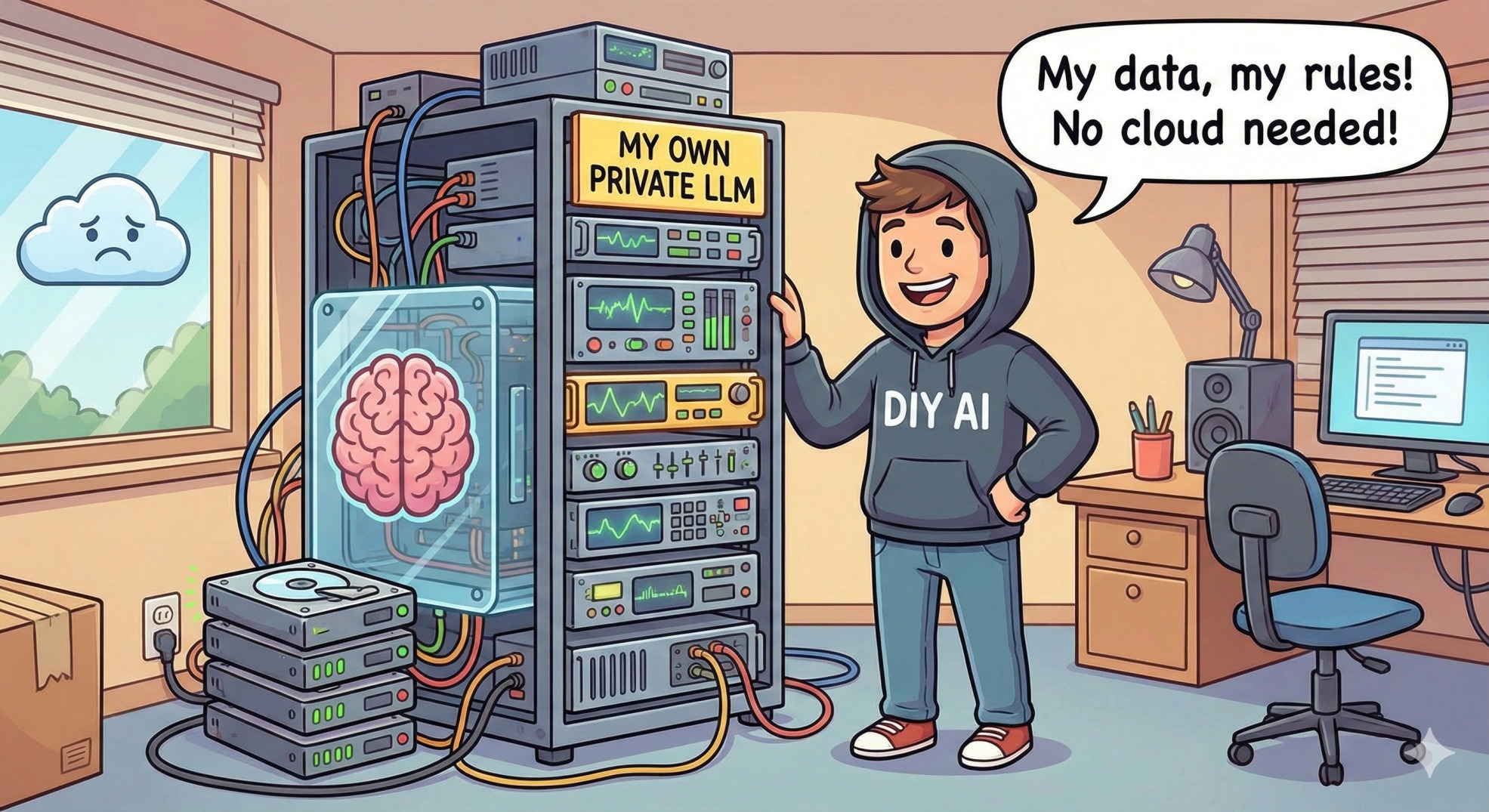
    You can ban public AI tools, block browser plugins or even add DLP pop-ups. Then someone pastes a customer escalation thread into a “private” chatbot anyway, because the fastest path still wins. That is the real problem: most leaks are behavioral and operational, not vendor-driven.

    Self-hosted LLM infrastructure helps, but only if you treat it like a regulated system, not a science fair. The failure points are unglamorous and costly: overbroad service accounts, chat logs that quietly capture secrets, RAG indexes built without document ACLs, telemetry shipped to “support,” and egress rules that exist only on paper. 

    One weak control and your “private AI” becomes a very efficient data vacuum.

    So, let’s find out the acceptance gates, disqualifiers, and the proof package to demand so you can protect data from public AI without buying a whole circus.

    Self-hosting does not block public AI leakage

    Self-hosting is a hosting choice, not a security outcome. It can keep company data away from public AI services, but it will not stop internal leakage unless your platform behaves like a controlled system.

    What self-hosting CAN remove: your prompts and files are not going to a public AI endpoint by default. You own the runtime boundary, network paths, and storage. That is real value.

    What self-hosting DOES NOT remove: over-scoped access, chat history retention, logging of sensitive text, retrieval that ignores document permissions, and outbound telemetry. Those are the usual sources of “private AI” embarrassment.

    Procurement decision rule: do not sign until you see proof of these three controls in the demo or POC.

    • Retention control for prompts, files, and outputs (including logs)
    • Permissioned retrieval that enforces document-level access (no shared-index leakage)
    • Egress control and visibility for every outbound path (telemetry, plugins, support, updates)

    Contract traps that show up after signature

    Procurement is told the same story every time: “Your data stays private,” “We do not train on it,” “Enterprise-grade security.” None of that matters if the contract language is vague or the platform behavior is undocumented. “Protect data from public AI” is a legal and operational requirement; treat it accordingly. 

    Make the vendor commit to behaviors you can audit, not intentions you can screenshot.

    Red flags that usually surface after you are already live:

    1. “No training” but no clarity on retention, backups, or derived artifacts like embeddings and logs
    2. “Private deployment,” but telemetry and diagnostics still leave your environment by default
    3. Support access that is broad, unaudited, or always-on, justified as “necessary for uptime.”
    4. Sub-processors are added silently over time, with notification language that is technically compliant but practically useless.
    5. Data residency and encryption claims without key ownership clarity (who can decrypt, when, and under what process).

    What to ask for, in contract terms, not email promises:

    • Explicit definition of “Customer Data” that includes prompts, uploads, outputs, logs, embeddings, evaluation traces, and fine-tuning artifacts
    • Retention and deletion obligations with timelines, including backups, and a statement on what cannot be deleted
    • A list of outbound telemetry categories, whether content is included, and a default of content-free telemetry
    • A support-access policy: break-glass only, time-boxed, approved, logged, and reviewable
    • Audit rights or at least audit artifacts: SOC reports, pen test summaries, and log export capability relevant to your deployment

    The buyer moves: if the vendor resists specificity here, stop negotiating features. You are not buying a model; you are buying a data-handling system.

    Pro Tip: Ask for a one-page “data handling matrix” as an appendix: data type, where stored, retention, who can access, and how it is deleted.

    Acceptance gates before demos

    Acceptance gateWhat you must see as proofInstant fail condition
    Data scope pinnedOne-page scope: in-scope data types, users, systems, and exclusions“We’ll define later,” or the scope expands during the demo
    Retention controlConfig showing retention for prompts, uploads, outputs, and logs; exportable policyThe vendor cannot show where the data is stored or for how long
    Deletion is realDemonstration of delete request + evidence of what is deleted and what is not (backups, traces)“Deletion by ticket” with no technical proof
    Permissioned accessSSO + RBAC mapping; least-privilege roles; admin separationShared admin accounts or unclear role boundaries
    Permissioned retrievalRAG demo proving document-level ACL enforcement per user/groupAny cross-team document bleed in the retrieval results
    Egress deny-by-defaultNetwork policy/allowlist and logs showing blocked outbound pathsTelemetry or plugins can send content out by default
    Support access is controlledBreak-glass process: time-boxed, approved, logged, reviewableAlways-on support tunnels or unaudited access
    AuditabilityExportable audit logs: who asked what, what was retrieved, key config changesNo log export, or logs omitted, retrieval and config changes
    POC exit criteriaWritten POC rubric mapped to gates, named approvers; pass/fail outcomes“POC success” is defined as “users liked it.”

    You force vendors to show measurable behaviors: retention, deletion, permissioned retrieval, egress control, and audit proof. This also keeps your POC tight. You are validating data-handling and control maturity, not model quality. 

    Any gate you defer becomes an explicit, owned risk, not a hidden surprise after go-live.

    IAM non-negotiables for LLM platforms

    If your identity and access model is weak, everything else is decoration. Self-hosted LLM infrastructure becomes a new internal data surface, which means you need the same discipline you apply to source code, ticketing, and production logs. Procurement should treat IAM requirements as disqualifiers, not “phase two.”

    Minimum requirements to protect data from public AI in real operations:

    • Single sign-on only, mapped to your IdP, with enforced MFA and conditional access policies
    • Role-based access with least privilege, separating end users, builders, reviewers, and admins
    • No shared accounts. No “one admin to rule them all.” Every privileged action must be attributable
    • Separate service accounts for each integration, scoped to the smallest dataset and action set
    • Break-glass admin access that is time-boxed, approved, logged, and reviewed
    • Environment isolation: dev, test and prod are separated so experimentation cannot touch real data
      Session controls: idle timeouts, device posture rules, and location or network restrictions if you use them elsewhere

    Trade-off you should accept upfront: strong IAM slows early experimentation. That is the point. If a vendor says “security will kill adoption,” they are telling you your users are going to do unsafe things when the system is convenient.

    If admins and integrations share one broad role, that role becomes your leak path.

    Procurement paths to keep data out of public AI

    There are three buying patterns. Self-hosted LLM infrastructure gives you maximum control, but you become the operator. Managed private is faster to launch, but your privacy posture depends on contracts, telemetry limits, and how support access works. Hybrid proxy can reduce exposure quickly, but it is only reliable if teams cannot bypass it.

    Before you compare vendors, estimate demand in one line.
    Monthly tokens in million = Users × prompts/day × tokens/prompt × 30 ÷ 1,000,000.
    Example: 500 users × 10 prompts/day × 2,000 tokens × 30 ÷ 1,000,000 = 300 million tokens/month. 

    This number matters because it turns the conversation from opinions to scale.

    Hosted options are mostly pay-per-use: million tokens × rate. 

    Self-hosted is mostly pay-per-month: compute running 24×7 plus the operating work that keeps it safe (on-call, patching, audits, log storage). 

    If you cannot estimate usage and monthly burn with named owners, you are not ready to commit to self-hosting. Start with a controlled managed path, measure real usage, then decide whether self-hosting is worth the fixed commitment.

    Also read: The ROI of Sovereign AI: Why Local AI Models Save 40% on API Tokens

    RAG is where data leaks

    Most “private LLM” incidents are not model problems. They are retrieval problems. The moment you add RAG, you are building a new search layer that can quote internal text back to a user. If that layer does not enforce the same permissions as your source systems, your self-hosted LLM infrastructure becomes a cross-team data mixer.

    The first leak pattern is the shared index. Teams ingest documents into one corpus because it is faster. Then they bolt on filters that are not tied to real identity and groups. The result is predictable: a user asks an innocent question, retrieval pulls a chunk they were never allowed to see, and the model summarizes it confidently. Nobody calls it a breach until the wrong person recognizes the content.

    The second leak pattern is preprocessing. Chunking, OCR and cleaning often strip metadata that you needed for access control. If the pipeline drops document owner, classification, or ACL references, you cannot enforce permissions later. 

    Embeddings are also derived artifacts. 

    Even if you do not store raw documents in the vector index, you still need to treat the index as sensitive because it exposes meaning and business context.

    What you should demand is boring but decisive. 

    • RAG must be permissioned end to end. 
    • Ingestion must preserve access metadata. 
    • Retrieval must run in the context of the logged-in user. 
    • Answers must be traceable to sources so you can audit what was retrieved. 

    If a vendor cannot demonstrate a permission failure test such as “user from Team A cannot retrieve Team B content,” your self-hosted LLM infrastructure is not protecting data. It is accelerating the wrong retrieval.

    The proof package buyers should demand

    If a vendor says “yes, supported,” treat it as noise until you see exports. For self-hosted LLM infrastructure, you need proof you can hand to Security, Legal, and Audit without rewriting it as a story.

    Demand these artifacts from the demo or POC:

    • Audit log export showing who accessed what, when, and from where
    • Retention settings for prompts, uploads, outputs, and logs, with evidence they are enforced
    • Deletion proof showing what is deleted, what remains, and why (backups, traces)
    • Egress evidence: allowlists, blocked outbound attempts, and telemetry scope
    • Support access model: break-glass flow, approvals, time-boxing, and logs
    • RAG proof: (You already read it above)
    • Ownership proof such as who can decrypt, under what process, and how keys rotate
    • Incident processes like who gets paged, what logs exist, and how you investigate

    If the platform cannot produce these quickly, you are not evaluating a product. You are funding a gap.

    Trade-offs that change the buying decision

    Self-hosted LLM infrastructure buys control, but it also buys ownership. The first trade-off is uptime. Once teams rely on the assistant for incident triage, ticket handling, or customer responses, downtime becomes a business problem, not an IT experiment. If you do not have a clear on-call model and a rollback path, you will either over-engineer for fear or run it unsafely until the first outage forces a scramble.

    The second trade-off is security drift. Model servers, vector stores, gateways, and observability stacks need patching and hardening like any other production system. Access creep is also real. The “temporary admin” role that helped the pilot becomes permanent. 

    The log system quietly retains sensitive prompts because nobody tuned it. The RAG corpus grows without re-validating permissions. These are not dramatic failures, they are slow decay.

    The third trade-off is economics. Self-hosting is a monthly commitment. You pay even when usage is low, and the real cost is not only compute. It is engineering time, security reviews, audits, and incident handling. 

    If you self-host, treat it like a platform product. Name a platform owner, publish acceptance gates, and run quarterly access and retention reviews.

    When NOT to buy self-hosted LLM infrastructure

    When NOT to buy self-hosted LLM infrastructureWhat this looks like inside the orgFinancial impact
    No approved rollout volumeNo signed rollout plan, no minimum active users, no monthly usage targetFixed monthly burn with low utilization; fast candidate for budget cuts
    Peak-load sizing is mandatory“Must work during incidents and exec escalations” becomes a hard requirementYou pay for peak capacity all month; average usage does not reduce cost
    No funded run capacityBuild team is expected to operate infra, patch, monitor, and respondHidden labor cost plus delivery slowdown; infra burn continues regardless
    HA/DR is expected at launchExpectations match core systems, not pilotsRedundancy multiplies cost; reliability spend grows nonlinearly
    Cost predictability is a CFO requirementFinance wants stable monthly spend and clear allocationInfra plus audit and incident overhead drives variance and add-ons
    “Cost saving” is the primary business caseThe case is “API is expensive” without stable usage and utilization assumptionsFront-loaded spend; savings only at sustained high utilization
    No chargeback modelNo BU owns usage; everything lands under central ITConsumption grows without accountability; ROI becomes undefendable
    Funding horizon is quarter-to-quarterRe-approvals, freezes, and stop-start governance are commonSunk cost risk rises; restarting later costs more than finishing now
    Audit evidence is required immediatelySecurity expects evidence packs from week oneRecurring compliance overhead; delays burn money without value delivered
    Platform direction is still fluidCloud, model family, vendor strategy, and regions are still debatedRe-platforming leads to write-offs and rework, not “optimization”
    Data access is politically fragmentedPermissions differ by department with exceptions and manual approvalsIntegration and access alignment dominate spend; infra is not the main cost

    Conclusion

    Self-hosted LLM infrastructure can protect company data from public AI, but only when it is bought and operated like a controlled system. The winning programs do not start with model benchmarks. They start with procurement gates, hard proof of retention and deletion behavior, permissioned retrieval that respects document access and outbound controls you can audit. 

    If you anchor the buy on evidence and financial shape, self-hosting stops being a risky science project and becomes a defensible platform decision that Security, Legal, and Finance can live with.

    Additional reading: Serverless vs. self-hosted LLM inference
  • The ROI of Sovereign AI: Why Local AI Models Save 40% on API Tokens

    The ROI of Sovereign AI: Why Local AI Models Save 40% on API Tokens

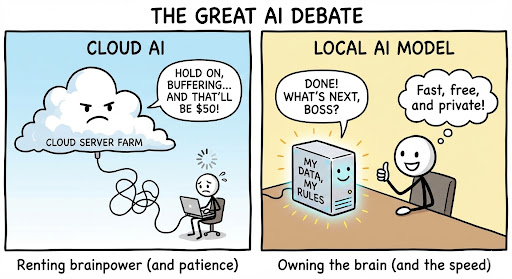
    Too many smart leaders are treating their AI strategy like a permanent hotel stay. You are paying a luxury markup for a room you can never decorate and a bed you do not own. Public APIs served a purpose during the experimental phase. Now, there is a massive leak in your operational bucket.

    The smartest players in the market realize that renting intelligence by the token is a recipe for margin collapse. It is the digital equivalent of paying for every breath of air in your office. Let’s find out how to stop the bleeding and reclaim forty percent of your budget. Welcome to the world of Local AI Models.

    The perpetual API subscription tax on your operational margins

    Public APIs are essentially a tax on your success. The more users you attract and the more data you process, the more you owe a third party. It is a backwards way to build a business because your most successful month becomes your most expensive one. I am seeing talented teams hesitate to roll out new features because they are terrified of what the bill will look like at the end of the quarter.

    Also Read: Self-hosted LLM Infrastructure: Buy It Without Leaking Data

    This is where local AI models change the equation from a variable drain to a fixed foundation. When you own the infrastructure, your cost to run one thousand queries is nearly the same as the cost to run ten. 

    You are moving from a world where you rent a brain by the minute to a world where you own the engine. If your business model relies on a vendor not raising their prices or changing their terms, you are not a manager. You are a hostage.

    The financial logic for a pure API strategy falls apart the moment you hit production scale. You are paying a massive premium for a generic service that has zero loyalty to your bottom line. By bringing the compute in-house, you are turning a recurring liability into a strategic asset that actually builds value on your balance sheet. 

    The winners of this decade will be the ones who stop paying the landlord and start owning the land.

    Also Read: 7 Hard Truths About AI-Based Startups Nobody Puts in Pitch Decks

    Stripping the provider markup to claim your 40 percent margin dividend

    The 40 percent saving is not a guess. It is the result of removing the massive premium that commercial providers charge to cover their own research and marketing. When you use local AI models, you are buying at wholesale prices. You stop subsidizing the profit margins of a trillion-dollar tech giant and start keeping that capital for your own infrastructure. 

    The markup on a standard API call is often four times the actual cost of the electricity and silicon used to generate it.

    The money usually leaks out in three specific ways:

    • You are paying for a giant brand name and a flashy website that your users never even see.
    • You are being forced to use a massive model to do a tiny job because the provider wants to simplify their own billing.
    • Your monthly check is paying for the vendor to train their next version instead of improving your own system.

    If you analyze an enterprise workload of 200 million tokens monthly, an API provider might charge you $5,000 for the privilege. Running that same workload on a dedicated server cluster costs a few hundred dollars in power and maintenance. 

    Also Read: Conversational AI Assistants Aren’t Chatbots. They’re Breakthrough Relationships Built on Understanding

    Local AI Models: the only cure for the hidden productivity tax of latency

    Every millisecond your data spends traveling to a server farm three states away is a millisecond your staff spends staring at a gray loading bar. While a three-second delay feels negligible for a single query, it becomes a massive bottleneck when integrated into high-frequency business processes or real-time customer interfaces. 

    By deploying local AI models, the intelligence sits in the same rack as the task, turning a stuttering workflow into a seamless stream of results that keeps your team in a state of high output.

    Efficiency FactorPublic Cloud APILocal AI ModelsDirect Benefit
    Response Latency2.0s – 5.0s (Network overhead)0.1s – 0.5s (Internal bus speed)Eliminate the wait tax on customer facing apps to boost retention.
    System ThroughputCapped by vendor rate limitsLimited only by your GPU VRAM10x more transactions per hour with your existing staff.
    Worker ProductivityHigh context switching riskNear instant flow state supportSave thousands of work hours annually on high volume audit tasks.
    Operational UptimeVulnerable to ISP and Cloud outages100% available behind your firewallCore logic remains functional even if the global internet flickers.
    Cost of IdlingPaying for system wait timeMaximum hardware utilizationStop paying for expensive talent to watch a loading spinner.
    Data Travel DistanceThousands of miles round-tripCentimeters across the motherboardRemove 100% of the interception risk from the transport layer.
    Concurrency LoadPerformance drops during peak hoursDedicated, consistent performanceReporting is ready by 8 AM regardless of global traffic.
    Batch ProcessingHigh cost for large-scale datasetsFree execution on owned hardwareDeeper analysis of your entire database without fear of a surprise bill.
    Debugging SpeedSlow feedback loops via API logsReal-time local console monitoringDevelopers can iterate and ship features twice as fast.
    Integration ComplexityConstant API version maintenanceStable, version-locked environmentsLower DevOps overhead by freezing the model stack.

    Locking your data vault by hosting intelligence inside the house

    Sending your company data to a cloud API is like handing your house keys to a stranger just because they offered to help you carry the groceries. You are trusting a third party to handle your proprietary secrets, customer records, and internal strategy while they train their own systems on your success. 

    Far too many leaders treat their data like a public utility when it is actually the only thing keeping them competitive in a crowded market.

    The financial stakes of a mistake are no longer a slap on the wrist. Looking at the 2025 numbers, the average cost of a data breach is a direct hit to your valuation. Beyond the legal fines, you have to deal with the fact that most consumers will simply walk away if they do not trust how you handle their personal information. 

    Using local AI models ensures your data never leaves your own silicon, effectively removing the third-party provider as a point of failure.

    By hosting your intelligence on-site, you are building a physical wall around your intellectual property. You stop being a guest in someone else’s data center and start being the warden of your own vault. Total ownership of your stack is the only real insurance policy in an era of high-speed corporate espionage.

    Stopping the drain of paying for computing power your tasks do not require

    Most cloud providers force you to rent a massive, one-size-fits-all brain to perform basic data entry tasks. It is like hiring a world-class neurosurgeon to put a bandage on a scraped knee. You are paying for billions of parameters of general knowledge and expensive safety alignment that have zero impact on your specific business logic. 

    By deploying local AI models, you match the size of the model to the complexity of the job, ensuring every dollar spent is directed toward your actual goals.

    • Use a lean 8B model for document extraction instead of a massive 400B model to cut your power and processing requirements by 90 percent.
    • Run specialized tasks in parallel on a single GPU cluster to finish a week of data processing in a single afternoon.
    • Stop paying for the extra compute cycles a cloud provider uses to run ethical filters on your own private, internal data.
    • Direct every bit of your VRAM toward revenue-generating tasks rather than paying for a giant model’s idle background processes.
    • Reduce your cost per interaction to near zero by stripping away the “general intelligence” fluff you never asked for.

    Trading volatile usage spikes for the peace of a fixed infrastructure budget

    Relying on a cloud API means your monthly expenses are tied to a roller coaster you do not control. If your application goes viral or your team runs a massive data audit, your bill spikes without warning. It is impossible to protect your margins when your infrastructure costs change every single day based on how many tokens you happen to consume.

    When you shift to local AI models, you are buying the farm instead of paying for every ear of corn. Your infrastructure cost becomes a flat and predictable line on your balance sheet. 

    You know exactly what your server costs will be for the next three years, regardless of whether you process a thousand requests or a billion. This transition allows you to forecast your margins with total confidence because you have removed the variable pricing risk from your core operations.

    A fixed budget model also changes the way your team iterates on products. When every experiment carries a direct financial penalty from a cloud provider, your developers stop taking risks to avoid blowing the budget. With your own hardware, the marginal cost of trying a new idea is zero. You can push your systems to the absolute limit without checking the balance on your credit card.

    Additional reading: Ten Key Insights from IBM’s Cost of a Data Breach Report 2025

    Conclusion

    Treat the shift to local AI models like buying the building instead of renting a cramped basement. The API era served as a useful training wheel phase, but keeping those wheels on during a competitive race is a guaranteed recipe for a margin crash. Owning the hardware is the only way to lock in profit and tell the cloud giants that the bank is closed for good. The dividend of this decision is simple: total autonomy and a balance sheet that finally stops leaking cash with every single query.

  • Cloud vs. Bare Metal: Picking the Winner for Your 2026 Budget

    Cloud vs. Bare Metal: Picking the Winner for Your 2026 Budget

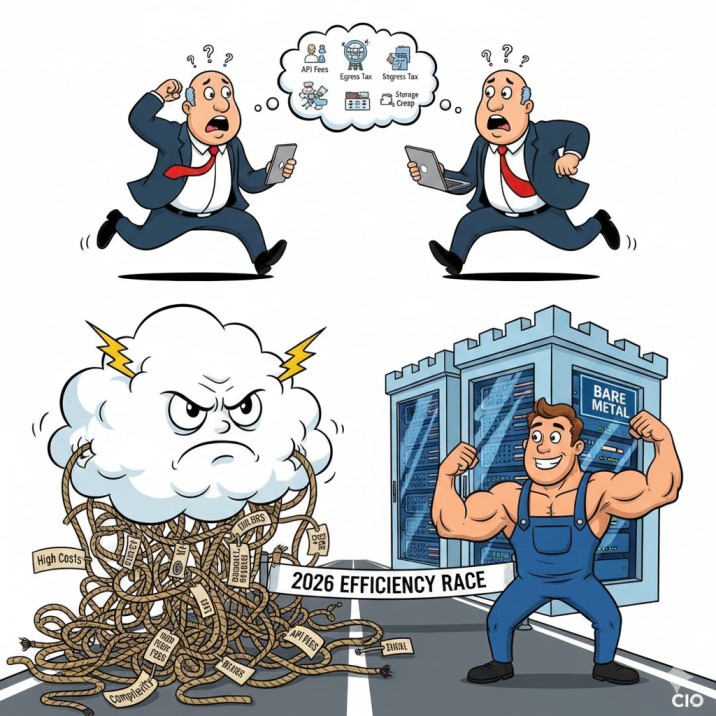
    Let’s be real: the “Cloud-First” honeymoon is over. We all spent the last decade throwing everything into AWS or Azure because it felt like magic. But in 2026, magic has a price tag that’s starting to look like a mortgage on a house you don’t even own.

    I have sat in those governance meetings where the CIO looks at the monthly bill, then looks at people around the table, and we all know the truth – the “elasticity” we are paying for is actually just expensive, unused air. We have been conditioned to think that renting is the only way to stay agile, but this year, we are experiencing a massive pivot. This year, the goal isn’t just scaling at any cost; it’s unit economics; it’s Cloud vs. Bare Metal. We are moving from being cloud-blind to being margin-native. It’s time to stop talking about “the stack” and start talking about the bottom line.

    The Virtualization Tax: Raw Power vs. Hypervisor Overhead

    In the public cloud, you are never alone with your hardware. Every virtual machine sits on top of a hypervisor. This software acts as a middleman between your app and the CPU. This abstraction is the “Virtualization Tax.” It consumes 10% to 15% of your processing power just to exist. You pay for 100% of the silicon, but your application only sees what is left after the middleman takes its cut.

    Then there is the “Noisy Neighbor” problem. Public cloud is multi-tenant. You share a physical rack with other companies. If their usage spikes, your performance jitters. This “Steal Time” causes latency spikes that are impossible to debug. On Bare Metal, you are the only tenant. There is no contention for the bus and no one else’s code is slowing down your production.

    This architecture forces you to over-provision in the cloud just to survive shared-resource dips. With Bare Metal, you get sub-millisecond access to the silicon. You are not just buying a server; you are buying the certainty that every cycle belongs to your code. For steady, high-utilization workloads, a comparison of Cloud vs. Bare Metal is a difference between a shared gamble and a dedicated asset.

    Also Read: A Rental Trap: A Blueprint for Strategic Exit from Cloud in 2026

    The Silent Killers: Egress, API, and Storage Creep

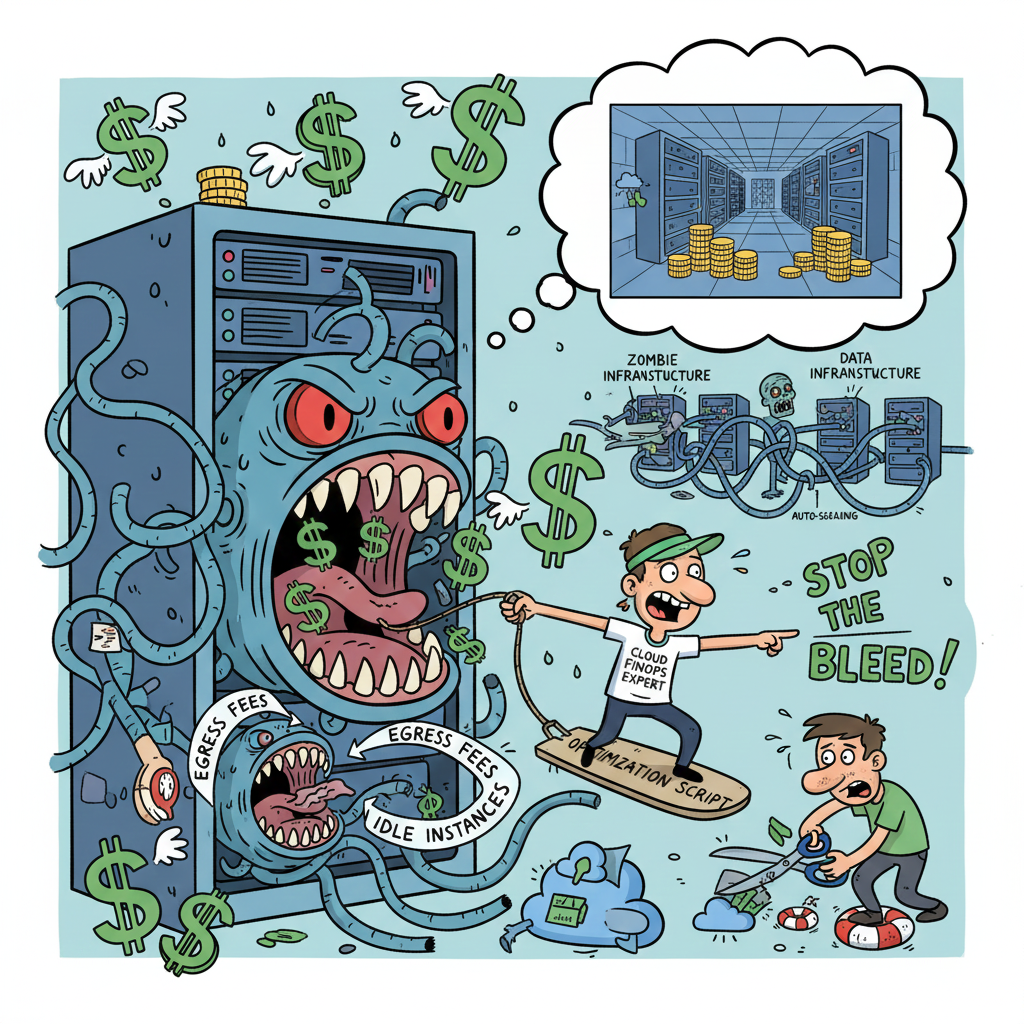
    Cloud bills are rarely high because of the sticker price on the instance. They are high because of a secondary layer of fees that scale faster than your revenue.

    1. Data Egress: The Ransom on Your Own Data. In the public cloud, you are not just paying to store data; you are paying a ransom to move it. Most major providers charge between $0.05 and $0.09 per GB for data leaving their network to the internet.

    Consider a mid-sized enterprise moving 100 TB of data per month.

    • Public Cloud Egress Cost: 100,000 GB x $0.08 (avg) = $8,000 per month.
    • Bare Metal Egress Cost: Most dedicated providers offer a 100 TB or 1 Gbps unmetered pipe included in the server lease.
    • The Loss: You are losing $96,000 USD per year simply to send your own data to your users.

    2. API Request Creep: The Interaction Tax. Every time your application talks to a managed cloud service, you are billed for the request. In a microservices architecture, a single user action can trigger 50 internal API calls.

    • The Reality: At $0.005 per 1,000 PUT requests, it seems cheap. But for a high-traffic app doing 1 billion requests a month, you are looking at $5,000 USD per month just for the “noise” of your services talking to each other.
    • The Difference: On Bare Metal, internal communication happens over a local backplane. It is free, and it is sub-millisecond.

    3. Storage Creep: Paying for Hot Air Cloud storage is priced by tiers, and the trap is staying in “Standard” storage for datasets that are rarely accessed.

    • The Math: Storing 500 TB on the cloud in a standard tier costs roughly $11,500 USD per month.
    • The Bare Metal Alternative: You can lease a massive storage array with 500 TB of raw NVMe capacity for approximately $3,000 per month.
    • The Loss: That is an $8,500 monthly leak.

    When you add these up, the convenience of the cloud is costing you a 60% to 80% markup on the basic utilities of computing. If you are looking for the source of your budget bloat, it is likely hiding in these three line items. In Cloud vs. Bare Metal, Bare Metal wins.

    The 3-Year TCO Comparison in Cloud vs. Bare Metal: The $160 Trigger Point

    If the monthly cloud bill for a single, steady-state workload is higher than $160, you have likely crossed the line into overpayment. Infrastructure costs should be measured over a 36-month lifecycle. Public cloud providers win on “Zero Down” flexibility, but they lose on the “Mortgage.” When I look at a production database, something that stays powered on 24/7, the math is not even close.

    Let us compare a standard high-performance setup in 2026: 8 vCPUs and 32GB RAM (equivalent to an AWS m5.2xlarge).

    The 3-Year “Truth”Public Cloud (Managed VM)Bare Metal (Dedicated)
    Monthly Compute$280 (On-Demand)$140 (Fixed Lease)
    Data Egress (10TB/mo)$900 (at $0.09/GB)$0 (Included)
    Storage (1TB NVMe)$120 (IOPS + Capacity)$0 (Included in Lease)
    Support (Business/Premium)$130 (10% of Spend)$20 (Fixed Remote Hands)
    Backup & Recovery$50 (Snapshots)$30 (Offsite Storage)
    Managed DB Surcharge$150 (RDS/Cloud SQL)$0 (Self-Managed)
    Monthly Total$1,630$190
    3-Year Grand Total$58,680$6,840

    The gap is now even wider. We are looking at a $51,840 difference for a single production server over three years. When people tell me the cloud is cheaper, they are usually only looking at the $280 compute cost and ignoring the $1,350 in “operational friction” that follows it.

    I am not saying the cloud has no value. I am saying that for a steady-state workload, you are essentially paying a 760% markup for the convenience of not having to manage a physical operating system. For a cluster of ten servers, that is over half a million dollars that could have been profit or R&D budget.

    The Talent Debt: Managed Ease vs. Operational Control

    There is no such thing as a free lunch in infrastructure. The cloud is a hotel. You pay a premium because someone else changes the sheets, fixes the plumbing and ensures the lights stay on at 3 AM. When you move to Bare Metal, you are buying the house. The monthly invoice for the hardware drops to the floor, but the requirement for specialized skill rises to the ceiling.

    This is the “Talent Debt.” You are trading a high AWS bill for the cost of human expertise. If the current team consists only of developers who are used to clicking a “Deploy” button in a web console, Bare Metal will be a shock to the system. You need people who understand Linux kernel tuning, physical firewall configuration, and local RAID arrays. I have seen projects fail because the leadership chased the lower server price but forgot that someone still has to patch the physical OS and handle hardware failures.

    You must ask yourself a hard question: Is the $50,000 you are saving per server enough to pay for the man-hours required to manage it? In 2026, automation tools like Terraform and Ironic have made Bare Metal feel more “cloud-like,” but you still cannot outsource the ultimate responsibility for the hardware. You are gaining total control, but you are also losing the ability to blame a provider when things go dark. If the infra invoice is in your KRA, this is not just a budget shift; it is a culture shift.

    The Decision Matrix: Who Wins for Your Specific Scale?

    In 2026, the “Cloud or Bare Metal” question is no longer an all-or-nothing debate. It is about matching the environment to the maturity of the workload. If you are still in the “move fast and break things” phase, the cloud is your best friend. 

    If you have found your product-market fit and your traffic is a steady river rather than a series of spikes, Bare Metal is your best financial move.

    Business ScenarioRecommended StackPrimary Reason
    Early-Stage StartupPublic CloudAgility is more valuable than margin. Do not waste time on hardware.
    High-Growth Scale-UpBare MetalAt this stage, egress and storage fees will cannibalize your profit.
    Data-Heavy AI/MLBare MetalYou need 100% GPU/CPU utilization without the “Virtualization Tax.”
    Static Legacy AppsBare MetalThese rarely scale. Why pay a premium for “elasticity” you never use?
    Global Consumer AppHybrid ModelCloud for the “spiky” front-end; Bare Metal for the heavy database.
    High-Compliance (HIPAA/GDPR)Bare MetalPhysical isolation simplifies audits and guarantees data residency.
    Edge Computing (IoT/Retail)Bare MetalSub-millisecond local processing is required at the physical location.
    Multi-Region BurstingPublic CloudSpin up 20 regions in minutes. Bare Metal lead times are too slow here.
    Exit Strategy / PortabilityBare MetalAvoiding “Service Lock-in.” It is easier to move a Linux box than a proprietary API.

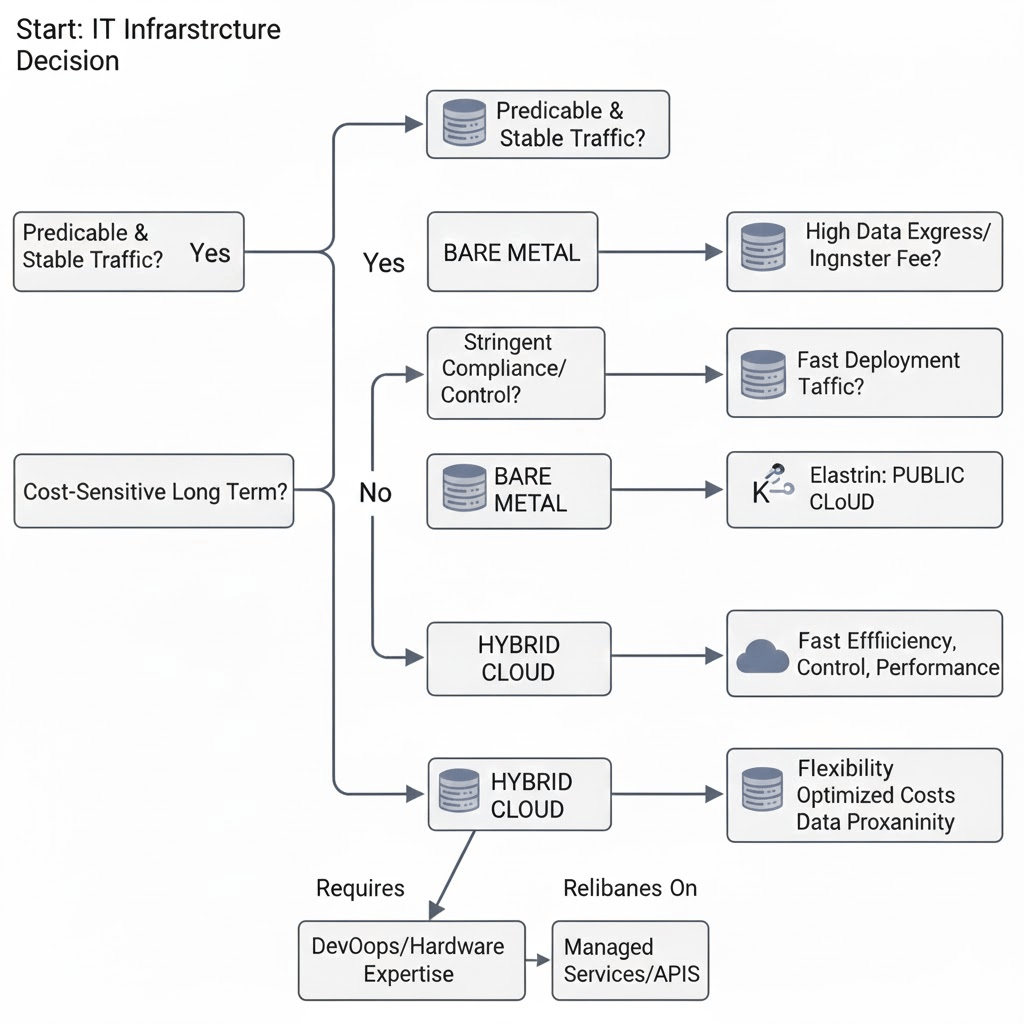
    The decision logic is simple. If the workload is unpredictable, rent the flexibility of the cloud. If the workload is predictable, own the efficiency of Bare Metal. Moving to a hybrid model is often the most sophisticated choice for a modern enterprise.

    Additional reading: Bare metal economics: Why more companies are ditching shared infrastructure

    Conclusion

    The era of “Cloud at any cost” is over. In 2026, efficiency is the only metric that matters. We have spent years treating the public cloud like an infinite resource, but the math proves it is often just a high-interest loan on your margins. My verdict is simple: stop being cloud-native and start being value-native. Renting is for laboratories; owning is for factories. Audit your invoice, identify the silent killers, and move your steady-state workloads back to dedicated silicon. Reclaiming that margin is not just a technical win; it is a competitive advantage.

  • Inter-AZ Data Transfer Cost Optimization: The Silent Bill You Forgot to Budget

    Inter-AZ Data Transfer Cost Optimization: The Silent Bill You Forgot to Budget

    The surprise was not egress. It was internal. We had a “safe” multi-AZ setup, clean dashboards, and zero customer complaints. Then, Finance asked why the cloud data transfer cost was rising inside a single region when traffic was flat. Nobody could answer, because nobody owned east-west traffic. The load balancer was cross-zone by default. A few services were chatty and synchronous. Retries were tuned like a stress test. A shared cache sat in one AZ, so half the fleet kept reaching across zones for reads. On paper, it was high on availability. On the invoice, it was a recurring tax.

    That is the real job of inter-AZ data transfer cost optimization: not shaving pennies, but stopping architectural habits that compound. If you do not fix attribution and routing now, “Day 300” will look like cost creep, alert fatigue, and a platform nobody wants to touch.

    Where your cloud data transfer cost is really coming from

    Most teams look at cloud data transfer cost and assume the pain is internet egress. Inter-AZ spend is different. It is the bill you get for traffic that never left the region but still crossed a zone boundary. You create it every time a request enters in AZ-A and lands on compute in AZ-B, every time a service in one AZ calls a database node in another AZ, and every time retries turn one call into three cross-AZ attempts. This is why the curve often rises even when user traffic is flat.

    Inter-AZ charges usually come from a small set of patterns: cross-zone load balancing, shared endpoints that ignore locality, centralized caches, and replication paths that acknowledge across zones.

    The expensive part is rarely one big transfer. It is the background chatter: health checks, service-to-service calls, telemetry exports, image pulls, and periodic jobs that run wherever capacity exists, not where the data is.

    The trap is that this spending becomes structural. Once teams build around “any zone can talk to any zone” and hide it behind a global endpoint, fixing it later touches routing, failure handling, and ownership boundaries. That is why inter-AZ data transfer cost optimization is an architecture and operating model problem, not a one-time FinOps cleanup.

    Also Read: A Rental Trap: A Blueprint for Strategic Exit from Cloud in 2026

    Map inter-AZ traffic to the exact billing line items

    1. Pull the bill export and isolate network-related line items
    Group by account, region, service, and usage type. You are looking for intra-region, cross-AZ, load balancer processing, NAT, and any “data processed” meters that behave like transfer charges. Do not optimize blindly. First, name the meters you are paying.

    2. Build a simple path list: source → hop → destination
    Write down the top 20 traffic paths by volume. Example: client → load balancer → service A → service B → cache → database. If you cannot list the hops, you cannot explain the charges. Your goal is to identify where the AZ boundary is crossed.

    3. Measure bytes and requests by path, not by service
    Per-service metrics hide the real cause. You need bytes in and out between specific endpoints. Use flow logs, load balancer access logs, service mesh telemetry, or VPC-level observability. Capture: source, destination, AZ, bytes, request count, and retry count.

    4. Correlate traffic paths to cost meters
    For each major path, tie it to the billing line item that charges it. This is where teams get burned: a “free” design change can move spend from one meter to another. If a load balancer starts distributing across AZs, you will see it in both traffic patterns and line items.

    5. Attribute spend to owners using a unit that makes arguments stop
    Pick one unit: cost per million requests, cost per GB of internal traffic, or cost per tenant. Then allocate per environment (prod vs non-prod) and per product line. If you cannot assign an owner, nobody will fix it and it will creep back.

    6. Create a baseline and a guardrail
    Baseline: current inter-AZ bytes and monthly cost by top 10 paths. Guardrail: an alert when internal cross-AZ bytes or associated meters jump outside a threshold. The point is not perfect accuracy. The point is early detection when a release changes routing or retries.

    Start with the top two traffic paths. If you chase every line item, you will drown. Two paths usually explain most of the spending.

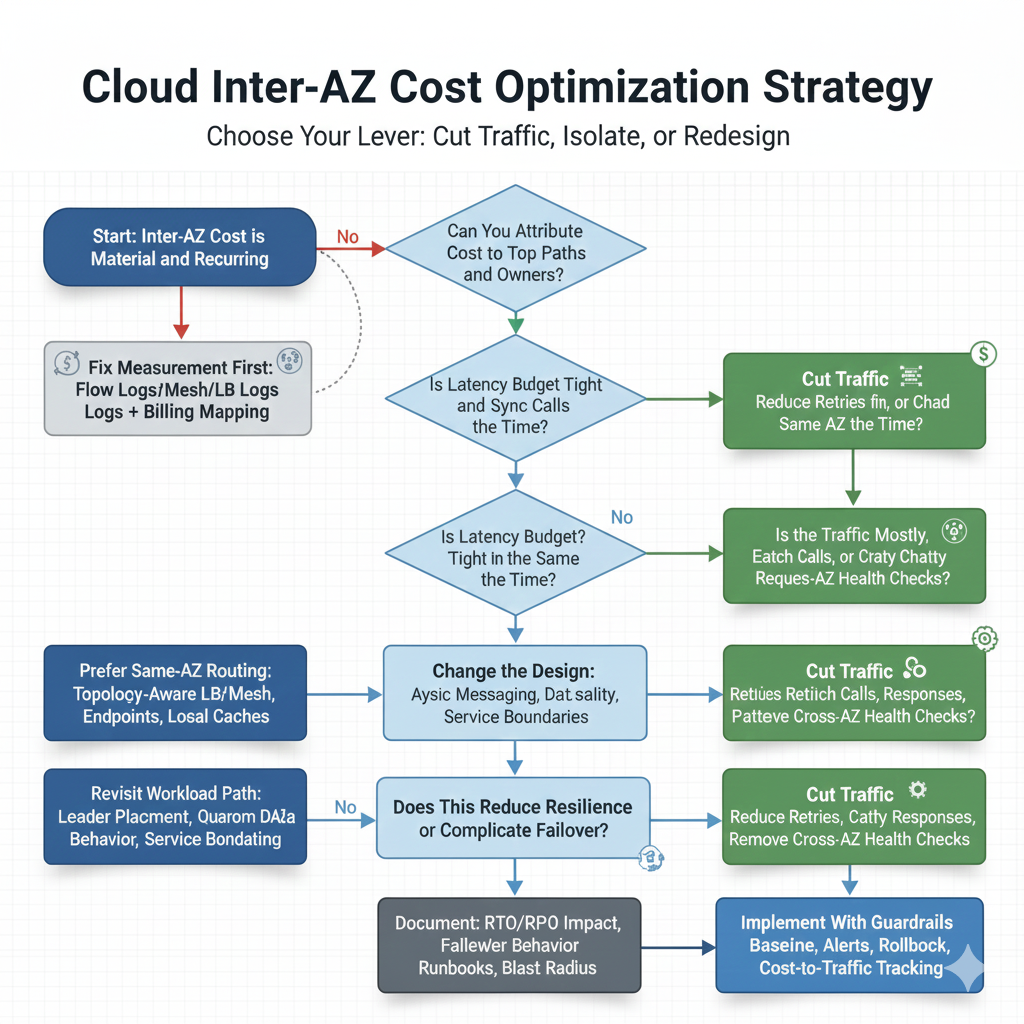
    Choose your lever: cut traffic, keep it in one AZ, or change the design

    Inter-AZ Data Transfer Cost Optimization

    Low-risk changes that reduce cloud data transfer cost (no migration required)

    If you want quick savings, stop paying for accidental cross-AZ behavior. Most stacks bleed money because traffic lands in the “wrong” AZ by default, retries multiply requests, and common reads keep reaching across zones for caches or dependencies.

    You are not changing your architecture here. You are tightening routing, tuning client behavior, and forcing locality in the steady state, while keeping cross-AZ as a failover tool, not the default operating mode.

    Treat these as controlled changes with a baseline and rollback. Otherwise, you will ship “optimizations” that move cost between line items, or you will reduce transfer charges and replace them with incident load.

    • Keep requests in the same AZ when everything is healthy. Use topology-aware routing (Kubernetes or mesh policies) and avoid cross-zone distribution unless capacity or health requires it. The trade-off is uneven load if one AZ runs hotter, so you need auto-scaling and per-AZ capacity discipline.
    • If a load balancer is spraying traffic across AZs by default, localize it. Many teams pay an always-on tax here without realizing it. The trade-off is that failover behavior must be explicit and tested, not assumed.
    • Avoid centralized caching patterns that force cross-AZ reads. If reads dominate, make caches locality-aware or zonal so the majority of traffic stays local. The trade-off is cache fragmentation and a lower hit rate if your traffic is not naturally sticky.
    • Kill retry amplification. Align timeouts across client, gateway, and backend so you do not create duplicate in-flight requests that bounce across AZs. Cap retries, add jitter, and use circuit breakers. The trade-off is that real errors surface faster, which some teams initially misread as “worse stability.”
    • Reduce chatty internal calls. Batch where it is safe, cache responses with short TTLs, and stop moving full payloads when only two fields are needed. The trade-off is stale reads and more careful invalidation logic.
    • Stop cross-AZ polling and noisy health checks. Keep routine checks local; reserve cross-AZ probes for failover validation and periodic sanity tests. The trade-off is less global visibility, so you compensate with better per-AZ SLOs and alerting.
    • Pin heavy scheduled jobs to the data’s AZ. ETL, indexing, exports, and backups often run wherever compute is available, then pull data across zones. The trade-off is less scheduling flexibility and sometimes longer job queues in a single AZ.
    • Watch observability volume. Traces and logs can become a quiet internal transfer driver, especially with high-cardinality tags and full-payload logging. Sampling and dropping noise saves cost, but the trade-off is reduced forensic detail unless you keep on-demand burst logging.

    Side-by-side options: what saves money and what increases on-call load

    Optimization leverCost mechanism it targetsOperational downside (what can go wrong, who owns it)
    Prefer same-AZ routing for service-to-service callsCuts cross-AZ bytes by keeping east-west traffic localUneven per-AZ load or bad routing rules; platform/SRE owns saturation and routing incidents
    Disable cross-zone load balancing where safeStops constant cross-AZ request distributionFailover behavior must be explicit and tested; the platform/app on-call owns outage risk during AZ impairment
    Zonal or locality-aware cachingAvoids cross-AZ cache reads and repeated fetchesLower hit rate from cache split; app team owns latency regressions and cache correctness
    Retry and timeout tuning (caps, jitter, circuit breakers)Prevents retry amplification, multiplying bytes and requestsMore fast-fail behavior if backends are unhealthy; SRE owns alert tuning and incident noise
    Batch calls and shrink payloadsReduces bytes per request and total request countStale data or harder debugging; app team owns the correctness and observability gaps
    Pin heavy jobs near data (ETL, exports, backups)Avoids large cross-AZ reads and transfersJob queueing or missed windows in a busy AZ; the data/platform team owns scheduling and SLAs
    Replace sync fan-out with async messaging for non-critical pathsCuts synchronous cross-AZ chatter and tail latencyQueue lag and backpressure become the new incident; platform/app owns retries and lag SLOs
    Change write topology or replication rules (where feasible)Reduces cross-AZ write acks and replication trafficConsistency trade-offs and harder recovery; the data team owns integrity and restores playbooks
    Enforce per-AZ capacity and placement policiesReduces random cross-AZ drift from autoscaler placementHigher ops overhead and capacity planning work; the platform team owns sizing and guardrails

    Playbooks by stack: Microservices, Kubernetes and data pipelines

    Scenario 1: Cross-zone load balancing is always on.
    Action: localize steady state traffic. Keep cross-AZ only for failover. Validate with LB logs: % requests served by same-AZ backends should dominate.

    Scenario 2: Gateway is in one AZ, services are multi-AZ.
    Action: deploy the gateway per AZ or use zonal ingress. Otherwise, every request starts back as cross-AZ.

    Scenario 3: Service discovery gives a “global” endpoint.
    Action: use zonal endpoints or topology-aware routing. If clients cannot prefer same-AZ, you will pay forever.

    Scenario 4: Retry policy is multiplying bytes.
    Action: cap retries, add jitter, align timeouts end-to-end. Check if retries hop AZs. They often do.

    Scenario 5: Fan-out aggregator calls 8 services per request.
    Action: cache at the aggregator, batch downstream calls, and kill unnecessary sync dependencies. Measure bytes per request at the aggregator.

    Scenario 6: Health checks and polling are cross-AZ and constant.
    Action: keep probes local; do cross-AZ probes only as periodic failover validation. Track steady baseline bytes at idle traffic.

    Scenario 7: Cache is “shared,” but physically sits in one place.
    Action: make cache zonal or make the client locality-aware. Verify hit traffic stays in-zone via flow logs.

    Scenario 8: Kubernetes places pods evenly, but traffic ignores locality.
    Action: add topology spread constraints and topology-aware routing. Confirm endpoints returned are the same AZ first.

    Scenario 9: Auto-scaling adds nodes in one AZ, traffic spills to other AZs.
    Action: per-AZ node group sizing. If one AZ is short on capacity, your “locality” rules get bypassed.

    Scenario 10: NAT gateway is single-AZ and used for internal paths by accident.
    Action: ensure private routing for internal services. Validate routes, DNS, and endpoints so you are not hairpinning.

    Scenario 11: Data jobs read huge volumes from replicated storage in the wrong AZ.
    Action: pin compute to data. Schedule ETL/export jobs in the same AZ as the primary read source.

    Scenario 12: Producers and consumers sit in different AZs around a broker.
    Action: co-locate hot consumers with the broker leader or partition leaders. Otherwise, every message is cross-AZ.

    Scenario 13: Database writes require cross-AZ quorum acknowledgments.
    Action: keep writers close to the leader. Move non-critical writes to async if allowed. Confirm commit path behavior in docs, not guesses.

    Common misconceptions about multi-AZ and replication (and the real cost)

    Teams often treat multi-AZ as a reliability checkbox and assume the cost is basically fixed. In practice, multi-AZ changes the default traffic path. If your load balancer, gateway, service discovery, or auto-scaler does not preserve locality, requests routinely enter one AZ and get served in another. That creates a steady cloud data transfer cost inside a single region, even when user traffic is flat, and it is exactly why inter-AZ data transfer cost optimization turns into a recurring fight.

    Replication is also not an isolated storage detail. It changes what your write path does under the hood: cross-AZ acknowledgments, coordination, and retries during minor jitter.

    A single logical write can fan out into multiple network hops depending on leader placement and quorum rules. That is how cloud data transfer cost creeps up without anyone shipping “more features,” because the platform is doing more work per write.

    The misconception that “more replicas are always safer” is only half true. Safety improves, but you pay in complexity: failover timing, read/write routing, and ownership of consistency behavior.

    If nobody owns those rules, the system drifts into “works but expensive” mode: cross-AZ routing becomes default, retries amplify, and replication overhead becomes structural. Inter-AZ data transfer cost optimization is easier when locality and write semantics are treated as explicit decisions, not defaults.

    Warning signs your inter-AZ charges will keep climbing

    You usually do not need a perfect model to predict runaway spend. If the same paths keep crossing AZs in the steady state, the cost will scale linearly with traffic, and sometimes faster when retries and fan-out show up.

    The point of this section is to give you patterns you can detect quickly in logs, traces, and billing exports before the spend becomes “normal.”

    • Your load balancer or gateway routinely serves requests from a different AZ than where they entered (cross-zone distribution is the default, not the exception).
    • Service-to-service calls show a high cross-AZ percentage even when both services run in every AZ (locality is not being respected).
    • Retry rates spike during small blips, and retries tend to land on different AZ endpoints (traffic multiplication across AZs).
    • A shared cache, shared auth service, or shared config service effectively lives in one AZ (every other AZ pays a read tax).
    • Aggregator services fan out to many downstream services per request (bytes per request grow with every new dependency).
    • Batch jobs, exports, or indexing pull large volumes from replicated storage in the “wrong” AZ (scheduled work creates a constant baseline).
    • Non-prod environments (QA, staging) generate meaningful cross-AZ transfer (test traffic is quietly expensive and always on).
    • Observability pipelines move too much data across AZs (over-tracing, payload logging, high-cardinality tags).

    If you see two or more of these at the same time, data transfer cost optimization should move from “FinOps cleanup” to “platform change with ownership.” The next step is to pick one high-volume path, force locality, and then lock it with guardrails so it does not drift back after the next release.

    If cross-AZ traffic is your “steady state,” you are not paying for resilience. You are paying for default routing mistakes.

    When not to optimize inter-AZ data transfer costs

    Optimize later (or not at all) if it compromises your recovery goals. If your RTO/RPO depends on multi-AZ synchronous behavior for a truly critical system, forcing strict locality can create a false sense of savings while increasing outage risk. In these cases, the right move is often governance: prove which flows must stay multi-AZ, set budgets for internal transfer, and keep the rest local. Your data transfer cost control process should not be allowed to quietly rewrite your resilience posture.

    Optimize later if you cannot measure and attribute. If you cannot map the top inter-AZ traffic paths to owners and billing meters, any change will be political and reversible. You will “save” for a month, then a rollout changes routing, retries, or placement and the cost returns. Fix measurement first, then optimize. Otherwise, you are trading engineering time for temporary optics.

    Optimize later if the main driver is product growth, not waste. Some inter-AZ cost is simply the price of a design choice you intentionally made: cross-AZ quorum writes, cross-AZ replication, or global endpoints for operational simplicity. If growth is the driver, your decision is not “reduce cost,” it is “choose the cheapest safe design.” Focus on unit economics (cost per million requests, per tenant, per GB processed) and make that cost visible to the business.

    Optimize later if the change creates permanent lock-in or a new ops tax. Some “fixes” push you into proprietary routing features, complex meshes, or fragile placement rules that only a few people understand. If the savings are small and the operational downside is large, you are buying technical debt. Favor changes that are reversible, testable, and owned by a team with real on-call accountability.

    Conclusion

    Inter-AZ data transfer cost control works when you treat it like an engineering control system, not a billing exercise: measure the top paths, force locality in the steady state, and add guardrails so the next release does not reintroduce cross-AZ drift through routing, retries, or “global” endpoints. The honest trade-off is operational ownership. You are choosing where you want complexity to live: in a higher cloud data transfer cost that nobody questions, or in explicit routing and failure behavior that teams can test, operate, and defend in review.

  • A Rental Trap: A Blueprint for Strategic Exit from Cloud in 2026

    A Rental Trap: A Blueprint for Strategic Exit from Cloud in 2026

    Before I talk about Strategic Exit from Cloud, let me tell you a story.

    I recently sat across from the Head of IT for a major Japanese venture here in India. We met at one of those ubiquitous coffee chains in Gurgaon; it is the kind of place that serves as the unofficial headquarters for the local tech scene.

    It is a strange environment. You look around and see a sea of glowing Apple logos, noise-canceling headphones, and people in their twenties wearing Build t-shirts. These are the high-salaried tech elite of the city. They are huddled over their machines, deep into anything from Python scripts and Power BI dashboards to complex Kubernetes clusters and Spark jobs. It is a room full of people building the future, fueled by overpriced avocado toasts and pour-overs. For a packed house, it is surprisingly quiet. The only real sound is the rhythmic clicking of mechanical keyboards.

    To anyone else, this was the Cloud Generation in its natural habitat. But the man sitting across from me, a veteran of high-scale Japanese engineering, was not buying the hype. He looked out of place among the “oldies” like us, but he carried the quiet confidence of someone who knows the math everyone else is ignoring.

    I expected our conversation to drift toward the usual topics like multi-cloud strategies or their 2026 AWS commitment. Instead, he leaned in, lowered his voice to match the café’s studious hum, and dropped a bombshell.

    “Except for our public-facing CMS, we have zero presence on the cloud,” he said. “Everything else is on-prem.”

    In this temple of SaaS and “Serverless,” his words felt like heresy.

    I looked around at the tech talent in the room, likely burning through thousands of dollars in cloud credits to run the very Spark jobs and Kubernetes nodes they were monitoring, and then back at him. He was not avoiding the cloud because he was stuck in the past. He was avoiding it because he was mathematically disciplined.

    As he walked me through their architecture, the irony was thick. The high-paid crowd around us was happy to pay exorbitant prices for both their coffee and their computing power, but his firm had quietly realized that the Cloud is a spectacular place to start and a dangerous place to stay.

    By owning their iron, they had achieved what everyone in that café was chasing, but few were actually hitting: True Data Sovereignty and 40% higher margins than their competitors.

    This encounter confirmed a shift I have been tracking for months. The era of “Cloud-at-all-costs” is hitting a wall. We are entering the age of the Strategic Exit from Cloud.

    cloud data transfer costInter-AZ Data Transfer Cost Optimization: The Silent Bill You Forgot to Budget

    The “Cloud Tax” and the Law of Diminishing Returns

    The public cloud is sold as an infinitely scalable utility. The marketing tells you that you only pay for what you use. That is a half-truth. In reality, you pay a massive premium for “agility” that your business might no longer need once your product is stable.

    If your workloads are predictable like the Japanese firm I mentioned, the cloud stops being a tool for growth and starts becoming a tax on your margins.

    Also Read: Google Cloud migration Blueprint from Infogion

    The Math: Why 2026 is the Year of the Iron

    To understand why a high-growth venture would choose on-prem, you have to look at the three-year TCO (Total Cost of Ownership).

    Consider a standard “High-Compute” setup required for Spark jobs or large-scale Python data processing:

    Expense CategoryPublic Cloud (Managed)On-Prem (Colocation)
    Monthly Compute$8,500 (Reserved Instances)$1,200 (Power/Rack Space)
    Data Egress$2,000 (The “Exit Tax”)$0 (Flat Bandwidth)
    Hardware Cost$0 (Rental model)$65,000 (Upfront Purchase)
    3-Year Total$378,000$108,200

    Even after factoring in the $65,000 for high-end Dell or HP servers and the cost of a specialized engineer to “rack and stack” the gear, the on-premises model is nearly $270,000 cheaper over three years.

    For the tech guys in that Gurgaon café, that difference is invisible because the cloud bill is often hidden in “OpEx” budgets. But for the Japanese IT Head, that $270k represents the difference between a profitable quarter and a round of layoffs.

    Also Read: 7 cheapest Cloud Storage Service Provider

    The “Hidden” Exit Taxes

    Cloud providers know their pricing is vulnerable to hardware ownership. This is why they have built “moats” to keep you trapped:

    1. Egress Fees: Moving data into the cloud is free. Moving it out to your own servers can cost upwards of $0.09 per GB. If you have petabytes of data, you are effectively a hostage.
    2. Feature Lock-in: Proprietary tools like AWS Glue or DynamoDB are designed so that “leaving” requires a complete rewrite of your codebase.
    3. The Support Premium: As soon as you scale, “Basic Support” is not enough. You end up paying a percentage of your total spend just to talk to a human when a node goes down.

    Also Read: Cloud vs. Bare Metal: Picking the Winner for Your 2026 Budget

    The Hardware Reality: What “Iron” Actually Looks Like in 2026

    When that IT Head in Gurgaon told me they were 100% on-prem, my first thought was about their supply chain. You can’t just “click” a button to get a new H100 GPU or a petabyte of NVMe storage. You have to negotiate with vendors, wait for shipping, and deal with DOA (Dead on Arrival) parts.

    For a venture-scale operation, you aren’t buying consumer-grade gear. You are looking at enterprise-grade infrastructure in line of Dell PowerEdge, HPE ProLiant, or Supermicro. But here is the “Brutally Honest” part: you also need to think about the secondary market.

    Many high-growth firms are realizing that “Last-Gen” hardware (like a 2-year-old Xeon gold processor) can handle 90% of their Spark and Python workloads at 30% of the cost of new equipment. In the cloud, you pay for the newest chips whether you need them or not. On-prem, you choose the exact horsepower for the job.

    Also read: Comparison of the top four Cloud Platforms – Google Cloud, Amazon Web Services, Microsoft Azure, and IBM Cloud

    The Skill Gap: Why Your “Cloud Native” Team Might Panic after Strategic Exit from Cloud

    This is the biggest risk of strategic Exit from Cloud. Most of the high-paid tech elite in that café have spent their entire careers in a world where “infrastructure” is an API call. They know Kubernetes, but they might not know how to troubleshoot a failing RAID controller or a misconfigured Top-of-Rack switch.

    When you leave the cloud, you are trading “Provider Risk” for “Personnel Risk.” You are moving from a world where AWS manages the hardware to a world where you are the data center manager.

    If you don’t have a Greybeard on the team, someone who remembers what it’s like to work in a cold aisle with a crash cart, you are going to struggle. You need people who understand the Linux kernel, not just the Terraform provider. The savings on your AWS bill will quickly vanish if your on-prem cluster goes down for 48 hours because nobody knows how to fix a corrupted file system.

    Also read: Amazon AWS Cloud for Non-Tech Founders in 2026

    The “Stealth” Costs of Ownership

    I want to be clear: On-prem is not “free.” You are trading a monthly rental fee for a set of new responsibilities.

    • You are paying the Colocation provider for redundant power feeds and massive cooling units.
    • Unless you want to drive to the data center at 3 AM to swap a failed drive, you need a “Remote Hands” agreement. These guys are your feet on the ground, and they don’t work for cheap.
    • Every hour your lead engineer spends debugging a networking hardware issue is an hour they aren’t building your product. This is the “hidden” trade-off.

    The 90-Day Blueprint: How to Reclaim Your Infrastructure

    The strategic Exit from Cloud is not a “weekend project.” It is a surgical operation. If you try to move everything at once, you will fail. The Japanese firm I spoke with took a phased approach that prioritized data safety over speed.

    Also Read: 20 Pay-zero Cloud Storage Services

    Here is how you execute a strategic exit in three distinct phases.

    Phase 1: The Inventory and “Egress Audit” (Days 1–30)

    Before you buy a single server, you must know what you are actually using. Most companies have “Zombie Instances” running that nobody monitors.

    • Identify exactly where your data is flowing. Is it mostly internal, or are you serving petabytes to the public?
    • Categorize your services. Anything using a proprietary cloud tool (like AWS Athena or SageMaker) will need a code refactor. Anything running in a standard Docker container is an easy candidate for relocation.
    • Calculate your current “Price per Compute Hour.” This is your benchmark for success.

    Phase 2: The “Pilot” and Colocation Setup (Days 31–60)

    Do not build your own data center. Use a Colocation (Colo) provider. They provide the power, cooling, and physical security; you just provide the iron.

    • In 2026, lead times for high-end GPUs and servers are still a factor. Order your hardware on Day 31.
    • Set up a “Direct Connect” or a high-speed VPN between your cloud VPC and your new hardware.
    • Move a non-critical, steady-state workload (like a staging environment or a secondary data processing job) to the new servers. Monitor it for 14 days. If the performance holds, move to Phase 3.

    Phase 3: The Data Migration and the Point of No Return

    This is where things get expensive and stressful. This is the moment you have to pay the Exit Tax I mentioned earlier. If you try to move a few hundred terabytes over a standard internet connection, you will likely spend more on bandwidth and time than the hardware is worth.

    For the Japanese firm, they didn’t even try to push it over the wire. They used physical transfer appliances basically ruggedized storage arrays that you fill up, encrypt, and ship via a courier. It sounds primitive in 2026, but moving ten petabytes via a truck is often faster and more secure than any fiber optic cable you can rent.

    Once that data is sitting in your new racks, you start the Weighted DNS dance. You don’t just flip a switch and pray. You send 5% of your traffic to the on-prem cluster and watch the logs like a hawk. If the Spark jobs are finishing on time and the latency isn’t spiking, you bump it to 20%, then 50%.

    The most satisfying moment isn’t the cost savings; it is the moment you finally click Terminate on those massive AWS instances. It is the digital equivalent of finally paying off your mortgage. You are no longer a tenant; you are an owner.

    Also Read: Master Mastering Cost-Effective Cloud Platforms: 4 Absolute Insights for Small Business Owners

    Conclusion: Reclaiming the Frontier

    As I finished my coffee and watched the Gurgaon tech crowd slowly filter out of the cafe, I realized that the Japanese IT Head wasn’t an outlier. He was a pioneer.

    He saw the cloud for what it really is: a fantastic incubator for the “0 to 1” phase of a company. It is a place to experiment, fail fast, and find product-market fit. But once you have found that fit once your workloads are steady and your data is your most valuable asset staying in the cloud is like continuing to live in a hotel long after you’ve become a millionaire. It’s convenient, but it’s financially reckless.

    The Strategic Exit isn’t about being anti-cloud. It’s about being pro-business. It is about realizing that in 2026, the real innovators aren’t just the ones writing the best code; they are the ones who actually own the machines the code runs on.

    If you are tired of paying the exorbitant price for your compute and your coffee, it might be time to stop renting and start building.

    Additional reading: On Premise vs. Cloud: Key Differences, Benefits and Risks

    FAQs

    How is the Capex justified to the board?

    Frame it as an equity play. Cloud spending is a black hole of pure Opex. Buying hardware converts that waste into a depreciating asset that pays for itself in 18 months by nuking the “rental tax” on your margins.

    Does this kill our “Speed to Market”?

    Only if your team is lazy. Modern automation tools provide the same “one-click” deployment on-premises as they do in AWS. You are trading the convenience of a leased car for the performance of a custom-tuned engine you actually own.

    Is the egress fee a dealbreaker?

    It is a ransom, not a fee. Audit your data gravity now. Moving services before data is a financial suicide mission. Pull the heaviest data sets first to stop the cloud provider from holding your operations hostage.

    Do we need to hire a massive infrastructure team?

    No. Software-defined networking means a lean team can run a data center from a laptop. If you can manage a Kubernetes cluster in the cloud, you can manage it on your own iron. The headcount stays flat; the bill drops.

    What about the “Noisy Neighbor” security risk?

    In the cloud, you share a hallway with strangers. On-premises, you own the building. Repatriation gives you absolute sovereignty over data residency and hardware-level isolation—critical for high-stakes compliance and protecting IP.

  • A Practical Playbook for Evaluating Free Business Intelligence Tools

    A Practical Playbook for Evaluating Free Business Intelligence Tools

    Most teams start looking at free business intelligence tools for a simple reason: they need faster answers than spreadsheets can give, without adding another paid platform line item. The risk is that “free” pushes you into the wrong compromise, like building dashboards on top of messy definitions, limited refresh, or sharing that breaks the moment a second team joins.

    That is where the hidden cost shows up. Not in license fees, but in analyst time, duplicated reports, metric disputes, and decisions made on stale or incomplete data. If the tool cannot reliably connect to your sources, refresh on schedule, and enforce basic access control, you end up with a dashboard that looks official but behaves like a fragile prototype.

    So, let’s shortlist free business intelligence tools and pick a setup that stays usable as your data and audience grow. Once we do, you can make clear decisions on deployment model, evaluation steps, and guardrails so “free” does not turn into rework.

    What “Free” Really Means in Free Business Intelligence Tools

    Most free business intelligence tools fall into one of three buckets: open source you host, “free desktop” products that are powerful but awkward to share, and SaaS tools with a free tier that is really a trial with hard limits. The right bucket depends less on features and more on what you are trying to operationalize: a personal analysis workflow, a team dashboard, or a governed reporting layer.

    The practical definition of “free” is this: you are not paying money, but you are paying in constraints. 

    The constraint might be row limits, refresh limits, connector limits, user limits, or export and embedding restrictions. Sometimes the constraint is indirect, like being forced into manual refresh, local files, or workarounds that create a second source of truth.

    The decision you should make early is whether you are optimizing for learning or for durability. If your goal is to explore data and validate metrics, free can be a great fit. If your goal is to publish numbers that others will act on, treat “free” as a pilot tier and set a trigger for when you move to a paid plan or a more controlled open-source setup.

    Your first decision: desktop BI vs web BI vs self-hosted BI

    Desktop BI (local-first)

    • Pros: Fast to start, great modeling and visuals, works even with messy files and exports.
    • Cons: Sharing becomes a project, refreshes are often manual, and “one person owns the file” becomes a bottleneck.

    Web BI (SaaS-first)

    • Pros: Easy sharing, browser access, collaboration, and smoother distribution across teams.
    • Cons: Free tiers usually cap users, refresh, storage, or connectors; governance may be limited unless you pay; some orgs hit security constraints quickly.

    Self-hosted BI (open source you run)

    • Pros: More control over data access, hosting, and extensibility; avoids “free tier cliffs” if you have stable infra.
    • Cons: You own uptime, upgrades, backups, and security hardening; small teams can underestimate the ops load.

    Decision rule: If more than 5 people need consistent dashboards, avoid desktop-only as your primary path. Choose web BI if you can live within the free-tier limits, or self-hosted if security and control are a priority and you can handle basic operations.

     Business Intelligence Tools by Use Case

    Tool/OptionBest-fit use caseLimits and “hidden costs” to watch
    Looker Studio (free)Quick, shareable reports, especially for Google ecosystem dataNon-Google connectors often mean paid third-party connectors; governance features are limited unless you move up-market.
    Power BI Desktop (free)Strong local modeling and reporting for one analyst or a small podSharing typically needs Pro/PPU or a Premium capacity plan; “free” can trap you in file-based distribution.
    Metabase (open source)Self-serve analytics for mixed technical and non-technical usersHosting, upgrades, and permission design are on you; performance depends on how you manage queries and caching. (GitHub)
    Apache Superset (open source)SQL-first exploration + flexible dashboards at scaleYou must standardize metric definitions and permissions; ops work is non-trivial for a small team.
    Preset Cloud (free tier)“Superset without ops” for small teams that want web BI fastFree tier has plan limits (users/workspaces/usage); you still need to govern metrics to avoid dashboard sprawl.
    Redash (open source)Developer-friendly querying + dashboards across many data sourcesGreat for SQL users, weaker for governed semantic modeling; you own security hardening and scaling.
    Grafana (open source)“BI-adjacent” dashboards for ops, logs, and time-series metricsBusiness reporting workflows can feel forced; keep it for operational metrics, not finance-style reporting.
    Lightdash (open source)dbt-centric BI where metrics must be defined once and reusedAssumes you can run dbt and manage a modern data stack; requires discipline around metric modeling.
    Rill (open source)Fast “BI-as-code” dashboards for data lake style workflowsBest when you can treat dashboards as code; business users may still need enablement and conventions.
    Evidence (open source, BI-as-code)Repeatable reporting sites using SQL + markdown (great for governed narratives)Requires a code workflow (PRs, deployments); not a drag-and-drop experience.
    Chartbrew (open source)Lightweight dashboards from databases and APIs, plus embeddingYou still need a clean data contract for APIs; permissions and sharing need deliberate setup. (GitHub)
    Querybook (open source)Collaborative SQL notebooks (“DataDocs”) for discovery and team analysisStrong for analysis workflows, not a classic governed BI layer; you must manage access and compute cost.
    ReportServer Community (open source)Enterprise-style reporting hub (pixel-perfect, office exports, OLAP)Setup and maintenance can be heavy; best when you truly need scheduled reports and distribution.
    Jaspersoft Community (free)Pixel-perfect operational reporting and embedded reporting in appsMore “reporting platform” than modern BI; expect developer involvement and template maintenance.
    Eclipse BIRT (open source)Java-embedded reporting when you need control over report renderingOlder ecosystem and more engineering-led; great for embedded reports, not self-serve BI.
    Seal Report (open source)Scheduled report generation for .NET shops, simple deployment mindsetWindows/.NET leaning; treat it as reporting automation, not a broad BI platform.
    OpenSearch Dashboards (open source)Visual analytics on OpenSearch data (logs, security, operational search)It is search/observability-first; not ideal for cross-domain business metrics unless your data lives there.
    DataEaze (open source)Drag-and-drop BI experience that is less mainstream than the usual suspectsValidate community maturity, localization, and long-term maintenance fit before standardizing on it.
    Tableau Public (free)Public-facing dashboards and portfolio work with non-sensitive dataAnything published is public; avoid for internal or confidential reporting.

    Architecture Choices That Matter More Than the Tool

    If you want free business intelligence tools to stay useful, you need a basic architecture decision: will dashboards read directly from operational systems, or from a curated analytics layer. Direct-to-prod connections feel fast, but they usually become slow and risky. Queries compete with production workloads, schemas change without warning, and nobody is sure which dashboard is “right” when numbers drift.

    A more durable setup is a thin analytics layer even if you keep it lean. That can be as simple as: one warehouse or database schema for reporting, a small set of governed tables/views, and a clear owner for metric definitions. It is not “enterprise data governance.” It is a practical way to prevent five versions of revenue, churn, or outage counts from spreading across teams.

    Make one decision now and you will save months later: define where truth lives. If you cannot create an analytics layer yet, at least create stable views, name them like products (v_customer_daily, v_sales_mtd), and lock down who can edit them. Then your BI tool becomes a visualization layer, not a second data pipeline.

    Also Read: 7 Fail-proof Ways to Use AI for Business Planning That Actually Work

    The Non-Negotiable Trade-offs in “Free” BI

    Scenario: One analyst, a few stakeholders, and everything starts in Excel.
    Action: Use a desktop-first tool or a lightweight web tool for speed, but set a rule that “published metrics” must come from a shared dataset or database view, not someone’s local file.

    Scenario: You need internal sharing, but you cannot risk broad data exposure.
    Action: Pick a tool path only if you can enforce access control cleanly (at minimum: database permissions; ideally: group-based access through your identity provider). If the free tier cannot do this, do not ship “official” dashboards on it.

    Scenario: Your data is spread across SaaS apps and operational databases.
    Action: Treat connectors as the bottleneck, not charts. If you cannot extract or model the data reliably, pick a tool that plays well with a small staging layer (even a single reporting schema) instead of trying to connect to everything live.

    Scenario: You expect more teams to build dashboards next quarter.
    Action: Make metric definitions a first-class asset. Choose an approach that supports a shared semantic layer (or at least shared governed views), otherwise, your “free” rollout turns into metric drift and constant reconciliation.

    Scenario: Leadership wants scheduled, pixel-perfect reports, not exploration.
    Action: Do not force a modern dashboard tool to behave like a reporting engine. Use a reporting-oriented option (or a reporting module) and keep BI tools focused on interactive analysis where they actually win.

    Free business intelligence tools

    Do This First: A 7-Step Evaluation Sequence

    1. Pick two real questions the business asks weekly.
    2. List the exact sources for those answers (systems, tables, exports).
    3. Decide “live query” vs “extract” per source.
    4. Define 8–12 metrics, with one-line definitions.
    5. Build one dashboard and one scheduled report.
    6. Test sharing: access control, links, exports, mobile view.
    7. Set trigger thresholds: when free stops working.

    Mini Playbook: Scenarios and the Best Free BI Move

    Free business intelligence tools usually succeed when you standardize the “input shape” before you obsess over dashboards. That means one reporting schema (or at least a small set of curated views) and a short list of metrics with stable definitions. If you do only one thing, do that. It prevents the common failure where every dashboard becomes its own transformation pipeline.

    Next, design for how work actually happens in lean teams. Pick one primary authoring path, define who can publish “official” dashboards, and keep everything else as sandbox work. If publishing is open-ended from day one, you will get duplicate dashboards, metric drift, and constant debates about whose numbers are correct.

    Finally, treat “free” as a controlled stage with upgrade triggers. Decide upfront what forces a change: more than X viewers, refresh more than Y times a day, sensitive data requiring stronger access control, or cross-team reporting that needs a shared semantic layer. When you hit a trigger, you either move to a paid tier or shift to a more controlled self-hosted approach. That is how free stays cheap.

    Pitfalls That Make Free BI Expensive

    Free business intelligence tools rarely fail because charts are weak. They fail because the workflow around the charts is unmanaged. If five people can publish dashboards with five different definitions of the same metric, you will spend more time reconciling numbers than acting on them. The second failure mode is refresh and reliability: dashboards that look fine in a demo but quietly go stale, break after schema changes, or require manual babysitting.

    Avoid these predictable traps:

    • Treating spreadsheets as your long-term “data model”
    • Letting dashboards contain transformation logic nobody reviews
    • No single owner for metric definitions and “official” reports
    • Live-querying production systems for routine reporting
    • Sharing via exports and screenshots instead of controlled access
    • Ignoring permission design until after dashboards spread
    • Assuming “free tier” limits will not matter as usage grows

    A simple guardrail set fixes this: one curated reporting layer (even small), one metric dictionary, and one publishing rule (who can mark dashboards as official). Do that, and free business intelligence tools can stay useful instead of becoming a high-friction side project.

    Checklist: Go/No-Go Criteria Before You Commit

    Data fit

    ✅ Connects cleanly to your main database
    ✅ Handles CSV/Excel inputs without hacks
    ❌ Weekly manual prep is required
    ❌ Core SaaS connectors are blocked or paid-only for your needs

    Refresh and reliability

    ✅ Scheduled refresh works at the required cadence
    ✅ Failures are visible and owned
    ❌ Manual refresh is the process
    ❌ Live queries slow production systems

    Sharing and access control

    ✅ Group/role-based access is supported
    ✅ “Official” dashboards can be separated from drafts
    ❌ Sharing depends on exports/screenshots
    ❌ Sensitive data cannot be restricted reliably

    Metrics and consistency

    ✅ Shared definitions are possible (views/models)
    ✅ Metric ownership is explicit
    ❌ Each dashboard defines its own logic
    ❌ Numbers disagree across teams with no arbitration

    Limits and exit plan

    ✅ You know the first free-tier limit you will hit
    ✅ Upgrade/migration path avoids rebuild
    ❌ The likely next step is “rebuild everything”
    ❌ Free-tier limits block real adoption (users/refresh/connectors)

    FAQs

    Is it actually worth the massive headache to move?

    If your cloud bill is flat and predictable, you are basically throwing money at a landlord for no reason. I am seeing companies reclaim 40% of their margins just by owning their own “iron.” It is a massive project, but so is paying for a “luxury” rental when you have the cash to buy the house.

    What happens if a server physically breaks at 3 AM?

    You do not drive to the data center in your pajamas. You use a Colocation provider with a “Remote Hands” agreement. They are your feet on the ground. With a proper high-availability setup, one dead server is a non-event that gets fixed during business hours, not an emergency that kills your weekend.

    Are we going to get stuck with “old” technology?

    Only if you buy junk. In the cloud, you pay for the newest chips whether your Python script needs them or not. On-premises, you buy exactly what you need. A two-year-old processor handles 90% of enterprise workloads perfectly fine at a fraction of the cost. It is about being a smart buyer, not a tech hoarder.

    Will my “Cloud-only” team quit in a panic?

    They might get nervous because they forgot how a Linux kernel actually works. But the truth is, if they can run Kubernetes in AWS, they can run it on-prem. It is the same software; the only difference is that the “off” switch is now in your hands, not someone else’s.

    Can the cloud providers stop us from leaving?

    They will try to “tax” you on the way out with egress fees. It is basically a ransom for your own data. The trick is not to move everything over the internet. You load your data onto physical drives and ship them. It sounds old-school, but a truck full of hard drives is still the fastest bandwidth for a clean break.

    Conclusion

    Free business intelligence tools can be a smart move if you treat them like a controlled rollout, not a forever platform by default. Pick a tool that matches your sharing model, lock down where “truth” lives (views or a small reporting layer), and set upgrade triggers before adoption spreads. Do that and you get speed without chaos, dashboards people trust, and a clear path when usage outgrows “free.”

  • Cybersecurity Best Practices That Actually Reduce Risk in 90 Days

    Cybersecurity Best Practices That Actually Reduce Risk in 90 Days

    Cybersecurity best practices sound easy on paper, but most organizations do not get safer after adopting them. The reason is simple: controls get added without sequence, ownership, or operational capacity. So the same gaps keep reopening, especially when you have a tight budget, a small ops team, and workloads spread across multiple clouds. In that setup, “do everything” quickly becomes “do nothing well.”

    What makes this worse is that attackers do not need a “big” weakness. They win through small, common misses: one over-permissioned admin account, one unpatched laptop, one cloud storage policy left public, one alert rule that nobody watches. These are not rare edge cases. They are the default failure points in most environments.

    This post breaks cybersecurity best practices into a practical order of execution. Let’s find out what to do first, what to standardize across clouds, what to avoid and how to shortlist tools that improve security without adding operational load.

    The 5 failure patterns that make best practices useless

    Most cybersecurity best practices fail for a boring reason: they are adopted as a list, not as an operating model (ref: NIST Cybersecurity Guideline). Teams implement controls in silos, measure activity instead of risk reduction, and slowly create a security stack that looks impressive but does not change outcomes.

    In lean environments, the gap becomes visible quickly. You add tools, alerts increase, tickets pile up, and the team starts ignoring noise. Meanwhile the real exposures stay open because nobody owns the basics end-to-end.

    What to do

    • Identify your top 5 business-critical systems and data paths
    • Map who owns identity, endpoints, cloud, and incident response
    • List the controls you run today, plus who operates each one
    • Track repeat incidents and their root causes for 90 days
    • Remove or tune anything creating noise without detection value

    How to do it

    1. Run a 60-minute workshop: systems, data flows, and current controls.
    2. Tag each control as prevent, detect, respond, or report.
    3. Mark every control with a clear operator and a weekly time cost.
    4. Find the “orphan controls” with no owner or no maintenance routine.
    5. Pick 3 gaps that repeat and align next steps to those gaps.

    What to avoid

    • Buying a new tool to compensate for missing ownership
    • Treating compliance checkboxes as real security progress
    • Running alerting without a triage routine and escalation path

    Quick decision rule: If a control has no owner and no weekly routine, it does not exist.

    Establish a minimum security baseline (what “good enough” looks like)

    A baseline is the set of controls you can run consistently, even when the team is busy. Without it, security becomes a series of reactions: you harden one system after an incident, then drift back because there is no enforced standard. In multi-cloud, baseline gaps multiply because every platform has its own defaults and policy layers.

    A “good enough” baseline is not perfection. It is a small set of non-negotiables that reduce the most common breach paths and are measurable. The goal is consistency across users, devices, workloads, and cloud accounts.

    What to do

    • Define baseline controls for identity, endpoints, cloud, and logging
    • Standardize configuration via policy, not manual settings
    • Set minimum patch timelines by severity and exposure
    • Enforce baseline on new assets before they go live
    • Measure baseline compliance weekly, not quarterly

    How to do it

    1. Write a one-page baseline: identity, endpoints, cloud, logging, backups.
    2. Convert baseline to enforceable policies (IdP, MDM, CSPM, IaC).
    3. Create exceptions with expiry dates and business justification.
    4. Roll out in phases: admins first, then privileged apps, then everyone.
    5. Publish three metrics: MFA coverage, patch SLA, critical mis-configs.

    What to avoid

    • Baselines that require constant manual policing
    • Exceptions that never expire and become permanent holes
    • Treating “we have a tool” as the same as “we enforce policy”

    Decision rule: If you cannot measure it weekly, it is not part of your baseline.

    Identity is the new perimeter (MFA, PAM, least privilege, service accounts)

    Most real-world breaches still start with identity. Not always through fancy exploits, but through stolen credentials, reused passwords, session theft, phishing, and over-permissioned accounts. In multi-cloud, identity risk expands because access is spread across cloud consoles, SaaS admin panels, CI/CD pipelines, and service accounts that nobody reviews after setup.

    If you fix only one area in the next quarter, fix identity. It reduces the highest number of common attack paths and makes every other control easier to operate. (please refer: OWASP Top 10:2025 to know the top risks)

    What to do

    • Enforce MFA everywhere, especially for admin and remote access
    • Remove standing admin access; use just-in-time elevation
    • Implement least privilege with role-based access and periodic reviews
    • Control service accounts and API keys like privileged identities
    • Centralize identity in one IdP with consistent conditional access

    How to do it

    1. Start with privileged users: admins, finance, production access, DevOps.
    2. Turn on phishing-resistant MFA where possible for privileged access.
    3. Replace shared admin accounts with named accounts and audit trails.
    4. Implement PAM for elevation, session recording, and approval flows.
    5. Inventory service accounts, rotate keys, and restrict scopes and lifetimes.

    What to avoid

    • MFA only for VPN but not for cloud and SaaS admin consoles
    • Keeping “break glass” accounts without strict controls and monitoring
    • Long-lived API keys and service accounts with broad permissions

    Quick decision rule: If an identity can access production without MFA and approval, it is a priority risk.

    Secure endpoints without turning IT into a ticket factory

    One of the most ignored cybersecurity best practices is endpoint discipline. Endpoints are where security becomes real or imaginary. One unmanaged laptop, one browser running outdated plugins, one user with local admin “temporarily,” and suddenly your cloud controls do not matter. Attackers do not need sophistication if endpoints give them persistence.

    For cyber security for business, the objective is not perfect endpoint hardening. It is an endpoint baseline that runs with minimal human effort, produces low-noise signals, and blocks the most common lateral-move behaviors.

    Also read: Affordable Cybersecurity for Startups: 9 Essential Tips

    What to standardize (minimum baseline)

    • No local admin by default; use time-bound elevation
    • Full-disk encryption, auto-lock, and device compliance checks
    • Patch SLAs for OS, browser, and office/PDF tools
    • EDR installed and reporting healthy, with tamper protection enabled
    • Application control for high-risk binaries where feasible

    A rollout that does not break your team

    Use two rings:

    • Ring 1 (highest risk): Admin devices, DevOps machines, finance, VPN-heavy users
    • Ring 2: Everyone else

    Enforce in this sequence:

    1. Require MDM enrollment for email and core apps.
    2. Remove standing privileges; introduce approved elevation.
    3. Automate patching and define reboot windows.
    4. Tune EDR so you only alert on what you can respond to.
    5. Add behavior blocks gradually: macros, risky scripting, unknown USB.

    What to avoid

    • Hard blocks without an exception workflow
    • “Installed EDR” with no health monitoring and policy tuning
    • Unmanaged BYOD access to SaaS without conditional access
    • Patch “best effort” instead of a time-bound SLA

    Quick decision rule: If you cannot enforce device compliance, you do not have endpoint security, you have endpoint hope.

    Multi-cloud security essentials (what to standardize vs what to localize)

    In multi-cloud, cybersecurity best practices fail when security becomes “cloud-specific.” Teams end up with different identities, different logging, different network patterns, and different policy styles across AWS, Azure, and GCP. That drift creates blind spots, and attackers love blind spots because detection and response get slower.

    For cyber security for business, you do not need identical tooling in every cloud, but you do need consistent guardrails. Standardize the controls that reduce risk across all clouds, then localize only where a cloud has a unique native advantage or a hard requirement.

    The practical approach is simple: standardize identity, baseline policies, and logging first, then standardize how you deploy and review cloud changes. Once those are stable, decide whether a single cross-cloud tool is worth it or whether you will rely on each cloud’s native security stack with a common operating model.

    What to do

    • Standardize identity and access patterns across all clouds
    • Enforce baseline guardrails: public exposure, encryption, key rotation
    • Centralize logs and normalize events for detection and reporting
    • Run cloud security policies as code, not console settings
    • Define one approval path for high-risk cloud changes

    How to do it

    1. Choose one IdP model and enforce consistent role design in each cloud.
    2. Deploy policy guardrails: block public storage, restrict open inbound ports.
    3. Centralize cloud audit logs into one detection pipeline.
    4. Use IaC with review gates for network, IAM, and data services.
    5. Schedule weekly drift checks and monthly privilege reviews.

    What to avoid

    • Separate IAM models per cloud with no unified review
    • Relying on manual console changes for production guardrails
    • Logging everything but investigating nothing due to alert overload

    Quick decision rule: If you cannot explain who can access what across clouds in one view, standardize identity and policy first.

    Logging and detection that you will actually use

    Most cybersecurity best practices guides advice around logging sounds like: collect everything. In real life, that turns into alert fatigue, ignored dashboards, and a security posture that looks busy but is blind. If your team is small, detection has to be designed around one question: what can we realistically investigate and close?

    Think of logging as a product you operate, not a dump you store. For cyber security for business, you need a small set of high-signal events, a clear triage routine, and an escalation path that does not depend on heroics.

    Build detection in layers. Start with identity and admin activity, then endpoints, then cloud control-plane events, then data access anomalies. Each layer should have a response playbook, even if the playbook is “disable account, isolate device, rotate keys, open incident ticket.”

    What to do (minimum viable detection)

    • Pick 12–15 high-signal detections you will respond to every time
    • Create one triage queue with severity rules and owner rotation
    • Make identity events non-negotiable (login anomalies, admin role changes)
    • Define “containment first” actions for account and endpoint incidents
    • Report weekly on two numbers: true incidents and time-to-contain

    How to do it (operable routine)

    1. Define your top 5 incident types (identity compromise, ransomware, cloud exposure, data leak, endpoint malware).
      For each, write a 10-line playbook: detect, confirm, contain, recover, learn.
    2. Reduce noise: disable low-value alerts until you have bandwidth.
    3. Ensure logs are complete: IdP, EDR, cloud audit logs, DNS, email security.
    4. Run a weekly 30-minute review: what fired, what was real, what to tune.

    What to avoid

    • Logging everything without a triage owner and closure discipline
    • Alerting on “interesting” events that you cannot act on
    • Depending on one person to interpret every security signal

    Decision rule: If an alert does not have a defined containment action, it is not a detection, it is a distraction.

    Security stack options for cybersecurity for business

    Option to evaluateBest fit scenarioDecision note (what matters most)
    IdP + MFA + conditional accessAny organization, fastest risk reductionEnforce MFA for privileged users first. Policy quality matters more than brand.
    Endpoint management + EDRLaptop-heavy teams, remote workforceChoose what your team can tune weekly. Healthy telemetry beats “more alerts.”
    CSPM (cloud posture)Multi-cloud or fast cloud growthWorks only with ownership for remediation. Otherwise it becomes a dashboard.
    Vulnerability managementMixed infra, compliance or audit pressureAsset inventory is the start. Without it, scanning is theatre.
    MDR (managed detection and response)Small ops team needing 24×7 coverageClarify response authority. Define what the vendor can contain without approvals.
    SIEM (central logging)Regulated orgs, mature security operationsDo it only with triage capacity. Otherwise cost grows faster than value.
    Email security + anti-phishingFrequent phishing, executive targetingEnforce DMARC and mailbox controls. Training alone will not fix phishing.
    Backup + recovery hardeningRansomware risk, business continuity priorityTest restores. Immutable backups and clear RTO/RPO are non-negotiable.

    Decision matrix: how to choose tools under a tight budget + small ops

    cybersecurity best practices

    Checklist: 90-day plan to implement cybersecurity best practices

    Use this as a working checklist for cyber security for business when budget and ops capacity are limited.

    Identity and access hardening

    ✅ MFA enforced for all privileged and remote access
    ✅ Conditional access policies set for risky sign-ins and unknown devices
    ✅ Standing admin access removed or tightly restricted
    ✅ Privileged access approvals and audit trails enabled
    ✅ Service accounts and API keys inventoried, scoped, and rotated

    Endpoint and device baseline

    ✅ MDM enrollment required for email and core SaaS access
    ✅ Local admin removed for standard users with time-bound elevation
    ✅ Disk encryption and screen lock enforced across managed devices
    ✅ Patch SLAs defined and monitored for OS, browser, office/PDF tools

    Cloud configuration and guardrails

    ✅ Cloud accounts/subscriptions organized with clear ownership and tagging
    ✅ Public exposure guardrails enforced (storage, ports, load balancers)
    ✅ Encryption enforced for data at rest and in transit, with key controls
    ✅ IAM roles standardized and reviewed monthly across clouds
    ✅ Infrastructure changes routed through IaC with review gates

    Logging, detection, and response basics

    ✅ Audit logs enabled for IdP, endpoints, and each cloud control plane
    ✅ High-signal detections selected (identity changes, admin actions, risky sign-ins)
    ✅ One triage queue defined with severity rules and escalation path
    ✅ Containment playbooks written for account compromise and endpoint infection

    Governance, vendor controls, and measurable reporting

    ✅ Asset inventory is accurate enough to drive patching and scanning
    ✅ Vendor access reviewed, least privilege enforced, and logged
    ✅ Backup restore tests scheduled and tracked, not assumed
    ✅ Weekly scorecard published (MFA coverage, patch compliance, critical misconfigs, incidents)

    Conclusion

    If you approach cybersecurity best practices as an execution plan, not a checklist, you can improve security posture quickly even with a small team and a tight budget. Start with identity, enforce a clean endpoint baseline, standardize multi-cloud guardrails, and keep detection focused on signals you will act on. That sequence turns cyber security for business into steady, measurable risk reduction without tool sprawl or burnout.

  • Top AI Startups in Healthcare: What Works Beyond the Demo

    Top AI Startups in Healthcare: What Works Beyond the Demo

    When people talk about top AI startups in healthcare, most of what gets celebrated would collapse the moment it touches a real hospital, lab, or pharma IT environment. Accuracy charts, flashy demos, and funding headlines mean very little once you’re dealing with legacy systems, regulatory landmines, pissed-off clinicians, and IT teams who already have enough fires to fight.

    Healthcare AI doesn’t fail because the models are dumb. It fails because it ignores how healthcare actually runs. The stack is old, layered, political, and brutally unforgiving. You don’t “move fast and break things” inside an EHR. You don’t casually rewrite lab workflows governed by accreditation bodies. You don’t drop an opaque model into a GxP setup and hope compliance sorts itself out later. Anyone who has tried knows how fast that fantasy dies.

    Vendors sell intelligence. IT teams buy survivability. 

    They care about what systems are touched, what data is read or written, who signs off, what gets logged, and how much damage is done when something goes wrong at 2 a.m. on a Sunday. The real separation between useful AI and expensive noise happens long before outcomes or ROI decks enter the conversation.

    So instead of ranking healthcare AI by buzzwords or clinical promises, this piece looks at it the way IT decision-makers actually do: by where AI plugs into the stack, how deep it goes, and how much trouble it causes when reality shows up. And there’s no better place to start that conversation than diagnostic workflows.

    LIS and LIMS: Where AI Meets Diagnostic Workflows

    Among top AI startups pitching into healthcare, diagnostic labs are often treated as an easy win. The reality is the opposite. LIS and LIMS environments expose weaknesses in healthcare AI startups faster than almost any other system because lab workflows are deterministic, regulated, and relentlessly audited.

    For IT leaders, the first practical question is not what the AI does, but where it sits. In most successful deployments, AI never replaces LIS or LIMS logic. 

    It operates alongside it. Read-only access is the default. Outputs are flags, prioritisation cues, or secondary interpretations that technicians and pathologists explicitly approve. If a healthcare AI startup requires direct write access to test results, it should trigger immediate escalation and architectural review.

    Integration effort is the real differentiator here. Healthcare AI startups that succeed in LIS and LIMS environments usually demonstrate three things early. First, clean handling of sample identifiers across instruments and reruns. Second, explicit traceability of AI output to sample ID, run ID, and model version. Third, a clear answer to how amended reports are handled without corrupting audit trails. If any of these answers are vague, the deployment cost will surface later in compliance reviews or accreditation audits.

    Validation expectations further separate deployable vendors from demo-only ones. In regulated labs and pharma-adjacent settings, AI models are treated as controlled components. 

    Versioning is mandatory. 

    Retraining is not continuous by default. Change control is documented. Healthcare AI startups that approach LIS and LIMS with a consumer software mindset often underestimate this effort and stall after the pilot phase.

    From an IT decision-making perspective, LIS and LIMS are not innovation sandboxes. 

    They are enforcement layers. 

    They force healthcare AI startups to prove operational maturity, not just technical capability. The vendors that pass this stage tend to scale quietly and sustainably. The ones that do not usually pivot away from diagnostics or remain stuck offering offline analytics that never touch production workflows.

    This is why diagnostic platforms remain one of the most reliable filters when evaluating top AI startups in healthcare. If an AI product can coexist with LIS and LIMS without weakening lineage, traceability, or validation discipline, it is far more likely to survive deeper integration elsewhere in the stack.

    RIS and PACS: Imaging-Centric AI Deployments

    Among all clinical systems, imaging is where healthcare AI startups have had the least resistance, and for very practical IT reasons. RIS and PACS environments are already built for high-volume data ingestion, parallel reads, and secondary interpretation. For a hospital or imaging network, AI here usually enters as an additional consumer of images, not a system that rewires workflows. 

    That distinction matters. 

    A healthcare AI startup that understands radiology IT does not try to become the reporting system or the system of record. It focuses on augmenting throughput, prioritisation, and review efficiency without disturbing radiologist ownership or PACS integrity. This is why imaging AI has quietly moved into production faster than most other AI categories, even when clinical impact is modest.

    • Most deployments rely on DICOM-compatible ingestion directly from PACS without changing existing routing rules
    • AI outputs are typically attached as overlays, structured findings, or secondary reports rather than primary interpretations
    • Radiologist sign-off remains mandatory, which keeps clinical governance intact and reduces IT escalation risk
    • Latency expectations are strict, especially for emergency workflows, forcing AI vendors to optimise inference pipelines early
    • PACS vendor compatibility often matters more than model accuracy when scaling across sites
    • Storage, bandwidth, and image retention policies quickly surface hidden infrastructure costs
    • Successful healthcare AI startups design for partial adoption, allowing hospitals to enable AI only for specific modalities or studies

    For IT teams, imaging AI works when it behaves like infrastructure-friendly software rather than a clinical authority. 

    The top AI startups in this space survive not by claiming diagnostic superiority, but by fitting cleanly into RIS and PACS ecosystems that were never designed to be disrupted.

    top ai startups

    EHR Touchpoints: Read, Write, and Governance Boundaries

    Among all healthcare AI deployments, imaging is where most IT teams first see real traction from top AI startups in healthcare. That is not because imaging is easy, but because RIS and PACS environments are structurally more tolerant of AI when handled correctly. Images are immutable, workflows are well defined, and responsibility is already split between acquisition, interpretation, and reporting. 

    Healthcare AI startups that succeed here understand one thing clearly: do not interfere with the image, the radiologist, or the system of record.

    For IT leaders, the value of imaging AI is not diagnostic brilliance. It is operational control. Faster triage, workload prioritisation, consistency checks, and structured reporting assistance without destabilising PACS or triggering governance escalations. 

    Most failures in this space happen when vendors overreach, underestimate PACS vendor constraints, or quietly assume access patterns that will never be approved in production.

    What IT teams actually evaluate in RIS and PACS-based AI deployments:

    • How DICOM ingestion is handled without altering original studies
    • Whether inference runs inline or asynchronously and its impact on reporting latency
    • How AI outputs are attached to studies without becoming part of the image record
    • Whether the radiologist signs off remains mandatory and traceable
    • How model outputs are versioned against reports and timestamps
    • PACS vendor compatibility and limits around proprietary extensions
    • Storage, compute, and egress cost visibility at scale
    • Failure behaviour when AI services are unavailable

    Healthcare AI startups that respect these boundaries move into production faster. Those who push for deeper control get stuck in approvals, exceptions, and endless pilot extensions. In imaging, AI earns adoption not by being smarter, but by being predictable, reversible, and boring enough to trust.

    Data Lakes and EDW: Analytics-First AI Architectures

    For many IT leaders evaluating top AI startups in healthcare, data lakes and EDW environments are where AI feels safest. A healthcare data lake or an Enterprise Data Warehouse (EDW) sits outside frontline clinical execution. It consumes data from LIS, EHR, RIS, billing systems, and devices without interfering with how care is delivered. That separation matters. It allows healthcare AI startups to operate on governed datasets while keeping operational systems untouched.

    Technically, this model works because data movement is controlled and predictable. Extracts flow through ETL or ELT pipelines, land in structured or semi-structured storage, and are processed under clear governance rules. 

    AI models run on historical and near-real-time data, not live transactions. Feature generation, inference, and reporting happen downstream, which means failures do not interrupt lab results, imaging workflows, or clinician order entry. For IT teams, this dramatically reduces blast radius and approval friction.

    The trade-off is speed and proximity to action. Analytics-first architectures are excellent for population health insights, trial analytics, operational forecasting, and retrospective decision support. They are weaker when real-time intervention is required. Still, this is why many healthcare AI startups deliberately position themselves around data lakes and Enterprise Data Warehouses. It gives them scale, auditability, and survivability. 

    For IT decision-makers, this architecture often represents the lowest-risk entry point for deploying healthcare AI at enterprise scale.

    Also read: AI Compliance Becomes a Profit Center in 2026

    Pharma IT Environments: ELN, CDMS, and QMS Constraints

    Pharma IT is a different world altogether. Speed matters, but evidence matters more. AI adoption here is dictated less by shiny architecture and more by how calmly a system can survive audits, inspections, and uncomfortable questions months after a decision was made. This is where many top AI startups in healthcare slow down, not because the models fail, but because their operational discipline does.

    Unlike hospitals or labs, pharma systems live under permanent regulatory scrutiny. Every data point, transformation, and output must be defensible. AI cannot behave like a constantly evolving black box. It must behave like a controlled, versioned system that produces the same result today and six months later, unless a documented change says otherwise. 

    For IT teams, this shifts the conversation from innovation to containment. The question becomes whether an AI system can be governed without creating compliance debt.

    Pharma IT teams evaluate healthcare AI through system boundaries rather than focusing on specific use cases. 

    ELN, CDMS, and QMS each impose different expectations, and startups that blur those lines usually pay for it during validation.

    ELN (Electronic Lab Notebook)

    • AI is typically allowed in research workflows first
    • Outputs are exploratory, not submission-grade
    • Versioning matters, but validation is lighter
    • Problems begin when research AI quietly drifts into regulated data

    CDMS (Clinical Data Management System)

    • Data integrity is non-negotiable
    • Traceability from source to output is mandatory
    • AI is tolerated only when transformations are explainable
    • Any model-driven inference must be reproducible on demand

    QMS (Quality Management System)

    • This is where AI faces the highest resistance
    • Decisions impact deviations, CAPAs, and compliance posture
    • Audit trails must be immutable and exportable
    • Black-box behavior is a deal-breaker, regardless of accuracy

    The pharma takeaway is simple. AI succeeds here only when it behaves like regulated software, not experimental intelligence. Many healthcare AI startups underestimate this shift and position themselves as fast-moving platforms, only to discover that the pharmaceutical industry rewards restraint, documentation, and predictability far more than speed.

    Also read: AI for Financial Analysis in 2026: 10 Breakthrough Ways Finance Leaders Can Use

    Why Some AI Solutions Deliberately Avoid Core Clinical Systems

    Here’s something most healthcare IT folks realise only after getting burned once: not every AI solution is supposed to touch your core systems. In fact, the smarter ones intentionally stay away. Not because they are weak, but because they want to get deployed, stay deployed, and not become tomorrow’s rollback incident.

    Core clinical systems like EHRs, HIS, or lab systems are slow to change for good reasons. Every small modification needs approvals, testing, clinical sign-off, and often weeks of coordination. When an AI tool plugs directly into these systems, it inherits all that friction. So many healthcare AI startups choose a safer route. They work alongside the core systems, read data from governed sources, and deliver value without forcing IT teams into endless change cycles.

    For IT decision-makers, this approach has clear benefits. Faster deployment. Lower risk. Fewer stakeholders yelling when something breaks. These AI solutions still help with planning, prioritisation, insights, or decision support, but they do it without asking for deep access or control. That is often the difference between an AI project that quietly delivers value and one that dies in committee meetings.

    How a Healthcare AI Startup Fits into Enterprise IT

    Here’s the uncomfortable truth most vendors won’t say out loud. Healthcare IT does not adopt AI because it is impressive. It adopts AI because it fits. For IT heads evaluating top AI startups in healthcare, the first question is never about the model. It is about effort. How much integration pain, how many approvals, how many things can go wrong if this goes to production?

    In practice, healthcare AI startups that succeed tend to follow a few predictable patterns that make life easier for IT teams.

    • They integrate around existing systems, not through them
    • They work with read-only access wherever possible
    • They do not demand real-time writes into EHR or core clinical systems
    • They accept existing identity, access control, and audit mechanisms
    • They can be isolated, monitored, and switched off without drama

    A healthcare AI startup that understands IT constraints gets deployed faster, reviewed less aggressively, and trusted sooner. One that ignores them may win pilots but rarely reaches scale. For decision-makers, this difference matters more than accuracy percentages or roadmap promises, because it determines whether AI becomes a quiet operational asset or just another stalled initiative.

    Also read: 7 Hard Truths About AI-Based Startups Nobody Puts in Pitch Decks

    Top AI Startups Worth Evaluating for Real-World Deployment

    Qure.ai
    Imaging-focused AI is deployed alongside PACS, typically read-only with clear clinical sign-off workflows.

    Oxipit
    Radiology triage and reporting automation designed to reduce workload without replacing radiologist authority.

    Deep Bio
    Digital pathology AI that fits into existing lab workflows without interfering with LIS systems of record.

    Ibex Medical Analytics
    Narrow pathology use cases with controlled deployment models and strong clinician-in-the-loop positioning.

    Aignostics
    Computational pathology focused on secondary analysis and research-adjacent deployments.

    Corti
    Real-time voice and decision support for clinical conversations, with minimal dependency on core clinical systems.

    Pieces Technologies
    Clinical insights platform designed to sit next to EHRs without deep write-back dependency.

    Unlearn.ai
    Pharma-focused AI enabling synthetic control arms, typically deployed within regulated analytics environments.

    Saama
    Clinical trial analytics operating across CDMS and data platforms with validation-aware operating models.

    Niramai
    Non-invasive diagnostic AI that integrates at the screening layer without deep hospital IT dependencies.

    SigTuple
    AI-assisted diagnostics for pathology and radiology, typically deployed as adjunct systems rather than replacements.

    Conclusion

    When people search for top AI startups in healthcare, what they usually get are loud names and louder promises. What actually helps IT decision-makers is clarity on fit, friction, and fallout. This post wasn’t about who is smartest or most funded, but about which AI solutions can realistically live inside existing healthcare IT without breaking workflows, audits, or teams. If there’s one takeaway, it’s this: in healthcare, AI succeeds less by being clever and more by being compatible. The startups worth backing, buying, or piloting are the ones that respect the stack you already run and the constraints you cannot wish away.

  • 7 Hard Truths About AI-Based Startups Nobody Puts in Pitch Decks

    7 Hard Truths About AI-Based Startups Nobody Puts in Pitch Decks

    Most of startups today claim that they are “AI-based startups”.

    Most of them are not.

    Some are clever wrappers around APIs. Some are automation tools wearing an AI costume. Some are just hoping the word “AI” buys them time, funding, and forgiveness.

    AI-based startups are not magic. They are harder, more expensive, more fragile, and far less forgiving than normal software companies. The upside is massive, yes. But so is the number of founders quietly panicking after the demo applause fades.

    Let’s talk honestly. No buzzwords. No worship. Just reality.

    What Actually Qualifies as an AI-Based Startups

    Let’s get this out of the way.

    Using ChatGPT APIs does not magically turn your startup into an AI company. Neither does adding “AI-powered” on the homepage or sprinkling a few prompts inside your product.

    An AI-based startup is one where artificial intelligence is not a feature but the core mechanism. 

    If you remove the AI layer and the product collapses, congratulations, you qualify. If the product still works fine without it, you’re just a regular SaaS wearing an AI costume.

    At its core, an AI-based startup uses models to learn, adapt, predict, and make decisions at scale. This could mean recommendation engines that improve with usage, systems that automate judgment-heavy tasks, models that spot patterns humans miss, or agents that act with limited autonomy. The intelligence must compound over time, not stay static.

    Another key qualifier is data gravity. Real AI-based startups are obsessed with data pipelines, feedback loops, training quality and inference costs. They worry less about UI polish and more about whether the model is drifting, hallucinating, or learning the wrong behaviour. If your biggest headache is prompt quality and model behaviour, you’re probably building something real.

    Finally, AI-based startups solve problems that were either impossible or wildly inefficient before AI matured. They compress time, reduce human dependency, or unlock scale without linear hiring. If your pitch sounds like “the same thing, but faster,” you might be missing the point. AI startups usually change who does the work, not just how fast it gets done.

    The Illusion of “We Use AI” vs Real AI Products

    Saying “we use AI” has become the startup version of saying “we are scalable.” It sounds impressive. It means almost nothing. A rules engine with a few if-else conditions wrapped inside a shiny dashboard is not AI. Calling an API from OpenAI does not magically turn your product into one of those serious AI-based startups people actually bet on.

    Here’s the uncomfortable truth. Many products slap the word AI on top because investors expect it, customers ask for it, and pitch decks look cooler that way. Under the hood, it is basic automation, static logic, or at best some analytics with thresholds. Useful, yes. Intelligent, no. And that gap becomes apparent very quickly once the product faces real-world complexity.

    AI-based startups

    Real AI products behave differently. They learn from data. They improve over time.

    They deal with uncertainty, not just predefined flows. A genuine AI-based system makes probabilistic decisions, adapts to patterns, and sometimes even surprises its creators. That is why real AI-based startups invest more in data pipelines, model training, evaluation loops, and monitoring than they do in landing pages.

    If your product stops working the moment rules change, or needs constant human tweaking to stay relevant, it is not AI-led. It is just well-packaged software. The difference matters because markets are getting smarter, buyers are asking sharper questions, and the “AI sticker” trick is wearing thin fast.

    Also Read: AI for Startups: 6 Authoritative Guidelines on Digital Transformation

    Where AI Startups Are Truly Creating Value

    AI-based startups captured an unprecedented share of global venture capital. The real value of AI startups is not in sounding intelligent. It is in doing something boring, expensive, or painful better than humans ever could. Most successful AI-based startups are not chasing buzzwords. They are quietly replacing fragile processes that break at scale.

    The strongest signal of real value is simple. If you remove the AI, the product collapses. If you can remove the AI and still sell the product, then AI was never the core.

    Here is where genuine value is actually being created.

    • End-to-end task ownership, not assistance
      The best AI startups do not “help” a human do the work. They take full responsibility for the task. Screening resumes. Categorizing support tickets. Reconciling invoices. Flagging fraud. Humans step in only for exceptions, not routine decisions.
    • Process compression
      Real AI reduces a five-step workflow into one decision. Not faster screens. Fewer screens. Not dashboards. Fewer meetings. If the product still needs heavy hand-holding, AI is decorative.
    • Decision-making under uncertainty
      Valuable AI startups operate where rules break down. Ambiguous data. Incomplete signals. Changing patterns. This is where static automation fails and learning systems earn their keep.
    • Operational scale without linear hiring
      When a startup claims AI value, ask one question. Can revenue grow without growing headcount at the same rate? If the answer is no, the AI is cosmetic.
    • Learning from live data, not static models
      Strong products improve quietly in the background. Models retrain. Thresholds adjust. Outcomes get better month after month without manual tuning.

    Some areas where this value shows up clearly today:

    • Customer support triage and resolution
    • Fraud detection and risk scoring
    • Sales qualification and lead prioritization
    • Content moderation and compliance checks
    • Demand forecasting and pricing optimization

    And some areas where “AI value” is usually exaggerated:

    AreaReality
    AI dashboardsLooks impressive, but teams rarely act on insights due to missing ownership and workflows
    Chatbots bolted onto appsAdds another interface without fixing root process or customer experience issues
    Predictive insights with no executionPredictions exist, but no system triggers actions or accountability downstream
    Generic copilotsProduces text and suggestions without measurable impact on real business outcomes
    AI alerts and notificationsToo many alerts fired, most ignored after initial excitement fades
    AI-powered recommendationsSuggestions are generic because models lack deep context and operational authority
    AI analytics for leadershipReports are consumed in reviews, then forgotten until the next quarterly meeting
    AI features sold as differentiationSounds advanced in sales decks, but delivers marginal value in daily operations

    The Tech Stack Most AI Startups Quietly Depend On

    Behind the flashy demos and confident pitch decks, most AI-based startups rely on a surprisingly similar technical backbone. Very few are inventing brand-new algorithms from scratch. The real work happens in stitching together proven cloud infrastructure, mature ML frameworks, scalable data pipelines, and deployment layers that can survive real users. What separates serious AI startups from hobby projects is not the model alone, but how reliably this entire stack works together under load, cost pressure, and imperfect data.

    Common building blocks you’ll find under the hood:

    • Cloud infrastructure (AWS, GCP, Azure): Used for elastic compute, managed storage, GPUs, and rapid scaling without owning hardware.
    • Model frameworks (PyTorch, TensorFlow, JAX): Core libraries for training, fine-tuning, and experimenting with machine-learning models.
    • Pretrained and foundation models: Startups rarely train from zero. They fine-tune large language models, vision models, or speech models for narrow, high-value tasks.
    • Data pipelines and storage layers:  Tools like object storage, data warehouses, and stream processors move raw data into usable training and inference formats.
    • Vector databases and embeddings: Used to power semantic search, recommendations, retrieval-augmented generation, and similarity matching.
    • Inference and serving layers: APIs, microservices, and model servers that handle real-time predictions with latency and cost controls.
    • Monitoring, logging, and evaluation tools: Track model drift, performance degradation, hallucinations, and unexpected behavior in production.
    • Security and access control
      Authentication, data isolation, and auditability become critical once enterprise customers are involved.

    This stack is not glamorous, but it is where most AI startups either become dependable businesses or quietly fall apart.

    Why Many AI Startups Will Die Young

    AI-based startups are being born at an absurd pace. Decks look sharp, demos feel magical, and everyone claims proprietary intelligence. But beneath the surface, most of these companies are fragile. Not because AI is hard, but because building a real business on AI is harder than wiring an API.

    Many startups confuse using AI with owning differentiation. If your core value disappears the moment an LLM API changes pricing or capabilities, you are not a company. You are a temporary wrapper. That fragility shows up the moment costs spike or competitors replicate features in weeks.

    Secondly, data reality hits late and hard. Models don’t improve without clean, relevant, continuously flowing data. AI-based startups realize too late that customer data is sparse, noisy, or legally unusable. Training stalls, insights plateau, and the “learning system” quietly stops learning.

    Thirdly, unit economics kill the romance. Inference costs, cloud bills, vector databases, and monitoring stacks add up fast. Many AI startups scale usage before fixing margins. Growth feels exciting until revenue cannot outrun infrastructure burn.

    Finally, execution discipline is missing. AI cannot compensate for weak distribution, unclear ICPs, or messy workflows. When hype fades, only startups with operational clarity survive.

    Revenue Models That Actually Work for AI-Based Startups

    Most AI-based startups don’t fail because the tech is weak. They fail because the revenue model is a fantasy. Founders love talking about models, parameters, and benchmarks. Customers care about outcomes, pricing clarity, and whether the thing actually saves money or makes money. Real revenue in AI is boring, repeatable, and tightly coupled to business value. Anything else is noise.

    • Usage-based pricing tied directly to transactions, documents, calls, or decisions processed.
    • Per-seat licensing only when AI replaces a real human role, not when it just “assists”.
    • Revenue share models where AI directly impacts sales, recovery, or cost reduction.
    • API-based pricing for AI embedded inside customer workflows and systems
    • Tiered SaaS plans with strict caps, limits, and enforcement to avoid runaway compute costs.
    • Enterprise contracts focused on outcomes, SLAs, and measurable efficiency gains.
    • Platform fees combined with professional services for onboarding, tuning, and integration.

    The AI-based startups that survive are brutally honest about what customers will pay for. They price outcomes, not intelligence. They align cost with value, avoid vague promises, and build models that scale without bleeding cash. Fancy demos don’t pay salaries. Predictable revenue does.

    Enterprise vs Consumer AI Startups

    Enterprise and consumer AI startups may use similar underlying technology, but they live in completely different business realities. Enterprise AI is sold into slow, political, risk-averse organizations where trust, compliance, integrations, and ROI matter more than slick demos. 

    Consumer AI lives in a fast, brutal market where adoption is emotional, switching costs are low, and users leave the moment the product stops feeling magical. 

    One side optimizes for contracts, stability, and long-term value. The other survives on retention, habit, and scale. Confusing these two worlds is one of the fastest ways AI-based startups burn money without ever finding traction.

    AspectEnterprise AI StartupsConsumer AI Startups
    Primary buyerCIO, CTO, operations or business headsIndividual users or small teams
    Sales cycleLong, complex, approval-heavyShort, impulse-driven
    Revenue modelHigh-value contracts, annual subscriptionsLow-cost subscriptions or freemium
    Product depthDeep workflow integration, customization requiredSimple, fast, feature-focused
    Switching costVery high once embeddedVery low, users churn easily
    Growth patternSlower but more predictableFast spikes, equally fast drop-offs
    Support expectationDedicated support, SLAs, complianceMinimal support tolerance
    Survival riskDies slowly if the product failsDies quickly if traction drops

    Conclusion

    Most AI-based startups will not fail because the tech was weak. They will fail because they mistook demos for products, pilots for revenue, and attention for adoption. The ones that survive are brutally clear about the problem they replace, the workflow they live inside, and the money they earn without storytelling gymnastics. AI is no longer a differentiator. Execution is. If your startup cannot prove real value without saying “AI-powered” in every second sentence, the market will do the filtering for you.

  • 5 Things No One Talks About Human Capital Management Software (But You Learn the Hard Way)

    5 Things No One Talks About Human Capital Management Software (But You Learn the Hard Way)

    Do you need Human Capital Management Software? Duh! Every company claims its people are its biggest asset, and they are managed all by themselves!

    Cool. Then why does HR still look like a drunk group project where everyone is forwarding PDFs, digging through Excel sheets named “final_v12_last_version_real_final.xlsx”, and praying payroll doesn’t blow up again?

    Let’s be honest, ok? Most businesses don’t manage people.

    They manage chaos that involves people.

    Interviews get lost in email threads.

    Attendance records look like they were tracked by a blindfolded intern.

    Half the performance reviews feel like they were copy-pasted from last year.

    And onboarding?

    That’s just a ritual where new employees sign 27 forms and hope someone remembers to create their laptop request.

    HR teams aren’t lazy. They’re drowning.

    Drowning in admin.

    Drowning in compliance.

    Drowning in “Can you resend that document?”

    Drowning in bosses who want numbers but refuse to give systems.

    This is exactly why human capital management exists, not the fluffy, brochure version.

    The real reason:

    Because running HR manually in 2026 is like trying to run a marathon in flip-flops. You’ll survive, but you’ll look stupid doing it all through it.

    And that’s where things get interesting.

    What HCM Actually Means When You Remove the Corporate Packaging

    Most HR tools promise to “streamline people operations,” which is a fancy way of saying: we will stop your HR team from losing their mind every Monday morning.

    Human capital management software is basically the central nervous system of your organisation. It keeps your people data clean, your processes predictable, and your managers a little less dramatic.

    At its core, it replaces the ten different tools, five different spreadsheets, and two WhatsApp groups you currently use to run HR.

    Attendance, payroll, hiring, onboarding, performance reviews, exits; everything sits in one place, so HR doesn’t spend half their life asking, “Who updated this file?”

    And here’s the truth nobody likes to say out loud: When companies grow, chaos grows faster. Human capital management software slows that chaos down.

    It gives you visibility, control, compliance, and a single version of the truth: something most businesses desperately need but rarely admit.

    The Everyday HR Problems That HCM Quietly Solves

    Most companies don’t realise how much money, morale, and time they burn until they finally switch to a proper system. These are the everyday fires human capital management software quietly puts out:

    • Scattered employee data: IDs in one folder, resumes in another, leave history in emails, performance notes in someone’s notebook. HCM centralises everything, so HR stops playing detective.
    • Payroll mistakes: Miscalculations, wrong deductions, late salaries, compliance slip-ups. A modern HCM keeps payroll predictable and audit-ready.
    • Broken onboarding: New hires wandering around because nobody knows who should give them what. Automated workflows turn Day 1 into a real welcome, not a treasure hunt.
    • Attendance chaos: Missing logs, buddy punching, rejected leave requests that nobody saw. HCM adds transparency and accountability.
      Messy performance reviews: Managers filling forms 10 minutes before the appraisal cycle. HCM forces structure, reminders, and continuous feedback.
    • Compliance anxiety: Labour laws, PF/ESI, overtime rules, contract staff records; HCM helps you stay clean and avoid legal surprises.
    • Zero workforce visibility: Leadership has no clue who’s doing what, where the bottlenecks are, or who’s burning out. HCM dashboards give real-time clarity.

    If these feel too real, it’s because they happen everywhere, from startups with 20 employees to enterprises pretending Excel is immortal.

    The Core Modules You Should Expect in Modern Human Capital Management Software

    ModuleWhat It Actually DoesWhy It Matters
    Core HR RecordsCentralised employee data, documents, and contractsReduces admin mess and avoids compliance disasters
    Payroll & ComplianceSalary processing, tax handling, statutory updatesPrevents errors that cost money and reputation
    Time & AttendanceTracks hours, shifts, remote work, overtimeHelps managers plan realistically and pay accurately
    Recruitment & OnboardingHiring pipeline, offer letters, and onboarding tasksSaves weeks in hiring and avoids “who’s doing what?” chaos
    Performance & GoalsReviews, KPIs, feedback loopsBuilds transparency and reduces bias in evaluations
    Learning & DevelopmentCourses, skill journeys, certificationsMakes upskilling a habit, not an afterthought
    Workforce AnalyticsInsights on attrition, productivity, hiring gapsHelps leadership make decisions with clarity
    Employee Self-ServiceMobile-first updates, leave, requestsCuts HR workload and improves employee satisfaction

    Where AI Starts to Make HR Smarter in 2026

    Artificial intelligence stopped being a “future HR dream” the moment companies realised people problems cost real money. Hiring delays, poor performance reviews, biased decisions, broken onboarding, and exit chaos; all of these eat into the bottom line. And that’s where modern human capital management software quietly slips in and fixes the mess without shouting about it.

    Every company sits on mountains of employee data, but uses maybe 5% of it. AI flips that equation. It reads patterns, behaviours, timelines, and activity logs that humans simply don’t have time to analyse. It doesn’t replace HR; it stops HR from drowning in repetitive admin so they can focus on actual humans instead of Excel sheets that resemble crime scene files.

    The real magic isn’t that AI “automates tasks.” The real magic is that AI makes people’s decisions predictable. Attrition flags. Skills gaps. Team-level behavioural risks. Hiring funnel leaks. Performance inconsistencies. These are things managers used to sense intuitively when they weren’t buried in emails. AI brings that intuition back, but with data.

    And because AI sits inside HCM tools instead of being bolted on as a gimmick, companies finally get something HR leaders have begged for since 2014: one view of the entire employee lifecycle. One source of truth. One system that says, “Here is what’s happening, why it’s happening, and what you should fix first.”

    AI Capabilities You’ll Find in Modern HCM Tools

    • Predictive attrition scoring
    • Skills-matching for internal mobility
    • AI-assisted hiring (screening, JD creation, candidate scoring)
    • Behaviour analytics for early intervention
    • Automated onboarding journeys
    • Payroll anomaly detection
    • Performance review sentiment analysis
    • AI-guided learning path recommendations

    Also read: AI-powered CRM to make the difference in 2026

    Top HCM Platforms Worth Considering in 2026

    1. Rippling

    Rippling is that loud, overachieving kid in class who wants to do everything at once. It combines HR, IT and finance in one cloud platform, so you can hire someone, issue their laptop, assign apps, run payroll and manage benefits from the same place. It treats human capital management software as a full employee lifecycle engine, not just HR paperwork. Great fit if you are scaling, love automation and do not want ten different tools stitched together with duct tape. 

    2. BambooHR

    BambooHR is the “let us clean up your mess” option for small and mid-sized businesses. It focuses on the basics and does them well: employee records, time off, simple onboarding, light performance, and clean reporting. The idea is simple: pull all people data, payroll info, time, and benefits into one place so HR is not living inside spreadsheets with names like HR_backup_final_new.xlsx. If you want a platform that your HR team and managers actually use without weeks of training, this is a good starting point. 

    3. HiBob (Bob)

    HiBob feels like an HCM built for companies where people actually talk on Slack and do not wear suits. It is a modern HRIS and HCM layer that focuses on engagement, visibility and flexible workflows. You still get core HR, time off and people data, but with a more social, “people first” interface that works nicely for younger or distributed teams. If your culture is modern but your HR stack still looks like 2008, Bob is worth a serious look. 

    4. Workday HCM

    Workday is the big, serious gun in the room. This is full-scale enterprise human capital management software that also plays nicely with finance and planning. It is built for global orgs that care about skills, workforce planning, talent, compliance and analytics at serious volume. You do not buy Workday to clean up a few spreadsheets. You buy Workday when your org chart looks like a spider web and you still want one clean view of people, roles and costs. 

    5. Oracle Fusion Cloud HCM

    Oracle Cloud HCM is for companies that want everything connected and configured their way. It is a full-stack cloud suite that covers recruiting, core HR, payroll, talent, learning and workforce management. The pitch is one data model, one UX and one system for the entire employee journey, from hire to retire. If you already live in the Oracle ecosystem or have very complex structures and policies, this is a natural contender. 

    6. SAP SuccessFactors

    SuccessFactors is SAP’s cloud HCM play and is built to handle the full lifecycle: recruiting, onboarding, performance, compensation, learning and more. The emphasis is on a unified, AI-supported view of people and skills, plus strong integration with the rest of the SAP world. If your backbone runs on SAP and you want human capital management software that respects that landscape, SuccessFactors usually lands on the shortlist. 

    7. UKG (Pro / Ready)

    UKG targets organisations that treat workforce management as serious business, not a side feature. It focuses on time, attendance, scheduling, and complex people operations alongside HR and payroll. If you have shift workers, frontline teams or multi-location operations where labour compliance and rostering can kill your margins, UKG is worth checking. It sits nicely in that space where HR, operations, and compliance all overlap. 

    8. Deel

    Deel exists for the world where your designer sits in Lisbon, your data engineer in Bengaluru and your PM in Toronto. It focuses on global hiring, payroll, compliance and contractor management across more than a hundred countries. You get HR and performance features on top, but its real power is in making remote and distributed teams legally safe and operationally smooth. If your talent strategy is “hire the best anywhere” instead of “hire only in our city”, Deel deserves a hard look. 

    9. Dayforce

    Dayforce (earlier Ceridian) is a mature HCM platform that takes an all-in-one view of HR: payroll, tax, benefits, core HR, recruiting, and workforce management in a single cloud suite. It has a strong reputation in payroll-heavy environments and industries where compliance is painful. Recent investor interest and acquisitions around Dayforce show it is a serious long-term player in the HCM space, not a side project. 

    10. ADP Workforce Now

    ADP has been doing HR and payroll long before “SaaS” was a buzzword, and Workforce Now is its cloud HCM stack for mid-sized and larger organisations. It brings payroll, time, benefits, HR management and talent features into one platform, wrapped with ADP’s long-standing compliance and tax expertise. If your biggest risk is getting payroll, tax, and regulations wrong, Workforce Now is a very safe, very grown-up choice.

    human capital management software

    Implementation Mistakes Companies Keep Repeating (And How to Avoid Them)

    Most companies treat implementation like a software install instead of a behaviour change. They sign up for a powerful human capital management software suite and then dump everything on HR with no cross-department ownership. The result is predictable. Half-configured features. Broken approval chains. Managers who still prefer Excel because no one has trained them properly. The problem is never the tool. It is the lack of planning around people, process and adoption.

    The second mistake is racing to switch everything on at once. Core HR, payroll, attendance, performance, recruitment, learning, analytics. All are activated on day zero. Nobody knows who owns what and the system becomes a Frankenstein of partial configurations. The right approach is phased. Start with core HR and attendance. Stabilise. Then expand into performance and recruitment. When the foundation is clean, every other module behaves as it should.

    The final mistake is treating data migration as an afterthought. Dirty employee records, duplicated IDs, outdated designations and broken reporting lines will choke even the best human capital management software. If the base data is wrong, analytics will lie, payroll will break and workflows will misfire. The fix is simple. Clean the data before migration. Define naming conventions. Lock ownership. Once the input is trusted, the system becomes a true source of truth instead of a digital filing cabinet with prettier screens.

    Conclusion

    At the end of the day, a company is just people trying to do their best work without drowning in chaos. Systems matter because they protect that effort. And whether you’re a ten-person shop or a thousand-person operation, human capital management software is the difference between managing your workforce with intention and managing it with luck. The companies that grow in 2026 will be the ones that take their people engine seriously and build it on clean data, predictable workflows, and honest visibility. The ones who don’t will stay stuck, firefighting the same problems every quarter. Choose your side.