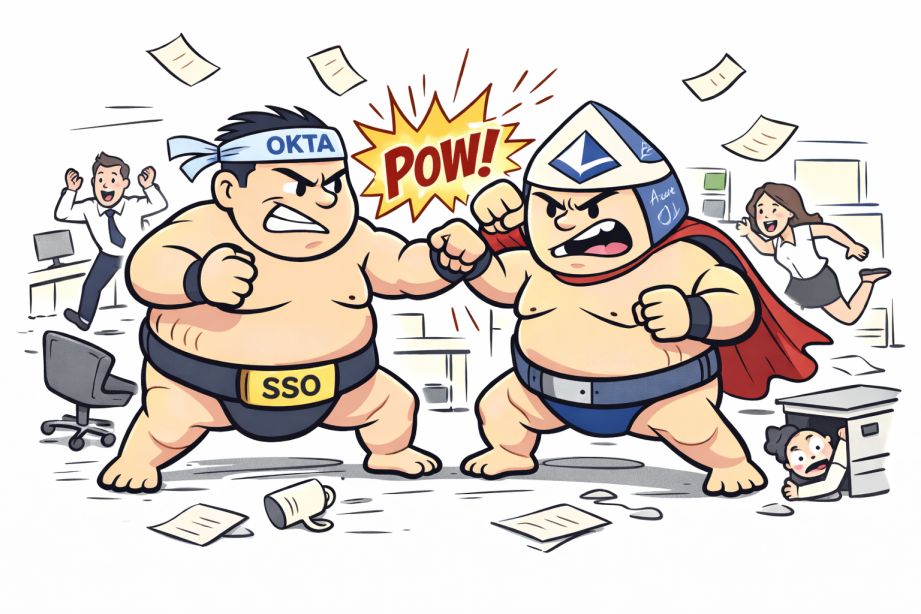
Most mid-sized IT teams buy PAM to lock down privileged accounts and check a compliance box. What they don’t anticipate is the three months of help desk escalations that follow, when every emergency database fix requires a four-step approval workflow and your best DevOps engineer is waiting 20 minutes to SSH into a production server. The platform works exactly as designed. The problem is that the design assumes your admins work the way the vendor’s security team works, not the way your admins actually work.
The gap between vendor demo and daily reality sits in the questions most teams don’t ask until after the contract is signed. How long does vault checkout take when your network is slow? Can someone bypass the approval queue at 2 a.m. without calling you? What happens to the 47 service accounts that don’t fit the platform’s credential model? This privileged access management checklist covers what to verify before you sign anything. Every item below has derailed at least one deployment. Most of them won’t come up in the sales process unless you ask directly.
Workflow Impact: What to Check Before PAM Breaks Your Admin Speed
Your admins move fast because they have standing access to the systems they manage. PAM interrupts that speed by design. The question isn’t whether the interruption is justified (it usually is), but whether the platform lets you tune the interruption to match the actual risk. A privileged account used to reboot a test server carries different risk than one with production database write access. If the platform treats both the same way, your team will spend the next year managing exception requests.
Before you commit to a platform, verify these four workflow impacts:
- Session checkout time under realistic conditions. Test vault credential retrieval over your actual network, not the vendor’s demo environment. If checkout takes more than 10 seconds, your admins will find workarounds.
- Approval workflow for break-glass access. Confirm you can define an emergency access path that doesn’t require manager approval at 3 a.m. Most platforms support this. Many require custom scripting to make it work.
- Session recording overhead. Run a session recording during a typical admin task and check for latency. Keystroke-level recording adds overhead. If your admins work in latency-sensitive environments (database queries, live config changes), test before you deploy.
- Credential rotation impact on scripts and automation. If the platform auto-rotates passwords, your existing scripts and CI/CD pipelines will break unless you integrate them with the vault API. Budget integration time before you flip rotation on.
The vendor will tell you the platform is “transparent to end users.” That’s true only if your environment matches their reference architecture. Yours probably doesn’t.
Access Policy Flexibility: Questions Your Vendor Will Dodge
Most PAM platforms ship with a set of pre-built access policies designed for enterprise role hierarchies. If your team is under 50 people, those policies won’t map cleanly to your structure. You’ll have admins who need production access sometimes, contractors who need temporary elevated rights, and at least one person who doesn’t fit any predefined role. The platform needs to handle exceptions without forcing you into a binary choice between “deny access” and “grant standing admin.”
Use this checklist to verify policy flexibility during your trial:
- Conditional access based on time, location, or device. Can you restrict privileged access to office hours or specific IP ranges without building custom rules? If the answer involves scripting, plan for two weeks of configuration work.
- Temporary elevated access that auto-expires. Confirm the platform supports time-boxed privilege escalation (e.g., grant database admin for four hours, then revoke automatically). If expiration requires manual cleanup, it won’t happen consistently.
- Role exceptions without creating new roles. Test whether you can grant a one-off access exception to a user without duplicating an entire role definition. Platforms that require role duplication create policy sprawl by month six.
- Approval delegation when the primary approver is unavailable. Verify that approval workflows support delegation or fallback approvers. If the only person who can approve a production access request is on vacation, your weekend deployment is dead.
- Break-glass override with automatic flagging. Make sure emergency access bypasses can be invoked by the user, logged immediately, and flagged for post-incident review. If break-glass requires admin intervention, it’s not really break-glass.
RED FLAG
No Self-Service Exceptions
If every access exception requires a ticket to IT or a custom policy change, your help desk volume will double in the first 90 days. Test self-service workflows before you sign.
Password Vault and Secret Management: What Actually Gets Stored
The vendor demo always shows a clean vault full of Windows admin passwords and SSH keys. Your environment has Windows passwords, SSH keys, API tokens, cloud IAM credentials, service account passwords embedded in scripts, database connection strings, and at least a dozen credentials nobody has documented. The question isn’t whether the vault can store a password. The question is whether it can store all your privileged credentials in a way your team will actually use.
Most vaults handle interactive login credentials well. Where they struggle is with non-interactive secrets: the API key your monitoring tool uses to pull metrics, the service account your backup script calls, the OAuth token your CI/CD pipeline needs. If the platform can’t manage those secrets, they stay in config files and spreadsheets. You’ve secured 60% of your privileged accounts and called it done.
Before you deploy, verify these four secret management capabilities:
- API and service account credential storage with programmatic access. Confirm your scripts and applications can retrieve secrets from the vault via API without storing passwords in plaintext. If API access requires per-application licensing, factor that into your cost estimate.
- Cloud IAM credential federation. Check whether the platform integrates with AWS IAM, Azure AD, or Google Cloud IAM to issue temporary credentials instead of storing long-lived cloud admin passwords. Long-lived cloud credentials are the highest-risk secrets most vaults don’t eliminate.
- SSH key rotation without breaking trust relationships. Test whether the platform can rotate SSH keys across your server fleet without manual updates to authorized_keys files. If rotation requires scripting, budget three weeks for the first deployment.
- Secrets embedded in code repositories. Verify the platform can replace hardcoded secrets in your repos with vault references. Most can’t. If this is a priority, you’ll need a separate secrets scanner and remediation process.
If the platform can’t handle more than half your credential types, you’re not deploying privileged access management. You’re deploying a password safe with expensive licensing.
Integration Requirements: Where Implementation Cost Hides
The vendor’s implementation estimate assumes you have a single identity provider, a documented network architecture, and API access to every system the platform needs to touch. Your actual environment has two identity providers (because of an acquisition three years ago), firewall rules nobody documented, and at least one critical system running software the vendor’s integration team has never seen. The gap between the vendor’s estimate and your reality is where implementation cost hides.
PAM platforms don’t run in isolation. They sit between your identity layer and your privileged systems, which means they need to integrate with everything: Active Directory or Azure AD for user authentication, your SIEM for log forwarding, your ticketing system for approval workflows, your server fleet for session proxying, your cloud providers for IAM federation. Every integration that isn’t pre-built adds time.
Verify these five integration points before the contract locks you in:
- Identity provider compatibility and sync requirements. Confirm the platform supports your IdP (AD, Azure AD, Okta, etc.) and can sync user attributes, group memberships, and role assignments automatically. If sync is one-way or manual, your admin overhead triples.
- SIEM log forwarding in the format your SIEM expects. Test whether session logs and access events forward to your SIEM without custom parsing. If your security team can’t query PAM logs in the same tool they use for everything else, they won’t use them.
- Ticketing system integration for approval workflows. Check whether access requests can create tickets in your existing system (ServiceNow, Jira, etc.) and close automatically when approved. If approvals live in a separate tool, response time will be slower.
- Agentless vs. agent-based session proxying. Understand whether the platform requires agent installation on every target system or can proxy sessions without agents. Agentless is faster to deploy but often doesn’t support session recording. Agent-based covers more use cases but adds deployment time and maintenance overhead.
- Cloud provider IAM integration depth. Verify the platform can issue temporary cloud credentials via federation, not just store static cloud admin passwords. Static credentials in a vault are still static credentials.
The vendor will say “integration typically takes two to four weeks.” That’s true only if your environment is typical. If you’re managing hybrid infrastructure, legacy systems, or anything the vendor’s integration team hasn’t seen before, multiply the estimate by three.
Admin Overhead After Deployment: Who Manages the PAM Platform
The platform doesn’t manage itself. Someone has to maintain the vault, update access policies as roles change, manage the approval queue, review session recordings, rotate credentials, troubleshoot checkout failures, and field questions from admins who can’t figure out why their access request was denied. That someone is either a dedicated PAM admin or it’s your existing IT team absorbing a new workload they didn’t have before.
For teams under 100 users, PAM admin overhead usually runs four to eight hours per week after the first six months. That number assumes your access policies are stable and your environment isn’t changing. If you’re onboarding new systems, restructuring teams, or dealing with high turnover, the overhead doubles. The work isn’t technically complex, but it’s constant.
Here’s what ongoing PAM administration actually looks like:
- Policy updates as your team and infrastructure change. Every new hire, role change, or system addition requires policy review. If your policies are too granular, updates become a weekly task. If they’re too broad, you’re not getting the security benefit you paid for.
- Approval queue management and SLA enforcement. Someone has to monitor access requests and escalate approvals that are aging out. If requests sit unanswered for hours, your admins will route around the platform.
- Session recording review for compliance and incident response. Recorded sessions don’t review themselves. Budget time for spot checks and post-incident playback. Most teams review less than 5% of recorded sessions unless an incident forces a deeper look.
If your IT team is three people or fewer, PAM admin overhead will consume one full day per week by month six. That’s one day not spent on projects, upgrades, or firefighting. Factor that cost into your ROI model before you assume the platform pays for itself.
RED FLAG
Vendor Says “Zero Ongoing Maintenance”
If the vendor claims the platform requires no ongoing admin effort, they’re either lying or they’ve never deployed it in an environment like yours. Budget at least four hours per week for steady-state administration.
Compliance and Audit Controls: What the Contract Must Include
Most teams buy PAM to satisfy a compliance requirement: SOC 2, ISO 27001, PCI-DSS, or a customer audit that flagged privileged access as a gap. The platform will help you check that box, but only if it delivers audit-ready logs and session recordings in the format your auditor expects. “We record all sessions” isn’t enough. The recordings have to be tamper-proof, searchable, retained for the period your compliance framework requires, and exportable in a format your auditor can review.
The vendor will tell you the platform is “compliant with all major frameworks.” What they mean is the platform has features that can support compliance if you configure them correctly and retain the evidence your auditor wants. The distance between “can support” and “delivers out of the box” is where audit prep time hides.
Use this compliance verification checklist before you sign:
- Session recording retention and tamper-proofing. Confirm session recordings are stored in an immutable format and retained for the period your framework requires (usually one to seven years). If recordings can be deleted by admins, they won’t pass audit.
- Access log completeness and export format. Verify that access logs capture every privileged session (successful and failed), include timestamp and user identity, and export to CSV or JSON for auditor review. If logs are only accessible via the vendor’s UI, export will be painful.
- Separation of duties between PAM admins and privileged users. Check whether the platform enforces role separation so that the person who manages PAM policies can’t also use privileged accounts without oversight. If the PAM admin has standing access to the vault, you haven’t solved the insider risk problem.
- Audit trail for policy changes and configuration updates. Make sure every change to access policies, vault configurations, and approval workflows is logged with a timestamp and user identity. If your auditor can’t see who changed what and when, you’ll be answering questions you can’t answer.
The contract should explicitly state that session recordings and access logs meet the retention and tamper-proofing requirements of your compliance framework. If the vendor won’t put that in writing, the risk is yours.
Readiness Matrix: Verify Before You Sign
This table consolidates the entire privileged access management checklist into a single decision framework. Print it, take it into vendor demos, and get written answers to every item before the contract is in front of you.
| Checklist Item | Why It Matters | Red Flag If Missing |
|---|---|---|
| Session checkout completes in under 10 seconds over your network | Slow checkout drives workarounds and shadow IT | Vendor won’t let you test on your infrastructure |
| Break-glass access works without manager approval | 2 a.m. incidents don’t wait for approvals | Emergency access requires custom scripting |
| Vault handles service accounts and API tokens, not just interactive passwords | Non-interactive secrets are your highest-risk credentials | Platform only supports Windows/SSH passwords |
| Platform integrates with your identity provider and syncs automatically | Manual user sync creates admin overhead and stale access | Vendor says “we support all IdPs” but won’t demo yours |
| SIEM log forwarding works in your SIEM’s native format | Security team won’t use logs they can’t query easily | Logs require custom parsing or third-party tools |
| Approval workflows integrate with your ticketing system | Access requests in a separate tool slow response time | Vendor says “we have our own approval interface” |
| Session recordings are immutable and retained per your compliance requirement | Auditors will reject logs that can be altered | Recordings are stored in a user-accessible folder |
| Policy exceptions don’t require IT intervention for every request | Help desk volume doubles if every exception is a ticket | No self-service exception workflow exists |
| Platform admin overhead documented and factored into staffing | Unplanned admin work derails other projects | Vendor won’t estimate ongoing maintenance hours |
Table interpretation: If more than two red flags apply to your vendor, the platform will cost more than the license price suggests. The missing capabilities don’t show up in the contract, but they show up in your team’s workload six months later. Use this matrix to get written commitments during the sales process. What the vendor won’t put in writing is what you’ll be managing manually after deployment.
Conclusion
The PAM platform that looks seamless in the demo will feel different when your admins are using it under pressure, your approval workflows are backing up, and your compliance audit is three weeks out. The license cost is predictable. The hidden cost sits in admin overhead, integration work, and the friction your team absorbs when access controls don’t flex the way your environment needs them to. If the vendor won’t give you written answers to the questions in this checklist, they’re not confident the platform handles your environment. Before your next vendor call, run through the readiness matrix in Section 7 and get commitments on every item that applies to your infrastructure. What you verify now is what you won’t be troubleshooting in month four.
Also read: CIS Controls