Tag: Case Study

  • Privileged Access Management Checklist: What to Verify Before You Lock In Admin Friction

    Most mid-sized IT teams buy PAM to lock down privileged accounts and check a compliance box. What they don’t anticipate is the three months of help desk escalations that follow, when every emergency database fix requires a four-step approval workflow and your best DevOps engineer is waiting 20 minutes to SSH into a production server. The platform works exactly as designed. The problem is that the design assumes your admins work the way the vendor’s security team works, not the way your admins actually work.

    The gap between vendor demo and daily reality sits in the questions most teams don’t ask until after the contract is signed. How long does vault checkout take when your network is slow? Can someone bypass the approval queue at 2 a.m. without calling you? What happens to the 47 service accounts that don’t fit the platform’s credential model? This privileged access management checklist covers what to verify before you sign anything. Every item below has derailed at least one deployment. Most of them won’t come up in the sales process unless you ask directly.

    Workflow Impact: What to Check Before PAM Breaks Your Admin Speed

    Your admins move fast because they have standing access to the systems they manage. PAM interrupts that speed by design. The question isn’t whether the interruption is justified (it usually is), but whether the platform lets you tune the interruption to match the actual risk. A privileged account used to reboot a test server carries different risk than one with production database write access. If the platform treats both the same way, your team will spend the next year managing exception requests.

    Before you commit to a platform, verify these four workflow impacts:

    • Session checkout time under realistic conditions. Test vault credential retrieval over your actual network, not the vendor’s demo environment. If checkout takes more than 10 seconds, your admins will find workarounds.
    • Approval workflow for break-glass access. Confirm you can define an emergency access path that doesn’t require manager approval at 3 a.m. Most platforms support this. Many require custom scripting to make it work.
    • Session recording overhead. Run a session recording during a typical admin task and check for latency. Keystroke-level recording adds overhead. If your admins work in latency-sensitive environments (database queries, live config changes), test before you deploy.
    • Credential rotation impact on scripts and automation. If the platform auto-rotates passwords, your existing scripts and CI/CD pipelines will break unless you integrate them with the vault API. Budget integration time before you flip rotation on.

    The vendor will tell you the platform is “transparent to end users.” That’s true only if your environment matches their reference architecture. Yours probably doesn’t.

    Access Policy Flexibility: Questions Your Vendor Will Dodge

    Most PAM platforms ship with a set of pre-built access policies designed for enterprise role hierarchies. If your team is under 50 people, those policies won’t map cleanly to your structure. You’ll have admins who need production access sometimes, contractors who need temporary elevated rights, and at least one person who doesn’t fit any predefined role. The platform needs to handle exceptions without forcing you into a binary choice between “deny access” and “grant standing admin.”

    Use this checklist to verify policy flexibility during your trial:

    • Conditional access based on time, location, or device. Can you restrict privileged access to office hours or specific IP ranges without building custom rules? If the answer involves scripting, plan for two weeks of configuration work.
    • Temporary elevated access that auto-expires. Confirm the platform supports time-boxed privilege escalation (e.g., grant database admin for four hours, then revoke automatically). If expiration requires manual cleanup, it won’t happen consistently.
    • Role exceptions without creating new roles. Test whether you can grant a one-off access exception to a user without duplicating an entire role definition. Platforms that require role duplication create policy sprawl by month six.
    • Approval delegation when the primary approver is unavailable. Verify that approval workflows support delegation or fallback approvers. If the only person who can approve a production access request is on vacation, your weekend deployment is dead.
    • Break-glass override with automatic flagging. Make sure emergency access bypasses can be invoked by the user, logged immediately, and flagged for post-incident review. If break-glass requires admin intervention, it’s not really break-glass.

    RED FLAG
    No Self-Service Exceptions
    If every access exception requires a ticket to IT or a custom policy change, your help desk volume will double in the first 90 days. Test self-service workflows before you sign.


    Password Vault and Secret Management: What Actually Gets Stored

    The vendor demo always shows a clean vault full of Windows admin passwords and SSH keys. Your environment has Windows passwords, SSH keys, API tokens, cloud IAM credentials, service account passwords embedded in scripts, database connection strings, and at least a dozen credentials nobody has documented. The question isn’t whether the vault can store a password. The question is whether it can store all your privileged credentials in a way your team will actually use.

    Most vaults handle interactive login credentials well. Where they struggle is with non-interactive secrets: the API key your monitoring tool uses to pull metrics, the service account your backup script calls, the OAuth token your CI/CD pipeline needs. If the platform can’t manage those secrets, they stay in config files and spreadsheets. You’ve secured 60% of your privileged accounts and called it done.

    Before you deploy, verify these four secret management capabilities:

    • API and service account credential storage with programmatic access. Confirm your scripts and applications can retrieve secrets from the vault via API without storing passwords in plaintext. If API access requires per-application licensing, factor that into your cost estimate.
    • Cloud IAM credential federation. Check whether the platform integrates with AWS IAM, Azure AD, or Google Cloud IAM to issue temporary credentials instead of storing long-lived cloud admin passwords. Long-lived cloud credentials are the highest-risk secrets most vaults don’t eliminate.
    • SSH key rotation without breaking trust relationships. Test whether the platform can rotate SSH keys across your server fleet without manual updates to authorized_keys files. If rotation requires scripting, budget three weeks for the first deployment.
    • Secrets embedded in code repositories. Verify the platform can replace hardcoded secrets in your repos with vault references. Most can’t. If this is a priority, you’ll need a separate secrets scanner and remediation process.

    If the platform can’t handle more than half your credential types, you’re not deploying privileged access management. You’re deploying a password safe with expensive licensing.

    Integration Requirements: Where Implementation Cost Hides

    The vendor’s implementation estimate assumes you have a single identity provider, a documented network architecture, and API access to every system the platform needs to touch. Your actual environment has two identity providers (because of an acquisition three years ago), firewall rules nobody documented, and at least one critical system running software the vendor’s integration team has never seen. The gap between the vendor’s estimate and your reality is where implementation cost hides.

    PAM platforms don’t run in isolation. They sit between your identity layer and your privileged systems, which means they need to integrate with everything: Active Directory or Azure AD for user authentication, your SIEM for log forwarding, your ticketing system for approval workflows, your server fleet for session proxying, your cloud providers for IAM federation. Every integration that isn’t pre-built adds time.

    Verify these five integration points before the contract locks you in:

    • Identity provider compatibility and sync requirements. Confirm the platform supports your IdP (AD, Azure AD, Okta, etc.) and can sync user attributes, group memberships, and role assignments automatically. If sync is one-way or manual, your admin overhead triples.
    • SIEM log forwarding in the format your SIEM expects. Test whether session logs and access events forward to your SIEM without custom parsing. If your security team can’t query PAM logs in the same tool they use for everything else, they won’t use them.
    • Ticketing system integration for approval workflows. Check whether access requests can create tickets in your existing system (ServiceNow, Jira, etc.) and close automatically when approved. If approvals live in a separate tool, response time will be slower.
    • Agentless vs. agent-based session proxying. Understand whether the platform requires agent installation on every target system or can proxy sessions without agents. Agentless is faster to deploy but often doesn’t support session recording. Agent-based covers more use cases but adds deployment time and maintenance overhead.
    • Cloud provider IAM integration depth. Verify the platform can issue temporary cloud credentials via federation, not just store static cloud admin passwords. Static credentials in a vault are still static credentials.

    The vendor will say “integration typically takes two to four weeks.” That’s true only if your environment is typical. If you’re managing hybrid infrastructure, legacy systems, or anything the vendor’s integration team hasn’t seen before, multiply the estimate by three.

    Admin Overhead After Deployment: Who Manages the PAM Platform

    The platform doesn’t manage itself. Someone has to maintain the vault, update access policies as roles change, manage the approval queue, review session recordings, rotate credentials, troubleshoot checkout failures, and field questions from admins who can’t figure out why their access request was denied. That someone is either a dedicated PAM admin or it’s your existing IT team absorbing a new workload they didn’t have before.

    For teams under 100 users, PAM admin overhead usually runs four to eight hours per week after the first six months. That number assumes your access policies are stable and your environment isn’t changing. If you’re onboarding new systems, restructuring teams, or dealing with high turnover, the overhead doubles. The work isn’t technically complex, but it’s constant.

    Here’s what ongoing PAM administration actually looks like:

    • Policy updates as your team and infrastructure change. Every new hire, role change, or system addition requires policy review. If your policies are too granular, updates become a weekly task. If they’re too broad, you’re not getting the security benefit you paid for.
    • Approval queue management and SLA enforcement. Someone has to monitor access requests and escalate approvals that are aging out. If requests sit unanswered for hours, your admins will route around the platform.
    • Session recording review for compliance and incident response. Recorded sessions don’t review themselves. Budget time for spot checks and post-incident playback. Most teams review less than 5% of recorded sessions unless an incident forces a deeper look.

    If your IT team is three people or fewer, PAM admin overhead will consume one full day per week by month six. That’s one day not spent on projects, upgrades, or firefighting. Factor that cost into your ROI model before you assume the platform pays for itself.


    RED FLAG
    Vendor Says “Zero Ongoing Maintenance”
    If the vendor claims the platform requires no ongoing admin effort, they’re either lying or they’ve never deployed it in an environment like yours. Budget at least four hours per week for steady-state administration.


    Compliance and Audit Controls: What the Contract Must Include

    Most teams buy PAM to satisfy a compliance requirement: SOC 2, ISO 27001, PCI-DSS, or a customer audit that flagged privileged access as a gap. The platform will help you check that box, but only if it delivers audit-ready logs and session recordings in the format your auditor expects. “We record all sessions” isn’t enough. The recordings have to be tamper-proof, searchable, retained for the period your compliance framework requires, and exportable in a format your auditor can review.

    The vendor will tell you the platform is “compliant with all major frameworks.” What they mean is the platform has features that can support compliance if you configure them correctly and retain the evidence your auditor wants. The distance between “can support” and “delivers out of the box” is where audit prep time hides.

    Use this compliance verification checklist before you sign:

    • Session recording retention and tamper-proofing. Confirm session recordings are stored in an immutable format and retained for the period your framework requires (usually one to seven years). If recordings can be deleted by admins, they won’t pass audit.
    • Access log completeness and export format. Verify that access logs capture every privileged session (successful and failed), include timestamp and user identity, and export to CSV or JSON for auditor review. If logs are only accessible via the vendor’s UI, export will be painful.
    • Separation of duties between PAM admins and privileged users. Check whether the platform enforces role separation so that the person who manages PAM policies can’t also use privileged accounts without oversight. If the PAM admin has standing access to the vault, you haven’t solved the insider risk problem.
    • Audit trail for policy changes and configuration updates. Make sure every change to access policies, vault configurations, and approval workflows is logged with a timestamp and user identity. If your auditor can’t see who changed what and when, you’ll be answering questions you can’t answer.

    The contract should explicitly state that session recordings and access logs meet the retention and tamper-proofing requirements of your compliance framework. If the vendor won’t put that in writing, the risk is yours.

    Readiness Matrix: Verify Before You Sign

    This table consolidates the entire privileged access management checklist into a single decision framework. Print it, take it into vendor demos, and get written answers to every item before the contract is in front of you.

    Checklist Item Why It Matters Red Flag If Missing
    Session checkout completes in under 10 seconds over your network Slow checkout drives workarounds and shadow IT Vendor won’t let you test on your infrastructure
    Break-glass access works without manager approval 2 a.m. incidents don’t wait for approvals Emergency access requires custom scripting
    Vault handles service accounts and API tokens, not just interactive passwords Non-interactive secrets are your highest-risk credentials Platform only supports Windows/SSH passwords
    Platform integrates with your identity provider and syncs automatically Manual user sync creates admin overhead and stale access Vendor says “we support all IdPs” but won’t demo yours
    SIEM log forwarding works in your SIEM’s native format Security team won’t use logs they can’t query easily Logs require custom parsing or third-party tools
    Approval workflows integrate with your ticketing system Access requests in a separate tool slow response time Vendor says “we have our own approval interface”
    Session recordings are immutable and retained per your compliance requirement Auditors will reject logs that can be altered Recordings are stored in a user-accessible folder
    Policy exceptions don’t require IT intervention for every request Help desk volume doubles if every exception is a ticket No self-service exception workflow exists
    Platform admin overhead documented and factored into staffing Unplanned admin work derails other projects Vendor won’t estimate ongoing maintenance hours

    Table interpretation: If more than two red flags apply to your vendor, the platform will cost more than the license price suggests. The missing capabilities don’t show up in the contract, but they show up in your team’s workload six months later. Use this matrix to get written commitments during the sales process. What the vendor won’t put in writing is what you’ll be managing manually after deployment.

    Conclusion

    The PAM platform that looks seamless in the demo will feel different when your admins are using it under pressure, your approval workflows are backing up, and your compliance audit is three weeks out. The license cost is predictable. The hidden cost sits in admin overhead, integration work, and the friction your team absorbs when access controls don’t flex the way your environment needs them to. If the vendor won’t give you written answers to the questions in this checklist, they’re not confident the platform handles your environment. Before your next vendor call, run through the readiness matrix in Section 7 and get commitments on every item that applies to your infrastructure. What you verify now is what you won’t be troubleshooting in month four.


    Also read: CIS Controls

    Related reading

  • Llama vs Mistral: Assessing the best local models for privacy of Business Data

    Llama vs Mistral: Assessing the best local models for privacy of Business Data

    At 2:13 a.m., the on-call phone lit up. Not because the local model hallucinated. Because an auditor found customer sentences sitting in a logging bucket nobody remembered existed.

    The setup looked clean. LLM weights on-prem. No external API keys. A tidy internal chat UI. The team told leadership they had picked the best local models for privacy. Then the real system showed up: the UI shipped prompts to an analytics endpoint, the inference server kept debug traces during an incident, and the vector database held embeddings indefinitely because retention was “later.” The model never left the building. The text did, just sideways.

    By morning, the CIO was not asking Llama vs Mistral. They were asking who turned logging on, who can delete data on request, and why “local” still needs outbound controls.

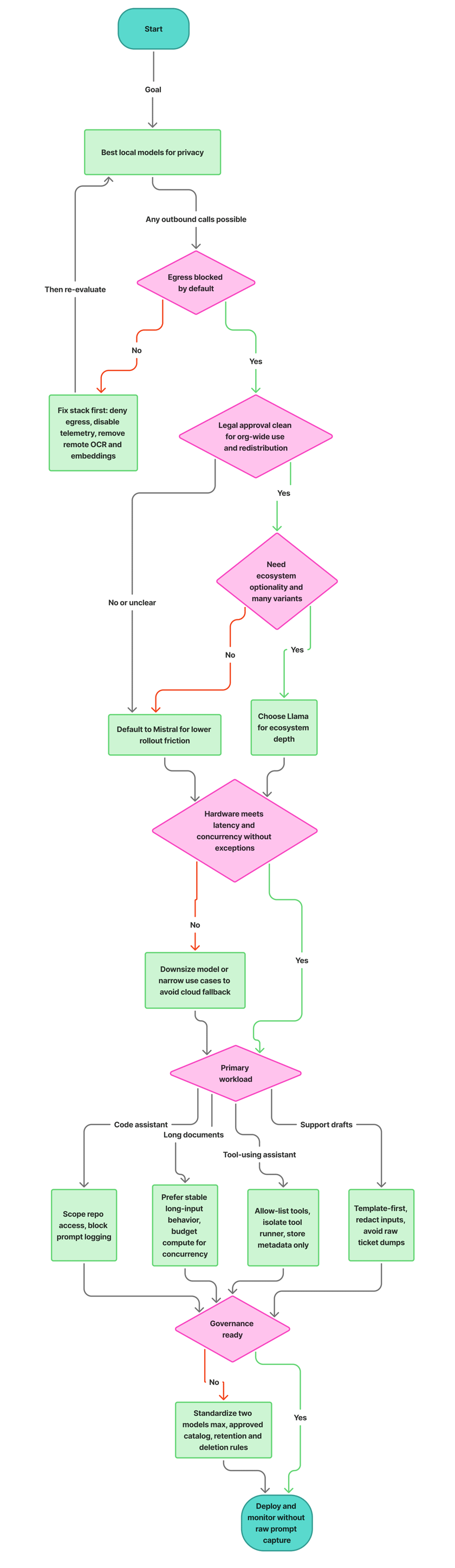
    Privacy starts with a threat model

    People obsess over the best local models for privacy and miss the part that gets them burned: “local” does not fail loudly. It fails silently, in places nobody demos. A debug flag left on during an incident. A tracing agent capturing request bodies. A vector store that keeps embeddings forever because “we will add retention later.” Six weeks later, someone asks for evidence of deletion, and the room goes quiet.

    You want a direct payoff from reading this section. Here it is: a way to stop buying privacy theater.

    Write down three sentences and make them true in your design. If you cannot, do not call it private, no matter what model you run.

    First, “No prompt or attachment is stored unless a human explicitly chooses to store it.” That single line forces your UI, gateway, inference server, and observability stack to behave. It kills the casual habit of logging raw payloads “for troubleshooting.”

    Second, “Anything we do store has an owner, a retention window, and a deletion path that works across replicas and backups.” If you cannot name the owner, you have already lost. If you cannot delete from backups, you are not doing privacy, you are doing hope.

    Third, “Nothing talks to the internet unless we can justify it in writing.” Not the UI, not the model server, not the tool runner, not the metrics agent. Most leaks are not malicious. They are convenient defaults.

    Once you enforce those three sentences, model selection becomes a productive conversation. Without them, Llama vs Mistral is a distraction. You are just choosing which car to drive while the fuel tank is leaking.

    Licensing decides your “local” strategy

    In an enterprise, licensing is not paperwork. It is the switch that decides whether your “local” plan can scale beyond one team.

    Mistral is often easier to operationalize because permissive terms reduce review friction. You can standardize faster, redistribute internally with fewer exceptions, and avoid last-minute “legal says no” surprises.

    Llama buys you ecosystem gravity, but you also inherit a license that will be scrutinized. That usually means more governance, clearer redistribution boundaries, and tighter internal guidance on where and how it can be used.

    Decision rule: if you plan a broad internal rollout, partner delivery, or any product-like packaging, pick the option your legal team can approve once and stop revisiting.

    Pro Tip: If legal cannot give you a simple “yes” for enterprise-wide use, your benchmark results do not matter.

    Hardware limits are security limits

    If performance is tight, teams do stupid things to “make it work.” They add cloud fallbacks, relax controls, and turn on logging. That is not a model problem. It is a sizing problem that becomes a privacy problem.

    • Pick the weakest machine that must run this. If it cannot run there, you will create “temporary” cloud exceptions.
    • Define an acceptable response time up front. Tight targets push you to smaller models. Loose targets require queues and capacity planning.
    • Plan for real concurrency, not a demo. Shared servers force caching and debugging, and sensitive text gets copied.
    • Treat chat history and retrieval memory as data stores. Add retention, deletion, and access controls on day one.
    • Use quantization intentionally. If quality drops, users paste more context to compensate. Exposure goes up.
    • Enforce outbound deny at the host or network layer. App settings are not a control.

    Also read: The ROI of Sovereign AI: Why Local AI Models Save 40% on API Tokens

    Llama vs Mistral, compared like production

    Decision factorLlama: (local privacy lens)Mistral: (local privacy lens)Score (10)
    Licensing frictionMore legal review, more internal rules around redistributionUsually smoother standardization with fewer policy exceptionsLlama: 6/10Mistral: 9/10
    Ecosystem depthMassive ecosystem, many variants, lots of toolingSmaller ecosystem, often more controlledLlama: 9/10Mistral: 7/10
    Model rangeWide spread from small to very largeStrong small-to-mid lineup, plus larger optionsLlama: 9/10Mistral: 8/10
    Governance riskHigher sprawl risk if teams pull random fine-tunesEasier to keep a tighter catalogLlama: 7/10Mistral: 8/10
    Long documentsWorks, but costs rise fast with context and concurrencyOften positioned well for long-context workloadsLlama: 7/10Mistral: 8/10
    Internal adaptationPlenty of recipes and community know-howGood, but less “everyone has done it” volumeLlama: 8/10Mistral: 7/10
    Procurement optics“Open weight” plus clauses can trigger extra cyclesPermissive perception usually accelerates approvalsLlama: 6/10Mistral: 9/10
    Default enterprise pickBest if you want maximum optionality and can govern itBest if you want a faster rollout with less licensing debateLlama: 7/10Mistral: 8/10

    Winner: Mistral, if you are optimizing for enterprise rollout. Licensing friction and procurement drag kill programs faster than model quality.

    When Llama wins: when you want ecosystem optionality and you have strong governance to prevent model sprawl.

    How “local” still leaks data

    Local deployments usually leak through routine defaults, not dramatic attacks. The most common route is observability: gateways, reverse proxies, application logs, tracing, and error trackers capturing request bodies when troubleshooting kicks in. Once raw prompts enter logs, they spread fast through replication and backups, and far more people can access them than the LLM itself.

    The next leak is “memory” treated as a product feature. Chat history, retrieval snippets, and embeddings become a quiet data store with no named owner. Teams assume embeddings are safe because they are not plain text. In practice, similarity search can surface sensitive context, and you end up maintaining a searchable archive of internal material.

    Tools create another leakage path. One plugin call, external OCR, or remote embeddings turns “local” into “mostly local.” Even when tools are on-prem, temp files and caches can remain in containers and shared volumes. Performance fixes like caching and request replay add more copies of sensitive text than anyone planned for.

    Finally, deletion often stops at the application layer. The record disappears from the UI, but replicas and backups keep it for months. If you cannot state retention windows and prove deletion across the chain, assume the data remains.

    Also Read: Self-hosted LLM Infrastructure: Buy It Without Leaking Data

    The hidden ops tax of local LLMs

    Local seems simple until it is treated like a production service. Then the cost shows up as operational work.

    • Manage concurrency, queues, peak loads, throttling.
    • Handle model refreshes, runtime updates, driver drift, regression testing.
    • Enforce outbound deny, secrets handling, access boundaries, audit trails.
    • Build test sets, quality gates, red-team checks.
    • Triage “slow,” “wrong,” “unsafe,” and escalation workflows.
    • Define retention, deletion, backups, access reviews for prompts and memory.
    • Restrict variants, standardize packaging, control fine-tunes.
    • Track latency, saturation, error rates without raw prompt capture.

    Match the model to the job

    Best local models for privacy

    When NOT to buy local LLMs

    The best local models for privacy are still the wrong buy if the basics are missing. Local only pays off when you can run it without exceptions, govern it without drama, and prove controls without hand-waving.

    1. Usage is unclear beyond a pilot, or the owner cannot state who will use it and for what tasks
    2. Workloads are spiky and unpredictable, and capacity planning will turn into constant firefighting
    3. No outbound deny posture, and too many components can “accidentally” call home (telemetry, plugins, remote OCR, remote embeddings)
    4. No retention policy for prompts, chat history, or embeddings, and no one can prove deletion across replicas and backups
    5. No data classification for what users will paste, and no redaction rules for tickets, emails, contracts, or customer identifiers
    6. No ealuation muscle: no test set, no quality gate, no red-team checks, just “looks good in the demo”
    7. No governance spine: every team can deploy its own model variant, and behavior will drift week by week
    8. No security owner for the full chain (UI, gateway, inference, tools, vector DB, logging, backups), only partial ownership by function
    9. The business case is “privacy” only, with no operational objective like reduced cycle time, fewer support touches, or faster internal search

    If two or more bullets are true, pause the purchase. Fix the foundations, then compare Llama vs Mistral.

    A rollout plan that survives month three

    MonthDoConsider it Done when
    Month 1Lock “local” rules. Deny egress. Disable telemetry. Stop raw prompt logging. Pick one pilot workflow.Zero outbound paths. Logs store metadata only. Pilot scope frozen.
    Month 2Run the pilot. Create an evaluation set. Add a regression gate for upgrades. Set up monitoring without content.Pilot meets a target. Upgrades can be blocked. Metrics work without storing prompts.
    Month 3Put memory on retention. Prove deletion across replicas and backups. Standardize the model catalog (max two). Allow-list tools. Scale in one wave.Deletion is provable. No model sprawl. Tools cannot “phone home.” First scale wave passes evaluation.

    FAQs

    What are local AI models?

    Local AI models run on your own machine or private infrastructure instead of external APIs. Your data stays inside your environment, not on a vendor’s servers.

    Why are local models preferred for privacy?

    Because data does not leave your system. No API calls, no third-party logging, no exposure to external training pipelines. You control storage, access, and processing.

    Which local models are commonly used for privacy-focused setups?

    Popular choices include LLaMA variants, Mistral models, DeepSeek, and Qwen. The choice usually depends on your hardware, use case, and how much customization you need.

    Are local models completely secure by default?

    No. Running locally reduces external risk, but internal risks still exist. Poor access control, logging, or misconfigured systems can still expose sensitive data.

    How do local models compare to cloud AI in performance?

    They are getting close for many tasks like coding, summarization, and structured analysis. But very large cloud models still lead in some complex reasoning tasks.

    What hardware is needed to run local models?

    • 3B–7B models: Can run on high-end laptops
    • 7B–13B models: Need decent GPUs
    • 30B+ models: Require dedicated servers

    There is always a trade-off between performance and hardware cost.

    Are local models cheaper than API-based AI?

    At scale, yes. You avoid per-token costs. But you pay upfront for hardware, setup, and maintenance.

    Can local models work without internet?

    Yes. Once installed, they can run fully offline, which is critical for regulated or sensitive environments.

    How do local models support customization?

    You can fine-tune them, connect internal data, build RAG pipelines, and control workflows completely. That level of control is not possible with most closed APIs.

    Are local models suitable for enterprise use?

    Yes, especially where data sensitivity is high. Many enterprises use them for internal tools, document processing, and secure automation.

    What is the biggest limitation of local models?

    Infrastructure and operations. You own the hardware, uptime, scaling, and security. It is not “plug and play.”

    What is the biggest mistake teams make with local AI?

    Assuming local automatically means secure. Without proper controls, logging policies, and access governance, local systems can still leak data internally.

    When should you choose local models over cloud AI?

    Choose local when:

    • Data is sensitive
    • Costs are scaling with usage
    • You need control and customization

    Otherwise, cloud AI is faster to deploy and easier to manage.

    Do local models eliminate API dependency completely?

    Yes, for many internal use cases. But some teams still use hybrid setups where sensitive tasks stay local and general tasks use APIs.

    What actually matters more than the model itself?

    The setup. Identity controls, data handling, retrieval permissions, logging, and infrastructure discipline matter more than whether you choose LLaMA or Mistral.

    Conclusion

    The best local models for privacy are the ones you can run without exceptions. Not “best on a benchmark,” best under your licensing constraints, your hardware limits, and your governance reality. If egress is not locked down, if prompts can land in logs, or if retention and deletion are not provable, model choice is a distraction. Pick the family that your legal team can approve cleanly, standardize to a tight catalog, and treat memory, logging, and tools as the real privacy surface. Then local becomes a control you can defend, not a claim you hope nobody tests.

  • Cloud vs. Bare Metal: Picking the Winner for Your 2026 Budget

    Cloud vs. Bare Metal: Picking the Winner for Your 2026 Budget

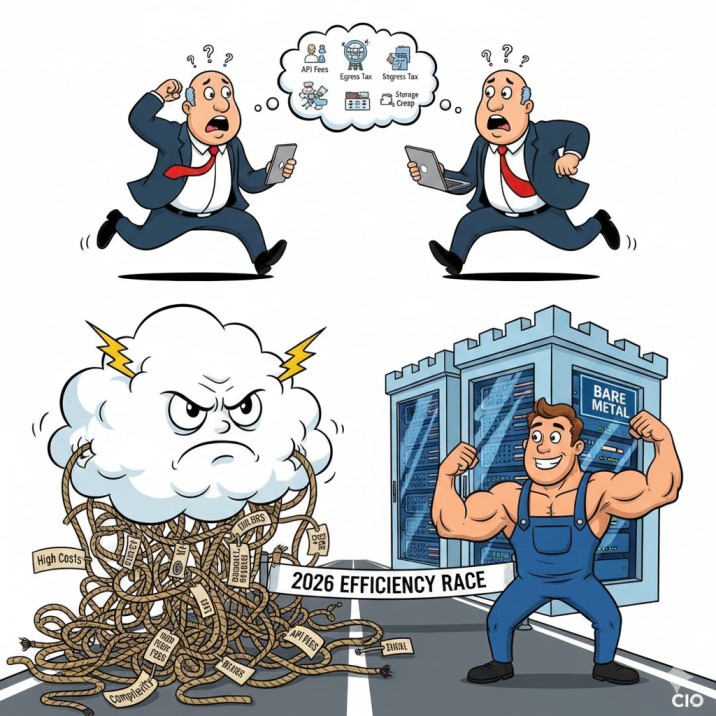
    Let’s be real: the “Cloud-First” honeymoon is over. We all spent the last decade throwing everything into AWS or Azure because it felt like magic. But in 2026, magic has a price tag that’s starting to look like a mortgage on a house you don’t even own.

    I have sat in those governance meetings where the CIO looks at the monthly bill, then looks at people around the table, and we all know the truth – the “elasticity” we are paying for is actually just expensive, unused air. We have been conditioned to think that renting is the only way to stay agile, but this year, we are experiencing a massive pivot. This year, the goal isn’t just scaling at any cost; it’s unit economics; it’s Cloud vs. Bare Metal. We are moving from being cloud-blind to being margin-native. It’s time to stop talking about “the stack” and start talking about the bottom line.

    The Virtualization Tax: Raw Power vs. Hypervisor Overhead

    In the public cloud, you are never alone with your hardware. Every virtual machine sits on top of a hypervisor. This software acts as a middleman between your app and the CPU. This abstraction is the “Virtualization Tax.” It consumes 10% to 15% of your processing power just to exist. You pay for 100% of the silicon, but your application only sees what is left after the middleman takes its cut.

    Then there is the “Noisy Neighbor” problem. Public cloud is multi-tenant. You share a physical rack with other companies. If their usage spikes, your performance jitters. This “Steal Time” causes latency spikes that are impossible to debug. On Bare Metal, you are the only tenant. There is no contention for the bus and no one else’s code is slowing down your production.

    This architecture forces you to over-provision in the cloud just to survive shared-resource dips. With Bare Metal, you get sub-millisecond access to the silicon. You are not just buying a server; you are buying the certainty that every cycle belongs to your code. For steady, high-utilization workloads, a comparison of Cloud vs. Bare Metal is a difference between a shared gamble and a dedicated asset.

    Also Read: A Rental Trap: A Blueprint for Strategic Exit from Cloud in 2026

    The Silent Killers: Egress, API, and Storage Creep

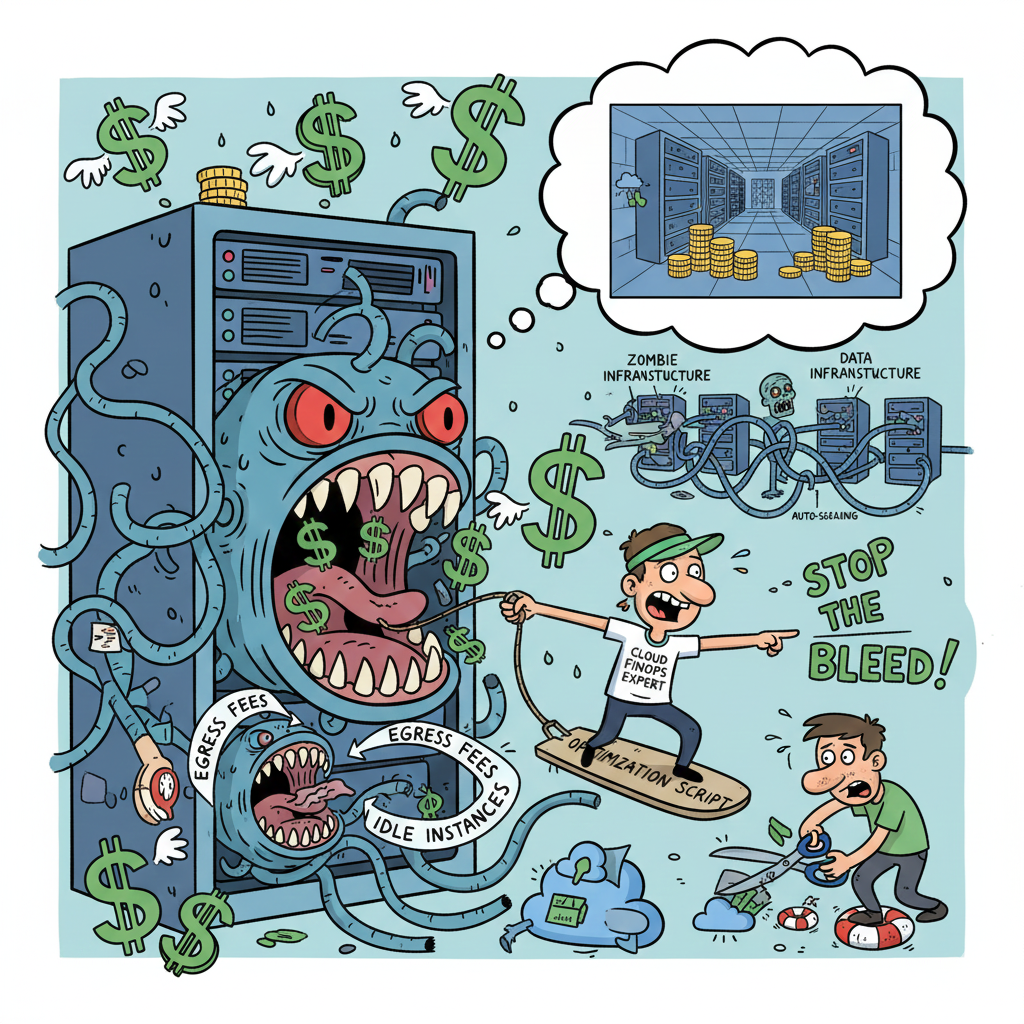
    Cloud bills are rarely high because of the sticker price on the instance. They are high because of a secondary layer of fees that scale faster than your revenue.

    1. Data Egress: The Ransom on Your Own Data. In the public cloud, you are not just paying to store data; you are paying a ransom to move it. Most major providers charge between $0.05 and $0.09 per GB for data leaving their network to the internet.

    Consider a mid-sized enterprise moving 100 TB of data per month.

    • Public Cloud Egress Cost: 100,000 GB x $0.08 (avg) = $8,000 per month.
    • Bare Metal Egress Cost: Most dedicated providers offer a 100 TB or 1 Gbps unmetered pipe included in the server lease.
    • The Loss: You are losing $96,000 USD per year simply to send your own data to your users.

    2. API Request Creep: The Interaction Tax. Every time your application talks to a managed cloud service, you are billed for the request. In a microservices architecture, a single user action can trigger 50 internal API calls.

    • The Reality: At $0.005 per 1,000 PUT requests, it seems cheap. But for a high-traffic app doing 1 billion requests a month, you are looking at $5,000 USD per month just for the “noise” of your services talking to each other.
    • The Difference: On Bare Metal, internal communication happens over a local backplane. It is free, and it is sub-millisecond.

    3. Storage Creep: Paying for Hot Air Cloud storage is priced by tiers, and the trap is staying in “Standard” storage for datasets that are rarely accessed.

    • The Math: Storing 500 TB on the cloud in a standard tier costs roughly $11,500 USD per month.
    • The Bare Metal Alternative: You can lease a massive storage array with 500 TB of raw NVMe capacity for approximately $3,000 per month.
    • The Loss: That is an $8,500 monthly leak.

    When you add these up, the convenience of the cloud is costing you a 60% to 80% markup on the basic utilities of computing. If you are looking for the source of your budget bloat, it is likely hiding in these three line items. In Cloud vs. Bare Metal, Bare Metal wins.

    The 3-Year TCO Comparison in Cloud vs. Bare Metal: The $160 Trigger Point

    If the monthly cloud bill for a single, steady-state workload is higher than $160, you have likely crossed the line into overpayment. Infrastructure costs should be measured over a 36-month lifecycle. Public cloud providers win on “Zero Down” flexibility, but they lose on the “Mortgage.” When I look at a production database, something that stays powered on 24/7, the math is not even close.

    Let us compare a standard high-performance setup in 2026: 8 vCPUs and 32GB RAM (equivalent to an AWS m5.2xlarge).

    The 3-Year “Truth”Public Cloud (Managed VM)Bare Metal (Dedicated)
    Monthly Compute$280 (On-Demand)$140 (Fixed Lease)
    Data Egress (10TB/mo)$900 (at $0.09/GB)$0 (Included)
    Storage (1TB NVMe)$120 (IOPS + Capacity)$0 (Included in Lease)
    Support (Business/Premium)$130 (10% of Spend)$20 (Fixed Remote Hands)
    Backup & Recovery$50 (Snapshots)$30 (Offsite Storage)
    Managed DB Surcharge$150 (RDS/Cloud SQL)$0 (Self-Managed)
    Monthly Total$1,630$190
    3-Year Grand Total$58,680$6,840

    The gap is now even wider. We are looking at a $51,840 difference for a single production server over three years. When people tell me the cloud is cheaper, they are usually only looking at the $280 compute cost and ignoring the $1,350 in “operational friction” that follows it.

    I am not saying the cloud has no value. I am saying that for a steady-state workload, you are essentially paying a 760% markup for the convenience of not having to manage a physical operating system. For a cluster of ten servers, that is over half a million dollars that could have been profit or R&D budget.

    The Talent Debt: Managed Ease vs. Operational Control

    There is no such thing as a free lunch in infrastructure. The cloud is a hotel. You pay a premium because someone else changes the sheets, fixes the plumbing and ensures the lights stay on at 3 AM. When you move to Bare Metal, you are buying the house. The monthly invoice for the hardware drops to the floor, but the requirement for specialized skill rises to the ceiling.

    This is the “Talent Debt.” You are trading a high AWS bill for the cost of human expertise. If the current team consists only of developers who are used to clicking a “Deploy” button in a web console, Bare Metal will be a shock to the system. You need people who understand Linux kernel tuning, physical firewall configuration, and local RAID arrays. I have seen projects fail because the leadership chased the lower server price but forgot that someone still has to patch the physical OS and handle hardware failures.

    You must ask yourself a hard question: Is the $50,000 you are saving per server enough to pay for the man-hours required to manage it? In 2026, automation tools like Terraform and Ironic have made Bare Metal feel more “cloud-like,” but you still cannot outsource the ultimate responsibility for the hardware. You are gaining total control, but you are also losing the ability to blame a provider when things go dark. If the infra invoice is in your KRA, this is not just a budget shift; it is a culture shift.

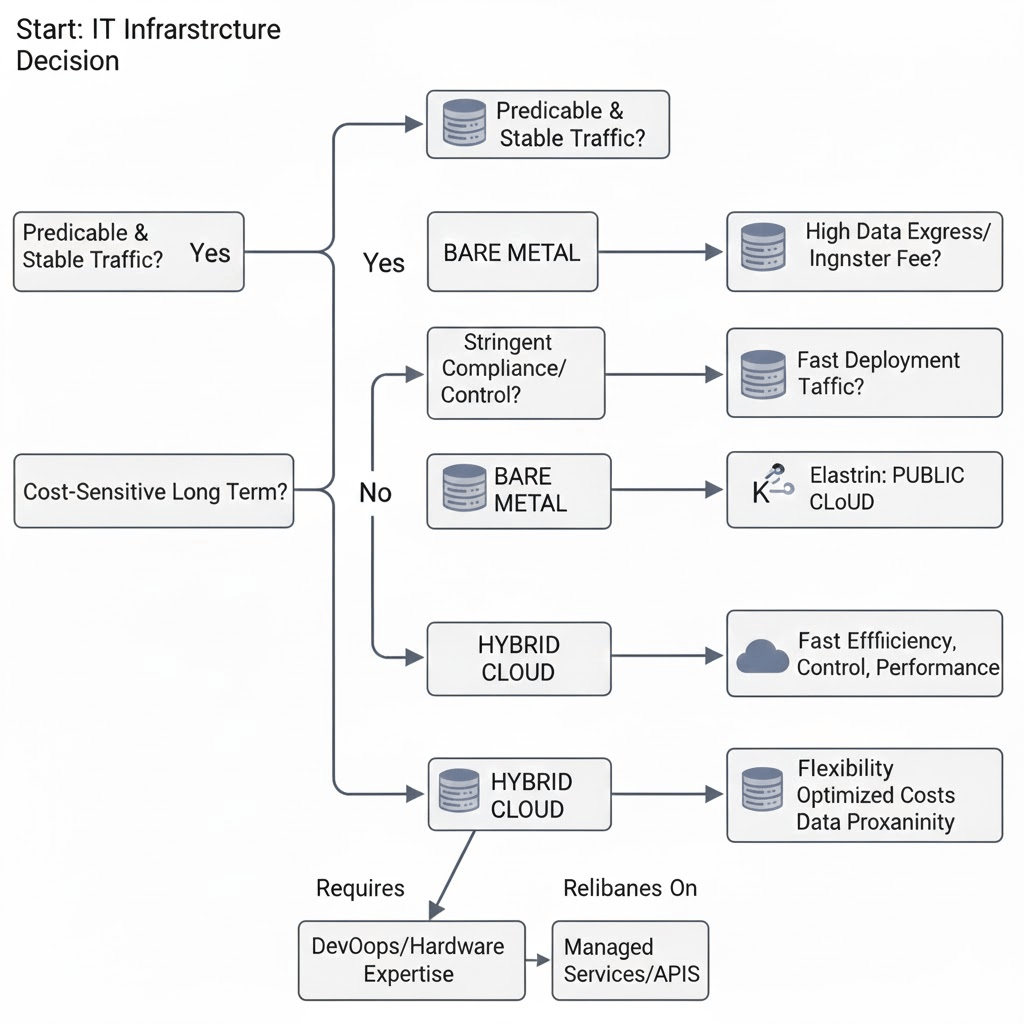
    The Decision Matrix: Who Wins for Your Specific Scale?

    In 2026, the “Cloud or Bare Metal” question is no longer an all-or-nothing debate. It is about matching the environment to the maturity of the workload. If you are still in the “move fast and break things” phase, the cloud is your best friend. 

    If you have found your product-market fit and your traffic is a steady river rather than a series of spikes, Bare Metal is your best financial move.

    Business ScenarioRecommended StackPrimary Reason
    Early-Stage StartupPublic CloudAgility is more valuable than margin. Do not waste time on hardware.
    High-Growth Scale-UpBare MetalAt this stage, egress and storage fees will cannibalize your profit.
    Data-Heavy AI/MLBare MetalYou need 100% GPU/CPU utilization without the “Virtualization Tax.”
    Static Legacy AppsBare MetalThese rarely scale. Why pay a premium for “elasticity” you never use?
    Global Consumer AppHybrid ModelCloud for the “spiky” front-end; Bare Metal for the heavy database.
    High-Compliance (HIPAA/GDPR)Bare MetalPhysical isolation simplifies audits and guarantees data residency.
    Edge Computing (IoT/Retail)Bare MetalSub-millisecond local processing is required at the physical location.
    Multi-Region BurstingPublic CloudSpin up 20 regions in minutes. Bare Metal lead times are too slow here.
    Exit Strategy / PortabilityBare MetalAvoiding “Service Lock-in.” It is easier to move a Linux box than a proprietary API.

    The decision logic is simple. If the workload is unpredictable, rent the flexibility of the cloud. If the workload is predictable, own the efficiency of Bare Metal. Moving to a hybrid model is often the most sophisticated choice for a modern enterprise.

    Additional reading: Bare metal economics: Why more companies are ditching shared infrastructure

    Conclusion

    The era of “Cloud at any cost” is over. In 2026, efficiency is the only metric that matters. We have spent years treating the public cloud like an infinite resource, but the math proves it is often just a high-interest loan on your margins. My verdict is simple: stop being cloud-native and start being value-native. Renting is for laboratories; owning is for factories. Audit your invoice, identify the silent killers, and move your steady-state workloads back to dedicated silicon. Reclaiming that margin is not just a technical win; it is a competitive advantage.

  • A Rental Trap: A Blueprint for Strategic Exit from Cloud in 2026

    A Rental Trap: A Blueprint for Strategic Exit from Cloud in 2026

    Before I talk about Strategic Exit from Cloud, let me tell you a story.

    I recently sat across from the Head of IT for a major Japanese venture here in India. We met at one of those ubiquitous coffee chains in Gurgaon; it is the kind of place that serves as the unofficial headquarters for the local tech scene.

    It is a strange environment. You look around and see a sea of glowing Apple logos, noise-canceling headphones, and people in their twenties wearing Build t-shirts. These are the high-salaried tech elite of the city. They are huddled over their machines, deep into anything from Python scripts and Power BI dashboards to complex Kubernetes clusters and Spark jobs. It is a room full of people building the future, fueled by overpriced avocado toasts and pour-overs. For a packed house, it is surprisingly quiet. The only real sound is the rhythmic clicking of mechanical keyboards.

    To anyone else, this was the Cloud Generation in its natural habitat. But the man sitting across from me, a veteran of high-scale Japanese engineering, was not buying the hype. He looked out of place among the “oldies” like us, but he carried the quiet confidence of someone who knows the math everyone else is ignoring.

    I expected our conversation to drift toward the usual topics like multi-cloud strategies or their 2026 AWS commitment. Instead, he leaned in, lowered his voice to match the café’s studious hum, and dropped a bombshell.

    “Except for our public-facing CMS, we have zero presence on the cloud,” he said. “Everything else is on-prem.”

    In this temple of SaaS and “Serverless,” his words felt like heresy.

    I looked around at the tech talent in the room, likely burning through thousands of dollars in cloud credits to run the very Spark jobs and Kubernetes nodes they were monitoring, and then back at him. He was not avoiding the cloud because he was stuck in the past. He was avoiding it because he was mathematically disciplined.

    As he walked me through their architecture, the irony was thick. The high-paid crowd around us was happy to pay exorbitant prices for both their coffee and their computing power, but his firm had quietly realized that the Cloud is a spectacular place to start and a dangerous place to stay.

    By owning their iron, they had achieved what everyone in that café was chasing, but few were actually hitting: True Data Sovereignty and 40% higher margins than their competitors.

    This encounter confirmed a shift I have been tracking for months. The era of “Cloud-at-all-costs” is hitting a wall. We are entering the age of the Strategic Exit from Cloud.

    cloud data transfer costInter-AZ Data Transfer Cost Optimization: The Silent Bill You Forgot to Budget

    The “Cloud Tax” and the Law of Diminishing Returns

    The public cloud is sold as an infinitely scalable utility. The marketing tells you that you only pay for what you use. That is a half-truth. In reality, you pay a massive premium for “agility” that your business might no longer need once your product is stable.

    If your workloads are predictable like the Japanese firm I mentioned, the cloud stops being a tool for growth and starts becoming a tax on your margins.

    Also Read: Google Cloud migration Blueprint from Infogion

    The Math: Why 2026 is the Year of the Iron

    To understand why a high-growth venture would choose on-prem, you have to look at the three-year TCO (Total Cost of Ownership).

    Consider a standard “High-Compute” setup required for Spark jobs or large-scale Python data processing:

    Expense CategoryPublic Cloud (Managed)On-Prem (Colocation)
    Monthly Compute$8,500 (Reserved Instances)$1,200 (Power/Rack Space)
    Data Egress$2,000 (The “Exit Tax”)$0 (Flat Bandwidth)
    Hardware Cost$0 (Rental model)$65,000 (Upfront Purchase)
    3-Year Total$378,000$108,200

    Even after factoring in the $65,000 for high-end Dell or HP servers and the cost of a specialized engineer to “rack and stack” the gear, the on-premises model is nearly $270,000 cheaper over three years.

    For the tech guys in that Gurgaon café, that difference is invisible because the cloud bill is often hidden in “OpEx” budgets. But for the Japanese IT Head, that $270k represents the difference between a profitable quarter and a round of layoffs.

    Also Read: 7 cheapest Cloud Storage Service Provider

    The “Hidden” Exit Taxes

    Cloud providers know their pricing is vulnerable to hardware ownership. This is why they have built “moats” to keep you trapped:

    1. Egress Fees: Moving data into the cloud is free. Moving it out to your own servers can cost upwards of $0.09 per GB. If you have petabytes of data, you are effectively a hostage.
    2. Feature Lock-in: Proprietary tools like AWS Glue or DynamoDB are designed so that “leaving” requires a complete rewrite of your codebase.
    3. The Support Premium: As soon as you scale, “Basic Support” is not enough. You end up paying a percentage of your total spend just to talk to a human when a node goes down.

    Also Read: Cloud vs. Bare Metal: Picking the Winner for Your 2026 Budget

    The Hardware Reality: What “Iron” Actually Looks Like in 2026

    When that IT Head in Gurgaon told me they were 100% on-prem, my first thought was about their supply chain. You can’t just “click” a button to get a new H100 GPU or a petabyte of NVMe storage. You have to negotiate with vendors, wait for shipping, and deal with DOA (Dead on Arrival) parts.

    For a venture-scale operation, you aren’t buying consumer-grade gear. You are looking at enterprise-grade infrastructure in line of Dell PowerEdge, HPE ProLiant, or Supermicro. But here is the “Brutally Honest” part: you also need to think about the secondary market.

    Many high-growth firms are realizing that “Last-Gen” hardware (like a 2-year-old Xeon gold processor) can handle 90% of their Spark and Python workloads at 30% of the cost of new equipment. In the cloud, you pay for the newest chips whether you need them or not. On-prem, you choose the exact horsepower for the job.

    Also read: Comparison of the top four Cloud Platforms – Google Cloud, Amazon Web Services, Microsoft Azure, and IBM Cloud

    The Skill Gap: Why Your “Cloud Native” Team Might Panic after Strategic Exit from Cloud

    This is the biggest risk of strategic Exit from Cloud. Most of the high-paid tech elite in that café have spent their entire careers in a world where “infrastructure” is an API call. They know Kubernetes, but they might not know how to troubleshoot a failing RAID controller or a misconfigured Top-of-Rack switch.

    When you leave the cloud, you are trading “Provider Risk” for “Personnel Risk.” You are moving from a world where AWS manages the hardware to a world where you are the data center manager.

    If you don’t have a Greybeard on the team, someone who remembers what it’s like to work in a cold aisle with a crash cart, you are going to struggle. You need people who understand the Linux kernel, not just the Terraform provider. The savings on your AWS bill will quickly vanish if your on-prem cluster goes down for 48 hours because nobody knows how to fix a corrupted file system.

    Also read: Amazon AWS Cloud for Non-Tech Founders in 2026

    The “Stealth” Costs of Ownership

    I want to be clear: On-prem is not “free.” You are trading a monthly rental fee for a set of new responsibilities.

    • You are paying the Colocation provider for redundant power feeds and massive cooling units.
    • Unless you want to drive to the data center at 3 AM to swap a failed drive, you need a “Remote Hands” agreement. These guys are your feet on the ground, and they don’t work for cheap.
    • Every hour your lead engineer spends debugging a networking hardware issue is an hour they aren’t building your product. This is the “hidden” trade-off.

    The 90-Day Blueprint: How to Reclaim Your Infrastructure

    The strategic Exit from Cloud is not a “weekend project.” It is a surgical operation. If you try to move everything at once, you will fail. The Japanese firm I spoke with took a phased approach that prioritized data safety over speed.

    Also Read: 20 Pay-zero Cloud Storage Services

    Here is how you execute a strategic exit in three distinct phases.

    Phase 1: The Inventory and “Egress Audit” (Days 1–30)

    Before you buy a single server, you must know what you are actually using. Most companies have “Zombie Instances” running that nobody monitors.

    • Identify exactly where your data is flowing. Is it mostly internal, or are you serving petabytes to the public?
    • Categorize your services. Anything using a proprietary cloud tool (like AWS Athena or SageMaker) will need a code refactor. Anything running in a standard Docker container is an easy candidate for relocation.
    • Calculate your current “Price per Compute Hour.” This is your benchmark for success.

    Phase 2: The “Pilot” and Colocation Setup (Days 31–60)

    Do not build your own data center. Use a Colocation (Colo) provider. They provide the power, cooling, and physical security; you just provide the iron.

    • In 2026, lead times for high-end GPUs and servers are still a factor. Order your hardware on Day 31.
    • Set up a “Direct Connect” or a high-speed VPN between your cloud VPC and your new hardware.
    • Move a non-critical, steady-state workload (like a staging environment or a secondary data processing job) to the new servers. Monitor it for 14 days. If the performance holds, move to Phase 3.

    Phase 3: The Data Migration and the Point of No Return

    This is where things get expensive and stressful. This is the moment you have to pay the Exit Tax I mentioned earlier. If you try to move a few hundred terabytes over a standard internet connection, you will likely spend more on bandwidth and time than the hardware is worth.

    For the Japanese firm, they didn’t even try to push it over the wire. They used physical transfer appliances basically ruggedized storage arrays that you fill up, encrypt, and ship via a courier. It sounds primitive in 2026, but moving ten petabytes via a truck is often faster and more secure than any fiber optic cable you can rent.

    Once that data is sitting in your new racks, you start the Weighted DNS dance. You don’t just flip a switch and pray. You send 5% of your traffic to the on-prem cluster and watch the logs like a hawk. If the Spark jobs are finishing on time and the latency isn’t spiking, you bump it to 20%, then 50%.

    The most satisfying moment isn’t the cost savings; it is the moment you finally click Terminate on those massive AWS instances. It is the digital equivalent of finally paying off your mortgage. You are no longer a tenant; you are an owner.

    Also Read: Master Mastering Cost-Effective Cloud Platforms: 4 Absolute Insights for Small Business Owners

    Conclusion: Reclaiming the Frontier

    As I finished my coffee and watched the Gurgaon tech crowd slowly filter out of the cafe, I realized that the Japanese IT Head wasn’t an outlier. He was a pioneer.

    He saw the cloud for what it really is: a fantastic incubator for the “0 to 1” phase of a company. It is a place to experiment, fail fast, and find product-market fit. But once you have found that fit once your workloads are steady and your data is your most valuable asset staying in the cloud is like continuing to live in a hotel long after you’ve become a millionaire. It’s convenient, but it’s financially reckless.

    The Strategic Exit isn’t about being anti-cloud. It’s about being pro-business. It is about realizing that in 2026, the real innovators aren’t just the ones writing the best code; they are the ones who actually own the machines the code runs on.

    If you are tired of paying the exorbitant price for your compute and your coffee, it might be time to stop renting and start building.

    Additional reading: On Premise vs. Cloud: Key Differences, Benefits and Risks

    FAQs

    How is the Capex justified to the board?

    Frame it as an equity play. Cloud spending is a black hole of pure Opex. Buying hardware converts that waste into a depreciating asset that pays for itself in 18 months by nuking the “rental tax” on your margins.

    Does this kill our “Speed to Market”?

    Only if your team is lazy. Modern automation tools provide the same “one-click” deployment on-premises as they do in AWS. You are trading the convenience of a leased car for the performance of a custom-tuned engine you actually own.

    Is the egress fee a dealbreaker?

    It is a ransom, not a fee. Audit your data gravity now. Moving services before data is a financial suicide mission. Pull the heaviest data sets first to stop the cloud provider from holding your operations hostage.

    Do we need to hire a massive infrastructure team?

    No. Software-defined networking means a lean team can run a data center from a laptop. If you can manage a Kubernetes cluster in the cloud, you can manage it on your own iron. The headcount stays flat; the bill drops.

    What about the “Noisy Neighbor” security risk?

    In the cloud, you share a hallway with strangers. On-premises, you own the building. Repatriation gives you absolute sovereignty over data residency and hardware-level isolation—critical for high-stakes compliance and protecting IP.

  • AI for Startups: 6 Authoritative Guidelines on Digital Transformation

    AI for Startups: 6 Authoritative Guidelines on Digital Transformation

    1. AI for Startups in Product Development
    2. Scaling with AI
    3. AI for Resource Optimization in Startups
    4. AI in Building Resilient Business Models
    5. AI for process automation
    6. AI for Personalization at Scale
    7. Conclusion

    When you’re running a startup, every day feels like a race. Whether it’s meeting customer demands, juggling resources, or staying ahead of the competition, the pressure is real. The edge you need could come from Artificial Intelligence (AI), especially the innovations happening around AI for startups. It’s no longer a luxury only available to the tech giants—startups are using AI to transform the way they operate, innovate, and grow.

    AI is not just about automating processes; it’s about making smart investments that help your business scale efficiently. From personalized customer experiences to streamlined resource management, integrating AI into your budget and strategic plan can open up new opportunities. 

    Let’s find out key details about a few typical AI digital transformation use cases.

    AI for Startups in Product Development

    Artificial Intelligence is transforming the way startups approach product development. By using AI, startups can innovate faster, reduce development costs, and make logical decisions throughout the product lifecycle. This helps them deliver products that align more closely with market needs, all while staying agile and competitive.

    Key benefits of AI in product development:

    • Build a prototype and test multiple versions of a product, helping them identify the best solution in less time.
    • Insights that inform continuous product enhancements based on real-time user feedback.
    • Create more intuitive user experience designs by analyzing user behaviour patterns and preferences.
    • Forecast demand more accurately, ensuring they are prepared to meet customer needs without overproducing.
    • Find potential product issues and address them before launch, improving product reliability and performance.
    • Collaborate more effectively with AI for startup platforms that streamline communication, task management, and data sharing.
    • Prioritize which product features will have the greatest impact on customer satisfaction and business growth.

    Several AI ventures offer affordable product development services for startups. Cognitivescale focuses on providing AI-driven insights to speed up product innovation. Fictiv offers AI-based manufacturing solutions that streamline prototyping and production. Falkonry delivers AI tools that help startups analyze and improve their product development processes in real time. 

    Read our post on AI for Small Business here

    Scaling with AI

    As your startup grows, AI becomes a valuable partner in managing increased workloads and complexity. AI for startups can automate routine tasks, streamline customer interactions, and optimize internal processes, allowing your team to focus on strategic goals.

    From AI-powered chatbots handling customer support to machine learning improving supply chain efficiency, AI ensures smooth growth without overburdening your resources.

    AI digital transformation evolves with your business needs, offering advanced tools like predictive analytics to forecast trends and personalized marketing at scale. Startups can expand rapidly while maintaining control, as AI seamlessly manages growth challenges with minimal manual effort. With AI, you don’t just scale—you scale intelligently and efficiently.

    AI for Resource Optimization in Startups

    Startups often operate with limited resources, making it crucial to allocate them wisely. AI digital transformation helps optimize resources across the board by analyzing data patterns, predicting future needs, and automating processes. Whether it’s managing inventory, improving workforce productivity, or maximizing marketing spend, AI ensures that every resource is utilized efficiently and effectively.

    Key benefits of AI for startups in resource optimization:

    • Forecast demand accurately, preventing overstocking or understocking of inventory
    • Analyze historical data to create more precise budgets and predict financial trends
    • Optimize workforce management by aligning tasks with employee performance and availability
    • Refine marketing campaigns by focusing ad spending on the most effective channels
    • Streamline supplier and vendor management to improve negotiation and reduce costs
    • Manage energy usage or equipment maintenance through predictive analytics, reducing waste and downtime
    • Gain insights into customer behaviour, allowing resource allocation towards high-return products or services

    AI in Building Resilient Business Models

    In today’s unpredictable market, resilience is key to long-term success. AI plays a crucial role in helping startups build business models that can adapt and thrive, no matter the challenges. By providing real-time data analysis and predictive insights, AI helps startups make more informed decisions, anticipate market shifts, and mitigate risks before they become issues.

    Several companies are already leveraging AI to build more resilient business models. For example, Zebra Medical Vision uses AI to transform healthcare by offering predictive analytics that can identify medical risks early. This capability not only improves patient outcomes but also enables healthcare businesses to adjust their services based on predictive data. Similarly, UiPath, a leader in robotic process automation (RPA), helps businesses automate complex workflows, ensuring that operations run smoothly even during disruptions.

    AI for startups also allows businesses to respond faster to market changes. Whether it’s optimizing supply chains, adjusting product offerings, or automating key processes, AI ensures that startups remain agile. This level of adaptability helps businesses not only survive but grow, even when faced with unexpected challenges.

    AI for process automation

    In a startup, every minute counts. AI helps by handling the repetitive tasks that usually slow you down—whether it’s responding to customer inquiries, processing data, or managing routine workflows. It takes the busywork off your plate, so you and your team can focus on what matters: driving growth, building better products, and keeping your business moving forward.

    Key benefits of AI for process automation:

    • Automate customer support using AI-driven chatbots, ensuring 24/7 availability
    • Simplify data entry and record-keeping by automating repetitive tasks
    • Streamline workflow management, enabling teams to collaborate more effectively
    • Automate invoicing and payment processing, reducing delays and manual errors using AI for startup tools
    • Implement AI-powered marketing automation for personalized and efficient campaigns
    • Enhance supply chain management by automating order tracking and stock updates
    • Reduce human errors and increase consistency across business operations

    AI for Personalization at Scale

    In today’s competitive market, offering personalized experiences is no longer optional—it’s essential. AI enables startups to deliver these personalised interactions at scale, something that would be impossible to achieve manually. From targeted product recommendations to personalized email campaigns, AI customizes experiences based on individual customer preferences, behaviours, and past interactions.

    Companies like Spotify and Netflix are prime examples of using AI for personalisation at scale. Spotify’s recommendation engine curates personalised playlists based on listening habits, while Netflix suggests shows and movies that align with a user’s preferences. For startups, AI offers similar possibilities, allowing businesses to deliver a highly customized customer experience, no matter how large the user base becomes.

    By adopting AI, startups can not only engage customers more effectively but also build stronger relationships that lead to increased loyalty and sales. Whether it’s through personalized marketing, content recommendations, or product customisations, AI makes delivering bespoke experiences efficient and impactful, as your business grows.

    Conclusion

  • 9 Latest Cybersecurity Threats: How Devastating These Can Be

    9 Latest Cybersecurity Threats: How Devastating These Can Be

    In 2024, the latest cybersecurity threats aren’t just a concern for large corporations—it’s something every business owner needs to consider. As technology becomes more integral to our operations, the threats we face are becoming more sophisticated and widespread. Cybercriminals are now using advanced tools like artificial intelligence and machine learning to launch targeted attacks that can cripple businesses of any size. Whether you’re running a small business or managing a larger enterprise, you can’t afford to ignore the rise of AI-driven cyber attacks, deepfake technology, and ransomware-as-a-service (RaaS) platforms.

    These emerging threats mean that you need more than simply having basic security measures in place is required. It’s crucial to be proactive – anticipating potential threats and being ready to respond quickly and effectively. Understanding these top emerging cybersecurity threats is your first step toward protecting your business. I will now walk you through the most significant cybersecurity threats of 2024, focusing on the newest types of attacks and how to mitigate them.

    AI-Powered Cyber Attacks: One of the latest cybersecurity threats

    Artificial intelligence (AI) is revolutionizing many industries and cybersecurity is no exception. However, while AI offers powerful tools to strengthen defenses, it also provides cybercriminals with new ways to launch highly sophisticated attacks. For business owners, AI-powered cyber attack mitigation is way too difficult since it is hard to detect or preempt.

    latest cybersecurity threats

    Some of the key characteristics of AI-powered cyber attacks include:

    • AI-driven attacks can quickly adjust their tactics based on the defenses they encounter, making traditional security measures less effective.
    • Using AI, attackers can craft highly personalized and convincing phishing messages, significantly increasing the likelihood of success.
    • Malicious software can now be designed to mutate and evolve, allowing it to evade detection by conventional security systems.
    • AI can analyze vast amounts of data to identify vulnerabilities and plan more targeted attacks, increasing the precision and impact of breaches.

    For businesses, the implications are clear: the scope of the threat is becoming more complex, and the speed at which AI-powered attacks can occur demands a proactive and advanced defense strategy. Relying on outdated security measures is no longer an option. To protect your business, it’s essential to invest in AI-driven security solutions that can detect and respond to threats in real time ensuring you stay ahead of the attackers who are increasingly leveraging AI to their advantage.

    Deepfake Technology: A Growing Threat to Digital Integrity

    Deepfake technology is one of the latest cybersecurity threats and the most troubling one, enabling attackers to create highly realistic but entirely fake images, videos, and audio. This technology poses serious risks to businesses, as it can be exploited for fraud, misinformation, and other malicious activities that threaten digital integrity.

    A few examples from recent years:

    • In 2023, a video impersonating Elon Musk falsely announced a major investment deal, briefly influencing stock prices before being debunked.
    • An audio deepfake mimicking the CFO of a tech company led to the unauthorized transfer of funds, causing significant financial loss.
    • A video of Ukrainian President Volodymyr Zelenskyy falsely showed him urging soldiers to surrender, raising concerns about the use of deepfakes in wartime propaganda.
    • A deepfake targeting a European Union official spread misinformation about a policy decision, causing confusion and temporary diplomatic tensions.

    The risks associated with deepfake technology are profound. Financial losses from impersonation scams, the spread of damaging misinformation, and the potential for market manipulation are just a few of the dangers. In the cyber attack mitigation plan, business owners should implement rigorous verification processes for communications and transactions and stay updated on deepfake detection technologies.

    Ransomware as a Service (RaaS): Democratizing Cybercrime

    Ransomware has escalated into one of the most alarming cybersecurity threats in 2024, with the rise of Ransomware as a Service (RaaS) amplifying the danger. What once required advanced technical expertise is now available to anyone willing to pay. RaaS platforms have opened the floodgates for cybercriminals, enabling even those with minimal skills to launch devastating ransomware attacks. This development has led to a surge in attacks, leaving businesses of all sizes vulnerable to crippling financial and operational damage.

    Here’s how RaaS typically works:

    • Cybercriminals can subscribe to a RaaS platform, paying a fee for access to a ransomware kit and associated services.
    • RaaS operators often run affiliate programs, where affiliates receive a share of the ransom payments in exchange for distributing the ransomware.
    • RaaS platforms often allow users to customize the ransomware, choosing specific encryption methods, ransom amounts, and target criteria.
    • Many RaaS platforms provide technical support to their users, helping them deploy the ransomware effectively.
    • RaaS operators handle the logistics of ransom payments, often through cryptocurrency, making it difficult to trace transactions.

    The ability of less-skilled attackers to launch sophisticated attacks has expanded the threat, making it harder for businesses to defend themselves. To mitigate these risks, businesses must adopt a proactive approach to cybersecurity, including regular data backups, employee training on phishing, and investing in advanced threat detection and response tools.

    Learn about: 5 Exclusive Free open-source AI tools for small businesses to automate tasks

    Supply Chain Attacks: Targeting the Weakest Link

    Supply chain attacks have emerged as a significant threat in cybersecurity, where attackers infiltrate an organization by compromising its less secure suppliers, vendors, or third-party service providers. These attacks are particularly dangerous because they target the weakest link in a company’s security chain, often going undetected until significant damage has been done.

    Here’s how supply chain attacks typically work:

    • Focus on third-party vendors with weaker security.
    • Insert malicious code into legitimate software updates.
    • Hijack trusted communication channels to distribute malware.
    • Compromise widely used software or hardware components.
    • Use social engineering to trick vendor employees.
    • Steal vendor credentials to access target networks.
    • Embed malware in files shared within the supply chain.
    • Introduce malware during the manufacturing process.
    • Launch indirect attacks on multiple clients via a compromised vendor.
    • Maintain long-term infiltration of vendor networks to gather intelligence.

    The growing prevalence of supply chain attacks underscores the need for businesses to scrutinize their partnerships and third-party relationships closely. Effective cyber attack mitigation requires not only securing your network but also ensuring that your suppliers and vendors adhere to stringent security practices.

    IoT Vulnerabilities: A Growing Risk in a Connected World

    The rapid expansion of the Internet of Things (IoT) has revolutionized how businesses operate, offering enhanced connectivity and efficiency across various sectors. From smart factories to connected healthcare devices, IoT technology is increasingly integrated into critical operations. However, this surge in connected devices also brings a new array of cybersecurity challenges that cannot be overlooked. Many IoT devices are designed with convenience in mind rather than security, making them prime targets for cybercriminals.

    One of the most significant issues with IoT devices is their often inadequate security protocols. Many come with default settings that are rarely changed by users, creating easy entry points for attackers. Additionally, IoT devices are frequently not updated with the latest security patches, leaving them exposed to known vulnerabilities. The sheer volume of these devices, combined with their varied and often lax security measures, vastly increases the attack surface that organizations need to defend.

    The consequences of IoT vulnerabilities can be severe. Cybercriminals can exploit these weaknesses to form botnets, launching massive distributed denial-of-service (DDoS) attacks that can cripple networks. Moreover, the data collected by IoT devices—ranging from personal health information to industrial process data—can be highly sensitive. A breach could lead to significant privacy violations or operational disruptions. Even more concerning is the potential for physical harm; compromised IoT devices can be used to manipulate critical systems, such as smart locks or industrial controls, posing a direct threat to safety.

    Social Engineering Attacks: Exploiting Human Vulnerability

    Social engineering attacks remain one of the most effective methods for cybercriminals to gain access to sensitive information and systems. Unlike technical exploits, social engineering relies on manipulating human psychology to deceive individuals into revealing confidential information or performing actions that compromise security. 

    Here’s how social engineering attacks typically work:

    • Phishing: Attackers send emails or messages that appear to be from legitimate sources, tricking recipients into clicking on malicious links or providing sensitive information.
    • Spear Phishing: A more targeted form of phishing where attackers customize their messages to specific individuals, often using personal details to increase credibility.
    • Vishing (Voice Phishing): Attackers use phone calls to impersonate trusted figures, such as company executives or IT support, to extract sensitive information or gain access to systems.
    • Pretexting: Attackers create a fabricated scenario, such as pretending to be an employee or a vendor, to manipulate victims into providing confidential information.
    • Baiting: Cybercriminals lure victims by offering something enticing, like free software or media files, which are in fact, malicious.
    • Quid Pro Quo: Attackers offer a service or benefit in exchange for information, such as pretending to be tech support in exchange for login credentials.
    • Tailgating: Attackers gain physical access to a secured area by following an authorized person, often by pretending to have forgotten their access card.
    • Impersonation: Cybercriminals pose as trusted individuals, such as executives or colleagues, to manipulate victims into taking actions that compromise security.

    The breach often erodes trust within the organization and with clients, partners, and customers. Beyond the immediate damage, such attacks can result in long-term consequences, including legal liabilities, loss of competitive advantage, and increased exposure to future threats. The human factor in these attacks makes them particularly dangerous, as even the most advanced security measures can be compromised by a single manipulated individual.

    Cloud Security Breaches: Risks in the Age of Digital Transformation

    As more businesses migrate their operations to the cloud, the convenience and scalability of cloud computing are accompanied by new security challenges. Cloud environments, while offering flexibility and cost savings, also present unique vulnerabilities that can be exploited by cybercriminals. 

    Cloud security breaches can occur in several ways:

    • Incorrect access controls or open ports expose cloud resources to unauthorized access.
    • Over-permissive roles and lack of multi-factor authentication lead to unauthorized access.
    • Insecure APIs allow attackers to exploit weak authentication or input validation.
    • Data in transit without encryption can be intercepted by attackers.
    • Compromised devices connected to the cloud serve as entry points for attacks.
    • Insufficient logging and monitoring delay the detection of unauthorized activities.
    • Exploitable flaws in container images or hypervisors provide attackers with access to cloud environments.
    • Failure to secure customer-managed aspects of the cloud infrastructure leads to breaches.

    Sensitive information stored in the cloud—such as customer data, intellectual property, and financial records—is particularly at risk. A breach compromises this data, potentially resulting in regulatory scrutiny, legal action, and a damaged reputation.

    Cryptojacking: The Silent Hijacking of Computing Power

    Cryptojacking is one of the latest cybersecurity threats where attackers secretly use a victim’s computing resources to mine cryptocurrencies without their knowledge or consent. Unlike other cyber attacks, cryptojacking is often stealthy and goes unnoticed for extended periods, gradually degrading system performance and increasing energy consumption. As cryptocurrency mining becomes more profitable, cryptojacking has emerged as a significant concern for businesses and individuals alike in 2024.

    Here’s how cryptojacking typically takes place:

    • Malicious Scripts: Attackers inject malicious scripts into websites or online ads that execute cryptocurrency mining code when visited by users.
    • Compromised Software: Legitimate software or apps are compromised with cryptojacking code, running mining operations in the background.
    • Browser Extensions: Malicious or compromised browser extensions can include hidden mining scripts that use the browser’s processing power.
    • Email Phishing: Attackers use phishing emails to trick users into downloading cryptojacking malware onto their devices.
    • Cloud Exploitation: Attackers exploit vulnerabilities in cloud services to deploy cryptojacking scripts, harnessing the cloud’s powerful computing resources.
    • Infected IoT Devices: IoT devices with weak security are compromised and used for cryptocurrency mining, often going unnoticed due to their low processing power.

    The impact of cryptojacking can lead to increased electricity costs, reduced system performance, and accelerated hardware degradation. For businesses, the presence of cryptojacking malware on their systems can disrupt operations and reduce the efficiency of critical applications. Additionally, cryptojacking often indicates that a system has other vulnerabilities that could be exploited for more damaging attacks.

    Zero-Day Exploits: The Race Against Time

    Zero-day exploits are one of those cybersecurity threats that can cripple your entire business with a single stroke. Imagine a flaw in your software that no one knows about—not the developers, not the security teams, and certainly not you. Now, picture a hacker discovering that flaw before anyone else and creating a way to exploit it. That’s the reality of a zero-day exploit. These vulnerabilities are like ticking time bombs because they’re unknown until they’re actively used in an attack. By the time you realize something’s wrong, the damage might already be done.

    The scary part is how quickly these exploits can be weaponized. Once attackers find a zero-day vulnerability, they don’t waste any time. They craft specific exploits—malware or other malicious code—that can infiltrate systems, bypass defenses, and wreak havoc. Since there’s no patch or fix available yet, traditional security measures are often useless against these attacks. This makes zero-day exploits particularly dangerous because they can slip through the cracks without setting off any alarms.

    What’s worse, these exploits aren’t just limited to a single target. Attackers can use zero-day vulnerabilities to launch widespread attacks, affecting multiple organizations across various sectors. Whether it’s stealing sensitive data, deploying ransomware, or gaining control over critical systems, the consequences can be catastrophic. And because the vulnerability is unknown, even the most vigilant cybersecurity teams might not spot the threat until it’s too late.

    The race to patch a zero-day vulnerability is intense. As soon as a zero-day exploit is discovered in the system, developers and security professionals scramble to create and deploy a fix. But during this “zero-day window,” attackers are in a race of their own, trying to exploit the flaw as widely as possible before a patch can be released. It’s a high-stakes game of cat and mouse, where every moment counts, and the balance between discovery and defense is constantly shifting.

    How to Neutralize Emerging Cybersecurity Threats

    Neutralizing emerging cybersecurity threats in 2024 requires a combination of cutting-edge technology, robust security practices, and constant vigilance. Partnering with the right cybersecurity companies can make a critical difference in defending against sophisticated attacks like zero-day exploits, ransomware, and phishing. Startups in the cybersecurity space often bring innovative approaches and cost-effective solutions to the table, making them valuable allies in the fight against cyber threats.

    Here’s a list of 15 cybersecurity companies to consider:

    1. Tessian – Specializes in email security by using machine learning to prevent phishing and other email-based threats. (https://www.tessian.com)
    2. Cybereason – Provides an AI-powered platform for endpoint detection and response to combat advanced cyber threats. (https://www.cybereason.com)
    3. Snyk – Focuses on securing code by identifying and fixing vulnerabilities in open-source libraries and container images. (https://snyk.io)
    4. Cynet – Offers an autonomous breach protection platform that includes detection, response, and prevention in one solution. (https://www.cynet.com)
    5. Aqua Security – Concentrates on container security, protecting applications from development to production. (https://www.aquasec.com)
    6. Arctic Wolf – Delivers managed detection and response services to small and mid-sized businesses. (https://arcticwolf.com)
    7. Orca Security – Provides agentless cloud security, delivering full-stack visibility and monitoring across cloud environments. (https://orca.security)
    8. Axonius – Helps organizations manage and secure all their devices by providing comprehensive asset visibility and security management. (https://www.axonius.com)
    9. BigID – Focuses on data privacy and protection, helping businesses comply with global privacy regulations. (https://bigid.com)
    10. Darktrace – Uses AI to detect and respond to cyber threats in real-time across networks, cloud, and IoT environments. (https://www.darktrace.com)
    11. Expel – Offers transparent managed security services that focus on simplifying threat detection and response. (https://expel.io)
    12. CyberGRX – Provides a third-party cyber risk management platform that helps businesses assess and mitigate risks from vendors. (https://www.cybergrx.com)
    13. Vectra AI – Specializes in network detection and response, using AI to find and stop cyberattacks in real-time. (https://www.vectra.ai)
    14. Immersive Labs – Focuses on upskilling cybersecurity teams through real-time threat intelligence and hands-on exercises. (https://www.immersivelabs.com)
    15. Todyl – Delivers a cloud-first, all-in-one cybersecurity solution tailored for small businesses, combining network, endpoint, and SOC-as-a-service. (https://www.todyl.com)

    Conclusion

    Staying ahead of cybersecurity threats might seem challenging, but it’s doable with the right approach. By adopting proactive strategies and working with innovative cybersecurity specialists, you can protect your business from emerging risks and build a stronger, more resilient operation. The tools and expertise you need are more available than ever, helping you not just defend against potential attacks, but also prepare for whatever comes next. With the right mindset, cybersecurity isn’t just about protection—it’s about empowering your business to thrive.

  • Cybersecurity Training and Awareness: Empowering Employees as the First Line of Defense

    Cybersecurity Training and Awareness: Empowering Employees as the First Line of Defense

    In the bustling streets of Paris, a storm was brewing amongst the banks. An invisible force was at play, orchestrating a series of mind-boggling incidents that sent shockwaves through the city. No vaults were breached nor were guards overpowered, yet money vanished from the accounts, victims were locked out, and confusion reigned supreme. It was a mystery without fingerprints, a crime neither seen nor heard, and the citizens trembled with unease.

    Word of these inexplicable events reached the ears of Hercule Poirot, the renowned detective known for mastering the intricacies of the human mind. As his sleek silhouette dominated the room, Poirot’s sharp eyes missed nothing. He sensed a clandestine hand behind this digital chaos, a mind that thrived in the shadows and lurked in the deepest recesses of the internet.

    With his revered cane tapping in perfect rhythm, Poirot delved into the digital labyrinth, armed with his trademark aplomb and unwavering determination. He deciphered lines of code, unraveled encrypted messages, and navigated treacherous virtual landscapes, all while the clock ticked ominously. The stakes were high, the culprits elusive, their nefarious schemes shrouded in secrecy. Every passing moment brought new revelations and sinister twists, captivating Poirot’s senses and fueling his desire for justice.

    But as Poirot ferreted his way through the enigmatic maze, an unsettling question echoed in his mind. Who were these cunning adversaries, defying the bounds of traditional crime? With each discovery, the puzzle grew more intricate and beguiling, drawing him further into the abyss of digital skullduggery. 

    Since the first known incident of hackers breaking into a computer network, the world started to take hacking and information security very seriously. Information security has become a core value for many companies to keep their data and information safe. That is why so many companies are investing in cybersecurity training to develop the security-minded teams they need for the future. Some companies have opted for all-employee awareness training to build basic cybersecurity skills among all employees while others have provided targeted training sessions for cybersecurity professionals such as system administrators and information security officers.

    Cybercriminals are constantly evolving their tactics, and they’re getting more sophisticated every year. The average cost of a data breach has risen by more than 200% in just four years. One way to help stop cybercrime is through employee training on cybersecurity risk management and awareness. Cybersecurity training provides employees with information on how to recognize malicious activity, what to do if they encounter it, and why they need to report any suspicious behavior they might see within your organization’s networks.

    You May Also Like: Missing out on key Google Cloud Platform services means missing revenue growth

    The rise of new digital threats

    A recent study by Google revealed that 40 percent of employees are unaware of their companies’ security policies and procedures. Even worse? Only 30 percent of employees said they would report suspicious activity if they saw something wrong online or offline — and only 11 percent said they were confident in their ability to do so correctly.

    Creating a Security Culture

    A security culture is a set of shared beliefs, values, and behaviors that characterize the attitude toward security within an organization. A strong security culture can help ensure that everyone in your company works together to protect information assets from threats.

    A successful security culture includes employees who understand their role in protecting data and:

    • Are empowered to take action when they see something suspicious or risky happening with company data
    • Feel confident raising concerns without fear of retaliation or adverse consequences (such as losing their jobs)
    • Have access to resources needed for effective cybersecurity activities such as training and toolsets
    • Feel comfortable reporting incidents/risks without fear of reprisal from management or peers

    Awareness and empowerment of employees lead to better overall risk management outcomes for organizations because people will be more likely to take action against threats if doing so feels safe.

    Why Is Employee Security Training and Awareness So Important?

    Cybersecurity Training and Awareness

    Employees are the first line of defense against cyberattacks because they are the least likely to be targeted by hackers and other cybersecurity threats. Employees are also the most vulnerable to cyberattacks, as they’re less likely to be aware of their vulnerabilities or how they can be exploited.

    They have access to sensitive information that could be used in malicious ways if it were stolen or compromised by a hacker. For example, an employee may know where certain customer records or proprietary information is stored on a company’s servers and this could give hackers an advantage when trying to infiltrate those systems.

    Employees also can make mistakes that lead directly back into companies’ networks through email attachments, phishing scams, and other forms of social engineering attacks (e-mails designed specifically for malicious purposes). These mistakes often result from simple human error but have serious consequences for businesses’ overall cybersecurity posture. For example, sending an attachment containing malware could allow hackers easy entry into your company’s internal network through compromised devices like laptops and smartphones connected via WiFi hotspots.

    You May Also Like: Humanizing the AI: Creating Empathetic Chatbot Experiences

    How Can Organisations Build a Security Culture?

    Organizations can foster a security culture by encouraging a positive mindset toward security protocols and concerns. They should also foster a culture where employees feel comfortable reporting suspicious activities or potential breaches, performing frequent security audits and risk assessments to identify potential weaknesses, cultivating open communication and collaboration between employees to exchange security insights and experiences, promoting accountability throughout the organization for security-related actions (including its leadership), continuously evaluating and enhancing security measures based on emerging threats and industry best practices.

    Develop a Plan for Cybersecurity Culture

    Your plan should essentially be considered based on the following aspects:

    Goals: Clearly define the goals and objectives of the cybersecurity awareness plan.

    Target Audience: Identify and define the target audience for the cybersecurity awareness program (e.g., all employees, specific departments).

    Training Needs Assessment: Conduct a comprehensive assessment of employees’ current knowledge and awareness levels in cybersecurity.

    Training Delivery: Determine the most effective methods for delivering training, such as in-person sessions, online modules, or both.

    Frequency & Duration: Determine the frequency and duration of training based on the needs of the organization (i.e., weekly one-hour sessions over six weeks).

    Create an In-Depth Cybersecurity Training Program

    A comprehensive cyber training program is an essential part of any organization’s cybersecurity strategy. The ideal training includes:

    • In-depth, comprehensive information on the latest cybersecurity threats and how to combat them
    • Hands-on exercises that allow employees to practice the skills they’ve learned in the classroom
    • Customization based on your organization’s needs (your company’s cybersecurity requirements may be unique)

    Employees should receive regular refresher courses as new threats arise, so they can stay up-to-date with best practices and new technology developments. All employees, not just IT specialists, should be trained for your company to benefit fully from its investment in this area.

    You May Also Like: How to Leverage Data Analytics to Drive Data-Driven Decision Making

    What Types of Training Are Available in Cybersecurity?

    There are several types of training available to organizations. The most common is online, where employees can access the information at their convenience from a computer or mobile device. In addition to web-based learning, there are also self-paced eLearning courses that require no instructor and can be taken on the go with a mobile device. If your organization prefers a more hands-on approach, in-person training might be a good fit for you.

    Create a Policy Set for Your Organization

    Any cybersecurity policy should meet the following:

    • Keep business objectives in mind.
    • A balance between general and specific.
    • Make it comprehensible for all employees, not just IT professionals or managers.
    • Only include technical details that are relevant to the majority of your workforce; instead, refer them to an IT person if they have questions about how something works or why specific policies exist.
    • Include realistic dos and don’ts: For example, saying that employees should never open emails from unknown senders is unrealistic because this happens all the time. Instead of saying never do X, say when X happens then do Y instead. 

    Encourage Employees to Speak Up

    Encourage your employees to report any suspicious activity or cyber threats they encounter, whether it’s something happening on their computers or in their offices. You can do this by having a clear policy on reporting and making sure that employees know what will happen if they report something suspicious. For example, make it clear that no one will be punished for reporting a threat; this includes both the person who reported it and anyone who acts based on that report (i.e., blocking access).

    Make sure you have an established process in place to handle reports. For example, someone who receives them might alert management while another person investigates further before taking action against an offender. This way, everyone has some sort of responsibility when it comes time for action!

    You May Also Like: Will quantum computers make human lives better?

    Conclusion

    We hope this post has given you some insight into how to create a culture of cybersecurity in your organization. While it may seem like a daunting task to tackle at first, we believe that with the right tools and knowledge, anyone can do it!

    In a city steeped in mystery, where reality merged with illusion, Hercule Poirot embarked on his perilous quest. With the weight of Paris’s hopes resting upon his shoulders, he would navigate the treacherous terrain of cyber warfare, aiming to unmask the unseen culprits and restore harmony to the trembling corners of the city. The clock ticked, the stakes soared, and a thrilling battle of wits unfolded with Hercule Poirot at its heart. Will Hercule Poirot be able to unravel the secrets that lay within the darkest corners of the internet? Can he unveil the true identity of those responsible for the chaos infiltrating the banks of Paris? Only time will tell if Poirot’s unmatched brilliance can penetrate this enigmatic world of cybercrime.