Tag: EDR tools

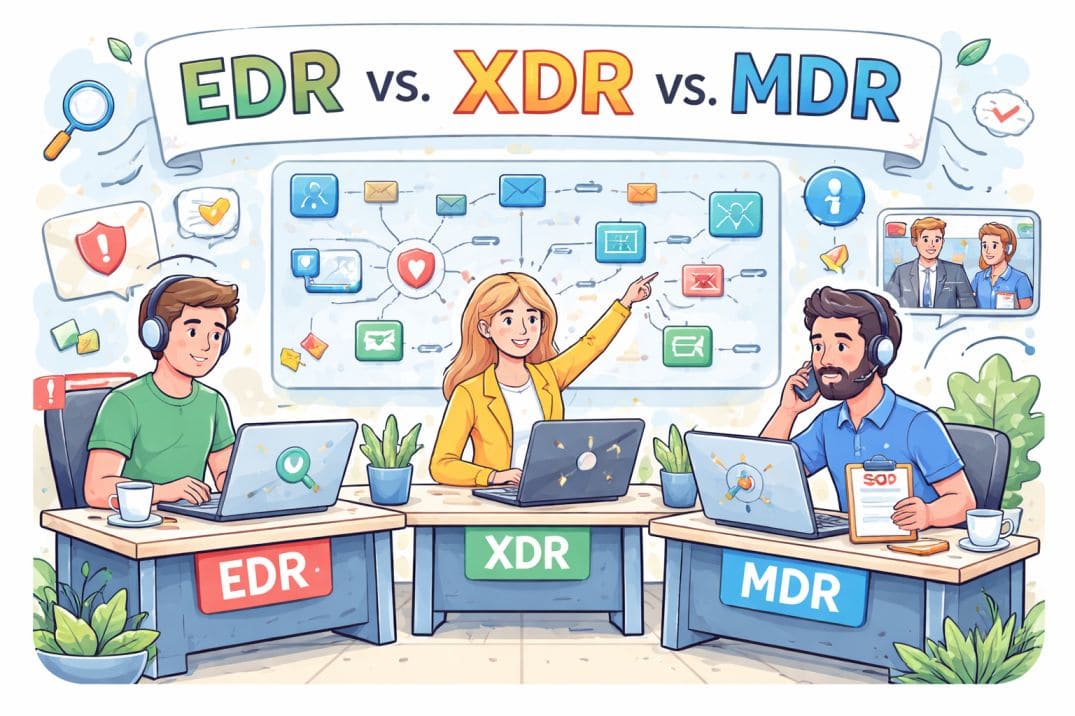
  • EDR vs MDR for Small IT Teams: The Decision Nobody Wants to Admit Out Loud

    Most small IT teams buy endpoint detection and response platforms because the license looks cheaper than managed detection and response services. Six months later, they’re sitting on 47 unread alerts, no idea which ones matter, and a compliance auditor asking who’s been watching the system. The license was cheap. The monitoring turned out to require a person who doesn’t exist.

    The real decision here isn’t EDR versus MDR. It’s whether you have 15 to 20 hours per week to dedicate to alert triage, tuning, threat hunting, and incident response. If you don’t, the EDR platform you deploy will give you the illusion of security without the actual protection. If you do, MDR might be paying for labor you already have in-house.

    Here’s how to make this call clearly before vendor pressure or a compliance deadline forces it for you.

    The Tool You Can’t Watch Is the Tool That Won’t Save You

    Endpoint detection and response tools don’t stop threats automatically. They detect suspicious activity, generate alerts, and wait for someone to investigate. That someone needs to know what normal looks like in your environment, what constitutes a real threat versus a noisy false positive, and how to respond before the attacker moves laterally. Without that person, EDR is an unmonitored sensor. You’re paying for a smoke detector with no one in the building to hear it.

    Managed detection and response solves the staffing problem by outsourcing the monitoring, triage, and initial response to a security operations team that works for the MDR provider. You’re not buying software. You’re buying the labor to make the software useful. The question isn’t which tool is better. The question is whether you’re staffed to run the tool, or whether you need to rent the staff along with it.

    Most buyers frame this as a cost comparison. The real comparison is labor availability. If your IT team is two people deep and already underwater, the cheaper EDR license just bought you a new dashboard you’ll never open. If you have a dedicated security hire who can own this full-time, EDR starts to make sense. The license cost is the easy part. The staffing cost is where most small teams get this wrong.

    What EDR Actually Requires When You Deploy It Yourself

    Deploying an EDR platform means you own the full security operations workflow. Someone on your team needs to tune detection rules so the platform isn’t flooding you with alerts every time a developer runs a script. Someone needs to investigate every alert that survives the tuning, figure out whether it’s a real incident or a false positive, and decide how to respond. Someone needs to maintain threat intelligence feeds, update response playbooks, and hunt proactively for threats the automated rules didn’t catch.

    That workload doesn’t fit into the margins of an already-full IT role. Analyst estimates put the ongoing time requirement at 15 to 25 hours per week for a small environment, more if you’re dealing with a sophisticated threat or tuning a new deployment. If your IT team is managing helpdesk, infrastructure, and vendor relationships, that time doesn’t exist.

    The work breaks into four categories, and all of them require consistent attention:

    • Alert triage and investigation: Reviewing every alert, correlating it with other activity, determining whether it’s benign or malicious.
    • Tuning and rule management: Adjusting detection thresholds and exclusions so the platform isn’t crying wolf on normal business activity.
    • Incident response: Containing the threat, remediating affected endpoints, documenting what happened for compliance or insurance.
    • Proactive threat hunting: Looking for signs of compromise the automated rules didn’t surface, especially after a new vulnerability drops.

    If you can’t dedicate someone to own those four functions, you’re not deploying a security tool. You’re deploying a liability that makes you think you’re protected when you’re not.


    BUYER’S REALITY: We’ll monitor it when we have time.

    You won’t. Every small IT team that self-deploys EDR believes they’ll carve out time each week to review alerts and tune rules. Three months in, the alerts are piling up unread, the tuning never happened, and the platform is either silent or screaming. There is no “when we have time” scenario that actually results in consistent monitoring. Either someone owns it as their primary job, or it doesn’t get watched.


    What You Actually Get When You Pay for MDR

    Managed detection and response bundles the EDR platform with a security operations center that monitors it on your behalf. The MDR provider’s analysts watch your alerts 24/7, investigate anything that looks suspicious, and escalate real incidents to you with context and recommended actions. You’re outsourcing the triage, the tuning, the threat hunting, and the first-response work to a team that does this all day across hundreds of customers.

    The baseline service typically includes around-the-clock monitoring, alert investigation, and incident notification. Most providers will tune the detection rules for your environment during onboarding, and continue adjusting them as your infrastructure changes. The better MDR providers include proactive threat hunting, where analysts look for indicators of compromise that wouldn’t trigger an automated alert, and some level of guided remediation, where they walk you through containment and recovery.

    What MDR doesn’t always include: hands-on-keyboard incident response where the provider takes direct action to contain a threat, forensic investigation beyond what’s needed to confirm the incident, or integration with security tools outside the endpoint. Those capabilities exist, but they usually cost extra. Read the service level agreement carefully. The base tier often covers detection and notification. If you need the MDR team to actively stop an attack in progress, that’s a higher service tier or an add-on retainer.

    The value proposition is straightforward. You get security operations expertise without hiring a security operations team. The cost is higher than an EDR license alone, but lower than hiring even one full-time security analyst. For teams under 50 people with no dedicated security staff, that math works. For teams that already have someone who can own endpoint security, MDR starts to look like paying for labor you don’t need.

    The Budget Math Nobody Shows You in the Comparison Deck

    Your Situation What It Means for This Decision Buy Now / Wait / Skip
    IT team under 5 people, no security hire planned EDR requires 20+ hours/week you don’t have. MDR spreads the labor cost across other customers. MDR now, or skip endpoint detection entirely until budget/team grows.
    IT team 5 to 15 people, one person could own security part-time Possible to self-manage EDR if that person has prior SOC experience and isn’t already underwater. Otherwise MDR. EDR only if the owner exists and has capacity. Default to MDR.
    IT team 15+, security hire already on staff or budgeted EDR gives you control and flexibility. MDR makes sense only if you need after-hours coverage or compliance requires external monitoring. EDR now. Consider MDR for after-hours coverage if in-house team is 9-to-5 only.
    Compliance requirement (SOC 2, HIPAA, PCI) with specific monitoring SLAs Many frameworks expect 24/7 monitoring. If you can’t staff that internally, MDR is the faster path to compliance. MDR now if compliance timeline is under 12 months.
    Already running legacy antivirus or basic endpoint protection Greenfield EDR deployment is easier than migration. If you have no one to manage it, don’t replace one unmonitored tool with another. MDR if no security staff. EDR only if you’re hiring someone to own it.
    Budget available now, renewal decision in 12 months MDR is faster to deploy and doesn’t require internal ramp-up time. EDR requires 60 to 90 days of tuning before it’s useful. MDR now if timeline is tight. EDR if you have 90+ days and the staff to tune it.

    Most buyers who regret the EDR purchase fall into the first row: small team, no security hire, convinced they’d “figure out monitoring later.” That row describes the majority of unmonitored EDR deployments. If you can’t dedicate someone to this now, before you sign, you won’t dedicate someone to it after deployment. The cheaper license just bought you a false sense of security and a compliance gap the auditor will find in year two.

    The Right Time to Pick EDR Is When You Already Have the Staff

    What works:

    • You have one full-time employee who owns security, has prior experience in a SOC or with SIEM tools, and isn’t splitting time with helpdesk or infrastructure firefighting.
    • Your environment is standardized enough that tuning rules won’t require constant adjustment, and you’re not supporting a lot of edge cases or legacy systems that generate noise.
    • You want control over detection logic, response timing, and the ability to integrate endpoint telemetry with other security tools you’re already running.

    What doesn’t work:

    • Your “security person” is the IT generalist who also manages the firewall, handles user onboarding, and troubleshoots the VPN. They don’t have 15 hours a week for alert triage, and the role won’t get less busy.
    • You’re deploying EDR to check a compliance box but have no plan for who monitors it or how incidents get escalated after hours.
    • You’re betting that automation and machine learning will reduce the alert volume to something manageable. It won’t. Every EDR platform generates false positives that require human judgment, and the tuning required to reduce noise is itself a labor-intensive process.

    The dividing line is simple. If the person who will own this tool already exists, has relevant experience, and has the time, EDR gives you more control and flexibility than outsourcing to an MDR provider. If any part of that sentence isn’t true, you’re setting up a system no one will watch. Self-managed endpoint detection only makes sense when the “self” part is a real person with security operations in their job description.


    RED FLAG: Your plan is to train someone internally to manage EDR after you deploy it.

    That almost never works. The learning curve for effective EDR management is six months minimum, and that assumes the person has prior security experience and dedicated time to ramp up. If you’re planning to deploy the tool first and figure out who will run it later, or train someone on the job while they’re still doing their regular IT work, you’re buying an expensive dashboard that will sit unused. Hire or assign the owner first. Deploy the tool second. Never the other way around.


    What Happens 12 Months In If You Guess Wrong

    If you pick EDR without the staff to run it, you’ll spend the first 90 days excited about the deployment, the next six months ignoring the alerts because no one has time to investigate them, and month 12 realizing you’ve been operating with no effective monitoring since the initial setup. The platform will either be silent because you turned off the noisy rules, or screaming because you never tuned it and everything triggers an alert. Either way, you’re not protected. You’re paying for the illusion of security, and the next compliance audit or incident will expose the gap.

    If you pick MDR when you already have the internal capability to manage EDR, you’ll spend the first six months appreciating the convenience, then start resenting the lack of control. MDR providers operate at scale, which means their detection rules and response playbooks are built for the median customer, not your specific environment. If you need custom tuning, faster response times, or integration with internal tools, you’ll hit the limits of what the service includes. The cost starts to feel high relative to what you could do in-house, and switching back to self-managed EDR after a year of outsourcing means starting the tuning process from scratch.

    The failure mode for EDR is silent drift into irrelevance. The failure mode for MDR is paying for a service you’ve outgrown but can’t replace without losing continuity. Both are expensive mistakes, but the EDR mistake is more common. Most small teams overestimate their capacity to manage security tools and underestimate how much ongoing labor endpoint detection actually requires.

    When MDR Makes Sense Even If You Think You Can Handle EDR

    Managed detection and response isn’t just for teams that lack security staff. Three conditions make MDR the better choice even when you have someone who could theoretically manage an EDR platform in-house.

    First, compliance requirements that mandate 24/7 monitoring. If your framework requires around-the-clock security operations and you don’t have a team that works nights and weekends, MDR solves that problem faster and cheaper than staffing three shifts. Even if you have one skilled security person, they’re not watching alerts at 2 a.m. unless you’re paying them for on-call, and that gets expensive.

    Second, incident response SLAs that your internal team can’t meet. Some industries and contracts require a response within minutes of detecting a threat. If your in-house security person is also managing other functions, or if they’re the only one who knows how to respond and they’re on vacation, you’re outside your SLA. MDR providers have depth, which means someone is always available to investigate and escalate.

    Third, you’re in a high-risk environment or facing active threats, and you need threat hunting capability you don’t have in-house. Proactive hunting requires experience, threat intelligence, and time. If your security hire is good at managing tools but hasn’t spent years in a SOC hunting advanced persistent threats, the MDR provider’s analysts bring expertise you can’t hire for at small-team budget levels.

    The decision isn’t just about whether you can manage the tool. It’s about whether you can manage the tool at the speed, coverage, and skill level your risk profile requires:

    • After-hours coverage: MDR monitors when your team is offline.
    • Incident response depth: MDR providers have multiple analysts who can swarm an incident; your in-house team is one person.
    • Threat intelligence: MDR providers see attacks across hundreds of customers and update detection rules faster than you can.
    • Compliance documentation: Many MDR services include incident reports and monitoring logs formatted for audits, saving you hours of paperwork.

    If any of those four gaps exist in your in-house capability, MDR starts to make sense even when you have someone who could run EDR. The question isn’t just “can we do this,” it’s “can we do this at 3 a.m. on a Saturday when the one person who knows the system is unreachable.”


    BUYER’S REALITY: The MDR contract doesn’t cover response unless you read the fine print.

    Most MDR agreements include detection, investigation, and notification. What they don’t always include is hands-on remediation, forensic analysis, or direct action to contain the threat. The provider will tell you there’s an active compromise. Whether they’ll log in and isolate the affected endpoints, or just send you a runbook and expect you to do it, depends on the service tier you paid for. If you’re buying MDR because you lack the staff to respond to incidents, make sure the SOW explicitly includes guided or full-service remediation. The base package often doesn’t.


    Who This Decision Makes Sense For and Who Should Wait

    Buy EDR now if:

    • You have a dedicated security hire with SOC or analyst experience, and they have 15+ hours per week to dedicate to monitoring, tuning, and response.
    • Your environment is standardized, your team is over 15 people, and you need control over detection rules and integration with other security tools.
    • You’ve already evaluated MDR and determined the cost doesn’t justify outsourcing work you can handle in-house.

    Buy MDR now if:

    • Your IT team is under 10 people, no one has dedicated security operations experience, and you need endpoint monitoring to meet compliance or insurance requirements.
    • You have security staff but need 24/7 coverage or incident response capability beyond what one or two people can provide.
    • You’re in a high-risk industry and need proactive threat hunting from analysts who’ve seen a wider range of attacks than your team has.

    Wait or skip if:

    • Your IT team is under 5 people, your budget is tight, and you’re not facing a compliance deadline. Invest in basic endpoint protection and strong access controls first. Endpoint detection only matters if someone is watching it.
    • You’re planning to “try” EDR and see if someone on the team can manage it part-time. That experiment fails more than 80% of the time. Don’t deploy the tool until you’ve assigned an owner with capacity and experience.
    • You’re evaluating MDR but the service agreement doesn’t include after-hours monitoring or response, just detection. That’s not MDR. That’s EDR with a managed dashboard, and it won’t solve your staffing problem.

    The wrong decision here doesn’t just waste budget. It creates a false sense of security that’s worse than admitting you’re not monitoring endpoints at all. If you can’t dedicate the staff, buy the service. If you have the staff, buy the tool. There’s no middle option that works.

    The One Question That Settles This Faster Than Any Vendor Demo

    Ask yourself: if an alert fires at 11 p.m. on a Friday, who investigates it, how fast do they respond, and what’s their plan if it’s a real compromise?

    If the answer is “nobody until Monday” or “whoever is on call, but they’ve never done incident response before,” you don’t have the capability to run EDR. The tool will fire the alert. No one will act on it in time. The compromise will spread, and you’ll find out about it three days later when the ransomware note pops up.

    If the answer is “our security person, they’ll log in within an hour, and they know how to isolate the endpoint and escalate if needed,” you have the foundation to self-manage endpoint detection. EDR makes sense. You’re paying for the tool, not the labor.

    If the answer is “the MDR provider’s SOC, they’ll investigate immediately and escalate to us with a recommended action plan,” you’ve outsourced the problem correctly. You’re paying for labor you don’t have in-house, and the cost is justified.

    Most small teams can’t answer that question confidently. If you can’t, the decision is already made. Don’t buy a tool you can’t operate. Buy the service that operates it for you, or wait until you’ve hired someone who can own it full-time. Anything in between is just expensive theater.
    Related reading

  • 7 Mistakes That Turn Enterprise EDR Evaluation Into an Expensive Procurement Exercise

    7 Mistakes That Turn Enterprise EDR Evaluation Into an Expensive Procurement Exercise

    Enterprise EDR evaluation has a tendency to make smart people feel safe too early.

    The shortlist looks solid. The demos are polished. The proof of value is tidy. Procurement gets neat pricing bands. Security gets detection stories. Everyone gets just enough structure to believe the process is under control.

    Then production happens.

    Now the real costs start walking in. Analyst fatigue. Tuning overhead. Policy exceptions. Response friction. Add-ons that looked optional when the vendor was still smiling on calls.

    That is the part buyers keep underestimating. They think they are evaluating an EDR product. Often, they are really evaluating how convincingly a vendor can stage confidence within a controlled buying cycle.

    And EDR vendors are not stupid. They know exactly how to make a product look calm before your team has to live with it.

    So the buying process starts to behave like procurement theater, with security vocabulary sprinkled on top. The product scores well. The committee feels organized. The approval moves forward. Then six months later, the SOC is carrying the bill in a form nobody modeled properly.

    Most EDR buyer’s guide content will help you compare names. That is the easy part.

    The harder part is spotting the mistakes that make an EDR decision look clean at approval time and heavy after rollout.

    Enterprise EDR Evaluation Starts With the Wrong Test

    You do not lose this decision in rollout first.

    You lose it earlier.

    Right when the vendor starts setting the mood.

    Clean demo. Crisp detections. Neat proof of value. A lot of confidence in the room. Just enough technical depth to make the process feel serious.

    That is how weak evaluation logic hides.

    Your real pain is usually less glamorous. Too many alerts. Slow triage. Weak containment. A messy estate. Policies that nobody wants to touch twice. Analysts are wasting time on work that should have been easier by now.

    If you do not start there, the rest gets performative fast.

    You are not buying applause from a buying committee.

    You are trying to remove a daily irritation your team keeps paying for in time, effort, and attention.

    So test the pain, not the pitch.

    If analyst fatigue is hurting you, look hard at triage flow and alert quality. If containment is clumsy, test response depth. If your environment is uneven, test tuning burden and policy control. If your team is stretched, test how much operational babysitting the product will demand after go-live.

    Plenty of products look sharp when the path is guided.

    Fewer of them stay sharp when your own people have to live inside them.

    That is the filter you need. Not who looks strongest in a controlled sales cycle. Who removes friction once the product becomes your problem?

    Enterprise AI Reviews Are Exposing Ownership Gaps

    Detection Looks Good Until Alerts Start Piling Up

    Detection is the easy part to admire.

    An alert fires. A malicious chain gets mapped nicely. The console looks smart. The demo gets its moment.

    Then real life begins.

    Alerts keep coming. 

    Analysts keep opening, checking, closing, reopening. 

    The same people who were supposed to investigate real risk start burning time sorting junk, duplicates, weak context, and half-useful signals. 

    At that point, strong detection no longer feels like strength. It starts feeling like extra work with better branding.

    That is the part buyers underrate. You are not paying for detection in isolation. You are paying for what happens after detection. 

    How fast can an analyst understand the alert? 

    How much context shows up without manual digging? 

    How often does the product force your team to stitch the story together on its own? 

    A tool that detects more but makes triage slower can still leave you worse off.

    This is why clean evaluation cycles can be misleading. In a controlled test, detection looks like the star. In daily operations, alert handling decides whether the product helps or drains the team. 

    If the queue keeps growing, the nice detection story quickly loses value.

    Llama vs Mistral: Assessing the best local models for privacy of Business Data

    Post-Rollout Tuning Is Where EDR Cost Starts Rising

    Rollout gives buyers a false sense of closure.

    The product is live. The agent is deployed. The dashboard is populated. On paper, the hard part looks done.

    It is not.

    Post rollout is the stage where EDR starts asking for rent in admin time, SOC attention, and constant cleanup. What looked manageable in evaluation can turn irritating very quickly.

    What starts showing up:

    • false positives that need repeated suppression
    • exclusions that keep growing as edge cases surface
    • policies that work in one part of the estate and break in another
    • endpoint groups that need cleaner logic than the original rollout assumed
    • performance complaints from users that force a compromise
    • Exceptions that keep getting patched instead of being designed properly

    None of this looks dramatic in a buying cycle.

    All of it becomes expensive after rollout.

    That is the catch. Base pricing stays the same. The real cost does not. Your team starts paying through hours, interruptions, retesting, and operational babysitting. 

    A product that needs too much post-rollout tuning can turn a decent buying decision into a long cleanup project.

    Proof of Value Can Make a Weak Fit Look Strong

    A proof of value can make you feel smarter than you really are.

    Everything behaves. The scope is clean. The vendor stays close. The product gets shown in the part of the house where the lights work.

    That should make you cautious.

    What you are seeing is not fake. It is filtered.

    Usually filtered by:

    • controlled scope
    • guided workflows
    • selected use cases
    • Vendor support sitting nearby, success criteria that are easier to pass than the daily operations

    So the product starts looking solid before it has done anything difficult.

    That is a bad reason to feel comfortable.

    You do not need a product that behaves well when the vendor is still driving. You need a product that still makes sense when your own team has the wheel, the queue is ugly, and nobody is around to rescue the workflow.

    A weak fit can survive a tidy proof of value.

    Production is less polite.

    CrowdStrike Alternatives for Enterprise: 15 Tools Compared for Cost, Detection, and Control

    Enterprise EDR Evaluation Scorecard

    Detection gets attention because it is easy to show.

    Response is when the product starts to prove whether it is useful or just impressive.

    Many EDR evaluations get stuck on what the platform can detect. Fair enough. But when something serious lands, the better question is much simpler: can your team act fast without turning every incident into a manual project? That is where weak products start showing their teeth.

    Evaluation Area Weight (%) What You Should Check Bad Sign
    Alert handling 25 How quickly an analyst can understand, validate, and move on to an alert Too much digging, weak context, repeated manual work
    Response speed 20 How easily the team can isolate, contain, or take action during an incident Too many steps, too much coordination, slow action path
    Tuning effort 20 How much cleanup, exclusion work, and policy adjustment shows up after rollout Constant babysitting to keep the product usable
    Workflow fit 15 How well the product fits the way your SOC or security team already works Analysts work around the tool instead of through it
    Cost beyond the license 10 Add-ons, admin burden, service dependence, and operating overhead Base price looks fine, but the real running cost does not
    Test honesty 10 Whether the product still looks strong without vendor hand-holding Smooth only in a guided setup

    A product can score well on detection and still drag you down on everything that follows. 

    If the tool slows response, adds cleanup, and keeps the analyst stuck in extra steps, you are not buying relief. 

    You are buying a more expensive version of the same stress.

    Most EDR Buyer’s Guide Content Ignores Operational Friction

    A lot of buyer’s guide content is designed to help you quickly compare vendors.

    That sounds useful.

    It also creates lazy buying behavior.

    You get the usual checklist. Features. Integrations. Pricing tiers. Maybe a few neat pros and cons. Enough structure to build a shortlist. Not enough pressure to expose what will irritate your team after rollout.

    That is the gap.

    An EDR buyer’s guide can help you collect names. It usually does very little to show:

    • How much analyst time does the product keep consuming
    • How much tuning work keeps showing up after go-live
    • How awkward a response feels when the incident is live
    • How much vendor hand-holding was needed to make the product look smooth
    • How quickly does the real cost expand beyond the base license

    So the shortlist starts looking smarter than it is.

    You do not need help finding products.

    You need help ruling out products that create drag.

    That is why a buyer’s guide should never drive the decision on its own. At best, it gives you a starting list. 

    SentinelOne vs Microsoft Defender Scorecard: Which EDR Delivers Better Long-Term Value?

    Base License Pricing Rarely Reflects Real EDR Cost

    Base pricing is the part that buyers can see clearly.

    That is also why it gets too much respect.

    The quote looks neat. The per-endpoint number feels manageable. The discussion becomes easier because everyone can point to a figure and pretend the cost is now understood. It is not. 

    In EDR, the base license is usually the cleanest part of the bill.

    The real expansion starts later.

    Cost Head What Buyers Expect What Usually Happens
    Base license The main cost is covered It only gets the product through the door
    Data retention Standard history is enough More retention starts costing more once investigations get deeper
    Premium modules Optional extras Gaps in daily use start pushing the team toward upgrades
    MDR or premium support Backup option Becomes necessary when the internal team cannot keep up cleanly
    Tuning effort Short stabilization phase Keeps consuming analyst and admin time long after rollout
    False positive cleanup Early rollout issue Turns into a recurring SOC burden
    Policy exceptions Limited to a few edge cases Grows as the estate gets messier
    Performance complaints Rare and manageable Force compromises, exclusions, and more testing
    Internal admin effort Light ownership overhead Becomes ongoing work across policies, groups, and platform hygiene
    Incident response effort The product will reduce effort by default Analysts still lose time in manual steps and coordination

    What this table shows is simple: EDR costs do not usually jump in a single dramatic moment. It spreads. One extra need here, one added dependency there, one more chunk of analyst time nobody modeled properly. That is how a product that looked reasonably priced in procurement starts feeling heavier in operations.

    So the mistake is not just underestimating spend.

    It is underestimating where the spending moves. The buying team approves a visible number. The security team inherits the invisible workload.

    Conclusion

    A clean enterprise EDR evaluation should do one thing well: stop you from buying a product that shifts cost from procurement to operations. That means less attention to polished demos and more to alert load, tuning burden, response friction, and the operating model behind the tool. If those parts remain weak, the product will feel heavier after rollout, even if it looked good in evaluation.

    The real win is not choosing the most impressive platform. It is ruling out the one your team will regret running.

    Also Read: The Straightforward Buyer’s Guide to EDR

  • SentinelOne vs Microsoft Defender Scorecard: Which EDR Delivers Better Long-Term Value?

    SentinelOne vs Microsoft Defender Scorecard: Which EDR Delivers Better Long-Term Value?

    Comparing SentinelOne vs Microsoft Defender becomes a bad decision the moment you start judging it by surface logic.

    SentinelOne looks attractive because it feels like a clean security buy. Microsoft Defender starts pulling attention because someone in the room will say, “We are already paying Microsoft.” Both arguments sound smart. Both can mislead you.

    This is not just a product comparison. It is a budget trap, an operations decision, and a platform bet sitting inside one purchase. One option can look cheaper before rollout and heavier after rollout. The other can look expensive at first and cleaner once your team has to live inside it.

    That is the tension. You are not choosing between two demo stories. You are choosing between two long-term operating models.

    And that is exactly where this comparison has to be ruthless.

    Let’s cut the setup fluff and find out the real buying conflict.

    Quick Verdict: The Duel of EDRs

    Microsoft Defender wins if your long-term cost equation is tied to broader Microsoft leverage and you are willing to operate inside that gravity.

    SentinelOne wins if you want the cleaner standalone EDR experience, faster operational clarity, and less dependence on how well the rest of your Microsoft security stack is configured, licensed, and managed.

    That is the split.

    If you are judging this as a pure product fight, SentinelOne often feels sharper. It is easier to admire because the value proposition is more direct. Buy the platform, deploy it, run it. The story is cleaner.

    But if you are judging this as a long-term commercial decision, Microsoft Defender becomes very hard to ignore. 

    Not because it is always the better product in isolation. Because it can become the better financial decision once your broader Microsoft footprint starts absorbing part of the security spend you would otherwise carry separately.

    That does not make Defender the automatic winner.

    It makes Defender the winner only if your team can turn Microsoft proximity into operational advantage instead of operational clutter.

    If not, SentinelOne can still be the smarter buy. 

    A tool that costs more on paper can still cost less in real life when your team spends less time managing complexity around it.

    Decision Area SentinelOne Microsoft Defender Who Wins
    Core EDR Experience Focused, standalone, security-first. Broader, but tied to the Microsoft security stack. SentinelOne
    Detection and Response Strong behavioral detection and fast response. Strong detection with broader cross-platform signal correlation. Microsoft Defender
    Deployment Cleaner rollout as a dedicated EDR platform. Smoother in Microsoft-led estates, less clean in mixed stacks. SentinelOne
    Daily Operations Simpler console flow and clearer day-to-day handling. Powerful, but depends more on surrounding Microsoft setup. SentinelOne
    Multi-Vendor Fit Fits mixed environments more naturally. Works best when more of your stack is already Microsoft. SentinelOne
    Reporting and Visibility Strong endpoint-focused visibility. Broader visibility across the Microsoft security ecosystem. Microsoft Defender
    Admin Overhead Lower operational friction for a leaner security workflow. Can be efficient, but only in a well-managed Microsoft estate. SentinelOne
    Long-Term Cost Clearer standalone spend, but less bundling advantage. Stronger long-term value when licensing overlap is real. Microsoft Defender
    Best Fit Teams wanting focused EDR with less ecosystem dependence. Teams wanting to extract more value from Microsoft alignment. Depends on model

    What Decides This EDR Purchase

    This decision starts going wrong when buyers lock onto product talking points too early.

    SentinelOne starts sounding sharper because the product story is cleaner. Microsoft Defender starts sounding cheaper because Microsoft is already somewhere in the environment. That is how bad comparisons begin.

    The real decision sits underneath that noise.

    You need to decide whether the priority is a cleaner standalone EDR platform or endpoint security tied more tightly to a broader Microsoft relationship. That is the split that matters. Not the demo. Not the first pricing impression. Not the comfort of a familiar vendor name.

    Then comes cost reality.

    Not proposal cost. Not year-one optics. Real cost. The kind that shows up after rollout, when licensing boundaries, feature access, admin effort, and workflow complexity become impossible to ignore. A lower buying price can still leave you with a heavier operating model.

    Then comes daily friction.

    A platform does not become expensive only through licensing. A platform becomes expensive when the security team spends more time managing it, tuning it, navigating it, or working around it. That cost rarely appears cleanly during evaluation. It still lands on your side.

    Then there is stack behavior.

    In a mixed environment, some products stay cleaner outside their home ecosystem. Others become more valuable only when the rest of the estate starts leaning in the same direction. That difference matters because vendor strength and operational fit are not the same thing.

    So that is the real test here.

    Which option gives you strong protection, lower drag, and a cost structure that still feels sensible once the buying optimism is gone?

    Which product still looks like the right decision after rollout, when protection quality, operating effort, and real cost all become visible?

    AI-Powered Cybersecurity Platforms: What to Buy, Reject, or Fix First

    Protection Depth and Detection Confidence

    This is where Microsoft Defender starts pushing back hard.

    SentinelOne is easy to like because the protection story feels clean. Strong behavioral detection. Strong response posture. A platform that feels built to do this job first, not as part of a wider bundle. That clarity matters during evaluation because it is easier to see what you are buying.

    Microsoft Defender is stronger when you value detection in context, not just detection at the endpoint. The more useful question is not whether Defender can detect. It can. The real question is whether broader signal correlation gives your team a better response position. In many environments, that answer is yes.

    That is the Defender advantage. Endpoint telemetry does not have to stay isolated. Defender becomes more powerful when endpoint activity is seen alongside identity, email, cloud, and broader Microsoft security signals. That can improve investigation quality and reduce blind spots that a narrower endpoint view may miss.

    SentinelOne still holds real ground here.

    A cleaner product often leads to cleaner analyst action. Fast understanding has value. Focus has value. 

    A platform does not need to be broader to be effective if the security team can move quickly and confidently inside it. That is one reason SentinelOne continues to appeal to buyers who want sharp EDR execution without carrying platform weight around it.

    So who wins this section?

    If the priority is a focused endpoint protection experience with strong direct response flow, SentinelOne stays very compelling. 

    If the priority is broader detection context and stronger cross-domain visibility, Microsoft Defender takes the edge.

    Microsoft Defender wins on detection depth. Not because SentinelOne is weak. Because broader context can become a serious advantage once incidents stop being neat endpoint-only events.

    CrowdStrike Alternatives for Enterprise: 15 Tools Compared for Cost, Detection, and Control

    Deployment Friction and Time to Value

    This is where SentinelOne starts looking like the easier buy.

    A focused EDR rollout is easier to control when the product stands on its own feet. SentinelOne benefits from that. The deployment story is easier to explain, easier to stage, and easier to evaluate without dragging the rest of the security estate into the room.

    Microsoft Defender can still move fast, but speed depends more on surrounding conditions. Existing Microsoft licensing helps. 

    Existing policy maturity helps. Existing security alignment helps. When those pieces are already in place, Defender can feel efficient. When those pieces are patchy, the rollout starts feeling less like a product deployment and more like an ecosystem exercise.

    That difference matters.

    A clean deployment is not just about how quickly the agent lands. A clean deployment is about how quickly your team gets to confidence. 

    Policy behavior, exclusions, alert flow, admin clarity, reporting logic, and ownership boundaries all shape time to value. 

    SentinelOne has the advantage when you want that path to be more direct.

    Microsoft Defender has the advantage only when the environment is already prepared to support that direction. Without that readiness, the rollout can look cheaper on paper and slower in practice.

    So this section goes to SentinelOne.

    Not because Defender is hard to deploy in every case. Because SentinelOne asks for less environmental cooperation before it starts feeling operationally settled.

    Daily Operations and Admin Overhead

    A lot of security products look fine until the team has to live in them.

    That is where SentinelOne makes a strong case. The platform feels more direct. Less wandering. Less ecosystem weight. Less of that quiet operational fatigue that builds when a tool keeps asking the team to think beyond the job in front of them.

    Microsoft Defender is not weak here. But Microsoft Defender is one of those products that gets easier the more the rest of the Microsoft estate is already behaving. 

    When that alignment exists, the platform can feel efficient. When that alignment does not exist, daily work starts picking up extra steps, extra dependencies, and extra explanation.

    That is the issue.

    Admin overhead is not just about policy screens and console clicks. Admin overhead is about how much surrounding structure a product demands before it starts feeling clean. SentinelOne asks for less. 

    Microsoft Defender can give you more, but it also asks more often: more alignment, more ecosystem familiarity, more readiness around it.

    For a buyer thinking about long-term cost, that difference matters. A broader platform can still be the right financial decision. But a broader platform is not automatically the lighter one to run.

    So this section goes to SentinelOne.

    SentinelOne feels easier to carry. Microsoft Defender can absolutely pay off, but only when the wider Microsoft setup is already pulling in the same direction.

    EDR Solutions for Mid-Size Enterprise: The Buying Guide Vendors Won’t Give You

    Integration Fit in a Multi-Vendor Stack

    This is where Microsoft Defender starts losing some of its financial shine.

    On paper, Defender can look like the smarter long-term cost decision because Microsoft already has commercial gravity in the environment. In practice, that advantage becomes less clean in a multi-vendor stack. 

    The more mixed the estate, the harder it is to turn Microsoft adjacency into pure operating efficiency.

    That does not mean Defender stops being strong. It means the conditions for winning get tighter.

    SentinelOne fits a mixed environment more naturally. The product does not keep hinting that life would be better if the rest of the stack moved in the same direction. That matters because a multi-vendor environment is already carrying enough friction. 

    A security team does not need the EDR layer quietly adding more.

    Microsoft Defender still brings real integration depth. But the full weight of that advantage shows up best when Microsoft is not just present, but structurally central. Without that pull, part of the integration story remains more theoretical than practical.

    This is where buyers need to stay honest. A platform can be strong and still be a less natural fit. Those are not contradictions. They are normal enterprise buying realities.

    So this section goes to SentinelOne.

    SentinelOne fits the stack you already have. Microsoft Defender gets stronger when the stack starts looking more like the stack Microsoft wants.

    How to Choose Managed Cyber Security Services (MSSP) in 2026

    SentinelOne vs Microsoft Defender Pricing, Licensing, and Long-Term Cost Reality

    SentinelOne keeps the buying logic cleaner

    • Standalone pricing is easier to understand
    • Security spend stays visible
    • Product value is easier to map to security outcomes
    • Cost creep is easier to spot

    Microsoft Defender gets stronger when Microsoft is already deep in the estate

    • Existing licensing can absorb part of the EDR cost
    • Consolidation value becomes easier to argue internally
    • Broader Microsoft overlap can reduce separate tool spend
    • Long-term savings improve when the wider stack is already being used properly

    SentinelOne reduces commercial guesswork

    • Less dependence on broader platform maturity
    • Fewer assumptions needed to defend the purchase
    • Cleaner fit in a mixed-vendor environment
    • Lower risk of hidden operating drag

    Microsoft Defender can create stronger long-term savings

    • Existing Microsoft contracts already carry weight
    • Consolidation is a real operating goal
    • The security team can use the wider Microsoft stack properly
    • Platform overlap is strong enough to reduce duplicate spend

    Where buyers get trapped

    • Treating bundled value as automatic savings
    • Mistaking vendor gravity for operating efficiency
    • Underestimating the effort needed to unlock platform value
    • Looking at entry pricing and calling it long-term cost

    Section verdict

    • SentinelOne wins on cost clarity
    • Microsoft Defender wins on long-term cost upside

    Weighted Scoring: SentinelOne vs Microsoft Defender

    A weighted score helps here because this comparison can get biased very quickly.

    SentinelOne is easier to like. Microsoft Defender is easier to justify. Those are not the same thing.

    So the scoring needs to reflect the buying priority you set: long-term cost.

    Scoring framework

    Criterion Why It Matters Weight SentinelOne Score Microsoft Defender Score Weighted Score SentinelOne Weighted Score Microsoft Defender Winner
    Core protection capability Baseline protection strength still carries the whole decision. 3x 4 4 12 12 Draw
    Detection and response depth Broader signal context improves investigation and response quality. 3x 4 5 12 15 Microsoft Defender
    Ease of deployment Cleaner rollout means faster value and less implementation drag. 2x 5 3 10 6 SentinelOne
    Daily operations Lower day-to-day friction reduces hidden staffing cost. 2x 5 3 10 6 SentinelOne
    Admin overhead Extra admin effort quietly increases long-term cost. 3x 5 3 15 9 SentinelOne
    Multi-vendor fit Mixed estates punish tools that depend on one ecosystem. 3x 5 3 15 9 SentinelOne
    Reporting and visibility Stronger visibility improves control and investigation quality. 2x 4 5 8 10 Microsoft Defender
    Security and governance fit Policy control and governance matter as the deployment matures. 2x 4 4 8 8 Draw
    Scalability What works early should still work cleanly at broader scale. 2x 4 4 8 8 Draw
    Support and commercial confidence Support quality affects operational trust during pressure moments. 1x 4 4 4 4 Draw
    Pricing structure Clearer pricing reduces buying confusion and surprise expansion. 2x 5 3 10 6 SentinelOne
    Long-term cost reality Year-two and year-three economics matter more than entry optics. 3x 3 5 9 15 Microsoft Defender
    Total Overall weighted score – – – 121 108 SentinelOne

    What the score is saying

    The score does something useful here.

    It shows why Microsoft Defender keeps pulling attention in commercial discussions, but it also shows why SentinelOne still comes out stronger for this exact operating setup.

    Microsoft Defender wins where platform breadth and long-term Microsoft leverage matter most.

    SentinelOne wins where daily reality hurts more: rollout effort, admin burden, mixed-stack fit, and operational simplicity.

    Score Card

    The weighted score gives SentinelOne the overall lead.

    That does NOT mean Microsoft Defender loses the long-term cost argument in every environment.

    It means that in a mid-market, multi-vendor stack, Microsoft Defender needs more environmental alignment before that cost advantage turns fully real.

    Who Should Choose SentinelOne

    Choose SentinelOne if your buying logic looks like this:

    • Want a cleaner standalone EDR decision
    • Do not want endpoint security value tied too tightly to Microsoft alignment
    • Operate a mixed-vendor stack and want the EDR layer to stay neutral
    • Care about lower day-to-day friction for the security team
    • You want faster operational clarity after rollout
    • You would rather pay for a focused security platform than unlock value through broader platform dependency
    • Want cost clarity, even if the headline long-term savings case looks less dramatic

    SentinelOne is the better fit when simplicity has real value in your environment.

    Not “simple” in the lightweight sense. Simple in the expensive sense. Fewer moving parts. Less explanation. Less platform drag. Less risk that the team spends the next year proving the buying logic was right.

    Who Should Choose Microsoft Defender

    Choose Microsoft Defender if your buying logic looks like this:

    • Microsoft already has meaningful commercial weight in the environment
    • You want endpoint protection to sit inside a broader Microsoft security model
    • You are actively trying to consolidate security tooling
    • The team can operationalise Microsoft security depth properly
    • Broader signal correlation matters more than standalone EDR neatness
    • You are willing to accept a heavier operating model in exchange for stronger platform leverage
    • Long-term cost matters more than having the cleanest standalone product story

    Microsoft Defender is the better fit when the Microsoft footprint is strong enough to turn bundling, overlap, and consolidation into real savings.

    That is the key condition.

    Without that condition, Defender can still be strong technically and still be the less natural commercial fit.

    Conclusion: The Better Buy

    In SentinelOne vs Microsoft Defender comparison, SentinelOne is the better buy for a mid-market, multi-vendor setup with long-term cost in focus.

    The reason is not product glamour. The reason is operating fit.

    SentinelOne asks for less surrounding alignment. The rollout is cleaner. Daily handling is lighter. The fit is more natural in a mixed-vendor environment. That matters because long-term cost is not decided by licensing alone. Long-term cost is decided by how much drag the product carries after rollout.

    Microsoft Defender is still a serious contender. In some environments, Microsoft Defender can absolutely become the smarter financial decision. That happens when Microsoft licensing already carries real weight, security consolidation is a real operating objective, and the team is ready to use the wider Microsoft security stack properly.

    But that is not the cleanest reading for this setup.

    In this setup, Microsoft Defender needs more environmental support before the commercial upside turns fully convincing. SentinelOne does not.

    So the decision is straightforward:

    • Choose SentinelOne if you want a cleaner standalone EDR platform, lower daily drag, and a better fit in a mixed stack.
    • Choose Microsoft Defender if Microsoft is already deep enough in the environment to turn bundling and consolidation into real savings.

    SentinelOne is the stronger overall choice.

    Also read: Gartner Comparison of SentinelOne vs Microsoft Defender

  • CrowdStrike Alternatives for Enterprise: 15 Tools Compared for Cost, Detection, and Control

    CrowdStrike Alternatives for Enterprise: 15 Tools Compared for Cost, Detection, and Control

    CrowdStrike Alternatives for Enterprise decisions usually don’t start with dissatisfaction. They start when your bill stops matching your expectations.

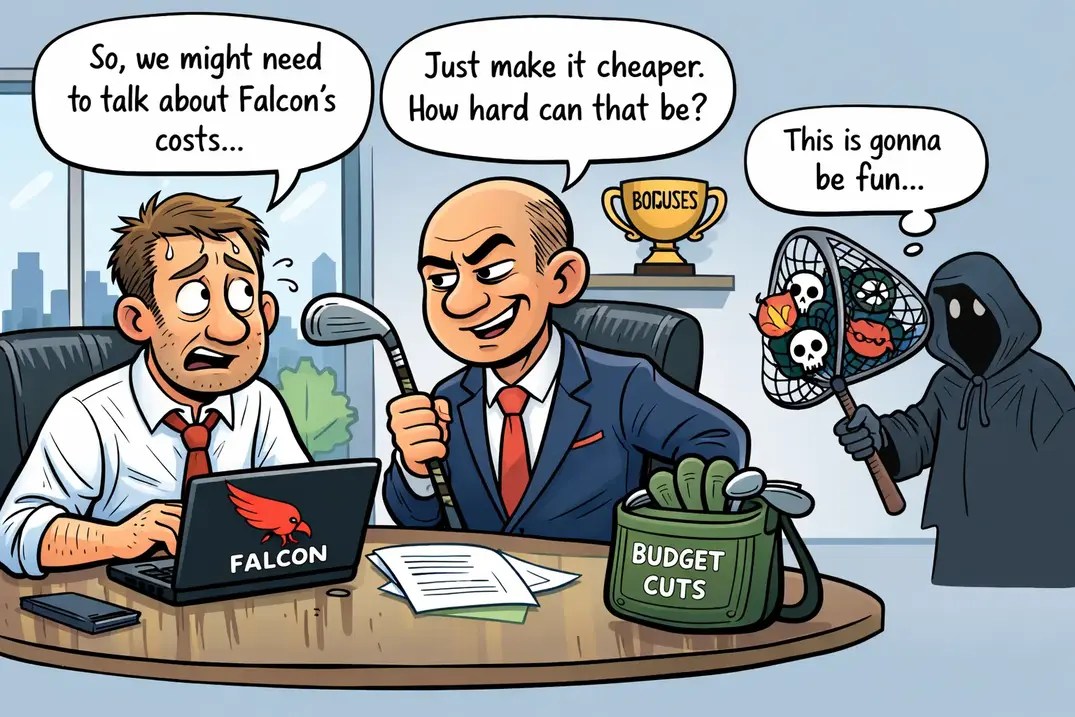
    You approved Falcon because it gave you confidence. Clean deployment. Strong detection reputation. Minimal friction for your team. But as your environment scaled, the pricing model scaled faster. More endpoints, more modules, more add-ons. What looked predictable in year one becomes uncomfortable in year two.

    Now you are not questioning capability. You are questioning control.

    In reality, this is not just about replacing an EDR tool. You are deciding how much you want to pay for detection, how much operational burden your team can carry, and how tightly you want to stay tied to a single vendor’s ecosystem.

    This is where most teams make a mistake. They compare features. They look at dashboards. They ask for demos.

    That is not your problem.

    Your problem is this: if you switch, does your cost stabilize without breaking your detection and response posture?

    This guide is built to answer that.

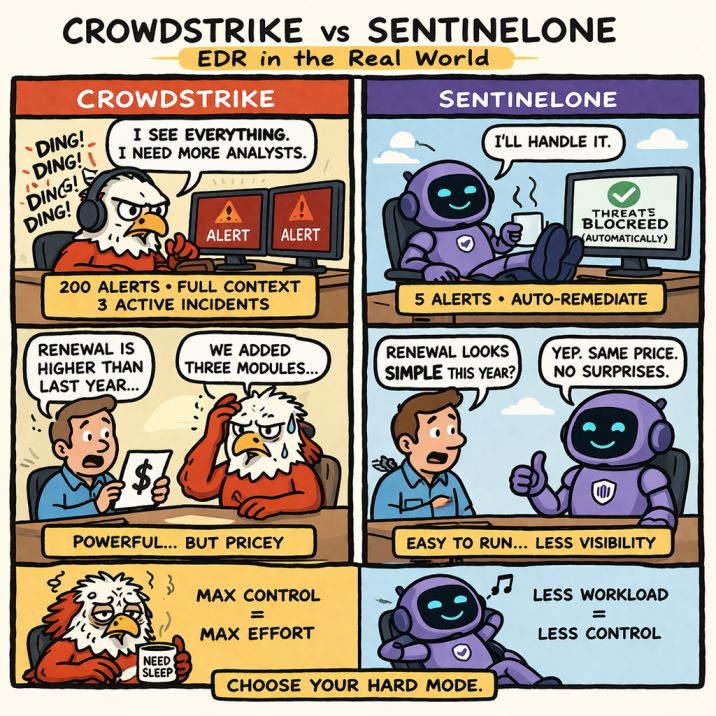
    CrowdStrike vs SentinelOne EDR comparison: A Buyer’s View on Cost and Complexity

    Where CrowdStrike Falcon Starts Breaking Your Budget

    Falcon does not feel expensive at the beginning. That is by design.

    You start with a core bundle. The pricing looks manageable. Deployment is smooth. Your team is not fighting the tool. That early experience creates trust, and that trust carries into renewal conversations.

    The shift happens quietly.

    First, your endpoint count grows. That alone is expected. But your cost does not grow linearly. It compounds as you begin adding modules you initially deferred.

    You add identity protection. Then device control. Then threat intelligence. Then log retention beyond what was included. Each decision makes sense in isolation. Together, they change your cost structure.

    In fact, you are no longer paying for EDR. You are paying for a layered security platform priced per component.

    This is where the discomfort starts showing up internally.

    Your finance team sees a bill that is difficult to predict. Your security team still values the tool, but cannot easily justify the incremental cost of each add-on. Procurement starts asking whether you are over-indexed on a single vendor.

    And then renewal hits.

    That is where the real pressure shows. Discounts narrow. Bundles get restructured. What you thought was your steady-state cost turns out to be an entry point.

    Now you are in a different conversation.

    Not “Is Falcon good?”
    But “Is Falcon still worth what we are paying for it?”

    If you are asking that question, you are already in the alternatives phase.

    Azure Entra vs Auth0 Comparison: Identity Platform Choice Under Real Constraints

    What You Lose and What You Gain When You Replace CrowdStrike Falcon

    You are not swapping tools. You are changing how your security stack behaves under pressure.

    CrowdStrike Falcon gives you a very specific operating model. Lightweight agent, strong cloud-driven detection, and a platform that keeps your team moving without much friction. When you replace it, you are stepping away from that model. That comes with trade-offs you need to be clear about upfront.

    You will likely give up some level of out-of-the-box polish. Falcon’s strength is consistency. Alerts are structured, workflows are predictable, and your team does not spend time figuring out how the tool behaves. With many alternatives, you will need to tune more. Detection logic, exclusions, response workflows. That effort does not disappear. It shifts to your team.

    You may also see a change in detection philosophy. Some tools rely more on automation and correlation. Others lean on signatures or rules. A few push you toward a broader XDR approach, whether you planned for it or not. In reality, you are choosing between control and abstraction.

    On the other side, you gain cost control. Not theoretical savings, but structural control. Several alternatives give you flatter pricing, fewer forced add-ons, or more flexibility in how you license capabilities. You can decide what to include instead of discovering it mid-cycle.

    You also gain negotiating leverage. Moving away from Falcon breaks a dependency that vendors understand very well. Even if you do not switch immediately, having a credible alternative changes how renewal conversations play out.

    There is another shift you need to account for.

    Your team’s operating load changes.

    Some platforms will reduce manual effort through automation. Others will require deeper involvement from your SOC. If you choose purely on cost without accounting for this, you will push the burden onto your team instead of your budget.

    This is the trade you are making.

    Spend more to reduce operational friction, or spend less and accept higher involvement from your team.

    There is no neutral option here.

    EDR Solutions for Mid-Size Enterprise: The Buying Guide Vendors Won’t Give You

    The 15 CrowdStrike Alternatives for Enterprise (Hard Comparison)

    You are not replacing Falcon in isolation. You are choosing how much capability you are willing to trade for cost control.

    The options fall into three clear bands.

    Tier 1 — Direct Enterprise Replacements

    These are the closest to Falcon in capability. You move here when cost is the issue, not confidence in detection.

    Microsoft Defender for Endpoint

    If your environment already runs on Microsoft, this becomes less of a replacement and more of a consolidation move. Endpoint stops being isolated and starts feeding into identity and email signals whether you intended it or not.

    The cost argument looks favorable early because it folds into licensing. In reality, you are trading visible spend for bundled complexity. Your team will spend more time interpreting signals across layers.

    It holds when your strategy is vendor consolidation. It starts hurting when your team needs clean, fast answers and gets overlap instead.

    SentinelOne Singularity

    SentinelOne is the closest thing to a direct swap for Falcon without staying in the same ecosystem.

    Detection is strong and response is immediate at the endpoint level. You get more local control, which reduces dependence on cloud-driven decisions.

    The friction shows up in behavior consistency. It does not always feel as predictable, and your team ends up validating more scenarios than expected.

    It works when cost is rising but you still want a serious detection posture.

    Palo Alto Cortex XDR

    Cortex is not just an endpoint decision. It pulls you into a broader platform whether you planned for it or not.

    The strength is correlation across endpoint, network, and cloud. If you already run Palo Alto, this starts aligning naturally with your existing setup.

    Cost grows with expansion. You are not just buying endpoint protection anymore.

    It fits when you want deeper visibility across your environment. It becomes heavy if your goal was to simplify along with reducing spend.

    Trend Micro Vision One

    V-One is in the middle between endpoint and extended detection.

    You get coverage across multiple layers with flexible pricing structures, which helps when Falcon starts stretching your budget.

    The trade-off is operational friction. Multiple components and integration points can slow your team down if not managed carefully.

    It works when you want balanced coverage without committing fully to a heavy platform.

    VMware Carbon Black

    This appeals when visibility matters more than simplicity.

    You see everything happening at the endpoint level, often in more detail than Falcon exposes.

    That visibility comes with cost, not just in licensing but in team effort. Your SOC will spend more time analyzing and less time acting unless processes are tight.

    It holds in environments where control is prioritized over speed.

    Tier 2 — Controlled Cost Alternatives

    Here most enterprises land when Falcon starts getting uncomfortable. You reduce expenses without collapsing your detection posture.

    Sophos Intercept X

    Intercept X is where cost starts becoming predictable again.

    Deployment is straightforward and management does not demand constant attention. Your team can run it without friction.

    Detection is solid but not as layered or adaptive as Falcon. That gap shows up in more complex scenarios.

    It works when stability matters more than pushing detection depth.

    Cisco Secure Endpoint

    Cisco SE makes sense if your infrastructure already leans toward Cisco.

    Integration across network and endpoint layers gives you broader visibility, but not necessarily cleaner workflows.

    The experience is not as refined. Your team will spend time navigating the system to extract clear signals.

    It fits when ecosystem alignment is already in place.

    Bitdefender GravityZone

    GravityZone is where many teams land when they want strong protection without premium pricing.

    Detection performance is reliable, and pricing stays more predictable than Falcon.

    Where it starts thinning out is in advanced response and large SOC operations. It is not built for deep orchestration.

    It holds when your goal is to maintain protection while controlling spend.

    ESET PROTECT

    EP Lightweight and consistent.

    It reduces operational overhead significantly, which your team will feel immediately.

    The limitation is depth. Advanced detection and response capabilities are not at the same level as Falcon or SentinelOne.

    It works in environments where simplicity is more valuable than layered detection.

    Fortinet FortiEDR

    FortiEDR is focused on automated containment.

    It reacts quickly and integrates well if you already use Fortinet across your stack.

    Detection depth is not as layered, but response speed compensates in many cases.

    It fits when containment speed matters more than investigative depth.

    Tier 3 — Cost-Cut Alternatives

    This is where you go when cost pressure is real and immediate. You are accepting trade-offs to bring spend under control.

    Cynet 360

    Cynet bundles capabilities that other vendors split into modules. That is where the savings come from.

    You are not getting the same detection depth in complex scenarios, but for many environments, coverage is sufficient.

    It shifts the conversation from best-in-class to cost-effective and workable.

    WithSecure Elements EDR

    Focused and efficient.

    You get solid detection without the overhead of a heavy platform.

    Scale and advanced correlation are not its strengths, which becomes visible in larger environments.

    It fits when you want a lean setup that your team can manage easily.

    Malwarebytes ThreatDown

    ThreatDown is a reset option.

    Simple to deploy, easy to run, and significantly lower in cost.

    It does not try to be a full SOC platform. Advanced workflows and deep investigation capabilities are limited.

    It works when you need to bring spend down quickly without leaving endpoints exposed.

    Acronis Advanced Security + EDR

    Backup and endpoint security come together, which reduces vendor sprawl and cost.

    Security depth is not as strong as dedicated EDR platforms. That trade becomes clear in more advanced threat scenarios.

    It fits when consolidation is part of your cost strategy.

    Check Point Harmony Endpoint

    Balanced, especially if you are already in the Check Point ecosystem.

    Detection is solid and pricing can be structured competitively.

    The experience depends heavily on how the rest of your environment is set up.

    It works when you want alignment more than standalone refinement.

    Detection Quality Under Pressure, Not in Demos

    When you evaluate CrowdStrike Alternatives for Enterprise, detection quality is where the gap shows first. Not in demos, not in controlled tests, but when your alert volume starts climbing and your team has to make fast decisions.

    Falcon holds its ground here because it filters aggressively before alerts reach your SOC. You are not just paying for detection. You are paying for noise reduction.

    Once you move away, the behavior changes.

    Defender brings in signals from everywhere. Endpoint, identity, email, cloud. The coverage is wide, but the interpretation shifts to your team. In reality, you are doing part of the correlation manually unless your processes are tightly defined.

    SentinelOne reduces some of that pressure through autonomous actions at the endpoint. It cuts noise early. But when something unusual happens, your team steps in to validate behavior. The effort does not disappear. It just moves.

    Cortex XDR goes deeper into correlation. When it works well, it reduces false positives across layers. When it does not, you are dealing with complex alerts that take longer to unpack. This is not alert noise. This is analysis load.

    Now look at the cost-driven options.

    Bitdefender and Sophos keep detection relatively clean, but they do not go as deep. That balance works until you start seeing more advanced attack patterns.

    Cynet simplifies the model further. Fewer alerts, more bundled decisions. That reduces fatigue, but it also means you are trusting the system to abstract complexity on your behalf.

    This is the real trade across CrowdStrike Alternatives for Enterprise.

    You are not just comparing detection engines. You are deciding whether your system filters complexity before your team sees it, or after.

    If that shifts in the wrong direction, your cost savings will show up as operational strain within weeks.

    What Happens When Your SOC Has to Respond

    When you move across CrowdStrike Alternatives for Enterprise, response is where the shift hits your team first.

    • Falcon keeps things straightforward. Alerts come in clean, actions are obvious, and your team doesn’t spend time figuring out “what next.”
    • The moment you move away, response stops being linear. With something like Defender, one incident can touch endpoint, identity, and email. Your team pauses to understand the blast radius before acting.
    • Tools like SentinelOne act fast. Sometimes faster than your analysts. That helps until something behaves differently, and then your team spends time checking whether the system got it right.
    • Platforms like Cortex go deeper. You get more context, but response turns into investigation. That slows things down unless your SOC is already structured for it.
    • Simpler tools bring speed back. Sophos or Bitdefender let your team contain and move on quickly. But when incidents stretch across systems, you start feeling the gaps.
    • Automation-heavy tools reduce manual effort. Cynet is a good example. Fewer steps for your team, but you’re trusting predefined actions more than before.
    • The real pressure doesn’t show up in single incidents. It shows up when multiple alerts need coordinated response at the same time.
    • What changes after the switch is subtle. Your team starts double-checking more. Decisions take a bit longer. Closure takes longer than expected.
    • That’s the trade hiding behind cost savings. You don’t lose response capability. You lose response clarity.

    Operational Load: What Your Team Will Carry Every Day

    When you start evaluating CrowdStrike Alternatives for Enterprise, pricing drives the decision. What usually gets underestimated is how often your team has to engage with the tool once it’s in place.

    Falcon works because it stays quiet. Your team is not constantly pulled back into it. Alerts come in, actions are clear, and the system doesn’t demand attention beyond that. That “absence” is doing more work than it looks.

    Move away from that, and the tool starts showing up more often in your team’s day.

    With platforms that go deeper into correlation, like Cortex, the work becomes visible. Your team is not just responding anymore. They are managing how detection behaves across signals. It’s powerful, but it becomes part of daily SOC effort.

    With tools that aim to simplify, like Bitdefender or ESET, the opposite happens. Your team doesn’t keep going back into the system. 

    Fewer adjustments, fewer surprises. It runs without demanding attention, which is where the cost advantage starts to make sense.

    Automation-heavy platforms shift the effort in a different way. You spend less time acting, but more time making sure the system is behaving correctly. 

    If something is off, your team ends up revisiting the same patterns until it stabilizes.

    The difference becomes clearer when your environment changes. New endpoints, policy updates, new applications. Some tools absorb that quietly. Others require hands-on adjustments every time, and that effort accumulates.

    This is where CrowdStrike Alternatives for Enterprise separate in a way that pricing does not show.

    Not in what they offer, but in how often your team has to stop, go back, and deal with the system.

    Pricing at Scale: Where Each Tool Starts Hurting

    CrowdStrike Falcon starts clean with per-endpoint pricing that’s easy to justify. The shift begins when you add identity, extended retention, and threat intelligence. What looked like a simple EDR cost turns layered. The real pressure shows up at renewal, when discounts tighten and your effective per-endpoint cost resets higher than expected.

    Microsoft Defender for Endpoint

    • Looks cheap inside E5
    • Cost shifts to Azure, logging, retention
    • Grows outside the EDR line item
    • Break point: hidden cost expansion

    SentinelOne

    • Negotiable entry pricing
    • Cost increases with tier upgrades
    • Less add-on heavy, more tier-driven
    • Break point: moving up capability tiers

    Palo Alto Cortex XDR

    • Entry feels reasonable
    • Expands as you use more platform features
    • You start paying for ecosystem, not just endpoint
    • Break point: platform expansion

    Trend Micro Vision One

    • Flexible starting point
    • Cost builds as more components are enabled
    • Break point: multi-module growth

    VMware Carbon Black

    • Pricing tied to configuration
    • Cost increases with data volume and usage
    • Also adds operational effort cost
    • Break point: scale + analysis overhead

    Sophos Intercept X

    • Stable, predictable pricing
    • Grows mostly with endpoint count
    • Break point: capability ceiling, not pricing

    Cisco Secure Endpoint

    • Often bundled pricing
    • True cost tied to Cisco ecosystem usage
    • Break point: bundle dependency

    Bitdefender GravityZone

    • Lower entry cost
    • Linear scaling with endpoints
    • Break point: need for additional tools later

    ESET PROTECT

    • Very predictable pricing
    • Minimal surprises at renewal
    • Break point: limited advanced capability

    Fortinet FortiEDR

    • Works best inside Fortinet stack
    • Pricing controlled within ecosystem
    • Break point: weak value outside Fortinet

    Cynet 360

    • Bundled pricing model
    • More included upfront
    • Break point: fixed capability boundaries

    WithSecure Elements EDR

    • Straightforward pricing
    • Scales cleanly
    • Break point: limited flexibility as needs grow

    Malwarebytes ThreatDown

    • Low cost entry
    • Stays low due to limited scope
    • Break point: not suited for complex environments

    Acronis Advanced Security + EDR

    • Cost tied to backup + security bundle
    • Savings depend on consolidation
    • Break point: weaker standalone security depth

    Check Point Harmony Endpoint

    • Pricing varies by deal structure
    • Often tied to broader Check Point usage
    • Break point: cost clarity depends on setup
    # Tool Starting Price (per endpoint/yr) Where It Starts Hurting
    1 Microsoft Defender ~$0 (with M365 E5) E5 license dependency, $57/user/mo if you’re not already on it
    2 SentinelOne Singularity ~$70 (Core) Enterprise tier jumps to ~$192/yr, matches CrowdStrike
    3 Palo Alto Cortex XDR ~$81 Data lake storage adds ~$11K+, credit model is opaque
    4 Trend Micro Vision One ~$61 (cloud model) Modules stack fast, 6 to 12 week deployment adds pro services cost
    5 VMware Carbon Black Custom (Broadcom) Post-acquisition renewals are unpredictable
    6 Sophos Intercept X Mid-market (custom at scale) MDR add-on is extra, enterprise pricing undisclosed
    7 Cisco Secure Endpoint ~$156/yr Full value only if you’re already a Cisco shop
    8 Bitdefender GravityZone Low (published) XDR/MDR tiers go custom, ceiling is opaque
    9 ESET PROTECT ~$20 to $40 Elite tier (XDR + MDR) goes custom, weak in enterprise RFPs
    10 Fortinet FortiEDR Moderate (custom) Limited value outside the Fortinet ecosystem
    11 Cynet 360 ~$70 to $210 MDR bundled free, strong TCO but fewer integrations
    12 WithSecure Elements Modular/consumption Per-module billing grows non-linearly at scale
    13 Malwarebytes ThreatDown Low to mid (published) Not built for 50K-seat enterprise deployments
    14 Acronis Advanced Security Low (if bundled with backup) Weak standalone EDR value, backup-first maturity gap
    15 Check Point Harmony Competitive (suite pricing) Complex licensing, long procurement cycles

    Integration Reality: Where You Get Locked In

    This is the part that doesn’t show up in demos but becomes very real once you’re a few months in.

    Falcon keeps things relatively contained. It integrates well, but it doesn’t force you to build your entire stack around it. You can plug it in, run it, and keep other tools independent.

    That changes depending on which direction you go.

    With something like Cortex, integration quickly turns into dependency. Endpoint, network, cloud signals start tying together. It works well, but once you’re in, pulling out becomes difficult.

    Cisco and Check Point behave similarly. The more of their stack you use, the more value you get. But that value comes with tighter coupling. 

    Switching later is not just replacing EDR, it’s unwinding multiple integrations.

    Defender connects into identity, email, and cloud. It creates a unified view, but also means your EDR decision affects multiple parts of your environment.

    Bitdefender, ESET, Sophos tend to integrate without forcing architectural changes. You can replace them without reworking your entire setup.

    Cynet includes multiple capabilities out of the box. That reduces the need to integrate separate tools, but also means you are committing to their way of doing things.

    Where lock-in becomes visible

    • Not during deployment
    • But when you try to replace or expand later

    What changes after you commit

    • Integrations stop being optional
    • They become dependencies

    Trade Off: You either stay flexible and manage more tools, or you integrate deeply and accept that switching later will be harder.

    Procurement and Renewal: Where Vendors Take Back Control

    When you evaluate CrowdStrike Alternatives for Enterprise, the real negotiation does not happen during the first deal. It happens a year later, when you are already committed.

    At the start, everything feels flexible. Vendors adjust pricing, bundle features, and shape the deal around your requirements. You feel like you have options and leverage.

    That changes once the system is live.

    Your SOC is trained on the tool. Your workflows are built around it. Integrations are in place. At that point, switching is no longer a clean decision. It becomes a disruption. Vendors understand that very well, and that is when the balance shifts.

    Renewal conversations don’t start from your original deal. They start from your dependency.

    You also start seeing gaps that didn’t matter in year one. Maybe retention needs to be extended. Maybe identity or deeper analytics become necessary. These were optional earlier. Now they are not. And you are negotiating for them when you are already tied in.

    With platform-driven vendors, this becomes even tighter. The more your EDR is connected to other layers, the harder it is to move away without affecting multiple systems. What looked like a single-tool decision turns into a broader architectural one.

    Tools with simpler pricing models behave differently. The conversation is more predictable. You are not renegotiating multiple layers. But you are also not getting the same depth or flexibility.

    This is the part you usually don’t model when looking at CrowdStrike Alternatives for Enterprise.

    You compare quotes, but you don’t think about what happens when the vendor knows you are unlikely to move.

    And that’s when control quietly shifts away from you.

    Comparison Table: CrowdStrike Alternatives for Enterprise

    Tool Pricing Behavior Where It Hurts Best Fit
    Microsoft Defender Bundled, indirect costs Azure/logging expansion Microsoft environments
    SentinelOne Tier-based pricing Upgrade-driven cost jumps Falcon-like replacement
    Palo Alto Cortex XDR Platform expansion Ecosystem cost growth Palo Alto users
    Trend Micro Vision One Modular pricing Component expansion Balanced setups
    VMware Carbon Black Usage-driven Data + effort overhead Visibility-focused teams
    Sophos Intercept X Flat pricing Limited depth Cost control
    Cisco Secure Endpoint Bundle-driven Ecosystem reliance Cisco setups
    Bitdefender GravityZone Linear scaling Needs add-ons later Lower cost protection
    ESET PROTECT Predictable pricing Capability gap Lean environments
    Fortinet FortiEDR Ecosystem pricing Weak outside Fortinet Fortinet users
    Cynet 360 Bundled pricing Fixed capability depth Cost-focused teams
    WithSecure Elements Simple pricing Limited flexibility Lean enterprise
    Malwarebytes ThreatDown Low cost Not scalable Quick savings
    Acronis EDR Bundle pricing Lower security depth Backup + security
    Check Point Harmony Deal-based pricing Cost varies Check Point setups

    If You Had to Replace Falcon This Quarter

    If you are seriously evaluating CrowdStrike Alternatives for Enterprise, the decision is not about finding something “better.” It’s about deciding what you are willing to give up to get your costs back under control.

    If your primary concern is cost but you cannot afford to compromise detection quality, you stay close to Falcon. That usually means looking at options like SentinelOne or Defender, where capability remains strong but pricing structure gives you some room to negotiate or optimize.

    If your goal is to stabilize expenses and make it predictable, you move a layer down. Tools like Bitdefender, Sophos, or ESET start making sense here. You won’t get the same depth, but you will get clarity in pricing and lower operational surprises.

    If cost pressure is immediate and non-negotiable, you go further down the curve. Platforms like Cynet or Malwarebytes help you bring spend down quickly. At that point, you are making a conscious trade. You are accepting limits in depth in exchange for financial control.

    What you should not do is assume that switching tools automatically solves the cost problem.

    Some platforms will reduce your licensing cost but increase the load on your team. Others will look cheaper initially and then expand once you start using more of what they offer. If you don’t account for that, you are not reducing cost. You are moving it.

    The safest way to approach CrowdStrike Alternatives for Enterprise is to decide in advance where you want the trade to sit.

    • Do you want to pay more and keep things smooth for your team?
    • Do you want to reduce spend and accept more operational involvement?
       
    • Or do you need immediate cost reduction and can live with a narrower detection model?

    Once that is clear, the choice becomes obvious.

    Without that clarity, every option will look reasonable. And that’s exactly how teams end up back in the same situation a year later.

    Conclusion

    CrowdStrike Alternatives for Enterprise don’t become relevant because Falcon fails. They come into discussion when your cost stops behaving in a way you can defend internally.

    At that point, you are not evaluating tools. You are deciding how your security model will operate going forward.

    If you stay close to Falcon, you keep detection quality and operational clarity, but you continue dealing with a pricing model that expands as your usage grows.

    If you move to mid-tier alternatives, you gain cost control, but your team starts absorbing more of the effort. That shift shows up in tuning, validation, and day-to-day involvement.

    If you go further down to reduce spend aggressively, you bring costs under control quickly, but you narrow your detection depth and response capability.

    None of these paths are wrong.

    What matters is whether the trade is explicit.

    If you don’t define it upfront, you will either overload your team or end up back in the same pricing situation within a year.

    That is the real decision.

  • EDR Solutions for Mid-Size Enterprise: The Buying Guide Vendors Won’t Give You

    EDR Solutions for Mid-Size Enterprise: The Buying Guide Vendors Won’t Give You

    EDR Solutions for Mid-Size Enterprise don’t fail because of poor detection. They fail because the team running them cannot keep up with what the tool surfaces.

    By the time a CIO or security lead realizes this, the problem is no longer tool selection. It is operational overload. Alerts pile up, triage slows down, and response quality drops even though the platform is tecṄhnically doing its job.

    Most buying decisions are still driven by detection rates, MITRE scores, and feature checklists. Those look convincing in demos. The pressure shows up later when endpoint count grows, integrations start stacking, and the same two or three analysts are expected to handle everything.

    The gap is not in capability. It is what the team can realistically operate without burning out or missing incidents.

    Why “Good Detection” Is Not the Real Problem in EDR Selection

    Detection quality is not where EDR solutions for mid-size enterprise environments lose control. Your tool will detect. Alerts will fire. That part is not your problem.

    Your problem starts after that.

    Every alert needs a decision. Someone has to validate it, pull context, check impact, and decide whether to act. With 300–500 endpoints, even a controlled alert rate begins to outpace what a small team can process in a working cycle. 

    You will not notice it immediately. Then one day, alerts start carrying over.

    This is where most buying assumptions break. You chose the tool expecting better detection to improve your security posture. What you actually get is more signals to process, more decisions to make, and more pressure on the same team.

    The real question is not which EDR detects better. It is whether your team can close alerts as fast as they are generated. If not, detection quality becomes secondary. 

    The system is working. Your team is falling behind.

    Alert Volume Is Where Most EDR Solutions for Mid-Size Enterprise Collapse First

    EDR solutions for mid-size enterprise environments do not fail on detection. They fail at what they generate.

    Take tools like CrowdStrike Falcon, SentinelOne Singularity, or Microsoft Defender for Endpoint. All three are strong on detection. That is not where teams struggle. The breakdown shows up in alert handling once the endpoint count starts increasing.

    At around 300–500 endpoints, alert volume starts behaving differently. The same configuration that felt manageable earlier begins producing a steady stream that does not pause. Even with good signal quality, every alert still needs validation, context, and a response decision. That workload compounds.

    This is where the differences between tools start showing up in real operations:

    • CrowdStrike reduces noise well, but deeper investigations still require analyst time and experience
    • SentinelOne pushes more automation, but teams often hesitate to fully trust auto-remediation in production
    • Microsoft Defender integrates tightly with the Microsoft stack, but correlation across signals increases alert surface area.

    The result is consistent across tools. The system scales. The team does not.

    Typical pressure points in mid-size environments:

    • Alerts start carrying over across shifts or days
    • Analysts skip enrichment steps to keep pace
    • Response actions get delayed because the context is incomplete
    • Tuning becomes reactive instead of planned
    • Teams start ignoring lower-severity alerts entirely

    At this point, the decision is no longer about detection capability. It is about whether your team can operate the tool without a backlog.

    What Changes When You Cross 300–500 Endpoints

    EDR solutions for mid-size enterprise setups behave differently once you cross roughly 300 endpoints. The tool does not change. Your workload does.

    At a lower scale, alerts come in bursts. You or one of your analysts can pick an alert, investigate it fully, and close it before the next one demands attention. That rhythm disappears as you approach 400–500 endpoints. Alerts overlap. Context spills across systems.

    You stop seeing isolated incidents. A PowerShell execution on one machine is not just one alert anymore. The same pattern shows up on multiple endpoints within hours, and now you have to decide whether this is lateral movement, admin activity, or noise. That decision cannot be made in isolation.

    This is where your current workflow starts slowing you down.

    If one analyst is still trying to own an alert end-to-end, here is what happens:

    • They open one alert while three more are already waiting
    • By the time they finish enrichment, related alerts are still unreviewed
    • Correlation across endpoints is delayed because no one has full visibility
    • Response actions are postponed because the full picture is incomplete

    You do not lose because the tool missed something. You lose because your process cannot keep up with connected signals.

    This is the point where EDR solutions for mid-size enterprise environments force a change. You either split responsibilities, introduce correlation layers like a SIEM, or accept that some alerts will sit longer than they should.

    If you are still operating as if each alert is independent work, this is where that assumption breaks.

    EDR vs XDR vs MDR: What Mid-Size Teams Buy in Reality

    Parameter EDR XDR MDR
    Core role Endpoint detection and response Cross-layer detection and correlation Outsourced detection and response
    What you operate Tool + workflows Platform + integrations Vendor-managed service
    Who handles alerts Your internal team Your team with system-assisted correlation External SOC team
    Visibility scope Endpoints only Endpoint + identity + email + network Depends on vendor coverage
    Effort required High manual triage Moderate with automation support Low internal effort
    What improves first Endpoint visibility Correlation across signals Coverage and response consistency
    What breaks first Alert backlog and triage fatigue Trust in automated correlation and signal overload Context loss and slower business-aligned decisions
    When teams move here Starting point for most mid-size setups When alerts start overlapping across systems When the internal team cannot keep up at all

    EDR feels sufficient early because it gives control. You see what is happening on endpoints and can act directly. 

    That model holds until alerts start interacting across systems and require correlation.

    XDR reduces the stitching effort. When the same user account triggers activity across endpoints and email, the system connects those signals. 

    That saves investigation time, but increases the number of surfaced events your team has to interpret.

    MDR becomes relevant when your team cannot keep pace, even with better tooling. At that point, the decision is not technical. It is operational. 

    You are choosing between building internal capability and outsourcing the response.

    For EDR solutions for mid-size enterprise environments, the path is predictable. 

    You start with EDR, feel the pressure at scale, evaluate XDR, and consider MDR when the team becomes the limiting factor.

    Find out: CrowdStrike vs SentinelOne EDR comparison: A Buyer’s View on Cost and Complexity

    Top EDRs Compared by Failure Patterns

    Platform Initial Fit Where It Slows Breaking Point
    CrowdStrike Falcon Clean, high-confidence alerts and fast rollout across endpoints Deeper investigations require manual correlation across alerts and endpoints When multiple related alerts need stitching, and analysts cannot keep up
    SentinelOne Singularity Automated detection and response reduce early triage workload Teams review automated actions instead of trusting them fully When analysts override automation and workload shifts back to manual handling
    Microsoft Defender for Endpoint Strong visibility across endpoint, identity, and email signals Integrated signals increase alert volume and require filtering When analysts spend more time sorting alerts than investigating
    Palo Alto Cortex XDR Correlates activity across endpoint, network, and cloud Setup and tuning effort increases as data sources grow When the team cannot operate cross-layer detection effectively
    VMware Carbon Black Deep visibility and flexible investigation workflows High manual effort required for analysis and response When every alert depends on analyst time
    Trend Micro Vision One Broad multi-layer coverage improves detection scope Additional signals increase investigation workload When correlation increases effort instead of reducing it
    Sophos Intercept X Simple deployment and manageable workflows Limited depth in investigation and response When incidents require cross-endpoint analysis
    Bitdefender GravityZone Cost-efficient and structured protection Limited flexibility for complex incidents When dynamic environments require deeper investigation
    Elastic Security Full control and customization Requires engineering effort to maintain When the team cannot sustain ongoing tuning
    Cisco Secure Endpoint Strong within Cisco ecosystem Complex outside Cisco stack When workflows break without ecosystem alignment
    WithSecure Elements EDR Balanced setup with managed support Vendor dependency increases over time When internal decision speed becomes critical

    If alerts are already piling up, avoid tools that increase signal surface without reducing triage effort.

    If investigations are taking too long, avoid tools that rely on manual endpoint correlation.

    If your team is small or inconsistent, avoid platforms that assume mature workflows and cross-layer visibility from day one.

    Pick based on where your team is already slowing down.

    Integration Friction: Where EDR Solutions for Mid-Size Enterprise Quietly Stall

    EDR solutions for mid-size enterprise environments do not run alone. The slowdown starts the moment an alert needs data outside the endpoint.

    You will hit this on routine cases.

    An endpoint alert in CrowdStrike Falcon flags suspicious process execution. Before you act, you need to know who triggered it, whether the same user accessed other systems, and if similar activity exists elsewhere. That data sits in identity logs, email systems, or a SIEM.

    Now the workflow breaks.

    • You open multiple consoles to validate one alert
    • Identity context is not attached to the endpoint alert
    • Related activity across systems is not visible in one place
    • Response decisions wait until you confirm across tools

    Even when integrations exist, they are rarely complete. Data flows, but not in a way that removes work. Analysts still have to stitch context manually.

    This shows up as a delayed response, not missed detection.

    If an alert takes 5 minutes to detect and 30 minutes to validate because context is scattered, your EDR is not your bottleneck. Your integration model is.

    When NOT to Buy EDR Solutions for Mid-Size Enterprise

    EDR solutions for mid-size enterprise environments increase alert volume from day one. If your setup cannot absorb that, the tool will slow you down.

    Use this as a quick check:

    1. Alerts already spill into the next day. EDR will increase the backlog
    2. Alerts get acknowledged but not driven to closure. That pattern will scale
    3. Analysts switch between tools to understand one alert. Investigation time will stretch further
    4. Endpoint alerts lack identity or log context. Decisions will slow down
    5. Response actions depend on unclear approvals. Containment will be delayed
    6. Automation is expected to handle most incidents. Real cases will still need manual decisions
    7. The same team is already overloaded. More alerts will reduce response quality
    8. Tuning is reactive or inconsistent. Noise will grow over time
    9. No clear prioritization model exists. Analysts will rely on guesswork under pressure
    10. The purchase is driven by compliance. The tool will not be operated effectively

    These conditions point to the same constraint. Your system can detect, but your team cannot respond at the same pace.

    Cost Is Not Licensing: Where Budgets Expand

    EDR solutions for mid-size enterprise environments rarely look expensive on day one. The license feels manageable. The expansion starts once you begin operating the tool.

    The first increase comes from coverage expansion. You start with critical systems. Then endpoints, remote devices, servers, and sometimes unmanaged assets get added. Platforms like Sophos Intercept X or Bitdefender GravityZone often enter at this stage because they are easier to roll out broadly. The footprint grows faster than expected.

    The second increase comes from capability gaps. Detection alone does not hold once alerts start overlapping. Teams begin looking at correlation and cross-layer visibility. That is where platforms like Palo Alto Cortex XDR or Trend Micro Vision One come into play. You either upgrade within the same vendor or add more tooling.

    The third driver is operational effort.

    Tools like VMware Carbon Black or Elastic Security give you deep visibility and flexibility. They also demand more analyst time. As alert volume grows, investigation effort grows with it.

    You then see the cost in people’s decisions.

    • Add more analysts to keep up with alert volume.
    • Shift to managed detection using services like WithSecure Elements Endpoint Detection and Response.
    • Accept slower response times and increased risk

    None of these is optional once the backlog starts building.

    Next comes the integration effort. Connecting EDR with identity, logs, and ticketing systems takes time. Even when you use something like Cisco Secure Endpoint within an existing stack, tuning and alignment are ongoing efforts.

    Finally, there is a tuning cost. Initial deployments generate noise. Reducing false positives requires continuous adjustment. This is not a one-time setup. It becomes part of daily operations.

    How to Choose the Right EDR Solution Based on Team Reality

    Start with your team, not the tool. EDR solutions for mid-size enterprise environments succeed or fail based on how your team handles alerts, not what the product demo shows.

    Follow this sequence:

    1. Measure your current alert handling capacity
      Count how many alerts your team closes per day without backlog. This is your baseline. If you cannot sustain this consistently, any EDR will push you into delay.
    2. Identify where your team is slowing down today.
      Is it triage, investigation, or response? If triage is slow, you need better filtering or automation. If the investigation is slow, you need better context and correlation. If response is slow, your workflows are the problem.
    3. Map that constraint to the tool behavior.
      • If triage is the issue, avoid tools that increase signal surface without automation.
      • If investigation is the issue, avoid tools that depend on manual correlation.
      • If response is the issue, avoid tools that require complex approval chains
    4. Check how much you trust automation
      Tools like SentinelOne Singularity push automation aggressively. If your team does not trust automated actions, the workload will return to manual review.
    5. Evaluate your ecosystem dependence.
      If you are deeply invested in Microsoft, Microsoft Defender for Endpoint will reduce integration effort. If not, it may increase complexity.
    6. Decide how much control you want vs how much effort you can afford.
      Tools like Elastic Security give flexibility but require effort. Simpler tools reduce effort but limit depth.
    7. Plan for scale, not current state
      Your setup at 150 endpoints will not hold at 500. Choose based on where you will be in 12–18 months.
    8. Test with real workflows, not demos
      Run actual alerts through the system. Check how long it takes to go from detection to decision. This reveals more than feature comparisons.
    9. Validate operational fit before committing.
      The right tool is the one your team can run daily without a backlog, not the one with the best feature list.

    This is the only reliable way to choose.

    Conclusion

    EDR solutions for mid-size enterprise environments do not fail at detection. They fail when alert volume, investigation effort, and response decisions outgrow what the team can handle. The right choice is not the most advanced tool. It is the one your team can operate consistently without a backlog as your environment scales.

  • CrowdStrike vs SentinelOne EDR comparison: A Buyer’s View on Cost and Complexity

    CrowdStrike vs SentinelOne EDR comparison: A Buyer’s View on Cost and Complexity

    CrowdStrike vs SentinelOne EDR comparison is a decision about how your security team will operate when things get messy. Not during a clean demo. Not during a controlled POC. When alerts pile up, endpoints behave unpredictably, and your team has to respond fast.

    Both platforms look strong at first glance. Detection is solid. Agents are lightweight. Deployment feels manageable. The difference shows up later. One starts demanding more tuning and licensing decisions. The other shifts more control to automation, which does not always behave the way you expect.

    Most teams realize the trade-offs after the first serious incident or during renewal discussions.

    There is no safe default here. You are choosing between operational effort, cost expansion, and how much control you want during a response.

    This breakdown focuses on where each platform holds up, where it starts to strain, and what it will demand from your team once it is fully rolled out.

    CrowdStrike vs SentinelOne EDR comparison: Core Capability Breakdown

    CapabilityCrowdStrikeSentinelOne
    Detection ModelBehavior + threat intelligence, cloud-heavy analysisAI-driven, more on-device decision making
    Response StyleGuided, analyst-influencedMore autonomous out-of-the-box
    VisibilityBroader across endpoints, identity, and cloud (with modules)Strong at endpoint level, narrower beyond that
    IntegrationMature ecosystem (SIEM, SOAR, identity, cloud)Improving, but not as deep
    Offline ProtectionLimited dependency on cloud connectivityStronger due to local AI logic
    Agent PerformanceLightweight, stableLightweight, stable
    Threat IntelligenceDeep, continuously updatedPresent but less extensive
    ManagementModular, more moving partsUnified console, simpler to operate

    CrowdStrike is built as a broader platform. It gives you greater visibility and integration options, but you pay for them with increased complexity and a more complex licensing structure. SentinelOne keeps things tighter. It focuses on endpoint protection with more built-in automation and fewer moving parts.

    The trade-off is clear early. CrowdStrike gives you more control and ecosystem depth. SentinelOne reduces the amount of manual work your team has to do day to day.

    Directional takeaway: CrowdStrike is better if you want control and integration depth. SentinelOne is easier to run with a smaller or stretched team.

    Find out: How to Choose Managed Cyber Security Services (MSSP) in 2026

    Detection Quality When Alert Volume Increases

    CrowdStrike pushes more alerts as volume rises. The signals are richer, with clearer timelines and stronger linkage to known threats. The downside shows up quickly. Queues grow. Without tight tuning, analysts spend time filtering instead of responding.

    SentinelOne keeps the alert stream smaller. More decisions are handled on the endpoint, so fewer alerts reach the console. This reduces day-to-day load, but context is thinner. In multi-stage attacks, the full sequence is not always visible early.

    CrowdStrike increases the amount of work but gives you more to work with. SentinelOne reduces the work but limits what you see.

    Teams with capacity can extract more value from CrowdStrike. Teams under pressure usually lean toward SentinelOne to keep operations manageable.

    Directional takeaway: 

    CrowdStrike gives deeper visibility but increases alert load. 

    SentinelOne keeps alerts manageable but reduces investigation depth.

    Automation vs Manual Effort in Response

    In a CrowdStrike vs SentinelOne EDR comparison, response style matters as much as detection quality. Both platforms can stop threats, but they do not distribute the work in the same way.

    CrowdStrike keeps your team closer to the action. It provides guidance and strong workflow support, but your analysts still remain central to containment, escalation, and follow-through. That gives you tighter control over what happens next. 

    In regulated environments or critical production setups, that control matters because one bad action can create a business problem of its own.

    The weakness is speed under pressure.

    If alert volume is high or your SOC is thin outside business hours, response starts depending on human availability. Incidents wait longer. Containment slows down. Small delays become operational risk when attackers move faster than your team.

    SentinelOne pushes further into automation. It can isolate endpoints and roll back malicious activity with less analyst involvement. That reduces dependency on round-the-clock response and helps teams that do not have deep bench strength. 

    For a lean security team, this can be the difference between staying afloat and falling behind.

    But faster action is not free.

    If automation makes the wrong call, your team inherits a different problem. Now they are not only handling the threat. They are also dealing with the impact of an unnecessary rollback, an isolated system, or a disrupted business process. In sensitive environments, that risk is real.

    That is the core trade-off in this part of the CrowdStrike vs SentinelOne EDR comparison. CrowdStrike gives your team more control but asks more from them. SentinelOne removes the manual burden but asks you to trust the platform more than some teams are comfortable with.

    CrowdStrike fits teams that want tighter response control. SentinelOne fits teams that need faster action with less analyst dependence.

    Pricing Model and Starting Cost

    In a CrowdStrike vs SentinelOne EDR comparison, both start as per-endpoint subscriptions. The difference is all about pricing expansion after onboarding.

    CrowdStrike

    • Modular pricing
    • EDR is just the base layer
    • Most capabilities sit behind add-ons
    • Pricing depends on how many modules you activate
    • The initial quote rarely reflects the full deployment cost

    SentinelOne

    • More bundled tiers
    • Core capabilities included upfront
    • Fewer add-on decisions early
    • Pricing is easier to estimate during evaluation
    • Less negotiation around feature scope

    What this means

    • CrowdStrike → you start small but keep adding cost as scope grows
    • SentinelOne → you commit more upfront but avoid constant expansion decisions

    Directional takeaway: CrowdStrike spreads cost across modules. SentinelOne concentrates costs upfront and is easier to predict.

    Where Costs Increase Over Time

    In CrowdStrike vs SentinelOne EDR comparison, the real cost difference shows up after year one.

    CrowdStrike expands through modules. Most teams start with core EDR, then add capabilities as gaps appear. Identity protection, device control, threat intelligence, log retention, and XDR features are typically licensed separately. 

    Each addition looks small in isolation, but over time the stack grows and so does the bill.

    Renewals become harder to predict because your footprint is no longer what you originally bought. You are paying for a platform that keeps expanding as your security maturity increases.

    SentinelOne behaves differently. The core platform is more bundled, so you do not add as many components later. Cost growth is less about features and more about scale. 

    As endpoint count increases, pricing rises in a more linear way.

    The trade-off is subtle but important.

    CrowdStrike cost grows with capability expansion.

    SentinelOne cost increases with endpoint expansion.

    If your environment is stable but your security scope keeps evolving, CrowdStrike becomes expensive faster. If your environment is growing in size, SentinelOne scales more predictably but still adds up with volume.

    Teams often underestimate this phase. The initial deal looks manageable. The renewal tells a different story.

    CrowdStrike costs grow through add-ons and platform expansion. SentinelOne costs grow more linearly with endpoint scale.

    Deployment Effort and Ongoing Maintenance

    Deployment is straightforward for both. Agents roll out quickly. Initial setup does not take much time.

    The difference shows up after that.

    CrowdStrike needs more tuning to stay effective. Policies have to be adjusted. Detection behavior needs refinement. If you are using multiple modules, each adds its own configuration layer. Integrations also take effort to stabilize.

    This does not stop after rollout. It becomes ongoing work.

    If tuning is not handled properly, alert quality drops and noise increases. The platform still runs, but your team spends more time managing it than using it.

    SentinelOne is easier to stabilize early. Default configurations are usable. You can reach a steady state faster without heavy tuning. Day-to-day maintenance is lighter, especially for smaller teams.

    But that simplicity comes with limits.

    You get fewer controls to fine-tune behavior. In complex environments, this can become restrictive when you need greater precision.

    CrowdStrike asks for more effort but gives more control.

    SentinelOne reduces effort but limits how much you can shape the system.

    CrowdStrike needs ongoing tuning to stay effective. SentinelOne is easier to maintain but less flexible in complex environments.

    Operational Pressure on the Security Team

    FactorCrowdStrikeSentinelOne
    Alert VolumeHigherLower
    Analyst InvolvementHighLower
    Triage EffortSignificant, especially without tuningReduced due to automation
    Response DependencyDepends on analyst availabilityLess dependent on human response
    Fatigue RiskHigher if alert queues build upLower day-to-day fatigue
    VisibilityDeeper, more context availableLimited to what system surfaces
    Risk TypeDelays due to workloadMissed or hidden context

    CrowdStrike puts continuous pressure on analyst capacity. It works well if your team can keep up with alert volume and investigation workload.

    SentinelOne reduces daily operational strain. It is easier to manage with smaller teams, but you rely more on what the system chooses to show and act on.

    CrowdStrike demands more from your team but gives full visibility. SentinelOne reduces team pressure but increases dependence on automation.

    Procurement and Renewal Challenges

    CrowdStrike

    • Modular licensing structure
    • Each capability priced separately
    • Easy to start with a smaller scope
    • Cost expands as more modules are added
    • Renewals involve multiple components, not a single contract
    • Expansion often happens during renewal discussions

    SentinelOne

    • Fewer tiers, more bundled
    • Easier to understand what you are buying
    • Less negotiation around individual features
    • Renewals are more predictable
    • Pricing tied more directly to endpoint count

    CrowdStrike becomes layered over time. You are not renewing one product. You are renewing a stack of capabilities. Each one affects pricing and negotiation.

    SentinelOne stays simpler. Fewer components mean fewer variables during renewal, and cost discussions are more straightforward.

    Who Should Not Choose Either Platform

    Both platforms assume a certain level of maturity. Without that, they create more problems than they solve.

    Avoid CrowdStrike if:

    • You do not have a team to tune and manage policies
    • You expect low operational effort after deployment
    • You are not prepared for modular pricing expansion
    • You need a simple, fixed-cost setup

    Avoid SentinelOne if:

    • You are not comfortable with automated actions on endpoints
    • You need deep visibility across complex attack chains
    • Your environment requires tight manual control over response
    • You want extensive ecosystem integration beyond endpoints

    Avoid both if:

    • You expect “set and forget” security
    • You do not have the internal capability to validate alerts and responses
    • You are buying EDR without a broader security strategy

    Conclusion

    CrowdStrike vs SentinelOne EDR comparison comes down to control versus effort. CrowdStrike gives deeper visibility and flexibility but demands continuous tuning and analyst involvement. SentinelOne reduces operational load with more automation but requires trust in system-driven actions.

    Choose based on what your team can sustain. If you have capacity and want control, CrowdStrike fits better. If you need to keep operations manageable with limited bandwidth, SentinelOne is easier to run.