Tag: IAM comparison

  • Best Okta Alternatives for Enterprise: 7 Identity Platforms Compared for Scale, Cost, and Control

    Best Okta Alternatives for Enterprise: 7 Identity Platforms Compared for Scale, Cost, and Control

    If you are looking for Okta alternatives for enterprise, something in your identity stack probably started feeling off. It might be pricing. It might be ecosystem fit. Or it might simply be the realization that your organization is now running identity inside a completely different infrastructure gravity.

    Okta is still one of the strongest identity platforms in the market. Most companies do not leave it because it fails technically. They start evaluating alternatives when licensing expands, governance becomes heavier, or another platform integrates more naturally with the rest of their environment.

    At enterprise scale, identity decisions stop being about features. They become decisions about platform alignment, operational control, and long-term cost structure.

    So if you are evaluating Okta alternatives for enterprise environments, the real question is not which vendor is “better.” The real question is which identity platform fits your infrastructure, security model, and growth path without creating unnecessary complexity.

    Why Enterprises Start Looking for Okta Alternatives

    You usually start evaluating Okta alternatives for enterprise when one of three things happens.

    First, the pricing stops feeling predictable.
    Okta looks reasonable when you start with SSO and MFA. Then the environment grows. More users, more apps, more policies. Identity governance, lifecycle management, advanced MFA, and device trust. 

    Each layer often introduces another license tier or add-on. At scale, identity quietly becomes a significant line item in the security budget.

    Second, the Microsoft gravity problem appears.
    If your organization runs Microsoft 365, Azure, Intune, and Conditional Access, you may already have Microsoft Entra ID sitting in the stack. At that point, many teams ask a simple question: Why are we paying for two identity platforms that do similar things?

    Third, identity governance becomes real.
    Once an enterprise crosses a few thousand users and hundreds of applications, identity stops being about SSO. The hard problems become role design, joiner–mover–leaver workflows, privileged access, and auditability. 

    Some organizations discover their current setup is not designed for that level of governance complexity.

    There is also a fourth trigger that appears in larger companies: vendor consolidation. Security leaders regularly reduce overlapping tools, and identity platforms often get reviewed during those exercises.

    None of this means Okta is a weak platform. Most enterprises replace it for strategic reasons, not technical failure. 

    The real question becomes whether another identity platform aligns better with your infrastructure, governance model, and long-term licensing economics.

    The Enterprise Identity Platforms Most Often Replacing Okta

    When enterprises start evaluating Okta alternatives for enterprise environments, the shortlist tends to narrow quickly. Only a handful of identity platforms show up consistently in serious enterprise IAM discussions.

    Common platforms considered include:

    • Microsoft Entra ID – often the first alternative explored by organizations already running Microsoft 365, Azure, and Conditional Access.
    • Ping Identity – typically evaluated by enterprises that want deeper identity policy control and flexible deployment models.
    • ForgeRock – common in highly regulated environments where identity governance, access orchestration, and large-scale IAM deployments are required.
    • Auth0 – widely used for developer authentication and customer identity, sometimes replacing Okta in application-centric identity architectures.
    • JumpCloud – a cloud directory platform combining identity, device management, and access control, often considered in mid-size enterprise environments.
    • OneLogin – a cloud identity provider focused on workforce access management and single sign-on.
    • Google Cloud Identity – occasionally evaluated by organizations operating primarily in the Google Workspace ecosystem.

    Not every platform on this list competes with Okta in the same category. Some focus primarily on workforce identity, others on customer identity, and a few try to address both. Understanding that difference is important before comparing features, pricing models, or governance capabilities.

    Quick Comparison of Major Okta Alternatives for Enterprise

    Before going deeper into each platform, it helps to see how the main Okta alternatives differ at a high level. The platforms below appear most often in enterprise IAM evaluations.

    PlatformBest FitKey StrengthWhere It Struggles
    Microsoft Entra IDMicrosoft-heavy enterprisesDeep integration with Microsoft 365, Azure, and Conditional AccessLess attractive outside the Microsoft ecosystem
    Ping IdentityLarge enterprises with complex IAM policiesStrong policy control and hybrid identity capabilitiesImplementation complexity and consulting overhead
    ForgeRockRegulated industries and large identity infrastructuresAdvanced identity governance and flexible architectureDeployment and operational complexity
    Auth0Application and developer identityStrong developer tools and API authenticationNot always ideal for large workforce IAM
    JumpCloudMid-size organizations needing cloud directory + device managementUnified identity and device managementLess common in very large enterprise IAM deployments
    OneLoginWorkforce SSO and access managementSimple deployment and straightforward identity managementSmaller ecosystem compared to larger IAM platforms
    Google Cloud IdentityOrganizations using Google WorkspaceNative integration with the Google ecosystemLimited appeal outside Google environments

    Microsoft Entra ID

    Microsoft Entra ID is the most common enterprise replacement for Okta, especially in organizations already running Microsoft 365 and Azure.

    Benefits

    • Strong integration with Microsoft 365, Azure, Intune, and Conditional Access.
    • Identity policies can combine user identity, device posture, and application access.
    • Many enterprises already have parts of Entra licensed through Microsoft 365 E3 or E5.
    • Reduces vendor sprawl when Microsoft is already the primary infrastructure provider.

    Limitations

    • Outside the Microsoft ecosystem, the value drops quickly.
    • Some identity governance capabilities require higher licensing tiers.
    • Migration from Okta can be complex if many third-party integrations exist.

    Cost angle

    The main financial driver is platform consolidation. Many organizations already pay for Microsoft security and productivity bundles. If Entra capabilities are already included in licensing, running Okta becomes an additional cost rather than a necessity.

    Official product page
    https://www.microsoft.com/en-us/security/business/microsoft-entra

    Decision implication

    If your enterprise already operates heavily inside Microsoft infrastructure, Entra ID often becomes the most practical Okta alternative

    Ping Identity

    Ping Identity is often evaluated when an enterprise wants more architectural control over identity infrastructure than typical SaaS IAM platforms provide.

    Benefits

    • Very strong policy engine for authentication and access control.
    • Flexible deployment options, including cloud, hybrid, and on-premise identity components.
    • Mature capabilities for large enterprise IAM environments and regulated industries.
    • Strong federation support for complex enterprise integrations.

    Limitations

    • Implementation is significantly more complex than Okta.
    • Most deployments require system integrators or IAM specialists.
    • Day-to-day administration can become heavy without a dedicated identity team.

    Cost angle

    Ping Identity licensing is usually enterprise contract-driven, often negotiated based on workforce size, authentication volume, and deployment model. Implementation costs can become a major factor because consulting and integration work are commonly required.

    Official product page
    https://www.pingidentity.com

    Decision implication

    Ping Identity is typically chosen by organizations that treat identity as core security infrastructure rather than a simple SaaS authentication layer.

    ForgeRock

    ForgeRock is used by large enterprises that need deep identity control and heavy customization, especially in regulated sectors like banking, telecom, and government.

    Benefits

    • Very strong identity governance and access management capabilities.
    • Supports both workforce IAM and customer identity at large scale.
    • Highly customizable authentication flows and identity orchestration.
    • Flexible architecture for complex enterprise identity environments.

    Limitations

    • Implementation is complex and rarely a quick deployment.
    • Most organizations need experienced IAM engineers or external integrators.
    • Operational overhead may be higher than that of SaaS-first identity platforms.

    Cost angle

    ForgeRock is not a low-cost identity platform. Licensing is enterprise-scale, and deployment projects often involve significant integration and consulting work. The platform makes financial sense primarily when identity is treated as core infrastructure rather than merely as authentication.

    Official product page
    https://www.forgerock.com

    Decision implication

    ForgeRock is a strong Okta alternative when identity requirements are complex and governance-heavy. 

    Auth0

    Auth0 is often considered when identity is tied closely to applications and APIs rather than just workforce access. It is widely used for developer-driven authentication and customer identity systems.

    Benefits

    • Strong developer tools and SDKs for application authentication.
    • Flexible authentication flows that can be customized easily.
    • Supports modern application architectures including APIs, microservices, and mobile apps.
    • Scales well for customer identity scenarios where large numbers of users authenticate through applications.

    Limitations

    • Designed primarily for application and customer identity rather than workforce IAM.
    • Identity governance capabilities are limited compared to traditional enterprise IAM platforms.
    • Large enterprise workforce environments may require additional identity tools.

    Cost angle

    Auth0 pricing is usually based on monthly active users (MAU) for customer identity. Costs scale directly with authentication volume, which can become expensive in very large consumer applications.

    Official product page
    https://auth0.com

    Decision implication

    Auth0 is a strong Okta alternative when the identity problem is centered around applications and customer login experiences.

    JumpCloud

    JumpCloud is a practical Okta alternative for organizations that want identity, directory services, and device management in one platform instead of running multiple tools.

    Benefits

    • Combines identity management, directory services, and device management.
    • Works across Windows, macOS, and Linux environments.
    • Simpler deployment compared to traditional enterprise IAM platforms.
    • Useful when IT teams want to manage user access and devices together.

    Limitations

    • Not designed for very large enterprise IAM environments.
    • Governance and identity orchestration capabilities are limited compared to Ping or ForgeRock.
    • Fewer enterprise-grade integrations than larger IAM vendors.

    Cost angle

    JumpCloud pricing is typically per user per month, with additional pricing for device management and security capabilities. Costs remain predictable for mid-size organizations, but can grow quickly as the number of managed devices increases.

    Official product page
    https://jumpcloud.com

    Decision implication

    JumpCloud works best when identity and device management need to be unified in a single platform.

    OneLogin

    OneLogin is a straightforward Okta alternative focused on workforce identity, single sign-on, and access management. It competes directly with Okta in organizations that want a cloud identity platform without the complexity of large IAM stacks.

    Benefits

    • Strong single sign-on and multi-factor authentication capabilities.
    • Simple cloud-first deployment compared to traditional IAM platforms.
    • Large catalog of pre-built application integrations.
    • Easier administration for IT teams managing workforce identity.

    Limitations

    • Smaller ecosystem compared to Okta and Microsoft Entra.
    • Identity governance capabilities are more limited than platforms like Ping or ForgeRock.
    • Less commonly used in very large enterprise identity environments.

    Cost angle

    OneLogin pricing is typically per user per month, with additional tiers for advanced security features and identity governance modules. 

    Official product page
    https://www.onelogin.com

    Decision implication

    OneLogin works well for organizations that primarily need workforce SSO and access management without the complexity of larger enterprise IAM platforms.

    Google Cloud Identity

    Google Cloud Identity only really makes sense if your company runs on Google Workspace. If Gmail, Drive, and Google Admin already sit at the center of your environment, using Google’s own identity layer is the obvious move.

    Benefits

    • Built directly into the Google Workspace ecosystem
    • Simple user management for Gmail, Drive, and other Google services
    • Authentication and security policies live inside the same admin console
    • No need to maintain a separate identity provider

    Limitations

    • Weak outside the Google ecosystem
    • Limited governance compared to enterprise IAM platforms
    • Not built for complex multi-cloud identity environments

    Cost angle

    If your company already runs Google Workspace, identity is basically already part of the stack. Moving to Google Cloud Identity can eliminate the need to pay for a separate identity platform like Okta.

    Official page
    https://cloud.google.com/identity

    Decision implication

    If Google Workspace runs your organization, this is the simplest Okta alternative. If your infrastructure spans multiple platforms, it quickly runs into limits.

    Feature Comparison: Okta vs Major Enterprise Alternatives

    Strip away the marketing, and the comparison becomes simple. How strong is the workforce identity layer? Can it handle customer identity? How deep is governance? And how well does it plug into the rest of your infrastructure?

    PlatformWorkforce IAMCustomer Identity (CIAM)Identity GovernanceEcosystem Strength
    OktaStrongStrongModerateLarge SaaS integration ecosystem
    Microsoft Entra IDStrongModerateStrong (inside Microsoft stack)Microsoft ecosystem
    Ping IdentityStrongStrongStrongEnterprise security environments
    ForgeRockStrongStrongVery strongLarge regulated enterprises
    Auth0LimitedVery strongLimitedDeveloper ecosystems
    JumpCloudModerateLimitedLimitedIdentity + device management
    OneLoginModerateLimitedLimitedWorkforce SSO environments
    Google Cloud IdentityModerateLimitedLimitedGoogle Workspace ecosystem

    Pricing Comparison: Where Okta Alternatives Actually Cost Less

    Pricing is usually the real reason enterprises start exploring Okta alternatives. Identity platforms often look similar on the surface, but the pricing models underneath them are very different.

    Some charge per workforce user. Some charge based on authentication volume. Others bundle identity inside a broader infrastructure license.

    PlatformPricing ModelWhat Drives CostWhere It Gets Expensive
    OktaPer user per monthWorkforce size, add-ons like lifecycle management or governanceLarge user bases and advanced modules
    Microsoft Entra IDBundled in Microsoft 365 tiers or per userSecurity tier (P1/P2), identity governanceHigher Microsoft licensing tiers
    Ping IdentityEnterprise contractsAuthentication volume, deployment scaleImplementation and integration work
    ForgeRockEnterprise licensingIdentity infrastructure scaleConsulting and deployment projects
    Auth0Monthly active users (MAU)Application users and login volumeLarge consumer apps
    JumpCloudPer user per monthUsers plus device managementGrowing device fleets
    OneLoginPer user per monthWorkforce size and security featuresAdvanced security modules
    Google Cloud IdentityPer user subscriptionGoogle Workspace tierHigher Workspace security tiers

    A few patterns become obvious once you look at the pricing models.

    First, platforms tied to larger ecosystems often win on cost. Microsoft Entra ID and Google Cloud Identity are frequently cheaper simply because identity is bundled into broader productivity or cloud subscriptions.

    Second, platforms designed for large identity infrastructure tend to carry higher implementation costs. Ping Identity and ForgeRock often involve significant integration work before the system is fully operational.

    Finally, application-focused platforms like Auth0 scale pricing with usage. That works well for small applications, but can become expensive when authentication volume grows rapidly.

    The important takeaway is that the cheapest identity platform on paper is not always the cheapest at scale. The pricing model, not just the license price, determines how expensive the platform becomes as your environment grows.

    Who Should NOT Replace Okta

    Replacing an identity platform is disruptive. It touches authentication, application access, and user lifecycle workflows across the organization. Without a strong reason, the migration effort usually outweighs the benefits.

    Do not replace Okta if:

    • Your IAM setup is still simple with basic SSO and MFA.
    • Your organization has a few hundred users and limited application integrations.
    • The only motivation is small licensing savings.
    • There is no dedicated identity or security engineering ownership.
    • You are in the middle of a multi-year Okta contract.

    If these are true, switching identity platforms usually creates more operational work than real value.

    FAQs About Okta Alternatives for Enterprise

    What companies actually use instead of Okta?
    The most common replacements are Microsoft Entra ID, Ping Identity, and ForgeRock. In Microsoft-heavy environments, Entra ID is often the first platform considered.

    Is Microsoft Entra ID cheaper than Okta?
    It can be if the organization already licenses Microsoft 365 E3 or E5. In those cases, much of the identity capability is already bundled into the Microsoft stack.

    Which Okta alternative works best with Microsoft 365?
    Microsoft Entra ID. It integrates directly with Microsoft 365, Azure, Conditional Access, and device management policies.

    What is the closest competitor to Okta?
    Ping Identity and Microsoft Entra ID are usually considered the closest enterprise competitors because they offer similar workforce identity capabilities.

    Can I replace Okta with Google Cloud Identity?
    Only if your organization runs heavily on Google Workspace. Outside the Google ecosystem, most enterprises choose a more mature IAM platform.

    What should I check before switching away from Okta?
    Look at how many applications are integrated with Okta, how authentication policies are configured, and whether identity governance workflows depend on the platform.

    Are there open source alternatives to Okta for enterprises?
    Some organizations explore platforms like Keycloak, but large enterprises usually choose commercial IAM platforms because of support, governance features, and compliance requirements.

    Conclusion

    Choosing among Okta alternatives for enterprise environments is rarely about features alone. The real decision usually comes down to ecosystem fit, governance needs, and long-term licensing economics. Microsoft-centric organizations often move toward Entra ID, while enterprises needing deeper identity control consider platforms like Ping Identity or ForgeRock. The right choice depends on which identity platform aligns best with your infrastructure and security strategy as the environment grows.
  • Azure AD Pricing vs Okta: The IAM Cost Model Most Buyers Miscalculate

    Azure AD Pricing vs Okta: The IAM Cost Model Most Buyers Miscalculate

    Most identity projects begin with a simple objective.

    Enable SSO. Reduce password chaos. Move forward.

    Then the budgeting conversation starts.

    Someone searches Azure AD Pricing vs Okta, sees a few neat price tiers, and assumes identity management is a predictable subscription like any other SaaS tool.

    That assumption rarely survives the first real architecture discussion.

    By the time security teams request conditional access, auditors ask for identity governance, contractors need external access, and HR pushes lifecycle automation, the original license estimate quietly expands into a layered identity platform.

    This is where the Azure AD vs Okta comparison becomes less about features and more about how each vendor’s pricing model behaves under pressure.

    Both platforms are capable. Both can scale. Both can also become expensive faster than expected if the identity program grows without discipline.

    The real question is which platform becomes expensive first once identity stops being simple. Let’s find out.

    Azure AD vs Okta Comparison at a Glance

    Identity platforms rarely compete on login screens anymore. The real comparison sits deeper in architecture, ecosystem alignment, and operational ownership.

    Microsoft Entra ID (formerlyAzure AD) is tightly integrated into the Microsoft stack. If your organization already runs Microsoft 365, Azure workloads, and Windows device management, identity becomes part of a larger platform strategy.

    Okta, on the other hand, positions itself as an independent identity layer. It works across SaaS environments, multiple cloud providers, and heterogeneous IT stacks where Microsoft is only one of several vendors.

    This architectural difference shapes everything from integration friction to pricing behavior.

    CapabilityMicrosoft Entra ID (Azure AD)Okta
    Core SSOIncluded in base tiersCore product capability
    Conditional AccessBuilt deeply into the Microsoft ecosystemAvailable through the policy engine
    Lifecycle ManagementIntegrated with Microsoft directory servicesDedicated lifecycle management module
    Identity GovernanceHigher-tier licensing requiredAvailable through governance add-ons
    Integration EcosystemStrong with Microsoft servicesStrong across SaaS platforms
    External Identity (B2B/B2C)Native Microsoft identity frameworkCustomer Identity products
    API & Developer AccessAzure ecosystem-orientedVendor-neutral identity layer

    In practical terms, Azure AD often feels like an extension of Microsoft infrastructure, while Okta behaves like a specialized identity control plane sitting above the environment.

    That difference becomes important once identity management expands beyond employee login and into governance, lifecycle automation, and partner access.

    Decision implication:

    • If your enterprise already runs heavily on Microsoft infrastructure, Azure AD typically fits more naturally. 
    • If your environment spans many SaaS vendors and cloud platforms, Okta often provides cleaner identity neutrality.

    Azure AD Pricing vs Okta Pricing Structure

    Identity pricing looks simple until you try to deploy it across a real organization.

    Both vendors advertise clean per-user pricing. But identity platforms are not sold as a single product. They are built from layers. Each layer activates once security, compliance, or automation requirements increase.

    This is why the Azure AD Pricing vs Okta comparison quickly becomes more complex than the marketing pages suggest.

    Here is a simplified view of how both platforms structure licensing.

    Pricing ElementMicrosoft Entra ID (Azure AD)Okta
    Base SSOIncluded in Microsoft ecosystem tiersCore Okta Workforce Identity feature
    Multi-Factor AuthenticationIncluded in higher tiersSeparate or bundled depending on plan
    Conditional AccessP1 or P2 licensingIncluded through Adaptive MFA policies
    Lifecycle ManagementHigher-tier licensing requiredLifecycle Management add-on
    Identity GovernanceP2 tierGovernance add-on
    External IdentitySeparate product (Entra External ID)Okta Customer Identity products
    Support & Enterprise featuresOften bundled in Microsoft enterprise agreementsTiered enterprise support plans

    The first cost driver appears when identity policies move beyond simple authentication.

    Security teams quickly ask for conditional access, device trust, or risk-based authentication. Those controls often require higher licensing tiers.

    The second driver is identity lifecycle automation. Manual onboarding and offboarding become risky once organizations scale. Automating those workflows usually introduces additional modules or licensing upgrades.

    The third driver is governance and compliance. Auditors want access reviews, role certification, and privileged access monitoring. These capabilities almost always sit in premium identity tiers.

    Also read: Slack vs Microsoft Teams: Where Control, Compliance and Cost Collide

    This is where Okta IAM pricing and Azure AD licensing start to diverge in behavior.

    Microsoft tends to bundle identity capabilities into broader enterprise agreements, especially when companies already license Microsoft 365 E3 or E5. Okta pricing is more modular. Organizations often add capabilities as separate components depending on identity maturity.

    Neither model is inherently cheaper. The outcome depends heavily on how identity is deployed.

    Decision implication:

    • If identity remains limited to workforce authentication inside a Microsoft environment, Azure AD pricing often stays predictable. 
    • If identity expands across multiple SaaS systems and governance layers, both platforms can accumulate licensing costs faster than expected.

    Why Identity Pricing Expands After SSO

    Most IAM projects start with the same sentence.

    “We just need SSO.”

    And technically, that is true. But SSO is only the entry ticket to identity management. The moment authentication is centralized, every other control gets pulled into the same system.

    Security wants conditional access.

    Compliance wants access reviews.

    HR wants automated onboarding and offboarding.

    Auditors want privilege tracking.

    Now the identity platform is no longer a login tool. It becomes the control center for access across the company.

    This is where the Azure AD Pricing vs Okta comparison changes character. The base license stops mattering. The add-ons start driving cost.

    Typical cost expansion happens in four places.

    • Location rules, device trust, risk detection. These controls rarely live in the cheapest license tier.
    • Automated provisioning, role assignment, and offboarding require lifecycle automation features.
    • Access reviews, approval workflows, and privilege oversight typically sit in premium identity packages.
    • Contractors, partners, and vendors create a second identity population that often requires separate licensing.

    When teams compare Okta IAM pricing with Microsoft Entra ID tiers, they often focus on the SSO number first. That number rarely represents the final IAM spend.

    Decision implication:

    • If your organization only needs a centralized login, both platforms stay relatively predictable.
    • The moment identity governance, automation, and external access enter the picture, identity cost stops being about SSO and starts being about control layers.

    What Breaks First at Scale

    Nothing explodes.

    Nobody wakes up one morning and says, “The identity platform is down.”

    Instead, IAM slowly turns into a messy garage full of cables.

    Everything still works. Nobody understands how it works anymore.

    Here is what usually happens.

    First, roles multiply.

    At the beginning, there are five clean roles.

    1. Employee
    2. Manager
    3. Finance
    4. Admin
    5. Support

    Six months later, there are 70.

    “Temporary Finance Access”
    “Salesforce Read Only”
    “CRM Contractor Access”
    “Support Escalation Role”

    Nobody wants to delete them because someone might still need them.

    So they just sit there.

    Second, access never fully disappears.

    People change teams. Contractors finish projects. Interns leave.

    But some permissions remain because removing access requires someone actually to review it. So employees slowly accumulate access they shouldn’t have anymore.

    Security teams call this privilege creep.

    Most companies call it Tuesday.

    Third, every new SaaS tool becomes an IAM project.

    A team buys a new tool. Now someone must:

    1. Connect it to the identity provider
    2. Configure SSO
    3. Map roles
    4. Test access policies

    Multiply this by 80 SaaS tools, and suddenly IAM becomes a full-time integration job.

    Finally, the licensing surprise appears. During early planning, someone compared Azure AD Pricing vs Okta and saw a neat per-user number. Then the security team adds:

    • conditional access
    • identity governance
    • lifecycle automation

    Now the IAM platform is not just SSO anymore. It is the security control plane for the company. 

    And that is when the Okta IAM pricing vs Microsoft Entra ID licensing conversation suddenly lands in the finance meeting.

    Decision implication

    • IAM platforms do not break because of technology.
    • They break because identity complexity grows faster than the organization managing it.

    Integration Depth and Ecosystem Lock-In

    Identity platforms do not operate alone. They sit in the middle of everything.

    Email systems
    SaaS tools
    HR systems
    Cloud platforms
    Internal applications

    Because of this position, the Azure AD vs Okta comparison is often less about features and more about ecosystem alignment.

    The two vendors approach this very differently.

    Microsoft designed Azure AD, now called Microsoft Entra ID, to be deeply embedded inside the Microsoft environment. If your company runs Microsoft 365, Azure infrastructure, Windows devices, and Microsoft security tools, identity becomes part of the same operational layer.

    In that scenario, Entra ID often feels natural. User accounts, device policies, and authentication controls live inside the same ecosystem. Many integrations are already built.

    Okta takes the opposite approach. It positions itself as a neutral identity layer that sits above the infrastructure stack. Companies using multiple SaaS vendors or running workloads across different cloud providers often find this approach easier to manage.

    This difference becomes clearer when organizations scale their application portfolio.

    Environment PatternAzure AD AdvantageOkta Advantage
    Microsoft-heavy enterpriseStrong native integrationLimited additional benefit
    Multi-cloud infrastructureWorks but requires configurationDesigned for heterogeneous stacks
    Large SaaS portfolioIntegration is available, but sometimes indirectStrong SaaS integration catalog
    Mixed identity sourcesPossible, but can become complexThe identity abstraction layer helps

    The practical trade-off appears when companies commit deeply to one ecosystem.

    Organizations built around Microsoft often gain efficiency from Entra ID because identity governance, device management, and security signals share the same platform.

    Organizations with diverse SaaS environments sometimes prefer Okta because identity remains independent from infrastructure vendors.

    Decision implication:

    • Choosing an identity platform is often an ecosystem decision. 
    • The more Microsoft-centric your environment becomes, the stronger the Azure AD advantage. 
    • The more heterogeneous your environment becomes, the more Okta’s neutral identity layer starts to matter.

    Procurement and Contract Reality

    Identity platforms are rarely bought in isolation.

    By the time companies seriously compare Azure AD Pricing vs Okta, they already have security teams involved, compliance pressure building, and dozens of applications depending on the identity layer.

    That changes how the deal actually happens.

    Microsoft already sits in the building

    Many enterprises are already running Microsoft 365, Azure workloads, and Windows device management. Because of that, Microsoft identity often enters the conversation through existing contracts.

    Procurement looks at the situation and sees something tempting.

    “We already pay Microsoft.”

    When organizations move into E3 or E5 licensing tiers, Microsoft Entra ID capabilities often appear bundled with other services. On paper, identity can look cheaper because it rides inside the broader Microsoft agreement.

    The trade-off is that identity becomes tied to the Microsoft licensing structure. If additional governance or security capabilities are needed later, the upgrade usually means expanding Microsoft licensing tiers rather than negotiating a standalone identity contract.

    Also read: Requirements Gathering Process: 30 Questions IT Leaders Must Answer Before Talking to Vendors

    Okta usually starts as a clean IAM purchase

    Okta typically enters through a different path.

    Companies adopt it when their environment includes many SaaS vendors, multiple cloud platforms, or non-Microsoft infrastructure. In those environments, Okta acts as an independent identity layer.

    Procurement then negotiates a traditional enterprise SaaS contract based on:

    • number of users
    • modules activated
    • governance capabilities
    • support tier

    This makes the contract structure clearer at the beginning, but it also means identity costs appear more visibly in the budget.

    When teams start evaluating Okta IAM pricing, they often discover that the base SSO license is only the starting point. Lifecycle management, governance, and advanced policy features usually sit in separate modules.

    Why IAM contracts become sticky

    Once identity is deployed, replacing it becomes extremely difficult.

    Every SaaS application connects to it.

    Every employee’s login flows through it.

    Every access policy depends on it.

    Because of that, IAM vendors know that the real leverage happens during renewal cycles rather than the first purchase.

    Common patterns include:

    • multi-year contracts
    • aggressive renewal pricing after expansion
    • support tier upgrades as deployments grow
    • additional modules introduced during security audits

    Finance teams often discover that identity costs grow gradually rather than appearing as a single large purchase.

    When Azure AD Becomes the Cheaper Platform

    In the Azure AD Pricing vs Okta decision, Azure AD usually becomes cheaper when identity does not require a separate purchase. This happens when the company already pays Microsoft for higher enterprise licenses.

    Azure AD usually becomes the cheaper option when:

    • The company already pays for Microsoft 365 E3 or E5 licenses for most employees
    • Identity features like MFA and access policies are already included in those licenses
    • The organization wants one vendor for email, security, and identity instead of adding another IAM platform
    • IT prefers to manage users inside the same Microsoft admin environment instead of operating a separate identity system
    • The number of employees is large, and Microsoft licensing is already negotiated at an enterprise scale

    If most of these are true, Azure AD often wins on cost because identity becomes part of the Microsoft subscription rather than a separate platform purchase.

    When Okta Becomes the Better Identity Platform

    In the Azure AD Pricing vs Okta decision, Okta usually becomes the better choice when identity needs to remain independent from the infrastructure vendor. If the company runs many different SaaS tools, cloud providers, or mixed environments, Okta often provides a cleaner identity layer.

    Okta tends to make more sense when:

    • The company uses many SaaS applications from different vendors, not primarily Microsoft tools
    • The infrastructure spans multiple cloud providers rather than being centered on Azure
    • The organization needs to manage partners, contractors, or external users frequently
    • IT wants identity to remain a neutral control layer rather than be tied to a specific vendor ecosystem
    • The company prefers a specialized IAM platform instead of bundling identity into a larger software stack
    • Security teams want fine-grained identity policies and integrations across many applications

    In these environments, Okta IAM pricing can still make sense despite being a separate platform, because it provides flexibility across diverse systems that do not depend on the Microsoft ecosystem.

    Who Should Not Buy Either Platform

    The Azure AD Pricing vs Okta debate only matters once identity management becomes a real operational problem. Until that point, both platforms can be unnecessary.

    Do not buy Azure AD or Okta yet if your environment looks like this.

    If your company has under 100–150 employees, identity complexity is usually still manageable.

    If employees use fewer than 15–20 business applications, the access landscape is still simple.

    If user onboarding and offboarding can be handled in minutes by an admin, you do not yet have an IAM scale problem.

    If no one in the company owns identity governance, introducing a large IAM platform will only create another system that nobody maintains properly.

    If auditors or regulators are not asking for access reviews, identity governance tools will sit unused.

    If your only requirement is SSO for a handful of SaaS tools, there are lighter solutions that are cheaper and easier to operate.

    Azure AD and Okta become valuable when identity management becomes messy, risky, and large. Before that point, they can be more platforms than the organization actually needs.

    FAQs on Azure AD Pricing vs Okta

    1. Is Azure AD cheaper than Okta?

    Yes, in most Microsoft-heavy companies.

    If your organization already pays for Microsoft 365 E3 or E5, Azure AD identity features are largely included. In those environments, adding Okta means paying for a second identity platform.

    If Microsoft licensing already exists across the workforce, Azure AD will almost always be the lower-cost option.

    2. Why do companies still choose Okta if Azure AD can be cheaper?

    Because cost is not the only constraint.

    Companies with large SaaS portfolios, multiple cloud providers, or mixed infrastructure often prefer Okta because it sits above the stack instead of being tied to one vendor ecosystem.

    If your IT environment is diverse, Okta usually produces fewer integration headaches.

    3. What is the most common mistake in IAM budgeting?

    Teams budget for SSO only.

    Identity programs rarely stop there. Within a year, security teams request conditional access, lifecycle automation, and access governance. These controls expand licensing in both Azure AD and Okta.

    The mistake is assuming the SSO price represents the IAM program cost.

    4. Which platform is easier for internal IT teams?

    Azure AD is easier if your company already runs Microsoft everywhere.

    Users already exist in Microsoft directories. Devices already authenticate through Microsoft systems. Policies live in the same administrative environment.

    In Microsoft-centric companies, Azure AD simply fits the existing operating model.

    5. Which platform is better for SaaS-heavy environments?

    Okta.

    If your company runs dozens of SaaS tools from different vendors, Okta usually provides smoother identity integration. Its ecosystem is designed around SaaS-first environments rather than a single infrastructure vendor.

    This is where Okta IAM pricing is often justified.

    6. When does IAM become unavoidable?

    When the company crosses 300–500 employees and application count starts growing fast.

    At that point, access permissions spread across many systems, offboarding becomes risky, and compliance teams begin asking who has access to what. That is usually the moment identity platforms become necessary.

    7. Is tying identity to Microsoft risky?

    Yes, if your infrastructure is not Microsoft-centric.

    Identity becomes deeply embedded in every application and access policy. If your company runs multiple cloud platforms or plans to remain vendor-neutral, locking identity inside the Microsoft ecosystem can reduce flexibility later.

    In those environments, Okta is usually the safer long-term architecture.

    8. What single question should decide Azure AD vs Okta?

    Ask this:

    Is our company primarily a Microsoft environment or a multi-vendor SaaS environment?

    If the answer is Microsoft-heavy, Azure AD will usually be simpler and cheaper.

    If the environment is diverse and SaaS-driven, Okta will usually operate more cleanly as the identity layer.

    Conclusion

    The Azure AD Pricing vs Okta decision is mostly an ecosystem decision. If your company already runs on Microsoft licenses and infrastructure, Azure AD will usually be cheaper and simpler. If your environment spans many SaaS vendors and cloud platforms, Okta will usually operate more cleanly as an independent identity layer. Choose the platform that matches how your IT environment is structured today, because identity systems are rarely replaced once deployed.

  • Okta Pricing Explained: IAM Licensing, Add-Ons, and Where Costs Escalate

    Okta Pricing Explained: IAM Licensing, Add-Ons, and Where Costs Escalate

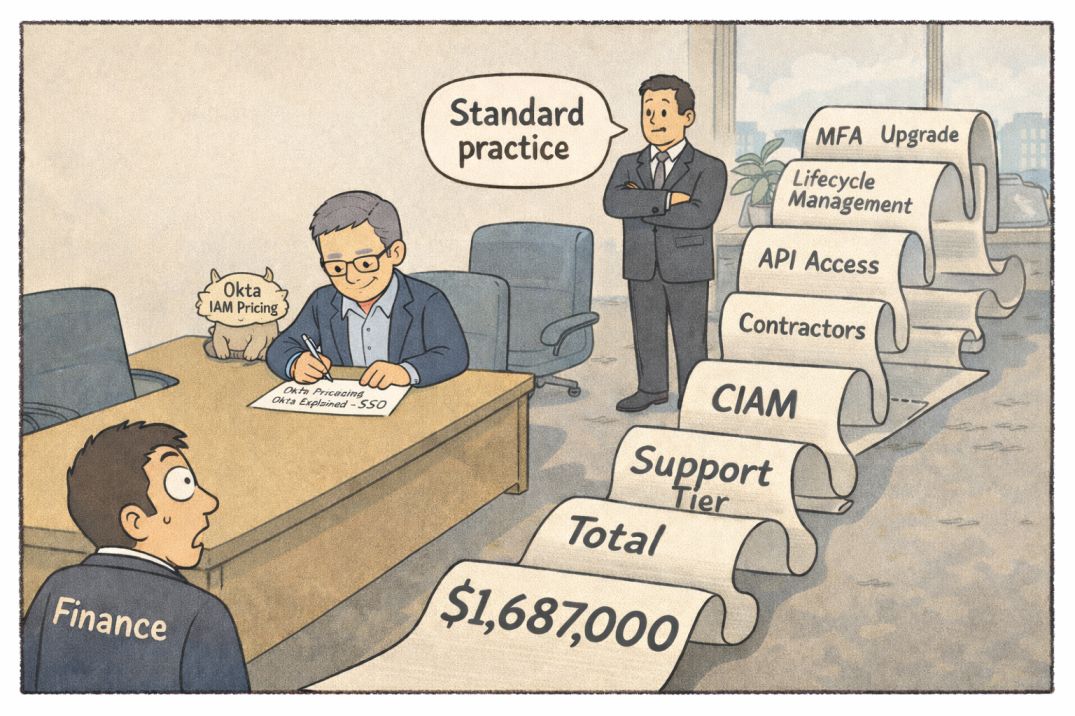
    Okta pricing does not get confusing at the demo stage. It becomes confusing after that elusive approval. The CIO signs off on SSO consolidation. The CISO asks for stronger MFA. Finance builds a clean per-user model. Six months later, the IAM scope expands and the numbers no longer match the original estimate.

    The base license is rarely the issue. The shift happens when lifecycle management becomes necessary, when API access needs to be secured, or when contractors, partners, and service accounts enter the identity perimeter. Each addition feels reasonable in isolation. Together, they change the IAM cost structure.

    This analysis focuses on Okta IAM licensing, add-ons, and the points where costs escalate. The goal is simple: understand what you are really committing to before procurement turns it into a multi-year contract.

    Okta IAM Pricing Decision Summary

    Choose Okta if:

    • You are standardizing IAM across 1,000+ employees.
    • You need deep SaaS integration coverage out of the box.
    • You can operationalize lifecycle automation, not just login consolidation.
    • You are prepared for multi-module IAM expansion over time.

    Delay or reconsider if:

    • You only need basic SSO for under 300 users.
    • Your joiner-mover-leaver process is still manual and fragmented.
    • You do not have IAM governance maturity.
    • You cannot absorb add-on licensing growth in years two and three.

    Avoid both approval and rollout if:

    • IAM ownership is unclear between security and IT.
    • You are buying to satisfy audit optics rather than operational needs.
    • Budget modeling assumes the base SSO license is the long-term cost.

    Also read: Auth0 vs Okta for SaaS

    What Okta IAM Pricing Actually Includes

    Most of the cost confusions start because buyers think they are purchasing “Okta.” In reality, they are selecting from multiple IAM building blocks that are licensed separately and bundled differently.

    Okta’s pricing structure is based on two aspects: workforce identity and customer identity. The core authentication feature is separate from lifecycle automation, API control and other access mechanisms available under the Okta umbrella.

    The base tier solves login consolidation. 

    The higher tiers solve identity governance and risk reduction.

    Below is a structural view of what is typically included versus what becomes an add-on.

    Component Included in Base SSO Tier Higher Tier or Add-On Cost Driver Operational Implication
    Single Sign-On Yes N/A Per user Consolidates SaaS authentication
    Adaptive MFA Limited Advanced MFA policies Per user Required when risk-based auth is mandated
    Lifecycle Management No Add-on Per user Automates joiner-mover-leaver workflows
    API Access Management No Add-on Per API / user Required for microservices and custom apps
    Advanced Server Access No Add-on Per server/user SSH and infrastructure access control
    Customer Identity (CIAM) Separate SKU Tiered Per active user External user authentication
    Universal Directory Basic Advanced profile mastering Per user Identity data normalization
    Support Plans Standard Premier / Enhanced % of contract value Faster SLA, priority response

    Structural Reality

    The base SSO license addresses login friction. It does not solve identity lifecycle governance. Once automation, API security, and privileged access enter scope, you move into modular licensing.

    Constraint: Okta IAM pricing scales with identity complexity, not just employee count.

    Trade-off: Buying only SSO reduces upfront spend but increases manual operational overhead.

    Cost driver: Each add-on is licensed per user or per active identity, compounding across the workforce, contractors and service accounts.

    Decision implication: If your IAM roadmap includes automation and API protection within 12–24 months, model the full module stack now, not just SSO.

    Okta IAM Pricing Tiers and Cost Variables

    Okta IAM licensing looks linear on paper. In practice, cost behavior depends on how identities are counted, how modules are layered, and how quickly scope expands.

    Two pricing mechanics matter:

    1. Workforce Identity is typically licensed per named user per month.
    2. Customer Identity is typically licensed per monthly active user.

    The difference between named users and active users becomes material once scale increases or usage fluctuates.

    Pricing Dimension Workforce IAM Customer IAM (CIAM) Cost Sensitivity Escalation Trigger
    Licensing Model Per named user Per monthly active user High Identity count growth
    Core Tier SSO Basic authentication Moderate MFA enforcement
    Mid Tier SSO + MFA Social login + MFA High Risk-based policies
    Advanced Tier SSO + MFA + Lifecycle Advanced CIAM features Very high Automation dependency
    API Access Add-on Add-on High Microservices adoption
    Support % of contract % of contract Medium Uptime sensitivity

    Variables That Control Total IAM Spend

    Okta IAM pricing increases the moment identity volume changes. If your workforce grows from 800 to 1,200 users, you are not just adding licenses. You are expanding MFA enforcement, provisioning workflows and audit exposure. In Okta’s model, every additional identity compounds licensing and operational dependency.

    Okta pricing also shifts when security requirements tighten. Many organizations start with basic SSO and limited MFA. Once leadership mandates universal MFA, device-based policies, or stricter conditional access, the base tier is rarely sufficient. 

    That transition often requires moving into higher Okta bundles or adding separately licensed modules.

    The largest escalation takes place when automation and external access come to the party! As soon as HR drives provisioning, Okta Lifecycle Management becomes necessary. 

    When partners, vendors, or customers require authentication, Okta Customer Identity licensing applies, which follows a different pricing structure. 

    Okta Pricing Explained: Where Costs Escalate in Real Deployments

    Okta pricing rarely escalates because of one big decision. It escalates through a series of “reasonable” expansions that accumulate over 18 to 36 months.

    The first expansion is almost always MFA standardization. A pilot may start with optional MFA for privileged users. Once audit or cyber insurance requirements mandate MFA for all employees, the licensing tier changes. In Okta IAM pricing, that typically means moving beyond entry-level SSO.

    The second escalation point is Lifecycle Management. Many organizations begin with manual provisioning supported by helpdesk workflows. As employee count grows or compliance pressure increases, automated joiner-mover-leaver processes become mandatory. Okta Lifecycle Management is licensed separately, and it scales per user. At 1,500 users, that add-on is no longer minor.

    The third cost driver appears when engineering pushes for API protection and service-to-service authentication. Okta API Access Management is not included in basic bundles. Microservices architectures, internal platforms, and custom apps create demand for it. This is where IAM spends moves from workforce IT into application architecture.

    External identities introduce a different escalation curve. When partners, distributors, or customers need authentication, Okta Customer Identity pricing applies. This is often based on monthly active users, not named employees. A consumer-facing portal can quickly outgrow workforce IAM spend.

    Also read Slack vs Microsoft Teams: Where Control, Compliance and Cost Collide

    Year 2 IAM Cost Multiplier

    Most Okta deployments look stable in year one. Escalation typically begins in year two when:

    • MFA becomes mandatory across all users
    • HR integration goes live
    • External identities are onboarded
    • Dev teams demand API security

    Constraint: Okta pricing scales with identity surface area, not just employee count.

    Trade-off: Containing IAM scope reduces cost but increases manual operational risk.

    Decision implication: If your roadmap includes automation, API security, or external users, budget for the full Okta IAM stack upfront instead of approving it incrementally.

    What Breaks First at Scale in Okta IAM

    Okta Pricing Explained is not just about what you pay. It is about what starts hurting when usage grows.

    The first thing that slips is access control. As more apps are added, more roles are created. Teams request quick fixes. Temporary access becomes permanent. Reviews take longer. Audits get harder. Okta works fine. The process around it does not.

    Next comes identity count creep. Full-time employees are easy to track. Contractors, vendors, interns, and shared accounts are not. Each one is licensable in Okta. Headcount looks stable. Identity count keeps rising.

    Then integration fatigue sets in. At 20 or 30 apps, SSO is manageable. Cross 100 apps, especially with internal tools, and IAM becomes an ongoing project work. Engineering time increases. API Access Management often enters the picture.

    Finally, dependency builds quietly. Once HR onboarding, server access, and API security all run through Okta, replacing it is no longer simple. It touches too many systems.

    If you do not control access requests and identity sprawl today, scaling Okta will expose the gaps and increase cost at the same time.

    Procurement & Contract Reality in Okta IAM Pricing

    Okta Pricing Explained is not just about feature tiers. Okta IAM pricing changes materially during negotiation and renewal. The first quote reflects list logic. The final contract reflects leverage, timing, scope clarity, and how disciplined your roadmap is. Most cost mistakes happen here, not in technical design.

    Key commercial realities:

    • Discounts are tied to user volume and term length. Three-year commitments improve unit pricing but reduce flexibility if identity count shrinks or architecture changes.
    • Okta IAM pricing becomes harder to unwind once add-ons are bundled. Expanding from SSO into MFA, Lifecycle Management, and API Access Management increases total contract value quickly.
    • Auto-renewal clauses can reset leverage. If renewal notice windows are missed, pricing often reverts closer to list or loses negotiated concessions.
    • Support tiers scale as a percentage of contract value. As Okta becomes critical infrastructure, pressure builds to upgrade support. That compounds the total expense.
    • License true-ups occur when identity counts exceed contracted thresholds. Contractors and external users often trigger these unexpectedly.

    Negotiate Okta IAM pricing against your expected three-year identity expansion, not your current SSO footprint. 

    When NOT to Buy Okta IAM

    Okta Pricing Explained is incomplete without disqualification. Okta is strong in enterprise IAM. It is not always the right first step.

    Do not choose Okta if:

    • You have under 100 employees and only need basic SSO. The cost and operational overhead will outweigh the benefit.
    • Your joiner-mover-leaver process is still manual and undocumented. Buying advanced IAM before fixing process discipline creates confusion, not control.
    • You do not have a clear identity owner. If security, IT, and HR are not aligned, Okta becomes a political system, not an operational one.
    • Your application stack is still unstable. If you are frequently changing SaaS platforms or internal tools, heavy IAM integration may create rework.
    • Budget tolerance is short-term. Okta IAM pricing is predictable but not minimal. It works best when viewed as infrastructure, not a tactical purchase.

    Okta assumes governance maturity.

    Buying early improves control but increases structural cost.

    If you need lightweight login consolidation only, consider delaying full Okta IAM deployment until identity governance is ready.

    Okta IAM Pricing FAQs

    What is the simplest way to estimate Okta IAM pricing without vendor numbers?
    Start with three variables: total named workforce users, expected add-ons (MFA, Lifecycle, API), and support tier. Your cost is not “SSO price × users.” It is “bundle + add-ons + support %” across the identities you cannot avoid licensing.

    Is Okta IAM pricing per employee or per login?
    Workforce Okta IAM pricing is typically per named user, not per login. CIAM is usually based on monthly active users. This distinction matters if you have large external populations or seasonal usage spikes.

    Why do Okta IAM deals look cheap in year one and expensive later?
    Year one is often scoped as SSO plus basic MFA. Later, lifecycle automation, stronger policies, API protection, and external identities enter scope. Okta pricing expands as IAM becomes part of HR workflows and application architecture.

    Which add-on most commonly changes Okta IAM pricing?
    Lifecycle Management and advanced MFA are common escalation points because they become operationally required. API Access Management becomes relevant when custom apps and microservices expand.

    How does support affect Okta IAM pricing?
    Support upgrades are typically priced as a percentage of total contract value. As you add modules, the support cost rises even if the support tier stays the same.

    What identity types usually get missed in Okta IAM pricing models?
    Contractors, vendors, interns, shared accounts, and service accounts. These are often the identities that inflate counts and trigger true-ups.

    When does Okta CIAM become a separate budget problem?
    When external monthly active users grow faster than the workforce headcount. CIAM growth can outpace workforce IAM spend quickly, especially in partner or customer portals.

    Let’s find out what sits inside base licensing and what typically requires expansion.

    Capability Included in Base Workforce Tier Requires Higher Tier or Add-On Cost Impact When It Becomes Mandatory
    Single Sign-On Yes No Low SaaS consolidation phase
    Basic MFA Often limited Yes for advanced policies Medium Audit or insurance pressure
    Adaptive / Risk-Based MFA No Yes Medium to High Zero trust adoption
    Lifecycle Management No Yes High HR-driven provisioning
    Universal Directory (Advanced) Limited Yes Medium Profile mastering needs
    API Access Management No Yes High Microservices or custom apps
    Advanced Server Access No Yes High SSH and infra access control
    Customer Identity (CIAM) Separate SKU Tiered Variable Partner or customer portals
    Support Upgrade Standard only Yes % of total contract Business-critical IAM

    Now, Let’s see how Okta IAM pricing behaves over time.

    Okta IAM Pricing Mechanics & Escalation Triggers

    Pricing Dimension Workforce IAM Customer IAM What Drives Increase Escalation Risk
    Licensing Model Per named user Per monthly active user Identity growth High
    User Expansion Headcount growth Portal traffic growth Hiring a contractor use High
    Security Expansion MFA enforcement Step-up auth Audit mandates Medium
    Automation Lifecycle add-on Registration workflows HR integration High
    Dev Integration API add-on OAuth expansion Internal app growth High
    Support Tier % of contract % of contract SLA sensitivity Medium
    Renewal Negotiated Negotiated Term expiration High

    Identity growth compounds cost even if the feature scope stays constant.

    Bundling lowers per-user price but increases total contract value.

    Okta IAM pricing should be modeled against identity growth and architecture expansion, not just current headcount.

    Conclusion

    Okta Pricing Explained is not about the base SSO rate. It is about how Okta IAM pricing expands as identity volume, security mandates, and automation requirements grow. If you treat IAM as infrastructure and model a three-year scope expansion upfront, Okta can be predictable and defensible. If you approve only the entry tier and expand later under pressure, cost and lock-in accelerate.