Tag: Solution Architecture

  • Data Warehouse vs Data Lake vs Lakehouse: What IT Leaders Need to Know Before Signing in 2026

    Most IT leaders choose a data platform based on what their data looks like today, not what their organization will demand from it 18 months after deployment. You’re comparing feature matrices and watching vendor demos that run perfectly because they’re engineered for the 20-minute pitch, not the three-year operational reality. The data warehouse vs data lake vs lakehouse decision gets framed as a technology question when it’s actually a staffing and budget question. The architecture you pick determines what kind of engineers you’ll need to hire, what kind of operational overhead your team will absorb, and whether you’ll still be paying for performance tuning two years after the contract starts. Here is how to make this call clearly, before the vendor deadline forces it for you.

    The Architecture Decision Most Teams Make Backward

    You’re probably evaluating these platforms based on whether your data is structured or unstructured, batch or streaming, transactional or analytical. That’s the wrong filter. The right question is what your team will be asked to do with this data 18 months from now, and whether the people you have today can realistically deliver it.

    Data warehouses optimize for SQL queries against structured data. They’re fast when the schema is stable and the questions are predictable. Data lakes store everything in raw form, cheap and flexible, until someone needs to make sense of it. Lakehouses promise both: structured performance on unstructured storage. All three sound rational until you factor in the team you’ll need to keep them running.

    The mistake most buyers make is picking the architecture that fits their current data profile. If 80% of your data is structured today, a warehouse feels safe. If you’re drowning in logs and JSON files, a lake looks obvious. If you want both, a lakehouse sounds like the compromise that avoids future regret. None of that logic accounts for the operational cost that starts in month four, when your team is spending 15 hours a week managing something the demo made look automatic.

    Choose based on what your team can sustain, not what your data looks like right now. Your data will change. Your team’s capacity to manage complexity won’t change nearly as fast, and hiring your way out of that gap takes longer than any vendor timeline suggests.

    What Your Data Actually Costs in Each Architecture

    What Works

    Data Warehouse: Predictable costs if your query patterns are stable. You pay for compute and storage separately, scaling is mostly automatic, and performance tuning is someone else’s problem until you hit significant scale. For teams under 50 users running known reports, the monthly bill stays inside the forecast.

    Data Lake: Storage costs stay low even at petabyte scale. You’re not paying to structure data you might never query. For organizations generating massive volumes of raw telemetry, sensor data, or archival content, the cost per terabyte is a fraction of warehouse pricing.

    Lakehouse: You avoid maintaining two separate platforms. One team, one skillset, one operational surface. You don’t pay twice for storage, and you don’t build fragile ETL pipelines shuttling data between systems that were never designed to cooperate.

    What Doesn’t Work

    Data Warehouse: The moment your query patterns shift or your data gets messy, you’re paying engineers to remodel schemas and rewrite transformations. That labor cost is rarely in the first proposal. For fast-growing teams where the business model is still evolving, warehouse rigidity becomes expensive fast.

    Data Lake: The tooling required to make raw data usable costs more than the storage you’re saving. Catalog systems, metadata management, data quality monitoring, and the engineering time to keep it all accurate add up to more than most teams budget. If you don’t have governance processes in place before you start dumping data into the lake, cleanup costs in year two will erase any storage savings from year one.

    Lakehouse: You’re locked into whichever vendor’s implementation you pick. The open formats sound portable, but the query engine, the optimization layer, and the integrations your team builds are not. Switching after 18 months costs low six figures minimum, and that’s before you count retraining.


    BUYER’S REALITY

    Storage cost is 30% of what you’ll actually spend

    Most buyers budget for storage and licensing. The real cost sits in the engineers you’ll hire to maintain pipelines, tune queries, and fix schema drift. For data lakes, plan for one full-time data engineer per 50 active users. For warehouses, that ratio improves but query optimization becomes a specialized skill you probably don’t have in-house yet.


    The Team You Need to Own Each Platform Is Not the Team You Have

    A data warehouse requires SQL expertise and someone who understands dimensional modeling. If your team already writes queries and manages relational databases, the learning curve is manageable. The problem comes when business requirements shift and you need to redesign the schema. That’s not a DBA task. That’s a data architect role, and if you don’t have one, you’ll spend six months hiring for it or six months living with a schema that doesn’t fit what the business actually needs.

    A data lake requires data engineers who can write Python or Scala, manage distributed processing frameworks, and understand how to structure raw files so queries don’t scan terabytes of irrelevant data. Your existing database team can’t just pick this up. The skills gap is wide enough that most mid-market teams either hire new or accept that the lake will underperform for the first year while internal people ramp up.

    A lakehouse requires both skillsets. You need people who understand SQL and analytics, plus people who can manage data engineering workflows and distributed compute. The vendor pitch assumes you’ll hire one team that does everything. The reality is you’re hiring two types of people, and finding someone who’s genuinely fluent in both is harder and more expensive than the pricing model implies.

    Before you pick an architecture, write down the names of the people who will own it. If you can’t name them, or if the people you’re thinking of are already underwater, the platform choice is premature. You’re not buying software. You’re buying a staffing obligation that starts the day the contract is signed.

    When Structured Data Storage Makes Sense and When It Becomes a Trap

    A data warehouse wins when your data model is stable, your queries are predictable, and performance matters more than flexibility. If you’re running financial reporting, compliance dashboards, or operational analytics where the schema changes twice a year and the queries run a thousand times a day, warehouse economics work. You pay for compute, you get fast answers, and the optimization work is manageable because the problem space is well-defined.

    The trap is assuming your data model will stay stable. If your business is adding product lines, entering new markets, or integrating acquisitions, the schema will change more than twice a year. Every schema change triggers downstream rewrites: ETL jobs break, reports stop working, dashboards go stale until someone fixes the dimension table. That work is invisible in the demo and expensive in production.

    Warehouses also break down when your data sources start including semi-structured or unstructured content. JSON logs, API responses, clickstream data, and document stores don’t fit cleanly into tables. You’ll spend engineering time flattening, parsing, and normalizing, or you’ll just skip loading that data entirely. Either way, you’re paying for a platform that only handles part of your workload.

    Structured data storage works when:

    • Your query patterns are predictable and repeat frequently
    • Schema changes happen on a planned quarterly cycle, not ad hoc
    • Your data sources are transactional databases and CSVs, not APIs and logs
    • You already have SQL expertise in-house and no budget for new data engineering hires

    If any of those conditions are false, the warehouse will cost more to maintain than the performance gain justifies. That doesn’t mean don’t buy one. It means budget for the re-architecture work you’ll be doing in months 12 through 18.

    Data Lake Architecture Looks Cheap Until You Count the Cleanup Cost

    Storage in a data lake costs almost nothing. Turning that storage into something your team can query, trust, and use for decisions costs significantly more than nothing. The pricing page highlights cost per terabyte. It doesn’t break out the cost of cataloging, governance tooling, or the engineer you’ll assign full-time to keep the metadata accurate.

    A data lake works when you’re storing massive volumes of raw data that only a few specialized users will ever touch. Genomics data, satellite imagery, industrial IoT telemetry, these workloads make sense in a lake because the alternative is paying warehouse prices for data that gets queried once a quarter. The cost model aligns because you’re not expecting business users to self-serve, and you’re not maintaining hundreds of dashboards that break when someone reorganizes the folder structure.

    The problem starts when you treat a data lake like a general-purpose analytics platform. Business users can’t write SQL against raw Parquet files in S3. You’ll build an abstraction layer. That layer needs a query engine, a metadata catalog, access controls, and someone to manage schema drift when upstream data sources change their output format. Every piece of that stack is something you’re now responsible for operating.

    Governance cost is the line item that sinks most lake deployments. Without active curation, the lake fills up with duplicate datasets, deprecated files, and undocumented schemas. A year in, nobody knows which version of the customer table is the source of truth. Queries slow down because they’re scanning folders that should’ve been archived months ago. Your team spends more time hunting for clean data than analyzing it.

    If you don’t have a data governance function today, a data lake will fail by year two. That’s not a conditional. That’s what happens when unstructured storage meets organizational entropy.


    RED FLAG

    No data governance team means your lake fails in year two

    If you can’t name who owns data quality policies today, a data lake will become unmanageable before your second renewal. Unstructured data storage without active curation turns into a junk drawer where nobody trusts what they find. The vendors won’t tell you this, but every successful lake deployment has dedicated governance headcount from day one.


    The Lakehouse Promise vs the Integration Reality

    The lakehouse pitch is clean: store everything in open formats, query it like a warehouse, skip the ETL complexity of maintaining two platforms. You get data lake economics with data warehouse performance, and you’re not locked into proprietary storage. That’s the architectural promise. The operational reality depends entirely on how mature the vendor’s implementation is and how much technical debt you’re willing to carry.

    Factor Data Warehouse Data Lake Lakehouse
    Monthly Cost (500TB, 50 users) $15K to $25K in compute and storage $3K to $6K in storage, $10K+ in tooling and compute $12K to $20K in platform fees, variable compute
    Team You Need SQL analysts, one data architect Data engineers (Python/Scala), governance lead Both SQL and engineering skills, plus platform specialist
    Vendor Lock-In Risk High. Proprietary query optimization and storage format Low on storage, high on tooling and query layers Medium to high. Open formats don’t mean portable workloads
    Time to First Query 2 to 4 weeks if schema is designed 1 week to store data, 6 to 12 weeks to make it queryable 4 to 8 weeks, longer if integrations are complex

    The table shows cost and capability, but the real decision comes down to whether your team can manage the platform without vendor services. A data warehouse hides complexity until you hit scale. A data lake exposes complexity from day one. A lakehouse promises to hide it again, but that depends on how much custom integration work your environment requires.

    For teams under 50 people, the lakehouse operational surface is larger than most internal teams can manage without outside help. For teams over 200, the cost savings vs. running two separate platforms start to justify the investment. The gap in the middle is where most regrettable purchases happen, because the ROI math works on paper but the team can’t execute it.

    Snowflake vs Databricks Architecture: What the Difference Actually Means for You

    Both platforms call themselves lakehouses. Both let you query data in object storage. Both charge based on compute consumption. The architectural difference is where they started and what that means for your team’s learning curve and cost profile.

    Snowflake

    Snowflake is a data warehouse that added lake capabilities. The SQL interface is familiar, the query optimizer is mature, and business analysts can start writing queries on day one without learning a new language. The cost model is simple: you pay per second of compute, scaling is automatic, and you’re not managing infrastructure.

    The trade-off is cost at scale. Snowflake’s pricing works when queries are short and targeted. When you start running heavy transformation workloads or machine learning pipelines, the compute bill climbs fast. You’re also locked into Snowflake’s storage format once you start using advanced features like clustering and materialized views. The open format compatibility is real, but the performance optimizations are not portable.

    Databricks

    Databricks is a data engineering platform that added warehouse capabilities. It’s built on Spark, optimized for ETL and ML workloads, and designed for teams that write code. If your use case involves training models, running complex transformations, or processing streaming data, Databricks pricing is more predictable than Snowflake’s because you’re paying for long-running compute jobs, not per-query costs.

    The trade-off is complexity. Your team needs to understand Spark, manage cluster configurations, and tune jobs for performance. The SQL interface exists, but it’s not as polished or as fast as Snowflake’s for ad hoc analytics. For teams without data engineering experience, the ramp time is measured in months, not weeks.

    The decision between Snowflake and Databricks comes down to who will use the platform most. If your primary users are business analysts running reports, Snowflake is the safer bet. If your primary users are data engineers building pipelines and training models, Databricks makes more economic sense. If you need both equally, you’re either staffing for both skillsets or accepting that one use case will underperform.


    BUYER’S REALITY

    Switching costs after year one rarely drop below six figures

    Both Snowflake and Databricks make migration easy on the way in. On the way out, you’re rewriting pipelines, retraining teams, and rebuilding integrations. Budget for at least 12 months of parallel operation if you ever need to move. That’s not a scare tactic. That’s what the timeline looks like when you count testing, validation, and rollback capability.


    Who This Decision Makes Sense For and Who Should Wait

    Buy a data warehouse now if:

    • Your data is 80% structured, stored in relational databases or flat files
    • Your team already writes SQL and manages database schemas
    • Query performance directly impacts revenue or compliance deadlines
    • You have fewer than three data sources and schema changes happen quarterly or less

    Wait on a data warehouse if:

    • Your team is under 10 people and nobody has data architecture experience
    • Your data model is still evolving because your business model is still evolving
    • More than half your data comes from APIs, logs, or third-party services that don’t fit clean table structures
    • You’re planning to add machine learning workloads in the next 12 months

    Buy a data lake now if:

    • You’re generating terabytes of unstructured data monthly and need cheap long-term storage
    • You already have data engineers on staff who know Python, Spark, or similar frameworks
    • You have a governance team or budget to hire one before deployment starts
    • Most of your analytics users are technical and comfortable writing code

    Wait on a data lake if:

    • You don’t have a data governance function and no budget to create one
    • Your team expects self-service analytics and business users who can’t code
    • Your data volume is under 10TB and growing slowly
    • You need fast query performance for dashboards and reports, not batch processing

    Buy a lakehouse now if:

    • You’re over 200 employees and supporting both SQL analysts and data engineering workloads
    • You have budget for platform-specific training and at least one dedicated administrator
    • You’re willing to accept 12 to 18 months of lock-in because switching costs will exceed six figures
    • Your data strategy includes machine learning, real-time analytics, and traditional BI on the same platform

    Wait on a lakehouse if:

    • Your team is under 50 people and you don’t have both SQL and engineering expertise in-house
    • You’re still evaluating whether your data workloads justify moving off spreadsheets and local databases
    • Your CFO is asking for ROI projections and you can’t articulate the cost of not consolidating platforms
    • You’re comparing based on vendor demos instead of running a proof of concept with your actual data and team

    The Right Data Platform Selection Comes Down to What You Can Afford to Operate

    The best architecture is not the one with the most features. It’s the one your team can operate successfully 18 months from now, when the vendor’s professional services team is gone and your people are managing it alone. That sounds obvious, but most platform decisions optimize for capabilities on day one instead of operational cost on day 500.

    A data warehouse is the lowest operational burden if your data and query patterns are stable. A data lake is the most flexible if you have the engineering and governance capacity to manage it. A lakehouse is the best economic choice if you’re large enough to justify the complexity and staffing cost. None of those statements are aspirational. They’re conditional, and the condition is whether you can realistically staff and sustain the platform after the initial deployment.

    Before you sign, write down the total cost for year two. Not the license renewal. The salary cost of the people who will maintain pipelines, tune performance, manage access controls, train new users, and fix things when they break. If that number is higher than the platform’s annual cost, you’re buying the wrong architecture or you’re buying too early. The right data platform selection starts with knowing what you can afford to operate, not what the vendor can afford to sell you.


    Also read: Databricks glossary on the lakehouse architecture

    Related reading

  • AI-Powered Cybersecurity Platforms: What to Buy, Reject, or Fix First

    AI-Powered Cybersecurity Platforms: What to Buy, Reject, or Fix First

    AI-powered cybersecurity platforms are being sold as relief for overworked security teams. Faster triage. Smarter investigation. Fewer analysts are buried under repetitive work. That promise sounds timely because most SOCs already have too many tools, too many alerts, and too little time.

    The trouble starts when the platform leaves the demo and lands in a real environment. Bad telemetry, weak integrations, poor response automation, and noisy controls do not disappear because an AI layer sits on top. In many cases, the platform does not reduce effort. It adds one more system to review, tune, and justify.

    That is the split in this market. Some products remove real analyst work. Some just repackage existing noise with better language and a more polished console. If you are evaluating AI-powered cybersecurity platforms, the decision is not about who has the smartest model. It is about what to buy, what to reject, and what to fix first before the platform becomes another expensive operational burden.

    Where AI-powered cybersecurity platforms break first

    AI-powered cybersecurity platforms usually fail at the point where the signal is supposed to turn into action.

    A vendor shows faster triage, cleaner correlation, stronger summaries, and better prioritization. 

    Fine. 

    None of that buys you much if your analysts still have to slow down, re-check the output, pull context from other systems, and escalate through the same old path. In that situation, the platform is not taking pressure off the workflow. 

    It is inserting itself into the workflow and demanding trust.

    That is how buyers get misled.

    The console looks sharper. The incident narrative reads better. The signal looks more organized. Underneath, your team may still be doing the same labor. 

    Validation stays. 

    Enrichment stays. 

    Second-guessing stays. 

    Tool-hopping stays. 

    The platform helps interpret the problem, but the burden of deciding and acting still sits with your people.

    Another failure point shows up in the data layer.

    If your telemetry is patchy, your identity context is incomplete, your asset picture is unreliable, or your detections are already noisy, the AI layer does not rescue any of that. It absorbs the same weak inputs and produces more polished uncertainty. 

    Now the problem is not just noise.

     It is noise that sounds more convincing because the machine has wrapped it in cleaner language and stronger-looking confidence.

    That creates a different kind of drag.

    Analysts hesitate longer around output that looks authoritative. Bad raw alerts are easier to distrust. Bad machine-shaped output often gets more attention than it deserves, which means review time expands instead of shrinking. 

    The promise was speed. The result can be slower human judgment wrapped in a smarter interface.

    So strip the pitch down to one hard test.

    What specific piece of work leaves your team’s plate if this platform goes live?

    Not visibility.
    Not intelligence.
    Not efficiency.

    Work.

    First-level triage. Manual enrichment. Investigation time. Escalation back-and-forth. Response delay. Pick the step and name it clearly. 

    If nobody can describe that reduction in one line, the platform is already entering your environment as another layer to manage.

    This category breaks early when four conditions show up together: weak telemetry, low trust, added review overhead, and shallow response impact. 

    Once that combination appears, you are no longer looking at operational relief. 

    You are looking at a smarter-looking source of security drag.

    What your environment needs before AI is worth buying

    You do not start with the platform. You start with the environment it has to survive.

    If your telemetry is inconsistent, the AI will inherit the inconsistency. If your asset inventory is stale, the platform will make decisions on stale context. If identity signals are fragmented across IAM, endpoint, cloud, email, and network layers, the AI will still produce output, but the quality of that output will swing harder than the demo ever suggested.

    This is where a lot of security teams lose discipline. They evaluate the product as if it will compensate for environmental weakness. Usually, it does not. It amplifies the cost of that weakness because now you are paying a premium to process bad inputs faster.

    So before you buy anything, check the basics that vendors like to skip past:

    • Can you trust your core telemetry sources?
    • Can you map users, assets, endpoints, and cloud activity with enough consistency to investigate fast?
    • Can your detections feed the platform without flooding it with garbage?
    • Can your team act from the platform without stitching together five other consoles?
    • Can you measure whether analyst effort dropped after deployment?

    Miss two or three of those, and your AI project starts life as an integration project.

    That matters because AI-powered cybersecurity platforms are rarely cheap in operational terms. 

    Even when licensing looks manageable, the real cost starts showing up in data cleanup, rule tuning, workflow redesign, connector maintenance, and trust-building inside the SOC. 

    If your environment is immature, the platform does not land as acceleration. It lands as a new dependency.

    You do not need perfection before AI helps. You do need enough structure for the platform to do more than summarize chaos.

    A good readiness test is simple. Ask whether your team can already answer basic incident questions without wasting time:

    • What asset is involved
    • Who owns it
    • What identity touched it
    • What else happened around it
    • What control can contain it

    If those answers still take too long, AI may make the investigation sound cleaner without making it move faster.

    This is the buying reality. 

    The platform earns its place only after your environment crosses a minimum usefulness threshold. Below that line, you are not buying intelligence. You are funding the cleanup that your stack should have gone through earlier.

    If the vendor leads with summaries instead of telemetry, integrations, and response, the demo is stronger than the product.

    Which security bottlenecks are worth solving with AI

    Not every security problem deserves an AI platform.

    Some problems are good AI candidates. Some are not. If you do not separate the two early, you end up buying intelligence for a problem that is really caused by ownership gaps, poor execution, or bad process design.

    Start with the bottlenecks where analysts are doing too much repetitive judgment.

    That usually includes:

    • First-pass alert triage
    • Repetitive enrichment
    • Stitching together incident context
    • Ranking large volumes of findings
    • Pushing low-level investigation work upward because the first layer is overloaded

    These are good candidates because the work is repetitive, the inputs are usually structured enough, and the value shows up in time saved. 

    If your analysts keep spending hours deciding which alerts deserve attention or pulling the same context from the same tools again and again, AI can help because it is attacking labor, not theory.

    Now look at the other category.

    If your main problem is slow containment, broken response ownership, weak playbooks, poor integrations, or endless back-and-forth between security and IT, AI is not your first fix. 

    In that situation, the bottleneck is not judgment. The bottleneck is execution.

    That distinction matters.

    A platform may tell you faster that something is wrong. Fine. But if your team still cannot isolate the endpoint, disable the identity, block the session, or push the case through the right response path without delay, then the platform has improved awareness without improving control.

    That is a weak return.

    So the decision rule is simple: use AI where the work is repetitive and expensive. Do not start where the real problem is, process friction.

    Here is the practical split:

    • If your analysts are buried in repetitive alert review, AI is worth testing
    • If your team wastes time pulling context from multiple tools, AI is worth testing
    • If your queue is too large and prioritization is weak, AI is worth testing
    • If incidents drag because response ownership is unclear, fix the workflow first
    • If escalation chains are messy, fix the workflow first
    • If response actions are still manual and disconnected, fix the workflow first

    This is what buyers often miss. They buy for the most visible pain, not the most solvable pain.

    The most visible pain may be “too many incidents.” The solvable pain may be “too much manual triage.”

    Those are not the same thing.

    You should only target a bottleneck with AI if four things are true:

    • The work happens often
    • The decision pattern repeats
    • The system has enough usable data
    • There is a path from output to action

    Miss one of those, and the value starts collapsing.

    So do not ask where AI sounds impressive. Ask where it can remove ugly, recurring work without waiting for your whole operating model to improve first.

    Where AI cuts analyst labor and where it quietly adds more work

    Use Case Labor Reduction Trust Need Review Overhead Risk Decision
    Repetitive Enrichment High Medium Low Buy
    Alert Triage High High High Buy Selectively
    Finding Prioritization Medium-High High High Buy Selectively
    Incident Summarization Medium Low Medium Support Only
    Investigation Guidance Medium High High Delay
    Response Recommendations Low-Medium Very High High Reject

    Interpretation: 

    • Start with enrichment because it removes ugly manual work with lower trust risk.
    • Be careful with triage and prioritization because the upside is high, but review overhead rises fast when analysts do not trust the output.
    • Treat summarization as a support value, not a core value, because it improves readability more than workload.
    • Delay guidance-heavy layers until override rates are low and the team trusts the platform.
    • Reject response recommendations as a lead buying reason if your response path is still mostly manual.

    What gets more expensive after deployment

    The contract is only the starting cost.

    The real cost starts after go-live, when your team has to make the platform usable in day-to-day operations.

    That is where the budget line starts spreading:

    • integrations need upkeep
    • detections need tuning
    • Analysts need retraining
    • Workflows need adjustment
    • AI output needs validation
    • The overlap with existing tools needs sorting

    This is the part that many buyers undercount.

    The platform may look efficient on paper, but if your analysts keep double-checking its output, your engineers keep fixing connectors, and your SOC keeps working across the old tools anyway, the platform is not reducing effort. It is creating a second layer of operating work.

    That is why post-deployment cost matters more than license cost.

    A bad platform makes three things heavier:

    • daily operations
    • internal trust
    • stack complexity

    You feel it quickly. Adoption slows. Usage becomes uneven. Teams fall back to old workflows. The product stays live, but the value stays partial.

    The cost problem gets worse when the platform overlaps with tools you already have. SIEM, EDR, SOAR, email security, cloud tooling, case management. If the AI layer does not remove work from any of them, then it is not simplifying the stack. It is adding one more system to feed, tune, and justify.

    So do not ask only, “What will this platform cost?”

    Ask two harder questions:

    • What new operating work will this create?
    • What old operating work will this remove?

    If the first answer is stronger than the second, the economics are already turning against you.

    A platform becomes expensive when it adds operating work faster than it removes analyst work.

    Which AI-Powered Cybersecurity Platforms are shaping the shortlist

    Not all AI-powered cybersecurity platforms are trying to solve the same problem. Some are really XDR-led platforms trying to reduce triage and investigation drag. Some are copilot-style layers designed to sit on top of an existing stack. Some lean harder on anomaly detection and behavioral analysis. If you mix those buying paths together, the shortlist gets sloppy fast.

    Platform What It Really Is Best Fit Where It Breaks First Operator Take
    CrowdStrike Falcon Endpoint-heavy detection and response platform with broader XDR ambitions Teams that want strong endpoint-led visibility and faster investigation flow Gets less convincing when buyers expect it to solve wider workflow and control fragmentation on its own Strong shortlist candidate when endpoint telemetry sits at the center of the security operation
    Cortex XDR / XSIAM Broader SOC workflow play with AI, analytics, and consolidation appeal Buyers trying to reduce analyst drag across a wider operations layer Can become heavy when the environment is not ready for workflow standardization and tool consolidation Worth serious attention when the goal is fewer handoffs, not just better alerts
    Trend Vision One XDR-oriented platform pushing centralized visibility and response Teams looking for broad security visibility without relying on a pure copilot story Value weakens when the team mainly needs deep workflow reduction rather than broad platform coverage Good fit when cross-domain visibility matters more than aggressive workflow compression
    Darktrace AI-heavy anomaly and behavioral detection play Teams that value unusual-activity detection and broader behavioral coverage Can disappoint when the buyer expects measurable workload reduction instead of stronger anomaly surfacing Shortlist it when the buying trigger is detection depth, not workflow compression
    Microsoft Sentinel + Security Copilot SIEM plus copilot layer sitting inside a broader Microsoft security stack Microsoft-heavy environments that want AI assistance close to existing analyst workflows Gets less attractive when the buyer is not already deep in Microsoft security and integration gravity Makes most sense as a stack-leverage decision, not as a standalone AI story
    SentinelOne Endpoint/XDR-led platform with strong AI positioning around threat detection and response Buyers who want a strong endpoint-first option in the AI security conversation Can be overbought when the real bottleneck sits in response ownership and process, not endpoint analysis Credible option when endpoint speed matters more than broad SOC redesign

    Buying faster detection will not fix slow containment

    Faster detection sounds valuable. Sometimes it is. But if containment still moves slowly, the gain is smaller than it looks.

    That is the gap many platforms hide.

    You may detect the threat earlier, group the signals faster, and surface the likely issue in cleaner language. Fine. If your team still cannot isolate the endpoint, disable the identity, block the session, or move the case through the right response path without delay, the security outcome barely improves enough.

    The bottleneck was never detection alone.

    In many environments, the signal already arrives fast enough. The drag starts after that. Manual approvals. Weak playbooks. Disconnected controls. Too many handoffs between SOC, IT, cloud, and identity teams. Slow decisions at that stage wipe out a lot of the value from earlier detection.

    So do not buy on speed alone.

    Buy when the platform helps compress the path from alert to containment. Delay mostly gives you a faster way to understand the same problem, while your response path stays slow.

    That is the real distinction.

    A faster alert is useful. A faster containment path is valuable.

    If the second one does not improve, do not overrate the first.


    CrowdStrike vs SentinelOne EDR comparison: A Buyer’s View on Cost and Complexity

    When AI-powered cybersecurity platforms should not be pursued

    Do not shortlist AI-powered cybersecurity platforms when the platform is being used to cover up weak operations instead of solving a clear, specific bottleneck. If your environment is still noisy, your response path is still slow, and your team is unlikely to trust the output enough to remove steps from the workflow, the platform will add overhead before it adds value.

    Do not shortlist it if:

    • The bottleneck is still vague
    • The telemetry quality is poor
    • detections are already noisy
    • Analysts are unlikely to trust the output
    • The response is still mostly manual
    • The tool overlap is already high
    • The vendor cannot name which workflow step will disappear
    • The value depends on future maturity rather than current operating conditions

    Delay the purchase when two or more of these are true.


    EDR Solutions for Mid-Size Enterprise: The Buying Guide Vendors Won’t Give You

    How polished demos hide weak cybersecurity platforms

    Polished demos make AI-powered cybersecurity platforms look cleaner, faster, and smarter than they usually feel in production. The reason is simple: demos remove the mess. Clean telemetry. Clean workflows. Clean decisions. Your environment will not.

    Push harder when the demo shows:

    • unusually clean incident narratives
    • highly confident prioritization with little explanation
    • strong recommendations without showing response dependencies
    • smooth analyst workflows without exception handling
    • broad AI coverage claims without showing data assumptions
    • fast outcomes without showing the integration load underneath

    Ask direct questions:

    • What happens when telemetry is incomplete
    • How often do analysts override the AI output
    • Which steps still need manual validation
    • What response actions can happen directly from the platform
    • Which integrations are required before the AI becomes useful
    • How much tuning is expected in the first 90 days

    Weak AI-powered cybersecurity platforms usually look strongest in the demo. Strong ones hold up when you introduce friction.

    What an operator-grade shortlist should filter out first

    By the shortlist stage, you are not comparing shiny features. You are trying to avoid buying future operational drag.

    A lot of AI-powered cybersecurity platforms should be out by now. Some look strong only when the data is unusually clean. 

    Some sound intelligent but do very little to reduce analyst effort. Some improve incident interpretation yet leave response friction exactly where it was. None of those deserve to stay in the final round.

    What should survive is a smaller group of products that can prove one thing in your current environment: they reduce a recurring piece of security work without adding another review burden. That is the filter that matters.

    Cut any platform that depends on cleaner future conditions to justify today’s purchase. 

    Cut any platform that makes the workflow look smarter without making it lighter. 

    Cut any platform that still leaves your team stuck in the same slow containment path after the alert is understood.

    Remember: An operator-grade shortlist is not a list of the most impressive products. It is a list of the least dangerous buying mistakes.

    Conclusion

    Expect this market to get harsher, not smarter. Buyers will stop paying for polished AI language and start asking a simpler question: what work disappears after deployment? The platforms that win will be the ones that cut analyst effort, hold up in messy environments, and help containment move faster. The rest will stay in budgets for a year, then turn into shelfware.

  • Self-hosted LLM Infrastructure: Buy It Without Leaking Data

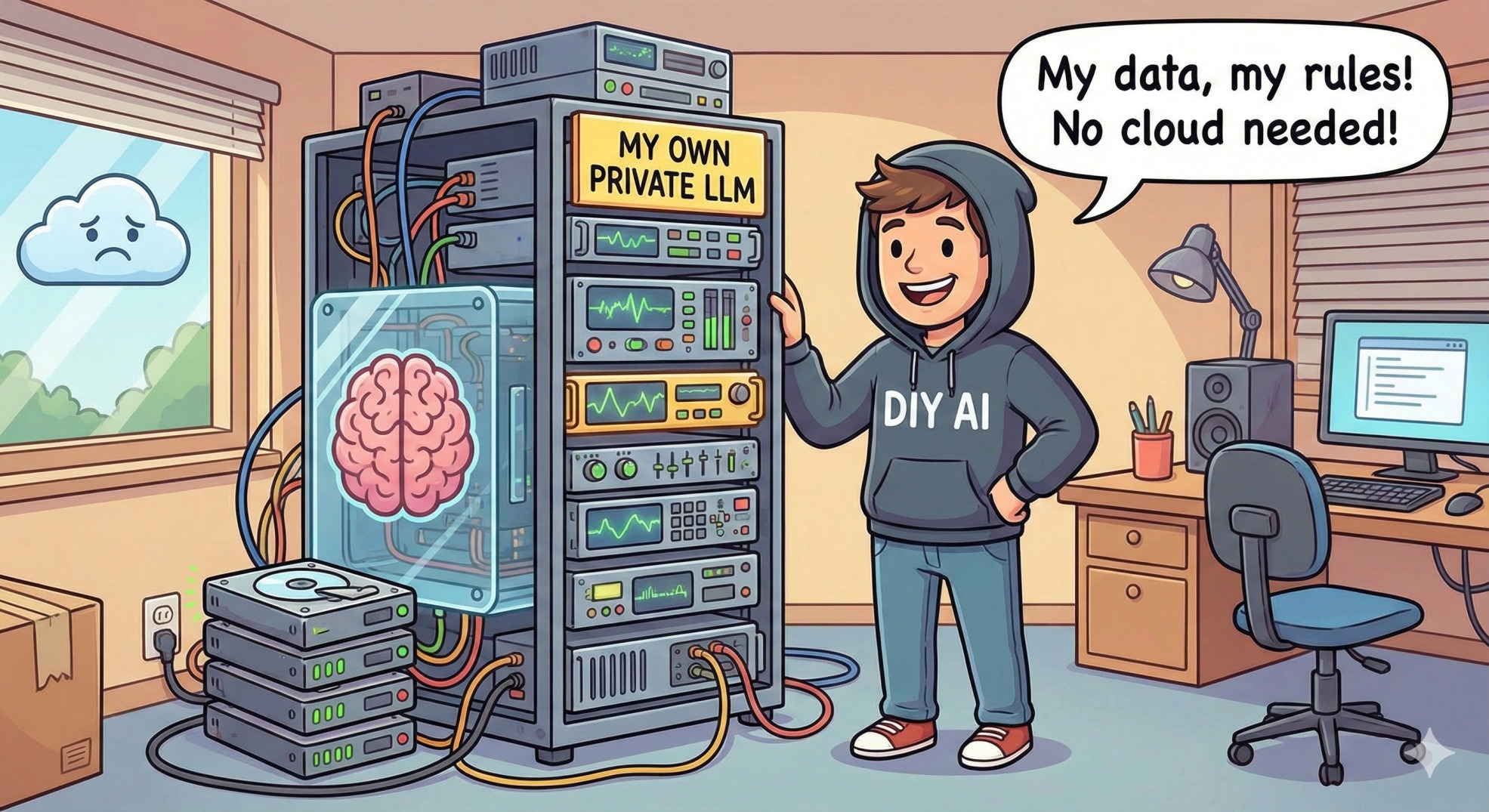
    Self-hosted LLM Infrastructure: Buy It Without Leaking Data

    You can ban public AI tools, block browser plugins or even add DLP pop-ups. Then someone pastes a customer escalation thread into a “private” chatbot anyway, because the fastest path still wins. That is the real problem: most leaks are behavioral and operational, not vendor-driven.

    Self-hosted LLM infrastructure helps, but only if you treat it like a regulated system, not a science fair. The failure points are unglamorous and costly: overbroad service accounts, chat logs that quietly capture secrets, RAG indexes built without document ACLs, telemetry shipped to “support,” and egress rules that exist only on paper. 

    One weak control and your “private AI” becomes a very efficient data vacuum.

    So, let’s find out the acceptance gates, disqualifiers, and the proof package to demand so you can protect data from public AI without buying a whole circus.

    Self-hosting does not block public AI leakage

    Self-hosting is a hosting choice, not a security outcome. It can keep company data away from public AI services, but it will not stop internal leakage unless your platform behaves like a controlled system.

    What self-hosting CAN remove: your prompts and files are not going to a public AI endpoint by default. You own the runtime boundary, network paths, and storage. That is real value.

    What self-hosting DOES NOT remove: over-scoped access, chat history retention, logging of sensitive text, retrieval that ignores document permissions, and outbound telemetry. Those are the usual sources of “private AI” embarrassment.

    Procurement decision rule: do not sign until you see proof of these three controls in the demo or POC.

    • Retention control for prompts, files, and outputs (including logs)
    • Permissioned retrieval that enforces document-level access (no shared-index leakage)
    • Egress control and visibility for every outbound path (telemetry, plugins, support, updates)

    Contract traps that show up after signature

    Procurement is told the same story every time: “Your data stays private,” “We do not train on it,” “Enterprise-grade security.” None of that matters if the contract language is vague or the platform behavior is undocumented. “Protect data from public AI” is a legal and operational requirement; treat it accordingly. 

    Make the vendor commit to behaviors you can audit, not intentions you can screenshot.

    Red flags that usually surface after you are already live:

    1. “No training” but no clarity on retention, backups, or derived artifacts like embeddings and logs
    2. “Private deployment,” but telemetry and diagnostics still leave your environment by default
    3. Support access that is broad, unaudited, or always-on, justified as “necessary for uptime.”
    4. Sub-processors are added silently over time, with notification language that is technically compliant but practically useless.
    5. Data residency and encryption claims without key ownership clarity (who can decrypt, when, and under what process).

    What to ask for, in contract terms, not email promises:

    • Explicit definition of “Customer Data” that includes prompts, uploads, outputs, logs, embeddings, evaluation traces, and fine-tuning artifacts
    • Retention and deletion obligations with timelines, including backups, and a statement on what cannot be deleted
    • A list of outbound telemetry categories, whether content is included, and a default of content-free telemetry
    • A support-access policy: break-glass only, time-boxed, approved, logged, and reviewable
    • Audit rights or at least audit artifacts: SOC reports, pen test summaries, and log export capability relevant to your deployment

    The buyer moves: if the vendor resists specificity here, stop negotiating features. You are not buying a model; you are buying a data-handling system.

    Pro Tip: Ask for a one-page “data handling matrix” as an appendix: data type, where stored, retention, who can access, and how it is deleted.

    Acceptance gates before demos

    Acceptance gateWhat you must see as proofInstant fail condition
    Data scope pinnedOne-page scope: in-scope data types, users, systems, and exclusions“We’ll define later,” or the scope expands during the demo
    Retention controlConfig showing retention for prompts, uploads, outputs, and logs; exportable policyThe vendor cannot show where the data is stored or for how long
    Deletion is realDemonstration of delete request + evidence of what is deleted and what is not (backups, traces)“Deletion by ticket” with no technical proof
    Permissioned accessSSO + RBAC mapping; least-privilege roles; admin separationShared admin accounts or unclear role boundaries
    Permissioned retrievalRAG demo proving document-level ACL enforcement per user/groupAny cross-team document bleed in the retrieval results
    Egress deny-by-defaultNetwork policy/allowlist and logs showing blocked outbound pathsTelemetry or plugins can send content out by default
    Support access is controlledBreak-glass process: time-boxed, approved, logged, reviewableAlways-on support tunnels or unaudited access
    AuditabilityExportable audit logs: who asked what, what was retrieved, key config changesNo log export, or logs omitted, retrieval and config changes
    POC exit criteriaWritten POC rubric mapped to gates, named approvers; pass/fail outcomes“POC success” is defined as “users liked it.”

    You force vendors to show measurable behaviors: retention, deletion, permissioned retrieval, egress control, and audit proof. This also keeps your POC tight. You are validating data-handling and control maturity, not model quality. 

    Any gate you defer becomes an explicit, owned risk, not a hidden surprise after go-live.

    IAM non-negotiables for LLM platforms

    If your identity and access model is weak, everything else is decoration. Self-hosted LLM infrastructure becomes a new internal data surface, which means you need the same discipline you apply to source code, ticketing, and production logs. Procurement should treat IAM requirements as disqualifiers, not “phase two.”

    Minimum requirements to protect data from public AI in real operations:

    • Single sign-on only, mapped to your IdP, with enforced MFA and conditional access policies
    • Role-based access with least privilege, separating end users, builders, reviewers, and admins
    • No shared accounts. No “one admin to rule them all.” Every privileged action must be attributable
    • Separate service accounts for each integration, scoped to the smallest dataset and action set
    • Break-glass admin access that is time-boxed, approved, logged, and reviewed
    • Environment isolation: dev, test and prod are separated so experimentation cannot touch real data
      Session controls: idle timeouts, device posture rules, and location or network restrictions if you use them elsewhere

    Trade-off you should accept upfront: strong IAM slows early experimentation. That is the point. If a vendor says “security will kill adoption,” they are telling you your users are going to do unsafe things when the system is convenient.

    If admins and integrations share one broad role, that role becomes your leak path.

    Procurement paths to keep data out of public AI

    There are three buying patterns. Self-hosted LLM infrastructure gives you maximum control, but you become the operator. Managed private is faster to launch, but your privacy posture depends on contracts, telemetry limits, and how support access works. Hybrid proxy can reduce exposure quickly, but it is only reliable if teams cannot bypass it.

    Before you compare vendors, estimate demand in one line.
    Monthly tokens in million = Users × prompts/day × tokens/prompt × 30 ÷ 1,000,000.
    Example: 500 users × 10 prompts/day × 2,000 tokens × 30 ÷ 1,000,000 = 300 million tokens/month. 

    This number matters because it turns the conversation from opinions to scale.

    Hosted options are mostly pay-per-use: million tokens × rate. 

    Self-hosted is mostly pay-per-month: compute running 24×7 plus the operating work that keeps it safe (on-call, patching, audits, log storage). 

    If you cannot estimate usage and monthly burn with named owners, you are not ready to commit to self-hosting. Start with a controlled managed path, measure real usage, then decide whether self-hosting is worth the fixed commitment.

    Also read: The ROI of Sovereign AI: Why Local AI Models Save 40% on API Tokens

    RAG is where data leaks

    Most “private LLM” incidents are not model problems. They are retrieval problems. The moment you add RAG, you are building a new search layer that can quote internal text back to a user. If that layer does not enforce the same permissions as your source systems, your self-hosted LLM infrastructure becomes a cross-team data mixer.

    The first leak pattern is the shared index. Teams ingest documents into one corpus because it is faster. Then they bolt on filters that are not tied to real identity and groups. The result is predictable: a user asks an innocent question, retrieval pulls a chunk they were never allowed to see, and the model summarizes it confidently. Nobody calls it a breach until the wrong person recognizes the content.

    The second leak pattern is preprocessing. Chunking, OCR and cleaning often strip metadata that you needed for access control. If the pipeline drops document owner, classification, or ACL references, you cannot enforce permissions later. 

    Embeddings are also derived artifacts. 

    Even if you do not store raw documents in the vector index, you still need to treat the index as sensitive because it exposes meaning and business context.

    What you should demand is boring but decisive. 

    • RAG must be permissioned end to end. 
    • Ingestion must preserve access metadata. 
    • Retrieval must run in the context of the logged-in user. 
    • Answers must be traceable to sources so you can audit what was retrieved. 

    If a vendor cannot demonstrate a permission failure test such as “user from Team A cannot retrieve Team B content,” your self-hosted LLM infrastructure is not protecting data. It is accelerating the wrong retrieval.

    The proof package buyers should demand

    If a vendor says “yes, supported,” treat it as noise until you see exports. For self-hosted LLM infrastructure, you need proof you can hand to Security, Legal, and Audit without rewriting it as a story.

    Demand these artifacts from the demo or POC:

    • Audit log export showing who accessed what, when, and from where
    • Retention settings for prompts, uploads, outputs, and logs, with evidence they are enforced
    • Deletion proof showing what is deleted, what remains, and why (backups, traces)
    • Egress evidence: allowlists, blocked outbound attempts, and telemetry scope
    • Support access model: break-glass flow, approvals, time-boxing, and logs
    • RAG proof: (You already read it above)
    • Ownership proof such as who can decrypt, under what process, and how keys rotate
    • Incident processes like who gets paged, what logs exist, and how you investigate

    If the platform cannot produce these quickly, you are not evaluating a product. You are funding a gap.

    Trade-offs that change the buying decision

    Self-hosted LLM infrastructure buys control, but it also buys ownership. The first trade-off is uptime. Once teams rely on the assistant for incident triage, ticket handling, or customer responses, downtime becomes a business problem, not an IT experiment. If you do not have a clear on-call model and a rollback path, you will either over-engineer for fear or run it unsafely until the first outage forces a scramble.

    The second trade-off is security drift. Model servers, vector stores, gateways, and observability stacks need patching and hardening like any other production system. Access creep is also real. The “temporary admin” role that helped the pilot becomes permanent. 

    The log system quietly retains sensitive prompts because nobody tuned it. The RAG corpus grows without re-validating permissions. These are not dramatic failures, they are slow decay.

    The third trade-off is economics. Self-hosting is a monthly commitment. You pay even when usage is low, and the real cost is not only compute. It is engineering time, security reviews, audits, and incident handling. 

    If you self-host, treat it like a platform product. Name a platform owner, publish acceptance gates, and run quarterly access and retention reviews.

    When NOT to buy self-hosted LLM infrastructure

    When NOT to buy self-hosted LLM infrastructureWhat this looks like inside the orgFinancial impact
    No approved rollout volumeNo signed rollout plan, no minimum active users, no monthly usage targetFixed monthly burn with low utilization; fast candidate for budget cuts
    Peak-load sizing is mandatory“Must work during incidents and exec escalations” becomes a hard requirementYou pay for peak capacity all month; average usage does not reduce cost
    No funded run capacityBuild team is expected to operate infra, patch, monitor, and respondHidden labor cost plus delivery slowdown; infra burn continues regardless
    HA/DR is expected at launchExpectations match core systems, not pilotsRedundancy multiplies cost; reliability spend grows nonlinearly
    Cost predictability is a CFO requirementFinance wants stable monthly spend and clear allocationInfra plus audit and incident overhead drives variance and add-ons
    “Cost saving” is the primary business caseThe case is “API is expensive” without stable usage and utilization assumptionsFront-loaded spend; savings only at sustained high utilization
    No chargeback modelNo BU owns usage; everything lands under central ITConsumption grows without accountability; ROI becomes undefendable
    Funding horizon is quarter-to-quarterRe-approvals, freezes, and stop-start governance are commonSunk cost risk rises; restarting later costs more than finishing now
    Audit evidence is required immediatelySecurity expects evidence packs from week oneRecurring compliance overhead; delays burn money without value delivered
    Platform direction is still fluidCloud, model family, vendor strategy, and regions are still debatedRe-platforming leads to write-offs and rework, not “optimization”
    Data access is politically fragmentedPermissions differ by department with exceptions and manual approvalsIntegration and access alignment dominate spend; infra is not the main cost

    Conclusion

    Self-hosted LLM infrastructure can protect company data from public AI, but only when it is bought and operated like a controlled system. The winning programs do not start with model benchmarks. They start with procurement gates, hard proof of retention and deletion behavior, permissioned retrieval that respects document access and outbound controls you can audit. 

    If you anchor the buy on evidence and financial shape, self-hosting stops being a risky science project and becomes a defensible platform decision that Security, Legal, and Finance can live with.

    Additional reading: Serverless vs. self-hosted LLM inference

  • Cloud vs. Bare Metal: Picking the Winner for Your 2026 Budget

    Cloud vs. Bare Metal: Picking the Winner for Your 2026 Budget

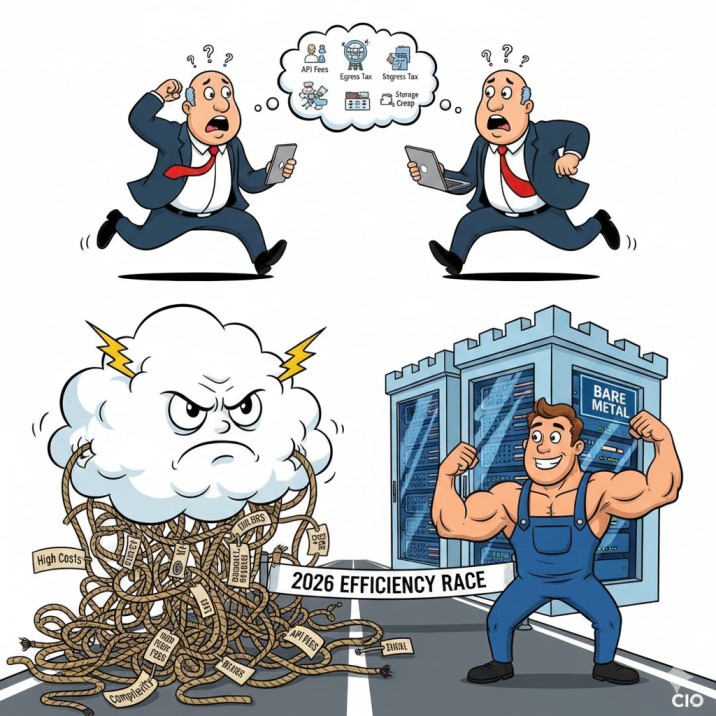
    Let’s be real: the “Cloud-First” honeymoon is over. We all spent the last decade throwing everything into AWS or Azure because it felt like magic. But in 2026, magic has a price tag that’s starting to look like a mortgage on a house you don’t even own.

    I have sat in those governance meetings where the CIO looks at the monthly bill, then looks at people around the table, and we all know the truth – the “elasticity” we are paying for is actually just expensive, unused air. We have been conditioned to think that renting is the only way to stay agile, but this year, we are experiencing a massive pivot. This year, the goal isn’t just scaling at any cost; it’s unit economics; it’s Cloud vs. Bare Metal. We are moving from being cloud-blind to being margin-native. It’s time to stop talking about “the stack” and start talking about the bottom line.

    The Virtualization Tax: Raw Power vs. Hypervisor Overhead

    In the public cloud, you are never alone with your hardware. Every virtual machine sits on top of a hypervisor. This software acts as a middleman between your app and the CPU. This abstraction is the “Virtualization Tax.” It consumes 10% to 15% of your processing power just to exist. You pay for 100% of the silicon, but your application only sees what is left after the middleman takes its cut.

    Then there is the “Noisy Neighbor” problem. Public cloud is multi-tenant. You share a physical rack with other companies. If their usage spikes, your performance jitters. This “Steal Time” causes latency spikes that are impossible to debug. On Bare Metal, you are the only tenant. There is no contention for the bus and no one else’s code is slowing down your production.

    This architecture forces you to over-provision in the cloud just to survive shared-resource dips. With Bare Metal, you get sub-millisecond access to the silicon. You are not just buying a server; you are buying the certainty that every cycle belongs to your code. For steady, high-utilization workloads, a comparison of Cloud vs. Bare Metal is a difference between a shared gamble and a dedicated asset.

    Also Read: A Rental Trap: A Blueprint for Strategic Exit from Cloud in 2026

    The Silent Killers: Egress, API, and Storage Creep

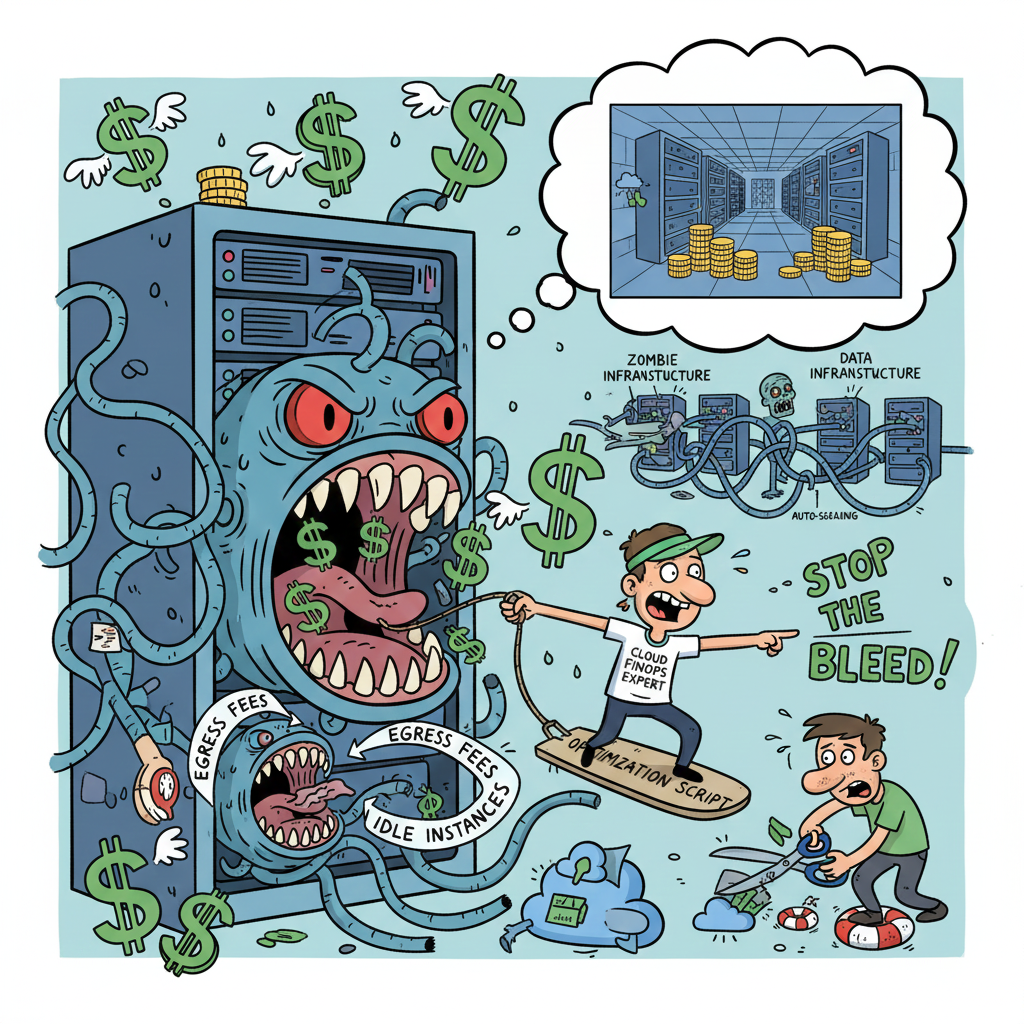
    Cloud bills are rarely high because of the sticker price on the instance. They are high because of a secondary layer of fees that scale faster than your revenue.

    1. Data Egress: The Ransom on Your Own Data. In the public cloud, you are not just paying to store data; you are paying a ransom to move it. Most major providers charge between $0.05 and $0.09 per GB for data leaving their network to the internet.

    Consider a mid-sized enterprise moving 100 TB of data per month.

    • Public Cloud Egress Cost: 100,000 GB x $0.08 (avg) = $8,000 per month.
    • Bare Metal Egress Cost: Most dedicated providers offer a 100 TB or 1 Gbps unmetered pipe included in the server lease.
    • The Loss: You are losing $96,000 USD per year simply to send your own data to your users.

    2. API Request Creep: The Interaction Tax. Every time your application talks to a managed cloud service, you are billed for the request. In a microservices architecture, a single user action can trigger 50 internal API calls.

    • The Reality: At $0.005 per 1,000 PUT requests, it seems cheap. But for a high-traffic app doing 1 billion requests a month, you are looking at $5,000 USD per month just for the “noise” of your services talking to each other.
    • The Difference: On Bare Metal, internal communication happens over a local backplane. It is free, and it is sub-millisecond.

    3. Storage Creep: Paying for Hot Air Cloud storage is priced by tiers, and the trap is staying in “Standard” storage for datasets that are rarely accessed.

    • The Math: Storing 500 TB on the cloud in a standard tier costs roughly $11,500 USD per month.
    • The Bare Metal Alternative: You can lease a massive storage array with 500 TB of raw NVMe capacity for approximately $3,000 per month.
    • The Loss: That is an $8,500 monthly leak.

    When you add these up, the convenience of the cloud is costing you a 60% to 80% markup on the basic utilities of computing. If you are looking for the source of your budget bloat, it is likely hiding in these three line items. In Cloud vs. Bare Metal, Bare Metal wins.

    The 3-Year TCO Comparison in Cloud vs. Bare Metal: The $160 Trigger Point

    If the monthly cloud bill for a single, steady-state workload is higher than $160, you have likely crossed the line into overpayment. Infrastructure costs should be measured over a 36-month lifecycle. Public cloud providers win on “Zero Down” flexibility, but they lose on the “Mortgage.” When I look at a production database, something that stays powered on 24/7, the math is not even close.

    Let us compare a standard high-performance setup in 2026: 8 vCPUs and 32GB RAM (equivalent to an AWS m5.2xlarge).

    The 3-Year “Truth”Public Cloud (Managed VM)Bare Metal (Dedicated)
    Monthly Compute$280 (On-Demand)$140 (Fixed Lease)
    Data Egress (10TB/mo)$900 (at $0.09/GB)$0 (Included)
    Storage (1TB NVMe)$120 (IOPS + Capacity)$0 (Included in Lease)
    Support (Business/Premium)$130 (10% of Spend)$20 (Fixed Remote Hands)
    Backup & Recovery$50 (Snapshots)$30 (Offsite Storage)
    Managed DB Surcharge$150 (RDS/Cloud SQL)$0 (Self-Managed)
    Monthly Total$1,630$190
    3-Year Grand Total$58,680$6,840

    The gap is now even wider. We are looking at a $51,840 difference for a single production server over three years. When people tell me the cloud is cheaper, they are usually only looking at the $280 compute cost and ignoring the $1,350 in “operational friction” that follows it.

    I am not saying the cloud has no value. I am saying that for a steady-state workload, you are essentially paying a 760% markup for the convenience of not having to manage a physical operating system. For a cluster of ten servers, that is over half a million dollars that could have been profit or R&D budget.

    The Talent Debt: Managed Ease vs. Operational Control

    There is no such thing as a free lunch in infrastructure. The cloud is a hotel. You pay a premium because someone else changes the sheets, fixes the plumbing and ensures the lights stay on at 3 AM. When you move to Bare Metal, you are buying the house. The monthly invoice for the hardware drops to the floor, but the requirement for specialized skill rises to the ceiling.

    This is the “Talent Debt.” You are trading a high AWS bill for the cost of human expertise. If the current team consists only of developers who are used to clicking a “Deploy” button in a web console, Bare Metal will be a shock to the system. You need people who understand Linux kernel tuning, physical firewall configuration, and local RAID arrays. I have seen projects fail because the leadership chased the lower server price but forgot that someone still has to patch the physical OS and handle hardware failures.

    You must ask yourself a hard question: Is the $50,000 you are saving per server enough to pay for the man-hours required to manage it? In 2026, automation tools like Terraform and Ironic have made Bare Metal feel more “cloud-like,” but you still cannot outsource the ultimate responsibility for the hardware. You are gaining total control, but you are also losing the ability to blame a provider when things go dark. If the infra invoice is in your KRA, this is not just a budget shift; it is a culture shift.

    The Decision Matrix: Who Wins for Your Specific Scale?

    In 2026, the “Cloud or Bare Metal” question is no longer an all-or-nothing debate. It is about matching the environment to the maturity of the workload. If you are still in the “move fast and break things” phase, the cloud is your best friend. 

    If you have found your product-market fit and your traffic is a steady river rather than a series of spikes, Bare Metal is your best financial move.

    Business ScenarioRecommended StackPrimary Reason
    Early-Stage StartupPublic CloudAgility is more valuable than margin. Do not waste time on hardware.
    High-Growth Scale-UpBare MetalAt this stage, egress and storage fees will cannibalize your profit.
    Data-Heavy AI/MLBare MetalYou need 100% GPU/CPU utilization without the “Virtualization Tax.”
    Static Legacy AppsBare MetalThese rarely scale. Why pay a premium for “elasticity” you never use?
    Global Consumer AppHybrid ModelCloud for the “spiky” front-end; Bare Metal for the heavy database.
    High-Compliance (HIPAA/GDPR)Bare MetalPhysical isolation simplifies audits and guarantees data residency.
    Edge Computing (IoT/Retail)Bare MetalSub-millisecond local processing is required at the physical location.
    Multi-Region BurstingPublic CloudSpin up 20 regions in minutes. Bare Metal lead times are too slow here.
    Exit Strategy / PortabilityBare MetalAvoiding “Service Lock-in.” It is easier to move a Linux box than a proprietary API.

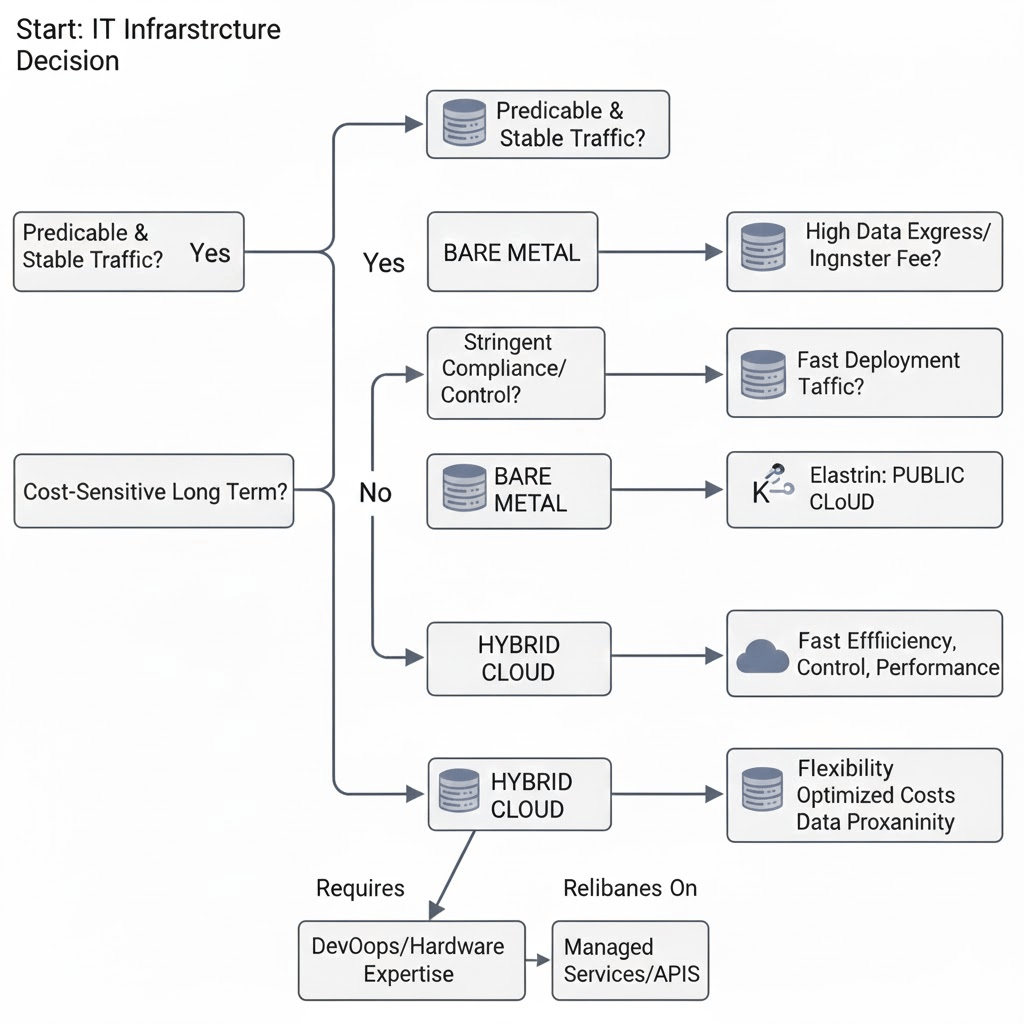
    The decision logic is simple. If the workload is unpredictable, rent the flexibility of the cloud. If the workload is predictable, own the efficiency of Bare Metal. Moving to a hybrid model is often the most sophisticated choice for a modern enterprise.

    Additional reading: Bare metal economics: Why more companies are ditching shared infrastructure

    Conclusion

    The era of “Cloud at any cost” is over. In 2026, efficiency is the only metric that matters. We have spent years treating the public cloud like an infinite resource, but the math proves it is often just a high-interest loan on your margins. My verdict is simple: stop being cloud-native and start being value-native. Renting is for laboratories; owning is for factories. Audit your invoice, identify the silent killers, and move your steady-state workloads back to dedicated silicon. Reclaiming that margin is not just a technical win; it is a competitive advantage.

  • Inter-AZ Data Transfer Cost Optimization: The Silent Bill You Forgot to Budget

    Inter-AZ Data Transfer Cost Optimization: The Silent Bill You Forgot to Budget

    The surprise was not egress. It was internal. We had a “safe” multi-AZ setup, clean dashboards, and zero customer complaints. Then, Finance asked why the cloud data transfer cost was rising inside a single region when traffic was flat. Nobody could answer, because nobody owned east-west traffic. The load balancer was cross-zone by default. A few services were chatty and synchronous. Retries were tuned like a stress test. A shared cache sat in one AZ, so half the fleet kept reaching across zones for reads. On paper, it was high on availability. On the invoice, it was a recurring tax.

    That is the real job of inter-AZ data transfer cost optimization: not shaving pennies, but stopping architectural habits that compound. If you do not fix attribution and routing now, “Day 300” will look like cost creep, alert fatigue, and a platform nobody wants to touch.

    Where your cloud data transfer cost is really coming from

    Most teams look at cloud data transfer cost and assume the pain is internet egress. Inter-AZ spend is different. It is the bill you get for traffic that never left the region but still crossed a zone boundary. You create it every time a request enters in AZ-A and lands on compute in AZ-B, every time a service in one AZ calls a database node in another AZ, and every time retries turn one call into three cross-AZ attempts. This is why the curve often rises even when user traffic is flat.

    Inter-AZ charges usually come from a small set of patterns: cross-zone load balancing, shared endpoints that ignore locality, centralized caches, and replication paths that acknowledge across zones.

    The expensive part is rarely one big transfer. It is the background chatter: health checks, service-to-service calls, telemetry exports, image pulls, and periodic jobs that run wherever capacity exists, not where the data is.

    The trap is that this spending becomes structural. Once teams build around “any zone can talk to any zone” and hide it behind a global endpoint, fixing it later touches routing, failure handling, and ownership boundaries. That is why inter-AZ data transfer cost optimization is an architecture and operating model problem, not a one-time FinOps cleanup.

    Also Read: A Rental Trap: A Blueprint for Strategic Exit from Cloud in 2026

    Map inter-AZ traffic to the exact billing line items

    1. Pull the bill export and isolate network-related line items
    Group by account, region, service, and usage type. You are looking for intra-region, cross-AZ, load balancer processing, NAT, and any “data processed” meters that behave like transfer charges. Do not optimize blindly. First, name the meters you are paying.

    2. Build a simple path list: source → hop → destination
    Write down the top 20 traffic paths by volume. Example: client → load balancer → service A → service B → cache → database. If you cannot list the hops, you cannot explain the charges. Your goal is to identify where the AZ boundary is crossed.

    3. Measure bytes and requests by path, not by service
    Per-service metrics hide the real cause. You need bytes in and out between specific endpoints. Use flow logs, load balancer access logs, service mesh telemetry, or VPC-level observability. Capture: source, destination, AZ, bytes, request count, and retry count.

    4. Correlate traffic paths to cost meters
    For each major path, tie it to the billing line item that charges it. This is where teams get burned: a “free” design change can move spend from one meter to another. If a load balancer starts distributing across AZs, you will see it in both traffic patterns and line items.

    5. Attribute spend to owners using a unit that makes arguments stop
    Pick one unit: cost per million requests, cost per GB of internal traffic, or cost per tenant. Then allocate per environment (prod vs non-prod) and per product line. If you cannot assign an owner, nobody will fix it and it will creep back.

    6. Create a baseline and a guardrail
    Baseline: current inter-AZ bytes and monthly cost by top 10 paths. Guardrail: an alert when internal cross-AZ bytes or associated meters jump outside a threshold. The point is not perfect accuracy. The point is early detection when a release changes routing or retries.

    Start with the top two traffic paths. If you chase every line item, you will drown. Two paths usually explain most of the spending.

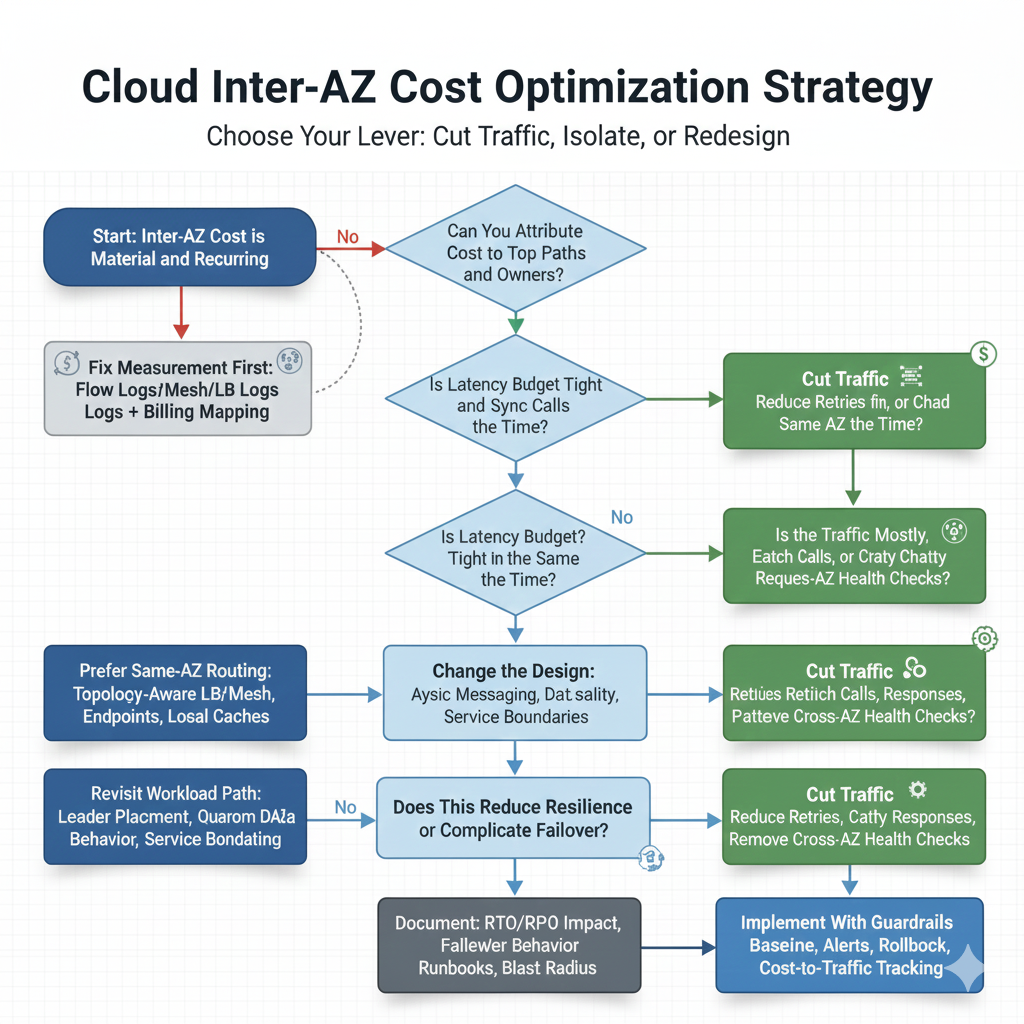
    Choose your lever: cut traffic, keep it in one AZ, or change the design

    Inter-AZ Data Transfer Cost Optimization

    Low-risk changes that reduce cloud data transfer cost (no migration required)

    If you want quick savings, stop paying for accidental cross-AZ behavior. Most stacks bleed money because traffic lands in the “wrong” AZ by default, retries multiply requests, and common reads keep reaching across zones for caches or dependencies.

    You are not changing your architecture here. You are tightening routing, tuning client behavior, and forcing locality in the steady state, while keeping cross-AZ as a failover tool, not the default operating mode.

    Treat these as controlled changes with a baseline and rollback. Otherwise, you will ship “optimizations” that move cost between line items, or you will reduce transfer charges and replace them with incident load.

    • Keep requests in the same AZ when everything is healthy. Use topology-aware routing (Kubernetes or mesh policies) and avoid cross-zone distribution unless capacity or health requires it. The trade-off is uneven load if one AZ runs hotter, so you need auto-scaling and per-AZ capacity discipline.
    • If a load balancer is spraying traffic across AZs by default, localize it. Many teams pay an always-on tax here without realizing it. The trade-off is that failover behavior must be explicit and tested, not assumed.
    • Avoid centralized caching patterns that force cross-AZ reads. If reads dominate, make caches locality-aware or zonal so the majority of traffic stays local. The trade-off is cache fragmentation and a lower hit rate if your traffic is not naturally sticky.
    • Kill retry amplification. Align timeouts across client, gateway, and backend so you do not create duplicate in-flight requests that bounce across AZs. Cap retries, add jitter, and use circuit breakers. The trade-off is that real errors surface faster, which some teams initially misread as “worse stability.”
    • Reduce chatty internal calls. Batch where it is safe, cache responses with short TTLs, and stop moving full payloads when only two fields are needed. The trade-off is stale reads and more careful invalidation logic.
    • Stop cross-AZ polling and noisy health checks. Keep routine checks local; reserve cross-AZ probes for failover validation and periodic sanity tests. The trade-off is less global visibility, so you compensate with better per-AZ SLOs and alerting.
    • Pin heavy scheduled jobs to the data’s AZ. ETL, indexing, exports, and backups often run wherever compute is available, then pull data across zones. The trade-off is less scheduling flexibility and sometimes longer job queues in a single AZ.
    • Watch observability volume. Traces and logs can become a quiet internal transfer driver, especially with high-cardinality tags and full-payload logging. Sampling and dropping noise saves cost, but the trade-off is reduced forensic detail unless you keep on-demand burst logging.

    Side-by-side options: what saves money and what increases on-call load

    Optimization leverCost mechanism it targetsOperational downside (what can go wrong, who owns it)
    Prefer same-AZ routing for service-to-service callsCuts cross-AZ bytes by keeping east-west traffic localUneven per-AZ load or bad routing rules; platform/SRE owns saturation and routing incidents
    Disable cross-zone load balancing where safeStops constant cross-AZ request distributionFailover behavior must be explicit and tested; the platform/app on-call owns outage risk during AZ impairment
    Zonal or locality-aware cachingAvoids cross-AZ cache reads and repeated fetchesLower hit rate from cache split; app team owns latency regressions and cache correctness
    Retry and timeout tuning (caps, jitter, circuit breakers)Prevents retry amplification, multiplying bytes and requestsMore fast-fail behavior if backends are unhealthy; SRE owns alert tuning and incident noise
    Batch calls and shrink payloadsReduces bytes per request and total request countStale data or harder debugging; app team owns the correctness and observability gaps
    Pin heavy jobs near data (ETL, exports, backups)Avoids large cross-AZ reads and transfersJob queueing or missed windows in a busy AZ; the data/platform team owns scheduling and SLAs
    Replace sync fan-out with async messaging for non-critical pathsCuts synchronous cross-AZ chatter and tail latencyQueue lag and backpressure become the new incident; platform/app owns retries and lag SLOs
    Change write topology or replication rules (where feasible)Reduces cross-AZ write acks and replication trafficConsistency trade-offs and harder recovery; the data team owns integrity and restores playbooks
    Enforce per-AZ capacity and placement policiesReduces random cross-AZ drift from autoscaler placementHigher ops overhead and capacity planning work; the platform team owns sizing and guardrails

    Playbooks by stack: Microservices, Kubernetes and data pipelines

    Scenario 1: Cross-zone load balancing is always on.
    Action: localize steady state traffic. Keep cross-AZ only for failover. Validate with LB logs: % requests served by same-AZ backends should dominate.

    Scenario 2: Gateway is in one AZ, services are multi-AZ.
    Action: deploy the gateway per AZ or use zonal ingress. Otherwise, every request starts back as cross-AZ.

    Scenario 3: Service discovery gives a “global” endpoint.
    Action: use zonal endpoints or topology-aware routing. If clients cannot prefer same-AZ, you will pay forever.

    Scenario 4: Retry policy is multiplying bytes.
    Action: cap retries, add jitter, align timeouts end-to-end. Check if retries hop AZs. They often do.

    Scenario 5: Fan-out aggregator calls 8 services per request.
    Action: cache at the aggregator, batch downstream calls, and kill unnecessary sync dependencies. Measure bytes per request at the aggregator.

    Scenario 6: Health checks and polling are cross-AZ and constant.
    Action: keep probes local; do cross-AZ probes only as periodic failover validation. Track steady baseline bytes at idle traffic.

    Scenario 7: Cache is “shared,” but physically sits in one place.
    Action: make cache zonal or make the client locality-aware. Verify hit traffic stays in-zone via flow logs.

    Scenario 8: Kubernetes places pods evenly, but traffic ignores locality.
    Action: add topology spread constraints and topology-aware routing. Confirm endpoints returned are the same AZ first.

    Scenario 9: Auto-scaling adds nodes in one AZ, traffic spills to other AZs.
    Action: per-AZ node group sizing. If one AZ is short on capacity, your “locality” rules get bypassed.

    Scenario 10: NAT gateway is single-AZ and used for internal paths by accident.
    Action: ensure private routing for internal services. Validate routes, DNS, and endpoints so you are not hairpinning.

    Scenario 11: Data jobs read huge volumes from replicated storage in the wrong AZ.
    Action: pin compute to data. Schedule ETL/export jobs in the same AZ as the primary read source.

    Scenario 12: Producers and consumers sit in different AZs around a broker.
    Action: co-locate hot consumers with the broker leader or partition leaders. Otherwise, every message is cross-AZ.

    Scenario 13: Database writes require cross-AZ quorum acknowledgments.
    Action: keep writers close to the leader. Move non-critical writes to async if allowed. Confirm commit path behavior in docs, not guesses.

    Common misconceptions about multi-AZ and replication (and the real cost)

    Teams often treat multi-AZ as a reliability checkbox and assume the cost is basically fixed. In practice, multi-AZ changes the default traffic path. If your load balancer, gateway, service discovery, or auto-scaler does not preserve locality, requests routinely enter one AZ and get served in another. That creates a steady cloud data transfer cost inside a single region, even when user traffic is flat, and it is exactly why inter-AZ data transfer cost optimization turns into a recurring fight.

    Replication is also not an isolated storage detail. It changes what your write path does under the hood: cross-AZ acknowledgments, coordination, and retries during minor jitter.

    A single logical write can fan out into multiple network hops depending on leader placement and quorum rules. That is how cloud data transfer cost creeps up without anyone shipping “more features,” because the platform is doing more work per write.

    The misconception that “more replicas are always safer” is only half true. Safety improves, but you pay in complexity: failover timing, read/write routing, and ownership of consistency behavior.

    If nobody owns those rules, the system drifts into “works but expensive” mode: cross-AZ routing becomes default, retries amplify, and replication overhead becomes structural. Inter-AZ data transfer cost optimization is easier when locality and write semantics are treated as explicit decisions, not defaults.

    Warning signs your inter-AZ charges will keep climbing

    You usually do not need a perfect model to predict runaway spend. If the same paths keep crossing AZs in the steady state, the cost will scale linearly with traffic, and sometimes faster when retries and fan-out show up.

    The point of this section is to give you patterns you can detect quickly in logs, traces, and billing exports before the spend becomes “normal.”

    • Your load balancer or gateway routinely serves requests from a different AZ than where they entered (cross-zone distribution is the default, not the exception).
    • Service-to-service calls show a high cross-AZ percentage even when both services run in every AZ (locality is not being respected).
    • Retry rates spike during small blips, and retries tend to land on different AZ endpoints (traffic multiplication across AZs).
    • A shared cache, shared auth service, or shared config service effectively lives in one AZ (every other AZ pays a read tax).
    • Aggregator services fan out to many downstream services per request (bytes per request grow with every new dependency).
    • Batch jobs, exports, or indexing pull large volumes from replicated storage in the “wrong” AZ (scheduled work creates a constant baseline).
    • Non-prod environments (QA, staging) generate meaningful cross-AZ transfer (test traffic is quietly expensive and always on).
    • Observability pipelines move too much data across AZs (over-tracing, payload logging, high-cardinality tags).

    If you see two or more of these at the same time, data transfer cost optimization should move from “FinOps cleanup” to “platform change with ownership.” The next step is to pick one high-volume path, force locality, and then lock it with guardrails so it does not drift back after the next release.

    If cross-AZ traffic is your “steady state,” you are not paying for resilience. You are paying for default routing mistakes.

    When not to optimize inter-AZ data transfer costs

    Optimize later (or not at all) if it compromises your recovery goals. If your RTO/RPO depends on multi-AZ synchronous behavior for a truly critical system, forcing strict locality can create a false sense of savings while increasing outage risk. In these cases, the right move is often governance: prove which flows must stay multi-AZ, set budgets for internal transfer, and keep the rest local. Your data transfer cost control process should not be allowed to quietly rewrite your resilience posture.

    Optimize later if you cannot measure and attribute. If you cannot map the top inter-AZ traffic paths to owners and billing meters, any change will be political and reversible. You will “save” for a month, then a rollout changes routing, retries, or placement and the cost returns. Fix measurement first, then optimize. Otherwise, you are trading engineering time for temporary optics.

    Optimize later if the main driver is product growth, not waste. Some inter-AZ cost is simply the price of a design choice you intentionally made: cross-AZ quorum writes, cross-AZ replication, or global endpoints for operational simplicity. If growth is the driver, your decision is not “reduce cost,” it is “choose the cheapest safe design.” Focus on unit economics (cost per million requests, per tenant, per GB processed) and make that cost visible to the business.

    Optimize later if the change creates permanent lock-in or a new ops tax. Some “fixes” push you into proprietary routing features, complex meshes, or fragile placement rules that only a few people understand. If the savings are small and the operational downside is large, you are buying technical debt. Favor changes that are reversible, testable, and owned by a team with real on-call accountability.

    Conclusion

    Inter-AZ data transfer cost control works when you treat it like an engineering control system, not a billing exercise: measure the top paths, force locality in the steady state, and add guardrails so the next release does not reintroduce cross-AZ drift through routing, retries, or “global” endpoints. The honest trade-off is operational ownership. You are choosing where you want complexity to live: in a higher cloud data transfer cost that nobody questions, or in explicit routing and failure behavior that teams can test, operate, and defend in review.

  • A Rental Trap: A Blueprint for Strategic Exit from Cloud in 2026

    A Rental Trap: A Blueprint for Strategic Exit from Cloud in 2026

    Before I talk about Strategic Exit from Cloud, let me tell you a story.

    I recently sat across from the Head of IT for a major Japanese venture here in India. We met at one of those ubiquitous coffee chains in Gurgaon; it is the kind of place that serves as the unofficial headquarters for the local tech scene.

    It is a strange environment. You look around and see a sea of glowing Apple logos, noise-canceling headphones, and people in their twenties wearing Build t-shirts. These are the high-salaried tech elite of the city. They are huddled over their machines, deep into anything from Python scripts and Power BI dashboards to complex Kubernetes clusters and Spark jobs. It is a room full of people building the future, fueled by overpriced avocado toasts and pour-overs. For a packed house, it is surprisingly quiet. The only real sound is the rhythmic clicking of mechanical keyboards.

    To anyone else, this was the Cloud Generation in its natural habitat. But the man sitting across from me, a veteran of high-scale Japanese engineering, was not buying the hype. He looked out of place among the “oldies” like us, but he carried the quiet confidence of someone who knows the math everyone else is ignoring.

    I expected our conversation to drift toward the usual topics like multi-cloud strategies or their 2026 AWS commitment. Instead, he leaned in, lowered his voice to match the café’s studious hum, and dropped a bombshell.

    “Except for our public-facing CMS, we have zero presence on the cloud,” he said. “Everything else is on-prem.”

    In this temple of SaaS and “Serverless,” his words felt like heresy.

    I looked around at the tech talent in the room, likely burning through thousands of dollars in cloud credits to run the very Spark jobs and Kubernetes nodes they were monitoring, and then back at him. He was not avoiding the cloud because he was stuck in the past. He was avoiding it because he was mathematically disciplined.

    As he walked me through their architecture, the irony was thick. The high-paid crowd around us was happy to pay exorbitant prices for both their coffee and their computing power, but his firm had quietly realized that the Cloud is a spectacular place to start and a dangerous place to stay.

    By owning their iron, they had achieved what everyone in that café was chasing, but few were actually hitting: True Data Sovereignty and 40% higher margins than their competitors.

    This encounter confirmed a shift I have been tracking for months. The era of “Cloud-at-all-costs” is hitting a wall. We are entering the age of the Strategic Exit from Cloud.

    cloud data transfer costInter-AZ Data Transfer Cost Optimization: The Silent Bill You Forgot to Budget

    The “Cloud Tax” and the Law of Diminishing Returns

    The public cloud is sold as an infinitely scalable utility. The marketing tells you that you only pay for what you use. That is a half-truth. In reality, you pay a massive premium for “agility” that your business might no longer need once your product is stable.

    If your workloads are predictable like the Japanese firm I mentioned, the cloud stops being a tool for growth and starts becoming a tax on your margins.

    Also Read: Google Cloud migration Blueprint from Infogion

    The Math: Why 2026 is the Year of the Iron

    To understand why a high-growth venture would choose on-prem, you have to look at the three-year TCO (Total Cost of Ownership).

    Consider a standard “High-Compute” setup required for Spark jobs or large-scale Python data processing:

    Expense CategoryPublic Cloud (Managed)On-Prem (Colocation)
    Monthly Compute$8,500 (Reserved Instances)$1,200 (Power/Rack Space)
    Data Egress$2,000 (The “Exit Tax”)$0 (Flat Bandwidth)
    Hardware Cost$0 (Rental model)$65,000 (Upfront Purchase)
    3-Year Total$378,000$108,200

    Even after factoring in the $65,000 for high-end Dell or HP servers and the cost of a specialized engineer to “rack and stack” the gear, the on-premises model is nearly $270,000 cheaper over three years.

    For the tech guys in that Gurgaon café, that difference is invisible because the cloud bill is often hidden in “OpEx” budgets. But for the Japanese IT Head, that $270k represents the difference between a profitable quarter and a round of layoffs.

    Also Read: 7 cheapest Cloud Storage Service Provider

    The “Hidden” Exit Taxes

    Cloud providers know their pricing is vulnerable to hardware ownership. This is why they have built “moats” to keep you trapped:

    1. Egress Fees: Moving data into the cloud is free. Moving it out to your own servers can cost upwards of $0.09 per GB. If you have petabytes of data, you are effectively a hostage.
    2. Feature Lock-in: Proprietary tools like AWS Glue or DynamoDB are designed so that “leaving” requires a complete rewrite of your codebase.
    3. The Support Premium: As soon as you scale, “Basic Support” is not enough. You end up paying a percentage of your total spend just to talk to a human when a node goes down.

    Also Read: Cloud vs. Bare Metal: Picking the Winner for Your 2026 Budget

    The Hardware Reality: What “Iron” Actually Looks Like in 2026

    When that IT Head in Gurgaon told me they were 100% on-prem, my first thought was about their supply chain. You can’t just “click” a button to get a new H100 GPU or a petabyte of NVMe storage. You have to negotiate with vendors, wait for shipping, and deal with DOA (Dead on Arrival) parts.

    For a venture-scale operation, you aren’t buying consumer-grade gear. You are looking at enterprise-grade infrastructure in line of Dell PowerEdge, HPE ProLiant, or Supermicro. But here is the “Brutally Honest” part: you also need to think about the secondary market.

    Many high-growth firms are realizing that “Last-Gen” hardware (like a 2-year-old Xeon gold processor) can handle 90% of their Spark and Python workloads at 30% of the cost of new equipment. In the cloud, you pay for the newest chips whether you need them or not. On-prem, you choose the exact horsepower for the job.

    Also read: Comparison of the top four Cloud Platforms – Google Cloud, Amazon Web Services, Microsoft Azure, and IBM Cloud

    The Skill Gap: Why Your “Cloud Native” Team Might Panic after Strategic Exit from Cloud

    This is the biggest risk of strategic Exit from Cloud. Most of the high-paid tech elite in that café have spent their entire careers in a world where “infrastructure” is an API call. They know Kubernetes, but they might not know how to troubleshoot a failing RAID controller or a misconfigured Top-of-Rack switch.

    When you leave the cloud, you are trading “Provider Risk” for “Personnel Risk.” You are moving from a world where AWS manages the hardware to a world where you are the data center manager.

    If you don’t have a Greybeard on the team, someone who remembers what it’s like to work in a cold aisle with a crash cart, you are going to struggle. You need people who understand the Linux kernel, not just the Terraform provider. The savings on your AWS bill will quickly vanish if your on-prem cluster goes down for 48 hours because nobody knows how to fix a corrupted file system.

    Also read: Amazon AWS Cloud for Non-Tech Founders in 2026

    The “Stealth” Costs of Ownership

    I want to be clear: On-prem is not “free.” You are trading a monthly rental fee for a set of new responsibilities.

    • You are paying the Colocation provider for redundant power feeds and massive cooling units.
    • Unless you want to drive to the data center at 3 AM to swap a failed drive, you need a “Remote Hands” agreement. These guys are your feet on the ground, and they don’t work for cheap.
    • Every hour your lead engineer spends debugging a networking hardware issue is an hour they aren’t building your product. This is the “hidden” trade-off.

    The 90-Day Blueprint: How to Reclaim Your Infrastructure

    The strategic Exit from Cloud is not a “weekend project.” It is a surgical operation. If you try to move everything at once, you will fail. The Japanese firm I spoke with took a phased approach that prioritized data safety over speed.

    Also Read: 20 Pay-zero Cloud Storage Services

    Here is how you execute a strategic exit in three distinct phases.

    Phase 1: The Inventory and “Egress Audit” (Days 1–30)

    Before you buy a single server, you must know what you are actually using. Most companies have “Zombie Instances” running that nobody monitors.

    • Identify exactly where your data is flowing. Is it mostly internal, or are you serving petabytes to the public?
    • Categorize your services. Anything using a proprietary cloud tool (like AWS Athena or SageMaker) will need a code refactor. Anything running in a standard Docker container is an easy candidate for relocation.
    • Calculate your current “Price per Compute Hour.” This is your benchmark for success.

    Phase 2: The “Pilot” and Colocation Setup (Days 31–60)

    Do not build your own data center. Use a Colocation (Colo) provider. They provide the power, cooling, and physical security; you just provide the iron.

    • In 2026, lead times for high-end GPUs and servers are still a factor. Order your hardware on Day 31.
    • Set up a “Direct Connect” or a high-speed VPN between your cloud VPC and your new hardware.
    • Move a non-critical, steady-state workload (like a staging environment or a secondary data processing job) to the new servers. Monitor it for 14 days. If the performance holds, move to Phase 3.

    Phase 3: The Data Migration and the Point of No Return

    This is where things get expensive and stressful. This is the moment you have to pay the Exit Tax I mentioned earlier. If you try to move a few hundred terabytes over a standard internet connection, you will likely spend more on bandwidth and time than the hardware is worth.

    For the Japanese firm, they didn’t even try to push it over the wire. They used physical transfer appliances basically ruggedized storage arrays that you fill up, encrypt, and ship via a courier. It sounds primitive in 2026, but moving ten petabytes via a truck is often faster and more secure than any fiber optic cable you can rent.

    Once that data is sitting in your new racks, you start the Weighted DNS dance. You don’t just flip a switch and pray. You send 5% of your traffic to the on-prem cluster and watch the logs like a hawk. If the Spark jobs are finishing on time and the latency isn’t spiking, you bump it to 20%, then 50%.

    The most satisfying moment isn’t the cost savings; it is the moment you finally click Terminate on those massive AWS instances. It is the digital equivalent of finally paying off your mortgage. You are no longer a tenant; you are an owner.

    Also Read: Master Mastering Cost-Effective Cloud Platforms: 4 Absolute Insights for Small Business Owners

    Conclusion: Reclaiming the Frontier

    As I finished my coffee and watched the Gurgaon tech crowd slowly filter out of the cafe, I realized that the Japanese IT Head wasn’t an outlier. He was a pioneer.

    He saw the cloud for what it really is: a fantastic incubator for the “0 to 1” phase of a company. It is a place to experiment, fail fast, and find product-market fit. But once you have found that fit once your workloads are steady and your data is your most valuable asset staying in the cloud is like continuing to live in a hotel long after you’ve become a millionaire. It’s convenient, but it’s financially reckless.

    The Strategic Exit isn’t about being anti-cloud. It’s about being pro-business. It is about realizing that in 2026, the real innovators aren’t just the ones writing the best code; they are the ones who actually own the machines the code runs on.

    If you are tired of paying the exorbitant price for your compute and your coffee, it might be time to stop renting and start building.

    Additional reading: On Premise vs. Cloud: Key Differences, Benefits and Risks

    FAQs

    How is the Capex justified to the board?

    Frame it as an equity play. Cloud spending is a black hole of pure Opex. Buying hardware converts that waste into a depreciating asset that pays for itself in 18 months by nuking the “rental tax” on your margins.

    Does this kill our “Speed to Market”?

    Only if your team is lazy. Modern automation tools provide the same “one-click” deployment on-premises as they do in AWS. You are trading the convenience of a leased car for the performance of a custom-tuned engine you actually own.

    Is the egress fee a dealbreaker?

    It is a ransom, not a fee. Audit your data gravity now. Moving services before data is a financial suicide mission. Pull the heaviest data sets first to stop the cloud provider from holding your operations hostage.

    Do we need to hire a massive infrastructure team?

    No. Software-defined networking means a lean team can run a data center from a laptop. If you can manage a Kubernetes cluster in the cloud, you can manage it on your own iron. The headcount stays flat; the bill drops.

    What about the “Noisy Neighbor” security risk?

    In the cloud, you share a hallway with strangers. On-premises, you own the building. Repatriation gives you absolute sovereignty over data residency and hardware-level isolation—critical for high-stakes compliance and protecting IP.

  • Google Cloud Services Migration Blueprint: 7 Ultimate Steps for a Smoother Move

    Google Cloud Services Migration Blueprint: 7 Ultimate Steps for a Smoother Move

    If you’ve been running on AWS or Azure for a while, chances are you’ve looked at your monthly bill, sighed, and wondered if there’s a more innovative way. That’s where Google Cloud Services has been quietly (and sometimes not so quietly) making its case. For businesses that already have teams, customers, and data spread across different systems, Google isn’t just pitching another cloud. It’s pitching speed, AI-first capabilities, and pricing that can make a CFO smile.

    We’ve seen it happen: companies tired of AWS’s labyrinth of pricing or Azure’s heavy enterprise baggage make the switch and suddenly find themselves pushing out analytics faster, scaling without the migraine, and not dreading the invoice each month. Google Cloud may still be seen as “the third player” by some, but for teams who value agility, modern tooling, and a friendlier bill, it’s becoming the first serious alternative.

    Why Migrate from AWS or Azure to Google Cloud Services

    Every cloud vendor talks about speed, scale, and savings. The reality is, after a few years on AWS or Azure, you start seeing the cracks: creeping costs, sprawling services you are not even using, and vendor quirks that feel like they were built for someone else’s business. That is where Google Cloud Services makes its pitch. It offers fewer headaches, smarter tools, and a platform that lets you get work done without unnecessary complexity.

    Here are the biggest reasons companies make the move:

    • Google Cloud Services Costs are easier to predict, thanks to sustained-use discounts and flexible commitments.
    • Data analytics and AI tools like BigQuery, Vertex AI, and Looker are ready to use without weeks of setup.
    • Anthos allows you to run workloads across clouds without worrying about getting locked in.
    • Google’s open-source culture is strong; Kubernetes is their creation, and that mindset shows in many of their services.
    • Security is built in from the ground up with Zero Trust architecture and real-time threat detection.

    Google Cloud Services provides a modern, AI-first ecosystem that avoids the complexity tax often associated with the other two major clouds.

    Pre-Migration Assessment Before Moving to Google Cloud

    Switching clouds is not something you bring up in one of the slides in a weekly status review and then roll out the following week. Even if the benefits of Google Cloud Services are clear, the move itself needs planning. A quick upfront assessment saves a lot of pain later.

    Key checks before you start:

    1. Take a complete inventory of your workloads. List the applications, databases, and integrations you are running today and identify which ones are critical.
    2. Build a business case. Compare three to five years of projected costs, including migration expenses, to understand the real impact.
    3. Check your team’s readiness. Determine if your IT staff already possesses Google Cloud skills or if training and certifications are required.
    4. Review compliance and data regulations. Know where your data will be stored and whether this aligns with any legal or industry rules you must follow.
    5. Identify dependencies. Some applications may rely on vendor-specific features in AWS or Azure that need an alternative on Google Cloud.
    6. A little groundwork here prevents nasty surprises during migration and makes it far easier to get buy-in from leadership.

    Key Google Cloud Services for Migration

    When companies move from AWS or Azure, they are usually looking for a cleaner set of tools that still covers everything they need. Google Cloud Services has a lineup that can handle most migrations without forcing a complete rebuild of your systems.

    Some of the most valuable services for migration:

    Compute Engine: Virtual machines that can take over workloads from AWS EC2 or Azure VMs with minimal changes.

    Cloud Storage: Object storage that scales up or down as needed, with lifecycle rules to control costs.

    BigQuery: A high-performance analytics warehouse that can replace Redshift or Azure Synapse with less maintenance.

    Cloud SQL and AlloyDB: Managed relational databases for MySQL and PostgreSQL, often used as a landing spot for RDS or Azure SQL migrations.

    Anthos: Platform for running and managing applications across multiple clouds or on-prem systems without lock-in.

    Cloud Run and Google Kubernetes Engine (GKE): Container services that can take workloads from EKS (AWS) or AKS (Azure).

    Migrate for Compute Engine and Database Migration Service: Built-in tools to move servers and databases with minimal downtime.

    Migration Strategies

    There is no single approach that works for every company moving to Google Cloud Services. Some treat it like shifting furniture: pick everything up and drop it into the new house. Others use the move as a chance to reorganize, upgrade, and toss out the clutter. The right approach depends on how much time you have, how critical your workloads are, and how ready your team is for change.

    The most straightforward path is the “lift and shift.” You move applications and data as they are, making minimal changes. It is faster and gets you running on Google Cloud quickly, but you may miss out on optimizations that come from using cloud-native services. A step up from that is “replatforming,” where you tweak some workloads during migration, for example, replacing a managed database on AWS with Cloud SQL on Google. It takes more effort but usually delivers better efficiency and lower costs in the long run.

    Then there is “refactoring,” which means redesigning applications to fully embrace Google Cloud services and architecture. This approach can yield the biggest performance and cost benefits, but it also requires the most time, planning, and skills. For many businesses, a hybrid strategy works best. Start with the workloads that are easiest to move, learn from the process, and then tackle the bigger, more complex systems.

    Challenges & Mitigation

    Moving to Google Cloud Services is not just a technical project. It changes how your systems are run, monitored, billed, and secured. The good news is that most challenges can be anticipated and addressed before they become problems.

    ChallengeHow to Mitigate It
    Downtime during migrationUse staged migration and have a rollback plan ready.
    Skill gaps in the IT teamArrange Google Cloud training or work with certified partners.
    Unexpected costsMonitor data egress fees and run cost simulations before moving workloads.
    Security compliance issues Use Google’s Security Command Center and review compliance requirements early.
    Application dependenciesMap all integrations and replace vendor-specific features with GCP equivalents.
    Data transfer bottlenecksUse Google Transfer Appliance or schedule transfers in low-traffic windows.
    Performance tuning after migrationBenchmark workloads post-migration and adjust configurations for GCP.
    Resistance from internal teamsShare migration benefits early and involve key stakeholders in planning.
    Tooling and process changesAlign DevOps pipelines and monitoring tools with GCP equivalents before migration.
    Vendor lock-in fearsUse Anthos or container-based deployments to maintain multi-cloud flexibility.

    A Case Snapshot

    A fast-growing SaaS company had been running analytics on AWS Redshift for years. As their customer base grew, so did their monthly bill, and query performance started to drag during peak hours. The IT team decided to move their analytics workloads to Google Cloud Services, using BigQuery as the core engine.

    The migration was completed in phases over six weeks, starting with non-critical datasets to test performance and costs. Once stable, they moved their primary reporting workloads. The result was a 60% drop in query times, a 25% reduction in infrastructure costs, and the ability to scale analytics on demand without provisioning extra hardware.

    The switch also opened the door for more advanced machine learning projects, since Vertex AI integrated directly with their BigQuery datasets, something they could not easily achieve in their old setup.

    Action Plan for Decision Makers

    Moving to Google Cloud Services will go smoother if you focus on the practical stuff. These are the kinds of steps that keep the migration on track, your budget under control, and your team from scrambling at the last minute.

    • Be clear on why you are moving. “It’s cheaper” is fine, but add a few more solid reasons.
    • List every workload, app, and database you run today. Surprises are nasty in migrations.
    • Compare costs for at least three years, and include migration expenses so there are no hidden shocks.
    • Start with workloads you can move without risking the whole business.
    • Get your IT team trained on Google Cloud before they touch anything.
    • Move in stages and have a rollback plan ready for each one.
    • Make sure your DevOps, security, and compliance processes are ready for Google Cloud on day one.
    • Watch costs daily in the first month. Fix anything that looks off before it snowballs.
    • Use the AI and analytics tools once you are live; that is where the real fun begins.
    • Keep your escape routes open by using containers and Anthos to stay multi-cloud friendly.

    Conclusion

    The real win in moving to Google Cloud Services is not just getting out of AWS or Azure. It is the freedom to rethink how your systems run, how fast you can roll out new ideas, and how much you can do without adding more complexity. If you treat the migration as a chance to modernize instead of just relocate, you will end up with a platform that grows with you instead of holding you back.

  • 6 Strategies for Successful Digital Transformation Strategy in Businesses

    6 Strategies for Successful Digital Transformation Strategy in Businesses

    A successful digital transformation strategy is more than just a buzzword; it’s critical for businesses aiming to thrive in the marketplace. It involves integrating digital technologies into every aspect of a company, fundamentally altering how you operate and deliver value to customers. This transformation is not solely about adopting new technologies but about utilizing these advancements to drive significant improvements in business processes, enhance customer experiences, and create new business models.

    In an era where technological advancements are happening at breakneck speed, businesses that fail to adapt risk being left behind. Digital transformation enables companies to harness the power of data, improve operational efficiency, and foster a culture of continuous innovation. It’s about rethinking old operating models, experimenting more, and becoming more agile in your response to customer needs and market changes.

    This post will cover the key components of a successful digital transformation strategy, provide practical business transformation tips, and explore digital change management. We’ll also look at how different business verticals can undergo digital transformation, measure the success of these initiatives, and discuss the role of cybersecurity and future trends. 

    Let’s explore digital transformation.

    Key Components of a Successful Digital Transformation Strategy

    A successful digital transformation strategy relies on several essential components:

    • Establish a clear vision and specific, measurable objectives aligned with the business strategy.
    • Strong leadership to champion efforts and foster a culture of innovation, agility, and continuous improvement.
    • Invest in advanced technologies like cloud computing, AI, and IoT, and ensure a scalable, secure IT infrastructure.
    • Use data analytics and business intelligence tools for real-time, informed decision-making and agility.
    • Implement agile frameworks to promote flexibility, collaboration, and iterative progress.
    • Understand customer needs and create personalized, seamless, and engaging experiences.

    These components lay the foundation for a robust digital transformation strategy. To effectively implement these elements, businesses should follow practical business transformation tips, ensuring a cohesive and successful transformation journey.

    Business Transformation Tips

    Undertaking a digital transformation endeavor for your organization or business can be challenging, but these practical tips can make the process smoother:

    • Conduct a thorough assessment to understand your current strengths, weaknesses, opportunities, and threats. This baseline will guide your transformation efforts.
    • Develop a clear roadmap with defined milestones and timelines, ensuring everyone in the organization understands and supports the plan.
    • Prioritize customer experience by using digital tools to enhance interactions, personalize experiences, and meet evolving needs.
    • Invest in the right technology that aligns with your goals and offers the most value, whether it’s cloud computing, AI, or IoT.
    • Foster a culture of innovation by encouraging creative thinking and embracing new ideas. An innovative culture is more adaptable and resilient.
    • Engage and empower employees by involving them in the transformation process, providing necessary training, and encouraging initiative.
    • Try creating an ecosystem and forge partnerships by collaborating with technology partners, industry experts, and other businesses to gain insights, share resources, and accelerate your transformation.

    Remember to stay flexible and open to feedback. Regularly review and adjust your strategies based on what’s working and what isn’t. Encourage continuous learning and adaptability within your team. Equip yourself to deal with the complexities of digital transformation and drive long-term success for your business. Now, let’s explore the critical aspect of digital change management.

    Digital Change Management

    As you get your business transformation tips, it is now time to understand how effectively you can carry out digital change management is crucial for successful digital transformation. Here are some key steps to guide you:

    • Plan thoroughly, communicate clearly, and involve all stakeholders. Ensure that everyone understands the vision and their role in the change.
    • Address concerns proactively and provide support. Listen to feedback and make adjustments as needed to ease the transition.
    • Invest in training programs to equip your team with the necessary skills. Continuous learning is vital for adapting to new technologies and processes.
    • Maintain open and transparent communication throughout the transformation process. Regular updates and open forums for discussion can help build trust and alignment.

    Managing digital change isn’t just a one-time effort; it’s an ongoing journey. Regularly monitor your progress, track key performance indicators (KPIs), and be ready to adapt to new challenges and opportunities. Being flexible and responsive to feedback is crucial to overcoming obstacles and keeping your transformation process on track. Regularly checking in on your progress and making necessary tweaks will help you maintain momentum and achieve your goals. 

    Think of digital change management as the art of guiding your team smoothly through the tech transformation maze, ensuring everyone stays on board and adapts along the way. Now, let’s see how different business verticals within your organization can undergo digital transformation.

    Successful Digital Transformation Strategy

    Digital Transformation Processes in Different Business Verticals

    Digital transformation looks different across various business verticals, but the core goal remains the same: leveraging technology to improve efficiency, enhance customer experiences, and drive growth. Here’s a look at how different sectors can successfully undergo digital transformation:

    Customer Service and Support

    In customer service, digital transformation can work wonders. AI-driven chatbots offer instant responses, cutting down wait times and boosting customer satisfaction. Upgrading CRM systems with advanced analytics helps you understand customer behavior better, allowing for personalized and proactive support. These tools make customer interactions smoother and more efficient.

    Sales and Marketing

    Sales and marketing grow around proper data and better experiences. Using data analytics, you can get a clear picture of customer preferences, enabling targeted marketing campaigns. Omnichannel strategies ensure that your customers have a consistent, personalized experience across all touchpoints, whether they’re online, in-store, or on social media. This not only engages customers but also drives loyalty and conversions.

    Operations and Supply Chain

    Operations and supply chain management benefit immensely from automation and real-time monitoring. Robotic Process Automation (RPA) handles repetitive tasks, reducing errors and boosting efficiency. IoT integration allows real-time tracking and management of supply chain activities, enhancing transparency and reducing delays. These advancements make your supply chain more agile and cost-effective.

    Read about AI in Supply Chain Management: Essential Details You Mustn’t Overlook Before Implementation

    Finance and Accounting

    Finance and accounting can be revolutionized through digital transformation. Implementing blockchain technology ensures secure and transparent transactions. AI can be used for financial forecasting, providing accurate predictions and helping in better budgeting and decision-making. These technologies streamline financial processes, reduce fraud, and improve accuracy.

    Human Resources

    A successful digital transformation strategy in HR focuses on better workforce management and development. HR analytics provides insights into employee performance and engagement, aiding in strategic planning. Digital learning platforms support continuous skill development, ensuring that employees stay updated with the latest knowledge. This leads to a more efficient and motivated workforce.

    Product Development and Innovation

    In product development, digital transformation can accelerate innovation and streamline processes:

    • Enhance collaboration and flexibility.
    • Facilitate real-time collaboration.
    • Drive creativity and streamline development.
    • Improve product testing and quality assurance.
    • Accelerate time-to-market with automated processes.

    Measuring the Success of Digital Transformation

    Measuring the success of digital transformation is crucial to ensure your efforts are yielding the desired results and driving growth.

    • Establish clear KPIs that align with your digital change management goals, such as revenue growth, cost savings, customer satisfaction scores, and employee productivity levels.
    • Collect and analyze customer feedback through surveys, reviews, and direct interactions to gauge customer satisfaction and adjust strategies accordingly.
    • Use employee surveys and performance analytics to monitor satisfaction, retention rates, and productivity levels, ensuring your team is adapting well to new technologies.
    • Regularly review and refine your strategies based on performance data and feedback. Be prepared to make necessary adjustments to stay aligned with your goals.
    • Compare the benefits gained from your digital initiatives against the costs incurred, considering financial returns and improvements in efficiency, customer satisfaction, and competitive advantage.

    The Role of Cybersecurity in Digital Transformation

    Cybersecurity is crucial in formulating a Successful digital transformation strategy since as businesses embrace new technologies and digital processes, they become more vulnerable to cyber threats. Without strong cybersecurity measures, all the benefits of digital transformation can quickly turn into liabilities. Protecting sensitive data, maintaining customer trust, and ensuring compliance with regulations are essential. Cybersecurity isn’t just a tech issue; it’s about building a security-first mindset throughout the organization. This means everyone, from top management to front-line employees, needs to be aware of security best practices.

    Integrating cybersecurity into your digital change management process from the get-go can save you a lot of headaches down the road. Think of it as the backbone of your digital initiatives—without it, the entire structure can crumble. Prioritizing security helps protect your business and creates a foundation for sustainable growth and innovation. Advanced security technologies, like AI-driven threat detection, can proactively identify and mitigate risks, keeping your digital transformation efforts on track. In the digital age, robust cybersecurity isn’t optional; it’s a must-have for any business looking to thrive.

    Conclusion

    A successful digital transformation strategy is your ticket to greater productivity, increased revenue growth, and the elimination of silos within your organization. By focusing on the essentials, managing change effectively, and measuring your success, you can navigate this journey smoothly. If you need guidance, don’t hesitate to bring in consultants—they can provide the expertise and support to ensure your transformation is seamless and successful. Embrace these changes, stay adaptable, and unlock the full potential of your business.

    Image by freepik

  • Free Cloud Storage: 20 Pay Zero services

    Free Cloud Storage: 20 Pay Zero services

    Storing our data safely and being able to access it whenever we need has become a non-negotiable part of our daily lives. We all deal with a variety of files, from important work projects to personal memories we want to keep safe. That’s where the magic of free cloud storage steps in. It’s like having a virtual filing cabinet that’s always within reach, no matter where you are. And the best part? You don’t always have to pay for it. In this post, we’re exploring 20 free cloud storage options that offer a safe home for your data without dipping into your wallet. Whether you’re looking for a place to keep your school assignments, a safe spot for your work files, or a secure space for your family photos, there’s a free service out there for you.

    Let’s dive in and find out which one suits your needs the best, all while keeping things simple and cost-free.

    Google Drive Free Cloud Storage

    Google Drive offers 15GB of free storage, seamlessly integrated with Google Workspace apps like Docs, Sheets, and Slides. It allows for easy sharing, collaboration, and access from any device.

    Pros: Generous free storage; deep integration with Google’s ecosystem; real-time collaboration.

    Cons: Privacy concerns; shared storage space with Gmail and Google Photos.

    Premium: Google One pricing starts at approximately $1.99/month for 100GB of storage, with plans extending up to 2TB and more, including additional benefits like Google Store discounts and Google Photos features.

    Dropbox

    Dropbox free cloud storage provides 2GB of free storage, known for its simplicity and effectiveness in file sharing and collaboration across any platform or device.

    Pros: Easy to use; reliable syncing; great for collaboration.

    Cons: Limited free storage; higher cost for premium plans compared to competitors.

    Premium: Dropbox Plus starts at $9.99/month for 2TB of storage, including features like Dropbox Passwords, Dropbox Vault, and advanced sharing controls.

    Microsoft OneDrive

    With 5GB of free cloud storage, OneDrive is tightly integrated with Microsoft Office Online, facilitating easy access to Word, Excel, and PowerPoint without installing the software.

    Pros: Seamless integration with Windows and Office; file versioning.

    Cons: Limited free storage; full benefits require a Microsoft 365 subscription.

    Premium: Microsoft 365 Personal includes 1TB of OneDrive storage and is priced at about $69.99/year, also granting access to the Office suite and additional features like ransomware detection and recovery.

    Apple iCloud

    iCloud offers 5GB of free cloud storage, perfect for backup, file storage, and seamless integration across all Apple devices, including iPhone, iPad, and Mac.

    Pros: Excellent integration with Apple ecosystem; easy device backup and sync.

    Cons: Limited free storage; less useful for non-Apple users.

    Premium: iCloud+ plans start at $0.99/month for 50GB of storage, with options up to 2TB. Additional features include iCloud Private Relay, Hide My Email, and HomeKit Secure Video support.

    Box

    Box provides 10GB of free storage, targeting professionals and businesses with a focus on collaboration, security, and integration with third-party apps.

    Pros: Generous free storage for business users; advanced collaboration tools; strong security features.

    Cons: 250MB file upload limit on the free plan; some advanced features only in premium plans.

    Premium: Box Personal Pro offers 100GB of storage for $10/month, and business plans start at $5/user/month for the Starter plan, offering more storage and advanced security and collaboration features.

    MEGA

    MEGA offers 20GB of free storage and is renowned for its end-to-end encryption, ensuring a high level of security and privacy for user data.

    Pros: Generous free storage; excellent security features; secure chat and collaboration tools.

    Cons: Variable speeds due to encryption; some past controversies regarding management.

    Premium Service: MEGA’s premium plans start at approximately $4.99/month for 400GB of storage, with higher tiers offering up to 16TB, including enhanced transfer speeds and secure collaboration tools.

    Sync.com

    Sync.com provides 5GB of free cloud storage, focusing on privacy and secure file sharing with end-to-end encryption.

    Pros: Strong privacy features; easy to use; secure sharing options.

    Cons: No monthly billing for lower-tier plans; relatively limited free storage.

    Premium Service: Premium plans start at $8/month (billed annually) for 2TB of storage, offering features like advanced sharing controls, remote wipe, and priority support.

    pCloud

    pCloud offers 10GB of free storage, with unique features like media playing directly from the cloud and file versioning for easy recovery.

    Pros: No file size limits; lifetime subscription option; integrated media player.

    Cons: File versioning for only 15 days on the free plan; lifetime plan might be a significant upfront cost.

    Premium Service: Pricing starts at $4.99/month for 500GB. pCloud also offers a unique lifetime purchase option, priced at $175 for 500GB and $350 for 2TB.

    MediaFire

    MediaFire provides 10GB of free storage, allowing for large file uploads up to 4GB, making it suitable for sharing large files.

    Pros: Easy to use; direct file sharing without an account; initial free storage can be expanded.

    Cons: Ads in the free version; lacks advanced security features.

    Premium: MediaFire’s Pro plan starts at $3.75/month (billed annually) for 1TB of storage, offering ad-free downloads and sharing, security logs, and custom branding options.

    Icedrive

    Icedrive offers 10GB of free storage and stands out for its clean interface and strong encryption, providing a secure and user-friendly experience.

    Pros: Twofish encryption; attractive, easy-to-use interface; no file size limits.

    Cons: Relatively new, with fewer integrations than competitors; limited features on the free plan.

    Premium: Premium plans start at $1.67/month (billed annually) for 150GB of storage, with options up to 5TB, emphasizing secure storage and fast speeds.

    Yandex Disk

    Offers 10GB of free cloud storage, and it’s widely recognized as Russia’s leading cloud service, providing a suite of collaboration tools and office suite integration.

    Pros: Good integration with Yandex services; document editing and collaboration tools.

    Cons: Primarily Russian interface and support; concerns about data privacy.

    Premium: Premium plans start at approximately $2/month for 100GB of storage, with options going up to 1TB, including features like version history and password-protected sharing.

    Degoo

    Provides 100GB of free storage, focusing on photo storage and sharing with an emphasis on mobile users.

    Pros: Generous free storage; automatic photo backup; AI-driven photo organization.

    Cons: Ads supported free version; limited file type support beyond photos.

    Premium: Premium options include $3/month for 500GB and $9.99/month for 10TB, removing ads and enabling more comprehensive file support.

    Adobe Creative Cloud

    Offers 2GB of free cloud storage, ideal for users of Adobe’s suite of creative apps, facilitating easy sharing and access to creative files.

    Pros: Seamless integration with Adobe applications; reliable and secure.

    Cons: Limited free storage; most useful for users heavily invested in Adobe’s ecosystem.

    Premium Service: Various Creative Cloud plans are available, starting around $9.99/month for individual apps and $52.99/month for the entire collection, including much larger storage options.

    Amazon Drive

    Provides 5GB of free storage plus unlimited photo storage for Amazon Prime members, suitable for backing up photos and files.

    Pros: Unlimited photo storage for Prime members; integration with Amazon devices.

    Cons: Limited free storage for non-photos; better features behind Prime subscription.

    Premium: Additional storage plans start at $1.99/month for 100GB, with options up to 30TB for users requiring more space.

    Tresorit

    Offers 3GB of free storage with a focus on end-to-end encryption for secure file storage, sharing, and collaboration.

    Pros: High-level security; GDPR compliance; secure file sharing.

    Cons: Limited free storage; premium plans are more expensive than competitors.

    Premium: Plans start at $10.42/month (billed annually) for 500GB, aimed at individuals who prioritize security.

    Read our post on 5 Exclusive Free open-source AI tools

    IDrive

    Provides 5GB of free storage and supports backup from multiple devices, including PCs, Macs, smartphones, and tablets.

    Pros: Multi-device backup; file syncing; historical file versions.

    Cons: User interface can be complex; backup speeds vary.

    Premium: Personal plans start at $59.62/year for 5TB, offering a comprehensive backup solution for all your devices.

    SpiderOak ONE

    Offers 2GB of free cloud storage, known for its “No Knowledge” privacy approach, ensuring only the user has access to their data.

    Pros: Strong privacy and security; file versioning and recovery.

    Cons: Limited free storage; higher cost for premium plans.

    Premium: Pricing starts at $6/month for 150GB, focusing on users who need secure, private cloud storage.

    Zoho Docs

    Provides 5GB of free storage, part of Zoho’s suite of online productivity tools, offering document creation, collaboration, and file management.

    Pros: Integration with Zoho’s productivity suite; collaboration tools.

    Cons: Limited storage compared to standalone cloud services; most powerful when used within the Zoho ecosystem.

    Premium: Zoho’s plans start at $5/user/month for 100GB (WorkDrive), tailored for businesses looking for integrated productivity tools.

    Koofr

    Offers 2GB of free storage, with the unique ability to connect and access other cloud accounts like Google Drive and Dropbox.

    Pros: Connects multiple cloud accounts; straightforward interface.

    Cons: Limited free storage; additional features and storage require premium membership.

    Premium: Plans start at €0.5/month for 10GB, scaling up to 1TB for users needing more space and connectivity options.

    hubiC

    Based in France, providing 25GB of free storage, offering straightforward cloud storage solutions with basic file storage and sharing capabilities.

    Pros: Generous free storage; simple to use.

    Cons: Service has been discontinued for new subscribers; existing users should look for alternatives.

    Premium Service: As the service is no longer accepting new users, there are no current premium plans available.

    Additional tips: How to connect Google Drive with Microsoft OneDrive

    Using Zapier:

    • Sign Up or Log In: Create an account on Zapier or log in if you already have one.
    • Create a Zap: Click the “Make a Zap” button to start creating a new automation.
    • Set Up the Trigger:
      • Choose Google Drive as the Trigger App: Select Google Drive and then choose a trigger event, like “New File in Folder”.
      • Select Google Drive Account: Connect your Google Drive account by signing in and granting Zapier permission.
      • Customize Trigger: Pick the specific Google Drive folder you want to monitor for new files.
    • Set Up the Action:
      • Choose OneDrive as the Action App: Select Microsoft OneDrive and choose an action event, such as “Create File”.
      • Select OneDrive Account: Connect your OneDrive account by signing in and granting Zapier permission.
      • Customize Action: Choose the folder in OneDrive where you want the Google Drive files to be saved and configure any other necessary file details.
    • Test & Review: Test your Zap to ensure it works as expected.
    • Activate the Zap: If the test is successful, turn on your Zap.

    Using IFTTT:

    • Create an Account or Log In: Go to the IFTTT website and sign up or log in.
    • Create an Applet: Click on your profile and select “Create” to start a new applet.
    • Choose a Service for “This”:
      • Select Google Drive: Choose Google Drive as the trigger service and select an appropriate trigger, like “New file in your folder”.
    • Choose a Service for “That”:
      • Select OneDrive: Choose Microsoft OneDrive as the action service and select an action, such as “Create a file”.
    • Configure Trigger and Action: Specify the details for both the trigger from Google Drive and the action in OneDrive, including folder paths and file names.
    • Finish and Activate: Review the applet settings, then finish and activate it.

    Conclusion

    The array of free cloud storage solutions is vast, each with distinctive features, capacities, and security protocols to suit different needs—from backing up personal files to enabling team collaborations. While these free options are a great starting point, they have their limits in terms of space, speed, and functionality. As your storage needs grow or your demand for more advanced features increases, considering a paid upgrade might be worthwhile for enhanced capabilities and improved security. 

    Choosing the right cloud service depends on understanding your specific requirements and how you intend to use the storage. An informed decision ensures your data is not just safe but also supports your daily needs effectively. Adopting cloud storage means embracing a future where our digital lives are secure, easily accessible, and seamlessly integrated into our everyday tasks.

    Additional Reading:

    Here are the website links for each of the mentioned free cloud storage and file sharing platforms:

    1. Google Drive: https://www.google.com/drive/
    2. Dropbox: https://www.dropbox.com/
    3. Microsoft OneDrive: https://onedrive.live.com/
    4. Apple iCloud: https://www.icloud.com/
    5. Box: https://www.box.com/
    6. MEGA: https://mega.nz/
    7. Sync.com: https://www.sync.com/
    8. pCloud: https://www.pcloud.com/
    9. MediaFire: https://www.mediafire.com/
    10. Icedrive: https://icedrive.net/
    11. Yandex Disk: https://disk.yandex.com/
    12. Degoo: https://www.degoo.com/
    13. Adobe Creative Cloud: https://www.adobe.com/creativecloud.html
    14. Amazon Drive: https://www.amazon.com/clouddrive
    15. Tresorit: https://tresorit.com/
    16. IDrive: https://www.idrive.com/
    17. SpiderOak ONE: https://spideroak.com/
    18. Zoho Docs: https://www.zoho.com/docs/
    19. Koofr: https://www.koofr.eu/
    20. hubiC: https://hubic.com/
  • Mastering Cost-Effective Cloud Platforms: 4 Absolute Insights for Small Business Owners

    Mastering Cost-Effective Cloud Platforms: 4 Absolute Insights for Small Business Owners

    For a small business owner juggling a lot of tasks and wearing multiple hats is the order of the day. Budgets are always tight, and your time is even tighter. This is where Cost-Effective Cloud Platforms steps in as your guardian angel. Without splurging on expensive hardware or software, you get to use top-notch technologies that save both time and money for you. You get what you need, when you need it, and you pay as you go. As your business grows, you spend more on the cloud as you have no qualms since your work is getting done. During ‘rainy seasons’ you scale down, pay less and thereby maintain the perfectly balanced tech-portfolio for your business.

    Necessity is the mother of invention and COVID-19 gave us the concept of working from home or working from anywhere in that matter. With cloud computing, your office isn’t confined to four walls. Whether you’re at home, sipping coffee at your local café, or even on vacation, your business is right there with you. You may have a team that doesn’t necessarily sit physically at the office; but thanks to Cost-Effective Cloud Platforms, the work never gets hindered. With the power of the cloud at the helm, you concentrate on only one thing – your business.

    Key Features to Look for in a Cost-Effective Cloud Platform

    First and foremost, scalability is a game-changer. It’s about having a service that grows with your business. Whether you’re in a growth phase or facing fluctuating demands, a scalable cloud platform means you only use — and pay for — what you need at any given time. It’s this kind of flexibility that can make a big difference for a small business’s budget.

    We often think sophisticated security is out of reach for a small budget, but that’s not the case. Cost-Effective Cloud Platforms now offer robust security features. This means your data — the lifeline of your business — stays protected, which in today’s digitzed time, is more important than ever.

    Then there’s reliability. Look for platforms known for consistent uptime. After all, every minute of downtime is a minute lost in productivity and potentially, revenue.

    As small business owners, we need to know exactly what we’re paying for and plan our expenses accordingly. A cloud platform that offers clear and predictable pricing can save us from those unexpected costs that can throw a wrench in our budgeting.

    A user-friendly interface is a must, especially for those of us who aren’t tech experts. We need a platform that’s easy to navigate and backed by strong customer support. This ensures that our journey to the cloud is smooth and we can focus more on running our business, not wrestling with complicated software.

    Popular Cost-Effective Cloud Platforms for Small Businesses

    HubSpot: A popular CRM solution for small businesses, HubSpot offers a free version with basic features, making it ideal for small enterprises looking to manage customer relationships effectively without a significant investment.

    AWS Lightsail: Specifically designed for smaller businesses, Lightsail provides a simpler and more cost-effective cloud platform solution from Amazon Web Services. It’s perfect for managing websites, web applications, and private servers with predictable pricing.

    Google Workspace (formerly G Suite): Provides collaborative tools like Gmail, Docs, Drive, Calendar, and Meet, useful for businesses needing reliable email hosting and document sharing.

    Microsoft 365: Includes cloud versions of Office applications along with Outlook for email and OneDrive for storage, great for businesses familiar with Microsoft products.

    Dropbox Business: Offers cloud storage and file sharing in a user-friendly platform, suitable for file collaboration and large file transfers.

    Slack: A communication platform ideal for team messaging, file sharing, and integrating with other business tools.

    Zoom: Provides reliable video conferencing, essential for remote work and virtual meetings.

    QuickBooks Online: A cloud-based accounting software tailored for small business financial management, including payroll and taxes.

    Shopify: An e-commerce platform that allows setting up an online store with features like inventory management and payment processing.
    Zoho Suite: Offers a collection of business applications including Zoho CRM, which is more suited for small businesses compared to Salesforce, Zoho Books for accounting, and Zoho Projects for project management.

    Read our post on Comparison of the top four Cloud Platforms

    Tips for Choosing the Right Cloud Platform

    Stepping into the world of cloud platforms can be quite the task for small business owners. With a wide array of choices, each with their unique features and pricing, the goal is to find the cost-effective Cloud platform that best suits your business needs and budget. The right cloud platform can make a significant difference, streamlining your operations and scaling with your business as it grows. To aid in this important decision, here are ten straightforward tips. These will help you evaluate and choose a cloud platform that not only fits your current requirements but also supports your business as it evolves. Let’s take a closer look.

    Utilize Trial Versions: Before committing, take advantage of trial versions offered by cloud platforms. This allows you to test the service’s features and compatibility with your business needs without any initial investment.

    Opt for Monthly Subscriptions Initially: Even though annual subscriptions may offer discounts, start with a monthly plan. This approach gives you the flexibility to evaluate the service over a short period and ensures it meets your expectations before committing to a longer-term plan.

    Negotiate Pricing: Don’t hesitate to negotiate with cloud service providers. Many are willing to offer discounts or tailor pricing plans to suit your business needs, especially if you’re considering a long-term commitment.

    Choose SaaS Over Perpetual Licenses: Opt for Software as a Service (SaaS) models instead of perpetual licenses. SaaS models are generally more cost-effective, offer regular updates, and require less maintenance from your end.

    Prefer Browser-Based Applications: Look for cost-effective Cloud platform that are accessible via a web browser and don’t require installation of software on your local machines. This not only simplifies access and use but also reduces the dependence on specific hardware.

    Be Wary of Add-on Costs: While exploring cost-effective Cloud platforms, be mindful of the additional costs associated with add-ons or extra features. Sometimes, essential features might be available only through add-ons, which can increase the overall cost.

    Ask for Freebies or Extras: Don’t be shy to ask for freebies or additional features as part of your package. Providers often have promotions or can offer extra services to sweeten the deal, especially for new customers.

    Check for Integration Capabilities: Ensure the cloud platform integrates smoothly with the tools and software you currently use. Seamless integration is key to maintaining efficiency and avoiding disruptions in your workflow.

    Read Reviews and Seek Recommendations: Look for user reviews and seek recommendations from other small business owners or industry peers. Their experiences can provide practical insights into the platform’s real-world performance and reliability.

    Evaluate Customer Support: Good customer support is vital. Make sure the provider offers accessible and helpful customer service, as this will be crucial in resolving any issues that may arise during use.

    Managing Costs in Cloud Computing

    Effectively managing costs in cloud computing is essential for maintaining financial control in today’s digital landscape. With cloud services, while scalable and flexible, comes the challenge of variable costs that need strategic oversight.

    Key to managing these costs is the regular monitoring of cloud usage. Utilizing the analytical tools provided by cloud service providers enables businesses to track real-time usage and identify potential cost-saving areas. This not only helps in immediate adjustments but also aids in accurate budget forecasting.

    Another crucial aspect is optimizing resource utilization. Often, businesses may pay for more resources than needed. Conducting periodic reviews to adjust or deactivate underutilized resources, and employing autoscaling features, ensures that you only pay for what you use.

    Moreover, using the budgeting and cost management tools offered by cloud platforms is vital. These tools help in setting and tracking spending limits and alert you when you’re nearing or exceeding these limits. Understanding the cloud provider’s pricing models can also lead to cost savings, especially when selecting plans that align with your actual usage patterns.

    Conclusion

    Cloud computing offers a cost-effective solution by eliminating the need for substantial upfront investments in IT infrastructure. With the ability to scale resources on-demand, businesses can efficiently allocate computing power and storage, resulting in significant cost savings. Cloud computing also facilitates seamless collaboration and remote work, enhancing operational flexibility and productivity. In essence, cloud computing equips small businesses with the tools for cost-effective, flexible, and secure technological advancement, bolstering their competitiveness and help to remain ahead in the market.

    Image by rawpixel.com on Freepik