Tag: Trend Analysis

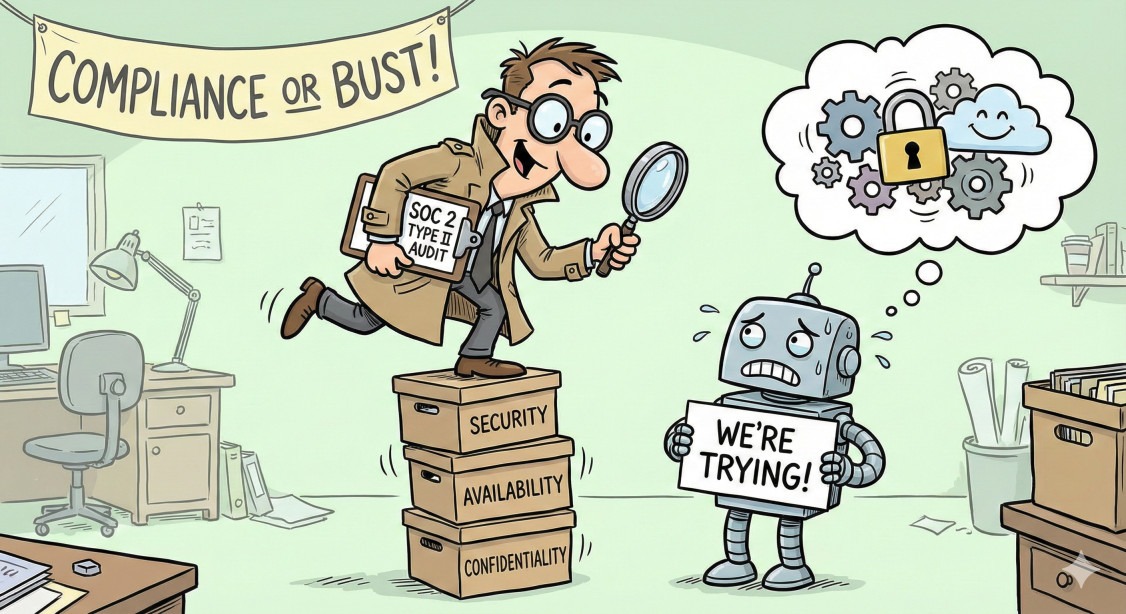
  • SOC 2 Type II Compliance: A 90-day plan to become enterprise-ready

    SOC 2 Type II Compliance: A 90-day plan to become enterprise-ready

    Enterprises ask for SOC 2 Type II compliance because it is a risk filter, not a curiosity. They want proof that your controls run consistently, not only during a sales cycle or after a fire drill.

    The compliance fear is real on both sides. Buyers fear approving a vendor that later becomes an incident. Vendors fear a long process that turns into endless evidence requests and onboarding delays. Most of that friction comes from the same gap: controls exist in intent, but not as a repeatable operating rhythm.

    Type II forces that rhythm. It tests whether access reviews happened, changes followed approvals, vulnerabilities were tracked to closure, incidents were handled with discipline, and evidence exists across an observation period. 

    So, here’s your 90-day plan to get audit-ready: lock scope, implement what auditors test, and build an evidence trail that holds up under scrutiny.

    What SOC 2 Type II actually tests

    SOC 2 stands for System and Organization Controls 2. In practical terms, it is a third-party assurance report that enterprises use to answer one question: Can this vendor be trusted to run a service securely and reliably while handling our data?

    SOC 2 is built on the Trust Services Criteria. Security is the baseline; next, you may also include Availability, Confidentiality, Processing Integrity, and Privacy, depending on what your service does. Think of these as the buckets auditors use to test how you control access, manage change, monitor systems, handle incidents, protect data, and manage critical vendors.

    Type II is the version that matters in enterprise onboarding because it is not a snapshot. It checks whether your controls operated effectively over an observation period. That means auditors will look for consistency: a defined process, a clear owner, a repeatable cadence, and evidence that shows the control actually ran. 

    If your proof lives in Slack, tribal memory, or “we do it when needed,” that is exactly what Type II exposes.

    Scope It Like a Pro

    If you get the scope wrong, everything else becomes paperwork. The audit drags, evidence stays inconsistent, and enterprise reviewers keep asking follow-ups because your boundaries are unclear. Your goal is a tight, defensible scope that matches what customers actually use.

    Define “the system” within one page and keep it production-focused. Include only what delivers the service: core app, APIs, databases, identity, logging, and the CI/CD path that ships to production. 

    Explicitly exclude anything that does not serve customers in production.

    Then draw three lines that remove ambiguity.

    • What customer data do you store, where it lives, and where it moves?
    • Who can access production, what privileged access means, and how access is approved and removed.
    • Which vendors and cloud services are critical, and what would break if they fail?

    Lock scope early. After that, treat scope changes like production changes. Rare, justified, documented.

    SOC 2 Type II Compliance: Pick the Trust Services Criteria Enterprises Actually Ask For

    Do not treat the Trust Services Criteria like a menu where you tick everything to look mature. Enterprises read that as confusion. Pick what matches your service, your contracts, and what buyers actually pressure test.

    Start with Security. It is the baseline for SOC 2 and the one buyers assume is non-negotiable. Add Availability if your service is operationally critical or you sell uptime in any serious way. Add Confidentiality if you store sensitive business data that is contractually protected. Add Privacy if you process personal data in a meaningful way, and your privacy commitments are part of the review. Add Processing Integrity only if the correctness of processing is a core promise, like transaction workflows or billing-grade processing.

    A decisive way to choose is to map criteria to buyer pain.

    • Security: unauthorized access, misuse, weak change control.
    • Availability: downtime risk, capacity planning, recovery readiness.
    • Confidentiality: exposure of sensitive content, overbroad access.
    • Privacy: personal data handling, retention, disclosures.
    • Processing Integrity: errors, completeness, and rectness of processing.

    Pick the smallest set you can defend in one paragraph. You can expand later. A bloated first report usually slows delivery and weakens the narrative.

    The 90-Day Plan at a Glance

    This is a SOC 2 Type II compliance plan you can actually run, because it is built around what auditors validate and what enterprise reviewers care about: clear scope, consistent operations, and proof that does not depend on heroics. You are not trying to “do compliance.” You are building a repeatable operating system where the right security behaviors happen by default.

    The first 15 days remove ambiguity. 

    Over the next 30 days, install the controls that are tested every time. During the next 30 days turn those controls into a cadence with auto-generated evidence. The final 15 days serve as a stress test, where you validate gaps, close loose ends, and enter the observation period with discipline. 

    If you execute this sequence, Type II becomes a time problem, not a chaos problem.

    DaysFocusDeliverable
    1 to 15Scope and gapsIn-scope system and criteria finalized, owners assigned
    16 to 45ControlsAccess, change, vulnerability, logging, and incident process live
    46 to 75EvidenceRecurring evidence captured with minimal manual work
    76 to 90ReadinessMock audit pack and observation period plan ready

    Days 1 to 15: Gap Assessment and Control Design

    The first two weeks decide whether your SOC 2 Type II compliance readiness effort stays clean or turns into a slow-moving mess. 

    The goal is simple: lock scope, pick the criteria, and convert “we do this” into named controls with owners, cadence, and evidence. 

    Do not chase tools yet. If you cannot describe the control in plain English, you cannot operate it consistently.

    What you should finish by Day 15:

    1. A one-page system description that lists what is in scope, what is out, and where customer data flows.
    2. A control map that ties each Trust Services Criteria requirement to a real control in your environment.
    3. A risk register that is short, owned, and actively used, not a document that gets filed away.
    4. An inventory of assets that matter: cloud accounts or projects, clusters, production databases, storage buckets, secrets, and admin consoles.
    5. A vendor list that is brutally honest about what can impact security or uptime, including subprocessors.
    6. A clean access model: who gets production access, what is privileged, and how approvals and removals happen.
    7. A change management rule set that matches reality: normal changes, emergency changes, and how evidence is captured for both.
    8. A working incident response process with roles, severity levels, and a requirement to produce an incident record.

    A quick check before you move to implementation. If any control still depends on “ask in Slack” or “we will do it when needed,” well, it is not a control yet. Fix that now, before you enter Days 16 to 45.

    Days 16 to 45: Implement Controls That Auditors May Test

    This phase is where you stop planning and make the controls real. Focus on the controls that show up in every SOC 2 Type II compliance test and in every serious enterprise questionnaire. If you implement these cleanly, the rest becomes add-on work, not the foundation.

    What to implement with no exceptions:

    1. Enforce SSO and MFA for all admin and production access, and remove shared accounts.
    2. Put every access grant, access change, and access removal behind a ticket or an auditable workflow.
    3. Lock privileged access down to named roles, and make it revocable fast.
    4. Make production changes traceable end-to-end: PR review, approval, CI checks, and deployment record.
    5. Establish an emergency change path that still leaves evidence and gets reviewed after the fact.
    6. Turn on central logging for cloud, application, and identity events, with alerts that route to on-call.
    7. Run vulnerability scanning on a schedule, define patch SLAs, and track remediation to closure.
    8. Create a backup and restore routine, and actually test restores with documented outcomes.
    9. Formalize vendor handling for critical vendors: onboarding checks, access boundaries, and renewal reviews.

    The discipline rule for this phase: if a control cannot produce evidence without someone remembering to do it, redesign it. 

    Days 46 to 75: Build the Evidence Factory

    By this stage, you should have controls running. Now you make them provable without panic. The mistake teams make is treating evidence as a one-time collection job. For SOC 2 Type II compliance, evidence is a byproduct of routine operations. If your evidence depends on screenshots and memory, you are building stress, not compliance.

    Standardize evidence the same way you standardize engineering work. Every control needs a named owner, a clear frequency, and a single place where artifacts live. Access reviews should output a dated report. 

    Vulnerability management should show a scan, a ticket, and closure. 

    Incidents should produce a record with a timeline and resolution. If you cannot point to one clean artifact per control per cycle, tighten the process until you can.

    Build an “evidence index” early and keep it updated weekly. It is a simple list of controls, links to artifacts, and notes on exceptions. This index becomes your internal dashboard, your readiness review pack, and your fastest response to enterprise due diligence. 

    When the observation period starts, you are not performing for the auditor. You are just operating.

    Read more: AI powered CRMs: An Infogion Guide for This Year

    Days 76 to 90: Readiness Review, Auditor Kickoff, and the Type II Timeline Reality

    This is the phase where you find weak links before the auditor does. You are not trying to look perfect. You are trying to prove your controls are stable, your evidence is consistent, and your gaps are tracked with owners and closure dates. If you skip this step, you will spend the first month of the observation period firefighting exceptions.

    What to complete in this window.

    1. Run a mock audit on your own evidence pack and mark every control as pass, weak, or missing.
    2. Close the easy gaps fast, and document the hard ones as managed exceptions with timelines.
    3. Freeze the scope and criteria so you do not keep shifting the goalposts during the observation period.
      Build a clean evidence index with links, dates, and owners, so reviewers can navigate without asking you.
    4. Confirm monitoring and incident workflows are producing records that show detection, response, and closure.
    5. Do one restore test and one access review cycle inside this window, so you know the cadence works.
    6. Align with the audit firm on the observation period, sample sizes, and what they will test, not what you hope they will test.

    The timeline reality to be honest about. SOC 2 Type II compliance needs time to show operating effectiveness. 

    Your 90 days get you to audit-ready and reduce enterprise friction. The observation period is where you keep doing the same disciplined work and then the report follows.

    What Breaks in the Real World: Day 30 and Day 70 Failure Modes

    Around Day 30, teams usually fail on basics, not security theory. 

    Access is still being granted on chat, offboarding is slow, and “temporary” admin access becomes permanent. Change management also cracks under delivery pressure, with hotfixes that bypass approvals or lack clean deployment records. The result is predictable: you have controls on paper, but your evidence trail has gaps exactly where auditors and enterprise reviewers look first.

    Around Day 70, the problem shifts from controls to consistency. 

    Evidence becomes scattered, owners miss cadence, and exceptions are handled informally. Logging exists, but nobody can show the alert on the ticket to the resolution. Vulnerability work shows scans but not closure proof. Backups exist, but restore tests are missing or undocumented. This is the point where teams realize they built controls, but not an operating system. 

    Your fix is discipline: one evidence index, one cadence per control, and a hard rule that “if it is not recorded, it did not happen.”

    Conclusion

    SOC 2 Type II Compliance is a test of operational discipline, not documentation. Lock scope, run a few core controls the same way every week, and produce evidence on schedule without scrambling. Do that consistently, and enterprise reviews get shorter, audits stop feeling like a fire drill, and your team stays focused on delivery instead of chasing checklists.

    Additional reading: SecureFrame’s Soc 2 Compliance Hub
  • The ROI of Sovereign AI: Why Local AI Models Save 40% on API Tokens

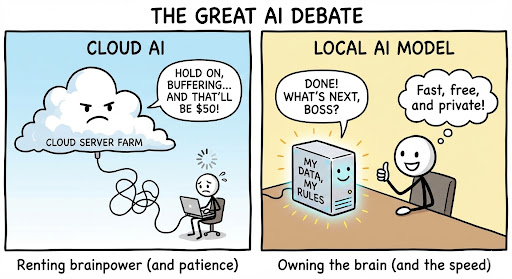
    The ROI of Sovereign AI: Why Local AI Models Save 40% on API Tokens

    Too many smart leaders are treating their AI strategy like a permanent hotel stay. You are paying a luxury markup for a room you can never decorate and a bed you do not own. Public APIs served a purpose during the experimental phase. Now, there is a massive leak in your operational bucket.

    The smartest players in the market realize that renting intelligence by the token is a recipe for margin collapse. It is the digital equivalent of paying for every breath of air in your office. Let’s find out how to stop the bleeding and reclaim forty percent of your budget. Welcome to the world of Local AI Models.

    The perpetual API subscription tax on your operational margins

    Public APIs are essentially a tax on your success. The more users you attract and the more data you process, the more you owe a third party. It is a backwards way to build a business because your most successful month becomes your most expensive one. I am seeing talented teams hesitate to roll out new features because they are terrified of what the bill will look like at the end of the quarter.

    Also Read: Self-hosted LLM Infrastructure: Buy It Without Leaking Data

    This is where local AI models change the equation from a variable drain to a fixed foundation. When you own the infrastructure, your cost to run one thousand queries is nearly the same as the cost to run ten. 

    You are moving from a world where you rent a brain by the minute to a world where you own the engine. If your business model relies on a vendor not raising their prices or changing their terms, you are not a manager. You are a hostage.

    The financial logic for a pure API strategy falls apart the moment you hit production scale. You are paying a massive premium for a generic service that has zero loyalty to your bottom line. By bringing the compute in-house, you are turning a recurring liability into a strategic asset that actually builds value on your balance sheet. 

    The winners of this decade will be the ones who stop paying the landlord and start owning the land.

    Also Read: 7 Hard Truths About AI-Based Startups Nobody Puts in Pitch Decks

    Stripping the provider markup to claim your 40 percent margin dividend

    The 40 percent saving is not a guess. It is the result of removing the massive premium that commercial providers charge to cover their own research and marketing. When you use local AI models, you are buying at wholesale prices. You stop subsidizing the profit margins of a trillion-dollar tech giant and start keeping that capital for your own infrastructure. 

    The markup on a standard API call is often four times the actual cost of the electricity and silicon used to generate it.

    The money usually leaks out in three specific ways:

    • You are paying for a giant brand name and a flashy website that your users never even see.
    • You are being forced to use a massive model to do a tiny job because the provider wants to simplify their own billing.
    • Your monthly check is paying for the vendor to train their next version instead of improving your own system.

    If you analyze an enterprise workload of 200 million tokens monthly, an API provider might charge you $5,000 for the privilege. Running that same workload on a dedicated server cluster costs a few hundred dollars in power and maintenance. 

    Also Read: Conversational AI Assistants Aren’t Chatbots. They’re Breakthrough Relationships Built on Understanding

    Local AI Models: the only cure for the hidden productivity tax of latency

    Every millisecond your data spends traveling to a server farm three states away is a millisecond your staff spends staring at a gray loading bar. While a three-second delay feels negligible for a single query, it becomes a massive bottleneck when integrated into high-frequency business processes or real-time customer interfaces. 

    By deploying local AI models, the intelligence sits in the same rack as the task, turning a stuttering workflow into a seamless stream of results that keeps your team in a state of high output.

    Efficiency FactorPublic Cloud APILocal AI ModelsDirect Benefit
    Response Latency2.0s – 5.0s (Network overhead)0.1s – 0.5s (Internal bus speed)Eliminate the wait tax on customer facing apps to boost retention.
    System ThroughputCapped by vendor rate limitsLimited only by your GPU VRAM10x more transactions per hour with your existing staff.
    Worker ProductivityHigh context switching riskNear instant flow state supportSave thousands of work hours annually on high volume audit tasks.
    Operational UptimeVulnerable to ISP and Cloud outages100% available behind your firewallCore logic remains functional even if the global internet flickers.
    Cost of IdlingPaying for system wait timeMaximum hardware utilizationStop paying for expensive talent to watch a loading spinner.
    Data Travel DistanceThousands of miles round-tripCentimeters across the motherboardRemove 100% of the interception risk from the transport layer.
    Concurrency LoadPerformance drops during peak hoursDedicated, consistent performanceReporting is ready by 8 AM regardless of global traffic.
    Batch ProcessingHigh cost for large-scale datasetsFree execution on owned hardwareDeeper analysis of your entire database without fear of a surprise bill.
    Debugging SpeedSlow feedback loops via API logsReal-time local console monitoringDevelopers can iterate and ship features twice as fast.
    Integration ComplexityConstant API version maintenanceStable, version-locked environmentsLower DevOps overhead by freezing the model stack.

    Locking your data vault by hosting intelligence inside the house

    Sending your company data to a cloud API is like handing your house keys to a stranger just because they offered to help you carry the groceries. You are trusting a third party to handle your proprietary secrets, customer records, and internal strategy while they train their own systems on your success. 

    Far too many leaders treat their data like a public utility when it is actually the only thing keeping them competitive in a crowded market.

    The financial stakes of a mistake are no longer a slap on the wrist. Looking at the 2025 numbers, the average cost of a data breach is a direct hit to your valuation. Beyond the legal fines, you have to deal with the fact that most consumers will simply walk away if they do not trust how you handle their personal information. 

    Using local AI models ensures your data never leaves your own silicon, effectively removing the third-party provider as a point of failure.

    By hosting your intelligence on-site, you are building a physical wall around your intellectual property. You stop being a guest in someone else’s data center and start being the warden of your own vault. Total ownership of your stack is the only real insurance policy in an era of high-speed corporate espionage.

    Stopping the drain of paying for computing power your tasks do not require

    Most cloud providers force you to rent a massive, one-size-fits-all brain to perform basic data entry tasks. It is like hiring a world-class neurosurgeon to put a bandage on a scraped knee. You are paying for billions of parameters of general knowledge and expensive safety alignment that have zero impact on your specific business logic. 

    By deploying local AI models, you match the size of the model to the complexity of the job, ensuring every dollar spent is directed toward your actual goals.

    • Use a lean 8B model for document extraction instead of a massive 400B model to cut your power and processing requirements by 90 percent.
    • Run specialized tasks in parallel on a single GPU cluster to finish a week of data processing in a single afternoon.
    • Stop paying for the extra compute cycles a cloud provider uses to run ethical filters on your own private, internal data.
    • Direct every bit of your VRAM toward revenue-generating tasks rather than paying for a giant model’s idle background processes.
    • Reduce your cost per interaction to near zero by stripping away the “general intelligence” fluff you never asked for.

    Trading volatile usage spikes for the peace of a fixed infrastructure budget

    Relying on a cloud API means your monthly expenses are tied to a roller coaster you do not control. If your application goes viral or your team runs a massive data audit, your bill spikes without warning. It is impossible to protect your margins when your infrastructure costs change every single day based on how many tokens you happen to consume.

    When you shift to local AI models, you are buying the farm instead of paying for every ear of corn. Your infrastructure cost becomes a flat and predictable line on your balance sheet. 

    You know exactly what your server costs will be for the next three years, regardless of whether you process a thousand requests or a billion. This transition allows you to forecast your margins with total confidence because you have removed the variable pricing risk from your core operations.

    A fixed budget model also changes the way your team iterates on products. When every experiment carries a direct financial penalty from a cloud provider, your developers stop taking risks to avoid blowing the budget. With your own hardware, the marginal cost of trying a new idea is zero. You can push your systems to the absolute limit without checking the balance on your credit card.

    Additional reading: Ten Key Insights from IBM’s Cost of a Data Breach Report 2025

    Conclusion

    Treat the shift to local AI models like buying the building instead of renting a cramped basement. The API era served as a useful training wheel phase, but keeping those wheels on during a competitive race is a guaranteed recipe for a margin crash. Owning the hardware is the only way to lock in profit and tell the cloud giants that the bank is closed for good. The dividend of this decision is simple: total autonomy and a balance sheet that finally stops leaking cash with every single query.

  • Cloud vs. Bare Metal: Picking the Winner for Your 2026 Budget

    Cloud vs. Bare Metal: Picking the Winner for Your 2026 Budget

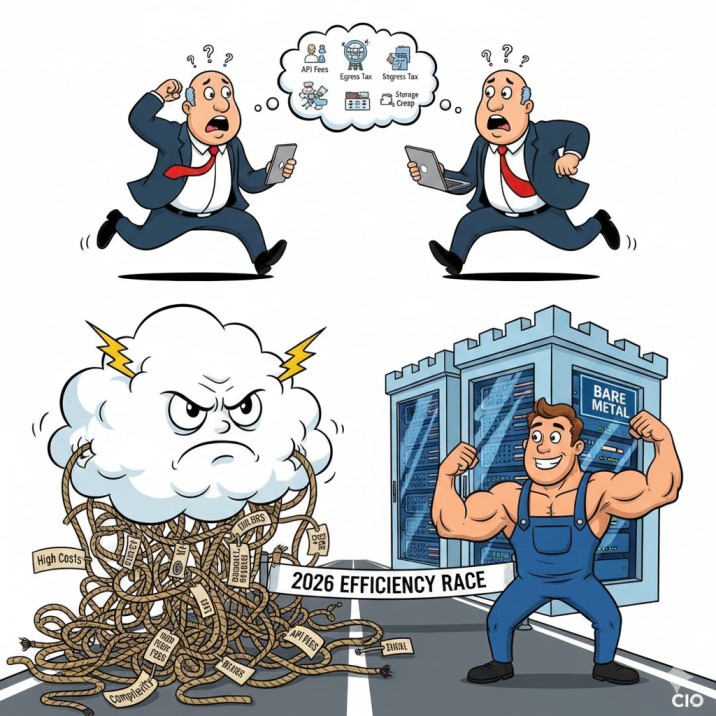
    Let’s be real: the “Cloud-First” honeymoon is over. We all spent the last decade throwing everything into AWS or Azure because it felt like magic. But in 2026, magic has a price tag that’s starting to look like a mortgage on a house you don’t even own.

    I have sat in those governance meetings where the CIO looks at the monthly bill, then looks at people around the table, and we all know the truth – the “elasticity” we are paying for is actually just expensive, unused air. We have been conditioned to think that renting is the only way to stay agile, but this year, we are experiencing a massive pivot. This year, the goal isn’t just scaling at any cost; it’s unit economics; it’s Cloud vs. Bare Metal. We are moving from being cloud-blind to being margin-native. It’s time to stop talking about “the stack” and start talking about the bottom line.

    The Virtualization Tax: Raw Power vs. Hypervisor Overhead

    In the public cloud, you are never alone with your hardware. Every virtual machine sits on top of a hypervisor. This software acts as a middleman between your app and the CPU. This abstraction is the “Virtualization Tax.” It consumes 10% to 15% of your processing power just to exist. You pay for 100% of the silicon, but your application only sees what is left after the middleman takes its cut.

    Then there is the “Noisy Neighbor” problem. Public cloud is multi-tenant. You share a physical rack with other companies. If their usage spikes, your performance jitters. This “Steal Time” causes latency spikes that are impossible to debug. On Bare Metal, you are the only tenant. There is no contention for the bus and no one else’s code is slowing down your production.

    This architecture forces you to over-provision in the cloud just to survive shared-resource dips. With Bare Metal, you get sub-millisecond access to the silicon. You are not just buying a server; you are buying the certainty that every cycle belongs to your code. For steady, high-utilization workloads, a comparison of Cloud vs. Bare Metal is a difference between a shared gamble and a dedicated asset.

    Also Read: A Rental Trap: A Blueprint for Strategic Exit from Cloud in 2026

    The Silent Killers: Egress, API, and Storage Creep

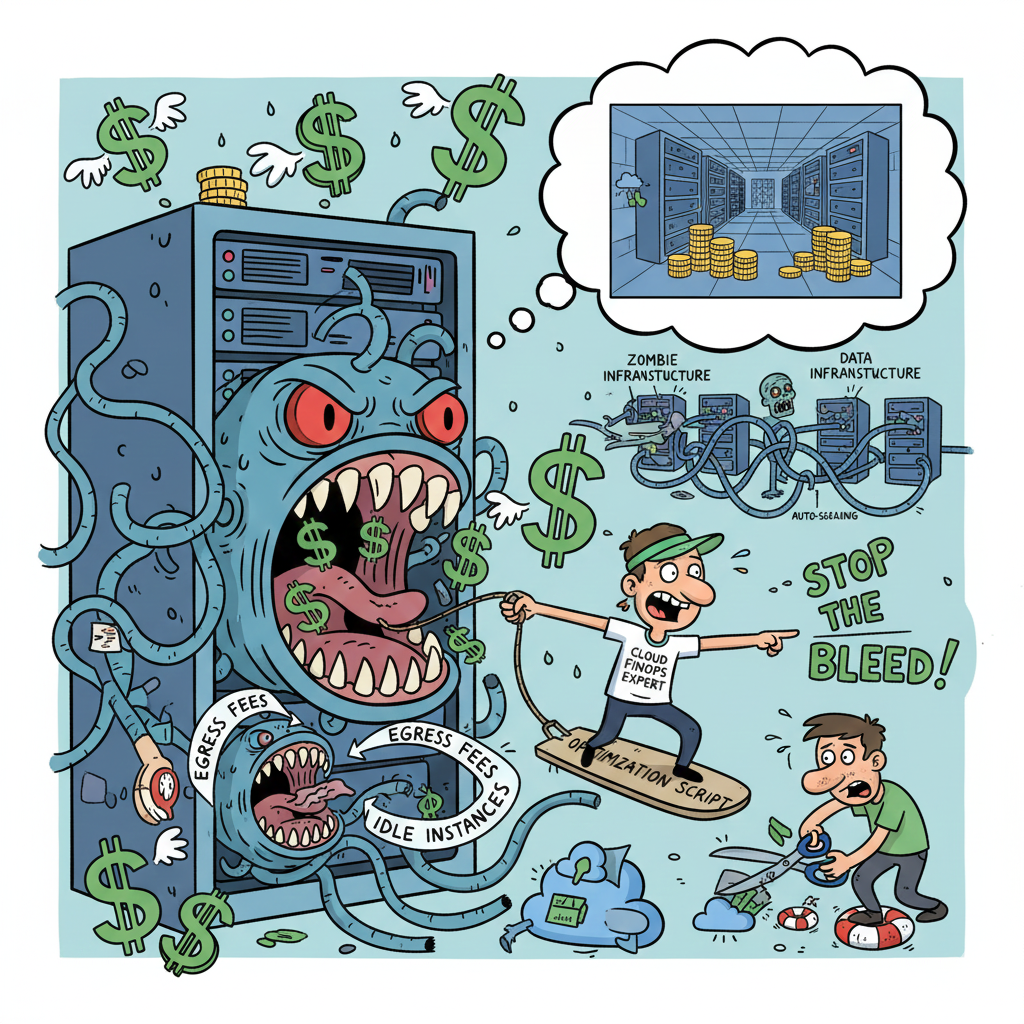
    Cloud bills are rarely high because of the sticker price on the instance. They are high because of a secondary layer of fees that scale faster than your revenue.

    1. Data Egress: The Ransom on Your Own Data. In the public cloud, you are not just paying to store data; you are paying a ransom to move it. Most major providers charge between $0.05 and $0.09 per GB for data leaving their network to the internet.

    Consider a mid-sized enterprise moving 100 TB of data per month.

    • Public Cloud Egress Cost: 100,000 GB x $0.08 (avg) = $8,000 per month.
    • Bare Metal Egress Cost: Most dedicated providers offer a 100 TB or 1 Gbps unmetered pipe included in the server lease.
    • The Loss: You are losing $96,000 USD per year simply to send your own data to your users.

    2. API Request Creep: The Interaction Tax. Every time your application talks to a managed cloud service, you are billed for the request. In a microservices architecture, a single user action can trigger 50 internal API calls.

    • The Reality: At $0.005 per 1,000 PUT requests, it seems cheap. But for a high-traffic app doing 1 billion requests a month, you are looking at $5,000 USD per month just for the “noise” of your services talking to each other.
    • The Difference: On Bare Metal, internal communication happens over a local backplane. It is free, and it is sub-millisecond.

    3. Storage Creep: Paying for Hot Air Cloud storage is priced by tiers, and the trap is staying in “Standard” storage for datasets that are rarely accessed.

    • The Math: Storing 500 TB on the cloud in a standard tier costs roughly $11,500 USD per month.
    • The Bare Metal Alternative: You can lease a massive storage array with 500 TB of raw NVMe capacity for approximately $3,000 per month.
    • The Loss: That is an $8,500 monthly leak.

    When you add these up, the convenience of the cloud is costing you a 60% to 80% markup on the basic utilities of computing. If you are looking for the source of your budget bloat, it is likely hiding in these three line items. In Cloud vs. Bare Metal, Bare Metal wins.

    The 3-Year TCO Comparison in Cloud vs. Bare Metal: The $160 Trigger Point

    If the monthly cloud bill for a single, steady-state workload is higher than $160, you have likely crossed the line into overpayment. Infrastructure costs should be measured over a 36-month lifecycle. Public cloud providers win on “Zero Down” flexibility, but they lose on the “Mortgage.” When I look at a production database, something that stays powered on 24/7, the math is not even close.

    Let us compare a standard high-performance setup in 2026: 8 vCPUs and 32GB RAM (equivalent to an AWS m5.2xlarge).

    The 3-Year “Truth”Public Cloud (Managed VM)Bare Metal (Dedicated)
    Monthly Compute$280 (On-Demand)$140 (Fixed Lease)
    Data Egress (10TB/mo)$900 (at $0.09/GB)$0 (Included)
    Storage (1TB NVMe)$120 (IOPS + Capacity)$0 (Included in Lease)
    Support (Business/Premium)$130 (10% of Spend)$20 (Fixed Remote Hands)
    Backup & Recovery$50 (Snapshots)$30 (Offsite Storage)
    Managed DB Surcharge$150 (RDS/Cloud SQL)$0 (Self-Managed)
    Monthly Total$1,630$190
    3-Year Grand Total$58,680$6,840

    The gap is now even wider. We are looking at a $51,840 difference for a single production server over three years. When people tell me the cloud is cheaper, they are usually only looking at the $280 compute cost and ignoring the $1,350 in “operational friction” that follows it.

    I am not saying the cloud has no value. I am saying that for a steady-state workload, you are essentially paying a 760% markup for the convenience of not having to manage a physical operating system. For a cluster of ten servers, that is over half a million dollars that could have been profit or R&D budget.

    The Talent Debt: Managed Ease vs. Operational Control

    There is no such thing as a free lunch in infrastructure. The cloud is a hotel. You pay a premium because someone else changes the sheets, fixes the plumbing and ensures the lights stay on at 3 AM. When you move to Bare Metal, you are buying the house. The monthly invoice for the hardware drops to the floor, but the requirement for specialized skill rises to the ceiling.

    This is the “Talent Debt.” You are trading a high AWS bill for the cost of human expertise. If the current team consists only of developers who are used to clicking a “Deploy” button in a web console, Bare Metal will be a shock to the system. You need people who understand Linux kernel tuning, physical firewall configuration, and local RAID arrays. I have seen projects fail because the leadership chased the lower server price but forgot that someone still has to patch the physical OS and handle hardware failures.

    You must ask yourself a hard question: Is the $50,000 you are saving per server enough to pay for the man-hours required to manage it? In 2026, automation tools like Terraform and Ironic have made Bare Metal feel more “cloud-like,” but you still cannot outsource the ultimate responsibility for the hardware. You are gaining total control, but you are also losing the ability to blame a provider when things go dark. If the infra invoice is in your KRA, this is not just a budget shift; it is a culture shift.

    The Decision Matrix: Who Wins for Your Specific Scale?

    In 2026, the “Cloud or Bare Metal” question is no longer an all-or-nothing debate. It is about matching the environment to the maturity of the workload. If you are still in the “move fast and break things” phase, the cloud is your best friend. 

    If you have found your product-market fit and your traffic is a steady river rather than a series of spikes, Bare Metal is your best financial move.

    Business ScenarioRecommended StackPrimary Reason
    Early-Stage StartupPublic CloudAgility is more valuable than margin. Do not waste time on hardware.
    High-Growth Scale-UpBare MetalAt this stage, egress and storage fees will cannibalize your profit.
    Data-Heavy AI/MLBare MetalYou need 100% GPU/CPU utilization without the “Virtualization Tax.”
    Static Legacy AppsBare MetalThese rarely scale. Why pay a premium for “elasticity” you never use?
    Global Consumer AppHybrid ModelCloud for the “spiky” front-end; Bare Metal for the heavy database.
    High-Compliance (HIPAA/GDPR)Bare MetalPhysical isolation simplifies audits and guarantees data residency.
    Edge Computing (IoT/Retail)Bare MetalSub-millisecond local processing is required at the physical location.
    Multi-Region BurstingPublic CloudSpin up 20 regions in minutes. Bare Metal lead times are too slow here.
    Exit Strategy / PortabilityBare MetalAvoiding “Service Lock-in.” It is easier to move a Linux box than a proprietary API.

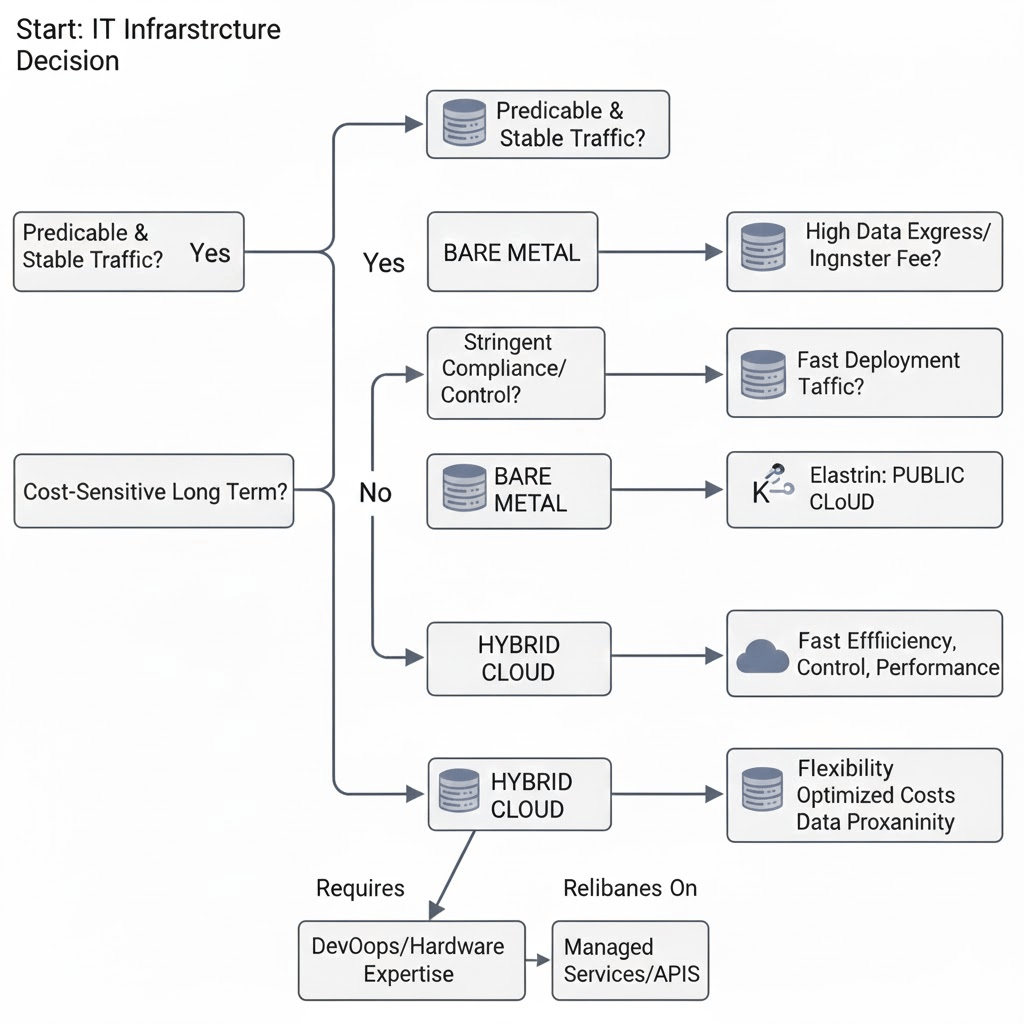
    The decision logic is simple. If the workload is unpredictable, rent the flexibility of the cloud. If the workload is predictable, own the efficiency of Bare Metal. Moving to a hybrid model is often the most sophisticated choice for a modern enterprise.

    Additional reading: Bare metal economics: Why more companies are ditching shared infrastructure

    Conclusion

    The era of “Cloud at any cost” is over. In 2026, efficiency is the only metric that matters. We have spent years treating the public cloud like an infinite resource, but the math proves it is often just a high-interest loan on your margins. My verdict is simple: stop being cloud-native and start being value-native. Renting is for laboratories; owning is for factories. Audit your invoice, identify the silent killers, and move your steady-state workloads back to dedicated silicon. Reclaiming that margin is not just a technical win; it is a competitive advantage.

  • A Rental Trap: A Blueprint for Strategic Exit from Cloud in 2026

    A Rental Trap: A Blueprint for Strategic Exit from Cloud in 2026

    Before I talk about Strategic Exit from Cloud, let me tell you a story.

    I recently sat across from the Head of IT for a major Japanese venture here in India. We met at one of those ubiquitous coffee chains in Gurgaon; it is the kind of place that serves as the unofficial headquarters for the local tech scene.

    It is a strange environment. You look around and see a sea of glowing Apple logos, noise-canceling headphones, and people in their twenties wearing Build t-shirts. These are the high-salaried tech elite of the city. They are huddled over their machines, deep into anything from Python scripts and Power BI dashboards to complex Kubernetes clusters and Spark jobs. It is a room full of people building the future, fueled by overpriced avocado toasts and pour-overs. For a packed house, it is surprisingly quiet. The only real sound is the rhythmic clicking of mechanical keyboards.

    To anyone else, this was the Cloud Generation in its natural habitat. But the man sitting across from me, a veteran of high-scale Japanese engineering, was not buying the hype. He looked out of place among the “oldies” like us, but he carried the quiet confidence of someone who knows the math everyone else is ignoring.

    I expected our conversation to drift toward the usual topics like multi-cloud strategies or their 2026 AWS commitment. Instead, he leaned in, lowered his voice to match the café’s studious hum, and dropped a bombshell.

    “Except for our public-facing CMS, we have zero presence on the cloud,” he said. “Everything else is on-prem.”

    In this temple of SaaS and “Serverless,” his words felt like heresy.

    I looked around at the tech talent in the room, likely burning through thousands of dollars in cloud credits to run the very Spark jobs and Kubernetes nodes they were monitoring, and then back at him. He was not avoiding the cloud because he was stuck in the past. He was avoiding it because he was mathematically disciplined.

    As he walked me through their architecture, the irony was thick. The high-paid crowd around us was happy to pay exorbitant prices for both their coffee and their computing power, but his firm had quietly realized that the Cloud is a spectacular place to start and a dangerous place to stay.

    By owning their iron, they had achieved what everyone in that café was chasing, but few were actually hitting: True Data Sovereignty and 40% higher margins than their competitors.

    This encounter confirmed a shift I have been tracking for months. The era of “Cloud-at-all-costs” is hitting a wall. We are entering the age of the Strategic Exit from Cloud.

    cloud data transfer costInter-AZ Data Transfer Cost Optimization: The Silent Bill You Forgot to Budget

    The “Cloud Tax” and the Law of Diminishing Returns

    The public cloud is sold as an infinitely scalable utility. The marketing tells you that you only pay for what you use. That is a half-truth. In reality, you pay a massive premium for “agility” that your business might no longer need once your product is stable.

    If your workloads are predictable like the Japanese firm I mentioned, the cloud stops being a tool for growth and starts becoming a tax on your margins.

    Also Read: Google Cloud migration Blueprint from Infogion

    The Math: Why 2026 is the Year of the Iron

    To understand why a high-growth venture would choose on-prem, you have to look at the three-year TCO (Total Cost of Ownership).

    Consider a standard “High-Compute” setup required for Spark jobs or large-scale Python data processing:

    Expense CategoryPublic Cloud (Managed)On-Prem (Colocation)
    Monthly Compute$8,500 (Reserved Instances)$1,200 (Power/Rack Space)
    Data Egress$2,000 (The “Exit Tax”)$0 (Flat Bandwidth)
    Hardware Cost$0 (Rental model)$65,000 (Upfront Purchase)
    3-Year Total$378,000$108,200

    Even after factoring in the $65,000 for high-end Dell or HP servers and the cost of a specialized engineer to “rack and stack” the gear, the on-premises model is nearly $270,000 cheaper over three years.

    For the tech guys in that Gurgaon café, that difference is invisible because the cloud bill is often hidden in “OpEx” budgets. But for the Japanese IT Head, that $270k represents the difference between a profitable quarter and a round of layoffs.

    Also Read: 7 cheapest Cloud Storage Service Provider

    The “Hidden” Exit Taxes

    Cloud providers know their pricing is vulnerable to hardware ownership. This is why they have built “moats” to keep you trapped:

    1. Egress Fees: Moving data into the cloud is free. Moving it out to your own servers can cost upwards of $0.09 per GB. If you have petabytes of data, you are effectively a hostage.
    2. Feature Lock-in: Proprietary tools like AWS Glue or DynamoDB are designed so that “leaving” requires a complete rewrite of your codebase.
    3. The Support Premium: As soon as you scale, “Basic Support” is not enough. You end up paying a percentage of your total spend just to talk to a human when a node goes down.

    Also Read: Cloud vs. Bare Metal: Picking the Winner for Your 2026 Budget

    The Hardware Reality: What “Iron” Actually Looks Like in 2026

    When that IT Head in Gurgaon told me they were 100% on-prem, my first thought was about their supply chain. You can’t just “click” a button to get a new H100 GPU or a petabyte of NVMe storage. You have to negotiate with vendors, wait for shipping, and deal with DOA (Dead on Arrival) parts.

    For a venture-scale operation, you aren’t buying consumer-grade gear. You are looking at enterprise-grade infrastructure in line of Dell PowerEdge, HPE ProLiant, or Supermicro. But here is the “Brutally Honest” part: you also need to think about the secondary market.

    Many high-growth firms are realizing that “Last-Gen” hardware (like a 2-year-old Xeon gold processor) can handle 90% of their Spark and Python workloads at 30% of the cost of new equipment. In the cloud, you pay for the newest chips whether you need them or not. On-prem, you choose the exact horsepower for the job.

    Also read: Comparison of the top four Cloud Platforms – Google Cloud, Amazon Web Services, Microsoft Azure, and IBM Cloud

    The Skill Gap: Why Your “Cloud Native” Team Might Panic after Strategic Exit from Cloud

    This is the biggest risk of strategic Exit from Cloud. Most of the high-paid tech elite in that café have spent their entire careers in a world where “infrastructure” is an API call. They know Kubernetes, but they might not know how to troubleshoot a failing RAID controller or a misconfigured Top-of-Rack switch.

    When you leave the cloud, you are trading “Provider Risk” for “Personnel Risk.” You are moving from a world where AWS manages the hardware to a world where you are the data center manager.

    If you don’t have a Greybeard on the team, someone who remembers what it’s like to work in a cold aisle with a crash cart, you are going to struggle. You need people who understand the Linux kernel, not just the Terraform provider. The savings on your AWS bill will quickly vanish if your on-prem cluster goes down for 48 hours because nobody knows how to fix a corrupted file system.

    Also read: Amazon AWS Cloud for Non-Tech Founders in 2026

    The “Stealth” Costs of Ownership

    I want to be clear: On-prem is not “free.” You are trading a monthly rental fee for a set of new responsibilities.

    • You are paying the Colocation provider for redundant power feeds and massive cooling units.
    • Unless you want to drive to the data center at 3 AM to swap a failed drive, you need a “Remote Hands” agreement. These guys are your feet on the ground, and they don’t work for cheap.
    • Every hour your lead engineer spends debugging a networking hardware issue is an hour they aren’t building your product. This is the “hidden” trade-off.

    The 90-Day Blueprint: How to Reclaim Your Infrastructure

    The strategic Exit from Cloud is not a “weekend project.” It is a surgical operation. If you try to move everything at once, you will fail. The Japanese firm I spoke with took a phased approach that prioritized data safety over speed.

    Also Read: 20 Pay-zero Cloud Storage Services

    Here is how you execute a strategic exit in three distinct phases.

    Phase 1: The Inventory and “Egress Audit” (Days 1–30)

    Before you buy a single server, you must know what you are actually using. Most companies have “Zombie Instances” running that nobody monitors.

    • Identify exactly where your data is flowing. Is it mostly internal, or are you serving petabytes to the public?
    • Categorize your services. Anything using a proprietary cloud tool (like AWS Athena or SageMaker) will need a code refactor. Anything running in a standard Docker container is an easy candidate for relocation.
    • Calculate your current “Price per Compute Hour.” This is your benchmark for success.

    Phase 2: The “Pilot” and Colocation Setup (Days 31–60)

    Do not build your own data center. Use a Colocation (Colo) provider. They provide the power, cooling, and physical security; you just provide the iron.

    • In 2026, lead times for high-end GPUs and servers are still a factor. Order your hardware on Day 31.
    • Set up a “Direct Connect” or a high-speed VPN between your cloud VPC and your new hardware.
    • Move a non-critical, steady-state workload (like a staging environment or a secondary data processing job) to the new servers. Monitor it for 14 days. If the performance holds, move to Phase 3.

    Phase 3: The Data Migration and the Point of No Return

    This is where things get expensive and stressful. This is the moment you have to pay the Exit Tax I mentioned earlier. If you try to move a few hundred terabytes over a standard internet connection, you will likely spend more on bandwidth and time than the hardware is worth.

    For the Japanese firm, they didn’t even try to push it over the wire. They used physical transfer appliances basically ruggedized storage arrays that you fill up, encrypt, and ship via a courier. It sounds primitive in 2026, but moving ten petabytes via a truck is often faster and more secure than any fiber optic cable you can rent.

    Once that data is sitting in your new racks, you start the Weighted DNS dance. You don’t just flip a switch and pray. You send 5% of your traffic to the on-prem cluster and watch the logs like a hawk. If the Spark jobs are finishing on time and the latency isn’t spiking, you bump it to 20%, then 50%.

    The most satisfying moment isn’t the cost savings; it is the moment you finally click Terminate on those massive AWS instances. It is the digital equivalent of finally paying off your mortgage. You are no longer a tenant; you are an owner.

    Also Read: Master Mastering Cost-Effective Cloud Platforms: 4 Absolute Insights for Small Business Owners

    Conclusion: Reclaiming the Frontier

    As I finished my coffee and watched the Gurgaon tech crowd slowly filter out of the cafe, I realized that the Japanese IT Head wasn’t an outlier. He was a pioneer.

    He saw the cloud for what it really is: a fantastic incubator for the “0 to 1” phase of a company. It is a place to experiment, fail fast, and find product-market fit. But once you have found that fit once your workloads are steady and your data is your most valuable asset staying in the cloud is like continuing to live in a hotel long after you’ve become a millionaire. It’s convenient, but it’s financially reckless.

    The Strategic Exit isn’t about being anti-cloud. It’s about being pro-business. It is about realizing that in 2026, the real innovators aren’t just the ones writing the best code; they are the ones who actually own the machines the code runs on.

    If you are tired of paying the exorbitant price for your compute and your coffee, it might be time to stop renting and start building.

    Additional reading: On Premise vs. Cloud: Key Differences, Benefits and Risks

    FAQs

    How is the Capex justified to the board?

    Frame it as an equity play. Cloud spending is a black hole of pure Opex. Buying hardware converts that waste into a depreciating asset that pays for itself in 18 months by nuking the “rental tax” on your margins.

    Does this kill our “Speed to Market”?

    Only if your team is lazy. Modern automation tools provide the same “one-click” deployment on-premises as they do in AWS. You are trading the convenience of a leased car for the performance of a custom-tuned engine you actually own.

    Is the egress fee a dealbreaker?

    It is a ransom, not a fee. Audit your data gravity now. Moving services before data is a financial suicide mission. Pull the heaviest data sets first to stop the cloud provider from holding your operations hostage.

    Do we need to hire a massive infrastructure team?

    No. Software-defined networking means a lean team can run a data center from a laptop. If you can manage a Kubernetes cluster in the cloud, you can manage it on your own iron. The headcount stays flat; the bill drops.

    What about the “Noisy Neighbor” security risk?

    In the cloud, you share a hallway with strangers. On-premises, you own the building. Repatriation gives you absolute sovereignty over data residency and hardware-level isolation—critical for high-stakes compliance and protecting IP.

  • AI-powered CRM will bring the depraved leaders back on track in 2026.

    AI-powered CRM will bring the depraved leaders back on track in 2026.

    Before we start talking about AI-powered CRM, let’s take to flashback.

    The last few years were not kind to the CRM giants. Everyone pretended things were fine, but the numbers told a very different story. The industry was slowing down, customers were restless, and the old promise of “digital transformation through CRM” was getting stale.

    Take SAP. Revenue went up, but profits collapsed; net income dropped by 68% in 2022. When a company starts cutting thousands of jobs and slimming down its CRM and CX units, it’s not a strategic refinement. It’s a sign that the machine wasn’t running smoothly.

    Salesforce, the poster child of cloud CRM, also hit a dull patch. The company that once grew like a rocket suddenly slipped into its slowest growth era. A few quarters of weak revenue forecasts and nervous investors made it clear: the momentum was gone.

    Even Oracle felt the drag. Their cloud growth dipped from the 30% range to the mid-20s, and analysts openly called the results “disappointing.” And if the giants felt it, the market felt it too; CRM cloud growth slid from 11.7% in 2022 to 10.8% in 2023.

    Flashback done.

    Now the stage is set for the comeback story.

    Why AI Matters in CRM

    A traditional CRM can only record what your team types into it. It stores activities, logs emails, and displays the pipeline, but it cannot interpret intent or guide decisions. This is why so many companies are shifting to an AI-powered CRM model. In a market where customers move fast and signals are scattered across channels, the old CRM approach simply cannot keep up.

    What AI actually fixes

    • Detects warm leads by analysing behaviour and micro signals
    • Scores opportunities with higher accuracy and reduces wasted effort
    • Automates follow-ups, email drafts, and repetitive sales admin
    • Predicts deal timelines instead of letting teams guess every quarter
    • Routes support tickets intelligently to cut response time
    • Keeps CRM data clean without manual cleaning or updates
    • Surfaces insights that sales teams would never notice on their own

    This is the real shift. An AI-powered CRM does not wait for humans to update it. It works alongside them, guides actions, highlights who to talk to, and removes the noise that slows teams down. It transforms CRM from a storage tool into a decision engine. This is the upgrade the industry needed much earlier.

    ai-powered crm

    Top AI-powered CRM Platforms

    Zoho CRM
    Zoho uses Zia as its built-in intelligence layer. Zia predicts deal success, spots unusual activity in the pipeline, and reads email sentiment to understand buyer mood. For users, this means faster qualification, fewer dead leads, and a clearer idea of which deals deserve attention first. In an AI-powered CRM setup, Zia acts like a small analytical assistant that constantly nudges teams toward the right action.

    HubSpot CRM
    HubSpot’s intelligence comes through HubSpot AI. It offers predictive scoring, automated content suggestions, and smart routing that adjusts to real-time behaviour. For users, this translates into better-timed outreach, cleaner segmentation, and less manual effort in deciding who to contact. The CRM becomes more proactive by telling teams which leads are warming up and what message fits the moment.

    Pipedrive
    Pipedrive uses the AI Sales Assistant to review deal health, calculate win probability, and flag stalled opportunities. It benefits users by cutting guesswork and helping them focus on deals with real potential. Instead of scanning the entire pipeline, reps get simple cues about what to close, what to follow up, and what to drop.

    Freshsales
    Freshsales brings intelligence through Freddy AI. Freddy scores leads, forecasts revenue, and generates quick replies across channels. Users benefit from faster responses and better prioritisation, especially when managing a growing lead pool. It fits naturally into an AI-powered CRM flow, guiding teams toward the leads most likely to convert.

    Salesforce Sales Cloud
    Salesforce integrates Einstein and its conversational assistant Copilot to analyse pipeline health, automate data entry, and forecast revenue. For users, this means fewer manual updates and more reliable predictions about the quarter. The system highlights next steps, suggests actions, and surfaces insights teams would normally miss until it is too late.

    Oracle CX
    Oracle adds intelligence through its Adaptive Intelligent Apps. These tools score opportunities, interpret buying signals, and recommend the next step for complex enterprise deals. Users benefit from sharper qualification and better visibility into which accounts are actually interested instead of just polite. It is built for long sales cycles where small signals make a big difference.

    SAP Sales Cloud
    SAP uses AI-enabled Sales Intelligence to improve forecasting, strengthen account insights, and prompt users with recommended actions. It benefits teams that handle structured enterprise sales by keeping them ahead of delays and identifying priority accounts early. SAP’s AI helps reduce surprises in long pipelines and gives managers a clearer view of what is truly moving.

    Read On: How Conversational AI Assistants can help building business relationships

    Comparison of AI-Powered CRM – Key Features

    CRM PlatformPredictive Lead ScoringDeal / Win ProbabilityEmail & Content IntelligenceAutomated Follow-up & WorkflowForecasting & Pipeline Insights
    Zoho CRM (Zia)YesYesSentiment analysis + suggestionsYesYes
    HubSpot CRM (HubSpot AI)YesPartial (engagement-based)Strong content generationYesYes
    Pipedrive (AI Sales Assistant)YesStrong win probability scoringBasic suggestionsYesDeal progress alerts
    Freshsales (Freddy AI)YesYesAuto replies + intent signalsYesRevenue forecasting
    Salesforce Sales Cloud (Einstein)YesAdvancedStrong NL insights & recommendationsYesAdvanced predictive forecasting
    Oracle CX (AI Apps)YesYesAccount intelligenceSuggested next actionsPipeline risk alerts
    SAP Sales Cloud (AI Sales Intelligence)YesYesAccount insights (less content)Recommended actionsForecast health indicators

    How to Choose the Right AI-Powered CRM

    Choosing an AI-powered CRM is less about brand names and more about how well the system fits the rhythm of your daily work. The right tool should cut noise, guide actions, and make every sales or support task lighter. If the CRM feels like a burden today, the AI layer will not magically fix it tomorrow.

    What you should check

    • Match the CRM to your team size so you do not pay for features that sit unused.
    • Confirm the AI layer can learn from your current data instead of depending on heavy manual updates.
    • Ensure it integrates with your core tools like email, WhatsApp, calendars, landing pages, and support systems.
    • Look for a clean interface because complicated CRMs always end up ignored by busy teams.
    • Check how quickly the AI can surface the next best action, not just display information.
    • See if the CRM can auto-fill activities, so reps stop wasting time on data entry.
    • Test the quality of predictions such as lead score, deal probability, and churn alerts.
    • Make sure the CRM can personalise outreach without sounding mechanical
    • Verify mobile usability because many teams work on the go
    • Look at automation depth for follow-ups, handovers, and reminders
    • Ensure the system can scale as your lead volume increases
    • Confirm reporting quality so managers get clear insights without exporting sheets
    • Check whether onboarding is simple because complex rollouts usually fail
    • Evaluate cost vs. adoption because expensive tools are useless if the team avoids them
    • Review how often the vendor updates AI features, so you do not get stuck with outdated intelligence

    A good AI-powered CRM should guide you toward the right leads, auto-update the boring parts, and give you confidence in your pipeline. When the CRM starts helping instead of demanding, that is when you know you have chosen the right one.

    Conclusion

    The CRM market needed a reset. The last few years showed us what happens when systems grow, but intelligence does not. Deals slow down, teams feel the drag, and companies start questioning the value of their tools. An AI-powered CRM changes that rhythm completely. It removes clutter, reads intent, automates the boring parts, and brings clarity back into the pipeline.

    This new wave of intelligence is not optional anymore. It is the difference between a team that reacts and a team that leads. With AI taking over the heavy lifting, CRM finally becomes the partner it was always supposed to be. And 2026 is shaping up to be the year where this shift becomes visible in performance, revenue and customer experience. This is not just an upgrade. It is the comeback story the entire CRM world needed.

  • Conversational AI Assistants Aren’t Chatbots. They’re Breakthrough Relationships Built on Understanding

    Conversational AI Assistants Aren’t Chatbots. They’re Breakthrough Relationships Built on Understanding

    “You don’t have to explain it again,” the conversational AI assistant replied.

    “It’s already in your plan from yesterday.”

    A simple line, but it makes people instantly realize that they’re not talking to a chatbot. They’re interacting with something that remembers, adapts, and understands.

    Most businesses still measure conversational AI by how well it talks. Smooth replies, natural phrasing, fewer errors: all these are important, but none of them create trust. 

    What actually builds trust is continuity. When an assistant connects today’s conversation with yesterday’s intent, it stops being a tool and starts becoming a relationship.

    That’s the shift here we explore: conversational AI assistants aren’t chatbots.

    They’re relationships built on understanding.

    Conversations Are Momentary. Relationships Are Continuous.

    Most teams still celebrate when their AI gives a clean, polished reply. It looks impressive in a demo. It feels modern. But here’s the practical truth:

    A single good conversation does not MEAN ANYTHING, literally.

    Anyone can string together a few neat lines. Humans can do it. Machines can do it. Even that friend who replies after three days can do it.

    A chatbot that gives perfect answers in the moment is like that colleague who talks politely in meetings and forgets everything the next morning. A chatbot handles the moment. A relationship-based conversational AI assistant handles the pattern.

    Users return to assistants that understand context, not assistants that speak perfectly. If it forgets preferences, repeats questions, or behaves like each session is the first, the experience becomes shallow very quickly. No amount of clever language can hide that.

    A good conversational AI assistant feels steady.

    It learns your rhythm, adjusts when you are rushed, and brings forward what you already settled earlier. It does not need to be dramatic or overly “smart.” It simply needs to show that it is paying attention.

    That continuity is what builds trust.

    It is also what makes an assistant feel genuinely helpful, rather than just chatty.

    Chatbots focus on the reply.

    Conversational AI assistants focus on the relationship.

    And honestly, if an AI keeps forgetting basic context, it does not matter how polished its wording is. It still comes across as a system that talks a lot but understands very little.

    The Human Blueprint for Trust

    When people trust someone, it’s never because of one impressive moment. It comes from small behaviours that repeat consistently over time. A conversational AI assistant earns trust the same way. Users don’t care about the technical depth behind the screen. They care about whether the assistant behaves like something that listens, remembers, and doesn’t make them repeat the work. The more human the signals feel, the more natural it is for users to rely on them.

    Here’s what that looks like in practice:

    • Being steady and predictable so the user doesn’t wonder what version of the assistant they’re getting today.
    • Remembering past interactions or preferences so the user isn’t stuck repeating simple information.
    • Picking up on cues like frustration, urgency, or confusion and adjusting the tone accordingly.
    • Following through on tasks without dropping steps or asking for the same input again.
    • Learning gradually from each interaction, so the experience becomes smoother over time.

    These behaviours are small on their own, but together they create a sense of dependability. Trust forms not in the conversation itself but in the continuity that follows. That’s what separates a tool from a relationship.

    Designing for Understanding, Not Conversation

    Most teams still chase “better chat” as if a conversational AI assistant needs to win a poetry contest. Nice wording looks great in a boardroom demo, but out in the wild, users don’t care. They just want the thing to get them. That’s it. If the assistant can’t understand intent or remember basic context, all that polished language might as well be lipstick on a clueless robot.

    Understanding is the real superpower. If the user already explained something, don’t make them repeat it like some punishment. If they’re clearly rushed, drop the essays. If they correct you, don’t mess it up again tomorrow. And if they’re annoyed, maybe don’t respond like a corporate email template.

    Conversation is cheap. Understanding is hard. But that’s what makes a conversational AI assistant feel alive in the right way, not human, but genuinely useful. The moment it starts anticipating, adjusting, and acting with context, the whole experience shifts from “chatting with a system” to “working with something that actually pays attention.”

    The Invisible Metrics of Relationship-based Conversational AI Assistant

    Traditional chatbot metrics look clean on a slide, but they miss the whole point. A conversational AI assistant isn’t judged by how fast it replies or how perfectly it forms a sentence. It’s judged by whether users come back, whether they forgive small mistakes, and whether the experience feels steady instead of mechanical. These signals are subtle, emotional, and often ignored, yet they’re the real indicators of whether an assistant is building a relationship instead of just running a script.

    What You MeasureWhat It Really ShowsWhy It Matters
    Re-engagement rateUsers return on their ownTrust is forming
    Forgiveness rateUsers continue after errorsEmotional comfort exists
    Continuity scorePast context is rememberedExperience feels stable
    Tone matchReplies fit the user’s moodInteraction feels natural
    Drop-off reasonsWhy users leavePinpoints trust gaps

    When Conversational AI Assistants Start Earning Loyalty

    Loyalty shows up the moment a conversational AI assistant stops behaving like a chatbot and starts behaving like something that actually remembers you. Users don’t celebrate perfect sentences. They notice when the assistant picks up yesterday’s thread without making them repeat the basics. That small continuity feels surprisingly powerful.

    conversational AI assistant

    Over time, the small behaviours add up. 

    The conversational AI assistant answers faster when you’re in a rush, stays calm when you’re irritated, and keeps track of decisions you’ve already made. Nothing flashy. Nothing dramatic. Just a steady, reliable presence. That’s the stuff people trust.

    And once that trust sets in, loyalty follows quietly. The conversational AI assistant becomes part of the user’s routine, not a tool they “try out.” It earns its place by paying attention, not by talking a lot.

    Read On: How AI will shape financial analysis in 2026

    Conclusion

    The real shift in conversational AI assistants isn’t louder, smarter, or more natural chat. It’s the move toward assistants that actually understand people. Not perfectly. Not magically. Just well enough to remember what matters, adapt when needed, and stay consistent over time. That’s what makes an assistant feel reliable instead of replaceable.

    In the end, users don’t form loyalty around conversation. They form it around continuity. When an assistant reduces friction, carries context forward, and behaves like it’s paying attention, the relationship feels real in a practical, grounded way. And that’s the goal. Not chatter. Not clever lines. Understanding.

    A chatbot talks.

    A relationship grows.

  • 7 Fail-proof Ways to Use AI for Business Planning That Actually Work

    7 Fail-proof Ways to Use AI for Business Planning That Actually Work

    Before we talk about AI for business planning, let’s do a reality check first; to be more precise, let’s stop pretending. Most strategic planning today is just theater. Fancy decks, three-option forecasts, and a few gut-feel bets dressed up as insight. It looks good in boardrooms, but collapses the moment real-world volatility kicks in. And yet, many companies still cling to this process like it’s some corporate deity – sacred, unquestioned, and entirely out of touch. The spreadsheet becomes scripture. The annual offsite is a ritual. No one asks if any of it still works.

    AI doesn’t just improve planning. It exposes how broken most planning already is. It shows how little control we have when we rely on rearview data, rigid templates, and optimistic timelines. AI for business planning is not a tech upgrade; it’s a reset button. It replaces false certainty with dynamic insight. Businesses still planning without it aren’t just behind. They’re delusional. The gap is no longer between good and grand strategy. It’s between those who adapt in real time and those who plan for a world that doesn’t exist anymore.

    AI-augmented scenario planning that goes beyond fixed models

    Traditional planning loves simplicity. Three scenarios neatly packaged for the boardroom: good, bad, and average. Easy to grasp, easier to pitch, and utterly useless when markets swing wildly. But here’s the reality check from McKinsey: companies stuck on these fixed scenarios take up to 60% longer to respond when crises hit. That delay isn’t trivial. It costs millions in lost revenue, market share, and credibility.

    AI-driven scenario planning exposes how limited that approach is. Instead of forcing reality into a few comfortable outcomes, AI tools simulate thousands of possibilities rapidly and continuously. Gartner reports that 70% of top-performing companies now rely on AI for business planning to generate scenarios to manage risks and opportunities. Three years ago, that figure was just 20%. These organizations, with multimillion-dollar talent pools and vast resources, aren’t betting their future on guesswork anymore. They’re using AI to shift planning from static forecasts to real-time strategic intelligence.

    Look at Lenovo, for instance. Its Supply Chain Intelligence platform uses AI to scan hundreds of data sources in real time. Everything from demand signals to logistics paths is processed to generate dynamic plan updates on the fly. The result? The company boosted forecast accuracy, cut operational delays, and climbed into Gartner’s Supply Chain Top 25 rankings.

    Planning without AI isn’t just outdated. It’s a liability.

    Planning in uncertain times with help from real-time AI insights

    Most strategic plans still assume a world that behaves. But the world doesn’t. Supply chains collapse without warning. Policies shift overnight. Consumer sentiment flips with a headline. What used to be a structured planning cycle now feels like gambling with incomplete information.

    This is where real-time AI starts to matter. It continuously scans live signals and feeds them into your planning model. We’re not talking about quarterly updates. We’re talking about AI for business planning systems that respond as fast as the market moves.

    What kind of signals? A few examples:

    • News sentiment and geopolitical developments
    • Commodity price changes and logistics data
    • Local weather shifts affecting supply or demand
    • Social media chatter or consumer behavior signals
    • Competitor activity and promotional events

    A 2024 BCG study found that companies using real-time AI in their planning processes responded to market disruptions 33 percent faster. That advantage translated into fewer stockouts, more accurate pricing adjustments, and better inventory turns.

    And you don’t need a global crisis to justify it. A sudden sales spike in one city or a supplier delay in another can throw off your entire plan. If your planning still relies on frozen spreadsheets and backward-looking models, you are reacting to a world that has already moved on.

    Zero-based strategy using AI for business planning from the ground up

    Most planning doesn’t actually plan. It inherits. Budgets are recycled. Priorities are carried over. Last year’s headcount, costs, and assumptions are pushed forward with minor edits and a few slides pretending things have changed. It’s not a strategy. It’s corporate muscle memory.

    Zero-based planning flips that logic. It asks a more challenging question: If we had to build this strategy from scratch today, would we still do it this way? That’s not easy to answer, especially at scale. This is where AI steps in. Not just as a calculator, but as a challenger.

    Read our post on AI for Startups: 6 Authoritative Guidelines

    AI tools break down operations line by line. They map spending to outcomes, flag outdated processes, and surface inefficiencies that human planners miss. Instead of relying on instinct or internal politics, AI provides cold clarity. It forces strategy teams to defend every choice, not just the new ones but the old ones too.

    Here’s what this looks like in practice:

    • Unused software licenses identified and dropped from renewal plans
    • Marketing channels re-prioritized based on actual ROI, not legacy commitments.
    • Product lines flagged for phase-out after multi-dimensional profitability analysis.
    • Facilities, logistics routes, and inventory policies are challenged by data, not habit.

    The goal isn’t to cut for the sake of cutting. It is to plan with full awareness of where the business is spending time, money, and effort, and whether any of it still makes sense.

    Used right, AI for business planning turns zero-based strategy into a company-wide rethinking of value. The result is leaner, faster, and often surprisingly liberating.

    Using AI to connect business planning with real-world execution

    Most strategic plans fall apart within weeks. Not because the thinking is wrong, but because execution is nowhere in the picture. Plans are built like academic exercises. Assumptions stack up. Nobody consults the Operations Team. And by the time reality hits, it’s too late to adjust.
    This isn’t a failure of intelligence. It’s a failure of connection. Strategy is treated like a separate layer of the business: high-level, polished, and utterly detached from the chaos below. AI for business planning can change that, not by replacing planners, but by forcing the plan to live in the same world as the work.

    Here are a few direct ways to bring execution into the planning process using AI:

    Connect planning tools with operational systems
    Integrate AI forecasting tools with your ERP, CRM, or logistics platform. Let your plans update in real time based on what’s happening, not what you hoped would happen.

    Use AI to catch breakdowns early.
    If your plan expects a sales spike but the pipeline starts slipping, AI flags it early. You adjust before it shows up in missed targets.

    Automate within boundaries
    Give AI the green light to make small decisions like pricing tweaks or resource shifts, as long as they align with your broader strategy. You set the rules. The system handles the noise.

    Track what’s about to go wrong.
    Leading signals matter more than lagging ones. Drops in engagement, rising support tickets, or delays in supply chains show up early if you know where to look. AI knows.

    Explain the plan in plain language
    Good AI tools can break down strategic models into what each team needs to do. No abstract charts. Just actions with context and clarity.

    When execution feeds back into planning, strategy stops being theoretical. It becomes something teams can follow and improve in real time.

    Building early warning systems through predictive AI

    Disruptions rarely arrive without warning. The clues are almost always there, scattered across supplier updates, pricing shifts, consumer behavior, and even weather patterns. The failure isn’t in the data; it’s in the systems that ignore it. Traditional planning reacts late, often after the damage is done. Predictive AI, on the other hand, is designed to sense weak signals early and convert them into forward action.

    In 2023, Siemens Energy began using AI to monitor real-time data from turbines across its global fleet. The system identified subtle anomalies in vibration and thermal patterns that human analysts would have missed. The result was a 30 percent reduction in unplanned downtime. When failure can cost millions per hour, catching it a few days earlier is a competitive advantage, not a technical detail.

    That’s not an IT win. That’s a business continuity win. 

    Other sectors are catching up fast. A Southeast Asian logistics startup recently used predictive AI to reroute shipments ahead of flooding caused by a regional storm. By layering weather data, route history, and traffic flow patterns, the system flagged delays before they happened. The company met 96 percent of its delivery SLAs that week, while competitors were stalled. In environments where speed is everything, prediction isn’t a nice-to-have. It’s the difference between leading and losing.

    How startups can use affordable AI for business planning

    Most startups don’t lack ideas. They lack time, clarity, and reliable data to turn ideas into executable plans. Traditional planning tools feel too heavy, and full-scale enterprise systems are out of reach. That’s where affordable, modular AI tools come in. They don’t require a data science team or deep tech stacks, just the willingness to plan smarter from day one.

    AI for business planning isn’t limited to large enterprises anymore. Startups are now using tools like ChatGPT, Microsoft Copilot, and Notion AI to test pricing strategies, model growth projections, map hiring needs, and even generate investor-ready plans in hours, not weeks. Combine that with platforms like Tableau Pulse or Zoho Analytics, and early-stage teams can start tracking signals and spotting risks without hiring analysts.

    An AWS‑backed Bengaluru startup is a perfect example. Stylumia began as a fashion-tech venture helping brands track trends, then added AI‐based demand forecasting to refine inventory decisions. The founders used AI-based demand forecasting from a Shopify plugin to time their restocks around influencer campaigns. They also used Notion AI to generate weekly planning summaries based on sales, returns, and reviews. Within three months, they cut inventory holding costs by 18 percent and shortened their response time to market shifts. No custom software. No consultants. Just accessible AI and a bias for action.

    Planning with AI doesn’t mean overengineering your startup. It means skipping the guesswork, learning faster, and staying ahead before the chaos kicks in.

    Improving cross-functional planning with AI-driven visibility

    Planning fails quietly when teams don’t talk. Sales chase one target. Operations tries to keep up. Finance patches the gaps. Leadership sees the wreckage two weeks later in a report. It’s not incompetence, it’s fragmentation.

    AI for business planning doesn’t fix culture, but it can fix visibility. By syncing live data across functions, it gives every team a shared picture of what’s happening now and what’s about to happen next. That one change turns planning from a series of disconnected bets into a coordinated move.

    Here’s what that looks like when AI is working under the hood:

    • Sales stops dreaming in isolation, supply chain sees the spike before it’s too late.
    • Marketing stops hyping what the warehouse doesn’t have.
    • Finance sees trouble while it’s still optional, not when it shows up in the P&L.
    • Leadership finally stops squinting at half-baked dashboards and sees the whole field.
    • Teams stop fighting over who’s right and start moving on to what’s next.

    Good planning isn’t just about the correct forecast. It’s about alignment. AI gives you that alignment at speed, across the entire business, without waiting for someone to email the latest deck.

    Conclusion

    The shift to AI-driven planning isn’t about chasing trends. It’s about building more innovative businesses that can see better, act faster, and stay in sync when it counts. Companies that embrace this shift don’t just react better, they lead with sharper focus, tighter alignment, and a plan that keeps evolving. That’s not just better planning. That’s the real strategic advantage to stay ahead in the coming days.

  • How AI Business Strategy Evolved from Pilot to a Magnificent Game-Changer in Just 5 Years

    How AI Business Strategy Evolved from Pilot to a Magnificent Game-Changer in Just 5 Years

    In early 2018, Carrefour Taiwan decided on an AI Business Strategy and to develop a system to forecast demand and reduce perishable waste across select stores. The model looked promising in development. But store-level data was inconsistent, floor staff didn’t trust the alerts, and the system wasn’t integrated into day-to-day operations. Within months, the pilot was shelved not loudly, just quietly, like so many others.

    This wasn’t a one-off. It was normal.

    Back then, AI primarily resided within IT teams or innovation labs. Business leaders were interested but not involved. Most pilots lacked a clear goal, a strong business sponsor, or a plan to scale. And because no one owned it, no one missed it when it failed.

    AI in business wasn’t expected to deliver results. It was there to check a box. That mindset kept it on the sidelines for years.

    The COVID Effect: Why 2020 Changed the Game

    In 2020, businesses stopped experimenting and started firefighting. Offices shut down. Supply chains cracked. Manual processes became liabilities. Automation was no longer a future priority. It became the only way to keep things running.

    AI Business Strategy found its opening. Not because it was new or flashy, but because it could move faster than most teams. Chatbots handled the spike in customer queries when call centers went offline. Inventory models helped retailers manage shortages and shifting demand. HR teams used AI to track employee sentiment across remote teams. What had once lived at the edges of operations moved to the center, almost overnight.

    And this time, it wasn’t just IT pushing the tools. Business heads needed fast solutions. They cleared pilots, skipped multi-layer approvals, and focused on what could be deployed within weeks. The usual blockers, such as long planning cycles, limited budgets, and internal hesitation, gave way to something else entirely. The Urgency!

    That urgency didn’t just accelerate AI. It made it real.

    AI Business Strategy

    Where AI Business Strategy started delivering real value

    Urgency got AI through the door. But what kept it there was performance. Once companies saw it working in live environments, it stopped being just another untested backup plan and started becoming part of their core operations.

    H&M used AI to fine-tune merchandising decisions across regions. Instead of pushing the same products everywhere, they adjusted inventory to match local demand and moved stock faster with less waste. American Express upgraded its fraud detection with machine learning and cut false positives. Fewer blocked cards. Fewer angry customers. Bosch used AI in its factories to predict equipment failures before they happened. Downtime dropped. Planning got easier. Costs went down.

    These weren’t side projects. They were operational wins. And they changed the way business leaders looked at AI in Business. The question was no longer, “Should we try this?” It became, “Where else can we apply it?”

    That’s when AI stopped being interesting and started being useful.

    From Tech silo to strategic investment

    Once AI Business Strategy started delivering real results, it stopped living quietly inside IT. Business heads stopped asking, “Can we try this?” and started asking, “Where else can we use it?”

    Budgets followed. What used to be tucked into innovation funds has become full-line items within annual plans. AI was no longer a sandbox project. It was part of how the business expected to run, which is visible on dashboards, tied to KPIs, and built into timelines.

    The shift wasn’t just in funding. It was in structure. Companies began looking beyond isolated tools and started thinking in terms of platforms. AI wasn’t something one team played with on the side. It became the engine behind CRM upgrades, customer journeys, pricing logic, and even hiring processes.

    Leadership took notice. Some firms created new roles such as a Chief AI Officer. Others didn’t change titles, but made AI the quiet thread running through strategy reviews, vendor choices, and quarterly ops plans. Whatever the model, one thing became clear: AI Business Strategy had moved out of the lab and into the room where business decisions were being made.

    What decision-makers need to act on now

    AI is no longer a wait-and-watch space. The companies that are ahead didn’t get there by decoding how it works. They got there by figuring out where it fits. They picked a problem that was slowing them down or costing too much, and acted on it.

    This isn’t about building complex models from scratch. It’s about asking simple but pointed questions. Where are we relying on guesswork? Which processes still feel manual? Where are we losing time that we can’t afford to waste?

    The real risk now isn’t missing the next big innovation. The risk is doing nothing while others move ahead with AI in business.

    Start with what you already have – data, processes, people. Choose one use case that’s visible and valuable. Run a controlled pilot. Track the outcome. If it works, expand it. If it doesn’t, adjust and try again.

    You don’t need a perfect strategy to move forward. You need a clear one and a willingness to start.

    Conclusion

    AI didn’t go mainstream because of hype. It happened because real businesses found real value. What was once experimental is now embedded. The companies that moved early didn’t wait to understand everything; they picked a problem, tested fast, and scaled what worked.

    That’s the shift. AI is no longer an edge initiative or a tech showcase. It’s a business tool. It saves time, reduces risk, improves outcomes, and creates room for people to focus on what matters most.

    If you’re still watching from the sidelines, now is the time to step in. Start with one use case that makes sense. Learn quickly. Build from there.

    Because AI Business Strategy isn’t coming. It’s already in the room.

  • AI in Business: What Decision-Makers can Confidently Master in 2025

    AI in Business: What Decision-Makers can Confidently Master in 2025

    AI in Business isn’t a future trend anymore; it’s already reshaping how businesses operate, compete, and grow. From boardrooms to back offices, leaders are under pressure to act, but many still struggle with one basic question: Where do we start? This guide cuts through the noise. No jargon. No hype. Just what you need to know to make smart, timely decisions about AI in your business.

    Where We Stand Today

    AI has moved quickly. What began as a series of pilot experiments has become an integral part of how businesses operate. AI agents now handle customer service. Marketing teams use it to generate content. Operations are running on AI-powered insights.

    According to a 2024 McKinsey report, over 55% of companies now use AI in at least one core business function. In sectors like banking, telecom, and retail, that number is even higher.

    But it’s not just about tools. It’s about a shift in mindset. AI in business is no longer reserved for tech-first companies. Retail, healthcare, logistics, and finance are all finding real and practical ways to utilize it. Leaders aren’t asking “should we use AI?” anymore. They’re asking, “Where do we use it, and how fast can we move?”

    You don’t need to be an expert. But you do need to know what’s changing and how it affects your business.

    AI in Business for Long-Term Strategic Planning

    For most leaders, AI for business planning is no longer a short-term experiment. It’s becoming a key factor in multi-year business planning. The goal is not just to adopt AI tools, it’s to rethink how the business will operate, compete, and scale in an AI-first world.

    Here’s how AI is shaping long-term strategy across industries:

      • Automating repetitive workflows, reducing manual errors, and cutting overhead costs

      • Personalizing interactions at scale, anticipating customer needs, and improving retention

      • Using predictive models for forecasting, resource planning, and risk analysis

      • Identifying roles AI can augment, reskilling teams, and planning for future talent needs

      • Enabling rapid prototyping, testing new features using synthetic data, and exploring new service models

      • Making use of proprietary data to create unique AI capabilities that others can’t easily copy

    The takeaway: AI isn’t just a tool; it’s a planning lens. And leaders who treat it that way will shape markets, not just react to them.

    Real Business Use Cases That Matter

    AI in business makes headlines with big promises, but what works in the field? These use cases are not future predictions; they’re happening now, across industries, with measurable results.

    Retail: AI for Demand Forecasting

    What it solves: Overstocking, understocking, and slow inventory turnover

    Real-world result: Walmart uses AI-driven demand planning to improve shelf availability and reduce stockouts by up to 30%, especially during seasonal peaks.

    Why it matters: Retailers now rely on AI to respond to shifting buying behavior in near real time.

    Banking: AI in Credit Risk and Fraud Detection

    What it solves: Time-consuming loan approvals and growing digital fraud

    Real-world result: JPMorgan Chase reduced false positives in fraud detection by 50% using machine learning models trained on transaction patterns.

    Why it matters: Faster approvals improve customer satisfaction, while better fraud control reduces operational losses.

    AI in Business of Manufacturing: Predictive Maintenance

    What it solves: Unplanned downtime and costly equipment failures

    Real-world result: Siemens uses AI sensors and machine learning to predict faults. Plants using this predictive maintenance system report up to 25% less unplanned downtime.

    Why it matters: Preventing breakdowns helps avoid lost revenue and unnecessary repairs.

    Customer Service: AI Agents for First-Level Support

    What it solves: Long wait times and rising support costs using virtual customer assistants.

    Real-world result: Vodafone deployed an AI chatbot that now handles over 60% of first-level queries, reducing call center volume significantly.

    Why it matters: Customers get instant support, and agents are freed up for complex issues.

    Marketing: Personalised Content at Scale

    What it solves: Generic campaigns that don’t convert

    Real-world result: Netflix uses AI to generate personalised artwork and recommendations. This personalization contributes directly to retention rates over 90% among subscribers.

    Why it matters: AI makes one-to-one content delivery possible without needing huge creative teams.

    Read: AI for Startups: 6 Authoritative Guidelines on Digital Transformation

    Separating Hype from Reality in AI

    There’s a lot of noise around AI in business. Every week brings a new headline: machines writing novels, AI replacing jobs, tools that promise to do in seconds what used to take hours. Some of it is real. A lot of it isn’t. For business leaders, the real challenge isn’t just keeping up. It’s knowing what to ignore.

    AI isn’t magic. It doesn’t think like a human, and it doesn’t always get things right. Generative AI, for example, can produce impressive-sounding content but also makes basic factual errors. These are called hallucinations, and they happen more often than people realise. In areas like finance or healthcare, a mistake isn’t just embarrassing. It can be costly. That’s why smart businesses are adding human checks, setting clear rules, and taking data quality seriously before going all in.

    Another myth is that AI in business will take over everyone’s jobs. In practice, it’s changing how work gets done. Repetitive tasks are being automated, but new roles are opening up around data, oversight, and design. The companies that get ahead are the ones reskilling early and planning for hybrid teams. Not waiting to be disrupted by them.

    Practical Roadmap for AI Adoption

    Jumping into AI without a plan and vision is a recipe for wasted money and time. AI should be considered as just another tool for your business – an enabler or a catalyst. Here are a few instances where AI can be used for a long-term gain.

    1. Start with real business problems
      Don’t begin with the technology. Begin with questions like: What tasks are slow, manual, or repetitive? Where are we losing time, money, or customers? Use AI to solve a problem that already matters to the business.
    2. Use simple, off-the-shelf tools first
      You don’t need to hire a team of data scientists to get started. Many AI-powered platforms already exist for customer support, content, analytics, and automation. Test these tools in small pilots. Focus on speed to value.
    3. Build internal confidence before scaling
      Run a few projects, measure results, and learn what worked. This helps you win leadership support and figure out what kind of internal processes, skills, or data cleanup you need to go further.
    4. Invest in the right people and data
      If you see results, start building internal capability. That includes hiring (or upskilling) people who can work with data, evaluate vendors, and understand model risks. Additionally, ensure that your data is structured, accessible, and clean enough for AI to utilize effectively.
    5. Plan for governance early
      AI decisions can impact customers, operations, and compliance. Set up a small review team to track ethics, bias, accuracy, and accountability. It’s easier to do this early than to bolt it on later.

    Supplementary reading: Why Cross-functional Team Alignment Paralyzed Even After Endless Meetings: 5 Reasons

    How to Choose the Right AI Tools and Partners

    The AI in Business Tools

    Not every AI tool is right for your business. The market is full of platforms claiming to do everything – automate, predict, personalise, optimise. But most tools are built with specific use cases, industries, or data types in mind. What works for a media company may not work for a manufacturer. That’s why choosing an AI tool isn’t just about features. It’s about fit.

    Action Point What to Do Key Question to Ask Why It Matters
    1. Pinpoint Your Problem “Does this tool perform the tasks we need it to, with the necessary accuracy and capabilities?” “What specific pain point or goal is this AI tool meant to solve for us?” AI is a strategic investment, not a gimmick. A clear problem ensures you pick a relevant solution and can measure its impact.
    2. Check the Features Map the tool’s functionalities directly to your defined needs. “Does this tool actually perform the tasks we need it to, with the necessary accuracy and capabilities?” Avoid overspending on features you don’t need, and ensure it can handle your specific data types and processes.
    3. Look at Your Data Understand the data types, volume, location, and security requirements of the tool. “Can this tool safely and effectively process our existing data, and does it meet our privacy/compliance standards?” AI is data-hungry. Proper data handling, integration, and security are non-negotiable for successful and compliant AI deployment.
    4. Ensure Easy Integration Assess how well the tool integrates with your current IT systems (CRM, ERP, etc.). “How seamlessly can this AI tool connect and exchange data with our existing software infrastructure?” Poor integration leads to operational headaches, data silos, and reduces the overall value of your AI investment.
    5. Plan for Growth Evaluate the tool’s ability to scale with increasing data, users, and complexity. “Can this tool grow with our business, handling increased demand without a drop in performance or a spike in unmanageable cost?” You want a long-term solution. A scalable tool avoids costly re-platforming and ensures your AI initiatives can expand with your business.
    6. User-Friendliness Counts Review the tool’s interface, learning curve, and available training/documentation. “How easy will it be for our team to learn, adopt, and consistently use this AI tool in their daily workflows?” High adoption rates are key to ROI. A complex or unintuitive tool will likely sit underutilized, wasting resources.
    7. Calculate All Costs Go beyond the initial price; factor in subscriptions, maintenance, training, and support. “What’s the total cost of ownership over 1-3 years, and does the potential ROI justify this investment?” Hidden costs can quickly erode perceived value. A full financial picture prevents budget surprises and helps justify the investment.
    8. Vet the Vendor Research the provider’s reputation, customer support, and track record. “Is this vendor reliable? Do they offer strong, timely support and have a history of successful deployments?” A strong vendor partnership provides essential support, ongoing updates, and can be crucial for smooth implementation and problem-solving.
    9. Consider Ethics & Bias Investigate the tool’s approach to fairness, transparency, and bias mitigation. “How does this tool ensure ethical outputs and avoid perpetuating or amplifying harmful biases?” Responsible AI builds trust with customers and employees, mitigates risks, and is increasingly important for brand reputation and regulatory compliance.
    10. Eye on the Future Look for a vendor with a clear product roadmap and commitment to innovation. “Is this tool continuously evolving? Will it remain competitive and relevant as AI technology advances?” The AI landscape changes rapidly. Choosing a forward-thinking tool ensures your investment remains valuable and adaptable to future trends.

    Choosing the Right AI Partners

    You’ve got your AI in business tools picked out. Now, it’s time to think about your AI partners. Building powerful AI solutions rarely happens in isolation. External experts can fill gaps, speed up your projects, and make sure your AI efforts truly pay off. But a poor partner choice can lead to wasted time and money. By being direct and strategic in your selection, you’ll build strong alliances that boost innovation and help you reach your AI goals.

    Here’s a straightforward checklist for picking AI in Business partners:

    Action Point What to Do Why It Matters
    1. Define Partner Needs Be clear on why you need a partner (e.g., specific skills, speed, advice). Knowing your “why” helps you find the right fit.
    2. Check Expertise & History Look for proven success in your industry or with similar projects. Past performance is a good sign of future success.
    3. Evaluate Technical Skills Assess their AI technical knowledge and experience. Their technical depth affects the quality of your AI solution.
    4. Scrutinize Data Security & Ethics Ask about their data handling, privacy, and ethical AI practices. Data security and ethics are critical for trust and compliance.
    5. Understand Collaboration Style Discuss how they manage projects and communicate with your team. Good teamwork is essential for project success.
    6. Check Scalability Ensure their solutions can grow as your business does. Your partner should support your future growth.
    7. Be Clear on Costs & ROI Get a detailed cost breakdown and discuss how success will be measured. Understand the full financial commitment and expected returns.
    8. Inquire About Support Ask about post-deployment support and ongoing maintenance. AI solutions need continuous care.
    9. Consider Cultural Fit See if their company culture aligns with yours. Good fit makes working together much smoother.
    10. Clarify IP Ownership Define who owns the intellectual property created during the project. A good fit makes working together much smoother.

    Boutique AI Consulting & Development Partners (Examples)

    These firms often focus on specific industries, offer tailored solutions, or cater directly to SMBs and startups.

      1. InData Labs: indatalabs.com – A data science and AI consulting company often highlighted for working with various industries and businesses.

      1. LeewayHertz: leewayhertz.com – Offers AI development and consulting, often noted for custom AI solutions for businesses of different sizes.

      1. Addepto: addepto.com – Specializes in data analytics and AI-based solutions, aiming to help businesses leverage data and AI for growth.

      1. AI Superior: aisuperior.com – A Germany-based AI services company focusing on pragmatic, data-driven solutions with real business value.

      1. Markovate: markovate.com – Offers a range of AI business consulting solutions across diverse domains.

    Conclusion

    Let’s be honest. AI is everywhere now, and most of it is noise. Everyone’s either hyping it up or scrambling to look like they’re doing something with it. But here’s the truth: most businesses don’t need half the tools being pushed at them. What they need is clarity. Not a 10-step roadmap, not another SaaS demo – just one real problem worth solving, and the guts to stick with it.

    The companies that are actually getting value from AI aren’t the ones with the biggest budgets or the fanciest dashboards. They’re the ones who’ve said, “We’re wasting time here, let’s fix this with AI in business, and ignore the rest.” It’s not glamorous. It’s not headline-worthy. But it works. Start small, get it right, and don’t pretend you’re building the future unless you actually are.

  • latest IT innovation: 4 major technology trends that you can never avoid

    latest IT innovation: 4 major technology trends that you can never avoid

    Adaptation is the key. Customers now demand more, better, and swifter. As a business owner, your primary job is to live up to this growing demand from those who pay for your service or product. Needless to say, your key to success lies in how effectively you embrace the latest IT innovation. As a business owner or an IT decision-maker, you are now on the lookout for technological advancements that can drive efficiency, spur innovation, and foster growth. 

    In this post, we explore four crucial aspects of the latest IT innovation that are going to be pivotal for your IT decisions: Serverless Computing, Hybrid Cloud Solutions, Edge Computing, and AI & ML Platforms. We are going to discuss these technologies, providing clarity on how they can integrate into and enhance your business operations.

    Serverless Computing (Function as a Service)

    Serverless computing, or Function as a Service (FaaS), represents a paradigm shift in how applications are built, deployed, and managed. This latest IT innovation allows developers to create and run applications without the complexity of managing the underlying infrastructure, which is a significant advantage for IT decision-makers seeking to streamline operations.

    Key Benefits:

    • Cost-Effective Scaling: Direct correlation between usage and cost, ensuring efficient resource allocation.
    • Operational Efficiency: Eliminates server management tasks, allowing teams to focus on core product development.
    • Quick Deployment: Facilitates faster release cycles for applications, enhancing business agility.
    • Reduced Overhead: No need to provision or maintain servers, reducing infrastructure costs and administrative burden.
    • Flexibility: Encourages experimentation and innovation due to lower initial costs and risk.
    • Reliability: Serverless architectures often include built-in fault tolerance and geo-redundancy, increasing application reliability.
    • Workflow management: Simplifies the development process with integrated tools and services.
    • Auto-update: The underlying platforms are continuously updated by the provider, ensuring access to the latest technology.

    Serverless Computing Implementation Guidelines:

    • Begin your serverless journey with a manageable, low-risk project. Gain practical experience and understand serverless concepts in a real-world setting.
    • Clearly articulate your business and technical goals for adopting serverless computing. This will benchmark your implementation strategy and help measure its success.
    • Evaluate and choose a serverless computing platform (like AWS Lambda, Google Cloud Functions, Azure Functions) that aligns with your organization’s technical requirements and existing infrastructure.
    • Invest in educating your team about serverless technologies that are crucial to making the most out of serverless computing.
    • Plan and design your applications to utilize the auto-scaling feature of serverless computing efficiently. Rethink application structure for optimal flexibility and scalability.
    • Implement comprehensive security measures, focusing on access controls, data encryption, and secure API interactions, given the unique security landscape of serverless architectures.
    • Regularly monitor the performance and cost-effectiveness of your serverless applications. Use insights from these analyses to continually refine and optimize your infrastructure.

    latest IT innovation through Hybrid Cloud Solutions

    The hybrid cloud solution is another latest IT innovation that brides traditional IT infrastructure and modern cloud computing, offering a harmonious blend of public and private cloud environments. This approach enables organizations to strike the perfect balance between operational flexibility, security, and cost-controlling. Hybrid cloud solutions are akin to having the best of both worlds, combining the on-demand scalability of public clouds with the customized control of private clouds.

    Key Benefits:

    Enhanced Flexibility: Hybrid clouds provide the flexibility to scale resources up or down, adapting like a chameleon to the dynamic business environment.

    Resource Allocation: By smartly distributing workloads between private and public clouds, organizations can optimize costs, much like balancing a budget to maximize efficiency.

    Security Measures: Combining the security of private clouds with the advanced capabilities of public clouds, hybrid solutions create a fortress of data protection.

    Compliance and Control: This approach allows organizations to navigate the complex tapestry of regulatory requirements, ensuring compliance and data sovereignty.

    Disaster Recovery: Hybrid clouds offer a safety net for data and applications, ensuring business continuity even in turbulent times.

    Read our post on Google Cloud here.

    Implementation Guidelines for Hybrid Cloud Solutions:

    • Begin with a clear strategy that outlines how hybrid cloud solutions will meet your specific business needs.
    • Select public and private cloud services that best align with your technical requirements and business objectives.
    • Implement a system for seamless data management across cloud and on-premises environments.
    • Establish security protocols across all environments, focusing on data encryption, access controls, and regular security audits.
    • Regularly review the performance and efficiency of your hybrid cloud environment, making adjustments as needed to optimize operations

    Edge Computing: The latest IT innovation in 2024

    Edge computing marks a significant shift in data processing and network architecture, bringing computation and data storage closer to the location where it is needed. This latest IT innovation reduces latency and bandwidth use, enhancing the performance of applications and services. By processing data at the edge of the network, closer to where it is being generated and used, organizations can make faster, more efficient decisions. Edge computing is particularly valuable in scenarios where real-time data processing is critical, such as in IoT devices, autonomous vehicles, and smart city infrastructures.

    Key Benefits of Edge Computing:

    Reduced Latency: By processing data near its source, edge computing drastically cuts down on latency, offering near real-time insights and responses.

    Bandwidth Optimization: It minimizes the amount of data that needs to travel over the network, reducing bandwidth requirements and costs.

    Privacy and Security: Local data processing can enhance data security and privacy, as sensitive information does not need to be transmitted over long distances.

    Scalability: It allows for scalable solutions that can adapt to increasing amounts of data without overburdening the central network.

    Energy Efficiency: By processing data locally, edge computing can reduce the energy required for data transmission and processing.

    Implementation Guidelines for Edge Computing:

    • Identify specific scenarios within your organization where edge computing can add the most value, such as IoT deployments or real-time analytics.
    • Choose hardware and software that are specifically designed for edge computing, considering factors like processing power, storage capacity, and energy efficiency.
    • Implement security measures at each edge node like encryption, access controls, and regular security audits.
    • Design your edge computing infrastructure to be scalable, allowing for easy expansion as data processing needs grow.
    • Define how data will be collected, processed, and stored at the edge complying with data privacy regulations.

    Some of the most popular Edge Computing platforms are:

    Amazon Web Services (AWS) – AWS Wavelength
    Microsoft Azure – Azure Edge Zones
    Google Cloud – Google Cloud IoT Edge
    IBM – IBM Edge Application Manager
    Cisco – Cisco Edge Intelligence
    HPE (Hewlett Packard Enterprise)
    Dell Technologies – Dell EMC Edge Gateway

    Artificial Intelligence and Machine Learning Platforms

    When we talk about AI and ML in business, we are talking about a revolution in how things get done.  These latest IT innovations just about crunching numbers or analyzing data; it’s about reimagining how businesses operate. It’s about being more agile, more efficient, and making more informed decisions. Let’s enlist a few things that AI can do for any business:

    • AL can make customer support and product recommendations more personal and responsive.
    • Streamlines everything from supply chain management to inventory control, making your business operations smoother and more cost-effective.
    • Can analyze market trends and customer feedback, helping you design products that hit the mark.
    • Identify new opportunities, and make informed decisions.
    • Human Resources: From finding the right talent to understanding employee satisfaction and performance.
    • AI knows exactly what your customers want. Help you optimize campaigns and boost sales efficiency.
    • Adept at identifying and preventing fraud and strengthening your cybersecurity defenses.

    Read our post on AI for Business Insights here.

    Conclusion

    As we conclude our exploration of the latest IT innovations like Serverless Computing, Hybrid Cloud Solutions, Edge Computing, and AI & ML Platforms, it becomes clear that these technologies are crucial in shaping business in 2024 and beyond. For you as a business owner or IT decision-maker, the opportunity lies in how these tools are adapted to your business framework. The journey towards technological adaptation is not just about keeping up; it’s about leading and transforming. 

    Image by Freepik