Understanding EDR Tools for Mid-Sized Organizations
Endpoint Detection and Response (EDR) tools have become essential security components for organizations of all sizes. For mid-sized companies—typically those with 100 to 1,000 employees—selecting the right EDR solution requires balancing comprehensive protection with practical considerations like budget, IT staff resources, and ease of management.
What EDR Tools Actually Do
EDR tools continuously monitor endpoints such as laptops, desktops, servers, and mobile devices for signs of malicious activity. Unlike traditional antivirus software that primarily relies on signature-based detection, EDR solutions use behavioral analysis to identify suspicious activities that may indicate a security threat.
The core functions include:
Real-time monitoring of endpoint activities
Threat detection through behavioral analysis
Incident investigation and forensics
Automated or guided response to security events
Data collection for compliance and reporting
Why Mid-Sized Organizations Need EDR
Mid-sized organizations occupy a challenging position in the security landscape. They often handle sensitive data and conduct substantial business operations, making them attractive targets for cybercriminals. However, they typically lack the extensive security teams and unlimited budgets of enterprise organizations.
Traditional antivirus solutions no longer provide adequate protection against modern threats such as ransomware, fileless malware, and advanced persistent threats. EDR tools fill this gap by providing visibility into what is happening on endpoints and enabling faster response to incidents.
Key Features to Consider
Detection Capabilities
Look for EDR solutions that use multiple detection methods, including signature-based detection, behavioral analysis, and machine learning. The tool should detect both known and unknown threats without generating excessive false positives that overwhelm your security team.
Response and Remediation
Effective EDR tools should enable quick response to threats. This includes the ability to isolate infected endpoints from the network, terminate malicious processes, delete harmful files, and roll back unauthorized changes. Some solutions offer automated responses for common threats, while others provide guided workflows for security analysts.
Investigation and Forensics
When an incident occurs, your team needs to understand what happened, how it happened, and what was affected. EDR tools should provide detailed timeline views of endpoint activities, allow searching through historical data, and help trace the scope of an incident.
Ease of Management
For mid-sized organizations with limited IT security staff, management overhead matters. The EDR console should be intuitive, provide clear information about threats, and not require extensive training to use effectively. Cloud-based solutions often reduce the management burden compared to on-premises deployments.
Integration Capabilities
Your EDR tool should integrate with other security tools in your environment, such as firewalls, SIEM systems, and threat intelligence feeds. This integration improves overall security posture and enables more effective incident response.
Deployment Considerations
Agent Performance Impact
EDR tools require agents installed on each endpoint. These agents consume system resources including CPU, memory, and disk space. Before selecting a solution, test the agent’s performance impact on typical user workstations and critical servers to ensure it does not degrade productivity.
Network Bandwidth
EDR agents send telemetry data back to management consoles or cloud platforms. Evaluate how much bandwidth this will consume, particularly if you have remote offices with limited connectivity. Some solutions allow configuring data transmission schedules or compression to manage bandwidth usage.
Coverage Requirements
Determine which endpoints need EDR protection. While covering all workstations and servers is ideal, budget constraints may require prioritization. Start with critical systems, servers containing sensitive data, and endpoints used by privileged users.
Evaluating Vendor Options
The EDR market includes solutions from established security vendors and specialized endpoint security companies. Mid-sized organizations should consider:
Vendor Stability and Support
Choose vendors with proven track records and strong customer support. Your team will need assistance during deployment, when investigating incidents, and when dealing with complex security events.
Pricing Models
EDR pricing typically follows per-endpoint models, often with tiered pricing based on features. Understand what is included in base pricing versus premium tiers. Consider total cost of ownership including implementation, training, and ongoing management.
Managed Detection and Response Options
Many vendors offer Managed Detection and Response (MDR) services alongside their EDR tools. These services provide expert security analysts who monitor your environment and respond to threats on your behalf. For organizations without dedicated security operations centers, MDR services can provide enterprise-level protection at a predictable cost.
Implementation Best Practices
Start with a Pilot Program
Deploy EDR to a limited number of endpoints initially. This allows your team to become familiar with the tool, tune detection settings, and verify performance before rolling out organization-wide.
Establish Response Procedures
Having an EDR tool is only valuable if your organization can respond effectively to the threats it detects. Develop clear incident response procedures that define who responds to alerts, how to escalate serious incidents, and what steps to take for different threat types.
Plan for Training
Invest time in training the staff who will use the EDR tool. This includes understanding the console, interpreting alerts, conducting investigations, and executing response actions. Most vendors provide training resources and documentation.
Regular Review and Tuning
After deployment, regularly review EDR alerts and adjust detection rules to reduce false positives while maintaining effective threat detection. Review incident response metrics to identify areas for improvement.
Common Challenges and Solutions
Alert Fatigue
EDR tools can generate numerous alerts, overwhelming small security teams. Address this by tuning detection rules, prioritizing alerts based on risk, and implementing automated responses for low-risk events. Consider MDR services if internal resources are insufficient.
Legacy Systems
Older operating systems or specialized equipment may not support modern EDR agents. Document these gaps, implement compensating controls where possible, and include endpoint modernization in long-term planning.
Performance Concerns
If EDR agents impact system performance, work with the vendor to optimize agent configuration. Most solutions allow adjusting scanning schedules, reducing telemetry collection, or excluding specific processes from monitoring.
Measuring EDR Effectiveness
Track metrics that demonstrate the value of your EDR investment:
Mean time to detect threats
Mean time to respond to incidents
Number of threats detected and blocked
False positive rate
Endpoint coverage percentage
These metrics help justify the investment to leadership and identify opportunities for improvement.
Looking Forward
EDR technology continues to evolve. Extended Detection and Response (XDR) solutions expand monitoring beyond endpoints to include network traffic, cloud workloads, and email. While XDR offers broader visibility, mid-sized organizations should focus on implementing effective EDR first before considering more comprehensive platforms.
Selecting and implementing an EDR tool represents a significant investment for mid-sized organizations, but it provides essential protection against modern cyber threats. By carefully evaluating your requirements, choosing appropriate solutions, and following sound implementation practices, you can significantly improve your security posture without overwhelming your IT team.
The cheapest LLM plan can still end up being the most expensive option once your team starts using it every day.
ChatGPT, Claude, and Gemini are not priced in one simple way. You may pay per user through a business chat plan, per token through an API, or indirectly through review time, retries, failed automations, and poor adoption. That is why an LLM cost comparison for business use has to separate subscription cost from workflow cost.
A $25-per-user plan may be fine for a small leadership team. The same tool can become expensive when 80 employees use it casually without clear use cases. A low-cost API model may look efficient until it produces weaker answers and pushes work back to your support, sales, or operations team.
The right comparison is not “Which LLM is cheapest?” It is “Which LLM gives acceptable output for this workload at the lowest total operating cost?”
That means comparing ChatGPT, Claude, and Gemini by plan, API usage, context needs, quality, retries, and business fit.
LLM Cost Comparison for Business Use: Why Chat Pricing and API Pricing Are Different
Chat pricing and API pricing solve two different problems.
A business chat plan is priced per user. Your team logs in, asks questions, uploads files, drafts content, reviews documents, and uses the tool directly. The cost appears simple because it usually shows up as a monthly seat cost.
API pricing is different. Your application sends prompts to the model and pays based on usage. The bill depends on input tokens, output tokens, context size, retries, cached prompts, batch processing, and how often your product calls the model behind the scenes.
That difference matters.
A 10-member leadership team using ChatGPT, Claude, or Gemini manually may be easier to budget for. A customer support bot, a sales assistant, a document-review workflow, or an internal knowledge-search layer can behave very differently. The cost moves from “number of users” to “number of model calls.”
For a proper LLM cost comparison for business use, separate the two cost buckets first:
Cost type
What you pay for
Best for
Main risk
Business chat plan
User seats
Employees using AI directly
Paying for seats with low usage
API usage
Tokens and model calls
Apps, workflows, automations
Cost spikes as usage scales
Enterprise plan
Admin controls, security, governance, and higher limits
Larger teams and regulated use cases
Buying controls before usage is proven
The hidden cost is adoption waste.
A company can buy 50 chat seats and still get poor value if only 8 people use them properly. Another company can spend less on API usage but lose more money because weak answers create ticket escalations, manual review, or repeated prompts.
BUYER’S REALITY: Seats Are Not Usage
A per-user plan is predictable, but it does not prove value. Track active users, repeat usage, accepted outputs, and time saved before expanding seats companywide.
For startup and mid-market teams, the clean approach is simple:
Use chat plans for human-led work.
Use APIs for repeatable workflows.
Use premium models only where failure is costly.
Use cheaper models where the task is simple and easy to verify.
The mistake is treating ChatGPT, Claude, and Gemini as one-price products. They are not. Each has chat plans, API tiers, model families, usage limits, and enterprise controls.
Your first decision is not which vendor is cheapest. Your first decision is whether to buy seats, build workflows, or do both.
ChatGPT vs Claude: API Cost, Business Plans, and Workflow Fit
Start with a normal business workload.
Your team wants an AI assistant to summarize customer tickets, draft reply suggestions, and classify the issue type before a human reviews it.
Monthly usage:
10,000 customer tickets
1,500 input tokens per ticket
500 output tokens per draft reply
That gives you:
Input tokens: 10,000 × 1,500 = 15,000,000 tokens
Output tokens: 10,000 × 500 = 5,000,000 tokens
Now compare current premium API models using public pricing as a working assumption.
Model
Input cost
Output cost
Estimated monthly API cost
GPT-5.5
15M × $5 = $75
5M × $30 = $150
$225
GPT-5.4
15M × $2.50 = $37.50
5M × $15 = $75
$112.50
Claude Opus 4.7
15M × $5 = $75
5M × $25 = $125
$200
Claude Sonnet 4.6
15M × $3 = $45
5M × $15 = $75
$120
At the API level, GPT-5.4 and Claude Sonnet sit close in this example. GPT-5.5 and Claude Opus are premium choices. They should not be your default model for every ticket, summary, or internal query.
The real cost starts after the API bill.
Assume each ticket draft saves your reviewer 30 seconds.
10,000 tickets × 30 seconds = 300,000 seconds
300,000 seconds = 83.3 hours
Reviewer cost: $20 per hour
Labor saving: 83.3 × $20 = $1,666
Now compare net value:
GPT-5.4 API cost: $112.50
Estimated labor saving: $1,666
Net savings before other costs: $1,553.50
For Claude Sonnet:
Claude Sonnet API cost: $120
Estimated labor saving: $1,666
Net savings before other costs: $1,546
In this simple example, the API difference is too small to drive the decision. You should choose based on output quality, retry rate, review effort, and workflow fit.
ChatGPT usually fits better when your workflow needs:
Tool calling
Structured output
Coding help
Workflow automation
CRM or support-system actions
Broader employee productivity use cases
Claude usually fits better when your workflow needs:
Long document review
Policy summaries
Contract analysis
RFP drafting
Meeting transcript synthesis
Careful first-pass writing
The hidden cost is using premium models where the task does not need premium reasoning.
You do not need the strongest model for every support ticket, FAQ answer, internal summary, or classification task. Route routine work to lower-cost models. Reserve premium models for complex reasoning, sensitive customer responses, contract risk, coding, and workflow failures, where a bad answer incurs real costs.
For business chat plans, judge cost by usage depth, not seat count. Ten active users producing accepted outputs are more valuable than fifty casual users experimenting without a defined workflow.
For this part of the LLM cost comparison for business use, the decision is clear: choose ChatGPT when automation, tool use, structured output, and broader employee productivity matter. Choose Claude when long-form reading, document-heavy work, and first-pass writing quality reduce review time.
ChatGPT vs Gemini: Cost, Speed, and Google Workspace Fit
Start with a common internal use case.
Your team wants an AI assistant for employee questions. It answers from HR policies, IT helpdesk articles, onboarding documents, SOPs, and internal process notes.
Monthly usage:
25,000 employee questions
800 input tokens per question
300 output tokens per answer
That gives you:
Input tokens: 25,000 × 800 = 20,000,000 tokens
Output tokens: 25,000 × 300 = 7,500,000 tokens
Now apply working API rates.
Model
Input cost
Output cost
Estimated monthly API cost
GPT-5.4
20M × $2.50 = $50
7.5M × $15 = $112.50
$162.50
GPT-5.4 mini
20M × $0.75 = $15
7.5M × $4.50 = $33.75
$48.75
Gemini 3.1 Flash-Lite
20M × $0.25 = $5
7.5M × $1.50 = $11.25
$16.25
Gemini 2.5 Flash
20M × $0.30 = $6
7.5M × $2.50 = $18.75
$24.75
At the API level, Gemini is cheaper for this workload.
But the buyer’s decision should not stop there. Internal Q&A is cheap only when the answer is correct enough to avoid follow-up work.
Now add escalation cost.
Assume poor or incomplete answers push some questions back to the HR or IT support team.
Human handling assumptions:
3 minutes per escalated question
$18 per hour support cost
Scenario A: ChatGPT has a 3% escalation rate.
Escalated questions: 25,000 × 3% = 750
Human time: 750 × 3 minutes = 2,250 minutes
Human time in hours: 37.5 hours
Escalation cost: 37.5 × $18 = $675
Add API cost:
GPT-5.4 mini API cost: $48.75
Escalation cost: $675
Total estimated monthly cost: $723.75
Scenario B: Gemini 3.1 Flash-Lite has a 5% escalation rate.
Escalated questions: 25,000 × 5% = 1,250
Human time: 1,250 × 3 minutes = 3,750 minutes
Human time in hours: 62.5 hours
Escalation cost: 62.5 × $18 = $1,125
Add API cost:
Gemini 3.1 Flash-Lite API cost: $16.25
Escalation cost: $1,125
Total estimated monthly cost: $1,141.25
In this example, Gemini has the lower API cost, but ChatGPT has the lower total cost if it reduces escalations by two percentage points.
Now reverse the assumption.
If Gemini answers the same internal questions with the same escalation rate, the API savings become real:
GPT-5.4 mini API cost: $48.75
Gemini 3.1 Flash-Lite API cost: $16.25
Monthly API saving: $32.50
Annual API saving: $390
That is not a huge saving at a small volume. But at 10x usage, the difference becomes visible. At 250,000 monthly questions, that API gap comes to $325 per month before escalation costs, caching, batch pricing, and support effort.
Gemini becomes especially attractive when your business already uses Google Workspace or Google Cloud. The cost advantage is not only model pricing. It can also come from easier use of Drive, Docs, Gmail, Sheets, BigQuery, Vertex AI, grounding, and internal knowledge workflows.
Use ChatGPT when your business use case needs:
Stronger reasoning
Structured responses
Workflow automation
Tool calling
Customer-facing answers
Better control over output format
Use Gemini when your business use case needs:
High-volume internal Q&A
Google Workspace content
Short answers
Search-grounded responses
Summarization at scale
Lower-cost experimentation
The decision is not “Gemini is cheaper” or “ChatGPT is better.” The decision depends on what happens after the answer is generated.
Choose Gemini when the task is high-volume, repeatable, and easy to verify. Internal FAQs, policy lookups, basic summaries, document search, and Google Workspace-heavy workflows are good candidates. The lower model cost matters when the business risk is low, and the answer does not trigger a sensitive action.
Choose ChatGPT when the workflow needs stronger control. Customer-facing replies, structured outputs, tool calls, CRM updates, support classification, coding help, and multi-step reasoning need tighter behavior. A cheaper answer is not useful if your team has to check, rewrite, or manually correct it.
The practical buying rule is simple:
Use Gemini to reduce cost at scale.
Use ChatGPT to reduce failure and review effort.
Test both on the same workflow before scaling either.
Gemini is the better cost candidate for low-risk volume. ChatGPT is the better control candidate when the output affects customers, systems, or business decisions.
Claude vs Gemini: Long Context, Document Review, and Cost Control
Start with a document-heavy workflow.
Your team wants an LLM to review vendor contracts, policy documents, RFPs, meeting transcripts, and long internal notes. The model has to extract risks, summarize obligations, compare clauses, and produce a reviewer-ready brief.
Monthly usage:
2,000 document reviews
8,000 input tokens per document
1,200 output tokens per review
That gives you:
Input tokens: 2,000 × 8,000 = 16,000,000 tokens
Output tokens: 2,000 × 1,200 = 2,400,000 tokens
Using current public API pricing as working assumptions:
Model
Input cost
Output cost
Estimated monthly API cost
Claude Sonnet
16M × $3 = $48
2.4M × $15 = $36
$84
Claude Haiku
16M × $1 = $16
2.4M × $5 = $12
$28
Gemini Flash-Lite
16M × $0.25 = $4
2.4M × $1.50 = $3.60
$7.60
Gemini Flash
16M × $0.30 = $4.80
2.4M × $2.50 = $6
$10.80
Gemini looks dramatically cheaper at the API level. For bulk summaries, low-risk extraction, translation, classification, and internal document search, that cost gap is hard to ignore.
But document workflows are not always low-risk.
A weak summary of a meeting transcript is annoying. A missed liability clause in a vendor contract is expensive. A vague RFP answer can reduce win probability. A poor policy comparison can send compliance teams back into manual review.
That is where Claude often becomes easier to justify. The price is higher, but the model may be a better fit when your team needs careful reading, longer reasoning over source material, and cleaner narrative output.
Use Gemini when the document task is:
High volume
Low risk
Easy to verify
Template-driven
Focused on extraction or summarization
Connected to Google Drive, Docs, Sheets, or Vertex AI
Use Claude when the document task is:
Review-heavy
Sensitive to missed details
Dependent on long source material
Used for contracts, policies, RFPs, or compliance
Expected to reduce human rewriting
Closer to decision support than basic summarization
The cost mistake is using one model for every document.
You do not need Claude for every internal note. You do not need Gemini for every contract review just because the token rate is lower. Split the workload.
Use Gemini for first-pass processing, tagging, extraction, and low-risk summaries. Use Claude when the document needs judgment, careful synthesis, or reviewer-ready language.
That model-routing approach gives you better cost control than choosing one vendor and forcing every workflow through it.
The cleaner decision is this: Gemini is the better cost candidate for document volume. Claude is the better review candidate when missed context, weak reasoning, or poor writing quality creates downstream work.
ChatGPT vs Claude vs Gemini Cost Comparison by Business Workload
The safest way to compare ChatGPT, Claude, and Gemini is not by brand. Compare them by workload.
One model may be cost-effective for support automation, another for document review, and another for internal knowledge search. Your goal is not to find the “best LLM.” Your goal is to avoid paying premium rates for routine work and to avoid using cheap models, where mistakes create business costs.
Business workload
Better starting point
Why it may fit
Cost risk to check
Internal FAQ and policy Q&A
Gemini
Strong fit when your content sits in Google Workspace, and answers are short
Weak answers may create HR or IT support escalations
Customer support reply drafting
ChatGPT
Better fit when the workflow needs structure, tone control, and system actions
Premium models can be overused for simple replies
Long document review
Claude
Strong fit for contracts, RFPs, policies, transcripts, and dense source material
Longer outputs can increase token spend and review time
Basic summarization at scale
Gemini
Good candidate for high-volume, low-risk summaries
Needs sampling to ensure summaries do not miss important details
Coding assistance
ChatGPT or Claude
Both can work, depending on the stack, coding task, and review process
Bad code suggestions can create rework, not savings
Sales and proposal drafting
Claude or ChatGPT
Claude can help with long-form drafting; ChatGPT can help where structured workflows matter
Generic output can waste reviewer time
Data extraction and classification
Gemini or lower-cost OpenAI/Claude tier
Usually, it does not need the strongest model if the task is well-defined
Accuracy must be tested against real examples
Workflow automation and tool calling
ChatGPT
Stronger starting point when the model must call tools, return JSON, or trigger actions
Broken outputs can fail downstream systems
Executive research and synthesis
Claude or ChatGPT
Better suited when the answer needs judgment, structure, and nuance
Weak synthesis can mislead decision-makers
The practical buying sequence should be simple.
First, separate workloads by risk. Internal summaries, FAQ answers, tagging, and classification are usually lower-risk. Customer responses, contract review, compliance interpretation, coding, and workflow actions carry higher risk.
Second, separate workloads by volume. High-volume tasks need cost discipline. Low-volume but high-impact tasks can justify a stronger model because the cost of a wrong answer is higher than the API bill.
Third, separate workloads by review effort. A model that writes beautifully but creates long responses may still slow your team down. A cheaper model that gives short but incomplete answers may push work back to humans. Test accepted output, not just generated output.
For most startup and mid-market teams, the best approach is not to use a single vendor for everything.
A practical setup could look like this:
Gemini for high-volume internal Q&A, search, and low-risk summaries
Claude for document-heavy review, RFPs, contracts, policies, and long-form synthesis
ChatGPT for structured workflows, tool use, coding support, and customer-facing automation
This is not vendor loyalty. This is cost control.
The hidden cost is standardization too early. When you pick one LLM before testing real workloads, every use case gets forced through the same model. Simple tasks become overpriced. Sensitive tasks become underpowered. Teams then blame “AI cost” when the real issue is poor workload routing.
Your decision should come from a small test set:
20 real support tickets
10 internal policy questions
5 long documents
5 coding or automation tasks
5 sales or proposal tasks
Run the same test across ChatGPT, Claude, and Gemini. Score the outputs on first-pass usability, correction time, retry count, latency, and business risk.
That test will tell you more than any pricing table. It will show which model is cheap, which model is safe, and which model is quietly creating work for your team.
LLM API Cost Drivers Businesses Should Calculate
API pricing looks simple until the workflow goes live.
The model rate is only one part of the bill. Your real cost depends on how your application sends context, how long the model takes to respond, how often users retry, and how much cleanup occurs after the answer.
Do not calculate LLM cost only like this:
Input token price
Output token price
Monthly request volume
That gives you a model bill. It does not give you the business cost.
Calculate these cost drivers before you scale.
1. Prompt size
Long prompts quietly increase cost.
Many teams keep adding instructions to improve output quality:
Brand tone
Compliance rules
Workflow steps
Role definitions
Formatting rules
Examples
Retrieved knowledge base content
Each addition may be valid, but together they create prompt bloat. A 300-token prompt can become a 2,000-token prompt without anyone noticing.
Decision point: keep system prompts tight. Push reusable rules into templates, retrieval logic, or application code where possible.
2. Retrieved context
RAG-based systems can become expensive when they send too much source material to the model.
Your knowledge search may retrieve ten chunks when three would be enough. Your app may send entire policy pages when only one paragraph is needed. Your support assistant may include full ticket history when the latest two replies are enough.
This creates two risks:
Higher token cost
More irrelevant context for the model to process
Decision point: tune retrieval before blaming the model. Better chunking, ranking, filtering, and context trimming can reduce cost without changing vendors.
3. Output length
Output tokens are usually more expensive than input tokens.
That matters because many business prompts accidentally invite long answers:
“Explain in detail.”
“Provide a comprehensive response.”
“Give a complete analysis.s”
“Write a detailed summary.”
For internal use, long output may feel valuable. For workflow automation, it often creates a review burden.
Decision point: define output length by use case. A support reply suggestion may need 120 words. A contract risk brief may need 600 words. Do not let the model decide every time.
4. Retry rate
Retries are one of the biggest hidden cost drivers.
A retry can happen because the answer is incomplete, too generic, badly formatted, too long or too short, inaccurate, or unusable by the downstream system.
The problem is that retries not only increase token cost. They also increase user frustration and manual effort.
Track these signals:
How often users regenerate answers
How often users edit heavily
How often do outputs fail validation
How often do humans escalate the task
How often is the same prompt rewritten
Decision point: a cheaper model with a high retry rate may lose to a higher-cost model that works on the first attempt.
5. Latency
Speed has a cost even when it does not show on the invoice.
Slow responses hurt customer-facing workflows, live agent support, sales tools, and operations dashboards. A few extra seconds may be acceptable for document review. It may not be acceptable for a support agent to wait during a live customer conversation.
Decision point: match the model’s speed to the workflow’s urgency. Do not use the most powerful model when the user needs a fast, simple answer.
6. Human review
Human review is where many LLM savings disappear.
A model may reduce writing time but increase the time spent on checking. A summary may look polished but still require someone to verify every number, clause, or recommendation. A coding assistant may save typing but create testing effort.
The question is not whether the model generated output. The question is whether your team accepted it with limited correction.
Decision point: measure accepted output rate. That is more useful than measuring the total number of generated responses.
7. Governance and security
Business LLM cost also includes controls.
For serious use, you may need:
Admin controls
SSO
Audit logs
Data retention settings
Role-based access
Usage reporting
Approval workflows
Vendor risk review
Legal and compliance checks
A cheaper model or plan may become expensive if your team has to build missing controls separately.
Decision point: compare governance costs before choosing the lowest plan. For regulated or client-sensitive use cases, missing controls can become a blocker.
8. Model routing
One-model architecture is convenient, but it is rarely the cheapest setup.
If every task goes to your strongest model, routine work becomes overpriced. If every task goes to your cheapest model, sensitive work becomes risky.
A better setup is usually tiered:
Low-cost model for tagging, classification, routing, and simple summaries
Mid-tier model for normal business drafting and internal Q&A
Premium model for complex reasoning, customer-facing responses, coding, contracts, and escalation cases
Decision point: route by task risk and complexity, not by vendor preference.
9. Monitoring and optimization
LLM cost does not stay fixed after launch.
Prompts change. Users ask longer questions. Retrieval size grows. Teams add new use cases. Vendors change prices. Model quality changes. A pilot that looked cheap can become expensive after adoption.
Track cost like a product metric:
Cost per accepted answer
Cost per resolved ticket
Cost per document reviewed
Cost per sales draft approved
Cost per workflow action completed
That gives you a real business view. “Monthly token spend” is too shallow.
The practical rule is simple: calculate cost per useful outcome, not cost per token. Tokens explain the invoice. Outcomes explain whether the LLM is worth paying for.
When NOT to Choose the Cheapest LLM
The cheapest LLM is attractive when your usage is growing, and the invoice is visible. But the lowest-cost model can be the wrong choice when the output carries business risk.
Do not choose the cheapest LLM when the answer will directly affect a customer, a system, a contract, or a decision.
Use a lower-cost model only when the task is easy to verify, low-risk, and repeatable.
Do not choose the cheapest model for customer-facing responses
A weak internal summary is manageable. A weak customer reply is different.
If the model gives incomplete, cold, inaccurate, or poorly formatted responses, your support team will spend time rewriting them. Worse, the answer may create confusion, escalation, or reputational damage.
Choose a stronger model when:
The response goes directly to customers
The answer must match policy or SLA language
Tone and accuracy both matter
The customer issue is sensitive
The output may trigger escalation
In customer workflows, the cost of a bad answer is rarely limited to token costs.
Do not choose the cheapest model for contracts and compliance
Contract review, policy comparison, risk extraction, and compliance interpretation need careful reading.
A low-cost model may summarize the document well enough, but miss the clause that matters. That is the dangerous part. The output can look confident while still being incomplete.
Avoid the cheapest model when the task involves:
Vendor contracts
Legal terms
Compliance obligations
Security questionnaires
Financial clauses
Regulatory language
A missed detail can cost more than the model bill for the entire year.
Do not choose the cheapest model for workflow automation
When an LLM only writes a draft, a human can correct it.
When an LLM triggers a workflow, the risk changes. A bad classification, broken JSON output, wrong API call, or incorrect routing decision can affect downstream systems.
Be careful with cheap models in workflows such as:
Ticket routing
CRM updates
Invoice processing
Access request handling
Lead scoring
Incident classification
Automated approvals
The model must not only answer well. It must behave predictably.
Do not choose the cheapest model for coding without review
Coding assistants can look productive while creating hidden rework.
A cheap model that writes plausible but unsafe code can increase testing effort, introduce bugs, or create security issues. This is especially risky when your team uses the output without a strong engineering review.
Use stronger models when the task involves:
Production code
Security-sensitive logic
API integrations
Data pipelines
Authentication
Payment workflows
Infrastructure scripts
For coding, your real metric is not the number of lines generated. It is accepted, tested, and maintainable code.
Do not choose the cheapest model if users will not trust the output
Adoption matters.
If users do not trust the answer, they will double-check everything. That kills the business case. You may reduce API cost and still lose time across the team.
Watch for these signs:
Users copy the answer into another tool for validation
Reviewers rewrite most of the output
Teams keep asking the same question in different ways
Managers stop using the output in decisions
The AI tool becomes a novelty instead of a workflow
A model that your team does not trust is not cheap. It is shelfware with an API bill.
When the cheapest model is a good choice
The cheapest model can work well when the job is narrow and controlled.
Use it for:
Tagging
Classification
Basic extraction
Short summaries
Internal FAQ drafts
Data cleanup
Routing to a better model
Low-risk content variants
The key is containment. The cheaper model should handle work where errors are visible, recoverable, and inexpensive.
The buying rule
Choose the cheapest LLM only when the task is low-risk, high-volume, and easy to check.
Choose a stronger model when the task needs judgment, precision, structure, trust, or downstream action.
The model bill is only one line item. The real cost shows up when weak output creates review effort, escalations, broken workflows, or bad decisions.
How to Choose the Right LLM for Business Use
Do not start with the vendor. Start with the workload.
ChatGPT, Claude, and Gemini can all be cost-effective, but not for the same job. A model that works well for document review may be too expensive for basic FAQ answers. A model that is cheap for summaries may not be safe for customer replies or workflow actions.
Use five checks before choosing.
1. What is the task?
Separate your use cases first:
Employee productivity
Internal Q&A
Customer support
Document review
Coding
Workflow automation
Data extraction or classification
Each task has a different cost and risk profile.
2. What happens if the answer is wrong?
This is the most important question.
Use cheaper models where mistakes are easy to detect and cheap to fix. Use stronger models where the output affects customers, contracts, code, systems, or business decisions.
3. How much human review is needed?
A model is not cheaper if your team keeps rewriting the output.
Track:
First-pass usable answers
Heavy edits
Regenerated responses
Escalations
Failed workflow outputs
The best model is the one that reduces review effort, not the one that only lowers the API bill.
4. Is this a seat problem or an API problem?
Use business chat plans when employees need direct access for writing, analysis, research, and document work.
Use APIs when the task is repeatable:
Support automation
Knowledge search
Ticket classification
CRM enrichment
Contract review workflows
Internal copilots
Do not buy seats when the real need is automation. Do not build APIs when the real need is controlled employee access.
5. Can the workload be routed?
You rarely need one model for everything.
A practical setup could be:
Gemini for high-volume, low-risk internal work
Claude for document-heavy review and long-form synthesis
ChatGPT for structured outputs, tool use, coding, and workflow automation
Final Verdict: ChatGPT, Claude, or Gemini for Business Use?
There is no single cheapest LLM for business use.
There is only the cheapest model for a specific workload.
Choose Gemini when your use case is high-volume, low-risk, and closely tied to Google Workspace or Google Cloud. Internal Q&A, basic summaries, search-grounded answers, classification, and document lookup are good starting points. The cost advantage is strongest when answers are short, repeatable, and easy to verify.
Choose Claude when your work depends on reading, writing, and synthesis. Contracts, policies, RFPs, transcripts, long documents, and knowledge-heavy drafting are stronger candidates. Claude may not always give you the lowest API bill, but it can reduce review time when first-pass quality matters.
Choose ChatGPT when the workflow needs structure, automation, tools, coding support, or broader employee adoption. It is usually a strong candidate for business copilots, support workflows, CRM actions, structured outputs, and mixed productivity use cases.
The real mistake is buying one model for every job.
A better starting architecture is simple:
Use low-cost models for low-risk volume.
Use stronger models for high-risk output.
Use chat plans for human productivity.
Use APIs for repeatable workflows.
Measure accepted output, not generated output.
For a serious business usecost comparison, do not stop at token pricing. Run the same business tasks across ChatGPT, Claude, and Gemini. Measure retries, review time, escalation rate, output quality, latency, and final usable result.
The winner is not the model with the lowest rate card. It is the model that gives your team the lowest cost per useful outcome.
Conclusion
The real cost difference among ChatGPT, Claude, and Gemini does not lie only on the pricing page.
Gemini can be the better cost choice for high-volume, low-risk work. Claude can be the better value choice when document review, writing quality, and synthesis reduce human effort. ChatGPT can be the better fit when your workflow needs structure, tool use, coding help, automation, and broader employee adoption.
Buy based on workload, not brand preference.
Use the cheapest model where errors are easy to detect and cheap to fix. Use a stronger model where weak output creates customer escalations, review effort, broken workflows, legal risk, or engineering rework.
The practical next step is simple: take five real tasks from your business and run them across ChatGPT, Claude, and Gemini. Compare usable output, retry count, review time, latency, and escalation risk. That will give you a more honest cost picture than any rate card.
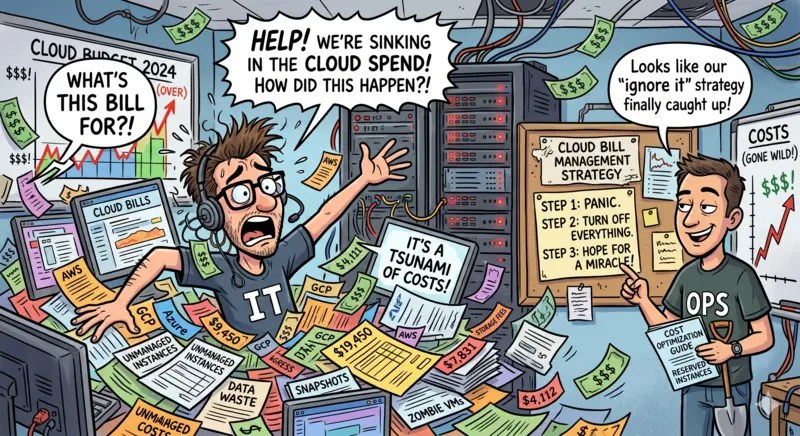
Cloud bills do not usually become painful because of a single mistake by the engineer. They become painful because even small defaults keep charging quietly.
A test server stays alive. Storage snapshots pile up. Data transfer is ignored. A larger instance is selected because nobody wants performance complaints. The invoice looks technical, but the problem is often operational ownership.
That is why learning how to reduce cloud bill without a DevOps team starts with discipline, not tooling. You do not need a full platform team to cut waste. You do need visibility, a review rhythm, and enough control to stop obvious leakage before it becomes normal spend.
This guide is for lean IT teams that need practical savings without disrupting production, slowing delivery, or buying a FinOps platform prematurely.
The goal is simple: reduce waste first, improve commitments second, and build a cost routine your team can actually maintain.
Start With Visibility, Not Discounts
Most teams jump straight to reserved instances, savings plans, or vendor negotiations. That is how you lock in waste at a lower price instead of removing it.
If you are serious about reducing your cloud bill without DevOps, your first move is not to optimize. It is visibility you can actually act on.
Start here:
Break down the cost by service, not the total bill Compute, storage, database, and data transfer behave very differently. A single number hides where action is possible.
Identify the top 10 cost contributors. Not 100. Not everything. Focus on the few services or workloads driving most of the spend.
Separate production vs non-production This is where most hidden costs sit. Dev, QA, and staging environments rarely get the same scrutiny.
Track daily or weekly cost trend. Monthly invoices are too late. You need to see drift early, not after finance flags it.
Map cost to owners If a workload has no owner, it will never be optimized. Even a basic tag like “team” or “project” is enough to start.
BUYER’S REALITY
You cannot reduce what you cannot attribute. Most cloud waste exists in resources nobody clearly owns.
Vendor tools, such as cost explorers in Amazon Web Services, Microsoft Azure, and Google Cloud Platform, will give you this visibility. But they do not enforce action. They only show data.
The risk here is false confidence. You see dashboards, but no one changes behavior. That is where bills keep growing.
Your decision at this stage is simple. Do not optimize yet. First, make sure you can answer, in minutes, where your cloud spend is going and who is responsible for it.
This is the safest place to start because you are not redesigning anything. You are removing waste that should not exist.
Look for resources that are running, reserved, or stored without a current business reason.
Start with these:
Stopped or unattached disks
Old snapshots and backups
Idle virtual machines
Unused load balancers
Test databases left running
Orphaned public IPs
Expired proof-of-concept environments
Storage buckets with no active usage
Dev and QA environments running after office hours
The trick is not to delete everything aggressively. That creates production risk and internal panic. First label resources as “review,” confirm ownership, then retire them in batches.
A simple workflow works well:
Export the top unused or low-usage resources.
Assign each item to an owner.
Give a short review window.
Shut down non-production items first.
Delete only after backup or business confirmation.
The hidden cost is not just the resource charge. It is the habit. Once teams know that cloud resources can live forever, every new project adds permanent spend.
For lean IT teams, idle cleanup can often produce the first visible savings without buying anything. It also builds the cost discipline needed before rightsizing, reservations, or third-party tooling.
The decision implication is clear: do not begin with architecture optimization. Start with obvious waste. It is faster, safer, and easier to defend.
How to reduce cloud bill without a DevOps team? Rightsize Before You Reserve.
Reserved capacity looks smart because the discount is easy to show. The trap is committing before you know whether the workload size is correct.
A large instance at 35% usage is not efficient because it is reserved. It is still oversized.
Checkpoint
What to Review
Rightsize First When
Reserve First When
Buyer Risk
Usage pattern
CPU, memory, storage, IOPS
Utilization is low or uneven
Usage is stable for months
You lock in excess capacity
Environment
Dev, QA, staging, production
Non-production runs all day
Production baseline is predictable
Test waste becomes permanent
Workload maturity
New, changing, or stable app
The app is still evolving
App demand is steady
Discount hides poor sizing
Region/service family
Location and instance family
Workloads may move
Region and family are fixed
Wrong commitment limits flexibility
Team capacity
Monitoring and rollback ability
Your team can test small changes
Your team can track commitments
Savings need ongoing ownership
Rightsizing should take precedence over commitment discounts when your team lacks deep DevOps coverage. You need fewer long-term decisions, not more.
Start with non-production workloads. Move oversized instances down one tier. Watch performance for a week. Then repeat carefully for production workloads with clear rollback.
The hidden cost is commitment pressure. Once finance sees a discount, everyone assumes the problem is solved. But if you reserved the wrong size, wrong region, or wrong service family, you have only made the waste harder to unwind.
For cloud cost optimization, the rule is simple: resize what you can prove, and reserve only what stays stable.
Use Native Cloud Tools, But Do Not Trust Them Blindly
AWS, Azure, and Google Cloud all provide cost visibility tools. Use them first. They are already available, tied to your billing data, and good enough for the first round of cleanup.
Do not treat these tools as automatic savings engines. They show where to look. They do not understand business priority, production risk, customer impact, or internal politics.
A tool may recommend downsizing an instance because utilization looks low. But that workload may spike during batch processing, month-end reporting, or customer onboarding. If nobody checks the usage pattern, the “saving” becomes a risk of outage.
The trade-off is simple. Native tools are cheaper and faster to get started with, but they require human review. Third-party tools may give better reporting and automation, but they add another subscription and another workflow.
For a lean team, start native. Build your first cost view, remove obvious waste, validate rightsizing, and only then decide whether the gap is operational or tooling-related.
Set Guardrails That Non-DevOps Teams Can Actually Maintain
Cost control fails when every rule needs engineering effort. Your guardrails should be simple enough for IT, finance, or application owners to review without opening a deployment pipeline.
Start with these controls:
Monthly budget alerts by account, project, or subscription
Owner tagging for every new workload
Auto-shutdown schedules for dev and QA
Approval for large instance types
Expiry dates for proof-of-concept environments
Storage lifecycle rules for logs, snapshots, and backups
Separate billing views for production and non-production
The point is not to block teams. The point is to make waste visible before it becomes normal.
The implementation risk is over-control. If every small change needs approval, teams will bypass the process or delay work. Keep the rules focused on high-cost actions: large compute, always-on databases, premium storage, and public networking resources.
If a cloud resource has no owner and no review date, it is already a cost risk.
Where Third-Party Cost Tools Make Sense
Third-party cloud cost tools make sense when native dashboards are no longer enough to drive action.
That usually happens when you have multiple cloud accounts, weak tagging, shared services, unclear ownership, or finance teams asking for cleaner chargeback reports. At that point, the problem is not just seeing spending. It is explaining spending.
Look at third-party tools when you need:
Cleaner cost allocation across teams, products, or customers
Better anomaly detection than native alerts
Multi-cloud reporting in one place
Scheduled executive reports
Commitment tracking across accounts
Policy-based recommendations
Forecasting that finance can understand
But do not buy too early.
A FinOps tool cannot fix missing ownership. It cannot magically clean poor tagging. It cannot tell you which test environment is politically safe to shut down. Someone still has to make decisions.
The hidden cost is operating the tool itself. You need owners, review meetings, follow-up discipline, and someone to challenge recommendations. Otherwise, you are just paying for a better dashboard of the same bad behavior.
The buyer’s decision is simple: buy when reporting complexity is slowing action. Do not buy when basic cleanup has not even started.
When NOT to Buy a Cloud Cost Tool
Buying a FinOps or cloud cost platform feels like progress. In many teams, it becomes another layer of reporting with no change in behavior.
Do not buy a tool if you are still here:
No clear ownership of workloads
No tagging discipline or inconsistent tags
No separation between production and non-production
No regular cost review rhythm
Idle resources still exist in large numbers
Rightsizing has not been attempted
Budgets and alerts are not configured
In this state, a tool will surface more data, not more decisions.
The trade-off is straightforward. You either fix behavior first or pay to visualize the same waste more clearly. Most vendors will show dashboards, anomaly alerts, and optimization suggestions. None of that removes cost unless your team acts on it.
The implementation risk is distraction. Teams start exploring features, dashboards, and integrations instead of fixing the obvious issues already visible in native tools.
The rule is discipline before tooling. If your team cannot maintain a monthly review using native tools, adding a third-party platform will not change the outcome.
Build a Monthly Cloud Cost Routine Your Team Can Sustain
Cloud cost reduction cannot be a one-time cleanup. Bills rise again when no one reviews new workloads, storage growth, unused environments, or vendor recommendations.
Keep the routine simple:
Monthly Step
Owner
What to Check
Decision Needed
Output
Review top spend
IT lead
Top services and accounts
Is the spending justified?
Cost summary
Check idle resources
App owners
Unused compute, disks, IPs
Keep, stop, or delete
Cleanup list
Review non-production
Project teams
Dev, QA, staging uptime
Full-time or scheduled?
Shutdown plan
Validate rightsizing
Infra/app owner
Low-utilization resources
Resize or monitor
Action tracker
Check commitments
IT + finance
Reservations, savings plans
Buy, renew, or wait
Commitment note
The hidden cost is follow-through. If every review ends with “we will check later,” the bill will keep drifting. Assign owners, set dates, and track closure like any other operational task.
The right outcome is not perfect FinOps. It is a repeatable routine your team can run without a DevOps function.
The practical answer: remove obvious waste, prevent new waste, and only buy tooling when your operating discipline is already working.
Wrap Up
The core trade-off is simple: you can reduce cloud spend without a DevOps team, but you cannot reduce it without ownership.
Start with visibility. Remove idle resources. Rightsize before committing. Use AWS, Azure, or Google Cloud’s native tools first. Buy a third-party cost tool only when reporting complexity is slowing real action.
This is worth doing when your bill is growing, but your team is still lean. It is not worth over-engineering when the basics are still ignored.
Your next step: build a monthly cost-review routine and make every major cloud line item accountable to an owner.
Multi-Cloud AI Architecture usually gets sold as freedom. More flexibility. Less dependency. Better leverage. Nice words. Expensive words, too, once the architecture starts multiplying faster than the business value.
The real problem is not using more than one cloud. The real problem is pretending every cloud needs to play every role. That is where the cost starts spreading sideways. Duplicate platforms. Duplicate governance effort. Duplicate data movement. Duplicate comfort stories told in architecture meetings by people who will never be the ones untangling the bill six months later.
You are not trying to win a philosophy debate about cloud purity. You are trying to decide where each workload should live, how much portability is worth paying for, and how to stop “resilience” from becoming a polished excuse for waste. That is the point of this piece.
Multi-Cloud AI Architecture Works When Each Cloud Earns Its Place
Multi-cloud AI architecture becomes expensive the moment every cloud starts doing everything.
That is where things go wrong.
Nobody plans for it. It just happens. One team starts somewhere. Another prefers something else. A third brings in a different stack because it “fits better.” No one draws a boundary. Now every cloud is half-used and fully paid.
The cost does not explode in one place. It spreads quietly across duplicated pipelines, repeated deployments, parallel governance efforts, and data moving back and forth because no one wants to commit to a single home.
Looks like flexibility. Runs like duplication.
A working setup is far less elegant on paper. Slightly unfair too. One cloud handles training because it is better at it. Another handles inference because it sits closer to the application layer. A third might exist for a very specific reason and nothing more. Everything else stays out.
That is the difference.
Multi-cloud AI architecture is not about balance. It is about clear roles.
The moment a cloud cannot answer “why am I here?” with a workload, a cost reason, or a constraint, it is already leaking money.
Most teams do not have a cloud problem. They have a boundary problem.
Multi-Cloud AI Architecture Saves Money Only When Duplication Stops
Multi-cloud AI architecture does not save money on its own. Savings start only when you stop paying two vendors for the same job.
That is where most teams slip.
A workload starts in one cloud. Another team copies part of it elsewhere because integration feels easier. Then monitoring, governance, and data movement follow. No big decision. Just slow duplication. The architecture looks safer. The bill gets fatter.
The issue is not using multiple clouds. The issue is overlap.
Model access needs a home. Training needs a home. Production inference needs a home. Once those boundaries blur, costs spread fast.
The expensive parts are easy to spot: inference, training, data transfer, and the engineering needed to keep them running. Duplicate those, and multi-cloud stops being an optimization story.
Most savings do not come from discounts. They come from refusing overlap.
Put AWS, Azure, And GCP To Work Where Each One Is Strongest
Do not divide AI workloads equally across AWS, Azure, and GCP just to look “strategic.” That is the expensive version of neutrality.
Give each cloud the work it has the best reason to own.
When control matters more than convenience, AWS usually earns more room to maneuver. When enterprise rollout, internal adoption, and corporate gravity matter more than architectural purity, Azure becomes harder to ignore. When the workload sits close to data engineering, model operations, and a more AI-native workflow, GCP often makes a cleaner home.
The mistake is not choosing any of them. The mistake is making all three compete for the same layer.
You do not need three homes to access the model. You do not need three places to run production inference. You do not need three versions of “just in case.” That is how multi-cloud starts acting like a tax.
A better pattern is brutally simple. Let AWS take the workloads that need more stack control. Let Azure own the parts that benefit from enterprise integration and easier internal adoption. Let GCP carry the AI-heavy workflows that are already closer to the data and model lifecycle. Then stop adding overlap unless the second placement can defend itself on cost, capability, or constraint.
Good multi-cloud design is not about fairness among vendors. It is about giving each one a job and refusing to pay for cousins for the same job elsewhere.
Every section should answer one sharp reader question:
Where should I place the workload?
Where am I wasting money?
How much portability is enough?
Which cloud deserves a role?
Where should I refuse overlap?
Make AI Workload Portability Selective, Not Expensive Theater
In a multi-cloud AI architecture, portability is a key responsibility. It feels like insurance. Teams still overbuy it all the time.
The mistake is trying to make every layer portable. Once a multi-cloud AI architecture starts forcing similar pipelines, deployment logic, controls, and data movement across clouds, the design stops being flexible and becomes expensive duplication.
Portability pays off only when switching is likely, and the switching cost is worth reducing. Model interfaces are a good example. In a multi-cloud AI architecture, keeping model access reasonably portable can protect application logic when vendor pricing, model choice, or service quality changes.
The data layer is a different story. Portability is usually harder, slower, and more expensive than teams admit. In most multi-cloud AI architecture decisions, keeping data closer to where it is processed is the saner move. Chasing portability too aggressively at that layer often creates waste long before it creates leverage.
Training pipelines sit in the middle. Some portability helps. Too much turns into maintenance overhead. The more specialized the workflow becomes, the less useful forced symmetry becomes.
That is the line. A strong multi-cloud AI architecture maintains portability by protecting leverage and dropping it only where it creates overlap. Once portability starts multiplying pipelines, deployments, and movement costs, it stops being a safeguard and becomes theater.
Keep Governance, Identity, And Spend Controls From Drifting Apart
A multi-cloud AI architecture gets messy long before it gets clever.
Governance is usually where the drift starts. One cloud handles model access one way. Another handles identity differently. A third has its own logging, policy, quota, and billing logic. None of that looks fatal in isolation. Together, it turns control into a guessing game.
That is the real risk. Not a lack of tools. Lack of consistency.
In a multi-cloud AI architecture, identity cannot be reinvented cloud by cloud. Spend cannot be reviewed cloud by cloud. Model access cannot be approved on a cloud-by-cloud basis. The moment every platform starts to carry its own local rules, the operating model weakens, and the audit story gets uglier.
Good architecture here is boring in the best way. Shared guardrails. Clear ownership. One cost view. One access logic. One place to decide who can use which models, on what data, at what limit, and at whose cost.
Without that, multi-cloud AI architecture stops being a leverage play. It becomes a permission maze with a billing problem attached.
The smart move is simple: distribute workloads if you need to, but keep control tighter than the footprint. That is how you scale choice without scaling confusion.
Optimize The Service Mix Before You Negotiate The Bill
Negotiation does not fix a bad architecture.
Wrong services chosen? You are negotiating a larger number, not reducing it.
Most multi-cloud AI architecture waste comes from what you picked, not what you were charged.
Example. Using a premium managed model service for a workload that could run on a smaller model with basic serving. You pay for convenience you did not need.
Another one. Running the same inference pattern through two different clouds because of “failover.” Now both are warm. Both are billed. Nobody is failing over.
Or this. Keeping a full ML platform alive in one cloud while inference quietly shifted to another. Training is idle. The platform is still running. Bill is still alive.
That is where money sits.
The fix is not complicated. It is uncomfortable.
Kill overlap—downgrade where possible. Use premium only where it removes real work. Stop paying for symmetry.
In a multi-cloud AI architecture, every expensive service should defend itself. What does it replace? What does it reduce? What breaks without it?
If the answer is unclear, the service is already too expensive.
Discounts come later.
First, stop paying for things you do not need.
Build A Multi-Cloud AI Model Your Platform Team Can Live With
A good multi-cloud AI architecture is not necessarily the most flexible. It is the one your team can still understand after the excitement is gone.
That rules out a lot.
You do not need every cloud deeply embedded in the stack. One primary cloud should carry most of the weight. A second cloud can earn a role when the pricing is better, the service fit is stronger, or the constraint is real. A third cloud should enter only when the case is painfully clear, not because somebody likes the sound of future optionality.
That is the model that survives.
Anything loser turns into platform sprawl with an AI accent.
The real test is simple. Can your team explain, in plain language, why each cloud is in the architecture? Can finance trace the cost? Can security trace the controls? Can the platform team tell which workloads will actually move and which will stay put?
If those answers get fuzzy, the design is already too clever.
A multi-cloud AI architecture should reduce dependencies where they are dangerous. It should not multiply the number of moving parts just to make the diagram look sophisticated.
Better to stay slightly boring. Let one cloud do most of the work. Let another earn a defined slice. Keep portability only where it pays back. Keep governance tighter than the footprint. Keep premium services on a short leash.
That is usually the version that keeps working.
I can now do one of two things: tighten all sections into one clean final article flow, or write the conclusion, excerpt, and meta.
Conclusion
Multi-Cloud AI Architecture pays off when you stop treating every cloud like a full-stack destination. Use each provider where it is strongest, keep boundaries hard, buy portability selectively, and cut overlap early. That is how you get leverage without inviting chaos, and choice without funding waste.
The replacement decision usually starts too late. Your team lives with rising CIAM cost, growing implementation drag, or customer-facing edge cases that keep slipping through the cracks, then the search begins after patience is already gone. That pressure is real, especially if you are comparing vendors while product teams still need new login flows, finance wants cost control, and leadership expects migration risk to stay invisible.
A CIAM platform comparison sounds simple on paper. It isn’t. SuperTokens, Ory, Clerk, Stytch, and LoginRadius don’t just differ in features. They shift the burden: to your developers, your security team, your budget, or your future migration path. That matters more than the polished demo ever will.
This post is for IT heads, CIOs, and senior SaaS buyers who are replacing an identity system, building a shortlist, or validating a near-final choice. By the end, you’ll know which type of platform fits your team, where the hidden cost sits, and which options you should rule out before the next vendor call.
Your CIAM Decision Is Really About Ownership, Not Login Screens
Most teams start with the wrong frame. They compare social login, MFA, SDK polish, passkeys, branding options, and admin UI quality. All of that matters. None of it decides whether the platform will still feel like a good bet a year from now.
The real question is simpler and more expensive: where do you want the identity burden to live? Some platforms give your team more control and expect you to carry more operational weight. Some remove day-to-day friction but pull you closer to their model, their abstractions, and their roadmap. That trade-off shapes cost, speed, staffing, and switching pain far more than the feature checklist does.
SuperTokens and Ory lean closer to control. Clerk and Stytch lean harder into developer speed and managed experience. LoginRadius sits in a different lane again, closer to a broader enterprise-style customer identity package. Putting them into one neat feature grid makes the evaluation look cleaner than it is.
Mixed audience advice matters here. For teams under 200, the wrong choice usually shows up as developer distraction and surprise admin work. At enterprise scale, the wrong choice shows up as integration drag, compliance friction, and a migration project nobody wants to own after year one.
So before you compare vendors, decide what you are buying: convenience, control, extensibility, or reduced operating burden. That decision narrows the field faster than any demo ever will.
Most Replacement Searches Start After the Pricing Pain Shows Up
Replacement searches rarely begin because your team has suddenly discovered a new identity vision. They begin because something starts hurting enough to justify disruption. Finance sees the bill rising faster than usage. Product teams hit workflow limits that the vendor demo never emphasized. Your engineers start treating identity work as a tax rather than a capability.
That pain matters, but pain alone can distort the shortlist. A frustrated buyer tends to overcorrect. The expensive platform suddenly makes every cheaper option look smart. The rigid platform makes every developer-first product look flexible. That is how buyers swap one mismatch for another.
Three triggers usually sit underneath the search:
Cost drift: volume pricing, MAU growth, add-ons, and support tiers start moving faster than expected
Control frustration: your team needs deeper customization, tenant logic, or workflow behavior, but the platform does not handle it cleanly
Growth friction: regional expansion, B2B customer requirements, or security expectations expose limits that did not matter at a smaller scale
A bad shortlist starts when you treat all three triggers as the same problem. Cost pain does not always mean you need self-hosted control. Customization pain does not always mean your current vendor is wrong. Some teams are really dealing with weak implementation ownership, not platform failure.
BUYER’S REALITY
The migration cost is hidden within your team. Most replacement projects appear cheaper in the spreadsheet than in the sprint plan. Customer migration, token-handling changes, UX regression testing, and support coordination usually fall to your team long before the new vendor demonstrates value.
SuperTokens, Ory, Clerk, Stytch, and LoginRadius Are Not Solving the Same Problem
These vendors look comparable only at the shortlist level. The operating model is different.
SuperTokens and Ory lean toward control. Clerk and Stytch lean toward speed and managed developer experience. LoginRadius sits closer to a broader packaged CIAM platform.
That difference matters more than the login box.
Vendor
Core posture
Control bias
Best fit
Likely friction
Buyer signal
SuperTokens
Open-source-first CIAM
High
SaaS teams that want flexible auth flows and lower long-term vendor dependence
More internal ownership than managed CIAM
Choose it when control matters more than convenience
Ory
Modular identity infrastructure
Very high
Teams that treat identity as part of platform architecture
Needs stronger identity engineering maturity
Choose it when your team wants building blocks, not guardrails
Clerk
Managed, developer-first auth
Medium-low
Modern SaaS teams are optimizing for speed and polished implementation
Less room for unusual identity models
Choose it when shipping speed matters more than deep control
Stytch
Auth plus fraud and risk tooling
Medium-low
Products where account security and abuse prevention matter early
Can feel heavier than you need
Choose it when authentication and fraud should be bought together
Choose it when breadth matters more than product simplicity
The Best Fit Depends Less on Features and More on Your Team’s Shape
The wrong CIAM choice usually starts with optimism. Buyers assume the cleaner demo will fit the messier reality.
Choose SuperTokens or Ory when:
Your team wants control
Auth is part of the product architecture
Engineers can own more implementation details
Where that goes wrong:
your team is small
nobody wants ongoing identity ownership
speed matters more than flexibility
Choose Clerk or Stytch when:
you want faster rolloutProductt teams need less friction
managed convenience is a feature, not a compromise
Where that goes wrong:
Your identity model is unusual
customization grows later
You want tighter long-term control
Choose LoginRadius when:
You want a broader packaged platform
The identity scope is larger
Enterprise-style coverage matters more than product simplicity
Where that goes wrong:
Your team wants a lighter stack
Developers want tighter control
The platform weight becomes overhead
For teams under 200, speed and low ownership usually matter more. At enterprise scale, control, governance, and future migration pain matter more. That split should shape your shortlist before you price it.
The License Quote Won’t Tell You What This Will Really Cost
Most CIAM platform comparison exercises stop at pricing pages. That’s where the mistake starts.
The number on the pricing page is not the number you’ll live with. CIAM cost shows up in three places: what you pay the vendor, what your team absorbs, and what you delay because identity work gets in the way.
Migration is the first hidden bill. Moving users, tokens, sessions, and login flows rarely fit cleanly into a sprint plan. Your team ends up running dual systems and handling edge cases longer than expected.
Customization is the second cost driver. Platforms with more control offer flexibility but place more work on your engineers. Managed platforms reduce that burden but lock you into their model faster than most buyers expect.
Operations is where the cost settles. Someone has to have an identity. Debugging login failures, handling tenant issues, managing compliance flows — that work does not disappear. It moves.
Ask each vendor to spell out migration responsibility, customization limits, support coverage, and what your team still owns after go-live.
The Easy Choice Now Can Turn Into Admin Debt Later
A good CIAM platform comparison cannot stop at implementation speed. The harder question is what happens after a year, when customer count rises, product asks get messier, and identity stops being a project.
The first trap is buying for launch speed. That usually favors managed, developer-friendly products. The rollout feels clean. The pain starts later if your tenant model, access rules, or customer flows become less standard. What looked simple at signing starts bending around the product instead of fitting it.
The second trap is buying for control without staffing for it. That usually hits teams choosing more flexible platforms. Control is valuable. So is lower vendor dependence. But somebody on your side has to own the logic, the changes, and the operational cleanup. If nobody wants that job, flexibility turns into maintenance.
The third trap is buying too many platforms. Extra breadth feels safe during evaluation. Later, it becomes process overhead, admin work, and features your team barely uses.
That is the real 12-to-18-month test. The wrong CIAM decision does not usually fail in month one. It becomes annoying, expensive, and politically difficult to replace once your product is further along.
Some Teams Should Not Replace Their Current CIAM Yet
Replacement feels like progress. In many cases, it is just cost reshuffling.
A strong CIAM platform comparison should eliminate options. It should also tell you when to do nothing.
Run through this before you commit to the budget or start migration planning.
Do not replace yet if:
Your current pain is pricing, but usage is still predictable and within contract bounds
Your team cannot dedicate at least one owner to identity over the next six months
Your product roadmap has major auth changes coming in the next two quarters
Your customer base is stable and not demanding new identity capabilities
Your current platform is messy, but still works for core login, session, and access flows
Be cautious if:
Your team is under three engineers and already stretched
Migration would touch multiple customer-facing flows at once
You are mid-contract, and penalties or overlap costs are unclear. Your support team is not ready to handle login disruptions during the transition
Replace now if:
Pricing is already distorting product decisions or customer onboarding
Your team is building workarounds every sprint to handle identity gaps
Security or compliance requirements cannot be met without major customization
Customer experience issues are directly tied to identity limitations
The wrong move is replacing it because the demo looks better. The right move is to replace it when the current system is actively steering your product in the wrong direction.
Validate Cost, Ownership, and Migration Before You Shortlist or Sign
Most teams validate features. The failure shows up in cost, ownership, and migration.
Start with cost. Pricing pages won’t show what actually drives spend. Check the impact on MAU growth, add-ons, support tiers, and how pricing scales with tenants or orgs. If you don’t isolate the driver, you risk replacing one expensive system with another.
Validate ownership next. Every platform shifts work somewhere. Control-first options push more to your engineers. Managed platforms reduce that, but lock you into their model. Ask directly: what will your team still build, maintain, and debug after go-live?
Migration is where most plans break. Moving users is easy on paper. Handling sessions, passwords, edge cases, and customer-facing failures is not. Ask who owns migration, how long dual systems will run, and what support looks like during that phase.
End with one check. Can your current team handle cost, ownership, and migration without adding headcount? If not, the decision is not complete yet.
The Better Bet Depends on Where You Want the Burden
There is no clean winner here. There is only a cleaner fit.
Choose SuperTokens or Ory if you want control. They make more sense when identity is close to the product, and your team can carry more of the logic. The gain is flexibility. The cost is ownership.
Choose Clerk or Stytch if you want speed and less operational drag. They make more sense when your team wants identity to move faster and feel lighter. The gain is convenience. The cost is more closely tied to the vendor’s model.
Choose LoginRadius if you want broader platform coverage out of the box. It makes more sense when your identity scope is already wide. The gain is breadth. The cost is platform weight.
That is the real choice. More control. More convenience. Or more coverage.
Pick the burden you are willing to keep. The right vendor usually follows from that.
Conclusion
A CIAM platform comparison should end the argument quickly: where do you want the burden to fall? SuperTokens and Ory buy control. Clerk and Stytch buy speed. LoginRadius buys breadth. None is cheaper if it pushes the wrong work onto your team. Before you sign, get three things in writing: migration effort, post-go-live ownership, and the pricing triggers that change the deal.
Work across operating systems, browsers, and real-world codebases
Chain multiple weaknesses into working exploit paths
And importantly:
They say it has already found thousands of serious issues during internal testing.
Now pause.
That claim is less important than what it implies.
The Real Shift: Discovery Is Getting Cheap
Security has always had a hidden constraint.
Not tools. Not dashboards. Not alerts.
Human attention.
Traditionally:
Finding deep vulnerabilities = slow, expensive, expert-driven
Fixing them = painful, but manageable because volume was limited
That balance is now wobbling.
If models like Claude Mythos:
Scan code faster than teams can review it
generate exploit paths faster than teams can simulate them
surface edge-case bugs that humans would miss
Then the equation flips:
Discovery becomes abundant
Remediation becomes scarce
Security teams drown faster, not slower
That is the part that too many early takes are missing.
This is not just a breakthrough in offensive capability.
It is a stress test for every patching program, every product security team, every open-source maintainer, and every enterprise still carrying ten years of technical debt as if it were normal.
Why Project Glasswing and Claude Mythos Matter to Enterprise Buyers
This is where the story gets practical.
Many security leaders are still buying as if the biggest problem is visibility.
Another scanner. Another dashboard. Another exposure layer. Another vendor promising “context.”
But Project Glasswing and Claude Mythos suggest the industry may be heading into a phase where visibility is no longer the scarce asset.
You may know more. You may find more. You may prioritize more.
And still lose.
Because the real enterprise constraints are uglier:
legacy systems that nobody wants to touch
shared libraries buried across teams
patch cycles tied to change windows and business approvals
vendors that are fast at discovery marketing and slow at remediation reality
Overworked security engineers are forced to choose what remains broken
That is why this announcement matters.
It threatens to widen the gap between:
What can be found
What can be exploited
What can realistically be fixed
This Could Hit Open Source and Legacy Software the Hardest
Let’s say the quiet part plainly.
A shocking amount of underfunded code holds the software world together.
Not glamorous code. Not heavily staffed code. Not “strategic AI platform” code.
Just the usual plumbing that everyone depends on and nobody wants to pay for.
If AI systems can tear through older projects, forgotten modules, edge-case parsers, protocol handlers, and old browser logic faster than human researchers, then the pressure does not fall evenly across all areas.
It falls hardest on:
open-source maintainers
small infrastructure teams
enterprise product groups with old code and thin staffing
critical sectors running legacy environments, they cannot be quickly replaced
That is why this is not just an Anthropic story.
It is a software supply chain story.
And it gets worse when multiple companies rely on the same components. One vulnerability does not stay local. It spreads operational pain across ecosystems.
Is This a Real Security Inflection Point or a Controlled Narrative?
Fair question.
The healthy reaction is not unquestioning belief.
It is also not a smug dismissal.
Yes, vendors know how to stage a message. Yes, “too powerful for public release” is a headline magnet. Yes, frontier AI companies enjoy sounding like they are one step away from science fiction.
But here is the mistake lazy critics make:
They assume that because the framing sounds dramatic, the underlying shift must be fake.
That does not follow.
Even if the most theatrical language is stripped away, the core claim still matters:
A frontier model may now be materially better at deep vulnerability research than most organizations are prepared for.
That possibility alone deserves serious operational attention.
The right response is neither panic nor eye-rolling.
It is this:
“What breaks in our security operating model if vulnerability discovery scales faster than remediation?”
That is the question smart leaders should be asking now.
What Security Leaders Should Do Before This Becomes a Market Cliche
Do not wait for the industry to turn this into a dozen recycled buzzwords.
There are a few very practical moves here.
Reassess patching capacity, not just vulnerability visibility
Review old internal software and shared dependencies first
Stress-test secure development and coordinated disclosure workflows
Ask major vendors tougher questions about remediation speed
Re-rank risk around exploitability and concentration, not raw CVE volume
Treat under-maintained open-source dependencies as a board-level issue, not just an engineering inconvenience
And one more thing.
Security leaders should start preparing for the uncomfortable possibility that the premium is shifting.
For years, the market paid a heavy price for discovery.
Soon, the real premium may sit elsewhere:
remediation execution
secure engineering throughput
dependency governance
software modernization
exploit-chain-aware prioritization
That is a different buying model.
Many vendors are not ready for it.
The Bottom Line on Project Glasswing and Claude Mythos
The lazy version of this story is that Anthropic unveiled an AI superhacker, and the world got scared.
The sharper version is this:
Project Glasswing and Claude Mythos matter because they hint that vulnerability discovery is becoming machine-scale, while enterprise remediation is still trapped in human-scale process.
That mismatch is where the real danger sits.
Not in the headline. Not in the mythology. Not in the launch theater.
In the backlog.
In the patch queue.
In the dependency tree.
In the old code everybody knows is fragile and nobody has budget to replace.
That is why enterprise security leaders should pay attention now.
Because if this direction holds, the next big security divide will not be between organizations that can detect threats and those that cannot.
It will be between organizations that can absorb machine-speed discovery pressure and those that collapse under it.
Where the Vendor Landscape Starts Shifting
This is where things get uncomfortable for the security industry itself.
For years, a big part of the market has been built around:
finding vulnerabilities
scoring them
visualizing them
reporting them
That stack made sense when discovery was scarce.
But if Project Glasswing and Claude Mythos are even directionally right, then a lot of that value starts compressing.
Think about it.
If everyone can:
scan deeper
find more edge cases
simulate exploit paths faster
Then “we found issues” stops being impressive.
The pressure shifts to:
how fast can you fix
how safely can you deploy patches
how intelligently can you prioritize real exploit chains
how well can you reduce blast radius
This is where cracks will show.
Vendors that are heavy on discovery but weak on remediation workflows will start feeling shallow.
Vendors that tie into:
developer pipelines
patch automation
dependency management
runtime protection
will suddenly look a lot more relevant.
And the uncomfortable truth?
A lot of enterprise buyers are still allocating budgets like it is 2020.
What Happens to Pentesting and Red Teaming
This is another layer people are quietly thinking about but not saying out loud.
If models can:
generate exploit paths
test variations
simulate attacker behavior
then traditional pentesting does not disappear.
But its center of gravity shifts.
Instead of: “Can you find something we missed?”
It becomes: “Can you validate, prioritize, and contextualize what automated systems are already surfacing?”
That changes:
pricing models
engagement expectations
what “expertise” actually means
The premium moves from discovery to:
judgment
context
business impact mapping
Which is exactly where most pentesting reports have historically been weakest.
Why This Will Not Stay Contained to Anthropic
A common mistake right now is thinking:
“This is just Anthropic being ahead.”
That is not how this plays out.
Even if Claude Mythos itself remains restricted, the direction is clear.
Techniques diffuse
capabilities replicate
competitors respond
open research catches up
You do not need identical models in the wild.
You just need enough progress across the ecosystem for:
exploit discovery to accelerate
tooling to improve
attacker capability to gradually rise
This is how every meaningful shift in security has worked.
Slow at first. Then suddenly normal.
Where Most Enterprises Will Get This Wrong
Let’s be blunt.
The most common reaction you will see over the next 6–12 months:
More tools.
More dashboards. More “AI-powered detection.” More layers added to already crowded stacks.
That is the wrong move.
Because the constraint is not:
lack of visibility
lack of alerts
lack of scanning
The constraint is:
ability to act
ability to fix
ability to prioritize under pressure
Enterprises that do not internalize this will end up in a worse position:
They will see more. Know more. Report more.
And still remain exposed.
Because the backlog grows faster than their capacity to reduce it.
What a Smarter Security Strategy Starts Looking Like
If you read this correctly, the shift is not subtle.
Security strategy needs to rebalance.
Less obsession with:
how many issues you can find
More focus on:
how quickly you can eliminate classes of issues
how much old code you can retire
how much dependency risk you can remove entirely
how well your teams can ship fixes without breaking production
In practical terms, that means:
pushing security deeper into engineering, not layering it outside
investing in secure development lifecycle, not just scanning
reducing architectural complexity where possible
questioning vendors who cannot prove remediation impact
And yes, it also means uncomfortable conversations with leadership about:
Why legacy systems are still around. Why patch cycles are slow. Why critical dependencies are under-owned.
Because this is where the pressure will land.
Final Take: This Is Not About a Superhacker
Let’s close this cleanly.
The internet will not collapse because of one model.
Claude Mythos is not going to suddenly “hack everything.”
That is not how reality works.
But something more subtle is happening.
Project Glasswing and Claude Mythos signal that vulnerability discovery may be entering a phase where scale is no longer the limiting factor.
And when that happens:
weak code gets exposed faster
shared dependencies become systemic risk
remediation becomes the real competitive advantage
That is the shift.
If you are still thinking in terms of: “Do we have enough visibility?”
You are already asking the wrong question.
The better one is:
“Can we survive if discovery starts outpacing our ability to fix?”
Workload identity federation is gaining popularity for a simple reason: teams are tired of babysitting secrets that keep coming back to bite them. API keys, service account keys, long-lived tokens, random credentials buried in CI/CD, half-forgotten secrets sitting inside scripts. Everyone knows this is messy. Everyone also keeps it running because replacing it sounds like a hassle.
Then one day it stops being annoying and starts being expensive.
That is usually the moment when the platform team gets dragged in, security starts asking uncomfortable questions, and someone realizes a workload still has access nobody remembers granting. Not because the architecture was evil. Just because secrets have a bad habit of hanging around long after the original logic is gone.
That is where workload identity federation starts to look less like a fancy, modern pattern and more like basic operational sanity. It is not perfect. It adds setup effort. Bad trust policy design can still create fresh problems. But if you are choosing between temporary trust and permanent credentials spread across cloud, CI/CD, and automation pipelines, one of these models clearly ages worse.
This post gets into where workload identity federation beats secrets, where it adds friction, and when it is worth the move now instead of six months after a preventable mess.
Static Secrets Still Dominate Because They’re Easy. That’s Also the Problem.
Before getting into workload identity federation, let’s anchor the baseline you’re probably running today.
Most environments still rely on static secrets:
API keys
Service account keys (JSON, certificates)
Tokens stored in CI/CD variables
Credentials sitting in vaults and injected into workloads
Nothing exotic. This is the default operating model.
Why it sticks:
Fast to implement
Works across tools without much coordination
Easy for developers to reason about
Supported by every cloud, SaaS, and pipeline tool
So nobody replaces it early. They optimize around it.
Now the catch.
Static secrets create standing access. Once issued, that credential works until you revoke or rotate it. That sounds fine in theory. In practice, three things tend to drift.
First, ownership drifts. The person or system that created the secret is rarely the one maintaining it six months later.
Second, scope drifts. A key meant for one workload quietly gets reused elsewhere because it is already available.
Third, lifetime drifts. Secrets live longer than intended because rotation risks breaking something nobody fully mapped.
This is not a security lecture. This is an operational reality.
What teams usually discover is not “we got hacked.” It is this:
Rotation becomes risky
Access reviews become unclear
Secrets exist without clean mapping to workloads
Pipelines depend on credentials nobody wants to touch
That is the real failure pattern.
Now, enter workload identity federation.
Instead of storing a secret, the workload proves its identity dynamically using an external identity provider (typically OIDC). The cloud provider then issues short-lived credentials on demand.
No stored key. No long-lived token.
Sounds clean. But here is the important distinction for decision makers:
This is not just a “more secure version of secrets.” It is a different trust model.
You move from:
“Here is a credential. Use it until it expires.”
To:
“Prove who you are right now. Get temporary access.”
That shift removes one category of problem (secret sprawl), but introduces another (identity and trust policy design).
And that is where most teams underestimate the effort.
So the real question is not: “Is workload identity federation better than secrets?”
The real question is: “At what point does managing permanent credentials become more painful than designing temporary trust?”
Workload Identity Federation Fixes One Problem and Introduces Another
Now that the baseline is clear, here is what workload identity federation actually fixes.
It removes stored credentials from the system.
No API keys sitting in pipelines.
No long-lived service account JSON files.
No secrets copied across environments.
Instead, a workload proves its identity using something like OIDC and gets short-lived credentials issued just in time.
That is a big shift.
Here is why teams like it once it is working:
There is no secret sitting in code, config, or pipeline variables waiting to be exposed.
Access is short-lived by default, so even if something is compromised, the useful window is much smaller.
Auditability improves because access is tied to identity assertions and trust conditions, not a shared key that may be reused in three places.
Rotation stops being a recurring coordination headache because there is no long-lived credential to keep replacing.
That is the upside. It is real.
But workload identity federation also creates a different kind of work.
You now have to define who can assume access, under what conditions, and with what exact scope.
Your CI/CD platform, cloud platform, and identity layer need to agree on token claims, trust relationships, and permission boundaries.
Failures become less obvious because the problem may sit in claim mapping, token audience, subject matching, or trust policy logic.
Teams need to shift from a “store and use” model to a “prove and obtain” model, which sounds simple but takes adjustment.
This is where people get too optimistic.
If your team treats workload identity federation like a drop-in replacement for secrets, it will get messy fast.
You still need to answer some very practical questions:
Which workloads are allowed to authenticate?
Which repositories, branches, environments, or runners are trusted?
What exact permissions should be granted after authentication?
How narrow can that trust be made without breaking delivery speed?
If that design work is weak, you do not eliminate risk. You just move from secret sprawl to trust sprawl.
So yes, workload identity federation is cleaner. But it is not free security.
It trades credential management pain for identity design responsibility.
That trade starts making sense when your current setup is already straining under secret rotation, reuse, poor visibility, or machine access that nobody can explain cleanly anymore.
If you are not there yet, the setup effort may feel heavier than the benefit.
The Breakpoint Appears When CI/CD, SaaS Automation, and Cloud Sprawl Meet
A small setup can survive on secrets longer than people like to admit.
If you have a limited number of pipelines, a tight engineering team, a small cloud footprint, and decent secret hygiene, the pain stays manageable. Not pretty. Manageable.
The trouble starts when machine access begins multiplying faster than ownership discipline.
You are no longer managing a few secrets. You are managing a growing trust surface made up of keys, tokens, service accounts, and access exceptions that behave like infrastructure but are often tracked like leftovers.
This is where static secrets start aging badly.
One credential gets reused because it is already available.
Rotation gets postponed because too many systems depend on it.
Access reviews get fuzzy because the mapping between workload and privilege is weak.
Dev, test, and prod boundaries get softer than anyone wants to admit. Nobody is fully sure which machine identity should still exist and which one is historical debris.
That is the real breakpoint.
Not some neat milestone from a framework deck. The breakpoint arrives when your team can no longer explain machine access cleanly without opening multiple dashboards, checking old documentation, and asking around to confirm what still matters.
That is when workload identity federation starts looking less like a security upgrade and more like overdue operational cleanup.
You usually hit that zone when:
CI/CD workflows are directly accessing cloud resources at scale
SaaS tools and automation platforms keep accumulating credentials
More environments are being created across testing, staging, regional rollout, or customer isolation
Access paths are spreading across multiple accounts, subscriptions, or projects
Machine identities are increasing faster than review, cleanup, and privilege governance can keep up
Once that happens, secret management stops being just a storage issue. It becomes a control issue.
You may still have a vault.
You may still mask secrets.
You may still rotate some of them.
But the deeper problem remains: long-lived credentials are sitting inside an environment that has become increasingly short-lived, dynamic, and distributed.
That is the mismatch workload identity federation is designed to address. It fits environments where workloads are temporary, automation is constant, and machine trust needs to be narrower than “here is a key, please keep it safe.”
These are not edge features anymore. They are the direction all three major clouds are pushing.
Here is the clean takeaway.
Secrets fail slowly. They accumulate. They get reused. They become hard to rotate. Then one day they show up in the wrong place.
Federation fails differently. It breaks fast if your trust design is sloppy. But if designed well, it does not leave behind long-lived access you have to chase later.
That is the real decision lens:
If your pain is secret sprawl, rotation risk, and unclear machine access, federation is a relief
If your environment is still small and tightly controlled, secrets are still the easier operational choice
This is not about “modern vs legacy.”
It is about permanent trust vs temporary trust.
Do This First Before Rolling Out Federated Credentials Everywhere
Start with the access path that already annoys your team.
Usually that is CI/CD to cloud.
That is where static secrets age badly, get reused quietly, and become risky to rotate because nobody wants to break deployment pipelines.
Do not start with every workload. Do not start with every cluster. Do not start with a big “identity modernization” program.
Start with one narrow path and make it clean.
Use this order:
pick one active machine access path, preferably CI/CD to cloud
identify exactly which workload is asking for access
define the minimum permissions it needs after authentication
bind trust conditions tightly to repo, branch, environment, service account, or workload context
test failure cases, not just successful authentication
expand only after the first path is stable and easy to explain
That sequence matters.
Most teams fail because they copy old privilege patterns into the new model. The credential becomes short-lived, but the access is still too broad. That is not progress. That is the same mess with better packaging.
The first rollout should be small enough that your platform team can explain it in two minutes. Which workload. Which identity source. Which cloud role. Which permissions. Which conditions.
If that explanation gets fuzzy, the design is not ready yet.
Bad Trust Policies Can Undermine Workload Identity Federation Fast
Short-lived access is not the same as tight access.
That is the first thing to watch.
Workload identity federation reduces secret sprawl. Good. But if the trust policy is broad, you can still grant the wrong access to the wrong workload, just in a cleaner-looking way.
This usually happens when:
too many repositories, workloads, or service accounts are allowed to assume the same role
branch, environment, namespace, or workload conditions are kept broad for convenience
old overprivileged access is copied into the new model
teams focus on getting federation working and delay permission cleanup
That is the trap.
Secrets usually fail slowly. Federation can fail faster if the trust boundary is sloppy from day one.
The key question is simple: Is the identity assertion specific enough to deserve that access?
If the answer is fuzzy, the design is weak.
When NOT to Buy Into Workload Identity Federation Yet
Do not force this too early.
If your machine access footprint is still small, your environments are tightly controlled, and secret usage is limited and well-governed, workload identity federation may add more design effort than immediate value.
Hold off if most of these are true:
you have very few automation paths that touch cloud resources
machine identities are still easy to map and review
secret rotation is annoying but not risky
CI/CD access is limited and not heavily shared
your team is not ready to define and maintain tighter trust policies
In that situation, static secrets are still a simpler operating model.
Not better. Simpler.
The move becomes worth it when secret management stops being a minor hygiene issue and starts becoming a visibility, control, or operational drag problem.
The Safer Default Is Reducing Permanent Trust, Not Chasing Identity Purity
Do not turn this into ideology.
The goal is not “secretless everything.” The goal is to reduce how much permanent machine trust exists in your environment.
That is the real problem.
Secrets are just one way permanent trust shows up. Long-lived service accounts, reused tokens, shared credentials across pipelines. They all create access that continues even when the original need is gone.
Workload identity federation fixes that pattern in the places where it matters most.
But you do not need it everywhere.
Use it where access is frequent, automated, and hard to track cleanly. CI/CD pipelines. Kubernetes workloads. Cross-account or cross-project automation. Anywhere machine access is dynamic and ownership is blurred.
Leave simpler setups alone if they are still easy to reason about.
The decision is not binary.
It is this:
where permanent credentials are starting to accumulate, federation becomes the safer default
where access is still limited and controlled, secrets can survive a bit longer
What experienced teams eventually converge on is not a tool choice.
It is a rule.
Permanent access should be rare. Temporary access should be the norm.
Workload identity federation is just one way to enforce that.
Conclusion
Workload identity federation is not getting traction because it sounds modern. It is getting traction because static secrets stop feeling manageable once automation spreads, cloud boundaries multiply, and machine access becomes harder to explain cleanly.
That does not mean every environment needs to rush into it. It means the old model starts failing in familiar ways long before teams admit it. If your pipelines, workloads, and cloud paths are already carrying too much permanent trust, workload identity federation is the safer default for the simple reason that temporary access ages better than stored credentials.
Your Snowflake bill rarely blows up because of one dramatic mistake.
It usually gets worse through small, approved, reasonable-looking decisions. A dashboard refresh gets tightened. A warehouse stays up longer than expected. A pipeline runs more often because nobody wants stale data. An analyst pulls far more data than the job requires.
None of that sounds reckless when it happens.
Put it together over a month, and finance starts asking why spending climbed when nobody launched anything big.
That is why Snowflake cost optimizationgets mishandled. You look at the bill after the damage is done instead of looking at the habits that created it.
The platform is not trying to cheat you. It is charging exactly as instructed. The problem is that convenience, speed, and loose usage rules quietly turn into recurring costs.
If you want control, stop treating Snowflake spend as a surprise on the bill. Treat it as an operating discipline.
You need to know what starts burning money first, which behaviors hide inside normal usage, and what to fix before cost drift becomes your new baseline.
Snowflake Cost Optimization Starts When You Stop Thinking In Credits
Credits make the problem look smaller than it is.
You say, “We used more credits this month,” and it sounds like a discussion about usage. It is not. It is a spending discussion that you have wrapped in technical language, so nobody feels the impact immediately.
Switch the lens.
A warehouse that stays active longer than expected is not “usage.” It is money staying on the meter. A dashboard that refreshes too often is not “engagement.” It is a recurring cost loop. A badly written query is not “inefficient.” It is a direct hit to your budget.
Once you start translating everything into money, patterns become obvious. The same warehouse that looked harmless at a glance now appears to be a system that never really shuts down.
The same set of dashboards now appears to be a continuous compute trigger, not a reporting layer.
That is where Snowflake cost optimization actually begins. Not with dashboards. Not with alerts. With a change in how you interpret behavior.
You are not managing a data platform. You are managing a cost engine that reacts exactly to what you allow.
What One Snowflake Warehouse Actually Costs You In A Day
“Just one warehouse” is how people talk right before the bill gets stupid.
So do the math like an adult, not like a hopeful dashboard viewer.
Say you run a Medium warehouse at 4 credits per hour. I am not using currency here because your actual rate depends on contract, region, edition, and how clever procurement felt that quarter. So keep it in credits for now and translate later.
Start with the innocent version:
2 hours a day
4 credits per hour
8 credits a day
Over 30 days, that becomes:
8 × 30 = 240 credits per month
Fine. Nobody panics. Nobody starts writing “urgent” in subject lines.
Now let the same warehouse behave the way it usually does in real life.
It auto-resumes all day because queries keep hitting it. It stays awake between jobs because the suspend setting is lazy. It is treated like a shared public utility rather than a controlled workload. Your runtime is no longer 2 hours. It becomes 10.
Now the same warehouse costs:
10 × 4 = 40 credits a day 40 × 30 = 1,200 credits a month
Nothing flashy happened. No new platform. No giant launch. No dramatic architecture failure. You just allowed runtime to spread like a stain.
Now add concurrency. Snowflake scales because you asked it to. Good for performance. Bad for your blood pressure. If that warehouse starts using 2 clusters instead of 1 during busy windows, your effective burn doubles:
1,200 × 2 = 2,400 credits a month
Same warehouse name. Very different financial outcome.
That is why people get fooled by the “warehouse size” conversation. Size is only half the story. Runtime is the real killer. Concurrency is the accomplice who acts innocent in the meeting.
Here is the cheat sheet version:
Monthly warehouse cost in credits = credits per hour × active hours per day × days per month × average cluster multiplier
So if you want a fast estimate:
4 × 10 × 30 × 2 = 2,400 credits
That single line is more useful than three cost dashboards and a sad retrospective.
And here is the part you should remember: warehouse cost rarely explodes because you chose the wrong size once.
It usually explodes because you stopped controlling how long it runs, who shares it, and how often it wakes up.
That is the gap you need to close before finance notices the number moved and starts asking whether your data team is mining bitcoin on company time.
Query Math Is Where Snowflake Cost Optimization Gets Real
A warehouse does not become expensive by sitting there looking pretty. It becomes expensive because somebody keeps asking dumb, oversized, badly-scoped questions.
That is the part people dodge. They talk about warehouse sizing because it feels infrastructural and respectable. Query behavior is messier. It points to habits. It points to sloppy analysis. It points out that speed has been subsidizing laziness.
So strip the emotion out and do the math.
Say your warehouse burns 4 credits per hour. One query runs for 5 minutes.
That cost is:
4 × (5 ÷ 60) = 0.33 credits
Now look at that number and try not to get overconfident. One-third of a credit feels harmless. That is how bad patterns survive. Nobody gets fired over 0.33 credits.
Now repeat the same query:
20 times a day by one analyst
10 times by a dashboard refresh cycle
15 times by someone “testing” minor variations because apparently development now means guessing in production
Now you are at:
45 × 0.33 = 14.85 credits a day
Over 30 days:
14.85 × 30 = 445.5 credits a month
That is one ugly query pattern. Not a crisis. Not a breach. Not an outage. Just a recurring act of carelessness wearing business-casual clothes.
Now, make it worse the way reality usually does.
Let’s say the query is not just frequent. It is fat.
pulls more columns than needed
Scans old partitions nobody asked for
joins large tables before filtering
uses SELECT * because discipline was apparently optional that day
So instead of 5 minutes, it runs for 12.
Now the cost becomes:
4 × (12 ÷ 60) = 0.8 credits per run
Run that same pattern 45 times a day:
45 × 0.8 = 36 credits a day
Monthly:
36 × 30 = 1,080 credits
That is how you get a bill that feels rude without any single dramatic event behind it.
Here is the cheat-sheet logic:
Query cost in credits = warehouse credit rate × execution time in hours
And if you want a rough daily estimate:
daily query pattern cost = cost per run × number of runs per day
Simple. Brutal. No storytelling required.
The lesson is not “optimize queries” because that sounds like a sad poster in an engineering hallway. The real lesson is this: a slow query is not only a performance problem. It is a spending decision that keeps replaying whenever someone reruns it, embeds it, schedules it, or forgets to kill the dashboard that depends on it.
You do not need to hunt every bad query in the platform. Start with the repeat offenders. Anything slow and recurring is more dangerous than something ugly that runs once and dies. Frequency is what turns bad design into budget damage.
That is why query math belongs near the top of any Snowflake cost review. Warehouse size gets attention. Query repetition does the real damage while pretending to be normal.
Why Your BI Dashboards Are Silently Doubling Snowflake Spend
You think you built dashboards.
What you actually built is a system that keeps asking Snowflake the same questions all day.
A human opens a dashboard a few times. A BI tool does not behave like a human. It refreshes on a schedule, triggers dependent queries, and does so without asking whether the answer has changed enough to justify the cost.
So let’s put numbers on it.
Say you have:
10 dashboards
Each refreshes every 5 minutes
Each refresh triggers 3 queries
That gives you:
10 × (60 ÷ 5) × 3 = 360 queries per hour
Now pause for a second.
That is not “dashboard usage.” That is a continuous workload.
Even if each query is light, the warehouse:
never reaches auto-suspend
stays active across the entire working day
Often scales up when multiple refreshes collide
So your “reporting layer” becomes the reason compute never sleeps.
Let’s translate that into runtime.
If dashboards keep the warehouse active for, say, 12 hours instead of 3, your cost does not increase by a small percentage. It multiplies.
Using the same 4 credits/hour example:
3 hours → 12 credits/day
12 hours → 48 credits/day
Monthly:
12 × 30 = 360 credits
48 × 30 = 1,440 credits
Nothing about your business changed. You did not add customers. You did not launch a new product. You just allowed dashboards to behave like background jobs instead of user-triggered tools.
Now layer concurrency on top.
Multiple dashboards refreshing at the same time create bursts. Snowflake responds by scaling clusters. You get performance. You also get a higher burn rate during those windows.
So even if average usage looks stable, peak windows quietly inflate cost.
Here is the part that usually gets ignored:
Dashboards are rarely owned like pipelines are.
No one reviews refresh frequency regularly.
No one questions whether every metric needs near-real-time updates
No one deletes dashboards that are no longer used
So cost accumulates around things that feel “harmless.”
If you want control, stop treating dashboards as passive. They are active cost drivers. Every refresh interval is a pricing decision. Every unnecessary query is a recurring charge.
You do not need to kill dashboards. You need to make them earn their runtime.
Pipeline Frequency is Where Snowflake Cost Drift Accelerates
You increase pipeline frequency because someone asked for “fresher data.”
It sounds reasonable. It almost always is, at the start.
Then it quietly becomes expensive.
An hourly job moves every 15 minutes. Nobody pushes back because latency sounds like a performance problem, not a cost decision.
The pipeline keeps doing what it was already doing, just more often. Same transformations. Same scans. Same inefficiencies. Just repeated.
Now the platform is not working as hard because the business has changed. It is working harder because the schedule has changed.
That difference matters.
If your pipeline is already inefficient, increasing frequency does not improve anything. It multiplies the same waste. A full refresh job that used to hurt once an hour now hurts four times an hour. A joint that was already heavy now runs again before the previous impact has even faded.
The cost curve does not rise gently here. It steps up.
There is also a behavioral trap. Once faster data becomes available, people begin to rely on it. Dashboards get wired to tighter refresh cycles. Downstream jobs align with the new cadence.
Rolling back frequency later becomes politically harder than approving it in the first place.
So you end up locking in a higher cost without a clear point where someone consciously approved that trade-off.
If you want control, treat pipeline frequency as a financial decision, not a technical tweak.
Before you reduce intervals, ask:
Is this pipeline incremental or still doing full work every time
Does anyone actually use the extra freshness, or is it just available
What breaks if this runs less often
If those answers are fuzzy, you are not improving data freshness. You are buying it unthinkingly.
That is how pipeline frequency turns into a steady source of cost drift.
Snowflake cost governance fails when nobody owns the spend
You do not have governance because you tagged workloads and built a dashboard.
You have governance when somebody owns the cost-creating behavior.
That is where Snowflake cost governance usually breaks. Data engineering owns pipelines. BI owns dashboards—analysts’ own queries. The platform owns the account. Finance owns the irritation. Spend moves across all of them, so nobody feels fully responsible for it.
That is why the bill keeps rising without a clean answer.
A shared warehouse with no clear owner will stay shared until it becomes expensive. A dashboard with no owner will keep refreshing.
A bad recurring query will keep running because no one is required to defend it.
Cost control fails long before finance notices. It fails the moment expensive behavior becomes ownerless.
So keep it blunt.
Assign owners for:
warehouse runtime
dashboard refresh policy
recurring heavy queries
pipeline frequency changes
That is governance. Everything else is reporting.
Snowflake Cost Control Playbook: Fix These First
Cost Leak Area
What You Notice
What It Usually Means
Commercial Damage
What You Should Check
Decision / Fix
Warehouse runs longer than expected
Spend rises even on days with no major delivery or reporting event
Auto-suspend is too loose, or small workloads keep waking the warehouse all day
You pay for idle runtime dressed up as “availability”
Active hours by warehouse, suspend settings, resume frequency
Tighten auto-suspend, review wake-up triggers, and stop treating shared compute like office lighting
Shared warehouse for BI, pipelines, and ad-hoc queries
One warehouse looks expensive, but nobody can explain which function caused it
Different workloads are colliding, so cost attribution is useless
You lose accountability and keep debating instead of cutting spending
Warehouse-to-workload mapping, concurrency windows, top consumers by time slot
Split warehouses by workload class so cost has an owner and a reason
Dashboard refresh frequency
Reporting spend stays high even when user traffic is ordinary
Dashboards are refreshing far more often than business users need
You fund machine curiosity, not business value
Refresh interval, dashboard open rate, query count per refresh cycle
Slow refresh frequency, increase cache use, and kill vanity “real-time” where nobody acts in real time
Recurring heavy query
One query pattern keeps showing up in history and runtime reports
Bad SQL has been operationalized through dashboards, notebooks, or scheduled jobs
A small design mistake becomes a monthly budget item
Top repeated queries, scan volume, execution time, query source
Fix repeated offenders first; frequency matters more than technical ugliness
SELECT * culture
Queries look simple, but scan much more data than the answer needs
People are pulling convenience data, not necessary data
You burn compute to avoid writing precise SQL
Columns scanned vs columns used, scan bytes, query templates
Force narrower query design for recurring workloads and dashboards
Poor filter pushdown / weak pruning
Runtime stays high even for narrow business questions
Queries hit large table regions before filtering useful rows
You pay enterprise rates for sloppy retrieval logic
Partition pruning behavior, clustering effectiveness, filter placement in SQL
Rewrite queries so filtering happens early, not after the warehouse has already done the expensive work
Pipeline frequency increase
Costs jump after “freshness improvement” or “latency reduction” work
Job cadence increased without redesigning the underlying transformation logic
You multiplied waste and called it modernization
Old vs new schedule, runtime per run, scan volume per run, business dependency on freshness
Challenge frequency first; if the business cannot defend the interval, cut it back
Full refresh jobs
Spend spikes around ETL windows even though source changes are limited
Jobs are reprocessing too much data every cycle
You keep paying to rediscover what you already knew yesterday
Incremental logic, CDC usage, full-table scans inside recurring jobs
Move to incremental loads before approving any higher cadence
Concurrency bursts
Costs look manageable at average load, but jump during busy windows
Multiple users, dashboards, or jobs collide and trigger scaling
Performance is purchased at the exact moment nobody remembers approving the cost
Stagger jobs, isolate workloads, and decide where speed is worth the premium
Oversized warehouse choice
Queries feel fast, but the bill feels rude
You are buying comfort margin instead of the tested need
Overprovisioned compute turns laziness into fixed burn
Warehouse size by workload type, queue time, actual runtime improvement from larger sizes
Downsize where runtime gain does not justify credit burn
Too many “temporary” test workloads
Non-production spend keeps hanging around long after the experiment
Sandbox activity became semi-permanent without cost review
Prototype spend quietly graduates into recurring spend
Dev/test warehouse runtime, user ownership, last meaningful usage date
Set expiry logic for test compute and make owners renew it explicitly
Unused or low-value dashboards
Old reports still refresh, but nobody can name the users who care
Dashboard retirement never happens because deletion feels risky
You keep paying subscription-like compute for dead reporting assets
Open rate, last accessed date, refresh history, business owner
Retire unused dashboards and make owners justify continued refresh
No workload owner
Everyone agrees spending is high, but nobody changes behavior
Cost sits at the platform level, while decisions happen elsewhere
Visibility without accountability becomes an expensive ritual
Owner mapping for warehouses, dashboards, pipelines, recurring query families
Assign named owners for expensive behaviors, not just for the Snowflake account
Monthly-only cost review
Finance sees the issue before engineering does
Review cadence is too slow to interrupt bad patterns early
You discover problems after they have already become invoice history
Review frequency, alert thresholds, time lag between behavior change and escalation
Move cost review closer to workload change events, not just end-of-month reporting
No business value test for “real-time”
Freshness keeps improving, but nobody can point to a business action that depends on it
Speed has become a status symbol
You are buying lower latency without monetizing it
Decision windows, operational response times, consumer teams’ actual usage behavior
Downgrade refresh and pipeline intervals where business action does not match technical freshness
FinOps seen as finance’s problem
Platform, analytics, and finance keep using different language for the same issue
Cost is being reported, not governed
You end up with meetings, not savings
Cost vocabulary, ownership model, decision rights for workload changes
Treat Snowflake as part of the data platform FinOps, with workload economics reviewed alongside performance and freshness
You do not need another list of best practices. You need a quick way to decide where to act first. Not every leak deserves equal attention. Some fixes cut spending immediately. Others take time and barely move the number. If you want Snowflake cost optimization to work, prioritize based on impact versus effort, not technical neatness.
Leak Source
Credit Burn Pattern
Monthly Impact (Relative)
Effort to Fix
Fastest Action
Who Should Own It
Warehouse never suspends
Continuous low-level burn across the day
High
Low
Tighten auto-suspend to aggressive thresholds
Platform / Data Infra
Dashboard refresh loops
Repeated query bursts every few minutes
High
Low
Reduce refresh frequency and enable caching
BI / Analytics
Recurring inefficient queries
Same query executed dozens of times daily
High
Medium
Fix top 5 repeated queries first
Analytics / Data Eng
Pipeline over-frequency
Linear increase in job-triggered compute
High
Medium
Challenge refresh interval before optimizing code
Data Engineering
Full refresh ETL jobs
Large scan repeated every run
Very High
High
Move to incremental or CDC-based loads
Data Engineering
Concurrency spikes
Short bursts of high cluster scaling
Medium to High
Medium
Stagger workloads and isolate warehouses
Platform / Scheduling
Oversized warehouses
High burn per query regardless of efficiency
Medium
Low
Downsize and measure runtime impact
Platform Team
Unused dashboards
Background refresh with zero business value
Medium
Low
Audit and remove inactive reports
BI / Business Owner
Ad-hoc experimentation sprawl
Irregular but repeated exploratory compute
Low to Medium
Low
Set usage boundaries or quotas
Platform / Governance
No ownership model
Diffuse, untraceable cost growth
Very High
Medium
Assign workload-level cost ownership
Leadership / Platform Head
Red Flags That Your Snowflake Cost Optimization Is Just Reporting, Not Control
The easiest way to spot fake control is simple: the bill keeps rising, but the response is always another explanation.
You review costs once a month.
You circulate a neat summary.
You point at usage growth, new workloads, or heavier adoption.
Then the meeting ends. Nothing gets denied. Nothing gets slowed down. Nothing gets switched off. That is not optimization. That is bookkeeping with better vocabulary.
Another red flag is when every workload gets treated as equally valid. Nobody asks whether a slower response time would be perfectly fine. Nobody asks whether the extra freshness is worth the spend.
Nobody asks whether that user group needs premium performance or just got used to it.
When every request passes without friction, costs stop being managed and are absorbed.
Then there is the culture problem. Expensive behavior survives because saying no feels harder than paying later.
Temporary workloads stay alive.
Exceptions never expire.
Convenience gets approved faster than scrutiny.
The platform becomes financially loose long before anyone says the word “overspend”.
And the clearest red flag of all: there is no point at which someone can say, “No, this is not worth what it costs.” Without that line, you do not have control. You have permission-less spending with delayed commentary.
Snowflake Cost Optimization Fails When The Cost Has No Decision Threshold
You do not lose control because Snowflake is confusing. You lose control because no one defines the point at which spending stops being acceptable.
That is the missing piece. You approve faster performance, more frequent data movement, more user access, and greater convenience, but you do not set thresholds for what each of those is allowed to cost. So the platform keeps doing more, and the bill keeps following behavior that was never commercially bound in the first place.
That is why the better frame is the FinOps data platform. Not because it sounds mature in a steering meeting.
Because it forces one uncomfortable question into the room: what level of cost is justified for this workload, this freshness, this response time, this user group?
Without that line, every technical improvement keeps passing as reasonable until finance becomes the only function left willing to say no.
A mature setup does not chase cost after the bill lands. It defines guardrails before usage spreads.
Which workloads deserve premium performance?
Which ones can tolerate delay?
Which users need freedom?
Which ones need limits?
Which experiments expire unless renewed?
That is how you stop cost drift from becoming your default operating model.
Snowflake cost optimization gets easier once you stop treating spend as an outcome and start treating it as an approval boundary. That is the shift that matters. Not better reporting. Better refusal.
Snowflake cost optimization is not a tuning exercise. It is a discipline problem. If you do not put commercial limits around runtime, query behavior, and workload sprawl, Snowflake will keep charging you for every lazy decision your environment permits. The fix is not better visibility. The fix is a tighter refusal.
Control the approvals, and the bill settles down. Keep approving convenience without thresholds, and finance will keep discovering your architecture before you do.
The question came from the audit team, but it landed squarely on the IT manager. On screen was an internal AI agent that the team had rolled out a few months ago to automate ticket triage.
“It’s just pulling logs and triggering workflows,” someone from the platform team said. “Nothing unusual.”
Security leaned in. “Then why does it have access to production billing APIs?”
Another pause.
The IAM lead checked the roles. “It’s using a service account. That account already had access. We didn’t change anything.”
“Who owns that service account?”
No answer.
The thread unraveled quickly. The agent was calling multiple systems using inherited permissions. Some came from old integrations. Some from copied configurations. A few from temporary access that were never rolled back.
No one had a full map. No one was monitoring its behavior. No one could confidently say what it could or could not do.
“It worked fine in testing,” someone added, almost defensively.
“That’s not the question,” security replied. “The question is: what else can it do that we don’t know about?”
This is where non-human identity security begins to fail, not with a breach, but with a system that no one fully understands once it goes live.
Non-Human Identity Security Is Outgrowing Your IAM Model
Most IAM programs were built for people. Join, move, leave. Access follows a human lifecycle.
Non-human identities do not work that way. Service accounts, API tokens, workload identities, and agent credentials are created for automation, reused across systems, and rarely properly cleaned up.
Ownership gets fuzzy fast.
Access stays long after the original need is gone.
AI agents are making it harder to hide the problem.
One agent may appear to be a single system, but it often operates through multiple identities and permissions beneath the surface. IAM sees separate credentials. Security sees one moving access path.
That is the break.
The question is no longer just who has access. The question is what is acting across systems without a human in the loop.
Once that happens, non-human identity security stops being a side topic under IAM. It becomes its own control problem.
That is also why the market is splitting.
CyberArk and Venafi sit closer to machine identity. Aembit is more relevant for workload access. Astrix and Token Security are getting attention around non-human identity sprawl and AI-agent visibility.
The mistake is treating all of this as one bucket. It is not. The identities overlap, but the failure patterns do not.
Machine identity management rarely breaks visibly. There is no outage, no alert, no immediate failure. Systems keep working. That is exactly why the problem grows unnoticed.
In practice, what teams usually discover is that the first failure is not technical. It is ownership drift. Service accounts get created during integrations, automation scripts, or quick fixes.
Over time, the original owner moves on, the context is lost, and the identity continues operating with the same or expanded permissions.
The second failure is review fatigue. Access reviews still happen, but non-human identities are treated differently. No one wants to revoke a credential tied to production workflows without full traceability. So reviews become passive approvals.
Early warning signs show up long before a breach:
Service accounts with no clear owner or business context
API tokens that have not been rotated in months
Credentials reused across multiple systems or environments
“Temporary” access that was never rolled back
Automation scripts were running with elevated privileges because it was “easier.”
AI agents using inherited permissions instead of scoped access
These signals are easy to ignore because nothing is visibly broken. But this is where machine identity management starts slipping out of control.
At scale, this quiet failure turns into a structural problem. You are no longer managing identities. You are inheriting them.
If your team cannot confidently answer “what does this service account access today” without digging through multiple systems, your non-human identity security is already degraded.
Human vs Machine vs AI Identities: Where Risk Sits
Identity Type
Control Model
What Works Initially
What Breaks First
Real Risk at Scale
Human Identity
IAM lifecycle (joiner/mover/leaver)
Clear ownership, audit trails
Privilege creep over time
Excess access, but still visible
Service Accounts
Static credentials, role-based
Easy automation, predictable usage
Ownership loss, no rotation discipline
Orphaned access with high privilege
API Tokens
App-level access, often embedded
Fast integrations, low friction
Token sprawl, reuse across environments
Hard-to-track access paths
Machine Identities
Certificate/key-based
Scalable authentication for systems
Expiry/rotation mismanagement
Silent outages or unrevoked access
AI Agent Identities
Composite (tokens + APIs + roles)
Flexible automation, dynamic workflows
No clear boundary of the access scope
Unbounded, chained access across systems
Human identity risk is visible. Machine identity risk is tolerated. AI agent identity risk is misunderstood.
Teams know how to audit humans. They struggle with service accounts. But AI agents sit in a different category entirely. They do not just hold access. They use it dynamically across systems.
That is the inflection point. Risk stops being about “who has access” and becomes “what can act across systems without being fully understood.”
Service Accounts Are Where Identity Risk Shows Up First
Everyone is talking about AI agent identity security. Most incidents still trace back to service account risk.
The reason is simple. AI agents do not create new identities. They depend on existing ones. If those identities are poorly governed, the agent just uses them more aggressively.
Service accounts exist to remove friction. No MFA, no human dependency, persistent access. That is why teams use them everywhere. That is also why they end up over-permissioned.
What teams gain
Always-on access for automation
Faster integrations without approval delays
Simpler execution for scripts and workflows
What breaks first
No clear owner after initial setup
Permissions keep increasing, but are rarely reduced
Rotation policies exist, but are skipped in practice
Access reviews are approved blindly to avoid breaking systems
The pattern is consistent.
Service accounts are created for a purpose. Over time, they accumulate access beyond that purpose. No one cleans them up because the dependency chain is unclear.
Once a service account starts accessing multiple systems, it becomes an access bridge.
If one system is exposed, that identity already has a path into others.
AI agents make this worse in a very specific way. They do not misuse access. They use it exactly as configured, but more frequently and across more workflows. That increases the chance that a hidden permission path gets exercised.
Start by identifying service accounts that:
Access more than one system
They are used by automation or AI workflows
Have not been reviewed in the last cycle
Those are the ones most likely to create cross-system exposure.
The failure builds quietly as permissions accumulate and dependencies spread. By the time someone tries to clean it up, revoking access risks breaking production workflows.
Clean Up These Identities First, or Nothing Changes
Most teams try to clean up everything and get nowhere.
Start with the identities creating immediate exposure: identities crossing systems, identities no one owns, and identities tied to automation or AI workflows. That is also where vendor fit gets clearer.
Aembit makes more sense when workload access is the core problem.
Astrix is the more natural fit when the real mess is non-human identity sprawl, service-account visibility, and AI-agent governance.
Service accounts that access multiple systems and create unintended access paths
Identities that no team clearly owns or takes responsibility for
Credentials that have not been rotated and are still active beyond their intended lifecycle
Accounts with permissions far beyond what they actually use in production
Shared identities are used by multiple applications, making tracking and control difficult
Identities actively used by automation or AI agents without scoped access
Temporary or project-based access that was never revoked after completion
Most teams do not discover non-human identity security weaknesses through design reviews.
They discover it when an audit, incident review, or cleanup exercise forces basic questions no one can answer.
The red flags are usually visible much earlier. The problem is that they look operational rather than urgent, so they get ignored.
No one can quickly explain what a service account is used for
One identity is being used across multiple systems or environments
Access reviews are approved without anyone validating actual usage
Credentials are embedded in scripts, pipelines, or config files
AI agents are running on inherited permissions instead of scoped identities
Teams are afraid to revoke access because they do not know what will break
Rotation exists as policy, but exceptions have become the norm
Monitoring shows authentication events, but not what the identity did after login
If your team can list human admins more easily than high-risk service accounts, your visibility model is already backward.
When NOT to Invest in Non-Human Identity Security
Not every environment needs a non-human identity platform right now. Some teams buy too early and end up adding another console to a program that still has basic hygiene gaps.
That usually happens when the fear is real, but the identity mess is still undocumented.
Hold off if your main problem is still inventory, ownership, and cleanup. A platform will not fix service accounts no one understands, credentials no one rotates, or access reviews no one takes seriously.
It will only make the mess look more organized.
This is usually the wrong time to buy:
You still do not have a basic inventory of non-human identities
Service accounts are undocumented, and ownership is unclear
Credentials are still managed manually and inconsistently
AI agents are still in pilot or isolated testing
Only a small number of systems are connected through automation
Vendor fit matters here, too. Do not rush into Astrix because AI agents are getting attention; the real issue is still basic identity sprawl and poor visibility. Do not jump to Aembit if you have not even mapped which workloads need access to which resources.
Do the boring work first: inventory, ownership, permission cleanup, and rotation discipline. Buy the platform after the mess is visible, not before.
Identity Is Becoming the New Perimeter
Perimeter security was built on a simple idea: control the boundary, control access. That model is weaker now. Systems span cloud platforms, internal services, SaaS tools, APIs, and automation layers. Network location no longer provides enough information.
Non-human identities now sit in the middle of real system activity. Service accounts move data. API tokens connect applications. AI agents trigger actions across workflows. Control is shifting away from network edges and toward whatever identities are allowed to act within the environment.
The real security question is no longer just who got in. The harder question is which identity can read, write, trigger, or escalate after access is granted. Human identity programs were never built to handle that level of machine-driven activity cleanly.
Most enterprises did not design identity as a control plane. They accumulated identities over time through integrations, scripts, automation, and platform growth. That is why non-human identity security now feels fragmented, reactive, and hard to govern.
The direction is still clear. Identity is becoming the layer that determines real access, real movement, and real risk. Teams that treat non-human identities as a primary security control will have far fewer blind spots than teams still relying on perimeter-era assumptions.
Conclusion
Non-human identity security is about to separate disciplined enterprises from chaotic ones. The teams that treat machine identities and AI agents as a core security control problem will move faster with fewer surprises. The teams that keep treating them like backend plumbing will keep discovering risk through audits, outages, and ugly access reviews.
This category is still early, which means there is still time to get ahead of it. That window will not stay open for long.
CNAPP vs CSPM vs CWPP becomes a buying discussion only after the cloud security stack starts wasting money. By that point, the security lead is already staring at overlapping findings, separate consoles, duplicated policy logic, and a messy question from leadership: why are we paying for more tools and still arguing about exposure?
The problem is not category confusion. It controls fragmentation. CSPM can flag misconfigurations across accounts and services, but it does not cleanly map risk to live workloads.
CWPP improves runtime depth, but it adds sensors, policy tuning, and another stream of operational noise. CNAPP promises to pull posture, workload, identity, and attack-path context into a single model, but that promise becomes expensive if the environment remains immature.
That is where most teams get stuck.
They are not choosing between neat product definitions.
They are trying to decide whether cloud security platform consolidation will cut response friction, reduce overlap, and improve multicloud control, or just turn existing confusion into a bigger contract. This comparison is about that decision.
Overlapping CSPM and CWPP Spend Is Usually the First Sign of a Broken Model
The CNAPP vs CSPM vs CWPP decision usually starts after the budget has already been split across overlapping controls.
One product is checking posture across cloud accounts and services. Another is watching workloads at runtime.
A third tool often gets added for identity context, container risk, or attack-path visibility because the first two never joined up properly.
What looks sensible in a vendor demo starts to feel clumsy in production.
The bigger problem is not just license overlap. It is an operational split. CSPM findings usually flow toward cloud or platform teams. CWPP signals often land with security operations, endpoint teams, or whoever owns host and container defense.
The exposure may be part of one attack path, but the ownership is fragmented. That is where the CNAPP vs CSPM vs CWPPdiscussion becomes a buying decision instead of a category debate.
What teams usually discover at this stage:
The same workload can show up in multiple tools with different severity scores and no shared priority.
Misconfiguration policy lives in one product, runtime behavior policy in another, and exception handling becomes slow.
Cloud assets, containers, hosts, packages, identities, and runtime events are not mapped into a single clean model.
Analysts start switching consoles just to validate a single issue properly.
Alert routing follows product boundaries rather than the real risk chain.
Leadership sees rising cloud security spend, but the team still cannot show one clear path from finding to remediation.
This is the point where CNAPP benefits start sounding attractive. Not because consolidation is fashionable, but because separate CSPM and CWPP tools are already creating response friction.
That is the real start of cloud security platform consolidation.
The trigger is usually not feature envy.
It is duplicated spending, fragmented workflows, and too much time lost between detection and action.
Overlapping CSPM and CWPP Spend Is Usually the First Sign of a Broken Model
This buying problem usually appears after the stack is already bloated. One tool is checking posture across cloud accounts and services. Another is watching workloads at runtime. Then something else gets added for container context, identity risk, or attack-path visibility because the first two never connect cleanly enough.
The result is not better control. It is a more expensive operating model with more moving parts.
The real pain shows up in execution.
Posture findings often move toward cloud or platform teams.
Runtime alerts usually land with security operations or whoever owns host and container defense.
The exposure may belong to one risk chain, but the response path is split across products and teams. That is when cloud security platform consolidation starts to look less like vendor packaging and more like a serious discussion about budget and architecture.
What teams usually run into:
The same workload appears across multiple products, each with a different severity label.
Misconfiguration review and runtime investigation happen in separate consoles.
Exception handling slows down because the policy logic is split.
Asset context is inconsistent across cloud resources, hosts, containers, packages, and identities.
Analysts lose time validating one issue across multiple dashboards.
Security spend rises, but the path from finding to remediation still looks broken.
That is the first real signal that the model is under strain. The problem is not that the team lacks tools. The problem is that each tool sees a slice of the risk, while the response still depends on humans stitching the picture together.
CSPM Stops Being Enough Once Risk Moves Into Live Workloads
CSPM is strong at reading cloud state.
It inspects control-plane configuration across accounts, subscriptions, projects, storage, IAM bindings, network exposure, encryption settings, logging posture, and service-level misconfigurations. That makes it useful for detecting drift, weak defaults, exposed assets, and policy violations before an attacker touches the workload.
Its limit is structural.
CSPM mostly sees the declared state, not what the workload is doing after deployment.
That gap matters more than many teams expect. A workload can be deployed from a compliant image, sit behind the right security groups, and still become risky at runtime because of vulnerable packages, a suspicious process chain, a leaked credential in memory, privilege abuse inside a container, or an execution path that turns dangerous only when workload identity and network reachability combine.
This is where CNAPP vs CSPM vs CWPP turns into a live buying decision.
The control plane may look acceptable, while the execution layer is already exposing a different class of risk.
What teams usually discover once incidents or deep reviews begin:
A publicly reachable service may already be known, but the bigger issue is the over-privileged role attached to the running workload.
A Kubernetes cluster can appear compliant in posture checks while a single live pod is running with excessive privileges, weak namespace isolation, and outbound patterns that no one is monitoring.
Storage, encryption, and logging settings may pass review, yet the workload still carries exploitable libraries and exposed runtime behavior.
Network configuration can look clean on paper, while lateral movement inside a cluster or VPC stays largely outside posture visibility.
Build-time image checks may pass, but the running asset can drift through new packages, injected processes, shell execution, or unapproved binaries.
Isolated findings often appear low priority until identity, exposure, and workload context are correlated into a single attack path.
The issue is not that CSPM fails.
It was never designed to carry the full burden of runtime risk.
Once exposure moves into containers, hosts, Kubernetes nodes, serverless execution, workload identity, and live process behavior, the signal shifts from posture to execution.
Passing posture checks while runtime signals are fragmented means you are missing active risk.
CWPP Improves Runtime Visibility but Adds Agent Sprawl and Policy Overhead
CWPP becomes relevant when the real risk is inside running workloads, not just in cloud configuration. It can detect process execution, package-level exposure, container activity, privilege misuse, file changes, and suspicious behavior on hosts and workloads that CSPM will not see well.
That value comes with operational overhead. Coverage depends on sensor deployment, policy tuning, workload baselining, exception handling, and continuous alert triage.
In Kubernetes-heavy or fast-changing environments, that burden grows quickly.
What CWPP helps with:
Runtime visibility across hosts and containers
Detection of exploit behavior and privilege abuse
Better context on packages, processes, and workload activity
Stronger coverage for live workload risk
What it adds to the team:
Sensor rollout and uneven coverage
More policy maintenance across VMs, containers, and clusters
More noise from short-lived or dynamic workloads
Higher triage load for security teams
CWPP is useful when runtime exposure is the real gap. It becomes harder to justify when the team receives more telemetry but still has to manually correlate it with posture, identity, and cloud context.
CNAPP Pays Off Only When Fragmented Controls Are Slowing the Team Down
CNAPP helps when the problem is no longer missing coverage, but split coverage. Posture, runtime, identity, and exposure data sit in different tools, and the team is wasting time correlating them manually.
That is where CNAPP benefits become actual.
It can connect cloud assets, workload behavior, permissions, and attack paths in a single view, then drive a cleaner prioritization and remediation flow.
Where CNAPP helps:
Correlates posture and runtime findings
Brings identity and asset context into the same risk view
Reduces console switching during triage
Improves prioritization of multi-layer risk
Shortens the path from finding to remediation
Where teams get it wrong:
Buying it before basic cloud hygiene is stable
Expecting consolidation to fix weak ownership
Assuming one platform removes tuning effort
Using it to replace process discipline
CNAPP is worth it when tool boundaries are slowing the team down. It is the wrong buy when the real gap is still basic coverage or governance.
CNAPP Pays Off Only When Fragmented Controls Are Slowing the Team Down
Most CNAPP vs CSPM vs CWPP evaluations start after the stack becomes hard to operate. Posture, runtime, identity, and exposure data sit in different tools, and the team is wasting time correlating them manually.
CNAPP helps by connecting cloud assets, workload behavior, permissions, and attack paths in a single operating view, with clearer prioritization and remediation flow.
Where CNAPP helps:
Correlates posture and runtime findings
Brings identity and asset context into the same risk view
Reduces console switching during triage
Improves prioritization of multi-layer risk
Shortens the path from finding to remediation
Where teams get it wrong:
Buying it before basic cloud hygiene is stable
Expecting consolidation to fix weak ownership
Assuming one platform removes tuning effort
Using it to replace process discipline
CNAPP is worth it when tool boundaries are slowing the team down. It is the wrong buy when the real gap is still basic coverage or governance.
Multicloud Usually Fails at Ownership Before It Fails at Coverage
Multicloud rarely breaks down due to a lack of visibility. It breaks because no one owns the full path from finding to fixing across AWS, Azure, and GCP.
Each cloud has its own identity model, policy structure, resource hierarchy, and service behavior.
CSPM can scan all three.
CWPP can cover workloads across them. But ownership still splits across cloud teams, platform teams, and security. That is where things slow down.
What starts going wrong:
The same policy is implemented differently across clouds
Identity risk is evaluated per cloud, not across access paths
Findings get routed to different teams based on platform, not exposure
Remediation timelines vary because each team follows its own workflow
Asset context is inconsistent across accounts, subscriptions, and projects
No single view shows which issues actually matter first
This is where cloud security platform consolidation starts to make sense. Not because visibility is missing, but because coordination is broken.
Multicloud increases the number of tools you can use. It also increases the cost of not having a shared control model.
Standalone Tools Look Cheaper Until Response Work Starts Crossing Consoles
Decision Factor
CSPM + CWPP as Separate Tools
CNAPP
What Changes Financially
What Usually Breaks First
License model
Usually lower entry cost, split across products
Higher platform cost, broader scope in one contract
Separate tools look cheaper early
Budget overlap becomes visible at renewal
Buying motion
Can be added incrementally
Usually requires platform-level approval
Standalone tools spread spend over time
Teams delay consolidation too long
Deployment effort
Two control planes, two rollout tracks
One platform, but broader implementation scope
Integration effort shifts from procurement to deployment
Project complexity gets underestimated
Policy management
Split between posture and runtime policies
More centralized policy model
Separate tools increase admin time
Exception handling becomes messy
Alert handling
Findings arrive in different consoles
Better chance of unified prioritization
Analyst time rises with separate tools
Duplicate triage work piles up
Asset context
Often split across cloud, workload, and identity tools
More likely to be correlated in one model
Manual validation cost drops only if correlation is good
Teams still chase context manually
Remediation routing
Usually split by product and team
Can align to one risk view
Engineering handoff cost is higher with separate tools
Fixes stall between teams
Runtime operations
CWPP tuning burden remains separate
Still exists, but may sit inside one workflow
CNAPP does not remove runtime ops cost
Buyers assume consolidation means less tuning
Reporting
Needs cross-tool stitching for one cloud risk story
Easier to present one consolidated view
Reporting effort falls if data quality is strong
Executive reporting hides response gaps
Multicloud operations
Tool and team fragmentation increases across clouds
Stronger fit when multicloud control flow is already strained
Operational savings show up later, not immediately
Ownership breaks before visibility does
Renewal pressure
Harder to defend overlapping spend
Harder to justify if governance is weak
Both models get challenged, but for different reasons
Teams cannot prove value cleanly
Best commercial fit
Teams solving a narrower gap with tighter budget control
Teams already paying the cost of fragmented operations
The cheaper option depends on operating friction, not sticker price
License cost is treated as total cost
Separate tools usually win the first budget discussion. CNAPP usually wins later, when triage, routing, duplication, and slow remediation start costing more than the extra license concentration.
Red Flag: Lower license cost means little if one incident still requires three consoles and two handoffs.
Start with the failure point, not the product label.
Buy CSPM first when the main problem is control-plane drift:
exposed storage
weak IAM policy
public attack surface
encryption and logging gaps
inconsistent cloud baseline
Buy CWPP when posture is not the main issue and the risk sits inside running workloads:
container runtime behavior
package exposure
suspicious process execution
privilege misuse
host and pod-level activity
Buy CNAPP when the team is already paying the price of fragmentation:
Posture and runtime findings do not connect
The identity context is split
Risk prioritization is weak
Remediation crosses too many teams
Multicloud coordination is slowing response
Do not force consolidation too early. If cloud hygiene is still weak, CNAPP can centralize noise. Do not stay fragmented too long either. If analysts are correlating posture, runtime, and identity risk by hand, the cheaper stack is already getting expensive.
The right sequence is simple:
Fix baseline posture problems first
Add runtime depth where live workload risk is real
Consolidate only when control overlaps, and response friction becomes the bottleneck
That is the cleanest path through CNAPP vs CSPM vs CWPP. The right buy is the one that removes the current constraint, not the one with the broadest demo.
That is where the right model starts standing out. A good decision here does not come from chasing the broadest platform. It comes from matching the control layer to the pressure point, then consolidating only once the operating model is ready.
The cloud security stack gets simpler only when the buying logic gets stricter. Teams that stay honest about the bottleneck usually make better decisions here. Some need cleaner posture control. Some need deeper runtime coverage. Some have already crossed the point where fragmented tools are slowing response more than improving protection.