Category: Cybersecurity

  • EDR vs MDR for Small IT Teams: The Decision Nobody Wants to Admit Out Loud

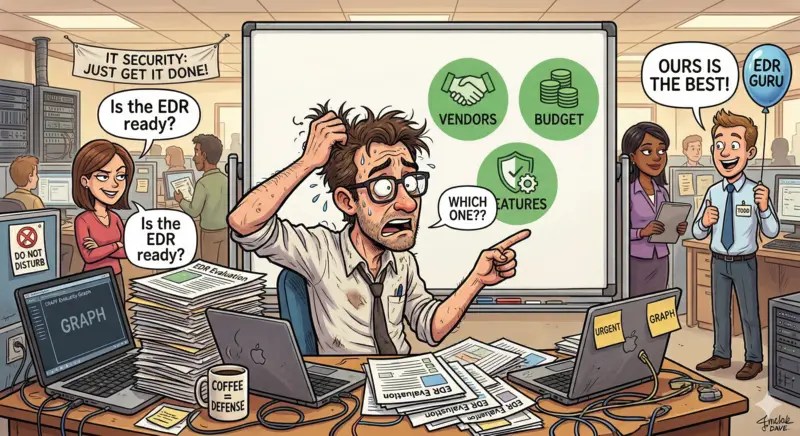
    Most small IT teams buy endpoint detection and response platforms because the license looks cheaper than managed detection and response services. Six months later, they’re sitting on 47 unread alerts, no idea which ones matter, and a compliance auditor asking who’s been watching the system. The license was cheap. The monitoring turned out to require a person who doesn’t exist.

    The real decision here isn’t EDR versus MDR. It’s whether you have 15 to 20 hours per week to dedicate to alert triage, tuning, threat hunting, and incident response. If you don’t, the EDR platform you deploy will give you the illusion of security without the actual protection. If you do, MDR might be paying for labor you already have in-house.

    Here’s how to make this call clearly before vendor pressure or a compliance deadline forces it for you.

    The Tool You Can’t Watch Is the Tool That Won’t Save You

    Endpoint detection and response tools don’t stop threats automatically. They detect suspicious activity, generate alerts, and wait for someone to investigate. That someone needs to know what normal looks like in your environment, what constitutes a real threat versus a noisy false positive, and how to respond before the attacker moves laterally. Without that person, EDR is an unmonitored sensor. You’re paying for a smoke detector with no one in the building to hear it.

    Managed detection and response solves the staffing problem by outsourcing the monitoring, triage, and initial response to a security operations team that works for the MDR provider. You’re not buying software. You’re buying the labor to make the software useful. The question isn’t which tool is better. The question is whether you’re staffed to run the tool, or whether you need to rent the staff along with it.

    Most buyers frame this as a cost comparison. The real comparison is labor availability. If your IT team is two people deep and already underwater, the cheaper EDR license just bought you a new dashboard you’ll never open. If you have a dedicated security hire who can own this full-time, EDR starts to make sense. The license cost is the easy part. The staffing cost is where most small teams get this wrong.

    What EDR Actually Requires When You Deploy It Yourself

    Deploying an EDR platform means you own the full security operations workflow. Someone on your team needs to tune detection rules so the platform isn’t flooding you with alerts every time a developer runs a script. Someone needs to investigate every alert that survives the tuning, figure out whether it’s a real incident or a false positive, and decide how to respond. Someone needs to maintain threat intelligence feeds, update response playbooks, and hunt proactively for threats the automated rules didn’t catch.

    That workload doesn’t fit into the margins of an already-full IT role. Analyst estimates put the ongoing time requirement at 15 to 25 hours per week for a small environment, more if you’re dealing with a sophisticated threat or tuning a new deployment. If your IT team is managing helpdesk, infrastructure, and vendor relationships, that time doesn’t exist.

    The work breaks into four categories, and all of them require consistent attention:

    • Alert triage and investigation: Reviewing every alert, correlating it with other activity, determining whether it’s benign or malicious.
    • Tuning and rule management: Adjusting detection thresholds and exclusions so the platform isn’t crying wolf on normal business activity.
    • Incident response: Containing the threat, remediating affected endpoints, documenting what happened for compliance or insurance.
    • Proactive threat hunting: Looking for signs of compromise the automated rules didn’t surface, especially after a new vulnerability drops.

    If you can’t dedicate someone to own those four functions, you’re not deploying a security tool. You’re deploying a liability that makes you think you’re protected when you’re not.


    BUYER’S REALITY: We’ll monitor it when we have time.

    You won’t. Every small IT team that self-deploys EDR believes they’ll carve out time each week to review alerts and tune rules. Three months in, the alerts are piling up unread, the tuning never happened, and the platform is either silent or screaming. There is no “when we have time” scenario that actually results in consistent monitoring. Either someone owns it as their primary job, or it doesn’t get watched.


    What You Actually Get When You Pay for MDR

    Managed detection and response bundles the EDR platform with a security operations center that monitors it on your behalf. The MDR provider’s analysts watch your alerts 24/7, investigate anything that looks suspicious, and escalate real incidents to you with context and recommended actions. You’re outsourcing the triage, the tuning, the threat hunting, and the first-response work to a team that does this all day across hundreds of customers.

    The baseline service typically includes around-the-clock monitoring, alert investigation, and incident notification. Most providers will tune the detection rules for your environment during onboarding, and continue adjusting them as your infrastructure changes. The better MDR providers include proactive threat hunting, where analysts look for indicators of compromise that wouldn’t trigger an automated alert, and some level of guided remediation, where they walk you through containment and recovery.

    What MDR doesn’t always include: hands-on-keyboard incident response where the provider takes direct action to contain a threat, forensic investigation beyond what’s needed to confirm the incident, or integration with security tools outside the endpoint. Those capabilities exist, but they usually cost extra. Read the service level agreement carefully. The base tier often covers detection and notification. If you need the MDR team to actively stop an attack in progress, that’s a higher service tier or an add-on retainer.

    The value proposition is straightforward. You get security operations expertise without hiring a security operations team. The cost is higher than an EDR license alone, but lower than hiring even one full-time security analyst. For teams under 50 people with no dedicated security staff, that math works. For teams that already have someone who can own endpoint security, MDR starts to look like paying for labor you don’t need.

    The Budget Math Nobody Shows You in the Comparison Deck

    Your Situation What It Means for This Decision Buy Now / Wait / Skip
    IT team under 5 people, no security hire planned EDR requires 20+ hours/week you don’t have. MDR spreads the labor cost across other customers. MDR now, or skip endpoint detection entirely until budget/team grows.
    IT team 5 to 15 people, one person could own security part-time Possible to self-manage EDR if that person has prior SOC experience and isn’t already underwater. Otherwise MDR. EDR only if the owner exists and has capacity. Default to MDR.
    IT team 15+, security hire already on staff or budgeted EDR gives you control and flexibility. MDR makes sense only if you need after-hours coverage or compliance requires external monitoring. EDR now. Consider MDR for after-hours coverage if in-house team is 9-to-5 only.
    Compliance requirement (SOC 2, HIPAA, PCI) with specific monitoring SLAs Many frameworks expect 24/7 monitoring. If you can’t staff that internally, MDR is the faster path to compliance. MDR now if compliance timeline is under 12 months.
    Already running legacy antivirus or basic endpoint protection Greenfield EDR deployment is easier than migration. If you have no one to manage it, don’t replace one unmonitored tool with another. MDR if no security staff. EDR only if you’re hiring someone to own it.
    Budget available now, renewal decision in 12 months MDR is faster to deploy and doesn’t require internal ramp-up time. EDR requires 60 to 90 days of tuning before it’s useful. MDR now if timeline is tight. EDR if you have 90+ days and the staff to tune it.

    Most buyers who regret the EDR purchase fall into the first row: small team, no security hire, convinced they’d “figure out monitoring later.” That row describes the majority of unmonitored EDR deployments. If you can’t dedicate someone to this now, before you sign, you won’t dedicate someone to it after deployment. The cheaper license just bought you a false sense of security and a compliance gap the auditor will find in year two.

    The Right Time to Pick EDR Is When You Already Have the Staff

    What works:

    • You have one full-time employee who owns security, has prior experience in a SOC or with SIEM tools, and isn’t splitting time with helpdesk or infrastructure firefighting.
    • Your environment is standardized enough that tuning rules won’t require constant adjustment, and you’re not supporting a lot of edge cases or legacy systems that generate noise.
    • You want control over detection logic, response timing, and the ability to integrate endpoint telemetry with other security tools you’re already running.

    What doesn’t work:

    • Your “security person” is the IT generalist who also manages the firewall, handles user onboarding, and troubleshoots the VPN. They don’t have 15 hours a week for alert triage, and the role won’t get less busy.
    • You’re deploying EDR to check a compliance box but have no plan for who monitors it or how incidents get escalated after hours.
    • You’re betting that automation and machine learning will reduce the alert volume to something manageable. It won’t. Every EDR platform generates false positives that require human judgment, and the tuning required to reduce noise is itself a labor-intensive process.

    The dividing line is simple. If the person who will own this tool already exists, has relevant experience, and has the time, EDR gives you more control and flexibility than outsourcing to an MDR provider. If any part of that sentence isn’t true, you’re setting up a system no one will watch. Self-managed endpoint detection only makes sense when the “self” part is a real person with security operations in their job description.


    RED FLAG: Your plan is to train someone internally to manage EDR after you deploy it.

    That almost never works. The learning curve for effective EDR management is six months minimum, and that assumes the person has prior security experience and dedicated time to ramp up. If you’re planning to deploy the tool first and figure out who will run it later, or train someone on the job while they’re still doing their regular IT work, you’re buying an expensive dashboard that will sit unused. Hire or assign the owner first. Deploy the tool second. Never the other way around.


    What Happens 12 Months In If You Guess Wrong

    If you pick EDR without the staff to run it, you’ll spend the first 90 days excited about the deployment, the next six months ignoring the alerts because no one has time to investigate them, and month 12 realizing you’ve been operating with no effective monitoring since the initial setup. The platform will either be silent because you turned off the noisy rules, or screaming because you never tuned it and everything triggers an alert. Either way, you’re not protected. You’re paying for the illusion of security, and the next compliance audit or incident will expose the gap.

    If you pick MDR when you already have the internal capability to manage EDR, you’ll spend the first six months appreciating the convenience, then start resenting the lack of control. MDR providers operate at scale, which means their detection rules and response playbooks are built for the median customer, not your specific environment. If you need custom tuning, faster response times, or integration with internal tools, you’ll hit the limits of what the service includes. The cost starts to feel high relative to what you could do in-house, and switching back to self-managed EDR after a year of outsourcing means starting the tuning process from scratch.

    The failure mode for EDR is silent drift into irrelevance. The failure mode for MDR is paying for a service you’ve outgrown but can’t replace without losing continuity. Both are expensive mistakes, but the EDR mistake is more common. Most small teams overestimate their capacity to manage security tools and underestimate how much ongoing labor endpoint detection actually requires.

    When MDR Makes Sense Even If You Think You Can Handle EDR

    Managed detection and response isn’t just for teams that lack security staff. Three conditions make MDR the better choice even when you have someone who could theoretically manage an EDR platform in-house.

    First, compliance requirements that mandate 24/7 monitoring. If your framework requires around-the-clock security operations and you don’t have a team that works nights and weekends, MDR solves that problem faster and cheaper than staffing three shifts. Even if you have one skilled security person, they’re not watching alerts at 2 a.m. unless you’re paying them for on-call, and that gets expensive.

    Second, incident response SLAs that your internal team can’t meet. Some industries and contracts require a response within minutes of detecting a threat. If your in-house security person is also managing other functions, or if they’re the only one who knows how to respond and they’re on vacation, you’re outside your SLA. MDR providers have depth, which means someone is always available to investigate and escalate.

    Third, you’re in a high-risk environment or facing active threats, and you need threat hunting capability you don’t have in-house. Proactive hunting requires experience, threat intelligence, and time. If your security hire is good at managing tools but hasn’t spent years in a SOC hunting advanced persistent threats, the MDR provider’s analysts bring expertise you can’t hire for at small-team budget levels.

    The decision isn’t just about whether you can manage the tool. It’s about whether you can manage the tool at the speed, coverage, and skill level your risk profile requires:

    • After-hours coverage: MDR monitors when your team is offline.
    • Incident response depth: MDR providers have multiple analysts who can swarm an incident; your in-house team is one person.
    • Threat intelligence: MDR providers see attacks across hundreds of customers and update detection rules faster than you can.
    • Compliance documentation: Many MDR services include incident reports and monitoring logs formatted for audits, saving you hours of paperwork.

    If any of those four gaps exist in your in-house capability, MDR starts to make sense even when you have someone who could run EDR. The question isn’t just “can we do this,” it’s “can we do this at 3 a.m. on a Saturday when the one person who knows the system is unreachable.”


    BUYER’S REALITY: The MDR contract doesn’t cover response unless you read the fine print.

    Most MDR agreements include detection, investigation, and notification. What they don’t always include is hands-on remediation, forensic analysis, or direct action to contain the threat. The provider will tell you there’s an active compromise. Whether they’ll log in and isolate the affected endpoints, or just send you a runbook and expect you to do it, depends on the service tier you paid for. If you’re buying MDR because you lack the staff to respond to incidents, make sure the SOW explicitly includes guided or full-service remediation. The base package often doesn’t.


    Who This Decision Makes Sense For and Who Should Wait

    Buy EDR now if:

    • You have a dedicated security hire with SOC or analyst experience, and they have 15+ hours per week to dedicate to monitoring, tuning, and response.
    • Your environment is standardized, your team is over 15 people, and you need control over detection rules and integration with other security tools.
    • You’ve already evaluated MDR and determined the cost doesn’t justify outsourcing work you can handle in-house.

    Buy MDR now if:

    • Your IT team is under 10 people, no one has dedicated security operations experience, and you need endpoint monitoring to meet compliance or insurance requirements.
    • You have security staff but need 24/7 coverage or incident response capability beyond what one or two people can provide.
    • You’re in a high-risk industry and need proactive threat hunting from analysts who’ve seen a wider range of attacks than your team has.

    Wait or skip if:

    • Your IT team is under 5 people, your budget is tight, and you’re not facing a compliance deadline. Invest in basic endpoint protection and strong access controls first. Endpoint detection only matters if someone is watching it.
    • You’re planning to “try” EDR and see if someone on the team can manage it part-time. That experiment fails more than 80% of the time. Don’t deploy the tool until you’ve assigned an owner with capacity and experience.
    • You’re evaluating MDR but the service agreement doesn’t include after-hours monitoring or response, just detection. That’s not MDR. That’s EDR with a managed dashboard, and it won’t solve your staffing problem.

    The wrong decision here doesn’t just waste budget. It creates a false sense of security that’s worse than admitting you’re not monitoring endpoints at all. If you can’t dedicate the staff, buy the service. If you have the staff, buy the tool. There’s no middle option that works.

    The One Question That Settles This Faster Than Any Vendor Demo

    Ask yourself: if an alert fires at 11 p.m. on a Friday, who investigates it, how fast do they respond, and what’s their plan if it’s a real compromise?

    If the answer is “nobody until Monday” or “whoever is on call, but they’ve never done incident response before,” you don’t have the capability to run EDR. The tool will fire the alert. No one will act on it in time. The compromise will spread, and you’ll find out about it three days later when the ransomware note pops up.

    If the answer is “our security person, they’ll log in within an hour, and they know how to isolate the endpoint and escalate if needed,” you have the foundation to self-manage endpoint detection. EDR makes sense. You’re paying for the tool, not the labor.

    If the answer is “the MDR provider’s SOC, they’ll investigate immediately and escalate to us with a recommended action plan,” you’ve outsourced the problem correctly. You’re paying for labor you don’t have in-house, and the cost is justified.

    Most small teams can’t answer that question confidently. If you can’t, the decision is already made. Don’t buy a tool you can’t operate. Buy the service that operates it for you, or wait until you’ve hired someone who can own it full-time. Anything in between is just expensive theater.


    Related reading

  • IAM Budget Justification: How to Build a Case Your CFO Can’t Ignore

    Most IAM budget requests die in the CFO’s office not because the technology doesn’t work, but because IT leaders frame identity security as a compliance checkbox instead of translating it into the three costs already eating into the operating budget: audit findings that delay revenue recognition and block deals, productivity loss from access friction that shows up in every department’s labor spend, and the statistical certainty of a breach that hasn’t happened yet but will cost seven figures when it does. Your CFO tracks these numbers every quarter. They just don’t realize IAM investment directly reduces all three. Here is exactly how to build an iam budget justification that connects identity security spend to costs your CFO is already trying to eliminate, using numbers they can verify before you leave the room.

    Start With the Audit Findings Already Sitting in Your CFO’s Inbox

    Your CFO has already seen the audit report. SOC 2, ISO 27001, or the customer security questionnaire that’s holding up the enterprise deal. The findings section lists access control gaps, orphaned accounts, missing audit trails, and manual provisioning processes that auditors flagged as medium or high risk. These aren’t theoretical problems. Each finding delays deal closure, adds remediation cost, or requires expensive compensating controls that eat consulting budget every quarter.

    Pull the last two audit reports and highlight every finding related to identity and access. Count how many deals were delayed pending remediation. Ask your sales team how many enterprise prospects requested SOC 2 Type II in the last 12 months and how many walked when you couldn’t produce it. That’s the revenue impact. Most mid-market companies report three to six months of deal delay per major audit gap. If your average enterprise deal is $200K annual contract value and you lost or delayed four deals, that’s $800K in deferred revenue the CFO is already tracking as a pipeline problem.

    The audit findings aren’t future risk. They’re current cost. Frame them that way before you mention technology.

    Calculate the Current Cost of Access Friction Before You Mention Security

    Manual access management burns hours every week across IT, HR, and department managers. Your CFO doesn’t see “access friction.” They see labor cost on fully loaded headcount that could be deployed somewhere else. Quantify it before you walk into the budget meeting.

    Step 1: Count weekly provisioning and deprovisioning tickets. Pull the last 90 days from your ticketing system. Tag every request for application access, permission changes, onboarding, offboarding, and role updates. Divide by 13 weeks. Most mid-market IT teams handle 15 to 40 access tickets per week depending on headcount growth and application sprawl.

    Step 2: Time each ticket type. Shadow your IT team for one week or pull time-to-close data. Standard provisioning averages 20 to 45 minutes per ticket when you count handoffs, email chains, and manager approval delays. Offboarding runs longer because it touches more systems. Use 30 minutes as a conservative average if you don’t have clean data.

    Step 3: Multiply tickets by time, then by loaded cost. If you process 25 tickets per week at 30 minutes each, that’s 12.5 hours weekly, 650 hours annually. At $150K fully loaded cost for IT staff (salary plus benefits plus overhead), you’re spending $46,800 per year on manual access workflows. That’s one cost center. Now add password reset tickets, which average 8 to 12 minutes each and run 50 to 200 per month depending on team size.

    Step 4: Add delayed onboarding cost. New hires waiting three to seven days for application access aren’t productive. If onboarding 50 people per year and average salary is $100K ($135K loaded), every day of access delay costs $370 per person. A three-day average delay costs $55,500 annually in unproductive payroll. Your CFO already knows this number exists. You’re just naming it.


    RED FLAG: You Used Average Salary Instead of Loaded Cost

    Most productivity calculations fail because they use base salary instead of fully loaded cost (salary + benefits + overhead). For a $100K employee, loaded cost runs $135K to $150K depending on your industry. Your CFO already uses loaded cost for every other headcount decision. If your IAM business case doesn’t, you just lost credibility in the first five minutes.


    Price the Breach That Hasn’t Happened Yet Without Sounding Like FUD

    CFOs don’t respond to fear. They respond to actuarial risk. The question isn’t whether a breach will happen. The question is what it costs when it does, and whether that cost justifies the mitigation spend. Industry data gives you conservative estimates your CFO will find credible if you frame them correctly.

    The 2023 Ponemon Cost of a Data Breach study reports average total cost of $4.45 million across all company sizes. That number is useless for your business case because it includes Fortune 500 breaches that skew the average. Mid-market breaches (under 500 employees) average $2.4 million to $3.1 million depending on vertical. Healthcare and financial services run higher. If you’re in a regulated industry, use the higher end. If you’re SaaS or professional services, use $2.5 million as a defensible baseline.

    Break down what drives that number so the CFO understands you didn’t pull it from a vendor deck. Breach cost includes forensics and legal response ($300K to $600K), notification and credit monitoring (varies by record count, $150 per affected customer is standard), regulatory fines (depends on jurisdiction and breach scope), customer churn (hardest to quantify but often the largest component), and remediation including system hardening post-incident. Identity-related breaches (credential theft, account takeover, privilege escalation) represent 19% of all breaches according to Verizon’s 2023 Data Breach Investigations Report, and they take longer to detect and contain, which raises cost.

    Your CFO won’t approve budget to prevent a $2.5 million event that might never happen. But they will approve budget that reduces the probability of a $2.5 million event below the cost of mitigation. If identity governance cuts breach probability by 40% over three years (a reasonable claim supported by time-to-detect improvements), the expected value of that mitigation is $1 million. Compare that to the three-year cost of the IAM platform. If IAM investment is $300K over three years, the ROI is defensible without inflating the numbers.

    Build the Three-Number Summary Your CFO Will Actually Remember

    Your CFO will not remember a 40-slide deck. They will remember three numbers if you make them specific, conservative, and tied to costs they already track. Compress your entire business case into one page with three lines and one mitigation cost per line.

    Start with the format. Three rows, four columns. Column one: cost category. Column two: current annual cost (the number you calculated in the previous sections). Column three: IAM investment required to mitigate. Column four: net annual impact after year one.

    Here’s what that looks like for a 250-person mid-market company:

    • Audit remediation and deal delay: Current cost $180K annually (consulting fees plus deferred revenue from delayed deals). IAM investment $120K year one (platform cost plus implementation). Net impact: $60K annual savings starting year two, plus faster deal closure.
    • Access friction and productivity loss: Current cost $105K annually (manual provisioning labor plus delayed onboarding). IAM investment $40K annually (recurring license cost). Net impact: $65K annual savings.
    • Breach probability and expected loss: Expected annual cost $83K (based on 10% three-year breach probability at $2.5M total cost). IAM investment $40K annually. Net impact: $43K annual risk reduction.

    Total current cost: $368K. Total IAM investment: $200K year one, $80K annually thereafter. Net impact: $168K annual savings after year one, plus risk reduction worth $43K annually in expected value terms.

    That’s the summary. Three categories your CFO already worries about, each with a current cost and a mitigation path. No jargon. No “improved security posture.” Just financial impact they can verify with internal data before approving the budget.


    BUYER’S REALITY: Your CFO Will Verify These Numbers Independently

    The CFO will send your summary to finance or internal audit before approving. If the productivity math doesn’t match payroll data, or the breach estimate is inflated compared to peer disclosures, the request dies quietly. Use conservative numbers you can defend with internal data, not vendor white papers. Better to underestimate and get approval than overstate and lose trust.


    Map IAM Spend to the Costs It Eliminates, Line by Line

    CFOs evaluate every investment as a trade: what goes out, what comes back, and when the return starts. Show the offset explicitly so they see IAM budget as cost reallocation, not new spend. Build a table that maps each IAM capability to the cost it eliminates and the financial impact in year one versus year two.

    Cost Category Current Annual Cost IAM Investment (Year 1) Net Impact (Year 2+)
    Manual provisioning labor $47K Automated workflows: $25K setup, $15K annual $32K savings annually
    Audit remediation consulting $90K Identity governance module: $60K setup, $20K annual $70K savings annually
    Password reset tickets $18K Self-service password reset: included in base platform $18K savings annually
    Delayed onboarding productivity loss $55K Just-in-time provisioning: $20K setup, $10K annual $45K savings annually
    Orphaned account risk (audit finding) $30K compensating controls annually Automated deprovisioning: included in governance module $30K savings annually
    Total $240K $105K setup + $45K annual $195K net savings starting year 2

    The table shows year one is an investment year. Setup cost runs higher than annual savings because implementation, data cleanup, and workflow configuration take time. Year two and beyond is where ROI shows up. Most CFOs accept a 12 to 18 month payback period if the math is clean and the cost reduction is durable.

    After the table, add this interpretation: the cost category most teams underestimate is data cleanup before automation goes live. If your identity data is scattered across HR systems, Active Directory, and SaaS admin panels with no single source of truth, expect to spend 40 to 80 hours of internal labor getting it clean enough for automated provisioning to work correctly. Budget for that before you present. If the project stalls in month three because identity data is a mess, your CFO will remember that more than the ROI slide.

    Address the Two Objections Every CFO Will Raise Before You Leave the Room

    Every CFO asks the same two questions. Answer them before they ask, and you control the conversation. Fail to answer them, and the request sits in limbo until next fiscal year.

    Objection 1: Why now instead of Q1 next fiscal year?

    What works:

    • Audit findings are blocking deal closure today. Every quarter of delay costs revenue you can quantify.
    • Manual provisioning cost escalates with headcount. If you’re hiring 30 people in the next six months, access friction cost grows proportionally.
    • Breach probability is not evenly distributed. The longer you operate with orphaned accounts and no deprovisioning automation, the higher the likelihood of an incident before you get budget approved next year.

    What doesn’t work:

    • “Compliance requires it” without naming the revenue or cost impact of non-compliance.
    • “Security best practice” framing that sounds like IT preference instead of business necessity.
    • Citing industry trends or analyst reports instead of internal cost data the CFO can verify.

    Objection 2: Can we solve this with manual process improvements instead of software spend?

    What works:

    • You already tried process improvements. Manual workflows don’t scale past 200 employees without adding headcount, which costs more than the platform.
    • The CFO can verify current ticket volume and labor cost. Ask them whether they’d rather spend $45K annually on IAM licensing or hire another IT admin at $150K fully loaded to handle provisioning manually.
    • Process improvements don’t reduce audit findings. Auditors require automated controls and audit trails for SOC 2 and ISO 27001. Manual processes documented in a wiki don’t meet the standard.

    What doesn’t work:

    • Claiming manual processes are “unreliable” without quantifying the cost of that unreliability.
    • Suggesting the IT team is overwhelmed without showing where their time currently goes and what they’d do with recovered capacity.
    • Framing automation as inevitable without explaining why waiting costs more than acting now.

    RED FLAG: You Are Pitching Technology When the CFO Hears Operating Expense

    CFOs evaluate IAM budget the same way they evaluate any recurring cost: does it reduce a bigger cost or generate margin? If your pitch leads with “identity governance platform” instead of “cuts audit remediation cost by $240K annually and eliminates the access risk blocking SOC 2 Type II,” you are asking them to translate. They won’t. Frame every capability as a financial outcome or the conversation ends early.


    What to Do in the 48 Hours Before You Present

    Walking into the CFO meeting without verified numbers is how budget requests die quietly. Spend two days pressure-testing your business case so the CFO can’t poke holes in it during the first five minutes.

    Step 1: Pull actual ticket data from your system. Don’t estimate access request volume. Export 90 days of tickets tagged to provisioning, deprovisioning, password resets, and permission changes. Count them. If the number is lower than you expected, your productivity cost claim just got weaker. Adjust your summary before you present, or find another cost category with harder data.

    Step 2: Verify loaded cost with finance or HR. Ask what fully loaded cost per employee the company uses for budgeting. It varies by role, department, and benefits structure. If you used $150K in your calculation and the real number is $130K, your labor savings estimate is overstated by 15%. The CFO will catch that. Fix it before the meeting.

    Step 3: Confirm audit findings are still open. Pull the latest remediation tracker from your compliance team or internal audit. If the findings you cited were closed last quarter with compensating controls, your business case just lost its strongest cost anchor. Verify status before you walk in.

    Step 4: Script answers to “Why not next year?” and “Why not process improvement?” Write them down. Read them out loud. If they sound defensive, rewrite them. The CFO is testing whether you’ve thought this through or whether you’re repeating a vendor pitch. Confident answers backed by internal data pass that test. Vague answers about security posture don’t.

    Step 5: Build a one-page summary with three numbers, three mitigation costs, and one net ROI figure. Print it. If the CFO interrupts your presentation after two minutes and asks for the bottom line, you hand them this page and the conversation continues. If you don’t have it, you spend the rest of the meeting explaining instead of answering objections.

    Where This Business Case Breaks Down and How to Know Before You Present

    This justification approach works when audit pressure, access friction, and breach risk are all measurable and painful. It doesn’t work in three specific conditions, and you need to know before you build the deck whether you’re in one of them.

    Disqualifier 1: Your company has fewer than 100 employees and no regulatory compliance requirements. At that scale, manual provisioning is annoying but not expensive enough to justify platform cost. If your IT team is two people and you onboard 10 employees per year, the labor savings don’t cover the license. Breach risk exists but the CFO will treat it as insurable, not preventable. Wait until headcount crosses 150 or a major customer demands SOC 2.

    Disqualifier 2: Your CFO just approved a different compliance or security investment in the last two quarters. Budget cycles have implicit sequencing. If the company just spent $200K on endpoint detection or a SOC 2 audit, the CFO’s next compliance question is “Did the last thing work?” not “What else do we need?” Wait until the previous investment shows ROI, then tie IAM to the gaps that investment didn’t close.

    Disqualifier 3: Audit findings exist but none of them delayed a deal or triggered a customer escalation. If compliance gaps are theoretical and sales isn’t losing deals over them, the CFO will deprioritize this request in favor of revenue-generating spend. You need at least one example of a deal delayed, a customer who asked for SOC 2 and walked when you didn’t have it, or a partner security review that flagged access controls as a blocker. Without that, audit findings are just findings.

    Disqualifier 4: Your identity data is so fragmented that implementation will take six months and require outside consulting. If the three-year cost of IAM including cleanup and consulting exceeds the three-year cost of manual processes, the ROI disappears. Before you pitch the CFO, get an honest assessment from your IT team or an implementation partner about data readiness. If the answer is “this will be painful,” delay the request until you can clean up identity sprawl internally or the cost-benefit case falls apart in year one.

    Run through these four conditions. If you hit two or more, this business case won’t work. Reframe around a different cost driver, wait until conditions change, or accept that IAM spend isn’t defensible yet and focus budget on something with clearer ROI.


    Also read: NIST Cybersecurity Framework

    Related reading

  • Critical Service Account Security Risks Most IT Teams Ignore During Identity Reviews

    Critical Service Account Security Risks Most IT Teams Ignore During Identity Reviews

    Most IT teams treat service accounts like infrastructure: set them up once, forget about them until something breaks. By the time you’re scrambling to document what has access to what, you’re already explaining a breach or failing an audit. The service account security risks most IT teams ignore don’t announce themselves until an auditor asks for the access log or a compromised API key starts moving data sideways at 3 a.m.

    Service accounts multiply faster than human identities. Every deployment pipeline, monitoring tool, and integration you add creates another non-human identity with credentials and permissions. Unlike employee accounts, these machine identities don’t leave when projects end. They don’t get flagged in quarterly access reviews. They sit there with the same password they had 18 months ago, often with more privileges than they need, waiting for someone to ask the wrong questions.

    This checklist covers what to verify before you sign off on your next security review. Every item maps to something auditors ask about and something attackers look for. If you can’t check every box cleanly, you know where to start.

    Verify Every Service Account Against a Named Owner and Business Purpose

    Start with the simplest question: who owns this account, and why does it exist? Most environments have service accounts nobody remembers creating. They’re labeled “temp_migration_2022” or “api_test” and they’re still running with production access because nobody wanted to risk breaking something by turning them off.

    Run this verification for every service account in your environment:

    Owner verification
    – Named individual accountable for the account’s purpose and access level
    – That individual still works here and still owns the associated system
    – Clear escalation path if the owner leaves or changes roles

    Business justification
    – Documented reason the account exists (which system, which integration, which automation)
    – Written approval for the access level it currently holds
    – Sunset date or next review milestone

    Accounts without a named owner are orphaned credentials. Accounts without documented business justification are policy violations waiting to be found. Budget 30 minutes per 100 service accounts for the initial inventory, longer if your documentation is sparse or non-existent.

    Audit Credential Age and Rotation Policy Compliance

    Your policy says rotate every 90 days. Your actual practice is “whenever someone remembers.” The gap between the two is what auditors measure and what attackers exploit.

    Pull every service account credential and sort by last rotation date. Anything older than your stated policy threshold is already a finding. If you don’t have a stated policy, you’re starting from zero, and most compliance frameworks will expect you to establish one before the next review cycle.

    Check these conditions for every credential:

    • Last rotation date compared to policy threshold (typically 90 days)
    • Automated rotation capability versus manual process dependency
    • Failed rotation attempts in the last 6 months (signal of broken automation or forgotten dependencies)
    • Credentials shared across multiple services (rotation breaks everything simultaneously)

    Credential rotation breaks things when nobody documented what depends on it. That’s not a reason to skip rotation. That’s a reason to document dependencies before the next audit cycle forces you to rotate everything in a weekend and spend Monday fixing what broke.


    RED FLAG: Credentials older than your rotation policy

    If your stated policy is 90-day rotation but you’ve got service account passwords that haven’t changed in 18 months, you’re already non-compliant. Auditors will ask why the policy exists if it’s not enforced. The answer “we didn’t have time” doesn’t help your certification timeline.


    Map Service Account Permissions Against Least Privilege

    Most service accounts have admin rights because someone needed to get an integration working fast and nobody came back to reduce the permission scope afterward. That’s normal. It’s also the first thing that gets flagged in a security review.

    Walk through every service account and verify:

    Permission scope verification
    – Current permission level versus minimum required for documented business function
    – Admin or owner rights that could be replaced with scoped API permissions
    – Cross-environment access (dev account with prod access, automation account with write access to security logs)

    Access justification
    – Written approval for elevated permissions from someone who understands the risk
    – Regular review cadence (quarterly minimum for anything above read-only)
    – Documented exception if least privilege can’t be applied (with compensating controls)

    The hardest part isn’t identifying over-privileged accounts. The hardest part is getting someone to take ownership of reducing permissions when nobody’s sure what will break. Test permission changes in a non-production environment first, document what breaks, decide if the risk of leaving elevated access is worth avoiding the work of fixing dependencies.

    Check Token and API Key Storage Practices

    API keys and service account tokens end up in places they shouldn’t: environment variables hard-coded in scripts, config files checked into version control, deployment documentation living in shared drives, Slack messages from six months ago when someone needed help debugging an integration.

    Your secrets management policy matters less than where your secrets actually live. Check the obvious places first, then the less obvious ones:

    Verify these storage locations:

    • Secrets management platform usage (which teams, which services, how consistently enforced)
    • Hard-coded credentials in application code or infrastructure-as-code repositories
    • API keys in environment variables or container configuration (visible to anyone with server access)
    • Shared documentation, wikis, or ticketing systems containing credential material

    Finding credentials in plain text doesn’t mean your team is careless. It means you haven’t made the secure option easier than the insecure one. If spinning up a secrets manager and integrating it takes longer than hard-coding a key, people will hard-code the key. Fix the process friction before you blame the behavior.

    Document What Happens When a Service Account Credential Leaks

    Most teams don’t have a service account incident response plan. They have a vague sense that someone would revoke something if a credential leaked, but nobody’s documented who that someone is or how revocation actually works when the leaked credential is wired into 12 different production services.

    Test your response capability by answering these questions for your three most critical service accounts:

    Revocation process verification
    – Time from detection to credential revocation (target: under 60 minutes)
    – Documented dependencies that break when you revoke the credential
    – Alternative credential ready to swap in, or rebuild-from-scratch timeline
    – Who has authority to execute emergency revocation without waiting for approval chains

    Detection capability verification
    – How you’d know a service account credential was leaked (monitoring, alerting, third-party notification)
    – How long a leaked credential could be used before you’d detect anomalous activity
    – Post-incident forensics: can you reconstruct what the compromised credential accessed

    If your answer to “how fast can we revoke this?” is “we’d have to check,” you’re not ready. The time to map service account dependencies is before something leaks, not during the scramble to contain it.


    RED FLAG: No documented revocation process

    If you can’t describe how to revoke a leaked service account credential in under 60 minutes, including cross-system dependencies, you don’t have a process. You have a scramble. Most teams discover their service account dependencies during an active incident, which is the worst possible time to map them.


    Review Service Account Activity Logs and Alert Configuration

    Service accounts generate predictable patterns: same API endpoints, same access times, same data volumes. Deviations from that pattern signal compromise, misconfiguration, or automation gone wrong. If you’re not logging service account activity separately from human user activity, you won’t catch the deviation until something’s already broken.

    Check whether you can answer these questions for each service account:

    • Activity logs captured and retained for your compliance requirement period (typically 90 days minimum)
    • Baseline behavior documented (normal access patterns, expected API call volume, typical data transfer size)
    • Alerts configured for anomalous activity (unusual access times, new IP addresses, permission escalation attempts, failed authentication spikes)

    Most environments log service account activity but don’t monitor it. The logs exist, nobody looks at them unless something’s already on fire. That gap between logging and alerting is where compromised machine identities operate undetected for weeks.

    Alert fatigue is real, but zero alerts means zero visibility. Start with high-confidence signals: new geographic access, permission changes, access to sensitive data stores outside normal schedules. Tune from there based on what actually fires and what actually matters.

    Service Account Security Readiness Matrix

    Checklist Item Why It Matters Red Flag If Missing
    Named owner for every service account Accountability when access needs to change or account needs deactivation Orphaned accounts multiply and nobody knows what’s safe to turn off
    Credential rotation within policy window Compliance requirement and breach risk reduction Non-compliance finding in every audit, exploitable credentials age indefinitely
    Least privilege permissions verified Limits blast radius if credential is compromised Over-privileged accounts become high-value attacker targets
    Secrets stored in dedicated management platform Prevents credential leakage through code repos and config files Hard-coded credentials spread uncontrollably across your environment
    Documented credential revocation process Speed matters when responding to leaked or compromised credentials Incident response time measured in days instead of hours
    Service account activity monitoring and alerting Detection capability for compromised machine identities Breaches go undetected until external notification or visible damage

    The items at the top of this matrix are table stakes for any compliance framework. The items at the bottom separate environments that detect breaches early from environments that find out when the forensics team arrives. If you can’t check every box, start with credential rotation and least privilege. Those two close the most common attack paths and the most common audit findings.

    Focus on the accounts with the highest privilege first: anything with admin rights, anything with production database access, anything that can modify security configurations. Once those are clean, work down to lower-risk service accounts. Perfect coverage across every machine identity in your environment is a multi-quarter project. Coverage across your 20 most critical service accounts is a two-week sprint.

    Conclusion

    Service account security comes down to one question: can you explain what every machine identity in your environment does, who’s responsible for it, and how fast you could shut it down if you needed to? If the answer is no, you’re carrying risk that an audit will quantify or a breach will demonstrate. Start with the verification steps that matter most for your next compliance deadline: owner documentation, credential age, and permission scope. Those three close the gaps auditors ask about first and attackers exploit most often. Before your next security review, run through the readiness matrix and get written answers for every item that applies to your ten highest-privilege service accounts.


  • EDR vs MDR for Small IT Teams: Why the Cheaper License Often Costs More

    Most small IT teams buy endpoint detection and response because the license is cheaper than managed detection and response. Six months later, they realize nobody has time to investigate the alerts, tune the detection rules, or hunt for threats buried in the noise. The tool works exactly as designed. The problem is that it was designed for a team that doesn’t exist yet.

    If you’re evaluating EDR vs MDR for small IT teams, the real question isn’t which platform has better features. It’s whether you have someone who can turn alerts into action, or whether you need to pay someone else to do that work. The license price doesn’t answer that question. Your staffing reality does.

    Here’s what drives the wrong decision: vendors show you the detection capability, not the workload. They demo the dashboard, not the 40 hours a month it takes to tune rules, investigate false positives, and respond to real incidents. That gap between what the tool can do and what your team can handle determines whether you’re buying security or just buying visibility you can’t act on.

    Here is how to make this call clearly, before the vendor deadline forces it for you.

    The License Price Hides the Real Decision

    EDR gives you the software. MDR gives you the software plus the people who watch it, investigate findings, and tell you what to do next. That sounds like a simple trade-off: pay more, get more. But the decision isn’t about budget. It’s about whether you have 15 to 25 hours a week to dedicate to security operations.

    Most EDR platforms cost $5 to $15 per endpoint per month. You own the deployment, the tuning, the alert triage, the threat hunting, and the incident response plan. Managed detection and response runs $20 to $50 per endpoint per month, depending on the provider and the service tier. You still own remediation and some of the response work, but someone else is watching the alerts, filtering the noise, and escalating real threats.

    The cost difference looks significant when you compare the line items. It stops looking significant when you calculate what it costs to have someone on your team spend half their week managing security alerts. If your IT generalist is already handling helpdesk tickets, software updates, and vendor management, adding EDR monitoring doesn’t just stretch them thin. It guarantees that something important won’t get done.

    The license price is the easy part. The hard part is deciding whether you’re buying a tool you can use or a tool that will generate work you can’t absorb. That question determines whether the cheaper option actually saves money.

    What EDR Gives You (and What It Expects You Already Have)

    Endpoint detection and response platforms monitor activity on your endpoints, log suspicious behavior, and generate alerts when something crosses a detection threshold. The software handles data collection and pattern matching. Everything else is on you.

    What works:

    • You get full visibility into endpoint activity: process execution, file changes, network connections, registry modifications.
    • You control the detection rules, the response playbooks, and the data retention policies. No third party sits between you and your environment.
    • You can integrate EDR telemetry with your existing SIEM, ticketing system, or automation tools if you have them.

    What doesn’t work without internal capability:

    • The platform generates 100 to 300 alerts per week in a typical small environment. Someone has to read them, correlate them, and decide which ones matter.
    • Tuning the detection rules to reduce false positives takes 20 to 40 hours in the first two months. If you skip this step, you drown in noise and start ignoring alerts.
    • Incident response still requires someone who knows how to contain a compromised endpoint, pull forensic data, and determine whether the threat spread laterally. The tool doesn’t do that for you.

    EDR expects you already have someone who understands Windows event logs, can read a process tree, and knows the difference between a legitimate admin tool and a living-off-the-land attack. If that person exists on your team and they have 15 hours a week to dedicate to security operations, EDR makes sense. If they don’t, the platform becomes a dashboard full of unread alerts.


    BUYER’S REALITY: Most Teams Never Tune the Rules

    EDR platforms ship with default detection rules that generate hundreds of low-priority alerts in the first month. Tuning them to your environment takes 20 to 30 hours of hands-on work. Most small teams never do it, which means they drown in noise and miss the real threats. If you don’t have someone with SIEM or detection engineering experience, you won’t fix this on your own.


    What MDR Delivers (and What You’re Still Responsible For)

    Managed detection and response providers run a security operations center that monitors your endpoints 24/7. They deploy the EDR agent, configure the detection rules, triage the alerts, investigate suspicious activity, and escalate confirmed threats to your team. You’re paying for the platform and the analyst time.

    The service doesn’t replace your IT team. It replaces the work that your IT team doesn’t have time to do. When the MDR provider confirms a compromised endpoint, they’ll tell you which machine to isolate, which user account to disable, and what forensic data they pulled. They won’t disable the account for you unless you’ve contracted for a fully managed response service, which costs more.

    What you’re still responsible for: remediation, internal communication, policy decisions, and anything that touches user accounts, application access, or network configuration. The SOC will tell you what happened and what to do. You still have to do it.

    The handoff matters. Some MDR providers expect you to act within 15 minutes of an escalation. If your IT lead is in meetings all afternoon or on vacation, the alert sits. You need an internal escalation path, a clear owner, and a plan for after-hours incidents. Managed detection doesn’t mean unattended detection.

    The value of MDR isn’t just that someone else reads the alerts. It’s that they’ve already seen the attack pattern 50 times, they know what to look for next, and they won’t waste your time on false positives. That expertise costs money. For most small teams, it costs less than hiring someone full-time to do the same work.

    The Hidden Costs of EDR vs MDR for Small IT Teams

    The license price is the starting point, not the total cost. Both EDR and MDR for small IT teams carry hidden costs that don’t show up in the vendor proposal. You need to budget for them before you sign.

    EDR’s hidden costs:

    • Training and ramp-up time: Your team needs 15 to 25 hours to learn the platform, understand the alert taxonomy, and build response playbooks. That’s work time you’re pulling from other projects.
    • Ongoing alert triage: Plan for 10 to 20 hours per week just reading alerts, investigating suspicious activity, and determining what’s real. For a team of three or fewer, that’s 10% to 15% of your total IT capacity.
    • Integration work: If you want EDR data flowing into your ticketing system, SIEM, or automation tools, budget another 10 to 20 hours for integration and testing. Most small teams skip this step, which means the EDR lives in a silo.
    • Turnover risk: If the one person who understands your EDR deployment leaves, you’re starting over. There’s no institutional knowledge because the knowledge lives in one person’s head.

    MDR’s hidden costs:

    • Internal response time: The MDR provider detects the threat and escalates it to you. What happens next is still on your clock. If you don’t have someone available to isolate the endpoint, disable the account, or pull the machine off the network, the threat sits uncontained.
    • Onboarding and tuning period: Most MDR providers spend the first 30 to 60 days tuning detection rules to your environment. During that window, expect more alerts and more back-and-forth as they learn what normal looks like for you.
    • Contract length and exit cost: MDR contracts typically run 12 to 36 months. If you need to switch providers or bring detection in-house, you’re paying for the remaining term or paying an early termination fee. Budget for lock-in.

    The real cost difference between EDR and MDR isn’t the per-endpoint price. It’s whether your internal labor cost to run EDR exceeds the premium you’d pay for managed service. For most small teams, it does.

    The Buying Decision Table: Which Option Fits Your Situation

    Your Situation What It Means for This Decision Buy Now / Wait / Skip
    IT team under 3 people, no dedicated security role Nobody has 15+ hours/week for alert triage. EDR becomes shelfware. MDR or wait until you hire.
    IT team of 3 to 10, one person with security experience EDR is viable if that person has bandwidth and won’t burn out. EDR works if they have time.
    IT team of 10+, no SOC but security-aware staff You can rotate EDR duties across the team if someone owns it. EDR works, plan for training.
    Budget available now, no compliance deadline You have time to evaluate both options properly. Compare total cost, not license cost.
    Compliance requirement (CMMC, HIPAA, PCI DSS) driving this Auditors care that threats are detected AND investigated. Unmonitored EDR fails that test. MDR unless you can prove internal capability.
    Already tried EDR in the past, alerts ignored or disabled Buying a different EDR vendor won’t fix a staffing problem. MDR or hire someone first.
    Current tool already in place, underutilized You’re paying for visibility you’re not using. Adding more tools won’t change that. MDR to monitor what you have, or rip and replace.
    No internal resource to own security operations EDR will sit unmanaged. MDR is the only path to real detection. MDR now, or accept the gap.

    Most buyers who regret their EDR purchase fall into the first row: small team, no dedicated security role, assumed they’d “find time” to monitor alerts. They didn’t. The alerts piled up, the noise became overwhelming, and six months later the tool is effectively disabled. If that describes your situation now, it will describe your situation after you buy EDR. Choose accordingly.


    RED FLAG: You Already Tried This Once and Stopped Using It

    If your team deployed an EDR tool in the past and it’s now running unmonitored, or you disabled half the alerts because nobody had time to investigate them, that’s not a training problem. That’s a staffing problem. Buying a different EDR vendor won’t change the outcome. You need MDR or you need to hire someone dedicated to security operations.


    When EDR Works (Small, Technical, and Ready to Learn)

    EDR makes sense when you have someone on the team who wants to own security operations, has the technical depth to investigate alerts, and has the time to dedicate 15 to 20 hours a week to the work. That person doesn’t need to be a career security analyst, but they need to be curious, methodical, and willing to learn how attackers move through an environment.

    The profile that succeeds with EDR: an IT generalist or sysadmin who already troubleshoots complex issues, reads logs regularly, understands how Windows or Linux systems behave under the hood, and won’t panic when an alert fires. They need enough bandwidth that adding security monitoring doesn’t push them into burnout. If your team has that person and they’re not already underwater, EDR gives you full control at a lower cost.

    You’ll also succeed with EDR if your environment is relatively standardized. Fewer applications, fewer exceptions, fewer edge cases mean fewer false positives and less tuning work. A 50-person company running standard endpoints with cloud apps and no legacy infrastructure is easier to monitor than a 50-person company with three acquired subsidiaries, six different remote access tools, and a mix of Windows 7 and Windows 11 machines.

    The financial argument for EDR is straightforward: if you’re paying $10 per endpoint per month for 100 endpoints, that’s $12,000 a year. Managed detection and response for the same environment runs $30,000 to $60,000 a year. The $18,000 to $48,000 difference is real money for a small team. But only if you can actually use the tool. If the alerts go unread, you’re spending $12,000 a year on nothing.

    Choose EDR when you have the person, the time, and the environment that make it viable. If any one of those conditions is missing, the cost savings disappear.

    When MDR Is the Safer Bet (No Bench Depth, No Appetite for Alert Fatigue)

    Managed detection and response makes sense when you don’t have 15 hours a week to dedicate to security operations and you’re not planning to hire someone in the next six months. It also makes sense when you have compliance requirements that expect documented detection and response capability, and “we have EDR installed” won’t pass an audit if nobody’s monitoring it.

    What works:

    • You get 24/7 monitoring without adding headcount. Nights, weekends, holidays are covered. Your internal team isn’t on call for security alerts.
    • The MDR provider filters out the noise. You only get escalations for real threats, not every low-confidence alert the platform generates.
    • You benefit from the provider’s threat intelligence and playbook library. They’ve seen the attack pattern before. You don’t have to research it from scratch.

    What doesn’t work if you’re not prepared:

    • You still own remediation. If the provider tells you to isolate a machine and disable a user account, someone on your team has to do it. If that person is unavailable, the threat sits.
    • Onboarding takes 30 to 60 days. During that period, expect more back-and-forth as the provider tunes detection rules to your environment. It’s not plug-and-play on day one.
    • The service costs 3x to 5x what the EDR license alone would cost. That’s a permanent budget line. If the business pressures you to cut costs in year two, this will be a visible target.

    MDR is the safer bet when your team is underwater, when security operations is not a core competency you’re planning to build, or when an external audit is coming and you need to prove you’re taking detection seriously. It’s also the right call when you’ve already tried running EDR yourself and it didn’t work. The problem wasn’t the tool. The problem was capacity. Managed service solves the capacity problem.

    The ROI calculation is simple: does paying for MDR cost less than the potential loss from a missed incident, or less than the cost of hiring and training someone to run EDR full-time? For most small teams, the answer is yes. You’re not outsourcing because you’re lazy. You’re outsourcing because the alternative is pretending you have time you don’t actually have.


    BUYER’S REALITY: The MSSP’s SLA Doesn’t Cover Your Internal Response Time

    MDR providers will detect and alert you to a threat within their SLA window, often 15 to 60 minutes. What happens next is still on you. If your IT lead is in back-to-back meetings or on vacation, the alert sits. Budget for an internal escalation path and a clear owner, or the managed service just becomes expensive notification.


    Who This Decision Is Wrong For

    Neither EDR nor MDR solves the problem if your real issue is that you don’t have basic endpoint security in place yet. If you’re still running unpatched systems, if you don’t have multi-factor authentication on admin accounts, if your users are local admins on their own machines, detection tools will just show you how bad the situation is. Fix the hygiene problems first, then come back to detection.

    Skip this decision entirely if:

    • You don’t have endpoint protection (antivirus or next-gen AV) deployed yet. Detection assumes you’ve already stopped the easy stuff. If you haven’t, you’re not ready for EDR or MDR.
    • Your IT team is one person and they’re already working 60-hour weeks. Adding security monitoring won’t improve security. It will break the one person holding everything together.
    • You’re buying EDR because a vendor scared you, not because you’ve had a security incident or face a compliance requirement. Fear is a bad buying signal. Take two weeks, assess the real risk, then decide.
    • You expect the tool to run itself. Both EDR and MDR require an internal owner. If you don’t have someone who can take a call when an alert escalates, the service has no one to notify.

    Wait instead of buying now if:

    • You’re about to hire an IT person or promote someone into a security-focused role. Wait until they start, let them evaluate the options, and let them own the decision. They’ll be the one using it.
    • Your environment is in the middle of a migration (cloud, merger, office move). Detection tools depend on stable architecture. Deploy them after the migration is done, not during it.
    • You’re not sure whether you need detection or just better prevention. Most small teams should prioritize prevention (patching, MFA, application control, backup) before they invest in detection. If you don’t have those basics locked down, start there.

    Neither EDR nor MDR is wrong. But both are wrong if you’re not ready to act on what they tell you. Security tools that generate alerts nobody reads don’t improve security. They just create the illusion of it.

    What to Do in the Next 48 Hours

    You don’t need to make this decision in 48 hours, but you should know what question to answer next. Here’s the sequence that leads to a clear call.

    Step 1: Inventory your internal capacity.

    Write down the names of everyone on your IT team. Next to each name, write down how many hours per week they have available for new work. Not theoretical hours. Real hours. If the answer is zero or “maybe two hours if nothing breaks,” you don’t have capacity for EDR. That’s not a judgment. That’s a planning input.

    Step 2: Estimate your alert volume.

    Contact two or three EDR vendors and ask them to estimate weekly alert volume for your environment size and industry. Most will say 50 to 150 alerts per week for a 50-person company. Multiply that by five minutes per alert for triage. That’s your minimum time commitment. If nobody on your team has that time available, stop evaluating EDR. You need MDR or you need to hire first.

    Step 3: Get MDR pricing for comparison.

    Request quotes from three managed detection and response providers. Ask for total cost, SLA terms, escalation process, and what remediation work stays internal. Compare the annual cost of MDR to the cost of having someone spend 20 hours a week managing EDR. Include salary, benefits, and the opportunity cost of pulling them off other work. If MDR costs less, it’s the safer bet.

    Step 4: Decide whether you’re building security capability or outsourcing it.

    This is the strategic call. If you plan to hire a security-focused person in the next 12 months, EDR makes sense as a foundation. If you’re not hiring and you don’t have someone on the team who wants to grow into a security role, managed detection and response is the path. Neither choice is wrong. Both become wrong when you choose based on price alone and ignore staffing reality.

    The right next step isn’t to start a vendor bake-off. It’s to answer the capacity question honestly. Once you know how much time your team actually has, the EDR vs MDR for small IT teams decision makes itself.


  • EDR tool for mid sized organizations

    Understanding EDR Tools for Mid-Sized Organizations

    Endpoint Detection and Response (EDR) tools have become essential security components for organizations of all sizes. For mid-sized companies—typically those with 100 to 1,000 employees—selecting the right EDR solution requires balancing comprehensive protection with practical considerations like budget, IT staff resources, and ease of management.

    What EDR Tools Actually Do

    EDR tools continuously monitor endpoints such as laptops, desktops, servers, and mobile devices for signs of malicious activity. Unlike traditional antivirus software that primarily relies on signature-based detection, EDR solutions use behavioral analysis to identify suspicious activities that may indicate a security threat.

    The core functions include:

    • Real-time monitoring of endpoint activities
    • Threat detection through behavioral analysis
    • Incident investigation and forensics
    • Automated or guided response to security events
    • Data collection for compliance and reporting

    Why Mid-Sized Organizations Need EDR

    Mid-sized organizations occupy a challenging position in the security landscape. They often handle sensitive data and conduct substantial business operations, making them attractive targets for cybercriminals. However, they typically lack the extensive security teams and unlimited budgets of enterprise organizations.

    Traditional antivirus solutions no longer provide adequate protection against modern threats such as ransomware, fileless malware, and advanced persistent threats. EDR tools fill this gap by providing visibility into what is happening on endpoints and enabling faster response to incidents.

    Key Features to Consider

    Detection Capabilities

    Look for EDR solutions that use multiple detection methods, including signature-based detection, behavioral analysis, and machine learning. The tool should detect both known and unknown threats without generating excessive false positives that overwhelm your security team.

    Response and Remediation

    Effective EDR tools should enable quick response to threats. This includes the ability to isolate infected endpoints from the network, terminate malicious processes, delete harmful files, and roll back unauthorized changes. Some solutions offer automated responses for common threats, while others provide guided workflows for security analysts.

    Investigation and Forensics

    When an incident occurs, your team needs to understand what happened, how it happened, and what was affected. EDR tools should provide detailed timeline views of endpoint activities, allow searching through historical data, and help trace the scope of an incident.

    Ease of Management

    For mid-sized organizations with limited IT security staff, management overhead matters. The EDR console should be intuitive, provide clear information about threats, and not require extensive training to use effectively. Cloud-based solutions often reduce the management burden compared to on-premises deployments.

    Integration Capabilities

    Your EDR tool should integrate with other security tools in your environment, such as firewalls, SIEM systems, and threat intelligence feeds. This integration improves overall security posture and enables more effective incident response.

    Deployment Considerations

    Agent Performance Impact

    EDR tools require agents installed on each endpoint. These agents consume system resources including CPU, memory, and disk space. Before selecting a solution, test the agent’s performance impact on typical user workstations and critical servers to ensure it does not degrade productivity.

    Network Bandwidth

    EDR agents send telemetry data back to management consoles or cloud platforms. Evaluate how much bandwidth this will consume, particularly if you have remote offices with limited connectivity. Some solutions allow configuring data transmission schedules or compression to manage bandwidth usage.

    Coverage Requirements

    Determine which endpoints need EDR protection. While covering all workstations and servers is ideal, budget constraints may require prioritization. Start with critical systems, servers containing sensitive data, and endpoints used by privileged users.

    Evaluating Vendor Options

    The EDR market includes solutions from established security vendors and specialized endpoint security companies. Mid-sized organizations should consider:

    Vendor Stability and Support

    Choose vendors with proven track records and strong customer support. Your team will need assistance during deployment, when investigating incidents, and when dealing with complex security events.

    Pricing Models

    EDR pricing typically follows per-endpoint models, often with tiered pricing based on features. Understand what is included in base pricing versus premium tiers. Consider total cost of ownership including implementation, training, and ongoing management.

    Managed Detection and Response Options

    Many vendors offer Managed Detection and Response (MDR) services alongside their EDR tools. These services provide expert security analysts who monitor your environment and respond to threats on your behalf. For organizations without dedicated security operations centers, MDR services can provide enterprise-level protection at a predictable cost.

    Implementation Best Practices

    Start with a Pilot Program

    Deploy EDR to a limited number of endpoints initially. This allows your team to become familiar with the tool, tune detection settings, and verify performance before rolling out organization-wide.

    Establish Response Procedures

    Having an EDR tool is only valuable if your organization can respond effectively to the threats it detects. Develop clear incident response procedures that define who responds to alerts, how to escalate serious incidents, and what steps to take for different threat types.

    Plan for Training

    Invest time in training the staff who will use the EDR tool. This includes understanding the console, interpreting alerts, conducting investigations, and executing response actions. Most vendors provide training resources and documentation.

    Regular Review and Tuning

    After deployment, regularly review EDR alerts and adjust detection rules to reduce false positives while maintaining effective threat detection. Review incident response metrics to identify areas for improvement.

    Common Challenges and Solutions

    Alert Fatigue

    EDR tools can generate numerous alerts, overwhelming small security teams. Address this by tuning detection rules, prioritizing alerts based on risk, and implementing automated responses for low-risk events. Consider MDR services if internal resources are insufficient.

    Legacy Systems

    Older operating systems or specialized equipment may not support modern EDR agents. Document these gaps, implement compensating controls where possible, and include endpoint modernization in long-term planning.

    Performance Concerns

    If EDR agents impact system performance, work with the vendor to optimize agent configuration. Most solutions allow adjusting scanning schedules, reducing telemetry collection, or excluding specific processes from monitoring.

    Measuring EDR Effectiveness

    Track metrics that demonstrate the value of your EDR investment:

    • Mean time to detect threats
    • Mean time to respond to incidents
    • Number of threats detected and blocked
    • False positive rate
    • Endpoint coverage percentage

    These metrics help justify the investment to leadership and identify opportunities for improvement.

    Looking Forward

    EDR technology continues to evolve. Extended Detection and Response (XDR) solutions expand monitoring beyond endpoints to include network traffic, cloud workloads, and email. While XDR offers broader visibility, mid-sized organizations should focus on implementing effective EDR first before considering more comprehensive platforms.

    Selecting and implementing an EDR tool represents a significant investment for mid-sized organizations, but it provides essential protection against modern cyber threats. By carefully evaluating your requirements, choosing appropriate solutions, and following sound implementation practices, you can significantly improve your security posture without overwhelming your IT team.

  • CIAM Platform Comparison of 5 Alternatives: SuperTokens, Ory, Clerk, Stytch, and LoginRadius

    CIAM Platform Comparison of 5 Alternatives: SuperTokens, Ory, Clerk, Stytch, and LoginRadius

    The replacement decision usually starts too late. Your team lives with rising CIAM cost, growing implementation drag, or customer-facing edge cases that keep slipping through the cracks, then the search begins after patience is already gone. That pressure is real, especially if you are comparing vendors while product teams still need new login flows, finance wants cost control, and leadership expects migration risk to stay invisible.

    A CIAM platform comparison sounds simple on paper. It isn’t. SuperTokens, Ory, Clerk, Stytch, and LoginRadius don’t just differ in features. They shift the burden: to your developers, your security team, your budget, or your future migration path. That matters more than the polished demo ever will.

    This post is for IT heads, CIOs, and senior SaaS buyers who are replacing an identity system, building a shortlist, or validating a near-final choice. By the end, you’ll know which type of platform fits your team, where the hidden cost sits, and which options you should rule out before the next vendor call.

    Your CIAM Decision Is Really About Ownership, Not Login Screens

    Most teams start with the wrong frame. They compare social login, MFA, SDK polish, passkeys, branding options, and admin UI quality. All of that matters. None of it decides whether the platform will still feel like a good bet a year from now.

    The real question is simpler and more expensive: where do you want the identity burden to live? Some platforms give your team more control and expect you to carry more operational weight. Some remove day-to-day friction but pull you closer to their model, their abstractions, and their roadmap. That trade-off shapes cost, speed, staffing, and switching pain far more than the feature checklist does.

    SuperTokens and Ory lean closer to control. Clerk and Stytch lean harder into developer speed and managed experience. LoginRadius sits in a different lane again, closer to a broader enterprise-style customer identity package. Putting them into one neat feature grid makes the evaluation look cleaner than it is.

    Mixed audience advice matters here. For teams under 200, the wrong choice usually shows up as developer distraction and surprise admin work. At enterprise scale, the wrong choice shows up as integration drag, compliance friction, and a migration project nobody wants to own after year one.

    So before you compare vendors, decide what you are buying: convenience, control, extensibility, or reduced operating burden. That decision narrows the field faster than any demo ever will.

    Beyond the API Key: Why Workload Identity Federation Is Becoming the Safer Default

    Most Replacement Searches Start After the Pricing Pain Shows Up

    Replacement searches rarely begin because your team has suddenly discovered a new identity vision. They begin because something starts hurting enough to justify disruption. Finance sees the bill rising faster than usage. Product teams hit workflow limits that the vendor demo never emphasized. Your engineers start treating identity work as a tax rather than a capability.

    That pain matters, but pain alone can distort the shortlist. A frustrated buyer tends to overcorrect. The expensive platform suddenly makes every cheaper option look smart. The rigid platform makes every developer-first product look flexible. That is how buyers swap one mismatch for another.

    Three triggers usually sit underneath the search:

    • Cost drift: volume pricing, MAU growth, add-ons, and support tiers start moving faster than expected
    • Control frustration: your team needs deeper customization, tenant logic, or workflow behavior, but the platform does not handle it cleanly
    • Growth friction: regional expansion, B2B customer requirements, or security expectations expose limits that did not matter at a smaller scale

    A bad shortlist starts when you treat all three triggers as the same problem. Cost pain does not always mean you need self-hosted control. Customization pain does not always mean your current vendor is wrong. Some teams are really dealing with weak implementation ownership, not platform failure.

    BUYER’S REALITY

    The migration cost is hidden within your team. Most replacement projects appear cheaper in the spreadsheet than in the sprint plan. Customer migration, token-handling changes, UX regression testing, and support coordination usually fall to your team long before the new vendor demonstrates value.

    AI Agents Are Not the Risk. Their Identities Are: The Non-Human Identity Security Problem

    SuperTokens, Ory, Clerk, Stytch, and LoginRadius Are Not Solving the Same Problem

    These vendors look comparable only at the shortlist level. The operating model is different.

    SuperTokens and Ory lean toward control. Clerk and Stytch lean toward speed and managed developer experience. LoginRadius sits closer to a broader packaged CIAM platform.

    That difference matters more than the login box.

    VendorCore postureControl biasBest fitLikely frictionBuyer signal
    SuperTokensOpen-source-first CIAMHighSaaS teams that want flexible auth flows and lower long-term vendor dependenceMore internal ownership than managed CIAMChoose it when control matters more than convenience
    OryModular identity infrastructureVery highTeams that treat identity as part of platform architectureNeeds stronger identity engineering maturityChoose it when your team wants building blocks, not guardrails
    ClerkManaged, developer-first authMedium-lowModern SaaS teams are optimizing for speed and polished implementationLess room for unusual identity modelsChoose it when shipping speed matters more than deep control
    StytchAuth plus fraud and risk toolingMedium-lowProducts where account security and abuse prevention matter earlyCan feel heavier than you needChoose it when authentication and fraud should be bought together
    LoginRadiusPackaged enterprise-style CIAMLowLarger customer identity programs needing broader out-of-the-box coverageHigher platform weight and process overheadChoose it when breadth matters more than product simplicity

    The Best Fit Depends Less on Features and More on Your Team’s Shape

    The wrong CIAM choice usually starts with optimism. Buyers assume the cleaner demo will fit the messier reality.

    Choose SuperTokens or Ory when:

    • Your team wants control
    • Auth is part of the product architecture
    • Engineers can own more implementation details

    Where that goes wrong:

    • your team is small
    • nobody wants ongoing identity ownership
    • speed matters more than flexibility

    Choose Clerk or Stytch when:

    • you want faster rolloutProductt teams need less friction
    • managed convenience is a feature, not a compromise

    Where that goes wrong:

    • Your identity model is unusual
    • customization grows later
    • You want tighter long-term control

    Choose LoginRadius when:

    • You want a broader packaged platform
    • The identity scope is larger
    • Enterprise-style coverage matters more than product simplicity

    Where that goes wrong:

    • Your team wants a lighter stack
    • Developers want tighter control
    • The platform weight becomes overhead

    For teams under 200, speed and low ownership usually matter more. At enterprise scale, control, governance, and future migration pain matter more. That split should shape your shortlist before you price it.

    Managed SOC vs MSSP: Which One Breaks First During a Zero-Day?

    The License Quote Won’t Tell You What This Will Really Cost

    Most CIAM platform comparison exercises stop at pricing pages. That’s where the mistake starts.

    The number on the pricing page is not the number you’ll live with. CIAM cost shows up in three places: what you pay the vendor, what your team absorbs, and what you delay because identity work gets in the way.

    Migration is the first hidden bill. Moving users, tokens, sessions, and login flows rarely fit cleanly into a sprint plan. Your team ends up running dual systems and handling edge cases longer than expected.

    Customization is the second cost driver. Platforms with more control offer flexibility but place more work on your engineers. Managed platforms reduce that burden but lock you into their model faster than most buyers expect.

    Operations is where the cost settles. Someone has to have an identity. Debugging login failures, handling tenant issues, managing compliance flows — that work does not disappear. It moves.

    Ask each vendor to spell out migration responsibility, customization limits, support coverage, and what your team still owns after go-live.

    7 Mistakes That Turn Enterprise EDR Evaluation Into an Expensive Procurement Exercise

    The Easy Choice Now Can Turn Into Admin Debt Later

    A good CIAM platform comparison cannot stop at implementation speed. The harder question is what happens after a year, when customer count rises, product asks get messier, and identity stops being a project.

    The first trap is buying for launch speed. That usually favors managed, developer-friendly products. The rollout feels clean. The pain starts later if your tenant model, access rules, or customer flows become less standard. What looked simple at signing starts bending around the product instead of fitting it.

    The second trap is buying for control without staffing for it. That usually hits teams choosing more flexible platforms. Control is valuable. So is lower vendor dependence. But somebody on your side has to own the logic, the changes, and the operational cleanup. If nobody wants that job, flexibility turns into maintenance.

    The third trap is buying too many platforms. Extra breadth feels safe during evaluation. Later, it becomes process overhead, admin work, and features your team barely uses.

    That is the real 12-to-18-month test. The wrong CIAM decision does not usually fail in month one. It becomes annoying, expensive, and politically difficult to replace once your product is further along.

    SentinelOne vs Microsoft Defender Scorecard: Which EDR Delivers Better Long-Term Value?

    Some Teams Should Not Replace Their Current CIAM Yet

    Replacement feels like progress. In many cases, it is just cost reshuffling.

    A strong CIAM platform comparison should eliminate options. It should also tell you when to do nothing.

    Run through this before you commit to the budget or start migration planning.

    Do not replace yet if:

    • Your current pain is pricing, but usage is still predictable and within contract bounds
    • Your team cannot dedicate at least one owner to identity over the next six months
    • Your product roadmap has major auth changes coming in the next two quarters
    • Your customer base is stable and not demanding new identity capabilities
    • Your current platform is messy, but still works for core login, session, and access flows

    Be cautious if:

    • Your team is under three engineers and already stretched
    • Migration would touch multiple customer-facing flows at once
    • You are mid-contract, and penalties or overlap costs are unclear. Your support team is not ready to handle login disruptions during the transition

    Replace now if:

    • Pricing is already distorting product decisions or customer onboarding
    • Your team is building workarounds every sprint to handle identity gaps
    • Security or compliance requirements cannot be met without major customization
    • Customer experience issues are directly tied to identity limitations

    The wrong move is replacing it because the demo looks better. The right move is to replace it when the current system is actively steering your product in the wrong direction.

    CrowdStrike Alternatives for Enterprise: 15 Tools Compared for Cost, Detection, and Control

    Validate Cost, Ownership, and Migration Before You Shortlist or Sign

    Most teams validate features. The failure shows up in cost, ownership, and migration.

    Start with cost. Pricing pages won’t show what actually drives spend. Check the impact on MAU growth, add-ons, support tiers, and how pricing scales with tenants or orgs. If you don’t isolate the driver, you risk replacing one expensive system with another.

    Validate ownership next. Every platform shifts work somewhere. Control-first options push more to your engineers. Managed platforms reduce that, but lock you into their model. Ask directly: what will your team still build, maintain, and debug after go-live?

    Migration is where most plans break. Moving users is easy on paper. Handling sessions, passwords, edge cases, and customer-facing failures is not. Ask who owns migration, how long dual systems will run, and what support looks like during that phase.

    End with one check. Can your current team handle cost, ownership, and migration without adding headcount? If not, the decision is not complete yet.

    The Better Bet Depends on Where You Want the Burden

    There is no clean winner here. There is only a cleaner fit.

    Choose SuperTokens or Ory if you want control. They make more sense when identity is close to the product, and your team can carry more of the logic. The gain is flexibility. The cost is ownership.

    Choose Clerk or Stytch if you want speed and less operational drag. They make more sense when your team wants identity to move faster and feel lighter. The gain is convenience. The cost is more closely tied to the vendor’s model.

    Choose LoginRadius if you want broader platform coverage out of the box. It makes more sense when your identity scope is already wide. The gain is breadth. The cost is platform weight.

    That is the real choice.
    More control. More convenience. Or more coverage.

    Pick the burden you are willing to keep. The right vendor usually follows from that.

    Conclusion

    A CIAM platform comparison should end the argument quickly: where do you want the burden to fall? SuperTokens and Ory buy control. Clerk and Stytch buy speed. LoginRadius buys breadth. None is cheaper if it pushes the wrong work onto your team. Before you sign, get three things in writing: migration effort, post-go-live ownership, and the pricing triggers that change the deal.

    Also read: The Top 6 CIAM Solutions: Strengths & Comparisons

  • Beyond the API Key: Why Workload Identity Federation Is Becoming the Safer Default

    Beyond the API Key: Why Workload Identity Federation Is Becoming the Safer Default

    Workload identity federation is gaining popularity for a simple reason: teams are tired of babysitting secrets that keep coming back to bite them. API keys, service account keys, long-lived tokens, random credentials buried in CI/CD, half-forgotten secrets sitting inside scripts. Everyone knows this is messy. Everyone also keeps it running because replacing it sounds like a hassle.

    Then one day it stops being annoying and starts being expensive.

    That is usually the moment when the platform team gets dragged in, security starts asking uncomfortable questions, and someone realizes a workload still has access nobody remembers granting. Not because the architecture was evil. Just because secrets have a bad habit of hanging around long after the original logic is gone.

    That is where workload identity federation starts to look less like a fancy, modern pattern and more like basic operational sanity. It is not perfect. It adds setup effort. Bad trust policy design can still create fresh problems. But if you are choosing between temporary trust and permanent credentials spread across cloud, CI/CD, and automation pipelines, one of these models clearly ages worse.

    This post gets into where workload identity federation beats secrets, where it adds friction, and when it is worth the move now instead of six months after a preventable mess.

    AI Agents Are Not the Risk. Their Identities Are: The Non-Human Identity Security Problem

    CNAPP vs CSPM vs CWPP: The Real Case for Cloud Security Platform Consolidation

    Static Secrets Still Dominate Because They’re Easy. That’s Also the Problem.

    Before getting into workload identity federation, let’s anchor the baseline you’re probably running today.

    Most environments still rely on static secrets:

    • API keys
    • Service account keys (JSON, certificates)
    • Tokens stored in CI/CD variables
    • Credentials sitting in vaults and injected into workloads

    Nothing exotic. This is the default operating model.

    Why it sticks:

    • Fast to implement
    • Works across tools without much coordination
    • Easy for developers to reason about
    • Supported by every cloud, SaaS, and pipeline tool

    So nobody replaces it early. They optimize around it.

    Now the catch.

    Static secrets create standing access. Once issued, that credential works until you revoke or rotate it. That sounds fine in theory. In practice, three things tend to drift.

    First, ownership drifts. The person or system that created the secret is rarely the one maintaining it six months later.

    Second, scope drifts. A key meant for one workload quietly gets reused elsewhere because it is already available.

    Third, lifetime drifts. Secrets live longer than intended because rotation risks breaking something nobody fully mapped.

    This is not a security lecture. This is an operational reality.

    What teams usually discover is not “we got hacked.”
    It is this:

    • Rotation becomes risky
    • Access reviews become unclear
    • Secrets exist without clean mapping to workloads
    • Pipelines depend on credentials nobody wants to touch

    That is the real failure pattern.

    Now, enter workload identity federation.

    Instead of storing a secret, the workload proves its identity dynamically using an external identity provider (typically OIDC). The cloud provider then issues short-lived credentials on demand.

    No stored key. No long-lived token.

    Sounds clean. But here is the important distinction for decision makers:

    This is not just a “more secure version of secrets.” It is a different trust model.

    You move from:

    • “Here is a credential. Use it until it expires.”

    To:

    • “Prove who you are right now. Get temporary access.”

    That shift removes one category of problem (secret sprawl), but introduces another (identity and trust policy design).

    And that is where most teams underestimate the effort.

    So the real question is not: “Is workload identity federation better than secrets?”

    The real question is: “At what point does managing permanent credentials become more painful than designing temporary trust?”

    That break-point is what we’ll get into next.

    Managed SOC vs MSSP: Which One Breaks First During a Zero-Day?

    7 Mistakes That Turn Enterprise EDR Evaluation Into an Expensive Procurement Exercise

    SentinelOne vs Microsoft Defender Scorecard: Which EDR Delivers Better Long-Term Value?

    Workload Identity Federation Fixes One Problem and Introduces Another

    Now that the baseline is clear, here is what workload identity federation actually fixes.

    It removes stored credentials from the system.

    No API keys sitting in pipelines.

    No long-lived service account JSON files.

    No secrets copied across environments.

    Instead, a workload proves its identity using something like OIDC and gets short-lived credentials issued just in time.

    That is a big shift.

    Here is why teams like it once it is working:

    • There is no secret sitting in code, config, or pipeline variables waiting to be exposed.
    • Access is short-lived by default, so even if something is compromised, the useful window is much smaller.
    • Auditability improves because access is tied to identity assertions and trust conditions, not a shared key that may be reused in three places.
    • Rotation stops being a recurring coordination headache because there is no long-lived credential to keep replacing.

    That is the upside. It is real.

    But workload identity federation also creates a different kind of work.

    • You now have to define who can assume access, under what conditions, and with what exact scope.
    • Your CI/CD platform, cloud platform, and identity layer need to agree on token claims, trust relationships, and permission boundaries.
    • Failures become less obvious because the problem may sit in claim mapping, token audience, subject matching, or trust policy logic.
    • Teams need to shift from a “store and use” model to a “prove and obtain” model, which sounds simple but takes adjustment.

    This is where people get too optimistic.

    If your team treats workload identity federation like a drop-in replacement for secrets, it will get messy fast.

    You still need to answer some very practical questions:

    • Which workloads are allowed to authenticate?
    • Which repositories, branches, environments, or runners are trusted?
    • What exact permissions should be granted after authentication?
    • How narrow can that trust be made without breaking delivery speed?

    If that design work is weak, you do not eliminate risk. You just move from secret sprawl to trust sprawl.

    So yes, workload identity federation is cleaner. But it is not free security.

    It trades credential management pain for identity design responsibility.

    That trade starts making sense when your current setup is already straining under secret rotation, reuse, poor visibility, or machine access that nobody can explain cleanly anymore. 

    If you are not there yet, the setup effort may feel heavier than the benefit.

    The Breakpoint Appears When CI/CD, SaaS Automation, and Cloud Sprawl Meet

    A small setup can survive on secrets longer than people like to admit.

    If you have a limited number of pipelines, a tight engineering team, a small cloud footprint, and decent secret hygiene, the pain stays manageable. Not pretty. Manageable.

    The trouble starts when machine access begins multiplying faster than ownership discipline.

    You are no longer managing a few secrets. You are managing a growing trust surface made up of keys, tokens, service accounts, and access exceptions that behave like infrastructure but are often tracked like leftovers.

    This is where static secrets start aging badly. 

    One credential gets reused because it is already available. 

    Rotation gets postponed because too many systems depend on it. 

    Access reviews get fuzzy because the mapping between workload and privilege is weak. 

    Dev, test, and prod boundaries get softer than anyone wants to admit. Nobody is fully sure which machine identity should still exist and which one is historical debris.

    That is the real breakpoint.

    Not some neat milestone from a framework deck. The breakpoint arrives when your team can no longer explain machine access cleanly without opening multiple dashboards, checking old documentation, and asking around to confirm what still matters.

    That is when workload identity federation starts looking less like a security upgrade and more like overdue operational cleanup.

    You usually hit that zone when:

    • CI/CD workflows are directly accessing cloud resources at scale
    • SaaS tools and automation platforms keep accumulating credentials
    • More environments are being created across testing, staging, regional rollout, or customer isolation
    • Access paths are spreading across multiple accounts, subscriptions, or projects
    • Machine identities are increasing faster than review, cleanup, and privilege governance can keep up

    Once that happens, secret management stops being just a storage issue. It becomes a control issue.

    You may still have a vault. 

    You may still mask secrets. 

    You may still rotate some of them. 

    But the deeper problem remains: long-lived credentials are sitting inside an environment that has become increasingly short-lived, dynamic, and distributed.

    That is the mismatch workload identity federation is designed to address. It fits environments where workloads are temporary, automation is constant, and machine trust needs to be narrower than “here is a key, please keep it safe.”

    CrowdStrike Alternatives for Enterprise: 15 Tools Compared for Cost, Detection, and Control

    CrowdStrike vs SentinelOne EDR comparison: A Buyer’s View on Cost and Complexity

    Workload Identity Federation vs Secrets

    Decision AreaStatic secrets modelWorkload identity federation model
    How access worksYou create a credential and reuse it across runs until rotatedThe workload proves identity and gets short-lived access per run
    Where risk sitsStored secrets in CI/CD, configs, vaults, filesTrust policies and identity conditions
    Lifetime of accessLong-lived unless actively rotated or revokedShort-lived by design, expires automatically
    Operational effortCreate, store, rotate, track, clean up credentialsDefine trust rules, map identities, maintain policies
    Failure patternSecret leaks, gets reused too widely, or survives too longTrust is too broad, claims too loose, policies misconfigured
    Audit clarityHard to trace because credentials get reusedEasier to trace because access is tied to identity assertions

    Now anchor this with real systems you are probably already using.

    If your team is deploying through GitHub Actions, the old way looks like this:

    • Store AWS or Azure credentials in GitHub secrets
    • Inject them into workflows
    • Hope rotation does not break pipelines

    The newer pattern using GitHub OIDC looks like this:

    • Workflow presents identity to the cloud provider
    • Cloud validates repo, branch, workflow context
    • Temporary credentials are issued for that run

    Same outcome. Very different trust model.

    If you are running Kubernetes:

    These are not edge features anymore. They are the direction all three major clouds are pushing.

    Here is the clean takeaway.

    Secrets fail slowly. They accumulate. They get reused. They become hard to rotate. Then one day they show up in the wrong place.

    Federation fails differently. It breaks fast if your trust design is sloppy. But if designed well, it does not leave behind long-lived access you have to chase later.

    That is the real decision lens:

    • If your pain is secret sprawl, rotation risk, and unclear machine access, federation is a relief
    • If your environment is still small and tightly controlled, secrets are still the easier operational choice

    This is not about “modern vs legacy.”

    It is about permanent trust vs temporary trust.

    Do This First Before Rolling Out Federated Credentials Everywhere

    Start with the access path that already annoys your team.

    Usually that is CI/CD to cloud.

    That is where static secrets age badly, get reused quietly, and become risky to rotate because nobody wants to break deployment pipelines.

    Do not start with every workload. Do not start with every cluster. Do not start with a big “identity modernization” program.

    Start with one narrow path and make it clean.

    Use this order:

    • pick one active machine access path, preferably CI/CD to cloud
    • identify exactly which workload is asking for access
    • define the minimum permissions it needs after authentication
    • bind trust conditions tightly to repo, branch, environment, service account, or workload context
    • test failure cases, not just successful authentication
    • expand only after the first path is stable and easy to explain

    That sequence matters.

    Most teams fail because they copy old privilege patterns into the new model. The credential becomes short-lived, but the access is still too broad. That is not progress. That is the same mess with better packaging.

    The first rollout should be small enough that your platform team can explain it in two minutes. Which workload. Which identity source. Which cloud role. Which permissions. Which conditions.

    If that explanation gets fuzzy, the design is not ready yet.

    Best Cloud Security Platforms for Enterprise: 10 Market-Leaders You Cannot Miss

    Bad Trust Policies Can Undermine Workload Identity Federation Fast

    Short-lived access is not the same as tight access.

    That is the first thing to watch.

    Workload identity federation reduces secret sprawl. Good. But if the trust policy is broad, you can still grant the wrong access to the wrong workload, just in a cleaner-looking way.

    This usually happens when:

    • too many repositories, workloads, or service accounts are allowed to assume the same role
    • branch, environment, namespace, or workload conditions are kept broad for convenience
    • old overprivileged access is copied into the new model
    • teams focus on getting federation working and delay permission cleanup

    That is the trap.

    Secrets usually fail slowly. Federation can fail faster if the trust boundary is sloppy from day one.

    The key question is simple: Is the identity assertion specific enough to deserve that access?

    If the answer is fuzzy, the design is weak.

    When NOT to Buy Into Workload Identity Federation Yet

    Do not force this too early.

    If your machine access footprint is still small, your environments are tightly controlled, and secret usage is limited and well-governed, workload identity federation may add more design effort than immediate value.

    Hold off if most of these are true:

    • you have very few automation paths that touch cloud resources
    • machine identities are still easy to map and review
    • secret rotation is annoying but not risky
    • CI/CD access is limited and not heavily shared
    • your team is not ready to define and maintain tighter trust policies

    In that situation, static secrets are still a simpler operating model.

    Not better. Simpler.

    The move becomes worth it when secret management stops being a minor hygiene issue and starts becoming a visibility, control, or operational drag problem.

    The Safer Default Is Reducing Permanent Trust, Not Chasing Identity Purity

    Do not turn this into ideology.

    The goal is not “secretless everything.” The goal is to reduce how much permanent machine trust exists in your environment.

    That is the real problem.

    Secrets are just one way permanent trust shows up. Long-lived service accounts, reused tokens, shared credentials across pipelines. They all create access that continues even when the original need is gone.

    Workload identity federation fixes that pattern in the places where it matters most.

    But you do not need it everywhere.

    Use it where access is frequent, automated, and hard to track cleanly. CI/CD pipelines. Kubernetes workloads. Cross-account or cross-project automation. Anywhere machine access is dynamic and ownership is blurred.

    Leave simpler setups alone if they are still easy to reason about.

    The decision is not binary.

    It is this:

    • where permanent credentials are starting to accumulate, federation becomes the safer default
    • where access is still limited and controlled, secrets can survive a bit longer

    What experienced teams eventually converge on is not a tool choice.

    It is a rule.

    Permanent access should be rare. Temporary access should be the norm.

    Workload identity federation is just one way to enforce that.

    Conclusion

    Workload identity federation is not getting traction because it sounds modern. It is getting traction because static secrets stop feeling manageable once automation spreads, cloud boundaries multiply, and machine access becomes harder to explain cleanly. 

    That does not mean every environment needs to rush into it. It means the old model starts failing in familiar ways long before teams admit it. If your pipelines, workloads, and cloud paths are already carrying too much permanent trust, workload identity federation is the safer default for the simple reason that temporary access ages better than stored credentials.

  • AI Agents Are Not the Risk. Their Identities Are: The Non-Human Identity Security Problem

    AI Agents Are Not the Risk. Their Identities Are: The Non-Human Identity Security Problem

    “Who approved this access?”

    Silence.

    The question came from the audit team, but it landed squarely on the IT manager. On screen was an internal AI agent that the team had rolled out a few months ago to automate ticket triage.

    “It’s just pulling logs and triggering workflows,” someone from the platform team said. “Nothing unusual.”

    Security leaned in. “Then why does it have access to production billing APIs?”

    Another pause.

    The IAM lead checked the roles. “It’s using a service account. That account already had access. We didn’t change anything.”

    “Who owns that service account?”

    No answer.

    The thread unraveled quickly. The agent was calling multiple systems using inherited permissions. Some came from old integrations. Some from copied configurations. A few from temporary access that were never rolled back.

    No one had a full map. No one was monitoring its behavior. No one could confidently say what it could or could not do.

    “It worked fine in testing,” someone added, almost defensively.

    “That’s not the question,” security replied. “The question is: what else can it do that we don’t know about?”

    This is where non-human identity security begins to fail, not with a breach, but with a system that no one fully understands once it goes live.

    Non-Human Identity Security Is Outgrowing Your IAM Model

    Most IAM programs were built for people. Join, move, leave. Access follows a human lifecycle.

    Non-human identities do not work that way. Service accounts, API tokens, workload identities, and agent credentials are created for automation, reused across systems, and rarely properly cleaned up. 

    Ownership gets fuzzy fast. 

    Access stays long after the original need is gone.

    AI agents are making it harder to hide the problem. 

    One agent may appear to be a single system, but it often operates through multiple identities and permissions beneath the surface. IAM sees separate credentials. Security sees one moving access path.

    That is the break. 

    The question is no longer just who has access. The question is what is acting across systems without a human in the loop.

    Once that happens, non-human identity security stops being a side topic under IAM. It becomes its own control problem. 

    That is also why the market is splitting. 

    CyberArk and Venafi sit closer to machine identity. Aembit is more relevant for workload access. Astrix and Token Security are getting attention around non-human identity sprawl and AI-agent visibility.

    The mistake is treating all of this as one bucket. It is not. The identities overlap, but the failure patterns do not.

    CNAPP vs CSPM vs CWPP: The Real Case for Cloud Security Platform Consolidation

    Machine Identity Management Fails Quietly First

    Machine identity management rarely breaks visibly. There is no outage, no alert, no immediate failure. Systems keep working. That is exactly why the problem grows unnoticed.

    In practice, what teams usually discover is that the first failure is not technical. It is ownership drift. Service accounts get created during integrations, automation scripts, or quick fixes. 

    Over time, the original owner moves on, the context is lost, and the identity continues operating with the same or expanded permissions.

    The second failure is review fatigue. Access reviews still happen, but non-human identities are treated differently. No one wants to revoke a credential tied to production workflows without full traceability. So reviews become passive approvals.

    Early warning signs show up long before a breach:

    • Service accounts with no clear owner or business context
    • API tokens that have not been rotated in months
    • Credentials reused across multiple systems or environments
    • “Temporary” access that was never rolled back
    • Automation scripts were running with elevated privileges because it was “easier.”
    • AI agents using inherited permissions instead of scoped access

    These signals are easy to ignore because nothing is visibly broken. But this is where machine identity management starts slipping out of control.

    At scale, this quiet failure turns into a structural problem. You are no longer managing identities. You are inheriting them.

    Managed SOC vs MSSP: Which One Breaks First During a Zero-Day?

    If your team cannot confidently answer “what does this service account access today” without digging through multiple systems, your non-human identity security is already degraded.

    Human vs Machine vs AI Identities: Where Risk Sits

    Identity TypeControl ModelWhat Works InitiallyWhat Breaks FirstReal Risk at Scale
    Human IdentityIAM lifecycle (joiner/mover/leaver)Clear ownership, audit trailsPrivilege creep over timeExcess access, but still visible
    Service AccountsStatic credentials, role-basedEasy automation, predictable usageOwnership loss, no rotation disciplineOrphaned access with high privilege
    API TokensApp-level access, often embeddedFast integrations, low frictionToken sprawl, reuse across environmentsHard-to-track access paths
    Machine IdentitiesCertificate/key-basedScalable authentication for systemsExpiry/rotation mismanagementSilent outages or unrevoked access
    AI Agent IdentitiesComposite (tokens + APIs + roles)Flexible automation, dynamic workflowsNo clear boundary of the access scopeUnbounded, chained access across systems

    Human identity risk is visible. Machine identity risk is tolerated. AI agent identity risk is misunderstood.

    Teams know how to audit humans. They struggle with service accounts. But AI agents sit in a different category entirely. They do not just hold access. They use it dynamically across systems.

    That is the inflection point. Risk stops being about “who has access” and becomes “what can act across systems without being fully understood.”

    Best Cloud Security Platforms for Enterprise: 10 Market-Leaders You Cannot Miss

    Service Accounts Are Where Identity Risk Shows Up First

    Everyone is talking about AI agent identity security. Most incidents still trace back to service account risk.

    The reason is simple. AI agents do not create new identities. They depend on existing ones. If those identities are poorly governed, the agent just uses them more aggressively.

    Service accounts exist to remove friction. No MFA, no human dependency, persistent access. That is why teams use them everywhere. That is also why they end up over-permissioned.

    What teams gain

    • Always-on access for automation
    • Faster integrations without approval delays
    • Simpler execution for scripts and workflows

    What breaks first

    • No clear owner after initial setup
    • Permissions keep increasing, but are rarely reduced
    • Rotation policies exist, but are skipped in practice
    • Access reviews are approved blindly to avoid breaking systems

    The pattern is consistent. 

    Service accounts are created for a purpose. Over time, they accumulate access beyond that purpose. No one cleans them up because the dependency chain is unclear.

    Once a service account starts accessing multiple systems, it becomes an access bridge. 

    If one system is exposed, that identity already has a path into others.

    AI agents make this worse in a very specific way. They do not misuse access. They use it exactly as configured, but more frequently and across more workflows. That increases the chance that a hidden permission path gets exercised.

    Start by identifying service accounts that:

    • Access more than one system
    • They are used by automation or AI workflows
    • Have not been reviewed in the last cycle

    Those are the ones most likely to create cross-system exposure.

    The failure builds quietly as permissions accumulate and dependencies spread. By the time someone tries to clean it up, revoking access risks breaking production workflows.

    Clean Up These Identities First, or Nothing Changes

    Most teams try to clean up everything and get nowhere. 

    Start with the identities creating immediate exposure: identities crossing systems, identities no one owns, and identities tied to automation or AI workflows. That is also where vendor fit gets clearer. 

    Aembit makes more sense when workload access is the core problem. 

    Astrix is the more natural fit when the real mess is non-human identity sprawl, service-account visibility, and AI-agent governance.

    • Service accounts that access multiple systems and create unintended access paths
    • Identities that no team clearly owns or takes responsibility for
    • Credentials that have not been rotated and are still active beyond their intended lifecycle
    • Accounts with permissions far beyond what they actually use in production
    • Shared identities are used by multiple applications, making tracking and control difficult
    • Identities actively used by automation or AI agents without scoped access
    • Temporary or project-based access that was never revoked after completion

    Fix these first. Everything else is secondary.

    Enterprise AI Reviews Are Exposing Ownership Gaps

    Your Non-Human Identity Security Is Exposed

    Most teams do not discover non-human identity security weaknesses through design reviews. 

    They discover it when an audit, incident review, or cleanup exercise forces basic questions no one can answer. 

    The red flags are usually visible much earlier. The problem is that they look operational rather than urgent, so they get ignored.

    • No one can quickly explain what a service account is used for
    • One identity is being used across multiple systems or environments
    • Access reviews are approved without anyone validating actual usage
    • Credentials are embedded in scripts, pipelines, or config files
    • AI agents are running on inherited permissions instead of scoped identities
    • Teams are afraid to revoke access because they do not know what will break
    • Rotation exists as policy, but exceptions have become the norm
    • Monitoring shows authentication events, but not what the identity did after login

    If your team can list human admins more easily than high-risk service accounts, your visibility model is already backward.

    When NOT to Invest in Non-Human Identity Security

    Not every environment needs a non-human identity platform right now. Some teams buy too early and end up adding another console to a program that still has basic hygiene gaps. 

    That usually happens when the fear is real, but the identity mess is still undocumented.

    Hold off if your main problem is still inventory, ownership, and cleanup. A platform will not fix service accounts no one understands, credentials no one rotates, or access reviews no one takes seriously. 

    It will only make the mess look more organized.

    This is usually the wrong time to buy:

    • You still do not have a basic inventory of non-human identities
    • Service accounts are undocumented, and ownership is unclear
    • Credentials are still managed manually and inconsistently
    • AI agents are still in pilot or isolated testing
    • Only a small number of systems are connected through automation

    Vendor fit matters here, too. Do not rush into Astrix because AI agents are getting attention; the real issue is still basic identity sprawl and poor visibility. Do not jump to Aembit if you have not even mapped which workloads need access to which resources.

    Do the boring work first: inventory, ownership, permission cleanup, and rotation discipline. Buy the platform after the mess is visible, not before.

    Identity Is Becoming the New Perimeter

    Perimeter security was built on a simple idea: control the boundary, control access. That model is weaker now. Systems span cloud platforms, internal services, SaaS tools, APIs, and automation layers. Network location no longer provides enough information.

    Non-human identities now sit in the middle of real system activity. Service accounts move data. API tokens connect applications. AI agents trigger actions across workflows. Control is shifting away from network edges and toward whatever identities are allowed to act within the environment.

    The real security question is no longer just who got in. The harder question is which identity can read, write, trigger, or escalate after access is granted. Human identity programs were never built to handle that level of machine-driven activity cleanly.

    Most enterprises did not design identity as a control plane. They accumulated identities over time through integrations, scripts, automation, and platform growth. That is why non-human identity security now feels fragmented, reactive, and hard to govern.

    The direction is still clear. Identity is becoming the layer that determines real access, real movement, and real risk. Teams that treat non-human identities as a primary security control will have far fewer blind spots than teams still relying on perimeter-era assumptions.

    Conclusion

    Non-human identity security is about to separate disciplined enterprises from chaotic ones. The teams that treat machine identities and AI agents as a core security control problem will move faster with fewer surprises. The teams that keep treating them like backend plumbing will keep discovering risk through audits, outages, and ugly access reviews. 

    This category is still early, which means there is still time to get ahead of it. That window will not stay open for long.

    Also read this OWASP post on Non-Human Identities Top 10

  • CNAPP vs CSPM vs CWPP: The Real Case for Cloud Security Platform Consolidation

    CNAPP vs CSPM vs CWPP: The Real Case for Cloud Security Platform Consolidation

    CNAPP vs CSPM vs CWPP becomes a buying discussion only after the cloud security stack starts wasting money. By that point, the security lead is already staring at overlapping findings, separate consoles, duplicated policy logic, and a messy question from leadership: why are we paying for more tools and still arguing about exposure?

    The problem is not category confusion. It controls fragmentation. CSPM can flag misconfigurations across accounts and services, but it does not cleanly map risk to live workloads. 

    CWPP improves runtime depth, but it adds sensors, policy tuning, and another stream of operational noise. CNAPP promises to pull posture, workload, identity, and attack-path context into a single model, but that promise becomes expensive if the environment remains immature.

    That is where most teams get stuck. 

    They are not choosing between neat product definitions. 

    They are trying to decide whether cloud security platform consolidation will cut response friction, reduce overlap, and improve multicloud control, or just turn existing confusion into a bigger contract. This comparison is about that decision.

    Overlapping CSPM and CWPP Spend Is Usually the First Sign of a Broken Model

    The CNAPP vs CSPM vs CWPP decision usually starts after the budget has already been split across overlapping controls. 

    One product is checking posture across cloud accounts and services. Another is watching workloads at runtime. 

    A third tool often gets added for identity context, container risk, or attack-path visibility because the first two never joined up properly. 

    What looks sensible in a vendor demo starts to feel clumsy in production.

    The bigger problem is not just license overlap. It is an operational split. CSPM findings usually flow toward cloud or platform teams. CWPP signals often land with security operations, endpoint teams, or whoever owns host and container defense. 

    The exposure may be part of one attack path, but the ownership is fragmented. That is where the CNAPP vs CSPM vs CWPP discussion becomes a buying decision instead of a category debate.

    What teams usually discover at this stage:

    • The same workload can show up in multiple tools with different severity scores and no shared priority.
    • Misconfiguration policy lives in one product, runtime behavior policy in another, and exception handling becomes slow.
    • Cloud assets, containers, hosts, packages, identities, and runtime events are not mapped into a single clean model.
    • Analysts start switching consoles just to validate a single issue properly.
    • Alert routing follows product boundaries rather than the real risk chain.
    • Leadership sees rising cloud security spend, but the team still cannot show one clear path from finding to remediation.

    This is the point where CNAPP benefits start sounding attractive. Not because consolidation is fashionable, but because separate CSPM and CWPP tools are already creating response friction. 

    That is the real start of cloud security platform consolidation. 

    The trigger is usually not feature envy. 

    It is duplicated spending, fragmented workflows, and too much time lost between detection and action.

    Overlapping CSPM and CWPP Spend Is Usually the First Sign of a Broken Model

    This buying problem usually appears after the stack is already bloated. One tool is checking posture across cloud accounts and services. Another is watching workloads at runtime. Then something else gets added for container context, identity risk, or attack-path visibility because the first two never connect cleanly enough. 

    The result is not better control. It is a more expensive operating model with more moving parts.

    The real pain shows up in execution. 

    Posture findings often move toward cloud or platform teams. 

    Runtime alerts usually land with security operations or whoever owns host and container defense. 

    The exposure may belong to one risk chain, but the response path is split across products and teams. That is when cloud security platform consolidation starts to look less like vendor packaging and more like a serious discussion about budget and architecture.

    What teams usually run into:

    • The same workload appears across multiple products, each with a different severity label.
    • Misconfiguration review and runtime investigation happen in separate consoles.
    • Exception handling slows down because the policy logic is split.
    • Asset context is inconsistent across cloud resources, hosts, containers, packages, and identities.
    • Analysts lose time validating one issue across multiple dashboards.
    • Security spend rises, but the path from finding to remediation still looks broken.

    That is the first real signal that the model is under strain. The problem is not that the team lacks tools. The problem is that each tool sees a slice of the risk, while the response still depends on humans stitching the picture together.

    CSPM Stops Being Enough Once Risk Moves Into Live Workloads

    CSPM is strong at reading cloud state. 

    It inspects control-plane configuration across accounts, subscriptions, projects, storage, IAM bindings, network exposure, encryption settings, logging posture, and service-level misconfigurations. That makes it useful for detecting drift, weak defaults, exposed assets, and policy violations before an attacker touches the workload. 

    Its limit is structural. 

    CSPM mostly sees the declared state, not what the workload is doing after deployment.

    That gap matters more than many teams expect. A workload can be deployed from a compliant image, sit behind the right security groups, and still become risky at runtime because of vulnerable packages, a suspicious process chain, a leaked credential in memory, privilege abuse inside a container, or an execution path that turns dangerous only when workload identity and network reachability combine. 

    This is where CNAPP vs CSPM vs CWPP turns into a live buying decision.

    The control plane may look acceptable, while the execution layer is already exposing a different class of risk.

    What teams usually discover once incidents or deep reviews begin:

    • A publicly reachable service may already be known, but the bigger issue is the over-privileged role attached to the running workload.
    • A Kubernetes cluster can appear compliant in posture checks while a single live pod is running with excessive privileges, weak namespace isolation, and outbound patterns that no one is monitoring.
    • Storage, encryption, and logging settings may pass review, yet the workload still carries exploitable libraries and exposed runtime behavior.
    • Network configuration can look clean on paper, while lateral movement inside a cluster or VPC stays largely outside posture visibility.
    • Build-time image checks may pass, but the running asset can drift through new packages, injected processes, shell execution, or unapproved binaries.
    • Isolated findings often appear low priority until identity, exposure, and workload context are correlated into a single attack path.

    The issue is not that CSPM fails. 

    It was never designed to carry the full burden of runtime risk. 

    Once exposure moves into containers, hosts, Kubernetes nodes, serverless execution, workload identity, and live process behavior, the signal shifts from posture to execution. 

    Passing posture checks while runtime signals are fragmented means you are missing active risk.

    CWPP Improves Runtime Visibility but Adds Agent Sprawl and Policy Overhead

    CWPP becomes relevant when the real risk is inside running workloads, not just in cloud configuration. It can detect process execution, package-level exposure, container activity, privilege misuse, file changes, and suspicious behavior on hosts and workloads that CSPM will not see well.

    That value comes with operational overhead. Coverage depends on sensor deployment, policy tuning, workload baselining, exception handling, and continuous alert triage. 

    In Kubernetes-heavy or fast-changing environments, that burden grows quickly.

    What CWPP helps with:

    • Runtime visibility across hosts and containers
    • Detection of exploit behavior and privilege abuse
    • Better context on packages, processes, and workload activity
    • Stronger coverage for live workload risk

    What it adds to the team:

    • Sensor rollout and uneven coverage
    • More policy maintenance across VMs, containers, and clusters
    • More noise from short-lived or dynamic workloads
    • Higher triage load for security teams

    CWPP is useful when runtime exposure is the real gap. It becomes harder to justify when the team receives more telemetry but still has to manually correlate it with posture, identity, and cloud context.

    CNAPP Pays Off Only When Fragmented Controls Are Slowing the Team Down

    CNAPP helps when the problem is no longer missing coverage, but split coverage. Posture, runtime, identity, and exposure data sit in different tools, and the team is wasting time correlating them manually.

    That is where CNAPP benefits become actual. 

    It can connect cloud assets, workload behavior, permissions, and attack paths in a single view, then drive a cleaner prioritization and remediation flow.

    Where CNAPP helps:

    • Correlates posture and runtime findings
    • Brings identity and asset context into the same risk view
    • Reduces console switching during triage
    • Improves prioritization of multi-layer risk
    • Shortens the path from finding to remediation

    Where teams get it wrong:

    • Buying it before basic cloud hygiene is stable
    • Expecting consolidation to fix weak ownership
    • Assuming one platform removes tuning effort
    • Using it to replace process discipline

    CNAPP is worth it when tool boundaries are slowing the team down. It is the wrong buy when the real gap is still basic coverage or governance.

    CNAPP Pays Off Only When Fragmented Controls Are Slowing the Team Down

    Most CNAPP vs CSPM vs CWPP evaluations start after the stack becomes hard to operate. Posture, runtime, identity, and exposure data sit in different tools, and the team is wasting time correlating them manually.

    CNAPP helps by connecting cloud assets, workload behavior, permissions, and attack paths in a single operating view, with clearer prioritization and remediation flow.

    Where CNAPP helps:

    • Correlates posture and runtime findings
    • Brings identity and asset context into the same risk view
    • Reduces console switching during triage
    • Improves prioritization of multi-layer risk
    • Shortens the path from finding to remediation

    Where teams get it wrong:

    • Buying it before basic cloud hygiene is stable
    • Expecting consolidation to fix weak ownership
    • Assuming one platform removes tuning effort
    • Using it to replace process discipline

    CNAPP is worth it when tool boundaries are slowing the team down. It is the wrong buy when the real gap is still basic coverage or governance.

    Managed SOC vs MSSP: Which One Breaks First During a Zero-Day?

    Multicloud Usually Fails at Ownership Before It Fails at Coverage

    Multicloud rarely breaks down due to a lack of visibility. It breaks because no one owns the full path from finding to fixing across AWS, Azure, and GCP.

    Each cloud has its own identity model, policy structure, resource hierarchy, and service behavior. 

    CSPM can scan all three. 

    CWPP can cover workloads across them. But ownership still splits across cloud teams, platform teams, and security. That is where things slow down.

    What starts going wrong:

    • The same policy is implemented differently across clouds
    • Identity risk is evaluated per cloud, not across access paths
    • Findings get routed to different teams based on platform, not exposure
    • Remediation timelines vary because each team follows its own workflow
    • Asset context is inconsistent across accounts, subscriptions, and projects
    • No single view shows which issues actually matter first

    This is where cloud security platform consolidation starts to make sense. Not because visibility is missing, but because coordination is broken.

    Multicloud increases the number of tools you can use. It also increases the cost of not having a shared control model.

    7 Mistakes That Turn Enterprise EDR Evaluation Into an Expensive Procurement Exercise

    The Core Technical Difference Is Not Visibility but Correlation and Control Flow

    Control Layer CSPM CWPP CNAPP Failure at Scale
    Primary focus Cloud config, IAM, network exposure, storage policies Workload runtime: processes, containers, hosts Unified: config + runtime + identity + exposure graph Context split across tools
    Telemetry source Cloud APIs, config snapshots Agents, kernel/runtime signals APIs + runtime + identity graph Partial visibility leads to blind spots
    Misconfiguration detection Strong Limited Strong with context Findings pile up without prioritization
    Runtime behavior None Strong (process, file, exec, privilege) Moderate–strong (depends on depth) Misses live exploit signals
    Container coverage Config only (RBAC, exposure) Runtime (pods, namespaces, exec) Combined posture + runtime Split view of same workload
    Kubernetes visibility Cluster posture, RBAC, network policy Pod/node runtime activity Cluster + workload + identity context Handoffs between teams slow response
    Identity handling IAM roles, policies Credential usage at runtime Identity + workload + exposure linkage Privilege risk underestimated
    Attack path Fragmented Local to workload Graph-based correlation No end-to-end risk chain
    Prioritization Rule-based, often noisy Signal-heavy, needs tuning Context-aware prioritization Too many alerts, low clarity
    Remediation flow Cloud/platform teams Security/infra teams Cross-team routing possible Ownership fragmentation
    Coverage model Broad (all cloud assets) Deep (covered workloads only) Broad + deep (if integrated well) Gaps between layers
    Operational load Low–moderate High (agents, tuning, triage) High upfront, lower correlation later Ops overhead increases with scale
    Failure mode Too many findings, low context Too much telemetry, tuning fatigue Governance gaps break value Response slows despite tools
    Multicloud Good for posture consistency Heavy to operate across clouds Better for unified control Coordination breaks first
    Best fit Posture maturity stage Runtime risk exposure stage Fragmentation + scale stage Wrong fit leads to wasted spend

    Standalone Tools Look Cheaper Until Response Work Starts Crossing Consoles

    Decision Factor CSPM + CWPP as Separate Tools CNAPP What Changes Financially What Usually Breaks First
    License model Usually lower entry cost, split across products Higher platform cost, broader scope in one contract Separate tools look cheaper early Budget overlap becomes visible at renewal
    Buying motion Can be added incrementally Usually requires platform-level approval Standalone tools spread spend over time Teams delay consolidation too long
    Deployment effort Two control planes, two rollout tracks One platform, but broader implementation scope Integration effort shifts from procurement to deployment Project complexity gets underestimated
    Policy management Split between posture and runtime policies More centralized policy model Separate tools increase admin time Exception handling becomes messy
    Alert handling Findings arrive in different consoles Better chance of unified prioritization Analyst time rises with separate tools Duplicate triage work piles up
    Asset context Often split across cloud, workload, and identity tools More likely to be correlated in one model Manual validation cost drops only if correlation is good Teams still chase context manually
    Remediation routing Usually split by product and team Can align to one risk view Engineering handoff cost is higher with separate tools Fixes stall between teams
    Runtime operations CWPP tuning burden remains separate Still exists, but may sit inside one workflow CNAPP does not remove runtime ops cost Buyers assume consolidation means less tuning
    Reporting Needs cross-tool stitching for one cloud risk story Easier to present one consolidated view Reporting effort falls if data quality is strong Executive reporting hides response gaps
    Multicloud operations Tool and team fragmentation increases across clouds Stronger fit when multicloud control flow is already strained Operational savings show up later, not immediately Ownership breaks before visibility does
    Renewal pressure Harder to defend overlapping spend Harder to justify if governance is weak Both models get challenged, but for different reasons Teams cannot prove value cleanly
    Best commercial fit Teams solving a narrower gap with tighter budget control Teams already paying the cost of fragmented operations The cheaper option depends on operating friction, not sticker price License cost is treated as total cost

    Separate tools usually win the first budget discussion. CNAPP usually wins later, when triage, routing, duplication, and slow remediation start costing more than the extra license concentration.

    Red Flag: Lower license cost means little if one incident still requires three consoles and two handoffs.

    SentinelOne vs Microsoft Defender Scorecard: Which EDR Delivers Better Long-Term Value?

    CrowdStrike Alternatives for Enterprise: 15 Tools Compared for Cost, Detection, and Control

    EDR Solutions for Mid-Size Enterprise: The Buying Guide Vendors Won’t Give You

    Buy Against the Bottleneck, Not the Category

    Start with the failure point, not the product label.

    Buy CSPM first when the main problem is control-plane drift:

    • exposed storage
    • weak IAM policy
    • public attack surface
    • encryption and logging gaps
    • inconsistent cloud baseline

    Buy CWPP when posture is not the main issue and the risk sits inside running workloads:

    • container runtime behavior
    • package exposure
    • suspicious process execution
    • privilege misuse
    • host and pod-level activity

    Buy CNAPP when the team is already paying the price of fragmentation:

    • Posture and runtime findings do not connect
    • The identity context is split
    • Risk prioritization is weak
    • Remediation crosses too many teams
    • Multicloud coordination is slowing response

    Do not force consolidation too early. If cloud hygiene is still weak, CNAPP can centralize noise. Do not stay fragmented too long either. If analysts are correlating posture, runtime, and identity risk by hand, the cheaper stack is already getting expensive.

    The right sequence is simple:

    1. Fix baseline posture problems first
    2. Add runtime depth where live workload risk is real
    3. Consolidate only when control overlaps, and response friction becomes the bottleneck

    That is the cleanest path through CNAPP vs CSPM vs CWPP. The right buy is the one that removes the current constraint, not the one with the broadest demo.

    Cybersecurity Best Practices That Actually Reduce Risk in 90 Days

    Conclusion

    That is where the right model starts standing out. A good decision here does not come from chasing the broadest platform. It comes from matching the control layer to the pressure point, then consolidating only once the operating model is ready.

    The cloud security stack gets simpler only when the buying logic gets stricter. Teams that stay honest about the bottleneck usually make better decisions here. Some need cleaner posture control. Some need deeper runtime coverage. Some have already crossed the point where fragmented tools are slowing response more than improving protection. 

    Also check this Reddit discussion: Cloud Security CSPM vs CWPP and IaaS vs PaaS

  • Managed SOC vs MSSP: Which One Breaks First During a Zero-Day?

    Managed SOC vs MSSP: Which One Breaks First During a Zero-Day?

    The security services market is a graveyard of mismatched expectations where “visibility” is a polite word for expensive noise. A CIO signs an MSSP contract to offload the crushing weight of log management, only to find the platform team is still drowning in the same alerts, now just wrapped in a third-party email header. 

    This is the uncomfortable reality of the managed SOC vs MSSP debate: one sells a recurring bill for data storage, while the other is supposed to sell the end of a fire drill. 

    Most providers thrive on the fact that a buyer cannot tell the difference until the production environment is melting. In practice, the typical MSSP model breaks the moment an attacker moves laterally because detection without the authority to isolate a host is just a front-row seat to a digital funeral. 

    This is about the technical debt that eats margins and the operational friction that makes the best engineers quit. This is not about choosing a vendor; it is about deciding who actually owns the risk when the logs start screaming.

    The Alert Factory vs. The Response Engine

    The fundamental breakdown in the managed SOC vs MSSP transition occurs at the point of intent. A traditional MSSP functions as a high-volume intake manifold; it is designed to ingest millions of events and output a filtered list of “interesting” occurrences based on static signatures. 

    The model serves the compliance auditor but fails the incident responder. Because these providers often operate on a one-to-many analyst-to-administrator ratio, they lack the deep environmental context needed to distinguish a legitimate admin script from a credential-harvesting attempt.

    A managed SOC operates on the inverse logic of deep integration. Instead of merely forwarding a telemetry hit, the focus shifts to the investigation lifecycle and the telemetry “last mile.” This is where the managed detection and response for the enterprise model either returns value or becomes a sunk cost. 

    If the provider cannot pivot from a workstation alert to a process tree analysis without calling the internal team, the buyer is paying for a middleman rather than a security outcome.

    • Operational Friction: MSSPs usually stop at the notification phase, leaving the internal team to handle the heavy lifting of verification.
    • Failure Threshold: The system fails when alert volume exceeds the internal team’s capacity to investigate “Low” and “Medium” severity tickets, which often hide lateral movement.
    • The Switch: Experienced teams move to a managed SOC when they realize that paying for unverified alerts is a tax on engineering talent.

    When MSSP Scalability Becomes Your Compliance Liability

    The MSSP business model is a volume game that views your security through a peephole. To keep margins fat, these vendors assign one junior analyst to monitor thirty different customer dashboards. 

    It works until a major zero-day hits the wire. When every company on the planet is screaming for help at once, your “priority” support vanishes. You are not buying a dedicated bodyguard; you are buying a seat on a crowded bus during a riot.

    What teams usually discover is that the MSSP meets their SLA by firing off a generic “investigation started” email while the ransomware is already encrypting the backup server. They are optimized for the audit, not the incident. 

    If the person looking at your logs does not know the difference between your staging environment and your crown jewels, they will treat every alert with the same lukewarm urgency.

    If you cannot call your analyst directly or if they do not know your network topology by heart, you have bought a notification service, not a SOC. In a real crisis, a generic ticket is just a documented record of your failure to contain.

    • Response quality craters during sector-wide attacks because the vendor’s staff is spread too thin to pay attention to your specific IP space.
    • MSSPs scale by ignoring the “boring” alerts that are often the initial entry point.
    • Stick with an MSSP for compliance checkboxes, but move to a managed SOC if you actually expect someone to stop an active predator in your network.

    In-House SOC vs MSSP: The Talent Debt Breakpoint

    Building an in-house SOC vs MSSP is not a security debate; it is a recruitment and retention nightmare. To run a 24/7 operation, the math requires at least eight to twelve full-time engineers to cover shifts, vacations, and the inevitable burnout. 

    For most mid-market enterprises, the cost of just finding and onboarding this talent eats the entire security budget before a single tool is deployed. 

    You are not just buying heads; you are competing with tech giants who pay double for the same skill set.

    In practice, small in-house teams eventually turn into “shelfware” managers. They spend 80% of their time fixing broken connectors and tuning noisy rules instead of hunting threats. 

    The system breaks when the lead analyst leaves for a 30% raise elsewhere, taking the tribal knowledge of your entire detection logic with them. At that point, your internal SOC is just an expensive collection of blinking lights.

    Best Cloud Security Platforms for Enterprise: 10 Market-Leaders You Cannot Miss

    The Build vs. Buy Trade-offs

    • Complete data sovereignty; analysts know exactly where the “bodies are buried” in your legacy code.
    • Extreme “key person” risk; high overhead for 24/7 coverage; slow to adopt new detection playbooks.
    • Immediate 24/7 coverage; predictable monthly spend; access to a broader threat intelligence pool.
    • Loss of granular control; “black box” logic; costs scale aggressively with log volume.

    If your security headcount is less than five, do not build a SOC. You will end up with a “9-to-5 SOC” that leaves the door wide open every weekend.

    The Triage Gap: Where the Design Diagram Fails Production

    Architecture diagrams always show a clean, linear path from an alert to a resolution. In the real world, the hand-off between a provider and your internal team is where speed goes to die. This is the “Triage Gap”. 

    In a standard managed detection and response for enterprise setup, the provider sees the smoke, but they do not have the keys to the fire extinguisher. 

    They send a ticket, your team wakes up, logs into a VPN, and tries to reconstruct the context the provider already had three hours ago.

    What breaks first is the Mean Time to Remediate (MTTR). Production environments are messy; they have legacy patches and “temporary” fixes that have lived for five years. 

    An external provider without deep integration will hesitate to kill a suspicious process on a critical server for fear of breaking a production database. This hesitation is the attacker’s best friend. 

    In practice, the “managed” part of the service often stops right when the high-stakes decision-making begins.

    Do not settle for “Read-Only” access. A SOC is only as good as its ability to act. Use API-driven containment—like isolating a host via your EDR or revoking an OAuth token to allow the provider to neutralize threats in seconds without needing a human on your side to click “Approve.”

    Most “response” services are just “advanced notification” services with a higher price tag.

    Latency is not caused by the network; it is caused by the “permission handshake” between your team and theirs.

    If your provider cannot execute at least three pre-approved containment actions (e.g., isolate host, disable user, block IP), they are not managing your response.

    5 Best Okta IAM Alternatives for Modern Identity at a Lower Cost

    Economic Reality: The SOC Comparison Matrix

    The budget battle for security usually boils down to a fight between “protection” and “predictability.” Finance loves the flat monthly fee of a basic MSSP, but the hidden costs of remediation and internal labor usually turn that flat fee into a baseline, not a ceiling. 

    When calculating the managed SOC vs. MSSP ROI, the primary variable is the “Actionability Ratio”: how much of what you pay for actually results in a risk-reducing event.

    MetricManaged MSSPManaged SOC (MDR)In-House SOC
    Primary OutputLog storage & alert alertsValidated incidents & containmentFull lifecycle ownership
    Margin ImpactLow upfront, high internal laborModerate upfront, low internal laborHigh CAPEX & high OPEX
    Breaks When…False positives bury the teamAPIs/EDR integrations failLead analyst quits for a raise

    The delta between these models is the cost of “investigation hours.” With an MSSP, those hours are billed back to your internal engineering team at their highest hourly rate. 

    With a managed SOC, you are effectively outsourcing the investigation labor. In practice, the total cost of ownership (TCO) for a cheap MSSP often exceeds a premium managed SOC because of the “ghost work” your team does to prove the MSSP’s alerts are wrong.

    Choose based on your bottleneck. If your bottleneck is “compliance logs,” buy an MSSP. If your bottleneck is “not enough engineers to investigate alerts,” buy a managed SOC.

    SOC 2 Type II Compliance: A 90-day plan to become enterprise-ready

    The SOC Outsourcing Decision: Technical Prerequisites

    Before you sign a contract and hand over the keys, you must face a hard truth: no provider can secure a house that has no doors. 

    The SOC outsourcing decision fails most often because the buyer treats the service as a “fix-it” button for broken infrastructure. If you do not have the technical plumbing in place, you are just paying a premium for a third party to document your inevitable demise.

    The Operator’s Readiness Checklist

    • [ ] Identity Baseline: Are your critical systems tied to a central IAM? If the SOC cannot see a user move from the VPN to a database, they cannot track lateral movement.
    • [ ] Log Sanity: Have you filtered out the “debug” noise? Sending raw, unparsed logs to a provider is the fastest way to blow your budget on storage rather than security.
    • [ ] Containment Authority: Does your legal and IT team allow an external entity to “kill” a production server? If the answer is “we need a meeting first,” your response time is measured in hours, not minutes.
    • [ ] Asset Criticality: Is there a “Crown Jewel” list? If a junior analyst at the SOC sees an alert on SRV-PROD-09, do they know that is your primary payment gateway?

    What teams usually discover is that onboarding takes six months instead of six weeks because the internal telemetry is a mess. 

    The provider will wait for you to fix your environment while the monthly invoices start immediately.

    If you cannot check at least three of these boxes, delay the purchase. Spend the next quarter fixing your identity and logging architecture first.

    When NOT to Buy a Managed SOC

    There are specific operational conditions where buying a managed SOC is a high-speed way to set money on fire. The most common mistake is treating a SOC as a substitute for basic IT hygiene. 

    If your environment is a “Wild West” where developers have permanent local admin rights and shadow IT is the default, a managed SOC will simply drown. 

    They will send you three hundred “critical” alerts a day that are actually just your team doing their jobs poorly. You will stop reading the emails within a week, and the service will become a very expensive piece of digital wallpaper.

    This is a maturity trap. A managed SOC requires a “stable base” to be effective. If your internal team cannot handle basic patching or MFA enforcement, you do not have a security problem you have an infrastructure problem. 

    What you discover is that the SOC provider will eventually “tune out” the noise to meet their own internal efficiency metrics, effectively whitelisting the very behaviors an attacker would use to hide.

    The Disqualifiers: Do Not Buy…

    • If your internal IT team is too small or too slow to act on the SOC’s findings, you are just paying for a high-definition recording of your own disaster.
    • If your industry regulations (like certain defense or high-finance tiers) prohibit third-party access to raw data or “offshore” analysis, a standard managed SOC model will fail the first audit.
    • If 80% of your business runs on air-gapped systems or ancient mainframe tech that doesn’t speak modern Syslog or JSON, the SOC is blind. You are paying for a service that can only see 20% of your risk.

    Secure the foundation before you hire the guards.

    The Manager’s Verdict on Remediation Ownership

    The final failure mode of the managed SOC vs MSSP debate is the “Accountability Gap” during a live breach. In the middle of an incident, the most expensive commodity is not expertise, but the authority to act. Most contracts are written in the passive voice to protect the vendor’s liability. 

    They “recommend” actions; they do not “execute” them. 

    If the final step of every critical alert is a phone call to your tired SysAdmin at 3:00 AM, you have not bought a managed service. You have bought a very expensive alarm clock.

    True managed detection and response for an enterprise requires a transfer of trust that most organizations are too terrified to document. In practice, the system breaks down due to “Permission Latency.” 

    An analyst sees a credential dumping attempt on a domain controller but waits for a human signature to isolate the host. By the time that signature is acquired, the entire active directory forest is compromised. 

    The cost of a bad decision is high, but the cost of no decision is usually the end of the business.

    The operational reality is that you cannot outsource the consequence. If you are not prepared to give an external partner the API keys to your firewalls and the authority to shut down a business unit during a confirmed attack, stick with a basic MSSP. 

    It is cheaper to be notified of a failure than to pay for a “response” service that is structurally forbidden from responding. Ownership is binary; either the provider can pull the trigger, or your internal team is still on the hook for the bullet.

    Conclusion 

    The pivot from a basic MSSP to a high-density managed SOC is the moment you stop paying for data and start paying for time. While the upfront cost of a managed SOC is higher, the ROI is found in the reclaimed margins of your engineering team and the reduction of Mean Time to Contain. 

    Secure your identity baseline, define your containment playbooks, and choose a partner that values outcome over volume.

    Also read: MSSP vs. SOC: 6 Key Differences and How to Choose