Blog

  • Best IAM Solutions for Mid-Size Enterprise: What Actually Works After 500 Employees

    Best IAM Solutions for Mid-Size Enterprise: What Actually Works After 500 Employees

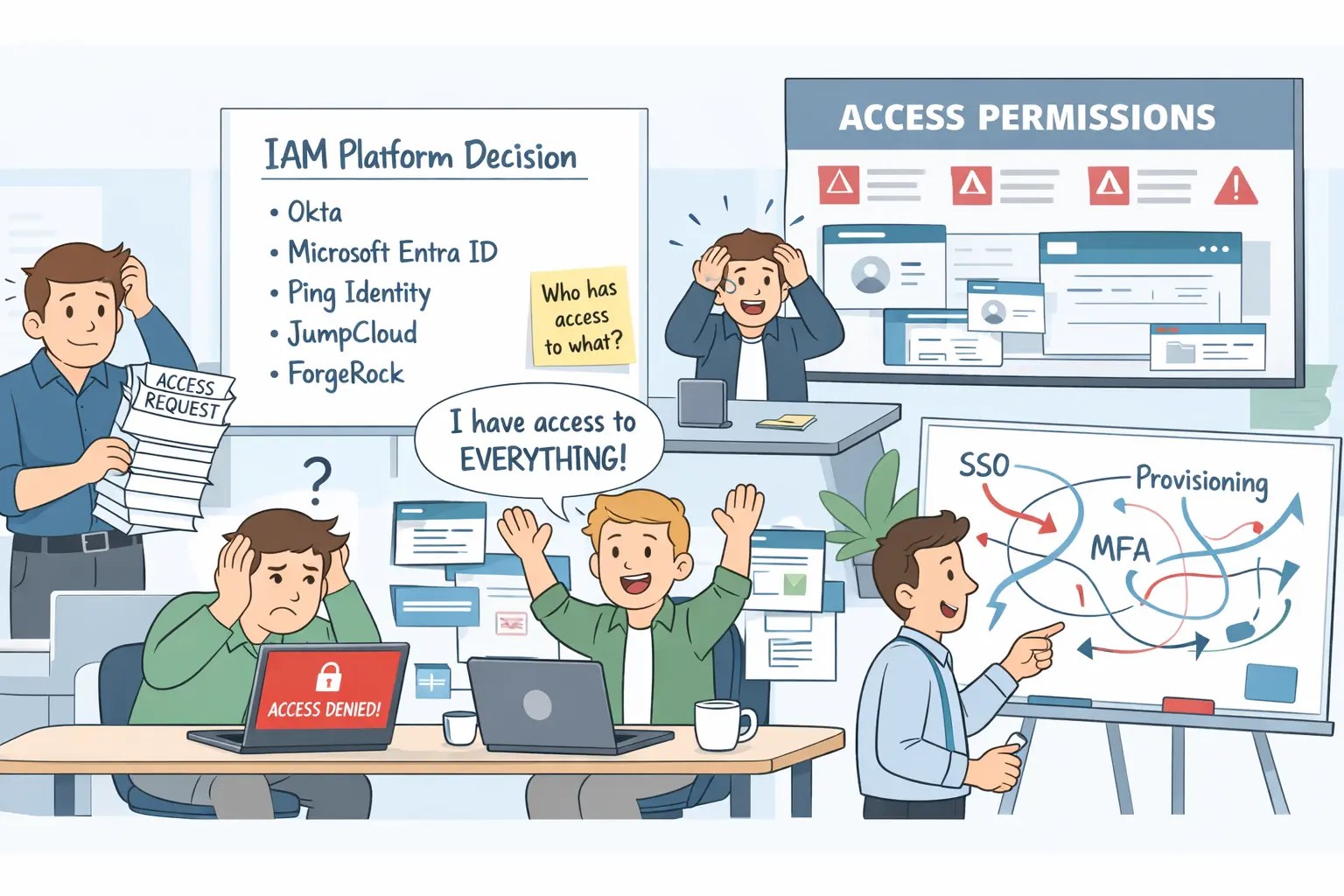
    Identity rarely breaks because authentication fails. It breaks because access management quietly collapses once the company grows past a certain size. Around the 400 to 800 employee mark, the CIO or security lead starts noticing the symptoms: SaaS applications multiplying, onboarding requests piling up, and nobody can confidently answer a basic audit question. Who actually has access to what?

    That is usually when teams begin searching for the best IAM solutions for mid-size enterprise environments. Not because identity strategy suddenly became a priority, but because operational friction starts showing up everywhere. Finance waits days for access approvals. Security cannot see entitlement drift across SaaS platforms. Platform teams are maintaining brittle scripts to provision accounts across systems that were never meant to scale this way.

    Azure Entra vs Auth0 Comparison: Identity Platform Choice Under Real Constraints

    In practice, the IAM decision at this stage determines whether identity becomes a control layer or a long-term operational burden. The vendors will all claim automation, governance, and seamless integration. What teams usually discover later is that each platform fails under different pressures: SaaS sprawl, hybrid infrastructure, audit requirements, or licensing gravity. The goal here is to identify which IAM platforms survive those pressures in real mid-size enterprise environments.

    Why Identity Breaks When Companies Cross 500 Employees

    Most identity setups work fine when a company is small. The problems start when the organization grows faster than its access model. Around the 400 to 800 employee range, SaaS adoption usually accelerates. Teams deploy tools for sales, analytics, collaboration, DevOps, and customer operations. Each system introduces its own user directory, role structure, and access workflow.

    What teams usually discover is that identity management slowly turns into a manual coordination exercise. 

    HR systems create employees. 

    IT provisions accounts. 

    Managers request application access. 

    Security tries to track entitlements across systems that were never designed to synchronize with each other. 

    The result is access sprawl. Some users retain permissions long after changing roles. Others wait days for approvals that should have taken minutes.

    The breaking point often arrives during an audit or a security review. Someone asks for a clear access report across core applications. At that moment, the organization realizes the directory, SSO, and provisioning scripts are loosely stitched together rather than governed by a single identity control layer. 

    Azure Entra Alternatives: Which IAM Platform Fits Better for B2B SaaS?

    The IAM Capabilities Mid-Size Enterprises Actually Need

    When you start looking for the best IAM solutions for mid-size enterprise environments, the temptation is to compare vendor feature grids. Authentication methods, MFA options, SSO dashboards, fancy admin portals. Those lists look impressive during procurement reviews. 

    None of these tells you whether the platform will survive once your SaaS environment doubles and onboarding requests start piling up.

    If onboarding a new employee still requires opening five admin consoles, your identity system is not doing its job. 

    If access removal depends on someone remembering to deactivate accounts, the platform is only providing authentication, not identity governance. Mid-size enterprises do not need the most feature-rich IAM system. They need one that eliminates manual access work before it turns into a security exposure.

    Focus on the capabilities that remove operational overhead:

    • Automated provisioning and deprovisioning tied directly to your HR system
    • Single sign-on across SaaS applications and internal tools
    • Role-based access assignments when employees change departments
    • Directory integration with Active Directory or cloud directories
    • Multi-factor authentication enforcement across critical applications
    • Access review reporting that satisfies security audits
    • A large application connector catalog that prevents custom integrations

    Pro Tip
    The platform with the strongest prebuilt integrations usually determines how much identity automation you can realistically achieve.

    The platforms that survive at mid-enterprise scale are the ones that automate access lifecycle management end-to-end.

    Best IAM Solutions for Mid-Size Enterprise Compared

    Most companies evaluating the best IAM solutions for mid-size enterprise end up comparing the same group: Microsoft Entra ID, Okta, Ping Identity or JumpCloud. The differences are less about features and more about where each platform fits operationally.

    PlatformWhere It Fits BestWhere It Struggles
    Microsoft Entra IDOrganizations already standardized on Microsoft 365, Azure, and Active DirectoryEnvironments that require cloud-neutral identity across multiple ecosystems
    OktaSaaS-heavy environments with many third-party applicationsCost control as identity usage and integrations expand
    Ping IdentityEnterprises needing strong federation and identity governance capabilitiesSmaller IT teams without dedicated identity specialists
    JumpCloudMid-size companies replacing legacy Active Directory while managing SaaS accessVery large environments with complex identity governance requirements
    ForgeRock (part of Ping Identity now)Large identity deployments with custom identity workflowsMid-size teams seeking fast implementation and low operational overhead

    Here is the reality you eventually confront while evaluating the best IAM solutions for mid-size enterprise environments. The platform decision is rarely about authentication features. It is about gravity.

    If your infrastructure already revolves around Microsoft licensing, Entra ID usually becomes the default choice because identity integrates directly with the existing stack. 

    Okta vs Ping Identity Comparison: Buyer Guide for Enterprise Identity Strategy

    If your environment is SaaS-first and cloud-neutral, Okta tends to fit better because its integration catalog and provisioning model are built around heterogeneous systems.

    Ping Identity (with ForgeRock after acquisition) sit closer to the enterprise governance side of the spectrum. They are powerful platforms, but they assume you have identity specialists managing policies and workflows. 

    JumpCloud sits in a different category altogether. It appeals to mid-size companies that want a cloud directory replacement combined with SaaS identity management.

    The question is not which IAM platform is technically strongest. The question is which one aligns with the ecosystem your organization already depends on.

    If your environment is SaaS-heavy and cloud-neutral, Okta often appears on the shortlist. But it is not the only option. See our breakdown of the main Okta competitors in this guide to the best Okta alternatives for enterprise.

    Where Okta, Microsoft Entra ID, Ping Identity and JumpCloud Actually Fit

    Identity sits at the center of every application login, access workflow, and audit trail. Once deployed, replacing it later becomes painful. That is why choosing among the best IAM solutions for mid-size enterprise environments is rarely a pure technology decision.

    Microsoft Entra ID

    Pros

    • Deep integration with Microsoft 365, Azure, and Active Directory
    • Native identity layer for organizations already paying for Microsoft licensing
    • Strong conditional access and security policy controls

    Cons

    • Identity becomes tightly coupled to the Microsoft ecosystem
    • SaaS integration outside the Microsoft stack may require extra configuration

    If your company already runs Microsoft 365, Azure AD, and Teams across the organization, Entra ID usually becomes the practical identity center. Fighting that gravity rarely pays off.

    Okta

    Pros

    • Excellent SaaS application integration catalog
    • Strong lifecycle management for provisioning and deprovisioning
    • Cloud-neutral identity architecture

    Cons

    • Licensing cost increases as integrations and features expand
    • Some organizations end up duplicating functionality already included in Microsoft licensing

    Okta tends to work best when your application landscape spans many SaaS platforms and multiple cloud providers. Okta pricing often starts with SSO and MFA tiers but expands as lifecycle management and advanced policies are added. If you want a detailed breakdown, see our guide explaining Okta pricing.

    Ping Identity

    Pros

    • Strong federation and identity governance capabilities
    • Flexible policy frameworks for complex enterprise identity workflows

    Cons

    • Deployment and configuration require identity expertise
    • Smaller IT teams may find operational overhead high

    Ping Identity usually appears in environments where identity governance, federation, and security policy depth matter more than deployment simplicity.

    IAM Pricing Models Explained: Per User vs Tiered vs Enterprise Plans

    JumpCloud

    Pros

    • Combines cloud directory services with SaaS identity management
    • Useful for organizations replacing legacy Active Directory infrastructure

    Cons

    • Less suited for very large environments with complex governance requirements
    • Smaller ecosystem compared to the largest IAM platforms

    JumpCloud often appeals to mid-size companies that want to modernize directory services while managing SaaS access from the same platform.

    The IAM platform that matches your infrastructure gravity usually produces the least operational friction.

    Red Flags That Signal Your IAM Deployment Is Already Failing

    Identity systems rarely collapse all at once. They degrade quietly. The warning signs usually appear long before a security incident or audit failure forces the issue. 

    Access removal depends on manual action.

    If an employee leaves and someone still needs to remember to disable accounts across systems, identity governance is already broken. Deprovisioning should flow automatically from the HR system through the IAM platform to connected applications.

    Onboarding requires multiple admin consoles.

    If provisioning a new employee means opening separate dashboards for Google Workspace, Salesforce, Slack, and internal tools, the IAM layer is not actually managing identity. It is just authenticating users after accounts are created manually.

    Security audits turn into manual data collection.

    Security or compliance teams will eventually ask for an access report. If generating that report requires exporting data from multiple systems and stitching spreadsheets together, the identity architecture is fragmented.

    Role changes do not trigger access updates.

    Employees change roles constantly in mid-size enterprises. If identity policies are not tied to job roles or group assignments, users quietly accumulate access over time. This is how entitlement sprawl happens.

    Application integrations are built with scripts

    Scripts often appear when an IAM platform lacks connectors for critical systems. At first, they look like shortcuts. Over time, they become fragile automation that breaks whenever an API changes.

    If identity automation stops at single sign-on, the IAM deployment is incomplete. 

    The IAM Rollout Sequence That Prevents Access Chaos

    Many IAM deployments fail because companies start with authentication instead of the identity lifecycle. SSO is easy to deploy and looks impressive in demos, but it does nothing to control who gets access, when it changes, or when it should disappear. 

    If the rollout order is wrong, identity automation stops halfway, and manual administration slowly returns.

    Use this rollout sequence instead.

    1. Connect the HR system first so employee creation, role changes, and termination events drive identity automatically.
    2. Synchronize your directory so Active Directory or your cloud directory becomes the consistent user source.
    3. Automate provisioning for the highest-volume SaaS applications that generate the most onboarding work.
    4. Introduce role-based access assignments so that department or job role determines application access.
    5. Deploy SSO and MFA last once provisioning and access lifecycle automation are already working.

    Identity projects that begin with SSO usually stall because the harder problems, access lifecycle, and governance, remain unsolved.

    When NOT to Buy an Enterprise IAM Platform

    Searching for the best IAM solution often creates the impression that every growing company needs a full identity platform immediately. This is not true.

    IAM becomes valuable only when identity operations start creating measurable friction.

    If your environment is still small, deploying a large IAM platform can introduce unnecessary complexity. The technology is powerful, but it assumes certain operational conditions already exist.

    Situations where an enterprise IAM platform may not make sense yet:

    • Your organization runs fewer than 20 to 30 business applications
    • Most access provisioning is still handled directly through a small IT team
    • There is no HR-driven identity lifecycle process yet
    • Your environment is almost entirely Microsoft 365, with limited SaaS diversity
    • Security audits do not require centralized access reporting

    The right time to evaluate the best IAM solutions for mid-size enterprise deployments is when onboarding a new employee requires provisioning accounts across several applications. 

    In Microsoft-heavy environments, Entra ID usually becomes the default identity layer because it integrates directly with Microsoft 365 and Azure services. If you want a deeper cost comparison, see our analysis of Azure AD pricing vs Okta.

    IAM Evaluation Checklist for Mid-Size Enterprise IT Leaders

    Vendor demos will not help you much. Every platform can show clean login flows and policy dashboards. The real question is whether the system will survive your environment once onboarding, role changes, and audits start happening daily.

    Use this checklist to pressure-test any IAM platform before procurement.

    • HR integration: Can the platform treat your HR system as the authoritative identity source?
    • Provisioning coverage: How many of your core SaaS applications have native connectors?
    • Deprovisioning reliability: When an employee leaves, how quickly does access disappear across systems?
    • Role automation: Can access be assigned based on job roles or department attributes?
    • Directory integration: Does the platform synchronize cleanly with Active Directory or cloud directories?
    • Audit reporting: Can you generate a complete access report across applications without exporting data manually?
    • Connector ecosystem: How often are new SaaS integrations added to the platform catalog?
    • Administrative overhead: How many identity specialists would realistically be needed to maintain policies?
    • Vendor gravity: Does the IAM platform align with the infrastructure ecosystem your organization already depends on?

    The platform that removes the most manual identity work will usually outperform the one with the longest feature list.

    Conclusion

    Identity problems rarely start with authentication failures. They start when access lifecycle management cannot keep up with organizational growth. The best IAM solutions for mid-size enterprise environments are the ones that automate provisioning, enforce role-based access, and align with the infrastructure ecosystem you already depend on.
  • Best Okta Alternatives for Enterprise: 7 Identity Platforms Compared for Scale, Cost, and Control

    Best Okta Alternatives for Enterprise: 7 Identity Platforms Compared for Scale, Cost, and Control

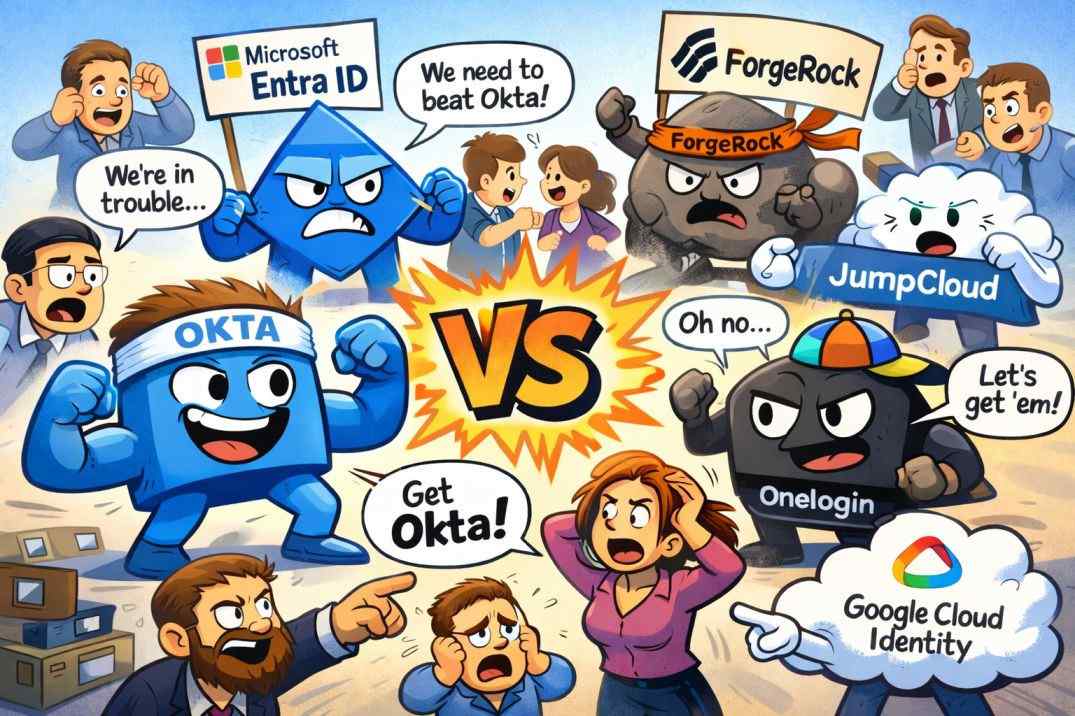
    If you are looking for Okta alternatives for enterprise, something in your identity stack probably started feeling off. It might be pricing. It might be ecosystem fit. Or it might simply be the realization that your organization is now running identity inside a completely different infrastructure gravity.

    Okta is still one of the strongest identity platforms in the market. Most companies do not leave it because it fails technically. They start evaluating alternatives when licensing expands, governance becomes heavier, or another platform integrates more naturally with the rest of their environment.

    At enterprise scale, identity decisions stop being about features. They become decisions about platform alignment, operational control, and long-term cost structure.

    So if you are evaluating Okta alternatives for enterprise environments, the real question is not which vendor is “better.” The real question is which identity platform fits your infrastructure, security model, and growth path without creating unnecessary complexity.

    Why Enterprises Start Looking for Okta Alternatives

    You usually start evaluating Okta alternatives for enterprise when one of three things happens.

    First, the pricing stops feeling predictable.
    Okta looks reasonable when you start with SSO and MFA. Then the environment grows. More users, more apps, more policies. Identity governance, lifecycle management, advanced MFA, and device trust. 

    Each layer often introduces another license tier or add-on. At scale, identity quietly becomes a significant line item in the security budget.

    Second, the Microsoft gravity problem appears.
    If your organization runs Microsoft 365, Azure, Intune, and Conditional Access, you may already have Microsoft Entra ID sitting in the stack. At that point, many teams ask a simple question: Why are we paying for two identity platforms that do similar things?

    Third, identity governance becomes real.
    Once an enterprise crosses a few thousand users and hundreds of applications, identity stops being about SSO. The hard problems become role design, joiner–mover–leaver workflows, privileged access, and auditability. 

    Some organizations discover their current setup is not designed for that level of governance complexity.

    There is also a fourth trigger that appears in larger companies: vendor consolidation. Security leaders regularly reduce overlapping tools, and identity platforms often get reviewed during those exercises.

    None of this means Okta is a weak platform. Most enterprises replace it for strategic reasons, not technical failure. 

    The real question becomes whether another identity platform aligns better with your infrastructure, governance model, and long-term licensing economics.

    The Enterprise Identity Platforms Most Often Replacing Okta

    When enterprises start evaluating Okta alternatives for enterprise environments, the shortlist tends to narrow quickly. Only a handful of identity platforms show up consistently in serious enterprise IAM discussions.

    Common platforms considered include:

    • Microsoft Entra ID – often the first alternative explored by organizations already running Microsoft 365, Azure, and Conditional Access.
    • Ping Identity – typically evaluated by enterprises that want deeper identity policy control and flexible deployment models.
    • ForgeRock – common in highly regulated environments where identity governance, access orchestration, and large-scale IAM deployments are required.
    • Auth0 – widely used for developer authentication and customer identity, sometimes replacing Okta in application-centric identity architectures.
    • JumpCloud – a cloud directory platform combining identity, device management, and access control, often considered in mid-size enterprise environments.
    • OneLogin – a cloud identity provider focused on workforce access management and single sign-on.
    • Google Cloud Identity – occasionally evaluated by organizations operating primarily in the Google Workspace ecosystem.

    Not every platform on this list competes with Okta in the same category. Some focus primarily on workforce identity, others on customer identity, and a few try to address both. Understanding that difference is important before comparing features, pricing models, or governance capabilities.

    Quick Comparison of Major Okta Alternatives for Enterprise

    Before going deeper into each platform, it helps to see how the main Okta alternatives differ at a high level. The platforms below appear most often in enterprise IAM evaluations.

    PlatformBest FitKey StrengthWhere It Struggles
    Microsoft Entra IDMicrosoft-heavy enterprisesDeep integration with Microsoft 365, Azure, and Conditional AccessLess attractive outside the Microsoft ecosystem
    Ping IdentityLarge enterprises with complex IAM policiesStrong policy control and hybrid identity capabilitiesImplementation complexity and consulting overhead
    ForgeRockRegulated industries and large identity infrastructuresAdvanced identity governance and flexible architectureDeployment and operational complexity
    Auth0Application and developer identityStrong developer tools and API authenticationNot always ideal for large workforce IAM
    JumpCloudMid-size organizations needing cloud directory + device managementUnified identity and device managementLess common in very large enterprise IAM deployments
    OneLoginWorkforce SSO and access managementSimple deployment and straightforward identity managementSmaller ecosystem compared to larger IAM platforms
    Google Cloud IdentityOrganizations using Google WorkspaceNative integration with the Google ecosystemLimited appeal outside Google environments

    Microsoft Entra ID

    Microsoft Entra ID is the most common enterprise replacement for Okta, especially in organizations already running Microsoft 365 and Azure.

    Benefits

    • Strong integration with Microsoft 365, Azure, Intune, and Conditional Access.
    • Identity policies can combine user identity, device posture, and application access.
    • Many enterprises already have parts of Entra licensed through Microsoft 365 E3 or E5.
    • Reduces vendor sprawl when Microsoft is already the primary infrastructure provider.

    Limitations

    • Outside the Microsoft ecosystem, the value drops quickly.
    • Some identity governance capabilities require higher licensing tiers.
    • Migration from Okta can be complex if many third-party integrations exist.

    Cost angle

    The main financial driver is platform consolidation. Many organizations already pay for Microsoft security and productivity bundles. If Entra capabilities are already included in licensing, running Okta becomes an additional cost rather than a necessity.

    Official product page
    https://www.microsoft.com/en-us/security/business/microsoft-entra

    Decision implication

    If your enterprise already operates heavily inside Microsoft infrastructure, Entra ID often becomes the most practical Okta alternative

    Ping Identity

    Ping Identity is often evaluated when an enterprise wants more architectural control over identity infrastructure than typical SaaS IAM platforms provide.

    Benefits

    • Very strong policy engine for authentication and access control.
    • Flexible deployment options, including cloud, hybrid, and on-premise identity components.
    • Mature capabilities for large enterprise IAM environments and regulated industries.
    • Strong federation support for complex enterprise integrations.

    Limitations

    • Implementation is significantly more complex than Okta.
    • Most deployments require system integrators or IAM specialists.
    • Day-to-day administration can become heavy without a dedicated identity team.

    Cost angle

    Ping Identity licensing is usually enterprise contract-driven, often negotiated based on workforce size, authentication volume, and deployment model. Implementation costs can become a major factor because consulting and integration work are commonly required.

    Official product page
    https://www.pingidentity.com

    Decision implication

    Ping Identity is typically chosen by organizations that treat identity as core security infrastructure rather than a simple SaaS authentication layer.

    ForgeRock

    ForgeRock is used by large enterprises that need deep identity control and heavy customization, especially in regulated sectors like banking, telecom, and government.

    Benefits

    • Very strong identity governance and access management capabilities.
    • Supports both workforce IAM and customer identity at large scale.
    • Highly customizable authentication flows and identity orchestration.
    • Flexible architecture for complex enterprise identity environments.

    Limitations

    • Implementation is complex and rarely a quick deployment.
    • Most organizations need experienced IAM engineers or external integrators.
    • Operational overhead may be higher than that of SaaS-first identity platforms.

    Cost angle

    ForgeRock is not a low-cost identity platform. Licensing is enterprise-scale, and deployment projects often involve significant integration and consulting work. The platform makes financial sense primarily when identity is treated as core infrastructure rather than merely as authentication.

    Official product page
    https://www.forgerock.com

    Decision implication

    ForgeRock is a strong Okta alternative when identity requirements are complex and governance-heavy. 

    Auth0

    Auth0 is often considered when identity is tied closely to applications and APIs rather than just workforce access. It is widely used for developer-driven authentication and customer identity systems.

    Benefits

    • Strong developer tools and SDKs for application authentication.
    • Flexible authentication flows that can be customized easily.
    • Supports modern application architectures including APIs, microservices, and mobile apps.
    • Scales well for customer identity scenarios where large numbers of users authenticate through applications.

    Limitations

    • Designed primarily for application and customer identity rather than workforce IAM.
    • Identity governance capabilities are limited compared to traditional enterprise IAM platforms.
    • Large enterprise workforce environments may require additional identity tools.

    Cost angle

    Auth0 pricing is usually based on monthly active users (MAU) for customer identity. Costs scale directly with authentication volume, which can become expensive in very large consumer applications.

    Official product page
    https://auth0.com

    Decision implication

    Auth0 is a strong Okta alternative when the identity problem is centered around applications and customer login experiences.

    JumpCloud

    JumpCloud is a practical Okta alternative for organizations that want identity, directory services, and device management in one platform instead of running multiple tools.

    Benefits

    • Combines identity management, directory services, and device management.
    • Works across Windows, macOS, and Linux environments.
    • Simpler deployment compared to traditional enterprise IAM platforms.
    • Useful when IT teams want to manage user access and devices together.

    Limitations

    • Not designed for very large enterprise IAM environments.
    • Governance and identity orchestration capabilities are limited compared to Ping or ForgeRock.
    • Fewer enterprise-grade integrations than larger IAM vendors.

    Cost angle

    JumpCloud pricing is typically per user per month, with additional pricing for device management and security capabilities. Costs remain predictable for mid-size organizations, but can grow quickly as the number of managed devices increases.

    Official product page
    https://jumpcloud.com

    Decision implication

    JumpCloud works best when identity and device management need to be unified in a single platform.

    OneLogin

    OneLogin is a straightforward Okta alternative focused on workforce identity, single sign-on, and access management. It competes directly with Okta in organizations that want a cloud identity platform without the complexity of large IAM stacks.

    Benefits

    • Strong single sign-on and multi-factor authentication capabilities.
    • Simple cloud-first deployment compared to traditional IAM platforms.
    • Large catalog of pre-built application integrations.
    • Easier administration for IT teams managing workforce identity.

    Limitations

    • Smaller ecosystem compared to Okta and Microsoft Entra.
    • Identity governance capabilities are more limited than platforms like Ping or ForgeRock.
    • Less commonly used in very large enterprise identity environments.

    Cost angle

    OneLogin pricing is typically per user per month, with additional tiers for advanced security features and identity governance modules. 

    Official product page
    https://www.onelogin.com

    Decision implication

    OneLogin works well for organizations that primarily need workforce SSO and access management without the complexity of larger enterprise IAM platforms.

    Google Cloud Identity

    Google Cloud Identity only really makes sense if your company runs on Google Workspace. If Gmail, Drive, and Google Admin already sit at the center of your environment, using Google’s own identity layer is the obvious move.

    Benefits

    • Built directly into the Google Workspace ecosystem
    • Simple user management for Gmail, Drive, and other Google services
    • Authentication and security policies live inside the same admin console
    • No need to maintain a separate identity provider

    Limitations

    • Weak outside the Google ecosystem
    • Limited governance compared to enterprise IAM platforms
    • Not built for complex multi-cloud identity environments

    Cost angle

    If your company already runs Google Workspace, identity is basically already part of the stack. Moving to Google Cloud Identity can eliminate the need to pay for a separate identity platform like Okta.

    Official page
    https://cloud.google.com/identity

    Decision implication

    If Google Workspace runs your organization, this is the simplest Okta alternative. If your infrastructure spans multiple platforms, it quickly runs into limits.

    Feature Comparison: Okta vs Major Enterprise Alternatives

    Strip away the marketing, and the comparison becomes simple. How strong is the workforce identity layer? Can it handle customer identity? How deep is governance? And how well does it plug into the rest of your infrastructure?

    PlatformWorkforce IAMCustomer Identity (CIAM)Identity GovernanceEcosystem Strength
    OktaStrongStrongModerateLarge SaaS integration ecosystem
    Microsoft Entra IDStrongModerateStrong (inside Microsoft stack)Microsoft ecosystem
    Ping IdentityStrongStrongStrongEnterprise security environments
    ForgeRockStrongStrongVery strongLarge regulated enterprises
    Auth0LimitedVery strongLimitedDeveloper ecosystems
    JumpCloudModerateLimitedLimitedIdentity + device management
    OneLoginModerateLimitedLimitedWorkforce SSO environments
    Google Cloud IdentityModerateLimitedLimitedGoogle Workspace ecosystem

    Pricing Comparison: Where Okta Alternatives Actually Cost Less

    Pricing is usually the real reason enterprises start exploring Okta alternatives. Identity platforms often look similar on the surface, but the pricing models underneath them are very different.

    Some charge per workforce user. Some charge based on authentication volume. Others bundle identity inside a broader infrastructure license.

    PlatformPricing ModelWhat Drives CostWhere It Gets Expensive
    OktaPer user per monthWorkforce size, add-ons like lifecycle management or governanceLarge user bases and advanced modules
    Microsoft Entra IDBundled in Microsoft 365 tiers or per userSecurity tier (P1/P2), identity governanceHigher Microsoft licensing tiers
    Ping IdentityEnterprise contractsAuthentication volume, deployment scaleImplementation and integration work
    ForgeRockEnterprise licensingIdentity infrastructure scaleConsulting and deployment projects
    Auth0Monthly active users (MAU)Application users and login volumeLarge consumer apps
    JumpCloudPer user per monthUsers plus device managementGrowing device fleets
    OneLoginPer user per monthWorkforce size and security featuresAdvanced security modules
    Google Cloud IdentityPer user subscriptionGoogle Workspace tierHigher Workspace security tiers

    A few patterns become obvious once you look at the pricing models.

    First, platforms tied to larger ecosystems often win on cost. Microsoft Entra ID and Google Cloud Identity are frequently cheaper simply because identity is bundled into broader productivity or cloud subscriptions.

    Second, platforms designed for large identity infrastructure tend to carry higher implementation costs. Ping Identity and ForgeRock often involve significant integration work before the system is fully operational.

    Finally, application-focused platforms like Auth0 scale pricing with usage. That works well for small applications, but can become expensive when authentication volume grows rapidly.

    The important takeaway is that the cheapest identity platform on paper is not always the cheapest at scale. The pricing model, not just the license price, determines how expensive the platform becomes as your environment grows.

    Who Should NOT Replace Okta

    Replacing an identity platform is disruptive. It touches authentication, application access, and user lifecycle workflows across the organization. Without a strong reason, the migration effort usually outweighs the benefits.

    Do not replace Okta if:

    • Your IAM setup is still simple with basic SSO and MFA.
    • Your organization has a few hundred users and limited application integrations.
    • The only motivation is small licensing savings.
    • There is no dedicated identity or security engineering ownership.
    • You are in the middle of a multi-year Okta contract.

    If these are true, switching identity platforms usually creates more operational work than real value.

    FAQs About Okta Alternatives for Enterprise

    What companies actually use instead of Okta?
    The most common replacements are Microsoft Entra ID, Ping Identity, and ForgeRock. In Microsoft-heavy environments, Entra ID is often the first platform considered.

    Is Microsoft Entra ID cheaper than Okta?
    It can be if the organization already licenses Microsoft 365 E3 or E5. In those cases, much of the identity capability is already bundled into the Microsoft stack.

    Which Okta alternative works best with Microsoft 365?
    Microsoft Entra ID. It integrates directly with Microsoft 365, Azure, Conditional Access, and device management policies.

    What is the closest competitor to Okta?
    Ping Identity and Microsoft Entra ID are usually considered the closest enterprise competitors because they offer similar workforce identity capabilities.

    Can I replace Okta with Google Cloud Identity?
    Only if your organization runs heavily on Google Workspace. Outside the Google ecosystem, most enterprises choose a more mature IAM platform.

    What should I check before switching away from Okta?
    Look at how many applications are integrated with Okta, how authentication policies are configured, and whether identity governance workflows depend on the platform.

    Are there open source alternatives to Okta for enterprises?
    Some organizations explore platforms like Keycloak, but large enterprises usually choose commercial IAM platforms because of support, governance features, and compliance requirements.

    Conclusion

    Choosing among Okta alternatives for enterprise environments is rarely about features alone. The real decision usually comes down to ecosystem fit, governance needs, and long-term licensing economics. Microsoft-centric organizations often move toward Entra ID, while enterprises needing deeper identity control consider platforms like Ping Identity or ForgeRock. The right choice depends on which identity platform aligns best with your infrastructure and security strategy as the environment grows.

  • Azure AD Pricing vs Okta: The IAM Cost Model Most Buyers Miscalculate

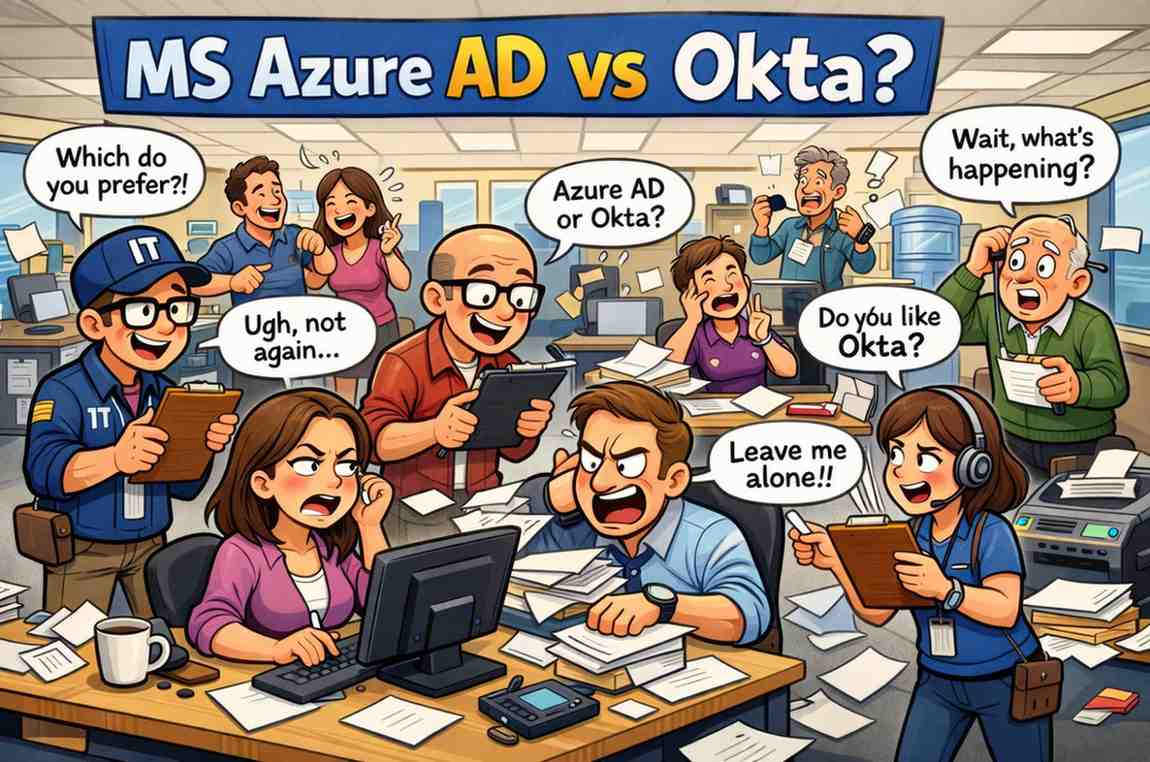
    Azure AD Pricing vs Okta: The IAM Cost Model Most Buyers Miscalculate

    Most identity projects begin with a simple objective.

    Enable SSO. Reduce password chaos. Move forward.

    Then the budgeting conversation starts.

    Someone searches Azure AD Pricing vs Okta, sees a few neat price tiers, and assumes identity management is a predictable subscription like any other SaaS tool.

    That assumption rarely survives the first real architecture discussion.

    By the time security teams request conditional access, auditors ask for identity governance, contractors need external access, and HR pushes lifecycle automation, the original license estimate quietly expands into a layered identity platform.

    This is where the Azure AD vs Okta comparison becomes less about features and more about how each vendor’s pricing model behaves under pressure.

    Both platforms are capable. Both can scale. Both can also become expensive faster than expected if the identity program grows without discipline.

    The real question is which platform becomes expensive first once identity stops being simple. Let’s find out.

    Azure AD vs Okta Comparison at a Glance

    Identity platforms rarely compete on login screens anymore. The real comparison sits deeper in architecture, ecosystem alignment, and operational ownership.

    Microsoft Entra ID (formerlyAzure AD) is tightly integrated into the Microsoft stack. If your organization already runs Microsoft 365, Azure workloads, and Windows device management, identity becomes part of a larger platform strategy.

    Okta, on the other hand, positions itself as an independent identity layer. It works across SaaS environments, multiple cloud providers, and heterogeneous IT stacks where Microsoft is only one of several vendors.

    This architectural difference shapes everything from integration friction to pricing behavior.

    CapabilityMicrosoft Entra ID (Azure AD)Okta
    Core SSOIncluded in base tiersCore product capability
    Conditional AccessBuilt deeply into the Microsoft ecosystemAvailable through the policy engine
    Lifecycle ManagementIntegrated with Microsoft directory servicesDedicated lifecycle management module
    Identity GovernanceHigher-tier licensing requiredAvailable through governance add-ons
    Integration EcosystemStrong with Microsoft servicesStrong across SaaS platforms
    External Identity (B2B/B2C)Native Microsoft identity frameworkCustomer Identity products
    API & Developer AccessAzure ecosystem-orientedVendor-neutral identity layer

    In practical terms, Azure AD often feels like an extension of Microsoft infrastructure, while Okta behaves like a specialized identity control plane sitting above the environment.

    That difference becomes important once identity management expands beyond employee login and into governance, lifecycle automation, and partner access.

    Decision implication:

    • If your enterprise already runs heavily on Microsoft infrastructure, Azure AD typically fits more naturally. 
    • If your environment spans many SaaS vendors and cloud platforms, Okta often provides cleaner identity neutrality.

    Azure AD Pricing vs Okta Pricing Structure

    Identity pricing looks simple until you try to deploy it across a real organization.

    Both vendors advertise clean per-user pricing. But identity platforms are not sold as a single product. They are built from layers. Each layer activates once security, compliance, or automation requirements increase.

    This is why the Azure AD Pricing vs Okta comparison quickly becomes more complex than the marketing pages suggest.

    Here is a simplified view of how both platforms structure licensing.

    Pricing ElementMicrosoft Entra ID (Azure AD)Okta
    Base SSOIncluded in Microsoft ecosystem tiersCore Okta Workforce Identity feature
    Multi-Factor AuthenticationIncluded in higher tiersSeparate or bundled depending on plan
    Conditional AccessP1 or P2 licensingIncluded through Adaptive MFA policies
    Lifecycle ManagementHigher-tier licensing requiredLifecycle Management add-on
    Identity GovernanceP2 tierGovernance add-on
    External IdentitySeparate product (Entra External ID)Okta Customer Identity products
    Support & Enterprise featuresOften bundled in Microsoft enterprise agreementsTiered enterprise support plans

    The first cost driver appears when identity policies move beyond simple authentication.

    Security teams quickly ask for conditional access, device trust, or risk-based authentication. Those controls often require higher licensing tiers.

    The second driver is identity lifecycle automation. Manual onboarding and offboarding become risky once organizations scale. Automating those workflows usually introduces additional modules or licensing upgrades.

    The third driver is governance and compliance. Auditors want access reviews, role certification, and privileged access monitoring. These capabilities almost always sit in premium identity tiers.

    Also read: Slack vs Microsoft Teams: Where Control, Compliance and Cost Collide

    This is where Okta IAM pricing and Azure AD licensing start to diverge in behavior.

    Microsoft tends to bundle identity capabilities into broader enterprise agreements, especially when companies already license Microsoft 365 E3 or E5. Okta pricing is more modular. Organizations often add capabilities as separate components depending on identity maturity.

    Neither model is inherently cheaper. The outcome depends heavily on how identity is deployed.

    Decision implication:

    • If identity remains limited to workforce authentication inside a Microsoft environment, Azure AD pricing often stays predictable. 
    • If identity expands across multiple SaaS systems and governance layers, both platforms can accumulate licensing costs faster than expected.

    Why Identity Pricing Expands After SSO

    Most IAM projects start with the same sentence.

    “We just need SSO.”

    And technically, that is true. But SSO is only the entry ticket to identity management. The moment authentication is centralized, every other control gets pulled into the same system.

    Security wants conditional access.

    Compliance wants access reviews.

    HR wants automated onboarding and offboarding.

    Auditors want privilege tracking.

    Now the identity platform is no longer a login tool. It becomes the control center for access across the company.

    This is where the Azure AD Pricing vs Okta comparison changes character. The base license stops mattering. The add-ons start driving cost.

    Typical cost expansion happens in four places.

    • Location rules, device trust, risk detection. These controls rarely live in the cheapest license tier.
    • Automated provisioning, role assignment, and offboarding require lifecycle automation features.
    • Access reviews, approval workflows, and privilege oversight typically sit in premium identity packages.
    • Contractors, partners, and vendors create a second identity population that often requires separate licensing.

    When teams compare Okta IAM pricing with Microsoft Entra ID tiers, they often focus on the SSO number first. That number rarely represents the final IAM spend.

    Decision implication:

    • If your organization only needs a centralized login, both platforms stay relatively predictable.
    • The moment identity governance, automation, and external access enter the picture, identity cost stops being about SSO and starts being about control layers.

    What Breaks First at Scale

    Nothing explodes.

    Nobody wakes up one morning and says, “The identity platform is down.”

    Instead, IAM slowly turns into a messy garage full of cables.

    Everything still works. Nobody understands how it works anymore.

    Here is what usually happens.

    First, roles multiply.

    At the beginning, there are five clean roles.

    1. Employee
    2. Manager
    3. Finance
    4. Admin
    5. Support

    Six months later, there are 70.

    “Temporary Finance Access”
    “Salesforce Read Only”
    “CRM Contractor Access”
    “Support Escalation Role”

    Nobody wants to delete them because someone might still need them.

    So they just sit there.

    Second, access never fully disappears.

    People change teams. Contractors finish projects. Interns leave.

    But some permissions remain because removing access requires someone actually to review it. So employees slowly accumulate access they shouldn’t have anymore.

    Security teams call this privilege creep.

    Most companies call it Tuesday.

    Third, every new SaaS tool becomes an IAM project.

    A team buys a new tool. Now someone must:

    1. Connect it to the identity provider
    2. Configure SSO
    3. Map roles
    4. Test access policies

    Multiply this by 80 SaaS tools, and suddenly IAM becomes a full-time integration job.

    Finally, the licensing surprise appears. During early planning, someone compared Azure AD Pricing vs Okta and saw a neat per-user number. Then the security team adds:

    • conditional access
    • identity governance
    • lifecycle automation

    Now the IAM platform is not just SSO anymore. It is the security control plane for the company. 

    And that is when the Okta IAM pricing vs Microsoft Entra ID licensing conversation suddenly lands in the finance meeting.

    Decision implication

    • IAM platforms do not break because of technology.
    • They break because identity complexity grows faster than the organization managing it.

    Integration Depth and Ecosystem Lock-In

    Identity platforms do not operate alone. They sit in the middle of everything.

    Email systems
    SaaS tools
    HR systems
    Cloud platforms
    Internal applications

    Because of this position, the Azure AD vs Okta comparison is often less about features and more about ecosystem alignment.

    The two vendors approach this very differently.

    Microsoft designed Azure AD, now called Microsoft Entra ID, to be deeply embedded inside the Microsoft environment. If your company runs Microsoft 365, Azure infrastructure, Windows devices, and Microsoft security tools, identity becomes part of the same operational layer.

    In that scenario, Entra ID often feels natural. User accounts, device policies, and authentication controls live inside the same ecosystem. Many integrations are already built.

    Okta takes the opposite approach. It positions itself as a neutral identity layer that sits above the infrastructure stack. Companies using multiple SaaS vendors or running workloads across different cloud providers often find this approach easier to manage.

    This difference becomes clearer when organizations scale their application portfolio.

    Environment PatternAzure AD AdvantageOkta Advantage
    Microsoft-heavy enterpriseStrong native integrationLimited additional benefit
    Multi-cloud infrastructureWorks but requires configurationDesigned for heterogeneous stacks
    Large SaaS portfolioIntegration is available, but sometimes indirectStrong SaaS integration catalog
    Mixed identity sourcesPossible, but can become complexThe identity abstraction layer helps

    The practical trade-off appears when companies commit deeply to one ecosystem.

    Organizations built around Microsoft often gain efficiency from Entra ID because identity governance, device management, and security signals share the same platform.

    Organizations with diverse SaaS environments sometimes prefer Okta because identity remains independent from infrastructure vendors.

    Decision implication:

    • Choosing an identity platform is often an ecosystem decision. 
    • The more Microsoft-centric your environment becomes, the stronger the Azure AD advantage. 
    • The more heterogeneous your environment becomes, the more Okta’s neutral identity layer starts to matter.

    Procurement and Contract Reality

    Identity platforms are rarely bought in isolation.

    By the time companies seriously compare Azure AD Pricing vs Okta, they already have security teams involved, compliance pressure building, and dozens of applications depending on the identity layer.

    That changes how the deal actually happens.

    Microsoft already sits in the building

    Many enterprises are already running Microsoft 365, Azure workloads, and Windows device management. Because of that, Microsoft identity often enters the conversation through existing contracts.

    Procurement looks at the situation and sees something tempting.

    “We already pay Microsoft.”

    When organizations move into E3 or E5 licensing tiers, Microsoft Entra ID capabilities often appear bundled with other services. On paper, identity can look cheaper because it rides inside the broader Microsoft agreement.

    The trade-off is that identity becomes tied to the Microsoft licensing structure. If additional governance or security capabilities are needed later, the upgrade usually means expanding Microsoft licensing tiers rather than negotiating a standalone identity contract.

    Also read: Requirements Gathering Process: 30 Questions IT Leaders Must Answer Before Talking to Vendors

    Okta usually starts as a clean IAM purchase

    Okta typically enters through a different path.

    Companies adopt it when their environment includes many SaaS vendors, multiple cloud platforms, or non-Microsoft infrastructure. In those environments, Okta acts as an independent identity layer.

    Procurement then negotiates a traditional enterprise SaaS contract based on:

    • number of users
    • modules activated
    • governance capabilities
    • support tier

    This makes the contract structure clearer at the beginning, but it also means identity costs appear more visibly in the budget.

    When teams start evaluating Okta IAM pricing, they often discover that the base SSO license is only the starting point. Lifecycle management, governance, and advanced policy features usually sit in separate modules.

    Why IAM contracts become sticky

    Once identity is deployed, replacing it becomes extremely difficult.

    Every SaaS application connects to it.

    Every employee’s login flows through it.

    Every access policy depends on it.

    Because of that, IAM vendors know that the real leverage happens during renewal cycles rather than the first purchase.

    Common patterns include:

    • multi-year contracts
    • aggressive renewal pricing after expansion
    • support tier upgrades as deployments grow
    • additional modules introduced during security audits

    Finance teams often discover that identity costs grow gradually rather than appearing as a single large purchase.

    When Azure AD Becomes the Cheaper Platform

    In the Azure AD Pricing vs Okta decision, Azure AD usually becomes cheaper when identity does not require a separate purchase. This happens when the company already pays Microsoft for higher enterprise licenses.

    Azure AD usually becomes the cheaper option when:

    • The company already pays for Microsoft 365 E3 or E5 licenses for most employees
    • Identity features like MFA and access policies are already included in those licenses
    • The organization wants one vendor for email, security, and identity instead of adding another IAM platform
    • IT prefers to manage users inside the same Microsoft admin environment instead of operating a separate identity system
    • The number of employees is large, and Microsoft licensing is already negotiated at an enterprise scale

    If most of these are true, Azure AD often wins on cost because identity becomes part of the Microsoft subscription rather than a separate platform purchase.

    When Okta Becomes the Better Identity Platform

    In the Azure AD Pricing vs Okta decision, Okta usually becomes the better choice when identity needs to remain independent from the infrastructure vendor. If the company runs many different SaaS tools, cloud providers, or mixed environments, Okta often provides a cleaner identity layer.

    Okta tends to make more sense when:

    • The company uses many SaaS applications from different vendors, not primarily Microsoft tools
    • The infrastructure spans multiple cloud providers rather than being centered on Azure
    • The organization needs to manage partners, contractors, or external users frequently
    • IT wants identity to remain a neutral control layer rather than be tied to a specific vendor ecosystem
    • The company prefers a specialized IAM platform instead of bundling identity into a larger software stack
    • Security teams want fine-grained identity policies and integrations across many applications

    In these environments, Okta IAM pricing can still make sense despite being a separate platform, because it provides flexibility across diverse systems that do not depend on the Microsoft ecosystem.

    Who Should Not Buy Either Platform

    The Azure AD Pricing vs Okta debate only matters once identity management becomes a real operational problem. Until that point, both platforms can be unnecessary.

    Do not buy Azure AD or Okta yet if your environment looks like this.

    If your company has under 100–150 employees, identity complexity is usually still manageable.

    If employees use fewer than 15–20 business applications, the access landscape is still simple.

    If user onboarding and offboarding can be handled in minutes by an admin, you do not yet have an IAM scale problem.

    If no one in the company owns identity governance, introducing a large IAM platform will only create another system that nobody maintains properly.

    If auditors or regulators are not asking for access reviews, identity governance tools will sit unused.

    If your only requirement is SSO for a handful of SaaS tools, there are lighter solutions that are cheaper and easier to operate.

    Azure AD and Okta become valuable when identity management becomes messy, risky, and large. Before that point, they can be more platforms than the organization actually needs.

    FAQs on Azure AD Pricing vs Okta

    1. Is Azure AD cheaper than Okta?

    Yes, in most Microsoft-heavy companies.

    If your organization already pays for Microsoft 365 E3 or E5, Azure AD identity features are largely included. In those environments, adding Okta means paying for a second identity platform.

    If Microsoft licensing already exists across the workforce, Azure AD will almost always be the lower-cost option.

    2. Why do companies still choose Okta if Azure AD can be cheaper?

    Because cost is not the only constraint.

    Companies with large SaaS portfolios, multiple cloud providers, or mixed infrastructure often prefer Okta because it sits above the stack instead of being tied to one vendor ecosystem.

    If your IT environment is diverse, Okta usually produces fewer integration headaches.

    3. What is the most common mistake in IAM budgeting?

    Teams budget for SSO only.

    Identity programs rarely stop there. Within a year, security teams request conditional access, lifecycle automation, and access governance. These controls expand licensing in both Azure AD and Okta.

    The mistake is assuming the SSO price represents the IAM program cost.

    4. Which platform is easier for internal IT teams?

    Azure AD is easier if your company already runs Microsoft everywhere.

    Users already exist in Microsoft directories. Devices already authenticate through Microsoft systems. Policies live in the same administrative environment.

    In Microsoft-centric companies, Azure AD simply fits the existing operating model.

    5. Which platform is better for SaaS-heavy environments?

    Okta.

    If your company runs dozens of SaaS tools from different vendors, Okta usually provides smoother identity integration. Its ecosystem is designed around SaaS-first environments rather than a single infrastructure vendor.

    This is where Okta IAM pricing is often justified.

    6. When does IAM become unavoidable?

    When the company crosses 300–500 employees and application count starts growing fast.

    At that point, access permissions spread across many systems, offboarding becomes risky, and compliance teams begin asking who has access to what. That is usually the moment identity platforms become necessary.

    7. Is tying identity to Microsoft risky?

    Yes, if your infrastructure is not Microsoft-centric.

    Identity becomes deeply embedded in every application and access policy. If your company runs multiple cloud platforms or plans to remain vendor-neutral, locking identity inside the Microsoft ecosystem can reduce flexibility later.

    In those environments, Okta is usually the safer long-term architecture.

    8. What single question should decide Azure AD vs Okta?

    Ask this:

    Is our company primarily a Microsoft environment or a multi-vendor SaaS environment?

    If the answer is Microsoft-heavy, Azure AD will usually be simpler and cheaper.

    If the environment is diverse and SaaS-driven, Okta will usually operate more cleanly as the identity layer.

    Conclusion

    The Azure AD Pricing vs Okta decision is mostly an ecosystem decision. If your company already runs on Microsoft licenses and infrastructure, Azure AD will usually be cheaper and simpler. If your environment spans many SaaS vendors and cloud platforms, Okta will usually operate more cleanly as an independent identity layer. Choose the platform that matches how your IT environment is structured today, because identity systems are rarely replaced once deployed.

  • Claude Cowork Jobs Impact Is Real. Enterprise Collapse Is Not.

    Claude Cowork Jobs Impact Is Real. Enterprise Collapse Is Not.

    On February 25, 2026, Anthropic announced expanded capabilities for Claude Cowork, its workflow-oriented AI agent aimed at automating structured enterprise tasks in HR, finance, legal review, and research.

    The market reaction was abrupt and visible.

    In India, the Nifty IT index fell more than 5 percent in the immediate session and went on to lose over 20 percent in February. Infosys dropped more than 20 percent during the month, while Tata Consultancy Services and other major IT services firms traded sharply lower.

    On Wall Street, research-linked and IT services stocks saw intraday pressure as analysts flagged automation exposure. European technology services firms also traded lower as investors reassessed white-collar delivery models.

    Inside companies, the reaction moved faster than the charts. Recruiters reported paused hiring conversations for junior analyst roles. Internal Slack and WhatsApp groups circulated screenshots of Claude’s demo outputs. Brokerage desks fielded calls about offshore services exposure. Finance and HR teams began asking whether documentation-heavy functions were suddenly at risk.

    Within hours, the debate had shifted from product capability to the broader Claude Cowork jobs impact.

    Claude Cowork jobs impact: What Is Actually Happening

    Claude Cowork extends generative AI beyond chat into structured workflow environments.

    It can read defined document sets, generate formatted reports, summarize financial material, and prepare first-draft research outputs across connected tools. In HR contexts, it can assemble policy summaries and draft performance documentation. In finance, it can synthesize data into structured memos. In research settings, it can convert source material into presentation-ready drafts.

    That narrows the time gap between raw input and usable output.

    What it does not introduce is decision autonomy.

    Enterprises piloting these capabilities are operating within strict boundaries. Access is permission-controlled. Outputs require human review. Audit trails remain mandatory. Compliance and legal teams continue to define the scope.

    The observable change is draft acceleration.

    There is no observable shift toward AI-led approval authority, budget control, or regulatory sign-off.

    The market reaction extrapolated from workflow compression to workforce collapse.

    The deployments themselves remain incremental.

    Also Read: Enterprise AI Reviews Are Exposing Ownership Gaps

    Why This Is Happening Now

    Claude Cowork did not appear in isolation.

    Over the past 18 months, enterprises have already deployed generative AI in limited pilots. What changed on February 25 was the scope. The model moved from answering prompts to operating across structured files and connected business tools.

    That shift touches billable workflows.

    Indian IT services firms generate a significant share of revenue from documentation-heavy delivery, testing, reporting, and support layers. When a model demonstrates it can automate part of that stack, investors price in margin risk immediately.

    The same logic applies in U.S. and European markets. Research associates, compliance documentation teams, and junior finance analysts sit in workflow chains built around structured drafting. When automation enters that layer, hiring assumptions are questioned.

    The fear is not theoretical.

    It is tied to revenue models that depend on human throughput.

    Claude Cowork surfaced at a moment when services valuations were already sensitive to automation risk. The product became a trigger point for an existing concern: whether labor-based delivery models compress faster than companies can redesign them.

    That is why the reaction was immediate.

    What Changes Next

    Claude Cowork will not collapse enterprise jobs.

    It will change hiring math.

    The first visible shift will be in entry-level documentation roles. Teams that relied on junior analysts for formatting, summarizing, and first-draft production will reassess headcount growth. Hiring may slow. Role descriptions will change.

    That is compression, not elimination.

    The second shift will be inside services pricing models.

    Clients will ask harder questions about effort hours tied to documentation-heavy workflows. Delivery contracts based on volume of human throughput will face scrutiny. Firms that cannot demonstrate automation leverage will see margin pressure.

    That affects cost structures, not enterprise existence.

    What does not break next:

    • Regulatory accountability
    • Audit responsibility
    • Client ownership
    • Capital allocation authority
    • Strategic decision-making

    Enterprises are not built around document assembly. They are built around judgment and liability.

    Claude Cowork accelerates structured output.

    It does not assume risk.

    That boundary protects core employment layers.

    The companies most exposed are those whose value proposition is repetitive execution at scale. The companies least exposed are those that sell interpretation, domain expertise, and accountability.

    The Line Between Meaningless Panic and Actual Reality

    The fear around Claude Cowork is not irrational.

    It is misplaced in scale.

    A model that can draft faster than a junior analyst will change hiring math. It will force documentation-heavy functions to justify their size and structure. It will push services firms to defend effort-based pricing.

    It will not dismantle enterprises.

    Large organizations are not constructed around document assembly. They are constructed around risk ownership, capital allocation, regulatory accountability, and client trust. Those layers remain human because the consequence remains human.

    Claude Cowork changes the speed of preparation.

    It does not change who signs, who approves, who carries liability, or who answers when something fails.

    That boundary is why enterprise jobs do not collapse when tools improve.

    They evolve when leadership adapts.

    And that is the real story behind the volatility.

    Who Will Lose Jobs and Who Is Safe

    Let’s be direct.

    Some roles are exposed.

    Some are not.

    If your company or line of business is built around:

    • High-volume documentation
    • Structured report production
    • Repetitive research summarization
    • Manual compliance drafting
    • Large analyst pools executing template-driven tasks

    Well, to be brutally honest, you are exposed.

    If revenue depends on billing human effort tied to document-heavy workflows, Claude Cowork compresses that layer. Pricing assumptions get questioned. Growth through headcount scaling slows.

    That is where contraction begins.

    If your business is built around:

    • Signing off on financial or regulatory risk
    • Managing client relationships
    • Making capital allocation decisions
    • Handling ambiguity that has no template
    • Owning accountability when something goes wrong

    You are safe.

    Claude Cowork accelerates preparation.

    It does not assume liability. It does not face regulators. It does not absorb commercial consequences.

    Enterprises pay for ownership and judgement. Not for formatting files. So, if you have been robbing of your customers for bordering pages or changing font sizes in Doc files, you should better change your Line of Business now. You have survived much longer than your God-given life expectancy. No more. 

    What This Means for Enterprise Leaders

    The headline promises stability.

    The responsibility now shifts to leadership.

    If your organization sits in an execution-heavy segment, the decision is not whether automation will enter. It already has. The decision is whether you redesign roles before margins force you to.

    If your organization sits in a judgment-heavy segment, the risk is complacency. Acceleration without governance introduces exposure. Speed without control creates audit risk.

    For CIOs and CTOs, the task is structural:

    • Identify where draft production dominates cost
    • Separate preparation from decision authority
    • Redesign entry-level roles toward interpretation, not formatting
    • Align pricing models with outcomes, not effort hours

    Claude Cowork is a productivity event.

    It becomes a disruption event only if leadership treats it as noise.

    Enterprise jobs will not collapse because of one AI release.

    But revenue structures and role definitions will evolve faster than many organizations are prepared for.

    The model will not decide the difference.

    The management’s response will decide it.

    What Will Not Happen

    Claude Cowork is impressive.

    It meaningfully improves workflow automation inside enterprise systems. It will compress repetitive drafting layers. It will pressure labor-heavy delivery models. It will slow hiring in documentation-driven functions.

    But Claude Cowork will not collapse enterprise jobs.

    Because enterprises are not built around drafting documents. They are built around owning consequences.

    Claude Cowork generates output.

    Humans absorb risk.

    Until that changes, enterprise employment does not disappear. It restructures.

    That is the boundary this Claude-phobia ignores.

  • Okta Pricing Explained: IAM Licensing, Add-Ons, and Where Costs Escalate

    Okta Pricing Explained: IAM Licensing, Add-Ons, and Where Costs Escalate

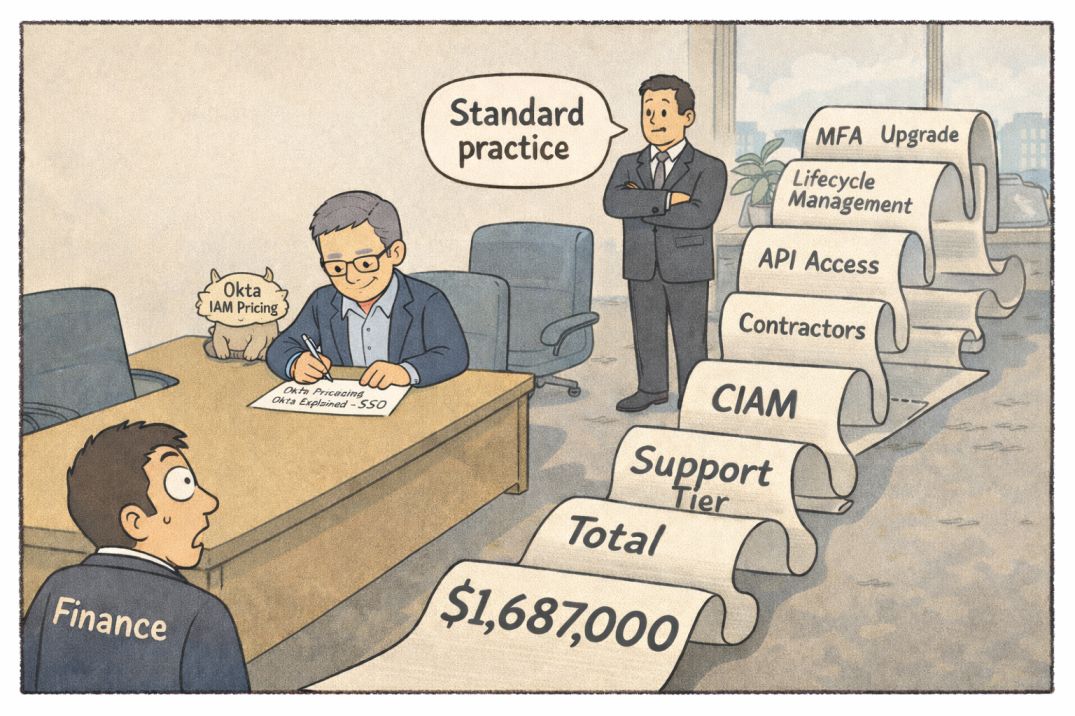
    Okta pricing does not get confusing at the demo stage. It becomes confusing after that elusive approval. The CIO signs off on SSO consolidation. The CISO asks for stronger MFA. Finance builds a clean per-user model. Six months later, the IAM scope expands and the numbers no longer match the original estimate.

    The base license is rarely the issue. The shift happens when lifecycle management becomes necessary, when API access needs to be secured, or when contractors, partners, and service accounts enter the identity perimeter. Each addition feels reasonable in isolation. Together, they change the IAM cost structure.

    This analysis focuses on Okta IAM licensing, add-ons, and the points where costs escalate. The goal is simple: understand what you are really committing to before procurement turns it into a multi-year contract.

    Okta IAM Pricing Decision Summary

    Choose Okta if:

    • You are standardizing IAM across 1,000+ employees.
    • You need deep SaaS integration coverage out of the box.
    • You can operationalize lifecycle automation, not just login consolidation.
    • You are prepared for multi-module IAM expansion over time.

    Delay or reconsider if:

    • You only need basic SSO for under 300 users.
    • Your joiner-mover-leaver process is still manual and fragmented.
    • You do not have IAM governance maturity.
    • You cannot absorb add-on licensing growth in years two and three.

    Avoid both approval and rollout if:

    • IAM ownership is unclear between security and IT.
    • You are buying to satisfy audit optics rather than operational needs.
    • Budget modeling assumes the base SSO license is the long-term cost.

    Also read: Auth0 vs Okta for SaaS

    What Okta IAM Pricing Actually Includes

    Most of the cost confusions start because buyers think they are purchasing “Okta.” In reality, they are selecting from multiple IAM building blocks that are licensed separately and bundled differently.

    Okta’s pricing structure is based on two aspects: workforce identity and customer identity. The core authentication feature is separate from lifecycle automation, API control and other access mechanisms available under the Okta umbrella.

    The base tier solves login consolidation. 

    The higher tiers solve identity governance and risk reduction.

    Below is a structural view of what is typically included versus what becomes an add-on.

    Component Included in Base SSO Tier Higher Tier or Add-On Cost Driver Operational Implication
    Single Sign-On Yes N/A Per user Consolidates SaaS authentication
    Adaptive MFA Limited Advanced MFA policies Per user Required when risk-based auth is mandated
    Lifecycle Management No Add-on Per user Automates joiner-mover-leaver workflows
    API Access Management No Add-on Per API / user Required for microservices and custom apps
    Advanced Server Access No Add-on Per server/user SSH and infrastructure access control
    Customer Identity (CIAM) Separate SKU Tiered Per active user External user authentication
    Universal Directory Basic Advanced profile mastering Per user Identity data normalization
    Support Plans Standard Premier / Enhanced % of contract value Faster SLA, priority response

    Structural Reality

    The base SSO license addresses login friction. It does not solve identity lifecycle governance. Once automation, API security, and privileged access enter scope, you move into modular licensing.

    Constraint: Okta IAM pricing scales with identity complexity, not just employee count.

    Trade-off: Buying only SSO reduces upfront spend but increases manual operational overhead.

    Cost driver: Each add-on is licensed per user or per active identity, compounding across the workforce, contractors and service accounts.

    Decision implication: If your IAM roadmap includes automation and API protection within 12–24 months, model the full module stack now, not just SSO.

    Okta IAM Pricing Tiers and Cost Variables

    Okta IAM licensing looks linear on paper. In practice, cost behavior depends on how identities are counted, how modules are layered, and how quickly scope expands.

    Two pricing mechanics matter:

    1. Workforce Identity is typically licensed per named user per month.
    2. Customer Identity is typically licensed per monthly active user.

    The difference between named users and active users becomes material once scale increases or usage fluctuates.

    Pricing Dimension Workforce IAM Customer IAM (CIAM) Cost Sensitivity Escalation Trigger
    Licensing Model Per named user Per monthly active user High Identity count growth
    Core Tier SSO Basic authentication Moderate MFA enforcement
    Mid Tier SSO + MFA Social login + MFA High Risk-based policies
    Advanced Tier SSO + MFA + Lifecycle Advanced CIAM features Very high Automation dependency
    API Access Add-on Add-on High Microservices adoption
    Support % of contract % of contract Medium Uptime sensitivity

    Variables That Control Total IAM Spend

    Okta IAM pricing increases the moment identity volume changes. If your workforce grows from 800 to 1,200 users, you are not just adding licenses. You are expanding MFA enforcement, provisioning workflows and audit exposure. In Okta’s model, every additional identity compounds licensing and operational dependency.

    Okta pricing also shifts when security requirements tighten. Many organizations start with basic SSO and limited MFA. Once leadership mandates universal MFA, device-based policies, or stricter conditional access, the base tier is rarely sufficient. 

    That transition often requires moving into higher Okta bundles or adding separately licensed modules.

    The largest escalation takes place when automation and external access come to the party! As soon as HR drives provisioning, Okta Lifecycle Management becomes necessary. 

    When partners, vendors, or customers require authentication, Okta Customer Identity licensing applies, which follows a different pricing structure. 

    Okta Pricing Explained: Where Costs Escalate in Real Deployments

    Okta pricing rarely escalates because of one big decision. It escalates through a series of “reasonable” expansions that accumulate over 18 to 36 months.

    The first expansion is almost always MFA standardization. A pilot may start with optional MFA for privileged users. Once audit or cyber insurance requirements mandate MFA for all employees, the licensing tier changes. In Okta IAM pricing, that typically means moving beyond entry-level SSO.

    The second escalation point is Lifecycle Management. Many organizations begin with manual provisioning supported by helpdesk workflows. As employee count grows or compliance pressure increases, automated joiner-mover-leaver processes become mandatory. Okta Lifecycle Management is licensed separately, and it scales per user. At 1,500 users, that add-on is no longer minor.

    The third cost driver appears when engineering pushes for API protection and service-to-service authentication. Okta API Access Management is not included in basic bundles. Microservices architectures, internal platforms, and custom apps create demand for it. This is where IAM spends moves from workforce IT into application architecture.

    External identities introduce a different escalation curve. When partners, distributors, or customers need authentication, Okta Customer Identity pricing applies. This is often based on monthly active users, not named employees. A consumer-facing portal can quickly outgrow workforce IAM spend.

    Also read Slack vs Microsoft Teams: Where Control, Compliance and Cost Collide

    Year 2 IAM Cost Multiplier

    Most Okta deployments look stable in year one. Escalation typically begins in year two when:

    • MFA becomes mandatory across all users
    • HR integration goes live
    • External identities are onboarded
    • Dev teams demand API security

    Constraint: Okta pricing scales with identity surface area, not just employee count.

    Trade-off: Containing IAM scope reduces cost but increases manual operational risk.

    Decision implication: If your roadmap includes automation, API security, or external users, budget for the full Okta IAM stack upfront instead of approving it incrementally.

    What Breaks First at Scale in Okta IAM

    Okta Pricing Explained is not just about what you pay. It is about what starts hurting when usage grows.

    The first thing that slips is access control. As more apps are added, more roles are created. Teams request quick fixes. Temporary access becomes permanent. Reviews take longer. Audits get harder. Okta works fine. The process around it does not.

    Next comes identity count creep. Full-time employees are easy to track. Contractors, vendors, interns, and shared accounts are not. Each one is licensable in Okta. Headcount looks stable. Identity count keeps rising.

    Then integration fatigue sets in. At 20 or 30 apps, SSO is manageable. Cross 100 apps, especially with internal tools, and IAM becomes an ongoing project work. Engineering time increases. API Access Management often enters the picture.

    Finally, dependency builds quietly. Once HR onboarding, server access, and API security all run through Okta, replacing it is no longer simple. It touches too many systems.

    If you do not control access requests and identity sprawl today, scaling Okta will expose the gaps and increase cost at the same time.

    Procurement & Contract Reality in Okta IAM Pricing

    Okta Pricing Explained is not just about feature tiers. Okta IAM pricing changes materially during negotiation and renewal. The first quote reflects list logic. The final contract reflects leverage, timing, scope clarity, and how disciplined your roadmap is. Most cost mistakes happen here, not in technical design.

    Key commercial realities:

    • Discounts are tied to user volume and term length. Three-year commitments improve unit pricing but reduce flexibility if identity count shrinks or architecture changes.
    • Okta IAM pricing becomes harder to unwind once add-ons are bundled. Expanding from SSO into MFA, Lifecycle Management, and API Access Management increases total contract value quickly.
    • Auto-renewal clauses can reset leverage. If renewal notice windows are missed, pricing often reverts closer to list or loses negotiated concessions.
    • Support tiers scale as a percentage of contract value. As Okta becomes critical infrastructure, pressure builds to upgrade support. That compounds the total expense.
    • License true-ups occur when identity counts exceed contracted thresholds. Contractors and external users often trigger these unexpectedly.

    Negotiate Okta IAM pricing against your expected three-year identity expansion, not your current SSO footprint. 

    When NOT to Buy Okta IAM

    Okta Pricing Explained is incomplete without disqualification. Okta is strong in enterprise IAM. It is not always the right first step.

    Do not choose Okta if:

    • You have under 100 employees and only need basic SSO. The cost and operational overhead will outweigh the benefit.
    • Your joiner-mover-leaver process is still manual and undocumented. Buying advanced IAM before fixing process discipline creates confusion, not control.
    • You do not have a clear identity owner. If security, IT, and HR are not aligned, Okta becomes a political system, not an operational one.
    • Your application stack is still unstable. If you are frequently changing SaaS platforms or internal tools, heavy IAM integration may create rework.
    • Budget tolerance is short-term. Okta IAM pricing is predictable but not minimal. It works best when viewed as infrastructure, not a tactical purchase.

    Okta assumes governance maturity.

    Buying early improves control but increases structural cost.

    If you need lightweight login consolidation only, consider delaying full Okta IAM deployment until identity governance is ready.

    Okta IAM Pricing FAQs

    What is the simplest way to estimate Okta IAM pricing without vendor numbers?
    Start with three variables: total named workforce users, expected add-ons (MFA, Lifecycle, API), and support tier. Your cost is not “SSO price × users.” It is “bundle + add-ons + support %” across the identities you cannot avoid licensing.

    Is Okta IAM pricing per employee or per login?
    Workforce Okta IAM pricing is typically per named user, not per login. CIAM is usually based on monthly active users. This distinction matters if you have large external populations or seasonal usage spikes.

    Why do Okta IAM deals look cheap in year one and expensive later?
    Year one is often scoped as SSO plus basic MFA. Later, lifecycle automation, stronger policies, API protection, and external identities enter scope. Okta pricing expands as IAM becomes part of HR workflows and application architecture.

    Which add-on most commonly changes Okta IAM pricing?
    Lifecycle Management and advanced MFA are common escalation points because they become operationally required. API Access Management becomes relevant when custom apps and microservices expand.

    How does support affect Okta IAM pricing?
    Support upgrades are typically priced as a percentage of total contract value. As you add modules, the support cost rises even if the support tier stays the same.

    What identity types usually get missed in Okta IAM pricing models?
    Contractors, vendors, interns, shared accounts, and service accounts. These are often the identities that inflate counts and trigger true-ups.

    When does Okta CIAM become a separate budget problem?
    When external monthly active users grow faster than the workforce headcount. CIAM growth can outpace workforce IAM spend quickly, especially in partner or customer portals.

    Let’s find out what sits inside base licensing and what typically requires expansion.

    Capability Included in Base Workforce Tier Requires Higher Tier or Add-On Cost Impact When It Becomes Mandatory
    Single Sign-On Yes No Low SaaS consolidation phase
    Basic MFA Often limited Yes for advanced policies Medium Audit or insurance pressure
    Adaptive / Risk-Based MFA No Yes Medium to High Zero trust adoption
    Lifecycle Management No Yes High HR-driven provisioning
    Universal Directory (Advanced) Limited Yes Medium Profile mastering needs
    API Access Management No Yes High Microservices or custom apps
    Advanced Server Access No Yes High SSH and infra access control
    Customer Identity (CIAM) Separate SKU Tiered Variable Partner or customer portals
    Support Upgrade Standard only Yes % of total contract Business-critical IAM

    Now, Let’s see how Okta IAM pricing behaves over time.

    Okta IAM Pricing Mechanics & Escalation Triggers

    Pricing Dimension Workforce IAM Customer IAM What Drives Increase Escalation Risk
    Licensing Model Per named user Per monthly active user Identity growth High
    User Expansion Headcount growth Portal traffic growth Hiring a contractor use High
    Security Expansion MFA enforcement Step-up auth Audit mandates Medium
    Automation Lifecycle add-on Registration workflows HR integration High
    Dev Integration API add-on OAuth expansion Internal app growth High
    Support Tier % of contract % of contract SLA sensitivity Medium
    Renewal Negotiated Negotiated Term expiration High

    Identity growth compounds cost even if the feature scope stays constant.

    Bundling lowers per-user price but increases total contract value.

    Okta IAM pricing should be modeled against identity growth and architecture expansion, not just current headcount.

    Conclusion

    Okta Pricing Explained is not about the base SSO rate. It is about how Okta IAM pricing expands as identity volume, security mandates, and automation requirements grow. If you treat IAM as infrastructure and model a three-year scope expansion upfront, Okta can be predictable and defensible. If you approve only the entry tier and expand later under pressure, cost and lock-in accelerate.

  • Slack vs Microsoft Teams: Where Control, Compliance and Cost Collide

    Slack vs Microsoft Teams: Where Control, Compliance and Cost Collide

    Most collaboration decisions are sold as productivity upgrades. In reality, they behave like plumbing. Invisible when aligned, catastrophic when misrouted. Nobody gets promoted for picking the right pipes. But when something leaks, the CIO and security lead are suddenly in the room explaining why guest access, retention, and licensing spiraled out of control.

    Slack vs Microsoft Teams looks like a chat debate. It is not. It is a control architecture decision with cost consequences that compound quietly. One model centralizes identity and policy inside a dominant enterprise stack. The other optimizes flexibility across a wider SaaS surface. Both introduce governance friction. Both can create duplicate spend.

    What teams usually discover is that the tool choice is easy. The enforcement model is not. This is a governance and cost breakdown. 

    Where do control fractures occur first? 

    Where does bundling distort decisions? 

    And at what point standardizing either platform is the wrong move entirely?

    Slack vs Microsoft Teams is a Governance Decision Disguised as a Chat Comparison

    Most teams evaluate collaboration tools by adoption speed and interface comfort. Senior IT inherits the enforcement model. That is the inversion that creates long-term friction.

    In practice, the first question is not which interface users prefer. It is where identity, policy, and data controls anchor. 

    Microsoft Teams pulls collaboration inside the Microsoft 365 control plane. 

    Slack operates as a layer across multiple systems. 

    One centralizes governance. The other distributes it. 

    The architectural posture is different before a single message is sent.

    What breaks first depends on that posture. In a Microsoft-heavy environment, introducing Slack creates duplicate policy surfaces and additional audit paths. 

    In a heterogeneous SaaS environment, forcing Teams can create shadow tooling because integration friction shows up immediately in product and engineering workflows.

    The decisive question is simple:
    Are you optimizing for consolidated control or cross-stack flexibility?

    If governance consolidation is strategic, the answer leans one way. If tool diversity drives business velocity, it leans the other way. Anything in between usually ends in dual-tool sprawl.

    Identity and External Access: Keep It in One System or Manage Two

    If your company runs everything on Microsoft 365 and Entra ID, Teams keeps chat, meetings, and files inside the same system that already controls email and access. One admin model. One audit trail. One place to shut someone off.

    Slack works fine with SSO. But it is still another system to manage. Another place to check when someone leaves. Another place where guest access can expand quietly.

    What breaks first in real environments:

    • Someone leaves, and Slack access stays active.
    • A contractor is added to multiple shared channels and no one reviews it.
    • Security needs an access report and has to pull data from two systems.
    • Finance realizes licenses exist in both platforms.

    If your identity discipline is weak, adding another collaboration platform makes it worse.

    If your identity discipline is strong and automated, the risk difference narrows.

    Decision rule:

    If you want fewer moving parts, keep collaboration inside your primary identity stack.

    If you are comfortable governing multiple SaaS systems, Slack does not introduce new concepts, only another surface.

    Simple choice. Fewer systems or more flexibility.

    Data Governance Under Pressure: Retention, eDiscovery, and DLP Reality

    Below is the governance comparison that actually matters in audits and regulatory reviews.

    AreaMicrosoft TeamsSlack
    Retention policiesCentralized within Microsoft 365 retention and Purview policiesConfigurable retention policies per workspace or Enterprise Grid
    eDiscoveryIntegrated with Microsoft 365 eDiscovery tools across mail, files, and TeamsAvailable in Enterprise plans with separate admin workflows
    DLP enforcementNative DLP policies extend across email, SharePoint, OneDrive, and TeamsDLP is available but requires configuration within the Slack environment
    Legal holdUnified legal hold across Microsoft 365 workloadsLegal hold is supported in Enterprise tiers
    Data residencyGoverned within Microsoft 365 regional controlsAvailable depending on plan and configuration

    Interpretation:

    If your compliance model is built around Microsoft 365, Teams keeps retention, eDiscovery, and DLP inside one governance system. Slack can meet requirements, but it runs as a parallel compliance track. The risk is not missing features. It is configuration drift and audit complexity.

    License Bundling vs Operational Drag: The Real Cost Equation

    Per-user pricing is the wrong place to start. The real cost variable is duplication.

    Teams Economics

    Pros:

    • Already bundled in many Microsoft 365 E3 or E5 agreements
    • No additional vendor contract in Microsoft-heavy environments
    • Shared compliance and admin tooling reduces overlap

    Cons:

    • Forced adoption can reduce productivity in engineering-heavy teams
    • Migration from Slack introduces a change management cost
    • Parallel usage often continues unofficially

    Slack Economics

    Pros:

    • Strong adoption in product and engineering functions
    • No dependency on Microsoft licensing strategy
    • Works cleanly in heterogeneous SaaS stacks

    Cons:

    • Incremental license spend on top of Microsoft 365
    • Separate admin, compliance, and support overhead
    • Dual-platform reality often emerges in large enterprises

    In practice, what finance eventually flags is not the monthly rate. It is overlapping licenses and support burden.

    If both platforms exist in different departments and no one owns a consolidation strategy, cost creep is already happening.

    At 500+ Users, Admin Overhead Becomes the Deciding Factor

    At 500 users, collaboration stops being a tool and starts being work for IT.

    Not strategy work. Maintenance work.

    This is where you begin to see the real cost of your decision.

    Someone joins. Someone leaves. Someone changes teams – every week. If access removal takes even one extra manual step, you feel it. Not in theory. In tickets.

    If you are already running Microsoft 365 cleanly, Teams usually slides in without adding a second governance model. Same groups. Same identity logic. Same audit expectations. That matters more than features.

    If Slack is layered on top in that environment, you now have two places to check when someone leaves. Two places to verify guest access. Two places to configure retention. That does not sound dramatic. It becomes dramatic at scale.

    Now flip it.

    If product and engineering teams are deeply wired into Slack, and automation around it is mature, forcing Teams rarely reduces complexity. It just shifts it. You get duplicate usage. Informal Slack workspaces reappear. Adoption becomes performative.

    At 500+ users, the failure mode is not a security breach. It is operational drag.

    Admin teams spend more time reconciling:

    • Who has access where
    • Which integrations are approved
    • Which retention rule applies
    • Why finance sees overlapping licenses

    None of this is visible in vendor demos.

    The real question at this size is simple: Do you want one collaboration control surface or two?

    If identity hygiene is strong and ownership is clear, either can work.

    If identity hygiene is inconsistent and no one owns collaboration as a platform, adding complexity will expose that weakness fast.

    At 500 users, admin overhead becomes visible.

    At 1,000, it becomes political.

    Integrations: Freedom or Headache?

    At a small scale, integrations feel like productivity boosters. At 5000+ users, they become governance problems.

    Slack makes it easy to connect tools. Jira, GitHub, CI pipelines, CRM alerts, ticketing systems. That flexibility is one of its biggest strengths. It also means dozens, sometimes hundreds, of apps end up connected across workspaces.

    Every integration carries:

    • Permissions
    • Data exposure paths
    • Token management
    • Audit implications

    If no one is actively reviewing installed apps, sprawl happens quietly.

    Teams is more controlled by default. Deep integration with Microsoft-native services comes first. External integrations exist, but the ecosystem pressure is lower compared to Slack’s marketplace model.

    That containment reduces some risk. It can also frustrate teams that rely on non-Microsoft tools.

    What usually breaks first is not the integration itself. It is visibility.

    Security asks:

    • Which third-party apps can read message data?
    • Which bots can access files?
    • Who approved them?

    If the answer requires manual discovery, governance is reactive.

    Decision rule:

    If your environment values experimentation and rapid tooling changes, Slack supports that model, but you must accept higher review overhead.

    If your priority is containment and predictable policy enforcement, a tighter integration surface reduces the number of moving parts.

    Freedom scales. So does oversight.

    Also read: FinOps Tool for Cloud Cost Optimization: How to Evaluate and Use Them Without Wasting 6 Months

    Why Forced Standardization Often Creates Shadow IT

    When leadership replaces Slack with Microsoft Teams to reduce cost, the expectation is simple: one platform, lower spend, tighter governance.

    What usually happens is different.

    Teams becomes the official channel for company-wide communication. Slack continues in smaller, unofficial groups because workflows, integrations, and habits are already built there.

    Now you have:

    • Microsoft Teams licenses are fully paid
    • Slack workspaces are still active
    • Governance is concentrated in one system
    • Actual work is happening in another

    Cost does not drop. Control does not improve.

    The reverse also occurs.

    If an organization standardizes on Slack for flexibility, but compliance teams rely on Microsoft 365 retention and audit tools, reporting becomes fragmented. Security exports logs from Slack separately. Legal processes diverge. Audit preparation takes longer.

    Slack vs Microsoft Teams becomes a coordination problem.

    With 500+ users, you cannot rely on policy memos to change behavior. People default to the platform where their integrations and peers already live.

    When Slack vs Microsoft Teams Is the Wrong Architectural Model

    Sometimes the real answer is neither.

    Not because Slack or Microsoft Teams are weak. But because your operating model does not match their assumptions.

    Here are three lesser-known platforms built on different assumptions.

    Zulip

    Zulip is structured around topic-based threads. Conversations must live inside defined streams and subjects.

    What this changes:

    • Noise drops
    • Async discipline increases
    • Long-running discussions stay organized

    This works well in engineering-heavy environments where written clarity matters.

    What breaks first is cultural fit. Teams used to fast chat can find the structure rigid. Integration depth is also narrower than Slack’s ecosystem.

    If your problem is chaos and channel overload, Zulip challenges the default chat model.

    Element

    Element is built on the Matrix protocol and leans heavily into decentralization and encryption.

    This matters in:

    • Sovereignty-focused environments
    • Security-sensitive sectors
    • Organizations wary of vendor lock-in

    Control shifts closer to infrastructure. You can self-host or federate.

    What breaks first is operational simplicity. Running or federating secure messaging is not lightweight. It requires internal capability.

    If your priority is control over convenience, this model fits better than Slack or Teams.

    Fleep

    Fleep is lighter and built around persistent conversations rather than heavy channel hierarchies.

    It works in smaller distributed teams that collaborate across companies frequently.

    What breaks first is enterprise governance depth. It is not built to mirror Microsoft 365-scale compliance frameworks.

    If your organization does not need enterprise-grade governance layers, Slack vs Microsoft Teams may be over-architected.

    The point of these alternatives is not feature comparison.

    It is architectural clarity.

    Slack assumes flexible, integration-heavy, SaaS-centric collaboration. Microsoft Teams assumes Microsoft ecosystem gravity and centralized governance.

    If your organization rejects both assumptions, forcing either platform creates friction.

    When NOT to Standardize on Either Platform

    Standardization makes sense only when governance, workflow gravity, and cost structure align. If they do not, consolidation creates drag.

    Do not standardize if:

    1. If deprovisioning is inconsistent and access reviews are irregular, adding or replacing a collaboration platform will not fix the problem. It will expose it. Fix IAM first.
    2. If engineering is deeply embedded in Slack and enterprise communication runs through Microsoft Teams, forcing a single platform without workflow redesign will produce shadow usage.
    3. If legal, security, and IT do not agree on retention, eDiscovery, and DLP ownership, moving platforms only shifts configuration complexity. It does not reduce risk.
    4. If the business case assumes “everyone will fully migrate in 60 days,” expect overlap for a year or more. License reduction rarely happens as fast as forecasted.
    5. At 5000+ users, collaboration is not an app. It is a platform. Without clear ownership, policy drift is inevitable.

    The decision rule:

    Standardize only when the chosen platform reduces control surfaces and aligns with how critical teams actually work. If consolidation increases friction or introduces parallel governance paths, delay the decision.

    The Slack vs Microsoft Teams debate is not about preference. It is about reducing operational complexity without sacrificing velocity.

    Conclusion

    Slack vs Microsoft Teams reflects your control strategy. Pick the platform that reduces admin surfaces, aligns with identity governance, and eliminates duplicate costs. When control and workflow align, collaboration scales cleanly.

  • How to Choose Managed Cyber Security Services (MSSP) in 2026

    How to Choose Managed Cyber Security Services (MSSP) in 2026

    Most organizations buying managed cyber security services believe they are purchasing 24×7 protection. In practice, they are buying someone else’s operating discipline, escalation behavior, and commercial model. The CIO signs for coverage. The security lead lives with the noise, the missed detections, and the contract rigidity.

    The uncomfortable truth is this: most managed cyber security services engagements fail not because the provider lacks tools, but because scope boundaries, response ownership, and pricing mechanics were never pressure-tested before signature. 

    What teams usually discover is that “managed” often means monitored, not acted upon.

    The decision is not whether to outsource security operations. The decision is which risks you are transferring, which you are retaining, and how much operational control you are giving up in the process. 

    So, let’s break down the parameters that actually determine provider fit so you can buy with eyes open, not optimism.

    Managed Cyber Security Services: What You Are Actually Buying

    Most RFPs for managed cyber security services focus on coverage: endpoints monitored, logs ingested, alerts triaged. That is the visible layer. What you are actually buying is operating behavior. 

    How aggressively detections are tuned. How fast analysts escalate uncertainty. Whether the provider suppresses noise or buries real signals inside it.

    In practice, what breaks first is detection tuning. Providers onboard fast to meet timelines, plug in default rule sets, and promise optimization “post go-live.” 

    If your environment is hybrid or multi-cloud, baseline noise takes weeks to stabilize. During that phase, either your internal team absorbs the overflow, or real alerts get downgraded to keep metrics clean.

    The commercial reality sits underneath this. Many managed cyber security services contracts bundle tooling and monitoring together. That creates a structural dependency. If they own the SIEM or EDR tenancy, switching providers becomes a migration project, not a vendor change. 

    Decision rule: Before comparing providers, define what layer you are buying. Platform, people, process, or all three.

    Scope Boundaries: What They Do Vs What Stays On You

    Every managed cyber security services proposal says “24×7 monitoring and response.” The scope document tells the real story. Monitoring is defined. Response is usually conditional. 

    What teams usually discover during the first serious incident is that containment authority, change execution, and remediation ownership were never explicitly assigned.

    Before selection, force clarity on where responsibility stops. At minimum, validate:

    • Who isolates an endpoint during a confirmed compromise
    • Who blocks malicious domains or IPs at the firewall
    • Who executes account disablement in IAM
    • Whether after-hours changes require your approval before action
    • Whether remediation is advisory only or executed by the provider

    If the answer to most of these is “customer responsibility,” you are not buying response. You are buying alert forwarding with structured commentary.

    Select a provider whose scope matches your internal capacity. If your security team is thin after hours, advisory-only response will not hold during an active breach.

    Response Model: Ticket Factory or Incident Partner

    “Response” sounds binary. It is not. Some managed cyber security services operate as structured ticket factories. Others operate as incident partners who stay engaged until containment and recovery stabilize. The difference shows up in workflow, not marketing.

    Evaluate the response model in this order:

    1. Ask how high-severity incidents are declared. Is it rule-based, analyst-driven, or customer-confirmed?
    2. Validate who owns the bridge call. Do they coordinate stakeholders, or wait for your team to assemble?
    3. Confirm whether containment actions are pre-authorized for defined scenarios.
    4. Review post-incident outputs. Do you receive a structured root cause narrative, or a closure note with timestamps?
    5. Test escalation depth. After Tier 1 and Tier 2, is there a named senior responder, or just queue reassignment?

    In practice, what breaks first is coordination. During real security-breach incidents, delays come from ambiguity, not tooling. 

    If the provider cannot clearly explain their decision authority model, you are likely buying structured monitoring, not operational partnership.

    If you lack a strong incident commander internally, do not select a provider that expects you to play that role.

    Coverage Fit: Endpoints, Cloud, Email, Identity, And Third Parties

    Not all managed cyber security services cover the same attack surface. The marketing slide shows “end-to-end protection.” The contract defines the actual perimeter.

    Provider ModelTypical StrengthTypical Gap or Constraint
    Large global MSSPBroad tooling coverage, compliance depthStandardized playbooks, slower customization
    MDR-focused providerDeep endpoint detection and responseLimited cloud, identity, or third-party scope
    Regional specialist SOCFlexible engagement, closer coordinationTool dependency, scale constraints

    Large MSSPs usually integrate across SIEM, firewall, email, and cloud telemetry, but operate with standardized escalation thresholds. MDR providers go deep on endpoint detection and threat hunting, yet may not own cloud misconfiguration or identity abuse cases. Regional specialists often provide tighter collaboration but depend heavily on your existing stack.

    The selection decision is not about brand strength. It is about attack surface alignment. If identity and SaaS abuse represent your primary exposure, endpoint-centric coverage will not close that gap.

    Commercial Model: Per User, Per Endpoint, Per Gb, Per Incident

    Per user

    • Works when: stable headcount, clean IAM, minimal contractor sprawl
    • Fails when: shared accounts, heavy third-party workforce, multiple tenants/subsidiaries
    • Watch-outs: “named user” definitions, privileged accounts counted twice, exclusions for non-corporate devices

    Per endpoint

    • Works when: standardized fleet, agent coverage is enforceable, clean device inventory
    • Fails when: VDI, shared terminals, OT/IoT, unmanaged BYOD, seasonal device spikes
    • Watch-outs: what counts as an endpoint, agent license vs managed service fee separation

    Per GB ingested (SIEM-heavy contracts)

    • Works when: logging scope is controlled and retention is fixed
    • Fails when: you expand cloud logs, add apps, increase retention for audit, or onboard new business units
    • Watch-outs: pricing tiers, burst charges, retention re-rating, “mandatory” log sources added post-signature

    Per incident / per escalation

    • Works when: you have a mature internal triage layer and only escalate confirmed cases
    • Fails when: you rely on the provider to confirm incidents or run the bridge
    • Watch-outs: incident definition, who declares severity, fees for “major incident support”

    Decision rule: if your telemetry or org structure will grow, avoid models where cost scales with log volume or incident labeling. Push for predictable units plus pre-agreed expansion bands.

    Proof, Not Promises: How To Test Them Before Signing

    Most managed cyber security services providers will present polished dashboards, maturity claims, and sample reports. None of that proves how they will behave in your environment. Selection should include evidence from a controlled engagement, not only reference calls.

    Run a short, paid pilot on a defined scope such as one business unit or one cloud tenant. 

    During that period, introduce a small set of realistic scenarios: suspicious OAuth activity, anomalous privileged access, mailbox rule abuse, endpoint beaconing.

     The goal is not to test whether their tools detect events. 

    The goal is to see how their analysts triage, escalate, and communicate uncertainty.

    Measure time to acknowledge, time to first actionable insight, and the clarity of recommended containment steps. 

    Review how tickets are closed. 

    If analysis is shallow or repetitive, scale will amplify that weakness.

    During the pilot, add or modify one telemetry source and observe how pricing and licensing are handled. If cost recalculation becomes complex or defensive, expansion later will be worse.

    Validate operational behavior and commercial flexibility before committing to multi-year terms.

    Contract Terms That Decide Success Or Pain

    By the time procurement is negotiating, technical selection is already assumed correct. This is where many managed cyber security services deals quietly go wrong. 

    The contract defines what happens when things do not go as planned.

    Check these clauses closely:

    • Data ownership and access rights: confirm you retain full rights to logs, detections, case data, and tuning artifacts. If data export is restricted or chargeable, exit becomes complex.
    • Termination: validate transition support terms, timelines, and data handover format. Without structured exit support, switching providers becomes operationally risky.
    • SLA: review what is excluded from response time commitments. Many contracts exclude “customer delay,” “third-party dependency,” or “incomplete telemetry.” These carve-outs weaken enforceability.
    • Scope change: identify what events allow repricing. New cloud accounts, M&A activity, log volume growth, and regulatory retention changes often become commercial reset points.
    • Liability: confirm whether financial liability is limited to service fees paid. If so, understand that breach impact recovery remains largely your risk.

    What teams usually discover is that operational pain surfaces at renewal or exit, not during steady-state monitoring.

    Read our evergreen post on Affordable Cybersecurity for Startups: 9 Essential Tips

    Negotiate exit clarity and data portability before debating minor rate reductions. Commercial flexibility often matters more than marginal discount.

    When Not To Outsource Security Operations

    Managed cyber security services is not a substitute for control over your own environment. When your asset inventory is wrong, identity is messy, and logging is inconsistent, the provider ends up monitoring a partial map. 

    The output becomes alert volume and compliance-friendly reporting, not risk reduction.

    Outsourcing also does not solve authority. During a breach, containment needs someone to approve isolation, account lockdown, and sometimes downtime. 

    Many organizations discover this only during the first serious incident: the provider escalates correctly, but the customer cannot execute fast enough, so response time SLAs are irrelevant.

    The other failure mode is ownership drift. After signing, internal teams gradually stop building security muscle because “the SOC has it.” 

    Six months later you have weaker internal triage, slower decision making, and higher dependency on the provider for basic judgment calls.

    Decision Rule: Do not buy managed cyber security services to compensate for weak operational control. Buy it to extend a functioning security program that can act fast when the provider escalates.

    Conclusion

    Managed cyber security services only pays off when you buy execution, not dashboards: clear scope ownership, real escalation authority, predictable pricing as telemetry grows, and clean exit terms if delivery slips. Test the provider with a short pilot focused on response quality and closure depth, not tool claims, then sign only if the operating model matches your internal capacity to act fast when they escalate.

    Additional Reading: Top 10: Managed Security Service Providers

  • Retail AI Agents for Customer Service Signal a Structural Shift in Support Operations

    Retail AI Agents for Customer Service Signal a Structural Shift in Support Operations

    Several large retail groups are embedding retail AI agents for customer service into live support systems rather than limiting them to pilot environments. What distinguishes this phase from earlier automation waves is not interface sophistication, but task authority. These systems are no longer limited to drafting replies or suggesting responses. They are executing actions across order management, refund processing, and customer account systems.

    Recent enterprise announcements indicate that AI agents are being embedded into retail support stacks with live system access rather than sandboxed pilot environments. This shift is occurring during a cost-constrained budget cycle, where retailers are under pressure to reduce support overhead while maintaining digital channel responsiveness. The trigger is not novelty. It is an operational strain.

    WHAT IS ACTUALLY HAPPENING

    Retailers are integrating AI agents directly into backend systems that historically required human mediation. These include:

    • Order modification and status resolution
    • Refund and return eligibility checks
    • Inventory lookup and cross-channel validation
    • Escalation routing based on sentiment and risk scoring

    Unlike prior chatbot deployments, these agents are being granted scoped permissions within ERP and CRM environments. They operate inside defined workflow boundaries, often with supervisory thresholds that trigger human review when confidence drops below preset levels.

    Support architectures are being adjusted accordingly. Tier-one inquiry handling is increasingly automated. Human agents are being repositioned toward exception management and edge-case resolution. This is not full autonomy, but it is a reallocation of decision authority.

    WHY THIS IS HAPPENING NOW

    Three conditions have converged.

    First, support cost pressure has intensified. Retailers face fluctuating demand cycles, seasonal peaks, and rising wage exposure in customer contact operations. AI agents offer variable cost elasticity where headcount traditionally did not.

    Second, integration maturity has improved. Retail IT environments now expose APIs and structured data layers that allow agents to execute actions rather than simply retrieve information. Earlier chatbot generations failed because they lacked operational depth.

    Third, enterprise AI governance frameworks have stabilized. Logging, permission scoping, and model monitoring controls are more standardized than in 2023 or 2024 pilot phases. Risk officers are more willing to allow scoped autonomy under audit constraints.

    The combination of cost discipline, integration readiness, and governance controls has created the conditions for production deployment.

    Also read: Chatbots vs AI Agents: An Efficiency Audit for Real Operations

    WHAT CHANGES OR BREAKS NEXT

    As retail AI agents for customer service expand into core workflows, the stress points will not be conversational quality. They will be systemic.

    Failure scenarios shift from incorrect responses to incorrect actions. A misinterpreted return policy can now trigger financial exposure. Incorrect order modifications can cascade into supply chain inconsistencies.

    Operational dependencies deepen. If AI agents become embedded into refund or escalation routing pipelines, outages or degraded performance affect transaction flow, not just messaging.

    Two emerging risks stand out:

    • Permission creep within enterprise systems
    • Over-automation that suppresses early signals of product or logistics issues

    When agents absorb a large share of front-line interaction, retailers risk losing qualitative friction signals that human teams historically surfaced.

    The architecture is becoming automation-first. That changes failure dynamics.

    WHAT LEADERS ARE ASKING INTERNALLY

    • Where exactly do AI agents have write access inside support workflows?
    • What is the financial exposure threshold per automated decision?
    • How are audit trails preserved for regulatory and dispute scenarios?
    • What percentage of escalations are being suppressed rather than resolved?
    • If the model degrades, how quickly can autonomy be rolled back?

    Retail AI agents for customer service are no longer positioned as efficiency tools alone. They are becoming operational actors within enterprise systems. That shift alters governance, cost modeling, and architectural risk in equal measure.

  • Requirements Gathering Process: 30 Questions IT Leaders Must Answer Before Talking to Vendors

    Requirements Gathering Process: 30 Questions IT Leaders Must Answer Before Talking to Vendors

    Procurement rarely fails in the vendor meeting. It fails weeks earlier inside the requirements gathering process. By the time a CIO or IT head sits in a demo, the scope is already distorted by half-formed business requests, political pressure, and undocumented constraints. Vendors sense the gaps immediately. They fill them with their narrative.

    What teams usually discover too late is that a weak requirements gathering process shifts power to the vendor. The evaluation process becomes a feature theater instead of a decision discipline. Security reviews become reactive. Integration risk shows up after contract signature. Finance sees cost escalation only when change requests appear.

    This is not about volume. It is about converting business asks into testable requirements and non-negotiables. Do that first and vendor evaluation becomes scoring. Skip it and vendor evaluation becomes negotiation. What follows is a 30-question framework you can run before the first demo.

    Most Vendor Chaos Starts Before the RFP Exists

    The requirements gathering process usually breaks before procurement even formalizes the scope. A department sends a request: “We need automation.” Or “We need better reporting.” IT translates it into a feature list. 

    No one documents operational constraints, integration boundaries, data ownership, or regulatory impact. By the time vendors are invited, the real problem is still undefined.

    In practice, what breaks first is alignment between business intent and system behavior. 

    Marketing describes outcomes. 

    Production describes pain. 

    IT writes functional statements. 

    None of them specifies load thresholds, data sensitivity, workflow exceptions, or system dependencies. The vendor evaluation framework then scores vendors against incomplete inputs. 

    The highest-scoring vendor is often the one best at interpretation, not execution.

    Once the RFP is out, correction becomes expensive. Every clarification meeting extends the cycle. Every “assumption” turns into a contractual gray area. 

    If your requirements gathering process has not identified constraints, edge cases, and non-negotiables before vendor engagement, you are not evaluating vendors. You are outsourcing problem definition.

    The 30 Questions That Force Clarity Before Vendor Engagement

    A requirements gathering process fails when it captures features but ignores constraints. The goal of these questions is not completeness. It is elimination. Each answer should either narrow vendor eligibility or expose internal ambiguity before the first demo.

    Run this internally. If you cannot answer a question in one sentence without debate, you are not ready for vendor evaluation.

    Business Outcome and Scope

    1. What specific process changes if this system succeeds?
    2. What manual step must disappear?
    3. What measurable bottleneck triggered this request?
    4. Which team owns the outcome after go-live?
    5. What is explicitly out of scope for Phase 1?

    Workflow and Edge Conditions

    1. What happens when the primary workflow fails?
    2. What are the three most common exceptions?
    3. Where does human override exist?
    4. Which role can approve or reject transactions?
    5. What downstream process breaks if this system is unavailable?

    Data and Integration

    1. Which systems are systems of record?
    2. Is this system allowed to modify master data?
    3. What APIs must exist on day one?
    4. What authentication method is non-negotiable?
    5. What data cannot leave your region?

    Load and Operational Constraints

    1. What is the expected concurrent usage pattern?
    2. What is the peak scenario?
    3. What is the maximum acceptable downtime window?
    4. Who monitors the system after hours?
    5. What reporting latency is acceptable?

    Security and Governance

    1. What audit trail must be available?
    2. What retention policy applies?
    3. Which compliance standard affects this use case?
    4. Who can export data?
    5. What triggers a security review?

    Commercial and Exit Logic

    1. What contract length is acceptable?
    2. What usage variable drives cost?
    3. What is the exit plan if performance fails?
    4. What data must be extractable at termination?
    5. What internal budget assumption cannot change?

    If more than five of these answers start with “we will decide later,” delay vendor outreach. 

    Vendors charge for uncertainty. So, clarifying internally is cheaper than negotiating amendments.

    When these questions are answered, your requirements gathering process produces constraints, not aspirations. That changes how the vendor evaluation framework behaves. Vendors either meet the boundaries or disqualify themselves.

    Translate Business Requests Into Testable Statements

    A requirements gathering process fails when it records intent instead of behavior. “Improve reporting” and “increase automation” are not requirements. They are expectations. Vendors will interpret them most favorably to their product.

    Do these before you engage anyone.

    Step 1: Replace adjectives with actions.
    If the request says “faster approvals,” rewrite it as: “Approval workflow must complete within X hours under normal load.” 

    If you do not know X, identify who owns defining it. Without a threshold, the requirement cannot eliminate vendors.

    Step 2: Define system responsibility boundaries.
    State what the system must do and what remains manual. Example: “System generates draft invoice. Finance validates and releases.”

    Ambiguity here creates post-implementation conflict between teams.

    Step 3: Attach observable evidence.
    Every requirement should produce a visible artifact. 

    • Audit log entry. 
    • Status change. 
    • API response. 
    • Notification event.

    If you cannot point to an observable output, the requirement is conceptual.

    Step 4: Separate configuration from customization.
    Ask whether the requirement can be achieved through configuration only. If it requires code changes, treat it as higher risk in the vendor evaluation framework. 

    Custom logic changes upgrade paths and support models.

    Step 5: Declare non-negotiables explicitly.
    Security standard. Integration method. Data residency constraint. Do not bury these inside appendices. Vendors must see constraints before demo scripting begins.

    What teams usually discover is that half their initial list collapses under this conversion. That is useful. 

    A shorter list of testable statements improves vendor comparison and reduces demo theater. If a requirement cannot be tested or observed, it should not influence vendor scoring.

    Where Requirements Gathering Breaks Under Political Pressure

    A requirements gathering process rarely fails because teams lack intelligence. It fails because incentives conflict. Marketing wants speed. Production wants stability. Finance wants predictability. IT becomes the translator and absorbs ambiguity.

    When pressure builds, teams skip clarification and move to vendor outreach. The logic sounds practical: “Let vendors show us what is possible.” In practice, this reverses ownership. The vendor shapes the scope through demos. Internal disagreements stay unresolved until implementation.

    Red flags inside the intake phase

    • Two stakeholders describe different success outcomes for the same system.
    • Scope includes future features, “so we do not have to reopen the contract.”
    • Non-functional requirements are marked “TBD,” but the RFP timeline is fixed.
    • No single owner is accountable for defining measurable acceptance criteria.
    • Integration teams are informed after business sign-off.
    • The budget is approved before operational constraints are documented.
    • Security review is scheduled after vendor shortlisting.
    • Edge cases are dismissed as “rare.”

    These signals indicate that the requirements gathering process is serving momentum, not clarity. Under these conditions, a vendor evaluation framework becomes cosmetic. You score vendors against unstable inputs.

     If stakeholders insist on issuing the RFP before resolving internal disagreements, you are formalizing conflict into a contract.

    Vendor selection should narrow uncertainty. When political pressure shortcuts requirements for discipline, uncertainty increases. That is not a vendor problem. It is a governance problem.

    What a Vendor Evaluation Framework Should Actually Score

    Most vendor evaluation frameworks overweight features and underweight constraints. That distorts selection. Features are easy to demonstrate. Constraints are hard to satisfy.

    CategoryWhat to ScoreWhy It Changes the Decision
    Functional FitThe degree to which core workflows match documented requirements without customizationReduces implementation risk and upgrade friction
    Integration ReadinessNative support for required APIs, authentication, and system of record alignmentDetermines whether architecture remains stable post deployment
    Non-Functional ComplianceAbility to meet uptime windows, audit trail, data residency, and security constraintsEliminates vendors before contract negotiation
    Operational ModelMonitoring, logging, role management, and support structureAffects long-term ownership cost
    Commercial StructurePricing drivers, scaling thresholds, and exit provisionsExposes hidden cost variables
    Customization DependencyPercentage of requirements requiring code changesDirect indicator of timeline and support complexity

    In practice, what breaks first after selection is not feature coverage. It is integration assumptions and non-functional gaps. If your scoring model treats those as secondary, the highest-scoring vendor may still be the highest-risk vendor.

    A vendor evaluation framework should penalize ambiguity and customization dependency. 

    If a requirement needs interpretation, reduce its weight. 

    If a vendor depends on custom code for core workflows, increase scrutiny.

    Non-Functional Requirements Decide the Vendor, Not Features

    Demos are almost always fine. That is not where vendor selection falls apart.

    It falls apart when your system hits real conditions: someone cannot log in with your SSO setup, roles do not map cleanly to job functions, audit wants to know who changed what last Tuesday, integration needs write-back rules that nobody agreed on, and uptime expectations quietly turn into escalation calls at 2 AM.

    Availability is the obvious one. If the business can live with planned downtime, you can look at a wider set of vendors. If this system cannot go down without operational damage, most vendors are suddenly “not a fit,” even if their feature list looks perfect.

    Then there is identity and access. “We support SSO” is easy to say. The real test is whether you can express your roles without bending the product into strange workarounds. If you can’t, you end up with admin sprawl and exceptions that nobody owns.

    Audit and traceability are where weak products get exposed slowly. Not because they have zero logs, but because the logs are thin, not searchable, or not retained long enough to matter when compliance or investigations show up.

    Integrations are the quiet killer. If you have not locked system of record and who is allowed to write back where, the project turns into a series of debates disguised as technical meetings. Vendors will offer custom glue. It works. Then you own it forever.

    And finally, data control. If you cannot pull your data out cleanly, in a usable format, on your schedule, you lose leverage after go-live. That is not a theory. That is how renewal conversations get ugly after twelve months.

    Also read: Chatbots vs AI Agents: An Efficiency Audit for Real Operations

    When NOT to Start Vendor Conversations

    • The “requirement” is still an outcome sentence like “better visibility” with no process change defined.
    • No single owner can sign off acceptance criteria. Everyone is a reviewer; nobody is accountable.
    • Non-negotiables are not written: SSO model, audit needs, data residency, downtime tolerance, security gates.
    • System of record is undecided for shared data. Two systems think they own the truth.
    • Integration teams are not in the room yet, but vendors are already being shortlisted.
    • You cannot describe peak load and usage pattern even as a range.
    • The current process is undocumented, so vendors are forced to reverse-engineer it from interviews.
    • Budget is approved, but commercial drivers are unknown: per user, per transaction, per site, per API call.
    • The org is expecting the vendor to “help define requirements.” That means you are outsourcing ownership.
    • You have no exit requirement: export format, frequency, deletion behavior, and who validates extraction.

    How to Lock the Requirements Gathering Process Before RFP Release

    A requirements gathering process is “locked” when the vendor cannot redefine the scope through demos, and you do not need internal debates to answer basic questions. 

    Locked does not mean perfect. 

    It means stable enough that a vendor evaluation framework can score reality, not interpretation.

    Use this as a gate. If you cannot tick an item, pause outreach. Fixing it later will cost more than delaying procurement now.

    1. Scope for Phase 1 is written in plain language and includes explicit out-of-scope items.
    2. Each core workflow has acceptance criteria that can be tested in a POC or UAT.
    3. Non-negotiables are stated: identity, roles, audit trail, data residency, downtime tolerance, and retention.
    4. The system of record is defined for key entities and fields, including write-back rules.
    5. The integration list is finalized with the method, owner, and dependency order.
    6. Data classification is agreed: what is sensitive, who can export, and where data may be stored.
    7. Reporting expectations are defined as latency and access rules, not “better dashboards.”
    8. Operational ownership is named: monitoring, incident response, after-hours escalation, and admin model.
    9. Commercial drivers are known: what scales cost, what triggers overage, and what is included.
    10. Exit requirements are written: export format, export frequency, deletion behavior, and validation steps.
    11. The scoring model exists and weights constraints higher than nice-to-have features.
    12. Stakeholders agree that new asks after this point are change requests, not clarifications.

    Decision rule: if you cannot meet these gates, do not start vendor demos. You will end up buying Discovery and paying for it twice.

    Conclusion

    A clean requirements gathering process turns vendor selection into a controlled decision instead of a prolonged negotiation. When scope, non-negotiables, systems of record, and acceptance criteria are locked before demos, your vendor evaluation framework starts eliminating risk early. You get fewer shortlists, shorter cycles, cleaner POCs, and contracts that match reality instead of assumptions.

    Additional reading: RFP Definition, Steps & Template for Requests for Proposals

  • The Chaos of Enterprise Cloud Pricing Analysis: AWS vs Azure vs GCP 2026

    The Chaos of Enterprise Cloud Pricing Analysis: AWS vs Azure vs GCP 2026

    Enterprise Cloud Pricing Analysis usually starts after the third unexplained spike, not the first. By then, the CIO is done listening to unit pricing slides. Finance is asking why spending grows faster than usage. The platform team says nothing in production was modified.

    In practice, the list price rarely decides between AWS and Azure. Egress, cross-zone chatter, idle clusters, and inconsistent guardrails do. What teams usually discover is that their architecture scaled faster than their cost discipline. Discounts masked waste. Managed services reduced effort but locked in margin. Multi-cloud looked strategic until data gravity made one provider quietly dominant.

    This is not a brochure comparison. I will give you a structural look at where cost curves bend, which cloud fails first under specific constraints, and when Enterprise Cloud Pricing Analysis stops being an optimization exercise and becomes a reset decision.

    List Pricing is the Least Important Number in Cloud Budgeting

    Enterprise Cloud Pricing Analysis often begins with a compute comparison. Cost per vCPU. Cost per GB. Storage per month. That exercise is tidy and mostly irrelevant once workloads hit production scale. List pricing tells you how a provider wants to be compared, not how your bill will behave under load.

    What teams usually discover is that effective cost is shaped by architecture decisions, not instance rates. A service that fans out across availability zones increases cross-zone traffic. A data pipeline that moves logs between regions compounds transfer charges. A managed database reduces operational effort but embeds a margin you cannot tune. None of these show up clearly in first-pass pricing comparisons.

    The first decision rule is simple: if your Enterprise Cloud Pricing Analysis is dominated by unit compute rates, you are optimizing the wrong variable. The breakpoints that change spend trajectory sit in data movement, idle capacity, managed service premiums, and commitment structures. Compute pricing only becomes decisive when the rest of the architecture is already disciplined. Otherwise, it is noise dressed as analysis.

    Where AWS, Azure, and GCP Actually Diverge Under Load

    Cost DriverAWSAzureGCP
    Cross-AZ TrafficBilled per GB when traffic crosses availability zones. Often invisible until microservices scale horizontally.Similar cross-zone billing model. Costs rise quickly in chatty architectures.Cross-zone charges apply; pricing structure differs slightly but architectural exposure is similar.
    Egress to InternetTiered pricing. Drops with volume but remains material at scale.Tiered pricing. Enterprise agreements can soften impact but not eliminate it.Competitive at certain volume bands; still a structural cost driver.
    Managed Kubernetes OverheadControl plane cost embedded depending on cluster mode. Worker node waste often exceeds control plane cost.Control plane typically included, but node inefficiency drives total bill.Autopilot model reduces operational load but embeds margin in per-pod pricing.
    Commitment DiscountsSavings Plans flexible across services but introduce multi-year lock risk.Reserved capacity and hybrid benefits can lower effective rates with license dependency.Committed Use Discounts tied closely to sustained usage patterns.
    GPU and Specialized InstancesBroad instance portfolio. Availability variability impacts price stability.Strong enterprise positioning; capacity constraints affect pricing leverage.Often competitive in sustained AI workloads; availability fluctuates.

    Under load, structural differences matter less than architecture discipline. All three providers monetize data movement and idle capacity efficiently. What breaks first is rarely raw compute pricing. It is the combination of cross-zone chatter, overprovisioned clusters, and commitments that assume steady demand.

    Also read: Amazon AWS Cloud for Non-Tech Founders in 2026

    Red Flag
    If your cloud bill increases while traffic remains flat, look at data movement and unused node capacity before renegotiating compute discounts.

    The divergence between providers becomes meaningful only when workload patterns are stable and cost visibility is mature. Otherwise, the provider you choose will look “expensive” for reasons rooted in your own deployment model.

    Egress Is the Silent Tax on Multi-Cloud Strategy

    Nobody wakes up wanting a complex cloud estate. They inherit one: customer app, API tier, Kubernetes, managed database, storage, and logs everywhere. Two zones so incidents do not become career events. A DR region to keep risk people calm.

    Then the bill drifts.

    Not because compute got expensive. Because data started moving more than anyone modeled.

    The implementation slice

    Assume this production footprint:

    • Customer-facing APIs and file downloads
    • Static assets partially served from object storage
    • Active-active deployment across two zones
    • Nightly cross-region replication for DR
    • Centralized logging exported out of region
      Analytics pipeline pushing data to another provider

    Traffic profile (conservative for a growing platform):

    • 15 TB/month internet egress
    • 20 TB/month cross-zone traffic
    • 10 TB/month inter-region replication
    • 5 TB/month cross-cloud analytics export

    Compute did not change. User count did not spike. The architecture did.

    What 15 TB of Internet Egress Actually Costs

    Using current North America baseline tiers:

    Azure

    Tiered pricing:

    • First 100 GB free
    • Next 10 TB at $0.087/GB
    • Above that at $0.083/GB

    15 TB ≈ 15,360 GB

    Billable after free tier: 15,260 GB

    10,240 GB × $0.087 = $890.88
    5,020 GB × $0.083 = $416.66

    Azure ≈ $1,307/month

    GCP

    Tiered pricing (North America baseline):

    • 1 GiB free
    • Next 1,024 GiB at $0.12
    • Next 9,216 GiB at $0.11
    • Above that at $0.08

    15 TB ≈ 15,360 GiB

    1,023 × $0.12 = $122.76
    9,216 × $0.11 = $1,013.76
    5,120 × $0.08 = $409.60

    GCP ≈ $1,546/month

    AWS

    Common tier model (US baseline):

    • First 10 TB at ~$0.09/GB
      Next tier at ~$0.085/GB

    15 TB ≈ 15,360 GB

    10,240 × $0.09 = $921.60
    5,120 × $0.085 = $435.20

    AWS ≈ $1,356/month

    That is only internet egress.

    Now add structural movement:

    • 20 TB cross-zone traffic
    • 10 TB cross-region replication
    • 5 TB cross-cloud export

    If cross-zone averages ~$0.01–$0.02 per GB depending on provider and region:

    30 TB internal movement = 30,720 GB

    At $0.02/GB → $614/month
    At $0.01/GB → $307/month

    Cross-cloud export adds another 5 TB internet-style egress:

    5 TB ≈ 5,120 GB
    At ~$0.09/GB → ~$460/month

    What the Total Looks Like

    Internet egress: ~$1,300–$1,550/month
    Internal transfer: ~$300–$600/month
    Cross-cloud export: ~$450/month

    Total structural movement cost:
    $2,050 to $2,600 per month

    That is before a single vCPU is considered.

    What teams usually discover is that this number grows linearly with traffic and silently with architecture complexity. No one proposes “let’s increase egress.” It happens because services talk more, logs move further, and replication runs continuously.

    The decision implication is blunt. If your Enterprise Cloud Pricing Analysis models only compute and storage, you are underestimating spend by a category, not a percentage.

    Kubernetes Cost Visibility Breaks Before Compute Does

    The fastest way to distort an Enterprise Cloud Pricing Analysis is to run Kubernetes without cost visibility tied to workload ownership. Clusters scale automatically. Bills do not explain themselves.

    Carry forward the production setup we described: two production clusters, each with 20 worker nodes. Average node size: 8 vCPU, 32 GB RAM. Autoscaling enabled. Managed control plane. Average utilization settles between 45% and 55%. Nothing is broken. It is simply normal production variance.

    The idle capacity math

    Assume an effective blended node cost of $600 per month including compute and attached storage.

    Total nodes: 40
    Monthly cluster spend: 40 × $600 = $24,000

    At 50% average utilization, half of that capacity is financially idle.

    Effective productive capacity cost becomes:

    $24,000 ÷ 0.5 = $48,000 equivalent provisioned capacity

    You are paying for double the compute you are effectively using.

    Now layer in what actually happens in production:

    • CPU and memory requests set conservatively, not realistically
    • Scale-out triggers faster than scale-in
    • Stateful workloads prevent bin-packing efficiency
    • Non-production namespaces run 24/7

    What teams usually discover is that control plane fees are rarely the issue. Node inefficiency dominates.

    Managed Kubernetes trade-offs

    Pros

    • Reduces operational overhead and patching burden
    • Speeds up environment provisioning
    • Standardizes deployment patterns

    Cons

    • Waste hides inside aggregate cluster billing
    • Per-pod or abstracted pricing models embed margin
    • Cross-zone scheduling increases internal data movement
    • Cost attribution becomes political across teams

    Kubernetes rarely looks expensive in isolation. It looks “necessary.” The drift shows up when traffic grows modestly but node count grows structurally.

    If cluster utilization sits below 60% for sustained periods, optimize scheduling and rightsizing before negotiating provider discounts. 

    GPU and AI Workloads Distort Cloud Pricing Models

    Enterprise Cloud Pricing Analysis changes the moment you add GPUs. With general compute, you can usually buy your way out with reservations or incremental scale. With GPUs, availability and placement constraints decide the bill. Teams end up paying for what they can get, not what is cheapest, and that breaks neat provider comparisons.

    What teams usually discover is that AI spend fails first on utilization discipline. A GPU sitting idle for hours because data pipelines are late, jobs are mis-sized, or environments are duplicated is pure burn. 

    The provider matters less than whether you can keep GPUs fed, scheduled, and shared safely across teams. The cheapest GPU rate loses if your workflow design creates downtime.

    If you are running steady inference or batch training at predictable volume, choose the provider where your data already lives and commit only after you have stable scheduling and utilization signals. 

    If your demand is spiky, experimental, or talent-limited, optimize for capacity access and operational simplicity first. In AI workloads, the wrong “cheaper” choice is the one that forces expensive workarounds and underutilized hardware.

    Discount Mechanics That Reduce Cost or Lock You In

    Do this first:

    • Model downside before growth. If demand drops, how much committed spend becomes stranded?
    • Commit only to capacity that has been stable for at least one full quarter.
    • Never average volatile workloads into a steady-state assumption.
    • Avoid committing at abstract service layers where migration friction is highest.
    • Stress-test a 30% footprint reduction scenario before signing.
    • Separate production baseline from experimental or AI workloads.
    • Track effective utilization of committed capacity monthly.
    • If utilization drops materially, stop expanding commitment exposure.
    • Compare commitment mechanics, not brand preference.

    Red Flag
    If leadership is celebrating discount percentages without reviewing effective utilization, the organization is locking in margin, not savings.

    Commitments reduce unit rates. They also remove flexibility. In Enterprise Cloud Pricing Analysis, flexibility is often worth more than the headline discount.

    When Cloud Repatriation Starts Making Financial Sense

    Repatriation becomes rational when your workload stops behaving like a cloud workload.

    If traffic variance is low, clusters run 24/7, databases rarely scale down, and AI jobs move from experimental to steady-state, you are paying usage pricing for fixed demand. At that point, the flexibility premium has no economic return.

    Carry forward the earlier setup. If your baseline infrastructure spend holds within a narrow band for multiple quarters and committed capacity already covers most of it, model an owned or dedicated alternative. The decision rule is simple: if projected fixed infrastructure cost undercuts steady cloud baseline without exceeding your operational capacity, repatriation is financial discipline, not nostalgia.

    Conclusion

    Enterprise Cloud Pricing Analysis is not about chasing the lowest rate card. It is about isolating structural cost drivers: data movement, idle capacity, commitment exposure, and workload stability. When those are disciplined, AWS, Azure, or GCP can all be economically defensible. When they are not, every provider looks expensive. The decision is architectural first, contractual second.

    Disclaimer:

    We are not responsible for pricing changes, regional variations, or contract-specific terms; always verify current rates directly with the cloud provider before making decisions.

    GCP Pricing Calculator

    AWS Pricing Calculator

    Azure Pricing Calculator