Tag: Leadership Strategy

  • CNAPP vs CSPM vs CWPP: The Real Case for Cloud Security Platform Consolidation

    CNAPP vs CSPM vs CWPP: The Real Case for Cloud Security Platform Consolidation

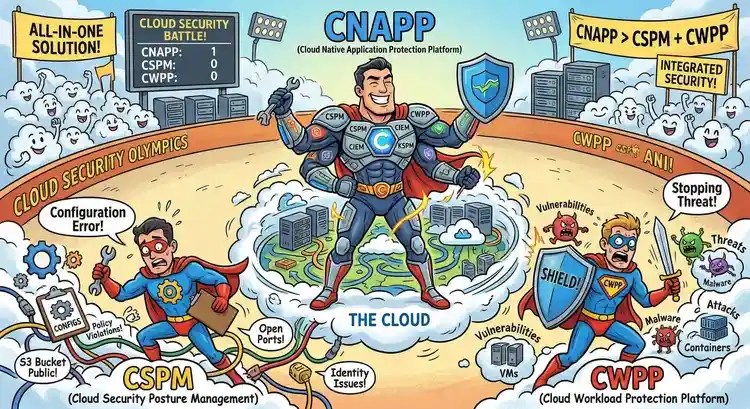
    CNAPP vs CSPM vs CWPP becomes a buying discussion only after the cloud security stack starts wasting money. By that point, the security lead is already staring at overlapping findings, separate consoles, duplicated policy logic, and a messy question from leadership: why are we paying for more tools and still arguing about exposure?

    The problem is not category confusion. It controls fragmentation. CSPM can flag misconfigurations across accounts and services, but it does not cleanly map risk to live workloads. 

    CWPP improves runtime depth, but it adds sensors, policy tuning, and another stream of operational noise. CNAPP promises to pull posture, workload, identity, and attack-path context into a single model, but that promise becomes expensive if the environment remains immature.

    That is where most teams get stuck. 

    They are not choosing between neat product definitions. 

    They are trying to decide whether cloud security platform consolidation will cut response friction, reduce overlap, and improve multicloud control, or just turn existing confusion into a bigger contract. This comparison is about that decision.

    Overlapping CSPM and CWPP Spend Is Usually the First Sign of a Broken Model

    The CNAPP vs CSPM vs CWPP decision usually starts after the budget has already been split across overlapping controls. 

    One product is checking posture across cloud accounts and services. Another is watching workloads at runtime. 

    A third tool often gets added for identity context, container risk, or attack-path visibility because the first two never joined up properly. 

    What looks sensible in a vendor demo starts to feel clumsy in production.

    The bigger problem is not just license overlap. It is an operational split. CSPM findings usually flow toward cloud or platform teams. CWPP signals often land with security operations, endpoint teams, or whoever owns host and container defense. 

    The exposure may be part of one attack path, but the ownership is fragmented. That is where the CNAPP vs CSPM vs CWPP discussion becomes a buying decision instead of a category debate.

    What teams usually discover at this stage:

    • The same workload can show up in multiple tools with different severity scores and no shared priority.
    • Misconfiguration policy lives in one product, runtime behavior policy in another, and exception handling becomes slow.
    • Cloud assets, containers, hosts, packages, identities, and runtime events are not mapped into a single clean model.
    • Analysts start switching consoles just to validate a single issue properly.
    • Alert routing follows product boundaries rather than the real risk chain.
    • Leadership sees rising cloud security spend, but the team still cannot show one clear path from finding to remediation.

    This is the point where CNAPP benefits start sounding attractive. Not because consolidation is fashionable, but because separate CSPM and CWPP tools are already creating response friction. 

    That is the real start of cloud security platform consolidation. 

    The trigger is usually not feature envy. 

    It is duplicated spending, fragmented workflows, and too much time lost between detection and action.

    Overlapping CSPM and CWPP Spend Is Usually the First Sign of a Broken Model

    This buying problem usually appears after the stack is already bloated. One tool is checking posture across cloud accounts and services. Another is watching workloads at runtime. Then something else gets added for container context, identity risk, or attack-path visibility because the first two never connect cleanly enough. 

    The result is not better control. It is a more expensive operating model with more moving parts.

    The real pain shows up in execution. 

    Posture findings often move toward cloud or platform teams. 

    Runtime alerts usually land with security operations or whoever owns host and container defense. 

    The exposure may belong to one risk chain, but the response path is split across products and teams. That is when cloud security platform consolidation starts to look less like vendor packaging and more like a serious discussion about budget and architecture.

    What teams usually run into:

    • The same workload appears across multiple products, each with a different severity label.
    • Misconfiguration review and runtime investigation happen in separate consoles.
    • Exception handling slows down because the policy logic is split.
    • Asset context is inconsistent across cloud resources, hosts, containers, packages, and identities.
    • Analysts lose time validating one issue across multiple dashboards.
    • Security spend rises, but the path from finding to remediation still looks broken.

    That is the first real signal that the model is under strain. The problem is not that the team lacks tools. The problem is that each tool sees a slice of the risk, while the response still depends on humans stitching the picture together.

    CSPM Stops Being Enough Once Risk Moves Into Live Workloads

    CSPM is strong at reading cloud state. 

    It inspects control-plane configuration across accounts, subscriptions, projects, storage, IAM bindings, network exposure, encryption settings, logging posture, and service-level misconfigurations. That makes it useful for detecting drift, weak defaults, exposed assets, and policy violations before an attacker touches the workload. 

    Its limit is structural. 

    CSPM mostly sees the declared state, not what the workload is doing after deployment.

    That gap matters more than many teams expect. A workload can be deployed from a compliant image, sit behind the right security groups, and still become risky at runtime because of vulnerable packages, a suspicious process chain, a leaked credential in memory, privilege abuse inside a container, or an execution path that turns dangerous only when workload identity and network reachability combine. 

    This is where CNAPP vs CSPM vs CWPP turns into a live buying decision.

    The control plane may look acceptable, while the execution layer is already exposing a different class of risk.

    What teams usually discover once incidents or deep reviews begin:

    • A publicly reachable service may already be known, but the bigger issue is the over-privileged role attached to the running workload.
    • A Kubernetes cluster can appear compliant in posture checks while a single live pod is running with excessive privileges, weak namespace isolation, and outbound patterns that no one is monitoring.
    • Storage, encryption, and logging settings may pass review, yet the workload still carries exploitable libraries and exposed runtime behavior.
    • Network configuration can look clean on paper, while lateral movement inside a cluster or VPC stays largely outside posture visibility.
    • Build-time image checks may pass, but the running asset can drift through new packages, injected processes, shell execution, or unapproved binaries.
    • Isolated findings often appear low priority until identity, exposure, and workload context are correlated into a single attack path.

    The issue is not that CSPM fails. 

    It was never designed to carry the full burden of runtime risk. 

    Once exposure moves into containers, hosts, Kubernetes nodes, serverless execution, workload identity, and live process behavior, the signal shifts from posture to execution. 

    Passing posture checks while runtime signals are fragmented means you are missing active risk.

    CWPP Improves Runtime Visibility but Adds Agent Sprawl and Policy Overhead

    CWPP becomes relevant when the real risk is inside running workloads, not just in cloud configuration. It can detect process execution, package-level exposure, container activity, privilege misuse, file changes, and suspicious behavior on hosts and workloads that CSPM will not see well.

    That value comes with operational overhead. Coverage depends on sensor deployment, policy tuning, workload baselining, exception handling, and continuous alert triage. 

    In Kubernetes-heavy or fast-changing environments, that burden grows quickly.

    What CWPP helps with:

    • Runtime visibility across hosts and containers
    • Detection of exploit behavior and privilege abuse
    • Better context on packages, processes, and workload activity
    • Stronger coverage for live workload risk

    What it adds to the team:

    • Sensor rollout and uneven coverage
    • More policy maintenance across VMs, containers, and clusters
    • More noise from short-lived or dynamic workloads
    • Higher triage load for security teams

    CWPP is useful when runtime exposure is the real gap. It becomes harder to justify when the team receives more telemetry but still has to manually correlate it with posture, identity, and cloud context.

    CNAPP Pays Off Only When Fragmented Controls Are Slowing the Team Down

    CNAPP helps when the problem is no longer missing coverage, but split coverage. Posture, runtime, identity, and exposure data sit in different tools, and the team is wasting time correlating them manually.

    That is where CNAPP benefits become actual. 

    It can connect cloud assets, workload behavior, permissions, and attack paths in a single view, then drive a cleaner prioritization and remediation flow.

    Where CNAPP helps:

    • Correlates posture and runtime findings
    • Brings identity and asset context into the same risk view
    • Reduces console switching during triage
    • Improves prioritization of multi-layer risk
    • Shortens the path from finding to remediation

    Where teams get it wrong:

    • Buying it before basic cloud hygiene is stable
    • Expecting consolidation to fix weak ownership
    • Assuming one platform removes tuning effort
    • Using it to replace process discipline

    CNAPP is worth it when tool boundaries are slowing the team down. It is the wrong buy when the real gap is still basic coverage or governance.

    CNAPP Pays Off Only When Fragmented Controls Are Slowing the Team Down

    Most CNAPP vs CSPM vs CWPP evaluations start after the stack becomes hard to operate. Posture, runtime, identity, and exposure data sit in different tools, and the team is wasting time correlating them manually.

    CNAPP helps by connecting cloud assets, workload behavior, permissions, and attack paths in a single operating view, with clearer prioritization and remediation flow.

    Where CNAPP helps:

    • Correlates posture and runtime findings
    • Brings identity and asset context into the same risk view
    • Reduces console switching during triage
    • Improves prioritization of multi-layer risk
    • Shortens the path from finding to remediation

    Where teams get it wrong:

    • Buying it before basic cloud hygiene is stable
    • Expecting consolidation to fix weak ownership
    • Assuming one platform removes tuning effort
    • Using it to replace process discipline

    CNAPP is worth it when tool boundaries are slowing the team down. It is the wrong buy when the real gap is still basic coverage or governance.

    Managed SOC vs MSSP: Which One Breaks First During a Zero-Day?

    Multicloud Usually Fails at Ownership Before It Fails at Coverage

    Multicloud rarely breaks down due to a lack of visibility. It breaks because no one owns the full path from finding to fixing across AWS, Azure, and GCP.

    Each cloud has its own identity model, policy structure, resource hierarchy, and service behavior. 

    CSPM can scan all three. 

    CWPP can cover workloads across them. But ownership still splits across cloud teams, platform teams, and security. That is where things slow down.

    What starts going wrong:

    • The same policy is implemented differently across clouds
    • Identity risk is evaluated per cloud, not across access paths
    • Findings get routed to different teams based on platform, not exposure
    • Remediation timelines vary because each team follows its own workflow
    • Asset context is inconsistent across accounts, subscriptions, and projects
    • No single view shows which issues actually matter first

    This is where cloud security platform consolidation starts to make sense. Not because visibility is missing, but because coordination is broken.

    Multicloud increases the number of tools you can use. It also increases the cost of not having a shared control model.

    7 Mistakes That Turn Enterprise EDR Evaluation Into an Expensive Procurement Exercise

    The Core Technical Difference Is Not Visibility but Correlation and Control Flow

    Control Layer CSPM CWPP CNAPP Failure at Scale
    Primary focus Cloud config, IAM, network exposure, storage policies Workload runtime: processes, containers, hosts Unified: config + runtime + identity + exposure graph Context split across tools
    Telemetry source Cloud APIs, config snapshots Agents, kernel/runtime signals APIs + runtime + identity graph Partial visibility leads to blind spots
    Misconfiguration detection Strong Limited Strong with context Findings pile up without prioritization
    Runtime behavior None Strong (process, file, exec, privilege) Moderate–strong (depends on depth) Misses live exploit signals
    Container coverage Config only (RBAC, exposure) Runtime (pods, namespaces, exec) Combined posture + runtime Split view of same workload
    Kubernetes visibility Cluster posture, RBAC, network policy Pod/node runtime activity Cluster + workload + identity context Handoffs between teams slow response
    Identity handling IAM roles, policies Credential usage at runtime Identity + workload + exposure linkage Privilege risk underestimated
    Attack path Fragmented Local to workload Graph-based correlation No end-to-end risk chain
    Prioritization Rule-based, often noisy Signal-heavy, needs tuning Context-aware prioritization Too many alerts, low clarity
    Remediation flow Cloud/platform teams Security/infra teams Cross-team routing possible Ownership fragmentation
    Coverage model Broad (all cloud assets) Deep (covered workloads only) Broad + deep (if integrated well) Gaps between layers
    Operational load Low–moderate High (agents, tuning, triage) High upfront, lower correlation later Ops overhead increases with scale
    Failure mode Too many findings, low context Too much telemetry, tuning fatigue Governance gaps break value Response slows despite tools
    Multicloud Good for posture consistency Heavy to operate across clouds Better for unified control Coordination breaks first
    Best fit Posture maturity stage Runtime risk exposure stage Fragmentation + scale stage Wrong fit leads to wasted spend

    Standalone Tools Look Cheaper Until Response Work Starts Crossing Consoles

    Decision Factor CSPM + CWPP as Separate Tools CNAPP What Changes Financially What Usually Breaks First
    License model Usually lower entry cost, split across products Higher platform cost, broader scope in one contract Separate tools look cheaper early Budget overlap becomes visible at renewal
    Buying motion Can be added incrementally Usually requires platform-level approval Standalone tools spread spend over time Teams delay consolidation too long
    Deployment effort Two control planes, two rollout tracks One platform, but broader implementation scope Integration effort shifts from procurement to deployment Project complexity gets underestimated
    Policy management Split between posture and runtime policies More centralized policy model Separate tools increase admin time Exception handling becomes messy
    Alert handling Findings arrive in different consoles Better chance of unified prioritization Analyst time rises with separate tools Duplicate triage work piles up
    Asset context Often split across cloud, workload, and identity tools More likely to be correlated in one model Manual validation cost drops only if correlation is good Teams still chase context manually
    Remediation routing Usually split by product and team Can align to one risk view Engineering handoff cost is higher with separate tools Fixes stall between teams
    Runtime operations CWPP tuning burden remains separate Still exists, but may sit inside one workflow CNAPP does not remove runtime ops cost Buyers assume consolidation means less tuning
    Reporting Needs cross-tool stitching for one cloud risk story Easier to present one consolidated view Reporting effort falls if data quality is strong Executive reporting hides response gaps
    Multicloud operations Tool and team fragmentation increases across clouds Stronger fit when multicloud control flow is already strained Operational savings show up later, not immediately Ownership breaks before visibility does
    Renewal pressure Harder to defend overlapping spend Harder to justify if governance is weak Both models get challenged, but for different reasons Teams cannot prove value cleanly
    Best commercial fit Teams solving a narrower gap with tighter budget control Teams already paying the cost of fragmented operations The cheaper option depends on operating friction, not sticker price License cost is treated as total cost

    Separate tools usually win the first budget discussion. CNAPP usually wins later, when triage, routing, duplication, and slow remediation start costing more than the extra license concentration.

    Red Flag: Lower license cost means little if one incident still requires three consoles and two handoffs.

    SentinelOne vs Microsoft Defender Scorecard: Which EDR Delivers Better Long-Term Value?

    CrowdStrike Alternatives for Enterprise: 15 Tools Compared for Cost, Detection, and Control

    EDR Solutions for Mid-Size Enterprise: The Buying Guide Vendors Won’t Give You

    Buy Against the Bottleneck, Not the Category

    Start with the failure point, not the product label.

    Buy CSPM first when the main problem is control-plane drift:

    • exposed storage
    • weak IAM policy
    • public attack surface
    • encryption and logging gaps
    • inconsistent cloud baseline

    Buy CWPP when posture is not the main issue and the risk sits inside running workloads:

    • container runtime behavior
    • package exposure
    • suspicious process execution
    • privilege misuse
    • host and pod-level activity

    Buy CNAPP when the team is already paying the price of fragmentation:

    • Posture and runtime findings do not connect
    • The identity context is split
    • Risk prioritization is weak
    • Remediation crosses too many teams
    • Multicloud coordination is slowing response

    Do not force consolidation too early. If cloud hygiene is still weak, CNAPP can centralize noise. Do not stay fragmented too long either. If analysts are correlating posture, runtime, and identity risk by hand, the cheaper stack is already getting expensive.

    The right sequence is simple:

    1. Fix baseline posture problems first
    2. Add runtime depth where live workload risk is real
    3. Consolidate only when control overlaps, and response friction becomes the bottleneck

    That is the cleanest path through CNAPP vs CSPM vs CWPP. The right buy is the one that removes the current constraint, not the one with the broadest demo.

    Cybersecurity Best Practices That Actually Reduce Risk in 90 Days

    Conclusion

    That is where the right model starts standing out. A good decision here does not come from chasing the broadest platform. It comes from matching the control layer to the pressure point, then consolidating only once the operating model is ready.

    The cloud security stack gets simpler only when the buying logic gets stricter. Teams that stay honest about the bottleneck usually make better decisions here. Some need cleaner posture control. Some need deeper runtime coverage. Some have already crossed the point where fragmented tools are slowing response more than improving protection. 

    Also check this Reddit discussion: Cloud Security CSPM vs CWPP and IaaS vs PaaS
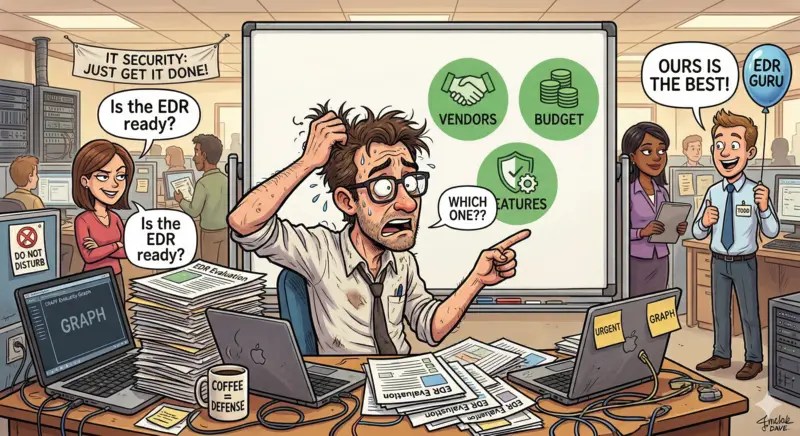
  • 7 Mistakes That Turn Enterprise EDR Evaluation Into an Expensive Procurement Exercise

    7 Mistakes That Turn Enterprise EDR Evaluation Into an Expensive Procurement Exercise

    Enterprise EDR evaluation has a tendency to make smart people feel safe too early.

    The shortlist looks solid. The demos are polished. The proof of value is tidy. Procurement gets neat pricing bands. Security gets detection stories. Everyone gets just enough structure to believe the process is under control.

    Then production happens.

    Now the real costs start walking in. Analyst fatigue. Tuning overhead. Policy exceptions. Response friction. Add-ons that looked optional when the vendor was still smiling on calls.

    That is the part buyers keep underestimating. They think they are evaluating an EDR product. Often, they are really evaluating how convincingly a vendor can stage confidence within a controlled buying cycle.

    And EDR vendors are not stupid. They know exactly how to make a product look calm before your team has to live with it.

    So the buying process starts to behave like procurement theater, with security vocabulary sprinkled on top. The product scores well. The committee feels organized. The approval moves forward. Then six months later, the SOC is carrying the bill in a form nobody modeled properly.

    Most EDR buyer’s guide content will help you compare names. That is the easy part.

    The harder part is spotting the mistakes that make an EDR decision look clean at approval time and heavy after rollout.

    Enterprise EDR Evaluation Starts With the Wrong Test

    You do not lose this decision in rollout first.

    You lose it earlier.

    Right when the vendor starts setting the mood.

    Clean demo. Crisp detections. Neat proof of value. A lot of confidence in the room. Just enough technical depth to make the process feel serious.

    That is how weak evaluation logic hides.

    Your real pain is usually less glamorous. Too many alerts. Slow triage. Weak containment. A messy estate. Policies that nobody wants to touch twice. Analysts are wasting time on work that should have been easier by now.

    If you do not start there, the rest gets performative fast.

    You are not buying applause from a buying committee.

    You are trying to remove a daily irritation your team keeps paying for in time, effort, and attention.

    So test the pain, not the pitch.

    If analyst fatigue is hurting you, look hard at triage flow and alert quality. If containment is clumsy, test response depth. If your environment is uneven, test tuning burden and policy control. If your team is stretched, test how much operational babysitting the product will demand after go-live.

    Plenty of products look sharp when the path is guided.

    Fewer of them stay sharp when your own people have to live inside them.

    That is the filter you need. Not who looks strongest in a controlled sales cycle. Who removes friction once the product becomes your problem?

    Enterprise AI Reviews Are Exposing Ownership Gaps

    Detection Looks Good Until Alerts Start Piling Up

    Detection is the easy part to admire.

    An alert fires. A malicious chain gets mapped nicely. The console looks smart. The demo gets its moment.

    Then real life begins.

    Alerts keep coming. 

    Analysts keep opening, checking, closing, reopening. 

    The same people who were supposed to investigate real risk start burning time sorting junk, duplicates, weak context, and half-useful signals. 

    At that point, strong detection no longer feels like strength. It starts feeling like extra work with better branding.

    That is the part buyers underrate. You are not paying for detection in isolation. You are paying for what happens after detection. 

    How fast can an analyst understand the alert? 

    How much context shows up without manual digging? 

    How often does the product force your team to stitch the story together on its own? 

    A tool that detects more but makes triage slower can still leave you worse off.

    This is why clean evaluation cycles can be misleading. In a controlled test, detection looks like the star. In daily operations, alert handling decides whether the product helps or drains the team. 

    If the queue keeps growing, the nice detection story quickly loses value.

    Llama vs Mistral: Assessing the best local models for privacy of Business Data

    Post-Rollout Tuning Is Where EDR Cost Starts Rising

    Rollout gives buyers a false sense of closure.

    The product is live. The agent is deployed. The dashboard is populated. On paper, the hard part looks done.

    It is not.

    Post rollout is the stage where EDR starts asking for rent in admin time, SOC attention, and constant cleanup. What looked manageable in evaluation can turn irritating very quickly.

    What starts showing up:

    • false positives that need repeated suppression
    • exclusions that keep growing as edge cases surface
    • policies that work in one part of the estate and break in another
    • endpoint groups that need cleaner logic than the original rollout assumed
    • performance complaints from users that force a compromise
    • Exceptions that keep getting patched instead of being designed properly

    None of this looks dramatic in a buying cycle.

    All of it becomes expensive after rollout.

    That is the catch. Base pricing stays the same. The real cost does not. Your team starts paying through hours, interruptions, retesting, and operational babysitting. 

    A product that needs too much post-rollout tuning can turn a decent buying decision into a long cleanup project.

    Proof of Value Can Make a Weak Fit Look Strong

    A proof of value can make you feel smarter than you really are.

    Everything behaves. The scope is clean. The vendor stays close. The product gets shown in the part of the house where the lights work.

    That should make you cautious.

    What you are seeing is not fake. It is filtered.

    Usually filtered by:

    • controlled scope
    • guided workflows
    • selected use cases
    • Vendor support sitting nearby, success criteria that are easier to pass than the daily operations

    So the product starts looking solid before it has done anything difficult.

    That is a bad reason to feel comfortable.

    You do not need a product that behaves well when the vendor is still driving. You need a product that still makes sense when your own team has the wheel, the queue is ugly, and nobody is around to rescue the workflow.

    A weak fit can survive a tidy proof of value.

    Production is less polite.

    CrowdStrike Alternatives for Enterprise: 15 Tools Compared for Cost, Detection, and Control

    Enterprise EDR Evaluation Scorecard

    Detection gets attention because it is easy to show.

    Response is when the product starts to prove whether it is useful or just impressive.

    Many EDR evaluations get stuck on what the platform can detect. Fair enough. But when something serious lands, the better question is much simpler: can your team act fast without turning every incident into a manual project? That is where weak products start showing their teeth.

    Evaluation Area Weight (%) What You Should Check Bad Sign
    Alert handling 25 How quickly an analyst can understand, validate, and move on to an alert Too much digging, weak context, repeated manual work
    Response speed 20 How easily the team can isolate, contain, or take action during an incident Too many steps, too much coordination, slow action path
    Tuning effort 20 How much cleanup, exclusion work, and policy adjustment shows up after rollout Constant babysitting to keep the product usable
    Workflow fit 15 How well the product fits the way your SOC or security team already works Analysts work around the tool instead of through it
    Cost beyond the license 10 Add-ons, admin burden, service dependence, and operating overhead Base price looks fine, but the real running cost does not
    Test honesty 10 Whether the product still looks strong without vendor hand-holding Smooth only in a guided setup

    A product can score well on detection and still drag you down on everything that follows. 

    If the tool slows response, adds cleanup, and keeps the analyst stuck in extra steps, you are not buying relief. 

    You are buying a more expensive version of the same stress.

    Most EDR Buyer’s Guide Content Ignores Operational Friction

    A lot of buyer’s guide content is designed to help you quickly compare vendors.

    That sounds useful.

    It also creates lazy buying behavior.

    You get the usual checklist. Features. Integrations. Pricing tiers. Maybe a few neat pros and cons. Enough structure to build a shortlist. Not enough pressure to expose what will irritate your team after rollout.

    That is the gap.

    An EDR buyer’s guide can help you collect names. It usually does very little to show:

    • How much analyst time does the product keep consuming
    • How much tuning work keeps showing up after go-live
    • How awkward a response feels when the incident is live
    • How much vendor hand-holding was needed to make the product look smooth
    • How quickly does the real cost expand beyond the base license

    So the shortlist starts looking smarter than it is.

    You do not need help finding products.

    You need help ruling out products that create drag.

    That is why a buyer’s guide should never drive the decision on its own. At best, it gives you a starting list. 

    SentinelOne vs Microsoft Defender Scorecard: Which EDR Delivers Better Long-Term Value?

    Base License Pricing Rarely Reflects Real EDR Cost

    Base pricing is the part that buyers can see clearly.

    That is also why it gets too much respect.

    The quote looks neat. The per-endpoint number feels manageable. The discussion becomes easier because everyone can point to a figure and pretend the cost is now understood. It is not. 

    In EDR, the base license is usually the cleanest part of the bill.

    The real expansion starts later.

    Cost Head What Buyers Expect What Usually Happens
    Base license The main cost is covered It only gets the product through the door
    Data retention Standard history is enough More retention starts costing more once investigations get deeper
    Premium modules Optional extras Gaps in daily use start pushing the team toward upgrades
    MDR or premium support Backup option Becomes necessary when the internal team cannot keep up cleanly
    Tuning effort Short stabilization phase Keeps consuming analyst and admin time long after rollout
    False positive cleanup Early rollout issue Turns into a recurring SOC burden
    Policy exceptions Limited to a few edge cases Grows as the estate gets messier
    Performance complaints Rare and manageable Force compromises, exclusions, and more testing
    Internal admin effort Light ownership overhead Becomes ongoing work across policies, groups, and platform hygiene
    Incident response effort The product will reduce effort by default Analysts still lose time in manual steps and coordination

    What this table shows is simple: EDR costs do not usually jump in a single dramatic moment. It spreads. One extra need here, one added dependency there, one more chunk of analyst time nobody modeled properly. That is how a product that looked reasonably priced in procurement starts feeling heavier in operations.

    So the mistake is not just underestimating spend.

    It is underestimating where the spending moves. The buying team approves a visible number. The security team inherits the invisible workload.

    Conclusion

    A clean enterprise EDR evaluation should do one thing well: stop you from buying a product that shifts cost from procurement to operations. That means less attention to polished demos and more to alert load, tuning burden, response friction, and the operating model behind the tool. If those parts remain weak, the product will feel heavier after rollout, even if it looked good in evaluation.

    The real win is not choosing the most impressive platform. It is ruling out the one your team will regret running.

    Also Read: The Straightforward Buyer’s Guide to EDR

  • Azure AD Pricing vs Okta: The IAM Cost Model Most Buyers Miscalculate

    Azure AD Pricing vs Okta: The IAM Cost Model Most Buyers Miscalculate

    Most identity projects begin with a simple objective.

    Enable SSO. Reduce password chaos. Move forward.

    Then the budgeting conversation starts.

    Someone searches Azure AD Pricing vs Okta, sees a few neat price tiers, and assumes identity management is a predictable subscription like any other SaaS tool.

    That assumption rarely survives the first real architecture discussion.

    By the time security teams request conditional access, auditors ask for identity governance, contractors need external access, and HR pushes lifecycle automation, the original license estimate quietly expands into a layered identity platform.

    This is where the Azure AD vs Okta comparison becomes less about features and more about how each vendor’s pricing model behaves under pressure.

    Both platforms are capable. Both can scale. Both can also become expensive faster than expected if the identity program grows without discipline.

    The real question is which platform becomes expensive first once identity stops being simple. Let’s find out.

    Azure AD vs Okta Comparison at a Glance

    Identity platforms rarely compete on login screens anymore. The real comparison sits deeper in architecture, ecosystem alignment, and operational ownership.

    Microsoft Entra ID (formerlyAzure AD) is tightly integrated into the Microsoft stack. If your organization already runs Microsoft 365, Azure workloads, and Windows device management, identity becomes part of a larger platform strategy.

    Okta, on the other hand, positions itself as an independent identity layer. It works across SaaS environments, multiple cloud providers, and heterogeneous IT stacks where Microsoft is only one of several vendors.

    This architectural difference shapes everything from integration friction to pricing behavior.

    CapabilityMicrosoft Entra ID (Azure AD)Okta
    Core SSOIncluded in base tiersCore product capability
    Conditional AccessBuilt deeply into the Microsoft ecosystemAvailable through the policy engine
    Lifecycle ManagementIntegrated with Microsoft directory servicesDedicated lifecycle management module
    Identity GovernanceHigher-tier licensing requiredAvailable through governance add-ons
    Integration EcosystemStrong with Microsoft servicesStrong across SaaS platforms
    External Identity (B2B/B2C)Native Microsoft identity frameworkCustomer Identity products
    API & Developer AccessAzure ecosystem-orientedVendor-neutral identity layer

    In practical terms, Azure AD often feels like an extension of Microsoft infrastructure, while Okta behaves like a specialized identity control plane sitting above the environment.

    That difference becomes important once identity management expands beyond employee login and into governance, lifecycle automation, and partner access.

    Decision implication:

    • If your enterprise already runs heavily on Microsoft infrastructure, Azure AD typically fits more naturally. 
    • If your environment spans many SaaS vendors and cloud platforms, Okta often provides cleaner identity neutrality.

    Azure AD Pricing vs Okta Pricing Structure

    Identity pricing looks simple until you try to deploy it across a real organization.

    Both vendors advertise clean per-user pricing. But identity platforms are not sold as a single product. They are built from layers. Each layer activates once security, compliance, or automation requirements increase.

    This is why the Azure AD Pricing vs Okta comparison quickly becomes more complex than the marketing pages suggest.

    Here is a simplified view of how both platforms structure licensing.

    Pricing ElementMicrosoft Entra ID (Azure AD)Okta
    Base SSOIncluded in Microsoft ecosystem tiersCore Okta Workforce Identity feature
    Multi-Factor AuthenticationIncluded in higher tiersSeparate or bundled depending on plan
    Conditional AccessP1 or P2 licensingIncluded through Adaptive MFA policies
    Lifecycle ManagementHigher-tier licensing requiredLifecycle Management add-on
    Identity GovernanceP2 tierGovernance add-on
    External IdentitySeparate product (Entra External ID)Okta Customer Identity products
    Support & Enterprise featuresOften bundled in Microsoft enterprise agreementsTiered enterprise support plans

    The first cost driver appears when identity policies move beyond simple authentication.

    Security teams quickly ask for conditional access, device trust, or risk-based authentication. Those controls often require higher licensing tiers.

    The second driver is identity lifecycle automation. Manual onboarding and offboarding become risky once organizations scale. Automating those workflows usually introduces additional modules or licensing upgrades.

    The third driver is governance and compliance. Auditors want access reviews, role certification, and privileged access monitoring. These capabilities almost always sit in premium identity tiers.

    Also read: Slack vs Microsoft Teams: Where Control, Compliance and Cost Collide

    This is where Okta IAM pricing and Azure AD licensing start to diverge in behavior.

    Microsoft tends to bundle identity capabilities into broader enterprise agreements, especially when companies already license Microsoft 365 E3 or E5. Okta pricing is more modular. Organizations often add capabilities as separate components depending on identity maturity.

    Neither model is inherently cheaper. The outcome depends heavily on how identity is deployed.

    Decision implication:

    • If identity remains limited to workforce authentication inside a Microsoft environment, Azure AD pricing often stays predictable. 
    • If identity expands across multiple SaaS systems and governance layers, both platforms can accumulate licensing costs faster than expected.

    Why Identity Pricing Expands After SSO

    Most IAM projects start with the same sentence.

    “We just need SSO.”

    And technically, that is true. But SSO is only the entry ticket to identity management. The moment authentication is centralized, every other control gets pulled into the same system.

    Security wants conditional access.

    Compliance wants access reviews.

    HR wants automated onboarding and offboarding.

    Auditors want privilege tracking.

    Now the identity platform is no longer a login tool. It becomes the control center for access across the company.

    This is where the Azure AD Pricing vs Okta comparison changes character. The base license stops mattering. The add-ons start driving cost.

    Typical cost expansion happens in four places.

    • Location rules, device trust, risk detection. These controls rarely live in the cheapest license tier.
    • Automated provisioning, role assignment, and offboarding require lifecycle automation features.
    • Access reviews, approval workflows, and privilege oversight typically sit in premium identity packages.
    • Contractors, partners, and vendors create a second identity population that often requires separate licensing.

    When teams compare Okta IAM pricing with Microsoft Entra ID tiers, they often focus on the SSO number first. That number rarely represents the final IAM spend.

    Decision implication:

    • If your organization only needs a centralized login, both platforms stay relatively predictable.
    • The moment identity governance, automation, and external access enter the picture, identity cost stops being about SSO and starts being about control layers.

    What Breaks First at Scale

    Nothing explodes.

    Nobody wakes up one morning and says, “The identity platform is down.”

    Instead, IAM slowly turns into a messy garage full of cables.

    Everything still works. Nobody understands how it works anymore.

    Here is what usually happens.

    First, roles multiply.

    At the beginning, there are five clean roles.

    1. Employee
    2. Manager
    3. Finance
    4. Admin
    5. Support

    Six months later, there are 70.

    “Temporary Finance Access”
    “Salesforce Read Only”
    “CRM Contractor Access”
    “Support Escalation Role”

    Nobody wants to delete them because someone might still need them.

    So they just sit there.

    Second, access never fully disappears.

    People change teams. Contractors finish projects. Interns leave.

    But some permissions remain because removing access requires someone actually to review it. So employees slowly accumulate access they shouldn’t have anymore.

    Security teams call this privilege creep.

    Most companies call it Tuesday.

    Third, every new SaaS tool becomes an IAM project.

    A team buys a new tool. Now someone must:

    1. Connect it to the identity provider
    2. Configure SSO
    3. Map roles
    4. Test access policies

    Multiply this by 80 SaaS tools, and suddenly IAM becomes a full-time integration job.

    Finally, the licensing surprise appears. During early planning, someone compared Azure AD Pricing vs Okta and saw a neat per-user number. Then the security team adds:

    • conditional access
    • identity governance
    • lifecycle automation

    Now the IAM platform is not just SSO anymore. It is the security control plane for the company. 

    And that is when the Okta IAM pricing vs Microsoft Entra ID licensing conversation suddenly lands in the finance meeting.

    Decision implication

    • IAM platforms do not break because of technology.
    • They break because identity complexity grows faster than the organization managing it.

    Integration Depth and Ecosystem Lock-In

    Identity platforms do not operate alone. They sit in the middle of everything.

    Email systems
    SaaS tools
    HR systems
    Cloud platforms
    Internal applications

    Because of this position, the Azure AD vs Okta comparison is often less about features and more about ecosystem alignment.

    The two vendors approach this very differently.

    Microsoft designed Azure AD, now called Microsoft Entra ID, to be deeply embedded inside the Microsoft environment. If your company runs Microsoft 365, Azure infrastructure, Windows devices, and Microsoft security tools, identity becomes part of the same operational layer.

    In that scenario, Entra ID often feels natural. User accounts, device policies, and authentication controls live inside the same ecosystem. Many integrations are already built.

    Okta takes the opposite approach. It positions itself as a neutral identity layer that sits above the infrastructure stack. Companies using multiple SaaS vendors or running workloads across different cloud providers often find this approach easier to manage.

    This difference becomes clearer when organizations scale their application portfolio.

    Environment PatternAzure AD AdvantageOkta Advantage
    Microsoft-heavy enterpriseStrong native integrationLimited additional benefit
    Multi-cloud infrastructureWorks but requires configurationDesigned for heterogeneous stacks
    Large SaaS portfolioIntegration is available, but sometimes indirectStrong SaaS integration catalog
    Mixed identity sourcesPossible, but can become complexThe identity abstraction layer helps

    The practical trade-off appears when companies commit deeply to one ecosystem.

    Organizations built around Microsoft often gain efficiency from Entra ID because identity governance, device management, and security signals share the same platform.

    Organizations with diverse SaaS environments sometimes prefer Okta because identity remains independent from infrastructure vendors.

    Decision implication:

    • Choosing an identity platform is often an ecosystem decision. 
    • The more Microsoft-centric your environment becomes, the stronger the Azure AD advantage. 
    • The more heterogeneous your environment becomes, the more Okta’s neutral identity layer starts to matter.

    Procurement and Contract Reality

    Identity platforms are rarely bought in isolation.

    By the time companies seriously compare Azure AD Pricing vs Okta, they already have security teams involved, compliance pressure building, and dozens of applications depending on the identity layer.

    That changes how the deal actually happens.

    Microsoft already sits in the building

    Many enterprises are already running Microsoft 365, Azure workloads, and Windows device management. Because of that, Microsoft identity often enters the conversation through existing contracts.

    Procurement looks at the situation and sees something tempting.

    “We already pay Microsoft.”

    When organizations move into E3 or E5 licensing tiers, Microsoft Entra ID capabilities often appear bundled with other services. On paper, identity can look cheaper because it rides inside the broader Microsoft agreement.

    The trade-off is that identity becomes tied to the Microsoft licensing structure. If additional governance or security capabilities are needed later, the upgrade usually means expanding Microsoft licensing tiers rather than negotiating a standalone identity contract.

    Also read: Requirements Gathering Process: 30 Questions IT Leaders Must Answer Before Talking to Vendors

    Okta usually starts as a clean IAM purchase

    Okta typically enters through a different path.

    Companies adopt it when their environment includes many SaaS vendors, multiple cloud platforms, or non-Microsoft infrastructure. In those environments, Okta acts as an independent identity layer.

    Procurement then negotiates a traditional enterprise SaaS contract based on:

    • number of users
    • modules activated
    • governance capabilities
    • support tier

    This makes the contract structure clearer at the beginning, but it also means identity costs appear more visibly in the budget.

    When teams start evaluating Okta IAM pricing, they often discover that the base SSO license is only the starting point. Lifecycle management, governance, and advanced policy features usually sit in separate modules.

    Why IAM contracts become sticky

    Once identity is deployed, replacing it becomes extremely difficult.

    Every SaaS application connects to it.

    Every employee’s login flows through it.

    Every access policy depends on it.

    Because of that, IAM vendors know that the real leverage happens during renewal cycles rather than the first purchase.

    Common patterns include:

    • multi-year contracts
    • aggressive renewal pricing after expansion
    • support tier upgrades as deployments grow
    • additional modules introduced during security audits

    Finance teams often discover that identity costs grow gradually rather than appearing as a single large purchase.

    When Azure AD Becomes the Cheaper Platform

    In the Azure AD Pricing vs Okta decision, Azure AD usually becomes cheaper when identity does not require a separate purchase. This happens when the company already pays Microsoft for higher enterprise licenses.

    Azure AD usually becomes the cheaper option when:

    • The company already pays for Microsoft 365 E3 or E5 licenses for most employees
    • Identity features like MFA and access policies are already included in those licenses
    • The organization wants one vendor for email, security, and identity instead of adding another IAM platform
    • IT prefers to manage users inside the same Microsoft admin environment instead of operating a separate identity system
    • The number of employees is large, and Microsoft licensing is already negotiated at an enterprise scale

    If most of these are true, Azure AD often wins on cost because identity becomes part of the Microsoft subscription rather than a separate platform purchase.

    When Okta Becomes the Better Identity Platform

    In the Azure AD Pricing vs Okta decision, Okta usually becomes the better choice when identity needs to remain independent from the infrastructure vendor. If the company runs many different SaaS tools, cloud providers, or mixed environments, Okta often provides a cleaner identity layer.

    Okta tends to make more sense when:

    • The company uses many SaaS applications from different vendors, not primarily Microsoft tools
    • The infrastructure spans multiple cloud providers rather than being centered on Azure
    • The organization needs to manage partners, contractors, or external users frequently
    • IT wants identity to remain a neutral control layer rather than be tied to a specific vendor ecosystem
    • The company prefers a specialized IAM platform instead of bundling identity into a larger software stack
    • Security teams want fine-grained identity policies and integrations across many applications

    In these environments, Okta IAM pricing can still make sense despite being a separate platform, because it provides flexibility across diverse systems that do not depend on the Microsoft ecosystem.

    Who Should Not Buy Either Platform

    The Azure AD Pricing vs Okta debate only matters once identity management becomes a real operational problem. Until that point, both platforms can be unnecessary.

    Do not buy Azure AD or Okta yet if your environment looks like this.

    If your company has under 100–150 employees, identity complexity is usually still manageable.

    If employees use fewer than 15–20 business applications, the access landscape is still simple.

    If user onboarding and offboarding can be handled in minutes by an admin, you do not yet have an IAM scale problem.

    If no one in the company owns identity governance, introducing a large IAM platform will only create another system that nobody maintains properly.

    If auditors or regulators are not asking for access reviews, identity governance tools will sit unused.

    If your only requirement is SSO for a handful of SaaS tools, there are lighter solutions that are cheaper and easier to operate.

    Azure AD and Okta become valuable when identity management becomes messy, risky, and large. Before that point, they can be more platforms than the organization actually needs.

    FAQs on Azure AD Pricing vs Okta

    1. Is Azure AD cheaper than Okta?

    Yes, in most Microsoft-heavy companies.

    If your organization already pays for Microsoft 365 E3 or E5, Azure AD identity features are largely included. In those environments, adding Okta means paying for a second identity platform.

    If Microsoft licensing already exists across the workforce, Azure AD will almost always be the lower-cost option.

    2. Why do companies still choose Okta if Azure AD can be cheaper?

    Because cost is not the only constraint.

    Companies with large SaaS portfolios, multiple cloud providers, or mixed infrastructure often prefer Okta because it sits above the stack instead of being tied to one vendor ecosystem.

    If your IT environment is diverse, Okta usually produces fewer integration headaches.

    3. What is the most common mistake in IAM budgeting?

    Teams budget for SSO only.

    Identity programs rarely stop there. Within a year, security teams request conditional access, lifecycle automation, and access governance. These controls expand licensing in both Azure AD and Okta.

    The mistake is assuming the SSO price represents the IAM program cost.

    4. Which platform is easier for internal IT teams?

    Azure AD is easier if your company already runs Microsoft everywhere.

    Users already exist in Microsoft directories. Devices already authenticate through Microsoft systems. Policies live in the same administrative environment.

    In Microsoft-centric companies, Azure AD simply fits the existing operating model.

    5. Which platform is better for SaaS-heavy environments?

    Okta.

    If your company runs dozens of SaaS tools from different vendors, Okta usually provides smoother identity integration. Its ecosystem is designed around SaaS-first environments rather than a single infrastructure vendor.

    This is where Okta IAM pricing is often justified.

    6. When does IAM become unavoidable?

    When the company crosses 300–500 employees and application count starts growing fast.

    At that point, access permissions spread across many systems, offboarding becomes risky, and compliance teams begin asking who has access to what. That is usually the moment identity platforms become necessary.

    7. Is tying identity to Microsoft risky?

    Yes, if your infrastructure is not Microsoft-centric.

    Identity becomes deeply embedded in every application and access policy. If your company runs multiple cloud platforms or plans to remain vendor-neutral, locking identity inside the Microsoft ecosystem can reduce flexibility later.

    In those environments, Okta is usually the safer long-term architecture.

    8. What single question should decide Azure AD vs Okta?

    Ask this:

    Is our company primarily a Microsoft environment or a multi-vendor SaaS environment?

    If the answer is Microsoft-heavy, Azure AD will usually be simpler and cheaper.

    If the environment is diverse and SaaS-driven, Okta will usually operate more cleanly as the identity layer.

    Conclusion

    The Azure AD Pricing vs Okta decision is mostly an ecosystem decision. If your company already runs on Microsoft licenses and infrastructure, Azure AD will usually be cheaper and simpler. If your environment spans many SaaS vendors and cloud platforms, Okta will usually operate more cleanly as an independent identity layer. Choose the platform that matches how your IT environment is structured today, because identity systems are rarely replaced once deployed.

  • Slack vs Microsoft Teams: Where Control, Compliance and Cost Collide

    Slack vs Microsoft Teams: Where Control, Compliance and Cost Collide

    Most collaboration decisions are sold as productivity upgrades. In reality, they behave like plumbing. Invisible when aligned, catastrophic when misrouted. Nobody gets promoted for picking the right pipes. But when something leaks, the CIO and security lead are suddenly in the room explaining why guest access, retention, and licensing spiraled out of control.

    Slack vs Microsoft Teams looks like a chat debate. It is not. It is a control architecture decision with cost consequences that compound quietly. One model centralizes identity and policy inside a dominant enterprise stack. The other optimizes flexibility across a wider SaaS surface. Both introduce governance friction. Both can create duplicate spend.

    What teams usually discover is that the tool choice is easy. The enforcement model is not. This is a governance and cost breakdown. 

    Where do control fractures occur first? 

    Where does bundling distort decisions? 

    And at what point standardizing either platform is the wrong move entirely?

    Slack vs Microsoft Teams is a Governance Decision Disguised as a Chat Comparison

    Most teams evaluate collaboration tools by adoption speed and interface comfort. Senior IT inherits the enforcement model. That is the inversion that creates long-term friction.

    In practice, the first question is not which interface users prefer. It is where identity, policy, and data controls anchor. 

    Microsoft Teams pulls collaboration inside the Microsoft 365 control plane. 

    Slack operates as a layer across multiple systems. 

    One centralizes governance. The other distributes it. 

    The architectural posture is different before a single message is sent.

    What breaks first depends on that posture. In a Microsoft-heavy environment, introducing Slack creates duplicate policy surfaces and additional audit paths. 

    In a heterogeneous SaaS environment, forcing Teams can create shadow tooling because integration friction shows up immediately in product and engineering workflows.

    The decisive question is simple:
    Are you optimizing for consolidated control or cross-stack flexibility?

    If governance consolidation is strategic, the answer leans one way. If tool diversity drives business velocity, it leans the other way. Anything in between usually ends in dual-tool sprawl.

    Identity and External Access: Keep It in One System or Manage Two

    If your company runs everything on Microsoft 365 and Entra ID, Teams keeps chat, meetings, and files inside the same system that already controls email and access. One admin model. One audit trail. One place to shut someone off.

    Slack works fine with SSO. But it is still another system to manage. Another place to check when someone leaves. Another place where guest access can expand quietly.

    What breaks first in real environments:

    • Someone leaves, and Slack access stays active.
    • A contractor is added to multiple shared channels and no one reviews it.
    • Security needs an access report and has to pull data from two systems.
    • Finance realizes licenses exist in both platforms.

    If your identity discipline is weak, adding another collaboration platform makes it worse.

    If your identity discipline is strong and automated, the risk difference narrows.

    Decision rule:

    If you want fewer moving parts, keep collaboration inside your primary identity stack.

    If you are comfortable governing multiple SaaS systems, Slack does not introduce new concepts, only another surface.

    Simple choice. Fewer systems or more flexibility.

    Data Governance Under Pressure: Retention, eDiscovery, and DLP Reality

    Below is the governance comparison that actually matters in audits and regulatory reviews.

    AreaMicrosoft TeamsSlack
    Retention policiesCentralized within Microsoft 365 retention and Purview policiesConfigurable retention policies per workspace or Enterprise Grid
    eDiscoveryIntegrated with Microsoft 365 eDiscovery tools across mail, files, and TeamsAvailable in Enterprise plans with separate admin workflows
    DLP enforcementNative DLP policies extend across email, SharePoint, OneDrive, and TeamsDLP is available but requires configuration within the Slack environment
    Legal holdUnified legal hold across Microsoft 365 workloadsLegal hold is supported in Enterprise tiers
    Data residencyGoverned within Microsoft 365 regional controlsAvailable depending on plan and configuration

    Interpretation:

    If your compliance model is built around Microsoft 365, Teams keeps retention, eDiscovery, and DLP inside one governance system. Slack can meet requirements, but it runs as a parallel compliance track. The risk is not missing features. It is configuration drift and audit complexity.

    License Bundling vs Operational Drag: The Real Cost Equation

    Per-user pricing is the wrong place to start. The real cost variable is duplication.

    Teams Economics

    Pros:

    • Already bundled in many Microsoft 365 E3 or E5 agreements
    • No additional vendor contract in Microsoft-heavy environments
    • Shared compliance and admin tooling reduces overlap

    Cons:

    • Forced adoption can reduce productivity in engineering-heavy teams
    • Migration from Slack introduces a change management cost
    • Parallel usage often continues unofficially

    Slack Economics

    Pros:

    • Strong adoption in product and engineering functions
    • No dependency on Microsoft licensing strategy
    • Works cleanly in heterogeneous SaaS stacks

    Cons:

    • Incremental license spend on top of Microsoft 365
    • Separate admin, compliance, and support overhead
    • Dual-platform reality often emerges in large enterprises

    In practice, what finance eventually flags is not the monthly rate. It is overlapping licenses and support burden.

    If both platforms exist in different departments and no one owns a consolidation strategy, cost creep is already happening.

    At 500+ Users, Admin Overhead Becomes the Deciding Factor

    At 500 users, collaboration stops being a tool and starts being work for IT.

    Not strategy work. Maintenance work.

    This is where you begin to see the real cost of your decision.

    Someone joins. Someone leaves. Someone changes teams – every week. If access removal takes even one extra manual step, you feel it. Not in theory. In tickets.

    If you are already running Microsoft 365 cleanly, Teams usually slides in without adding a second governance model. Same groups. Same identity logic. Same audit expectations. That matters more than features.

    If Slack is layered on top in that environment, you now have two places to check when someone leaves. Two places to verify guest access. Two places to configure retention. That does not sound dramatic. It becomes dramatic at scale.

    Now flip it.

    If product and engineering teams are deeply wired into Slack, and automation around it is mature, forcing Teams rarely reduces complexity. It just shifts it. You get duplicate usage. Informal Slack workspaces reappear. Adoption becomes performative.

    At 500+ users, the failure mode is not a security breach. It is operational drag.

    Admin teams spend more time reconciling:

    • Who has access where
    • Which integrations are approved
    • Which retention rule applies
    • Why finance sees overlapping licenses

    None of this is visible in vendor demos.

    The real question at this size is simple: Do you want one collaboration control surface or two?

    If identity hygiene is strong and ownership is clear, either can work.

    If identity hygiene is inconsistent and no one owns collaboration as a platform, adding complexity will expose that weakness fast.

    At 500 users, admin overhead becomes visible.

    At 1,000, it becomes political.

    Integrations: Freedom or Headache?

    At a small scale, integrations feel like productivity boosters. At 5000+ users, they become governance problems.

    Slack makes it easy to connect tools. Jira, GitHub, CI pipelines, CRM alerts, ticketing systems. That flexibility is one of its biggest strengths. It also means dozens, sometimes hundreds, of apps end up connected across workspaces.

    Every integration carries:

    • Permissions
    • Data exposure paths
    • Token management
    • Audit implications

    If no one is actively reviewing installed apps, sprawl happens quietly.

    Teams is more controlled by default. Deep integration with Microsoft-native services comes first. External integrations exist, but the ecosystem pressure is lower compared to Slack’s marketplace model.

    That containment reduces some risk. It can also frustrate teams that rely on non-Microsoft tools.

    What usually breaks first is not the integration itself. It is visibility.

    Security asks:

    • Which third-party apps can read message data?
    • Which bots can access files?
    • Who approved them?

    If the answer requires manual discovery, governance is reactive.

    Decision rule:

    If your environment values experimentation and rapid tooling changes, Slack supports that model, but you must accept higher review overhead.

    If your priority is containment and predictable policy enforcement, a tighter integration surface reduces the number of moving parts.

    Freedom scales. So does oversight.

    Also read: FinOps Tool for Cloud Cost Optimization: How to Evaluate and Use Them Without Wasting 6 Months

    Why Forced Standardization Often Creates Shadow IT

    When leadership replaces Slack with Microsoft Teams to reduce cost, the expectation is simple: one platform, lower spend, tighter governance.

    What usually happens is different.

    Teams becomes the official channel for company-wide communication. Slack continues in smaller, unofficial groups because workflows, integrations, and habits are already built there.

    Now you have:

    • Microsoft Teams licenses are fully paid
    • Slack workspaces are still active
    • Governance is concentrated in one system
    • Actual work is happening in another

    Cost does not drop. Control does not improve.

    The reverse also occurs.

    If an organization standardizes on Slack for flexibility, but compliance teams rely on Microsoft 365 retention and audit tools, reporting becomes fragmented. Security exports logs from Slack separately. Legal processes diverge. Audit preparation takes longer.

    Slack vs Microsoft Teams becomes a coordination problem.

    With 500+ users, you cannot rely on policy memos to change behavior. People default to the platform where their integrations and peers already live.

    When Slack vs Microsoft Teams Is the Wrong Architectural Model

    Sometimes the real answer is neither.

    Not because Slack or Microsoft Teams are weak. But because your operating model does not match their assumptions.

    Here are three lesser-known platforms built on different assumptions.

    Zulip

    Zulip is structured around topic-based threads. Conversations must live inside defined streams and subjects.

    What this changes:

    • Noise drops
    • Async discipline increases
    • Long-running discussions stay organized

    This works well in engineering-heavy environments where written clarity matters.

    What breaks first is cultural fit. Teams used to fast chat can find the structure rigid. Integration depth is also narrower than Slack’s ecosystem.

    If your problem is chaos and channel overload, Zulip challenges the default chat model.

    Element

    Element is built on the Matrix protocol and leans heavily into decentralization and encryption.

    This matters in:

    • Sovereignty-focused environments
    • Security-sensitive sectors
    • Organizations wary of vendor lock-in

    Control shifts closer to infrastructure. You can self-host or federate.

    What breaks first is operational simplicity. Running or federating secure messaging is not lightweight. It requires internal capability.

    If your priority is control over convenience, this model fits better than Slack or Teams.

    Fleep

    Fleep is lighter and built around persistent conversations rather than heavy channel hierarchies.

    It works in smaller distributed teams that collaborate across companies frequently.

    What breaks first is enterprise governance depth. It is not built to mirror Microsoft 365-scale compliance frameworks.

    If your organization does not need enterprise-grade governance layers, Slack vs Microsoft Teams may be over-architected.

    The point of these alternatives is not feature comparison.

    It is architectural clarity.

    Slack assumes flexible, integration-heavy, SaaS-centric collaboration. Microsoft Teams assumes Microsoft ecosystem gravity and centralized governance.

    If your organization rejects both assumptions, forcing either platform creates friction.

    When NOT to Standardize on Either Platform

    Standardization makes sense only when governance, workflow gravity, and cost structure align. If they do not, consolidation creates drag.

    Do not standardize if:

    1. If deprovisioning is inconsistent and access reviews are irregular, adding or replacing a collaboration platform will not fix the problem. It will expose it. Fix IAM first.
    2. If engineering is deeply embedded in Slack and enterprise communication runs through Microsoft Teams, forcing a single platform without workflow redesign will produce shadow usage.
    3. If legal, security, and IT do not agree on retention, eDiscovery, and DLP ownership, moving platforms only shifts configuration complexity. It does not reduce risk.
    4. If the business case assumes “everyone will fully migrate in 60 days,” expect overlap for a year or more. License reduction rarely happens as fast as forecasted.
    5. At 5000+ users, collaboration is not an app. It is a platform. Without clear ownership, policy drift is inevitable.

    The decision rule:

    Standardize only when the chosen platform reduces control surfaces and aligns with how critical teams actually work. If consolidation increases friction or introduces parallel governance paths, delay the decision.

    The Slack vs Microsoft Teams debate is not about preference. It is about reducing operational complexity without sacrificing velocity.

    Conclusion

    Slack vs Microsoft Teams reflects your control strategy. Pick the platform that reduces admin surfaces, aligns with identity governance, and eliminates duplicate costs. When control and workflow align, collaboration scales cleanly.

  • Requirements Gathering Process: 30 Questions IT Leaders Must Answer Before Talking to Vendors

    Requirements Gathering Process: 30 Questions IT Leaders Must Answer Before Talking to Vendors

    Procurement rarely fails in the vendor meeting. It fails weeks earlier inside the requirements gathering process. By the time a CIO or IT head sits in a demo, the scope is already distorted by half-formed business requests, political pressure, and undocumented constraints. Vendors sense the gaps immediately. They fill them with their narrative.

    What teams usually discover too late is that a weak requirements gathering process shifts power to the vendor. The evaluation process becomes a feature theater instead of a decision discipline. Security reviews become reactive. Integration risk shows up after contract signature. Finance sees cost escalation only when change requests appear.

    This is not about volume. It is about converting business asks into testable requirements and non-negotiables. Do that first and vendor evaluation becomes scoring. Skip it and vendor evaluation becomes negotiation. What follows is a 30-question framework you can run before the first demo.

    Most Vendor Chaos Starts Before the RFP Exists

    The requirements gathering process usually breaks before procurement even formalizes the scope. A department sends a request: “We need automation.” Or “We need better reporting.” IT translates it into a feature list. 

    No one documents operational constraints, integration boundaries, data ownership, or regulatory impact. By the time vendors are invited, the real problem is still undefined.

    In practice, what breaks first is alignment between business intent and system behavior. 

    Marketing describes outcomes. 

    Production describes pain. 

    IT writes functional statements. 

    None of them specifies load thresholds, data sensitivity, workflow exceptions, or system dependencies. The vendor evaluation framework then scores vendors against incomplete inputs. 

    The highest-scoring vendor is often the one best at interpretation, not execution.

    Once the RFP is out, correction becomes expensive. Every clarification meeting extends the cycle. Every “assumption” turns into a contractual gray area. 

    If your requirements gathering process has not identified constraints, edge cases, and non-negotiables before vendor engagement, you are not evaluating vendors. You are outsourcing problem definition.

    The 30 Questions That Force Clarity Before Vendor Engagement

    A requirements gathering process fails when it captures features but ignores constraints. The goal of these questions is not completeness. It is elimination. Each answer should either narrow vendor eligibility or expose internal ambiguity before the first demo.

    Run this internally. If you cannot answer a question in one sentence without debate, you are not ready for vendor evaluation.

    Business Outcome and Scope

    1. What specific process changes if this system succeeds?
    2. What manual step must disappear?
    3. What measurable bottleneck triggered this request?
    4. Which team owns the outcome after go-live?
    5. What is explicitly out of scope for Phase 1?

    Workflow and Edge Conditions

    1. What happens when the primary workflow fails?
    2. What are the three most common exceptions?
    3. Where does human override exist?
    4. Which role can approve or reject transactions?
    5. What downstream process breaks if this system is unavailable?

    Data and Integration

    1. Which systems are systems of record?
    2. Is this system allowed to modify master data?
    3. What APIs must exist on day one?
    4. What authentication method is non-negotiable?
    5. What data cannot leave your region?

    Load and Operational Constraints

    1. What is the expected concurrent usage pattern?
    2. What is the peak scenario?
    3. What is the maximum acceptable downtime window?
    4. Who monitors the system after hours?
    5. What reporting latency is acceptable?

    Security and Governance

    1. What audit trail must be available?
    2. What retention policy applies?
    3. Which compliance standard affects this use case?
    4. Who can export data?
    5. What triggers a security review?

    Commercial and Exit Logic

    1. What contract length is acceptable?
    2. What usage variable drives cost?
    3. What is the exit plan if performance fails?
    4. What data must be extractable at termination?
    5. What internal budget assumption cannot change?

    If more than five of these answers start with “we will decide later,” delay vendor outreach. 

    Vendors charge for uncertainty. So, clarifying internally is cheaper than negotiating amendments.

    When these questions are answered, your requirements gathering process produces constraints, not aspirations. That changes how the vendor evaluation framework behaves. Vendors either meet the boundaries or disqualify themselves.

    Translate Business Requests Into Testable Statements

    A requirements gathering process fails when it records intent instead of behavior. “Improve reporting” and “increase automation” are not requirements. They are expectations. Vendors will interpret them most favorably to their product.

    Do these before you engage anyone.

    Step 1: Replace adjectives with actions.
    If the request says “faster approvals,” rewrite it as: “Approval workflow must complete within X hours under normal load.” 

    If you do not know X, identify who owns defining it. Without a threshold, the requirement cannot eliminate vendors.

    Step 2: Define system responsibility boundaries.
    State what the system must do and what remains manual. Example: “System generates draft invoice. Finance validates and releases.”

    Ambiguity here creates post-implementation conflict between teams.

    Step 3: Attach observable evidence.
    Every requirement should produce a visible artifact. 

    • Audit log entry. 
    • Status change. 
    • API response. 
    • Notification event.

    If you cannot point to an observable output, the requirement is conceptual.

    Step 4: Separate configuration from customization.
    Ask whether the requirement can be achieved through configuration only. If it requires code changes, treat it as higher risk in the vendor evaluation framework. 

    Custom logic changes upgrade paths and support models.

    Step 5: Declare non-negotiables explicitly.
    Security standard. Integration method. Data residency constraint. Do not bury these inside appendices. Vendors must see constraints before demo scripting begins.

    What teams usually discover is that half their initial list collapses under this conversion. That is useful. 

    A shorter list of testable statements improves vendor comparison and reduces demo theater. If a requirement cannot be tested or observed, it should not influence vendor scoring.

    Where Requirements Gathering Breaks Under Political Pressure

    A requirements gathering process rarely fails because teams lack intelligence. It fails because incentives conflict. Marketing wants speed. Production wants stability. Finance wants predictability. IT becomes the translator and absorbs ambiguity.

    When pressure builds, teams skip clarification and move to vendor outreach. The logic sounds practical: “Let vendors show us what is possible.” In practice, this reverses ownership. The vendor shapes the scope through demos. Internal disagreements stay unresolved until implementation.

    Red flags inside the intake phase

    • Two stakeholders describe different success outcomes for the same system.
    • Scope includes future features, “so we do not have to reopen the contract.”
    • Non-functional requirements are marked “TBD,” but the RFP timeline is fixed.
    • No single owner is accountable for defining measurable acceptance criteria.
    • Integration teams are informed after business sign-off.
    • The budget is approved before operational constraints are documented.
    • Security review is scheduled after vendor shortlisting.
    • Edge cases are dismissed as “rare.”

    These signals indicate that the requirements gathering process is serving momentum, not clarity. Under these conditions, a vendor evaluation framework becomes cosmetic. You score vendors against unstable inputs.

     If stakeholders insist on issuing the RFP before resolving internal disagreements, you are formalizing conflict into a contract.

    Vendor selection should narrow uncertainty. When political pressure shortcuts requirements for discipline, uncertainty increases. That is not a vendor problem. It is a governance problem.

    What a Vendor Evaluation Framework Should Actually Score

    Most vendor evaluation frameworks overweight features and underweight constraints. That distorts selection. Features are easy to demonstrate. Constraints are hard to satisfy.

    CategoryWhat to ScoreWhy It Changes the Decision
    Functional FitThe degree to which core workflows match documented requirements without customizationReduces implementation risk and upgrade friction
    Integration ReadinessNative support for required APIs, authentication, and system of record alignmentDetermines whether architecture remains stable post deployment
    Non-Functional ComplianceAbility to meet uptime windows, audit trail, data residency, and security constraintsEliminates vendors before contract negotiation
    Operational ModelMonitoring, logging, role management, and support structureAffects long-term ownership cost
    Commercial StructurePricing drivers, scaling thresholds, and exit provisionsExposes hidden cost variables
    Customization DependencyPercentage of requirements requiring code changesDirect indicator of timeline and support complexity

    In practice, what breaks first after selection is not feature coverage. It is integration assumptions and non-functional gaps. If your scoring model treats those as secondary, the highest-scoring vendor may still be the highest-risk vendor.

    A vendor evaluation framework should penalize ambiguity and customization dependency. 

    If a requirement needs interpretation, reduce its weight. 

    If a vendor depends on custom code for core workflows, increase scrutiny.

    Non-Functional Requirements Decide the Vendor, Not Features

    Demos are almost always fine. That is not where vendor selection falls apart.

    It falls apart when your system hits real conditions: someone cannot log in with your SSO setup, roles do not map cleanly to job functions, audit wants to know who changed what last Tuesday, integration needs write-back rules that nobody agreed on, and uptime expectations quietly turn into escalation calls at 2 AM.

    Availability is the obvious one. If the business can live with planned downtime, you can look at a wider set of vendors. If this system cannot go down without operational damage, most vendors are suddenly “not a fit,” even if their feature list looks perfect.

    Then there is identity and access. “We support SSO” is easy to say. The real test is whether you can express your roles without bending the product into strange workarounds. If you can’t, you end up with admin sprawl and exceptions that nobody owns.

    Audit and traceability are where weak products get exposed slowly. Not because they have zero logs, but because the logs are thin, not searchable, or not retained long enough to matter when compliance or investigations show up.

    Integrations are the quiet killer. If you have not locked system of record and who is allowed to write back where, the project turns into a series of debates disguised as technical meetings. Vendors will offer custom glue. It works. Then you own it forever.

    And finally, data control. If you cannot pull your data out cleanly, in a usable format, on your schedule, you lose leverage after go-live. That is not a theory. That is how renewal conversations get ugly after twelve months.

    Also read: Chatbots vs AI Agents: An Efficiency Audit for Real Operations

    When NOT to Start Vendor Conversations

    • The “requirement” is still an outcome sentence like “better visibility” with no process change defined.
    • No single owner can sign off acceptance criteria. Everyone is a reviewer; nobody is accountable.
    • Non-negotiables are not written: SSO model, audit needs, data residency, downtime tolerance, security gates.
    • System of record is undecided for shared data. Two systems think they own the truth.
    • Integration teams are not in the room yet, but vendors are already being shortlisted.
    • You cannot describe peak load and usage pattern even as a range.
    • The current process is undocumented, so vendors are forced to reverse-engineer it from interviews.
    • Budget is approved, but commercial drivers are unknown: per user, per transaction, per site, per API call.
    • The org is expecting the vendor to “help define requirements.” That means you are outsourcing ownership.
    • You have no exit requirement: export format, frequency, deletion behavior, and who validates extraction.

    How to Lock the Requirements Gathering Process Before RFP Release

    A requirements gathering process is “locked” when the vendor cannot redefine the scope through demos, and you do not need internal debates to answer basic questions. 

    Locked does not mean perfect. 

    It means stable enough that a vendor evaluation framework can score reality, not interpretation.

    Use this as a gate. If you cannot tick an item, pause outreach. Fixing it later will cost more than delaying procurement now.

    1. Scope for Phase 1 is written in plain language and includes explicit out-of-scope items.
    2. Each core workflow has acceptance criteria that can be tested in a POC or UAT.
    3. Non-negotiables are stated: identity, roles, audit trail, data residency, downtime tolerance, and retention.
    4. The system of record is defined for key entities and fields, including write-back rules.
    5. The integration list is finalized with the method, owner, and dependency order.
    6. Data classification is agreed: what is sensitive, who can export, and where data may be stored.
    7. Reporting expectations are defined as latency and access rules, not “better dashboards.”
    8. Operational ownership is named: monitoring, incident response, after-hours escalation, and admin model.
    9. Commercial drivers are known: what scales cost, what triggers overage, and what is included.
    10. Exit requirements are written: export format, export frequency, deletion behavior, and validation steps.
    11. The scoring model exists and weights constraints higher than nice-to-have features.
    12. Stakeholders agree that new asks after this point are change requests, not clarifications.

    Decision rule: if you cannot meet these gates, do not start vendor demos. You will end up buying Discovery and paying for it twice.

    Conclusion

    A clean requirements gathering process turns vendor selection into a controlled decision instead of a prolonged negotiation. When scope, non-negotiables, systems of record, and acceptance criteria are locked before demos, your vendor evaluation framework starts eliminating risk early. You get fewer shortlists, shorter cycles, cleaner POCs, and contracts that match reality instead of assumptions.

    Additional reading: RFP Definition, Steps & Template for Requests for Proposals

  • The 1k to 10k User Trap in Scaling SaaS Infrastructure

    The 1k to 10k User Trap in Scaling SaaS Infrastructure

    Between 1k and 10k users, most SaaS products do not fail loudly. They slow down, bleed money, and accumulate workarounds that look temporary but never leave. Scaling SaaS infrastructure at this stage makes performance debt collectible. The bill shows up as lock contention, retry loops, noisy tenants, and a cloud spend curve that Finance will not ignore. By sentence two, the pressure is already on the CTO, platform team, and whoever owns uptime when customers stop tolerating excuses.

    In practice, this phase is not about handling spikes. It is about surviving consistency. Traffic patterns flatten, background jobs pile up, support tickets become reproducible, and finance starts asking why cloud costs grow faster than users. What worked at 300 accounts becomes fragile at 3,000. What looked flexible starts resisting change.

    Teams often respond by adding tools or capacity, assuming scale is a volume problem. What breaks first is usually ownership, data access paths, and cost visibility. This post focuses on those fault lines. Not how to scale faster, but how to avoid scaling into a corner where every fix makes the system harder to run.

    Scaling SaaS Infrastructure Is an Operations Shift, Not a Traffic Event

    Most teams enter the 1k to 10k phase believing scale will announce itself through spikes. In practice, it arrives quietly. Load becomes predictable. Usage evens out. The system stops getting rest. This is where scaling SaaS infrastructure stops being about elasticity and starts being about operational endurance.

    What teams usually discover is that success creates pressure in places dashboards do not highlight. Background jobs run continuously instead of in bursts. Support issues repeat with the same root cause. Manual fixes become part of the daily runbook. The platform works, but only because a few people know which levers not to touch. That is not scale. That is a fragile equilibrium.

    In practice, this phase forces a different question. Not “Can the system handle more users?” but “Can the team run this system every day without heroics?” If uptime depends on tribal knowledge, informal throttling, or people avoiding certain features, the infrastructure is already past its safe operating point. That is the signal to change direction before adding more users makes every incident harder to unwind.

    What Breaks When Load Becomes Continuous

    At 1k to 10k users, load stops arriving in bursts. It settles into a steady state. Systems no longer get quiet windows to recover, drain queues, or clear caches. This is where scaling SaaS infrastructure becomes an endurance problem rather than a capacity problem.

    What teams usually discover is that failures emerge in shared paths, not at the edges. Nothing looks saturated. CPUs are fine. Memory is stable. Yet response times drift, background work piles up, and small inefficiencies compound hour after hour. The system is busy all the time, which exposes assumptions that only held when usage was intermittent.

    In practice, the first cracks show up in coordination points:

    • Requests concentrate on a few data access paths that were never designed for sustained write pressure
    • Background jobs fall behind during peak hours and never fully catch up
    • Uneven tenant behavior starts influencing everyone else’s performance
    • Recovery depends on manual intervention because automated controls were tuned for spikes, not persistence
    • Cloud spend rises steadily without a clear line of sight to which workload is responsible

    These are not cloud limits. They are design limits colliding with continuous use. Adding capacity reduces symptoms but leaves the underlying coupling intact. Over time, this makes incidents harder to diagnose because nothing appears obviously broken.

    If stability depends on manually pausing jobs, rate-limiting specific customers, or waiting for traffic to dip overnight, the system is already operating beyond its safe design envelope.

    Three Common Scaling Paths and Why One Fails Early

    Scaling pathWhat teams expectWhat usually happens between 1k and 10k users
    Scale up the existing architectureFewer incidents by adding headroom and tuning limitsCosts climb, incidents return, root causes stay.
    Introduce more services and layersBetter isolation and independent scalingMore moving parts, harder debugging, same data bottlenecks.
    Redesign around data and tenancy boundariesPredictable performance and cost controlSlower features short-term, fewer surprises long-term.

    Most teams default to the first path because it feels safe and reversible. It rarely is. Scaling up preserves early assumptions and amplifies their cost under continuous load. Adding more services can help, but without clear boundaries, it mostly adds failure surfaces.

    Teams that make it through this phase usually commit to clearer data and tenancy boundaries earlier than feels comfortable. The trade-off is temporary delivery friction in exchange for predictable operations and a spend curve that does not spiral.

    Your Database Defines Your Scale Ceiling

    Most SaaS systems do not hit a compute wall first. They hit a data wall. The symptoms look like “the app is slow,” but the cause is usually contention: too many writes competing for the same locks, too many reads hitting the same hot paths, or too many requests waiting on a database that is doing exactly what you asked it to do.

    What teams usually discover is that early data choices create invisible coupling. A single table becomes the meeting point for too many features. A shared index serves both critical workflows and low-value reporting. Background jobs read and write in patterns that are harmless at 200 users and punishing at 5,000. When the load becomes continuous, these paths stop being occasional pain and start being the system’s personality.

    Also read: Negotiate SaaS Contracts: How to Avoid Multi-Year Lock-In While Securing Real Discounts

    The scaling decision is rarely “NoSQL vs SQL.” It is about how you control write pressure, isolate tenants, and avoid global contention. If you do not change the shape of data access, you end up tuning forever. If you do change it, you pay in migration risk, complexity, and a temporary slowdown in feature work. The decision implication is simple: if most incidents involve the database even when capacity is available, scaling SaaS infrastructure means redesigning data paths, not buying more headroom.

    If you cannot point to the top three write-heavy transactions by feature and tenant type, you are operating blind.

    The Cost Curve Bends Against You After 1k Users

    Early on, infrastructure costs feel proportional. More users, a bit more spend. After 1k users, that relationship breaks. Cloud cost starts rising because the system runs continuously, not because usage is exploding. Scaling SaaS infrastructure at this stage is where cost stops being a monthly number and starts becoming a product constraint.

    What teams usually discover is that the expensive parts are not always customer-facing. Background jobs, reporting queries, retries, and internal services consume more capacity than expected, and they do it every hour of the day. Nothing “fails,” so the bill becomes the first hard signal that the system is wasting effort under steady load.

    Trade-offs that show up in plain sight:

    • Adding spare capacity can cut outages, but it raises your monthly bill even on quiet days.
    • Caching can make pages faster, but keeping cached data correct becomes extra work and a new source of bugs.
    • Moving work into queues can reduce peak-time pain, but slow jobs can pile up and stay hidden until customers feel it.
    • More environments make releases safer, but you pay for more always-on infrastructure.
    • Cutting costs without fixing root causes often shifts pain to customers as throttling, delays, or degraded features.

    The decision implication is not “optimize everything.” It is to make cost behavior explainable. If you cannot link spend to specific workflows or tenant types, every scaling change is guesswork. At this stage, cost visibility is part of scaling SaaS infrastructure, not a finance cleanup task.

    Tooling Helps Only After the Architecture Stops Fighting You

    At this stage, teams often reach for tools to regain control. Better monitoring, more dashboards, new platforms, more layers of automation. Sometimes this helps. Often, it just makes problems easier to observe without making them easier to fix. Scaling SaaS infrastructure does not fail because teams lack tools. It fails because tools are asked to compensate for unclear ownership and tangled data paths.

    What teams usually discover is that tooling amplifies whatever structure already exists. If responsibilities are fuzzy, alerts multiply without resolution. If data access is coupled, observability explains the failure but cannot prevent it. Tools work best when the system has clear boundaries. Without those, every new tool adds surface area and operational noise.

    Situations where tooling helps:

    • When ownership of services and data paths is already clear
    • When alerts map directly to actions someone can take
    • When metrics answer “what changed” instead of just “what is slow.”

    Situations where tooling makes things worse:

    • When alerts fire but no team owns the fix
    • When dashboards grow faster than understanding
    • When tools hide slow, expensive workflows behind abstraction

    When NOT to Scale SaaS Infrastructure

    Not every product between 1k and 10k users should scale its infrastructure. In many cases, the pain signals are real, but the response is wrong. Scaling work is expensive, slow, and disruptive. Doing it too early often locks teams into complexity they do not yet need.

    In practice, teams should pause scaling work when the core issues are product or process problems. If customers are churning due to missing features, unclear pricing, or poor onboarding, infrastructure changes will not fix that. Likewise, if incidents are caused by frequent releases, unstable requirements, or manual operations, adding capacity or layers only hides the real cause.

    Clear signals to delay scaling:

    • Most incidents trace back to feature changes rather than load
    • Support tickets are dominated by usability or configuration issues
    • The platform team is small and already overloaded with delivery work
    • Data access patterns are still changing frequently
    • Cost pressure exists, but usage patterns are not yet stable

    The decision implication is restraint. Scaling SaaS infrastructure before settling the product and operating model creates a permanent tax. If you cannot describe your steady-state workload, scaling will solve the wrong problem and make it harder to reverse later.

    A Practical Order of Operations for Scaling From 1k to 10k Users

    Most scaling failures happen because teams change too many things at once. The safer path is sequencing. Each step reduces uncertainty before the next one adds complexity. Scaling SaaS infrastructure works best when you treat it as a series of irreversible decisions and delay each one until the signal is clear.

    Do these first:

    1. Make the steady-state load visible. Identify which workflows run continuously, not which spike occasionally. If you cannot name them, instrument before changing anything.
    2. Isolate the hottest data paths. Reduce contention by separating high-write or high-read paths from everything else, even if the rest of the system stays untouched.
    3. Assign ownership to failure domains. Every queue, job, and shared service must have a clear owner who can change behavior, not just observe it.
    4. Tie the cost to behavior. Map spend to specific workloads or tenant classes so scaling decisions are grounded in cause, not averages.
    5. Add tooling last. Only introduce new platforms or layers once the system’s boundaries and responsibilities are stable.

    The decision implication is discipline. If you cannot complete the early steps without debate or guesswork, later steps will magnify confusion instead of fixing it. Scaling SaaS infrastructure succeeds when each move makes the system easier to reason about under continuous load, not just bigger.

    Conclusion

    The 1k to 10k phase is where SaaS stops being a product demo and becomes a machine you have to operate daily. If you fix symptoms with capacity and tools, you get a bigger version of the same mess, just more expensive. If you fix data paths, tenant boundaries, and ownership first, scale becomes boring. Boring is the goal. That is what customers pay for.

    Additional reading: Scaling Enterprise SaaS: The Importance of Cloud Infra Automation

  • Negotiate SaaS Contracts: How to Avoid Multi-Year Lock-In While Securing Real Discounts

    Negotiate SaaS Contracts: How to Avoid Multi-Year Lock-In While Securing Real Discounts

    Most SaaS negotiations fail for a boring reason. The team celebrates a discount, signs the contract, and moves on. Twelve months later, the tool no longer fits the product direction, the org chart has changed, or usage has collapsed. The invoices keep coming anyway.

    That is the contradiction at the center of how teams negotiate SaaS contracts today. Discounts are framed as savings, but the real objective of most enterprise SaaS pricing is revenue certainty for the vendor. Multi-year commitments, seat minimums, and auto-renewals are not incentives. They are risk transfers.

    This matters more for startups and fast-moving teams than for large enterprises. Your roadmap is not fixed. Your headcount is not stable. Your tooling stack is provisional. Locking yourself into a three-year agreement assumes a level of predictability you probably do not have.

    This post is not about squeezing vendors or playing games. It is about deciding when a discount is real, when it is a liability, and how to negotiate SaaS contracts in a way that preserves the right to change your mind without paying for it later.

    Why SaaS Discounts Are Designed Around Lock-In

    SaaS vendors do not discount to be generous. They discount to pull future revenue into the present. A multi-year deal improves cash predictability, reduces churn risk, and looks good to investors. From the vendor’s side, a 10 to 20 percent haircut is often cheaper than uncertainty. When you negotiate SaaS contracts, you are not debating price. You are negotiating who carries the risk of change.

    For the customer, the risk profile is inverted. Your product roadmap can shift. Your GTM model can change. Headcount can go up or down within a quarter. A contract that assumes stable usage over three years ignores how most technology teams actually operate. The discount compensates the vendor for locking you in. It does not compensate you for being wrong about the future.

    This is why many SaaS “savings” show up later as waste. Unused seats, dormant modules, tools kept alive only because terminating them is expensive. The core mistake is treating discounts as value instead of as a financing mechanism. Before optimizing for price, you need to decide whether your business can safely absorb long-term contractual rigidity.

    Why Multi-Year SaaS Contracts Clash With How Startups Actually Operate

    When you negotiate SaaS contracts for three years, you are committing to a forecast: how many people will use the tool, which teams will own the workflow, what integrations will exist, and whether the product direction stays stable. Mature enterprises can hold those variables steady. Startups usually cannot, because change is not an exception. It is the plan.

    The common failure mode is simple. You pick a tool that fits the current workflow. Six to twelve months later, the workflow changes. The contract does not. At that point the discount is noise. You are paying for a past version of the company.

    What typically breaks multi-year assumptions in real teams:

    • Hiring slows, roles change, or teams merge, and you end up paying for seats that no longer map to active users.
    • The “standard” tool gets replaced as security, data, or integration needs harden, or as you consolidate vendors.
    • A pivot changes the ICP or delivery model, and a tool that was core becomes optional or irrelevant
    • A stopgap SaaS tool is meant to buy time, but the contract prevents you from retiring it once you have enough signal to build or simplify.

    Long commitments are not automatically wrong. They are wrong when the contract assumes stability you have not earned yet.

    If you cannot describe your org structure and core workflows 18 months from now, do not sign a 36-month SaaS commitment. Keep the exit cheap.

    Contract Clauses That Quietly Remove Your Exit Options

    Lock-in rarely comes from contract length alone. It comes from clauses that make leaving slow, expensive, or operationally risky even when the software no longer fits. These terms are standard in SaaS contracts and are often glossed over while discounts are being negotiated. If you negotiate SaaS contracts without pressure-testing these clauses, the cost shows up later.

    What to watch for, and why it matters:

    Auto-renewal notice periods
    Many agreements require written notice 60 to 90 days before renewal. Miss the window and the contract rolls over automatically, often at list price. Teams miss these deadlines because owners change, priorities shift, or procurement is not tracking dates closely.

    Minimum seat or minimum spend commitments
    Discounted pricing is usually tied to a usage floor. If headcount drops or adoption falls, you still pay the committed amount. At that point the software behaves like a fixed cost, not a flexible service.

    Usage spikes that reset your baseline
    Some contracts allow vendors to bill later if usage temporarily exceeds agreed limits. That short-term spike then becomes the new committed baseline for the next period, even if usage drops soon after. One hiring burst or one migration can permanently raise your cost.

    Bundled modules with shared pricing
    Vendors frequently bundle adjacent products into a single commercial unit. Dropping one module can trigger repricing of the entire agreement. This makes partial exits financially unattractive, even when parts of the product are no longer needed.

    Early termination penalties
    Exit may be allowed on paper, but penalties often recover most of the remaining contract value. Leaving is technically possible, but economically irrational.

    If leaving early requires paying most of the remaining contract value, the contract does not offer flexibility. It just delays the lock-in.


    When a 15% SaaS Discount Becomes a Long-Term Liability

    Instead of arguing theory, put the discount under stress. The question is not whether the price went down. The question is whether your total exposure went up.

    What the discount optimizesWhat actually increasesWhat you are really committing to
    Lower per-seat priceFixed spend regardless of usagePaying for headcount assumptions you may abandon
    Multi-year rate protectionLonger financial exposure windowFunding a tool through a pivot
    Bundled pricingHigher switching frictionKeeping unused modules alive
    “Predictable” billingReduced exit flexibilityAccepting sunk cost as strategy

    Here is the uncomfortable math most teams skip. A 15 percent discount only matters if the tool remains valuable for the full contract term. The moment usage drops, seats go unused, or the workflow changes, the discount becomes irrelevant. You are no longer optimizing cost. You are minimizing regret.

    Also read: The Dirty Truth About MVP Development for Startups: It’s Not Features, It’s Execution Debt

    This is why experienced operators evaluate SaaS deals on maximum downside, not advertised savings. The real number to assess is not annual price. It is how expensive it becomes to admit the tool is no longer right.

    How to Negotiate SaaS Contracts Without Extending Commitment Length

    If a vendor says discounts require a multi-year deal, that is usually a preference, not a constraint. Most pricing models have room to move if you negotiate around risk instead of duration. The goal is to reduce cost without giving up the right to change your stack.

    Do this first, in order:

    1. Ask for annual contracts with price holds
      Instead of a three-year term, push for a one-year agreement with a committed price ceiling for the next renewal. Vendors still get predictability on unit economics. You keep the ability to exit.
    2. Tie pricing to ramped usage, not day-one assumptions
      Negotiate seat or usage ramps that reflect hiring or rollout reality. Commit to growth in phases rather than upfront. This reduces the cost of being wrong early.
    3. Decouple modules commercially
      Insist on separate pricing and exit rights for each module. If one part of the product stops delivering value, you should be able to drop it without repricing everything else.
    4. Negotiate opt-out points, not penalties
      Push for termination rights at defined checkpoints, for example after 12 months, without punitive fees. This reframes commitment as earned, not enforced.
    5. Make renewal an explicit decision, not an automatic one
      Shorten auto-renewal notice periods or remove auto-renew entirely. Renewals should require intent, not calendar discipline.

    These levers do not make the deal adversarial. They align incentives. Vendors still get growth if the product works. You avoid paying for confidence you do not yet have.

    What to Trade Instead of Contract Duration

    When you negotiate SaaS contracts, vendors push for term because it is clean revenue. Your counter is to trade things that help them sell or de-risk delivery, without locking you into years of spend.

    Offer commercial certainty without time certainty. Commit to a defined rollout plan, a clear usage milestone, or a structured evaluation period that converts only if outcomes are met. Vendors get a path to expansion. You keep the option to exit if adoption stalls.

    Trade seller-friendly assets only when they are earned and reversible. A reference call after successful deployment, a case study after measurable outcomes, or participation in a design partner program can justify a discount. Do not give these upfront. Tie them to delivery, uptime, support response, and adoption. If they want your logo, make them buy it with contract terms that protect you.

    Now the decisive rule: if the only thing they will discount is duration, the product is not priced for your risk profile. Take annual pricing with strong exit terms, or walk.

    When Multi-Year SaaS Contracts Actually Make Sense

    A multi-year SaaS contract is rational when your risk is already low. Not when a vendor promises it will be. If you negotiate SaaS contracts for three years while your workflows are still moving, you are buying a discount and selling away optionality.

    Situations where multi-year terms can make sense:

    • The tool is tied to a stable, non-negotiable workload (billing, identity, endpoint security, core monitoring).
    • Switching cost is lower than the remaining contract exposure, and you have validated the exit path.
    • Usage is predictable (not tied to uncertain headcount plans or experimental rollouts).
    • The vendor is willing to contractually protect you: ramp pricing, module-level exits, service credits, and renewal controls.
    • You have already completed one annual cycle and the tool has proven adoption, operational fit, and support quality.

    The decision rule is blunt. Multi-year is fine when you are confident the tool will remain boring. If you expect change, negotiate flexibility first. Discounts come after.

    Decision Rule: Negotiating Contracts for Optionality, Not Price

    Question to askIf the answer is YESIf the answer is NO
    Will this tool still be critical if our org or roadmap changes?Consider limited multi-year with exit checkpointsStay annual. Do not trade duration
    Can we reduce seats or usage without penalties or repricing?Exposure stays variableYou are buying a fixed cost
    Can we drop a module without repricing the entire bundle?Partial exits are realBundling will trap you
    Is there a clean export path for our data and configurations?Switching is operationally possibleMigration risk becomes lock-in
    Do we own admin access, audit logs, and integrations end to end?You control operationsYou are dependent on the vendor to run basics
    Are SLAs, support response times, and escalation paths contractually defined?You can enforce serviceYou will get “best effort” when it hurts
    Is auto-renew removed, or is the notice window short and trackable?Renewal becomes a choiceRenewal becomes a calendar trap
    Can we terminate for convenience at a checkpoint without paying most of the remaining value?Exit is viableTerm is effectively non-cancellable
    Is pricing protected from surprise increases on renewal (rate card or cap)?Future cost is boundedYou will renegotiate under pressure
    Is our usage stable and not tied to uncertain headcount or experimental rollout?Multi-year math can holdYou are forecasting noise
    Have we run this tool through one full annual cycle with real adoption data?You have evidenceYou are signing based on demos
    Do we have a named internal owner who will track utilization and renewal dates?Governance existsWaste and missed renewals are likely

    If you cannot confidently answer most of these “YES,” do not chase the discount. Negotiate SaaS contracts to keep exits cheap, scope separable, and renewals intentional.

    Conclusion

    Discounts are not the win. Control is. When you negotiate SaaS contracts, treat every percent off as a trade: what risk are you accepting in exchange, and how expensive will it be to reverse the decision when your company changes.

    A good SaaS deal is one you can exit cleanly, resize without penalties, and renew on purpose. If a vendor only offers savings in return for multi-year lock-in, it is a signal that the pricing is built for their certainty, not your reality. Optimize for optionality first. Price comes after.

    Additional reading: What is SaaS? What You Need to Know for Future Success

  • FinOps Tool for Cloud Cost Optimization: How to Evaluate and Use Them Without Wasting 6 Months

    FinOps Tool for Cloud Cost Optimization: How to Evaluate and Use Them Without Wasting 6 Months

    Cloud bills have a special talent. They look innocent for three weeks, then show up like a parking ticket you do not remember earning. You open the dashboard, stare at a rainbow of charts, and everyone in the room suddenly has an opinion except the person who can actually fix it.

    That is usually when someone says, “We need a FinOps tool.”

    Six months later, you have one. It has alerts, reports, filters, and a login nobody enjoys using. The outcome is familiar: better visibility, louder debates, the same uncomfortable month-end conversation. The only thing that improved is the vocabulary. People now argue using better screenshots.

    This is the quiet failure mode behind a FinOps Tool for Cloud Cost Optimization. The tool works. The operating model does not.

    Whether you are deep in AWS, or mostly Azure, or mostly GCP, the moment your estate includes shared platforms, multiple teams, and Kubernetes clusters running real workloads, cost stops behaving like a neat invoice. It behaves like shared infrastructure: hard to attribute, easy to dispute and impossible to “optimize” by asking nicely.

    This post is not about which tool to buy. It is about how to avoid buying clarity without control, and how to make any FinOps tool earn its keep in the real world.

    Why FinOps Tools Fail After Procurement

    A FinOps tool for cloud cost optimization does what they promise: they show you where the money went. The failure starts right after that, as the organization assumes visibility will automatically turn into savings. You get a clean dashboard, a spike here, a “top services” chart there, and then the real-world question shows up: Who is allowed to touch production to reduce this number?

    In many IT orgs, the answer is nobody. Or everybody, which is the same thing. Finance wants a straight story, engineering wants safe changes, platform teams get blamed for shared costs, and product teams claim they cannot slow down. 

    The tool becomes a mirror. 

    People do not like what they see. So they argue with the mirror.

    Multi-cloud makes this worse, even if you are mostly on one provider. Teams still use other clouds for specific workloads, plus Kubernetes, plus shared observability, plus data platforms. The highest costs are often the least “owned”: data transfer, logging, cluster overhead, shared networking, and security tooling. 

    If your first six weeks are spent debating allocation, your next six months will be spent ignoring recommendations.

    The procurement trap is simple: you buy a FinOps tool to reduce cloud spend, but you implement it like reporting software. Reporting does not change behavior. Operating discipline does.

    Define “Control” Before You Evaluate Any Tool

    Before you open a vendor deck or book a demo for FinOps tools for cloud cost optimization, pause and write down what “control” actually means in your environment. Not as a vision statement. As acceptance criteria.

    Here is a definition that works in real IT organizations, not slideware.

    First, explainability. You should be able to explain most of your cloud spend in business terms without apologizing. Not every dollar, but enough that finance stops asking for “one more breakdown.” If shared services or platform costs cannot be explained calmly, control does not exist.

    Second, actionability. You must be able to take a cost driver and turn it into an owned action within a week. Not a recommendation. An action with a name, a due date, and a clear rollback path. If the tool can surface issues but not push them into your operating workflow, it is a reporting system wearing a FinOps badge.

    Third, repeatability. Once you fix an obvious inefficiency, it should not quietly come back three months later. Control means guardrails: budgets, policies and constraints that prevent the same waste pattern from reappearing under a different service name.

    Do this before evaluating tools:

    1. Write one page titled “What Control Means for Us.”
    2. List the three outcomes above in your own words.
    3. Add one sentence per outcome describing how you will know it is working.

    If leadership cannot agree on “control,” pause the tool search. You are trying to buy your way out of governance.

    Pre-Buy Readiness: The 10 Questions You Must Answer

    Before you blame tools, check readiness. Most FinOps tools for cloud cost optimization stall because teams rush into procurement with unresolved ownership, weak cost boundaries, and no execution path. The result is predictable: insights pile up, actions do not.

    Here is the litmus test. If you cannot answer these cleanly, delay the purchase and fix the basics first.

    • Who owns cloud cost outcomes? One accountable owner, not a rotating committee.
      What spending is in scope? Just cloud infrastructure, or cloud plus data, observability, AI, and shared platforms.
    • Which unit metrics matter? Pick two or three that leadership will accept, such as cost per transaction or cost per environment.
    • How will allocation work? Accounts, subscriptions, projects, tags, namespaces, and business mappings must be defined upfront.
    • How are shared costs handled? Networking, security, logging, clusters, and platform services cannot stay in a gray bucket.
    • What is the action path? Jira, ServiceNow, Slack, Teams. Pick one and stick to it.
    • Who approves commitments? Savings Plans, RIs and CUDs need a risk policy, not enthusiasm.
    • Which teams go first? Platform, data, or app teams. Start where spend and influence are highest.
    • What optimizations are allowed initially? Rightsizing, idle cleanup, storage tiering. Avoid risky changes early.
    • What cadence can you run? Weekly action review plus a monthly executive review is usually the limit.

    Remember: Every unanswered item becomes implementation drag and drag kills FinOps faster than any weak feature set.

    Pro Tip: If your first answer to most of these is “we will figure it out later,” later usually arrives after the renewal invoice.

    Tool Evaluation Lens: What to Validate (Allocation, Multi-Cloud, K8s, Automation, Governance)

    Pressure-test the FinOps vendor. Find out in one pass whether the tool will (a) assign clear ownership, (b) drive weekly actions, and (c) hold savings through guardrails. Whether you shortlist Cloudability, CloudHealth, Kubecost, Antimetal, or something else, these checks decide if you get control or just prettier reports.

    Validation AreaWhat to See (Non-Negotiable)Red Flags
    Allocation and Shared CostsShared costs are redistributed by rule (logging, security, network, clusters). Owners can trace “why this cost landed here.”“Unallocated” stays high. Shared costs dumped under “platform.” Allocation cannot be explained without manual work.
    Multi-Cloud ParitySame depth for AWS/Azure/GCP. Bills reconcile. Credits/discounts handled cleanly.AWS looks solid, Azure/GCP feels shallow. Reconciliation gaps. Teams export to Excel to “fix numbers.”
    Kubernetes AttributionCost by cluster, namespace, workload. Overhead included. Shared services are separated.Overhead missing. Shared services distort app team costs. K8s costs cannot be traced back to node and cloud charges.
    Action WorkflowA recommendation becomes a ticket with an owner, due date, closure, and verified impact.Recommendations stay as a list. No owner. No closure. “Savings” never verified post-change.
    Governance and GuardrailsBudgets, policies, approvals, and exceptions are tracked inside the process.Governance lives outside the tool. Exceptions handled in chat. The same waste patterns repeat monthly.
    Commitments and Rate ControlsCoverage/utilization visible. Policy-controlled commitments with decision trail.Ad hoc commitments. The tool pushes long commitments. No downside scenario view.

    Pro Tip: In the demo, force one ugly scenario: shared K8s cluster costs plus egress plus logging. If they cannot explain it cleanly, do not sign.

    Vendor Demo Script: What to Make Them Show Live

    Do not let vendors run the demo. If you do, you will see polished dashboards, canned datasets, and a happy path that never exists in production. Your goal is not to admire features. Your goal is to surface friction early.

    Use this script. Ask them to share the screen and do it live.

    Step 1: Ingest something real
    Ask them to show AWS, Azure, or GCP connected with more than one account or subscription. If Kubernetes matters to you, insist on one real cluster, not a sample.
    If they hesitate here, implementation will hurt.

    Step 2: Allocation under pressure
    Ask: “Show me one product or team view that includes shared costs.”
    Then ask why a specific cost landed there.
    You are testing explainability, not math.

    Step 3: Unit metric, not total spend
    Ask them to show one unit metric. Cost per environment. Cost per transaction. Anything business-facing.
    If they cannot do this without custom work, you are buying reporting, not decision support.

    Step 4: Anomaly to the owner
    Point to a spike. Any spike.
    Ask: Who owns this, and where does the action go?
    You should see routing into Jira or ServiceNow, not a note saying “investigate later.”

    Step 5: Recommendation to closure
    Pick one optimization recommendation and follow it end-to-end.
    Owner assigned. Due date set. Status tracked. Impact verified.
    If savings stop at “estimated,” assume they always will.

    Step 6: Governance in action
    Ask them to show a budget, a policy, or an approval flow.
    Then ask what happens when someone breaks it.
    Silence here means governance lives outside the tool.

    Step 7: Commitments with downside
    Ask how commitment decisions are made and reviewed.
    Then ask what happens if usage drops.
    You want to see policy, not enthusiasm.

    Pro Tip: If the demo avoids ugly scenarios like shared clusters, egress-heavy workloads, or noisy environments, stop the session. You are watching a theatre, not operations.

    How to Use the Tool: Weekly and Monthly Operating Rhythm

    If you want the FinOps Tool for Cloud Cost Optimization to work, stop thinking “tool rollout” and start thinking “operating cadence.” The tool is just the scoreboard. Savings happen when you run the plays.

    Weekly: Run the Action Loop (45 minutes, no exceptions)
    This is not a review meeting. This is an assignment meeting.

    1. Start with deltas, not totals. Pick the top 3 spend movers week over week. One cloud, one view. No deep dive yet.
    2. Pick actions, not observations. For each mover, assign one action: rightsizing, cleanup, scheduling, storage tiering, commitment adjustment, or “needs design change.”
    3. Every action gets an owner and a due date. If the owner is “platform,” you are hiding. Push it to the service team.
    4. Close last week first. If actions do not close, your program is fake. Track closure-like incidents.
    5. Verify impact. “Estimated savings” is a guess. Require a before/after check using the tool, plus the native bill view.

    You can use CloudHealth or Cloudability to spot the top drivers and normalize spend across accounts and clouds. 

    If Kubernetes is driving debates, use Kubecost to translate node costs into namespace and workload ownership. 

    If commitment tuning or resource cleanup is repetitive, tools like Antimetal can automate parts of it, but only after you establish guardrails.

    Monthly: Run the Decision Review (30 minutes, leadership only)
    Leadership should not be asked to “review dashboards.” They should be asked to decide.

    Agenda, always the same:

    • Variance: top 3 drivers, in business terms
    • Savings: what closed, what impact was verified
    • Decisions: commitments, policy changes, new guardrails, platform investments and exceptions to approve

    If a monthly review turns into “why is this number wrong,” your allocation model is not stable yet. Fix allocation before scaling.

    Pro Tip: Track “actions closed” and “actions reopened.” Reopened actions expose missing guardrails and weak ownership.

    60-Day Rollout Plan That Delivers Early Control

    Day 1 reality check: you do not “implement a FinOps tool.” You implement ownership, allocation, and an action loop. The tool is the instrument panel. The rollout plan should be measured by control, not configuration.

    Days 1–15: Make Spend Explainable

    Goal: One version of the truth that people stop fighting.

    • Connect your cloud accounts cleanly and keep the hierarchy sane (accounts, subscriptions, projects).
    • Define allocation rules and owners for at least 70–80% of spend.
    • Break out shared costs explicitly (network, logging, security, clusters). Do not hide them.
    • Publish three views only: spend by owner, top drivers, and anomalies.
    • If Kubernetes is material, make K8s attribution defensible early. For example, use Kubecost/OpenCost to translate node cost into namespace and workload ownership, including cluster overhead.

    For the baseline multi-cloud layer, teams often start with suites such as Apptio Cloudability or VMware Tanzu CloudHealth (or similar platforms like Flexera One or Harness Cloud Cost Management) to normalize reporting across accounts and clouds.

    Days 16–40: Convert Insights Into Closed Actions

    Goal: Prove the system can produce realized savings.

    • Start the weekly action loop. Same day, same time, same attendees.
    • Create a top-10 optimization backlog with owners and due dates.
    • Push actions into your ticketing system (Jira or ServiceNow). No work living only inside the FinOps tool.
    • Verify impact on closure: before and after usage or cost, not “estimated savings.”
    • Limit early actions to safe levers: idle cleanup, obvious rightsizing, storage tiering, and scheduling.

    If leadership wants cost in product terms, not just cloud line items, you can layer in cost intelligence tools later. For example, CloudZero, Finout, or Vantage are often used to map spend to services and unit metrics.

    Also Read: Cloud vs. Bare Metal: Picking the Winner for Your 2026 Budget

    Days 41–60: Add Guardrails So Waste Does Not Return

    Goal: Stop repeating waste, not just fix one-time waste.

    • Put budget alerts in place and route them to owners, not a shared inbox.
    • Define commitment governance (who can commit, what limits apply, and how reviews happen).
    • Set basic policies: tagging requirements, environment limits, and exception tracking.
    • Run the first monthly executive decision review: variance, realized savings, and decisions needed.

    If commitment management and repeatable optimizations are consuming too much engineer time, evaluate automation specialists only after the loop exists. For example, ProsperOps or Zesty (commitments) and Antimetal (automation plus FinOps practitioner support) can reduce manual effort, but they must sit inside your governance model.

    Your 60-day success metric is not “tool is live.” It is: allocation disputes drop, actions close weekly, and waste patterns stop repeating.

    Conclusion

    A FinOps Tool for Cloud Cost Optimization does not fail because it lacks features. They fail because teams expect tools to fix ownership, incentives, and decision latency. If you define control first, pressure-test allocation and workflow during evaluation, and run a tight operating cadence, most serious FinOps platforms will deliver value. If you skip those steps, even the best tooling will quietly turn into reporting infrastructure with a renewal reminder.

  • The Dirty Truth About MVP Development for Startups: It’s Not Features, It’s Execution Debt

    The Dirty Truth About MVP Development for Startups: It’s Not Features, It’s Execution Debt

    Back in 2018, I learned the fastest way to kill an MVP: announce a launch date before the product is ready.

    It was a fintech build. The in-house dev team had just been hired. We were still doing the unglamorous work that makes software real: deciding on the core flow, setting up environments, and agreeing on what “done” means. Then the founder went public. He picked a date, sent out invitations, and turned a work-in-progress into a promise.

    After that, the product stopped being an MVP and became a countdown timer. Every day brought a new “mandatory” feature. Not because users asked for it, but because someone in the room feared looking incomplete. Payments needed more flow. KYC needed more exceptions. Risk wanted more rules. Nights became normal. The backlog became a battlefield.

    We did launch. It was feature-heavy and brittle. Then came the slow bleed: production updates were issued three times a month, with half fixes and half new ideas, but there was no clear signal on what users actually did, as instrumentation was weak. The product didn’t die from lack of effort. It died from execution debt.

    MVP Development for Startups Starts With a Scope Lock

    Here’s the uncomfortable truth. Scope does not “creep.” Scope gets invited in because nobody gave it a door policy.

    In MVP development for startups, the first scope failure is always the same: the MVP is treated like a wishlist, not a contract. The founder wants speed, stakeholders want completeness, and the dev team gets stuck translating opinions into tickets. If you do not lock the scope, you do not have a plan. You have motion.

    After that, everything becomes predictable in the worst way. Every “small” request arrives with urgency and zero trade-off. The sprint fills up with exceptions, edge flows, and “we’ll need this later.” Engineering time shifts from building the core path to stitching compromises.

    A scope lock is not a long document. It is three hard controls: one success metric, one end-to-end core flow, and a rule that any addition must remove something of equal effort. If the replacement rule is missing, your MVP will inflate before it stabilizes, and the release cycle will turn into weekly firefighting.

    The Requirements You Didn’t Write Are the Bugs You Will Pay For

    In MVP development for startups, missing requirements do not stay “missing.” They get decided by the dev team in the moment. Later, those decisions come back as UAT failures, production defects, and CR churn that block releases.

    You do not need a long PRD. You need a minimum spec pack that makes the core flow testable in SIT and UAT. If a requirement cannot be verified with clear pass or fail criteria, it will return as a defect or a last-minute change.

    Minimum spec pack that prevents rework:

    • Define the core flow end-to-end, and write the entry condition and exit condition in plain language.
    • Specify what the user sees in success, validation failure, system failure, and timeout scenarios.
    • Lock field rules for every critical input, including mandatory fields, format rules, and duplicate handling.
    • Write failure behavior for key steps, including retry rules, timeout rules, and double-submit handling.
    • Document roles and access control, including who can approve, reverse, and perform break-glass actions.
    • Add acceptance criteria that QA can test and the business can sign off in UAT without interpretation.

    Three blind spots that create repeat production defects are back-office actions, OTP flows, and audit basics. Back-office actions need explicit rules for overrides, refunds, reversals, and audit logging. OTP and transactional messaging needs expiry rules, resend limits, and a fallback behavior when the provider fails.

    If QA cannot test it in SIT, it is not a requirement yet. It is a future defect with a different name.

    Founder Availability Is the Real Critical Path

    The most expensive resource in a startup is not the senior developer or the cloud infrastructure. It is the time the development team spends waiting for a decision. Every hour a founder is unavailable to clarify a requirement, the project’s burn rate remains constant while the output drops to zero. This delay is a hidden tax on your margins.

    When you are not present to steer the ship, the team will either stop working or, more dangerously, make assumptions to stay busy. These assumptions often lead to features that do not align with the business goal. 

    The lack of availability of the founder forces teams into “re-work cycles” where code is built, rejected, and then rebuilt. 

    This effectively doubles the cost of the MVP. For a startup business owner, your primary job during the build is to be the final word on every trade-off. If you are not in the room to make the hard calls, the project will drift off course and exhaust your budget before you launch.

    Integration and Operations Are Where MVPs Go to Die

    Your code works on a developer’s laptop. That is worth nothing to your bottom line. Most MVPs fail because the team ignored the boring parts of the infrastructure. I am focused on the hidden costs that appear the moment you go live.

    • If it takes three people and a full afternoon to push a small update, your burn rate is too high.
    • Without a central logging system, users encounter bugs and just leave. You never hear about it. You lose customers and have no data to fix the problem.
    • If you have to manually restart servers because of memory leaks, you do not have a software company. You have a high-tech babysitting service.

    40% of your MVP budget belongs in the plumbing.

     If the pipes are weak, the features do not matter. You must build for reliability or you are just building an expensive prototype that will never scale.

    Also read: 7 Hard Truths About AI-Based Startups Nobody Puts in Pitch Decks

    You cannot Improve What You Didn’t Instrument

    1. Decide the single question the MVP must answer
      Write it as a decision, not a metric. Example: “Do users reach the first value in the first session?”
    2. Define “first value” like an SLA
      Name the exact action that counts. If it is vague, every review meeting becomes an opinion.
    3. Write a one-page measurement spec
      List the 8 to 12 actions you will track. For each action, define the exact trigger and what “success” means. This prevents dashboard arguments later.
    4. Instrument only the core flow and its top failures
      Track the happy path events plus the failure outcomes. Do not instrument everything. Over-logging is noise and cost.
    5. Add production-grade visibility, not just analytics
      Enable crash reporting for the app. Enable exception tracking for APIs. Add a correlation ID so one user action can be traced across services.
    6. Log outcomes with failure reasons
      For each critical step, capture success or failure and a reason code. “Failed” is not a reason. Timeout, validation error, provider down, and unauthorized are reasons.
    7. Build one dashboard that matches the funnel
      Daily counts per step. Drop-off between steps. Top failure reasons. That is enough for an MVP to drive decisions.
    8. Tag every release and link behavior to versions
      Track app version and backend release version. Otherwise, you cannot tell whether a conversion drop was caused by product changes.
    9. Close the loop between support and engineering
      Every support ticket must map to a log trail or a tracked step. If it cannot, you have observability gaps, not “user issues.”

    Pro Tip: No instrumentation, no learning. You are shipping guesses.

    Integration and Operations Are Where MVPs Go to Die

    Most MVPs look fine in isolation. They fail the moment they touch the outside world. Payments, OTP, email, KYC providers, CRM, accounting, analytics. Each integration introduces latency, failure modes, retries, and cost. None of this shows up in a feature list, but all of it shows up in production incidents.

    The operational pain starts small. An OTP is delayed. A payment callback is missed. A webhook retries twice and then drops. Support cannot tell whether the user failed or the system did. The team patches around it. Then traffic grows slightly, and the patches start colliding. What looked like “just integration work” becomes the main source of downtime and user churn.

    Operations is where MVP shortcuts compound. No idempotency, so duplicate requests create inconsistent data. No retry strategy, so transient failures become user-visible errors. No audit trail, so support cannot safely intervene. The product does not fail loudly. It degrades quietly, one edge case at a time.

    The hard rule for MVP development for startups is this: if a flow depends on an external system, its failure behavior must be designed before launch. What happens when the provider is slow? What happens when it is down? What the user sees. What the system retries. What support can safely fix? If those answers are missing, the MVP will survive demos and die in real usage.

    Also Read: AI for Startups: 6 Authoritative Guidelines on Digital Transformation

    Quality Is Not a Phase, It’s a Gate

    Here’s the trap in MVP development for startups: teams treat quality as something they will “do later” once the core build is done. In reality, quality is a release gate. If you do not enforce gates, you do not ship faster. You ship more production defects, then spend the next sprint doing hotfixes and recovery.

    Pros:

    • Fewer production defects, fewer emergency releases, and less context switching.
    • Cleaner UAT. Stakeholders test the product instead of fighting basic failures.
    • Predictable release cadence because “done” has a definition.

    Cons:

    • You will ship fewer features per sprint because gates force discipline.
    • QA and dev effort increases early, which feels slow when the team is under pressure.
    • Some requests will get rejected because they do not meet the acceptance criteria.

    Minimum gates that actually work for an MVP:

    • One staging environment that mirrors production configs for core services.
    • A release checklist that includes smoke tests for the happy path and top failure path.
    • Bug severity rules. Sev-1 blocks release. Sev-2 can ship only with an agreed workaround.
    • A rollback plan. If the release breaks onboarding, you revert first, analyze later.
    • Versioning discipline. Every deployment is tagged and traceable.

    If the team is releasing “fix builds” every few days, quality is not improving. You are just moving defects between users and developers.

    When NOT to Build an MVP

    Sometimes building an MVP is the fastest way to set your money on fire. If you are entering a mature market with established players, a “minimum” product is just a “bad” product. You cannot bring a knife to a laser-pointer fight and expect to win.

    There are specific scenarios where the “lean” approach actually creates more risk than it solves. For example, if you are entering the “Me Too” trap, an MVP is a death sentence. If you are just building a cheaper version of an existing tool, users will not leave a polished, stable ecosystem for a buggy prototype just to save three dollars a month. 

    In a crowded market, the “minimum” bar is much higher than most founders realize.

    Mission-critical stakes are another red flag. If your software handles medical data, high-frequency financial trades, or critical infrastructure, there is no such thing as “minimum.” One glitch and you are in a courtroom rather than a boardroom. Quality in these sectors is not a feature you can add in version two; it is the entry fee. 

    If you cannot afford to build the product with 100% reliability from day one, you should not build it at all.

    You should also consider the “Trust Gap.” If your brand relies on a premium reputation, a clunky MVP will do permanent damage. You only get one chance to make a first impression, and a broken login screen or a lagging interface is a terrible hello. Finally, consider your audience’s technical literacy. 

    If your target users hate technology, they will not give you constructive feedback. They will just stop using the tool and tell their peers it does not work. 

    If you cannot offer a “Minimum Lovable Product” that provides immediate, frictionless value, you are better off waiting until you have the resources to do it right.

    A Founder-Grade MVP Delivery Model You Can Actually Run

    Most MVPs do not slip because the team cannot build. They slip because delivery has no operating model. Decisions arrive late. Scope changes arrive daily. Releases happen when someone shouts loud enough. A founder-grade model fixes that with three controls: cadence, scope gates, and measurable acceptance.

    Run the MVP like this:

    • A fixed 60 to 90 minutes for approvals, trade-offs, and scope swaps. No ad hoc decisions outside it.
    • Show working software on a predictable day, even if the scope is smaller.
    • Anything new must replace something committed. No replacement means it goes to Post-MVP.
    • A feature is done only when it passes UAT criteria and produces usable logs or events.
    • One planned release window. Emergency hotfix only for Sev-1 production defects.
    • One person owns product decisions, one owns delivery and one owns QA sign-off.

    This is not bureaucracy. It is what prevents the pattern you already know: late decisions, scope inflation, production defects, and “three builds a month” that feel like progress but are actually churn. 

    A founder-grade model keeps the MVP small, testable, and observable so the first launch produces learning instead of a rebuild.

    Conclusion

    If you want the MVP to survive first contact with real users, stop treating it like a feature race. Treat it like a controlled experiment with gates. Scope lock, minimum spec, instrumentation, and release discipline are not “process.” They are the only defense against UAT churn, production defects, and the endless rewrite that kills morale and runway. MVP development for startups works when the team can say no, ship a stable core, observe behavior, and iterate with evidence, not anxiety.

    Additional read: Full Guide on How to Build an MVP

  • SOC 2 Type II Compliance: A 90-day plan to become enterprise-ready

    SOC 2 Type II Compliance: A 90-day plan to become enterprise-ready

    Enterprises ask for SOC 2 Type II compliance because it is a risk filter, not a curiosity. They want proof that your controls run consistently, not only during a sales cycle or after a fire drill.

    The compliance fear is real on both sides. Buyers fear approving a vendor that later becomes an incident. Vendors fear a long process that turns into endless evidence requests and onboarding delays. Most of that friction comes from the same gap: controls exist in intent, but not as a repeatable operating rhythm.

    Type II forces that rhythm. It tests whether access reviews happened, changes followed approvals, vulnerabilities were tracked to closure, incidents were handled with discipline, and evidence exists across an observation period. 

    So, here’s your 90-day plan to get audit-ready: lock scope, implement what auditors test, and build an evidence trail that holds up under scrutiny.

    What SOC 2 Type II actually tests

    SOC 2 stands for System and Organization Controls 2. In practical terms, it is a third-party assurance report that enterprises use to answer one question: Can this vendor be trusted to run a service securely and reliably while handling our data?

    SOC 2 is built on the Trust Services Criteria. Security is the baseline; next, you may also include Availability, Confidentiality, Processing Integrity, and Privacy, depending on what your service does. Think of these as the buckets auditors use to test how you control access, manage change, monitor systems, handle incidents, protect data, and manage critical vendors.

    Type II is the version that matters in enterprise onboarding because it is not a snapshot. It checks whether your controls operated effectively over an observation period. That means auditors will look for consistency: a defined process, a clear owner, a repeatable cadence, and evidence that shows the control actually ran. 

    If your proof lives in Slack, tribal memory, or “we do it when needed,” that is exactly what Type II exposes.

    Scope It Like a Pro

    If you get the scope wrong, everything else becomes paperwork. The audit drags, evidence stays inconsistent, and enterprise reviewers keep asking follow-ups because your boundaries are unclear. Your goal is a tight, defensible scope that matches what customers actually use.

    Define “the system” within one page and keep it production-focused. Include only what delivers the service: core app, APIs, databases, identity, logging, and the CI/CD path that ships to production. 

    Explicitly exclude anything that does not serve customers in production.

    Then draw three lines that remove ambiguity.

    • What customer data do you store, where it lives, and where it moves?
    • Who can access production, what privileged access means, and how access is approved and removed.
    • Which vendors and cloud services are critical, and what would break if they fail?

    Lock scope early. After that, treat scope changes like production changes. Rare, justified, documented.

    SOC 2 Type II Compliance: Pick the Trust Services Criteria Enterprises Actually Ask For

    Do not treat the Trust Services Criteria like a menu where you tick everything to look mature. Enterprises read that as confusion. Pick what matches your service, your contracts, and what buyers actually pressure test.

    Start with Security. It is the baseline for SOC 2 and the one buyers assume is non-negotiable. Add Availability if your service is operationally critical or you sell uptime in any serious way. Add Confidentiality if you store sensitive business data that is contractually protected. Add Privacy if you process personal data in a meaningful way, and your privacy commitments are part of the review. Add Processing Integrity only if the correctness of processing is a core promise, like transaction workflows or billing-grade processing.

    A decisive way to choose is to map criteria to buyer pain.

    • Security: unauthorized access, misuse, weak change control.
    • Availability: downtime risk, capacity planning, recovery readiness.
    • Confidentiality: exposure of sensitive content, overbroad access.
    • Privacy: personal data handling, retention, disclosures.
    • Processing Integrity: errors, completeness, and rectness of processing.

    Pick the smallest set you can defend in one paragraph. You can expand later. A bloated first report usually slows delivery and weakens the narrative.

    The 90-Day Plan at a Glance

    This is a SOC 2 Type II compliance plan you can actually run, because it is built around what auditors validate and what enterprise reviewers care about: clear scope, consistent operations, and proof that does not depend on heroics. You are not trying to “do compliance.” You are building a repeatable operating system where the right security behaviors happen by default.

    The first 15 days remove ambiguity. 

    Over the next 30 days, install the controls that are tested every time. During the next 30 days turn those controls into a cadence with auto-generated evidence. The final 15 days serve as a stress test, where you validate gaps, close loose ends, and enter the observation period with discipline. 

    If you execute this sequence, Type II becomes a time problem, not a chaos problem.

    DaysFocusDeliverable
    1 to 15Scope and gapsIn-scope system and criteria finalized, owners assigned
    16 to 45ControlsAccess, change, vulnerability, logging, and incident process live
    46 to 75EvidenceRecurring evidence captured with minimal manual work
    76 to 90ReadinessMock audit pack and observation period plan ready

    Days 1 to 15: Gap Assessment and Control Design

    The first two weeks decide whether your SOC 2 Type II compliance readiness effort stays clean or turns into a slow-moving mess. 

    The goal is simple: lock scope, pick the criteria, and convert “we do this” into named controls with owners, cadence, and evidence. 

    Do not chase tools yet. If you cannot describe the control in plain English, you cannot operate it consistently.

    What you should finish by Day 15:

    1. A one-page system description that lists what is in scope, what is out, and where customer data flows.
    2. A control map that ties each Trust Services Criteria requirement to a real control in your environment.
    3. A risk register that is short, owned, and actively used, not a document that gets filed away.
    4. An inventory of assets that matter: cloud accounts or projects, clusters, production databases, storage buckets, secrets, and admin consoles.
    5. A vendor list that is brutally honest about what can impact security or uptime, including subprocessors.
    6. A clean access model: who gets production access, what is privileged, and how approvals and removals happen.
    7. A change management rule set that matches reality: normal changes, emergency changes, and how evidence is captured for both.
    8. A working incident response process with roles, severity levels, and a requirement to produce an incident record.

    A quick check before you move to implementation. If any control still depends on “ask in Slack” or “we will do it when needed,” well, it is not a control yet. Fix that now, before you enter Days 16 to 45.

    Days 16 to 45: Implement Controls That Auditors May Test

    This phase is where you stop planning and make the controls real. Focus on the controls that show up in every SOC 2 Type II compliance test and in every serious enterprise questionnaire. If you implement these cleanly, the rest becomes add-on work, not the foundation.

    What to implement with no exceptions:

    1. Enforce SSO and MFA for all admin and production access, and remove shared accounts.
    2. Put every access grant, access change, and access removal behind a ticket or an auditable workflow.
    3. Lock privileged access down to named roles, and make it revocable fast.
    4. Make production changes traceable end-to-end: PR review, approval, CI checks, and deployment record.
    5. Establish an emergency change path that still leaves evidence and gets reviewed after the fact.
    6. Turn on central logging for cloud, application, and identity events, with alerts that route to on-call.
    7. Run vulnerability scanning on a schedule, define patch SLAs, and track remediation to closure.
    8. Create a backup and restore routine, and actually test restores with documented outcomes.
    9. Formalize vendor handling for critical vendors: onboarding checks, access boundaries, and renewal reviews.

    The discipline rule for this phase: if a control cannot produce evidence without someone remembering to do it, redesign it. 

    Days 46 to 75: Build the Evidence Factory

    By this stage, you should have controls running. Now you make them provable without panic. The mistake teams make is treating evidence as a one-time collection job. For SOC 2 Type II compliance, evidence is a byproduct of routine operations. If your evidence depends on screenshots and memory, you are building stress, not compliance.

    Standardize evidence the same way you standardize engineering work. Every control needs a named owner, a clear frequency, and a single place where artifacts live. Access reviews should output a dated report. 

    Vulnerability management should show a scan, a ticket, and closure. 

    Incidents should produce a record with a timeline and resolution. If you cannot point to one clean artifact per control per cycle, tighten the process until you can.

    Build an “evidence index” early and keep it updated weekly. It is a simple list of controls, links to artifacts, and notes on exceptions. This index becomes your internal dashboard, your readiness review pack, and your fastest response to enterprise due diligence. 

    When the observation period starts, you are not performing for the auditor. You are just operating.

    Read more: AI powered CRMs: An Infogion Guide for This Year

    Days 76 to 90: Readiness Review, Auditor Kickoff, and the Type II Timeline Reality

    This is the phase where you find weak links before the auditor does. You are not trying to look perfect. You are trying to prove your controls are stable, your evidence is consistent, and your gaps are tracked with owners and closure dates. If you skip this step, you will spend the first month of the observation period firefighting exceptions.

    What to complete in this window.

    1. Run a mock audit on your own evidence pack and mark every control as pass, weak, or missing.
    2. Close the easy gaps fast, and document the hard ones as managed exceptions with timelines.
    3. Freeze the scope and criteria so you do not keep shifting the goalposts during the observation period.
      Build a clean evidence index with links, dates, and owners, so reviewers can navigate without asking you.
    4. Confirm monitoring and incident workflows are producing records that show detection, response, and closure.
    5. Do one restore test and one access review cycle inside this window, so you know the cadence works.
    6. Align with the audit firm on the observation period, sample sizes, and what they will test, not what you hope they will test.

    The timeline reality to be honest about. SOC 2 Type II compliance needs time to show operating effectiveness. 

    Your 90 days get you to audit-ready and reduce enterprise friction. The observation period is where you keep doing the same disciplined work and then the report follows.

    What Breaks in the Real World: Day 30 and Day 70 Failure Modes

    Around Day 30, teams usually fail on basics, not security theory. 

    Access is still being granted on chat, offboarding is slow, and “temporary” admin access becomes permanent. Change management also cracks under delivery pressure, with hotfixes that bypass approvals or lack clean deployment records. The result is predictable: you have controls on paper, but your evidence trail has gaps exactly where auditors and enterprise reviewers look first.

    Around Day 70, the problem shifts from controls to consistency. 

    Evidence becomes scattered, owners miss cadence, and exceptions are handled informally. Logging exists, but nobody can show the alert on the ticket to the resolution. Vulnerability work shows scans but not closure proof. Backups exist, but restore tests are missing or undocumented. This is the point where teams realize they built controls, but not an operating system. 

    Your fix is discipline: one evidence index, one cadence per control, and a hard rule that “if it is not recorded, it did not happen.”

    Conclusion

    SOC 2 Type II Compliance is a test of operational discipline, not documentation. Lock scope, run a few core controls the same way every week, and produce evidence on schedule without scrambling. Do that consistently, and enterprise reviews get shorter, audits stop feeling like a fire drill, and your team stays focused on delivery instead of chasing checklists.

    Additional reading: SecureFrame’s Soc 2 Compliance Hub