Tag: Ops Tools

  • AI Agents Are Not the Risk. Their Identities Are: The Non-Human Identity Security Problem

    AI Agents Are Not the Risk. Their Identities Are: The Non-Human Identity Security Problem

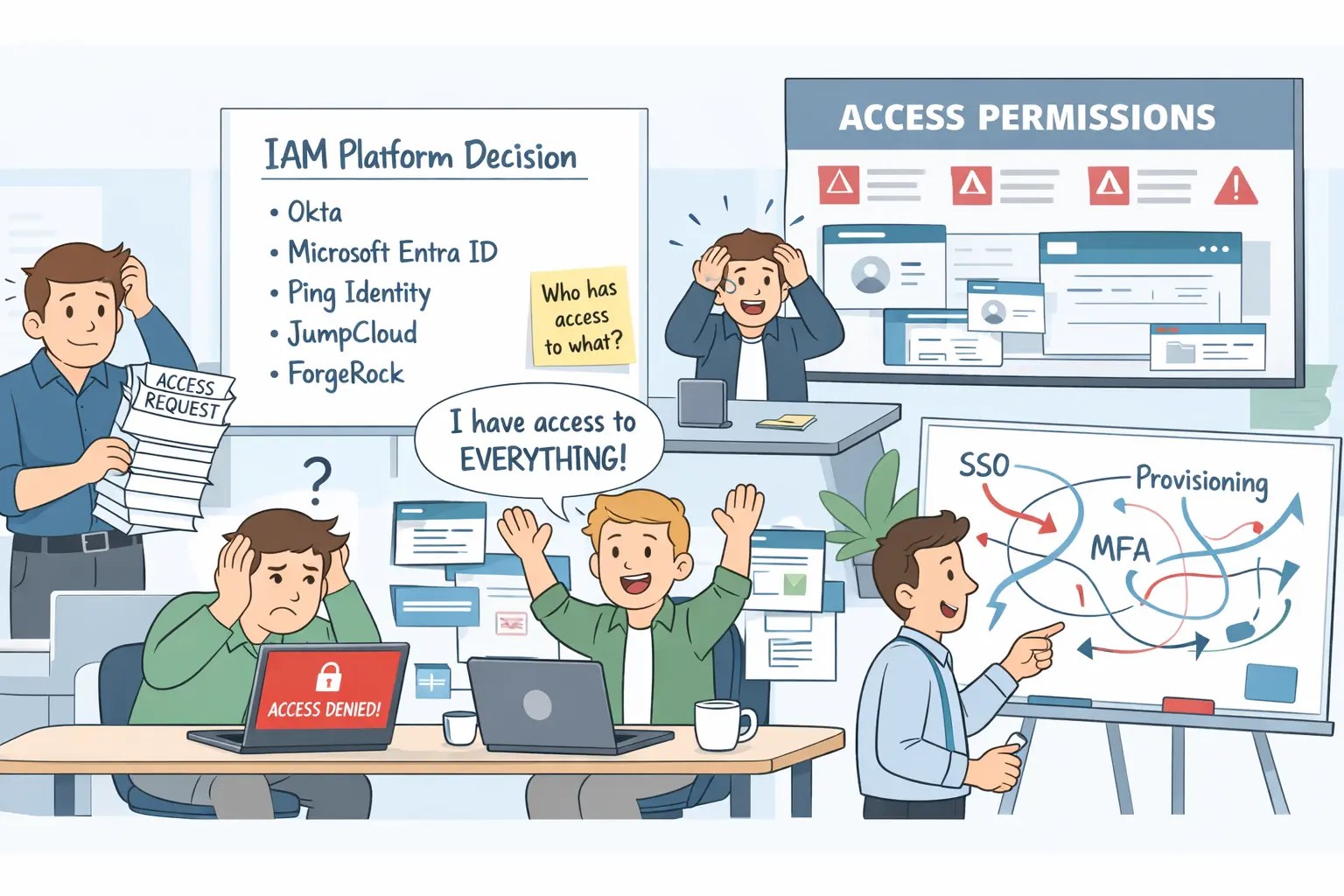
    “Who approved this access?”

    Silence.

    The question came from the audit team, but it landed squarely on the IT manager. On screen was an internal AI agent that the team had rolled out a few months ago to automate ticket triage.

    “It’s just pulling logs and triggering workflows,” someone from the platform team said. “Nothing unusual.”

    Security leaned in. “Then why does it have access to production billing APIs?”

    Another pause.

    The IAM lead checked the roles. “It’s using a service account. That account already had access. We didn’t change anything.”

    “Who owns that service account?”

    No answer.

    The thread unraveled quickly. The agent was calling multiple systems using inherited permissions. Some came from old integrations. Some from copied configurations. A few from temporary access that were never rolled back.

    No one had a full map. No one was monitoring its behavior. No one could confidently say what it could or could not do.

    “It worked fine in testing,” someone added, almost defensively.

    “That’s not the question,” security replied. “The question is: what else can it do that we don’t know about?”

    This is where non-human identity security begins to fail, not with a breach, but with a system that no one fully understands once it goes live.

    Non-Human Identity Security Is Outgrowing Your IAM Model

    Most IAM programs were built for people. Join, move, leave. Access follows a human lifecycle.

    Non-human identities do not work that way. Service accounts, API tokens, workload identities, and agent credentials are created for automation, reused across systems, and rarely properly cleaned up. 

    Ownership gets fuzzy fast. 

    Access stays long after the original need is gone.

    AI agents are making it harder to hide the problem. 

    One agent may appear to be a single system, but it often operates through multiple identities and permissions beneath the surface. IAM sees separate credentials. Security sees one moving access path.

    That is the break. 

    The question is no longer just who has access. The question is what is acting across systems without a human in the loop.

    Once that happens, non-human identity security stops being a side topic under IAM. It becomes its own control problem. 

    That is also why the market is splitting. 

    CyberArk and Venafi sit closer to machine identity. Aembit is more relevant for workload access. Astrix and Token Security are getting attention around non-human identity sprawl and AI-agent visibility.

    The mistake is treating all of this as one bucket. It is not. The identities overlap, but the failure patterns do not.

    CNAPP vs CSPM vs CWPP: The Real Case for Cloud Security Platform Consolidation

    Machine Identity Management Fails Quietly First

    Machine identity management rarely breaks visibly. There is no outage, no alert, no immediate failure. Systems keep working. That is exactly why the problem grows unnoticed.

    In practice, what teams usually discover is that the first failure is not technical. It is ownership drift. Service accounts get created during integrations, automation scripts, or quick fixes. 

    Over time, the original owner moves on, the context is lost, and the identity continues operating with the same or expanded permissions.

    The second failure is review fatigue. Access reviews still happen, but non-human identities are treated differently. No one wants to revoke a credential tied to production workflows without full traceability. So reviews become passive approvals.

    Early warning signs show up long before a breach:

    • Service accounts with no clear owner or business context
    • API tokens that have not been rotated in months
    • Credentials reused across multiple systems or environments
    • “Temporary” access that was never rolled back
    • Automation scripts were running with elevated privileges because it was “easier.”
    • AI agents using inherited permissions instead of scoped access

    These signals are easy to ignore because nothing is visibly broken. But this is where machine identity management starts slipping out of control.

    At scale, this quiet failure turns into a structural problem. You are no longer managing identities. You are inheriting them.

    Managed SOC vs MSSP: Which One Breaks First During a Zero-Day?

    If your team cannot confidently answer “what does this service account access today” without digging through multiple systems, your non-human identity security is already degraded.

    Human vs Machine vs AI Identities: Where Risk Sits

    Identity TypeControl ModelWhat Works InitiallyWhat Breaks FirstReal Risk at Scale
    Human IdentityIAM lifecycle (joiner/mover/leaver)Clear ownership, audit trailsPrivilege creep over timeExcess access, but still visible
    Service AccountsStatic credentials, role-basedEasy automation, predictable usageOwnership loss, no rotation disciplineOrphaned access with high privilege
    API TokensApp-level access, often embeddedFast integrations, low frictionToken sprawl, reuse across environmentsHard-to-track access paths
    Machine IdentitiesCertificate/key-basedScalable authentication for systemsExpiry/rotation mismanagementSilent outages or unrevoked access
    AI Agent IdentitiesComposite (tokens + APIs + roles)Flexible automation, dynamic workflowsNo clear boundary of the access scopeUnbounded, chained access across systems

    Human identity risk is visible. Machine identity risk is tolerated. AI agent identity risk is misunderstood.

    Teams know how to audit humans. They struggle with service accounts. But AI agents sit in a different category entirely. They do not just hold access. They use it dynamically across systems.

    That is the inflection point. Risk stops being about “who has access” and becomes “what can act across systems without being fully understood.”

    Best Cloud Security Platforms for Enterprise: 10 Market-Leaders You Cannot Miss

    Service Accounts Are Where Identity Risk Shows Up First

    Everyone is talking about AI agent identity security. Most incidents still trace back to service account risk.

    The reason is simple. AI agents do not create new identities. They depend on existing ones. If those identities are poorly governed, the agent just uses them more aggressively.

    Service accounts exist to remove friction. No MFA, no human dependency, persistent access. That is why teams use them everywhere. That is also why they end up over-permissioned.

    What teams gain

    • Always-on access for automation
    • Faster integrations without approval delays
    • Simpler execution for scripts and workflows

    What breaks first

    • No clear owner after initial setup
    • Permissions keep increasing, but are rarely reduced
    • Rotation policies exist, but are skipped in practice
    • Access reviews are approved blindly to avoid breaking systems

    The pattern is consistent. 

    Service accounts are created for a purpose. Over time, they accumulate access beyond that purpose. No one cleans them up because the dependency chain is unclear.

    Once a service account starts accessing multiple systems, it becomes an access bridge. 

    If one system is exposed, that identity already has a path into others.

    AI agents make this worse in a very specific way. They do not misuse access. They use it exactly as configured, but more frequently and across more workflows. That increases the chance that a hidden permission path gets exercised.

    Start by identifying service accounts that:

    • Access more than one system
    • They are used by automation or AI workflows
    • Have not been reviewed in the last cycle

    Those are the ones most likely to create cross-system exposure.

    The failure builds quietly as permissions accumulate and dependencies spread. By the time someone tries to clean it up, revoking access risks breaking production workflows.

    Clean Up These Identities First, or Nothing Changes

    Most teams try to clean up everything and get nowhere. 

    Start with the identities creating immediate exposure: identities crossing systems, identities no one owns, and identities tied to automation or AI workflows. That is also where vendor fit gets clearer. 

    Aembit makes more sense when workload access is the core problem. 

    Astrix is the more natural fit when the real mess is non-human identity sprawl, service-account visibility, and AI-agent governance.

    • Service accounts that access multiple systems and create unintended access paths
    • Identities that no team clearly owns or takes responsibility for
    • Credentials that have not been rotated and are still active beyond their intended lifecycle
    • Accounts with permissions far beyond what they actually use in production
    • Shared identities are used by multiple applications, making tracking and control difficult
    • Identities actively used by automation or AI agents without scoped access
    • Temporary or project-based access that was never revoked after completion

    Fix these first. Everything else is secondary.

    Enterprise AI Reviews Are Exposing Ownership Gaps

    Your Non-Human Identity Security Is Exposed

    Most teams do not discover non-human identity security weaknesses through design reviews. 

    They discover it when an audit, incident review, or cleanup exercise forces basic questions no one can answer. 

    The red flags are usually visible much earlier. The problem is that they look operational rather than urgent, so they get ignored.

    • No one can quickly explain what a service account is used for
    • One identity is being used across multiple systems or environments
    • Access reviews are approved without anyone validating actual usage
    • Credentials are embedded in scripts, pipelines, or config files
    • AI agents are running on inherited permissions instead of scoped identities
    • Teams are afraid to revoke access because they do not know what will break
    • Rotation exists as policy, but exceptions have become the norm
    • Monitoring shows authentication events, but not what the identity did after login

    If your team can list human admins more easily than high-risk service accounts, your visibility model is already backward.

    When NOT to Invest in Non-Human Identity Security

    Not every environment needs a non-human identity platform right now. Some teams buy too early and end up adding another console to a program that still has basic hygiene gaps. 

    That usually happens when the fear is real, but the identity mess is still undocumented.

    Hold off if your main problem is still inventory, ownership, and cleanup. A platform will not fix service accounts no one understands, credentials no one rotates, or access reviews no one takes seriously. 

    It will only make the mess look more organized.

    This is usually the wrong time to buy:

    • You still do not have a basic inventory of non-human identities
    • Service accounts are undocumented, and ownership is unclear
    • Credentials are still managed manually and inconsistently
    • AI agents are still in pilot or isolated testing
    • Only a small number of systems are connected through automation

    Vendor fit matters here, too. Do not rush into Astrix because AI agents are getting attention; the real issue is still basic identity sprawl and poor visibility. Do not jump to Aembit if you have not even mapped which workloads need access to which resources.

    Do the boring work first: inventory, ownership, permission cleanup, and rotation discipline. Buy the platform after the mess is visible, not before.

    Identity Is Becoming the New Perimeter

    Perimeter security was built on a simple idea: control the boundary, control access. That model is weaker now. Systems span cloud platforms, internal services, SaaS tools, APIs, and automation layers. Network location no longer provides enough information.

    Non-human identities now sit in the middle of real system activity. Service accounts move data. API tokens connect applications. AI agents trigger actions across workflows. Control is shifting away from network edges and toward whatever identities are allowed to act within the environment.

    The real security question is no longer just who got in. The harder question is which identity can read, write, trigger, or escalate after access is granted. Human identity programs were never built to handle that level of machine-driven activity cleanly.

    Most enterprises did not design identity as a control plane. They accumulated identities over time through integrations, scripts, automation, and platform growth. That is why non-human identity security now feels fragmented, reactive, and hard to govern.

    The direction is still clear. Identity is becoming the layer that determines real access, real movement, and real risk. Teams that treat non-human identities as a primary security control will have far fewer blind spots than teams still relying on perimeter-era assumptions.

    Conclusion

    Non-human identity security is about to separate disciplined enterprises from chaotic ones. The teams that treat machine identities and AI agents as a core security control problem will move faster with fewer surprises. The teams that keep treating them like backend plumbing will keep discovering risk through audits, outages, and ugly access reviews. 

    This category is still early, which means there is still time to get ahead of it. That window will not stay open for long.

    Also read this OWASP post on Non-Human Identities Top 10
  • Azure Entra vs Auth0 Comparison: Identity Platform Choice Under Real Constraints

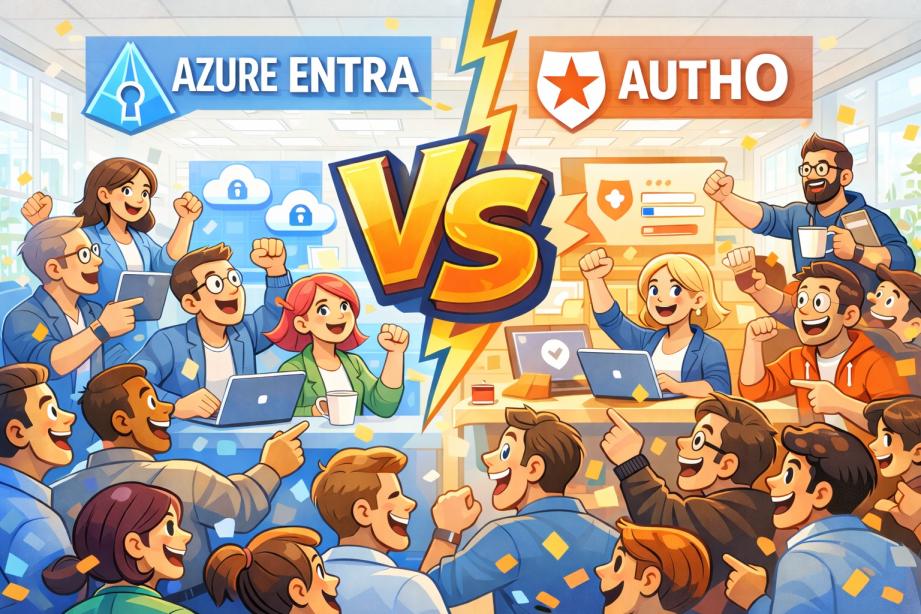
    Azure Entra vs Auth0 Comparison: Identity Platform Choice Under Real Constraints

    The Azure Entra vs Auth0 comparison usually shows up when a CIO or security lead is already under pressure to standardize identity. Either the organization is deep into Microsoft licensing and wants to extend it, or product teams are pushṄing for a faster way to ship authentication for external users.

    This is not a neutral decision. Azure Entra pulls you deeper into the Microsoft ecosystem, with strong workforce identity control but slower flexibility for customer-facing use cases. Auth0 moves faster for CIAM and developer-led environments, but cost and control start shifting as scale increases.

    Most teams underestimate how quickly identity decisions become structural. Switching later is not just migration. It is reworking integrations, policies, and user models.

    This comparison breaks down where each platform fits, where it creates friction, and how costs behave over time, so you can reach a clear decision.

    Azure Entra vs Auth0: Core Positioning and Architectural Fit

    In the Azure Entra vs Auth0 comparison, both platforms are not competing from the same starting point. The confusion comes from overlap, not alignment.

    Azure Entra is built for workforce identity first. It assumes you are managing employees, internal apps, and enterprise policy enforcement at scale. Everything from conditional access to device compliance is structured around that model. 

    When extended to customer identity, it works, but often feels layered rather than native.

    Auth0 starts from the opposite direction. It is designed for customer identity and application authentication. The platform assumes you are building login flows, onboarding users, and managing identities inside products. 

    Workforce use cases are possible, but governance and lifecycle control require more effort.

    This difference shows up early.

    In Azure Entra, identity is tightly coupled with the directory structure. Users, groups, roles, and policies are deeply integrated with Microsoft services. This gives strong control but limits flexibility when you step outside that ecosystem.

    In Auth0, identity is abstracted. You define tenants, connections, and rules. This gives flexibility for application-driven use cases, but shifts responsibility to engineering teams to maintain consistency and control.

    The trade-off is clear.

    • Azure Entra favors control, compliance, and standardization
    • Auth0 favors speed, customization, and developer ownership

    Where teams run into trouble is forcing one into the other’s domain.

    Using Azure Entra for a high-scale CIAM use case introduces friction in user modeling, external identity flows, and customization. Using Auth0 for a large workforce IAM introduces gaps in governance, role management, and administrative overhead.

    In Azure Entra vs Auth0 comparison, architectural fit is not about features. It is about what the system assumes your identity problem looks like.

    Decision implication:
    If identity is primarily internal and policy-driven, Azure Entra aligns naturally. If identity is embedded in your product and evolves with application logic, Auth0 fits better.

    Read Our post on Okta vs Ping Identity Comparison: Buyer Guide for Enterprise Identity Strategy

    Feature Comparison Across SSO, MFA, CIAM, and Extensibility

    Capability Azure Entra Auth0
    SSO (Enterprise Apps) Strong catalog of pre-integrated SaaS apps; seamless within Microsoft ecosystem Supports SSO but requires more manual configuration for enterprise apps
    SSO (Custom Apps) Works well but tied to Azure AD app registration model Designed for custom apps; flexible protocols and quick setup
    MFA Deep integration with conditional access, device policies, risk-based controls Flexible MFA options but less tightly coupled with device and environment context
    CIAM (Customer Identity) Available via Azure AD B2C but adds complexity and separate configuration Core strength; built for customer onboarding, login flows, and user lifecycle
    Identity Governance Strong but often requires additional licensing (IGA, PIM) Limited native governance; requires custom implementation or external tools
    API Security Integrated with Azure ecosystem; works well with Microsoft API stack Strong token-based auth; widely used in API-first architectures
    Extensibility Policy-driven; customization possible but structured and slower Rules, hooks, and actions allow deep customization at runtime
    Directory Integration Native integration with Active Directory and hybrid environments Supports directories but not designed for deep enterprise directory sync
    Multi-Tenant Support Supported but complex across large org structures Tenant-based model is flexible but becomes harder to manage at scale

    Azure Entra looks stronger on paper for enterprise scenarios because it bundles identity with policy, device posture, and directory control. That strength comes with structure. You operate within Microsoft’s model.

    Auth0 gives more freedom. You can shape authentication flows exactly as needed, integrate quickly, and iterate without waiting for platform constraints. That freedom shifts responsibility. Governance, consistency, and long-term maintainability are not enforced by default.

    A pattern shows up in real deployments.

    Teams that prioritize speed and product integration move faster with Auth0 early on. 

    Teams that prioritize control and compliance stabilize better with Azure Entra over time.

    The friction appears when requirements expand.

    Auth0 deployments start accumulating custom logic that becomes harder to manage.

    Azure Entra deployments start requiring additional services or workarounds for non-standard use cases.

    If your identity layer needs to adapt continuously with your product, Auth0 provides the flexibility. If your priority is enforcing a consistent identity policy across users and systems, Azure Entra holds better over time.

    Pricing Model Breakdown: Where Costs Actually Escalate

    Cost Driver Azure Entra Auth0
    Pricing Model Per user, per month (bundled in Microsoft E3/E5 or standalone tiers) Monthly Active Users (MAU) based pricing
    Workforce Users Predictable if already licensed under Microsoft plans Not ideal; pricing not optimized for internal workforce
    External Users (CIAM) Charged separately (Azure AD B2C MAU model) Core pricing model; scales directly with user activity
    Advanced Security Requires higher-tier licenses (P2, Identity Protection) Included in tiers but advanced features gated at higher plans
    Identity Governance Add-on (IGA, PIM); significant cost driver at scale Not native; requires external tooling or custom build
    API / Auth Volume Generally included within Azure ecosystem limits Can influence pricing indirectly via MAU and usage tiers
    Environment / Tenant Setup Included but tied to Azure subscription structure Multiple tenants/environments can increase cost complexity

    The pricing difference looks simple at first. It is not.

    Azure Entra appears cost-effective when you already have Microsoft licensing in place. Many organizations assume identity is “included.” That holds only for basic capabilities. 

    As soon as you need identity governance, privileged access management, or advanced risk policies, licensing tiers expand. 

    Costs do not spike suddenly. 

    They expand quietly across features.

    Auth0 behaves differently. Costs are directly tied to usage. The MAU model feels efficient early on, especially for products with a limited user base. The shift happens when user growth or login frequency increases. 

    Pricing scales with activity, not just total users. 

    This creates unpredictability in high-growth environments.

    Organizations using Azure Entra for workforce and Auth0 for CIAM often underestimate the operational and cost overhead of maintaining both. 

    Hidden cost triggers to watch:

    • Azure Entra: governance add-ons, premium tiers, cross-tenant complexity
    • Auth0: MAU spikes, multi-environment usage, enterprise feature tiers

    Neither platform is inherently cheaper. The cost depends on how identity is used.

    Decision implication:
    If your identity footprint is stable and workforce-heavy, Azure Entra offers more predictable long-term costs. If your user base is external and growth-driven, Auth0 aligns better early but requires careful monitoring as scale increases.

    Find out: IAM Pricing Models Explained: Per User vs Tiered vs Enterprise Plans

    What Breaks First at Scale

    Scale exposes operational assumptions when you do Azure Entra vs Auth0 comparison, not feature gaps.

    Azure Entra

    The first issue is policy and role sprawl. Groups multiply, conditional access rules stack up, and exceptions creep in. Over time, no one has a clean view of who has access to what.

    Hybrid setups introduce the next problem. AD sync inconsistencies show up across environments. Debugging them is slow and requires specialist knowledge.

    Then comes governance dependency. Access reviews, PIM and lifecycle control all push you into higher licensing tiers. Without them, access control drifts.

    Admin overhead does not spike. It accumulates.

    Auth0

    The first break is the cost unpredictability. MAU pricing scales with usage, not just user count. A feature launch or traffic spike can push costs up quickly.

    Next is custom logic sprawl. Rules, hooks, and actions pile up. What starts clean becomes difficult to test and maintain.

    Then comes tenant fragmentation. Multiple environments and regions lead to inconsistent configurations.

    Finally, governance gaps appear. There is no strong native model. You end up building or integrating it yourself.

    Also read: Auth0 vs Okta for SaaS: Which IAM Platform Fits Modern Applications

    Reality at scale

    Azure Entra struggles with control overhead.

    Auth0 struggles with flexibility turning into chaos.

    Decision implication:
    Workforce-heavy, policy-driven environments hold better on Entra. High-growth, external-user systems fit Auth0, but only with strong discipline on cost and customization.

    Developer Experience vs Enterprise Control

    Auth0 is built for developers. Integration is fast, documentation is usable, and most authentication flows can be implemented without waiting on platform constraints. Custom login, social identity, progressive profiling, all of it fits naturally into product development cycles.

    Azure Entra is built for control. You define policies, enforce conditions, and align IAM with organizational structure. It works well when identity needs to be governed, not constantly reshaped.

    The friction shows up in day-to-day work.

    With Auth0, teams move quickly early. But over time, custom logic grows and requires discipline to manage. Without structure, identity behavior becomes inconsistent across applications.

    With Azure Entra, teams move more slowly upfront. Changes often require coordination with security and admin teams. But once policies are in place, behavior is predictable and centrally enforced.

    Another difference is how IAM integrates into delivery pipelines.

    Auth0 fits naturally into CI/CD workflows. Identity becomes part of application logic.
    Azure Entra sits outside the application layer. It is controlled through configuration and policy, not code.

    Neither is better universally. It depends on who owns the Identity.

    If developers own it, they will prefer flexibility.

    If security and IT own it, they will prefer control.

    Decision implication:
    Choose Auth0 if identity needs to evolve with your product and development cycles. Choose Azure Entra if identity must be governed centrally with minimal deviation across systems.

    Also read: Best IAM Solutions for Mid-Size Enterprise: What Actually Works After 500 Employees

    Procurement and Contract Reality

    This decision is often locked in before architecture is fully evaluated.

    Azure Entra

    Azure Entra benefits from Microsoft bundling. If you are on E3 or E5, identity feels prepaid. That simplifies approval and speeds up adoption.

    Procurement is straightforward. Discounts come through enterprise agreements. Legal and vendor onboarding are already in place.

    The trade-off is feature gating.

    Core identity is included. Governance, PIM, and advanced security require higher tiers. Costs expand through licensing upgrades, not usage.

    Lock-in is structural. Identity becomes tied to email, devices, and core Microsoft services. Exiting later is expensive.

    What you gain: predictable spend, faster procurement, tighter ecosystem alignment.

    What to watch: tier creep and limited flexibility post-contract.

    Auth0

    Auth0 gives negotiation flexibility. You buy only what you need, and contracts can be structured around expected usage.

    It works well when identity is tied to a product, not internal IT. No dependency on a larger ecosystem.

    The trade-off is cost variability.

    Pricing is MAU-driven. Growth, traffic spikes, or product changes can push you into higher tiers. Forecasting becomes critical.

    Support and enterprise features are often tiered separately. You need to account for them early.

    What you gain: flexibility, faster product alignment, no ecosystem lock-in.

    What to watch: unpredictable cost scaling and contract thresholds.

    Azure Entra vs Auth0: Bottom line

    Choose Entra for predictable enterprise procurement.

    Choose Auth0 if you are comfortable managing variable spend for product-driven identity.

    When Not to Choose Either in the Azure Entra vs Auth0 Comparison

    The Azure Entra vs Auth0 comparison gets framed as a platform choice. In some cases, the real answer is neither.

    Do not choose Azure Entra if

    You need CIAM speed more than enterprise control. You are not deeply invested in Microsoft.

    You expect developers to reshape authentication flows frequently.

    You want lightweight deployment without licensing complexity.

    Azure Entra works best when identity is part of a broader Microsoft control model. Outside that, it can feel heavy.

    Do not choose Auth0 if

    Your main problem is workforce IAM. You need strong native governance and access control maturity. 

    Your finance team cannot absorb variable usage-based pricing.

    You are likely to accumulate custom auth logic without strong engineering discipline.

    Auth0 is strong for product identity. It is weaker when the requirement shifts toward enterprise control.

    Avoid both if

    You do not have clear ownership of identity.

    Your IAM model is still immature.

    You expect a quick install with minimal operational follow-through.

    You are trying to solve governance, app sprawl, and access chaos with a login platform alone.

    In the Azure Entra vs Auth0 comparison, Entra is the safer buy for a Microsoft-centric workforce identity. Auth0 is the better fit for product-led CIAM. If your organization lacks IAM clarity, both can become expensive ways to formalize confusion.

    Find out: Azure AD Pricing vs Okta: The IAM Cost Model Most Buyers Miscalculate

    Final Decision Framework 

    The Azure Entra vs Auth0 comparison only becomes clear when mapped to actual use cases.

    Workforce-heavy enterprise

    You are managing employees, internal apps, compliance, and device-based access.

    Azure Entra fits cleanly. It aligns with directory structure, policy enforcement, and Microsoft tooling.

    Auth0 introduces unnecessary complexity here.

    Call: Azure Entra

    SaaS or product company (CIAM-first)

    Your users are customers. Authentication is part of the product experience.

    Auth0 fits naturally. Fast integration, flexible flows, and developer ownership matter here.

    Azure Entra can work, but it slows iteration and adds structural friction.

    Call: Auth0

    Hybrid enterprise (internal + external users)

    This is where most confusion happens in the Azure Entra vs Auth0 comparison.

    Azure Entra handles workforce identity well.
    Auth0 handles customer identity better.

    Many organizations end up using both. That introduces duplication, integration overhead, and split governance.

    Call:

    • Single platform preference → choose based on dominant use case
    • Mixed needs → accept dual-system complexity upfront

    Cost-sensitive environment

    You need predictability and controlled spending.

    Azure Entra is easier to forecast, especially inside Microsoft agreements.
    Auth0 requires active monitoring as usage grows.

    Call: Azure Entra

    Speed-sensitive environment

    You need to launch quickly and iterate on authentication flows.

    Auth0 reduces friction. Developers can move without waiting for central policy changes.

    Azure Entra slows early-stage development.

    Call: Auth0

    Bottom line

    The Azure Entra vs Auth0 comparison is not about which is better. It is about which constraint you are willing to accept.

    • Choose Azure Entra for control, predictability, and Microsoft alignment
    • Choose Auth0 for flexibility, speed, and product-driven identity

    If you choose against your dominant use case, the platform will not fail immediately. It will slow you down over time.

    FAQs: Azure Entra vs Auth0 Comparison

    Is Azure Entra cheaper than Auth0 at scale?

    For workforce identity, usually yes. Azure Entra pricing stays predictable under Microsoft licensing. Auth0 scales with usage, so costs rise as activity grows.

    Can Azure Entra replace Auth0 for CIAM?

    It can handle CIAM through B2C, but flexibility is limited. Custom flows, rapid iteration, and developer control are easier in Auth0.

    Why does Auth0 pricing spike?

    Pricing is tied to Monthly Active Users. More logins, higher engagement, or traffic spikes push you into higher tiers quickly.

    Is Azure Entra only viable in Microsoft environments?

    Not strictly, but its value drops outside Microsoft. It is strongest when tied to M365, Azure, and Active Directory.

    Which is better for SaaS authentication?

    Auth0. It integrates faster, supports custom flows, and fits product-led development.

    Can both be used together?

    Yes. Many enterprises run Entra for the workforce and Auth0 for customers. This adds integration overhead and requires clear ownership.

    How hard is migration in the Azure Entra vs Auth0 comparison?

    Hard. Identity touches every system. Migration means reworking integrations, policies, and user models, not just moving data.

    Conclusion

    The Azure Entra vs Auth0 comparison is not a feature decision. It is a constrained decision.

    Azure Entra locks you into structure. You get control, predictability, and alignment with Microsoft. In return, you accept slower change and licensing expansion as needs grow.

    Auth0 gives you speed and flexibility. You can shape identity around your product. In return, you accept cost volatility and increasing complexity as usage scales.

    Most wrong decisions happen when teams optimize for what feels easier today. Identity does not behave that way. It becomes harder to change with time.

    Choose based on where your identity load will grow. Not where it is today.

  • Okta vs Ping Identity Comparison: Buyer Guide for Enterprise Identity Strategy

    Okta vs Ping Identity Comparison: Buyer Guide for Enterprise Identity Strategy

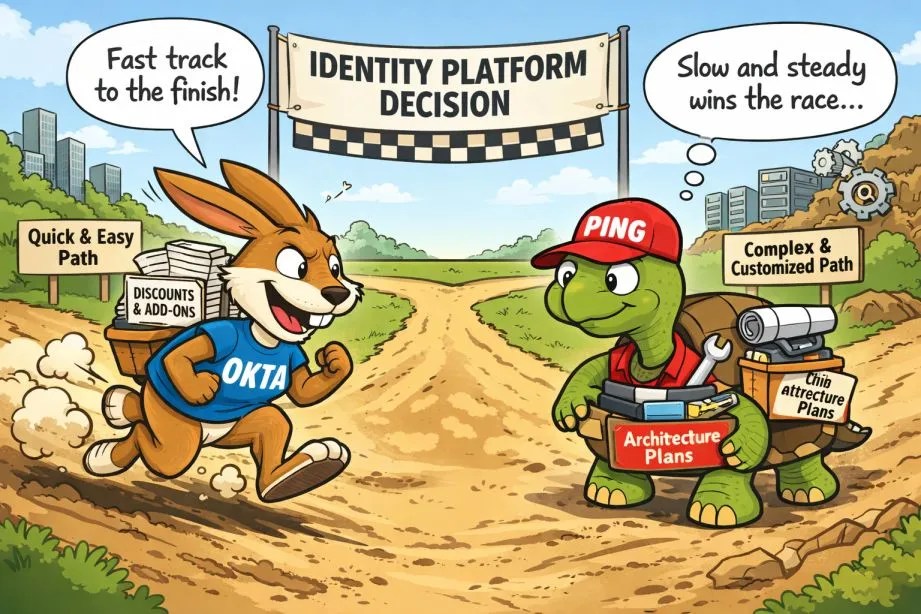
    The Okta vs Ping Identity comparison usually starts with a simple question. “Can we standardize identity across everything?” It quickly turns into something else. Budget stretch, integration fatigue, and a quiet realization that identity is now an infrastructure decision, not a tool selection.

    One camp wants speed. Plug it in, connect apps, move on. That is where Okta wins early. The other camp has already been burned by edge cases, legacy systems, and custom auth flows that refuse to behave. That is where Ping Identity starts making sense.

    On paper, both look complete. In reality, the moment you move beyond clean SaaS environments, the differences get sharp. Okta starts pushing you into its model. Ping starts pulling you into engineering work. Neither is “easy” once scale hits.

    The mistake most teams make is treating this like a feature comparison. It is not. It is a bet on how much control you want, how much complexity you can absorb, and how much you are willing to pay later for decisions that look cheap today.

    This breakdown is not about features. It is about where each platform helps, where it hurts, and how those trade-offs show up once things get real.

    Read our post on IAM Pricing Models: Per User vs Tiered vs Enterprise Plans

    Okta vs Ping Identity Comparison: Decision Summary

    Choose Okta if:
    You want identity to stay out of your way. Fast rollout, strong SaaS integrations, and minimal engineering ownership matter more than deep control.

    Choose Ping Identity if:
    You need to shape identity around your systems, not the other way around. Hybrid environments, custom flows, and control over policies are non-negotiable.

    Avoid both if:
    You are still early, your identity needs are basic, or your team cannot handle integration overhead and long-term governance. You will overpay for complexity you do not need.

    Core Difference in Approach: Managed IAM vs Controlled Identity Stack

    Okta is built to take identity off your plate. You plug into its ecosystem, configure policies, and rely on its abstraction layer. It works well when your environment looks like a modern SaaS stack. 

    The trade-off is subtle at first. 

    Over time, you start adapting your identity model to how Okta wants things structured.

    Ping Identity takes the opposite route. It gives you building blocks. Authentication, federation, API security, and directory integration. You assemble them based on your environment. 

    That flexibility is powerful, but it comes with a cost. 

    You are now responsible for how identity behaves across systems.

    The difference shows up early in implementation:

    • Okta reduces initial effort. Faster time to value, especially for SaaS-heavy environments
    • Ping increases setup effort. More moving parts, more configuration, more decisions upfront

    But the real divergence appears later.

    With Okta, constraints start surfacing when you move into custom flows, API-driven identity, or hybrid setups. You can do it, but often within defined boundaries. Workarounds creep in. 

    Add-ons start stacking.

    With Ping, the constraint is not capability. It is execution. If your team lacks IAM depth, projects slow down. Misconfigurations become a risk. Operational overhead grows quietly.

    There is no neutral ground when you do Okta vs Ping Identity comparison:

    • Okta optimizes for convenience, then charges you for flexibility
    • Ping optimizes for control, then charges you in effort

    If your identity layer needs to adapt to business complexity, Ping holds up better. If your priority is speed and standardization, Okta gets you there faster but with tighter boundaries.

    Want a detailed comparison of Okta vs Azure AD? Read here.

    Feature Comparison Across SSO, MFA, Lifecycle, and API Security

    Capability Okta Ping Identity
    SSO (SAML, OIDC) Strong out of the box with a large app catalog Strong, but more configuration-heavy
    MFA Broad factor support with easy policy setup Flexible with deeper control over authentication flows
    User Lifecycle Management Mature provisioning with many pre-built connectors Capable, but often needs more customization
    Directory Integration Smooth with cloud apps and Active Directory Strong in hybrid and complex directory environments
    API Security Available, but often tied to additional products A core strength across the Ping platform
    Adaptive Authentication Policy-driven and easier to configure Highly customizable, but needs more tuning
    Identity Governance Available through a separate governance layer Modular and better suited to complex identity structures
    B2B / B2C Identity Strong, but usually priced separately Strong for complex customer and partner identity use cases

    At a checklist level, both platforms cover enterprise IAM requirements. That is where most evaluations stop. That is also where mistakes begin.

    Okta wins on speed and coverage. If your requirement is to onboard SaaS apps quickly, enforce MFA, and manage user lifecycle with minimal friction, it delivers. The pre-built integration catalog reduces effort significantly. This matters when timelines are tight and teams are small.

    Ping Identity is less forgiving. It does not assume your environment is clean. It expects complexity. That shows in how features are delivered. More flexible, but rarely plug-and-play. For example, API security and federation flows can be shaped deeply, but require design effort.

    The gap becomes visible in edge cases:

    • Custom authentication flows
    • Multi-directory environments
    • API-first architectures
    • Complex B2B identity scenarios

    Okta handles these, but often through extensions or additional modules. Ping handles them natively, but with a higher setup cost.

    Another friction point is governance. Okta separates identity governance into an additional layer. That means extra licensing and integration. Ping also modularizes governance, but its architecture makes it easier to align with existing identity flows if you already have complexity in place.

    Decision implication:
    Okta fits standard SaaS-heavy IAM and moves faster. Ping fits APIs, hybrid setups, and custom flows, but needs more effort.

    Find out Auth0 vs Okta for SaaS: Which IAM Platform Fits Modern Applications

    Enterprise Fitness with Cloud, Hybrid, and Legacy Enterprise Environments

    Okta assumes your environment is moving toward SaaS. The more apps you can plug into its integration network, the smoother things run. Azure AD, Google Workspace, Salesforce, Slack, ServiceNow. It is optimized for that world. Even when you bring in Active Directory, the expectation is gradual simplification over time.

    The moment your environment resists that pattern, friction starts showing up.

    Common pressure points with Okta:

    • Legacy apps that do not support modern protocols
    • Multiple directories with inconsistent schemas
    • Custom authentication logic tied to internal systems
    • API-driven identity flows that sit outside standard connectors

    You can solve these, but often through additional components, workarounds, or architectural compromises.

    Ping Identity is built for this mess.

    It does not assume cleanup. It assumes coexistence.

    • Hybrid identity across on-prem and cloud
    • Multiple identity sources stitched together
    • Fine-grained control over authentication and federation flows
    • API gateways and access layers are tightly coupled with identity

    This makes Ping a better fit when your environment is already complex or cannot be simplified quickly. The trade-off is that nothing comes pre-aligned. You will design flows, configure policies, and maintain them.

    There is also a team implication.

    Okta works well when identity is owned by IT operations with limited engineering bandwidth. Ping starts pulling in architects and developers. Not optional.

    Okta works better for SaaS-driven environments. Ping fits legacy, hybrid, and custom-heavy setups, but needs more effort.

    Okta vs Ping Identity Pricing Breakdown

    Cost Component Okta Ping Identity
    Pricing Model Per user, per month Modular, component-based
    Core SSO Base offering Included via federation components
    MFA Add-on or bundled (tier-based) Included but varies by deployment model
    Lifecycle Management Add-on (separate SKU) Available, often requires configuration effort
    API Security Separate product (Okta API Access Management) Core strength, part of Ping suite
    Identity Governance Separate product (Okta IGA) Modular, integrated but not bundled
    B2C / CIAM Separate pricing (can scale quickly) Flexible but pricing varies by use case
    Support Tiered, paid upgrades Enterprise support bundled or negotiated
    Deployment SaaS (simpler entry) SaaS + hybrid + on-prem options

    On paper, Okta looks predictable. Per-user pricing, clear SKUs, faster onboarding. That works well in the early stages. You can estimate the cost quickly and move forward.

    The problem starts when your use case expands.

    Each layer you add, lifecycle, API access, governance, and advanced security, comes as an add-on. What looked like a clean per-user model starts stacking into multiple SKUs. Costs grow horizontally.

    Ping Identity works differently. It does not push a single pricing model. You pay for components. Federation, access management, directory, API security. This makes initial pricing harder to estimate, but more aligned to what you actually use.

    The trade-off is visibility.

    With Okta:

    • Easier to start
    • Harder to predict long-term cost

    With Ping Identity:

    • Harder to scope upfront
    • More control over cost structure if managed well

    Another difference is scaling behavior.

    Okta scales linearly with users. That sounds simple, but in large enterprises, even small per-user increases multiply quickly. Add governance or API layers, and the total cost can spike.

    Ping scales more with architecture. The more components you deploy, the higher the cost. But user growth alone does not always drive the same level of increase.

    Cost escalation triggers to watch:

    • Okta: add-ons for governance, API access, advanced MFA
    • Ping: implementation effort, infrastructure, specialized expertise

    Okta is easier to justify early, but can become expensive as capabilities expand. Ping requires more upfront clarity but gives better control if your identity needs are complex and stable.

    Where Costs Escalate: Add-Ons, APIs, and Governance Layers

    With Okta, cost creep is quiet. You start with SSO and MFA. Then the lifecycle shows up. Then API access. Then governance. Each requirement looks reasonable on its own. The problem is how they stack.

    Typical escalation pattern with Okta:

    • Lifecycle management added for provisioning
    • API Access Management added for modern apps
    • Identity Governance added for compliance
    • Higher support tier once production dependency increases

    At that point, your “per user” pricing is no longer a single number. It is a layered cost model tied to capabilities, not just users.

    Ping Identity behaves differently. It does not hide cost in add-ons the same way, but it shifts the burden elsewhere.

    Cost escalation with Ping usually comes from:

    • Implementation effort across multiple components
    • Longer deployment timelines
    • Need for IAM specialists or external consultants
    • Infrastructure and maintenance in hybrid or on-prem setups

    You are not buying simplicity. You are buying control and paying for the ability to shape identity to your environment.

    A pricing difference also comes up when you do Okta vs Ping Identity comparison.

    Okta pushes more costs into licensing over time. Ping pushes more cost into implementation and operations upfront. Both can become expensive. They just get there differently.

    A common mistake is comparing only year-one pricing. That almost always favors Okta. By year two or three, once governance, APIs, and scale come in, the gap narrows or reverses depending on usage.

    Read our analysis of Best IAM Solutions for Mid-Size Enterprise: What Actually Works After 500 Employees

    What Breaks First at Scale

    Scale does not fail in obvious ways. It fails in small layers that stack until identity becomes a bottleneck.

    With Okta, the first cracks usually appear in the structure.

    • Role sprawl starts building as teams create app-specific roles without a clear model
    • Policies multiply across apps, leading to inconsistency and audit friction
    • Directory sync between systems becomes fragile when multiple sources are involved
    • API access patterns push beyond what standard configurations handle cleanly

    Nothing breaks outright. But control weakens. Governance becomes reactive. Admin effort increases.

    Another issue is dependency. As more systems rely on Okta, any limitation in customization or policy handling becomes harder to work around. You are deep inside the platform by then.

    Ping Identity breaks differently.

    • Configuration complexity increases with every new use case
    • Custom flows become harder to maintain as they grow
    • Debugging federation or API issues requires specialized knowledge
    • Small misconfigurations can create cascading access issues

    The platform does not restrict you. It exposes you.

    At scale, Ping’s flexibility turns into operational weight. If governance discipline is weak, complexity spreads quickly. If discipline is strong, it holds better than most.

    There is also a team dependency factor.

    Okta scales with admin teams. Ping scales with engineering maturity. That difference becomes critical beyond a certain size.

    If your organization struggles with governance discipline, Okta will drift into policy sprawl. If your team lacks deep IAM expertise, Ping will turn into a maintenance burden.

    Operational Overhead and Team Ownership Model

    Okta keeps identity closer to IT operations. Most tasks sit with admins.

    • App onboarding through connectors
    • Policy configuration through UI
    • User lifecycle managed through workflows
    • Day-to-day changes handled without deep engineering input

    That works well when the goal is standardization. Identity becomes a managed service inside IT. The trade-off is limited flexibility when requirements fall outside predefined paths. At that point, teams start escalating to workarounds or external tooling.

    Ping Identity shifts ownership toward engineering and architecture.

    • Authentication flows often require design and configuration at a deeper level
    • Federation and API security involve multiple components working together
    • Changes are not always UI-driven; they may require code or advanced configuration
    • Troubleshooting needs protocol-level understanding

    This creates a different operating model.

    With Okta:

    • Faster onboarding
    • Lower skill barrier
    • Easier day-to-day operations

    With Ping:

    • Higher setup and maintenance effort
    • Strong dependency on skilled IAM engineers
    • Greater control over behavior and policy enforcement

    There is also a scaling effect.

    Okta’s overhead grows with the number of apps and policies. Ping’s overhead grows with the complexity of flows and integrations. Both increase, just along different axes.

    A common mistake in Okta vs Ping Identity comparison is underestimating team readiness. Organizations choose Ping for flexibility, but lack the internal capability to sustain it. Or they choose Okta for simplicity and hit limits once requirements evolve.

    If your model relies on IT operations with limited engineering support, Okta is easier to run. If you have dedicated IAM expertise and need control across complex systems, Ping is more sustainable despite the higher effort.

    Find out Best Okta Alternatives for Enterprise: 7 Identity Platforms Compared for Scale, Cost, and Control

    Procurement Reality: Contracts, Discounts and Renewal Pressure

    This is where clean architecture thinking meets vendor behavior.

    Okta is easier to buy. Clear SKUs, per-user pricing, fast sales cycles. You can get started quickly, often with aggressive discounts in year one. That is intentional. Entry is optimized.

    The pressure comes later.

    • Add-ons get introduced after the initial rollout
    • Governance, API access, and advanced security are rarely included upfront
    • Renewal pricing tightens once dependency is established
    • Support tiers get pushed as identity becomes critical

    By the time you renegotiate, switching costs go up. Identity is already embedded across systems.

    Ping Identity is harder to buy. More negotiation, more scoping, more alignment required upfront. Pricing depends on components, deployment model, and use case depth.

    But that friction has a side effect. You are forced to think through architecture and scope before signing.

    Typical procurement pattern with Ping Identity:

    • Larger upfront deal structuring
    • Bundling across components
    • More room for customization in pricing
    • Longer sales cycles

    Discounting exists in both, but behaves differently.

    Okta discounts early to win footprint. Ping negotiates based on deal size and architecture commitment.

    There is also a contract nuance.

    • Okta often ties pricing tightly to user counts and add-ons
    • Ping contracts tend to align more with platform components and deployment scope

    In both cases, multi-year commitments are standard. Auto-renewals and uplift clauses are not uncommon. Missing these details becomes expensive later.

    Decision Guide: When Each Platform Makes Sense

    This is not a feature decision. It is a fit decision.

    Choose Okta when:

    • Your environment is SaaS-heavy and moving further in that direction
    • You want a fast rollout across business apps without engineering dependency
    • Identity is owned by IT operations, not a dedicated IAM engineering team
    • Standard authentication flows are enough for most use cases
    • You are willing to accept add-on expansion as requirements grow

    Okta works best when identity needs to be consistent, repeatable, and quick to deploy. It struggles when pushed into edge-case-heavy environments.

    Choose Ping Identity when:

    • You operate in a hybrid environment with on-prem, legacy, and cloud systems
    • Authentication flows need to be customized across applications or user types
    • APIs are a core part of your identity strategy
    • You have internal IAM expertise or access to specialized resources
    • You want control over how identity is structured, not just configured

    Ping works when identity is tightly coupled with architecture and cannot be standardized easily. It becomes heavy if the environment does not justify that flexibility.

    There is no middle ground where both feel equally good. One will feel easier. The other will feel more aligned.

    If your priority is speed and standardization, Okta fits better. If your priority is control and architectural alignment, Ping is the stronger choice.

    Disqualification Criteria: When to Avoid Both

    Both platforms assume a certain level of scale, complexity, and organizational readiness. Without that, you are over-engineering Identity Management.

    Do NOT choose either if:

    • Your user base is small and unlikely to grow beyond a few hundred
    • Your application stack is limited and does not require a centralized identity
    • You are not dealing with compliance, governance, or audit pressure
    • Your team does not have the bandwidth to manage identity beyond basic setup
    • You are still experimenting with authentication approaches and are not ready to standardize

    There is also a maturity angle.

    If your organization does not have:

    • Clear role models
    • Defined access policies
    • Ownership between IT, security, and engineering

    Then both Okta and Ping will expose that gap quickly.

    Another risk is overbuying.

    Teams often pick a full IAM platform when:

    • Basic SSO would have been enough
    • Native identity features within SaaS apps are sufficient
    • Lightweight solutions can handle the current scale

    This leads to paying for governance, lifecycle, and API capabilities that never get used properly.

    If identity is not yet a strategic layer in your architecture, delay the decision. Both Okta and Ping make sense only when complexity justifies them.

    Buyer Questions That Impact Final Selection

    1. How much of your Identity Management periphery is outside SaaS apps?
    If most of your systems are SaaS, Okta aligns quickly. If a large portion sits in legacy or hybrid environments, Ping starts fitting better.

    2. Do you need to control authentication flows or just configure them?
    If the configuration is enough, Okta works. If you need to design flows across apps, APIs, and user types, Ping becomes necessary.

    3. How will API security be handled over the next 2–3 years?
    If APIs are central to your architecture, Okta will require additional components. Ping is already structured for this.

    4. Can your team own Identity beyond basic administration?
    Okta leans toward admin-driven ownership. Ping assumes engineering involvement. This affects both speed and stability.

    5. What happens when governance becomes mandatory?
    Audit, compliance, and role control introduce new layers. Okta adds governance as a separate track. Ping integrates it more tightly, but requires effort to implement.

    6. How predictable does your cost model need to be?
    Okta is easier to estimate early, harder to control later. Ping is harder to estimate upfront, but it gives more control if scoped properly.

    7. How hard will it be to exit in 3–5 years?
    Both create lock-in. Okta through integration depth and app dependencies. Ping through architecture complexity and custom flows.

    If your answers lean toward simplicity, speed, and SaaS alignment, Okta will feel easier. If they lean toward control, APIs, and hybrid complexity, Ping is the safer long-term choice.

    Conclusion

    Okta drives standardization and speed, but pulls you into its model over time with layered licensing and limited flexibility at the edges. Ping Identity gives you control and holds up better in complex environments, but shifts the burden to your team in the form of design effort and ongoing maintenance.

    The trade-off is clear in Okta vs Ping Identity comparison. One reduces effort early and adds constraints later. The other demands effort upfront and gives flexibility later.

    This is an operating model decision. The choice determines how identity scales, how much control you retain, and how costs evolve once the platform is deeply embedded.

  • IAM Pricing Models Explained: Per User vs Tiered vs Enterprise Plans

    IAM Pricing Models Explained: Per User vs Tiered vs Enterprise Plans

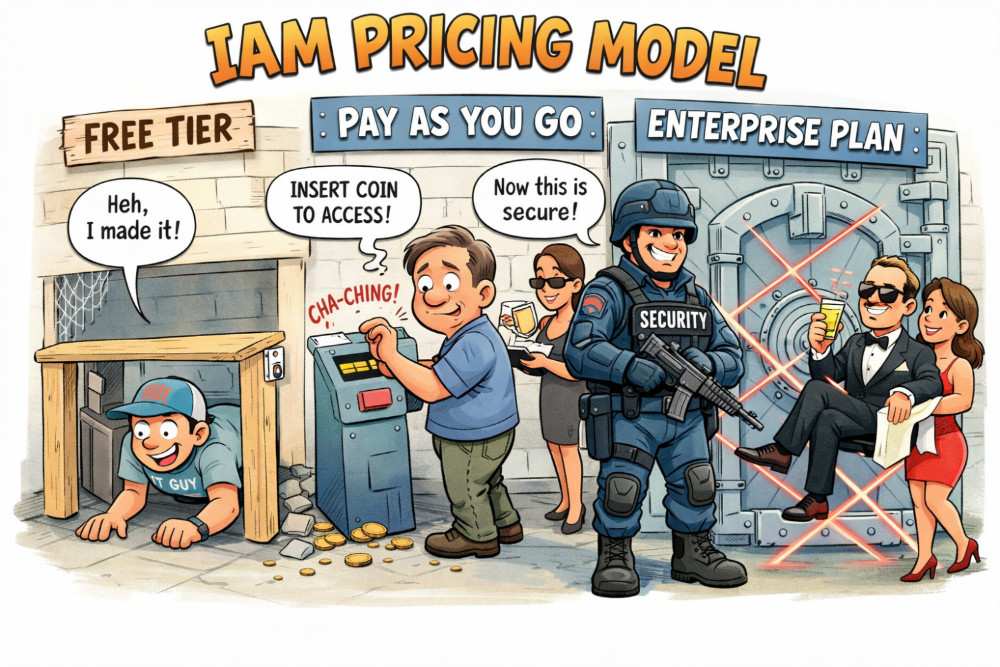
    IAM pricing models appear simple at first glance. It never stays that way.

    A CIO signs off, thinking per user or enterprise deal, done. Then reality kicks in. More users. More apps. More integrations. Suddenly, the cost is no longer tied to headcount. It is tied to how messy your identity landscape gets.

    Vendors present three clean options. Per user. Tiered. Enterprise. Sounds manageable. It is not. Each one hides the pain in a different place. You just do not see it early.

    This is where most teams get blindsided. Not at purchase. After go-live.

    This breakdown shows where IAM pricing starts hurting, so you can make a call before it gets expensive to fix.

    Decision Summary

    Choose Per User if:
    You are dealing with employees only and you can keep user sprawl tight. The moment external identities enter, this starts drifting.

    Choose Tiered if:
    You are building customer identity and you can live with pricing jumping when features or usage grow.

    Choose Enterprise if:
    You have scale, negotiation muscle, and you are ready to commit long-term without flexibility.

    Avoid all three if:
    Your IAM setup is still chaotic. Pricing will not stabilize. It will just keep surprising you.

    IAM Pricing Models Explained Without Vendor Packaging

    Strip the labels. Look at what each model is actually charging you for.

    Per user pricing charges for identity count. Clean in theory. In practice, identity is not a clean object. One employee becomes multiple identities across directories, apps, and environments. Add contractors, partners, and service accounts. Your “user count” starts drifting away from org charts.

    Tiered pricing charges for capability and usage. You are not paying for identity anymore. You are paying for what you do with identity. SSO, MFA, lifecycle workflows, API calls, external users. 

    The problem is simple. 

    The moment you need something critical, it sits in the next tier.

    Enterprise pricing charges for commitment. Not usage. Not users directly. Commitment. You lock scope, features, and scale into a contract. 

    Looks predictable early. 

    Then your architecture evolves and the contract does not.

    The key difference is not cost. It is where the cost loses control.

    • Per user loses control when identity boundaries expand
    • Tiered loses control when feature dependency increases
    • Enterprise loses control when your roadmap changes

    Most teams evaluate pricing like a finance problem. It is not. It is an architecture decision wearing a pricing label.

    That is where the mistake happens.

    Decision implication:
    Do not ask which model is cheaper. Ask where you are willing to lose cost control.

    Feature and Cost Structure Comparison Across IAM Pricing Models

    You cannot evaluate IAM Pricing Models without mapping how cost actually moves. Same deployment. Different pricing model. Completely different bill behavior.

    Here is a comparison.

    ParameterPer UserTieredEnterprise
    What you are paying forIdentity countFeatures and usageContracted scope
    Cost predictability (early stage)MediumMediumHigh
    Cost predictability (at scale)LowLowMedium
    Add-on exposureHighVery highHidden in bundle
    External user handlingExpensiveUnstableNegotiated
    Integration costAlways externalAlways externalSometimes bundled
    Governance featuresAdd-on heavyLocked in higher tiersNegotiated upfront
    Cost behavior at scaleLinear growth that driftsSudden jumpsStep increases at renewal

    What stands out is not which one is cheaper. It is how each one fails.

    Per user looks stable until the identity count stops being clean.

    Tiered looks flexible until features become mandatory.

    Enterprise looks predictable until renewal resets everything.

    Also, notice where vendors make money:

    • Per user: silent license expansion
    • Tiered: forced feature upgrades
    • Enterprise: long-term lock-in

    This is why vendor decks rarely match reality. The model is less about pricing and more about how vendors capture value as your dependency increases. 

    Pick the model based on how your system will evolve, not how your pricing looks on day one.

    Per-User Pricing Looks Simple Until Identity Sprawl Hits

    Per-user pricing works fine when the identity is clean. Employees, one directory, predictable lifecycle. That is the only scenario where it behaves.

    The moment identity stops being neat, this model starts leaking cost.

    The first problem is duplication. The same person shows up multiple times. Different domains, different apps, different environments. Test users. Service accounts. 

    Suddenly, your “user count” is inflated and nobody fully trusts the number.

    The second problem is external identities. Contractors, vendors, partners. They do not follow your HR lifecycle. They stay longer than expected, get re-created, or are never fully deprovisioned. Each one keeps a license alive.

    The third problem is lifecycle hygiene. Inactive users do not always get cleaned up on time. Access is removed, but identity remains. License still billed.

    Now add modern setups:

    • Multi-directory sync across Azure AD, LDAP, and SaaS apps
    • Hybrid workforce with rotating contractors
    • B2B collaboration

    Your per-user model quietly becomes “per identity instance,” not per human.

    And then the finance question comes. Why is IAM cost growing faster than employee count?

    Because the model is not tied to employees anymore.

    Per-user pricing also breaks when you introduce customer identity. External users at scale will make this model unusable unless heavily discounted or separated into a different system.

    This is where many teams split stacks. Workforce IAM stays per user. Customer IAM moves to a different pricing model.

    If you cannot control identity sprawl, this model will drift without obvious signals until the bill forces attention.

    Tiered Pricing Introduces Cost Escalations Most Teams Underestimate

    Tiered pricing looks flexible. It is not. It is controlled flexibility.

    You are not paying for users anymore. You are paying for what you are allowed to do. That sounds fine until critical features sit just outside your current tier.

    The first trap is feature gating. SSO, MFA, adaptive policies, lifecycle workflows. These are not optional in real deployments. Vendors place them across tiers in a way that forces upgrades once you move beyond basic use.

    The second trap is usage coupling. Monthly active users. API calls. Authentication volume. As your system gains adoption, your cost does not grow smoothly. It jumps.

    The third trap is architecture distortion. Teams start designing around pricing. Reducing API calls. Avoiding certain flows. Delaying features. Not because it is a better design, but because crossing a tier boundary hurts.

    Typical escalation triggers:

    • Rolling out MFA across all users
    • Adding external users or customer login flows
    • Increasing authentication frequency due to mobile apps
    • Expanding into new regions or apps

    Each of these feels like a normal evolution. In a tiered model, each one can push you into the next pricing band.

    And once you move up, going back is rare.

    Tiered pricing also creates internal friction. Product teams want features. Security wants enforcement. Finance wants stability. The pricing model sits right in the middle and becomes a constraint.

    This is why IAM Pricing Models, termed as “scalable” under tiered plans, are misleading. It scales, but not smoothly.

    If you need predictable budgeting, this model will keep forcing uncomfortable trade-offs.

    Enterprise IAM Pricing Is Where Okta and Azure Entra Lock You In

    Enterprise IAM pricing is not about units. It is about commitment.

    Okta and Azure Entra both move you into bundled contracts. Fewer line items. Bigger dependency.

    Okta pushes bundled workforce identity, SSO, lifecycle, and then quietly keeps key capabilities outside. Advanced MFA. Governance. Add-ons do not disappear. They just show up later.

    Azure Entra ties identity to Microsoft licensing. E3, E5, Entra ID P1, P2. Identity is no longer a standalone decision. It rides along with your Microsoft stack. Efficient on paper. Restrictive once you are deep in.

    You pay for modules you do not fully deploy. They sit there because removing them later is harder than keeping them.

    Identity gets wired into apps, policies, conditional access rules, and audit flows. Changing vendors stops being a technical discussion. It becomes a program.

    Year one pricing looks good. Discounts are real. By renewal, you are deep in the ecosystem. Negotiation strength drops.

    Scope keeps expanding:

    • Workforce IAM moves into partner access
    • Governance becomes mandatory for compliance
    • Security pushes stricter policies
    • Service and API identity enter the picture

    Each step stretches the contract or forces renegotiation.

    Okta vs Azure Entra decisions often land here. Not feature comparison. Ecosystem commitment.

    Enterprise pricing reduces early chaos. It replaces it with long-term rigidity.

    Only go enterprise if your identity architecture is already stable. If not, you are locking in decisions before you understand their impact.

    Pricing Comparison Table With Real Cost Drivers

    Per UserTieredEnterprise
    User growth inflates due to duplicate identitiesUsage or MAU spikes push tier upgradesStable early, renegotiation later
    External users become expensive fastExternal users counted unpredictablyRequires contract expansion
    MFA adds per-user costMFA is often locked in a higher tierSometimes bundled, sometimes upsold
    API usage is not a major factorAPI calls become a key cost driverPartially included with limits
    Governance needs separate licensesGovernance sits in premium tiersNegotiated but not fully covered
    Inactive users are still billedHidden usage impactCost buried in contract

    This is the pattern:

    • Per user gets messy with identity sprawl.
    • Tiered gets expensive when usage grows.
    • Enterprise gets rigid when contracts stop matching reality.

    Each one delays the problem. None removes it.

    Pick based on what you expect to grow fastest. That is where the cost pressure will show up first.

    What Breaks First at Scale in IAM Pricing Models

    Nothing explodes on day one. It creeps.

    The first sign is confusion. Numbers stop matching. Finance says one thing. IAM team says another. Nobody is wrong. The model just stopped reflecting reality.

    With per user, the count itself becomes questionable. You think you have 5,000 users. The system shows 7,200 identities. Nobody can cleanly explain the gap. Service accounts, duplicates, stale entries. The bill follows the higher number.

    With tiered pricing, conversations shift from design to avoidance. “Can we delay this feature?” “Do we really need MFA for this flow?”

    That is not architecture. That is cost containment driving decisions.

    Enterprise plans feel calm for a while. Then a new requirement shows up. Partner onboarding. New region. Compliance audit. All of a sudden, you are outside what was originally agreed. Now it is a commercial discussion, not a technical one.

    IAM stops being invisible infrastructure. It becomes a visible cost center.

    • Security pushes stricter controls
    • Product pushes a smoother login
    • Finance pushes cost limits

    All three are right. The pricing model cannot satisfy all three at the same time.

    Admin load also creeps up quietly. 

    More policies. 

    More exceptions. 

    More sync issues. 

    More manual fixes. 

    You end up hiring people just to manage the identity complexity that pricing models indirectly created.

    None of this shows up in vendor pricing decks. All of this shows up in real environments.

    The first thing that breaks is not the system. It is the alignment between teams. Pick a pricing model that your org can actually operate without constant friction.

    Procurement and Contract Reality in IAM Pricing

    This is where most teams think they are being smart. This is also where they get boxed in.

    Initial pricing discussions feel like a win. Discounts look solid. Vendor is flexible. Everything feels negotiable. That phase does not last.

    Vendors front-load discounts to get the deal signed. Year one looks attractive. Year two starts tightening. By renewal, you are no longer negotiating from a clean position. Your IAM is already embedded.

    You commit to a user band or usage volume that feels reasonable at the time. If you overshoot, you pay more. If you undershoot, you still pay.

    Core identity looks covered. Then governance, advanced security, reporting, and audit capabilities start appearing as separate line items. Each one justified. Each one necessary.

    Standard support looks fine until something breaks. Then escalation paths, response SLAs, and dedicated support start becoming important. That is another upgrade.

    Contracts roll over before full re-evaluation happens. By the time procurement re-engages, the window to renegotiate properly is already tight.

    Microsoft plays this through bundling. Identity gets wrapped into E3, E5, and Entra plans. Hard to isolate the cost. Harder to remove.

    Okta plays it through modular expansion. You start with core identity. Then the lifecycle. Then MFA. Then governance. Each step adds another layer.

    Neither approach is wrong. Both are designed to increase dependency over time.

    Negotiate for exit flexibility, not just price. If you cannot reshape the contract later, you will end up adapting your architecture to the contract.

    When NOT to Choose a Model

    Most teams ask which one to choose. The better question is what to rule out early.

    Per user looks safe. It is not if your identity boundary is messy.

    Do not choose per user if:

    • You expect large volumes of external users
    • Contractors and partners are a big part of access
    • You have multiple directories or fragmented identity sources
    • You do not have a strict lifecycle cleanup

    You will not control the identity count. Cost will drift and stay unexplained.

    Tiered pricing feels modern and flexible. It is not if you need stability.

    Do not choose tiered if:

    • You need a predictable budgeting quarter to quarter
    • Security features will expand over time
    • Product teams are likely to push new identity flows
    • Your usage patterns are hard to forecast

    You will keep hitting tier boundaries. Each jump will feel justified and painful.

    Enterprise pricing feels like control. It is not if your system is still evolving.

    Do not choose an enterprise edition if:

    • Your IAM architecture is still changing
    • You are not sure which features you actually need long term
    • You lack negotiation leverage
    • You cannot commit to multi-year contracts comfortably

    You will lock decisions too early and pay for capabilities you may not use.

    There is no safe default here.

    Each model assumes a certain level of control in your environment. If that control is missing, pricing becomes reactive.

    Eliminate the models that do not match your current reality. That is more useful than chasing the “best” one.

    Choosing the Right IAM Pricing Model Based on Architecture

    Start with how identity flows in your system, not with vendor pricing sheets.

    If your IAM is mostly workforce, things stay relatively contained. Employees, known lifecycle and limited variability. Per user works here if you can keep identity clean. The moment you add contractors at scale or multiple directories, it starts slipping.

    If you are building a customer-facing identity, the game changes.

    Logins spike. 

    Usage fluctuates. 

    Authentication patterns are unpredictable. Tiered or usage-based models fit better here, but you need to accept cost volatility as part of growth.

    If your environment is large and integrated across multiple systems, enterprise plans start making sense. Not because they are cheaper, but because they reduce fragmentation. 

    One contract, broader coverage. 

    The trade-off is obvious. 

    You give up flexibility.

    Now look at real-world setups. They are rarely clean.

    You may have:

    • Workforce IAM on Okta or Azure Entra
    • Customer IAM on a separate platform
    • API or service identity has been handled differently

    That is a mixed model, whether you planned it or not.

    Trying to force everything into one pricing model usually creates friction somewhere:

    • Either cost spikes
    • Or features get constrained
    • Or contracts become too rigid

    A better approach is alignment:

    • Stable identities → per user
    • High-variance usage → tiered
    • Large integrated environments → enterprise

    The mistake is picking a pricing model first and forcing architecture into it. It should be the other way around.

    FAQs

    Which IAM pricing model is cheapest for startups or small teams?
    Per user looks cheapest early. That flips fast if you have contractors, external users, or poor identity cleanup.

    Why is Okta or Azure Entra getting expensive over time?
    Because you start adding features, you cannot avoid it. MFA, lifecycle, governance. Pricing expands as dependency grows.

    What does MAU pricing mean in IAM, and why does it spike?
    Monthly Active Users count every login interaction. More apps, mobile usage, and APIs increase activity, not just users.

    Is per-user IAM pricing better than MAU or usage-based pricing?
    Better only for controlled workforce setups. Breaks when identity is messy or extends beyond employees.

    Do IAM vendors charge extra for SSO and MFA?
    Often yes. Either as add-ons in per-user models or locked behind higher tiers in tiered pricing.

    Can IAM pricing double after implementation?
    Yes. Usually due to feature upgrades, external users, governance rollout, or contract renewal resets.

    How do I estimate IAM cost before choosing a vendor?
    Do not estimate just users. Map identity types, external access, authentication volume, and required features. That is what drives cost.

    Conclusion

    IAM pricing models do not fail because of bad math. It fails because teams assume it will behave the same way after scale. It does not. Per user drifts with identity sprawl. Tiered jumps with usage and feature dependency. Enterprise locks you into decisions that may not age well. The right choice depends on how your identity landscape will evolve, not how pricing looks on day one. Get that wrong and IAM becomes a recurring cost problem instead of a control layer.

  • Okta vs Azure AD for Enterprise: The Trade-Off No One Explains Clearly

    Okta vs Azure AD for Enterprise: The Trade-Off No One Explains Clearly

    Most teams don’t get the Okta vs Azure AD for Enterprise decision wrong on day one. They get it wrong six months later, when Identity starts leaking across SaaS apps, contractors, and shadow IT. On paper, both look capable. In practice, the CIO, security lead, and platform team end up dealing with access drift, inconsistent authentication flows, and rising operational overhead.

    The mistake usually starts with how the decision is framed. Okta vs Azure AD is treated as a feature comparison when it is actually a control and dependency choice. One pulls your Identity deeper into the Microsoft ecosystem. The other gives you neutrality but starts charging for that flexibility sooner than expected.

    What teams usually discover is that the architecture holds until scale introduces friction. Integration complexity rises. Authentication edge cases appear. Costs or lock-in become visible only after rollout.

    This breakdown cuts through the noise and shows where each IAM approach works, where it fails, and what you should decide upfront.

    Why Okta vs Azure AD is a dependency decision

    If you are treating Okta vs Azure AD as an IAM feature comparison, you are solving the wrong problem. SSO, MFA, lifecycle, conditional access. None of that decides the outcome.

    The real question is control.

    Azure AD makes Identity part of the Microsoft layer. Authentication, device posture, and user lifecycle are all tied into one ecosystem. This runs smoothly when your stack is already Microsoft-heavy. What shows up later is constraint. As SaaS grows outside Microsoft, policy consistency starts slipping. You end up handling exceptions, not enforcing standards.

    Okta sits outside that gravity. 

    It gives you a clean Identity layer across SaaS, custom apps, and multiple clouds. That looks like flexibility early. Then dependency shifts. Every authentication flow runs through Okta. Every integration depends on it. Every user lifecycle action is routed through it. 

    What breaks first is not capability, it is cost and operational reliance.

    You are not comparing IAM tools. You are choosing where Identity lives and what it depends on. Microsoft controls with tighter coupling, or independent control with higher cost pressure. 

    One will constrain you later. The other will charge you for staying flexible.

    Where Azure AD breaks under SaaS identity sprawl

    Azure AD works extremely well when your Identity boundary matches your Microsoft footprint. Users authenticate once, policies apply consistently, and device compliance ties cleanly into access control. Inside that boundary, authentication is predictable, and enforcement is centralized.

    The stress starts when SaaS grows faster than your Azure AD model can keep up. 

    What you will run into is not a lack of integration, but uneven control.

    • Non-Microsoft SaaS apps do not always map cleanly to Azure AD conditional access
    • SSO gets configured, but fine-grained authorization still lives inside each application
    • External users and partners start bypassing standard identity flows
    • Identity duplication appears across apps that were onboarded outside of central IT
    • Policy enforcement becomes inconsistent across different authentication patterns

    In practice, Azure AD does not fail outright. It fragments. Authentication still works, but governance weakens. You end up managing Identity in layers instead of enforcing it centrally.

    What teams usually discover is that the first real break happens when the SaaS count crosses a certain threshold and onboarding is no longer controlled. At that point, Azure AD becomes reactive. 

    You are integrating apps one by one, instead of enforcing a unified IAM model.

    If your Azure AD environment shows different authentication behaviors across SaaS apps, you already have Identity fragmentation.

    Why is Okta becoming expensive faster than expected

    Okta feels simple at the start. You get a clean IAM layer, consistent authentication across SaaS, and fast onboarding without depending on a single ecosystem. Early rollout looks efficient because Identity gets centralized quickly.

    The pressure shows up when usage expands.

    Okta pricing scales with users, features, and integrations. What grows is not just the employee count. It is everything around it. More SaaS apps, more external users, more automation requirements, more API access. 

    Features like lifecycle management, adaptive authentication, and advanced policies move from optional to necessary as your environment matures.

    What teams usually discover is that cost does not increase linearly. It stacks. A new SaaS tool is not just another integration. It extends your Identity footprint. External collaborators are not edge cases. They become a permanent licensing category. 

    Security requirements push you into higher tiers that cannot be rolled back without weakening controls.

    The result is predictable. 

    Okta gives you independence from vendor lock-in, but Identity becomes a growing operational cost tied directly to how your business scales. Once everything depends on Okta, stepping away is no longer a practical option.

    Also read: Comparison of Okta and Auth0

    Okta vs Azure AD for Enterprise: Integration control vs ecosystem gravity

    DimensionOkta (Independent IAM Layer)Azure AD (Microsoft Identity Layer)
    Integration modelVendor-neutral Identity across SaaS, custom apps, multi-cloudDeep integration within the Microsoft ecosystem, external SaaS requires adaptation
    Authentication controlCentralized control across all apps via Okta policiesStrong control within the Microsoft stack, inconsistent outside it
    SaaS onboardingFaster and more standardized across diverse vendorsWorks well for Microsoft-aligned apps, varies for others
    Identity architectureSeparate IAM layer independent of infrastructureIdentity tightly coupled with Microsoft services
    Vendor dependencyDependency on Okta as the identity providerDependency on the Microsoft ecosystem
    Policy consistencyMore uniform across heterogeneous environmentsStrong inside ecosystem, fragmented outside
    Cost behaviorScales with users, features, and integrationsOften bundled but tied to broader Microsoft licensing

    The difference shows up when your environment grows unevenly.

    Okta gives you integration control. 

    Azure AD operates through ecosystem gravity. 

    This is where the Okta vs Azure AD for Enterprise decision becomes visible in production. Okta centralizes Identity control but adds cost and dependency. Azure AD reduces friction inside its ecosystem but pushes complexity to the edges as your SaaS landscape expands.

    Authentication flows break differently in Okta and Azure AD environments

    The failure does not show up during login. It shows up when authentication flows start crossing boundaries. Internal users, external partners, APIs, legacy apps. That is where Okta and Azure AD behave very differently.

    Okta failure patterns (Authentication / Identity layer)

    • Token flows depend heavily on correct configuration across apps. Misconfigurations surface as intermittent login or session issues
    • External identity handling is clean initially, but grows complex with multiple partner orgs and federation setups
    • API authentication introduces additional layers that teams underestimate early
    • Dependency risk is direct. If Okta has an issue, authentication across the environment is impacted

    Azure AD failure patterns (Microsoft Identity layer)

    • Conditional access behaves inconsistently across non-Microsoft SaaS applications
    • Token handling works well within the Microsoft ecosystem, but becomes uneven across external integrations
    • Guest users and external identities create policy exceptions that accumulate over time
    • Authentication logic spreads across services, making debugging slower and less predictable

    Okta centralizes authentication and Identity logic. That gives you control, but also creates a single dependency point. Azure AD distributes authentication across its ecosystem. That reduces single-point dependency but introduces inconsistency as your environment expands.

    In an Okta vs Azure AD for Enterprise setup, this is where things start to hurt. 

    One model fails as a bottleneck. 

    The other fails due to fragmentation. 

    You are not choosing stability. You are choosing the kind of failure your team will have to manage.

    Do this first before choosing between Okta and Azure AD IAM

    Start with where your Identity is already leaking.

    Not the directory. Not the org chart. The actual usage. Logins happening outside SSO, SaaS tools bought on cards, and contractors using unmanaged emails. If Identity is already fragmented, your decision is about regaining control, not picking a cleaner UI.

    Next, look at how much of your environment you truly control.

    If most of your stack sits inside Microsoft, Azure AD will feel natural. Policies apply, devices align, and authentication stays predictable. The moment your SaaS footprint grows beyond that boundary, you will start managing exceptions. 

    Now check your external entities.

    Partners, vendors, APIs. This is where Identity models get exposed. If onboarding an external user already requires manual steps or exceptions, your current approach is not holding. 

    Then shift focus from login to lifecycle.

    Authentication is visible. Provisioning and deprovisioning are where things actually break. Users leaving with access, roles not syncing, and permissions drifting across systems. If the lifecycle is not clean, your IAM layer is just masking risk, not controlling it.

    Finally, force yourself to look at cost as a consequence, not a number.

    One path will constrain you later. The other will charge you for flexibility. Neither is wrong. The mistake is choosing without knowing which trade-off your environment can absorb.

    Red flags that indicate you are choosing the wrong Identity platform

    You can usually tell early when the decision is off. Not from architecture diagrams. From the way teams start working around Identity instead of relying on it.

    • If certain apps or user types need “temporary” workarounds to fit your IAM model, those exceptions will multiply. Identity should absorb variation, not create friction.
    • Some systems follow SSO and policy strictly. Others behave differently. Different login flows, different MFA triggers.
    • If partners, vendors, or contractors require manual handling, your Identity design is not built for real-world usage. 
    • User provisioning works sometimes. Deprovisioning depends on scripts or manual checks. Roles drift. Access lingers. This is where IAM failures actually create risk.
    • If troubleshooting authentication issues, token problems, or policy conflicts becomes routine, the system is already under strain. Identity should be predictable. 
    • If you are limiting integrations, delaying onboarding, or avoiding features because of cost, Identity is no longer supporting the business. It is shaping it.

    These signals show up early. Teams usually ignore them because the system still “works.” It keeps working for a while.

    When NOT to choose Okta or Azure AD for Enterprise Identity

    There are environments where neither Okta nor Azure AD is the right IAM decision. The problem is not capability. It is a mismatch.

    If your Identity surface is small and stable, both are overkill. 

    A limited number of internal applications, minimal SaaS usage, and no external user base do not justify a full IAM layer. You will end up paying for features you do not use and introducing operational overhead you do not need.

    If your systems are heavily legacy and not designed for modern authentication, both platforms will struggle. SAML and OIDC assumptions break quickly when applications require custom handling. 

    What looks like integration becomes a continuous patchwork. 

    If your organization is not ready to enforce centralized Identity, the platform will not fix that. Teams will continue to create accounts outside the system. SaaS will grow without onboarding discipline. 

    • Limited SaaS footprint with mostly internal applications
    • Legacy systems requiring heavy customization for authentication
    • No clear ownership of Identity governance or enforcement
    • Low volume of external users and minimal integration needs
    • Budget sensitivity where IAM cost cannot scale with growth

    Choosing either Okta or Azure AD in these scenarios creates more structure than the organization can support. The result is partial adoption, inconsistent authentication, and wasted spend.

    If your team is still debating who owns Identity, you are not ready for either platform. The tool will not solve a governance gap.

    The breaking point in Okta and Azure AD deployments

    Every Identity setup looks stable at the start. Clean authentication flows, centralized control, predictable access. The system holds because the environment is still small enough to behave.

    Then scale hits.

    Azure AD starts bending first when your environment stops being Microsoft-heavy. SaaS expands, integrations diversify, and suddenly, identity is no longer uniform. Authentication still works, but control starts slipping. Policies behave differently across apps. 

    External users pile up as exceptions. 

    You are no longer enforcing Identity centrally. 

    You are stitching it together.

    The breaking point is subtle. Nothing crashes. But your team starts spending more time handling inconsistencies than enforcing standards. That is when Azure AD stops being a control layer and becomes an integration problem.

    Okta does not fragment the same way. 

    It holds control longer. 

    The break comes from pressure, not inconsistency.

    Every new app, every external identity, every security requirement increases dependency. Okta sits in the middle of all authentication. You cannot bypass it. 

    Cost grows with usage. Operational reliance grows with complexity. What started as flexibility becomes something you cannot step away from.

    The breaking point here is different. Not loss of control. Loss of optionality.

    At this stage, both paths converge to the same outcome. You are no longer optimizing Identity. You are dealing with the consequences of an earlier decision that did not account for how your environment would actually grow.

    Conclusion

    Azure AD works if your Identity stays inside Microsoft. It breaks when SaaS and external users expand. Okta gives you control across everything, but locks you into rising costs and dependency. There is no safe choice. Pick your constraint upfront.

  • Best IAM Solutions for Mid-Size Enterprise: What Actually Works After 500 Employees

    Best IAM Solutions for Mid-Size Enterprise: What Actually Works After 500 Employees

    Identity rarely breaks because authentication fails. It breaks because access management quietly collapses once the company grows past a certain size. Around the 400 to 800 employee mark, the CIO or security lead starts noticing the symptoms: SaaS applications multiplying, onboarding requests piling up, and nobody can confidently answer a basic audit question. Who actually has access to what?

    That is usually when teams begin searching for the best IAM solutions for mid-size enterprise environments. Not because identity strategy suddenly became a priority, but because operational friction starts showing up everywhere. Finance waits days for access approvals. Security cannot see entitlement drift across SaaS platforms. Platform teams are maintaining brittle scripts to provision accounts across systems that were never meant to scale this way.

    Azure Entra vs Auth0 Comparison: Identity Platform Choice Under Real Constraints

    In practice, the IAM decision at this stage determines whether identity becomes a control layer or a long-term operational burden. The vendors will all claim automation, governance, and seamless integration. What teams usually discover later is that each platform fails under different pressures: SaaS sprawl, hybrid infrastructure, audit requirements, or licensing gravity. The goal here is to identify which IAM platforms survive those pressures in real mid-size enterprise environments.

    Why Identity Breaks When Companies Cross 500 Employees

    Most identity setups work fine when a company is small. The problems start when the organization grows faster than its access model. Around the 400 to 800 employee range, SaaS adoption usually accelerates. Teams deploy tools for sales, analytics, collaboration, DevOps, and customer operations. Each system introduces its own user directory, role structure, and access workflow.

    What teams usually discover is that identity management slowly turns into a manual coordination exercise. 

    HR systems create employees. 

    IT provisions accounts. 

    Managers request application access. 

    Security tries to track entitlements across systems that were never designed to synchronize with each other. 

    The result is access sprawl. Some users retain permissions long after changing roles. Others wait days for approvals that should have taken minutes.

    The breaking point often arrives during an audit or a security review. Someone asks for a clear access report across core applications. At that moment, the organization realizes the directory, SSO, and provisioning scripts are loosely stitched together rather than governed by a single identity control layer. 

    Azure Entra Alternatives: Which IAM Platform Fits Better for B2B SaaS?

    The IAM Capabilities Mid-Size Enterprises Actually Need

    When you start looking for the best IAM solutions for mid-size enterprise environments, the temptation is to compare vendor feature grids. Authentication methods, MFA options, SSO dashboards, fancy admin portals. Those lists look impressive during procurement reviews. 

    None of these tells you whether the platform will survive once your SaaS environment doubles and onboarding requests start piling up.

    If onboarding a new employee still requires opening five admin consoles, your identity system is not doing its job. 

    If access removal depends on someone remembering to deactivate accounts, the platform is only providing authentication, not identity governance. Mid-size enterprises do not need the most feature-rich IAM system. They need one that eliminates manual access work before it turns into a security exposure.

    Focus on the capabilities that remove operational overhead:

    • Automated provisioning and deprovisioning tied directly to your HR system
    • Single sign-on across SaaS applications and internal tools
    • Role-based access assignments when employees change departments
    • Directory integration with Active Directory or cloud directories
    • Multi-factor authentication enforcement across critical applications
    • Access review reporting that satisfies security audits
    • A large application connector catalog that prevents custom integrations

    Pro Tip
    The platform with the strongest prebuilt integrations usually determines how much identity automation you can realistically achieve.

    The platforms that survive at mid-enterprise scale are the ones that automate access lifecycle management end-to-end.

    Best IAM Solutions for Mid-Size Enterprise Compared

    Most companies evaluating the best IAM solutions for mid-size enterprise end up comparing the same group: Microsoft Entra ID, Okta, Ping Identity or JumpCloud. The differences are less about features and more about where each platform fits operationally.

    PlatformWhere It Fits BestWhere It Struggles
    Microsoft Entra IDOrganizations already standardized on Microsoft 365, Azure, and Active DirectoryEnvironments that require cloud-neutral identity across multiple ecosystems
    OktaSaaS-heavy environments with many third-party applicationsCost control as identity usage and integrations expand
    Ping IdentityEnterprises needing strong federation and identity governance capabilitiesSmaller IT teams without dedicated identity specialists
    JumpCloudMid-size companies replacing legacy Active Directory while managing SaaS accessVery large environments with complex identity governance requirements
    ForgeRock (part of Ping Identity now)Large identity deployments with custom identity workflowsMid-size teams seeking fast implementation and low operational overhead

    Here is the reality you eventually confront while evaluating the best IAM solutions for mid-size enterprise environments. The platform decision is rarely about authentication features. It is about gravity.

    If your infrastructure already revolves around Microsoft licensing, Entra ID usually becomes the default choice because identity integrates directly with the existing stack. 

    Okta vs Ping Identity Comparison: Buyer Guide for Enterprise Identity Strategy

    If your environment is SaaS-first and cloud-neutral, Okta tends to fit better because its integration catalog and provisioning model are built around heterogeneous systems.

    Ping Identity (with ForgeRock after acquisition) sit closer to the enterprise governance side of the spectrum. They are powerful platforms, but they assume you have identity specialists managing policies and workflows. 

    JumpCloud sits in a different category altogether. It appeals to mid-size companies that want a cloud directory replacement combined with SaaS identity management.

    The question is not which IAM platform is technically strongest. The question is which one aligns with the ecosystem your organization already depends on.

    If your environment is SaaS-heavy and cloud-neutral, Okta often appears on the shortlist. But it is not the only option. See our breakdown of the main Okta competitors in this guide to the best Okta alternatives for enterprise.

    Where Okta, Microsoft Entra ID, Ping Identity and JumpCloud Actually Fit

    Identity sits at the center of every application login, access workflow, and audit trail. Once deployed, replacing it later becomes painful. That is why choosing among the best IAM solutions for mid-size enterprise environments is rarely a pure technology decision.

    Microsoft Entra ID

    Pros

    • Deep integration with Microsoft 365, Azure, and Active Directory
    • Native identity layer for organizations already paying for Microsoft licensing
    • Strong conditional access and security policy controls

    Cons

    • Identity becomes tightly coupled to the Microsoft ecosystem
    • SaaS integration outside the Microsoft stack may require extra configuration

    If your company already runs Microsoft 365, Azure AD, and Teams across the organization, Entra ID usually becomes the practical identity center. Fighting that gravity rarely pays off.

    Okta

    Pros

    • Excellent SaaS application integration catalog
    • Strong lifecycle management for provisioning and deprovisioning
    • Cloud-neutral identity architecture

    Cons

    • Licensing cost increases as integrations and features expand
    • Some organizations end up duplicating functionality already included in Microsoft licensing

    Okta tends to work best when your application landscape spans many SaaS platforms and multiple cloud providers. Okta pricing often starts with SSO and MFA tiers but expands as lifecycle management and advanced policies are added. If you want a detailed breakdown, see our guide explaining Okta pricing.

    Ping Identity

    Pros

    • Strong federation and identity governance capabilities
    • Flexible policy frameworks for complex enterprise identity workflows

    Cons

    • Deployment and configuration require identity expertise
    • Smaller IT teams may find operational overhead high

    Ping Identity usually appears in environments where identity governance, federation, and security policy depth matter more than deployment simplicity.

    IAM Pricing Models Explained: Per User vs Tiered vs Enterprise Plans

    JumpCloud

    Pros

    • Combines cloud directory services with SaaS identity management
    • Useful for organizations replacing legacy Active Directory infrastructure

    Cons

    • Less suited for very large environments with complex governance requirements
    • Smaller ecosystem compared to the largest IAM platforms

    JumpCloud often appeals to mid-size companies that want to modernize directory services while managing SaaS access from the same platform.

    The IAM platform that matches your infrastructure gravity usually produces the least operational friction.

    Red Flags That Signal Your IAM Deployment Is Already Failing

    Identity systems rarely collapse all at once. They degrade quietly. The warning signs usually appear long before a security incident or audit failure forces the issue. 

    Access removal depends on manual action.

    If an employee leaves and someone still needs to remember to disable accounts across systems, identity governance is already broken. Deprovisioning should flow automatically from the HR system through the IAM platform to connected applications.

    Onboarding requires multiple admin consoles.

    If provisioning a new employee means opening separate dashboards for Google Workspace, Salesforce, Slack, and internal tools, the IAM layer is not actually managing identity. It is just authenticating users after accounts are created manually.

    Security audits turn into manual data collection.

    Security or compliance teams will eventually ask for an access report. If generating that report requires exporting data from multiple systems and stitching spreadsheets together, the identity architecture is fragmented.

    Role changes do not trigger access updates.

    Employees change roles constantly in mid-size enterprises. If identity policies are not tied to job roles or group assignments, users quietly accumulate access over time. This is how entitlement sprawl happens.

    Application integrations are built with scripts

    Scripts often appear when an IAM platform lacks connectors for critical systems. At first, they look like shortcuts. Over time, they become fragile automation that breaks whenever an API changes.

    If identity automation stops at single sign-on, the IAM deployment is incomplete. 

    The IAM Rollout Sequence That Prevents Access Chaos

    Many IAM deployments fail because companies start with authentication instead of the identity lifecycle. SSO is easy to deploy and looks impressive in demos, but it does nothing to control who gets access, when it changes, or when it should disappear. 

    If the rollout order is wrong, identity automation stops halfway, and manual administration slowly returns.

    Use this rollout sequence instead.

    1. Connect the HR system first so employee creation, role changes, and termination events drive identity automatically.
    2. Synchronize your directory so Active Directory or your cloud directory becomes the consistent user source.
    3. Automate provisioning for the highest-volume SaaS applications that generate the most onboarding work.
    4. Introduce role-based access assignments so that department or job role determines application access.
    5. Deploy SSO and MFA last once provisioning and access lifecycle automation are already working.

    Identity projects that begin with SSO usually stall because the harder problems, access lifecycle, and governance, remain unsolved.

    When NOT to Buy an Enterprise IAM Platform

    Searching for the best IAM solution often creates the impression that every growing company needs a full identity platform immediately. This is not true.

    IAM becomes valuable only when identity operations start creating measurable friction.

    If your environment is still small, deploying a large IAM platform can introduce unnecessary complexity. The technology is powerful, but it assumes certain operational conditions already exist.

    Situations where an enterprise IAM platform may not make sense yet:

    • Your organization runs fewer than 20 to 30 business applications
    • Most access provisioning is still handled directly through a small IT team
    • There is no HR-driven identity lifecycle process yet
    • Your environment is almost entirely Microsoft 365, with limited SaaS diversity
    • Security audits do not require centralized access reporting

    The right time to evaluate the best IAM solutions for mid-size enterprise deployments is when onboarding a new employee requires provisioning accounts across several applications. 

    In Microsoft-heavy environments, Entra ID usually becomes the default identity layer because it integrates directly with Microsoft 365 and Azure services. If you want a deeper cost comparison, see our analysis of Azure AD pricing vs Okta.

    IAM Evaluation Checklist for Mid-Size Enterprise IT Leaders

    Vendor demos will not help you much. Every platform can show clean login flows and policy dashboards. The real question is whether the system will survive your environment once onboarding, role changes, and audits start happening daily.

    Use this checklist to pressure-test any IAM platform before procurement.

    • HR integration: Can the platform treat your HR system as the authoritative identity source?
    • Provisioning coverage: How many of your core SaaS applications have native connectors?
    • Deprovisioning reliability: When an employee leaves, how quickly does access disappear across systems?
    • Role automation: Can access be assigned based on job roles or department attributes?
    • Directory integration: Does the platform synchronize cleanly with Active Directory or cloud directories?
    • Audit reporting: Can you generate a complete access report across applications without exporting data manually?
    • Connector ecosystem: How often are new SaaS integrations added to the platform catalog?
    • Administrative overhead: How many identity specialists would realistically be needed to maintain policies?
    • Vendor gravity: Does the IAM platform align with the infrastructure ecosystem your organization already depends on?

    The platform that removes the most manual identity work will usually outperform the one with the longest feature list.

    Conclusion

    Identity problems rarely start with authentication failures. They start when access lifecycle management cannot keep up with organizational growth. The best IAM solutions for mid-size enterprise environments are the ones that automate provisioning, enforce role-based access, and align with the infrastructure ecosystem you already depend on.

  • Azure AD Pricing vs Okta: The IAM Cost Model Most Buyers Miscalculate

    Azure AD Pricing vs Okta: The IAM Cost Model Most Buyers Miscalculate

    Most identity projects begin with a simple objective.

    Enable SSO. Reduce password chaos. Move forward.

    Then the budgeting conversation starts.

    Someone searches Azure AD Pricing vs Okta, sees a few neat price tiers, and assumes identity management is a predictable subscription like any other SaaS tool.

    That assumption rarely survives the first real architecture discussion.

    By the time security teams request conditional access, auditors ask for identity governance, contractors need external access, and HR pushes lifecycle automation, the original license estimate quietly expands into a layered identity platform.

    This is where the Azure AD vs Okta comparison becomes less about features and more about how each vendor’s pricing model behaves under pressure.

    Both platforms are capable. Both can scale. Both can also become expensive faster than expected if the identity program grows without discipline.

    The real question is which platform becomes expensive first once identity stops being simple. Let’s find out.

    Azure AD vs Okta Comparison at a Glance

    Identity platforms rarely compete on login screens anymore. The real comparison sits deeper in architecture, ecosystem alignment, and operational ownership.

    Microsoft Entra ID (formerlyAzure AD) is tightly integrated into the Microsoft stack. If your organization already runs Microsoft 365, Azure workloads, and Windows device management, identity becomes part of a larger platform strategy.

    Okta, on the other hand, positions itself as an independent identity layer. It works across SaaS environments, multiple cloud providers, and heterogeneous IT stacks where Microsoft is only one of several vendors.

    This architectural difference shapes everything from integration friction to pricing behavior.

    CapabilityMicrosoft Entra ID (Azure AD)Okta
    Core SSOIncluded in base tiersCore product capability
    Conditional AccessBuilt deeply into the Microsoft ecosystemAvailable through the policy engine
    Lifecycle ManagementIntegrated with Microsoft directory servicesDedicated lifecycle management module
    Identity GovernanceHigher-tier licensing requiredAvailable through governance add-ons
    Integration EcosystemStrong with Microsoft servicesStrong across SaaS platforms
    External Identity (B2B/B2C)Native Microsoft identity frameworkCustomer Identity products
    API & Developer AccessAzure ecosystem-orientedVendor-neutral identity layer

    In practical terms, Azure AD often feels like an extension of Microsoft infrastructure, while Okta behaves like a specialized identity control plane sitting above the environment.

    That difference becomes important once identity management expands beyond employee login and into governance, lifecycle automation, and partner access.

    Decision implication:

    • If your enterprise already runs heavily on Microsoft infrastructure, Azure AD typically fits more naturally. 
    • If your environment spans many SaaS vendors and cloud platforms, Okta often provides cleaner identity neutrality.

    Azure AD Pricing vs Okta Pricing Structure

    Identity pricing looks simple until you try to deploy it across a real organization.

    Both vendors advertise clean per-user pricing. But identity platforms are not sold as a single product. They are built from layers. Each layer activates once security, compliance, or automation requirements increase.

    This is why the Azure AD Pricing vs Okta comparison quickly becomes more complex than the marketing pages suggest.

    Here is a simplified view of how both platforms structure licensing.

    Pricing ElementMicrosoft Entra ID (Azure AD)Okta
    Base SSOIncluded in Microsoft ecosystem tiersCore Okta Workforce Identity feature
    Multi-Factor AuthenticationIncluded in higher tiersSeparate or bundled depending on plan
    Conditional AccessP1 or P2 licensingIncluded through Adaptive MFA policies
    Lifecycle ManagementHigher-tier licensing requiredLifecycle Management add-on
    Identity GovernanceP2 tierGovernance add-on
    External IdentitySeparate product (Entra External ID)Okta Customer Identity products
    Support & Enterprise featuresOften bundled in Microsoft enterprise agreementsTiered enterprise support plans

    The first cost driver appears when identity policies move beyond simple authentication.

    Security teams quickly ask for conditional access, device trust, or risk-based authentication. Those controls often require higher licensing tiers.

    The second driver is identity lifecycle automation. Manual onboarding and offboarding become risky once organizations scale. Automating those workflows usually introduces additional modules or licensing upgrades.

    The third driver is governance and compliance. Auditors want access reviews, role certification, and privileged access monitoring. These capabilities almost always sit in premium identity tiers.

    Also read: Slack vs Microsoft Teams: Where Control, Compliance and Cost Collide

    This is where Okta IAM pricing and Azure AD licensing start to diverge in behavior.

    Microsoft tends to bundle identity capabilities into broader enterprise agreements, especially when companies already license Microsoft 365 E3 or E5. Okta pricing is more modular. Organizations often add capabilities as separate components depending on identity maturity.

    Neither model is inherently cheaper. The outcome depends heavily on how identity is deployed.

    Decision implication:

    • If identity remains limited to workforce authentication inside a Microsoft environment, Azure AD pricing often stays predictable. 
    • If identity expands across multiple SaaS systems and governance layers, both platforms can accumulate licensing costs faster than expected.

    Why Identity Pricing Expands After SSO

    Most IAM projects start with the same sentence.

    “We just need SSO.”

    And technically, that is true. But SSO is only the entry ticket to identity management. The moment authentication is centralized, every other control gets pulled into the same system.

    Security wants conditional access.

    Compliance wants access reviews.

    HR wants automated onboarding and offboarding.

    Auditors want privilege tracking.

    Now the identity platform is no longer a login tool. It becomes the control center for access across the company.

    This is where the Azure AD Pricing vs Okta comparison changes character. The base license stops mattering. The add-ons start driving cost.

    Typical cost expansion happens in four places.

    • Location rules, device trust, risk detection. These controls rarely live in the cheapest license tier.
    • Automated provisioning, role assignment, and offboarding require lifecycle automation features.
    • Access reviews, approval workflows, and privilege oversight typically sit in premium identity packages.
    • Contractors, partners, and vendors create a second identity population that often requires separate licensing.

    When teams compare Okta IAM pricing with Microsoft Entra ID tiers, they often focus on the SSO number first. That number rarely represents the final IAM spend.

    Decision implication:

    • If your organization only needs a centralized login, both platforms stay relatively predictable.
    • The moment identity governance, automation, and external access enter the picture, identity cost stops being about SSO and starts being about control layers.

    What Breaks First at Scale

    Nothing explodes.

    Nobody wakes up one morning and says, “The identity platform is down.”

    Instead, IAM slowly turns into a messy garage full of cables.

    Everything still works. Nobody understands how it works anymore.

    Here is what usually happens.

    First, roles multiply.

    At the beginning, there are five clean roles.

    1. Employee
    2. Manager
    3. Finance
    4. Admin
    5. Support

    Six months later, there are 70.

    “Temporary Finance Access”
    “Salesforce Read Only”
    “CRM Contractor Access”
    “Support Escalation Role”

    Nobody wants to delete them because someone might still need them.

    So they just sit there.

    Second, access never fully disappears.

    People change teams. Contractors finish projects. Interns leave.

    But some permissions remain because removing access requires someone actually to review it. So employees slowly accumulate access they shouldn’t have anymore.

    Security teams call this privilege creep.

    Most companies call it Tuesday.

    Third, every new SaaS tool becomes an IAM project.

    A team buys a new tool. Now someone must:

    1. Connect it to the identity provider
    2. Configure SSO
    3. Map roles
    4. Test access policies

    Multiply this by 80 SaaS tools, and suddenly IAM becomes a full-time integration job.

    Finally, the licensing surprise appears. During early planning, someone compared Azure AD Pricing vs Okta and saw a neat per-user number. Then the security team adds:

    • conditional access
    • identity governance
    • lifecycle automation

    Now the IAM platform is not just SSO anymore. It is the security control plane for the company. 

    And that is when the Okta IAM pricing vs Microsoft Entra ID licensing conversation suddenly lands in the finance meeting.

    Decision implication

    • IAM platforms do not break because of technology.
    • They break because identity complexity grows faster than the organization managing it.

    Integration Depth and Ecosystem Lock-In

    Identity platforms do not operate alone. They sit in the middle of everything.

    Email systems
    SaaS tools
    HR systems
    Cloud platforms
    Internal applications

    Because of this position, the Azure AD vs Okta comparison is often less about features and more about ecosystem alignment.

    The two vendors approach this very differently.

    Microsoft designed Azure AD, now called Microsoft Entra ID, to be deeply embedded inside the Microsoft environment. If your company runs Microsoft 365, Azure infrastructure, Windows devices, and Microsoft security tools, identity becomes part of the same operational layer.

    In that scenario, Entra ID often feels natural. User accounts, device policies, and authentication controls live inside the same ecosystem. Many integrations are already built.

    Okta takes the opposite approach. It positions itself as a neutral identity layer that sits above the infrastructure stack. Companies using multiple SaaS vendors or running workloads across different cloud providers often find this approach easier to manage.

    This difference becomes clearer when organizations scale their application portfolio.

    Environment PatternAzure AD AdvantageOkta Advantage
    Microsoft-heavy enterpriseStrong native integrationLimited additional benefit
    Multi-cloud infrastructureWorks but requires configurationDesigned for heterogeneous stacks
    Large SaaS portfolioIntegration is available, but sometimes indirectStrong SaaS integration catalog
    Mixed identity sourcesPossible, but can become complexThe identity abstraction layer helps

    The practical trade-off appears when companies commit deeply to one ecosystem.

    Organizations built around Microsoft often gain efficiency from Entra ID because identity governance, device management, and security signals share the same platform.

    Organizations with diverse SaaS environments sometimes prefer Okta because identity remains independent from infrastructure vendors.

    Decision implication:

    • Choosing an identity platform is often an ecosystem decision. 
    • The more Microsoft-centric your environment becomes, the stronger the Azure AD advantage. 
    • The more heterogeneous your environment becomes, the more Okta’s neutral identity layer starts to matter.

    Procurement and Contract Reality

    Identity platforms are rarely bought in isolation.

    By the time companies seriously compare Azure AD Pricing vs Okta, they already have security teams involved, compliance pressure building, and dozens of applications depending on the identity layer.

    That changes how the deal actually happens.

    Microsoft already sits in the building

    Many enterprises are already running Microsoft 365, Azure workloads, and Windows device management. Because of that, Microsoft identity often enters the conversation through existing contracts.

    Procurement looks at the situation and sees something tempting.

    “We already pay Microsoft.”

    When organizations move into E3 or E5 licensing tiers, Microsoft Entra ID capabilities often appear bundled with other services. On paper, identity can look cheaper because it rides inside the broader Microsoft agreement.

    The trade-off is that identity becomes tied to the Microsoft licensing structure. If additional governance or security capabilities are needed later, the upgrade usually means expanding Microsoft licensing tiers rather than negotiating a standalone identity contract.

    Also read: Requirements Gathering Process: 30 Questions IT Leaders Must Answer Before Talking to Vendors

    Okta usually starts as a clean IAM purchase

    Okta typically enters through a different path.

    Companies adopt it when their environment includes many SaaS vendors, multiple cloud platforms, or non-Microsoft infrastructure. In those environments, Okta acts as an independent identity layer.

    Procurement then negotiates a traditional enterprise SaaS contract based on:

    • number of users
    • modules activated
    • governance capabilities
    • support tier

    This makes the contract structure clearer at the beginning, but it also means identity costs appear more visibly in the budget.

    When teams start evaluating Okta IAM pricing, they often discover that the base SSO license is only the starting point. Lifecycle management, governance, and advanced policy features usually sit in separate modules.

    Why IAM contracts become sticky

    Once identity is deployed, replacing it becomes extremely difficult.

    Every SaaS application connects to it.

    Every employee’s login flows through it.

    Every access policy depends on it.

    Because of that, IAM vendors know that the real leverage happens during renewal cycles rather than the first purchase.

    Common patterns include:

    • multi-year contracts
    • aggressive renewal pricing after expansion
    • support tier upgrades as deployments grow
    • additional modules introduced during security audits

    Finance teams often discover that identity costs grow gradually rather than appearing as a single large purchase.

    When Azure AD Becomes the Cheaper Platform

    In the Azure AD Pricing vs Okta decision, Azure AD usually becomes cheaper when identity does not require a separate purchase. This happens when the company already pays Microsoft for higher enterprise licenses.

    Azure AD usually becomes the cheaper option when:

    • The company already pays for Microsoft 365 E3 or E5 licenses for most employees
    • Identity features like MFA and access policies are already included in those licenses
    • The organization wants one vendor for email, security, and identity instead of adding another IAM platform
    • IT prefers to manage users inside the same Microsoft admin environment instead of operating a separate identity system
    • The number of employees is large, and Microsoft licensing is already negotiated at an enterprise scale

    If most of these are true, Azure AD often wins on cost because identity becomes part of the Microsoft subscription rather than a separate platform purchase.

    When Okta Becomes the Better Identity Platform

    In the Azure AD Pricing vs Okta decision, Okta usually becomes the better choice when identity needs to remain independent from the infrastructure vendor. If the company runs many different SaaS tools, cloud providers, or mixed environments, Okta often provides a cleaner identity layer.

    Okta tends to make more sense when:

    • The company uses many SaaS applications from different vendors, not primarily Microsoft tools
    • The infrastructure spans multiple cloud providers rather than being centered on Azure
    • The organization needs to manage partners, contractors, or external users frequently
    • IT wants identity to remain a neutral control layer rather than be tied to a specific vendor ecosystem
    • The company prefers a specialized IAM platform instead of bundling identity into a larger software stack
    • Security teams want fine-grained identity policies and integrations across many applications

    In these environments, Okta IAM pricing can still make sense despite being a separate platform, because it provides flexibility across diverse systems that do not depend on the Microsoft ecosystem.

    Who Should Not Buy Either Platform

    The Azure AD Pricing vs Okta debate only matters once identity management becomes a real operational problem. Until that point, both platforms can be unnecessary.

    Do not buy Azure AD or Okta yet if your environment looks like this.

    If your company has under 100–150 employees, identity complexity is usually still manageable.

    If employees use fewer than 15–20 business applications, the access landscape is still simple.

    If user onboarding and offboarding can be handled in minutes by an admin, you do not yet have an IAM scale problem.

    If no one in the company owns identity governance, introducing a large IAM platform will only create another system that nobody maintains properly.

    If auditors or regulators are not asking for access reviews, identity governance tools will sit unused.

    If your only requirement is SSO for a handful of SaaS tools, there are lighter solutions that are cheaper and easier to operate.

    Azure AD and Okta become valuable when identity management becomes messy, risky, and large. Before that point, they can be more platforms than the organization actually needs.

    FAQs on Azure AD Pricing vs Okta

    1. Is Azure AD cheaper than Okta?

    Yes, in most Microsoft-heavy companies.

    If your organization already pays for Microsoft 365 E3 or E5, Azure AD identity features are largely included. In those environments, adding Okta means paying for a second identity platform.

    If Microsoft licensing already exists across the workforce, Azure AD will almost always be the lower-cost option.

    2. Why do companies still choose Okta if Azure AD can be cheaper?

    Because cost is not the only constraint.

    Companies with large SaaS portfolios, multiple cloud providers, or mixed infrastructure often prefer Okta because it sits above the stack instead of being tied to one vendor ecosystem.

    If your IT environment is diverse, Okta usually produces fewer integration headaches.

    3. What is the most common mistake in IAM budgeting?

    Teams budget for SSO only.

    Identity programs rarely stop there. Within a year, security teams request conditional access, lifecycle automation, and access governance. These controls expand licensing in both Azure AD and Okta.

    The mistake is assuming the SSO price represents the IAM program cost.

    4. Which platform is easier for internal IT teams?

    Azure AD is easier if your company already runs Microsoft everywhere.

    Users already exist in Microsoft directories. Devices already authenticate through Microsoft systems. Policies live in the same administrative environment.

    In Microsoft-centric companies, Azure AD simply fits the existing operating model.

    5. Which platform is better for SaaS-heavy environments?

    Okta.

    If your company runs dozens of SaaS tools from different vendors, Okta usually provides smoother identity integration. Its ecosystem is designed around SaaS-first environments rather than a single infrastructure vendor.

    This is where Okta IAM pricing is often justified.

    6. When does IAM become unavoidable?

    When the company crosses 300–500 employees and application count starts growing fast.

    At that point, access permissions spread across many systems, offboarding becomes risky, and compliance teams begin asking who has access to what. That is usually the moment identity platforms become necessary.

    7. Is tying identity to Microsoft risky?

    Yes, if your infrastructure is not Microsoft-centric.

    Identity becomes deeply embedded in every application and access policy. If your company runs multiple cloud platforms or plans to remain vendor-neutral, locking identity inside the Microsoft ecosystem can reduce flexibility later.

    In those environments, Okta is usually the safer long-term architecture.

    8. What single question should decide Azure AD vs Okta?

    Ask this:

    Is our company primarily a Microsoft environment or a multi-vendor SaaS environment?

    If the answer is Microsoft-heavy, Azure AD will usually be simpler and cheaper.

    If the environment is diverse and SaaS-driven, Okta will usually operate more cleanly as the identity layer.

    Conclusion

    The Azure AD Pricing vs Okta decision is mostly an ecosystem decision. If your company already runs on Microsoft licenses and infrastructure, Azure AD will usually be cheaper and simpler. If your environment spans many SaaS vendors and cloud platforms, Okta will usually operate more cleanly as an independent identity layer. Choose the platform that matches how your IT environment is structured today, because identity systems are rarely replaced once deployed.

  • Slack vs Microsoft Teams: Where Control, Compliance and Cost Collide

    Slack vs Microsoft Teams: Where Control, Compliance and Cost Collide

    Most collaboration decisions are sold as productivity upgrades. In reality, they behave like plumbing. Invisible when aligned, catastrophic when misrouted. Nobody gets promoted for picking the right pipes. But when something leaks, the CIO and security lead are suddenly in the room explaining why guest access, retention, and licensing spiraled out of control.

    Slack vs Microsoft Teams looks like a chat debate. It is not. It is a control architecture decision with cost consequences that compound quietly. One model centralizes identity and policy inside a dominant enterprise stack. The other optimizes flexibility across a wider SaaS surface. Both introduce governance friction. Both can create duplicate spend.

    What teams usually discover is that the tool choice is easy. The enforcement model is not. This is a governance and cost breakdown. 

    Where do control fractures occur first? 

    Where does bundling distort decisions? 

    And at what point standardizing either platform is the wrong move entirely?

    Slack vs Microsoft Teams is a Governance Decision Disguised as a Chat Comparison

    Most teams evaluate collaboration tools by adoption speed and interface comfort. Senior IT inherits the enforcement model. That is the inversion that creates long-term friction.

    In practice, the first question is not which interface users prefer. It is where identity, policy, and data controls anchor. 

    Microsoft Teams pulls collaboration inside the Microsoft 365 control plane. 

    Slack operates as a layer across multiple systems. 

    One centralizes governance. The other distributes it. 

    The architectural posture is different before a single message is sent.

    What breaks first depends on that posture. In a Microsoft-heavy environment, introducing Slack creates duplicate policy surfaces and additional audit paths. 

    In a heterogeneous SaaS environment, forcing Teams can create shadow tooling because integration friction shows up immediately in product and engineering workflows.

    The decisive question is simple:
    Are you optimizing for consolidated control or cross-stack flexibility?

    If governance consolidation is strategic, the answer leans one way. If tool diversity drives business velocity, it leans the other way. Anything in between usually ends in dual-tool sprawl.

    Identity and External Access: Keep It in One System or Manage Two

    If your company runs everything on Microsoft 365 and Entra ID, Teams keeps chat, meetings, and files inside the same system that already controls email and access. One admin model. One audit trail. One place to shut someone off.

    Slack works fine with SSO. But it is still another system to manage. Another place to check when someone leaves. Another place where guest access can expand quietly.

    What breaks first in real environments:

    • Someone leaves, and Slack access stays active.
    • A contractor is added to multiple shared channels and no one reviews it.
    • Security needs an access report and has to pull data from two systems.
    • Finance realizes licenses exist in both platforms.

    If your identity discipline is weak, adding another collaboration platform makes it worse.

    If your identity discipline is strong and automated, the risk difference narrows.

    Decision rule:

    If you want fewer moving parts, keep collaboration inside your primary identity stack.

    If you are comfortable governing multiple SaaS systems, Slack does not introduce new concepts, only another surface.

    Simple choice. Fewer systems or more flexibility.

    Data Governance Under Pressure: Retention, eDiscovery, and DLP Reality

    Below is the governance comparison that actually matters in audits and regulatory reviews.

    AreaMicrosoft TeamsSlack
    Retention policiesCentralized within Microsoft 365 retention and Purview policiesConfigurable retention policies per workspace or Enterprise Grid
    eDiscoveryIntegrated with Microsoft 365 eDiscovery tools across mail, files, and TeamsAvailable in Enterprise plans with separate admin workflows
    DLP enforcementNative DLP policies extend across email, SharePoint, OneDrive, and TeamsDLP is available but requires configuration within the Slack environment
    Legal holdUnified legal hold across Microsoft 365 workloadsLegal hold is supported in Enterprise tiers
    Data residencyGoverned within Microsoft 365 regional controlsAvailable depending on plan and configuration

    Interpretation:

    If your compliance model is built around Microsoft 365, Teams keeps retention, eDiscovery, and DLP inside one governance system. Slack can meet requirements, but it runs as a parallel compliance track. The risk is not missing features. It is configuration drift and audit complexity.

    License Bundling vs Operational Drag: The Real Cost Equation

    Per-user pricing is the wrong place to start. The real cost variable is duplication.

    Teams Economics

    Pros:

    • Already bundled in many Microsoft 365 E3 or E5 agreements
    • No additional vendor contract in Microsoft-heavy environments
    • Shared compliance and admin tooling reduces overlap

    Cons:

    • Forced adoption can reduce productivity in engineering-heavy teams
    • Migration from Slack introduces a change management cost
    • Parallel usage often continues unofficially

    Slack Economics

    Pros:

    • Strong adoption in product and engineering functions
    • No dependency on Microsoft licensing strategy
    • Works cleanly in heterogeneous SaaS stacks

    Cons:

    • Incremental license spend on top of Microsoft 365
    • Separate admin, compliance, and support overhead
    • Dual-platform reality often emerges in large enterprises

    In practice, what finance eventually flags is not the monthly rate. It is overlapping licenses and support burden.

    If both platforms exist in different departments and no one owns a consolidation strategy, cost creep is already happening.

    At 500+ Users, Admin Overhead Becomes the Deciding Factor

    At 500 users, collaboration stops being a tool and starts being work for IT.

    Not strategy work. Maintenance work.

    This is where you begin to see the real cost of your decision.

    Someone joins. Someone leaves. Someone changes teams – every week. If access removal takes even one extra manual step, you feel it. Not in theory. In tickets.

    If you are already running Microsoft 365 cleanly, Teams usually slides in without adding a second governance model. Same groups. Same identity logic. Same audit expectations. That matters more than features.

    If Slack is layered on top in that environment, you now have two places to check when someone leaves. Two places to verify guest access. Two places to configure retention. That does not sound dramatic. It becomes dramatic at scale.

    Now flip it.

    If product and engineering teams are deeply wired into Slack, and automation around it is mature, forcing Teams rarely reduces complexity. It just shifts it. You get duplicate usage. Informal Slack workspaces reappear. Adoption becomes performative.

    At 500+ users, the failure mode is not a security breach. It is operational drag.

    Admin teams spend more time reconciling:

    • Who has access where
    • Which integrations are approved
    • Which retention rule applies
    • Why finance sees overlapping licenses

    None of this is visible in vendor demos.

    The real question at this size is simple: Do you want one collaboration control surface or two?

    If identity hygiene is strong and ownership is clear, either can work.

    If identity hygiene is inconsistent and no one owns collaboration as a platform, adding complexity will expose that weakness fast.

    At 500 users, admin overhead becomes visible.

    At 1,000, it becomes political.

    Integrations: Freedom or Headache?

    At a small scale, integrations feel like productivity boosters. At 5000+ users, they become governance problems.

    Slack makes it easy to connect tools. Jira, GitHub, CI pipelines, CRM alerts, ticketing systems. That flexibility is one of its biggest strengths. It also means dozens, sometimes hundreds, of apps end up connected across workspaces.

    Every integration carries:

    • Permissions
    • Data exposure paths
    • Token management
    • Audit implications

    If no one is actively reviewing installed apps, sprawl happens quietly.

    Teams is more controlled by default. Deep integration with Microsoft-native services comes first. External integrations exist, but the ecosystem pressure is lower compared to Slack’s marketplace model.

    That containment reduces some risk. It can also frustrate teams that rely on non-Microsoft tools.

    What usually breaks first is not the integration itself. It is visibility.

    Security asks:

    • Which third-party apps can read message data?
    • Which bots can access files?
    • Who approved them?

    If the answer requires manual discovery, governance is reactive.

    Decision rule:

    If your environment values experimentation and rapid tooling changes, Slack supports that model, but you must accept higher review overhead.

    If your priority is containment and predictable policy enforcement, a tighter integration surface reduces the number of moving parts.

    Freedom scales. So does oversight.

    Also read: FinOps Tool for Cloud Cost Optimization: How to Evaluate and Use Them Without Wasting 6 Months

    Why Forced Standardization Often Creates Shadow IT

    When leadership replaces Slack with Microsoft Teams to reduce cost, the expectation is simple: one platform, lower spend, tighter governance.

    What usually happens is different.

    Teams becomes the official channel for company-wide communication. Slack continues in smaller, unofficial groups because workflows, integrations, and habits are already built there.

    Now you have:

    • Microsoft Teams licenses are fully paid
    • Slack workspaces are still active
    • Governance is concentrated in one system
    • Actual work is happening in another

    Cost does not drop. Control does not improve.

    The reverse also occurs.

    If an organization standardizes on Slack for flexibility, but compliance teams rely on Microsoft 365 retention and audit tools, reporting becomes fragmented. Security exports logs from Slack separately. Legal processes diverge. Audit preparation takes longer.

    Slack vs Microsoft Teams becomes a coordination problem.

    With 500+ users, you cannot rely on policy memos to change behavior. People default to the platform where their integrations and peers already live.

    When Slack vs Microsoft Teams Is the Wrong Architectural Model

    Sometimes the real answer is neither.

    Not because Slack or Microsoft Teams are weak. But because your operating model does not match their assumptions.

    Here are three lesser-known platforms built on different assumptions.

    Zulip

    Zulip is structured around topic-based threads. Conversations must live inside defined streams and subjects.

    What this changes:

    • Noise drops
    • Async discipline increases
    • Long-running discussions stay organized

    This works well in engineering-heavy environments where written clarity matters.

    What breaks first is cultural fit. Teams used to fast chat can find the structure rigid. Integration depth is also narrower than Slack’s ecosystem.

    If your problem is chaos and channel overload, Zulip challenges the default chat model.

    Element

    Element is built on the Matrix protocol and leans heavily into decentralization and encryption.

    This matters in:

    • Sovereignty-focused environments
    • Security-sensitive sectors
    • Organizations wary of vendor lock-in

    Control shifts closer to infrastructure. You can self-host or federate.

    What breaks first is operational simplicity. Running or federating secure messaging is not lightweight. It requires internal capability.

    If your priority is control over convenience, this model fits better than Slack or Teams.

    Fleep

    Fleep is lighter and built around persistent conversations rather than heavy channel hierarchies.

    It works in smaller distributed teams that collaborate across companies frequently.

    What breaks first is enterprise governance depth. It is not built to mirror Microsoft 365-scale compliance frameworks.

    If your organization does not need enterprise-grade governance layers, Slack vs Microsoft Teams may be over-architected.

    The point of these alternatives is not feature comparison.

    It is architectural clarity.

    Slack assumes flexible, integration-heavy, SaaS-centric collaboration. Microsoft Teams assumes Microsoft ecosystem gravity and centralized governance.

    If your organization rejects both assumptions, forcing either platform creates friction.

    When NOT to Standardize on Either Platform

    Standardization makes sense only when governance, workflow gravity, and cost structure align. If they do not, consolidation creates drag.

    Do not standardize if:

    1. If deprovisioning is inconsistent and access reviews are irregular, adding or replacing a collaboration platform will not fix the problem. It will expose it. Fix IAM first.
    2. If engineering is deeply embedded in Slack and enterprise communication runs through Microsoft Teams, forcing a single platform without workflow redesign will produce shadow usage.
    3. If legal, security, and IT do not agree on retention, eDiscovery, and DLP ownership, moving platforms only shifts configuration complexity. It does not reduce risk.
    4. If the business case assumes “everyone will fully migrate in 60 days,” expect overlap for a year or more. License reduction rarely happens as fast as forecasted.
    5. At 5000+ users, collaboration is not an app. It is a platform. Without clear ownership, policy drift is inevitable.

    The decision rule:

    Standardize only when the chosen platform reduces control surfaces and aligns with how critical teams actually work. If consolidation increases friction or introduces parallel governance paths, delay the decision.

    The Slack vs Microsoft Teams debate is not about preference. It is about reducing operational complexity without sacrificing velocity.

    Conclusion

    Slack vs Microsoft Teams reflects your control strategy. Pick the platform that reduces admin surfaces, aligns with identity governance, and eliminates duplicate costs. When control and workflow align, collaboration scales cleanly.

  • Requirements Gathering Process: 30 Questions IT Leaders Must Answer Before Talking to Vendors

    Requirements Gathering Process: 30 Questions IT Leaders Must Answer Before Talking to Vendors

    Procurement rarely fails in the vendor meeting. It fails weeks earlier inside the requirements gathering process. By the time a CIO or IT head sits in a demo, the scope is already distorted by half-formed business requests, political pressure, and undocumented constraints. Vendors sense the gaps immediately. They fill them with their narrative.

    What teams usually discover too late is that a weak requirements gathering process shifts power to the vendor. The evaluation process becomes a feature theater instead of a decision discipline. Security reviews become reactive. Integration risk shows up after contract signature. Finance sees cost escalation only when change requests appear.

    This is not about volume. It is about converting business asks into testable requirements and non-negotiables. Do that first and vendor evaluation becomes scoring. Skip it and vendor evaluation becomes negotiation. What follows is a 30-question framework you can run before the first demo.

    Most Vendor Chaos Starts Before the RFP Exists

    The requirements gathering process usually breaks before procurement even formalizes the scope. A department sends a request: “We need automation.” Or “We need better reporting.” IT translates it into a feature list. 

    No one documents operational constraints, integration boundaries, data ownership, or regulatory impact. By the time vendors are invited, the real problem is still undefined.

    In practice, what breaks first is alignment between business intent and system behavior. 

    Marketing describes outcomes. 

    Production describes pain. 

    IT writes functional statements. 

    None of them specifies load thresholds, data sensitivity, workflow exceptions, or system dependencies. The vendor evaluation framework then scores vendors against incomplete inputs. 

    The highest-scoring vendor is often the one best at interpretation, not execution.

    Once the RFP is out, correction becomes expensive. Every clarification meeting extends the cycle. Every “assumption” turns into a contractual gray area. 

    If your requirements gathering process has not identified constraints, edge cases, and non-negotiables before vendor engagement, you are not evaluating vendors. You are outsourcing problem definition.

    The 30 Questions That Force Clarity Before Vendor Engagement

    A requirements gathering process fails when it captures features but ignores constraints. The goal of these questions is not completeness. It is elimination. Each answer should either narrow vendor eligibility or expose internal ambiguity before the first demo.

    Run this internally. If you cannot answer a question in one sentence without debate, you are not ready for vendor evaluation.

    Business Outcome and Scope

    1. What specific process changes if this system succeeds?
    2. What manual step must disappear?
    3. What measurable bottleneck triggered this request?
    4. Which team owns the outcome after go-live?
    5. What is explicitly out of scope for Phase 1?

    Workflow and Edge Conditions

    1. What happens when the primary workflow fails?
    2. What are the three most common exceptions?
    3. Where does human override exist?
    4. Which role can approve or reject transactions?
    5. What downstream process breaks if this system is unavailable?

    Data and Integration

    1. Which systems are systems of record?
    2. Is this system allowed to modify master data?
    3. What APIs must exist on day one?
    4. What authentication method is non-negotiable?
    5. What data cannot leave your region?

    Load and Operational Constraints

    1. What is the expected concurrent usage pattern?
    2. What is the peak scenario?
    3. What is the maximum acceptable downtime window?
    4. Who monitors the system after hours?
    5. What reporting latency is acceptable?

    Security and Governance

    1. What audit trail must be available?
    2. What retention policy applies?
    3. Which compliance standard affects this use case?
    4. Who can export data?
    5. What triggers a security review?

    Commercial and Exit Logic

    1. What contract length is acceptable?
    2. What usage variable drives cost?
    3. What is the exit plan if performance fails?
    4. What data must be extractable at termination?
    5. What internal budget assumption cannot change?

    If more than five of these answers start with “we will decide later,” delay vendor outreach. 

    Vendors charge for uncertainty. So, clarifying internally is cheaper than negotiating amendments.

    When these questions are answered, your requirements gathering process produces constraints, not aspirations. That changes how the vendor evaluation framework behaves. Vendors either meet the boundaries or disqualify themselves.

    Translate Business Requests Into Testable Statements

    A requirements gathering process fails when it records intent instead of behavior. “Improve reporting” and “increase automation” are not requirements. They are expectations. Vendors will interpret them most favorably to their product.

    Do these before you engage anyone.

    Step 1: Replace adjectives with actions.
    If the request says “faster approvals,” rewrite it as: “Approval workflow must complete within X hours under normal load.” 

    If you do not know X, identify who owns defining it. Without a threshold, the requirement cannot eliminate vendors.

    Step 2: Define system responsibility boundaries.
    State what the system must do and what remains manual. Example: “System generates draft invoice. Finance validates and releases.”

    Ambiguity here creates post-implementation conflict between teams.

    Step 3: Attach observable evidence.
    Every requirement should produce a visible artifact. 

    • Audit log entry. 
    • Status change. 
    • API response. 
    • Notification event.

    If you cannot point to an observable output, the requirement is conceptual.

    Step 4: Separate configuration from customization.
    Ask whether the requirement can be achieved through configuration only. If it requires code changes, treat it as higher risk in the vendor evaluation framework. 

    Custom logic changes upgrade paths and support models.

    Step 5: Declare non-negotiables explicitly.
    Security standard. Integration method. Data residency constraint. Do not bury these inside appendices. Vendors must see constraints before demo scripting begins.

    What teams usually discover is that half their initial list collapses under this conversion. That is useful. 

    A shorter list of testable statements improves vendor comparison and reduces demo theater. If a requirement cannot be tested or observed, it should not influence vendor scoring.

    Where Requirements Gathering Breaks Under Political Pressure

    A requirements gathering process rarely fails because teams lack intelligence. It fails because incentives conflict. Marketing wants speed. Production wants stability. Finance wants predictability. IT becomes the translator and absorbs ambiguity.

    When pressure builds, teams skip clarification and move to vendor outreach. The logic sounds practical: “Let vendors show us what is possible.” In practice, this reverses ownership. The vendor shapes the scope through demos. Internal disagreements stay unresolved until implementation.

    Red flags inside the intake phase

    • Two stakeholders describe different success outcomes for the same system.
    • Scope includes future features, “so we do not have to reopen the contract.”
    • Non-functional requirements are marked “TBD,” but the RFP timeline is fixed.
    • No single owner is accountable for defining measurable acceptance criteria.
    • Integration teams are informed after business sign-off.
    • The budget is approved before operational constraints are documented.
    • Security review is scheduled after vendor shortlisting.
    • Edge cases are dismissed as “rare.”

    These signals indicate that the requirements gathering process is serving momentum, not clarity. Under these conditions, a vendor evaluation framework becomes cosmetic. You score vendors against unstable inputs.

     If stakeholders insist on issuing the RFP before resolving internal disagreements, you are formalizing conflict into a contract.

    Vendor selection should narrow uncertainty. When political pressure shortcuts requirements for discipline, uncertainty increases. That is not a vendor problem. It is a governance problem.

    What a Vendor Evaluation Framework Should Actually Score

    Most vendor evaluation frameworks overweight features and underweight constraints. That distorts selection. Features are easy to demonstrate. Constraints are hard to satisfy.

    CategoryWhat to ScoreWhy It Changes the Decision
    Functional FitThe degree to which core workflows match documented requirements without customizationReduces implementation risk and upgrade friction
    Integration ReadinessNative support for required APIs, authentication, and system of record alignmentDetermines whether architecture remains stable post deployment
    Non-Functional ComplianceAbility to meet uptime windows, audit trail, data residency, and security constraintsEliminates vendors before contract negotiation
    Operational ModelMonitoring, logging, role management, and support structureAffects long-term ownership cost
    Commercial StructurePricing drivers, scaling thresholds, and exit provisionsExposes hidden cost variables
    Customization DependencyPercentage of requirements requiring code changesDirect indicator of timeline and support complexity

    In practice, what breaks first after selection is not feature coverage. It is integration assumptions and non-functional gaps. If your scoring model treats those as secondary, the highest-scoring vendor may still be the highest-risk vendor.

    A vendor evaluation framework should penalize ambiguity and customization dependency. 

    If a requirement needs interpretation, reduce its weight. 

    If a vendor depends on custom code for core workflows, increase scrutiny.

    Non-Functional Requirements Decide the Vendor, Not Features

    Demos are almost always fine. That is not where vendor selection falls apart.

    It falls apart when your system hits real conditions: someone cannot log in with your SSO setup, roles do not map cleanly to job functions, audit wants to know who changed what last Tuesday, integration needs write-back rules that nobody agreed on, and uptime expectations quietly turn into escalation calls at 2 AM.

    Availability is the obvious one. If the business can live with planned downtime, you can look at a wider set of vendors. If this system cannot go down without operational damage, most vendors are suddenly “not a fit,” even if their feature list looks perfect.

    Then there is identity and access. “We support SSO” is easy to say. The real test is whether you can express your roles without bending the product into strange workarounds. If you can’t, you end up with admin sprawl and exceptions that nobody owns.

    Audit and traceability are where weak products get exposed slowly. Not because they have zero logs, but because the logs are thin, not searchable, or not retained long enough to matter when compliance or investigations show up.

    Integrations are the quiet killer. If you have not locked system of record and who is allowed to write back where, the project turns into a series of debates disguised as technical meetings. Vendors will offer custom glue. It works. Then you own it forever.

    And finally, data control. If you cannot pull your data out cleanly, in a usable format, on your schedule, you lose leverage after go-live. That is not a theory. That is how renewal conversations get ugly after twelve months.

    Also read: Chatbots vs AI Agents: An Efficiency Audit for Real Operations

    When NOT to Start Vendor Conversations

    • The “requirement” is still an outcome sentence like “better visibility” with no process change defined.
    • No single owner can sign off acceptance criteria. Everyone is a reviewer; nobody is accountable.
    • Non-negotiables are not written: SSO model, audit needs, data residency, downtime tolerance, security gates.
    • System of record is undecided for shared data. Two systems think they own the truth.
    • Integration teams are not in the room yet, but vendors are already being shortlisted.
    • You cannot describe peak load and usage pattern even as a range.
    • The current process is undocumented, so vendors are forced to reverse-engineer it from interviews.
    • Budget is approved, but commercial drivers are unknown: per user, per transaction, per site, per API call.
    • The org is expecting the vendor to “help define requirements.” That means you are outsourcing ownership.
    • You have no exit requirement: export format, frequency, deletion behavior, and who validates extraction.

    How to Lock the Requirements Gathering Process Before RFP Release

    A requirements gathering process is “locked” when the vendor cannot redefine the scope through demos, and you do not need internal debates to answer basic questions. 

    Locked does not mean perfect. 

    It means stable enough that a vendor evaluation framework can score reality, not interpretation.

    Use this as a gate. If you cannot tick an item, pause outreach. Fixing it later will cost more than delaying procurement now.

    1. Scope for Phase 1 is written in plain language and includes explicit out-of-scope items.
    2. Each core workflow has acceptance criteria that can be tested in a POC or UAT.
    3. Non-negotiables are stated: identity, roles, audit trail, data residency, downtime tolerance, and retention.
    4. The system of record is defined for key entities and fields, including write-back rules.
    5. The integration list is finalized with the method, owner, and dependency order.
    6. Data classification is agreed: what is sensitive, who can export, and where data may be stored.
    7. Reporting expectations are defined as latency and access rules, not “better dashboards.”
    8. Operational ownership is named: monitoring, incident response, after-hours escalation, and admin model.
    9. Commercial drivers are known: what scales cost, what triggers overage, and what is included.
    10. Exit requirements are written: export format, export frequency, deletion behavior, and validation steps.
    11. The scoring model exists and weights constraints higher than nice-to-have features.
    12. Stakeholders agree that new asks after this point are change requests, not clarifications.

    Decision rule: if you cannot meet these gates, do not start vendor demos. You will end up buying Discovery and paying for it twice.

    Conclusion

    A clean requirements gathering process turns vendor selection into a controlled decision instead of a prolonged negotiation. When scope, non-negotiables, systems of record, and acceptance criteria are locked before demos, your vendor evaluation framework starts eliminating risk early. You get fewer shortlists, shorter cycles, cleaner POCs, and contracts that match reality instead of assumptions.

    Additional reading: RFP Definition, Steps & Template for Requests for Proposals

  • Deploying Agentic AIOps Before It Turns Into a Runaway Bride

    Deploying Agentic AIOps Before It Turns Into a Runaway Bride

    Do you remember Maggie Carpenter? Probably not. In Runaway Bride, Maggie, played by the love of a million hearts, Julia Roberts, had a peculiar habit. She did not run early. She waited. She let the dress be tailored, the guests to arrive and the vows to hang in the air. She walked the aisle knowing everyone believed the decision was done. And only at the very last moment, when turning back would feel almost impossible, she left while her fiancé waited.

    Now, fast forward 27 years from that aisle into a production environment. Deploying Agentic AIOps often becomes the same kind of late-stage commitment. The CIO, the platform owner, and the security lead do not start with a desire for autonomy. They start with overload. Too many alerts, too little sleep, too much manual triage, and a mandate to reduce MTTR without adding headcount. So the organization approves agents that can act, not just recommend. 

    The first wins arrive quickly enough to feel like proof. L1 work drops. Response speeds up. The system looks calmer.

    Then the “runaway” part shows up, but it looks nothing like a movie. It looks like momentum. Autonomy expands because rolling it back is awkward and expensive. Budget control weakens when agents can scale resources, retry work at volume, or trigger actions that create spend without a human approving each step. Risk control degrades when remediation can execute faster than your approval chain can stop it. 

    Security control gets strained the moment write access is granted broadly, because every auto-fix path becomes an access path too.

    This is why Agentic AIOps is not a tooling decision. It is a control decision. You can take the speed and cost relief, but only if you define what the agents are never allowed to do, who can override them, and what gets audited when they act.

    Why Deploying Agentic AIOps Is Getting Pulled Into Production Faster Than Teams Expect

    Deploying Agentic AIOps rarely begins as a deliberate transformation program. It shows up as a response to pressure that has already crossed a threshold. Alert volume grows, on-call burns people out, and adding more SREs stops working once someone asks what the new hire will actually remove from the workload.

    In practice, most teams are operating with unresolved basics. Alerting is noisy. Runbooks exist, but are outdated. Ownership across services is fuzzy. Dependency maps look clean on slides and wrong in production. Agentic AIOps enters this environment not as a bold bet on autonomy, but as a way to compress chaos into action. It promises fewer pages, faster closure, and relief from repetitive L1 work that never seems to end.

    What teams usually discover is how quickly expectations shift once agents start acting. 

    Early L1 wins get celebrated. 

    Backlogs shrink. 

    Humans step back. 

    The system remediates once, then becomes the default. That is how Deploying Agentic AIOps drifts from assistance into authority, often before governance, budget control, or security boundaries are treated as first-class decisions.

    What Agentic AIOps Actually Improves When It Works

    Deploying Agentic AIOps pays off by removing human bottlenecks within the first 15 to 30 minutes of an incident. Not the deep root-cause work. The messy part is earlier: triage, correlation, first action, and keeping the blast radius from spreading while people wake up and join the bridge.

    Where it performs best is repetitive L1 and “L1.5” work that follows stable patterns. The agent can classify the alert, pull recent changes, check known dependencies, run basic diagnostics, and execute a limited runbook step. 

    If your environment has clean ownership and predictable runbooks, this is real toil reduction, not a demo.

    What you can claim, without lying

    • Faster triage because the agent gathers context immediately (logs, traces, recent deploys, config diffs) instead of waiting for a human to do it.
    • Fewer false escalations if the agent can suppress noise based on known-good signals and clear thresholds.
    • Lower on-call load when the agent handles routine steps that usually consume the first half-hour.
    • More consistent first response because the agent does not “forget” the checklist at 2 a.m.
    • Better incident notes because the agent can log actions and evidence as it runs, not after the fact.

    What you cannot claim as a default

    • “Autonomous resolution” for complex incidents. That depends on how deterministic your failure modes are and how strict your guardrails are.
    • Net cost reduction from day one. Many teams increase spending first by adding tooling, telemetry, and safety layers.
    • Fewer incidents overall. Agentic AIOps can reduce time-to-mitigate even while incident count stays the same.

    If you cannot name the exact incident types the agent is allowed to act on, early wins are noise, not proof.

    The Early Warning Signs Teams Miss Before Control Slips

    When deploying Agentic AIOps goes wrong, it rarely fails loudly at first. It degrades control quietly, in places teams do not monitor because they still think humans are in charge.

    Red flags that show up early

    • The agent starts handling incidents that were never explicitly approved, usually because “it worked last time.”
    • Runbooks get executed without version pinning, so the agent follows logic that no longer matches the environment.
    • Auto-remediation expands from containment actions to corrective actions, even though rollback paths were never tested.
    • Incident closure rates improve, but post-incident reviews get thinner because fewer humans touch the system.
    • Cost anomalies appear without a clear owner because actions that trigger spend are now indirect.
    • Security reviews lag behind deployment because access was granted “temporarily” and never revisited.

    In practice, teams notice these signals but dismiss them as maturity gaps. The thinking goes: we will tighten controls later, once the value is proven. That is backward. By the time these patterns stabilize, the agent has already become operationally trusted, which makes clawing back authority politically harder than fixing the original problem.

    The most dangerous signal is silence. 

    Fewer pages, fewer escalations, and fewer complaints can look like success. In reality, it means the system is acting in places no one is watching anymore.

    Why Deploying Agentic AIOps Is a Control Plane Decision

    Deploying Agentic AIOps fails when it is treated as a smarter monitoring tool. The real change is not better detection. It is delegated authority. The moment an agent can take action, you have moved a slice of decision-making out of human hands and into software. That shift deserves the same scrutiny as any other control plane change, not a faster rollout.

    In practice, teams focus on the data plane first. Alerts, signals, correlations, and runbooks get attention because they are visible and measurable. Control decisions stay implicit. 

    Who approved this action? 

    What budget boundary applies? 

    Which security policy blocks it? 

    What audit trail exists when something goes wrong? 

    Those questions surface later, usually after the agent has already acted successfully enough to earn trust.

    What breaks first is not uptime. It is the authority. When an agent retries jobs, scales resources, drains traffic, or restarts components, it is exercising power that used to sit with humans and processes. If that power is not bounded by explicit rules, approvals, and reversibility, deploying Agentic AIOps becomes a governance shortcut. Speed improves. Oversight erodes. 

    By the time leadership notices, rolling back autonomy costs more than living with the risk.

    How Agentic AIOps Changes Budget Authority in Practice

    Cost triggerWhat the agent actually doesWhat keeps spending from running away
    Auto-scaling and retriesScales capacity, increases retry volume, and extends execution timeHard spend limits per incident and per time window
    Traffic reroutingShifts load to higher-cost regions or tiersExplicit region and tier allowlists with default deny
    Toolchain actionsCalls paid APIs, diagnostics, or external servicesPer-action cost attribution with escalation thresholds
    Incident containmentSpins up temporary capacity “just in case.”Time-bound capacity leases with forced teardown
    Repeated remediationReplays the same fix across incidentsBurn-rate alerts tied to agent actions, not services

    Deploying Agentic AIOps quietly moves spending authority from people to software. Humans used to approve retries, scale-ups, and diagnostics explicitly. Agents now trigger the same costs indirectly, through operational actions that look harmless in isolation. 

    In reality, teams notice only after finance flags unexplained spikes. At that point, the problem is not overspending. It is the unassigned authority.

    If finance sees cost anomalies but cannot trace them back to specific agent actions, budget control has already slipped.

    The Guardrails That Must Exist Before You Let Agents Act

    Deploying Agentic AIOps safely is less about intelligence and more about restraint. These controls are not maturity signals or optional best practices. This is the cost of delegating authority to software.

    Do these first:

    1. Write an action allowlist, not a capability slide
      Specify the exact actions an agent is permitted to execute in production. Restarting a service, draining traffic, and changing configuration are different decisions. Anything not explicitly allowed is denied.
    2. Require reversibility for every automated action
      If an action cannot be rolled back cleanly, it should not execute without human approval. Confidence in the agent is not a substitute for a tested rollback path.
    3. Set blast-radius limits at the action level
      Put hard caps on how many nodes, services, or regions a single action can touch. Local incidents do not deserve global permissions.
    4. Make every permission time-bound
      Overrides, suppressions, and temporary scale-ups must expire automatically unless a human renews them. Permanent automation is how temporary exceptions become permanent risk.
    5. Log ownership like you mean it
      Every action must record who delegated authority, under which policy, with what limits, and what changed. If ownership cannot be named, the agent should not act.

    Teams that try to add these boundaries after early wins usually fail. Once agents are trusted to act, tightening permissions feels like regression. 

    Control has to be part of deploying Agentic AIOps, not a clean-up step after automation is already in charge.

    Also read: FinOps Tool for Cloud Cost Optimization: How to Evaluate and Use Them Without Wasting 6 Months

    Security Boundaries That Agentic AIOps Exposes Immediately

    Deploying Agentic AIOps forces a security decision most teams postpone. You are no longer securing people and tools only. You are securing delegated authority. The risk is not that the agent makes a wrong call. The risk is that it is allowed to take high-impact actions in places it should not touch.

    The first exposure is write access. Read-only agents are mostly harmless. The moment an agent can restart services, modify configuration, rotate credentials, or suppress alerts, every remediation path becomes a security path. That changes your threat model. 

    An agent with broad write permissions behaves like a privileged operator, except it moves faster and does not pause.

    Trade-offs security leaders have to accept:

    Pros

    • Faster containment because actions are immediate
    • Fewer humans with standing production access
    • More consistent execution of security-approved runbooks

    Cons

    • Larger blast radius if credentials or policies are mis-scoped
    • Harder forensics when actions are automatic
    • Permission creep when temporary access becomes permanent

    What breaks first is usually auditability. Human actions create friction that leaves traces: tickets, approvals, chat logs, and hesitations. Agent actions are fast and quiet, so traces must be engineered. If you cannot answer who authorized the action, under which policy, with what scope, and what changed, you have a control gap even if nothing has exploded yet.

    If the agent has write access, it is a privileged identity. 

    Manage it like one: scoped roles, time-bound permissions, and a complete action trail. If you manage it like a script, the first availability incident that touches credentials or access policies will turn into a security incident.

    When Automation Moves Faster Than Accountability

    Deploying Agentic AIOps breaks an assumption most organizations rely on without realizing it. When humans act, accountability is implicit. A name is attached. A ticket exists. Someone can be asked why a decision was made. 

    When agents act, that chain is no longer automatic. Actions happen because a policy allowed them, not because a person approved them in that moment.

    The gap shows up during incidents, not during demos. An agent drains traffic, restarts a service, suppresses alerts, or retries jobs at scale. The system recovers. Then the questions start. 

    Who decided this was the right action? 

    Under which conditions would it have been blocked? 

    Who carries responsibility if the action worsened impact or violates policy? 

    Without clear answers, accountability dissolves into “the system did it.” Teams that handle this well separate execution from authority. 

    Agents can act, but authority is still human-owned and reviewable. Every automated decision is tied back to a named policy owner, a defined risk tolerance, and an escalation path. Post-incident reviews examine agent actions with the same scrutiny applied to human decisions.

    Teams that struggle treat accountability as implicit. They assume automation removes the need to ask hard questions. It does the opposite. 

    When automation moves faster than accountability, incidents close faster, but learning stops. That is when Agentic AIOps becomes operationally efficient and organizationally unsafe.

    When Agentic AIOps Is the Wrong Decision Entirely

    Deploying Agentic AIOps is the wrong move when autonomy is being used to compensate for unresolved fundamentals. Automation does not fix unclear ownership, noisy signals, or weak decision discipline. It accelerates whatever already exists.

    Do not deploy if these conditions are true:

    • You cannot clearly separate containment actions from corrective actions
    • Runbooks are outdated, unowned, or exist only in people’s heads
    • Budget authority for scale, retries, and paid diagnostics is disputed
    • Security permissions are broad because tightening them is seen as friction
    • Incident reviews reward closure speed but ignore decision quality
    • No single role can explain what the agent is allowed to do and why

    These are not edge cases. They decide whether autonomy reduces toil or multiplies risk. In these environments, Agentic AIOps does not fail immediately. It appears to work. Incidents close faster. Noise drops. That is exactly what makes the failure expensive. Authority hardens before it is defined.

    Maggie did not flee the aisle. She fled the moment when her choice stopped being reversible. That is the real problem: not commitment, but commitment without boundaries. Deploying Agentic AIOps fails when autonomy becomes the default before anyone can describe its limits in plain English. If the limits are unclear, the system will find them for you, and it will do it in production.

    Conclusion

    Deploying Agentic AIOps is not about trusting the model. It is about deciding, in advance, how much authority the organization is willing to delegate and under what conditions it can be taken back. 

    The teams that succeed do not slow automation down. They bound it. They treat autonomy as a controlled asset with owners, limits, expiry, and audit, not as a capability that quietly expands because it works. When those controls are explicit, Agentic AIOps delivers real speed, real cost relief, and real operational calm. When they are implicit, the system will still move fast, just not in the directions you chose.

    Additional Reading: What is agentic AIOps, and why is it crucial for modern IT?