Category: Cloud Computing

  • The Startup Cloud Cost Mistakes No Investor Will Warn You About

    The Startup Cloud Cost Mistakes No Investor Will Warn You About

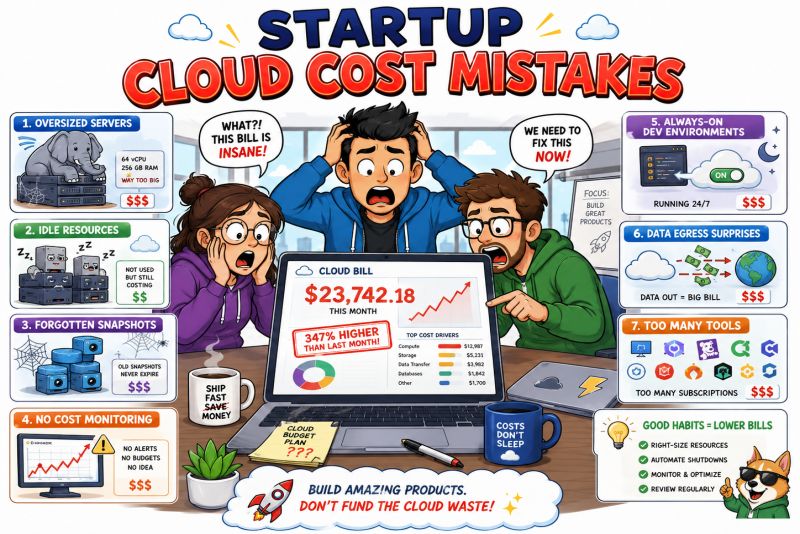
    Your cloud bill started at $200 a month. Twelve months later it’s $8,000 and nobody on your team can explain why. The infrastructure that made sense when you had three engineers and 50 users now costs more than two full salaries, and the waste is baked into architecture decisions you made before you knew what product-market fit looked like.

    Most pre-Series A startups discover cloud waste the same way: a CFO asks for a breakdown two months before a funding conversation, and the technical team realizes they’ve been paying for capacity they never used, environments nobody documented, and storage nobody deleted. This isn’t about optimization. It’s about the ownership and architecture mistakes that turn cloud spend from a variable cost into a structural leak.

    Here’s exactly where startup cloud cost mistakes happen, what they cost you before anyone notices, and how to fix them before your next board meeting.

    Nobody Owns the Bill Until It Hurts

    The cloud invoice goes to the company card. Your technical co-founder glances at it once a quarter. Your first engineer has root access but no budget context. The founder who negotiated the AWS credits left four months ago. Nobody treats the cloud bill like a line item they personally own until it crosses a threshold that forces a conversation, and by then you’re explaining six months of spend nobody can reconstruct.

    Ownership gaps don’t just delay action. They create the conditions for every other mistake on this list. When nobody wakes up thinking about the cost of the infrastructure they’re configuring, engineers optimize for speed and convenience. That’s the right trade-off early, but it becomes expensive the moment your burn rate matters and nobody’s job includes asking whether last month’s spend made sense.

    The fix isn’t assigning blame. It’s assigning ownership before the bill becomes a problem. One person sees the invoice every month, knows what changed, and has the authority to ask why. That’s usually a technical co-founder pre-Series A, sometimes your first infrastructure hire if you have one. It doesn’t require a FinOps platform or a dedicated budget owner. It requires one name attached to the bill and a monthly answer to: what drove the increase, and did we mean to spend it?

    You Built for Scale You Don’t Have Yet

    You’re running database instances sized for 10,000 concurrent users. You have 300. Your Kubernetes cluster auto-scales to 12 nodes because someone set a threshold that made sense in a planning document, not production. The load balancer configuration assumes traffic spikes you haven’t seen since launch week. You built for the scale you’ll need after Series A, but you’re paying for it now.

    What works at this stage:

    • Right-size for actual peak load plus 30% headroom, not theoretical future load
    • Provision for the traffic you have this month, not the growth deck you showed investors
    • Run the cheapest instance type that handles your current workload without performance problems

    What doesn’t work:

    • Sizing infrastructure based on projected user growth that hasn’t happened yet
    • Keeping production-grade redundancy and failover for pre-revenue workloads
    • Provisioning for traffic spikes you’ve never actually measured

    Over-provisioning feels like good engineering. It’s rarely questioned because it doesn’t break anything, it just costs too much. The gap between what you’re paying for and what you’re using grows every month until someone finally runs a utilization report and realizes you’re at 18% average CPU across instances that cost $4,000 a month.

    Right-sizing isn’t about cutting corners. It’s about paying for the scale you have, not the scale you’re building toward.


    RED FLAG: Your Staging Environment Costs 60% of Production

    If your non-production environments cost more than half of what production costs, you’re paying for infrastructure that delivers zero user value. Staging and development should run on smaller instances, shut down outside work hours, and never match production specs unless you’re actively load testing.


    Development and Production Run on the Same Credit Card

    Your AWS account has no organizational structure. Every engineer spins up resources in the same environment. Development experiments sit next to production databases. Last quarter’s prototype API still runs because nobody’s sure if it’s still in use. You can see total spend, but you can’t see what you’re paying for development versus production versus that side project your lead engineer built during a hackathon.

    Here’s how to split environments before your next invoice:

    1. Create separate AWS accounts for production, staging, and development. Use AWS Organizations to link them under one billing account. This isn’t about security. It’s about making cost attribution possible. When everything runs in one account, you’re guessing what costs what.

    2. Tag everything with environment and owner from day one. Every resource gets two tags minimum: which environment it belongs to, and which person or team owns it. Enforce this as a deployment rule, not a suggestion. Untagged resources should trigger alerts.

    3. Set up development environments to shut down at night and on weekends. Use AWS Instance Scheduler or equivalent automation. If nobody’s writing code at 3 AM on Sunday, nothing should be running. This alone cuts development costs by 60 to 70% without changing anything engineers do during work hours.

    The entire setup takes four hours if you do it properly. The cost visibility you get back makes every subsequent decision easier because you’ll finally know what you’re paying for production load versus infrastructure nobody’s using.

    The Storage Bill Nobody Checked for Six Months

    Compute costs are visible. Your team provisions instances, they show up on the bill, someone eventually notices. Storage costs grow silently. Database snapshots accumulate. Log files from six months ago sit in S3 because nobody set a deletion policy.

    EBS volumes from terminated instances stay attached because the default is to preserve data. Your storage bill started at $80 a month and it’s now $2,400, and nobody on your team thought to check because storage feels cheap compared to compute.

    Storage cost growth is the most predictable cloud waste vector for early-stage startups. It grows every month by default unless someone actively manages it, and most pre-Series A teams don’t assign anyone to manage it until the bill forces the conversation. Here’s what’s probably costing you right now:

    • Database snapshots kept forever with no retention policy
    • Application logs stored in S3 Standard instead of Infrequent Access or Glacier
    • EBS volumes from old instances still attached and billed months after termination
    • Development and staging databases backed up at the same frequency as production
    • Old Docker images and build artifacts nobody’s deleted in eight months

    You don’t need a storage optimization platform. You need a weekend afternoon and a clear deletion policy. Audit what you’re storing, set retention limits that match your actual recovery needs (30 days for most logs, 90 days for most backups), and lifecycle everything older than that to cheaper storage or deletion. Most startups cut storage costs by 50 to 70% the first time someone does this properly.


    BUYER’S REALITY: Snapshot Retention Policies Cost More Than the Snapshots

    Most backup tools default to keeping snapshots forever. After 12 months, you’re paying more to store old backups than you’re paying for the database itself. Set a retention policy before you turn on automated snapshots: 7 daily, 4 weekly, 12 monthly. Anything older than that gets deleted unless you have a compliance reason to keep it.


    Auto-Scaling That Never Scales Down

    You configured auto-scaling because that’s what you’re supposed to do. Your cluster scales up when load increases. The configuration works exactly as written. What you didn’t configure: the conditions under which it scales back down.

    Your infrastructure grows to handle peak load, then stays there because the scale-down threshold is too conservative, the cooldown period is too long, or nobody set a minimum instance count that makes sense for off-peak hours.

    Watch for these four signals that your auto-scaling configuration is costing you:

    1. Minimum instance count hasn’t changed since launch. You set a minimum of 6 instances when you deployed. You still have 6 instances running at 4 AM on Tuesday when your traffic is 8% of peak. Minimum should track your actual baseline load, not your launch-week paranoia.

    2. Scale-down takes longer than 30 minutes after load drops. If your system takes an hour to scale down after traffic returns to normal, you’re paying for capacity you don’t need for 23 hours a day. Tighten the cooldown period and lower the scale-down threshold.

    3. CPU threshold for scaling down is under 20%. Conservative thresholds feel safe. They’re expensive. If you won’t scale down until average CPU is below 20%, you’re keeping instances running that are doing almost nothing. Raise it to 40% and monitor what breaks (nothing will).

    4. Your instance count graph looks like stairs going up, flat lines going across. Pull your instance count graph for the last 30 days. If it scales up during load and stays there for days, your scale-down isn’t working. It should look like a heartbeat, not a staircase.

    Auto-scaling is sold as automatic cost optimization. It only optimizes cost if scaling down works as reliably as scaling up, and most startup configurations are biased toward staying scaled up because nobody wants to be the engineer who caused a performance problem by scaling down too aggressively.

    Reserved Instances Before Product-Market Fit

    Your AWS account manager recommended reserved instances. The math makes sense: commit to a year, save 30 to 40% versus on-demand pricing. You’re definitely going to be running this workload for the next 12 months. The savings will help your burn rate. You sign the commitment.

    Four months later your architecture changes. You migrate to containers and your instance type requirements shift. Or you pivot the product and your compute profile looks completely different. Or growth stalls and you’re paying for reserved capacity you’re not using while your on-demand costs dropped.

    The commitment that was supposed to save money now sits on your invoice every month as a sunk cost you can’t adjust.

    Reserved instances and savings plans are correct financial decisions when your workload is predictable and your architecture is stable. Most pre-Series A startups have neither. Your infrastructure is still shaped by experiments, pivots, and growth assumptions that haven’t been tested.

    Committing to a year of fixed capacity before you know what product-market fit looks like trades optionality for savings, and optionality is worth more than 30% off when you’re pre-revenue.

    The threshold that changes the math: consistent monthly cloud spend over $8,000 for three consecutive months with no architecture changes planned. Below that, the savings from reservations don’t justify the risk that your capacity needs will shift before the commitment ends. On-demand pricing costs more per hour, but it costs nothing to change direction.


    RED FLAG: You Committed to Reservations in the Same Quarter You Changed Your Database

    If you bought reserved instances or savings plans in the same quarter you migrated databases, re-architected your application, or changed your deployment model, you locked in pricing for infrastructure you’re about to stop using. Reserved commitments should follow architecture stability, not cause it.


    When to Actually Start Caring About This

    Most technical founders treat cloud cost optimization as premature before product-market fit. They’re half right. Optimizing for the last 10% of waste is premature. Fixing the structural mistakes that let waste grow unchecked is not, and the difference is whether you’re spending two hours a month on cost hygiene or two weeks every quarter explaining runaway spend to your board.

    Here’s when cloud cost management stops being a distraction and starts being a funding requirement:

    You should act now if:

    • Monthly cloud spend is over $5,000 or 8% of total burn rate
    • Your technical team can’t explain what drove last month’s bill increase
    • Staging and development environments cost more than 30% of production
    • You’re 6 to 9 months from Series A conversations and burn rate matters
    • Your cloud bill grew more than 40% in a quarter when usage grew less than 20%

    You can wait if:

    • Monthly cloud spend is under $2,000 and stable
    • Every engineer on your team knows what they provisioned last month
    • You’re pre-revenue and still validating the core product
    • Your funding runway is over 18 months regardless of cloud optimization

    The goal before Series A isn’t perfect cost efficiency. It’s cost visibility and ownership. Investors will ask how you manage infrastructure spend. The wrong answer is “we haven’t looked at it yet.” The right answer is “one person owns it, we audit monthly, and here’s what we’re paying for.”

    The 48-Hour Cloud Cost Audit

    You don’t need a FinOps platform to find the biggest leaks in your cloud bill. You need four hours across two days and access to your cloud provider’s cost explorer. This audit surfaces the waste that’s costing you real money right now, not the micro-optimizations that save $40 a month.

    Step 1: Pull a cost breakdown by service for the last 90 days. Open your cloud provider’s billing dashboard and group costs by service (EC2, RDS, S3, etc.). You’re looking for the top three services by total spend. That’s where 70 to 80% of your waste lives.

    Step 2: Within your top service, break down by resource tag or instance ID. If compute is your biggest cost, list every instance and what it’s doing. If storage is biggest, list every bucket and database. You’re building a map of what you’re actually paying for, not what you think you deployed.

    Step 3: Identify resources with no owner tag or no activity in 30 days. Anything running without an owner is a candidate for shutdown. Anything with zero activity in the last month is probably waste. Flag them, verify with your team, and terminate or archive.

    Step 4: Check your storage retention policies and snapshot schedules. Pull your S3 lifecycle policies and database backup retention settings. If anything is set to keep data forever, set a retention limit. 90 days for backups, 30 days for logs, unless you have a compliance reason to keep it longer.

    Step 5: Review auto-scaling configs and check if scale-down is working. Pull your instance count graph for the last two weeks. If it scales up but doesn’t come back down, your configuration is broken. Adjust the scale-down threshold and cooldown period.

    Step What You Are Actually Doing Where This Goes Wrong
    Pull 90-day cost breakdown Identifying your top three cost centers Stopping at the summary view without drilling into resource-level detail
    Tag and map every resource Building accountability for what’s running Skipping untagged resources because nobody knows what they are
    Flag idle and unowned resources Surfacing waste that can be terminated this week Assuming everything running is necessary without verifying activity
    Set storage retention policies Capping growth on snapshots and logs Setting retention too short and losing data you actually need
    Verify scale-down is working Making sure auto-scaling saves money in both directions Leaving scale-down thresholds too conservative and paying for idle capacity

    The step most teams skip: tagging and mapping what’s actually running. Without that map, you’re guessing what you can safely shut down. With it, the entire audit takes four hours and cuts your bill by 20 to 40% in the first month. The biggest mistakes aren’t configuration tweaks. They’re resources running that nobody remembers provisioning and nobody verified are still needed.

    Conclusion

    Startup cloud cost mistakes aren’t about missing a discount or picking the wrong instance type. They’re about building infrastructure with no ownership, no visibility, and no forcing function to ask whether what you provisioned last quarter still makes sense this quarter. If your monthly cloud bill is over $5,000 and nobody on your team looked at it last month, start with the 48-hour audit. If it’s under $5,000 and growing, assign an owner now before it becomes a board-level question.

    Pull your last three invoices, map your top five cost centers, and verify someone can explain what you’re paying for before your next funding conversation.


    Also read: FinOps Framework
    Related reading

  • Data Warehouse vs Data Lake vs Lakehouse: What IT Leaders Need to Know Before Signing in 2026

    Most IT leaders choose a data platform based on what their data looks like today, not what their organization will demand from it 18 months after deployment. You’re comparing feature matrices and watching vendor demos that run perfectly because they’re engineered for the 20-minute pitch, not the three-year operational reality. The data warehouse vs data lake vs lakehouse decision gets framed as a technology question when it’s actually a staffing and budget question. The architecture you pick determines what kind of engineers you’ll need to hire, what kind of operational overhead your team will absorb, and whether you’ll still be paying for performance tuning two years after the contract starts. Here is how to make this call clearly, before the vendor deadline forces it for you.

    The Architecture Decision Most Teams Make Backward

    You’re probably evaluating these platforms based on whether your data is structured or unstructured, batch or streaming, transactional or analytical. That’s the wrong filter. The right question is what your team will be asked to do with this data 18 months from now, and whether the people you have today can realistically deliver it.

    Data warehouses optimize for SQL queries against structured data. They’re fast when the schema is stable and the questions are predictable. Data lakes store everything in raw form, cheap and flexible, until someone needs to make sense of it. Lakehouses promise both: structured performance on unstructured storage. All three sound rational until you factor in the team you’ll need to keep them running.

    The mistake most buyers make is picking the architecture that fits their current data profile. If 80% of your data is structured today, a warehouse feels safe. If you’re drowning in logs and JSON files, a lake looks obvious. If you want both, a lakehouse sounds like the compromise that avoids future regret. None of that logic accounts for the operational cost that starts in month four, when your team is spending 15 hours a week managing something the demo made look automatic.

    Choose based on what your team can sustain, not what your data looks like right now. Your data will change. Your team’s capacity to manage complexity won’t change nearly as fast, and hiring your way out of that gap takes longer than any vendor timeline suggests.

    What Your Data Actually Costs in Each Architecture

    What Works

    Data Warehouse: Predictable costs if your query patterns are stable. You pay for compute and storage separately, scaling is mostly automatic, and performance tuning is someone else’s problem until you hit significant scale. For teams under 50 users running known reports, the monthly bill stays inside the forecast.

    Data Lake: Storage costs stay low even at petabyte scale. You’re not paying to structure data you might never query. For organizations generating massive volumes of raw telemetry, sensor data, or archival content, the cost per terabyte is a fraction of warehouse pricing.

    Lakehouse: You avoid maintaining two separate platforms. One team, one skillset, one operational surface. You don’t pay twice for storage, and you don’t build fragile ETL pipelines shuttling data between systems that were never designed to cooperate.

    What Doesn’t Work

    Data Warehouse: The moment your query patterns shift or your data gets messy, you’re paying engineers to remodel schemas and rewrite transformations. That labor cost is rarely in the first proposal. For fast-growing teams where the business model is still evolving, warehouse rigidity becomes expensive fast.

    Data Lake: The tooling required to make raw data usable costs more than the storage you’re saving. Catalog systems, metadata management, data quality monitoring, and the engineering time to keep it all accurate add up to more than most teams budget. If you don’t have governance processes in place before you start dumping data into the lake, cleanup costs in year two will erase any storage savings from year one.

    Lakehouse: You’re locked into whichever vendor’s implementation you pick. The open formats sound portable, but the query engine, the optimization layer, and the integrations your team builds are not. Switching after 18 months costs low six figures minimum, and that’s before you count retraining.


    BUYER’S REALITY

    Storage cost is 30% of what you’ll actually spend

    Most buyers budget for storage and licensing. The real cost sits in the engineers you’ll hire to maintain pipelines, tune queries, and fix schema drift. For data lakes, plan for one full-time data engineer per 50 active users. For warehouses, that ratio improves but query optimization becomes a specialized skill you probably don’t have in-house yet.


    The Team You Need to Own Each Platform Is Not the Team You Have

    A data warehouse requires SQL expertise and someone who understands dimensional modeling. If your team already writes queries and manages relational databases, the learning curve is manageable. The problem comes when business requirements shift and you need to redesign the schema. That’s not a DBA task. That’s a data architect role, and if you don’t have one, you’ll spend six months hiring for it or six months living with a schema that doesn’t fit what the business actually needs.

    A data lake requires data engineers who can write Python or Scala, manage distributed processing frameworks, and understand how to structure raw files so queries don’t scan terabytes of irrelevant data. Your existing database team can’t just pick this up. The skills gap is wide enough that most mid-market teams either hire new or accept that the lake will underperform for the first year while internal people ramp up.

    A lakehouse requires both skillsets. You need people who understand SQL and analytics, plus people who can manage data engineering workflows and distributed compute. The vendor pitch assumes you’ll hire one team that does everything. The reality is you’re hiring two types of people, and finding someone who’s genuinely fluent in both is harder and more expensive than the pricing model implies.

    Before you pick an architecture, write down the names of the people who will own it. If you can’t name them, or if the people you’re thinking of are already underwater, the platform choice is premature. You’re not buying software. You’re buying a staffing obligation that starts the day the contract is signed.

    When Structured Data Storage Makes Sense and When It Becomes a Trap

    A data warehouse wins when your data model is stable, your queries are predictable, and performance matters more than flexibility. If you’re running financial reporting, compliance dashboards, or operational analytics where the schema changes twice a year and the queries run a thousand times a day, warehouse economics work. You pay for compute, you get fast answers, and the optimization work is manageable because the problem space is well-defined.

    The trap is assuming your data model will stay stable. If your business is adding product lines, entering new markets, or integrating acquisitions, the schema will change more than twice a year. Every schema change triggers downstream rewrites: ETL jobs break, reports stop working, dashboards go stale until someone fixes the dimension table. That work is invisible in the demo and expensive in production.

    Warehouses also break down when your data sources start including semi-structured or unstructured content. JSON logs, API responses, clickstream data, and document stores don’t fit cleanly into tables. You’ll spend engineering time flattening, parsing, and normalizing, or you’ll just skip loading that data entirely. Either way, you’re paying for a platform that only handles part of your workload.

    Structured data storage works when:

    • Your query patterns are predictable and repeat frequently
    • Schema changes happen on a planned quarterly cycle, not ad hoc
    • Your data sources are transactional databases and CSVs, not APIs and logs
    • You already have SQL expertise in-house and no budget for new data engineering hires

    If any of those conditions are false, the warehouse will cost more to maintain than the performance gain justifies. That doesn’t mean don’t buy one. It means budget for the re-architecture work you’ll be doing in months 12 through 18.

    Data Lake Architecture Looks Cheap Until You Count the Cleanup Cost

    Storage in a data lake costs almost nothing. Turning that storage into something your team can query, trust, and use for decisions costs significantly more than nothing. The pricing page highlights cost per terabyte. It doesn’t break out the cost of cataloging, governance tooling, or the engineer you’ll assign full-time to keep the metadata accurate.

    A data lake works when you’re storing massive volumes of raw data that only a few specialized users will ever touch. Genomics data, satellite imagery, industrial IoT telemetry, these workloads make sense in a lake because the alternative is paying warehouse prices for data that gets queried once a quarter. The cost model aligns because you’re not expecting business users to self-serve, and you’re not maintaining hundreds of dashboards that break when someone reorganizes the folder structure.

    The problem starts when you treat a data lake like a general-purpose analytics platform. Business users can’t write SQL against raw Parquet files in S3. You’ll build an abstraction layer. That layer needs a query engine, a metadata catalog, access controls, and someone to manage schema drift when upstream data sources change their output format. Every piece of that stack is something you’re now responsible for operating.

    Governance cost is the line item that sinks most lake deployments. Without active curation, the lake fills up with duplicate datasets, deprecated files, and undocumented schemas. A year in, nobody knows which version of the customer table is the source of truth. Queries slow down because they’re scanning folders that should’ve been archived months ago. Your team spends more time hunting for clean data than analyzing it.

    If you don’t have a data governance function today, a data lake will fail by year two. That’s not a conditional. That’s what happens when unstructured storage meets organizational entropy.


    RED FLAG

    No data governance team means your lake fails in year two

    If you can’t name who owns data quality policies today, a data lake will become unmanageable before your second renewal. Unstructured data storage without active curation turns into a junk drawer where nobody trusts what they find. The vendors won’t tell you this, but every successful lake deployment has dedicated governance headcount from day one.


    The Lakehouse Promise vs the Integration Reality

    The lakehouse pitch is clean: store everything in open formats, query it like a warehouse, skip the ETL complexity of maintaining two platforms. You get data lake economics with data warehouse performance, and you’re not locked into proprietary storage. That’s the architectural promise. The operational reality depends entirely on how mature the vendor’s implementation is and how much technical debt you’re willing to carry.

    Factor Data Warehouse Data Lake Lakehouse
    Monthly Cost (500TB, 50 users) $15K to $25K in compute and storage $3K to $6K in storage, $10K+ in tooling and compute $12K to $20K in platform fees, variable compute
    Team You Need SQL analysts, one data architect Data engineers (Python/Scala), governance lead Both SQL and engineering skills, plus platform specialist
    Vendor Lock-In Risk High. Proprietary query optimization and storage format Low on storage, high on tooling and query layers Medium to high. Open formats don’t mean portable workloads
    Time to First Query 2 to 4 weeks if schema is designed 1 week to store data, 6 to 12 weeks to make it queryable 4 to 8 weeks, longer if integrations are complex

    The table shows cost and capability, but the real decision comes down to whether your team can manage the platform without vendor services. A data warehouse hides complexity until you hit scale. A data lake exposes complexity from day one. A lakehouse promises to hide it again, but that depends on how much custom integration work your environment requires.

    For teams under 50 people, the lakehouse operational surface is larger than most internal teams can manage without outside help. For teams over 200, the cost savings vs. running two separate platforms start to justify the investment. The gap in the middle is where most regrettable purchases happen, because the ROI math works on paper but the team can’t execute it.

    Snowflake vs Databricks Architecture: What the Difference Actually Means for You

    Both platforms call themselves lakehouses. Both let you query data in object storage. Both charge based on compute consumption. The architectural difference is where they started and what that means for your team’s learning curve and cost profile.

    Snowflake

    Snowflake is a data warehouse that added lake capabilities. The SQL interface is familiar, the query optimizer is mature, and business analysts can start writing queries on day one without learning a new language. The cost model is simple: you pay per second of compute, scaling is automatic, and you’re not managing infrastructure.

    The trade-off is cost at scale. Snowflake’s pricing works when queries are short and targeted. When you start running heavy transformation workloads or machine learning pipelines, the compute bill climbs fast. You’re also locked into Snowflake’s storage format once you start using advanced features like clustering and materialized views. The open format compatibility is real, but the performance optimizations are not portable.

    Databricks

    Databricks is a data engineering platform that added warehouse capabilities. It’s built on Spark, optimized for ETL and ML workloads, and designed for teams that write code. If your use case involves training models, running complex transformations, or processing streaming data, Databricks pricing is more predictable than Snowflake’s because you’re paying for long-running compute jobs, not per-query costs.

    The trade-off is complexity. Your team needs to understand Spark, manage cluster configurations, and tune jobs for performance. The SQL interface exists, but it’s not as polished or as fast as Snowflake’s for ad hoc analytics. For teams without data engineering experience, the ramp time is measured in months, not weeks.

    The decision between Snowflake and Databricks comes down to who will use the platform most. If your primary users are business analysts running reports, Snowflake is the safer bet. If your primary users are data engineers building pipelines and training models, Databricks makes more economic sense. If you need both equally, you’re either staffing for both skillsets or accepting that one use case will underperform.


    BUYER’S REALITY

    Switching costs after year one rarely drop below six figures

    Both Snowflake and Databricks make migration easy on the way in. On the way out, you’re rewriting pipelines, retraining teams, and rebuilding integrations. Budget for at least 12 months of parallel operation if you ever need to move. That’s not a scare tactic. That’s what the timeline looks like when you count testing, validation, and rollback capability.


    Who This Decision Makes Sense For and Who Should Wait

    Buy a data warehouse now if:

    • Your data is 80% structured, stored in relational databases or flat files
    • Your team already writes SQL and manages database schemas
    • Query performance directly impacts revenue or compliance deadlines
    • You have fewer than three data sources and schema changes happen quarterly or less

    Wait on a data warehouse if:

    • Your team is under 10 people and nobody has data architecture experience
    • Your data model is still evolving because your business model is still evolving
    • More than half your data comes from APIs, logs, or third-party services that don’t fit clean table structures
    • You’re planning to add machine learning workloads in the next 12 months

    Buy a data lake now if:

    • You’re generating terabytes of unstructured data monthly and need cheap long-term storage
    • You already have data engineers on staff who know Python, Spark, or similar frameworks
    • You have a governance team or budget to hire one before deployment starts
    • Most of your analytics users are technical and comfortable writing code

    Wait on a data lake if:

    • You don’t have a data governance function and no budget to create one
    • Your team expects self-service analytics and business users who can’t code
    • Your data volume is under 10TB and growing slowly
    • You need fast query performance for dashboards and reports, not batch processing

    Buy a lakehouse now if:

    • You’re over 200 employees and supporting both SQL analysts and data engineering workloads
    • You have budget for platform-specific training and at least one dedicated administrator
    • You’re willing to accept 12 to 18 months of lock-in because switching costs will exceed six figures
    • Your data strategy includes machine learning, real-time analytics, and traditional BI on the same platform

    Wait on a lakehouse if:

    • Your team is under 50 people and you don’t have both SQL and engineering expertise in-house
    • You’re still evaluating whether your data workloads justify moving off spreadsheets and local databases
    • Your CFO is asking for ROI projections and you can’t articulate the cost of not consolidating platforms
    • You’re comparing based on vendor demos instead of running a proof of concept with your actual data and team

    The Right Data Platform Selection Comes Down to What You Can Afford to Operate

    The best architecture is not the one with the most features. It’s the one your team can operate successfully 18 months from now, when the vendor’s professional services team is gone and your people are managing it alone. That sounds obvious, but most platform decisions optimize for capabilities on day one instead of operational cost on day 500.

    A data warehouse is the lowest operational burden if your data and query patterns are stable. A data lake is the most flexible if you have the engineering and governance capacity to manage it. A lakehouse is the best economic choice if you’re large enough to justify the complexity and staffing cost. None of those statements are aspirational. They’re conditional, and the condition is whether you can realistically staff and sustain the platform after the initial deployment.

    Before you sign, write down the total cost for year two. Not the license renewal. The salary cost of the people who will maintain pipelines, tune performance, manage access controls, train new users, and fix things when they break. If that number is higher than the platform’s annual cost, you’re buying the wrong architecture or you’re buying too early. The right data platform selection starts with knowing what you can afford to operate, not what the vendor can afford to sell you.


    Also read: Databricks glossary on the lakehouse architecture

    Related reading

  • Multi-Cloud vs Single Cloud for SaaS Startups: Budget and Risk Before Architecture

    Most SaaS founders treat multi-cloud as an insurance policy against vendor lock-in. The pitch is appealing: spread your workload across AWS, Azure, and GCP, and you’ll never be at the mercy of a single provider’s pricing changes or service outages. The reality is uglier. The operational cost of running workloads across multiple clouds almost always exceeds the theoretical switching cost you’re trying to avoid. Your team will spend more time managing provider-specific quirks than building features, your infrastructure bill will carry a 30% to 50% overhead tax, and the portability you’re paying for will exist mostly in architecture diagrams that don’t match production.

    The multi-cloud vs single cloud for SaaS startups decision isn’t really about technology. It’s about burn rate, team capacity, and whether you can afford to treat infrastructure as a hedge instead of a tool. Most early-stage teams can’t. The companies that succeed with multi-cloud are solving a specific problem that justifies the cost: genuine regulatory requirements that mandate data residency across regions and providers, acquisition targets that run on different clouds, or technical products where cloud portability is the core value proposition. For everyone else, multi-cloud is expensive risk theater.

    Here is how to make this call clearly, before the next infrastructure decision locks you into overhead you didn’t budget for.

    The Vendor Lock-In Fear Is Real, But Multi-Cloud Doesn’t Solve It

    Vendor lock-in happens at the application layer, not the infrastructure layer. Your risk doesn’t come from running on AWS or GCP. It comes from the services your developers choose while building on that provider: managed databases with proprietary query extensions, serverless functions that only run in one environment, identity systems that don’t map cleanly to competitors, storage APIs that behave differently under load. The cloud provider matters less than the 200 architectural decisions your team makes in the first year of development.

    Multi-cloud strategies promise to abstract away those provider-specific dependencies. In practice, abstraction layers add complexity without delivering portability. Your team builds to the lowest common denominator of what all three clouds support, which means you can’t use the managed services that make development fast. Or you use those services anyway, and the multi-cloud architecture becomes a labeling exercise. Workloads still pin to one provider, you’re just paying for the overhead of maintaining deployment pipelines and monitoring across all of them.

    The lock-in you should worry about isn’t the cloud provider. It’s the accumulated weight of convenience decisions your developers make when they’re trying to ship. Every managed service you adopt, every provider-specific API you call, every deployment shortcut you take adds to the real switching cost. That cost exists whether you run on one cloud or three. Spreading your infrastructure across multiple providers doesn’t reduce it. It just makes it harder to see.

    What Multi-Cloud Actually Costs Before You Write the First Line of Code

    What Multi-Cloud Enables:

    • Theoretical portability if one provider raises prices or suffers a prolonged outage
    • Regulatory compliance in markets that require data residency across specific providers
    • Ability to use best-of-breed services from different clouds for specialized workloads

    What It Actually Requires:

    • Duplicate tooling for monitoring, logging, deployment, and security across every provider you support
    • Engineering time to maintain parity in configuration, IAM policies, and network topology across environments
    • Higher baseline infrastructure cost because you lose volume discounts and can’t commit to reserved instances on a single provider
    • Training budget to keep your team proficient in multiple consoles, CLIs, and service models
    • Slower feature velocity because every infrastructure change requires implementation and testing in multiple environments
    • Cross-cloud networking costs that don’t exist in single-provider architectures

    The financial multiplier is real. A startup running a single-cloud architecture on $8,000 per month in infrastructure will spend $11,000 to $13,000 per month running the same workload multi-cloud, before accounting for the engineering time required to manage it. That overhead doesn’t shrink as you scale. It grows.


    BUYER’S REALITY: Your Developers Will Build for One Cloud Anyway

    Even teams committed to multi-cloud portability default to the provider-specific services that make development faster. After six months, you’ll have a nominally multi-cloud architecture running 80% of its workload on whatever your first engineer knew best. The abstraction layer you planned to build never gets prioritized.


    Single Cloud Gets Cheaper Over Time. Multi-Cloud Gets More Expensive.

    The economic curve works against you in multi-cloud environments. Single-provider infrastructure gets cheaper as you scale because you consolidate spend, unlock volume discounts, and commit to reserved capacity. Your team learns one set of tools deeply, builds reusable infrastructure patterns, and stops solving the same problems twice. After 18 months, most startups see their per-unit infrastructure cost drop by 20% to 35% as they optimize for their primary provider’s pricing model and service catalog.

    Multi-cloud architectures move in the opposite direction. Every new service you add has to be implemented multiple times. Every optimization you discover on one platform has to be re-validated on the others. Your monitoring and logging costs scale linearly with the number of providers because you’re paying for duplicate ingestion and storage. Networking costs between clouds add a tax that doesn’t exist when all your services run in the same provider’s backbone.

    The team cost follows the same pattern. A senior infrastructure engineer comfortable with AWS can support a 30-person engineering team on a single-cloud stack. That same engineer supporting multi-cloud infrastructure tops out at 15 to 20 developers before you need another hire. The operational load doesn’t halve when you add a second cloud. It doubles, because now you’re maintaining two complete environments that have to stay in sync.

    The Team Size Threshold Where This Decision Changes

    Your Team Size Single Cloud Multi-Cloud Recommendation
    Under 10 engineers One senior engineer can manage infrastructure part-time while building features Requires one full-time infrastructure engineer, slows feature development by 20% to 30% Single cloud unless regulatory requirements force multi-cloud
    10 to 30 engineers Infrastructure becomes a dedicated role, cost per developer drops as you optimize Need two infrastructure engineers, duplicate tooling costs exceed $30K annually Single cloud for most SaaS products, multi-cloud only if customer contracts require it
    30 to 100 engineers Volume discounts and reserved instances cut per-unit cost, team specialization improves efficiency Infrastructure team grows to three or four, networking and cross-cloud data transfer add 15% to 25% overhead Single cloud unless you have dedicated budget for cloud strategy as a competitive differentiator
    100+ engineers Enterprise agreements and committed use discounts make single cloud 30% to 40% cheaper than list pricing Multi-cloud becomes viable if you have platform engineering team, but cost advantage disappears Multi-cloud makes sense only if required by acquisition strategy or product architecture

    The pattern is clear across every team size: multi-cloud costs more and delivers less unless you’re solving a problem that single-cloud architectures can’t address. For teams under 30 engineers, the overhead consumes budget that would otherwise go to product development. For larger teams, the cost becomes defensible only when multi-cloud is a product requirement, not an infrastructure hedge.

    What the table doesn’t show is the opportunity cost. The engineering time you spend maintaining multi-cloud infrastructure is time you’re not spending on the features that differentiate your product. That trade-off makes sense for a company selling cloud migration tools. It rarely makes sense for a SaaS startup trying to reach product-market fit before the next funding round.

    The Disaster Recovery Argument Only Works If You’ve Tested It

    The strongest argument for multi-cloud is resilience. If AWS us-east-1 goes down and takes your application with it, you want the ability to fail over to GCP or Azure without waiting for Amazon’s incident response. The argument is technically sound. The implementation almost never is.

    Real multi-cloud disaster recovery requires active-active architecture: your application runs simultaneously on multiple clouds, your data replicates in near real-time, your DNS and load balancing can shift traffic between providers in under 60 seconds, and your team has tested the failover procedure under production load within the last 90 days. Anything short of that isn’t disaster recovery. It’s disaster theater.

    Most startups implement warm standby or cold standby configurations. Your application exists on a second cloud, but it’s not serving traffic, your data is hours or days behind, and failover is a manual procedure that requires engineering intervention. When the outage happens, you discover the configuration drift that accumulated since the last test, the IAM permissions that don’t match production, the DNS change that takes 20 minutes to propagate instead of the 60 seconds you planned for. Failover fails, or it succeeds but with enough data loss and downtime that your SLA is already breached.

    What Actually Works:

    • Active-active multi-cloud costs 2x to 3x more than single-cloud high availability within one provider
    • Testing failover quarterly (minimum) to catch configuration drift before an actual outage
    • Accepting that multi-region within a single cloud solves 95% of availability risk at 30% of the cost

    What Doesn’t:

    • Standby environments that haven’t been tested in six months
    • Assuming your team can execute a manual failover procedure in the middle of an outage
    • Treating multi-cloud as a substitute for architectural resilience (circuit breakers, graceful degradation, retry logic)

    RED FLAG: You Don’t Have Anyone Who Can Architect This

    Multi-cloud resilience requires someone who understands networking, IAM, and deployment pipelines across at least two providers. If your team is under five engineers and none of them have run production infrastructure at scale on multiple clouds, the disaster recovery strategy you’re designing won’t work when you need it.


    When Multi-Cloud Makes Sense: The Three Conditions That Justify the Cost

    Multi-cloud stops being overhead and starts being strategy when you meet at least one of these conditions. If you don’t, the cost will outpace the benefit within 12 months.

    Condition one: regulatory or contractual data residency that can’t be met by multi-region within a single provider. Some governments require that citizen data stay within national borders on infrastructure operated by a domestic provider. Some enterprise customers mandate that their data runs on a specific cloud for compliance reasons. If your revenue depends on serving those markets and no single provider can meet the requirement, multi-cloud is the cost of doing business.

    Condition two: your product is a cloud management or migration platform. If you’re selling cloud portability, cost optimization across providers, or disaster recovery as a service, your product has to work natively on multiple clouds. The overhead isn’t overhead anymore. It’s product development.

    Condition three: you’re acquiring companies that run on different clouds and migrating them is more expensive than supporting multiple providers. This is an enterprise-scale problem. If your M&A strategy involves buying SaaS companies and integrating their technology, inheriting their cloud provider is often cheaper than re-platforming. The math changes when you’re managing 10 acquired products across three clouds. It doesn’t make sense when you’re pre-Series A.

    The common thread: in every legitimate case, multi-cloud solves a specific problem that has a higher cost than the overhead. It’s not insurance. It’s not best practice. It’s a tool you use when the alternative is worse.

    What Single Cloud Lock-In Actually Looks Like After Three Years

    The fear is that after three years on AWS, you’ll be trapped. Pricing will increase, service quality will degrade, and switching will cost more than your engineering budget for the year. The reality is more mundane. Lock-in is real, but the switching cost is a one-time expense, not a recurring trap. For most SaaS startups, that cost sits between $150,000 and $400,000 depending on data volume, integration complexity, and how deeply you’ve adopted provider-specific managed services.

    What Migration Actually Requires:

    • Four to six months of engineering time to re-implement provider-specific services on the new platform
    • Data migration that usually happens over a weekend with a maintenance window, not weeks of downtime
    • Retraining your team on the new provider’s console, CLI, and service model
    • Parallel infrastructure running on both clouds during the transition period (your highest cost month)

    What It Doesn’t Require:

    • Rewriting your application from scratch
    • Losing customer data or breaching your SLA if you plan the cutover properly
    • Paying both providers indefinitely (the old environment shuts down once migration is validated)

    The math matters. If you’re spending $15,000 per month on single-cloud infrastructure and the switching cost is $300,000, migration pays for itself in 20 months if the new provider saves you 30% on your monthly bill. If you’ve been running multi-cloud to avoid lock-in and paying an extra $5,000 per month in overhead, you’ll spend $180,000 over three years to avoid a $300,000 migration cost. The insurance policy costs more than the risk.


    BUYER’S REALITY: Migration Cost Is a One-Time Tax. Multi-Cloud Overhead Is Forever.

    Switching clouds after three years of single-provider development costs between $150K and $400K for most SaaS startups, depending on data volume and integration complexity. Running multi-cloud from day one costs an extra $40K to $80K per year in tooling, training, and duplicate operational work. By year four, you’ve spent more on overhead than you would have on migration.


    Who Should Not Go Multi-Cloud, Even If the Budget Allows It

    Multi-cloud is the wrong call if any of the following describe your situation. The cost and complexity will hurt you faster than vendor lock-in ever could.

    You should stay single-cloud if:

    • Your engineering team is under 10 people and nobody has prior experience running production infrastructure on multiple cloud providers
    • Your infrastructure budget is under $10,000 per month and every dollar needs to go toward scaling capacity, not architectural flexibility
    • You haven’t reached product-market fit and your roadmap changes every quarter based on customer feedback
    • Your SaaS product doesn’t have regulatory or contractual requirements that mandate multi-cloud data residency
    • You’re optimizing for speed to market and can’t afford the 20% to 30% feature velocity tax that multi-cloud imposes
    • Your team is already stretched thin on operational work and adding a second cloud provider would require a new infrastructure hire
    • You’ve never tested a disaster recovery failover in production and don’t have the budget to implement active-active architecture correctly

    The decision gets simpler when you’re honest about what you’re optimizing for. If your goal is to ship fast, keep burn rate low, and survive to the next funding round, single cloud wins. The theoretical risk of vendor lock-in is smaller than the immediate risk of running out of money before you prove the business model.

    How to Make This Call Before Your Next Funding Round Forces It

    The wrong time to decide your cloud strategy is after you’ve already built six months of infrastructure. The right time is before you write the first deployment script, and the decision should be tied to business milestones, not technical preferences.

    Start single-cloud if you’re pre-Series A, your team is under 15 engineers, and you don’t have a customer contract that requires multi-cloud. Pick the provider your senior engineers know best, commit to reserved instances to cut your monthly bill by 30%, and optimize ruthlessly for feature velocity. The switching cost three years from now is real, but it’s smaller than the cost of burning an extra $60,000 per year on multi-cloud overhead you don’t need yet.

    Consider multi-cloud only after you’ve hit $5 million in ARR, proven your business model, and identified a specific problem that single-cloud can’t solve: regulatory requirements in a new market, customer contracts that mandate a particular provider, or a product strategy where cloud portability is a competitive differentiator. At that stage, you have the revenue to support a dedicated infrastructure team and the customer pull to justify the investment.

    The forcing function is your runway. If you have 18 months of cash and your infrastructure budget is 12% of monthly burn, every dollar you spend on multi-cloud overhead is a dollar you’re not spending on sales, marketing, or product development. The lock-in risk you’re hedging against won’t materialize for three years. The cash risk is immediate. Optimize for survival first. You can always migrate later if the business justifies it.


  • How to Reduce Cloud Bill Without a DevOps Team: A Practical Cost Control Guide for Lean IT

    How to Reduce Cloud Bill Without a DevOps Team: A Practical Cost Control Guide for Lean IT

    Cloud bills do not usually become painful because of a single mistake by the engineer. They become painful because even small defaults keep charging quietly.

    A test server stays alive. Storage snapshots pile up. Data transfer is ignored. A larger instance is selected because nobody wants performance complaints. The invoice looks technical, but the problem is often operational ownership.

    That is why learning how to reduce cloud bill without a DevOps team starts with discipline, not tooling. You do not need a full platform team to cut waste. You do need visibility, a review rhythm, and enough control to stop obvious leakage before it becomes normal spend.

    This guide is for lean IT teams that need practical savings without disrupting production, slowing delivery, or buying a FinOps platform prematurely.

    The goal is simple: reduce waste first, improve commitments second, and build a cost routine your team can actually maintain.

    Start With Visibility, Not Discounts

    Most teams jump straight to reserved instances, savings plans, or vendor negotiations. That is how you lock in waste at a lower price instead of removing it.

    If you are serious about reducing your cloud bill without DevOps, your first move is not to optimize. It is visibility you can actually act on.

    Start here:

    • Break down the cost by service, not the total bill
      Compute, storage, database, and data transfer behave very differently. A single number hides where action is possible.
    • Identify the top 10 cost contributors.
      Not 100. Not everything. Focus on the few services or workloads driving most of the spend.
    • Separate production vs non-production
      This is where most hidden costs sit. Dev, QA, and staging environments rarely get the same scrutiny.
    • Track daily or weekly cost trend.
      Monthly invoices are too late. You need to see drift early, not after finance flags it.
    • Map cost to owners
      If a workload has no owner, it will never be optimized. Even a basic tag like “team” or “project” is enough to start.

    BUYER’S REALITY

    You cannot reduce what you cannot attribute. Most cloud waste exists in resources nobody clearly owns.

    Vendor tools, such as cost explorers in Amazon Web Services, Microsoft Azure, and Google Cloud Platform, will give you this visibility. But they do not enforce action. They only show data.

    The risk here is false confidence. You see dashboards, but no one changes behavior. That is where bills keep growing.

    Your decision at this stage is simple. Do not optimize yet. First, make sure you can answer, in minutes, where your cloud spend is going and who is responsible for it.

    The Chaos of Enterprise Cloud Pricing Analysis: AWS vs Azure vs GCP 2026

    Kill Idle and Forgotten Resources First

    This is the safest place to start because you are not redesigning anything. You are removing waste that should not exist.

    Look for resources that are running, reserved, or stored without a current business reason.

    Start with these:

    • Stopped or unattached disks
    • Old snapshots and backups
    • Idle virtual machines
    • Unused load balancers
    • Test databases left running
    • Orphaned public IPs
    • Expired proof-of-concept environments
    • Storage buckets with no active usage
    • Dev and QA environments running after office hours

    The trick is not to delete everything aggressively. That creates production risk and internal panic. First label resources as “review,” confirm ownership, then retire them in batches.

    A simple workflow works well:

    1. Export the top unused or low-usage resources.
    2. Assign each item to an owner.
    3. Give a short review window.
    4. Shut down non-production items first.
    5. Delete only after backup or business confirmation.

    The hidden cost is not just the resource charge. It is the habit. Once teams know that cloud resources can live forever, every new project adds permanent spend.

    For lean IT teams, idle cleanup can often produce the first visible savings without buying anything. It also builds the cost discipline needed before rightsizing, reservations, or third-party tooling.

    The decision implication is clear: do not begin with architecture optimization. Start with obvious waste. It is faster, safer, and easier to defend.

    FinOps Tool for Cloud Cost Optimization: How to Evaluate and Use Them Without Wasting 6 Months

    How to reduce cloud bill without a DevOps team? Rightsize Before You Reserve.

    Reserved capacity looks smart because the discount is easy to show. The trap is committing before you know whether the workload size is correct.

    A large instance at 35% usage is not efficient because it is reserved. It is still oversized.

    CheckpointWhat to ReviewRightsize First WhenReserve First WhenBuyer Risk
    Usage patternCPU, memory, storage, IOPSUtilization is low or unevenUsage is stable for monthsYou lock in excess capacity
    EnvironmentDev, QA, staging, productionNon-production runs all dayProduction baseline is predictableTest waste becomes permanent
    Workload maturityNew, changing, or stable appThe app is still evolvingApp demand is steadyDiscount hides poor sizing
    Region/service familyLocation and instance familyWorkloads may moveRegion and family are fixedWrong commitment limits flexibility
    Team capacityMonitoring and rollback abilityYour team can test small changesYour team can track commitmentsSavings need ongoing ownership

    Rightsizing should take precedence over commitment discounts when your team lacks deep DevOps coverage. You need fewer long-term decisions, not more.

    how to reduce cloud bill without a DevOps team

    Start with non-production workloads. Move oversized instances down one tier. Watch performance for a week. Then repeat carefully for production workloads with clear rollback.

    The hidden cost is commitment pressure. Once finance sees a discount, everyone assumes the problem is solved. But if you reserved the wrong size, wrong region, or wrong service family, you have only made the waste harder to unwind.

    For cloud cost optimization, the rule is simple: resize what you can prove, and reserve only what stays stable.

    Cloud vs. Bare Metal: Picking the Winner for Your 2026 Budget

    Use Native Cloud Tools, But Do Not Trust Them Blindly

    AWS, Azure, and Google Cloud all provide cost visibility tools. Use them first. They are already available, tied to your billing data, and good enough for the first round of cleanup.

    PlatformNative ToolGood ForLimitationBuyer Decision
    AWSCost Explorer, Budgets, Compute OptimizerSpend trends, budgets, and rightsizing signalsRecommendations need validationUse for first-pass cleanup
    AzureCost Management, AdvisorDepartment-level cost review, reservation checksCan get noisy across subscriptionsGood for Microsoft-heavy teams
    Google CloudBilling Reports, RecommenderProject-level cost tracking, idle resource signalsRequires clean project ownershipUseful when projects are well structured

    Do not treat these tools as automatic savings engines. They show where to look. They do not understand business priority, production risk, customer impact, or internal politics.

    A tool may recommend downsizing an instance because utilization looks low. But that workload may spike during batch processing, month-end reporting, or customer onboarding. If nobody checks the usage pattern, the “saving” becomes a risk of outage.

    how to reduce cloud bill without a DevOps team

    The trade-off is simple. Native tools are cheaper and faster to get started with, but they require human review. Third-party tools may give better reporting and automation, but they add another subscription and another workflow.

    For a lean team, start native. Build your first cost view, remove obvious waste, validate rightsizing, and only then decide whether the gap is operational or tooling-related.

    Set Guardrails That Non-DevOps Teams Can Actually Maintain

    Cost control fails when every rule needs engineering effort. Your guardrails should be simple enough for IT, finance, or application owners to review without opening a deployment pipeline.

    Start with these controls:

    • Monthly budget alerts by account, project, or subscription
    • Owner tagging for every new workload
    • Auto-shutdown schedules for dev and QA
    • Approval for large instance types
    • Expiry dates for proof-of-concept environments
    • Storage lifecycle rules for logs, snapshots, and backups
    • Separate billing views for production and non-production

    The point is not to block teams. The point is to make waste visible before it becomes normal.

    The implementation risk is over-control. If every small change needs approval, teams will bypass the process or delay work. Keep the rules focused on high-cost actions: large compute, always-on databases, premium storage, and public networking resources.

    If a cloud resource has no owner and no review date, it is already a cost risk.

    Where Third-Party Cost Tools Make Sense

    Third-party cloud cost tools make sense when native dashboards are no longer enough to drive action.

    That usually happens when you have multiple cloud accounts, weak tagging, shared services, unclear ownership, or finance teams asking for cleaner chargeback reports. At that point, the problem is not just seeing spending. It is explaining spending.

    Look at third-party tools when you need:

    • Cleaner cost allocation across teams, products, or customers
    • Better anomaly detection than native alerts
    • Multi-cloud reporting in one place
    • Scheduled executive reports
    • Commitment tracking across accounts
    • Policy-based recommendations
    • Forecasting that finance can understand

    But do not buy too early.

    A FinOps tool cannot fix missing ownership. It cannot magically clean poor tagging. It cannot tell you which test environment is politically safe to shut down. Someone still has to make decisions.

    The hidden cost is operating the tool itself. You need owners, review meetings, follow-up discipline, and someone to challenge recommendations. Otherwise, you are just paying for a better dashboard of the same bad behavior.

    The buyer’s decision is simple: buy when reporting complexity is slowing action. Do not buy when basic cleanup has not even started.

    When NOT to Buy a Cloud Cost Tool

    Buying a FinOps or cloud cost platform feels like progress. In many teams, it becomes another layer of reporting with no change in behavior.

    Do not buy a tool if you are still here:

    • No clear ownership of workloads
    • No tagging discipline or inconsistent tags
    • No separation between production and non-production
    • No regular cost review rhythm
    • Idle resources still exist in large numbers
    • Rightsizing has not been attempted
    • Budgets and alerts are not configured

    In this state, a tool will surface more data, not more decisions.

    The trade-off is straightforward. You either fix behavior first or pay to visualize the same waste more clearly. Most vendors will show dashboards, anomaly alerts, and optimization suggestions. None of that removes cost unless your team acts on it.

    The implementation risk is distraction. Teams start exploring features, dashboards, and integrations instead of fixing the obvious issues already visible in native tools.

    The rule is discipline before tooling. If your team cannot maintain a monthly review using native tools, adding a third-party platform will not change the outcome.

    Build a Monthly Cloud Cost Routine Your Team Can Sustain

    Cloud cost reduction cannot be a one-time cleanup. Bills rise again when no one reviews new workloads, storage growth, unused environments, or vendor recommendations.

    Keep the routine simple:

    Monthly StepOwnerWhat to CheckDecision NeededOutput
    Review top spendIT leadTop services and accountsIs the spending justified?Cost summary
    Check idle resourcesApp ownersUnused compute, disks, IPsKeep, stop, or deleteCleanup list
    Review non-productionProject teamsDev, QA, staging uptimeFull-time or scheduled?Shutdown plan
    Validate rightsizingInfra/app ownerLow-utilization resourcesResize or monitorAction tracker
    Check commitmentsIT + financeReservations, savings plansBuy, renew, or waitCommitment note

    The hidden cost is follow-through. If every review ends with “we will check later,” the bill will keep drifting. Assign owners, set dates, and track closure like any other operational task.

    The right outcome is not perfect FinOps. It is a repeatable routine your team can run without a DevOps function. 

    The practical answer: remove obvious waste, prevent new waste, and only buy tooling when your operating discipline is already working.

    Wrap Up

    The core trade-off is simple: you can reduce cloud spend without a DevOps team, but you cannot reduce it without ownership.

    Start with visibility. Remove idle resources. Rightsize before committing. Use AWS, Azure, or Google Cloud’s native tools first. Buy a third-party cost tool only when reporting complexity is slowing real action.

    This is worth doing when your bill is growing, but your team is still lean. It is not worth over-engineering when the basics are still ignored.

    Your next step: build a monthly cost-review routine and make every major cloud line item accountable to an owner.

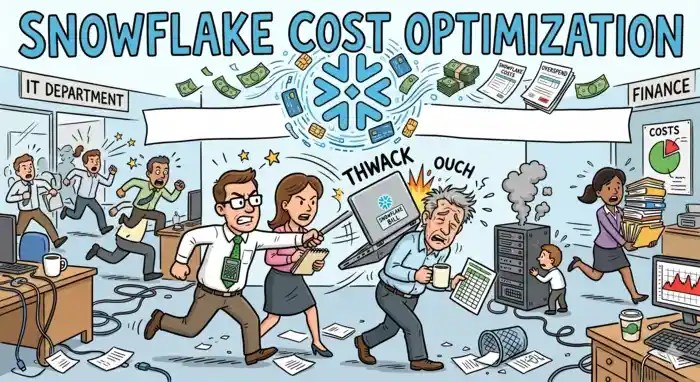
  • Snowflake Cost Optimization: How to Control Data Platform Spend Before Finance Notices

    Snowflake Cost Optimization: How to Control Data Platform Spend Before Finance Notices

    Your Snowflake bill rarely blows up because of one dramatic mistake.

    It usually gets worse through small, approved, reasonable-looking decisions. A dashboard refresh gets tightened. A warehouse stays up longer than expected. A pipeline runs more often because nobody wants stale data. An analyst pulls far more data than the job requires. 

    None of that sounds reckless when it happens. 

    Put it together over a month, and finance starts asking why spending climbed when nobody launched anything big.

    That is why Snowflake cost optimization gets mishandled. You look at the bill after the damage is done instead of looking at the habits that created it. 

    The platform is not trying to cheat you. It is charging exactly as instructed. The problem is that convenience, speed, and loose usage rules quietly turn into recurring costs.

    If you want control, stop treating Snowflake spend as a surprise on the bill. Treat it as an operating discipline. 

    You need to know what starts burning money first, which behaviors hide inside normal usage, and what to fix before cost drift becomes your new baseline.

    Snowflake Cost Optimization Starts When You Stop Thinking In Credits

    Credits make the problem look smaller than it is.

    You say, “We used more credits this month,” and it sounds like a discussion about usage. It is not. It is a spending discussion that you have wrapped in technical language, so nobody feels the impact immediately.

    Switch the lens.

    A warehouse that stays active longer than expected is not “usage.” It is money staying on the meter. A dashboard that refreshes too often is not “engagement.” It is a recurring cost loop. A badly written query is not “inefficient.” It is a direct hit to your budget.

    Once you start translating everything into money, patterns become obvious. The same warehouse that looked harmless at a glance now appears to be a system that never really shuts down. 

    The same set of dashboards now appears to be a continuous compute trigger, not a reporting layer.

    That is where Snowflake cost optimization actually begins. Not with dashboards. Not with alerts. With a change in how you interpret behavior.

    You are not managing a data platform. You are managing a cost engine that reacts exactly to what you allow.

    What One Snowflake Warehouse Actually Costs You In A Day

    “Just one warehouse” is how people talk right before the bill gets stupid.

    So do the math like an adult, not like a hopeful dashboard viewer.

    Say you run a Medium warehouse at 4 credits per hour. I am not using currency here because your actual rate depends on contract, region, edition, and how clever procurement felt that quarter. So keep it in credits for now and translate later.

    Start with the innocent version:

    • 2 hours a day
    • 4 credits per hour
    • 8 credits a day

    Over 30 days, that becomes:

    8 × 30 = 240 credits per month

    Fine. Nobody panics. Nobody starts writing “urgent” in subject lines.

    Now let the same warehouse behave the way it usually does in real life.

    It auto-resumes all day because queries keep hitting it. It stays awake between jobs because the suspend setting is lazy. It is treated like a shared public utility rather than a controlled workload. Your runtime is no longer 2 hours. It becomes 10.

    Now the same warehouse costs:

    10 × 4 = 40 credits a day
    40 × 30 = 1,200 credits a month

    Nothing flashy happened. No new platform. No giant launch. No dramatic architecture failure. You just allowed runtime to spread like a stain.

    Now add concurrency. Snowflake scales because you asked it to. Good for performance. Bad for your blood pressure. If that warehouse starts using 2 clusters instead of 1 during busy windows, your effective burn doubles:

    1,200 × 2 = 2,400 credits a month

    Same warehouse name. Very different financial outcome.

    That is why people get fooled by the “warehouse size” conversation. Size is only half the story. Runtime is the real killer. Concurrency is the accomplice who acts innocent in the meeting.

    Here is the cheat sheet version:

    Monthly warehouse cost in credits = credits per hour × active hours per day × days per month × average cluster multiplier

    So if you want a fast estimate:

    4 × 10 × 30 × 2 = 2,400 credits

    That single line is more useful than three cost dashboards and a sad retrospective.

    And here is the part you should remember: warehouse cost rarely explodes because you chose the wrong size once. 

    It usually explodes because you stopped controlling how long it runs, who shares it, and how often it wakes up. 

    That is the gap you need to close before finance notices the number moved and starts asking whether your data team is mining bitcoin on company time.

    Query Math Is Where Snowflake Cost Optimization Gets Real

    A warehouse does not become expensive by sitting there looking pretty. It becomes expensive because somebody keeps asking dumb, oversized, badly-scoped questions.

    That is the part people dodge. They talk about warehouse sizing because it feels infrastructural and respectable. Query behavior is messier. It points to habits. It points to sloppy analysis. It points out that speed has been subsidizing laziness.

    So strip the emotion out and do the math.

    Say your warehouse burns 4 credits per hour. One query runs for 5 minutes.

    That cost is:

    4 × (5 ÷ 60) = 0.33 credits

    Now look at that number and try not to get overconfident. One-third of a credit feels harmless. That is how bad patterns survive. Nobody gets fired over 0.33 credits.

    Now repeat the same query:

    • 20 times a day by one analyst
    • 10 times by a dashboard refresh cycle
    • 15 times by someone “testing” minor variations because apparently development now means guessing in production

    Now you are at:

    45 × 0.33 = 14.85 credits a day

    Over 30 days:

    14.85 × 30 = 445.5 credits a month

    That is one ugly query pattern. Not a crisis. Not a breach. Not an outage. Just a recurring act of carelessness wearing business-casual clothes.

    Now, make it worse the way reality usually does.

    Let’s say the query is not just frequent. It is fat.

    • pulls more columns than needed
    • Scans old partitions nobody asked for
    • joins large tables before filtering
    • uses SELECT * because discipline was apparently optional that day

    So instead of 5 minutes, it runs for 12.

    Now the cost becomes:

    4 × (12 ÷ 60) = 0.8 credits per run

    Run that same pattern 45 times a day:

    45 × 0.8 = 36 credits a day

    Monthly:

    36 × 30 = 1,080 credits

    That is how you get a bill that feels rude without any single dramatic event behind it.

    Here is the cheat-sheet logic:

    Query cost in credits = warehouse credit rate × execution time in hours

    And if you want a rough daily estimate:

    daily query pattern cost = cost per run × number of runs per day

    Simple. Brutal. No storytelling required.

    The lesson is not “optimize queries” because that sounds like a sad poster in an engineering hallway. The real lesson is this: a slow query is not only a performance problem. It is a spending decision that keeps replaying whenever someone reruns it, embeds it, schedules it, or forgets to kill the dashboard that depends on it.

    You do not need to hunt every bad query in the platform. Start with the repeat offenders. Anything slow and recurring is more dangerous than something ugly that runs once and dies. Frequency is what turns bad design into budget damage.

    That is why query math belongs near the top of any Snowflake cost review. Warehouse size gets attention. Query repetition does the real damage while pretending to be normal.

    Why Your BI Dashboards Are Silently Doubling Snowflake Spend

    You think you built dashboards.

    What you actually built is a system that keeps asking Snowflake the same questions all day.

    A human opens a dashboard a few times. A BI tool does not behave like a human. It refreshes on a schedule, triggers dependent queries, and does so without asking whether the answer has changed enough to justify the cost.

    So let’s put numbers on it.

    Say you have:

    • 10 dashboards
    • Each refreshes every 5 minutes
    • Each refresh triggers 3 queries

    That gives you:

    10 × (60 ÷ 5) × 3 = 360 queries per hour

    Now pause for a second.

    That is not “dashboard usage.” That is a continuous workload.

    Even if each query is light, the warehouse:

    • never reaches auto-suspend
    • stays active across the entire working day
    • Often scales up when multiple refreshes collide

    So your “reporting layer” becomes the reason compute never sleeps.

    Let’s translate that into runtime.

    If dashboards keep the warehouse active for, say, 12 hours instead of 3, your cost does not increase by a small percentage. It multiplies.

    Using the same 4 credits/hour example:

    • 3 hours → 12 credits/day
    • 12 hours → 48 credits/day

    Monthly:

    • 12 × 30 = 360 credits
    • 48 × 30 = 1,440 credits

    Nothing about your business changed. You did not add customers. You did not launch a new product. You just allowed dashboards to behave like background jobs instead of user-triggered tools.

    Now layer concurrency on top.

    Multiple dashboards refreshing at the same time create bursts. Snowflake responds by scaling clusters. You get performance. You also get a higher burn rate during those windows.

    So even if average usage looks stable, peak windows quietly inflate cost.

    Here is the part that usually gets ignored:

    Dashboards are rarely owned like pipelines are.

    • No one reviews refresh frequency regularly.
    • No one questions whether every metric needs near-real-time updates
    • No one deletes dashboards that are no longer used

    So cost accumulates around things that feel “harmless.”

    If you want control, stop treating dashboards as passive. They are active cost drivers. Every refresh interval is a pricing decision. Every unnecessary query is a recurring charge.

    You do not need to kill dashboards. You need to make them earn their runtime.

    Pipeline Frequency is Where Snowflake Cost Drift Accelerates

    You increase pipeline frequency because someone asked for “fresher data.”

    It sounds reasonable. It almost always is, at the start.

    Then it quietly becomes expensive.

    An hourly job moves every 15 minutes. Nobody pushes back because latency sounds like a performance problem, not a cost decision.

    The pipeline keeps doing what it was already doing, just more often. Same transformations. Same scans. Same inefficiencies. Just repeated.

    Now the platform is not working as hard because the business has changed. It is working harder because the schedule has changed.

    That difference matters.

    If your pipeline is already inefficient, increasing frequency does not improve anything. It multiplies the same waste. A full refresh job that used to hurt once an hour now hurts four times an hour. A joint that was already heavy now runs again before the previous impact has even faded.

    The cost curve does not rise gently here. It steps up.

    There is also a behavioral trap. Once faster data becomes available, people begin to rely on it. Dashboards get wired to tighter refresh cycles. Downstream jobs align with the new cadence. 

    Rolling back frequency later becomes politically harder than approving it in the first place.

    So you end up locking in a higher cost without a clear point where someone consciously approved that trade-off.

    If you want control, treat pipeline frequency as a financial decision, not a technical tweak.

    Before you reduce intervals, ask:

    • Is this pipeline incremental or still doing full work every time
    • Does anyone actually use the extra freshness, or is it just available
    • What breaks if this runs less often

    If those answers are fuzzy, you are not improving data freshness. You are buying it unthinkingly.

    That is how pipeline frequency turns into a steady source of cost drift.

    Inter-AZ Data Transfer Cost Optimization: The Silent Bill You Forgot to Budget

    Snowflake cost governance fails when nobody owns the spend

    You do not have governance because you tagged workloads and built a dashboard.

    You have governance when somebody owns the cost-creating behavior.

    That is where Snowflake cost governance usually breaks. Data engineering owns pipelines. BI owns dashboards—analysts’ own queries. The platform owns the account. Finance owns the irritation. Spend moves across all of them, so nobody feels fully responsible for it.

    That is why the bill keeps rising without a clean answer.

    A shared warehouse with no clear owner will stay shared until it becomes expensive. A dashboard with no owner will keep refreshing. 

    A bad recurring query will keep running because no one is required to defend it. 

    Cost control fails long before finance notices. It fails the moment expensive behavior becomes ownerless.

    So keep it blunt.

    Assign owners for:

    • warehouse runtime
    • dashboard refresh policy
    • recurring heavy queries
    • pipeline frequency changes

    That is governance. Everything else is reporting.

    Snowflake Cost Control Playbook: Fix These First

    Cost Leak Area What You Notice What It Usually Means Commercial Damage What You Should Check Decision / Fix
    Warehouse runs longer than expected Spend rises even on days with no major delivery or reporting event Auto-suspend is too loose, or small workloads keep waking the warehouse all day You pay for idle runtime dressed up as “availability” Active hours by warehouse, suspend settings, resume frequency Tighten auto-suspend, review wake-up triggers, and stop treating shared compute like office lighting
    Shared warehouse for BI, pipelines, and ad-hoc queries One warehouse looks expensive, but nobody can explain which function caused it Different workloads are colliding, so cost attribution is useless You lose accountability and keep debating instead of cutting spending Warehouse-to-workload mapping, concurrency windows, top consumers by time slot Split warehouses by workload class so cost has an owner and a reason
    Dashboard refresh frequency Reporting spend stays high even when user traffic is ordinary Dashboards are refreshing far more often than business users need You fund machine curiosity, not business value Refresh interval, dashboard open rate, query count per refresh cycle Slow refresh frequency, increase cache use, and kill vanity “real-time” where nobody acts in real time
    Recurring heavy query One query pattern keeps showing up in history and runtime reports Bad SQL has been operationalized through dashboards, notebooks, or scheduled jobs A small design mistake becomes a monthly budget item Top repeated queries, scan volume, execution time, query source Fix repeated offenders first; frequency matters more than technical ugliness
    SELECT * culture Queries look simple, but scan much more data than the answer needs People are pulling convenience data, not necessary data You burn compute to avoid writing precise SQL Columns scanned vs columns used, scan bytes, query templates Force narrower query design for recurring workloads and dashboards
    Poor filter pushdown / weak pruning Runtime stays high even for narrow business questions Queries hit large table regions before filtering useful rows You pay enterprise rates for sloppy retrieval logic Partition pruning behavior, clustering effectiveness, filter placement in SQL Rewrite queries so filtering happens early, not after the warehouse has already done the expensive work
    Pipeline frequency increase Costs jump after “freshness improvement” or “latency reduction” work Job cadence increased without redesigning the underlying transformation logic You multiplied waste and called it modernization Old vs new schedule, runtime per run, scan volume per run, business dependency on freshness Challenge frequency first; if the business cannot defend the interval, cut it back
    Full refresh jobs Spend spikes around ETL windows even though source changes are limited Jobs are reprocessing too much data every cycle You keep paying to rediscover what you already knew yesterday Incremental logic, CDC usage, full-table scans inside recurring jobs Move to incremental loads before approving any higher cadence
    Concurrency bursts Costs look manageable at average load, but jump during busy windows Multiple users, dashboards, or jobs collide and trigger scaling Performance is purchased at the exact moment nobody remembers approving the cost Cluster scaling events, time-of-day usage spikes, overlapping schedules Stagger jobs, isolate workloads, and decide where speed is worth the premium
    Oversized warehouse choice Queries feel fast, but the bill feels rude You are buying comfort margin instead of the tested need Overprovisioned compute turns laziness into fixed burn Warehouse size by workload type, queue time, actual runtime improvement from larger sizes Downsize where runtime gain does not justify credit burn
    Too many “temporary” test workloads Non-production spend keeps hanging around long after the experiment Sandbox activity became semi-permanent without cost review Prototype spend quietly graduates into recurring spend Dev/test warehouse runtime, user ownership, last meaningful usage date Set expiry logic for test compute and make owners renew it explicitly
    Unused or low-value dashboards Old reports still refresh, but nobody can name the users who care Dashboard retirement never happens because deletion feels risky You keep paying subscription-like compute for dead reporting assets Open rate, last accessed date, refresh history, business owner Retire unused dashboards and make owners justify continued refresh
    No workload owner Everyone agrees spending is high, but nobody changes behavior Cost sits at the platform level, while decisions happen elsewhere Visibility without accountability becomes an expensive ritual Owner mapping for warehouses, dashboards, pipelines, recurring query families Assign named owners for expensive behaviors, not just for the Snowflake account
    Monthly-only cost review Finance sees the issue before engineering does Review cadence is too slow to interrupt bad patterns early You discover problems after they have already become invoice history Review frequency, alert thresholds, time lag between behavior change and escalation Move cost review closer to workload change events, not just end-of-month reporting
    No business value test for “real-time” Freshness keeps improving, but nobody can point to a business action that depends on it Speed has become a status symbol You are buying lower latency without monetizing it Decision windows, operational response times, consumer teams’ actual usage behavior Downgrade refresh and pipeline intervals where business action does not match technical freshness
    FinOps seen as finance’s problem Platform, analytics, and finance keep using different language for the same issue Cost is being reported, not governed You end up with meetings, not savings Cost vocabulary, ownership model, decision rights for workload changes Treat Snowflake as part of the data platform FinOps, with workload economics reviewed alongside performance and freshness

    You do not need another list of best practices. You need a quick way to decide where to act first. Not every leak deserves equal attention. Some fixes cut spending immediately. Others take time and barely move the number. If you want Snowflake cost optimization to work, prioritize based on impact versus effort, not technical neatness.

    Leak Source Credit Burn Pattern Monthly Impact (Relative) Effort to Fix Fastest Action Who Should Own It
    Warehouse never suspends Continuous low-level burn across the day High Low Tighten auto-suspend to aggressive thresholds Platform / Data Infra
    Dashboard refresh loops Repeated query bursts every few minutes High Low Reduce refresh frequency and enable caching BI / Analytics
    Recurring inefficient queries Same query executed dozens of times daily High Medium Fix top 5 repeated queries first Analytics / Data Eng
    Pipeline over-frequency Linear increase in job-triggered compute High Medium Challenge refresh interval before optimizing code Data Engineering
    Full refresh ETL jobs Large scan repeated every run Very High High Move to incremental or CDC-based loads Data Engineering
    Concurrency spikes Short bursts of high cluster scaling Medium to High Medium Stagger workloads and isolate warehouses Platform / Scheduling
    Oversized warehouses High burn per query regardless of efficiency Medium Low Downsize and measure runtime impact Platform Team
    Unused dashboards Background refresh with zero business value Medium Low Audit and remove inactive reports BI / Business Owner
    Ad-hoc experimentation sprawl Irregular but repeated exploratory compute Low to Medium Low Set usage boundaries or quotas Platform / Governance
    No ownership model Diffuse, untraceable cost growth Very High Medium Assign workload-level cost ownership Leadership / Platform Head

    Red Flags That Your Snowflake Cost Optimization Is Just Reporting, Not Control

    The easiest way to spot fake control is simple: the bill keeps rising, but the response is always another explanation.

    You review costs once a month. 

    You circulate a neat summary. 

    You point at usage growth, new workloads, or heavier adoption. 

    Then the meeting ends. Nothing gets denied. Nothing gets slowed down. Nothing gets switched off. That is not optimization. That is bookkeeping with better vocabulary.

    Another red flag is when every workload gets treated as equally valid. Nobody asks whether a slower response time would be perfectly fine. Nobody asks whether the extra freshness is worth the spend. 

    Nobody asks whether that user group needs premium performance or just got used to it. 

    When every request passes without friction, costs stop being managed and are absorbed.

    Then there is the culture problem. Expensive behavior survives because saying no feels harder than paying later. 

    Temporary workloads stay alive. 

    Exceptions never expire. 

    Convenience gets approved faster than scrutiny. 

    The platform becomes financially loose long before anyone says the word “overspend”.

    And the clearest red flag of all: there is no point at which someone can say, “No, this is not worth what it costs.” Without that line, you do not have control. You have permission-less spending with delayed commentary.

    Bare-Metal vs Cloud for AI Workloads: Where the Cost Curve Flips

    Snowflake Cost Optimization Fails When The Cost Has No Decision Threshold

    You do not lose control because Snowflake is confusing. You lose control because no one defines the point at which spending stops being acceptable.

    That is the missing piece. You approve faster performance, more frequent data movement, more user access, and greater convenience, but you do not set thresholds for what each of those is allowed to cost. So the platform keeps doing more, and the bill keeps following behavior that was never commercially bound in the first place.

    That is why the better frame is the FinOps data platform. Not because it sounds mature in a steering meeting. 

    Because it forces one uncomfortable question into the room: what level of cost is justified for this workload, this freshness, this response time, this user group? 

    Without that line, every technical improvement keeps passing as reasonable until finance becomes the only function left willing to say no.

    A mature setup does not chase cost after the bill lands. It defines guardrails before usage spreads. 

    Which workloads deserve premium performance? 

    Which ones can tolerate delay? 

    Which users need freedom? 

    Which ones need limits? 

    Which experiments expire unless renewed? 

    That is how you stop cost drift from becoming your default operating model.

    Snowflake cost optimization gets easier once you stop treating spend as an outcome and start treating it as an approval boundary. That is the shift that matters. Not better reporting. Better refusal.

    The Chaos of Enterprise Cloud Pricing Analysis: AWS vs Azure vs GCP 2026

    Conclusion

    Snowflake cost optimization is not a tuning exercise. It is a discipline problem. If you do not put commercial limits around runtime, query behavior, and workload sprawl, Snowflake will keep charging you for every lazy decision your environment permits. The fix is not better visibility. The fix is a tighter refusal. 

    Control the approvals, and the bill settles down. Keep approving convenience without thresholds, and finance will keep discovering your architecture before you do.

    Also read: Snowflake cost optimization: 8 proven strategies for reducing costs

  • Best Cloud Security Platforms for Enterprise: 10 Market-Leaders You Cannot Miss

    Best Cloud Security Platforms for Enterprise: 10 Market-Leaders You Cannot Miss

    Cloud security platforms for enterprises all sound promising at first. Broad visibility. Unified protection. Smarter prioritization. Fewer tools. Better control. For a while, it all sounds great. Then you and I know what happens. The real questions start showing up. What gets noisy after rollout? What becomes painful once the environment grows? What looks affordable at first but quietly turns into a bigger bill later?

    You and I are not here for another shiny dashboard. We are here to figure out which platform can reduce risk without dumping more operational mess on the team. Some look impressive until alerts start piling up. Some go deep, but bring cost and complexity with them. Some feel smooth only when the rest of the stack already leans toward the same vendor.

    So let’s find out which platforms are genuinely worth attention, which ones fit specific enterprise conditions better than others, and which ones start to hurt once the cloud estate grows larger, noisier, and harder to control.

    Why enterprises need a cloud security platform, not just more security tools

    For years, teams kept solving cloud risk the usual way. Add one tool for posture management. Add another for workload protection. Add one more for identity risk. Maybe something else for containers, secrets, or code scanning. 

    On paper, that sounds manageable. In real life, it creates overlap, alert clutter, and too many places to look when something goes wrong.

    That is why cloud security platforms for enterprise have become a serious buying category rather than just another vendor slogan. The problem is no longer a lack of security data. 

    The problem is too much scattered context. 

    One tool sees the misconfiguration. 

    Another sees the exposed workload. 

    A third sees the risky permission path. If your team has to stitch that story together manually, the platform is not helping enough.

    The appeal here is pretty simple. Fewer disconnected tools. Better visibility across cloud assets and identities. 

    A clearer view of what is actually dangerous versus what is just technically wrong. That matters because enterprise environments do not stay neat for long. 

    They grow across accounts, regions, business units, acquisitions, and half-finished projects nobody wants to own.

    A decent platform should help your team cut through that mess, not by throwing even more findings at you, but by connecting the risk in a way that makes action easier. That is the promise behind cloud security platforms for enterprises, and it is also where many vendors start to wobble. 

    They can collect signals. 

    They can generate dashboards. 

    But making the output useful at scale is a very different job.

    So the real need is not “one more security tool.” It is a platform that gives your team a usable picture of risk without turning day-to-day operations into another cleanup project.

    CrowdStrike Alternatives for Enterprise: 15 Tools Compared for Cost, Detection, and Control

    How we chose the best cloud security platforms for enterprise

    Many platforms can look impressive in a buyer’s guide. Clean dashboard. Big promises. Strong feature language. That part is easy.

    We kept the filter simpler and harsher.

    We looked at:

    • visibility across cloud assets
    • workload and runtime coverage
    • identity and permission risk context
    • posture management depth
    • signal quality, not just alert volume
    • ease of investigation and prioritization
    • multicloud strength
    • ecosystem lock-in risk
    • rollout friction
    • day-two operational overhead
    • likely pricing expansion over time

    We also cared about something buyers usually discover too late:

    • Does the platform remain useful as the environment grows?
    • Does it reduce noise or just reorganize noise?
    • Does it help the team move faster, or just give them more to review?
    • Does it work broadly, or mostly inside one vendor-friendly world?

    Some tools are very good at finding issues. That alone is not enough. If the team still has to stitch together the real story by hand, the platform is not doing enough.

    Some cloud security platforms for enterprises go wide. Some go deep. Some are easier to deploy. Some demand more tuning, more patience, and more budget. We kept all of that in view while building this list.

    So the goal here was not to reward the loudest vendor. It was to identify the platforms that look more usable when the demo ends, and real life begins.

    Best Cloud Security Platforms for Enterprises at a Glance

    Not every platform on this list is trying to win in the same way. Some are built to give you broad multicloud visibility fast. Some go harder on runtime and cloud-native depth. Some make more sense when your stack already leans toward a major ecosystem. A few are here because they deserve more attention than they usually get.

    Platform Best For Cost Strengths Trade-Offs
    Wiz Fast multicloud visibility Premium Strong context, fast value Expensive, premium-heavy
    Prisma Cloud Deep code-to-cloud coverage Premium Broad depth, enterprise-ready Complex, can feel heavy
    Upwind Modern runtime-focused teams Mid to premium Strong runtime story, fresh product Smaller footprint, quote-led
    Microsoft Defender for Cloud Microsoft-heavy estates Flexible to premium Strong ecosystem fit, easier entry Costs stack up, ecosystem pull
    Orca Security Agentless enterprise coverage Premium Fast onboarding, good visibility Still costly, some noise
    Sysdig Kubernetes-heavy environments Mid to premium Strong runtime, cloud-native depth More specialized, less broad
    CrowdStrike Falcon Cloud Security SecOps-linked cloud security Premium Strong Falcon tie-in, solid ops fit Best if already in Falcon
    Tenable Cloud Security Exposure-focused teams Mid to premium Good risk view, solid fit Less buzz, less shine
    Aqua Security Container-heavy environments Mid to premium Strong container depth Narrower appeal, can get pricey
    FortiCNAPP Fortinet-leaning enterprises Mid to premium Good stack alignment Less neutral, narrower fit

    Upwind

    Upwind is a good fit if you want runtime context to matter more than static findings. It helps teams focus on what is live, reachable, and relevant instead of drowning in generic cloud risk lists.

    The benefit is sharper prioritization. This works well for teams that are tired of broad posture data without enough production context.

    The trade-off is maturity. It is a newer name, so some buyers will still lean toward safer, more established vendors.

    Microsoft Defender for Cloud

    Microsoft Defender for Cloud makes the most sense when your environment already leans heavily toward Microsoft. It gives you cloud security without forcing you into a completely separate operating model.

    The benefit is ecosystem fit. It is easier to justify when your teams already use Microsoft across identity, endpoint, and security operations.

    The trade-off is neutrality. It is strongest when the rest of your stack already points in the same direction.

    SentinelOne vs Microsoft Defender Scorecard: Which EDR Delivers Better Long-Term Value?

    Aqua Security

    Aqua is a strong pick for container-heavy and Kubernetes-heavy environments. If your cloud security problem is closely tied to workloads, images, and cloud-native application risk, Aqua remains relevant.

    The benefit is depth in cloud-native protection. It works well for teams that care about container security as more than a side feature.

    The trade-off is breadth. It may feel less attractive if you want one broad platform story for every cloud security conversation.

    Orca Security

    Orca works well for teams that want broad visibility without a painful rollout. The agentless model is a big part of the appeal because it lowers friction early.

    The benefit is speed. You can get coverage and context faster without turning deployment into a project of its own.

    The trade-off is cost. It is still an enterprise platform, not a cheap shortcut.

    Sysdig

    Sysdig fits best in cloud-native environments where runtime visibility is critical. If Kubernetes and containers are central to your world, Sysdig becomes much more interesting.

    The benefit is runtime strength. It gives security teams greater depth, whereas many generic platforms still feel too posture-heavy.

    The trade-off is audience fit. It can feel more specialized than some broader cloud security platforms for enterprise.

    Wiz

    Wiz is strong when you want fast visibility and better risk context without dragging the team into a long deployment cycle.

    The benefit is clarity. It connects assets, permissions, identities, and attack paths to facilitate prioritization.

    The trade-off is price. This is usually not the platform people choose because it feels cheap.

    Tenable Cloud Security

    Tenable Cloud Security is a sensible pick for teams that already think in terms of exposure management and broader risk visibility.

    The benefit is perspective. It can make more sense than flashier vendors if your team wants cloud risk tied into a wider risk picture.

    The trade-off is excitement. It does not always get the same buzz as the category darlings.

    CrowdStrike Falcon Cloud Security

    CrowdStrike Falcon Cloud Security makes sense when cloud security is not being bought in isolation. It is stronger when the wider Falcon platform is already part of the environment.

    The benefit is SecOps alignment. Teams can connect cloud risk more naturally with the rest of their security operations motion.

    The trade-off is dependency on the broader stack. It becomes less compelling if you are not already leaning into CrowdStrike.

    Prisma Cloud

    Prisma Cloud is one of the stronger options for broad, deep coverage across the lifecycle, especially for large programs that require code-to-cloud depth.

    The benefit is the range. It can cover a lot, making it attractive to enterprises that do not want to keep adding separate products.

    The trade-off is complexity. The platform can feel heavier to manage than tools built around a simpler story.

    FortiCNAPP

    FortiCNAPP is worth looking at when the broader security stack already leans toward Fortinet. In that kind of setup, the platform can feel more natural than it does in a neutral evaluation.

    The benefit is alignment. It fits better when cloud security is being evaluated as part of a larger Fortinet-led environment.

    The trade-off is standalone appeal. It is harder to love if you want a more vendor-neutral choice.

    Which cloud security platform fits your enterprise best

    Different teams care about different things. Some want faster visibility. Some want deeper protection. Some want less operational pain. Some want better value. That is why cloud security platforms for enterprise should be compared by fit, not just by market noise.

    • Fast visibility and quick time to value: Wiz, Orca Security. Good fit when the priority is seeing risk quickly without dragging rollout into a long project.
    • Deep runtime and cloud-native coverage: Upwind, Sysdig, Aqua Security. Better fit when runtime, containers, and Kubernetes matter more than a broad posture-only story.
    • Microsoft-heavy environments: Microsoft Defender for Cloud. Stronger fit when identity, endpoint, and cloud security already lean toward Microsoft.
    • For teams already tightly integrated with a broader security platform, such as CrowdStrike Falcon Cloud Security and FortiCNAPP. A more natural fit when adding cloud security to an existing Falcon- or Fortinet-led environment.
    • Broad code-to-cloud depth: Prisma Cloud. Better fit when you want wide coverage across the lifecycle and can tolerate more platform weight.
    • Exposure management and risk-centric visibility: Tenable Cloud Security. Sensible fit when the team wants cloud risk tied into a broader risk view, not just a pure CNAPP story.

    Read the cloud security platforms for enterprises market first. Not who sounds biggest, but who fits the kind of problem you are trying to solve.

    Where these platforms start hurting

    Wiz looks great when you want quick visibility and cleaner prioritization. The problem shows up later. It is a premium product, and the bill can get uncomfortable as coverage expands. Easy to admire, harder to defend when finance starts looking closely.

    Prisma Cloud gives you depth, but it also gives you weight. This is the kind of platform that can start feeling like work. More tuning, more coordination, more internal effort. Strong product, but not a light one.

    Microsoft Defender for Cloud is attractive because it feels closely aligned with the rest of the Microsoft world. That same strength becomes a weakness if your environment is mixed or if buyers assume “already in the ecosystem” means “cheap.” It usually does not stay cheap once protections and plans stack up.

    Orca Security sells speed well, especially with the agentless story. Fair enough. But fast rollout does not mean low effort forever. The real test comes later, when teams have to live with the findings, the ownership questions, and the day-to-day noise.

    CrowdStrike Falcon Cloud Security makes the most sense when Falcon is already part of the environment. If it is not, the logic gets weaker. Then it starts looking less like the best cloud choice and more like a platform extension.

    FortiCNAPP has the same issue in a different flavor. It becomes easier to justify when Fortinet is already embedded. Outside that kind of setup, it is harder to get excited about as a neutral first-choice platform.

    Sysdig and Aqua Security are strong when runtime, containers, and Kubernetes really matter. If that is not the center of your risk picture, they can feel too specialized. Good tools, but not always the right shape for the wider enterprise story.

    Upwind has the opposite problem. It feels modern and sharp, which is exactly why some teams will like it. But newer names still make conservative buyers nervous. Product quality may be fine. Procurement nerves are a different issue.

    Tenable Cloud Security is useful, but it does not always create the same excitement as louder CNAPP vendors. That matters more than it should. Sometimes a solid product gets overlooked simply because it does not create enough buzz in the room.

    That is usually how these products go wrong. Not because they are useless. Because they become too expensive, too heavy, too vendor-shaped, or too noisy once real enterprise conditions kick in.

    7 Mistakes That Turn Enterprise EDR Evaluation Into an Expensive Procurement Exercise

    Who Wins the Race

    If you want the cleanest mix of speed, visibility, and buyer confidence, Wiz is the safest strong pick. If you want deeper code-to-cloud coverage and can handle more weight, Prisma Cloud stays serious. If you are already deep in Microsoft, Defender for Cloud is the practical choice, not the romantic one.

    The more interesting names sit just outside the obvious shortlist. Upwind looks sharper than many older platforms if runtime matters a lot. Orca Security stays attractive when fast agentless coverage is a major priority. 

    Sysdig and Aqua Security make more sense when the real cloud problem is containers, Kubernetes, and runtime risk, not just posture. Tenable Cloud Security is solid for teams that think in terms of exposure and risk, even if it does not create the same market excitement. 

    CrowdStrike Falcon Cloud Security and FortiCNAPP get stronger when the wider platform story is already in place.

    So the real verdict is simple. Do not buy the platform with the loudest category reputation. Do not buy the one with the longest feature sheet either. 

    Buy the one that matches your environment, your team’s tolerance for operational weight, and your willingness to pay more later.

    Because in this market, the wrong platform usually does not fail in the demo. It fails after the rollout, when the bill grows, the findings pile up, and the team realizes they bought one more thing to manage instead of one less problem.

    Final verdict

    The best choice here depends less on hype and more on fit. Some platforms win on speed, some on depth, some on runtime strength, and some only make real sense inside a larger vendor ecosystem.

    The smarter move is to pick the platform your team can still live with after rollout, not the one that looked the smartest in the demo.

  • Cloud skills demand is narrowing as companies push for execution-ready talent

    Cloud skills demand is going through a paradigm shift. It is getting harder-edged.

    In the first quarter of 2026, the cloud market is speaking in a more specific voice. AWS is leaning into CloudOps. Google Cloud is still pushing role-based training and role-shaped learning paths. Azure continues to frame its certifications around defined roles such as administrator, developer, and solutions architect. Put those moves together and the signal is clear: cloud skills demand is shifting away from broad platform familiarity and toward narrower, execution-ready roles.

    Cloud leaders are redrawing the role map

    For years, cloud hiring could hide behind generous language. Companies wanted cloud talent. Candidates claimed cloud experience. Recruiters posted cloud roles that seemed to include half the internet. It was a roomy category, and everyone could pretend that broad exposure was enough.

    That room is shrinking. The current cycle is more practical, more impatient, and much less interested in vague capability.

    AWS shows the mood most bluntly. Its shift from SysOps Administrator language to CloudOps Engineer is not just a branding cleanup. It reflects a market that wants sharper role identity tied to actual operating responsibility. The language is less about general administration and more about maintaining, running, and stabilizing workloads. 

    That is a harder job frame. 

    It sounds closer to what employers think they are buying when systems are live and the quarter is already under pressure.

    Google Cloud is pushing in the same direction, though in a smoother tone. Its training and certification motion keeps circling around role-based learning. Not cloud as a broad aspiration. Cloud as a job track. Cloud developer. DevOps engineer. Cloud engineer. The point is not subtle. The market does not just want people who know the cloud exists and have touched a console. 

    It wants people who can fit into a role fast enough to matter.

    Azure belongs firmly in this story because Microsoft remains too central to enterprise reality to leave out. Its Azure certifications are still shaped around named functions. Administrator. Developer. Solutions Architect. Security engineer. Even when Microsoft talks about fundamentals, the larger structure still pushes people toward role identity. 

    That matters because when all three cloud leaders keep reinforcing role-shaped capability, the market starts treating general cloud language as old furniture: still there, but no longer what anyone wants to buy first.

    Retail AI Agents for Customer Service Signal a Structural Shift in Support Operations

    Why broad cloud language is losing value

    This is where cloud skills demand starts to feel narrower, and also colder.

    The narrowing is not happening because the industry suddenly became disciplined and elegant. It is happening because companies are under pressure. They are trying to cut waste, stabilize operations, accelerate migrations, improve resilience, and prevent delivery from becoming a public comedy. Under that kind of pressure, broad cloud-hiring language starts to sound expensive. It may still sound smart in a presentation. 

    It sounds less convincing in a budget review.

    For a while, “cloud experience” could cover a lot of ground. Maybe someone had infrastructure experience. Maybe some scripting. Maybe a bit of AWS, some Azure administration, a migration project, a DevOps handoff, and a strong ability to sound current in meetings. That mix used to travel better. 

    Now the market’s follow-up question is sharper: yes, but what exact problem do they own?

    That question changes everything.

    If a company is struggling with deployment reliability, it is not looking for broad cloud enthusiasm. It is looking for someone close to CloudOps or DevOps. If governance is messy, it wants a person who can manage policy and administration, not a floating cloud generalist who needs six months to find a lane. 

    If architecture decisions keep stalling, it wants an architect with authority and clarity, not another resume full of loosely connected platform references. Cloud skills demand is narrowing because companies want problems assigned faster, not because they suddenly enjoy specialization for its own sake.

    Cloud work is colliding with everything else

    There is also a structural reason this shift feels harsher now. Cloud is no longer a neat category sitting politely on its own shelf. It bleeds into security, platform engineering, automation, software delivery, data, and AI-heavy workflows. The old broad label starts collapsing under the weight of real work.

    Saying someone has cloud knowledge is no longer enough. The obvious next question arrives almost immediately: knowledge for what?

    For operations. For architecture. For migration. For reliability. For cost control. For delivery. For security. For developer workflows.

    Once that question becomes standard, the broad middle starts to wobble.

    That is bad news for the classic all-rounder profile. Not bad because the all-rounder has stopped being useful. Many of those people are still the ones who quietly keep things moving. It is bad because usefulness and hireability are drifting apart. 

    The external market increasingly wants a role it can name quickly, justify internally, and plug into a current pain point without debate. A profile that feels broad may still be competent. It may even be more versatile than the specialist beside it. But if it is harder to label, it becomes harder to buy.

    Data Team Operating Models Are Being Rewritten as Reporting Structures Shift Inside Enterprises

    What gets messier as roles get sharper

    That is one of the darker jokes hiding inside the current cloud skills demand story. The market says it wants execution-ready people, which sounds sensible. But once every role gets narrower, the seams start to get uglier.

    The CloudOps person owns runtime. The DevOps person owns pipelines. The architect owns design. The Azure admin owns policy sprawl. Security owns guardrails. Everyone has a lane. Then something breaks across three lanes and suddenly nobody is enjoying the clarity anymore.

    Specialization solves one problem and creates another.

    It helps employers hire against real operating pain. It also increases the risk of coordination debt if the team design does not keep pace. That is the part the market is not laughing about yet, though it probably should be. 

    The more cloud skills demand gets sliced into precise roles, the more companies will need people who can hold the seams together when architecture, operations, security, and delivery collide in production.

    There is another uncomfortable twist. As the value of sharper roles rises, sharper labels will rise even faster. More role-branded resumes. More polished certification stacks. More candidates wearing titles that sound exact. That raises the proof bar. Once the market is flooded with cleaner labels, employers stop relying on labels alone. They start asking uglier questions. 

    What did you run? 

    What did you stabilize? 

    What did you migrate? 

    What did you automate? 

    What stopped breaking because you were there?

    Enterprises Are Not Ready for AI Agents in Enterprise Operations as Risk Concerns Grow

    The market is rewarding role clarity now

    That is where the next filter shows up.

    The market is not just narrowing cloud skills demand. It is also becoming less patient with easy signals.

    The big story is not that cloud has cooled off. It has not. The big story is that AWS, Google Cloud, and Azure are all reinforcing a more role-specific talent model at the same time companies are under pressure to hire for immediate execution. That combination is pushing the market away from broad cloud familiarity and toward named, narrower capability.

    Cloud hiring is still active. It is just in a less forgiving mood now.

    And for anyone still relying on broad cloud language to carry their profile, that mood change should feel like a warning.

    Also read: Stop being an IT generalist: How to specialize in the cloud

  • 5 Best Okta IAM Alternatives for Modern Identity at a Lower Cost

    5 Best Okta IAM Alternatives for Modern Identity at a Lower Cost

    Best Okta IAM alternatives usually come into the picture the same way many expensive software conversations do. Nobody wakes up wanting to replace a known platform. The trigger is smaller at first. 

    A renewal number lands badly. 

    Your team wants a faster rollout, cleaner developer workflows, or a better fit for external identity, and the platform feels heavier than the problem in front of you.

    That is when the search becomes real. Not theoretical. Not market research for its own sake. You are no longer asking whether Okta is a credible platform. 

    You are asking whether it is still the right commercial and operational fit for your next stage. Those are very different questions.

    Some alternatives look cheaper but end up shifting costs to engineering effort, governance gaps, or support weaknesses. Others give you tighter control, faster implementation, and a platform shape that makes more sense for modern identity use cases. That is the tension behind this shortlist. 

    The goal is not to leave a market leader for the romance of change. The goal is to find out whether you are still paying for the right thing.

    When Okta Stops Making Commercial Sense

    Okta stops making commercial sense when a familiar platform starts feeling too expensive for the job it now has to do.

    That shift rarely happens on day one.

    It usually shows up later, when your identity footprint expands, and the next phase starts asking for more users, more integrations, more flexibility, or a better fit for customer-facing use cases. What once felt like a safe enterprise decision is now attracting tougher questions about cost, rollout effort, and overall fit.

    Price is usually the first trigger, but not the only one. 

    In many cases, the bigger issue is platform weight. Your team may want a faster implementation path, greater control over the identity layer, or a setup that better aligns with modern application flows. Once that happens, the discussion stops being about whether Okta is a credible platform. It becomes a more practical question: are you still paying for the right platform shape?

    The point is not to chase the cheapest option to search for the best Okta IAM alternatives. The point is to find a platform that lowers long-term cost without creating new problems elsewhere. 

    A weaker product can save money on paper and still cost you more through engineering effort, support pain, or operational workarounds.

    The strong alternatives are those that reduce costs without changing the operating model. That is the real filter in this category. 

    You are not trying to spend less at any cost. 

    You are trying to stop paying enterprise-platform overhead, when a leaner, better-aligned option may do the job more cleanly.

    Okta Pricing Explained: IAM Licensing, Add-Ons, and Where Costs Escalate

    The Best Okta IAM Alternatives that Give You More for the Money

    The value gap between Okta and the Best Okta IAM Alternatives becomes clear only when cost and ownership are evaluated together.

    Stytch gives you more for the money when your priority is modern external identity with less enterprise-platform drag. It makes sense when you want strong capabilities, cleaner product alignment, and a setup that doesn’t feel oversized for the use case.

    Ory gives you more for the money when control matters more than convenience. When they have the technical depth, your team will want to manage IAM themselves rather than rely on the vendor-defined model.

    LoginRadius gives you more for your money when you still want an enterprise-facing CIAM platform but do not want Okta-level commercial weight attached. 

    It is easier to defend when the buying process involves security, architecture, and procurement all in the same room.

    Clerk gives you more for the money when speed matters more than depth. It is attractive because the build path is cleaner and the product experience is polished. The risk is that what feels efficient early on may start to feel narrow later.

    SuperTokens gives you more for the money when cost control is a hard requirement, and your team is comfortable owning more of the implementation burden. 

    That is where it becomes compelling. 

    It cuts platform weight, but it also asks more of you.

    So the answer is not just about price.

    The better question is where you want the burden to sit.

    • Keep paying the vendor to reduce risk and internal effort?
    • Want lower platform cost but more ownership on your side?
    • Or, want faster product delivery even if that means accepting a narrower operating envelope?

    That is where these platforms separate.

    The strongest value play for most buyers will come from the option that removes cost without quietly adding complexity somewhere else.

    Best Okta Alternatives for Enterprise: 7 Identity Platforms Compared for Scale, Cost, and Control

    Where These Platforms Win

    The Best Okta IAM Alternatives do not win for the same reasons. Some platforms win because they reduce platform weight. Others win because they preserve enterprise confidence while trimming costs. 

    The difference matters because not every Okta buyer is trying to solve the same problem.

    The cleaner modern identity play sits with Stytch. It wins where you want strong external identity capability without inheriting the full heaviness of a legacy enterprise buying model. The appeal is not only technical. 

    It is also commercial. 

    You get a platform that feels closer to the way modern products are built and sold.

    The control-heavy position belongs to Ory. It wins when your team cares less about vendor comfort and more about owning the identity architecture properly. That makes it more attractive to technically mature teams that do not want their identity stack boxed in by commercial packaging.

    LoginRadius wins where the decision still has to feel enterprise-safe. It gives you a more familiar CIAM shape, which helps when the shortlist must survive security, architecture, and procurement reviews without looking like a developer-led detour.

    Then there is the speed layer. Clerk wins there. It is easier to like because it removes friction quickly for teams that want momentum and a cleaner build path, which matters a lot.

    SuperTokens wins the moment cost control becomes a serious conversation in the boardroom or budget. It draws attention because it gives you a way to reduce licensing overhead and maintain more control. That is a real advantage, not a side note.

    Okta still wins on one thing the alternatives cannot dismiss: institutional comfort. A familiar platform is easier to defend, renew, and maintain when internal resistance to change is high.

    This is the real shape of the market.

    Stytch wins on modern fit.

    Ory wins on control.

    LoginRadius wins on enterprise-safe replacement value.

    Clerk wins on speed.

    SuperTokens wins on cost pressure.

    Best IAM Solutions for Mid-Size Enterprise: What Actually Works After 500 Employees

    Where These Platforms Break

    The shortlist tightens in a few familiar places. The Best Okta IAM Alternatives also start to converge on the same few failure zones.

    Governance is one. A platform can look clean and efficient early on, then start to feel light once identity becomes a policy, control, and review problem. 

    Clerk can come under pressure there. SuperTokens can too, especially when the expectation is strong control without much operating lift on your side.

    Ownership is another. Lower platform cost often means more responsibility shifts to your team. That trade works well in some environments and poorly in others.

    • Ory fits better when your team wants architectural control and can handle it.
    • SuperTokens fits better when cost pressure is real, and your team is willing to own more of the implementation layer.
    • Both lose some appeal when the expectation is lower, with very little internal effort.

    Internal buying comfort also changes the shortlist. A platform may look strong in a technical review but still face resistance once security, architecture, procurement, and business stakeholders weigh in.

    • LoginRadius is easier to carry through a conservative enterprise cycle.
    • Stytch can still hold up well, but the internal case needs to be clearer.
    • Clerk and SuperTokens may face more hesitation in risk-averse environments.

    Speed can also mislead. A platform that feels easy in the first phase may not feel as comfortable once extensibility, non-standard requirements, and long-term operating depth become more important.

    Some platforms reduce spend. Some reduce friction. Very few do both equally well.

    Azure Entra Alternatives: Which IAM Platform Fits Better for B2B SaaS?

    Pricing and Long-Term Cost Reality

    Okta gets expensive in a familiar way. 

    The initial decision may look defensible, but the long-term cost becomes harder to justify as usage grows, more identity scenarios arise, or the team needs more flexibility than the original scope allowed. 

    A known platform can remain in place for a long time due to internal comfort. That does not make the commercial model efficient.

    The alternatives break into different cost shapes.

    • Stytch works when you want a modern external identity without carrying the full weight of an enterprise platform.
    • Ory looks stronger when license control and architectural ownership matter more than vendor-managed convenience.
    • SuperTokens gets attractive when cost pressure is high, and your team is willing to own more of the implementation layer.
    • LoginRadius stays closer to the enterprise CIAM buying model, making the spend easier to defend internally.
    • Clerk looks efficient early, but only if the platform still fits as requirements get heavier.

    Price alone does not settle this category. Identity cost shows up in three places: platform cost, implementation cost, and ongoing operating cost.

    A lower-priced platform can still become expensive if it requires engineering effort, relies on support, or relies on a workaround-heavy delivery. A higher-priced platform can still make sense if it removes enough internal burden.

    That is the commercial test. Cost reduction only matters when it does not create a second problem in delivery, governance, or operations.

    Okta vs Ping Identity Comparison: Buyer Guide for Enterprise Identity Strategy

    Weighted Scoring Framework to Judge Okta Alternatives

    A framework matters because the Best Okta IAM Alternatives do not separate on features alone. These platforms differ in cost, control, rollout effort, governance depth, and the balance of burden between the vendor and your team. A weighted view makes that easier to judge.

    Criterion Why It Matters Weight SuperTokens Ory Clerk Stytch LoginRadius Top Performer
    Core Identity Capability Shows whether the platform can handle serious IAM and CIAM needs without creating gaps later. 3x 3 4 3 4 4 Stytch
    Governance and Security Depth Matters once identity becomes a control, compliance, and review issue. 3x 3 4 3 4 4 LoginRadius
    Integration Flexibility Shows how well the platform fits your stack and non-standard identity requirements. 3x 4 5 3 4 4 Ory
    Implementation Speed Impacts time to value and how quickly your team can move from decision to rollout. 2x 3 3 5 4 3 Clerk
    Admin Overhead Affects how much ongoing effort your team spends managing identity after go-live. 2x 3 3 4 4 3 Stytch
    Long-Term Cost Separates lower license cost from true commercial efficiency over time. 3x 5 4 4 4 3 SuperTokens
    Scalability Shows whether the platform can hold up as usage, integrations, and governance demands expand. 2x 3 4 3 4 4 LoginRadius
    Enterprise Buying Comfort Matters when security, architecture, procurement, and business stakeholders all influence the decision. 2x 2 3 3 4 4 LoginRadius
    Total Weighted Score Sum of score × weight across all criteria. – 58 69 61 72 67 Stytch

    How to read the scores

    • Each platform is scored on a 1–5 scale across the criteria listed in the table.
    • Each criterion is then multiplied by its assigned weight to reflect buying importance.
    • The criteria focus on what usually decides IAM platform selection in practice: capability, governance, integration fit, rollout speed, admin load, long-term cost, scalability, and enterprise buying comfort.
    • Higher totals do not mean a platform is universally better. They mean it holds up better against this specific decision lens.

    Which Platform Should You Choose

    • Choose Stytch when you want the best overall balance of modern identity capability, faster rollout, and lower long-term platform weight.
    • Choose Ory when control, flexibility, and architectural ownership matter more than convenience.
    • Choose LoginRadius when you want a more enterprise-shaped CIAM replacement that is easier to defend internally.
    • Choose Clerk when speed, developer experience, and fast product delivery matter most.
    • Choose SuperTokens when cost pressure is high, and your team is comfortable owning more of the implementation layer.
    • Stay with Okta when governance depth, scale, confidence, and enterprise buying comfort matter more than cost reduction.

    IAM Pricing Models Explained: Per User vs Tiered vs Enterprise Plans

    Final Recommendation

    Among the Best Okta IAM Alternatives, Stytch comes out strongest overall.

    It gives you the cleanest balance of capability, speed, and long-term commercial sense without dragging the full weight of an Okta-style platform model.

    Ory is the better choice when control matters more than convenience.

    LoginRadius is the safer replacement path when the decision needs to feel more enterprise-familiar.

    Clerk is the speed play.

    SuperTokens is the cost play.

    Okta remains the better call when your environment puts the highest value on governance depth, scale, confidence, and internal buying comfort.

    So the decision is fairly clear. Pick:

    • Stytch for the strongest all-around alternative
    • Ory for control
    • LoginRadius for enterprise-safe replacement
    • Clerk for speed
    • SuperTokens for cost
    • Stay with Okta when platform risk matters more than platform weight.
  • Data Team Operating Models Are Being Rewritten as Reporting Structures Shift Inside Enterprises

    Data Team Operating Models Are Being Rewritten as Reporting Structures Shift Inside Enterprises

    The constraint is no longer the stack

    A recent CIO analysis points to a pattern many enterprises are now confronting. Data teams are not falling short because of tooling. The limitation is where they sit and who they report to.

    Over the past few years, companies invested heavily in modern data platforms. Warehouses were upgraded, pipelines rebuilt, dashboards expanded. Yet delivery remains slow. Insights do not consistently influence decisions.

    This gap is pushing leadership to re-examine the data team operating model. Attention is shifting toward the data team reporting structure. Placement inside the organization is starting to matter more than technical capability.

    Central teams are becoming delivery bottlenecks

    The centralized model was designed for control. One team owned ingestion, transformation, and reporting. Governance was easier. Standards were consistent.

    That model is under pressure.

    Demand for data has increased across every function. Central teams are carrying large backlogs. Requests compete for priority and move through queues that do not match business timelines.

    Business teams are responding by working around the system. Instead of waiting, they are pushing for embedded data support within their own functions. A single centralized team cannot keep pace with distributed demand across the enterprise.

    Reporting lines are shifting with the work

    Changes in the data team operating model are being matched by changes in reporting structure.

    In some organizations, data teams continue to report to the CIO. In others, they are moving closer to product, revenue, or operations leadership. Hybrid reporting structures are also appearing, with shared accountability across technical and business stakeholders.

    Reporting structure is shaping priorities. When data teams sit fully under IT, work tends to center on platform stability and governance. When they align with business units, the focus shifts toward speed and decision support.

    Enterprises are adjusting reporting lines to reduce the distance between data production and decision-making.

    Embedded models are replacing service models

    The service model treated data teams as a centralized function responding to requests. That model assumed demand could be managed through intake and prioritization.

    That assumption is broken.

    Organizations are moving toward embedded models where analysts and engineers sit within product, marketing, finance, and operations teams. These roles operate within the cadence of the business rather than through a centralized queue.

    A smaller central team remains, focused on platform ownership, shared models, and governance. Execution is moving outward.

    Business units are also taking more ownership. They define metrics, shape requirements, and take responsibility for how data is used. The expectation is shifting from report delivery to decision support.

    The shift introduces new risks

    Moving away from centralized models creates new challenges.

    Governance becomes harder to maintain. Distributed teams can define metrics differently and apply inconsistent standards. Without coordination, fragmentation increases.

    Duplication becomes more common. Multiple teams may build similar pipelines or solve the same problem in parallel.

    The central team remains, but its role changes. It maintains platforms and standards while influencing teams it does not directly control.

    Reporting structures can also create tension. Dual accountability can lead to unclear ownership when priorities diverge.

    Structure is now the limiting factor

    The pattern is consistent across enterprises. Data platforms are no longer the primary constraint. The way teams are organized is.

    The data team operating model is being redefined around proximity to decisions rather than central control. The data team reporting structure is being adjusted to align accountability with outcomes.

    The next phase of change will not be driven by new tools. It will be shaped by how organizations position data teams within the business and how they manage the trade-off between speed and control.

    Also read: Where your data team sits matters more than the code they write

  • Azure Entra vs Auth0 Comparison: Identity Platform Choice Under Real Constraints

    Azure Entra vs Auth0 Comparison: Identity Platform Choice Under Real Constraints

    The Azure Entra vs Auth0 comparison usually shows up when a CIO or security lead is already under pressure to standardize identity. Either the organization is deep into Microsoft licensing and wants to extend it, or product teams are pushṄing for a faster way to ship authentication for external users.

    This is not a neutral decision. Azure Entra pulls you deeper into the Microsoft ecosystem, with strong workforce identity control but slower flexibility for customer-facing use cases. Auth0 moves faster for CIAM and developer-led environments, but cost and control start shifting as scale increases.

    Most teams underestimate how quickly identity decisions become structural. Switching later is not just migration. It is reworking integrations, policies, and user models.

    This comparison breaks down where each platform fits, where it creates friction, and how costs behave over time, so you can reach a clear decision.

    Azure Entra vs Auth0: Core Positioning and Architectural Fit

    In the Azure Entra vs Auth0 comparison, both platforms are not competing from the same starting point. The confusion comes from overlap, not alignment.

    Azure Entra is built for workforce identity first. It assumes you are managing employees, internal apps, and enterprise policy enforcement at scale. Everything from conditional access to device compliance is structured around that model. 

    When extended to customer identity, it works, but often feels layered rather than native.

    Auth0 starts from the opposite direction. It is designed for customer identity and application authentication. The platform assumes you are building login flows, onboarding users, and managing identities inside products. 

    Workforce use cases are possible, but governance and lifecycle control require more effort.

    This difference shows up early.

    In Azure Entra, identity is tightly coupled with the directory structure. Users, groups, roles, and policies are deeply integrated with Microsoft services. This gives strong control but limits flexibility when you step outside that ecosystem.

    In Auth0, identity is abstracted. You define tenants, connections, and rules. This gives flexibility for application-driven use cases, but shifts responsibility to engineering teams to maintain consistency and control.

    The trade-off is clear.

    • Azure Entra favors control, compliance, and standardization
    • Auth0 favors speed, customization, and developer ownership

    Where teams run into trouble is forcing one into the other’s domain.

    Using Azure Entra for a high-scale CIAM use case introduces friction in user modeling, external identity flows, and customization. Using Auth0 for a large workforce IAM introduces gaps in governance, role management, and administrative overhead.

    In Azure Entra vs Auth0 comparison, architectural fit is not about features. It is about what the system assumes your identity problem looks like.

    Decision implication:
    If identity is primarily internal and policy-driven, Azure Entra aligns naturally. If identity is embedded in your product and evolves with application logic, Auth0 fits better.

    Read Our post on Okta vs Ping Identity Comparison: Buyer Guide for Enterprise Identity Strategy

    Feature Comparison Across SSO, MFA, CIAM, and Extensibility

    Capability Azure Entra Auth0
    SSO (Enterprise Apps) Strong catalog of pre-integrated SaaS apps; seamless within Microsoft ecosystem Supports SSO but requires more manual configuration for enterprise apps
    SSO (Custom Apps) Works well but tied to Azure AD app registration model Designed for custom apps; flexible protocols and quick setup
    MFA Deep integration with conditional access, device policies, risk-based controls Flexible MFA options but less tightly coupled with device and environment context
    CIAM (Customer Identity) Available via Azure AD B2C but adds complexity and separate configuration Core strength; built for customer onboarding, login flows, and user lifecycle
    Identity Governance Strong but often requires additional licensing (IGA, PIM) Limited native governance; requires custom implementation or external tools
    API Security Integrated with Azure ecosystem; works well with Microsoft API stack Strong token-based auth; widely used in API-first architectures
    Extensibility Policy-driven; customization possible but structured and slower Rules, hooks, and actions allow deep customization at runtime
    Directory Integration Native integration with Active Directory and hybrid environments Supports directories but not designed for deep enterprise directory sync
    Multi-Tenant Support Supported but complex across large org structures Tenant-based model is flexible but becomes harder to manage at scale

    Azure Entra looks stronger on paper for enterprise scenarios because it bundles identity with policy, device posture, and directory control. That strength comes with structure. You operate within Microsoft’s model.

    Auth0 gives more freedom. You can shape authentication flows exactly as needed, integrate quickly, and iterate without waiting for platform constraints. That freedom shifts responsibility. Governance, consistency, and long-term maintainability are not enforced by default.

    A pattern shows up in real deployments.

    Teams that prioritize speed and product integration move faster with Auth0 early on. 

    Teams that prioritize control and compliance stabilize better with Azure Entra over time.

    The friction appears when requirements expand.

    Auth0 deployments start accumulating custom logic that becomes harder to manage.

    Azure Entra deployments start requiring additional services or workarounds for non-standard use cases.

    If your identity layer needs to adapt continuously with your product, Auth0 provides the flexibility. If your priority is enforcing a consistent identity policy across users and systems, Azure Entra holds better over time.

    Pricing Model Breakdown: Where Costs Actually Escalate

    Cost Driver Azure Entra Auth0
    Pricing Model Per user, per month (bundled in Microsoft E3/E5 or standalone tiers) Monthly Active Users (MAU) based pricing
    Workforce Users Predictable if already licensed under Microsoft plans Not ideal; pricing not optimized for internal workforce
    External Users (CIAM) Charged separately (Azure AD B2C MAU model) Core pricing model; scales directly with user activity
    Advanced Security Requires higher-tier licenses (P2, Identity Protection) Included in tiers but advanced features gated at higher plans
    Identity Governance Add-on (IGA, PIM); significant cost driver at scale Not native; requires external tooling or custom build
    API / Auth Volume Generally included within Azure ecosystem limits Can influence pricing indirectly via MAU and usage tiers
    Environment / Tenant Setup Included but tied to Azure subscription structure Multiple tenants/environments can increase cost complexity

    The pricing difference looks simple at first. It is not.

    Azure Entra appears cost-effective when you already have Microsoft licensing in place. Many organizations assume identity is “included.” That holds only for basic capabilities. 

    As soon as you need identity governance, privileged access management, or advanced risk policies, licensing tiers expand. 

    Costs do not spike suddenly. 

    They expand quietly across features.

    Auth0 behaves differently. Costs are directly tied to usage. The MAU model feels efficient early on, especially for products with a limited user base. The shift happens when user growth or login frequency increases. 

    Pricing scales with activity, not just total users. 

    This creates unpredictability in high-growth environments.

    Organizations using Azure Entra for workforce and Auth0 for CIAM often underestimate the operational and cost overhead of maintaining both. 

    Hidden cost triggers to watch:

    • Azure Entra: governance add-ons, premium tiers, cross-tenant complexity
    • Auth0: MAU spikes, multi-environment usage, enterprise feature tiers

    Neither platform is inherently cheaper. The cost depends on how identity is used.

    Decision implication:
    If your identity footprint is stable and workforce-heavy, Azure Entra offers more predictable long-term costs. If your user base is external and growth-driven, Auth0 aligns better early but requires careful monitoring as scale increases.

    Find out: IAM Pricing Models Explained: Per User vs Tiered vs Enterprise Plans

    What Breaks First at Scale

    Scale exposes operational assumptions when you do Azure Entra vs Auth0 comparison, not feature gaps.

    Azure Entra

    The first issue is policy and role sprawl. Groups multiply, conditional access rules stack up, and exceptions creep in. Over time, no one has a clean view of who has access to what.

    Hybrid setups introduce the next problem. AD sync inconsistencies show up across environments. Debugging them is slow and requires specialist knowledge.

    Then comes governance dependency. Access reviews, PIM and lifecycle control all push you into higher licensing tiers. Without them, access control drifts.

    Admin overhead does not spike. It accumulates.

    Auth0

    The first break is the cost unpredictability. MAU pricing scales with usage, not just user count. A feature launch or traffic spike can push costs up quickly.

    Next is custom logic sprawl. Rules, hooks, and actions pile up. What starts clean becomes difficult to test and maintain.

    Then comes tenant fragmentation. Multiple environments and regions lead to inconsistent configurations.

    Finally, governance gaps appear. There is no strong native model. You end up building or integrating it yourself.

    Also read: Auth0 vs Okta for SaaS: Which IAM Platform Fits Modern Applications

    Reality at scale

    Azure Entra struggles with control overhead.

    Auth0 struggles with flexibility turning into chaos.

    Decision implication:
    Workforce-heavy, policy-driven environments hold better on Entra. High-growth, external-user systems fit Auth0, but only with strong discipline on cost and customization.

    Developer Experience vs Enterprise Control

    Auth0 is built for developers. Integration is fast, documentation is usable, and most authentication flows can be implemented without waiting on platform constraints. Custom login, social identity, progressive profiling, all of it fits naturally into product development cycles.

    Azure Entra is built for control. You define policies, enforce conditions, and align IAM with organizational structure. It works well when identity needs to be governed, not constantly reshaped.

    The friction shows up in day-to-day work.

    With Auth0, teams move quickly early. But over time, custom logic grows and requires discipline to manage. Without structure, identity behavior becomes inconsistent across applications.

    With Azure Entra, teams move more slowly upfront. Changes often require coordination with security and admin teams. But once policies are in place, behavior is predictable and centrally enforced.

    Another difference is how IAM integrates into delivery pipelines.

    Auth0 fits naturally into CI/CD workflows. Identity becomes part of application logic.
    Azure Entra sits outside the application layer. It is controlled through configuration and policy, not code.

    Neither is better universally. It depends on who owns the Identity.

    If developers own it, they will prefer flexibility.

    If security and IT own it, they will prefer control.

    Decision implication:
    Choose Auth0 if identity needs to evolve with your product and development cycles. Choose Azure Entra if identity must be governed centrally with minimal deviation across systems.

    Also read: Best IAM Solutions for Mid-Size Enterprise: What Actually Works After 500 Employees

    Procurement and Contract Reality

    This decision is often locked in before architecture is fully evaluated.

    Azure Entra

    Azure Entra benefits from Microsoft bundling. If you are on E3 or E5, identity feels prepaid. That simplifies approval and speeds up adoption.

    Procurement is straightforward. Discounts come through enterprise agreements. Legal and vendor onboarding are already in place.

    The trade-off is feature gating.

    Core identity is included. Governance, PIM, and advanced security require higher tiers. Costs expand through licensing upgrades, not usage.

    Lock-in is structural. Identity becomes tied to email, devices, and core Microsoft services. Exiting later is expensive.

    What you gain: predictable spend, faster procurement, tighter ecosystem alignment.

    What to watch: tier creep and limited flexibility post-contract.

    Auth0

    Auth0 gives negotiation flexibility. You buy only what you need, and contracts can be structured around expected usage.

    It works well when identity is tied to a product, not internal IT. No dependency on a larger ecosystem.

    The trade-off is cost variability.

    Pricing is MAU-driven. Growth, traffic spikes, or product changes can push you into higher tiers. Forecasting becomes critical.

    Support and enterprise features are often tiered separately. You need to account for them early.

    What you gain: flexibility, faster product alignment, no ecosystem lock-in.

    What to watch: unpredictable cost scaling and contract thresholds.

    Azure Entra vs Auth0: Bottom line

    Choose Entra for predictable enterprise procurement.

    Choose Auth0 if you are comfortable managing variable spend for product-driven identity.

    When Not to Choose Either in the Azure Entra vs Auth0 Comparison

    The Azure Entra vs Auth0 comparison gets framed as a platform choice. In some cases, the real answer is neither.

    Do not choose Azure Entra if

    You need CIAM speed more than enterprise control. You are not deeply invested in Microsoft.

    You expect developers to reshape authentication flows frequently.

    You want lightweight deployment without licensing complexity.

    Azure Entra works best when identity is part of a broader Microsoft control model. Outside that, it can feel heavy.

    Do not choose Auth0 if

    Your main problem is workforce IAM. You need strong native governance and access control maturity. 

    Your finance team cannot absorb variable usage-based pricing.

    You are likely to accumulate custom auth logic without strong engineering discipline.

    Auth0 is strong for product identity. It is weaker when the requirement shifts toward enterprise control.

    Avoid both if

    You do not have clear ownership of identity.

    Your IAM model is still immature.

    You expect a quick install with minimal operational follow-through.

    You are trying to solve governance, app sprawl, and access chaos with a login platform alone.

    In the Azure Entra vs Auth0 comparison, Entra is the safer buy for a Microsoft-centric workforce identity. Auth0 is the better fit for product-led CIAM. If your organization lacks IAM clarity, both can become expensive ways to formalize confusion.

    Find out: Azure AD Pricing vs Okta: The IAM Cost Model Most Buyers Miscalculate

    Final Decision Framework 

    The Azure Entra vs Auth0 comparison only becomes clear when mapped to actual use cases.

    Workforce-heavy enterprise

    You are managing employees, internal apps, compliance, and device-based access.

    Azure Entra fits cleanly. It aligns with directory structure, policy enforcement, and Microsoft tooling.

    Auth0 introduces unnecessary complexity here.

    Call: Azure Entra

    SaaS or product company (CIAM-first)

    Your users are customers. Authentication is part of the product experience.

    Auth0 fits naturally. Fast integration, flexible flows, and developer ownership matter here.

    Azure Entra can work, but it slows iteration and adds structural friction.

    Call: Auth0

    Hybrid enterprise (internal + external users)

    This is where most confusion happens in the Azure Entra vs Auth0 comparison.

    Azure Entra handles workforce identity well.
    Auth0 handles customer identity better.

    Many organizations end up using both. That introduces duplication, integration overhead, and split governance.

    Call:

    • Single platform preference → choose based on dominant use case
    • Mixed needs → accept dual-system complexity upfront

    Cost-sensitive environment

    You need predictability and controlled spending.

    Azure Entra is easier to forecast, especially inside Microsoft agreements.
    Auth0 requires active monitoring as usage grows.

    Call: Azure Entra

    Speed-sensitive environment

    You need to launch quickly and iterate on authentication flows.

    Auth0 reduces friction. Developers can move without waiting for central policy changes.

    Azure Entra slows early-stage development.

    Call: Auth0

    Bottom line

    The Azure Entra vs Auth0 comparison is not about which is better. It is about which constraint you are willing to accept.

    • Choose Azure Entra for control, predictability, and Microsoft alignment
    • Choose Auth0 for flexibility, speed, and product-driven identity

    If you choose against your dominant use case, the platform will not fail immediately. It will slow you down over time.

    FAQs: Azure Entra vs Auth0 Comparison

    Is Azure Entra cheaper than Auth0 at scale?

    For workforce identity, usually yes. Azure Entra pricing stays predictable under Microsoft licensing. Auth0 scales with usage, so costs rise as activity grows.

    Can Azure Entra replace Auth0 for CIAM?

    It can handle CIAM through B2C, but flexibility is limited. Custom flows, rapid iteration, and developer control are easier in Auth0.

    Why does Auth0 pricing spike?

    Pricing is tied to Monthly Active Users. More logins, higher engagement, or traffic spikes push you into higher tiers quickly.

    Is Azure Entra only viable in Microsoft environments?

    Not strictly, but its value drops outside Microsoft. It is strongest when tied to M365, Azure, and Active Directory.

    Which is better for SaaS authentication?

    Auth0. It integrates faster, supports custom flows, and fits product-led development.

    Can both be used together?

    Yes. Many enterprises run Entra for the workforce and Auth0 for customers. This adds integration overhead and requires clear ownership.

    How hard is migration in the Azure Entra vs Auth0 comparison?

    Hard. Identity touches every system. Migration means reworking integrations, policies, and user models, not just moving data.

    Conclusion

    The Azure Entra vs Auth0 comparison is not a feature decision. It is a constrained decision.

    Azure Entra locks you into structure. You get control, predictability, and alignment with Microsoft. In return, you accept slower change and licensing expansion as needs grow.

    Auth0 gives you speed and flexibility. You can shape identity around your product. In return, you accept cost volatility and increasing complexity as usage scales.

    Most wrong decisions happen when teams optimize for what feels easier today. Identity does not behave that way. It becomes harder to change with time.

    Choose based on where your identity load will grow. Not where it is today.