Category: Cloud Computing

  • Okta vs Ping Identity Comparison: Buyer Guide for Enterprise Identity Strategy

    Okta vs Ping Identity Comparison: Buyer Guide for Enterprise Identity Strategy

    The Okta vs Ping Identity comparison usually starts with a simple question. “Can we standardize identity across everything?” It quickly turns into something else. Budget stretch, integration fatigue, and a quiet realization that identity is now an infrastructure decision, not a tool selection.

    One camp wants speed. Plug it in, connect apps, move on. That is where Okta wins early. The other camp has already been burned by edge cases, legacy systems, and custom auth flows that refuse to behave. That is where Ping Identity starts making sense.

    On paper, both look complete. In reality, the moment you move beyond clean SaaS environments, the differences get sharp. Okta starts pushing you into its model. Ping starts pulling you into engineering work. Neither is “easy” once scale hits.

    The mistake most teams make is treating this like a feature comparison. It is not. It is a bet on how much control you want, how much complexity you can absorb, and how much you are willing to pay later for decisions that look cheap today.

    This breakdown is not about features. It is about where each platform helps, where it hurts, and how those trade-offs show up once things get real.

    Read our post on IAM Pricing Models: Per User vs Tiered vs Enterprise Plans

    Okta vs Ping Identity Comparison: Decision Summary

    Choose Okta if:
    You want identity to stay out of your way. Fast rollout, strong SaaS integrations, and minimal engineering ownership matter more than deep control.

    Choose Ping Identity if:
    You need to shape identity around your systems, not the other way around. Hybrid environments, custom flows, and control over policies are non-negotiable.

    Avoid both if:
    You are still early, your identity needs are basic, or your team cannot handle integration overhead and long-term governance. You will overpay for complexity you do not need.

    Core Difference in Approach: Managed IAM vs Controlled Identity Stack

    Okta is built to take identity off your plate. You plug into its ecosystem, configure policies, and rely on its abstraction layer. It works well when your environment looks like a modern SaaS stack. 

    The trade-off is subtle at first. 

    Over time, you start adapting your identity model to how Okta wants things structured.

    Ping Identity takes the opposite route. It gives you building blocks. Authentication, federation, API security, and directory integration. You assemble them based on your environment. 

    That flexibility is powerful, but it comes with a cost. 

    You are now responsible for how identity behaves across systems.

    The difference shows up early in implementation:

    • Okta reduces initial effort. Faster time to value, especially for SaaS-heavy environments
    • Ping increases setup effort. More moving parts, more configuration, more decisions upfront

    But the real divergence appears later.

    With Okta, constraints start surfacing when you move into custom flows, API-driven identity, or hybrid setups. You can do it, but often within defined boundaries. Workarounds creep in. 

    Add-ons start stacking.

    With Ping, the constraint is not capability. It is execution. If your team lacks IAM depth, projects slow down. Misconfigurations become a risk. Operational overhead grows quietly.

    There is no neutral ground when you do Okta vs Ping Identity comparison:

    • Okta optimizes for convenience, then charges you for flexibility
    • Ping optimizes for control, then charges you in effort

    If your identity layer needs to adapt to business complexity, Ping holds up better. If your priority is speed and standardization, Okta gets you there faster but with tighter boundaries.

    Want a detailed comparison of Okta vs Azure AD? Read here.

    Feature Comparison Across SSO, MFA, Lifecycle, and API Security

    Capability Okta Ping Identity
    SSO (SAML, OIDC) Strong out of the box with a large app catalog Strong, but more configuration-heavy
    MFA Broad factor support with easy policy setup Flexible with deeper control over authentication flows
    User Lifecycle Management Mature provisioning with many pre-built connectors Capable, but often needs more customization
    Directory Integration Smooth with cloud apps and Active Directory Strong in hybrid and complex directory environments
    API Security Available, but often tied to additional products A core strength across the Ping platform
    Adaptive Authentication Policy-driven and easier to configure Highly customizable, but needs more tuning
    Identity Governance Available through a separate governance layer Modular and better suited to complex identity structures
    B2B / B2C Identity Strong, but usually priced separately Strong for complex customer and partner identity use cases

    At a checklist level, both platforms cover enterprise IAM requirements. That is where most evaluations stop. That is also where mistakes begin.

    Okta wins on speed and coverage. If your requirement is to onboard SaaS apps quickly, enforce MFA, and manage user lifecycle with minimal friction, it delivers. The pre-built integration catalog reduces effort significantly. This matters when timelines are tight and teams are small.

    Ping Identity is less forgiving. It does not assume your environment is clean. It expects complexity. That shows in how features are delivered. More flexible, but rarely plug-and-play. For example, API security and federation flows can be shaped deeply, but require design effort.

    The gap becomes visible in edge cases:

    • Custom authentication flows
    • Multi-directory environments
    • API-first architectures
    • Complex B2B identity scenarios

    Okta handles these, but often through extensions or additional modules. Ping handles them natively, but with a higher setup cost.

    Another friction point is governance. Okta separates identity governance into an additional layer. That means extra licensing and integration. Ping also modularizes governance, but its architecture makes it easier to align with existing identity flows if you already have complexity in place.

    Decision implication:
    Okta fits standard SaaS-heavy IAM and moves faster. Ping fits APIs, hybrid setups, and custom flows, but needs more effort.

    Find out Auth0 vs Okta for SaaS: Which IAM Platform Fits Modern Applications

    Enterprise Fitness with Cloud, Hybrid, and Legacy Enterprise Environments

    Okta assumes your environment is moving toward SaaS. The more apps you can plug into its integration network, the smoother things run. Azure AD, Google Workspace, Salesforce, Slack, ServiceNow. It is optimized for that world. Even when you bring in Active Directory, the expectation is gradual simplification over time.

    The moment your environment resists that pattern, friction starts showing up.

    Common pressure points with Okta:

    • Legacy apps that do not support modern protocols
    • Multiple directories with inconsistent schemas
    • Custom authentication logic tied to internal systems
    • API-driven identity flows that sit outside standard connectors

    You can solve these, but often through additional components, workarounds, or architectural compromises.

    Ping Identity is built for this mess.

    It does not assume cleanup. It assumes coexistence.

    • Hybrid identity across on-prem and cloud
    • Multiple identity sources stitched together
    • Fine-grained control over authentication and federation flows
    • API gateways and access layers are tightly coupled with identity

    This makes Ping a better fit when your environment is already complex or cannot be simplified quickly. The trade-off is that nothing comes pre-aligned. You will design flows, configure policies, and maintain them.

    There is also a team implication.

    Okta works well when identity is owned by IT operations with limited engineering bandwidth. Ping starts pulling in architects and developers. Not optional.

    Okta works better for SaaS-driven environments. Ping fits legacy, hybrid, and custom-heavy setups, but needs more effort.

    Okta vs Ping Identity Pricing Breakdown

    Cost Component Okta Ping Identity
    Pricing Model Per user, per month Modular, component-based
    Core SSO Base offering Included via federation components
    MFA Add-on or bundled (tier-based) Included but varies by deployment model
    Lifecycle Management Add-on (separate SKU) Available, often requires configuration effort
    API Security Separate product (Okta API Access Management) Core strength, part of Ping suite
    Identity Governance Separate product (Okta IGA) Modular, integrated but not bundled
    B2C / CIAM Separate pricing (can scale quickly) Flexible but pricing varies by use case
    Support Tiered, paid upgrades Enterprise support bundled or negotiated
    Deployment SaaS (simpler entry) SaaS + hybrid + on-prem options

    On paper, Okta looks predictable. Per-user pricing, clear SKUs, faster onboarding. That works well in the early stages. You can estimate the cost quickly and move forward.

    The problem starts when your use case expands.

    Each layer you add, lifecycle, API access, governance, and advanced security, comes as an add-on. What looked like a clean per-user model starts stacking into multiple SKUs. Costs grow horizontally.

    Ping Identity works differently. It does not push a single pricing model. You pay for components. Federation, access management, directory, API security. This makes initial pricing harder to estimate, but more aligned to what you actually use.

    The trade-off is visibility.

    With Okta:

    • Easier to start
    • Harder to predict long-term cost

    With Ping Identity:

    • Harder to scope upfront
    • More control over cost structure if managed well

    Another difference is scaling behavior.

    Okta scales linearly with users. That sounds simple, but in large enterprises, even small per-user increases multiply quickly. Add governance or API layers, and the total cost can spike.

    Ping scales more with architecture. The more components you deploy, the higher the cost. But user growth alone does not always drive the same level of increase.

    Cost escalation triggers to watch:

    • Okta: add-ons for governance, API access, advanced MFA
    • Ping: implementation effort, infrastructure, specialized expertise

    Okta is easier to justify early, but can become expensive as capabilities expand. Ping requires more upfront clarity but gives better control if your identity needs are complex and stable.

    Where Costs Escalate: Add-Ons, APIs, and Governance Layers

    With Okta, cost creep is quiet. You start with SSO and MFA. Then the lifecycle shows up. Then API access. Then governance. Each requirement looks reasonable on its own. The problem is how they stack.

    Typical escalation pattern with Okta:

    • Lifecycle management added for provisioning
    • API Access Management added for modern apps
    • Identity Governance added for compliance
    • Higher support tier once production dependency increases

    At that point, your “per user” pricing is no longer a single number. It is a layered cost model tied to capabilities, not just users.

    Ping Identity behaves differently. It does not hide cost in add-ons the same way, but it shifts the burden elsewhere.

    Cost escalation with Ping usually comes from:

    • Implementation effort across multiple components
    • Longer deployment timelines
    • Need for IAM specialists or external consultants
    • Infrastructure and maintenance in hybrid or on-prem setups

    You are not buying simplicity. You are buying control and paying for the ability to shape identity to your environment.

    A pricing difference also comes up when you do Okta vs Ping Identity comparison.

    Okta pushes more costs into licensing over time. Ping pushes more cost into implementation and operations upfront. Both can become expensive. They just get there differently.

    A common mistake is comparing only year-one pricing. That almost always favors Okta. By year two or three, once governance, APIs, and scale come in, the gap narrows or reverses depending on usage.

    Read our analysis of Best IAM Solutions for Mid-Size Enterprise: What Actually Works After 500 Employees

    What Breaks First at Scale

    Scale does not fail in obvious ways. It fails in small layers that stack until identity becomes a bottleneck.

    With Okta, the first cracks usually appear in the structure.

    • Role sprawl starts building as teams create app-specific roles without a clear model
    • Policies multiply across apps, leading to inconsistency and audit friction
    • Directory sync between systems becomes fragile when multiple sources are involved
    • API access patterns push beyond what standard configurations handle cleanly

    Nothing breaks outright. But control weakens. Governance becomes reactive. Admin effort increases.

    Another issue is dependency. As more systems rely on Okta, any limitation in customization or policy handling becomes harder to work around. You are deep inside the platform by then.

    Ping Identity breaks differently.

    • Configuration complexity increases with every new use case
    • Custom flows become harder to maintain as they grow
    • Debugging federation or API issues requires specialized knowledge
    • Small misconfigurations can create cascading access issues

    The platform does not restrict you. It exposes you.

    At scale, Ping’s flexibility turns into operational weight. If governance discipline is weak, complexity spreads quickly. If discipline is strong, it holds better than most.

    There is also a team dependency factor.

    Okta scales with admin teams. Ping scales with engineering maturity. That difference becomes critical beyond a certain size.

    If your organization struggles with governance discipline, Okta will drift into policy sprawl. If your team lacks deep IAM expertise, Ping will turn into a maintenance burden.

    Operational Overhead and Team Ownership Model

    Okta keeps identity closer to IT operations. Most tasks sit with admins.

    • App onboarding through connectors
    • Policy configuration through UI
    • User lifecycle managed through workflows
    • Day-to-day changes handled without deep engineering input

    That works well when the goal is standardization. Identity becomes a managed service inside IT. The trade-off is limited flexibility when requirements fall outside predefined paths. At that point, teams start escalating to workarounds or external tooling.

    Ping Identity shifts ownership toward engineering and architecture.

    • Authentication flows often require design and configuration at a deeper level
    • Federation and API security involve multiple components working together
    • Changes are not always UI-driven; they may require code or advanced configuration
    • Troubleshooting needs protocol-level understanding

    This creates a different operating model.

    With Okta:

    • Faster onboarding
    • Lower skill barrier
    • Easier day-to-day operations

    With Ping:

    • Higher setup and maintenance effort
    • Strong dependency on skilled IAM engineers
    • Greater control over behavior and policy enforcement

    There is also a scaling effect.

    Okta’s overhead grows with the number of apps and policies. Ping’s overhead grows with the complexity of flows and integrations. Both increase, just along different axes.

    A common mistake in Okta vs Ping Identity comparison is underestimating team readiness. Organizations choose Ping for flexibility, but lack the internal capability to sustain it. Or they choose Okta for simplicity and hit limits once requirements evolve.

    If your model relies on IT operations with limited engineering support, Okta is easier to run. If you have dedicated IAM expertise and need control across complex systems, Ping is more sustainable despite the higher effort.

    Find out Best Okta Alternatives for Enterprise: 7 Identity Platforms Compared for Scale, Cost, and Control

    Procurement Reality: Contracts, Discounts and Renewal Pressure

    This is where clean architecture thinking meets vendor behavior.

    Okta is easier to buy. Clear SKUs, per-user pricing, fast sales cycles. You can get started quickly, often with aggressive discounts in year one. That is intentional. Entry is optimized.

    The pressure comes later.

    • Add-ons get introduced after the initial rollout
    • Governance, API access, and advanced security are rarely included upfront
    • Renewal pricing tightens once dependency is established
    • Support tiers get pushed as identity becomes critical

    By the time you renegotiate, switching costs go up. Identity is already embedded across systems.

    Ping Identity is harder to buy. More negotiation, more scoping, more alignment required upfront. Pricing depends on components, deployment model, and use case depth.

    But that friction has a side effect. You are forced to think through architecture and scope before signing.

    Typical procurement pattern with Ping Identity:

    • Larger upfront deal structuring
    • Bundling across components
    • More room for customization in pricing
    • Longer sales cycles

    Discounting exists in both, but behaves differently.

    Okta discounts early to win footprint. Ping negotiates based on deal size and architecture commitment.

    There is also a contract nuance.

    • Okta often ties pricing tightly to user counts and add-ons
    • Ping contracts tend to align more with platform components and deployment scope

    In both cases, multi-year commitments are standard. Auto-renewals and uplift clauses are not uncommon. Missing these details becomes expensive later.

    Decision Guide: When Each Platform Makes Sense

    This is not a feature decision. It is a fit decision.

    Choose Okta when:

    • Your environment is SaaS-heavy and moving further in that direction
    • You want a fast rollout across business apps without engineering dependency
    • Identity is owned by IT operations, not a dedicated IAM engineering team
    • Standard authentication flows are enough for most use cases
    • You are willing to accept add-on expansion as requirements grow

    Okta works best when identity needs to be consistent, repeatable, and quick to deploy. It struggles when pushed into edge-case-heavy environments.

    Choose Ping Identity when:

    • You operate in a hybrid environment with on-prem, legacy, and cloud systems
    • Authentication flows need to be customized across applications or user types
    • APIs are a core part of your identity strategy
    • You have internal IAM expertise or access to specialized resources
    • You want control over how identity is structured, not just configured

    Ping works when identity is tightly coupled with architecture and cannot be standardized easily. It becomes heavy if the environment does not justify that flexibility.

    There is no middle ground where both feel equally good. One will feel easier. The other will feel more aligned.

    If your priority is speed and standardization, Okta fits better. If your priority is control and architectural alignment, Ping is the stronger choice.

    Disqualification Criteria: When to Avoid Both

    Both platforms assume a certain level of scale, complexity, and organizational readiness. Without that, you are over-engineering Identity Management.

    Do NOT choose either if:

    • Your user base is small and unlikely to grow beyond a few hundred
    • Your application stack is limited and does not require a centralized identity
    • You are not dealing with compliance, governance, or audit pressure
    • Your team does not have the bandwidth to manage identity beyond basic setup
    • You are still experimenting with authentication approaches and are not ready to standardize

    There is also a maturity angle.

    If your organization does not have:

    • Clear role models
    • Defined access policies
    • Ownership between IT, security, and engineering

    Then both Okta and Ping will expose that gap quickly.

    Another risk is overbuying.

    Teams often pick a full IAM platform when:

    • Basic SSO would have been enough
    • Native identity features within SaaS apps are sufficient
    • Lightweight solutions can handle the current scale

    This leads to paying for governance, lifecycle, and API capabilities that never get used properly.

    If identity is not yet a strategic layer in your architecture, delay the decision. Both Okta and Ping make sense only when complexity justifies them.

    Buyer Questions That Impact Final Selection

    1. How much of your Identity Management periphery is outside SaaS apps?
    If most of your systems are SaaS, Okta aligns quickly. If a large portion sits in legacy or hybrid environments, Ping starts fitting better.

    2. Do you need to control authentication flows or just configure them?
    If the configuration is enough, Okta works. If you need to design flows across apps, APIs, and user types, Ping becomes necessary.

    3. How will API security be handled over the next 2–3 years?
    If APIs are central to your architecture, Okta will require additional components. Ping is already structured for this.

    4. Can your team own Identity beyond basic administration?
    Okta leans toward admin-driven ownership. Ping assumes engineering involvement. This affects both speed and stability.

    5. What happens when governance becomes mandatory?
    Audit, compliance, and role control introduce new layers. Okta adds governance as a separate track. Ping integrates it more tightly, but requires effort to implement.

    6. How predictable does your cost model need to be?
    Okta is easier to estimate early, harder to control later. Ping is harder to estimate upfront, but it gives more control if scoped properly.

    7. How hard will it be to exit in 3–5 years?
    Both create lock-in. Okta through integration depth and app dependencies. Ping through architecture complexity and custom flows.

    If your answers lean toward simplicity, speed, and SaaS alignment, Okta will feel easier. If they lean toward control, APIs, and hybrid complexity, Ping is the safer long-term choice.

    Conclusion

    Okta drives standardization and speed, but pulls you into its model over time with layered licensing and limited flexibility at the edges. Ping Identity gives you control and holds up better in complex environments, but shifts the burden to your team in the form of design effort and ongoing maintenance.

    The trade-off is clear in Okta vs Ping Identity comparison. One reduces effort early and adds constraints later. The other demands effort upfront and gives flexibility later.

    This is an operating model decision. The choice determines how identity scales, how much control you retain, and how costs evolve once the platform is deeply embedded.

  • IAM Pricing Models Explained: Per User vs Tiered vs Enterprise Plans

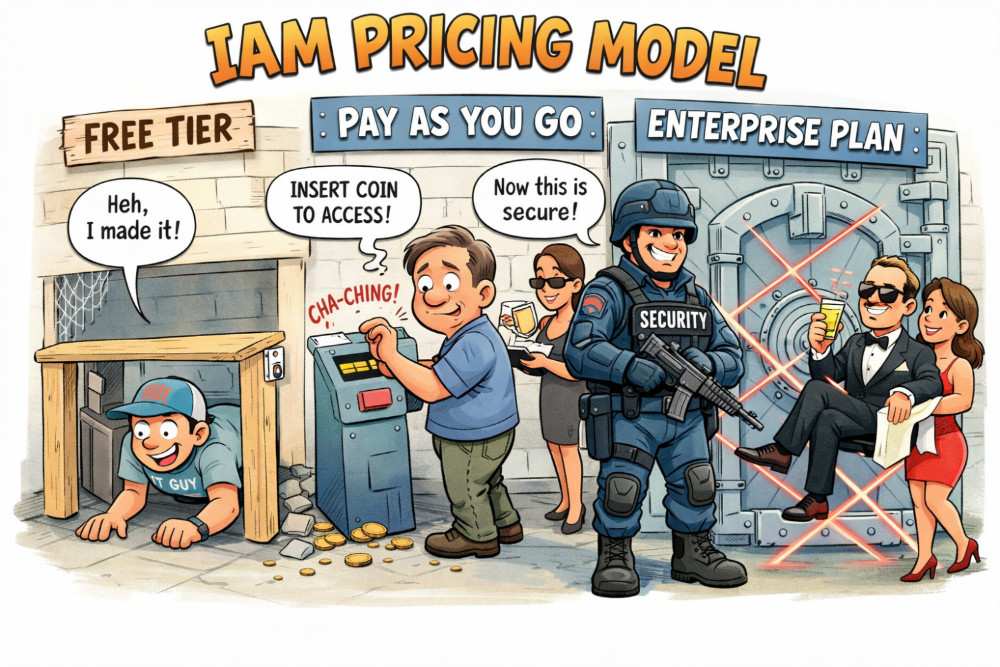
    IAM Pricing Models Explained: Per User vs Tiered vs Enterprise Plans

    IAM pricing models appear simple at first glance. It never stays that way.

    A CIO signs off, thinking per user or enterprise deal, done. Then reality kicks in. More users. More apps. More integrations. Suddenly, the cost is no longer tied to headcount. It is tied to how messy your identity landscape gets.

    Vendors present three clean options. Per user. Tiered. Enterprise. Sounds manageable. It is not. Each one hides the pain in a different place. You just do not see it early.

    This is where most teams get blindsided. Not at purchase. After go-live.

    This breakdown shows where IAM pricing starts hurting, so you can make a call before it gets expensive to fix.

    Decision Summary

    Choose Per User if:
    You are dealing with employees only and you can keep user sprawl tight. The moment external identities enter, this starts drifting.

    Choose Tiered if:
    You are building customer identity and you can live with pricing jumping when features or usage grow.

    Choose Enterprise if:
    You have scale, negotiation muscle, and you are ready to commit long-term without flexibility.

    Avoid all three if:
    Your IAM setup is still chaotic. Pricing will not stabilize. It will just keep surprising you.

    IAM Pricing Models Explained Without Vendor Packaging

    Strip the labels. Look at what each model is actually charging you for.

    Per user pricing charges for identity count. Clean in theory. In practice, identity is not a clean object. One employee becomes multiple identities across directories, apps, and environments. Add contractors, partners, and service accounts. Your “user count” starts drifting away from org charts.

    Tiered pricing charges for capability and usage. You are not paying for identity anymore. You are paying for what you do with identity. SSO, MFA, lifecycle workflows, API calls, external users. 

    The problem is simple. 

    The moment you need something critical, it sits in the next tier.

    Enterprise pricing charges for commitment. Not usage. Not users directly. Commitment. You lock scope, features, and scale into a contract. 

    Looks predictable early. 

    Then your architecture evolves and the contract does not.

    The key difference is not cost. It is where the cost loses control.

    • Per user loses control when identity boundaries expand
    • Tiered loses control when feature dependency increases
    • Enterprise loses control when your roadmap changes

    Most teams evaluate pricing like a finance problem. It is not. It is an architecture decision wearing a pricing label.

    That is where the mistake happens.

    Decision implication:
    Do not ask which model is cheaper. Ask where you are willing to lose cost control.

    Feature and Cost Structure Comparison Across IAM Pricing Models

    You cannot evaluate IAM Pricing Models without mapping how cost actually moves. Same deployment. Different pricing model. Completely different bill behavior.

    Here is a comparison.

    ParameterPer UserTieredEnterprise
    What you are paying forIdentity countFeatures and usageContracted scope
    Cost predictability (early stage)MediumMediumHigh
    Cost predictability (at scale)LowLowMedium
    Add-on exposureHighVery highHidden in bundle
    External user handlingExpensiveUnstableNegotiated
    Integration costAlways externalAlways externalSometimes bundled
    Governance featuresAdd-on heavyLocked in higher tiersNegotiated upfront
    Cost behavior at scaleLinear growth that driftsSudden jumpsStep increases at renewal

    What stands out is not which one is cheaper. It is how each one fails.

    Per user looks stable until the identity count stops being clean.

    Tiered looks flexible until features become mandatory.

    Enterprise looks predictable until renewal resets everything.

    Also, notice where vendors make money:

    • Per user: silent license expansion
    • Tiered: forced feature upgrades
    • Enterprise: long-term lock-in

    This is why vendor decks rarely match reality. The model is less about pricing and more about how vendors capture value as your dependency increases. 

    Pick the model based on how your system will evolve, not how your pricing looks on day one.

    Per-User Pricing Looks Simple Until Identity Sprawl Hits

    Per-user pricing works fine when the identity is clean. Employees, one directory, predictable lifecycle. That is the only scenario where it behaves.

    The moment identity stops being neat, this model starts leaking cost.

    The first problem is duplication. The same person shows up multiple times. Different domains, different apps, different environments. Test users. Service accounts. 

    Suddenly, your “user count” is inflated and nobody fully trusts the number.

    The second problem is external identities. Contractors, vendors, partners. They do not follow your HR lifecycle. They stay longer than expected, get re-created, or are never fully deprovisioned. Each one keeps a license alive.

    The third problem is lifecycle hygiene. Inactive users do not always get cleaned up on time. Access is removed, but identity remains. License still billed.

    Now add modern setups:

    • Multi-directory sync across Azure AD, LDAP, and SaaS apps
    • Hybrid workforce with rotating contractors
    • B2B collaboration

    Your per-user model quietly becomes “per identity instance,” not per human.

    And then the finance question comes. Why is IAM cost growing faster than employee count?

    Because the model is not tied to employees anymore.

    Per-user pricing also breaks when you introduce customer identity. External users at scale will make this model unusable unless heavily discounted or separated into a different system.

    This is where many teams split stacks. Workforce IAM stays per user. Customer IAM moves to a different pricing model.

    If you cannot control identity sprawl, this model will drift without obvious signals until the bill forces attention.

    Tiered Pricing Introduces Cost Escalations Most Teams Underestimate

    Tiered pricing looks flexible. It is not. It is controlled flexibility.

    You are not paying for users anymore. You are paying for what you are allowed to do. That sounds fine until critical features sit just outside your current tier.

    The first trap is feature gating. SSO, MFA, adaptive policies, lifecycle workflows. These are not optional in real deployments. Vendors place them across tiers in a way that forces upgrades once you move beyond basic use.

    The second trap is usage coupling. Monthly active users. API calls. Authentication volume. As your system gains adoption, your cost does not grow smoothly. It jumps.

    The third trap is architecture distortion. Teams start designing around pricing. Reducing API calls. Avoiding certain flows. Delaying features. Not because it is a better design, but because crossing a tier boundary hurts.

    Typical escalation triggers:

    • Rolling out MFA across all users
    • Adding external users or customer login flows
    • Increasing authentication frequency due to mobile apps
    • Expanding into new regions or apps

    Each of these feels like a normal evolution. In a tiered model, each one can push you into the next pricing band.

    And once you move up, going back is rare.

    Tiered pricing also creates internal friction. Product teams want features. Security wants enforcement. Finance wants stability. The pricing model sits right in the middle and becomes a constraint.

    This is why IAM Pricing Models, termed as “scalable” under tiered plans, are misleading. It scales, but not smoothly.

    If you need predictable budgeting, this model will keep forcing uncomfortable trade-offs.

    Enterprise IAM Pricing Is Where Okta and Azure Entra Lock You In

    Enterprise IAM pricing is not about units. It is about commitment.

    Okta and Azure Entra both move you into bundled contracts. Fewer line items. Bigger dependency.

    Okta pushes bundled workforce identity, SSO, lifecycle, and then quietly keeps key capabilities outside. Advanced MFA. Governance. Add-ons do not disappear. They just show up later.

    Azure Entra ties identity to Microsoft licensing. E3, E5, Entra ID P1, P2. Identity is no longer a standalone decision. It rides along with your Microsoft stack. Efficient on paper. Restrictive once you are deep in.

    You pay for modules you do not fully deploy. They sit there because removing them later is harder than keeping them.

    Identity gets wired into apps, policies, conditional access rules, and audit flows. Changing vendors stops being a technical discussion. It becomes a program.

    Year one pricing looks good. Discounts are real. By renewal, you are deep in the ecosystem. Negotiation strength drops.

    Scope keeps expanding:

    • Workforce IAM moves into partner access
    • Governance becomes mandatory for compliance
    • Security pushes stricter policies
    • Service and API identity enter the picture

    Each step stretches the contract or forces renegotiation.

    Okta vs Azure Entra decisions often land here. Not feature comparison. Ecosystem commitment.

    Enterprise pricing reduces early chaos. It replaces it with long-term rigidity.

    Only go enterprise if your identity architecture is already stable. If not, you are locking in decisions before you understand their impact.

    Pricing Comparison Table With Real Cost Drivers

    Per UserTieredEnterprise
    User growth inflates due to duplicate identitiesUsage or MAU spikes push tier upgradesStable early, renegotiation later
    External users become expensive fastExternal users counted unpredictablyRequires contract expansion
    MFA adds per-user costMFA is often locked in a higher tierSometimes bundled, sometimes upsold
    API usage is not a major factorAPI calls become a key cost driverPartially included with limits
    Governance needs separate licensesGovernance sits in premium tiersNegotiated but not fully covered
    Inactive users are still billedHidden usage impactCost buried in contract

    This is the pattern:

    • Per user gets messy with identity sprawl.
    • Tiered gets expensive when usage grows.
    • Enterprise gets rigid when contracts stop matching reality.

    Each one delays the problem. None removes it.

    Pick based on what you expect to grow fastest. That is where the cost pressure will show up first.

    What Breaks First at Scale in IAM Pricing Models

    Nothing explodes on day one. It creeps.

    The first sign is confusion. Numbers stop matching. Finance says one thing. IAM team says another. Nobody is wrong. The model just stopped reflecting reality.

    With per user, the count itself becomes questionable. You think you have 5,000 users. The system shows 7,200 identities. Nobody can cleanly explain the gap. Service accounts, duplicates, stale entries. The bill follows the higher number.

    With tiered pricing, conversations shift from design to avoidance. “Can we delay this feature?” “Do we really need MFA for this flow?”

    That is not architecture. That is cost containment driving decisions.

    Enterprise plans feel calm for a while. Then a new requirement shows up. Partner onboarding. New region. Compliance audit. All of a sudden, you are outside what was originally agreed. Now it is a commercial discussion, not a technical one.

    IAM stops being invisible infrastructure. It becomes a visible cost center.

    • Security pushes stricter controls
    • Product pushes a smoother login
    • Finance pushes cost limits

    All three are right. The pricing model cannot satisfy all three at the same time.

    Admin load also creeps up quietly. 

    More policies. 

    More exceptions. 

    More sync issues. 

    More manual fixes. 

    You end up hiring people just to manage the identity complexity that pricing models indirectly created.

    None of this shows up in vendor pricing decks. All of this shows up in real environments.

    The first thing that breaks is not the system. It is the alignment between teams. Pick a pricing model that your org can actually operate without constant friction.

    Procurement and Contract Reality in IAM Pricing

    This is where most teams think they are being smart. This is also where they get boxed in.

    Initial pricing discussions feel like a win. Discounts look solid. Vendor is flexible. Everything feels negotiable. That phase does not last.

    Vendors front-load discounts to get the deal signed. Year one looks attractive. Year two starts tightening. By renewal, you are no longer negotiating from a clean position. Your IAM is already embedded.

    You commit to a user band or usage volume that feels reasonable at the time. If you overshoot, you pay more. If you undershoot, you still pay.

    Core identity looks covered. Then governance, advanced security, reporting, and audit capabilities start appearing as separate line items. Each one justified. Each one necessary.

    Standard support looks fine until something breaks. Then escalation paths, response SLAs, and dedicated support start becoming important. That is another upgrade.

    Contracts roll over before full re-evaluation happens. By the time procurement re-engages, the window to renegotiate properly is already tight.

    Microsoft plays this through bundling. Identity gets wrapped into E3, E5, and Entra plans. Hard to isolate the cost. Harder to remove.

    Okta plays it through modular expansion. You start with core identity. Then the lifecycle. Then MFA. Then governance. Each step adds another layer.

    Neither approach is wrong. Both are designed to increase dependency over time.

    Negotiate for exit flexibility, not just price. If you cannot reshape the contract later, you will end up adapting your architecture to the contract.

    When NOT to Choose a Model

    Most teams ask which one to choose. The better question is what to rule out early.

    Per user looks safe. It is not if your identity boundary is messy.

    Do not choose per user if:

    • You expect large volumes of external users
    • Contractors and partners are a big part of access
    • You have multiple directories or fragmented identity sources
    • You do not have a strict lifecycle cleanup

    You will not control the identity count. Cost will drift and stay unexplained.

    Tiered pricing feels modern and flexible. It is not if you need stability.

    Do not choose tiered if:

    • You need a predictable budgeting quarter to quarter
    • Security features will expand over time
    • Product teams are likely to push new identity flows
    • Your usage patterns are hard to forecast

    You will keep hitting tier boundaries. Each jump will feel justified and painful.

    Enterprise pricing feels like control. It is not if your system is still evolving.

    Do not choose an enterprise edition if:

    • Your IAM architecture is still changing
    • You are not sure which features you actually need long term
    • You lack negotiation leverage
    • You cannot commit to multi-year contracts comfortably

    You will lock decisions too early and pay for capabilities you may not use.

    There is no safe default here.

    Each model assumes a certain level of control in your environment. If that control is missing, pricing becomes reactive.

    Eliminate the models that do not match your current reality. That is more useful than chasing the “best” one.

    Choosing the Right IAM Pricing Model Based on Architecture

    Start with how identity flows in your system, not with vendor pricing sheets.

    If your IAM is mostly workforce, things stay relatively contained. Employees, known lifecycle and limited variability. Per user works here if you can keep identity clean. The moment you add contractors at scale or multiple directories, it starts slipping.

    If you are building a customer-facing identity, the game changes.

    Logins spike. 

    Usage fluctuates. 

    Authentication patterns are unpredictable. Tiered or usage-based models fit better here, but you need to accept cost volatility as part of growth.

    If your environment is large and integrated across multiple systems, enterprise plans start making sense. Not because they are cheaper, but because they reduce fragmentation. 

    One contract, broader coverage. 

    The trade-off is obvious. 

    You give up flexibility.

    Now look at real-world setups. They are rarely clean.

    You may have:

    • Workforce IAM on Okta or Azure Entra
    • Customer IAM on a separate platform
    • API or service identity has been handled differently

    That is a mixed model, whether you planned it or not.

    Trying to force everything into one pricing model usually creates friction somewhere:

    • Either cost spikes
    • Or features get constrained
    • Or contracts become too rigid

    A better approach is alignment:

    • Stable identities → per user
    • High-variance usage → tiered
    • Large integrated environments → enterprise

    The mistake is picking a pricing model first and forcing architecture into it. It should be the other way around.

    FAQs

    Which IAM pricing model is cheapest for startups or small teams?
    Per user looks cheapest early. That flips fast if you have contractors, external users, or poor identity cleanup.

    Why is Okta or Azure Entra getting expensive over time?
    Because you start adding features, you cannot avoid it. MFA, lifecycle, governance. Pricing expands as dependency grows.

    What does MAU pricing mean in IAM, and why does it spike?
    Monthly Active Users count every login interaction. More apps, mobile usage, and APIs increase activity, not just users.

    Is per-user IAM pricing better than MAU or usage-based pricing?
    Better only for controlled workforce setups. Breaks when identity is messy or extends beyond employees.

    Do IAM vendors charge extra for SSO and MFA?
    Often yes. Either as add-ons in per-user models or locked behind higher tiers in tiered pricing.

    Can IAM pricing double after implementation?
    Yes. Usually due to feature upgrades, external users, governance rollout, or contract renewal resets.

    How do I estimate IAM cost before choosing a vendor?
    Do not estimate just users. Map identity types, external access, authentication volume, and required features. That is what drives cost.

    Conclusion

    IAM pricing models do not fail because of bad math. It fails because teams assume it will behave the same way after scale. It does not. Per user drifts with identity sprawl. Tiered jumps with usage and feature dependency. Enterprise locks you into decisions that may not age well. The right choice depends on how your identity landscape will evolve, not how pricing looks on day one. Get that wrong and IAM becomes a recurring cost problem instead of a control layer.

  • Okta vs Azure AD for Enterprise: The Trade-Off No One Explains Clearly

    Okta vs Azure AD for Enterprise: The Trade-Off No One Explains Clearly

    Most teams don’t get the Okta vs Azure AD for Enterprise decision wrong on day one. They get it wrong six months later, when Identity starts leaking across SaaS apps, contractors, and shadow IT. On paper, both look capable. In practice, the CIO, security lead, and platform team end up dealing with access drift, inconsistent authentication flows, and rising operational overhead.

    The mistake usually starts with how the decision is framed. Okta vs Azure AD is treated as a feature comparison when it is actually a control and dependency choice. One pulls your Identity deeper into the Microsoft ecosystem. The other gives you neutrality but starts charging for that flexibility sooner than expected.

    What teams usually discover is that the architecture holds until scale introduces friction. Integration complexity rises. Authentication edge cases appear. Costs or lock-in become visible only after rollout.

    This breakdown cuts through the noise and shows where each IAM approach works, where it fails, and what you should decide upfront.

    Why Okta vs Azure AD is a dependency decision

    If you are treating Okta vs Azure AD as an IAM feature comparison, you are solving the wrong problem. SSO, MFA, lifecycle, conditional access. None of that decides the outcome.

    The real question is control.

    Azure AD makes Identity part of the Microsoft layer. Authentication, device posture, and user lifecycle are all tied into one ecosystem. This runs smoothly when your stack is already Microsoft-heavy. What shows up later is constraint. As SaaS grows outside Microsoft, policy consistency starts slipping. You end up handling exceptions, not enforcing standards.

    Okta sits outside that gravity. 

    It gives you a clean Identity layer across SaaS, custom apps, and multiple clouds. That looks like flexibility early. Then dependency shifts. Every authentication flow runs through Okta. Every integration depends on it. Every user lifecycle action is routed through it. 

    What breaks first is not capability, it is cost and operational reliance.

    You are not comparing IAM tools. You are choosing where Identity lives and what it depends on. Microsoft controls with tighter coupling, or independent control with higher cost pressure. 

    One will constrain you later. The other will charge you for staying flexible.

    Where Azure AD breaks under SaaS identity sprawl

    Azure AD works extremely well when your Identity boundary matches your Microsoft footprint. Users authenticate once, policies apply consistently, and device compliance ties cleanly into access control. Inside that boundary, authentication is predictable, and enforcement is centralized.

    The stress starts when SaaS grows faster than your Azure AD model can keep up. 

    What you will run into is not a lack of integration, but uneven control.

    • Non-Microsoft SaaS apps do not always map cleanly to Azure AD conditional access
    • SSO gets configured, but fine-grained authorization still lives inside each application
    • External users and partners start bypassing standard identity flows
    • Identity duplication appears across apps that were onboarded outside of central IT
    • Policy enforcement becomes inconsistent across different authentication patterns

    In practice, Azure AD does not fail outright. It fragments. Authentication still works, but governance weakens. You end up managing Identity in layers instead of enforcing it centrally.

    What teams usually discover is that the first real break happens when the SaaS count crosses a certain threshold and onboarding is no longer controlled. At that point, Azure AD becomes reactive. 

    You are integrating apps one by one, instead of enforcing a unified IAM model.

    If your Azure AD environment shows different authentication behaviors across SaaS apps, you already have Identity fragmentation.

    Why is Okta becoming expensive faster than expected

    Okta feels simple at the start. You get a clean IAM layer, consistent authentication across SaaS, and fast onboarding without depending on a single ecosystem. Early rollout looks efficient because Identity gets centralized quickly.

    The pressure shows up when usage expands.

    Okta pricing scales with users, features, and integrations. What grows is not just the employee count. It is everything around it. More SaaS apps, more external users, more automation requirements, more API access. 

    Features like lifecycle management, adaptive authentication, and advanced policies move from optional to necessary as your environment matures.

    What teams usually discover is that cost does not increase linearly. It stacks. A new SaaS tool is not just another integration. It extends your Identity footprint. External collaborators are not edge cases. They become a permanent licensing category. 

    Security requirements push you into higher tiers that cannot be rolled back without weakening controls.

    The result is predictable. 

    Okta gives you independence from vendor lock-in, but Identity becomes a growing operational cost tied directly to how your business scales. Once everything depends on Okta, stepping away is no longer a practical option.

    Also read: Comparison of Okta and Auth0

    Okta vs Azure AD for Enterprise: Integration control vs ecosystem gravity

    DimensionOkta (Independent IAM Layer)Azure AD (Microsoft Identity Layer)
    Integration modelVendor-neutral Identity across SaaS, custom apps, multi-cloudDeep integration within the Microsoft ecosystem, external SaaS requires adaptation
    Authentication controlCentralized control across all apps via Okta policiesStrong control within the Microsoft stack, inconsistent outside it
    SaaS onboardingFaster and more standardized across diverse vendorsWorks well for Microsoft-aligned apps, varies for others
    Identity architectureSeparate IAM layer independent of infrastructureIdentity tightly coupled with Microsoft services
    Vendor dependencyDependency on Okta as the identity providerDependency on the Microsoft ecosystem
    Policy consistencyMore uniform across heterogeneous environmentsStrong inside ecosystem, fragmented outside
    Cost behaviorScales with users, features, and integrationsOften bundled but tied to broader Microsoft licensing

    The difference shows up when your environment grows unevenly.

    Okta gives you integration control. 

    Azure AD operates through ecosystem gravity. 

    This is where the Okta vs Azure AD for Enterprise decision becomes visible in production. Okta centralizes Identity control but adds cost and dependency. Azure AD reduces friction inside its ecosystem but pushes complexity to the edges as your SaaS landscape expands.

    Authentication flows break differently in Okta and Azure AD environments

    The failure does not show up during login. It shows up when authentication flows start crossing boundaries. Internal users, external partners, APIs, legacy apps. That is where Okta and Azure AD behave very differently.

    Okta failure patterns (Authentication / Identity layer)

    • Token flows depend heavily on correct configuration across apps. Misconfigurations surface as intermittent login or session issues
    • External identity handling is clean initially, but grows complex with multiple partner orgs and federation setups
    • API authentication introduces additional layers that teams underestimate early
    • Dependency risk is direct. If Okta has an issue, authentication across the environment is impacted

    Azure AD failure patterns (Microsoft Identity layer)

    • Conditional access behaves inconsistently across non-Microsoft SaaS applications
    • Token handling works well within the Microsoft ecosystem, but becomes uneven across external integrations
    • Guest users and external identities create policy exceptions that accumulate over time
    • Authentication logic spreads across services, making debugging slower and less predictable

    Okta centralizes authentication and Identity logic. That gives you control, but also creates a single dependency point. Azure AD distributes authentication across its ecosystem. That reduces single-point dependency but introduces inconsistency as your environment expands.

    In an Okta vs Azure AD for Enterprise setup, this is where things start to hurt. 

    One model fails as a bottleneck. 

    The other fails due to fragmentation. 

    You are not choosing stability. You are choosing the kind of failure your team will have to manage.

    Do this first before choosing between Okta and Azure AD IAM

    Start with where your Identity is already leaking.

    Not the directory. Not the org chart. The actual usage. Logins happening outside SSO, SaaS tools bought on cards, and contractors using unmanaged emails. If Identity is already fragmented, your decision is about regaining control, not picking a cleaner UI.

    Next, look at how much of your environment you truly control.

    If most of your stack sits inside Microsoft, Azure AD will feel natural. Policies apply, devices align, and authentication stays predictable. The moment your SaaS footprint grows beyond that boundary, you will start managing exceptions. 

    Now check your external entities.

    Partners, vendors, APIs. This is where Identity models get exposed. If onboarding an external user already requires manual steps or exceptions, your current approach is not holding. 

    Then shift focus from login to lifecycle.

    Authentication is visible. Provisioning and deprovisioning are where things actually break. Users leaving with access, roles not syncing, and permissions drifting across systems. If the lifecycle is not clean, your IAM layer is just masking risk, not controlling it.

    Finally, force yourself to look at cost as a consequence, not a number.

    One path will constrain you later. The other will charge you for flexibility. Neither is wrong. The mistake is choosing without knowing which trade-off your environment can absorb.

    Red flags that indicate you are choosing the wrong Identity platform

    You can usually tell early when the decision is off. Not from architecture diagrams. From the way teams start working around Identity instead of relying on it.

    • If certain apps or user types need “temporary” workarounds to fit your IAM model, those exceptions will multiply. Identity should absorb variation, not create friction.
    • Some systems follow SSO and policy strictly. Others behave differently. Different login flows, different MFA triggers.
    • If partners, vendors, or contractors require manual handling, your Identity design is not built for real-world usage. 
    • User provisioning works sometimes. Deprovisioning depends on scripts or manual checks. Roles drift. Access lingers. This is where IAM failures actually create risk.
    • If troubleshooting authentication issues, token problems, or policy conflicts becomes routine, the system is already under strain. Identity should be predictable. 
    • If you are limiting integrations, delaying onboarding, or avoiding features because of cost, Identity is no longer supporting the business. It is shaping it.

    These signals show up early. Teams usually ignore them because the system still “works.” It keeps working for a while.

    When NOT to choose Okta or Azure AD for Enterprise Identity

    There are environments where neither Okta nor Azure AD is the right IAM decision. The problem is not capability. It is a mismatch.

    If your Identity surface is small and stable, both are overkill. 

    A limited number of internal applications, minimal SaaS usage, and no external user base do not justify a full IAM layer. You will end up paying for features you do not use and introducing operational overhead you do not need.

    If your systems are heavily legacy and not designed for modern authentication, both platforms will struggle. SAML and OIDC assumptions break quickly when applications require custom handling. 

    What looks like integration becomes a continuous patchwork. 

    If your organization is not ready to enforce centralized Identity, the platform will not fix that. Teams will continue to create accounts outside the system. SaaS will grow without onboarding discipline. 

    • Limited SaaS footprint with mostly internal applications
    • Legacy systems requiring heavy customization for authentication
    • No clear ownership of Identity governance or enforcement
    • Low volume of external users and minimal integration needs
    • Budget sensitivity where IAM cost cannot scale with growth

    Choosing either Okta or Azure AD in these scenarios creates more structure than the organization can support. The result is partial adoption, inconsistent authentication, and wasted spend.

    If your team is still debating who owns Identity, you are not ready for either platform. The tool will not solve a governance gap.

    The breaking point in Okta and Azure AD deployments

    Every Identity setup looks stable at the start. Clean authentication flows, centralized control, predictable access. The system holds because the environment is still small enough to behave.

    Then scale hits.

    Azure AD starts bending first when your environment stops being Microsoft-heavy. SaaS expands, integrations diversify, and suddenly, identity is no longer uniform. Authentication still works, but control starts slipping. Policies behave differently across apps. 

    External users pile up as exceptions. 

    You are no longer enforcing Identity centrally. 

    You are stitching it together.

    The breaking point is subtle. Nothing crashes. But your team starts spending more time handling inconsistencies than enforcing standards. That is when Azure AD stops being a control layer and becomes an integration problem.

    Okta does not fragment the same way. 

    It holds control longer. 

    The break comes from pressure, not inconsistency.

    Every new app, every external identity, every security requirement increases dependency. Okta sits in the middle of all authentication. You cannot bypass it. 

    Cost grows with usage. Operational reliance grows with complexity. What started as flexibility becomes something you cannot step away from.

    The breaking point here is different. Not loss of control. Loss of optionality.

    At this stage, both paths converge to the same outcome. You are no longer optimizing Identity. You are dealing with the consequences of an earlier decision that did not account for how your environment would actually grow.

    Conclusion

    Azure AD works if your Identity stays inside Microsoft. It breaks when SaaS and external users expand. Okta gives you control across everything, but locks you into rising costs and dependency. There is no safe choice. Pick your constraint upfront.

  • Best IAM Solutions for Mid-Size Enterprise: What Actually Works After 500 Employees

    Best IAM Solutions for Mid-Size Enterprise: What Actually Works After 500 Employees

    Identity rarely breaks because authentication fails. It breaks because access management quietly collapses once the company grows past a certain size. Around the 400 to 800 employee mark, the CIO or security lead starts noticing the symptoms: SaaS applications multiplying, onboarding requests piling up, and nobody can confidently answer a basic audit question. Who actually has access to what?

    That is usually when teams begin searching for the best IAM solutions for mid-size enterprise environments. Not because identity strategy suddenly became a priority, but because operational friction starts showing up everywhere. Finance waits days for access approvals. Security cannot see entitlement drift across SaaS platforms. Platform teams are maintaining brittle scripts to provision accounts across systems that were never meant to scale this way.

    Azure Entra vs Auth0 Comparison: Identity Platform Choice Under Real Constraints

    In practice, the IAM decision at this stage determines whether identity becomes a control layer or a long-term operational burden. The vendors will all claim automation, governance, and seamless integration. What teams usually discover later is that each platform fails under different pressures: SaaS sprawl, hybrid infrastructure, audit requirements, or licensing gravity. The goal here is to identify which IAM platforms survive those pressures in real mid-size enterprise environments.

    Why Identity Breaks When Companies Cross 500 Employees

    Most identity setups work fine when a company is small. The problems start when the organization grows faster than its access model. Around the 400 to 800 employee range, SaaS adoption usually accelerates. Teams deploy tools for sales, analytics, collaboration, DevOps, and customer operations. Each system introduces its own user directory, role structure, and access workflow.

    What teams usually discover is that identity management slowly turns into a manual coordination exercise. 

    HR systems create employees. 

    IT provisions accounts. 

    Managers request application access. 

    Security tries to track entitlements across systems that were never designed to synchronize with each other. 

    The result is access sprawl. Some users retain permissions long after changing roles. Others wait days for approvals that should have taken minutes.

    The breaking point often arrives during an audit or a security review. Someone asks for a clear access report across core applications. At that moment, the organization realizes the directory, SSO, and provisioning scripts are loosely stitched together rather than governed by a single identity control layer. 

    Azure Entra Alternatives: Which IAM Platform Fits Better for B2B SaaS?

    The IAM Capabilities Mid-Size Enterprises Actually Need

    When you start looking for the best IAM solutions for mid-size enterprise environments, the temptation is to compare vendor feature grids. Authentication methods, MFA options, SSO dashboards, fancy admin portals. Those lists look impressive during procurement reviews. 

    None of these tells you whether the platform will survive once your SaaS environment doubles and onboarding requests start piling up.

    If onboarding a new employee still requires opening five admin consoles, your identity system is not doing its job. 

    If access removal depends on someone remembering to deactivate accounts, the platform is only providing authentication, not identity governance. Mid-size enterprises do not need the most feature-rich IAM system. They need one that eliminates manual access work before it turns into a security exposure.

    Focus on the capabilities that remove operational overhead:

    • Automated provisioning and deprovisioning tied directly to your HR system
    • Single sign-on across SaaS applications and internal tools
    • Role-based access assignments when employees change departments
    • Directory integration with Active Directory or cloud directories
    • Multi-factor authentication enforcement across critical applications
    • Access review reporting that satisfies security audits
    • A large application connector catalog that prevents custom integrations

    Pro Tip
    The platform with the strongest prebuilt integrations usually determines how much identity automation you can realistically achieve.

    The platforms that survive at mid-enterprise scale are the ones that automate access lifecycle management end-to-end.

    Best IAM Solutions for Mid-Size Enterprise Compared

    Most companies evaluating the best IAM solutions for mid-size enterprise end up comparing the same group: Microsoft Entra ID, Okta, Ping Identity or JumpCloud. The differences are less about features and more about where each platform fits operationally.

    PlatformWhere It Fits BestWhere It Struggles
    Microsoft Entra IDOrganizations already standardized on Microsoft 365, Azure, and Active DirectoryEnvironments that require cloud-neutral identity across multiple ecosystems
    OktaSaaS-heavy environments with many third-party applicationsCost control as identity usage and integrations expand
    Ping IdentityEnterprises needing strong federation and identity governance capabilitiesSmaller IT teams without dedicated identity specialists
    JumpCloudMid-size companies replacing legacy Active Directory while managing SaaS accessVery large environments with complex identity governance requirements
    ForgeRock (part of Ping Identity now)Large identity deployments with custom identity workflowsMid-size teams seeking fast implementation and low operational overhead

    Here is the reality you eventually confront while evaluating the best IAM solutions for mid-size enterprise environments. The platform decision is rarely about authentication features. It is about gravity.

    If your infrastructure already revolves around Microsoft licensing, Entra ID usually becomes the default choice because identity integrates directly with the existing stack. 

    Okta vs Ping Identity Comparison: Buyer Guide for Enterprise Identity Strategy

    If your environment is SaaS-first and cloud-neutral, Okta tends to fit better because its integration catalog and provisioning model are built around heterogeneous systems.

    Ping Identity (with ForgeRock after acquisition) sit closer to the enterprise governance side of the spectrum. They are powerful platforms, but they assume you have identity specialists managing policies and workflows. 

    JumpCloud sits in a different category altogether. It appeals to mid-size companies that want a cloud directory replacement combined with SaaS identity management.

    The question is not which IAM platform is technically strongest. The question is which one aligns with the ecosystem your organization already depends on.

    If your environment is SaaS-heavy and cloud-neutral, Okta often appears on the shortlist. But it is not the only option. See our breakdown of the main Okta competitors in this guide to the best Okta alternatives for enterprise.

    Where Okta, Microsoft Entra ID, Ping Identity and JumpCloud Actually Fit

    Identity sits at the center of every application login, access workflow, and audit trail. Once deployed, replacing it later becomes painful. That is why choosing among the best IAM solutions for mid-size enterprise environments is rarely a pure technology decision.

    Microsoft Entra ID

    Pros

    • Deep integration with Microsoft 365, Azure, and Active Directory
    • Native identity layer for organizations already paying for Microsoft licensing
    • Strong conditional access and security policy controls

    Cons

    • Identity becomes tightly coupled to the Microsoft ecosystem
    • SaaS integration outside the Microsoft stack may require extra configuration

    If your company already runs Microsoft 365, Azure AD, and Teams across the organization, Entra ID usually becomes the practical identity center. Fighting that gravity rarely pays off.

    Okta

    Pros

    • Excellent SaaS application integration catalog
    • Strong lifecycle management for provisioning and deprovisioning
    • Cloud-neutral identity architecture

    Cons

    • Licensing cost increases as integrations and features expand
    • Some organizations end up duplicating functionality already included in Microsoft licensing

    Okta tends to work best when your application landscape spans many SaaS platforms and multiple cloud providers. Okta pricing often starts with SSO and MFA tiers but expands as lifecycle management and advanced policies are added. If you want a detailed breakdown, see our guide explaining Okta pricing.

    Ping Identity

    Pros

    • Strong federation and identity governance capabilities
    • Flexible policy frameworks for complex enterprise identity workflows

    Cons

    • Deployment and configuration require identity expertise
    • Smaller IT teams may find operational overhead high

    Ping Identity usually appears in environments where identity governance, federation, and security policy depth matter more than deployment simplicity.

    IAM Pricing Models Explained: Per User vs Tiered vs Enterprise Plans

    JumpCloud

    Pros

    • Combines cloud directory services with SaaS identity management
    • Useful for organizations replacing legacy Active Directory infrastructure

    Cons

    • Less suited for very large environments with complex governance requirements
    • Smaller ecosystem compared to the largest IAM platforms

    JumpCloud often appeals to mid-size companies that want to modernize directory services while managing SaaS access from the same platform.

    The IAM platform that matches your infrastructure gravity usually produces the least operational friction.

    Red Flags That Signal Your IAM Deployment Is Already Failing

    Identity systems rarely collapse all at once. They degrade quietly. The warning signs usually appear long before a security incident or audit failure forces the issue. 

    Access removal depends on manual action.

    If an employee leaves and someone still needs to remember to disable accounts across systems, identity governance is already broken. Deprovisioning should flow automatically from the HR system through the IAM platform to connected applications.

    Onboarding requires multiple admin consoles.

    If provisioning a new employee means opening separate dashboards for Google Workspace, Salesforce, Slack, and internal tools, the IAM layer is not actually managing identity. It is just authenticating users after accounts are created manually.

    Security audits turn into manual data collection.

    Security or compliance teams will eventually ask for an access report. If generating that report requires exporting data from multiple systems and stitching spreadsheets together, the identity architecture is fragmented.

    Role changes do not trigger access updates.

    Employees change roles constantly in mid-size enterprises. If identity policies are not tied to job roles or group assignments, users quietly accumulate access over time. This is how entitlement sprawl happens.

    Application integrations are built with scripts

    Scripts often appear when an IAM platform lacks connectors for critical systems. At first, they look like shortcuts. Over time, they become fragile automation that breaks whenever an API changes.

    If identity automation stops at single sign-on, the IAM deployment is incomplete. 

    The IAM Rollout Sequence That Prevents Access Chaos

    Many IAM deployments fail because companies start with authentication instead of the identity lifecycle. SSO is easy to deploy and looks impressive in demos, but it does nothing to control who gets access, when it changes, or when it should disappear. 

    If the rollout order is wrong, identity automation stops halfway, and manual administration slowly returns.

    Use this rollout sequence instead.

    1. Connect the HR system first so employee creation, role changes, and termination events drive identity automatically.
    2. Synchronize your directory so Active Directory or your cloud directory becomes the consistent user source.
    3. Automate provisioning for the highest-volume SaaS applications that generate the most onboarding work.
    4. Introduce role-based access assignments so that department or job role determines application access.
    5. Deploy SSO and MFA last once provisioning and access lifecycle automation are already working.

    Identity projects that begin with SSO usually stall because the harder problems, access lifecycle, and governance, remain unsolved.

    When NOT to Buy an Enterprise IAM Platform

    Searching for the best IAM solution often creates the impression that every growing company needs a full identity platform immediately. This is not true.

    IAM becomes valuable only when identity operations start creating measurable friction.

    If your environment is still small, deploying a large IAM platform can introduce unnecessary complexity. The technology is powerful, but it assumes certain operational conditions already exist.

    Situations where an enterprise IAM platform may not make sense yet:

    • Your organization runs fewer than 20 to 30 business applications
    • Most access provisioning is still handled directly through a small IT team
    • There is no HR-driven identity lifecycle process yet
    • Your environment is almost entirely Microsoft 365, with limited SaaS diversity
    • Security audits do not require centralized access reporting

    The right time to evaluate the best IAM solutions for mid-size enterprise deployments is when onboarding a new employee requires provisioning accounts across several applications. 

    In Microsoft-heavy environments, Entra ID usually becomes the default identity layer because it integrates directly with Microsoft 365 and Azure services. If you want a deeper cost comparison, see our analysis of Azure AD pricing vs Okta.

    IAM Evaluation Checklist for Mid-Size Enterprise IT Leaders

    Vendor demos will not help you much. Every platform can show clean login flows and policy dashboards. The real question is whether the system will survive your environment once onboarding, role changes, and audits start happening daily.

    Use this checklist to pressure-test any IAM platform before procurement.

    • HR integration: Can the platform treat your HR system as the authoritative identity source?
    • Provisioning coverage: How many of your core SaaS applications have native connectors?
    • Deprovisioning reliability: When an employee leaves, how quickly does access disappear across systems?
    • Role automation: Can access be assigned based on job roles or department attributes?
    • Directory integration: Does the platform synchronize cleanly with Active Directory or cloud directories?
    • Audit reporting: Can you generate a complete access report across applications without exporting data manually?
    • Connector ecosystem: How often are new SaaS integrations added to the platform catalog?
    • Administrative overhead: How many identity specialists would realistically be needed to maintain policies?
    • Vendor gravity: Does the IAM platform align with the infrastructure ecosystem your organization already depends on?

    The platform that removes the most manual identity work will usually outperform the one with the longest feature list.

    Conclusion

    Identity problems rarely start with authentication failures. They start when access lifecycle management cannot keep up with organizational growth. The best IAM solutions for mid-size enterprise environments are the ones that automate provisioning, enforce role-based access, and align with the infrastructure ecosystem you already depend on.

  • Best Okta Alternatives for Enterprise: 7 Identity Platforms Compared for Scale, Cost, and Control

    Best Okta Alternatives for Enterprise: 7 Identity Platforms Compared for Scale, Cost, and Control

    If you are looking for Okta alternatives for enterprise, something in your identity stack probably started feeling off. It might be pricing. It might be ecosystem fit. Or it might simply be the realization that your organization is now running identity inside a completely different infrastructure gravity.

    Okta is still one of the strongest identity platforms in the market. Most companies do not leave it because it fails technically. They start evaluating alternatives when licensing expands, governance becomes heavier, or another platform integrates more naturally with the rest of their environment.

    At enterprise scale, identity decisions stop being about features. They become decisions about platform alignment, operational control, and long-term cost structure.

    So if you are evaluating Okta alternatives for enterprise environments, the real question is not which vendor is “better.” The real question is which identity platform fits your infrastructure, security model, and growth path without creating unnecessary complexity.

    Why Enterprises Start Looking for Okta Alternatives

    You usually start evaluating Okta alternatives for enterprise when one of three things happens.

    First, the pricing stops feeling predictable.
    Okta looks reasonable when you start with SSO and MFA. Then the environment grows. More users, more apps, more policies. Identity governance, lifecycle management, advanced MFA, and device trust. 

    Each layer often introduces another license tier or add-on. At scale, identity quietly becomes a significant line item in the security budget.

    Second, the Microsoft gravity problem appears.
    If your organization runs Microsoft 365, Azure, Intune, and Conditional Access, you may already have Microsoft Entra ID sitting in the stack. At that point, many teams ask a simple question: Why are we paying for two identity platforms that do similar things?

    Third, identity governance becomes real.
    Once an enterprise crosses a few thousand users and hundreds of applications, identity stops being about SSO. The hard problems become role design, joiner–mover–leaver workflows, privileged access, and auditability. 

    Some organizations discover their current setup is not designed for that level of governance complexity.

    There is also a fourth trigger that appears in larger companies: vendor consolidation. Security leaders regularly reduce overlapping tools, and identity platforms often get reviewed during those exercises.

    None of this means Okta is a weak platform. Most enterprises replace it for strategic reasons, not technical failure. 

    The real question becomes whether another identity platform aligns better with your infrastructure, governance model, and long-term licensing economics.

    The Enterprise Identity Platforms Most Often Replacing Okta

    When enterprises start evaluating Okta alternatives for enterprise environments, the shortlist tends to narrow quickly. Only a handful of identity platforms show up consistently in serious enterprise IAM discussions.

    Common platforms considered include:

    • Microsoft Entra ID – often the first alternative explored by organizations already running Microsoft 365, Azure, and Conditional Access.
    • Ping Identity – typically evaluated by enterprises that want deeper identity policy control and flexible deployment models.
    • ForgeRock – common in highly regulated environments where identity governance, access orchestration, and large-scale IAM deployments are required.
    • Auth0 – widely used for developer authentication and customer identity, sometimes replacing Okta in application-centric identity architectures.
    • JumpCloud – a cloud directory platform combining identity, device management, and access control, often considered in mid-size enterprise environments.
    • OneLogin – a cloud identity provider focused on workforce access management and single sign-on.
    • Google Cloud Identity – occasionally evaluated by organizations operating primarily in the Google Workspace ecosystem.

    Not every platform on this list competes with Okta in the same category. Some focus primarily on workforce identity, others on customer identity, and a few try to address both. Understanding that difference is important before comparing features, pricing models, or governance capabilities.

    Quick Comparison of Major Okta Alternatives for Enterprise

    Before going deeper into each platform, it helps to see how the main Okta alternatives differ at a high level. The platforms below appear most often in enterprise IAM evaluations.

    PlatformBest FitKey StrengthWhere It Struggles
    Microsoft Entra IDMicrosoft-heavy enterprisesDeep integration with Microsoft 365, Azure, and Conditional AccessLess attractive outside the Microsoft ecosystem
    Ping IdentityLarge enterprises with complex IAM policiesStrong policy control and hybrid identity capabilitiesImplementation complexity and consulting overhead
    ForgeRockRegulated industries and large identity infrastructuresAdvanced identity governance and flexible architectureDeployment and operational complexity
    Auth0Application and developer identityStrong developer tools and API authenticationNot always ideal for large workforce IAM
    JumpCloudMid-size organizations needing cloud directory + device managementUnified identity and device managementLess common in very large enterprise IAM deployments
    OneLoginWorkforce SSO and access managementSimple deployment and straightforward identity managementSmaller ecosystem compared to larger IAM platforms
    Google Cloud IdentityOrganizations using Google WorkspaceNative integration with the Google ecosystemLimited appeal outside Google environments

    Microsoft Entra ID

    Microsoft Entra ID is the most common enterprise replacement for Okta, especially in organizations already running Microsoft 365 and Azure.

    Benefits

    • Strong integration with Microsoft 365, Azure, Intune, and Conditional Access.
    • Identity policies can combine user identity, device posture, and application access.
    • Many enterprises already have parts of Entra licensed through Microsoft 365 E3 or E5.
    • Reduces vendor sprawl when Microsoft is already the primary infrastructure provider.

    Limitations

    • Outside the Microsoft ecosystem, the value drops quickly.
    • Some identity governance capabilities require higher licensing tiers.
    • Migration from Okta can be complex if many third-party integrations exist.

    Cost angle

    The main financial driver is platform consolidation. Many organizations already pay for Microsoft security and productivity bundles. If Entra capabilities are already included in licensing, running Okta becomes an additional cost rather than a necessity.

    Official product page
    https://www.microsoft.com/en-us/security/business/microsoft-entra

    Decision implication

    If your enterprise already operates heavily inside Microsoft infrastructure, Entra ID often becomes the most practical Okta alternative

    Ping Identity

    Ping Identity is often evaluated when an enterprise wants more architectural control over identity infrastructure than typical SaaS IAM platforms provide.

    Benefits

    • Very strong policy engine for authentication and access control.
    • Flexible deployment options, including cloud, hybrid, and on-premise identity components.
    • Mature capabilities for large enterprise IAM environments and regulated industries.
    • Strong federation support for complex enterprise integrations.

    Limitations

    • Implementation is significantly more complex than Okta.
    • Most deployments require system integrators or IAM specialists.
    • Day-to-day administration can become heavy without a dedicated identity team.

    Cost angle

    Ping Identity licensing is usually enterprise contract-driven, often negotiated based on workforce size, authentication volume, and deployment model. Implementation costs can become a major factor because consulting and integration work are commonly required.

    Official product page
    https://www.pingidentity.com

    Decision implication

    Ping Identity is typically chosen by organizations that treat identity as core security infrastructure rather than a simple SaaS authentication layer.

    ForgeRock

    ForgeRock is used by large enterprises that need deep identity control and heavy customization, especially in regulated sectors like banking, telecom, and government.

    Benefits

    • Very strong identity governance and access management capabilities.
    • Supports both workforce IAM and customer identity at large scale.
    • Highly customizable authentication flows and identity orchestration.
    • Flexible architecture for complex enterprise identity environments.

    Limitations

    • Implementation is complex and rarely a quick deployment.
    • Most organizations need experienced IAM engineers or external integrators.
    • Operational overhead may be higher than that of SaaS-first identity platforms.

    Cost angle

    ForgeRock is not a low-cost identity platform. Licensing is enterprise-scale, and deployment projects often involve significant integration and consulting work. The platform makes financial sense primarily when identity is treated as core infrastructure rather than merely as authentication.

    Official product page
    https://www.forgerock.com

    Decision implication

    ForgeRock is a strong Okta alternative when identity requirements are complex and governance-heavy. 

    Auth0

    Auth0 is often considered when identity is tied closely to applications and APIs rather than just workforce access. It is widely used for developer-driven authentication and customer identity systems.

    Benefits

    • Strong developer tools and SDKs for application authentication.
    • Flexible authentication flows that can be customized easily.
    • Supports modern application architectures including APIs, microservices, and mobile apps.
    • Scales well for customer identity scenarios where large numbers of users authenticate through applications.

    Limitations

    • Designed primarily for application and customer identity rather than workforce IAM.
    • Identity governance capabilities are limited compared to traditional enterprise IAM platforms.
    • Large enterprise workforce environments may require additional identity tools.

    Cost angle

    Auth0 pricing is usually based on monthly active users (MAU) for customer identity. Costs scale directly with authentication volume, which can become expensive in very large consumer applications.

    Official product page
    https://auth0.com

    Decision implication

    Auth0 is a strong Okta alternative when the identity problem is centered around applications and customer login experiences.

    JumpCloud

    JumpCloud is a practical Okta alternative for organizations that want identity, directory services, and device management in one platform instead of running multiple tools.

    Benefits

    • Combines identity management, directory services, and device management.
    • Works across Windows, macOS, and Linux environments.
    • Simpler deployment compared to traditional enterprise IAM platforms.
    • Useful when IT teams want to manage user access and devices together.

    Limitations

    • Not designed for very large enterprise IAM environments.
    • Governance and identity orchestration capabilities are limited compared to Ping or ForgeRock.
    • Fewer enterprise-grade integrations than larger IAM vendors.

    Cost angle

    JumpCloud pricing is typically per user per month, with additional pricing for device management and security capabilities. Costs remain predictable for mid-size organizations, but can grow quickly as the number of managed devices increases.

    Official product page
    https://jumpcloud.com

    Decision implication

    JumpCloud works best when identity and device management need to be unified in a single platform.

    OneLogin

    OneLogin is a straightforward Okta alternative focused on workforce identity, single sign-on, and access management. It competes directly with Okta in organizations that want a cloud identity platform without the complexity of large IAM stacks.

    Benefits

    • Strong single sign-on and multi-factor authentication capabilities.
    • Simple cloud-first deployment compared to traditional IAM platforms.
    • Large catalog of pre-built application integrations.
    • Easier administration for IT teams managing workforce identity.

    Limitations

    • Smaller ecosystem compared to Okta and Microsoft Entra.
    • Identity governance capabilities are more limited than platforms like Ping or ForgeRock.
    • Less commonly used in very large enterprise identity environments.

    Cost angle

    OneLogin pricing is typically per user per month, with additional tiers for advanced security features and identity governance modules. 

    Official product page
    https://www.onelogin.com

    Decision implication

    OneLogin works well for organizations that primarily need workforce SSO and access management without the complexity of larger enterprise IAM platforms.

    Google Cloud Identity

    Google Cloud Identity only really makes sense if your company runs on Google Workspace. If Gmail, Drive, and Google Admin already sit at the center of your environment, using Google’s own identity layer is the obvious move.

    Benefits

    • Built directly into the Google Workspace ecosystem
    • Simple user management for Gmail, Drive, and other Google services
    • Authentication and security policies live inside the same admin console
    • No need to maintain a separate identity provider

    Limitations

    • Weak outside the Google ecosystem
    • Limited governance compared to enterprise IAM platforms
    • Not built for complex multi-cloud identity environments

    Cost angle

    If your company already runs Google Workspace, identity is basically already part of the stack. Moving to Google Cloud Identity can eliminate the need to pay for a separate identity platform like Okta.

    Official page
    https://cloud.google.com/identity

    Decision implication

    If Google Workspace runs your organization, this is the simplest Okta alternative. If your infrastructure spans multiple platforms, it quickly runs into limits.

    Feature Comparison: Okta vs Major Enterprise Alternatives

    Strip away the marketing, and the comparison becomes simple. How strong is the workforce identity layer? Can it handle customer identity? How deep is governance? And how well does it plug into the rest of your infrastructure?

    PlatformWorkforce IAMCustomer Identity (CIAM)Identity GovernanceEcosystem Strength
    OktaStrongStrongModerateLarge SaaS integration ecosystem
    Microsoft Entra IDStrongModerateStrong (inside Microsoft stack)Microsoft ecosystem
    Ping IdentityStrongStrongStrongEnterprise security environments
    ForgeRockStrongStrongVery strongLarge regulated enterprises
    Auth0LimitedVery strongLimitedDeveloper ecosystems
    JumpCloudModerateLimitedLimitedIdentity + device management
    OneLoginModerateLimitedLimitedWorkforce SSO environments
    Google Cloud IdentityModerateLimitedLimitedGoogle Workspace ecosystem

    Pricing Comparison: Where Okta Alternatives Actually Cost Less

    Pricing is usually the real reason enterprises start exploring Okta alternatives. Identity platforms often look similar on the surface, but the pricing models underneath them are very different.

    Some charge per workforce user. Some charge based on authentication volume. Others bundle identity inside a broader infrastructure license.

    PlatformPricing ModelWhat Drives CostWhere It Gets Expensive
    OktaPer user per monthWorkforce size, add-ons like lifecycle management or governanceLarge user bases and advanced modules
    Microsoft Entra IDBundled in Microsoft 365 tiers or per userSecurity tier (P1/P2), identity governanceHigher Microsoft licensing tiers
    Ping IdentityEnterprise contractsAuthentication volume, deployment scaleImplementation and integration work
    ForgeRockEnterprise licensingIdentity infrastructure scaleConsulting and deployment projects
    Auth0Monthly active users (MAU)Application users and login volumeLarge consumer apps
    JumpCloudPer user per monthUsers plus device managementGrowing device fleets
    OneLoginPer user per monthWorkforce size and security featuresAdvanced security modules
    Google Cloud IdentityPer user subscriptionGoogle Workspace tierHigher Workspace security tiers

    A few patterns become obvious once you look at the pricing models.

    First, platforms tied to larger ecosystems often win on cost. Microsoft Entra ID and Google Cloud Identity are frequently cheaper simply because identity is bundled into broader productivity or cloud subscriptions.

    Second, platforms designed for large identity infrastructure tend to carry higher implementation costs. Ping Identity and ForgeRock often involve significant integration work before the system is fully operational.

    Finally, application-focused platforms like Auth0 scale pricing with usage. That works well for small applications, but can become expensive when authentication volume grows rapidly.

    The important takeaway is that the cheapest identity platform on paper is not always the cheapest at scale. The pricing model, not just the license price, determines how expensive the platform becomes as your environment grows.

    Who Should NOT Replace Okta

    Replacing an identity platform is disruptive. It touches authentication, application access, and user lifecycle workflows across the organization. Without a strong reason, the migration effort usually outweighs the benefits.

    Do not replace Okta if:

    • Your IAM setup is still simple with basic SSO and MFA.
    • Your organization has a few hundred users and limited application integrations.
    • The only motivation is small licensing savings.
    • There is no dedicated identity or security engineering ownership.
    • You are in the middle of a multi-year Okta contract.

    If these are true, switching identity platforms usually creates more operational work than real value.

    FAQs About Okta Alternatives for Enterprise

    What companies actually use instead of Okta?
    The most common replacements are Microsoft Entra ID, Ping Identity, and ForgeRock. In Microsoft-heavy environments, Entra ID is often the first platform considered.

    Is Microsoft Entra ID cheaper than Okta?
    It can be if the organization already licenses Microsoft 365 E3 or E5. In those cases, much of the identity capability is already bundled into the Microsoft stack.

    Which Okta alternative works best with Microsoft 365?
    Microsoft Entra ID. It integrates directly with Microsoft 365, Azure, Conditional Access, and device management policies.

    What is the closest competitor to Okta?
    Ping Identity and Microsoft Entra ID are usually considered the closest enterprise competitors because they offer similar workforce identity capabilities.

    Can I replace Okta with Google Cloud Identity?
    Only if your organization runs heavily on Google Workspace. Outside the Google ecosystem, most enterprises choose a more mature IAM platform.

    What should I check before switching away from Okta?
    Look at how many applications are integrated with Okta, how authentication policies are configured, and whether identity governance workflows depend on the platform.

    Are there open source alternatives to Okta for enterprises?
    Some organizations explore platforms like Keycloak, but large enterprises usually choose commercial IAM platforms because of support, governance features, and compliance requirements.

    Conclusion

    Choosing among Okta alternatives for enterprise environments is rarely about features alone. The real decision usually comes down to ecosystem fit, governance needs, and long-term licensing economics. Microsoft-centric organizations often move toward Entra ID, while enterprises needing deeper identity control consider platforms like Ping Identity or ForgeRock. The right choice depends on which identity platform aligns best with your infrastructure and security strategy as the environment grows.

  • Azure AD Pricing vs Okta: The IAM Cost Model Most Buyers Miscalculate

    Azure AD Pricing vs Okta: The IAM Cost Model Most Buyers Miscalculate

    Most identity projects begin with a simple objective.

    Enable SSO. Reduce password chaos. Move forward.

    Then the budgeting conversation starts.

    Someone searches Azure AD Pricing vs Okta, sees a few neat price tiers, and assumes identity management is a predictable subscription like any other SaaS tool.

    That assumption rarely survives the first real architecture discussion.

    By the time security teams request conditional access, auditors ask for identity governance, contractors need external access, and HR pushes lifecycle automation, the original license estimate quietly expands into a layered identity platform.

    This is where the Azure AD vs Okta comparison becomes less about features and more about how each vendor’s pricing model behaves under pressure.

    Both platforms are capable. Both can scale. Both can also become expensive faster than expected if the identity program grows without discipline.

    The real question is which platform becomes expensive first once identity stops being simple. Let’s find out.

    Azure AD vs Okta Comparison at a Glance

    Identity platforms rarely compete on login screens anymore. The real comparison sits deeper in architecture, ecosystem alignment, and operational ownership.

    Microsoft Entra ID (formerlyAzure AD) is tightly integrated into the Microsoft stack. If your organization already runs Microsoft 365, Azure workloads, and Windows device management, identity becomes part of a larger platform strategy.

    Okta, on the other hand, positions itself as an independent identity layer. It works across SaaS environments, multiple cloud providers, and heterogeneous IT stacks where Microsoft is only one of several vendors.

    This architectural difference shapes everything from integration friction to pricing behavior.

    CapabilityMicrosoft Entra ID (Azure AD)Okta
    Core SSOIncluded in base tiersCore product capability
    Conditional AccessBuilt deeply into the Microsoft ecosystemAvailable through the policy engine
    Lifecycle ManagementIntegrated with Microsoft directory servicesDedicated lifecycle management module
    Identity GovernanceHigher-tier licensing requiredAvailable through governance add-ons
    Integration EcosystemStrong with Microsoft servicesStrong across SaaS platforms
    External Identity (B2B/B2C)Native Microsoft identity frameworkCustomer Identity products
    API & Developer AccessAzure ecosystem-orientedVendor-neutral identity layer

    In practical terms, Azure AD often feels like an extension of Microsoft infrastructure, while Okta behaves like a specialized identity control plane sitting above the environment.

    That difference becomes important once identity management expands beyond employee login and into governance, lifecycle automation, and partner access.

    Decision implication:

    • If your enterprise already runs heavily on Microsoft infrastructure, Azure AD typically fits more naturally. 
    • If your environment spans many SaaS vendors and cloud platforms, Okta often provides cleaner identity neutrality.

    Azure AD Pricing vs Okta Pricing Structure

    Identity pricing looks simple until you try to deploy it across a real organization.

    Both vendors advertise clean per-user pricing. But identity platforms are not sold as a single product. They are built from layers. Each layer activates once security, compliance, or automation requirements increase.

    This is why the Azure AD Pricing vs Okta comparison quickly becomes more complex than the marketing pages suggest.

    Here is a simplified view of how both platforms structure licensing.

    Pricing ElementMicrosoft Entra ID (Azure AD)Okta
    Base SSOIncluded in Microsoft ecosystem tiersCore Okta Workforce Identity feature
    Multi-Factor AuthenticationIncluded in higher tiersSeparate or bundled depending on plan
    Conditional AccessP1 or P2 licensingIncluded through Adaptive MFA policies
    Lifecycle ManagementHigher-tier licensing requiredLifecycle Management add-on
    Identity GovernanceP2 tierGovernance add-on
    External IdentitySeparate product (Entra External ID)Okta Customer Identity products
    Support & Enterprise featuresOften bundled in Microsoft enterprise agreementsTiered enterprise support plans

    The first cost driver appears when identity policies move beyond simple authentication.

    Security teams quickly ask for conditional access, device trust, or risk-based authentication. Those controls often require higher licensing tiers.

    The second driver is identity lifecycle automation. Manual onboarding and offboarding become risky once organizations scale. Automating those workflows usually introduces additional modules or licensing upgrades.

    The third driver is governance and compliance. Auditors want access reviews, role certification, and privileged access monitoring. These capabilities almost always sit in premium identity tiers.

    Also read: Slack vs Microsoft Teams: Where Control, Compliance and Cost Collide

    This is where Okta IAM pricing and Azure AD licensing start to diverge in behavior.

    Microsoft tends to bundle identity capabilities into broader enterprise agreements, especially when companies already license Microsoft 365 E3 or E5. Okta pricing is more modular. Organizations often add capabilities as separate components depending on identity maturity.

    Neither model is inherently cheaper. The outcome depends heavily on how identity is deployed.

    Decision implication:

    • If identity remains limited to workforce authentication inside a Microsoft environment, Azure AD pricing often stays predictable. 
    • If identity expands across multiple SaaS systems and governance layers, both platforms can accumulate licensing costs faster than expected.

    Why Identity Pricing Expands After SSO

    Most IAM projects start with the same sentence.

    “We just need SSO.”

    And technically, that is true. But SSO is only the entry ticket to identity management. The moment authentication is centralized, every other control gets pulled into the same system.

    Security wants conditional access.

    Compliance wants access reviews.

    HR wants automated onboarding and offboarding.

    Auditors want privilege tracking.

    Now the identity platform is no longer a login tool. It becomes the control center for access across the company.

    This is where the Azure AD Pricing vs Okta comparison changes character. The base license stops mattering. The add-ons start driving cost.

    Typical cost expansion happens in four places.

    • Location rules, device trust, risk detection. These controls rarely live in the cheapest license tier.
    • Automated provisioning, role assignment, and offboarding require lifecycle automation features.
    • Access reviews, approval workflows, and privilege oversight typically sit in premium identity packages.
    • Contractors, partners, and vendors create a second identity population that often requires separate licensing.

    When teams compare Okta IAM pricing with Microsoft Entra ID tiers, they often focus on the SSO number first. That number rarely represents the final IAM spend.

    Decision implication:

    • If your organization only needs a centralized login, both platforms stay relatively predictable.
    • The moment identity governance, automation, and external access enter the picture, identity cost stops being about SSO and starts being about control layers.

    What Breaks First at Scale

    Nothing explodes.

    Nobody wakes up one morning and says, “The identity platform is down.”

    Instead, IAM slowly turns into a messy garage full of cables.

    Everything still works. Nobody understands how it works anymore.

    Here is what usually happens.

    First, roles multiply.

    At the beginning, there are five clean roles.

    1. Employee
    2. Manager
    3. Finance
    4. Admin
    5. Support

    Six months later, there are 70.

    “Temporary Finance Access”
    “Salesforce Read Only”
    “CRM Contractor Access”
    “Support Escalation Role”

    Nobody wants to delete them because someone might still need them.

    So they just sit there.

    Second, access never fully disappears.

    People change teams. Contractors finish projects. Interns leave.

    But some permissions remain because removing access requires someone actually to review it. So employees slowly accumulate access they shouldn’t have anymore.

    Security teams call this privilege creep.

    Most companies call it Tuesday.

    Third, every new SaaS tool becomes an IAM project.

    A team buys a new tool. Now someone must:

    1. Connect it to the identity provider
    2. Configure SSO
    3. Map roles
    4. Test access policies

    Multiply this by 80 SaaS tools, and suddenly IAM becomes a full-time integration job.

    Finally, the licensing surprise appears. During early planning, someone compared Azure AD Pricing vs Okta and saw a neat per-user number. Then the security team adds:

    • conditional access
    • identity governance
    • lifecycle automation

    Now the IAM platform is not just SSO anymore. It is the security control plane for the company. 

    And that is when the Okta IAM pricing vs Microsoft Entra ID licensing conversation suddenly lands in the finance meeting.

    Decision implication

    • IAM platforms do not break because of technology.
    • They break because identity complexity grows faster than the organization managing it.

    Integration Depth and Ecosystem Lock-In

    Identity platforms do not operate alone. They sit in the middle of everything.

    Email systems
    SaaS tools
    HR systems
    Cloud platforms
    Internal applications

    Because of this position, the Azure AD vs Okta comparison is often less about features and more about ecosystem alignment.

    The two vendors approach this very differently.

    Microsoft designed Azure AD, now called Microsoft Entra ID, to be deeply embedded inside the Microsoft environment. If your company runs Microsoft 365, Azure infrastructure, Windows devices, and Microsoft security tools, identity becomes part of the same operational layer.

    In that scenario, Entra ID often feels natural. User accounts, device policies, and authentication controls live inside the same ecosystem. Many integrations are already built.

    Okta takes the opposite approach. It positions itself as a neutral identity layer that sits above the infrastructure stack. Companies using multiple SaaS vendors or running workloads across different cloud providers often find this approach easier to manage.

    This difference becomes clearer when organizations scale their application portfolio.

    Environment PatternAzure AD AdvantageOkta Advantage
    Microsoft-heavy enterpriseStrong native integrationLimited additional benefit
    Multi-cloud infrastructureWorks but requires configurationDesigned for heterogeneous stacks
    Large SaaS portfolioIntegration is available, but sometimes indirectStrong SaaS integration catalog
    Mixed identity sourcesPossible, but can become complexThe identity abstraction layer helps

    The practical trade-off appears when companies commit deeply to one ecosystem.

    Organizations built around Microsoft often gain efficiency from Entra ID because identity governance, device management, and security signals share the same platform.

    Organizations with diverse SaaS environments sometimes prefer Okta because identity remains independent from infrastructure vendors.

    Decision implication:

    • Choosing an identity platform is often an ecosystem decision. 
    • The more Microsoft-centric your environment becomes, the stronger the Azure AD advantage. 
    • The more heterogeneous your environment becomes, the more Okta’s neutral identity layer starts to matter.

    Procurement and Contract Reality

    Identity platforms are rarely bought in isolation.

    By the time companies seriously compare Azure AD Pricing vs Okta, they already have security teams involved, compliance pressure building, and dozens of applications depending on the identity layer.

    That changes how the deal actually happens.

    Microsoft already sits in the building

    Many enterprises are already running Microsoft 365, Azure workloads, and Windows device management. Because of that, Microsoft identity often enters the conversation through existing contracts.

    Procurement looks at the situation and sees something tempting.

    “We already pay Microsoft.”

    When organizations move into E3 or E5 licensing tiers, Microsoft Entra ID capabilities often appear bundled with other services. On paper, identity can look cheaper because it rides inside the broader Microsoft agreement.

    The trade-off is that identity becomes tied to the Microsoft licensing structure. If additional governance or security capabilities are needed later, the upgrade usually means expanding Microsoft licensing tiers rather than negotiating a standalone identity contract.

    Also read: Requirements Gathering Process: 30 Questions IT Leaders Must Answer Before Talking to Vendors

    Okta usually starts as a clean IAM purchase

    Okta typically enters through a different path.

    Companies adopt it when their environment includes many SaaS vendors, multiple cloud platforms, or non-Microsoft infrastructure. In those environments, Okta acts as an independent identity layer.

    Procurement then negotiates a traditional enterprise SaaS contract based on:

    • number of users
    • modules activated
    • governance capabilities
    • support tier

    This makes the contract structure clearer at the beginning, but it also means identity costs appear more visibly in the budget.

    When teams start evaluating Okta IAM pricing, they often discover that the base SSO license is only the starting point. Lifecycle management, governance, and advanced policy features usually sit in separate modules.

    Why IAM contracts become sticky

    Once identity is deployed, replacing it becomes extremely difficult.

    Every SaaS application connects to it.

    Every employee’s login flows through it.

    Every access policy depends on it.

    Because of that, IAM vendors know that the real leverage happens during renewal cycles rather than the first purchase.

    Common patterns include:

    • multi-year contracts
    • aggressive renewal pricing after expansion
    • support tier upgrades as deployments grow
    • additional modules introduced during security audits

    Finance teams often discover that identity costs grow gradually rather than appearing as a single large purchase.

    When Azure AD Becomes the Cheaper Platform

    In the Azure AD Pricing vs Okta decision, Azure AD usually becomes cheaper when identity does not require a separate purchase. This happens when the company already pays Microsoft for higher enterprise licenses.

    Azure AD usually becomes the cheaper option when:

    • The company already pays for Microsoft 365 E3 or E5 licenses for most employees
    • Identity features like MFA and access policies are already included in those licenses
    • The organization wants one vendor for email, security, and identity instead of adding another IAM platform
    • IT prefers to manage users inside the same Microsoft admin environment instead of operating a separate identity system
    • The number of employees is large, and Microsoft licensing is already negotiated at an enterprise scale

    If most of these are true, Azure AD often wins on cost because identity becomes part of the Microsoft subscription rather than a separate platform purchase.

    When Okta Becomes the Better Identity Platform

    In the Azure AD Pricing vs Okta decision, Okta usually becomes the better choice when identity needs to remain independent from the infrastructure vendor. If the company runs many different SaaS tools, cloud providers, or mixed environments, Okta often provides a cleaner identity layer.

    Okta tends to make more sense when:

    • The company uses many SaaS applications from different vendors, not primarily Microsoft tools
    • The infrastructure spans multiple cloud providers rather than being centered on Azure
    • The organization needs to manage partners, contractors, or external users frequently
    • IT wants identity to remain a neutral control layer rather than be tied to a specific vendor ecosystem
    • The company prefers a specialized IAM platform instead of bundling identity into a larger software stack
    • Security teams want fine-grained identity policies and integrations across many applications

    In these environments, Okta IAM pricing can still make sense despite being a separate platform, because it provides flexibility across diverse systems that do not depend on the Microsoft ecosystem.

    Who Should Not Buy Either Platform

    The Azure AD Pricing vs Okta debate only matters once identity management becomes a real operational problem. Until that point, both platforms can be unnecessary.

    Do not buy Azure AD or Okta yet if your environment looks like this.

    If your company has under 100–150 employees, identity complexity is usually still manageable.

    If employees use fewer than 15–20 business applications, the access landscape is still simple.

    If user onboarding and offboarding can be handled in minutes by an admin, you do not yet have an IAM scale problem.

    If no one in the company owns identity governance, introducing a large IAM platform will only create another system that nobody maintains properly.

    If auditors or regulators are not asking for access reviews, identity governance tools will sit unused.

    If your only requirement is SSO for a handful of SaaS tools, there are lighter solutions that are cheaper and easier to operate.

    Azure AD and Okta become valuable when identity management becomes messy, risky, and large. Before that point, they can be more platforms than the organization actually needs.

    FAQs on Azure AD Pricing vs Okta

    1. Is Azure AD cheaper than Okta?

    Yes, in most Microsoft-heavy companies.

    If your organization already pays for Microsoft 365 E3 or E5, Azure AD identity features are largely included. In those environments, adding Okta means paying for a second identity platform.

    If Microsoft licensing already exists across the workforce, Azure AD will almost always be the lower-cost option.

    2. Why do companies still choose Okta if Azure AD can be cheaper?

    Because cost is not the only constraint.

    Companies with large SaaS portfolios, multiple cloud providers, or mixed infrastructure often prefer Okta because it sits above the stack instead of being tied to one vendor ecosystem.

    If your IT environment is diverse, Okta usually produces fewer integration headaches.

    3. What is the most common mistake in IAM budgeting?

    Teams budget for SSO only.

    Identity programs rarely stop there. Within a year, security teams request conditional access, lifecycle automation, and access governance. These controls expand licensing in both Azure AD and Okta.

    The mistake is assuming the SSO price represents the IAM program cost.

    4. Which platform is easier for internal IT teams?

    Azure AD is easier if your company already runs Microsoft everywhere.

    Users already exist in Microsoft directories. Devices already authenticate through Microsoft systems. Policies live in the same administrative environment.

    In Microsoft-centric companies, Azure AD simply fits the existing operating model.

    5. Which platform is better for SaaS-heavy environments?

    Okta.

    If your company runs dozens of SaaS tools from different vendors, Okta usually provides smoother identity integration. Its ecosystem is designed around SaaS-first environments rather than a single infrastructure vendor.

    This is where Okta IAM pricing is often justified.

    6. When does IAM become unavoidable?

    When the company crosses 300–500 employees and application count starts growing fast.

    At that point, access permissions spread across many systems, offboarding becomes risky, and compliance teams begin asking who has access to what. That is usually the moment identity platforms become necessary.

    7. Is tying identity to Microsoft risky?

    Yes, if your infrastructure is not Microsoft-centric.

    Identity becomes deeply embedded in every application and access policy. If your company runs multiple cloud platforms or plans to remain vendor-neutral, locking identity inside the Microsoft ecosystem can reduce flexibility later.

    In those environments, Okta is usually the safer long-term architecture.

    8. What single question should decide Azure AD vs Okta?

    Ask this:

    Is our company primarily a Microsoft environment or a multi-vendor SaaS environment?

    If the answer is Microsoft-heavy, Azure AD will usually be simpler and cheaper.

    If the environment is diverse and SaaS-driven, Okta will usually operate more cleanly as the identity layer.

    Conclusion

    The Azure AD Pricing vs Okta decision is mostly an ecosystem decision. If your company already runs on Microsoft licenses and infrastructure, Azure AD will usually be cheaper and simpler. If your environment spans many SaaS vendors and cloud platforms, Okta will usually operate more cleanly as an independent identity layer. Choose the platform that matches how your IT environment is structured today, because identity systems are rarely replaced once deployed.

  • Okta Pricing Explained: IAM Licensing, Add-Ons, and Where Costs Escalate

    Okta Pricing Explained: IAM Licensing, Add-Ons, and Where Costs Escalate

    Okta pricing does not get confusing at the demo stage. It becomes confusing after that elusive approval. The CIO signs off on SSO consolidation. The CISO asks for stronger MFA. Finance builds a clean per-user model. Six months later, the IAM scope expands and the numbers no longer match the original estimate.

    The base license is rarely the issue. The shift happens when lifecycle management becomes necessary, when API access needs to be secured, or when contractors, partners, and service accounts enter the identity perimeter. Each addition feels reasonable in isolation. Together, they change the IAM cost structure.

    This analysis focuses on Okta IAM licensing, add-ons, and the points where costs escalate. The goal is simple: understand what you are really committing to before procurement turns it into a multi-year contract.

    Okta IAM Pricing Decision Summary

    Choose Okta if:

    • You are standardizing IAM across 1,000+ employees.
    • You need deep SaaS integration coverage out of the box.
    • You can operationalize lifecycle automation, not just login consolidation.
    • You are prepared for multi-module IAM expansion over time.

    Delay or reconsider if:

    • You only need basic SSO for under 300 users.
    • Your joiner-mover-leaver process is still manual and fragmented.
    • You do not have IAM governance maturity.
    • You cannot absorb add-on licensing growth in years two and three.

    Avoid both approval and rollout if:

    • IAM ownership is unclear between security and IT.
    • You are buying to satisfy audit optics rather than operational needs.
    • Budget modeling assumes the base SSO license is the long-term cost.

    Also read: Auth0 vs Okta for SaaS

    What Okta IAM Pricing Actually Includes

    Most of the cost confusions start because buyers think they are purchasing “Okta.” In reality, they are selecting from multiple IAM building blocks that are licensed separately and bundled differently.

    Okta’s pricing structure is based on two aspects: workforce identity and customer identity. The core authentication feature is separate from lifecycle automation, API control and other access mechanisms available under the Okta umbrella.

    The base tier solves login consolidation. 

    The higher tiers solve identity governance and risk reduction.

    Below is a structural view of what is typically included versus what becomes an add-on.

    Component Included in Base SSO Tier Higher Tier or Add-On Cost Driver Operational Implication
    Single Sign-On Yes N/A Per user Consolidates SaaS authentication
    Adaptive MFA Limited Advanced MFA policies Per user Required when risk-based auth is mandated
    Lifecycle Management No Add-on Per user Automates joiner-mover-leaver workflows
    API Access Management No Add-on Per API / user Required for microservices and custom apps
    Advanced Server Access No Add-on Per server/user SSH and infrastructure access control
    Customer Identity (CIAM) Separate SKU Tiered Per active user External user authentication
    Universal Directory Basic Advanced profile mastering Per user Identity data normalization
    Support Plans Standard Premier / Enhanced % of contract value Faster SLA, priority response

    Structural Reality

    The base SSO license addresses login friction. It does not solve identity lifecycle governance. Once automation, API security, and privileged access enter scope, you move into modular licensing.

    Constraint: Okta IAM pricing scales with identity complexity, not just employee count.

    Trade-off: Buying only SSO reduces upfront spend but increases manual operational overhead.

    Cost driver: Each add-on is licensed per user or per active identity, compounding across the workforce, contractors and service accounts.

    Decision implication: If your IAM roadmap includes automation and API protection within 12–24 months, model the full module stack now, not just SSO.

    Okta IAM Pricing Tiers and Cost Variables

    Okta IAM licensing looks linear on paper. In practice, cost behavior depends on how identities are counted, how modules are layered, and how quickly scope expands.

    Two pricing mechanics matter:

    1. Workforce Identity is typically licensed per named user per month.
    2. Customer Identity is typically licensed per monthly active user.

    The difference between named users and active users becomes material once scale increases or usage fluctuates.

    Pricing Dimension Workforce IAM Customer IAM (CIAM) Cost Sensitivity Escalation Trigger
    Licensing Model Per named user Per monthly active user High Identity count growth
    Core Tier SSO Basic authentication Moderate MFA enforcement
    Mid Tier SSO + MFA Social login + MFA High Risk-based policies
    Advanced Tier SSO + MFA + Lifecycle Advanced CIAM features Very high Automation dependency
    API Access Add-on Add-on High Microservices adoption
    Support % of contract % of contract Medium Uptime sensitivity

    Variables That Control Total IAM Spend

    Okta IAM pricing increases the moment identity volume changes. If your workforce grows from 800 to 1,200 users, you are not just adding licenses. You are expanding MFA enforcement, provisioning workflows and audit exposure. In Okta’s model, every additional identity compounds licensing and operational dependency.

    Okta pricing also shifts when security requirements tighten. Many organizations start with basic SSO and limited MFA. Once leadership mandates universal MFA, device-based policies, or stricter conditional access, the base tier is rarely sufficient. 

    That transition often requires moving into higher Okta bundles or adding separately licensed modules.

    The largest escalation takes place when automation and external access come to the party! As soon as HR drives provisioning, Okta Lifecycle Management becomes necessary. 

    When partners, vendors, or customers require authentication, Okta Customer Identity licensing applies, which follows a different pricing structure. 

    Okta Pricing Explained: Where Costs Escalate in Real Deployments

    Okta pricing rarely escalates because of one big decision. It escalates through a series of “reasonable” expansions that accumulate over 18 to 36 months.

    The first expansion is almost always MFA standardization. A pilot may start with optional MFA for privileged users. Once audit or cyber insurance requirements mandate MFA for all employees, the licensing tier changes. In Okta IAM pricing, that typically means moving beyond entry-level SSO.

    The second escalation point is Lifecycle Management. Many organizations begin with manual provisioning supported by helpdesk workflows. As employee count grows or compliance pressure increases, automated joiner-mover-leaver processes become mandatory. Okta Lifecycle Management is licensed separately, and it scales per user. At 1,500 users, that add-on is no longer minor.

    The third cost driver appears when engineering pushes for API protection and service-to-service authentication. Okta API Access Management is not included in basic bundles. Microservices architectures, internal platforms, and custom apps create demand for it. This is where IAM spends moves from workforce IT into application architecture.

    External identities introduce a different escalation curve. When partners, distributors, or customers need authentication, Okta Customer Identity pricing applies. This is often based on monthly active users, not named employees. A consumer-facing portal can quickly outgrow workforce IAM spend.

    Also read Slack vs Microsoft Teams: Where Control, Compliance and Cost Collide

    Year 2 IAM Cost Multiplier

    Most Okta deployments look stable in year one. Escalation typically begins in year two when:

    • MFA becomes mandatory across all users
    • HR integration goes live
    • External identities are onboarded
    • Dev teams demand API security

    Constraint: Okta pricing scales with identity surface area, not just employee count.

    Trade-off: Containing IAM scope reduces cost but increases manual operational risk.

    Decision implication: If your roadmap includes automation, API security, or external users, budget for the full Okta IAM stack upfront instead of approving it incrementally.

    What Breaks First at Scale in Okta IAM

    Okta Pricing Explained is not just about what you pay. It is about what starts hurting when usage grows.

    The first thing that slips is access control. As more apps are added, more roles are created. Teams request quick fixes. Temporary access becomes permanent. Reviews take longer. Audits get harder. Okta works fine. The process around it does not.

    Next comes identity count creep. Full-time employees are easy to track. Contractors, vendors, interns, and shared accounts are not. Each one is licensable in Okta. Headcount looks stable. Identity count keeps rising.

    Then integration fatigue sets in. At 20 or 30 apps, SSO is manageable. Cross 100 apps, especially with internal tools, and IAM becomes an ongoing project work. Engineering time increases. API Access Management often enters the picture.

    Finally, dependency builds quietly. Once HR onboarding, server access, and API security all run through Okta, replacing it is no longer simple. It touches too many systems.

    If you do not control access requests and identity sprawl today, scaling Okta will expose the gaps and increase cost at the same time.

    Procurement & Contract Reality in Okta IAM Pricing

    Okta Pricing Explained is not just about feature tiers. Okta IAM pricing changes materially during negotiation and renewal. The first quote reflects list logic. The final contract reflects leverage, timing, scope clarity, and how disciplined your roadmap is. Most cost mistakes happen here, not in technical design.

    Key commercial realities:

    • Discounts are tied to user volume and term length. Three-year commitments improve unit pricing but reduce flexibility if identity count shrinks or architecture changes.
    • Okta IAM pricing becomes harder to unwind once add-ons are bundled. Expanding from SSO into MFA, Lifecycle Management, and API Access Management increases total contract value quickly.
    • Auto-renewal clauses can reset leverage. If renewal notice windows are missed, pricing often reverts closer to list or loses negotiated concessions.
    • Support tiers scale as a percentage of contract value. As Okta becomes critical infrastructure, pressure builds to upgrade support. That compounds the total expense.
    • License true-ups occur when identity counts exceed contracted thresholds. Contractors and external users often trigger these unexpectedly.

    Negotiate Okta IAM pricing against your expected three-year identity expansion, not your current SSO footprint. 

    When NOT to Buy Okta IAM

    Okta Pricing Explained is incomplete without disqualification. Okta is strong in enterprise IAM. It is not always the right first step.

    Do not choose Okta if:

    • You have under 100 employees and only need basic SSO. The cost and operational overhead will outweigh the benefit.
    • Your joiner-mover-leaver process is still manual and undocumented. Buying advanced IAM before fixing process discipline creates confusion, not control.
    • You do not have a clear identity owner. If security, IT, and HR are not aligned, Okta becomes a political system, not an operational one.
    • Your application stack is still unstable. If you are frequently changing SaaS platforms or internal tools, heavy IAM integration may create rework.
    • Budget tolerance is short-term. Okta IAM pricing is predictable but not minimal. It works best when viewed as infrastructure, not a tactical purchase.

    Okta assumes governance maturity.

    Buying early improves control but increases structural cost.

    If you need lightweight login consolidation only, consider delaying full Okta IAM deployment until identity governance is ready.

    Okta IAM Pricing FAQs

    What is the simplest way to estimate Okta IAM pricing without vendor numbers?
    Start with three variables: total named workforce users, expected add-ons (MFA, Lifecycle, API), and support tier. Your cost is not “SSO price × users.” It is “bundle + add-ons + support %” across the identities you cannot avoid licensing.

    Is Okta IAM pricing per employee or per login?
    Workforce Okta IAM pricing is typically per named user, not per login. CIAM is usually based on monthly active users. This distinction matters if you have large external populations or seasonal usage spikes.

    Why do Okta IAM deals look cheap in year one and expensive later?
    Year one is often scoped as SSO plus basic MFA. Later, lifecycle automation, stronger policies, API protection, and external identities enter scope. Okta pricing expands as IAM becomes part of HR workflows and application architecture.

    Which add-on most commonly changes Okta IAM pricing?
    Lifecycle Management and advanced MFA are common escalation points because they become operationally required. API Access Management becomes relevant when custom apps and microservices expand.

    How does support affect Okta IAM pricing?
    Support upgrades are typically priced as a percentage of total contract value. As you add modules, the support cost rises even if the support tier stays the same.

    What identity types usually get missed in Okta IAM pricing models?
    Contractors, vendors, interns, shared accounts, and service accounts. These are often the identities that inflate counts and trigger true-ups.

    When does Okta CIAM become a separate budget problem?
    When external monthly active users grow faster than the workforce headcount. CIAM growth can outpace workforce IAM spend quickly, especially in partner or customer portals.

    Let’s find out what sits inside base licensing and what typically requires expansion.

    Capability Included in Base Workforce Tier Requires Higher Tier or Add-On Cost Impact When It Becomes Mandatory
    Single Sign-On Yes No Low SaaS consolidation phase
    Basic MFA Often limited Yes for advanced policies Medium Audit or insurance pressure
    Adaptive / Risk-Based MFA No Yes Medium to High Zero trust adoption
    Lifecycle Management No Yes High HR-driven provisioning
    Universal Directory (Advanced) Limited Yes Medium Profile mastering needs
    API Access Management No Yes High Microservices or custom apps
    Advanced Server Access No Yes High SSH and infra access control
    Customer Identity (CIAM) Separate SKU Tiered Variable Partner or customer portals
    Support Upgrade Standard only Yes % of total contract Business-critical IAM

    Now, Let’s see how Okta IAM pricing behaves over time.

    Okta IAM Pricing Mechanics & Escalation Triggers

    Pricing Dimension Workforce IAM Customer IAM What Drives Increase Escalation Risk
    Licensing Model Per named user Per monthly active user Identity growth High
    User Expansion Headcount growth Portal traffic growth Hiring a contractor use High
    Security Expansion MFA enforcement Step-up auth Audit mandates Medium
    Automation Lifecycle add-on Registration workflows HR integration High
    Dev Integration API add-on OAuth expansion Internal app growth High
    Support Tier % of contract % of contract SLA sensitivity Medium
    Renewal Negotiated Negotiated Term expiration High

    Identity growth compounds cost even if the feature scope stays constant.

    Bundling lowers per-user price but increases total contract value.

    Okta IAM pricing should be modeled against identity growth and architecture expansion, not just current headcount.

    Conclusion

    Okta Pricing Explained is not about the base SSO rate. It is about how Okta IAM pricing expands as identity volume, security mandates, and automation requirements grow. If you treat IAM as infrastructure and model a three-year scope expansion upfront, Okta can be predictable and defensible. If you approve only the entry tier and expand later under pressure, cost and lock-in accelerate.

  • The Chaos of Enterprise Cloud Pricing Analysis: AWS vs Azure vs GCP 2026

    The Chaos of Enterprise Cloud Pricing Analysis: AWS vs Azure vs GCP 2026

    Enterprise Cloud Pricing Analysis usually starts after the third unexplained spike, not the first. By then, the CIO is done listening to unit pricing slides. Finance is asking why spending grows faster than usage. The platform team says nothing in production was modified.

    In practice, the list price rarely decides between AWS and Azure. Egress, cross-zone chatter, idle clusters, and inconsistent guardrails do. What teams usually discover is that their architecture scaled faster than their cost discipline. Discounts masked waste. Managed services reduced effort but locked in margin. Multi-cloud looked strategic until data gravity made one provider quietly dominant.

    This is not a brochure comparison. I will give you a structural look at where cost curves bend, which cloud fails first under specific constraints, and when Enterprise Cloud Pricing Analysis stops being an optimization exercise and becomes a reset decision.

    List Pricing is the Least Important Number in Cloud Budgeting

    Enterprise Cloud Pricing Analysis often begins with a compute comparison. Cost per vCPU. Cost per GB. Storage per month. That exercise is tidy and mostly irrelevant once workloads hit production scale. List pricing tells you how a provider wants to be compared, not how your bill will behave under load.

    What teams usually discover is that effective cost is shaped by architecture decisions, not instance rates. A service that fans out across availability zones increases cross-zone traffic. A data pipeline that moves logs between regions compounds transfer charges. A managed database reduces operational effort but embeds a margin you cannot tune. None of these show up clearly in first-pass pricing comparisons.

    The first decision rule is simple: if your Enterprise Cloud Pricing Analysis is dominated by unit compute rates, you are optimizing the wrong variable. The breakpoints that change spend trajectory sit in data movement, idle capacity, managed service premiums, and commitment structures. Compute pricing only becomes decisive when the rest of the architecture is already disciplined. Otherwise, it is noise dressed as analysis.

    Where AWS, Azure, and GCP Actually Diverge Under Load

    Cost DriverAWSAzureGCP
    Cross-AZ TrafficBilled per GB when traffic crosses availability zones. Often invisible until microservices scale horizontally.Similar cross-zone billing model. Costs rise quickly in chatty architectures.Cross-zone charges apply; pricing structure differs slightly but architectural exposure is similar.
    Egress to InternetTiered pricing. Drops with volume but remains material at scale.Tiered pricing. Enterprise agreements can soften impact but not eliminate it.Competitive at certain volume bands; still a structural cost driver.
    Managed Kubernetes OverheadControl plane cost embedded depending on cluster mode. Worker node waste often exceeds control plane cost.Control plane typically included, but node inefficiency drives total bill.Autopilot model reduces operational load but embeds margin in per-pod pricing.
    Commitment DiscountsSavings Plans flexible across services but introduce multi-year lock risk.Reserved capacity and hybrid benefits can lower effective rates with license dependency.Committed Use Discounts tied closely to sustained usage patterns.
    GPU and Specialized InstancesBroad instance portfolio. Availability variability impacts price stability.Strong enterprise positioning; capacity constraints affect pricing leverage.Often competitive in sustained AI workloads; availability fluctuates.

    Under load, structural differences matter less than architecture discipline. All three providers monetize data movement and idle capacity efficiently. What breaks first is rarely raw compute pricing. It is the combination of cross-zone chatter, overprovisioned clusters, and commitments that assume steady demand.

    Also read: Amazon AWS Cloud for Non-Tech Founders in 2026

    Red Flag
    If your cloud bill increases while traffic remains flat, look at data movement and unused node capacity before renegotiating compute discounts.

    The divergence between providers becomes meaningful only when workload patterns are stable and cost visibility is mature. Otherwise, the provider you choose will look “expensive” for reasons rooted in your own deployment model.

    Egress Is the Silent Tax on Multi-Cloud Strategy

    Nobody wakes up wanting a complex cloud estate. They inherit one: customer app, API tier, Kubernetes, managed database, storage, and logs everywhere. Two zones so incidents do not become career events. A DR region to keep risk people calm.

    Then the bill drifts.

    Not because compute got expensive. Because data started moving more than anyone modeled.

    The implementation slice

    Assume this production footprint:

    • Customer-facing APIs and file downloads
    • Static assets partially served from object storage
    • Active-active deployment across two zones
    • Nightly cross-region replication for DR
    • Centralized logging exported out of region
      Analytics pipeline pushing data to another provider

    Traffic profile (conservative for a growing platform):

    • 15 TB/month internet egress
    • 20 TB/month cross-zone traffic
    • 10 TB/month inter-region replication
    • 5 TB/month cross-cloud analytics export

    Compute did not change. User count did not spike. The architecture did.

    What 15 TB of Internet Egress Actually Costs

    Using current North America baseline tiers:

    Azure

    Tiered pricing:

    • First 100 GB free
    • Next 10 TB at $0.087/GB
    • Above that at $0.083/GB

    15 TB ≈ 15,360 GB

    Billable after free tier: 15,260 GB

    10,240 GB × $0.087 = $890.88
    5,020 GB × $0.083 = $416.66

    Azure ≈ $1,307/month

    GCP

    Tiered pricing (North America baseline):

    • 1 GiB free
    • Next 1,024 GiB at $0.12
    • Next 9,216 GiB at $0.11
    • Above that at $0.08

    15 TB ≈ 15,360 GiB

    1,023 × $0.12 = $122.76
    9,216 × $0.11 = $1,013.76
    5,120 × $0.08 = $409.60

    GCP ≈ $1,546/month

    AWS

    Common tier model (US baseline):

    • First 10 TB at ~$0.09/GB
      Next tier at ~$0.085/GB

    15 TB ≈ 15,360 GB

    10,240 × $0.09 = $921.60
    5,120 × $0.085 = $435.20

    AWS ≈ $1,356/month

    That is only internet egress.

    Now add structural movement:

    • 20 TB cross-zone traffic
    • 10 TB cross-region replication
    • 5 TB cross-cloud export

    If cross-zone averages ~$0.01–$0.02 per GB depending on provider and region:

    30 TB internal movement = 30,720 GB

    At $0.02/GB → $614/month
    At $0.01/GB → $307/month

    Cross-cloud export adds another 5 TB internet-style egress:

    5 TB ≈ 5,120 GB
    At ~$0.09/GB → ~$460/month

    What the Total Looks Like

    Internet egress: ~$1,300–$1,550/month
    Internal transfer: ~$300–$600/month
    Cross-cloud export: ~$450/month

    Total structural movement cost:
    $2,050 to $2,600 per month

    That is before a single vCPU is considered.

    What teams usually discover is that this number grows linearly with traffic and silently with architecture complexity. No one proposes “let’s increase egress.” It happens because services talk more, logs move further, and replication runs continuously.

    The decision implication is blunt. If your Enterprise Cloud Pricing Analysis models only compute and storage, you are underestimating spend by a category, not a percentage.

    Kubernetes Cost Visibility Breaks Before Compute Does

    The fastest way to distort an Enterprise Cloud Pricing Analysis is to run Kubernetes without cost visibility tied to workload ownership. Clusters scale automatically. Bills do not explain themselves.

    Carry forward the production setup we described: two production clusters, each with 20 worker nodes. Average node size: 8 vCPU, 32 GB RAM. Autoscaling enabled. Managed control plane. Average utilization settles between 45% and 55%. Nothing is broken. It is simply normal production variance.

    The idle capacity math

    Assume an effective blended node cost of $600 per month including compute and attached storage.

    Total nodes: 40
    Monthly cluster spend: 40 × $600 = $24,000

    At 50% average utilization, half of that capacity is financially idle.

    Effective productive capacity cost becomes:

    $24,000 ÷ 0.5 = $48,000 equivalent provisioned capacity

    You are paying for double the compute you are effectively using.

    Now layer in what actually happens in production:

    • CPU and memory requests set conservatively, not realistically
    • Scale-out triggers faster than scale-in
    • Stateful workloads prevent bin-packing efficiency
    • Non-production namespaces run 24/7

    What teams usually discover is that control plane fees are rarely the issue. Node inefficiency dominates.

    Managed Kubernetes trade-offs

    Pros

    • Reduces operational overhead and patching burden
    • Speeds up environment provisioning
    • Standardizes deployment patterns

    Cons

    • Waste hides inside aggregate cluster billing
    • Per-pod or abstracted pricing models embed margin
    • Cross-zone scheduling increases internal data movement
    • Cost attribution becomes political across teams

    Kubernetes rarely looks expensive in isolation. It looks “necessary.” The drift shows up when traffic grows modestly but node count grows structurally.

    If cluster utilization sits below 60% for sustained periods, optimize scheduling and rightsizing before negotiating provider discounts. 

    GPU and AI Workloads Distort Cloud Pricing Models

    Enterprise Cloud Pricing Analysis changes the moment you add GPUs. With general compute, you can usually buy your way out with reservations or incremental scale. With GPUs, availability and placement constraints decide the bill. Teams end up paying for what they can get, not what is cheapest, and that breaks neat provider comparisons.

    What teams usually discover is that AI spend fails first on utilization discipline. A GPU sitting idle for hours because data pipelines are late, jobs are mis-sized, or environments are duplicated is pure burn. 

    The provider matters less than whether you can keep GPUs fed, scheduled, and shared safely across teams. The cheapest GPU rate loses if your workflow design creates downtime.

    If you are running steady inference or batch training at predictable volume, choose the provider where your data already lives and commit only after you have stable scheduling and utilization signals. 

    If your demand is spiky, experimental, or talent-limited, optimize for capacity access and operational simplicity first. In AI workloads, the wrong “cheaper” choice is the one that forces expensive workarounds and underutilized hardware.

    Discount Mechanics That Reduce Cost or Lock You In

    Do this first:

    • Model downside before growth. If demand drops, how much committed spend becomes stranded?
    • Commit only to capacity that has been stable for at least one full quarter.
    • Never average volatile workloads into a steady-state assumption.
    • Avoid committing at abstract service layers where migration friction is highest.
    • Stress-test a 30% footprint reduction scenario before signing.
    • Separate production baseline from experimental or AI workloads.
    • Track effective utilization of committed capacity monthly.
    • If utilization drops materially, stop expanding commitment exposure.
    • Compare commitment mechanics, not brand preference.

    Red Flag
    If leadership is celebrating discount percentages without reviewing effective utilization, the organization is locking in margin, not savings.

    Commitments reduce unit rates. They also remove flexibility. In Enterprise Cloud Pricing Analysis, flexibility is often worth more than the headline discount.

    When Cloud Repatriation Starts Making Financial Sense

    Repatriation becomes rational when your workload stops behaving like a cloud workload.

    If traffic variance is low, clusters run 24/7, databases rarely scale down, and AI jobs move from experimental to steady-state, you are paying usage pricing for fixed demand. At that point, the flexibility premium has no economic return.

    Carry forward the earlier setup. If your baseline infrastructure spend holds within a narrow band for multiple quarters and committed capacity already covers most of it, model an owned or dedicated alternative. The decision rule is simple: if projected fixed infrastructure cost undercuts steady cloud baseline without exceeding your operational capacity, repatriation is financial discipline, not nostalgia.

    Conclusion

    Enterprise Cloud Pricing Analysis is not about chasing the lowest rate card. It is about isolating structural cost drivers: data movement, idle capacity, commitment exposure, and workload stability. When those are disciplined, AWS, Azure, or GCP can all be economically defensible. When they are not, every provider looks expensive. The decision is architectural first, contractual second.

    Disclaimer:

    We are not responsible for pricing changes, regional variations, or contract-specific terms; always verify current rates directly with the cloud provider before making decisions.

    GCP Pricing Calculator

    AWS Pricing Calculator

    Azure Pricing Calculator

  • FinOps Tool for Cloud Cost Optimization: How to Evaluate and Use Them Without Wasting 6 Months

    FinOps Tool for Cloud Cost Optimization: How to Evaluate and Use Them Without Wasting 6 Months

    Cloud bills have a special talent. They look innocent for three weeks, then show up like a parking ticket you do not remember earning. You open the dashboard, stare at a rainbow of charts, and everyone in the room suddenly has an opinion except the person who can actually fix it.

    That is usually when someone says, “We need a FinOps tool.”

    Six months later, you have one. It has alerts, reports, filters, and a login nobody enjoys using. The outcome is familiar: better visibility, louder debates, the same uncomfortable month-end conversation. The only thing that improved is the vocabulary. People now argue using better screenshots.

    This is the quiet failure mode behind a FinOps Tool for Cloud Cost Optimization. The tool works. The operating model does not.

    Whether you are deep in AWS, or mostly Azure, or mostly GCP, the moment your estate includes shared platforms, multiple teams, and Kubernetes clusters running real workloads, cost stops behaving like a neat invoice. It behaves like shared infrastructure: hard to attribute, easy to dispute and impossible to “optimize” by asking nicely.

    This post is not about which tool to buy. It is about how to avoid buying clarity without control, and how to make any FinOps tool earn its keep in the real world.

    Why FinOps Tools Fail After Procurement

    A FinOps tool for cloud cost optimization does what they promise: they show you where the money went. The failure starts right after that, as the organization assumes visibility will automatically turn into savings. You get a clean dashboard, a spike here, a “top services” chart there, and then the real-world question shows up: Who is allowed to touch production to reduce this number?

    In many IT orgs, the answer is nobody. Or everybody, which is the same thing. Finance wants a straight story, engineering wants safe changes, platform teams get blamed for shared costs, and product teams claim they cannot slow down. 

    The tool becomes a mirror. 

    People do not like what they see. So they argue with the mirror.

    Multi-cloud makes this worse, even if you are mostly on one provider. Teams still use other clouds for specific workloads, plus Kubernetes, plus shared observability, plus data platforms. The highest costs are often the least “owned”: data transfer, logging, cluster overhead, shared networking, and security tooling. 

    If your first six weeks are spent debating allocation, your next six months will be spent ignoring recommendations.

    The procurement trap is simple: you buy a FinOps tool to reduce cloud spend, but you implement it like reporting software. Reporting does not change behavior. Operating discipline does.

    Define “Control” Before You Evaluate Any Tool

    Before you open a vendor deck or book a demo for FinOps tools for cloud cost optimization, pause and write down what “control” actually means in your environment. Not as a vision statement. As acceptance criteria.

    Here is a definition that works in real IT organizations, not slideware.

    First, explainability. You should be able to explain most of your cloud spend in business terms without apologizing. Not every dollar, but enough that finance stops asking for “one more breakdown.” If shared services or platform costs cannot be explained calmly, control does not exist.

    Second, actionability. You must be able to take a cost driver and turn it into an owned action within a week. Not a recommendation. An action with a name, a due date, and a clear rollback path. If the tool can surface issues but not push them into your operating workflow, it is a reporting system wearing a FinOps badge.

    Third, repeatability. Once you fix an obvious inefficiency, it should not quietly come back three months later. Control means guardrails: budgets, policies and constraints that prevent the same waste pattern from reappearing under a different service name.

    Do this before evaluating tools:

    1. Write one page titled “What Control Means for Us.”
    2. List the three outcomes above in your own words.
    3. Add one sentence per outcome describing how you will know it is working.

    If leadership cannot agree on “control,” pause the tool search. You are trying to buy your way out of governance.

    Pre-Buy Readiness: The 10 Questions You Must Answer

    Before you blame tools, check readiness. Most FinOps tools for cloud cost optimization stall because teams rush into procurement with unresolved ownership, weak cost boundaries, and no execution path. The result is predictable: insights pile up, actions do not.

    Here is the litmus test. If you cannot answer these cleanly, delay the purchase and fix the basics first.

    • Who owns cloud cost outcomes? One accountable owner, not a rotating committee.
      What spending is in scope? Just cloud infrastructure, or cloud plus data, observability, AI, and shared platforms.
    • Which unit metrics matter? Pick two or three that leadership will accept, such as cost per transaction or cost per environment.
    • How will allocation work? Accounts, subscriptions, projects, tags, namespaces, and business mappings must be defined upfront.
    • How are shared costs handled? Networking, security, logging, clusters, and platform services cannot stay in a gray bucket.
    • What is the action path? Jira, ServiceNow, Slack, Teams. Pick one and stick to it.
    • Who approves commitments? Savings Plans, RIs and CUDs need a risk policy, not enthusiasm.
    • Which teams go first? Platform, data, or app teams. Start where spend and influence are highest.
    • What optimizations are allowed initially? Rightsizing, idle cleanup, storage tiering. Avoid risky changes early.
    • What cadence can you run? Weekly action review plus a monthly executive review is usually the limit.

    Remember: Every unanswered item becomes implementation drag and drag kills FinOps faster than any weak feature set.

    Pro Tip: If your first answer to most of these is “we will figure it out later,” later usually arrives after the renewal invoice.

    Tool Evaluation Lens: What to Validate (Allocation, Multi-Cloud, K8s, Automation, Governance)

    Pressure-test the FinOps vendor. Find out in one pass whether the tool will (a) assign clear ownership, (b) drive weekly actions, and (c) hold savings through guardrails. Whether you shortlist Cloudability, CloudHealth, Kubecost, Antimetal, or something else, these checks decide if you get control or just prettier reports.

    Validation AreaWhat to See (Non-Negotiable)Red Flags
    Allocation and Shared CostsShared costs are redistributed by rule (logging, security, network, clusters). Owners can trace “why this cost landed here.”“Unallocated” stays high. Shared costs dumped under “platform.” Allocation cannot be explained without manual work.
    Multi-Cloud ParitySame depth for AWS/Azure/GCP. Bills reconcile. Credits/discounts handled cleanly.AWS looks solid, Azure/GCP feels shallow. Reconciliation gaps. Teams export to Excel to “fix numbers.”
    Kubernetes AttributionCost by cluster, namespace, workload. Overhead included. Shared services are separated.Overhead missing. Shared services distort app team costs. K8s costs cannot be traced back to node and cloud charges.
    Action WorkflowA recommendation becomes a ticket with an owner, due date, closure, and verified impact.Recommendations stay as a list. No owner. No closure. “Savings” never verified post-change.
    Governance and GuardrailsBudgets, policies, approvals, and exceptions are tracked inside the process.Governance lives outside the tool. Exceptions handled in chat. The same waste patterns repeat monthly.
    Commitments and Rate ControlsCoverage/utilization visible. Policy-controlled commitments with decision trail.Ad hoc commitments. The tool pushes long commitments. No downside scenario view.

    Pro Tip: In the demo, force one ugly scenario: shared K8s cluster costs plus egress plus logging. If they cannot explain it cleanly, do not sign.

    Vendor Demo Script: What to Make Them Show Live

    Do not let vendors run the demo. If you do, you will see polished dashboards, canned datasets, and a happy path that never exists in production. Your goal is not to admire features. Your goal is to surface friction early.

    Use this script. Ask them to share the screen and do it live.

    Step 1: Ingest something real
    Ask them to show AWS, Azure, or GCP connected with more than one account or subscription. If Kubernetes matters to you, insist on one real cluster, not a sample.
    If they hesitate here, implementation will hurt.

    Step 2: Allocation under pressure
    Ask: “Show me one product or team view that includes shared costs.”
    Then ask why a specific cost landed there.
    You are testing explainability, not math.

    Step 3: Unit metric, not total spend
    Ask them to show one unit metric. Cost per environment. Cost per transaction. Anything business-facing.
    If they cannot do this without custom work, you are buying reporting, not decision support.

    Step 4: Anomaly to the owner
    Point to a spike. Any spike.
    Ask: Who owns this, and where does the action go?
    You should see routing into Jira or ServiceNow, not a note saying “investigate later.”

    Step 5: Recommendation to closure
    Pick one optimization recommendation and follow it end-to-end.
    Owner assigned. Due date set. Status tracked. Impact verified.
    If savings stop at “estimated,” assume they always will.

    Step 6: Governance in action
    Ask them to show a budget, a policy, or an approval flow.
    Then ask what happens when someone breaks it.
    Silence here means governance lives outside the tool.

    Step 7: Commitments with downside
    Ask how commitment decisions are made and reviewed.
    Then ask what happens if usage drops.
    You want to see policy, not enthusiasm.

    Pro Tip: If the demo avoids ugly scenarios like shared clusters, egress-heavy workloads, or noisy environments, stop the session. You are watching a theatre, not operations.

    How to Use the Tool: Weekly and Monthly Operating Rhythm

    If you want the FinOps Tool for Cloud Cost Optimization to work, stop thinking “tool rollout” and start thinking “operating cadence.” The tool is just the scoreboard. Savings happen when you run the plays.

    Weekly: Run the Action Loop (45 minutes, no exceptions)
    This is not a review meeting. This is an assignment meeting.

    1. Start with deltas, not totals. Pick the top 3 spend movers week over week. One cloud, one view. No deep dive yet.
    2. Pick actions, not observations. For each mover, assign one action: rightsizing, cleanup, scheduling, storage tiering, commitment adjustment, or “needs design change.”
    3. Every action gets an owner and a due date. If the owner is “platform,” you are hiding. Push it to the service team.
    4. Close last week first. If actions do not close, your program is fake. Track closure-like incidents.
    5. Verify impact. “Estimated savings” is a guess. Require a before/after check using the tool, plus the native bill view.

    You can use CloudHealth or Cloudability to spot the top drivers and normalize spend across accounts and clouds. 

    If Kubernetes is driving debates, use Kubecost to translate node costs into namespace and workload ownership. 

    If commitment tuning or resource cleanup is repetitive, tools like Antimetal can automate parts of it, but only after you establish guardrails.

    Monthly: Run the Decision Review (30 minutes, leadership only)
    Leadership should not be asked to “review dashboards.” They should be asked to decide.

    Agenda, always the same:

    • Variance: top 3 drivers, in business terms
    • Savings: what closed, what impact was verified
    • Decisions: commitments, policy changes, new guardrails, platform investments and exceptions to approve

    If a monthly review turns into “why is this number wrong,” your allocation model is not stable yet. Fix allocation before scaling.

    Pro Tip: Track “actions closed” and “actions reopened.” Reopened actions expose missing guardrails and weak ownership.

    60-Day Rollout Plan That Delivers Early Control

    Day 1 reality check: you do not “implement a FinOps tool.” You implement ownership, allocation, and an action loop. The tool is the instrument panel. The rollout plan should be measured by control, not configuration.

    Days 1–15: Make Spend Explainable

    Goal: One version of the truth that people stop fighting.

    • Connect your cloud accounts cleanly and keep the hierarchy sane (accounts, subscriptions, projects).
    • Define allocation rules and owners for at least 70–80% of spend.
    • Break out shared costs explicitly (network, logging, security, clusters). Do not hide them.
    • Publish three views only: spend by owner, top drivers, and anomalies.
    • If Kubernetes is material, make K8s attribution defensible early. For example, use Kubecost/OpenCost to translate node cost into namespace and workload ownership, including cluster overhead.

    For the baseline multi-cloud layer, teams often start with suites such as Apptio Cloudability or VMware Tanzu CloudHealth (or similar platforms like Flexera One or Harness Cloud Cost Management) to normalize reporting across accounts and clouds.

    Days 16–40: Convert Insights Into Closed Actions

    Goal: Prove the system can produce realized savings.

    • Start the weekly action loop. Same day, same time, same attendees.
    • Create a top-10 optimization backlog with owners and due dates.
    • Push actions into your ticketing system (Jira or ServiceNow). No work living only inside the FinOps tool.
    • Verify impact on closure: before and after usage or cost, not “estimated savings.”
    • Limit early actions to safe levers: idle cleanup, obvious rightsizing, storage tiering, and scheduling.

    If leadership wants cost in product terms, not just cloud line items, you can layer in cost intelligence tools later. For example, CloudZero, Finout, or Vantage are often used to map spend to services and unit metrics.

    Also Read: Cloud vs. Bare Metal: Picking the Winner for Your 2026 Budget

    Days 41–60: Add Guardrails So Waste Does Not Return

    Goal: Stop repeating waste, not just fix one-time waste.

    • Put budget alerts in place and route them to owners, not a shared inbox.
    • Define commitment governance (who can commit, what limits apply, and how reviews happen).
    • Set basic policies: tagging requirements, environment limits, and exception tracking.
    • Run the first monthly executive decision review: variance, realized savings, and decisions needed.

    If commitment management and repeatable optimizations are consuming too much engineer time, evaluate automation specialists only after the loop exists. For example, ProsperOps or Zesty (commitments) and Antimetal (automation plus FinOps practitioner support) can reduce manual effort, but they must sit inside your governance model.

    Your 60-day success metric is not “tool is live.” It is: allocation disputes drop, actions close weekly, and waste patterns stop repeating.

    Conclusion

    A FinOps Tool for Cloud Cost Optimization does not fail because it lacks features. They fail because teams expect tools to fix ownership, incentives, and decision latency. If you define control first, pressure-test allocation and workflow during evaluation, and run a tight operating cadence, most serious FinOps platforms will deliver value. If you skip those steps, even the best tooling will quietly turn into reporting infrastructure with a renewal reminder.

  • Cloud vs. Bare Metal: Picking the Winner for Your 2026 Budget

    Cloud vs. Bare Metal: Picking the Winner for Your 2026 Budget

    Let’s be real: the “Cloud-First” honeymoon is over. We all spent the last decade throwing everything into AWS or Azure because it felt like magic. But in 2026, magic has a price tag that’s starting to look like a mortgage on a house you don’t even own.

    I have sat in those governance meetings where the CIO looks at the monthly bill, then looks at people around the table, and we all know the truth – the “elasticity” we are paying for is actually just expensive, unused air. We have been conditioned to think that renting is the only way to stay agile, but this year, we are experiencing a massive pivot. This year, the goal isn’t just scaling at any cost; it’s unit economics; it’s Cloud vs. Bare Metal. We are moving from being cloud-blind to being margin-native. It’s time to stop talking about “the stack” and start talking about the bottom line.

    The Virtualization Tax: Raw Power vs. Hypervisor Overhead

    In the public cloud, you are never alone with your hardware. Every virtual machine sits on top of a hypervisor. This software acts as a middleman between your app and the CPU. This abstraction is the “Virtualization Tax.” It consumes 10% to 15% of your processing power just to exist. You pay for 100% of the silicon, but your application only sees what is left after the middleman takes its cut.

    Then there is the “Noisy Neighbor” problem. Public cloud is multi-tenant. You share a physical rack with other companies. If their usage spikes, your performance jitters. This “Steal Time” causes latency spikes that are impossible to debug. On Bare Metal, you are the only tenant. There is no contention for the bus and no one else’s code is slowing down your production.

    This architecture forces you to over-provision in the cloud just to survive shared-resource dips. With Bare Metal, you get sub-millisecond access to the silicon. You are not just buying a server; you are buying the certainty that every cycle belongs to your code. For steady, high-utilization workloads, a comparison of Cloud vs. Bare Metal is a difference between a shared gamble and a dedicated asset.

    Also Read: A Rental Trap: A Blueprint for Strategic Exit from Cloud in 2026

    The Silent Killers: Egress, API, and Storage Creep

    Cloud bills are rarely high because of the sticker price on the instance. They are high because of a secondary layer of fees that scale faster than your revenue.

    1. Data Egress: The Ransom on Your Own Data. In the public cloud, you are not just paying to store data; you are paying a ransom to move it. Most major providers charge between $0.05 and $0.09 per GB for data leaving their network to the internet.

    Consider a mid-sized enterprise moving 100 TB of data per month.

    • Public Cloud Egress Cost: 100,000 GB x $0.08 (avg) = $8,000 per month.
    • Bare Metal Egress Cost: Most dedicated providers offer a 100 TB or 1 Gbps unmetered pipe included in the server lease.
    • The Loss: You are losing $96,000 USD per year simply to send your own data to your users.

    2. API Request Creep: The Interaction Tax. Every time your application talks to a managed cloud service, you are billed for the request. In a microservices architecture, a single user action can trigger 50 internal API calls.

    • The Reality: At $0.005 per 1,000 PUT requests, it seems cheap. But for a high-traffic app doing 1 billion requests a month, you are looking at $5,000 USD per month just for the “noise” of your services talking to each other.
    • The Difference: On Bare Metal, internal communication happens over a local backplane. It is free, and it is sub-millisecond.

    3. Storage Creep: Paying for Hot Air Cloud storage is priced by tiers, and the trap is staying in “Standard” storage for datasets that are rarely accessed.

    • The Math: Storing 500 TB on the cloud in a standard tier costs roughly $11,500 USD per month.
    • The Bare Metal Alternative: You can lease a massive storage array with 500 TB of raw NVMe capacity for approximately $3,000 per month.
    • The Loss: That is an $8,500 monthly leak.

    When you add these up, the convenience of the cloud is costing you a 60% to 80% markup on the basic utilities of computing. If you are looking for the source of your budget bloat, it is likely hiding in these three line items. In Cloud vs. Bare Metal, Bare Metal wins.

    The 3-Year TCO Comparison in Cloud vs. Bare Metal: The $160 Trigger Point

    If the monthly cloud bill for a single, steady-state workload is higher than $160, you have likely crossed the line into overpayment. Infrastructure costs should be measured over a 36-month lifecycle. Public cloud providers win on “Zero Down” flexibility, but they lose on the “Mortgage.” When I look at a production database, something that stays powered on 24/7, the math is not even close.

    Let us compare a standard high-performance setup in 2026: 8 vCPUs and 32GB RAM (equivalent to an AWS m5.2xlarge).

    The 3-Year “Truth”Public Cloud (Managed VM)Bare Metal (Dedicated)
    Monthly Compute$280 (On-Demand)$140 (Fixed Lease)
    Data Egress (10TB/mo)$900 (at $0.09/GB)$0 (Included)
    Storage (1TB NVMe)$120 (IOPS + Capacity)$0 (Included in Lease)
    Support (Business/Premium)$130 (10% of Spend)$20 (Fixed Remote Hands)
    Backup & Recovery$50 (Snapshots)$30 (Offsite Storage)
    Managed DB Surcharge$150 (RDS/Cloud SQL)$0 (Self-Managed)
    Monthly Total$1,630$190
    3-Year Grand Total$58,680$6,840

    The gap is now even wider. We are looking at a $51,840 difference for a single production server over three years. When people tell me the cloud is cheaper, they are usually only looking at the $280 compute cost and ignoring the $1,350 in “operational friction” that follows it.

    I am not saying the cloud has no value. I am saying that for a steady-state workload, you are essentially paying a 760% markup for the convenience of not having to manage a physical operating system. For a cluster of ten servers, that is over half a million dollars that could have been profit or R&D budget.

    The Talent Debt: Managed Ease vs. Operational Control

    There is no such thing as a free lunch in infrastructure. The cloud is a hotel. You pay a premium because someone else changes the sheets, fixes the plumbing and ensures the lights stay on at 3 AM. When you move to Bare Metal, you are buying the house. The monthly invoice for the hardware drops to the floor, but the requirement for specialized skill rises to the ceiling.

    This is the “Talent Debt.” You are trading a high AWS bill for the cost of human expertise. If the current team consists only of developers who are used to clicking a “Deploy” button in a web console, Bare Metal will be a shock to the system. You need people who understand Linux kernel tuning, physical firewall configuration, and local RAID arrays. I have seen projects fail because the leadership chased the lower server price but forgot that someone still has to patch the physical OS and handle hardware failures.

    You must ask yourself a hard question: Is the $50,000 you are saving per server enough to pay for the man-hours required to manage it? In 2026, automation tools like Terraform and Ironic have made Bare Metal feel more “cloud-like,” but you still cannot outsource the ultimate responsibility for the hardware. You are gaining total control, but you are also losing the ability to blame a provider when things go dark. If the infra invoice is in your KRA, this is not just a budget shift; it is a culture shift.

    The Decision Matrix: Who Wins for Your Specific Scale?

    In 2026, the “Cloud or Bare Metal” question is no longer an all-or-nothing debate. It is about matching the environment to the maturity of the workload. If you are still in the “move fast and break things” phase, the cloud is your best friend. 

    If you have found your product-market fit and your traffic is a steady river rather than a series of spikes, Bare Metal is your best financial move.

    Business ScenarioRecommended StackPrimary Reason
    Early-Stage StartupPublic CloudAgility is more valuable than margin. Do not waste time on hardware.
    High-Growth Scale-UpBare MetalAt this stage, egress and storage fees will cannibalize your profit.
    Data-Heavy AI/MLBare MetalYou need 100% GPU/CPU utilization without the “Virtualization Tax.”
    Static Legacy AppsBare MetalThese rarely scale. Why pay a premium for “elasticity” you never use?
    Global Consumer AppHybrid ModelCloud for the “spiky” front-end; Bare Metal for the heavy database.
    High-Compliance (HIPAA/GDPR)Bare MetalPhysical isolation simplifies audits and guarantees data residency.
    Edge Computing (IoT/Retail)Bare MetalSub-millisecond local processing is required at the physical location.
    Multi-Region BurstingPublic CloudSpin up 20 regions in minutes. Bare Metal lead times are too slow here.
    Exit Strategy / PortabilityBare MetalAvoiding “Service Lock-in.” It is easier to move a Linux box than a proprietary API.

    The decision logic is simple. If the workload is unpredictable, rent the flexibility of the cloud. If the workload is predictable, own the efficiency of Bare Metal. Moving to a hybrid model is often the most sophisticated choice for a modern enterprise.

    Additional reading: Bare metal economics: Why more companies are ditching shared infrastructure

    Conclusion

    The era of “Cloud at any cost” is over. In 2026, efficiency is the only metric that matters. We have spent years treating the public cloud like an infinite resource, but the math proves it is often just a high-interest loan on your margins. My verdict is simple: stop being cloud-native and start being value-native. Renting is for laboratories; owning is for factories. Audit your invoice, identify the silent killers, and move your steady-state workloads back to dedicated silicon. Reclaiming that margin is not just a technical win; it is a competitive advantage.