
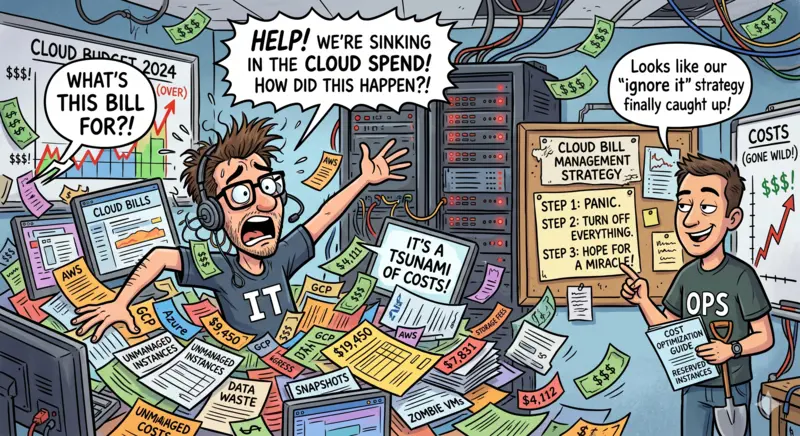
Cloud bills do not usually become painful because of a single mistake by the engineer. They become painful because even small defaults keep charging quietly.
A test server stays alive. Storage snapshots pile up. Data transfer is ignored. A larger instance is selected because nobody wants performance complaints. The invoice looks technical, but the problem is often operational ownership.
That is why learning how to reduce cloud bill without a DevOps team starts with discipline, not tooling. You do not need a full platform team to cut waste. You do need visibility, a review rhythm, and enough control to stop obvious leakage before it becomes normal spend.
This guide is for lean IT teams that need practical savings without disrupting production, slowing delivery, or buying a FinOps platform prematurely.
The goal is simple: reduce waste first, improve commitments second, and build a cost routine your team can actually maintain.
Start With Visibility, Not Discounts
Most teams jump straight to reserved instances, savings plans, or vendor negotiations. That is how you lock in waste at a lower price instead of removing it.
If you are serious about reducing your cloud bill without DevOps, your first move is not to optimize. It is visibility you can actually act on.
Start here:
- Break down the cost by service, not the total bill
Compute, storage, database, and data transfer behave very differently. A single number hides where action is possible. - Identify the top 10 cost contributors.
Not 100. Not everything. Focus on the few services or workloads driving most of the spend. - Separate production vs non-production
This is where most hidden costs sit. Dev, QA, and staging environments rarely get the same scrutiny. - Track daily or weekly cost trend.
Monthly invoices are too late. You need to see drift early, not after finance flags it. - Map cost to owners
If a workload has no owner, it will never be optimized. Even a basic tag like “team” or “project” is enough to start.
BUYER’S REALITY
You cannot reduce what you cannot attribute. Most cloud waste exists in resources nobody clearly owns.
Vendor tools, such as cost explorers in Amazon Web Services, Microsoft Azure, and Google Cloud Platform, will give you this visibility. But they do not enforce action. They only show data.
The risk here is false confidence. You see dashboards, but no one changes behavior. That is where bills keep growing.
Your decision at this stage is simple. Do not optimize yet. First, make sure you can answer, in minutes, where your cloud spend is going and who is responsible for it.
The Chaos of Enterprise Cloud Pricing Analysis: AWS vs Azure vs GCP 2026
Kill Idle and Forgotten Resources First
This is the safest place to start because you are not redesigning anything. You are removing waste that should not exist.
Look for resources that are running, reserved, or stored without a current business reason.
Start with these:
- Stopped or unattached disks
- Old snapshots and backups
- Idle virtual machines
- Unused load balancers
- Test databases left running
- Orphaned public IPs
- Expired proof-of-concept environments
- Storage buckets with no active usage
- Dev and QA environments running after office hours
The trick is not to delete everything aggressively. That creates production risk and internal panic. First label resources as “review,” confirm ownership, then retire them in batches.
A simple workflow works well:
- Export the top unused or low-usage resources.
- Assign each item to an owner.
- Give a short review window.
- Shut down non-production items first.
- Delete only after backup or business confirmation.
The hidden cost is not just the resource charge. It is the habit. Once teams know that cloud resources can live forever, every new project adds permanent spend.
For lean IT teams, idle cleanup can often produce the first visible savings without buying anything. It also builds the cost discipline needed before rightsizing, reservations, or third-party tooling.
The decision implication is clear: do not begin with architecture optimization. Start with obvious waste. It is faster, safer, and easier to defend.
FinOps Tool for Cloud Cost Optimization: How to Evaluate and Use Them Without Wasting 6 Months
How to reduce cloud bill without a DevOps team? Rightsize Before You Reserve.
Reserved capacity looks smart because the discount is easy to show. The trap is committing before you know whether the workload size is correct.
A large instance at 35% usage is not efficient because it is reserved. It is still oversized.
| Checkpoint | What to Review | Rightsize First When | Reserve First When | Buyer Risk |
| Usage pattern | CPU, memory, storage, IOPS | Utilization is low or uneven | Usage is stable for months | You lock in excess capacity |
| Environment | Dev, QA, staging, production | Non-production runs all day | Production baseline is predictable | Test waste becomes permanent |
| Workload maturity | New, changing, or stable app | The app is still evolving | App demand is steady | Discount hides poor sizing |
| Region/service family | Location and instance family | Workloads may move | Region and family are fixed | Wrong commitment limits flexibility |
| Team capacity | Monitoring and rollback ability | Your team can test small changes | Your team can track commitments | Savings need ongoing ownership |
Rightsizing should take precedence over commitment discounts when your team lacks deep DevOps coverage. You need fewer long-term decisions, not more.

Start with non-production workloads. Move oversized instances down one tier. Watch performance for a week. Then repeat carefully for production workloads with clear rollback.
The hidden cost is commitment pressure. Once finance sees a discount, everyone assumes the problem is solved. But if you reserved the wrong size, wrong region, or wrong service family, you have only made the waste harder to unwind.
For cloud cost optimization, the rule is simple: resize what you can prove, and reserve only what stays stable.
Cloud vs. Bare Metal: Picking the Winner for Your 2026 Budget
Use Native Cloud Tools, But Do Not Trust Them Blindly
AWS, Azure, and Google Cloud all provide cost visibility tools. Use them first. They are already available, tied to your billing data, and good enough for the first round of cleanup.
| Platform | Native Tool | Good For | Limitation | Buyer Decision |
| AWS | Cost Explorer, Budgets, Compute Optimizer | Spend trends, budgets, and rightsizing signals | Recommendations need validation | Use for first-pass cleanup |
| Azure | Cost Management, Advisor | Department-level cost review, reservation checks | Can get noisy across subscriptions | Good for Microsoft-heavy teams |
| Google Cloud | Billing Reports, Recommender | Project-level cost tracking, idle resource signals | Requires clean project ownership | Useful when projects are well structured |
Do not treat these tools as automatic savings engines. They show where to look. They do not understand business priority, production risk, customer impact, or internal politics.
A tool may recommend downsizing an instance because utilization looks low. But that workload may spike during batch processing, month-end reporting, or customer onboarding. If nobody checks the usage pattern, the “saving” becomes a risk of outage.

The trade-off is simple. Native tools are cheaper and faster to get started with, but they require human review. Third-party tools may give better reporting and automation, but they add another subscription and another workflow.
For a lean team, start native. Build your first cost view, remove obvious waste, validate rightsizing, and only then decide whether the gap is operational or tooling-related.
Set Guardrails That Non-DevOps Teams Can Actually Maintain
Cost control fails when every rule needs engineering effort. Your guardrails should be simple enough for IT, finance, or application owners to review without opening a deployment pipeline.
Start with these controls:
- Monthly budget alerts by account, project, or subscription
- Owner tagging for every new workload
- Auto-shutdown schedules for dev and QA
- Approval for large instance types
- Expiry dates for proof-of-concept environments
- Storage lifecycle rules for logs, snapshots, and backups
- Separate billing views for production and non-production
The point is not to block teams. The point is to make waste visible before it becomes normal.
The implementation risk is over-control. If every small change needs approval, teams will bypass the process or delay work. Keep the rules focused on high-cost actions: large compute, always-on databases, premium storage, and public networking resources.
If a cloud resource has no owner and no review date, it is already a cost risk.
Where Third-Party Cost Tools Make Sense
Third-party cloud cost tools make sense when native dashboards are no longer enough to drive action.
That usually happens when you have multiple cloud accounts, weak tagging, shared services, unclear ownership, or finance teams asking for cleaner chargeback reports. At that point, the problem is not just seeing spending. It is explaining spending.
Look at third-party tools when you need:
- Cleaner cost allocation across teams, products, or customers
- Better anomaly detection than native alerts
- Multi-cloud reporting in one place
- Scheduled executive reports
- Commitment tracking across accounts
- Policy-based recommendations
- Forecasting that finance can understand

But do not buy too early.
A FinOps tool cannot fix missing ownership. It cannot magically clean poor tagging. It cannot tell you which test environment is politically safe to shut down. Someone still has to make decisions.
The hidden cost is operating the tool itself. You need owners, review meetings, follow-up discipline, and someone to challenge recommendations. Otherwise, you are just paying for a better dashboard of the same bad behavior.
The buyer’s decision is simple: buy when reporting complexity is slowing action. Do not buy when basic cleanup has not even started.
When NOT to Buy a Cloud Cost Tool
Buying a FinOps or cloud cost platform feels like progress. In many teams, it becomes another layer of reporting with no change in behavior.
Do not buy a tool if you are still here:
- No clear ownership of workloads
- No tagging discipline or inconsistent tags
- No separation between production and non-production
- No regular cost review rhythm
- Idle resources still exist in large numbers
- Rightsizing has not been attempted
- Budgets and alerts are not configured
In this state, a tool will surface more data, not more decisions.
The trade-off is straightforward. You either fix behavior first or pay to visualize the same waste more clearly. Most vendors will show dashboards, anomaly alerts, and optimization suggestions. None of that removes cost unless your team acts on it.
The implementation risk is distraction. Teams start exploring features, dashboards, and integrations instead of fixing the obvious issues already visible in native tools.
The rule is discipline before tooling. If your team cannot maintain a monthly review using native tools, adding a third-party platform will not change the outcome.
Build a Monthly Cloud Cost Routine Your Team Can Sustain
Cloud cost reduction cannot be a one-time cleanup. Bills rise again when no one reviews new workloads, storage growth, unused environments, or vendor recommendations.
Keep the routine simple:
| Monthly Step | Owner | What to Check | Decision Needed | Output |
| Review top spend | IT lead | Top services and accounts | Is the spending justified? | Cost summary |
| Check idle resources | App owners | Unused compute, disks, IPs | Keep, stop, or delete | Cleanup list |
| Review non-production | Project teams | Dev, QA, staging uptime | Full-time or scheduled? | Shutdown plan |
| Validate rightsizing | Infra/app owner | Low-utilization resources | Resize or monitor | Action tracker |
| Check commitments | IT + finance | Reservations, savings plans | Buy, renew, or wait | Commitment note |
The hidden cost is follow-through. If every review ends with “we will check later,” the bill will keep drifting. Assign owners, set dates, and track closure like any other operational task.
The right outcome is not perfect FinOps. It is a repeatable routine your team can run without a DevOps function.
The practical answer: remove obvious waste, prevent new waste, and only buy tooling when your operating discipline is already working.
Wrap Up
The core trade-off is simple: you can reduce cloud spend without a DevOps team, but you cannot reduce it without ownership.
Start with visibility. Remove idle resources. Rightsize before committing. Use AWS, Azure, or Google Cloud’s native tools first. Buy a third-party cost tool only when reporting complexity is slowing real action.
This is worth doing when your bill is growing, but your team is still lean. It is not worth over-engineering when the basics are still ignored.
Your next step: build a monthly cost-review routine and make every major cloud line item accountable to an owner.